VoIP
VoIP  Blog
Blog  Business Communication
  Customer Experience
  Leadership
  Marketing & Sales
  Nextiva News
  Productivity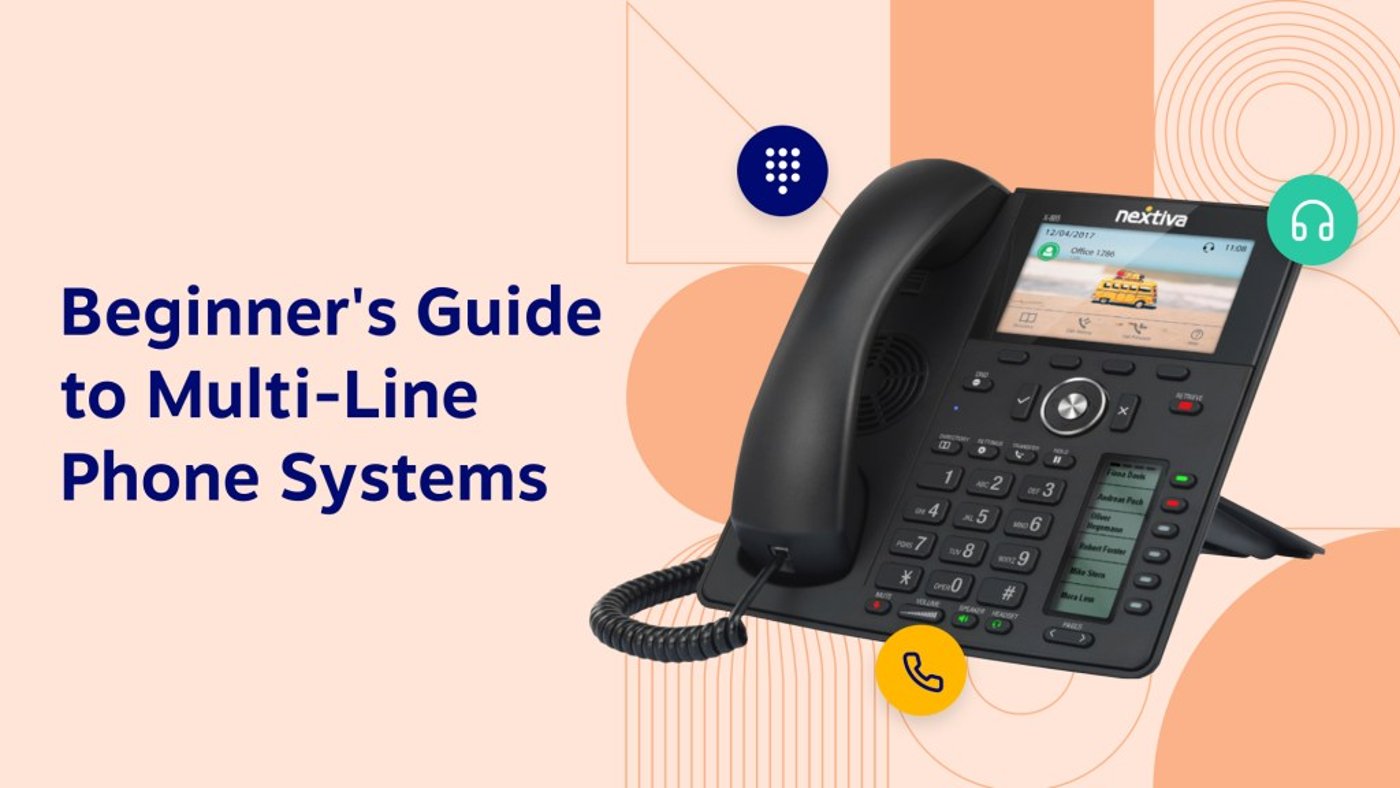
A multi-line phone system is a must-have for businesses looking to handle multiple calls simultaneously. It packs essential features like call waiting, transferring, conference calling, and forwarding into one powerful solution.
The best part? No need for extra phone jacks or new numbers to add lines. With multiple setup options, from on-premises to cloud-based, you can easily expand your business phone system and streamline communications.
This guide cuts through the noise, helping you find the perfect multi-line system for your business needs and budget.
What Is a Multi-Line Phone System?
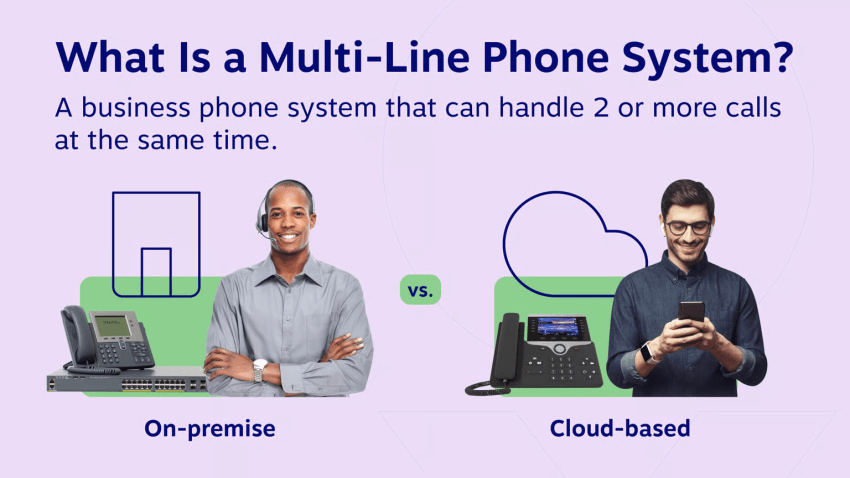
A multi-line phone system allows employees to handle two or more calls simultaneously. Users can put calls on hold, dial internal extensions, or switch between callers with the touch of a button.
This differs significantly from a traditional single-line phone. With a single-line phone, the next caller hears a busy signal while you are on a call. With a multi-line system, call forwarding ensures that the second call is routed to another line, voicemail, or an auto attendant, so you never miss a business opportunity.
How Multi-Line Phone Systems Work
Businesses can set up a multi-line telephone system in one of two main ways:
On-premises multi-line phone system
This traditional method uses physical telecommunications equipment installed in your office, such as a private branch exchange (PBX) or a key system unit (KSU). It uses physical copper wiring. If you need four lines, you need four separate pairs of wires running to the workstation.
Installation and maintenance require a qualified technician. Furthermore, an on-premises solution is tied to a fixed location, making mobile work difficult.
Cloud-based multi-line phone system
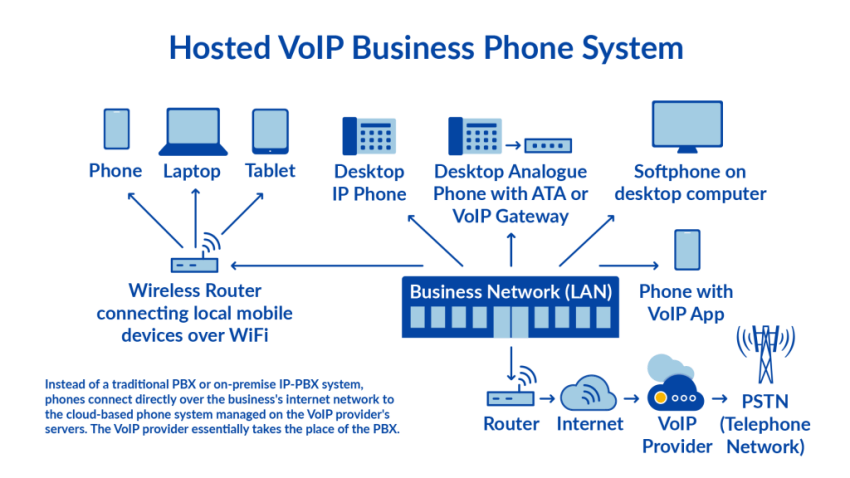
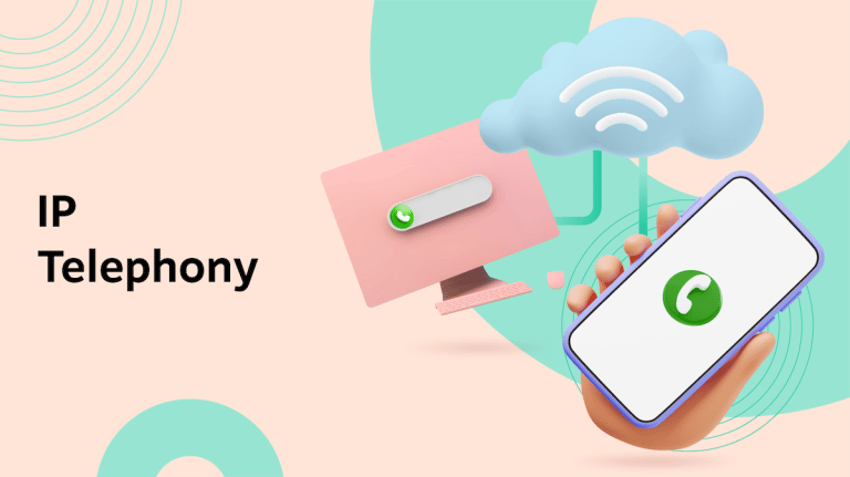
The modern approach uses Voice over Internet Protocol (VoIP). It’s cloud-based and offers unlimited virtual phone lines.
A VoIP phone system uses your internet connection instead of separate cables. It converts voice into data packets, allowing simultaneous calls over a single internet connection. You don’t need expensive hardware or on-site servers. Your employees can access their business phones from anywhere using a desk phone, laptop, or mobile app.
Traditional vs. cloud phone system
| Feature | Traditional phone system | Cloud-based phone system |
|---|---|---|
| Installation | Complex on-site wiring | Easy cloud deployment (plug & play) |
| Cost | High upfront hardware costs | Low monthly subscription |
| Scalability | Limited by physical jacks | Highly scalable via software |
| Remote Access | None (tied to the desk) | Full remote & home office access |
| Maintenance | Requires IT staff/technicians | Managed by the provider |
| Reliability | Vulnerable to local outages | Redundancy & high uptime (99.999%) |

Types of Multi-Line Phones (And Use Cases)
Choosing the right multi-line device for your multi-line system shouldn’t be a guessing game. While cloud-based does the bulk of the work, the actual device (or app) your team uses determines how many calls it can effectively handle simultaneously.
Here’s an overview of the three main categories:
1) Two-line phones
Best for: Whether in a private office, a home office, or at the shop counter, a two-line system is ideal for users who want to conduct an active conversation and, at the same time, keep a second line free for incoming inquiries or outgoing calls from suppliers.
Key features: Hold, redial, speakerphone, and basic call waiting.
Who needs it:
- Freelancers: Use Line 1 for clients and Line 2 for personal use.
- Retail stores: Line 1 for customer service; Line 2 for credit card processing or management.
Hardware example: Poly Edge E100 (Approx. $80 – $100).

2) Four-line phones
Best for: Sales reps, customer service reps, and office managers. This is the standard VoIP desk phone for most businesses. It allows the user to put a customer on hold on line 1, take a quick question from a colleague on line 2, and simultaneously keep two lines free for incoming calls.
Key features: Warm transfer, 3-way conferencing, dedicated mute/headset keys, and BLF (Busy Lamp Field) to see who is on the phone.
Who needs it:
- Sales reps: To juggle inbound leads while keeping a prospect on hold.
- Receptionists: To manage low-to-medium call volume for a small office.
Hardware example: Nextiva X-835 or Poly Edge E220 (Approx. $140 – $170).

3) 6 to 12-line phones
Best for: Power users, receptionists, and executives. These high-performance devices feature large color touchscreens and expansion modules (sidecars) for simultaneously monitoring dozens of extensions.
Key features: High-definition audio, large touch display, Bluetooth/Wi-Fi support, and extensive programmable keys for speed dialing internal teams.
Who needs it:
- Executive assistants: Screening calls for multiple C-suite leaders.
- Call center supervisors: Monitoring live agent status (Presence).
Hardware example: Nextiva X-885 (Approx. $190+).

Pro tip: Don’t forget the zero-line phone (softphone). Many teams forgo hardware altogether. A softphone app (like Nextiva’s desktop/mobile app) allows unlimited virtual lines on laptops or smartphones. This is the best solution for hybrid employees without a fixed workstation.
Hardware Options: Analog vs. IP Phones
When setting up a small business phone system, you have two hardware paths.
Traditional analog systems
Many small businesses start with off-the-shelf hardware found at office supply stores. Brands like AT&T and VTech offer solid 2-line or 4-line systems.
- Pros: One-time cost; easy to buy.
- Cons: Limited functionality (usually capped at 4 lines); no remote work features; requires physical phone lines.
- Best for: A single location with 1–3 employees who never work remotely.
IP phones & cloud systems
An IP phone looks like a traditional desk phone but plugs into the internet. It unlocks advanced calling features like call transfer, office phone system directories, and auto-attendants without needing complex wiring.
- Pros: Expandable to unlimited lines; high-definition audio; integrates with your computer.
- Cons: Requires a monthly subscription (cost-effective when bundled).
How to Set Up a Multi-Line Phone System
With a traditional telephone system (PBX), you have to hire technicians to run copper cables through your walls. With a cloud-based system, you’re up and running quickly. Here’s how the setup works in four steps:
1) Choose your plan and phone numbers
Choose a VoIP provider (e.g., Nextiva) that fits your budget. You don’t need a dedicated line for each employee. Instead, buy licenses or user quotas. Select a local phone number, a toll-free number, or port your existing business phone numbers.
2) Assign virtual phone extensions
Log in to your admin portal. Instead of wiring up a desk, simply create a user profile for each employee (e.g., “Sarah – Extension 101”).
Assign these users digital lines. For example, you can provide a sales representative with four or just two lines in their app. The entire process is software-based.
3) Configure call flow
Define what happens when all lines are busy. Record a personalized greeting (“Thank you for calling [Company Name]…”) and set up an automated switchboard (Press 1 for Sales, 2 for Support). This ensures that the call is answered and correctly routed even when all lines are busy.
4) Plug & play
If you have ordered desk phones, simply connect them to your internet router (Ethernet port). They will be configured automatically.
If using softphone apps, your team should download the mobile/desktop app and log in. They will then have access to a fully functional multi-line system.
Technical check: Ensure that your internet bandwidth in the office is stable. For high voice quality, you’ll need an upload/download speed of approximately 100 kbit/s (0.1 Mbit/s) per simultaneous call.
You’ll have a multi-line phone system assigned to you quickly. The VoIP phone system from Nextiva comes equipped with all your settings.
Advanced Features in a Multi-Line Phone System
Because multi-line phone systems are software-based, they offer you better control over customer communications. Here are the 10 most important features you need in a multi-line phone system
1) Auto attendant
An auto attendant directs incoming calls to the right person or team based on your caller’s keypad input. Using an auto-attendant improves the customer experience by reducing the waiting time. You’ll also convey an image of a professional business, regardless of your company’s size, when you have a phone system for gyms & fitness businesses.
Modern IVR systems use natural language processing (NLP), allowing callers to easily and conveniently navigate to the solutions instead of having to search for customer support.
Save yourself time thanks to these ready-made auto attendant scripts.

2) Call hold and call parking
Call hold lets you pause a call so you can talk with a colleague or answer another call. Call parking is similar, but with the extra benefit of allowing others to retrieve the call that you’ve put on hold.
Virtual receptionists can call and announce over the intercom, “Mike, you have a client on Park 1.” Mike can pick it up from his cell phone, desk, or laptop instantly.
Holding and parking calls gives you the benefit of resolving every customer call. Also, on-hold music engages callers and announces custom messages like payment options.
3) AI-powered call analytics
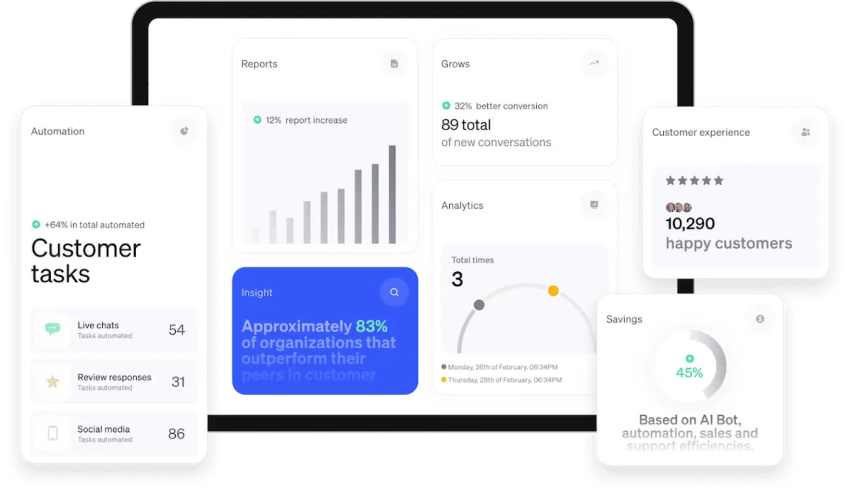
Measuring call volumes and associating those with business activity helps you scale your organization. Nextiva’s business-grade internet phone service displays real-time call data and business analytics.
Visualize your data in real-time, like missed call rates, average hold times, and peak call volume hours. You can then staff up effectively during busy windows to ensure no revenue is lost.
At a glance, supervisors can view reports and create custom dashboards for leadership and staff to perform at their best.
4) Call forwarding
The call forwarding feature allows you to transfer calls to any phone number or device. Depending on your provider, you might also route calls to your voicemail, desk phone, or cell phone.
Call forwarding helps you stay operational, including when you’re out of the office. You can eliminate missed calls and missed business opportunities.
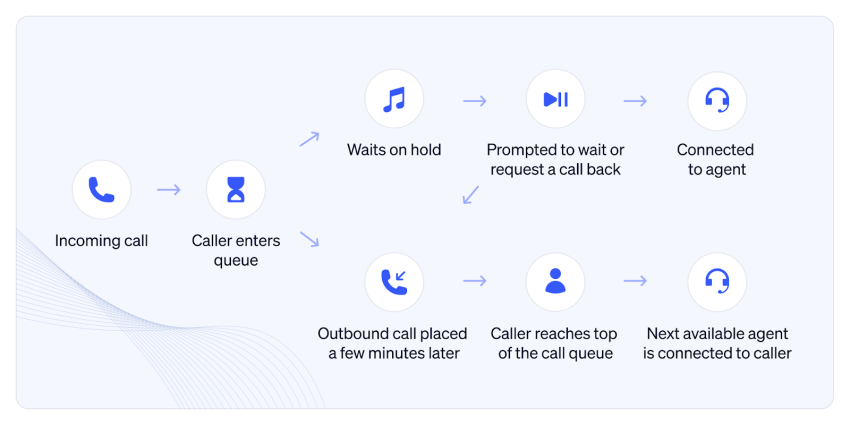
5) Call routing
Call routing is a VoIP feature that directs inbound calls to any person based on any criteria you define. This logic includes the time, caller ID, and auto attendant selections.
You can route your calls to your team using any of these policies:
- Round-robin: Calls are distributed in an equal fashion across the team
- Regular: Calls are answered in chronological order
- Uniform: Calls go to the agent who’s been available the longest
- Simultaneous: All the phones ring, and the agent who answers it first takes the call
- Weighted: You set a ratio of calls to be routed to each agent
6) Business voicemail
If you don’t pick up your call on time, allow your callers to leave a voicemail. This means you won’t lose a potential lead or a chance to delight a customer. Otherwise, they may turn to your competitor.
Business voicemail can also send voicemail transcripts to your email or text message. Keep on top of your voicemails so you can follow up in a timely way.
7) Screen pop
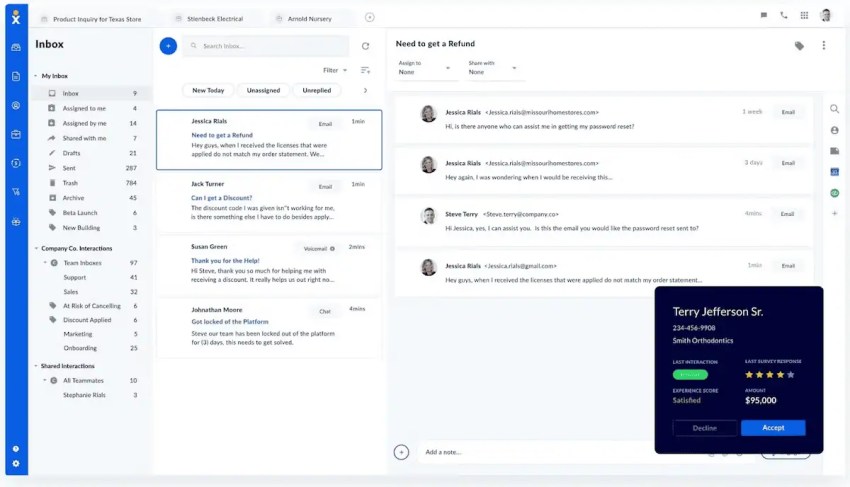
Screen pop shows real-time info about callers the moment your phone rings. Nextiva’s Call Pop surfaces data like customer sentiment and past interactions. This integrates with your CRM and takes your customer experience to the next level.
8) Toll-free numbers
Toll-free business numbers help you gain a national presence. Toll-free numbers feature an 800/888/866 area code that doesn’t charge landline callers.
Establish trust with your audience and track incoming calls across marketing campaigns. You can also get a toll-free vanity number like 1-800-CONTACTS and build an even stronger brand.
9) Audio conferencing
Use a conference call to host meetings using your phone or an internet connection. Conference calls are a staple for any modern phone system, but they’re usually an add-on for landline setups.
Conference calling brings participants together without an expensive PBX or a third-party service. You can enjoy productive meetings with colleagues, partners, or customers. A cloud-based VoIP solution means participants experience HD call quality, too.
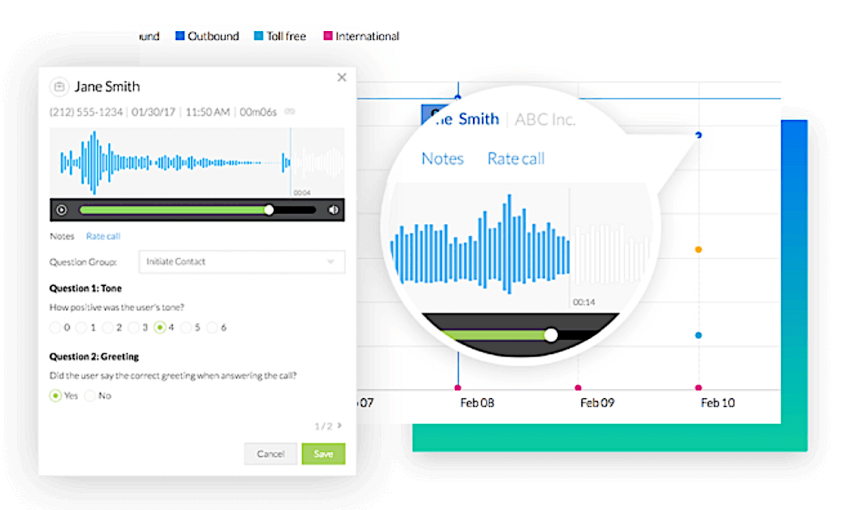
10) Call recording
Recording phone calls increases accountability and training opportunities with your team. It unearths powerful insights about your prospects and your customer experience.
Adapted from high-volume call centers, VoIP call recording doesn’t need any cassettes or equipment. Customize this feature to record all calls, select users, or on demand.
Mobility & Cordless Solutions (DECT)
Not everyone sits at a desk. Retail staff, warehouse managers, and medical offices need a cordless phone to stay connected while moving.
What is DECT?
DECT (Digital Enhanced Cordless Telecommunications) is considered the gold standard for cordless office phones. Unlike Wi-Fi phones, whose connection can sometimes be unstable, DECT phones operate on a dedicated frequency that does not interfere with your internet connection.
- Range: roam up to 300 feet from the base station.
- Handover: Move between different zones in your building without dropping the call.
- Cloud integration: Advanced DECT phones can connect to your VoIP service provider (like Nextiva) so you can transfer calls from the warehouse floor to a colleague in the front office instantly.
Benefits of a Multi-Line Phone System
Still undecided between a traditional landline connection and a cloud phone system? Here you’ll find the business case for switching.
Lower costs
Traditional phone systems charge you for each individual installed line or path. With cloud, you pay a fixed price per user, not per line. A single user can make unlimited simultaneous calls. This model eliminates expensive PBX maintenance contracts and long-distance call charges, reducing telecommunications costs by up to 60%.
Higher reliability
On-premises systems are vulnerable. If a storm knocks down the telephone pole outside your office, your lines go down.
Cloud communications providers like Nextiva use a network of redundant data centers. If your office experiences a power outage, the system in the cloud remains accessible, and calls are automatically routed to your mobile app.
More flexibility
A traditional desk phone with four lines is useless if you’re not at your desk.
With cloud phone systems, your management is an app. Employees can make calls from their personal cellphones and display their business caller ID. This helps maintain professional boundaries, even when working remotely.
Better scalability
Adding a new line to a traditional system meant waiting days for a technician to install the new cabling.
You can now add new users or phone numbers to your cloud VoIP system in seconds via your admin portal. Whether you’re hiring a new employee or opening a new branch, your phone system scales with just a few clicks.
Improved convenience
A system with more than one telephone line simplifies life for you and your employees. They become more productive and can propel the company forward.
Thanks to features like auto attendants and toll-free numbers, you’ll earn trust among your customers. If you need to set up an inbound call center, you can do that in less than a day.
Some systems integrate with popular CRM (Customer Relationship Management) software and other business applications. This allows for features like caller ID pop-ups with customer information.
Gone are the days of your phone company leaving you stranded. If you ever need a helping hand, contact us 24/7.
Experience the Best Business Phone System With Nextiva
When choosing a multi-line system, don’t just think about handling two calls simultaneously. You need a platform that optimizes your entire customer experience.
Nextiva eliminates the need for multiple separate apps. It combines your multi-line system, team chat, video conferencing, and customer service into a single workspace.
- Unlimited lines: Avoid busy signals.
- AI features: Get automatic call summaries and sentiment analysis.
- Reliability: Enjoy 99.999% uptime.
Don’t let an outdated phone system deter you. Switch to the cloud standard trusted by over 100,000 businesses.
Elevate your brand with the best business phone system.
Get professional phone system features for a flexible small business price. This is the unified communications solution every small business needs.
Multi-Line Phone System FAQs
On a desk phone, several line keys light up. Press flashing switches between callers. With a softphone app, active calls are displayed on the screen. Pressing one call puts the other on hold.
Previously, you paid for lines (capacity). In the cloud, you pay users. A single-user license includes unlimited lines, meaning one person can take 3, 4, or 5 calls simultaneously without incurring additional costs.
To transfer a call, press the “Transfer” (or “Trans”) button, dial the extension or phone number you want to transfer to, and either wait to speak to the person (attended transfer) or hang up immediately to send the call through (blind transfer). Most systems will confirm when the transfer is successful.
A multi-line phone system connects multiple lines — each representing a separate number or extension — to one handset or console. This allows users to juggle multiple calls, direct them to the right team members, and maintain seamless communication within a business setting.
It depends on what your business needs are. Some of the best multi-line system providers include Nextiva, RingCentral, and Ooma Office.
Not usually. A standard high-speed business internet connection is sufficient. Typically, a high-quality phone call requires about 100 kbit/s of bandwidth. A typical fiber optic or cable connection can easily handle dozens of simultaneous calls.