VoIP
 Blog
 Business Communication
 Customer Experience
 Leadership
 Marketing & Sales
 Nextiva News
 Productivity


Hotel phone systems connect guest rooms, the front desk, reservations, and other departments through a shared telephone network. Cloud-based VoIP systems carry calls over the internet and can support call routing, mobile access, and property management system integrations. The right setup depends on your room count, existing equipment, and guest service needs.
These connections are important throughout a guest’s stay. Whether someone calls to book a room, asks the front desk for fresh towels, or reports a problem, they need to reach the right person without being passed from one department to another.
If your aging phone system makes that difficult, it may be time for an upgrade. This guide covers what to look for in a cloud-based hotel phone system and compares five providers.
What Is a Hotel Phone System?
A hotel phone system is a telephone network that manages internal calls between rooms and departments, along with external calls from guests, reservation inquiries, and other callers. Depending on its configuration, it can also support wake-up calls, guest voicemail, call accounting, and connections to a property management system.
When comparing systems, you’ll often come across three terms:
- PBX: A private branch exchange manages your hotel’s extensions and routes calls within the property and to outside numbers. It can run on equipment at your hotel or through a hosted service.
- VoIP: Voice over Internet Protocol carries calls over an IP network, such as your hotel’s network or the internet.
- SIP trunking: Session Initiation Protocol trunking connects a compatible PBX to a telephone service provider over an IP connection.
These technologies can work together. A hotel can use a VoIP PBX with SIP trunking. With a cloud PBX, the provider hosts and manages the phone system, so your hotel doesn’t need an on-site system.

Why Replace Your Old Hotel Phone System?
Many hotels are still using older phone systems. While they may work just fine, there are multiple reasons why businesses in the hospitality industry should consider upgrading to cloud-based VoIP or connecting a compatible existing PBX through SIP trunking.
Cost savings
Aging PBX equipment can become expensive to maintain, especially when replacement parts and technical support are harder to find. A cloud-based system reduces the need to maintain an on-site PBX because the provider manages the hosted platform.
Your hotel may still need phones, adapters, or network upgrades, so the savings depend on your existing setup and the cost of the new service.
Scalability
Adding extensions to an older system may require new hardware or a technician’s visit. Cloud-based systems generally make it easier to add users and extensions as you open rooms, expand departments, or hire seasonal staff.
You can also adjust call routing and ring groups for busy periods or events without replacing the core phone system.
Mobility
Desk-bound phones can make it harder to reach managers, housekeeping, and maintenance staff as they move around the property. With supported mobile apps, employees can make and receive work calls away from their desks, so guest requests are less likely to wait until someone returns.
Automatic updates
Older systems may require manual software upgrades or on-site service visits. Cloud providers generally update their hosted platforms, reducing the upkeep your team handles and providing access to fixes and new features as they become available.
Improved features
If your current system offers little beyond basic calling, staff may spend more time transferring calls, taking messages, and tracking down colleagues. Depending on the provider and plan, a newer system can offer:
- Automatic call recording to review guest conversations and train staff.
- Auto attendants and interactive voice response (IVR) menus that use call routing to direct callers to reservations, the front desk, or other departments.
- Call queues to manage incoming calls when staff is busy.
- Call forwarding to route unanswered calls to another employee.
- Call transfers to connect guests with the right staff member or department.
- Voicemail transcription so staff can read messages.
- Call reporting to track call volume and missed calls.

Must-Have Features for Your Hotel Phone System
There are several key features every hotel should prioritize when selecting a VoIP provider for its hospitality phone system.
Guest call management
Integration with your customer relationship management (CRM) platform can give hotel staff access to guest records and call history. Wake-up calls, guest voicemail, and room-related functions may require separate phone system features or a PMS integration.
Guest-centric features
There are several hotel phone system features that can greatly improve the guest experience, including the following:
- Multilingual auto attendants to serve customers in different languages
- In-room messaging through compatible hospitality applications, so guests can request room service or indicate “do not disturb.”
- Voicemail transcription your team can quickly review

Staff collaboration
Hotel management involves extensive internal collaboration with staff members, and your phone system should support that. Choose a system that offers the following features:
- Internal calls
- SMS messaging
- Videoconferencing
Growth and reliability
All phone systems for hotels should be scalable, reliable, and capable of handling peak call volumes. This means that you should have the option to easily add lines as needed, whether it’s to manage internal growth or to outsource calls to a contact center. Choosing a carrier with exceptional reliability and customer support is also important.
Security
Ensure the phone service you select encrypts calls and data to protect guest privacy. It’s also important to choose a provider that has compliance-focused features. For example, PCI compliance rules prohibit storing sensitive authentication data, such as card verification codes, after authorization, including in call recordings. Ask how the system prevents that information from being retained. Look for systems that offer encryption and documented security certifications.
Ease of use
Ease of use is sometimes overlooked, but an intuitive interface is essential. Both guests and staff should be able to easily navigate calls and phone system features. The last thing guests need is someone at the front desk struggling to patch them through to the correct team members to help them when needed.
Integrations
Your hotel phone system will be most effective when it integrates with the tech stack you already use. Look for platforms that integrate with your CRM, email, or housekeeping applications.
How Does a Hotel Phone System Connect to a Property Management System?
A hotel phone system connects to a property management system through a supported interface, middleware, or an integration partner. Depending on the products involved, that connection can exchange information used for guest services and hotel operations.
Many hospitality providers support PMS and call accounting integrations, but compatibility depends on the specific systems and deployment.
Before buying, ask the provider to confirm:
- Your PMS product and version.
- Which check-in, checkout, room status, voicemail, and billing functions the integration supports.
- Whether a third-party connector or separate license is required.
- Who installs, maintains, and troubleshoots the connection.
- What happens if the connection stops working.
For example, include checkout in your demonstration. Ask the provider to show how the proposed setup clears guest voicemail, changes calling permissions, and prepares the extension for the next guest.
Get those responsibilities and supported functions in writing before signing a contract.
Hotel PBX, Cloud VoIP, or Hybrid: Which Setup Fits Your Property?
An on-site PBX keeps call management at your property, a cloud PBX places it with a hosting provider, and a hybrid setup combines local and cloud components. The choice depends on your existing equipment, internet connectivity, hospitality integrations, and maintenance arrangements.
PBX and VoIP describe different things: a PBX manages calls, while VoIP is a way to carry them. An on-site PBX can also use VoIP. The comparison below focuses on where the system runs and who manages it.
| Consideration | On-site hotel PBX | Cloud-hosted VoIP | Hybrid setup |
|---|---|---|---|
| Call management | Runs on equipment at the property | Runs on the provider’s hosted platform | Split between local and hosted components |
| Maintenance | Your team or service partner maintains the PBX | Provider maintains the hosted platform; local equipment still needs support | Responsibilities are divided between systems and providers |
| Existing room phones | May remain if supported by the PBX | Reuse depends on compatibility and any required adapters or gateways | Can retain supported local equipment while adding hosted services |
| Expansion | Depends on available capacity, licenses, and hardware | Usually involves adding licenses and checking network and call capacity | Depends on both the local and hosted systems |
| Costs to compare | Equipment, licenses, installation, and maintenance | Subscriptions, devices, network preparation, and integrations | Existing system costs plus hosted services and integration work |
| When to consider it | Your supported PBX still meets important property requirements | You want hosted management and have suitable connectivity | You need to retain equipment or migrate in stages |
Cloud hosting doesn’t remove the need for phones, network equipment, or backup power at your hotel. Likewise, keeping a PBX doesn’t mean every new extension requires new hardware; the system may already have available capacity.
A hybrid setup can support a phased migration, but it also requires clear support responsibilities. For example, SIP trunking may connect a compatible existing PBX to a provider’s service. Confirm the exact equipment and integration requirements before assuming your room phones can stay.
Top 5 Hotel Phone System Providers
The best hotel phone systems support your guest room phones, front desk calls, and staff communication. Compare Nextiva, Avaya, Dialpad, Ooma, and Mitel based on their features, deployment options, and compatibility with your property management system.
| Provider | Use to consider | Deployment | Notable features |
|---|---|---|---|
| Nextiva | Front desk, reservations, and staff communication | Cloud | 24/7 support and voice, messaging, and video tools |
| Avaya | Properties evaluating dedicated hospitality phones or retaining an Avaya system | On-site and hybrid configurations; confirm the proposed platform | Hospitality handsets and partner integrations |
| Dialpad | Reservation and administrative teams using AI calling tools | Cloud | Live transcription and call summaries |
| Ooma | Smaller properties with basic business calling needs | Cloud | Virtual receptionist, ring groups, and mobile app |
| Mitel | Properties needing hospitality integrations and flexible deployment | On-site, cloud, and hybrid | PMS integration and hospitality device options |
1. Nextiva
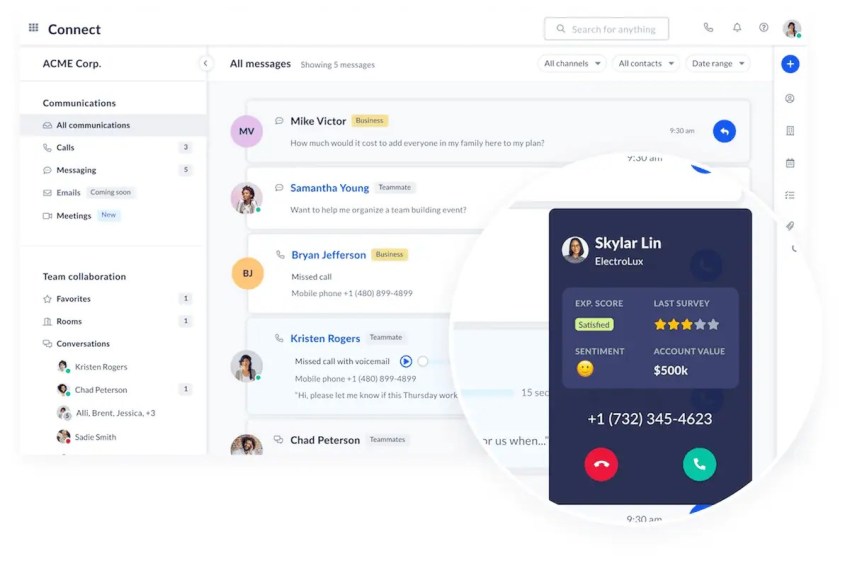
Nextiva provides a user-friendly cloud-based phone system with features that can support hotel operations, including the following:
- Advanced IVR with inbound and outbound capabilities
- Easy-to-adapt call flows for internal and external calls
- Remote-friendly mobile app
- Voice, SMS, and video communication options
- Multilevel auto attendants for qualifying plans
- Intelligent call routing and call forwarding options
- Multiple integrations offering compatibility with multiple CRM platforms
- Transparent pricing
Nextiva provides diverse communication solutions, including VoIP systems, SIP trunking, and hotel PBX solutions.
Nextiva is known for its exceptional customer support, which is available 24/7 for all customers through email, phone, and chat.

Combined with Nextiva’s powerful 99.999% uptime, this provider’s focus on delivering reliable, high-quality service makes it a strong choice for hotels prioritizing a great guest experience.
2. Avaya
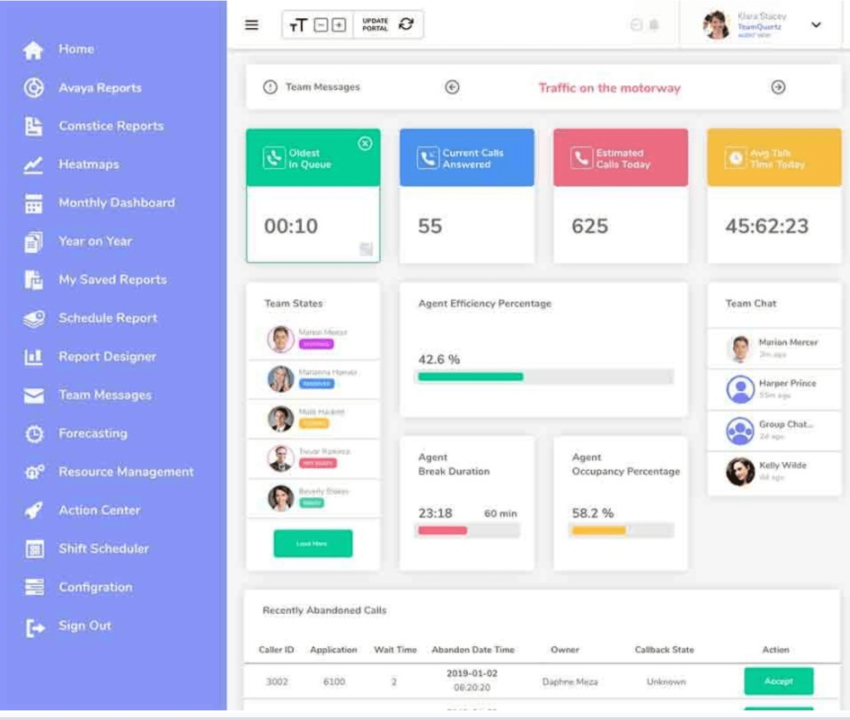
Avaya offers dedicated hospitality hardware. Its documentation, updated in 2026, lists the H229, H239, and H249 hospitality handsets as supported on applicable IP Office systems. Smartphone-based guest services depend on the applications and integrations included in the setup.
The trade-off can be complexity. Deployment, installation, and support requirements vary, so compare the proposed system’s full cost and maintenance needs before choosing it for your hotel.

3. Dialpad
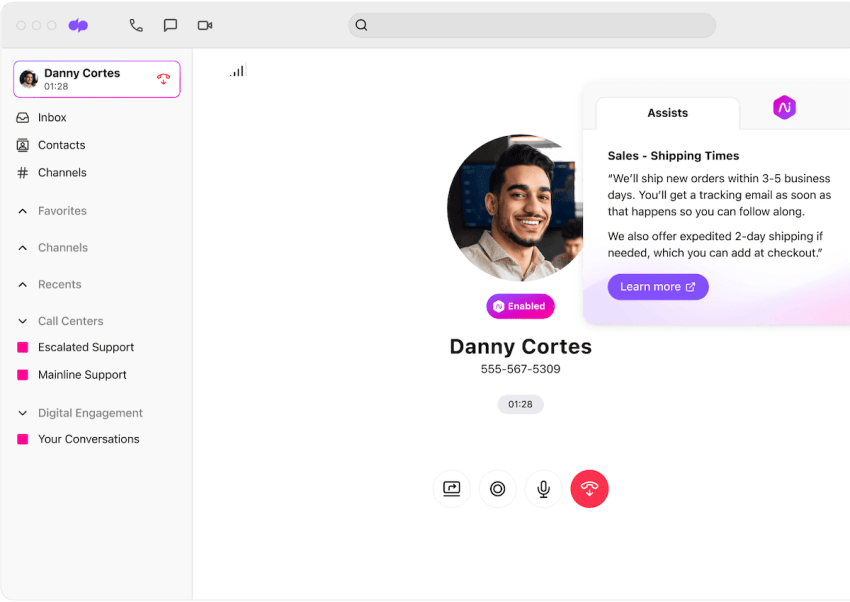
Dialpad offers AI features such as live call transcription and call summaries. Reservation teams can use these tools to review guest inquiries and follow-up details.
Salesforce and HubSpot integrations are available, depending on the selected product and plan. Compare the features your team needs, and confirm PMS and room phone compatibility separately before choosing Dialpad for the whole property.
4. Ooma
Ooma offers basic VoIP features, including a virtual receptionist, ring groups, and a mobile app. Desktop calling, call recording, and videoconferencing require Pro or Pro Plus, while call queuing requires Pro Plus.
It’s worth considering for smaller hotels with basic front desk and staff calling needs. Confirm guest room features, PMS compatibility, and any higher-tier plan costs before deciding whether it fits your property.
See how Ooma measures up against Nextiva as a hotel phone system VoIP provider.
5. Mitel
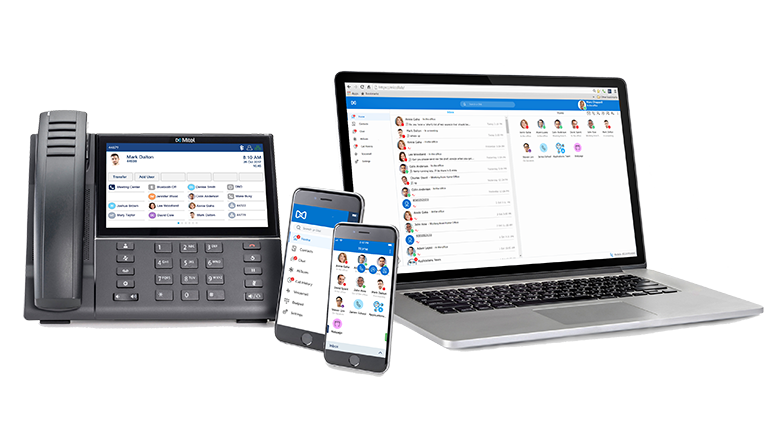
Mitel offers hotels and franchises customization options for complex communication needs. Its hospitality solutions support PMS integrations, with on-site, cloud, and hybrid deployment options.
Setup and ongoing maintenance depend on the configuration you choose. Clarify which tasks your team will manage and which require a service partner, especially if your hotel has limited internal IT support.
Review Mitel’s top competitors to see if it may be a good hotel phone system for your business.
How Much Does a Hotel Phone System Cost?
A hotel phone system’s cost includes more than the monthly calling subscription. Your total depends on the number of rooms and staff extensions, existing equipment, integrations, installation work, and support requirements.
Published business phone prices provide a starting point, but they aren’t complete hotel deployment quotes.
Ask providers to separate these costs:
| Cost category | What to include in the quote |
|---|---|
| Phone service | Staff users, guest room extensions, numbers, call capacity, and usage |
| Equipment | Room phones, front desk phones, headsets, adapters, and gateways |
| Network preparation | Cabling, switches, Wi-Fi improvements, and backup connectivity |
| Hospitality integrations | PMS connectors, call accounting, guest voicemail, and wake-up call applications |
| Implementation | Configuration, number transfers, testing, and staff training |
| Ongoing support | Maintenance, equipment replacement, integration support, and service coverage |
| Additional charges | Taxes, regulatory fees, international calls, toll-free usage, and optional features |
Ask how guest room extensions are licensed. A room phone may not need the same subscription as a staff member who uses messaging, meetings, and mobile apps.
For a fair comparison, request the first-year total and the recurring cost after installation. Include any remaining payments or cancellation charges on your existing contract.
How to Move Your Hotel Phone System to the Cloud
A cloud migration should account for both the front desk and guest rooms. Replacing staff phones alone won’t confirm that the whole property is ready.
1. Review your current setup
List room phones, department extensions, public numbers, existing contracts, and connected applications. Include any special-purpose lines in the review. Have the relevant service providers assess them separately before changing their connections.
2. Confirm equipment and integration compatibility
Ask which phones can remain, which need adapters, and which must be replaced. Have the provider document PMS compatibility and responsibility for every required connector.
3. Check your network and backup arrangements
Have the implementation team assess internet capacity, cabling, network coverage, and power requirements. Agree on how calls will be handled during an internet or power outage. Also have the provider confirm the emergency calling configuration and applicable requirements for the property.
4. Test a small deployment
Test a limited group of rooms and staff extensions before switching the whole hotel. Include incoming reservation calls, room-to-front-desk calls, transfers, guest voicemail, wake-up calls, and PMS workflows where supported.
5. Schedule the change and train staff
Choose a quieter operating period where possible. Agree on the number transfer schedule, escalation contacts, and a rollback plan. Train staff on the tasks they perform daily, then check call routing and room functions again after the switch.
Upgrade Your Guest Experience With Nextiva’s Hotel Phone System
Nextiva’s cloud-based phone service combines call routing, CRM integration options, and 24/7 support. When your hotel staff can’t pick up, XBert’s AI receptionist can answer calls around the clock, respond to common questions using your hotel’s information, and route callers to the right team based on rules you set.
For example, it can answer questions about check-in times or parking while directing requests that need staff attention to your team.
Answer guest calls around the clock.
See how XBert can answer the calls your staff can’t pick up and route callers to the right team.
Frequently Asked Questions About Hotel Phone Systems
Ask your vendor for a network readiness assessment that reviews router and switch capacity, firewall settings, and Wi-Fi coverage wherever wireless phones will be used. Configure Quality of Service (QoS) and separate guest Wi-Fi from hotel operations to reduce competition for network resources.
Confirm how emergency location information is configured and maintained for room extensions and staff devices, including mobile softphones. Ask the provider to explain the emergency calling requirements that apply to your property and how the proposed setup addresses them. Also confirm what remains available during a power or internet outage; don’t assume ordinary call forwarding preserves emergency calling.
Some analog devices can connect through compatible adapters or gateways, but support depends on the device and service. Elevator phones and fire alarm panels need a separate review with the equipment provider and qualified installer to confirm compatibility, backup power, and applicable requirements. Don’t assume a standard VoIP adapter is suitable for every device.
A low-risk approach is a phased rollout, piloting on a small set of extensions or one building first, then expanding after validation. Ask for a detailed cutover plan that includes number porting timelines, rollout timing, and a rollback option. Schedule the switch around your property’s quieter periods.
Look for role-based training tailored to front desk, housekeeping, maintenance, and management, plus quick-reference guides for common call flows. It also helps if the vendor offers ongoing training for seasonal hires and short video modules your team can revisit anytime.
Define success metrics before launch, such as missed-call rate, average time to answer, transfer success rate, and peak-hour queue performance. Pair call analytics with guest feedback and staff input to spot bottlenecks and adjust routing, staffing, or menus.
Ask for uptime commitments, support response times, and clear escalation paths documented in your contract. Review how uptime is measured, any exclusions, and the process for claiming service credits. Also check minimum commitments, number porting charges, renewal and cancellation terms, and fees for adding or removing users or locations.