VoIP
VoIP  Blog
Blog  Business Communication
  Customer Experience
  Leadership
  Marketing & Sales
  Nextiva News
  Productivity

Talkdesk built its reputation as a capable cloud contact center platform, and for many teams, it still delivers.
But as contact centers grow more complex, a common pattern emerges: Add a channel, pay more. Add workforce management, pay more. Add quality monitoring, pay more. What starts as a competitive price can quietly become one of your higher operational costs.
In 2026, businesses need contact center platforms that bring voice, digital channels, AI, and analytics together without forcing teams to pay separately for every capability. AI is also becoming a major priority.
Gartner found that 91% of customer service and support leaders surveyed were under executive pressure to implement AI, with organizations increasingly focused on using AI to improve customer satisfaction and first-contact resolution.
If you’re evaluating alternatives for Talkdesk, this guide breaks down the top Talkdesk competitors across pricing, features, ease of use, and scalability so you can make a confident decision about which platform actually fits how your team works.
Key Takeaway on Each of the Talkdesk Alternatives
Here’s a quick summary of each Talkdesk alternative we reviewed, along with the types of teams or businesses they suit best:
- Nextiva: Best for small to medium businesses looking for a unified communication (UC) platform with all-in-one voice, video, and chat capabilities, a straightforward setup process, and 24/7 customer support.
- Five9: For mid-sized businesses requiring enhanced AI features.
- JustCall: For budget-conscious startups and small businesses.
- Aircall: For startups, small teams, and sales-focused organizations looking for a quick and easy-to-use contact center solution.
- Genesys: For large enterprises and complex contact centers that require advanced customizations and features.
- Intermedia: Best for small and midsize businesses with rotating shifts or seasonal staffing needs that want flexible agent licensing.
- NICE CXone: For large enterprises that require a comprehensive, fully integrated suite of contact center, workforce, and analytics tools.
- 8×8: For distributed teams that need reliable international calling, contact center, and UCaaS under one roof.
- RingCentral: For businesses that want an all-in-one communications platform with a broad ecosystem of app integrations.
- Twilio Flex: For developer-led teams that need a highly customizable, programmable contact center platform.
Nextiva vs. Talkdesk: Quick Comparison
Nextiva and Talkdesk both provide cloud-based contact center capabilities, but they target somewhat different needs. The better choice depends on whether your priority is unified communications, contact center depth, AI, customization, or cost.
| Feature | Nextiva | Talkdesk |
|---|---|---|
| Best for | Small to medium businesses and mid-market teams that want business communications and contact center capabilities from one provider | Midsize and enterprise contact centers that need specialized CX and contact center capabilities |
| Starting price | Business plans start at $15/user/month; dedicated Contact Center Essential starts at $75/agent/month | $85/user/month for Digital Essentials; $105/user/month for Voice Essentials; $165/user/month for Elite |
| Business communications | Strong. Voice, video, SMS, team messaging, and other business communication tools are available within the platform | Primarily focused on contact center and customer experience operations rather than serving as a full unified communications platform |
| Contact center | Omnichannel contact center capabilities, intelligent routing, workflow automation, analytics, and AI, with features varying by plan | Advanced routing, omnichannel engagement, workforce management, analytics, automation, and CX tools |
| AI capabilities | AI transcription and summaries, intelligent routing, automation, and XBert, which can handle voice, SMS, and web chat interactions, answer questions, qualify leads, book appointments, and route conversations | AI agents, Copilot, AI-powered routing, interaction and quality analytics, and automated workflows for customer interactions and agent assistance |
| Omnichannel support | Voice and web chat on Contact Center Essential; email, SMS, and additional digital channels are available on higher-tier plans | Voice, email, chat, SMS, social messaging, and other digital channels |
| Workforce management | Available on higher-tier Contact Center plans; WFM is included in Premium | Included in Elite, alongside performance management and screen recording |
| Integrations | CRM, productivity, collaboration, and business application integrations | Broad CRM, business application, API, and AppConnect integrations |
| Ease of administration | Strong fit for teams that want business communications and contact center tools under one platform | Strong fit for organizations that need extensive contact center configuration and specialized CX workflows |
| Customization | Flexible workflows, routing, integrations, and contact center configuration | Strong fit for complex enterprise customization, APIs, routing, and specialized CX workflows |
| Support | 24/7 customer support across plans | 24/7/365 customer support for CCaaS services |
Bottom line: Nextiva is the stronger Talkdesk alternative for businesses that want unified communications, AI-powered contact center capabilities, simpler administration, and predictable pricing in one platform. Talkdesk is better suited to large enterprises that need highly specialized CX workflows and extensive customization
How We Evaluated the Best Talkdesk Alternatives
Not every contact center platform is built the same, and switching costs are real, so we held each Talkdesk alternative to a consistent set of criteria before recommending it, so you can choose the right Talkdesk alternative for your team and compare providers across the contact center category.
✅ Pricing and total cost of ownership. We looked beyond the per-seat sticker price to factor in onboarding fees, add-on costs for AI or analytics modules, and minimum contract commitments. Platforms with transparent, all-inclusive pricing ranked higher than those that lock core features behind expensive upgrades.
✅ Voice, digital, and omnichannel support. A modern contact center can’t be voice-only. We evaluated each platform’s native support for phone, email, live chat, SMS, social messaging, and self-service across multiple channels—plus whether those channels are unified in a single agent workspace or bolted together through third-party workarounds.
✅ AI, automation, and agent-assist features. We assessed the depth of each platform’s AI capabilities: real-time transcription, AI agent assist, sentiment analysis, suggested responses, auto-summarization, smart routing, and virtual agent/IVR quality. Shallow “AI-powered” branding with limited practical contact center functionality didn’t score well here.
✅ Ease of setup and administration. We considered how quickly teams can go live, how much IT involvement is required, and how intuitive the admin console is for non-technical managers (especially for building IVR flows, managing routing rules, generating reports, etc. without developer support).
✅ CRM, help desk, and business tool integrations. Customer relationship management (CRM) integrations are essential for managing customer interactions effectively. We evaluated native integrations with platforms like Salesforce, HubSpot, Zendesk, ServiceNow, and Microsoft Teams, including how deeply the data syncs, not just whether a connector exists. Robust pre-built integrations reduce implementation risk and ongoing maintenance.
✅ Reliability, support, and scalability. We reviewed publicly available uptime track records, SLA commitments, and the quality of customer support across different plan tiers. We also considered whether the platform can scale with a growing operation (say, from a 20-seat team to an enterprise deployment) without requiring a platform migration.
Talkdesk Alternatives Comparison Table
| Provider | Best For | Starting Price | Key Strength | Main Drawback |
|---|---|---|---|---|
| Nextiva | Unified contact center and business communications | $15/user/mo | Combines contact center and business communications in one easy-to-manage platform. | May not offer the same depth of enterprise customization as highly complex CCaaS platforms. |
| Five9 | Large outbound, blended, or sales-heavy contact centers | $119/mo/seat | Strong AI, automation, outbound dialing, and analytics for large contact centers. | Pricing starts higher than many simpler call center tools, and advanced plans require custom quotes. |
| JustCall | Sales and support teams that need affordable calling and SMS | $29/user/mo | Affordable calling, SMS, automation, and CRM integrations for sales and support teams. | May lack the depth of enterprise workforce, analytics, and omnichannel capabilities larger teams need. |
| Aircall | Small teams that need a simple, voice-first call center | $30/user/mo | Simple, user-friendly voice-first call center with strong integrations. | Less suited for complex enterprise contact center operations or advanced omnichannel needs. |
| Genesys | Enterprise contact centers with complex CX operations | $75/user/mo | Powerful enterprise CX platform with advanced routing, orchestration, workforce, and analytics tools. | Can be complex and expensive for smaller or less mature contact center teams. |
| Intermedia Contact Center | SMBs and mid-market teams with rotating shifts or seasonal staffing needs | Custom quote | Concurrent agent licensing, AI-powered assistance, and omnichannel routing. | No publicly listed pricing; advanced AI and omnichannel features may require higher-tier plans or add-ons. |
| NICE CXone | Workforce engagement, analytics, and quality management | $110/user/mo | Deep workforce engagement, quality management, analytics, and enterprise CX operations. | Pricing and packaging can be complex, especially for AI, WEM, and analytics needs. |
| 8×8 | Global voice and contact center needs | Contact sales | Strong global voice, contact center, and communications coverage under one provider. | Public contact center pricing is limited, making cost comparisons harder. |
| RingCentral (RingCX) | Teams consolidating UCaaS and CCaaS | $65/user/mo | UCaaS + CCaaS consolidation with AI tools, digital channels, and unlimited calling. | Advanced enterprise capabilities may require custom pricing or more setup. |
| Twilio Flex | Developer-led contact center customization | $35/monthly active user | Highly customizable, programmable contact center for developer-led teams. | Requires technical resources, and total cost can be harder to predict because of usage and development costs. |
Talkdesk’s Strengths
These four key features put Talkdesk among the top cloud contact center platforms.
1) Feature-rich platform
Talkdesk equips contact centers with advanced tools designed for complex operations. Teams manage heavy call volumes with call queuing, predictive dialing, and interactive voice response (IVR). Technical teams use robust REST APIs to build custom workflows, automate processes, and customize call tracking to their requirements.
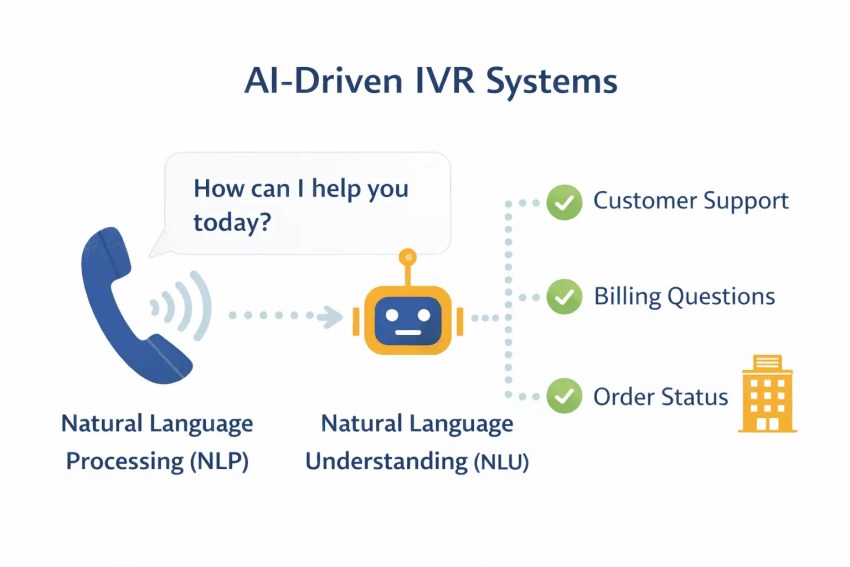
The platform centralizes voicemail, supports advanced CRM integrations, and provides supervisors with a high-visibility agent dashboard. Features such as call forwarding help maintain continuity when agents work remotely or switch locations. This depth attracts organizations that need control, customization, and scalability.
2) Omnichannel support
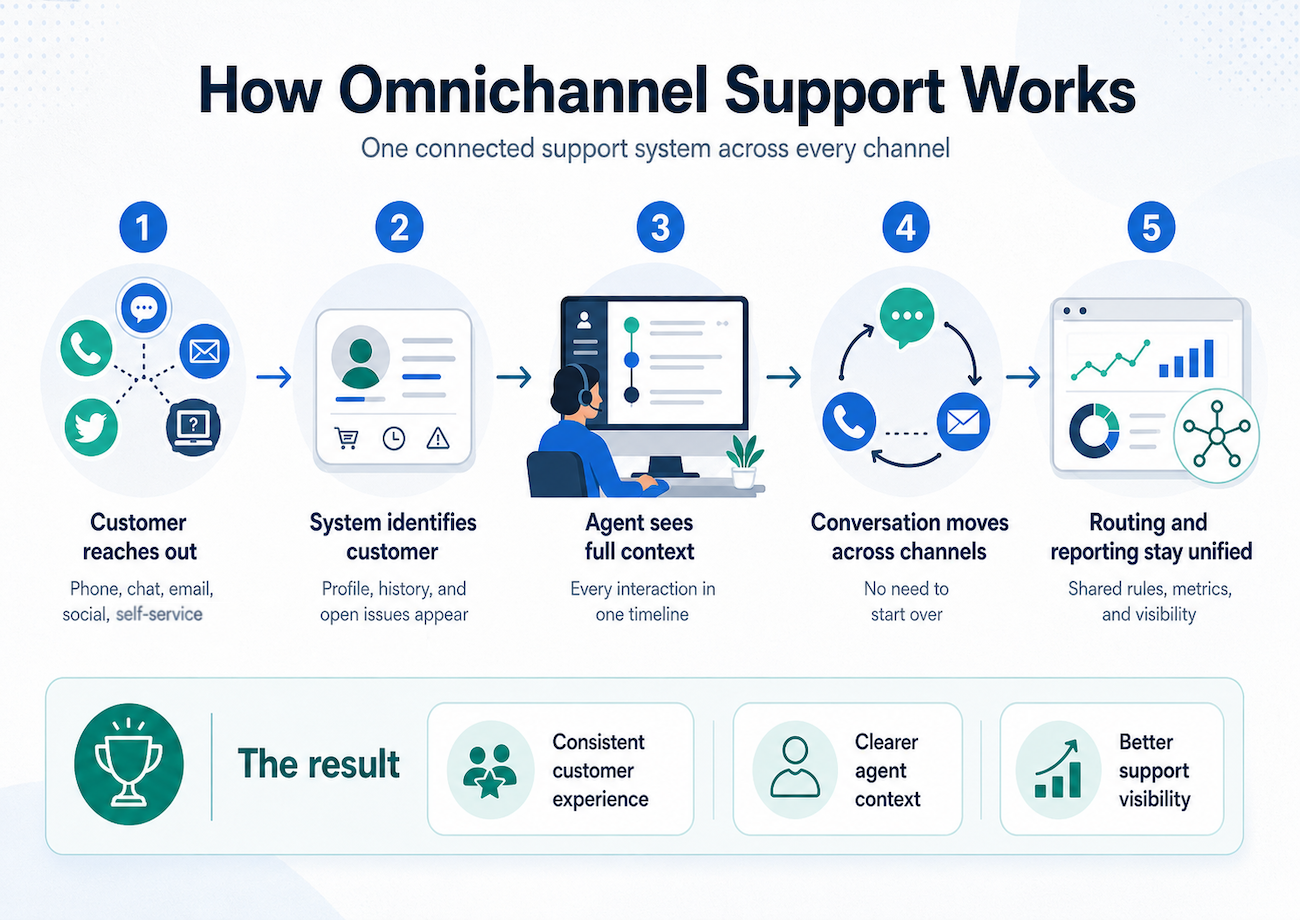
Talkdesk brings voice, email, web chat, SMS, video, and social media conversations into one continuous timeline. Agents see the full customer journey in a single view.
This omnichannel integration reduces repetition when customers switch channels. Teams respond faster, maintain steady messaging, and track context without toggling between systems. A unified workspace supports better customer experiences and shorter handling times.
3) Customizable plans
If you’re not ready to activate every channel, you don’t need to purchase a full-featured package. This is especially helpful for the small business owner.
Customizable plans allow businesses to select and pay for only the features they need. As operations expand, they can scale their contact center solution to match new requirements.
4) Strong integrations
Talkdesk improves productivity with workflow automation tools, click-to-call functionality, and automated call recording. Its Agentic AI enhancements enable the system to complete multi-step tasks without agent involvement, which reduces manual workload and speeds up resolution times.
The platform connects with CRM systems and widely used business tools such as Microsoft Teams, Salesforce, Zendesk, Slack, Zoom, and Zoho. These integrations keep customer data synchronized across systems and help agents access relevant information without leaving their workspace.
Why Customers Look for Alternatives to Talkdesk
Talkdesk delivers a broad set of features, standard communication channels, integrations, and customizable pricing. Despite this range, many contact center buyers explore Talkdesk’s competitors for several reasons.
1) Pricing can increase as teams add channels or advanced features
Talkdesk is flexible and structures its pricing in tiers, but costs increase quickly when businesses depend on multiple add-ons, especially for smaller teams with tighter budgets.
Talkdesk offers three main CX Cloud packages, ranging from $85 to $165 per user per month. For example, if your team needs custom reporting, workforce management, and an outbound dialer, you’ll pay $165 per agent per month, plus additional fees for other features.
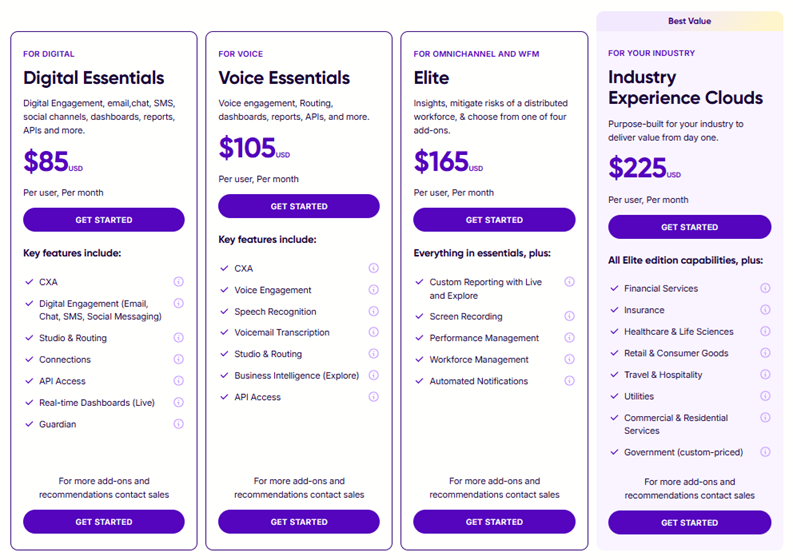
Talkdesk also sells industry-specific editions, like banking, healthcare, and government, with pricing starting from $225 per user per month, while the CX Cloud Government Edition is custom-priced.
If you need optional add-ons for daily operations, budgeting becomes difficult. Some companies find that lower-tier plans lack important features, while higher-tier plans include tools they don’t need. Businesses that don’t require an AI trainer, for example, may feel they’re paying for functionality that adds little value to their workflow.
Although Talkdesk serves a wide range of business needs, several core capabilities are available only as separately priced add-ons, including:
- Virtual agent
- AI trainer
- Quality management
- Workforce management
2) Some teams need easier setup and administration
When you adopt new technology, you expect a smooth transition. You want your team to learn the system quickly and start using it with confidence.
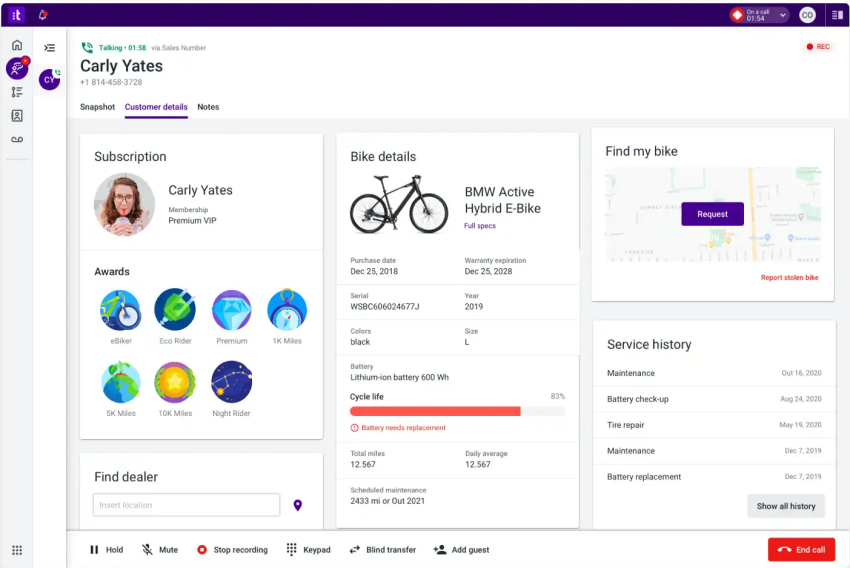
However, Talkdesk can be complex to learn and use, especially for non-technical users. Some customer reviews describe the interface as cluttered and overwhelming. Teams report slower onboarding, reduced productivity during the transition period, and ongoing complexity even for experienced contact center professionals.
Businesses that lack dedicated IT resources or need a faster time-to-value often look for platforms with more intuitive admin consoles, simpler IVR builders, and guided onboarding.
3) Some users have experienced reliability and uptime concerns
When you invest in contact center software, it must deliver high uptime and responsive support. Businesses need stable service to manage conversations, prioritize customer satisfaction, and protect their brand reputation.
Reports on G2 by some Talkdesk customers suggest that this has not been their experience.

4) Growing contact centers may need more flexible integrations
Some users report a negative experience with applications outside Talkdesk’s core integrations. When you rely on information exchange between your contact center system and your most regularly used apps, you need high-quality, two-way support.
One Talkdesk review mentioned: “Pipedrive and Talkdesk need to integrate better, which is both annoying and time-consuming.”

For growing teams that are adding new tools to their stack, limited or shallow integrations can slow operations and force manual workarounds that undermine efficiency.
5) Enterprise teams may need stronger workforce, analytics, or compliance tools
Talkdesk offers workforce management and analytics, but enterprises with complex scheduling needs or strict compliance requirements sometimes find these capabilities insufficient without significant add-on investment. That’s why many teams may look for platforms with broader workforce tools, deeper analytics, and stronger built-in compliance features.
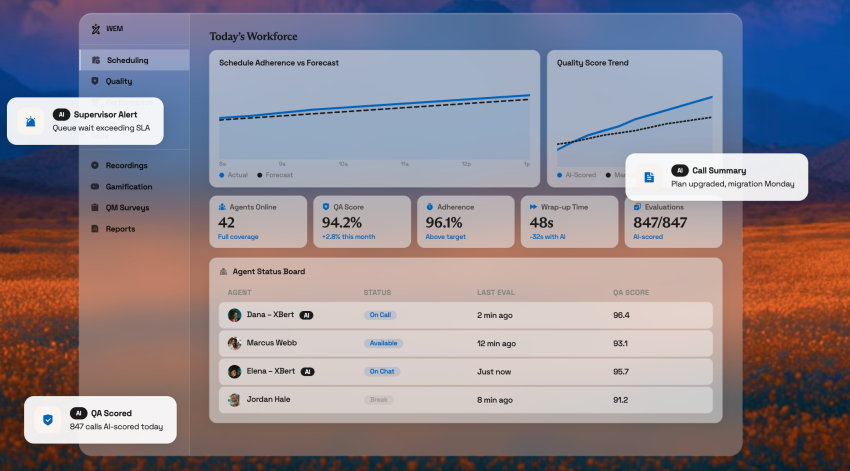
Teams in regulated industries such as financial services, healthcare, and government may require more robust built-in compliance tooling than Talkdesk’s base plans provide, pushing total costs higher or prompting a search for more purpose-built alternatives.
6) Some buyers want contact center and business phone services in one platform
Talkdesk is purpose-built for the contact center, which is a strength for dedicated support operations, but a limitation for businesses that want voice, messaging, and contact center functionality unified under one vendor. Teams that also manage internal communications or unified communications (UCaaS) often find it more practical to consolidate with a platform that covers both use cases, reducing vendor sprawl and simplifying billing.
Top 10 Alternatives to Talkdesk
Here are some of the best Talkdesk competitors that you may want to consider.
1. Nextiva
Best for: businesses that want contact center + business communications in one platform
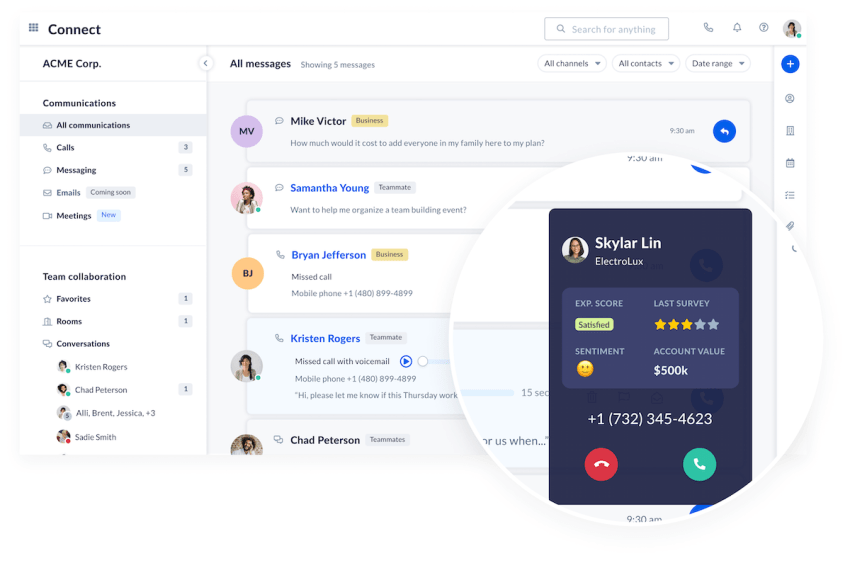
You can run your cloud telephony and contact center on Nextiva or integrate another platform, such as Five9. Nextiva’s business phone system gives contact center agents a streamlined workspace, built-in video conferencing, and a mobile app for Android and iOS users who need access on the go.
Small to medium businesses and mid-market teams looking for a unified communication (UC) platform with all-in-one voice, video, and chat capabilities, a straightforward setup process, and 24/7 customer support can benefit from choosing Nextiva. Its unified workspace also supports better customer service and shorter handling times.
The platform also offers competitive pricing plans that support businesses at different stages of growth. The balance between performance and flexibility extends to automation as well.
Nextiva uses generative AI, which adds value, but it does not force teams into a fully virtual model. You can adopt practical call center automation and machine learning features that improve productivity without adding complexity. For businesses evaluating alternatives to Talkdesk, Nextiva presents a strong option.
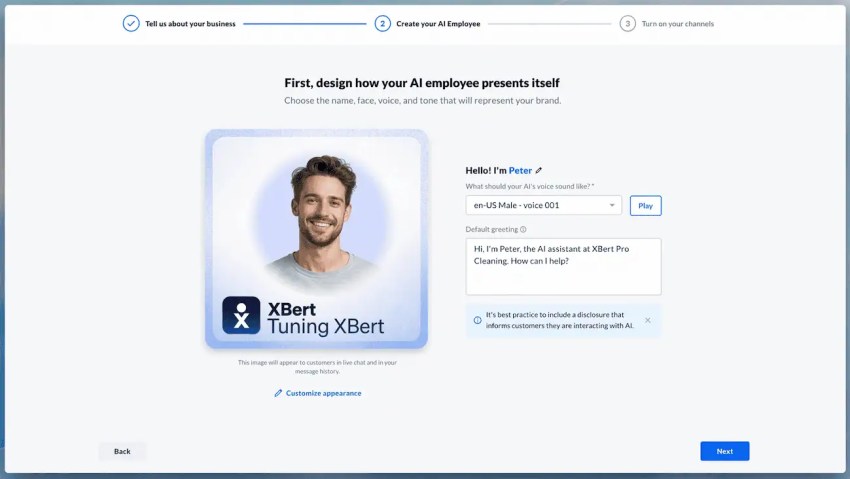
XBert: Nextiva’s AI employee
One of Nextiva’s standout differentiators is XBert, its AI employee built for customer-facing conversations. XBert manages multiple inbound calls, texts, and chats simultaneously, scaling instantly without wait times or busy signals. And it does all this using natural, conversational AI that sounds human-like.
It functions across three distinct modes:
- AI Receptionist: Answers calls 24/7, books and reschedules appointments in real time, sends reminders, transfers calls to the right person with full context, and handles FAQs using your knowledge base.
- AI Employee/Agent: In addition to handling calls and chats, this more autonomous AI handles more complex tasks, like resolving issues, updating CRMs, processing payments, and following up. XBert is trained on your business’s services, policies, and workflows.
- Agent Assist: Provides real-time guidance to live agents with real-time agent assist tools during customer interactions, helping them resolve issues faster without escalation.
Nextiva’s key features
- Drag-and-drop workflow builder for creating automated call flows
- Call recording and voicemail transcription to support monitoring and compliance
- High-definition video meetings, team messaging, and screen sharing
- Advanced call routing with auto-attendants and intelligent forwarding options on a cloud VoIP phone system
- Real-time call metrics, reporting, AI-powered transcription, automated post-call summarization
- XBert AI handling voice, SMS, and live chat 24/7, with appointment booking, lead capture, and intelligent escalation
- Mobile apps for iOS and Android, and customizable dashboards
- Nextiva includes secure payment assist in its Professional plans.
Pricing
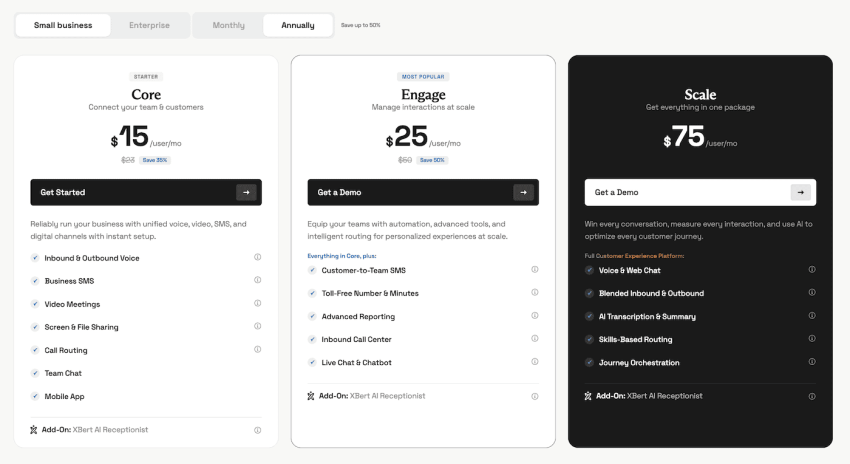
Nextiva has two levels of plans, each with three pricing options.
For small businesses:
- Core (for small teams): $15/user/month
- Engage (for growing teams): $25/user/month
- Scale (full customer experience platform): $75/user/month
Enterprises can also opt for monthly contact center plans that start at $75 per user, with optional usage-based plans available. XBert is separately priced at $99/month for up to 100 conversations, and then $1.50 per conversation after.
Pros
- Integrating UCaaS and CCaaS is easy
- Pricing is competitive, so it’s easy to budget for
- Unlimited calling, video conferencing, and business texting
- Free local and toll-free phone numbers
- Integrations with popular business tools (CRM, email, etc.)
- 24/7 customer support on all plans
- 99.999% uptime SLA for carrier-grade reliability
- AI-powered post-call summaries reduce agent wrap-up time
- XBert provides always-on AI coverage across voice, SMS, and chat
Cons:
- No free plan available
- Limited admin controls for some IT departments
⭐ Read Nextiva reviews on GetVoIP (4.6 stars)
2. Five9
Suitable for: large outbound, blended, or sales-heavy contact centers that need AI-assisted automation
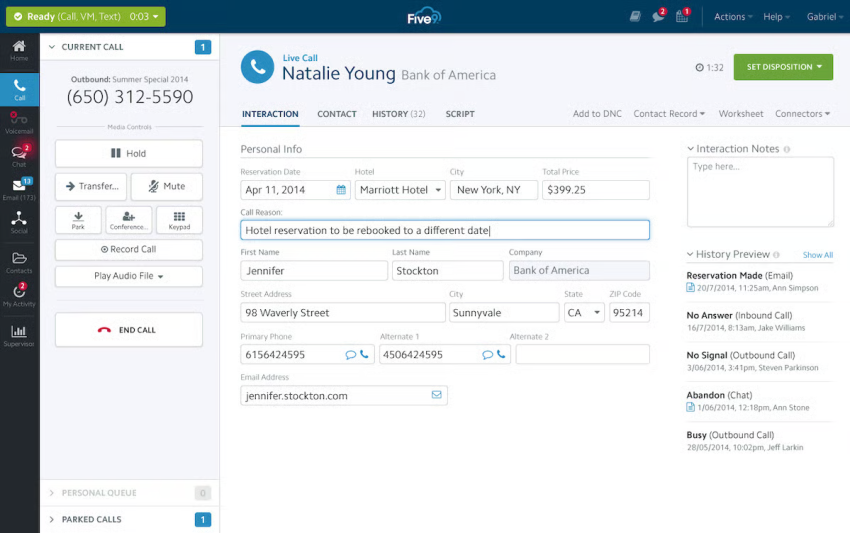
Five9 automates routine tasks so agents can focus on higher-value customer interactions. This is especially helpful for large businesses with scalability concerns or the desire to let agents handle more value-adding tasks while automating run-rate activities.
Its AI features are strongest around agent assistance, real-time transcription, automated call summaries, AI insights, and virtual agents that can automate repetitive customer interactions. This platform also has omnichannel routing and advanced analytics.
Key features
- Uses intelligent virtual agents (IVAs) and workflow automation for predictive, skills-based, and intelligent routing to improve resolution and agent productivity.
- Call agents can handle inbound/outbound with omnichannel routing (across voice, SMS, web chat, social, and email) from a unified interface, making it easy for your business to deliver a unified customer context.
- Workforce optimization to maximize productivity and reduce manual tasks, and real-time analytics to monitor and report on contact center performance.
Pricing
Five9 has five pricing tiers:
- Digital (digital channels only): $119/month/seat
- Core (all channels with AI essential): $159/month/seat
- Plus (all channels with advanced AI): contact sales
- Pro (all channels with AI essentials and WEM): contact sales
- Enterprise (all channels with advanced AI and WEM): contact sales
Five9 includes 3,000 AI minutes per bundled seat, with additional usage billed separately. Confirm expected AI usage, overage costs, and included AI features before signing a contract.
Pros:
- AI-driven platform (including Voice AI Agents, AI Agent Assist, and AI summaries) that makes it easy to automate your workflows and menial tasks
- Users praise the platform for its solid omnichannel communication capabilities
- Good integrations and workflow support
Cons:
- Some users report connection problems, lag, or occasional dropped calls.
- The admin interface and some advanced features are described as less intuitive or outdated, which means more training and setup time.
- Several users report having experienced poor customer support with long delays and ineffective ticket handling
⭐ Read Five9 reviews on GetVoIP (4.3 stars)
3. JustCall
Suitable for: sales and support teams that want affordable calling + SMS
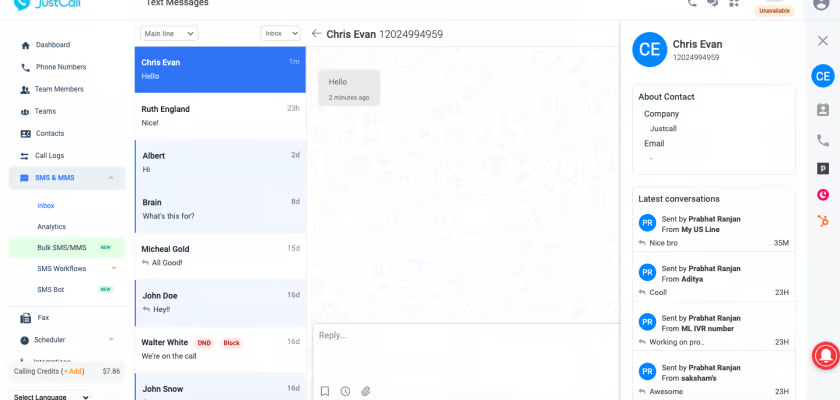
If you’re setting up a new contact center operation, JustCall provides a simple interface with the basic features required to get started. Yes, there are fewer advanced capabilities than Talkdesk, but if your business doesn’t require those extras, why bother paying for them?
If your organization requires features such as single sign-on or expanded API access, JustCall offers a Business plan designed to support more advanced operational needs.
Key features
- An AI Voice Agent for booking appointments, qualifying leads, taking calls 24/7, and routing to humans
- Integrates with over 100 business apps (CRM, helpdesk, collaboration tool, etc.)
- Provides business phone numbers in 70+ countries with voice, SMS, and WhatsApp messaging all in one inbox
Pricing
- Team: $29/user/month, with a minimum of 2 users
- Pro: $49/user/month, with a minimum of 2 users
- Pro Plus: $89/user/month, with a minimum of 2 users
- Business: Contact sales. Minimum of 10 users.
Pros:
- Automation, real-time AI help, and sentiment analysis to analyze customer sentiment and boost agent efficiency.
- Easy to use and fast to onboard, with many users praising the intuitive interface.
- Good value for smaller teams: flexible plans, monthly billing options, and features tailored for moderate call/sms usage.
Cons:
- Some users report call quality issues, dropped calls, call distribution issues, or difficult voicemail retrieval.
- Despite plenty of integrations, there can be issues syncing with some third-party applications, including frequent bugs.
- With many core features, once you hit a limit, you’ll incur (sometimes surprising) fees, particularly if your business suddenly increases calls, automates texts, or expands headcount.
⭐ Read Justcall reviews on GetVoIP (4.5 stars)
If you’re comparing lightweight contact center platforms for sales and support teams, our guide to CloudTalk alternatives covers additional options.
4. Aircall
Suitable for: small teams that need a simple voice-first call center
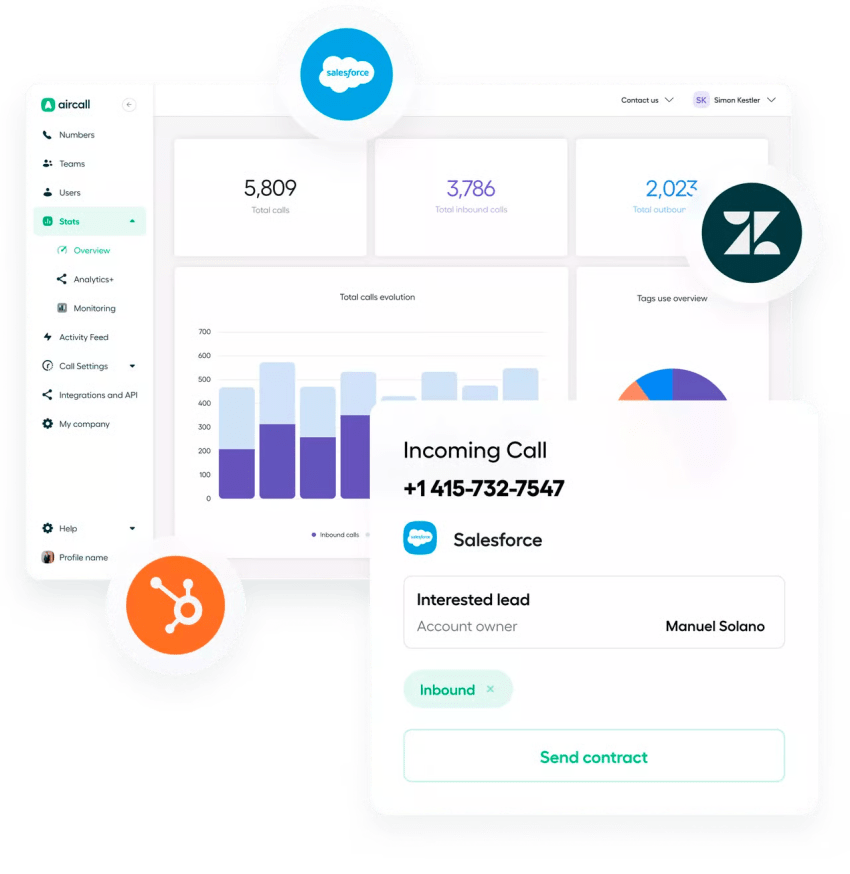
Another strong Talkdesk alternative focused on simplicity, Aircall integrates with major apps including Salesforce, HubSpot, and Zendesk, without a complex technical setup.
If you’re looking for rapid deployment, getting started with Aircall is quicker than Talkdesk because it’s built on a phone system foundation. Assuming your agents have used basic phone call controls before, they’ll pick it up right away.
Key features
- Automates call filtering with Interactive Voice Response (IVR)and an AI voice agent handles routine queries and lead qualification 24/7.
- Businesses can obtain local/international numbers in 100+ countries and communicate across channels.
- It connects with major CRMs (HubSpot, Salesforce, Zendesk, etc.), offers click-to-dial, power dialers, and customizable workflows.
Pricing
Aircall offers two main pricing plans, along with a custom quote option for specific needs:
- Essentials: Starts at $30/user/month, with a minimum of 3 licenses
- Professional: Starts at $50/user/month, with a minimum of 3 licenses
- Custom: Contact sales. Minimum of 25 licenses.
Pros:
- Quick setup and powerful integrations with the most popular CRMs
- Power Dialer and call coaching features
- Affordable compared to some competitors (depending on features needed)
Cons:
- Some users report frequent downtime and bugs, which affect overall service reliability
- Poor customer support, and some reviews mention unwanted upselling
- No built-in video conferencing capabilities, requiring separate solutions for video meetings
⭐ Read Aircall reviews on GetVoIP (4.1 stars)
5. Genesys
Suitable for: large enterprises with complex routing and workforce needs
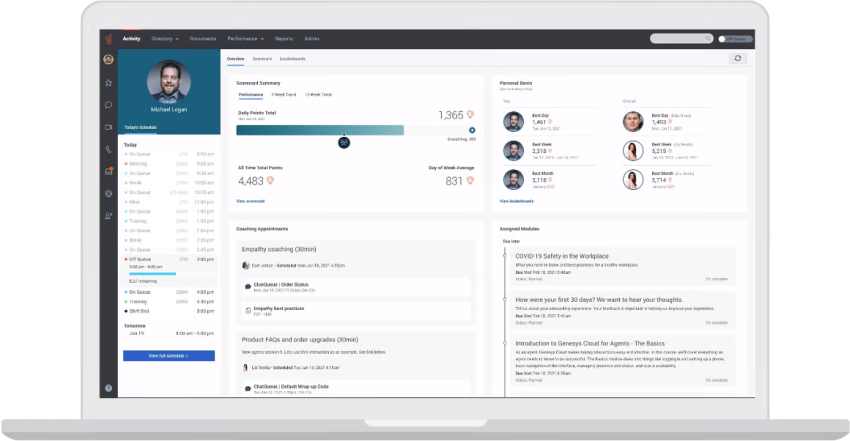
Genesys offers a customer experience platform and specializes in on-premises and hybrid deployments for industries with rigid compliance regulations. Genesys Cloud CX matches Talkdesk’s core contact center features and provides an option for those looking for cloud-type functionality without cloud deployment.
And, because of its legacy in telecoms, Genesys has a wide range of customizable PBX and contact center functionality.
Key features
- Robust omnichannel support that handles voice and digital interactions in one workspace.
- Includes skill-based and predictive routing and real-time agent assistance (AI Copilot).
- Built-in workforce engagement management (WEM) for forecasting, scheduling, and quality management, and monitoring.
Pricing
Genesys has four pricing tiers:
- Genesys Cloud CX 1 (for voice contact centers): $75/user/month
- Genesys Cloud CX 2 (for omnichannel contact centers): $115/user/month
- Genesys Cloud CX 3 (for omnichannel contact centers with full WEM capabilities): $155/user/month
- Genesys Cloud CX 4 (for omnichannel contact centers that want more AI experience): $240/user/month
Pros:
- User-friendly, minimal learning required to get up and running, and easy to configure without IT help
- Advanced self-service features (chatbots, voicebots, and knowledge bases)
- Integrations with enterprise-level applications
Cons:
- Cost structure and licensing can become complex; adding advanced features or scaling up may raise total expenses significantly.
- Some people, especially new users or smaller organizations, report a steep learning curve for configuring advanced features.
- Some users report issues with the integration and customization process, which affects stability and overall functionality.
⭐ Read Genesys reviews on GetVoIP (4.2 stars)
6. Intermedia Contact Center
Suitable for: Small and midsize businesses needing flexible agent licensing
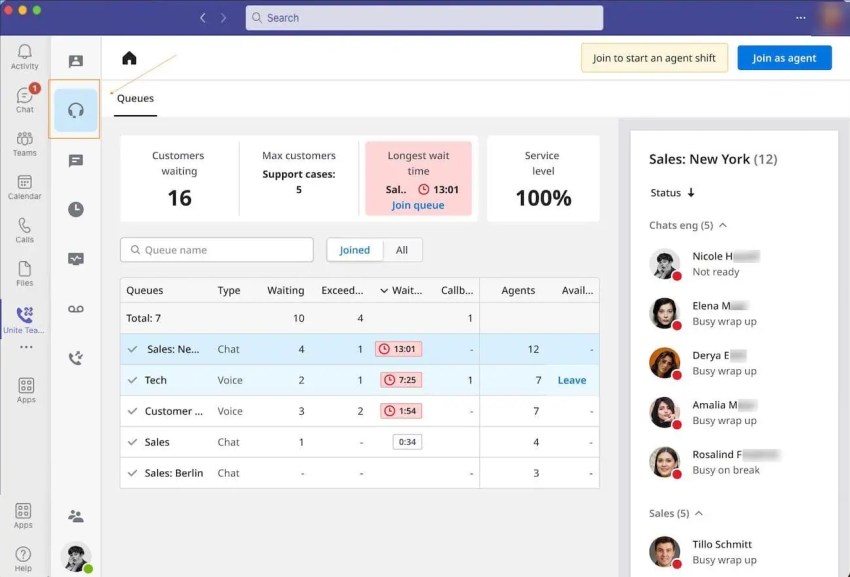
Intermedia Contact Center is a cloud-based customer service platform that combines intelligent call routing, omnichannel communication, AI-powered agent assistance, and workforce management tools.
Its standout feature is concurrent agent licensing, which allows businesses to pay for the maximum number of agents logged in simultaneously rather than purchasing individual licenses for every employee. This makes it particularly attractive for contact centers with rotating shifts, part-time agents, or seasonal staffing needs.
Key features
- Automated agent evaluations, conversation analytics, compliance-related insights, and supervisor coaching tools.
- Agent scheduling, call and screen recording, real-time monitoring, whisper and barge-in capabilities, and performance reporting.
- Concurrent agent licensing with options to integrate Contact Center into Intermedia Unite or Microsoft Teams.
Pricing
Intermedia doesn’t publicly disclose fixed per-user monthly prices, so businesses must contact sales for a quote.
Pros:
- Flexible concurrent licensing can reduce unnecessary seat costs for businesses with rotating shifts or seasonal staffing.
- Strong AI capabilities, including live agent assistance, automated summaries, sentiment analysis, and quality evaluations.
- Comprehensive contact center functionality with intelligent routing, omnichannel support, workforce management, and integration with existing business communications.
Cons:
- No publicly available starting price, making it difficult to compare costs with competitors offering transparent per-user pricing.
- Advanced omnichannel features, scheduling, and AI capabilities may require the Elite plan or paid add-ons.
- Some users report limitations in self-service configuration and fewer advanced capabilities than larger enterprise contact center platforms.
⭐ Read Intermedia Contact Center reviews on G2 (4.3 stars)
7. NICE CXone
Suitable for: workforce engagement, analytics, and enterprise CX operations
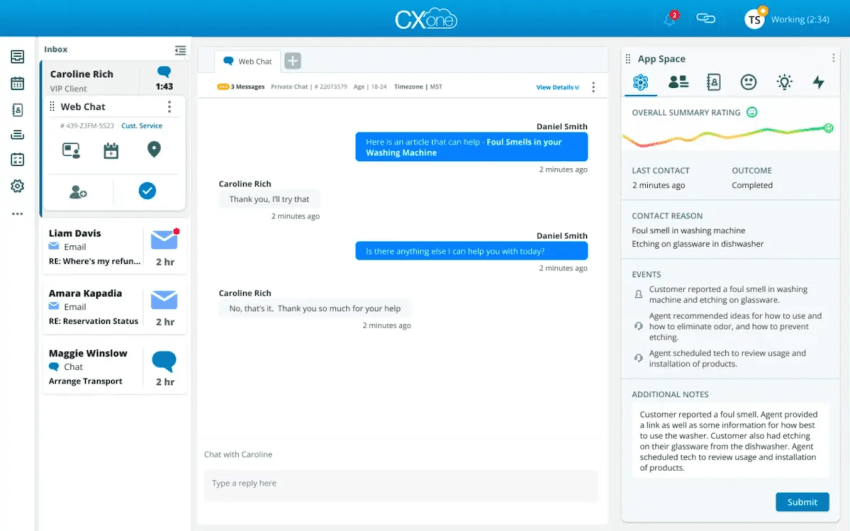
NICE CXone is a cloud contact center platform built for larger customer experience teams that need more than basic call routing. It combines omnichannel engagement, workforce management, quality management, performance management, interaction analytics, and AI-powered automation in one enterprise CX platform.
Key features:
- Omnichannel routing for managing customer interactions across voice and digital channels.
- Workforce engagement management, including workforce optimization tools, quality management, performance management, coaching, recording, and scheduling.
- AI-powered analytics through NICE CXone AI/Enlighten AI, which provides customer experience analytics and can analyze interactions and surface performance insights across the contact center.
- Agent and supervisor workspaces, prebuilt dashboards, BI reports, CRM integrations, and tools for employee performance visibility.
- AI Agents, service automation, knowledge portals, proactive engagement, and Copilot-style assistance on higher-end packages.
Pricing:
- Omnichannel Suite: $110/user/mo
- Essential Suite: $135/user/mo
- Core Suite: $169/user/mo
- Complete Suite: $209/user/mo
- Ultimate Suite: $249/user/mo plus $0.25 per session
Pros:
- Strong fit for enterprise contact centers with complex workforce, quality, analytics, and omnichannel needs.
- Robust workforce engagement tools for scheduling, coaching, performance management, quality management, and recording.
- Enhanced AI and analytics capabilities, including interaction analysis, performance insights, customer feedback, and automation.
Cons:
- Pricing is higher than many simpler call center platforms.
- The number of packages and add-on-style capabilities can make cost comparison more complex.
- Advanced setup, administration, and reporting may require more training than lightweight call center tools
⭐ Read NICE CXone reviews on GetVoIP (4.3 stars)
8. 8×8 Contact Center
Suitable for: global voice/contact center needs
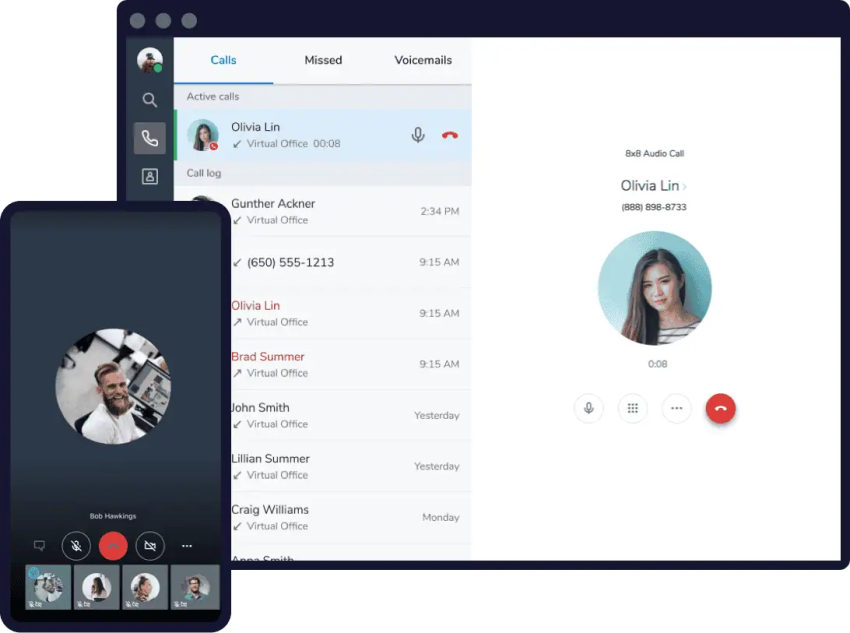
8×8 Contact Center is a good alternative for businesses that need omnichannel contact center software, global telephony, and unified communications from one provider. It includes omnichannel routing, AI-powered self-service, agent and supervisor workspaces, analytics, workforce engagement management, outbound campaigns, secure payments, and integrations.
Key features:
- Omnichannel routing across voice and digital channels.
- AI-powered customer self-service, AI Agent Assist, automation, and sentiment analysis.
- Agent Workspace and Supervisor Workspace for managing interactions, queues, and performance.
- Analytics, coaching tools, workforce engagement management, and outbound campaigns.
- Global communications coverage, including PSTN services in 55+ countries and virtual presence in 100+ countries.
Pricing:
8×8 doesn’t publish its prices on its website, so businesses need to contact sales for a custom quote.
Pros:
- Strong fit for international or distributed teams with global voice needs.
- Includes AI-powered self-service, Agent Assist, analytics, and omnichannel routing.
- Helpful agent and supervisor workspaces for managing queues, performance, and interactions.
- Users praise its omnichannel capabilities, skills-based routing, easy setup, and web-based access.
Cons:
- No public contact center pricing, which makes cost comparisons harder. Final pricing may depend on global calling, AI, WEM, digital channels, and implementation needs.
- Some users want more flexibility around agent groups, supervisor permissions, and queue transfers.
- Global deployments and advanced configuration may require more planning than lightweight call center tools.
⭐ Read 8×8 reviews on GetVoIP (4.3 stars)
9. RingCentral RingCX
Suitable for: teams that want to consolidate UCaaS and CCaaS
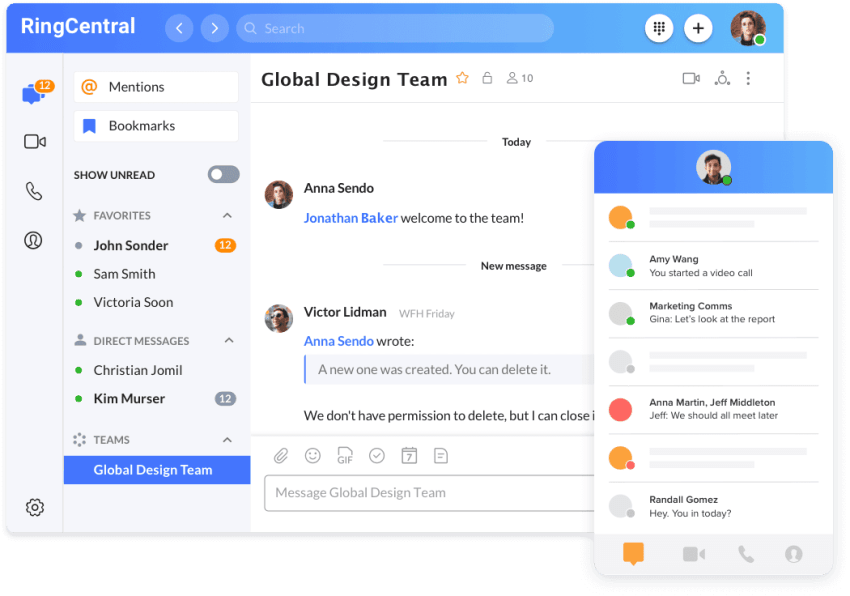
RingCentral RingCX is a contact center platform that supports customer engagement across voice and digital channels. It can be used alongside RingEX, RingCentral’s unified communications platform, to connect contact center operations with business calling, video meetings, and team messaging. This setup may suit organizations that prefer to manage internal and customer communications within the RingCentral product environment.
Key features:
- Omnichannel support across voice and 20+ digital channels.
- AI virtual agents, real-time coaching, quality management, and interaction analytics, depending on the plan.
- Connects with CRM systems and provides APIs for routing, workforce engagement, reporting, and custom workflows.
- Unified UCaaS and CCaaS architecture for businesses consolidating communication tools.
Pricing:
- Standard: Starts at $65/user/mo
- Professional: Starts at $95/user/mo
- Elite: Starts at $145/user/mo
- Enterprise: Contact sales
Pros:
- Contact center and unified communications products available from one provider
- AI-assisted tools for automation, agent guidance, analytics, and quality management
- Desktop and mobile access for distributed teams
- APIs and integrations for connecting business applications
Cons:
- Some users report occasional reporting bugs
- Smaller teams may not need the full contact center and unified communications environment
- Buyers should confirm which channels, integrations, AI tools, and services are included in their quote
- Support response times may vary by plan, channel, issue severity, and service demand
⭐ Read RingCentral reviews on GetVoIP (3.9 stars)
10. Twilio Flex
Suitable for: developer-led customization
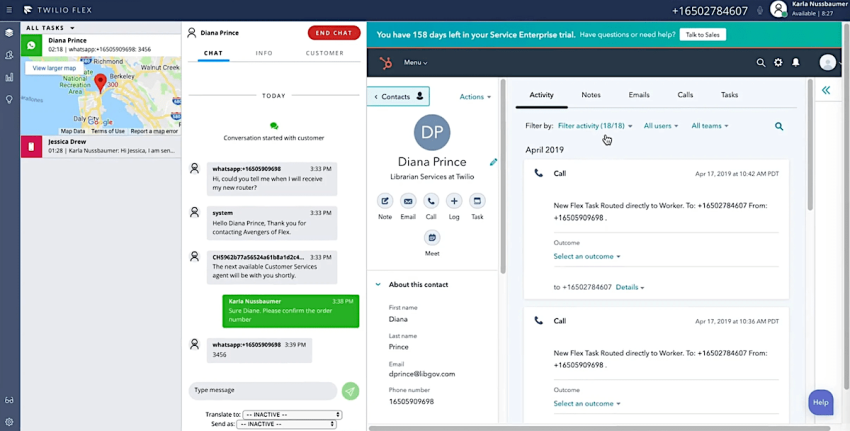
Twilio Flex is a programmable contact center platform for companies that want to build a custom customer experience around their own workflows, systems, customer data, and channels. It’s a strong alternative for organizations with developer resources, complex routing needs, or unique integration requirements.
Key features:
- Omnichannel support across voice, SMS, WhatsApp, email, web chat, Facebook Messenger, and other channels.
- Intelligent routing through Twilio TaskRouter, plus custom IVR, click-to-dial, click-to-text, and outbound workflows.
- Flex Insights for dashboards, KPI tracking, conversation insights, and contact center reporting.
- AI capabilities such as Agent Copilot, AI-generated responses, conversation summaries, transcription, and conversation analysis.
Pricing:
- User + usage: Starts at $35/monthly active user
- Named user: Starts at $150/named user/month
- Active user hour: Starts at $1/active user hour
Twilio Flex offers a free trial with 5,000 free active user hours for new Twilio Flex accounts.
Pros:
- Strong developer ecosystem with APIs, SDKs, UI customization, and plugin tools.
- Flexible pricing options for seasonal, variable-volume, or part-time contact centers.
- Broad channel support across voice, SMS, WhatsApp, web chat, email, and social messaging.
- AI tools can support agent assistance, generated responses, summaries, transcription, and conversation analysis.
Cons:
- Requires more technical expertise than most out-of-the-box contact center platforms.
- Implementation can take longer if teams need custom workflows, dashboards, or integrations.
- Total cost can be harder to predict because usage, AI, carrier, development, and implementation costs may sit outside the base Flex license.
⭐ Read Twilio Flex reviews on GetVoIP (4.7 stars)
How to Switch From Talkdesk to Another Contact Center Platform
Switching contact center platforms is a significant operational move. Done right, it improves performance and reduces costs. Done poorly, it disrupts service and frustrates both agents and customers. Follow these steps to make the transition as smooth as possible.
1) Audit your current setup
Before you evaluate alternatives, document how your current Talkdesk environment is configured. Identify which channels you’re running, how your IVR flows are built, which integrations are active, and where your data lives. This gives you a clear baseline and prevents you from discovering mid-migration that something critical was missed. Pull call logs, routing rules, reporting configurations, user permission structures—anything you’ll need to replicate or improve in the new platform.
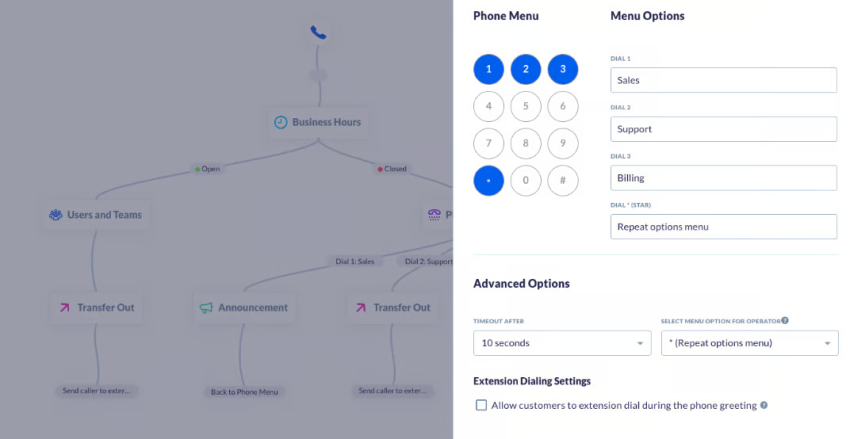
2) Map out must-have features
Not every feature you use today needs to carry over, but certainly some are non-negotiable. Work with supervisors and agents to identify the capabilities your operation depends on daily. Review the new platform’s core capabilities, advanced features, and known limitations. Take advantage of demos and user manuals provided by the vendor to understand how it maps to your actual business processes. Avoid assuming that a new platform works the same way as Talkdesk, or you may find some surprising differences in workflows or logic that can trip up even experienced teams.
3) Compare pricing, add-ons, and implementation costs
The per-seat price is only part of the picture. Factor in onboarding fees, data migration costs, add-on pricing for features like WFM or quality monitoring, and any professional services required for custom integrations. Create a total cost of ownership comparison that covers at least 24 months, not just month one. This is where many teams get caught off guard: a platform that looks cheaper at the outset can exceed Talkdesk’s cost once you add the features you actually need.
4) Plan number porting and data migration
Data migration requires careful planning to maintain service continuity. A few things to keep in mind:
- Manual migration is the norm. You’ll typically need to export data from Talkdesk and import it into the new platform, with data cleaning, field mapping, and validation along the way.
- Automated tools exist on some platforms and can speed up the process, but still require someone with working knowledge of both systems to verify accuracy.
- Validate and test after migration to confirm that customer interactions, call logs, and CRM data transferred completely. Missing data leads to service disruptions and a poor customer experience.
- Always back up your data before migration begins. If something goes wrong, a backup lets you restore and minimize downtime.
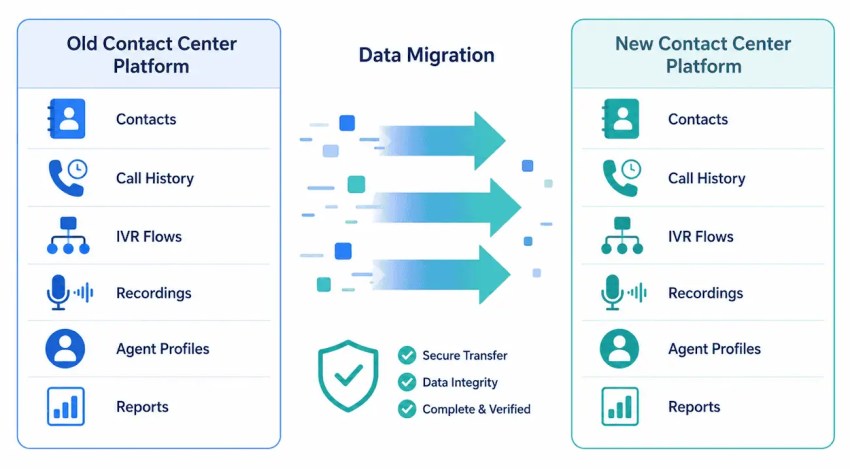
Number porting timelines vary by carrier and region, so start this process early, as delays here can hold up your entire go-live date. Note that Nextiva offers migration assistance for contact center moves, including planning, number porting, and data transfer support.
5) Test routing, IVR, reporting, and integrations
Before you go live, run end-to-end testing across every critical workflow. Verify that call routing and IVR flows behave as expected, that integrations with your CRM and helpdesk are passing data correctly, and that reporting dashboards reflect accurate information. Test edge cases like overflow routing, after-hours handling, escalation paths, not just the primary call flow. Issues discovered in testing cost far less to fix than issues discovered by customers.
6) Train agents and supervisors
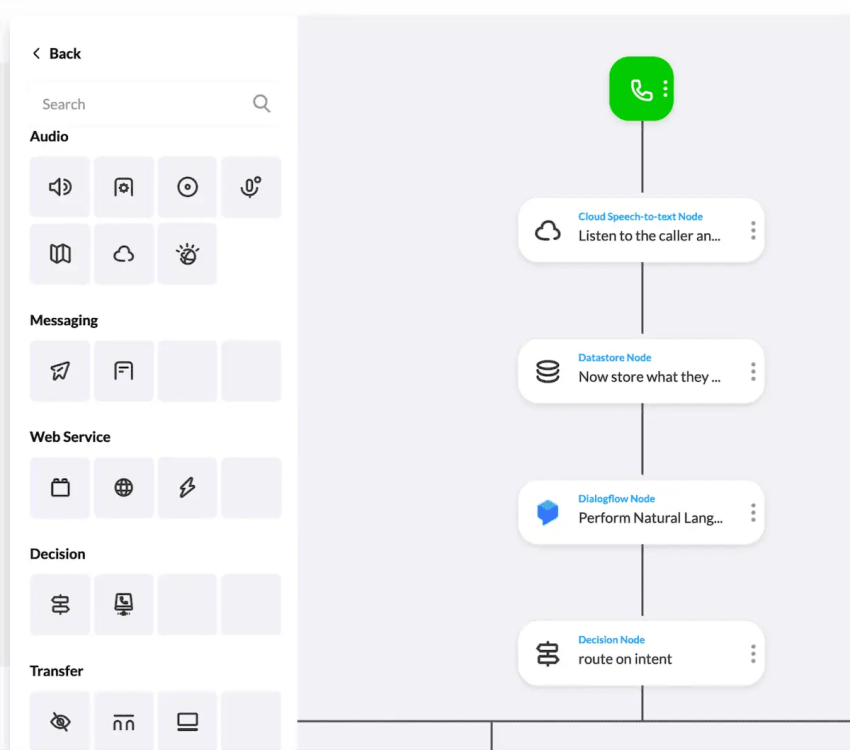
Training is often what determines whether a platform switch succeeds. If you reduce onboarding efforts on the assumption that the new system is intuitive, teams will struggle, and you’ll see slower handle times and agent frustration during the transition period.
Build a training plan that covers the core agent interface, supervisor tools, reporting, and any AI or automation features your team will use day-to-day. Prioritize features that differ most from Talkdesk, and check user reviews on platforms like G2, Capterra, and Trustpilot for recurring pain points that other teams have hit; these often reveal where additional training focus is needed. Make sure responsive vendor support is in place before go-live, not just during the sales process.

Why Nextiva Stands Out Among Talkdesk Alternatives
The contact center market offers no shortage of capable platforms. Every alternative in this list has real strengths, and the right choice depends on your team’s size, workflows, and growth plans.
That said, for small to medium businesses that want contact center and business communications unified in a single platform—without paying separately for every advanced feature—Nextiva consistently rises to the top. It combines voice, video, messaging, and AI into one environment, with pricing that stays predictable as your team scales. The addition of XBert means businesses can extend their coverage across calls, texts, and chat without adding headcount.
A few things make Nextiva especially practical for teams moving off Talkdesk: flat-rate pricing that includes capabilities other vendors lock behind premium tiers, a single interface for managing all communication channels, and a dedicated migration team to handle number porting and workflow rebuilding so you don’t lose uptime during the switch.
No platform is the right fit for every contact center. But if operational simplicity, unified communications, and long-term cost predictability are priorities, Nextiva is worth a close look.
Your AI-Powered Contact Center
Create amazing customer experiences with AI-powered contact center software. Nextiva delivers superior support, fast onboarding, and enterprise-grade contact center features.
Talkdesk Alternatives FAQs
The best alternative depends on your team’s size and priorities. Nextiva is a strong all-around choice for businesses that want UCaaS and CCaaS in one platform. Five9 and Genesys are better fits for larger enterprises with complex routing needs.
Talkdesk’s main competitors include Nextiva, Five9, Genesys, NICE CXone, 8×8, and Salesforce Service Cloud Voice.
It can be. Talkdesk’s CX Cloud contact center plans range from $85 to $165 per user per month, and industry-specific editions run $225 to $270 per user per month. Core features like workforce management, quality management, and virtual agents are sold as add-ons, which drives costs higher for teams that need a complete setup.
Nextiva is a strong option for small businesses prioritize customer experience, offering competitive pricing starting at $15 per user per month, an easy setup, and built-in AI features without expensive add-ons.
Genesys Cloud CX and NICE CXone are the most capable enterprise alternatives, offering advanced WFM, omnichannel routing, and deep analytics at scale.
Nextiva’s XBert and Genesys Cloud CX both offer strong AI capabilities. XBert handles autonomous voice, SMS, and chat interactions with appointment booking and lead capture built in. Genesys leads on AI-powered predictive routing and workforce engagement at the enterprise level.
Nextiva is consistently noted for straightforward onboarding and includes dedicated migration support for teams moving off Talkdesk.
For businesses that want unified communications and contact center features in one platform, Nextiva offers simpler administration, more predictable pricing, and stronger built-in AI at a lower cost. Talkdesk may have an edge for large enterprises that need deep customization and are comfortable managing add-on costs.