VoIP
VoIP  Blog
Blog  Business Communication
  Customer Experience
  Leadership
  Marketing & Sales
  Nextiva News
  Productivity

Is Aircall leaving gaps in your communication strategy? Perhaps you’re hitting a wall with limited integrations, missing granular features, or just facing one too many dropped call tickets.
While Aircall is a popular choice for getting started, many growing businesses eventually hit a ceiling. Common frustrations include:
- Rigid pricing and contracts: From the 3-user minimum to add-on fees for basic analytics, costs can scale uncomfortably fast.
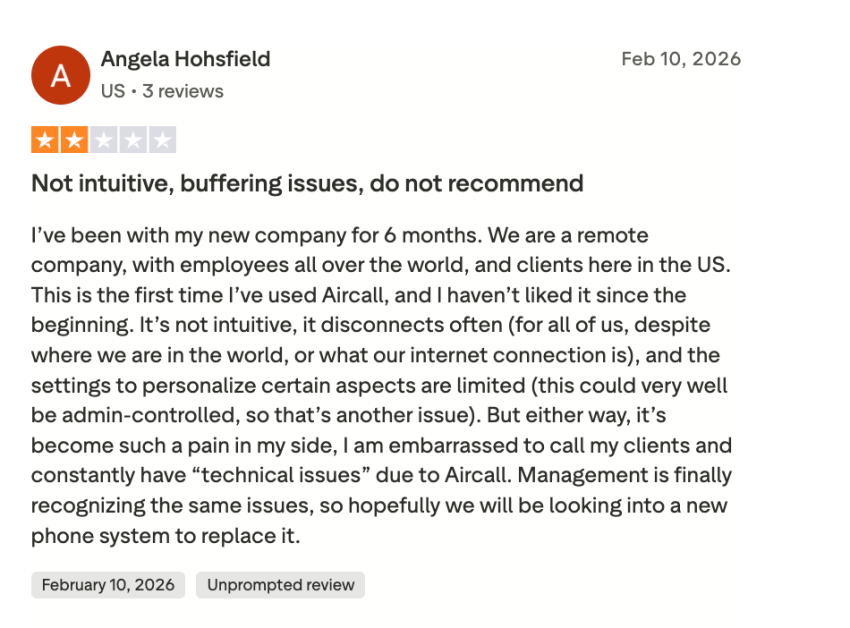
- Reliability issues: Users report latency and dropped calls, particularly when scaling to larger teams or international markets.
- Missing core features: If you need native video conferencing or robust team messaging, you’ll likely need to pay for a separate tool, as Aircall is voice-focused.
- Support and billing headaches: Cancellations or complex technical tickets can be slower to resolve than expected for non-enterprise accounts.
This guide breaks down the 10 best Aircall alternatives for 2026. We compare key features, pricing, and best use cases so you can confidently choose an option that improves your business efficiency.
Why Businesses Start With Aircall
Aircall is popular for a reason. It offers a low barrier to entry for startups and small support teams.
- User-friendly interface: It’s easy to learn with minimal training.
- Solid core features: Covers essentials like IVR, voicemail, and basic call routing.
- CRM integrations: Connects quickly with Salesforce and HubSpot.
Why Businesses Leave Aircall
However, as your business grows, Aircall hits a ceiling. Here are the top reasons companies switch:
- Integration constraints: While Aircall covers many CRMs well, it lacks the deep, customizable integration capabilities needed for complex workflows. Users find the API actions limited compared to more flexible competitors.
- Pricing that doesn’t scale: Aircall’s pricing can become steep for growing teams. A 50-person team on the Professional plan ($50/user/mo) pays significantly more than they would with competitors offering similar feature sets for $25–$30/user.
- The add-on complexity: Many features that are standard on other platforms (like advanced analytics or AI transcription) are gated behind higher tiers or require third-party add-ons with Aircall.
Two common dealbreakers: fax and HIPAA
- No native faxing: Aircall doesn’t have a native e-fax solution. If your business sends documents (healthcare, legal, real estate), you’ll need a third-party tool. Nextiva includes vFAX (virtual faxing) natively.
- HIPAA costs more: Aircall is HIPAA-compliant, but typically only on their higher-tier or Enterprise plans. Providers like Nextiva offer HIPAA compliance across all plans with a signed Business Associate Agreement (BAA).
How We Evaluated These Aircall Alternatives
To build this list, we evaluated more than 25 cloud phone systems and shortlisted the 10 that consistently come up when teams outgrow Aircall. Each alternative was assessed against seven dimensions that reflect the real reasons businesses leave:
- Call quality and reliability: Published uptime SLAs, network architecture (carrier-grade vs. internet-dependent), and user-reported issues around jitter, latency, and dropped calls. Aircall’s reliability gaps at scale are one of the most common switch triggers, so this factor carried significant weight.
- AI feature depth: Whether AI capabilities like transcription, sentiment analysis, agent assist, and call summaries are usable on entry plans or reserved for premium tiers, and whether they deliver real operational value beyond the marketing surface.
- Integration ecosystem breadth: The number and quality of native integrations (especially CRMs, helpdesks, and collaboration tools), depth of API access, and how much of a workflow can actually be wired together without third-party glue.
- Pricing transparency: How predictable the total cost is at scale, whether essentials sit behind add-ons or higher tiers, and whether published pricing reflects what teams actually pay once minimums, compliance fees, and required bundles are factored in.
- International coverage: Availability of local numbers across markets, unlimited calling regions, and how providers handle global routing. Important for teams growing beyond a single country.
- Support accessibility: Whether 24/7 live phone support is included in base plans or gated behind higher tiers, plus customer feedback on response times and ticket resolution quality.
- Scalability: How well each platform supports growth from a small team to a full contact center without forcing a vendor change, including the path from basic UCaaS to omnichannel CX.
Each provider was weighted based on fit for different team sizes and use cases, from solopreneurs needing a single line to enterprises running global contact center operations. The recommendations reflect real-world trade-offs rather than feature-count marketing.
5 Best Aircall Alternatives Compared
The following table compares the five top contenders.
| Feature | Nextiva | Quo (OpenPhone) | Dialpad | JustCall | RingCentral |
|---|---|---|---|---|---|
| Starting price | $15/user/mo | $15/user/mo | $15/user/mo | $29/user/mo | $20/user/mo |
| AI transcription & summaries | ✅ Power Suite ($75) | ✅ Business ($23) | ✅ Standard ($15) | ✅ Pro ($49) | ✅ Advanced+ |
| Native video conferencing | ✅ All plans | ❌ Not included | ✅ All plans | ❌ Not included | ✅ All plans |
| Team messaging | ✅ All plans | ✅ All plans (Threads) | ✅ All plans | ❌ Not included | ✅ All plans |
| Contact center (ACD, queues) | ✅ Engage+ ($25) | ❌ Basic shared inboxes | ✅ Pro+ ($25) | ✅ Team plan ($29) | ✅ Advanced+ ($25) |
| AI receptionist | ✅ Add-on ($99/mo) | ❌ Not available | ❌ Not available | ❌ Not available | ❌ Not available |
| HIPAA compliance | ✅ All plans (BAA) | ❌ Enterprise only | ✅ Pro+ plans | ✅ Team plan | ✅ Advanced+ |
| Native e-fax | ✅ Available | ❌ Not available | ❌ Not available | ❌ Not available | ✅ Core+ |
| International numbers | ✅ 160+ countries | ❌ US & Canada only | ✅ 160+ countries | ✅ 160+ countries | ✅ 100+ countries |
| Power / parallel dialer | ✅ Power Suite (Multi-line) | ❌ Not available | ✅ Pro+ (Power dialer) | ✅ Pro+ (Power dialer) | ✅ Advanced+ |
| CRM sync (Salesforce/HubSpot) | ✅ Engage+ ($25) | ✅ Business+ ($23) | ✅ Pro+ ($25) | ✅ All plans | ✅ Advanced+ ($25) |
| Free trial | ✅ 30-day money-back | ✅ 7-day trial | ✅ 14-day trial | ✅ 14-day trial | ✅ 14-day trial |
“Nextiva is the only platform that combines UCaaS (voice, video, messaging), CCaaS (contact center), and AI receptionist (XBert) in one unified app, eliminating the need for multiple vendors like Aircall + Zoom + Slack.”
Which Aircall Alternative Is Right for You?
Answer these three questions to find your best fit:
What’s your team size?
- 1–5 users: Nextiva Core ($15) or Quo Starter ($15)
- 6–25 users: Nextiva Engage ($25) or Dialpad Pro ($25)
- 25+ users: Nextiva Scale ($75) or RingCentral Advanced ($25)
What’s your primary use case?
- Sales team (high-volume outbound): Nextiva Scale (parallel dialer) or JustCall Team ($49)
- Support team (inbound contact center): Nextiva Engage ($25) or Dialpad Pro ($25)
- Company-wide communications: Nextiva Engage ($25) or RingCentral Core ($20)
- AI-first (transcription, coaching): Dialpad Standard ($15) or Nextiva Scale ($75)
What’s your budget per user/month?
- Under $20: Nextiva Core ($15), Quo Starter ($15), or Zoom Phone Unlimited ($16)
- $20–$40: Nextiva Engage ($25), Dialpad Pro ($25), or RingCentral Advanced ($25)
- $40+: Nextiva Scale ($75) for full AI + contact center, or JustCall Team ($49) for sales
Quick recommendation:
- Best overall value: Nextiva Engage ($25/user/month)
- Best for AI: Dialpad Standard ($15) or Nextiva Scale ($75)
- Best for sales teams: Nextiva Scale ($75) or JustCall Team ($49)
- Best for startups: Quo Starter ($15) or Nextiva Core ($15)
- Best for enterprise: RingCentral Advanced ($25) or Nextiva Scale ($75)
Start your 30-day risk-free trial.
Save 50% vs. Aircall starting at $15/user/month
Aircall Alternatives Deep Dive
1. Nextiva – Best Overall Aircall Alternative

Nextiva is a unified communications and customer experience platform built for teams that want voice, video, SMS, team chat, and contact center capabilities to live in the same place. It’s consistently rated for reliability, ease of use, and customer support, with more than 40 standard and advanced features across its plans.
For Aircall users, the appeal usually comes down to two things. The first is that you stop paying for separate tools. Aircall is a focused voice product, so teams that need video meetings or proper internal messaging typically stack a Zoom subscription and a Slack subscription on top. Nextiva covers all three natively, which simplifies the stack and the invoice.
The second is reliability. Aircall reviewers regularly mention latency and dropped calls once team size or international volume grows. Nextiva runs on a carrier-grade network with a 99.999% uptime SLA, translating to roughly five minutes of downtime per year, and it includes 24/7 support on every plan rather than gating it behind premium tiers.
Nextiva vs. Aircall: feature-by-feature
| Feature | Nextiva | Quo (OpenPhone) | Dialpad |
|---|---|---|---|
| Starting price | $15/user/mo | $15/user/mo | $15/user/mo |
| AI transcription & summaries | ✅ Power Suite ($75) | ✅ Business ($23) | ✅ Standard ($15) |
| Native video conferencing | ✅ All plans | ❌ Not included | ✅ All plans |
| Team messaging | ✅ All plans | ✅ All plans (Threads) | ✅ All plans |
| Contact center (ACD, queues) | ✅ Engage+ ($25) | ❌ Basic shared inboxes | ✅ Pro+ ($25) |
| AI receptionist | ✅ Add-on ($99/mo) | ❌ Not available | ❌ Not available |
| HIPAA compliance | ✅ All plans (BAA) | ❌ Enterprise only | ✅ Pro+ plans |
| Native e-fax | ✅ Available | ❌ Not available | ❌ Not available |
| International numbers | ✅ 160+ countries | ❌ US & Canada only | ✅ 160+ countries |
| Power / parallel dialer | ✅ Power Suite (Multi-line) | ❌ Not available | ✅ Pro+ (Power dialer) |
| CRM sync (Salesforce/HubSpot) | ✅ Engage+ ($25) | ✅ Business+ ($23) | ✅ Pro+ ($25) |
Key features:
- NextivaONE unified app: Voice, video, chat, and SMS in a single interface, so reps stop switching between tools mid-conversation.
- Advanced call analytics and screen pops: Customer context surfaces before the call is answered, with reporting that scales from basic call volume to full contact center dashboards.
- AI transcription and call summarization: Available on the Scale plan, with automatic summaries and conversation history across voice, SMS, and chat.
- Customizable auto attendants and intelligent routing: Multi-level IVR and skills-based routing that don’t require add-ons to access.
- Built-in CRM integrations: Native connections to Salesforce, HubSpot, Microsoft, Google, and Zendesk, plus open APIs.
Key strengths:
- Reliability: 99.999% uptime SLA backed by a carrier-grade network, not just internet-routed VoIP.
- 24/7 support on every plan: Phone, chat, and email support included from the entry tier, not reserved for enterprise contracts.
- Native HIPAA compliance and vFAX: Compliance and faxing are built in rather than priced as separate products, which matters for healthcare, legal, and real estate teams.
Why choose Nextiva over Aircall:
- Aircall’s 3-user minimum costs small teams at least $90/month, while Nextiva starts at $15/user/month with no minimum, saving a 3-person team $45/month ($540/year) compared to Aircall.
- AI transcription is a paid add-on: Aircall charges extra for AI features that Nextiva includes natively. Nextiva’s Scale plan ($75/user/month) includes AI transcription, summarization, and sentiment analysis — features Aircall only offers on Enterprise plans.”
- No native video or team messaging. Aircall users must pay for separate tools like Zoom ($15/user/month) and Slack ($8/user/month), adding $23/user/month to their total cost. Nextiva includes unlimited HD video meetings and team chat in every plan.
- Limited outbound dialing for sales teams: Aircall’s power dialer is single-line only, while Nextiva’s Scale plan includes parallel dialing (up to 5 lines simultaneously), increasing rep productivity by 3x compared to Aircall.
Pricing:
- Core: $15/user/month
- Engage: $25/user/month
- Scale: $75/user/month
For a 10-person sales team, this is how Nextiva stacks up against Aircall:
- Aircall Professional: $50 × 10 = $500/month + Zoom ($150) + Slack ($80) = $730/month
- Nextiva Engage: $25 × 10 = $250/month (includes voice, video, messaging, chat, and contact center)
- Savings: $480/month ($5,760/year)
Best for: Growing businesses and remote teams that want unified voice, video, chat, and contact center capabilities on one platform with reliable call quality and 24/7 support included from day one.
See how Nextiva compares to Aircall for your team size.
Get a custom quote and weigh your options.
2. Quo (formerly OpenPhone) – Best for Startups
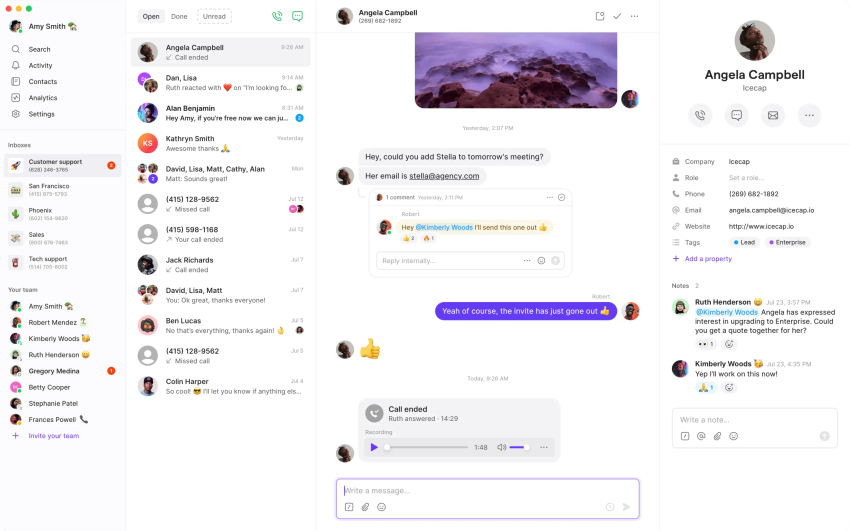
Quo is a modern, mobile-first business phone built around how startups actually communicate. The interface treats voice and SMS like a messaging app, with shared inboxes that let multiple people work the same conversation thread, and the product feels closer to Slack or Linear than to a traditional PBX.
Compared to Aircall, Quo is a more direct head-to-head than most entries on this list. Both target the same SMB and startup buyer, both have clean UIs, and both integrate with HubSpot and Salesforce. Quo tends to win on price, mobile experience, and shared inbox collaboration; Aircall tends to win on call center features and routing depth.
The trade-off is enterprise polish. Quo is purpose-built for small teams and doesn’t try to scale into contact center territory, so businesses that grow past about 50 seats typically start outgrowing it.

Key features:
- Shared phone numbers and inboxes: Multiple team members work the same number and SMS thread, with clear handoff and ownership.
- Auto-replies and snippets: Pre-built responses and automated replies for common scenarios.
- AI call summaries and transcripts: Automatic transcription and summary on higher tiers.
- HubSpot and Salesforce integrations: Two-way sync of calls, contacts, and notes.
- Mobile-first apps: iOS and Android apps that feel native rather than ported.
Key strengths:
- Modern collaborative interface: Built for teams that already think in shared workspaces rather than individual extensions.
- Strong mobile experience: Genuinely usable as a primary phone, not just a companion app.
- Transparent pricing: Clean per-user tiers without long contracts or hidden minimums.
Pricing:
- Starter: $15/user/month
- Business: $23/user/month
- Enterprise: Custom
Best for: Modern startups and small teams that want a mobile-first phone with shared inbox collaboration and don’t need heavyweight call center routing.
3. Dialpad – Best for Sales Teams
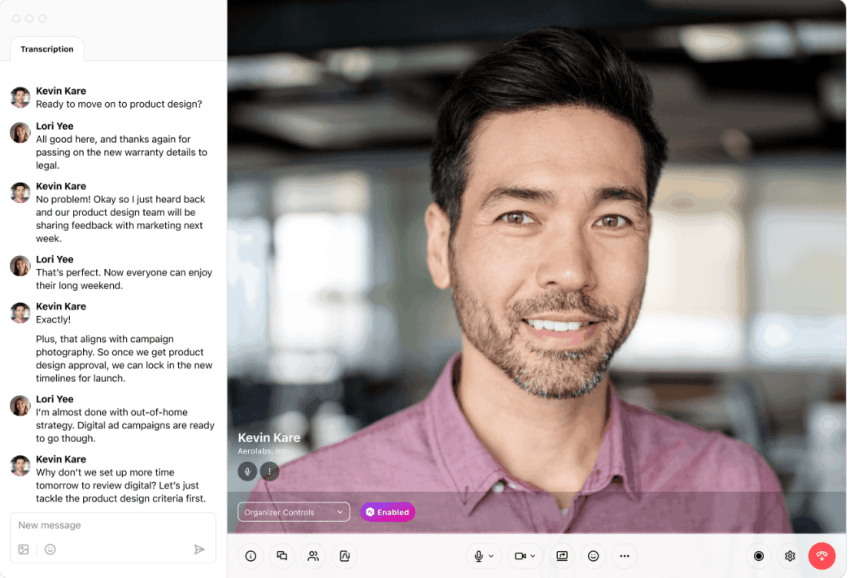
Dialpad is an AI-first business phone and contact center platform. The defining characteristic is that real-time transcription, sentiment analysis, and AI-generated call summaries aren’t premium add-ons but part of how every call is handled by default.
For sales teams considering Aircall, this aspect is where the calculus changes. Aircall’s transcription and conversation intelligence sit on its top tier or as add-ons through partners. Dialpad bakes them in at $15/user, which makes a real difference for teams where reviewing calls and coaching reps is a daily workflow rather than an occasional exercise.
The rest of the platform (routing, recording, IVR, and CRM integrations) is competitive with Aircall without being dramatically different. The decision usually comes down to whether AI coaching is central to how the team operates.
Key features:
- Real-time transcription and sentiment analysis: Every call transcribed and scored as it happens, with searchable history.
- AI coaching during live calls: In-call suggestions and post-call summaries surfaced to reps and managers.
- Salesforce, HubSpot, and Zendesk integrations: Two-way CRM sync with deep activity logging.
- Custom call routing and IVR: Visual call flow builder with conditional logic.
- Google Workspace and Microsoft 365 integration: Click-to-call and contact sync from email and calendar.
Key strengths:
- AI included from the entry tier: Transcription and call intelligence aren’t gated behind premium plans.
- Strong sales focus: Tooling and reporting designed around outbound velocity and rep coaching.
- Web-based and cross-platform: Works in the browser without a heavy native client.
Why Nextiva beats Dialpad (the AI alternative)
- Dialpad’s AI is good, but Nextiva’s is more comprehensive: Dialpad includes AI transcription in its $15 Standard plan, but Nextiva’s Scale plan ($75) adds AI-powered conversation intelligence, sentiment analysis, automated call summaries, and XBert AI receptionist — features Dialpad charges extra for or doesn’t offer.
- Nextiva includes a contact center natively, while Dialpad separates its contact center (Dialpad Contact Center) as a separate product starting at $75 per agent per month. Nextiva includes inbound contact center features (ACD, queues, and skills-based routing) in the Engage plan ($25/user/month).
- Better support: Nextiva is rated 4.6/5 on G2 for customer support, vs. Dialpad’s 4.3/5. Nextiva offers 24/7 phone, chat, and email support on all plans; Dialpad limits 24/7 support to Pro+ plans.
Pricing:
- Standard: $15/user/month
- Pro: $25/user/month
- Enterprise: Contact sales
Best for: Sales-driven organizations and remote teams whose primary goal is improving call performance through AI-assisted coaching, transcription, and sentiment analysis.
4. RingCentral – Best for Enterprises
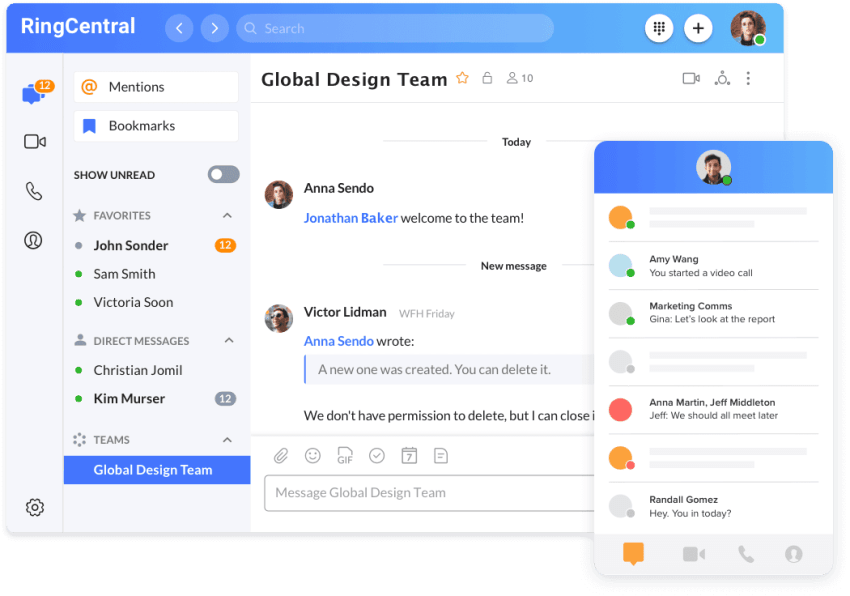
RingCentral is a full UCaaS platform that combines business phone, video conferencing, and team messaging, and (through RingCX) a separate contact center product. It’s one of the most established names in the space and tends to show up on enterprise shortlists for its feature breadth and analytics depth.
Against Aircall, the picture is straightforward. Aircall is built for small and mid-sized teams that want a clean voice product; RingCentral is built for organizations that need multi-level IVR, large-group video, comprehensive analytics, and the kind of administrative controls that come with hundreds or thousands of seats. For a team of 15, that’s overkill. For a team of 500, Aircall starts running out of headroom.
The trade-off is interface complexity. RingCentral’s admin console reflects the scale it’s designed for, and teams used to Aircall’s simpler setup often describe it as feature-rich but heavier to learn.
Key features:
- Multi-level IVR: Nested call menus and routing logic that scale to enterprise call flows.
- Video conferencing for large groups: Meetings for hundreds of participants with full UCaaS integration.
- Comprehensive analytics: Quality of service, agent performance, and call pattern dashboards.
- Open platform and APIs: Deep developer access and a marketplace of integrations.
- Global presence: Local numbers in 100+ countries and international calling plans.
Key strengths:
- Feature breadth: Few competitors match the surface area of capabilities at the enterprise tier.
- Established reliability: Long track record of large-scale deployments.
- Strong analytics: Reporting depth that goes well beyond what Aircall offers.
Pricing:
- Core: $20/user/month
- Advanced: $25/user/month
- Ultra: Contact sales
Best for: Large businesses that need advanced call management, deep analytics, and the administrative controls that come with enterprise UCaaS.
5. Zoom Phone – Best for Zoom Users
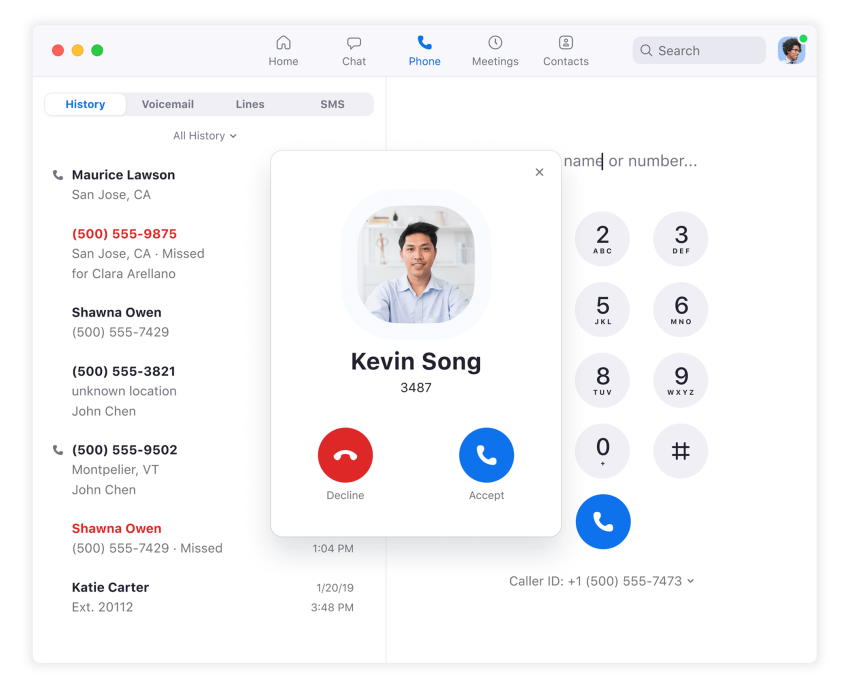
Zoom Phone is a cloud PBX bolted onto the Zoom platform, designed for organizations already running Zoom meetings as their primary collaboration tool. It brings inbound and outbound calling, voicemail, and routing directly into the Zoom app, so voice calls and video meetings share the same interface.
For Aircall users, the question is whether the rest of the company is already on Zoom. If it is, Zoom Phone collapses two vendors into one and lets reps escalate from a phone call to a video meeting in a single click. If it isn’t, the integration story matters less, and the standalone product is roughly comparable to other entry-tier business phones.
It’s a competent product, but it’s not where Zoom invests the bulk of its product effort. Buyers shopping primarily for advanced sales or support tooling usually find more depth in purpose-built alternatives.
Key features:
- Seamless escalation to Zoom Meetings: One-click upgrade from voice to video without leaving the app.
- Auto attendants and intelligent routing: Standard PBX call flows with rules-based routing.
- Voicemail transcription: Voicemails delivered as text inside the Zoom interface.
- Native Zoom integration: Contacts, calendar, and meeting history shared across phone and video.
- Metered and unlimited plans: Choice of pay-per-minute or unlimited calling depending on volume.
Key strengths:
- Tight integration with Zoom: Strong fit for organizations already standardized on Zoom.
- Familiar interface: Reduces onboarding friction for users who already know the Zoom app.
- Competitive entry pricing: $16/user/month for unlimited domestic calling.
Pricing:
- Metered: $10/user/month (pay-per-minute outbound)
- Unlimited: $16/user/month
- Pro: Contact sales
Best for: Businesses already running Zoom as their primary meeting tool that want phone calls in the same app.
6. Phone.com – Best for Budget Users
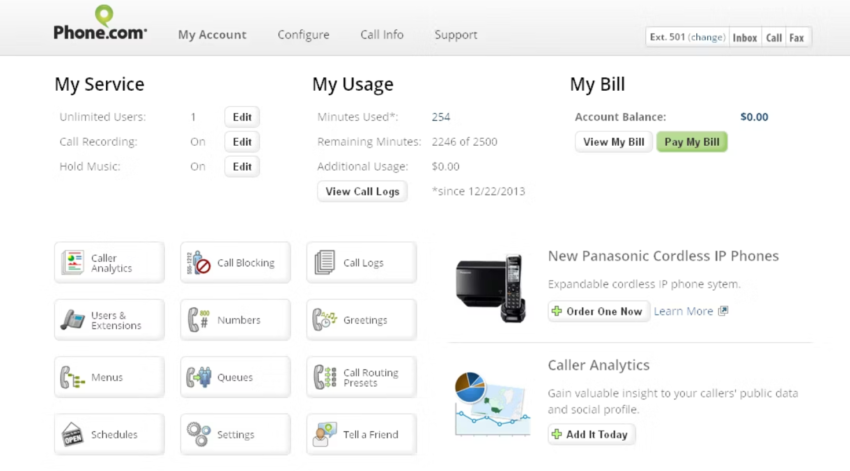
Phone.com is a budget-tier business phone aimed at small teams and price-sensitive buyers with low call volumes. It offers a mix-and-match plan structure (different users on different tiers within the same account), which is unusual in the market and useful for businesses where only some staff need advanced features.
Compared to Aircall, the main difference is the cost ceiling. Phone.com strips the product down to what small offices and low-volume teams actually use (calling, voicemail, basic IVR, and HIPAA on higher tiers) and prices it below Aircall’s entry point. For a business with a handful of users and occasional inbound calls, it covers the essentials without the per-seat math getting expensive.
The downside is that it’s a thinner product. Analytics, CRM integration depth, and AI features lag behind the more modern entries on this list, and businesses that grow into real call volume usually move to something more capable.
Key features:
- Mix-and-match user plans: Different users on different tiers within the same account.
- HIPAA-compliant options: Available on higher tiers for healthcare and adjacent industries.
- Voicemail transcription and call recording: Standard call handling with optional recording on Pro.
- AI-powered routing: Intelligent call routing introduced on the Plus tier.
- CRM integrations on Pro: Salesforce and HubSpot connections at the top tier.
Key strengths:
- Low entry price: Useful for very small offices and low-volume use cases.
- Flexible plan mixing: Pay for advanced features only on the seats that need them.
- HIPAA availability: Compliance is configurable on higher tiers without needing a separate vendor.
Pricing:
- Basic: $15/user/month
- Plus: $22.50/user/month
- Pro: $33.33/user/month
Best for: Price-sensitive small teams with basic communication needs and low call volumes.
7. GoTo Connect – Best for SMB Collaboration

GoTo Connect is a UCaaS platform that bundles hosted PBX with the GoToMeeting video stack, aimed primarily at small and medium businesses that want voice and video from one vendor. The product has a long history in the SMB segment and a reputation for being relatively easy to set up.
For Aircall users, the typical reason to consider it is bundling. Aircall handles voice well but doesn’t include video meetings, so teams using it usually pair it with Zoom or Google Meet. GoTo Connect puts both under one subscription, which simplifies billing and gives admins a single platform for collaboration tooling.
The trade-off is pricing transparency. GoTo Connect’s plans aren’t published on the website, and teams have to request a quote, which makes side-by-side comparison harder than with the more transparent alternatives in this guide.
Key features:
- Hosted PBX and call center software: Standard cloud phone plus inbound queue management.
- Built-in video conferencing: GoToMeeting integrated rather than offered as a separate product.
- Hot desking and personal meeting rooms: Useful for hybrid and shared-workspace teams.
- Integration with the GoTo ecosystem: Native connections across GoToWebinar, GoToTraining, and other products.
- Visual dial plan editor: Drag-and-drop call flow building rather than text-based config.
Key strengths:
- Bundled voice and video: Removes the need for a separate meeting subscription.
- SMB-friendly setup: Easier admin experience than most enterprise UCaaS platforms.
- Reliable customer support: Generally positive reviews on responsiveness for SMB accounts.
Pricing:
- Phone System: $26/user/month (estimated; quote required)
- Connect CX: $34/user/month (estimated; quote required)
Best for: Small to medium-sized businesses that want voice, video, and team collaboration bundled under one vendor with straightforward setup.
8. 8×8 – Best for Global Teams
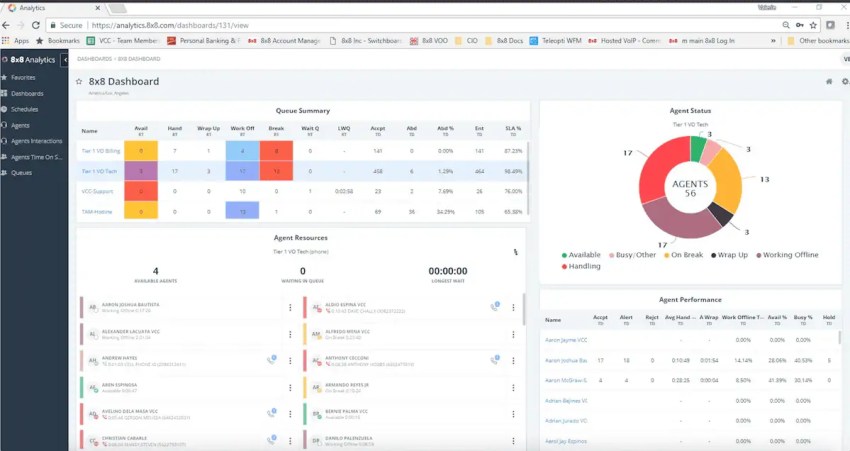
8×8 is a full communications platform spanning UCaaS, CCaaS, and video, with a particularly strong global footprint. It’s known for unlimited international calling to roughly 48 countries on its mid-tier plans, plus an enterprise-grade contact center for organizations operating across multiple regions.
For Aircall users, the trigger to look at 8×8 is usually international scale. Aircall handles international numbers, but pricing gets expensive fast, and call quality complaints concentrate on cross-border routes. 8×8’s global network is built for the use case rather than retrofitted onto a domestic product, which makes it a better fit for teams with meaningful volume across multiple countries.
Pricing is the friction point. 8×8 doesn’t publish list prices, and reviews consistently mention surprise charges for E911, regulatory fees, and hardware. Compared to Aircall’s transparent per-license pricing, you’re trading clarity for a much deeper feature set.
Key features:
- Unlimited international calling: Included to roughly 48 countries on mid-tier plans.
- Omnichannel contact center: Voice, chat, email, and social channels in one product.
- Workforce engagement management: Quality monitoring, coaching, and scheduling for contact center teams.
- Secure voice and compliance: HIPAA, PCI, and other compliance frameworks supported.
- Analytics and reporting: Customer journey analytics and AI-driven insights.
Key strengths:
- Global reach: Few competitors match its international calling footprint at this price point.
- Compliance breadth: Strong fit for regulated industries operating internationally.
- Enterprise contact center: A genuine CCaaS product rather than a UCaaS retrofit.
Pricing: Custom (contact sales for current rates).
Best for: Larger businesses with global operations and teams that need advanced contact center capabilities alongside international voice.
9. JustCall – Best for Outbound Sales
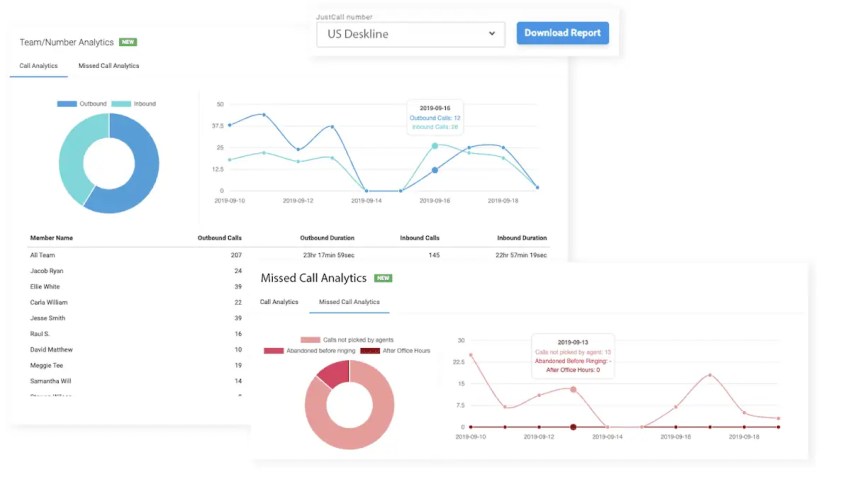
JustCall is a cloud phone system with a clear bias toward outbound sales productivity. Power dialing, voicemail drop, call dispositions, SMS campaigns, and conversation intelligence are treated as first-class features rather than afterthoughts, which makes it a natural fit for SDR and BDR teams running high-volume outreach.
Against Aircall, the differentiator is sales focus. Both products work for SMB phone needs, but Aircall is built as a balanced inbound/outbound tool, while JustCall optimizes around dialing velocity and CRM-linked workflows. Teams whose daily reality is queueing up hundreds of outbound calls and logging them back to HubSpot or Salesforce usually feel the difference within a week.
One thing to flag: JustCall is not a unified communications platform. There’s no video conferencing or internal team chat, so if the shortlist also includes Nextiva or RingCentral, the comparison is between two different shapes of solution.
Key features:
- Power dialer and voicemail drop: Outbound automation built around high-volume calling.
- Conversation intelligence: Call scoring, transcription, and sentiment analysis on higher tiers.
- 100+ CRM and helpdesk integrations: HubSpot, Salesforce, Zoho, Pipedrive, Intercom, and more.
- SMS automation and campaigns: Mass SMS and triggered messaging from the same platform.
- Call disposition and analytics: Outcome tagging and reporting designed for sales pipeline visibility.
Key strengths:
- Sales-focused tooling: Outbound velocity features that Aircall treats as add-ons or doesn’t have.
- Deep CRM integration: One of the broadest connector libraries among sales-focused phone systems.
- Quick deployment: Browser-based apps and mobile support with minimal setup.
Why Nextiva beats JustCall (the Sales team alternative)
- JustCall is sales-focused; Nextiva is company-wide: JustCall excels for sales teams using CRMs, but Nextiva serves the entire organization with voice, video, messaging, contact center, and AI, eliminating the need for separate tools.
- Better value for teams with >10 users: JustCall’s Team plan ($49/user/month) is cheaper than Nextiva’s Scale plan ($75), but Nextiva’s Engage plan ($25) includes contact center features that JustCall charges $49 for.
- XBert AI receptionist: JustCall has no AI receptionist; Nextiva’s XBert handles 24/7 calls, SMS, and web chat, books appointments, and syncs to CRM—saving $2,000–$4,000/month vs. hiring a human receptionist.
Pricing:
- Team: $29/user/month
- Pro: $49/user/month
- Pro Plus: $89/user/month
- Business: Contact sales
Best for: Outbound sales teams that prioritize dialing velocity, voicemail drop, and CRM-linked productivity over unified communications.
10. CloudTalk – Best for Sales Call Centers
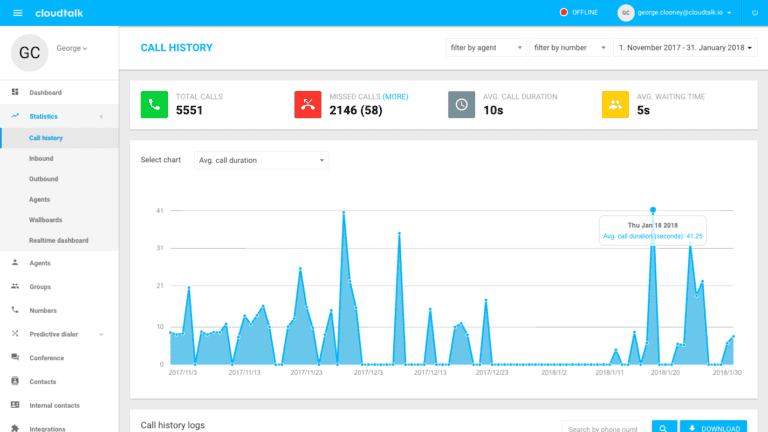
CloudTalk is a cloud call center platform aimed at sales and support teams, with strong outbound dialing, customizable routing, and a focus on European market presence through local numbers across 160+ countries. It’s a solid product for teams that want a real call center rather than a generalist business phone.
Compared to Aircall, the two products target similar buyers but diverge in focus. Aircall leans into a clean UI and a broad integration marketplace; CloudTalk leans into routing depth, power dialing, and international number coverage. Teams that prioritize outbound calling workflows and need a wide geographic footprint often prefer CloudTalk’s specialization.
The trade-offs to know about: live phone support is gated behind higher tiers, users sometimes report jitter on international routes, and complex IVR flows take more setup work than the marketing implies.
Key features:
- Power dialer and click-to-call: Outbound automation with predictive dialing on higher tiers.
- Local numbers in 160+ countries: Significantly broader geographic coverage than most competitors at this tier.
- Skill-based routing and IVR: Configurable inbound flows with conditional logic.
- CRM integrations: Native connectors to Salesforce, HubSpot, Pipedrive, Freshdesk, and Zendesk.
- Call recording and analytics: Standard quality monitoring tools and agent performance dashboards.
Key strengths:
- Strong international footprint: Local presence across European and global markets out of the box.
- Sales call center focus: Routing and dialing features built around outbound and inbound campaigns.
- CRM-linked workflows: Activity logging and screen pops across major sales platforms.
Pricing:
- Starter: $25/user/month
- Essential: $39/user/month
- Expert: $65/user/month
- Custom: Contact sales
Best for: Sales and support call centers that need power dialing, customizable routing, and international local number coverage, particularly across European markets.
How To Choose the Right Alternative To Aircall
Selecting the right Aircall alternative requires considering more than just your business needs. Here’s a breakdown of key factors to assess.
Match the provider to your situation
- Choose Nextiva if you need unified voice, video, SMS, and contact center capabilities on one platform with 24/7 support and 99.999% uptime included from the entry tier. Best fit for growing teams that want one vendor instead of three.
- Choose Quo if you’re a modern startup that wants a mobile-first, shared-inbox phone with a clean interface and doesn’t need heavy call center features.
- Choose Dialpad if AI coaching, transcription, and sentiment analysis are core to how your sales or support team operates day-to-day.
- Choose RingCentral if you’re at enterprise scale and need multi-level IVR, large-group video, comprehensive analytics, and the admin controls that come with hundreds of seats.
- Choose Zoom Phone if your organization already uses Zoom and you want phone calls in the same app as your meetings.
- Choose Phone.com if you’re a price-sensitive small office with low call volumes and want flexible per-user tier mixing.
- Choose GoTo Connect if you’re an SMB that wants voice and video bundled from one vendor with straightforward admin.
- Choose 8×8 if you operate across multiple countries and need genuine global calling depth and contact center capabilities.
- Choose JustCall if you’re an outbound-heavy sales team that prioritizes dialing velocity and CRM-linked workflows over unified communications.
- Choose CloudTalk if you’re running a sales call center that needs power dialing, customizable routing, and local numbers across European or global markets.
Evaluation principles to apply during demos
- Audit your motivation: Before booking demos, define why you’re leaving Aircall. If reliability is the issue, prioritize carrier-grade networks and published uptime SLAs. If pricing is your concern, create a comprehensive total-cost model that factors in add-ons. If features are the issue, list the specific capabilities you need and test for them.
- Verify the uptime guarantee: Look for the 99.999% standard, which translates to roughly five minutes of downtime per year, and check the provider’s public status page history before signing.
- Test integration depth, not just connector count: Marketing pages list logos; the real test is whether the integration pops customer context before a call is answered, syncs activity back without manual logging, and supports the workflows your reps actually run. Ask to see it live during the trial.
- Check compliance fit: If you operate in healthcare, finance, legal, or another regulated industry, confirm HIPAA, PCI-DSS, SOC 2, or GDPR compliance in writing before signing. Some providers restrict compliance access to enterprise tiers.
- Watch for hidden usage costs: Toll-free overages, AI transcription minutes, regulatory recovery fees, and international per-minute rates can meaningfully change the real per-user cost. Ask for a total cost estimate that includes projected usage.
- Don’t rush: Request free trials or demos and involve the team that will actually use the product in the evaluation.
Why Is Nextiva the Best Aircall Alternative?
The right communication solution balances features, cost, ease of use, and scalability. Nextiva hits that sweet spot.
- 50% lower starting price: Nextiva Core starts at $15/user/month vs. Aircall’s $30/user/month (with a 3-user minimum = $90/month). A 5-person team saves $75/month ($900/year) with Nextiva.
- AI included, not an add-on: Nextiva’s Scale plan ($75) includes AI transcription, automated summaries, sentiment analysis, and conversation intelligence—features Aircall only offers on Enterprise plans or as paid add-ons.
- XBert AI receptionist (unique to Nextiva): XBert answers calls 24/7, books appointments, qualifies leads, and syncs to your CRM, saving $2,000–$4,000/month vs. hiring a human receptionist. Aircall has no equivalent.
- One platform for all communications: Nextiva includes unlimited HD video meetings, team messaging, and live web chat in every plan, eliminating the need for separate tools like Zoom ($15/user/month) and Slack ($8/user/month).
- Contact center at 50% lower cost: Nextiva Engage ($25/user/month) includes inbound contact center features (ACD, queues, skills-based routing) that Aircall only offers on Professional plans ($50/user/month).
- 99.999% uptime SLA + HIPAA on all plans: Nextiva’s military-grade network delivers 99.999% uptime, and HIPAA compliance with a BAA is included on all plans — Aircall only offers HIPAA on Enterprise plans.
How To Switch from Aircall To Nextiva in 5 Days
Day 1: Sign up and port numbers
- Sign up for Nextiva (30-day money-back guarantee)
- Submit a porting request (takes 3–5 business days)
- Pro tip: Don’t cancel Aircall until numbers are fully ported
Day 2: Set up call flows and integrations
- Configure auto attendant, call queues, and business hours
- Connect CRM (Salesforce, HubSpot, Dynamics, Zoho, Pipedrive)
- Import contacts and set up screen pops
Day 3: Install apps and train team
- Download the NextivaONE app (desktop, mobile, tablet)
- Train your team on calling, video meetings, team messaging, and chat
- Set up voicemail-to-email and call forwarding rules
Day 4: Test and optimize
- Make test calls (inbound and outbound)
- Test CRM integrations and screen pops
- Adjust call routing and IVR menus based on team feedback
Day 5: Go live and cancel Aircall
- Switch all users to Nextiva
- Cancel the Aircall account (no port-out fees)
- Result: Save 40–60% on monthly communications costs
See why customers choose Nextiva:
Switch from Aircall to Nextiva. Our onboarding team handles number porting and setup for you.
Ready to take your phone system to the next level?
See how Nextiva can replace Aircall, Zoom, and your chat tool in one go.
Note: Aircall, Quo (formerly OpenPhone), Dialpad, Phone.com, GoToConnect, 8×8, Zoom, JustCall, and CloudTalk are not affiliated with Nextiva, Inc., and are the registered trademarks of their respective owners.
FAQs
Yes. Nextiva’s Scale plan ($75/user/month) includes a power dialer with parallel dialing (up to 5 lines simultaneously), compared to Aircall’s single-line power dialer on Professional plans ($50/user/month). This increases rep productivity by 2–3x.
Yes. Nextiva is HIPAA-compliant on all plans (Core, Engage, and Scale) with a signed Business Associate Agreement (BAA). Aircall only offers HIPAA compliance on Enterprise plans, making Nextiva a more affordable choice for healthcare startups and medical offices.
Yes. Nextiva’s Scale plan ($75/user/month) includes AI-powered transcription, automated call summaries, sentiment analysis, and conversation intelligence. Dialpad includes basic transcription in its $15 Standard plan, but charges extra for advanced AI features. Nextiva also adds XBert AI receptionist, which Dialpad doesn’t offer.
Nextiva includes inbound contact center features (ACD, call queues, and skills-based routing) in the Engage plan ($25/user/month). For advanced omnichannel contact centers (voice, SMS, chat, email, social), the Scale plan ($75/user/month) or Scale (custom pricing) provides full CCaaS capabilities. Aircall’s contact center features start at $50/user/month on Professional plans.