VoIP
VoIP  Blog
Blog  Business Communication
  Customer Experience
  Leadership
  Marketing & Sales
  Nextiva News
  Productivity
Dialpad is one of the most recognized cloud phone systems on the market, known for shaping modern business telephony with its built-in AI features and modern interface. However, it isn’t the right fit for every business.
Some organizations outgrow Dialpad’s pricing structure, while others need stronger customer support, more flexible security controls, better contact center capabilities, or a simpler business phone system for everyday communication.
If you’re looking for a strong Dialpad alternative, this guide compares the best Dialpad competitors for 2026. We’ll break down pricing, features, strengths, and limitations to help you choose the right platform for your business.
Why Businesses Are Looking for Dialpad Alternatives
Before we look at the best alternatives, it’s important to understand why customers are switching. Dialpad is known as an AI-powered workspace and can be a powerful tool for forward-thinking businesses with the necessary budget. However, many businesses experience discrepancies between Dialpad’s sticker prices and the actual benefits.
Here are the main reasons why growing businesses look for a Dialpad alternative:
1) AI features are not for everyone
Dialpad’s unique selling point is its voice intelligence (Vi), which enables live transcription and sentiment analysis. While impressive on paper, it comes with practical challenges:
- High bandwidth requirements: The always-on AI streams data continuously. For remote teams with fluctuating internet speeds, this can lead to stuttering, latency, and audio dropouts that don’t occur with a traditional VoIP service.
- Accuracy issues: Customers report that without a manually programmed company dictionary, the AI struggles with industry jargon and accents. This results in inaccurate transcripts that distract employees rather than help them.
- The human factor: In sensitive industries (healthcare, legal, consulting), real-time AI-generated assessments can feel impersonal or intrusive, as efficiency metrics take precedence over genuine human interaction.

2) Critical security (SSO) is gated
This is a major obstacle for mid-sized businesses. Single Sign-On (SSO), essential for secure employee login via Okta, Azure & OneLogin, is exclusively available in the Enterprise version. The Enterprise version requires at least 100 seats. Businesses with 50 employees that need SSO for compliance reasons cannot get this solution.
3) Support access is tiered
At Dialpad, 24/7 phone support is reserved for Pro and Enterprise plans. Standard starter plan users can only access web chat and support tickets during business hours. Many Dialpad competitors offer 24/7 phone support across all plans, ensuring that help is available regardless of the chosen subscription.

4) Seat minimum requirements
The requirement to pay for a minimum number of licenses can be a deal-breaker for solopreneurs and small business owners.
- Dialpad Enterprise: 100-license minimum. Businesses with, say, 50 employees needing uptime guarantees (SLAs) will not find a plan tailored to their needs.
- Dialpad Pro: Requires a minimum of 3 users to unlock specific office or departmental features.
5) The add-on fee structure
While Dialpad offers competitive base rates, the final invoice includes line items that competitors bundle for free.
- Toll-free numbers: Incur a separate monthly lease fee plus per-minute charges.
- Internet fax: An add-on across plans that requires a separate paid license plus per-page usage fees.
- SMS limits: Unlimited plans don’t show a fair usage cap on SMS volume, compelling high-volume SMS users to purchase additional credit bundles.
- International caps: Global calling packages include a cap (usually around 1,500 minutes), after which standard rates apply.
6) Technical glitches and resolution times
User reviews on platforms like G2 and Capterra point to stability issues, such as the need to restart the app to resolve bugs and dropped calls, and delays. More importantly, the lack of immediate phone support for standard users experiencing such technical problems can lead to extended downtime, preventing teams from quickly resolving critical communication bottlenecks.

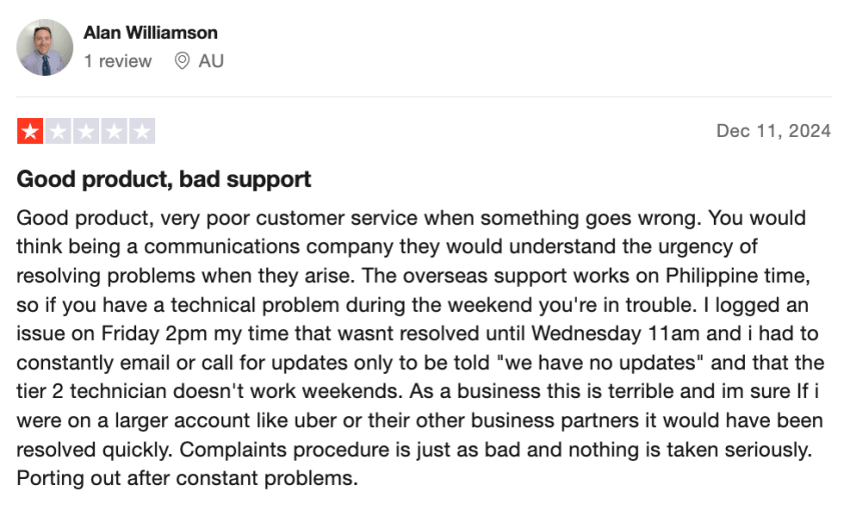
7) Slow customer support team
Some users have reported slow or unhelpful customer support experiences, particularly with complex issues. This can be frustrating for businesses needing quick resolutions. Users on G2 and Trustpilot have mentioned unresponsiveness and product issues, leading them to switch providers.
What to Look for in a Dialpad Competitor in 2026
Business phone systems have changed over the last few years. Features that were once considered premium are now standard expectations for businesses.
When choosing an alternative to Dialpad, look for a provider that offers:
- Unified communications: Calls, messaging, team chat, video conferencing, and team collaboration features in a single platform.
- Omnichannel customer engagement: Support for voice, SMS, email, social media, and web chat from one interface.
- Automation and workflow tools: Features that reduce manual tasks, such as automatic call logging, appointment scheduling, and customer follow-ups.
- Business software integrations: Native connections with deep CRM integrations, help desk, Google Workspace, and productivity platforms to keep customer information synchronized.
- Advanced analytics and reporting: Access to call analytics, conversation summaries, performance tracking, and customer interaction insights.
- Flexible deployment: Support for remote, hybrid, office-based, and international teams across desktop and mobile devices, with consistent call quality.
The best Dialpad competitors help businesses manage customer communications, improve team productivity, and support growth from a single platform.
Best Dialpad Alternatives by Category
To mitigate Dialpad’s limitations, here’s a summary of the best Dialpad competitors to consider (by their respective strengths).
All-in-one UCaaS platforms (best for reliability)
- Nextiva: The price-performance winner. Best for businesses that need a unified communications platform (voice, video, customer service) with 24/7 phone support and no AI bloat.
- RingCentral: For complex integrations (over 300 apps) or global offices.
- 8×8: For unlimited international calling plans, ideal for multinational teams.
- GoTo Connect: For Microsoft Teams users who prefer a simple, visual drag-and-drop setup.
Video-first & app integrations
- Zoom Phone: Perfect if you already pay for Zoom Meetings and want to consolidate your bill into one interface.
- Vonage: Best if you have developers who want to build custom video/voice workflows via APIs.
Sales & support specialists
- Aircall: Designed for sales teams living in Salesforce or HubSpot who need a power dialer to hit targets.
Budget & simplicity (startups & solopreneurs)
- Quo (formerly OpenPhone): Offers a sleek interface and shared inboxes, best for startups and digital natives.
- Grasshopper: Best for solopreneurs who just want a business number forwarded to their personal cell phone.
- 3CX: Ideal for IT experts who want a free/cheap license and are willing to self-host the server.
- OnSIP: Best for seasonal businesses or small offices that prefer a pay-as-you-go model.
Top 10 Dialpad Alternatives & Competitors Compared
Need a quick answer? Here’s how the best Dialpad competitors stack up.
| Provider | Starting price (annual) | Best for | Standout feature | Key AI capabilities | Support access |
|---|---|---|---|---|---|
| Nextiva | $15/user/mo | Small and mid-sized businesses | Unified CX platform | Voicemail with AI transcription, AI transcription and summarization | 24/7 phone, chat, email (all plans) |
| Quo (formerly OpenPhone) | $15/user/mo | Startups | Shared inbox | Sona AI agent, AI message responses, AI tags | Email (lower tier plans) Live chat and phone (higher tiers |
| Zoom Phone | $10-$15/user/mo | Zoom users | Video meetings | AI Companion | Limited support options for lower tiers; Ticket, live chat, and phone support for premium Zoom apps |
| Aircall | $30/user/mo (Minimum 3 licenses) | Sales teams | CRM power dialer | AI transcripts, A voice agent | 24/5 live chat, email, and phone; premium paid support |
| 3CX | $350 (8 simultaneous calls) | IT experts | Budget DIY hosting | Transcription | Paid tickets |
| Grasshopper | $14/user/mo | Solopreneurs | Virtual number overlay | ❌ | 24/7 phone, email, social media, and chat support |
| 8×8 | Custom quote | Global enterprises | Unmetered international calling | Speech analytics, AI-powered voicemail transcription | 24/7 web case submission, live chat, and phone support |
| Vonage | $13.99/user/mo | Developers | Custom voice APIs | Paid add-on | 24/7 chat and phone |
| GoTo Connect | Custom quote | Microsoft Teams users | Direct teams routing | AI chat analysis, AI call summaries | 24/7 phone |
| OnSIP | $18.95/user/mo (Minimum 5 users) | Small teams | Pay-as-you-go option | ❌ | Email and phone during business hours; off-hours ticketing support |
Here’s a deeper dive into the top Dialpad alternatives based on value, reliability, and how they address key issues Dialpad users face (such as access to support and AI bloat).
1) Nextiva: Best unified communications platform
Best for: Small and mid sized teams that need a unified customer experience (CX) platform.
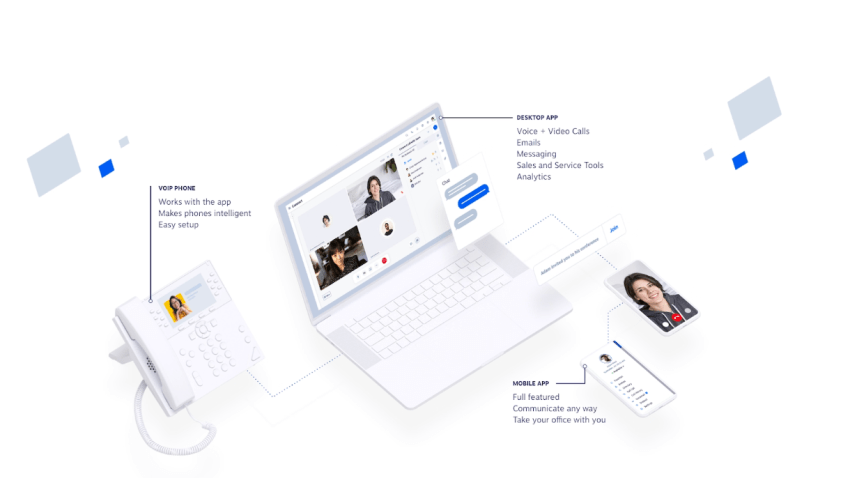
If you’re looking for a cloud-based phone system that doesn’t require complicated configurations and unifies all your customer communication, whether by phone, video, email, chat, or even social media on a unified platform, Nextiva is the best choice.
While Dialpad is AI-heavy right off the bat, Nextiva focuses on delivering a unified customer experience with contact center tools and carefully crafted AI features, such as an intelligent AI receptionist that flexibly adapts to your needs.
Key features:
- Omnichannel support: Manage all communication channels in one place.
- Advanced reporting: Track key call metrics across all channels.
- Extensive integrations: Connect with popular CRMs and helpdesk solutions.
- Team collaboration: Built-in collaboration tools for team messaging, file sharing, and task management.
- Mobile-first: Powerful mobile apps for iOS and Android mirror the desktop experience.
Why choose Nextiva over Dialpad
Nextiva’s Core plan ($15/mo) is more feature-rich than Dialpad’s entry-level tier, offering superior reliability (99.999% uptime) and 24/7 customer support access. On top, Nextiva’s intuitive interface outshines Dialpad’s complex setup.
👉 Watch the video review 👇
Pricing:
With Nextiva, you get flexible plans tailored to meet your various business needs. The top plans are:
- Core ($15/user/mo): Unlimited calling, video meetings, and business SMS.
- Engage ($25/user/mo): Adds a toll-free number, 2,000 toll-free minutes, and advanced reporting.
- Power Suite CX ($75/user/mo): Includes AI transcription, omnichannel routing, and unlimited toll-free minutes.
Check out all of Nextiva’s pricing options ↗
The verdict: Switch to Nextiva if you want an intuitive and reliable communication platform with excellent customer service. Nextiva is the best replacement for Dialpad and eliminates its associated support problems.
2) Quo (formerly OpenPhone): The modern choice for startups
Best for: Solopreneurs, startups, and teams needing a sleek mobile app.
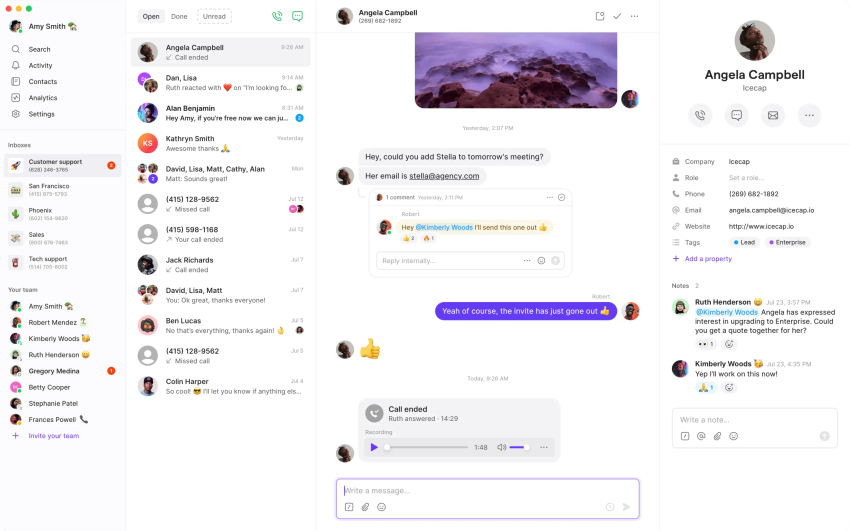
Quo eliminates the cumbersome hardware feel of traditional VoIP systems and replaces it with a clean, app-based user interface. It is ideal for SMS and shared mailboxes, making it perfect for teams that use both text messaging and voice calls.
Key features:
- Shared phone numbers: Collaborate with your team seamlessly.
- CRM integrations: Connect with Salesforce and HubSpot.
- Custom phone book: Easily manage your business contacts.
- Unlimited SMS and calling within the US and Canada, and support for local phone numbers.
Pros:
- Shared numbers: Multiple teammates can call and text from a single number (e.g., support line).
- UI/UX: The interface is more modern than Dialpad’s.
Cons:
- Routing limits: Lacks the complex IVR and call center routing of enterprise tools.
- No video meetings: Unlike Dialpad, Quo is voice/text only. You will need a separate Zoom account.
Pricing:
Quo has three pricing plans with à la carte options for additional features:
- Starter ($15/user/mo): Basic calls and SMS.
Business ($23/user/mo): Adds HubSpot/Salesforce integrations and call recording. - Enterprise: For organizations with more complex requirements, request a quote from Quo’s sales team.
The verdict: Choose Quo if you’re a startup with fewer than 10 employees and value a great mobile app over advanced call center features.
3) Zoom Phone: The business telephony solution for Zoom users
Best for: Teams already paying for Zoom Meetings.
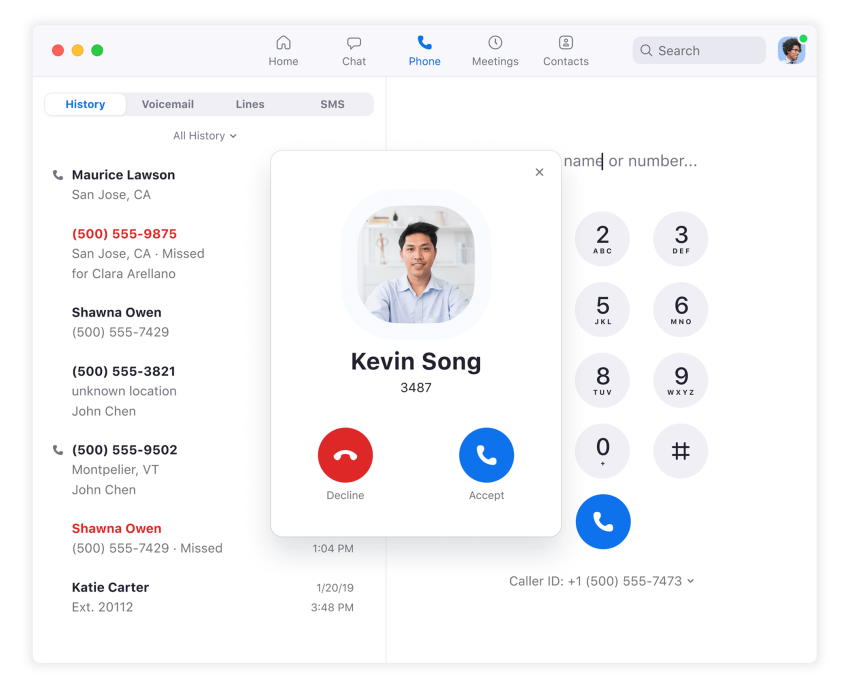
If your team spends a lot of time in Zoom meetings, adding Zoom Phone is a logical step. Zoom’s VoIP phone service integrates a phone system directly into your existing Zoom app, simplifying your billing and software landscape.
Key features:
- Integrated UCaaS: Combine phone, meetings, chat, and more in one app.
- Familiar interface: Easy to adopt for existing Zoom users.
- Popular communication channels: Supports VoIP calling, email, web chat, social media, and more.
Pros:
- Consolidation: One bill for video and phone.
- Video integration: Seamlessly elevate a phone call to a video meeting with one click.
Cons:
- Support costs: 24/7 support is a paid add-on or reserved for higher tiers.
- Add-on fees: Hardware leasing and advanced features can quickly drive up the cheap base price.
Pricing:
Zoom Phone has a freemium pricing model with tiered paid plans for individual users, small teams, and businesses. Businesses can start with a metered plan or upgrade to an advanced plan for additional features and global calling options.
- Metered ($10/user/mo): Pay per minute (good for low call volumes).
- Unlimited ($15-$20/user/mo): Standard unlimited calling plan.
- Global Select 48 countries: Unlimited calling to 48 countries, including the US, Canada, and many European countries, for $240 per year per user.
The verdict: Choose Zoom Phone if you want to consolidate invoices and already use the Zoom interface.
4) Aircall: The CRM tool for sales and support
Best for: Sales and support teams living in HubSpot or Salesforce.
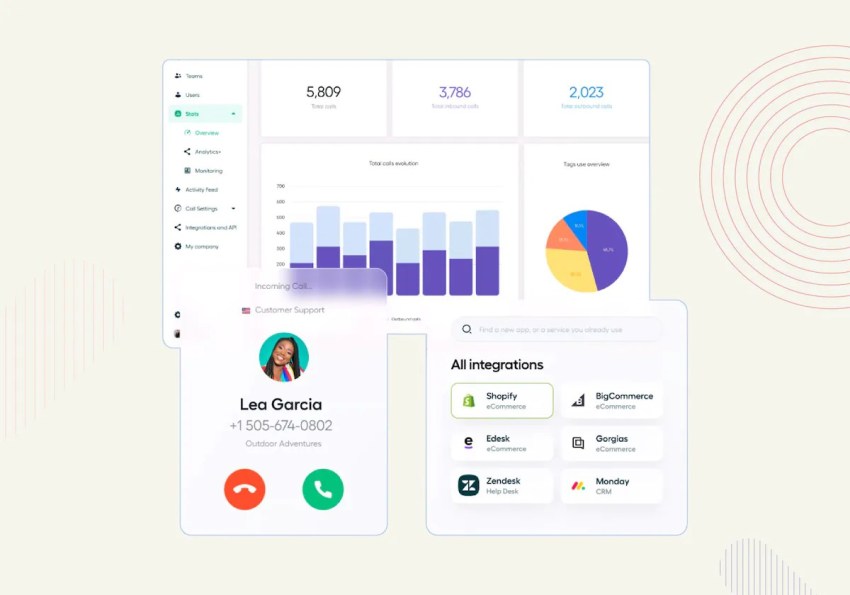
Aircall is designed for teams that streamline both inbound and outbound calls and use their phone system as an integral part of their CRM system. If your daily workflow is based on Salesforce or Zendesk, integrating Aircall is tighter and faster than integrating Dialpad.
Key features:
- Real-time analytics: Monitor call performance and agent activity.
- Call monitoring & recording: For quality assurance and training.
- Customizable IVR (interactive voice response): Create personalized greetings and route calls efficiently.
Pros:
- PowerDialer: A strong tool for outbound sales teams to speed up calling lists.
- Fast setup: You can add numbers and users quickly.
Cons:
- Price: Starts at $30/user (with a 3-user minimum), making it double the cost of Dialpad for small teams.
- No video: Like Quo, Aircall is purely for voice.
Pricing:
Aircall offers two main subscription plans with a free trial available:
- Professional ($50/user/mo): Adds Salesforce integration and PowerDialer.
- Essentials ($30/user/mo): Basic features + simple integrations.
The verdict: Choose Aircall if your sales team uses Salesforce and needs a power dialer to make outbound calls.
5) 3CX: The budget DIY option
Best for: IT teams and companies with on-premise server hardware.
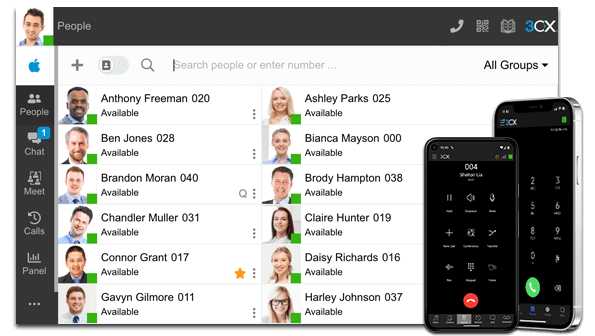
3CX is unique because it offers an affordable software license if you host the server yourself. It’s a powerful system, but it does require technical expertise.
Key features:
- Advanced phone service functionality for granular control and customization.
- Web browser and mobile app access for convenient communication, including support for internal calls.
- QR code softphone configuration for easy user setup.
Pros:
- Cost: Hard to beat if you have the hardware and skills.
- Flexibility: You choose your own SIP trunk provider (carrier), which can save money on per-minute rates.
Cons:
- Complexity: This isn’t a simple plug-and-play installation. If you’re not an IT expert, setting it up will be quite difficult compared to Dialpad.
- Support: Support is ticket-based or sold through partners.
Pricing:
3CX offers two key pricing tiers:
- Free/SMB: Free plan for up to 10 users (self-hosted).
- Pro/Ent: Tiered based on simultaneous calls, not users.
The verdict: Choose 3CX if you have a dedicated IT manager who wants full control over the PBX backend.
6) Grasshopper: Separate business calls on mobile
Best for: Solopreneurs requiring a dedicated business line on their personal device.
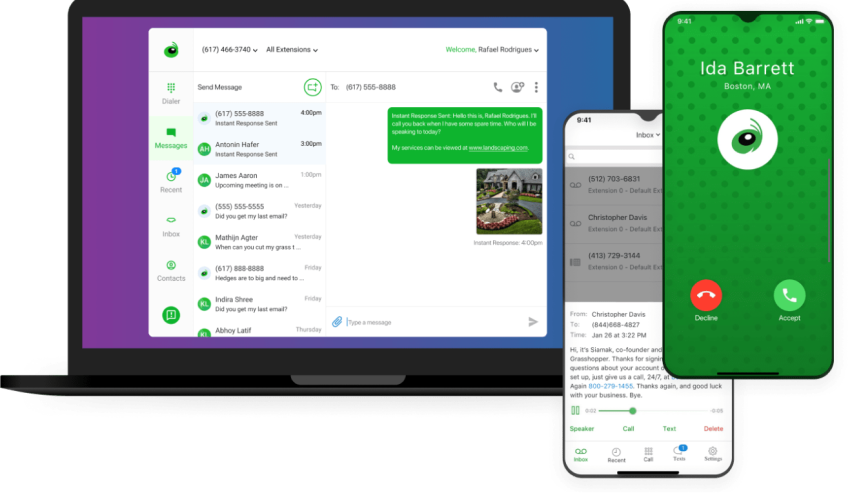
Grasshopper isn’t a full-fledged VoIP system, but rather a virtual extension of your existing mobile network. If Dialpad is too complicated for you, Grasshopper’s virtual phone system is the perfect solution for separating business and personal calls.
Key features:
- Virtual receptionist: Automatically route calls based on caller input.
- Toll-free numbers: Establish a professional local presence.
- Easy setup: Get started quickly and easily.
- Simple call handling: Manage incoming calls, voicemail, and call forwarding.
Pros:
- Simplicity: No new apps or hardware required (though an app is available). It just forwards voice calls.
- Flat rate: Pricing is per account, not per user, which can be cheaper for a small team.
Cons:
- Features: No video, no chat, no integrations.
- WiFi calling: Relies on your cellular signal quality.
Pricing:
Grasshopper offers the following pricing plans:
- True Solo ($14/mo): 1 user, 1 number, 1 extension.
- Solo Plus ($25/mo): Unlimited users, 3 extensions, 1 phone number.
- Small Business ($55/mo): Unlimited users, 4 phone numbers, unlimited extensions.
The verdict: Choose Grasshopper if you’re a solopreneur who wants a second number for business clients.
7) 8×8: Scale globally with unmetered calling
Best for: Multinational corporations with offices in multiple countries.

8×8 is a unified communications platform that directly competes with Dialpad’s Enterprise offering. Its X Series plans include unlimited access to calls in approximately 48 countries, which can provide significant cost savings for global teams.
Key features:
- Integrated platform: All communication tools in one place.
- Contact center solutions: Advanced features for high-volume call centers.
- Global coverage: Connect with customers around the world.
Pros:
- Global reach: One of the best international calling plans on the market.
- Unified dashboard: Includes strong contact center and video tools.
Cons:
- Interface: Can feel clunky and dated compared to other alternatives.
- Support: Mixed reviews on responsiveness for billing issues.
Pricing:
8×8’s pricing plans are not public and need a sales conversation. Contact its sales team for a custom quote.
The verdict: Choose 8×8 if you have branches worldwide and want only one invoice for all of them.
8) Vonage: Build custom communication workflows
Best for: Businesses needing custom programmable voice APIs.
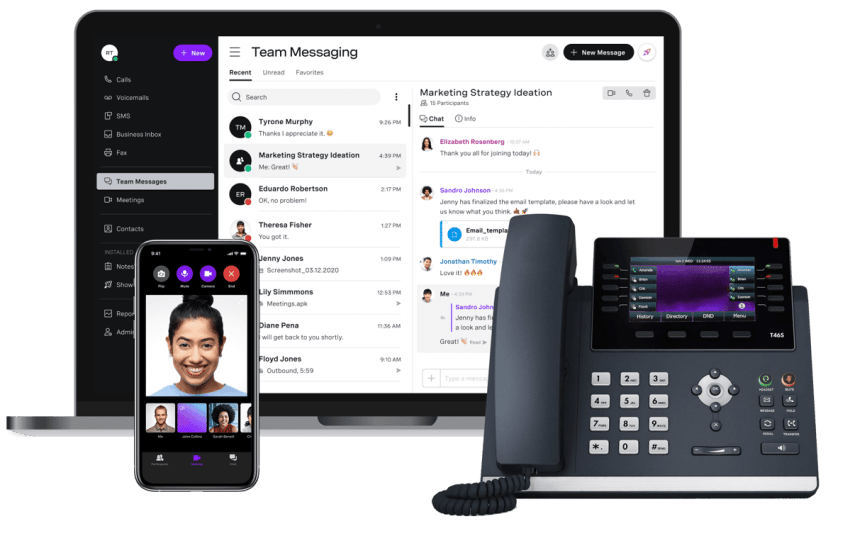
Vonage is particularly powerful if you have developers. Its API platform allows you to integrate custom video and voice experiences into your own app or website.
Key features:
- Developer-friendly APIs: Customize and integrate with your existing systems.
- Conversational commerce tools: Engage customers across multiple channels.
- CPaaS options: Build custom communication solutions.
Pros:
- Customization: Build exactly what you need with APIs.
- Uptime: Strong global reliability infrastructure.
Cons:
- Nickel-and-dime: Many features (call recording, on-demand call queues) are paid add-ons, making the final bill unpredictable compared to Dialpad’s bundles.
Pricing:
Here are the pricing options you get with Vonage for 20-99 users:
- Mobile ($13.99/mo): Basic mobile-only access.
- Premium ($20.99/mo): Adds desk phone support and meetings.
- Advanced ($27/mo): Adds call groups and visual voicemail.
The verdict: Choose Vonage if you need to embed calling into your own product or app using APIs.
9. GoTo Connect: Streamlined management for Microsoft Teams
Best for: Microsoft Teams users.
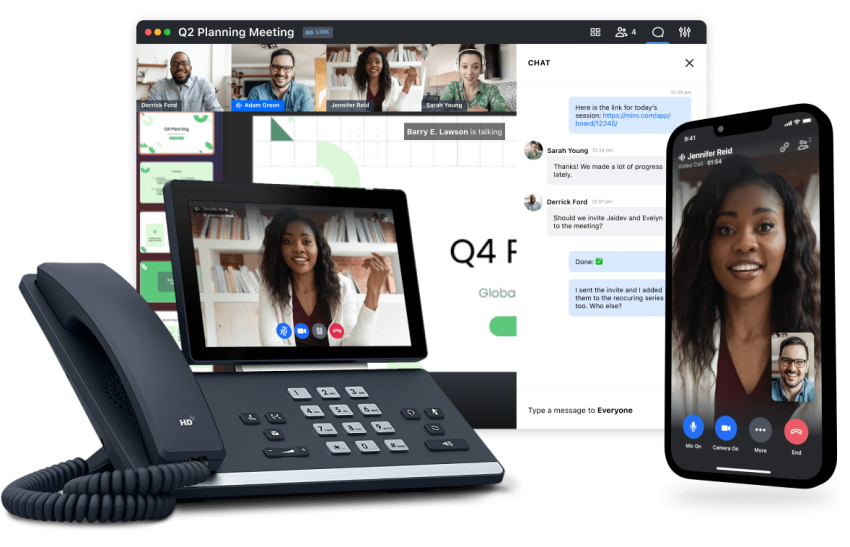
GoTo Connect (formerly Jive) is a reliable unified communications platform. It stands out with its direct routing integration with Microsoft Teams and its highly visual dialing plan editor.
Key features:
- Webinar and conference calling: Host large online events.
- User-friendly interface: Easy to set up and use.
- Add-ons: Get business continuity and SD-WAN.
Pros:
- Visual editor: Drag-and-drop editor for setting up call flows is one of the best in the industry.
- Reliability: Excellent uptime history.
Cons:
- Price: Starts higher (around $26/mo) than Nextiva or Zoom.
- Interface: The desktop app can feel a bit dated.
Pricing:
GoTo Connect’s pricing isn’t public. Contact its sales teams for specifics and potential volume discounts. Here’s an estimate based on industry data.
- Phone system (~$26/user/mo): Full PBX features.
- Connect CX (~$34/user/mo): Adds customer engagement tools.
The verdict: Choose GoTo Connect if you want a reliable system with a stratightforward drag-and-drop setup.
10) OnSIP: Simple VoIP for small teams
Best for: Seasonal businesses or low-volume offices.
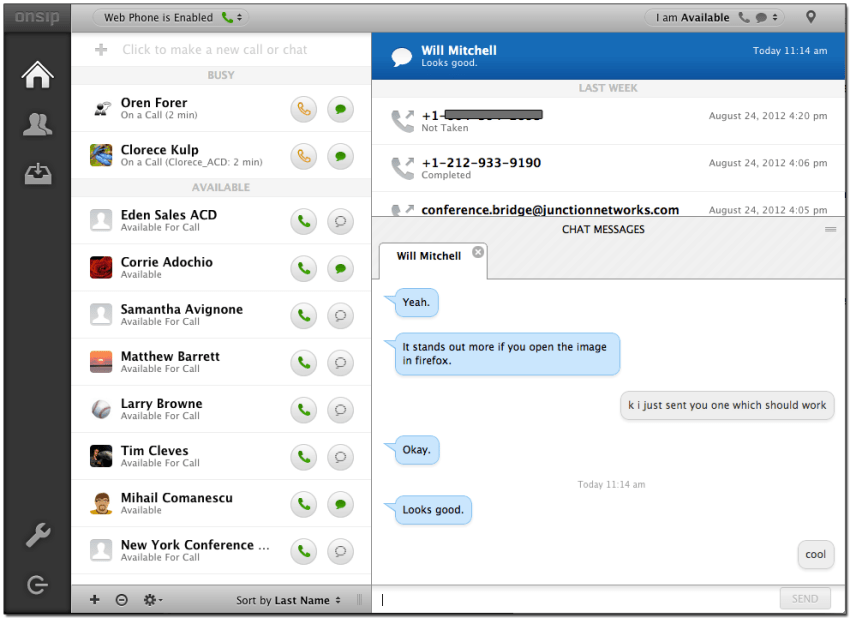
OnSIP is easy to set up and use for people without technical expertise. Although it doesn’t have the extensive features of Dialpad, it’s a more streamlined and cost-effective solution for businesses that value simplicity. It provides essential call management features, making it a good choice for small teams with basic communication needs.
Key features:
- Basic call management: Call forwarding, voicemail, and call parking.
- Integrations: Connect with HubSpot and Zendesk.
- Web-based administration: Easy system management.
Pros:
- Pay-as-you-go: Great for offices that might only make 50 calls a month.
- BYOD: Works well with existing SIP desk phones.
Cons:
- Outdated UI: The interface feels older than modern tools.
- Feature limits: Lacks the advanced AI and SMS features of Dialpad.
Pricing:
Here are the main OnSIP pricing plans:
- Unlimited ($18.95/user/mo): Standard per-user pricing.
- Basic ($49.95/account/mo): Pay for usage + features separately (calling minutes and messaging not included).
The verdict: Choose OnSIP if you’re a seasonal business (like a tax accountant) who needs a flexible bill.
Honorable mention: RingCentral
Best for: Enterprises migrating from complex legacy systems. While not in our top 5 for simplicity, RingCentral is a direct competitor to Dialpad for large-scale deployments. It offers a deeper app ecosystem (300+ integrations) but suffers from similar hidden fee issues as Dialpad.
How To Choose the Right Dialpad Alternative
You can easily get lost in the sea of recommended options and Dialpad competitors. Choosing a VoIP provider boils down to a few considerations. You can then narrow your options and pick the best Dialpad alternative for your business.
- Budget: Determine your budget and compare business plans and pricing models carefully (per user, per feature, etc.).
- Team size & scalability: Consider the number of team members and whether you need to scale in the future.
- Essential features: Prioritize must-have features like video calls, international calling, or call recording.
- Integrations: Ensure the platform integrates with your CRM, help desk software, and other key tools.
- Communication style: Assess whether you need a solution for remote teams, a contact center, or a small office.
- Customer support: Evaluate the level of support offered (phone, email, chat, 24/7 availability).
- Ease of use: Consider the interface and see if it’s intuitive for your team.
- Mobile app functionality: See if you need a robust mobile app for on-the-go communication.
- Security: Look for features like encryption and compliance certifications to protect customer data.
How to Migrate From Dialpad Without Losing Your Phone Numbers
Switching from Dialpad to another business phone provider is usually straightforward, but the order of operations matters. Canceling your account too early or overlooking key account details can delay the process and potentially put your phone numbers at risk.
Follow these steps to ensure a smooth transition:
1. Back up your important data
Before starting the migration, export any call recordings, voicemails, call logs, analytics reports, and customer communication records you may need in the future. Keep in mind that some export capabilities may need to be enabled by Dialpad support before they become available for download.
2. Gather your account information
Your new provider will need specific information to transfer your phone numbers successfully. This typically includes:
- Your Dialpad account details
- Transfer PIN
- Recent Dialpad invoice
- Billing telephone number (BTN)
- Service address associated with the account
Even small discrepancies can delay a port request, so verify that all information matches your Dialpad records.
3. Submit your porting request
Once you have your account information ready, submit a number port request with your new provider and complete any required authorization forms. Most providers will handle the transfer process on your behalf after receiving the necessary documentation.
4. Configure your new phone system
While your numbers are being transferred, use the time to set up users, call routing, auto attendants, business hours, voicemail settings, and CRM integrations. Completing these tasks before the port date helps minimize disruption once the migration is complete.
If you’re switching to Nextiva, start the porting process by submitting your recent Dialpad bill, Transfer PIN, and a signed Letter of Authorization (LOA) through the Nextiva admin portal. Once submitted, Nextiva’s porting team will coordinate directly with Dialpad’s carrier to transfer your phone numbers. To avoid delays, make sure your account number, billing telephone number (BTN), and service address match your Dialpad records exactly.
5. Test call routing and user assignments
Before the final cutover, verify that calls are routing correctly to the appropriate users, departments, and ring groups. Running test calls can help identify configuration issues before your primary business numbers go live.
6. Wait for confirmation before canceling Dialpad
Do not cancel your Dialpad account until your new provider confirms that the port has been completed successfully. Keeping your Dialpad service active until the transfer is finalized helps prevent service interruptions and protects your existing phone numbers.
With proper planning, most businesses can complete the migration process with minimal downtime and little impact on employees or customers.
Summary Comparison: Nextiva vs. Dialpad
If you’re narrowing it down to the top two, here’s a direct comparison.
| Feature | Nextiva | Dialpad |
|---|---|---|
| Key focus | Customer experience & reliability | AI & transcription |
| Reliability | 99.999% uptime | High, but reliant on a strong internet |
| Support | 24/7 phone/chat/email (all plans) | Web-only for lower tiers |
| Pricing | Starts at $15/mo | Starts at $15/mo |
| Video calls | Included (unlimited) | Included |
| SMS | Team shared inbox | Standard SMS |
The verdict:
- Stick with Dialpad if you absolutely require real-time AI sentiment analysis during calls and have a strong IT team to manage it.
- Switch to Nextiva if you want a reliable, easy-to-use phone system that unifies calls, texts, and video without the AI complexity. Nextiva rivals Dialpad’s top tiers by including AI features but at a more transparent price point.
Why Nextiva Is a Top Dialpad Alternative
Nextiva offers a robust feature set, reliable service (backed by a 99.999% uptime SLA), and highly rated 24/7 customer support accessible to all users. Its focus on unifying communication channels into one intuitive platform helps businesses manage interactions efficiently.
Nextiva has consistently received praise in the industry:
- U.S. News & World Report: Named Nextiva the Best Business Phone System for four consecutive years.
- Forbes Advisor: Gave Nextiva a 4.6 out of 5-star rating, highlighting its reliability and features.
- CrazyEgg: Described Nextiva as highly reliable and praised its ease of use.
Companies like Shelby America, Veterans Home Care, and Orange County Rescue Mission have chosen Nextiva for their business communications needs.
“Setting up a phone tree for a gazillion people is not easy but the questions that our Nextiva reps asked and what they have done with other companies made it easy. What I like the most about Nextiva is how scalable it’s been. We started at 400 employees and we’re at almost 1800 employees now.”
Annie Izquierdo, Leadership & Process Trainer at Titan Solar Power

Dialpad, Aircall, 3CX, OnSIP, Quo, Grasshopper, Zoom, Vonage, GoTo Connect, and 8×8 have no relationship with Nextiva, Inc. and are the registered trademarks of their respective owners.
Start calling for just $15/mo.
See why over 100,000 businesses switched to Nextiva. Now you can get it all for $15/month per user.
Frequently Asked Questions (FAQs)
Nextiva and Aircall are the top choices. Aircall is built for CRM workflows, offering a power dialer inside Salesforce. Nextiva provides deep integration that pops up customer records instantly when they call.
Microsoft Teams Phone is convenient if you’re already paying for E5 licenses, but it lacks advanced call routing and contact center features. Dialpad (or alternatives like Nextiva/GoTo) offers far superior call handling, IVR, and analytics than the native Teams phone system.
Yes. Nextiva ($15/mo), Quo ($15/mo), and Zoom Phone (metered plans from $10/mo) are cheaper for small teams. 3CX offers a free license if you’re willing to self-host the server.
Nextiva’s Core plan is tailored for small teams. 3CX (free plan), Quo (Starter), and Grasshopper also offer affordable options for small businesses, startups, and solopreneurs.
Nextiva, Aircall, and 8×8 provide advanced contact center software with features like intelligent call routing, video conferencing, interactive voice response (IVR), multi-level auto attendants, omnichannel support, and advanced call analytics.
Yes, most alternatives offer international phone numbers and calling capabilities, though the coverage and rates may vary. Nextiva, Aircall, and 8×8 are strong contenders for businesses with a global presence.
Yes. In most cases, you can keep your existing local and toll-free business numbers when switching from Dialpad to another provider through a process called number porting. Most number ports are completed within 5–10 business days, although timelines may vary depending on the provider and number type.