VoIP
VoIP  Blog
Blog  Business Communication
  Customer Experience
  Leadership
  Marketing & Sales
  Nextiva News
  Productivity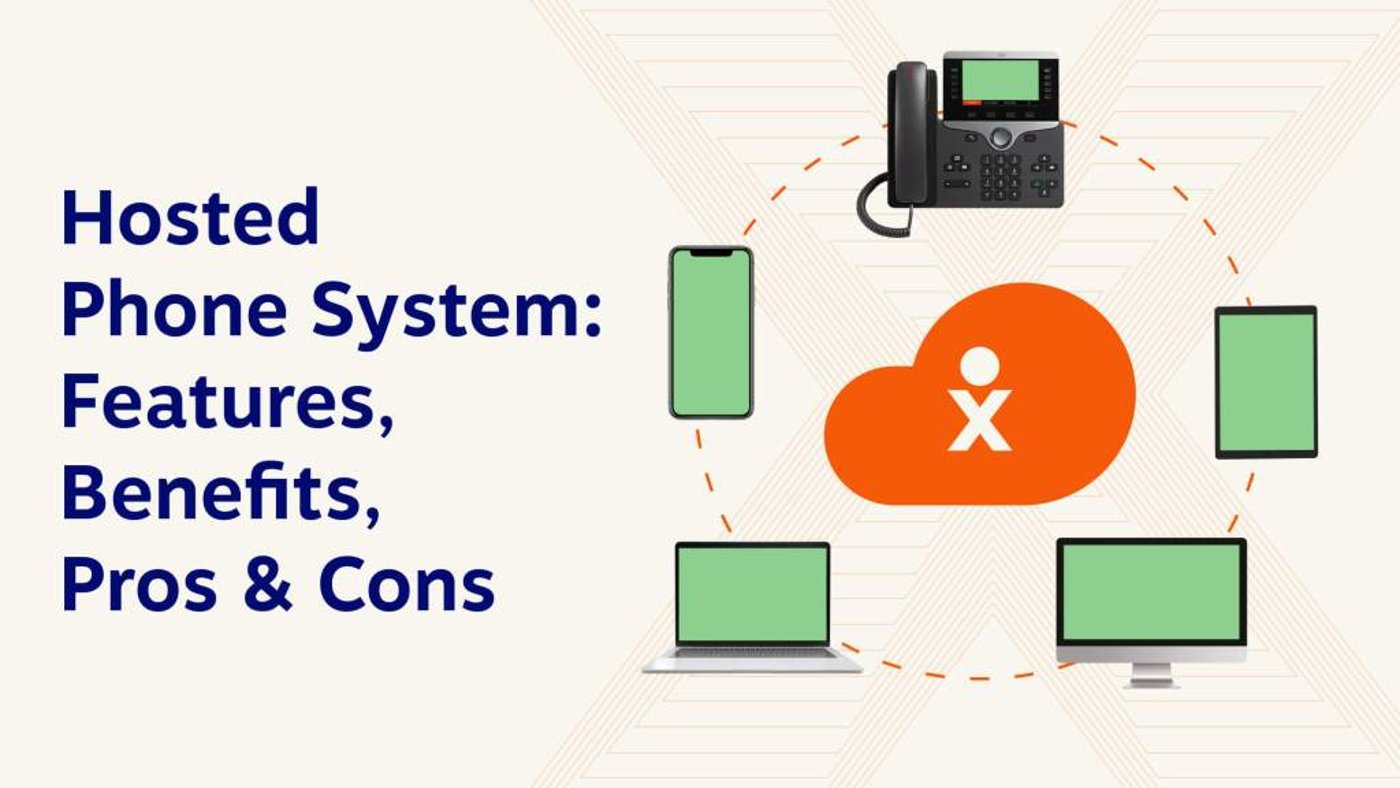
A hosted phone system is a business phone setup managed entirely off-site by a cloud provider. You connect via the internet — no on-premises servers, no hardware to maintain, no dedicated IT staff for phone infrastructure.
With a provider like Nextiva, teams can connect through desk phones, softphones, browser-based calling, or mobile apps, while the platform handles maintenance, updates, uptime, security, and call routing. It’s a strong option for businesses that want modern phone features without the expense and upkeep of a traditional PBX.
Let’s take a closer look at the features, pricing, and selection criteria that matter most.
What Is a Hosted Phone System?
A hosted phone system is a business phone system that runs through a cloud provider instead of on-site phone equipment. It uses VoIP technology to make and receive calls over the internet, allowing employees to use desk phones, computers, mobile apps, or browsers from any location.
Hosted phone systems are provided to you as a service, usually on a subscription basis, with predictable and manageable operating costs. They offer not only cost savings but also flexibility and a rich feature set that traditional systems struggle to match. From advanced call routing to integration with other business applications, a hosted phone service provides you with the best possible foundation for better communications.
How Does a Hosted Phone System Work?
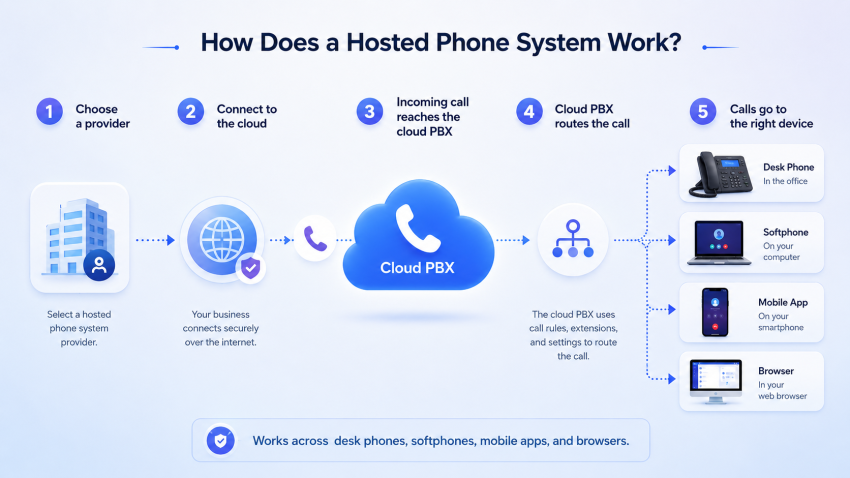
A hosted phone system uses Voice over Internet Protocol (VoIP) instead of physical copper wires and works through a cloud-based PBX, which acts as a virtual switchboard for your calls.
Here’s a simplified breakdown of the process:
- Choose a provider: Select a reputable hosted phone service provider that meets your business needs.
- Connect to the cloud: Your provider will connect your business to their data centers via an internet connection.
- Incoming calls: An incoming call reaches the cloud-based PBX.
- Call routing: The PBX intelligently routes the call based on pre-set rules, such as auto attendants or call forwarding.
- Outgoing calls: Users can make outbound calls through desk phones, softphones, mobile apps, or browser-based calling, whether they’re working in the office, at home, or on the go.
Important Note: The entire system relies on a strong internet connection. High-quality calls require a minimum bandwidth of 100 kbps upload and download speed per line.
The beauty of a cloud phone system lies in its flexibility. With a hosted VoIP solution, any device with an internet connection can become a business phone. You can make and receive calls from a mobile phone, laptop, desktop computer, browser, softphone app, or compatible desk phone, helping remote and hybrid teams stay connected no matter where they work.
What is the difference between VoIP and hosted?
VoIP is a method for making calls over the Internet, while “hosted” refers to a service where a provider manages the VoIP system in the cloud, eliminating the need to buy and maintain your own equipment. So, VoIP is the engine, and hosted is like renting a car with that engine already installed — you just use it without worrying about the technical side.
Types of Hosted Phone Systems
When comparing hosted phone systems, businesses often encounter two related VoIP paths: fully cloud-hosted phone systems and SIP trunking for existing PBX setups.
1. Cloud-hosted phone system
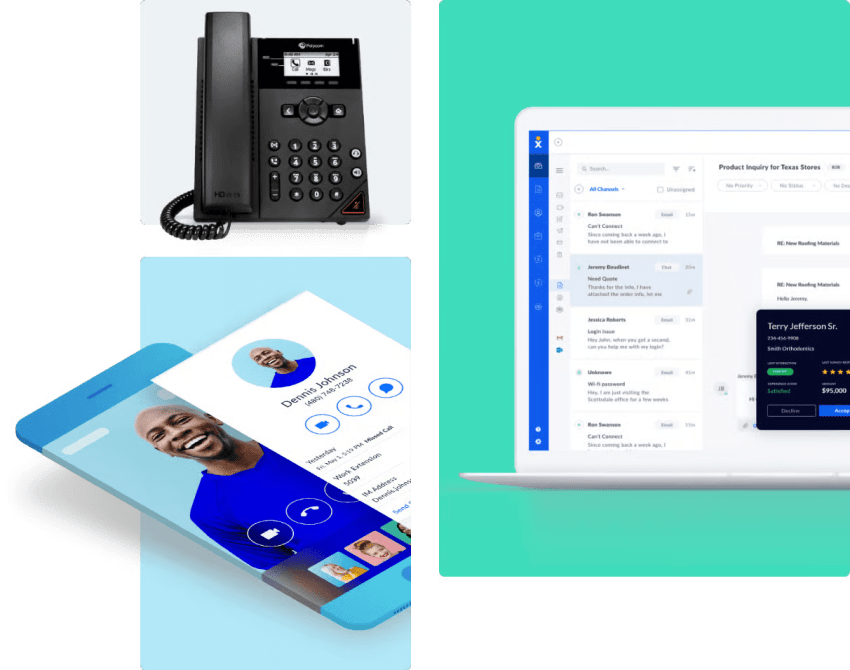
A cloud phone system eliminates the need for on-site phone equipment. Instead, all your phones connect directly to a VoIP data center operated by your service provider. Each phone is configured with a unique login and programmed to register with a SIP server beforehand. SIP (Session Initiation Protocol) is the technology that allows voice calls to be made over the Internet.
Cloud-hosted systems offer a wide range of communication features essential for today’s business owners, including voicemail to email, auto attendants, and video conferencing. From a management perspective, cloud-hosted private branch exchange (PBX) is the easiest to use, as the provider handles all the maintenance and updates.
2. SIP trunking
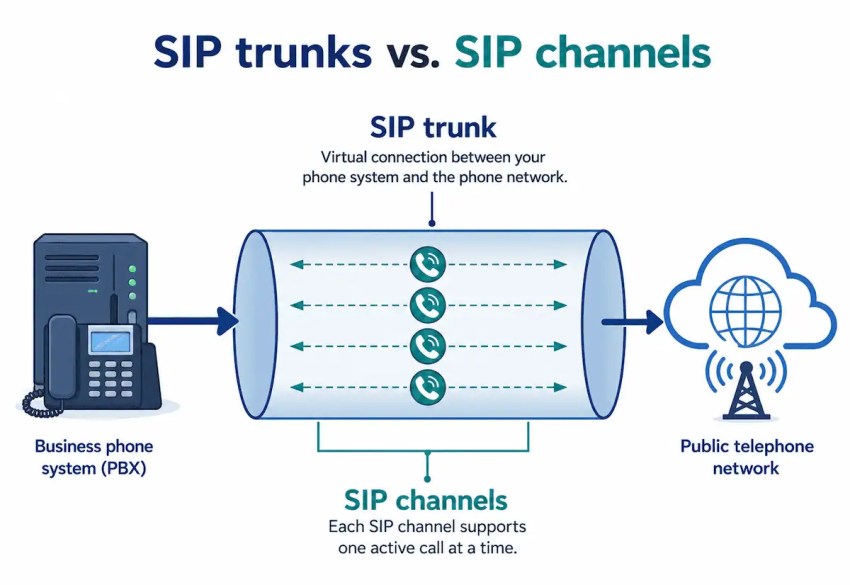
SIP trunking is ideal if you already have an on-premise PBX system — a physical phone switchboard — that you’d like to keep.
Instead of replacing your entire phone system, SIP trunking replaces traditional phone lines with virtual lines delivered over the internet through a SIP trunk provider. This lets you make and receive calls using VoIP technology while keeping your existing PBX setup.
SIP trunking can also add redundancy. If there’s an issue with your PBX or primary location, calls can be routed to a backup office, mobile number, or virtual receptionist service.
Hosted Phone System vs. On-Premise PBX vs. SIP Trunking: Which Should You Choose?
Before comparing hosted phone system providers, it helps to confirm whether a hosted system is actually the right deployment model in the first place.
Some businesses are ready to move fully to the cloud, while others may still benefit from keeping an existing PBX and adding SIP trunking. The matrix below compares the three main options.
| Option | Best for | How it works | Pros | Cons |
|---|---|---|---|---|
| Hosted phone system / cloud PBX | Businesses that want a modern phone system without managing hardware | The provider hosts and maintains the phone system in the cloud. Users make calls through IP phones, desktop apps, or mobile apps. | Lower upfront costs, easy setup, provider-managed updates, remote-friendly, scalable, includes modern features like voicemail-to-email, call routing, analytics, and integrations | Requires reliable internet; monthly per-user pricing can add up as teams grow |
| On-premise PBX | Larger organizations with existing infrastructure, strict control requirements, or dedicated IT teams | The business owns and maintains physical PBX hardware on site. Calls may run through traditional phone lines, PRI, or VoIP connections. | More direct control, can work well for complex legacy environments, may appeal to businesses with sunk hardware costs | Higher upfront costs, internal maintenance burden, harder to scale, less flexible for remote teams |
| SIP trunking | Businesses that already have a PBX and want to move calling to VoIP without replacing the full system | A SIP trunk connects an existing PBX to the internet, replacing traditional phone lines with virtual voice channels. | Lower calling costs, keeps existing PBX investment, adds VoIP flexibility, can improve redundancy | Requires a compatible PBX, more IT involvement, fewer built-in cloud features than a fully hosted system |
When to choose each one:
- For most small and midsize businesses, a hosted phone system / cloud PBX is the simplest path because the provider handles the infrastructure, updates, and ongoing maintenance.
- SIP trunking is usually better for companies that already have a PBX they want to keep.
- And on-premise PBX systems are best suited for organizations with legacy infrastructure and internal IT resources.
Who Can Benefit from a Hosted Phone System?
Here are some key reasons why a hosted phone service might be the perfect fit for your business:
- Remote teams: With features like mobile apps and web interfaces, employees can easily work from anywhere with an internet connection.
- Small businesses & startups: Hosted telephone systems offer a scalable and cost-effective alternative to traditional phone services, eliminating the need for expensive hardware and complex installations.
- Businesses on the move: You stay connected with features like call forwarding and voicemail to email, and never miss an important call.
How Hosted Phone Systems Support Remote and Hybrid Teams
Hosted phone systems are especially useful for remote and hybrid teams because employees don’t need to be in the same office — or connected to the same physical PBX — to use the same business phone system. With a cloud-based setup, employees can make and receive calls from desk phones, laptops, desktop apps, or mobile apps, while admins manage users, extensions, call flows, and routing rules from an online portal.
Here are four ways hosted phone systems support remote and hybrid teams.
1. Give every employee access to the same business phone system
A hosted phone system gives remote, hybrid, and in-office employees access to the same calling features, business numbers, voicemail, and internal extensions. Instead of relying on personal cell numbers or separate office lines, employees can place and answer business calls through a desktop or mobile app.
This helps businesses create a consistent customer experience across locations. A sales rep at home, a support agent in the office, and a manager on the road can all use the same system, transfer calls, check voicemail, and appear under the same company identity.
2. Route calls across offices, homes, and mobile devices
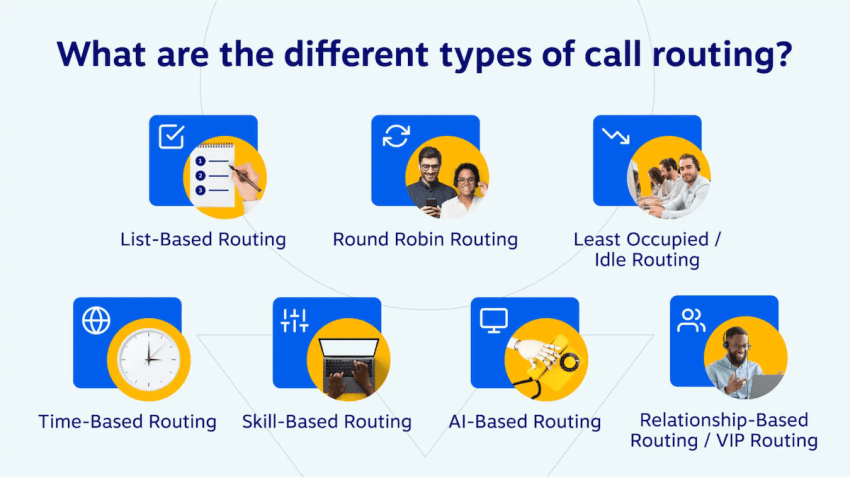
Remote and hybrid teams need call routing that follows how people actually work. Hosted phone systems can route incoming calls to different users, departments, devices, or locations based on business hours, availability, caller needs, or call queue rules.
For example, a customer call can go to an auto attendant, then route to a sales queue, support team, remote employee, mobile app, voicemail box, or backup number. Instead of maintaining separate phone systems for each location, businesses can manage call flows centrally and route calls wherever employees are available.
3. Manage users, permissions, and devices from anywhere
With an on-premise PBX, system changes often require IT support, vendor assistance, or access to office hardware. Hosted phone systems move much of that administration into an online dashboard.
Admins can typically add users, assign extensions, update phone numbers, manage permissions, configure call queues, change business hours, and adjust routing rules without being on site. This makes it easier to onboard remote hires, update schedules, remove access when employees leave, and standardize calling rules across locations.
4. Maintain call quality for distributed teams
The main trade-off of a hosted phone system is that call quality depends on each user’s internet connection, device, and network setup. In a remote environment, employees may be sharing home internet with video meetings, streaming, file uploads, smart devices, or other household users.
To maintain call quality, businesses should plan for the number of simultaneous calls they expect, not just the total number of employees. They should also give remote employees basic setup guidance, such as using a strong Wi-Fi signal or wired connection, choosing a quality headset, and avoiding heavy uploads during calls.

Customer example: Local First Arizona supported a more mobile team
Local First Arizona, a nonprofit dedicated to expanding the impact of locally owned businesses, needed a phone system that could better support employees on the go.
Because the organization’s team often works remotely, attends events, and visits community partners, more employees needed extensions and access to business calls while away from their desks. Their previous provider couldn’t give them the flexibility or features they needed.
After being referred to Nextiva by another business in their network, Local First Arizona found a hosted phone solution with more capabilities and lower IT costs.
“Nextiva was able to offer us more features at a lower price than our previous provider, including voicemail-to-email, more extensions, and a better overall network,” Barr stated.
6 Advantages of a Hosted Phone System
Here are some key benefits of having a cloud-based phone system that a traditional setup can’t offer:
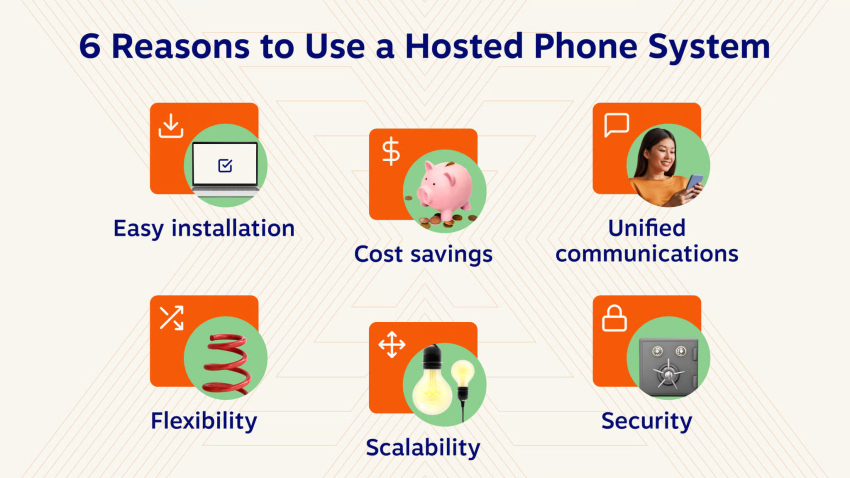
1. Easy installation
The setup process of a traditional phone system can be long, complex, and expensive. But a hosted phone system doesn’t have any of those problems.
Setting up a cloud-based system online means you don’t need anyone to come to your office to get started. That makes it cheaper, too, which is great for small businesses or those with remote teams.
2. Cost savings
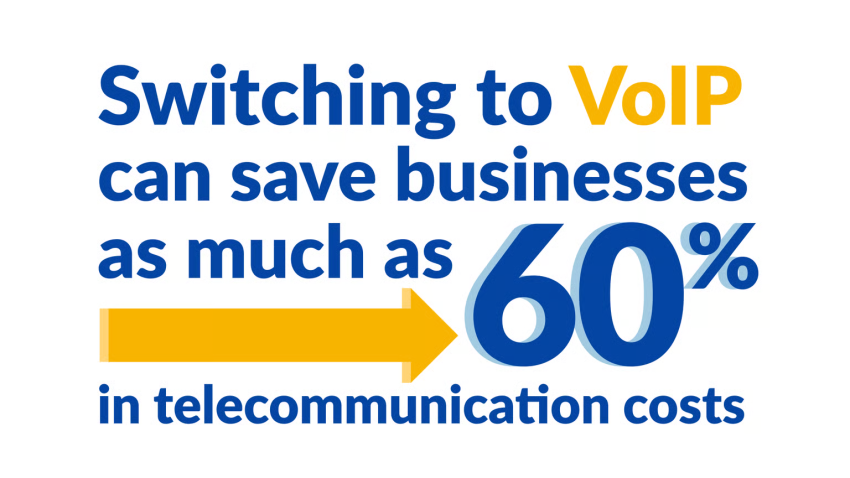
Hosted phone systems are cheaper than their traditional alternatives for two reasons. The first: you don’t need to buy a new haul of equipment.
With a cloud phone system, you can use the equipment you’ve already got. That includes:
- Softphones
- Desk phones
- Mobile devices and cell phones (including iOS or Android smartphones)
- VoIP handsets
A cloud-based business phone system offers cost savings regarding maintenance, too. You don’t need to call an engineer to come to the office and fix the problem. Your IT staff can fix the most common VoIP problems without contacting your service provider.
3. It’s a unified communications platform
Unified communication platforms let you communicate both internally and externally with a single tool instead of switching between separate tools for calls, messaging, meetings, and customer conversations. With a hosted unified communications solution, teams like sales, support, and operations can build their workflows around their hosted VoIP solution.
Nextiva supports this all-in-one approach by combining business calling with team messaging, video conferencing, SMS, voicemail, call routing, analytics, and customer experience tools. That gives growing businesses a hosted phone system that can support everyday communication while also expanding into more advanced customer engagement as their needs change.
4. Flexibility for remote teams
Hosted phone systems make it easier for remote and hybrid employees to stay connected without being tied to an office desk phone. Whether someone is working from home, traveling for business, or splitting time between locations, they can make and receive calls through the same business phone number.
Most hosted phone system providers offer desktop and mobile apps, so employees can use their laptops, smartphones, or tablets as business phones. They can answer customer calls from a mobile app, place outbound calls with company caller ID, transfer calls from a desk phone to a softphone, and check voicemail or call history from anywhere.
The PBX provider just makes the connection and diverts incoming or outgoing calls to your device. Your callers won’t notice any difference, especially when your provider offers masked caller ID.
5. Better scalability
It’s important to have a phone system that grows with your business. Having a call-out from your traditional phone system whenever you add a new team member isn’t just frustrating; it’s also expensive.
One of the biggest advantages of having a hosted phone system is scalability. Adding a new team member? Just sign in to your provider’s cloud platform and get them in.
6. It’s more secure
It’s no surprise that businesses are concerned about their phone system’s security; the average cost of a data breach is $3.92 million.
Social engineering is one of the most common types of data breaches. It happens when hackers imitate your phone provider and ask them to hand over information. They can use that data to take over your system.
However, hosted phone systems have extra protection against social engineering. The majority of reputable VoIP providers have strong identity management tools. You’ll never be tricked into handing over information to a hacker.
And there’s strong encryption to ensure hackers can never eavesdrop on business calls.
Drawbacks of a Hosted Phone System
We know that a hosted phone system has many advantages. But when it comes to the downsides, the truth is that there aren’t many. Here are a few considerations to keep in mind:
1. Reliance on internet connectivity
Your call quality hinges on a strong and stable internet connection since hosted phone systems use VoIP technology. This is generally manageable in a traditional office setting with reliable internet service.
2. Bandwidth requirements by call type and codec
Hosted phone systems don’t require massive bandwidth, but they do need enough stable upload and download capacity to support every active call. As a general rule, plan for about 100 kbps upload and 100 kbps download per simultaneous voice call, then add extra capacity for video meetings, screen sharing, CRM activity, and other business apps running on the same network.
These figures should be treated as planning estimates, since actual codec bandwidth can vary based on packet overhead, network conditions, and the specific platform’s implementation.
| Call type / codec | Typical bandwidth needed per simultaneous call or line | Best for | Notes |
|---|---|---|---|
| Compressed voice / G.729 | About 24–31 kbps per call, per direction | Lower-bandwidth environments | Uses less bandwidth than G.711, but may have lower audio quality. |
| Standard VoIP / G.711 | About 80–100 kbps per call, per direction | Most business voice calls | A safe planning estimate for standard hosted VoIP calls. Nextiva recommends 100 kbps upload and 100 kbps download per simultaneous call on its network. |
| Wideband / HD voice / Opus | Often around 40 kbps or more, depending on compression and settings | Higher-quality voice calls | Opus bandwidth varies by configuration, audio quality, and network conditions. |
| One-to-one video call, 720p | Around 2.5 Mbps up/down | Video meetings | Video requires far more bandwidth than voice-only hosted phone calls. |
| One-to-one video call, 1080p | Around 3.5 Mbps up/down | HD video meetings | Higher-resolution video can strain weaker home or office networks. |
3. Potential for downtime
Hosted systems rely on both your internal network and the provider’s telecommunications infrastructure having power, and downtimes can be an issue. Traditional PBX phone systems are often seen as more reliable when operated independently within a physical location. However, they require upfront equipment investment and ongoing maintenance and lack the scalability and advanced features offered by hosted solutions.
Fortunately, solutions are readily available with hosted VoIP phone systems.
Major broadband carriers offer business internet plans with gigabit speeds (1000 Mbps), which is sufficient for most small businesses. Additionally, Nielsen’s Law of Internet Bandwidth Speed suggests a consistent growth rate of 50% annually since 1983, making high-speed internet increasingly accessible.
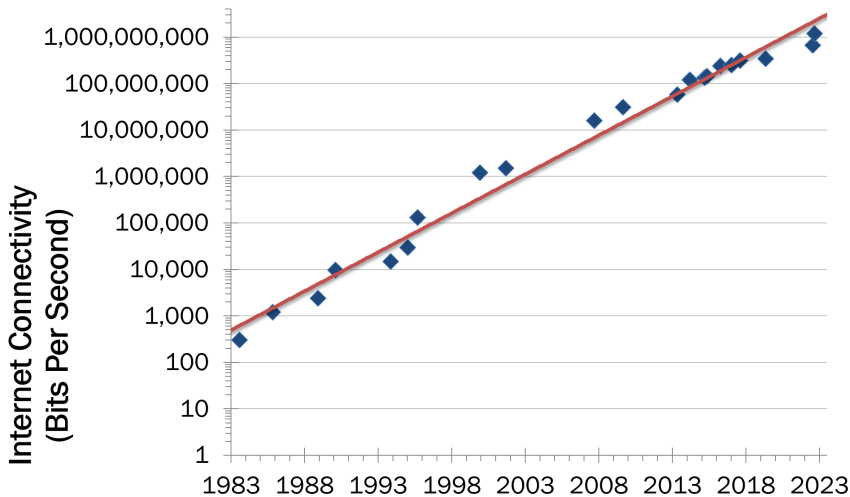
Nielsen’s Law of Bandwidth Speed Growth – 50% Growth Every Year since 1983. (Nielsen Norman Group)
While a strong internet connection is crucial for hosted phone systems, the widespread availability of high-speed internet and the benefits of hosted systems often outweigh this potential drawback. Consider your business needs and weigh the trade-offs between the reliability of a traditional system and the scalability and features of a reliable business VoIP solution.
7 Hosted Phone System Features Your Team Needs
There are tons of hosted phone system providers to choose from, like Nextiva. Not all of them offer the features your business needs.
Here are several advanced features to look for when you’re choosing a VoIP service provider:
1) Voicemail to email transcription
It should be no surprise that voicemail is a key feature your phone system should have. Without it, you risk people never calling back after you miss their call, potentially losing a customer.
However, finding time to get through those voicemails can be tricky. With this feature, your voicemail messages can be transcribed and sent directly to your inbox.
You don’t need to listen to the message to respond. Just listen to the voicemail transcription and have a permanent log of what the incoming call was about.
2) Video conferencing features
More workplaces are embracing remote work than ever. This means companies seek out hosted phone system providers that offer video conferencing as part of their packages.
Your virtual PBX can also serve as a conferencing tool for your team. There are no more add-ons for video conferencing like Google Meet, Skype, or Zoom! Just make sure to double-check that this feature is included in your chosen package.
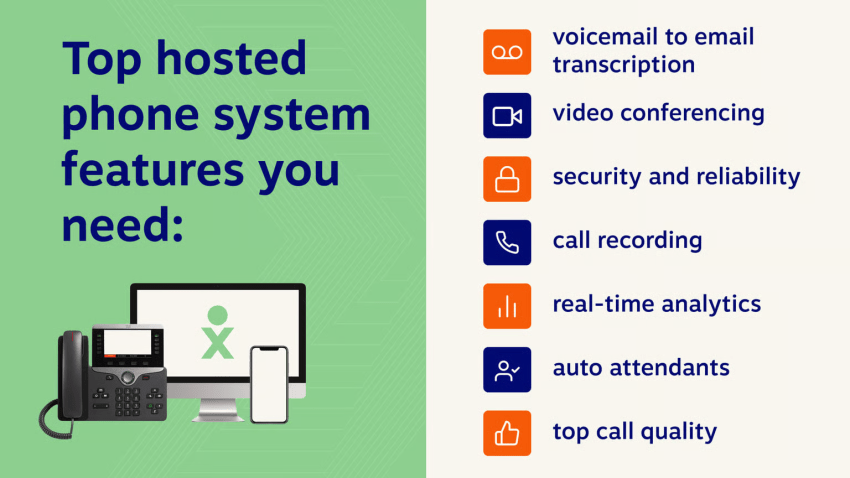
3) Security and reliability
The reliability of hosted phone systems is a cause for concern for many businesses new to cloud technology. But fear not: VoIP connections are just as (if not more) secure than traditional wired setups.
The key is to pick a secure VoIP provider. Nextiva’s network has 99.999% uptime, and connections are made through carrier-grade data centers. In other words, it’s almost impossible for someone to hack the connection and eavesdrop on your phone calls.
4) Call recording
Call recording can help you monitor customer interactions for one-on-one progress reviews or training. For example, you might see that one sales rep has a lower close rate than others.
Use their call recordings to spot why that might be happening. You might find they fail to explain one of your brand messages, contributing to their poor close rate.
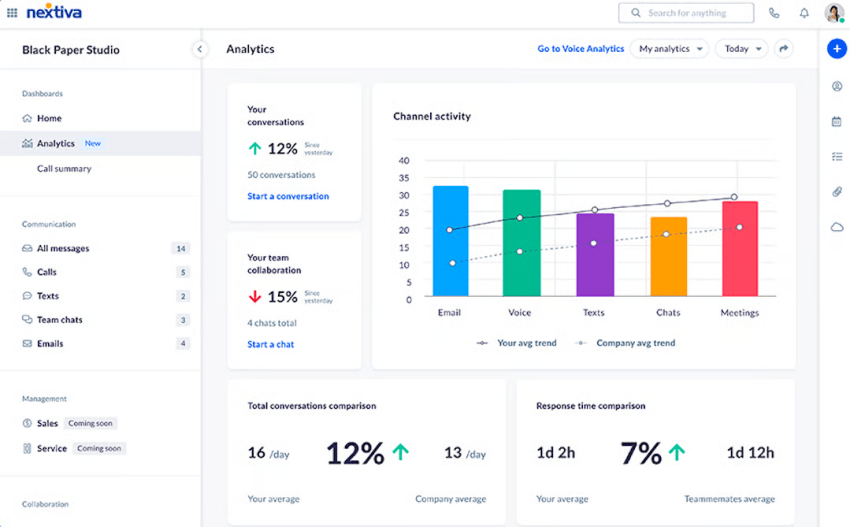
5) Real-time call analytics
Ask most businesses how effective their teams are, and they’ll struggle to find out. Traditional phone systems just match incoming calls to a desk phone — that’s it. No extra statistics are available.
However, some hosted phone systems offer real-time call analytics. This means you can report on how effective your teams are with actual data, such as:
- Inbound calls
- Total calls
- Answered calls
- Missed calls
- Toll-free calls
- Internal/external calls
- Talk time
- International calls
- Voicemail calls
- Calls in queue
6) Auto attendants
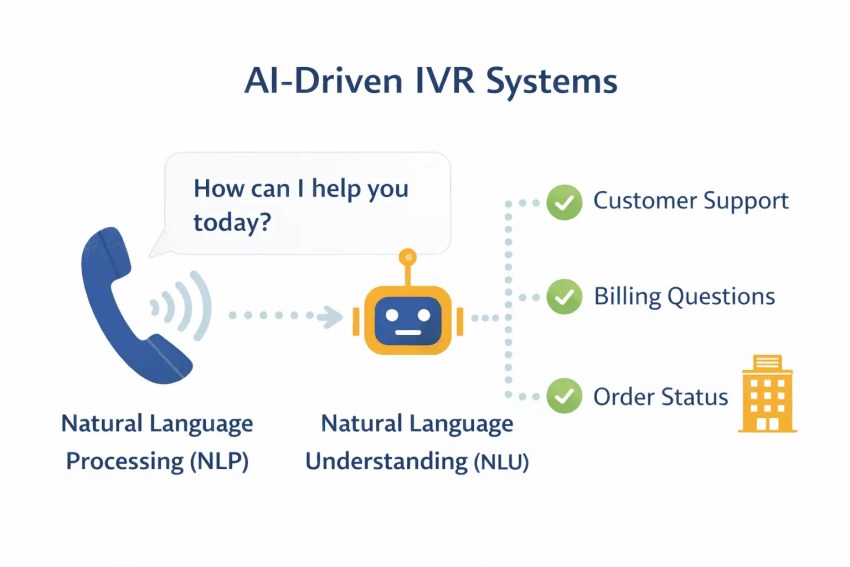
If your hosted phone provider offers auto attendants, you don’t need a receptionist to screen and divert incoming calls.
This automated message asks what a caller needs help with and passes them to the most relevant person. Also known as an Interactive Voice Response (IVR), this call routing system saves time for everyone.
You can set up rules for the system online. So, if someone calls your business phone number and presses #2 for a customer support agent, you already have rules for which agent’s line will ring. (If you’ve got a call center, you can even opt for a group of agents’ lines to ring. The hosted phone system sends them to the next available agent.)
7) HD call quality
A common concern for businesses switching to a VoIP-based phone system is the call quality. They assume the quality will suffer because the connections aren’t wired (and internet connections can be unstable).
That isn’t true. In fact, hosted VoIP calls are much clearer than traditional phone lines.
You’ll need a decent internet connection that’s at least 100 Kbps, but most ISPs provide at least a hundred times that (10 Mb).
That means you’re likely already set up to make and receive high-quality calls through a virtual phone system, even if you’re making long-distance calls.

Choosing a Hosted Phone System Provider
Choosing the right hosted phone solution is crucial, especially if your team works across offices, homes, mobile devices, or multiple locations.
Providers like Nextiva go beyond basic VoIP by combining reliable cloud calling with remote-work support, responsive service, analytics, and customer experience tools that help businesses scale.
Here are some key factors to consider:
- Scalability and flexibility: Ensure that the system can grow with your business and allow you to add users, locations, phone numbers, and features as needed.
- Features offered: Select a provider with the most relevant features for your business needs. Don’t overpay for functionality you won’t use, but make sure essentials like call routing, voicemail, auto attendants, call queues, and integrations are included.
- Remote and hybrid work support: Look for a provider with reliable mobile apps, desktop softphones, browser-based calling, and easy device switching. Employees should be able to make and receive business calls, check voicemail, view call history, and transfer calls whether they’re in the office, at home, or on the go.
- Reliability and uptime: Look for a provider with a proven track record of reliability and uptime guarantees. Your business communication system is critical, so it needs to stay available across offices, remote employees, and mobile users.
- Security measures: Choose a provider with robust security measures to protect sensitive business and customer information. For remote teams, this may include encryption, secure user access, role-based permissions, and controls for lost or unmanaged devices.
- Support for multiple locations: If your business has more than one office or a distributed workforce, make sure the provider can support multiple locations, shared call flows, location-based routing, and centralized administration.
- Customer support: Reliable and responsive customer support is essential for addressing technical issues, especially when employees are working from different networks, devices, and locations.
Case study: Franklin Street replaced its on-premise phone system
Franklin Street, a 325-person commercial real estate company, needed a more flexible phone system to replace its legacy on-premise setup. Because phone communication is critical for its agents, the company wanted a cloud-based system employees could use from anywhere, on any internet-connected device.
“The first reason we adopted Nextiva was to get rid of our on-prem telephone system,” said Tom Rybak, Chief Information Officer at Franklin Street. “We wanted a cloud-based system that we could deploy from anywhere on any internet connected device.”
The company also needed easier device management, the ability to scale users without upfront hardware costs, and mobile access for agents in the field. With the NextivaONE app, Franklin Street employees can stay accessible on mobile devices and text clients using their business phone numbers.
Hosted Phone System Provider Comparison Table
The table below compares five leading hosted phone system providers by pricing, user minimums, and key differentiators. For businesses that want cloud calling, remote-work flexibility, and customer experience tools in one platform, Nextiva stands out as the strongest overall fit.
| Hosted phone provider | Published pricing (billed annually) | User minimums | Key differentiator |
|---|---|---|---|
| Nextiva | Core: $15/user/mo Engage: $25/user/mo Scale: $75/user/mo | Not publicly stated on pricing page | Strong all-in-one business phone and CX platform. |
| RingCentral | Core: $20/user/mo Advanced: $25/user/mo Ultra: $35/user/mo | Not publicly stated on pricing page; free trial supports up to 20 phone lines | Broad UCaaS and contact center ecosystem. |
| Vonage | Mobile: $19.99/line/mo for 1 line, with lower volume pricing shown down to $14.99/ext./mo Premium: $24.99/ext./mo Advanced: $34.99/ext./mo | 1+ line; pricing page slider starts at 1 employee and scales to 1000+ | Flexible API and communications customization. |
| Zoom Phone | US & CA Metered: $10.50/user/mo US & CA Unlimited: $16/user/mo Pro Plus: $20.50/user/mo Business Plus: $24.50/user/mo | 1+ user; self-serve ranges commonly shown as 1–99 for core phone plans and up to 250 for some bundles | Familiar Zoom experience and simple adoption for teams already using Zoom Workplace. |
| Dialpad | Standard: $15/user/mo Pro: $25/user/mo Enterprise: custom | Standard: 1 user; Pro: 3 users; Enterprise: 100 users | AI-powered calling, coaching, and transcription. |
Ready to Switch to a Hosted Phone System?
There’s no doubt that a cloud-hosted phone system is the way forward. Long gone are the days of copper wires creating mazes around your office and tired technology that needs replacing every few months.
But remember to check that your new phone service provider offers the advanced features you need. That way, your business won’t need to deal with outdated, costly phone systems that take over the entire office.
Pricing for our cloud phone system (which includes all of those features) starts from just $15 per user per month.
Don’t miss out.
The Cloud VoIP provider over 100,000 small businesses trust.
Integrate secure phone service, SMS, video, and team chat in VoIP platform. Nextiva helps your teams stay connected and deliver the best customer experience.