VoIP
VoIP  Blog
Blog  Business Communication
  Customer Experience
  Leadership
  Marketing & Sales
  Nextiva News
  Productivity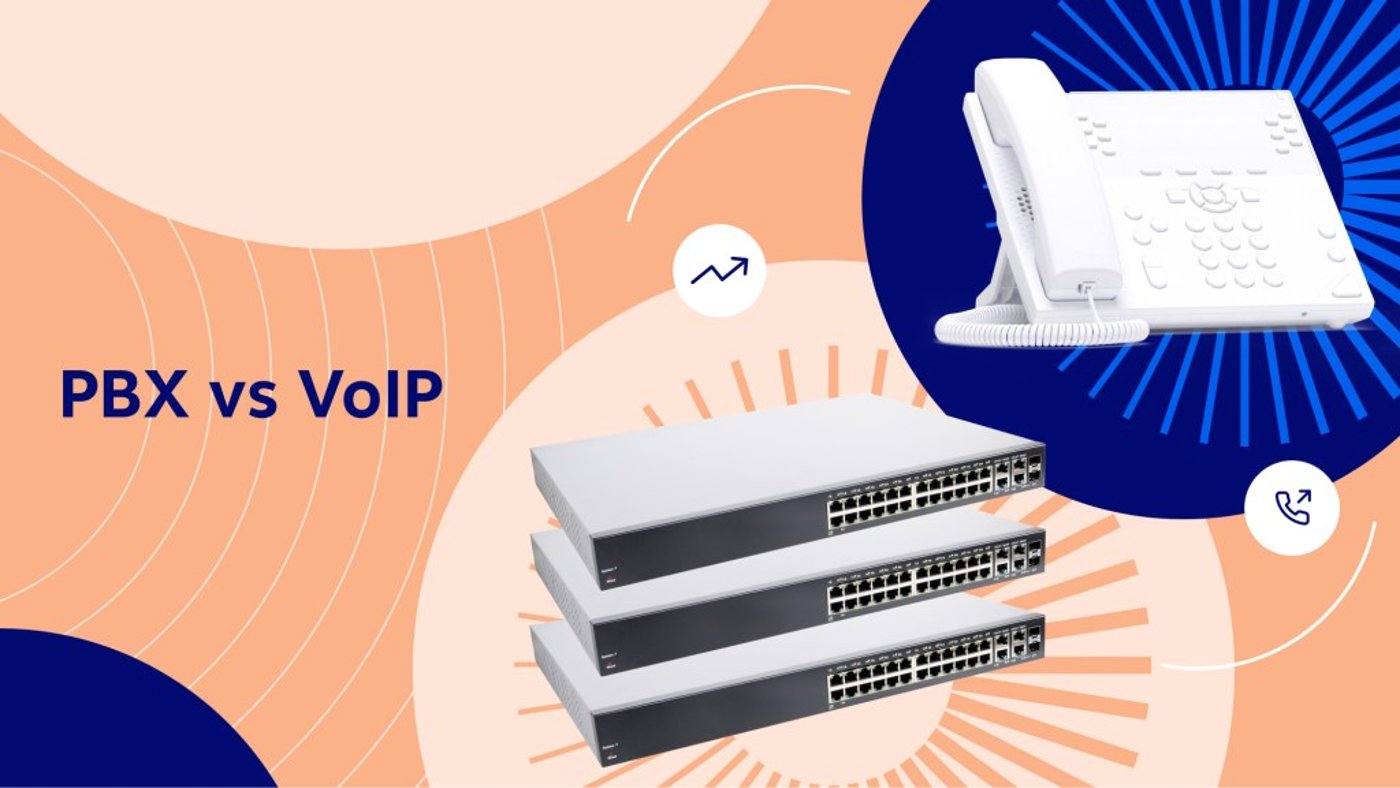
A business phone system affects call quality, operating costs, employee productivity, and customer service. This PBX vs. VoIP comparison explains how each system works and which deployment model fits different business needs.
The main options are traditional PBX, IP PBX, hosted or cloud PBX, and VoIP. These terms describe related but different parts of a business phone system:
- Traditional PBX: An on-premises system that uses physical phone lines and hardware.
- IP PBX: A phone system that routes calls over an internal IP network or the internet.
- Hosted or cloud PBX: A provider-managed PBX that runs in the cloud and uses VoIP.
- VoIP: The technology that carries voice calls over an internet connection.
Traditional PBX and VoIP can both support extensions, transfers, voicemail, and business phone numbers.
This guide compares each option across:
- Connection and bandwidth
- Hardware and installation
- Pricing and total cost of ownership
- Remote work
- Features and integrations
- Maintenance and administration
- Security, reliability, and failover
- Number porting and migration

What Is PBX?
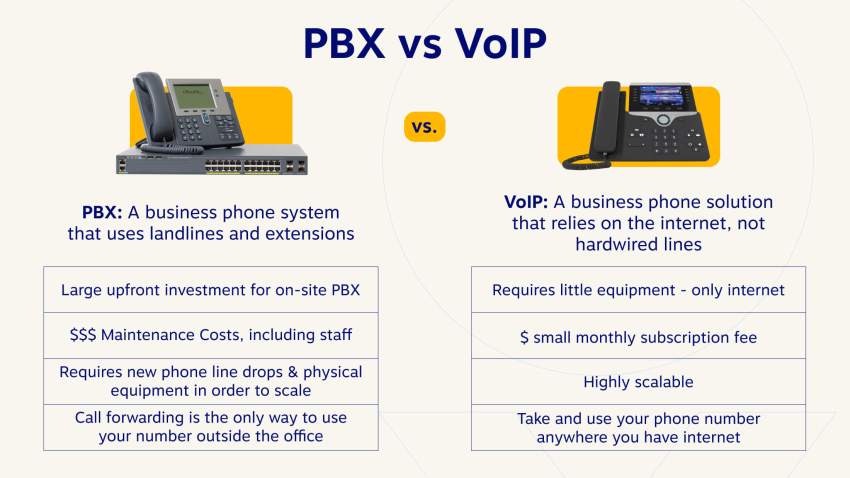
PBX, or Private Branch Exchange, is a business phone system that connects desk phones within an organization. It lets employees call each other through extensions and transfer external calls internally.
Traditional PBX systems use landline phone lines or PSTN connections for external calls. The PBX hardware usually sits on the company’s premises and requires installation, configuration, maintenance, and replacement by internal IT staff or a specialist.
A PBX lets a company operate more desk phones than external phone lines by routing calls through extensions and a main business phone number.

Traditional PBX, IP PBX, and hosted PBX
The term PBX can describe several deployment models:
| System | Where it runs | How it connects calls | Who manages it |
|---|---|---|---|
| Traditional PBX | On the company’s premises | Landlines or PSTN | The company or a telecom specialist |
| IP PBX | On the company’s premises | Internal IP network or internet-based connections | The company or a managed provider |
| Hosted or cloud PBX | A provider’s cloud infrastructure | Internet-based VoIP | The provider |
| VoIP service | Cloud, on-premises, or both | Internet connection | The company, provider, or both |
An IP PBX uses software and IP networking to route calls. It can support modern desk phones and softphones while remaining on-premises.
A hosted PBX moves the PBX infrastructure to a provider’s cloud. The provider manages the servers, software updates, and core system. The business accesses the service through the internet.
What Is VoIP Technology?
VoIP (Voice over Internet Protocol) is a technology that enables voice communication over the internet instead of traditional phone lines. It converts analog voice signals into digital data packets, transmitted over the internet to the recipient.
VoIP works through these basic steps:
- A VoIP phone, computer, or mobile app captures the speaker’s voice.
- The device converts the voice into digital data packets.
- The packets travel through the business network and internet connection.
- The VoIP provider routes the call to the recipient.
- The recipient’s device converts the data back into audio.
VoIP can support desk phones, computers, mobile devices, and browser-based calling. Common features include HD voice, call forwarding, voicemail, call routing, call queues, recording, caller ID, and conferencing.
VoIP bandwidth requirements
A VoIP call usually requires about 100 Kbps of bandwidth per active call. A 10 Mbps connection can support about 100 active lines under that rule of thumb, although the business should reserve capacity for other applications and account for network overhead.
Before deployment, a business should:
- Measure upload and download speeds.
- Check latency, jitter, and packet loss.
- Prioritize voice traffic with quality-of-service settings.
- Separate voice traffic from high-bandwidth applications where possible.
- Plan backup connectivity for critical phone service.
Key Differences Between PBX and VoIP
PBX and VoIP can provide similar calling features, but their infrastructure and operating models differ.
1. Connection and network design
Traditional PBX systems use landlines, PRI, or other dedicated telephone connections. These systems usually operate separately from the company’s data network.
VoIP uses the company’s internet connection and network infrastructure, such as Ethernet, to transmit voice data. This can reduce the need for separate voice circuits, but call quality depends on network performance.
2. Cost and total cost of ownership
Traditional PBX requires a larger initial investment. Typical expenses include:
- PBX servers and gateways
- Desk phones and cabling
- Phone lines or PRI circuits
- Installation and configuration
- Software licenses
- Maintenance contracts
- Replacement hardware
- Internal IT labor
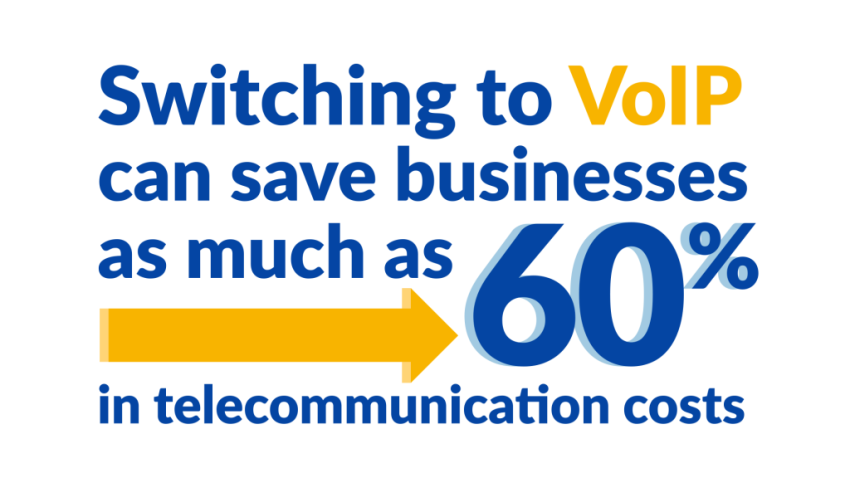
Ongoing traditional phone line charges can be up to 60% higher than VoIP charges in some cases. The exact difference depends on the number of users, locations, calling volume, contracts, and existing equipment.
VoIP generally replaces much of the hardware investment with a monthly per-user or per-channel subscription. Total cost still depends on:
- User or channel licenses
- Domestic and international minutes
- Phone hardware
- Internet upgrades
- Number porting
- Installation or professional services
- Support and security requirements
- Backup internet and power
A useful cost comparison separates each expense instead of comparing monthly subscription prices alone.
| Cost category | Traditional PBX | Hosted PBX or VoIP | Hybrid SIP trunking |
|---|---|---|---|
| Hardware | Servers, gateways, phones, and cabling | Usually IP phones or softphones | Existing PBX plus an internet gateway |
| Installation | On-site design and configuration | Account setup, number porting, and device deployment | PBX configuration and SIP integration |
| Calling service | Phone lines, PRI, and per-minute charges | Monthly users or channels, plus applicable minutes | SIP channels and calling usage |
| Maintenance | Internal IT or a specialist | Provider-managed infrastructure | Shared between provider and internal IT |
| Internet readiness | Less central to call delivery | Critical for call quality | Critical for SIP call quality |
| Scaling | New lines and hardware | Add users or devices | Add channels or migrate locations |
| Migration cost | None if the system remains in place | Porting, training, and device changes | Lower disruption through phased migration |
Scalability
Traditional PBX expansion requires new phone lines, hardware, ports, and configuration. A new office may need a separate PBX or additional telecom infrastructure.
Hosted PBX and VoIP systems scale through the provider’s platform. A business can usually add users, assign numbers, provision devices, and connect locations through the same service.
SIP trunking can extend an existing IP PBX without requiring a full replacement. It supports a phased migration for organizations that want to retain compatible equipment.
Features
Both PBX and VoIP can support:
- Extensions and transfers
- Auto attendants
- Caller ID
- Conference calling
- Business phone numbers
VoIP and hosted PBX plans often include additional features through software, such as:
- Interactive voice response (IVR)
- Call queues
- Call recording
- Video meetings
- Instant messaging
- Mobile apps
- Softphones
- CRM and business software integrations
- Visual voicemail
- Call analytics
- Contact center tools
Businesses should compare the features included in each plan. Some providers charge extra for recording, analytics, international calling, advanced routing, or additional phone numbers.
Hardware and device support
Traditional PBX systems generally use compatible desk phones connected to the on-premises system.
VoIP supports a wider device range:
- IP desk phones
- Computers and softphones
- Mobile phones
- Web browsers
- Conference room devices
A business can retain desk phones in some cloud migrations, while other deployments use new IP phones or mobile apps.
Maintenance and administration
An on-premises PBX requires internal management. IT staff must monitor the system, apply updates, troubleshoot hardware, maintain backups, and coordinate repairs.
With hosted VoIP, the provider manages the backend servers and software. The business still manages users, call flows, permissions, devices, and network readiness.

Security
Traditional PBX systems are not directly exposed to internet-based attacks, but they remain vulnerable to physical access, unauthorized configuration, and toll fraud.
VoIP systems face internet-based risks, including account compromise, denial-of-service attacks, and toll fraud. Providers and customers can reduce exposure through:
- Strong administrator passwords
- Multi-factor authentication
- Role-based permissions
- Network segmentation
- Encryption
- Fraud monitoring
- Regular software updates
- VoIP security policies
Security responsibilities should be clear before implementation. The provider should explain how it protects accounts, media traffic, customer data, and administrative access.
Reliability and failover
Traditional PBX systems can continue operating during some internet outages because they use separate telephone lines. They remain vulnerable to power failures, hardware faults, line damage, and local building problems.
VoIP reliability depends on the internet connection, local network, power supply, provider infrastructure, and backup routing. A resilient setup may include:
- Dual internet connections
- Battery backup or an uninterruptible power supply
- Mobile or softphone access
- Automatic call forwarding
- Provider-level redundancy
- Disaster recovery call routing
PBX vs. VoIP comparison
| Factor | Traditional PBX | Hosted PBX or VoIP |
|---|---|---|
| Connection | Landlines or PRI | Internet connection and existing network |
| Upfront cost | High hardware and installation costs | Lower initial hardware costs |
| Running cost | Lines, licenses, maintenance, and IT labor | Monthly users or channels and calling usage |
| Scalability | Requires new lines and hardware | Add users, devices, or locations |
| Features | Standard calling features | Calling, collaboration, mobile, and integration features |
| Hardware | Primarily compatible desk phones | IP phones, softphones, mobile devices, and browsers |
| Maintenance | Managed by internal staff or a specialist | Backend managed by the provider |
| Remote work | Requires additional forwarding or remote-access tools | Built for internet-connected users |
| Security | Less exposed to internet threats, but vulnerable to physical access and toll fraud | Requires account, network, and provider security controls |
| Reliability | Independent of internet service but dependent on local power and hardware | Dependent on internet, power, network, and provider infrastructure |
| Outage response | Local repairs and line restoration | Backup internet, forwarding, and provider failover options |
Choosing the Right Deployment Model
The right system depends on the company’s existing equipment, growth plans, IT resources, locations, and reliability requirements.
| Deployment model | Setup effort | Hardware | Administration | Remote work | Scaling | Best fit |
|---|---|---|---|---|---|---|
| On-premises PBX | High | Significant | Internal IT or specialist | Requires additional tools | Slower | Organizations with existing equipment and dedicated telecom expertise |
| Hosted or cloud PBX | Low to moderate | IP phones, computers, or mobile devices | Provider manages core platform | Strong support | Fast | Growing or distributed businesses |
| SIP-trunked hybrid | Moderate to high | Existing compatible PBX plus network equipment | Shared responsibility | Depends on PBX and provider | Phased | Businesses that want to retain PBX investments while moving to VoIP |
When to keep an on-premises PBX
An on-premises PBX may suit a business that:
- Already owns reliable equipment.
- Has a dedicated IT or telecom team.
- Requires local control over the phone system.
- Operates in a location with limited internet service.
- Has stable staffing and limited plans for expansion.
The business should account for hardware age, vendor support, replacement parts, security, and future feature requirements.
When to choose hosted or cloud PBX
Hosted PBX generally suits a business that needs:
- Fast deployment
- Remote and hybrid work support
- Multiple office locations
- Centralized administration
- Predictable monthly billing
- Software integrations
- Easier user and number management
- Provider-managed maintenance
A growing or distributed business should judge the best cloud PBX by more than price. Important criteria include:
- Call quality and network requirements
- Mobile and desktop applications
- IVR, queues, and routing
- Call recording and analytics
- CRM integrations
- Number porting support
- Security controls
- Redundancy and failover
- Customer support
- Contract terms and billing transparency
- Support for desk phones and softphones
A provider that meets these criteria can reduce administration while giving employees access to business calling from offices, homes, and mobile devices.
When to use SIP trunking for a hybrid migration
SIP trunking connects an existing PBX to a VoIP provider. It can replace traditional phone lines while preserving compatible on-premises equipment.
SIP trunking may fit a business that:
- Has invested in an IP PBX.
- Wants to migrate in phases.
- Needs to keep existing desk phones.
- Operates several locations.
- Wants to reduce dependence on PRI or traditional phone lines.
- Needs time to move users to a cloud platform.
Nextiva SIP trunking works with major IP PBX platforms, including Avaya, Asterisk, Cisco, 3CX, FreePBX, and Mitel. It can also reroute calls when a customer PBX goes offline.
For an existing on-premises PBX, the best SIP trunking provider is the one that supports the company’s PBX, provides clear channel and minute pricing, handles number porting, offers failover, and provides responsive technical support. Nextiva lists metered SIP trunking at $9.95 per channel per month plus $0.008 per domestic minute and unlimited SIP trunking at $14.95 per channel per month. Pricing and availability should be confirmed before purchase.

Practical Setup Checklist
Implementation involves more than activating a subscription. A business should complete these steps:
- Inventory the current system. List phone numbers, users, extensions, devices, call flows, lines, and locations.
- Choose the deployment model. Decide between on-premises PBX, hosted PBX, or a hybrid SIP migration.
- Check network capacity. Measure bandwidth, latency, jitter, and packet loss. Plan for about 100 Kbps per active call.
- Select devices. Choose desk phones, softphones, mobile apps, browser calling, or a combination.
- Plan number porting. Confirm account details, service addresses, authorized users, and porting timelines.
- Build call flows. Configure the main number, IVR, business hours, queues, and emergency calling details.
- Apply security controls. Set strong passwords, permissions, authentication, fraud controls, and network policies.
- Test call quality. Test internal, inbound, outbound, transferred, recorded, and conference calls.
- Test failover. Confirm what happens during an internet outage, power failure, provider outage, or unavailable PBX.
- Train employees. Provide instructions for desk phones, mobile apps, softphones, voicemail, transfers, and remote calling.
- Monitor after launch. Review call quality, failed calls, support tickets, usage, and billing during the first weeks.
The easiest business phone system to set up is usually a hosted VoIP or cloud PBX service with provider-managed infrastructure, preconfigured devices, number-porting assistance, and a simple administrator portal. Setup still requires network checks, call-flow design, device configuration, testing, and employee training.
Why Choose Nextiva?
Nextiva provides communication solutions for small businesses, mid-market companies, and enterprises.
Its basic small-business plan starts at $15 per user per month when billed annually. The plan includes core business phone capabilities, while higher plans provide additional features and functionality.
Nextiva provisions phones before shipping them, so employees can connect the devices and begin using the service. A business can also use mobile apps and softphones for remote work.
For businesses with existing PBX equipment, Nextiva SIP trunking provides a bridge between on-premises systems and cloud-based communications. This approach supports a phased migration without requiring a complete replacement on the first day.
Nextiva’s cloud PBX can connect office systems through a centralized platform. Businesses can access business calling through supported devices across locations.
For buyers asking what the best PBX provider or best business VoIP provider is, the answer depends on the deployment model and requirements.
Final Verdict: PBX vs. VoIP
Traditional PBX remains practical for organizations with existing equipment, dedicated IT resources, and stable locations.
A hybrid SIP trunking model can connect an existing PBX to VoIP while the business migrates in stages.
Before selecting a system, compare:
- Total cost over the expected service life
- Hardware and installation requirements
- Users, channels, and calling minutes
- Network readiness and bandwidth
- Number porting requirements
- Features and integrations
- Security and fraud controls
- Redundancy and failover
- Support and service commitments
- Future growth plans

Start calling for just $15/mo.
See why over 100,000 businesses switched to Nextiva. Now you can get it all for $15/month per user.
FAQs
The best PBX provider depends entirely on your specific deployment model and business requirements. To find the right fit, you should evaluate your current equipment, IT resources, and reliability needs before looking into solutions like Nextiva that cater to various setups.
The best cloud PBX is one that meets essential criteria beyond just pricing, such as reliable call quality, robust network requirements, mobile and desktop apps, CRM integrations, and strong security controls. Providers that meet these standards, such as Nextiva, help reduce administrative tasks while supporting a distributed workforce.
Similar to finding a PBX provider, the ideal business VoIP provider relies on your company’s growth plans, locations, and required features. Assessing these factors will guide you toward comprehensive solutions, like those offered by Nextiva, which accommodate both small businesses and larger enterprises.
The top SIP trunking provider is one that supports your company’s existing PBX equipment, offers clear pricing for channels and minutes, handles number porting smoothly, and provides failover options and responsive technical support. Once those baseline needs are met, you can explore providers like Nextiva that integrate directly with major PBX platforms like Avaya, Cisco, and Mitel.
A hosted VoIP or cloud PBX service is typically the easiest to set up. These systems use provider-managed infrastructure, come with a simple administrator portal, and offer number-porting assistance. To make the process even easier, some providers like Nextiva preconfigure the phones before shipping them so employees can plug them in and start calling immediately.