Customer Experience
 Blog
 Business Communication
 Leadership
 Marketing & Sales
 Nextiva News
 Productivity
 VoIP
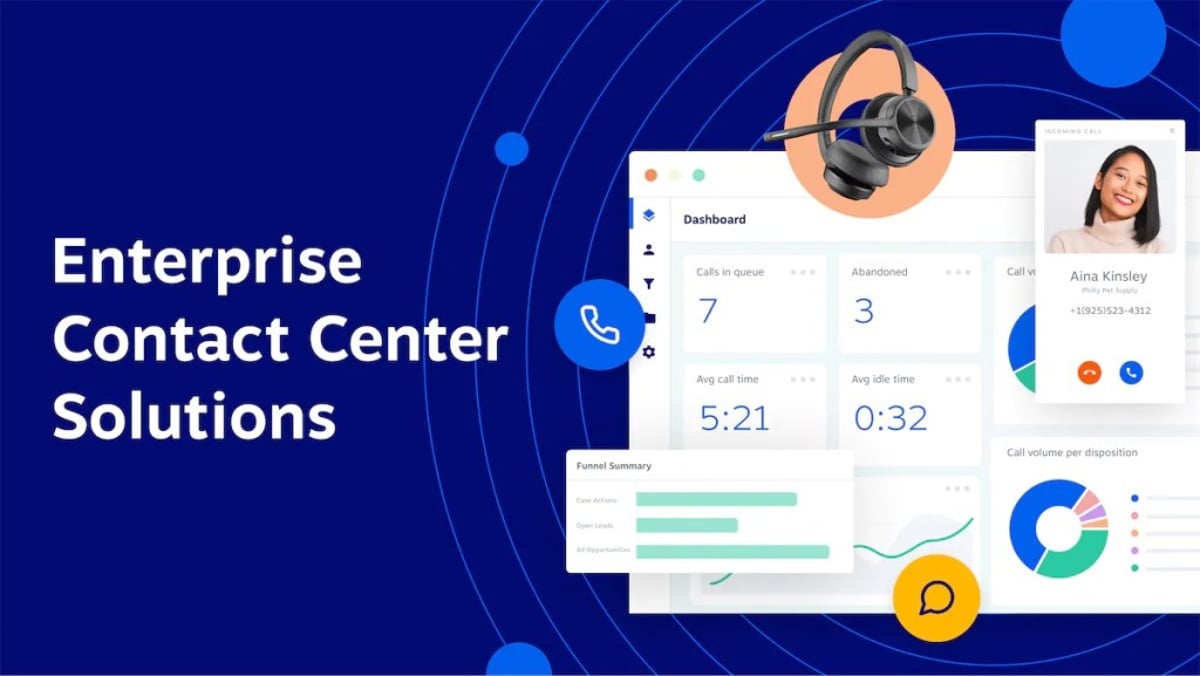


Enterprise contact center software gives large organizations the tools to manage high-volume customer interactions across voice and digital channels. Compared with a basic call-center system, it supports more complex routing, larger distributed teams, deeper CRM connections, workforce planning, analytics, security controls, and coordinated customer journeys.
This guide explains the features enterprise buyers should evaluate, compares five providers, and outlines the onboarding and support services that affect long-term results.
Enterprise Contact Center Software at a Glance
An enterprise contact center should connect customer conversations, agent workflows, business systems, and performance data in one operating environment.
| Enterprise requirement | Capabilities to evaluate | How the capability supports the business |
|---|---|---|
| High interaction volume | Scalable cloud architecture, advanced routing, queue management | Directs customers to the right team as demand changes |
| Multiple communication channels | Voice, chat, email, SMS, social media, web forms, video, and in-app messaging | Lets customers use their preferred channel |
| Context across channels | Omnichannel routing, interaction history, CRM access | Reduces repeated explanations and gives agents a complete view |
| Complex customer journeys | Skills-based routing, IVR, self-service, workflow automation | Sends each interaction to the right resource |
| Agent productivity | AI agent assist, live transcription, searchable recordings, summaries, and scripts | Gives agents information during and after an interaction |
| Follow-up management | CRM workflows, notifications, task automation, and customer history | Helps teams complete promised actions |
| Workforce visibility | Forecasting, scheduling, adherence, queue health, and agent status | Helps managers match staffing to demand |
| Business insight | KPI dashboards, sentiment analysis, CSAT, conversion tracking, and topic analysis | Turns interaction data into operational decisions |
| Sensitive information | Encryption, access controls, auditability, and documented compliance support | Helps protect customer and payment-related information |
| Enterprise rollout | Implementation planning, data migration, training, technical support, and account management | Reduces disruption during deployment |
Enterprise contact centers differ from small-business systems in several important ways:
| Feature | Enterprise contact center | SMB contact center |
|---|---|---|
| Scale | Handles thousands or millions of interactions | Handles a modest number of interactions |
| Location | Supports distributed teams and multiple languages | Usually serves a local or regional operation |
| Agent volume | Supports hundreds or thousands of agents | Supports a handful to a few dozen agents |
| Call routing | Uses complex flows across multiple departments | Uses basic routing across a few departments |
| Security and compliance | Supports industry-specific requirements and stronger security controls | May provide fewer security and compliance options |
| Onboarding and support | May include tailored implementation, training, workshops, account management, and ongoing support | Often provides more limited onboarding and support |
As a business grows, a small-business contact center may lack the scale, advanced routing, integrations, and security controls required for enterprise operations.
See what Nextiva can do for your CX
Short on time? Experience our AI-powered contact center in minutes through quick, on-demand demos.
Enterprise Contact Center Features
Multichannel support
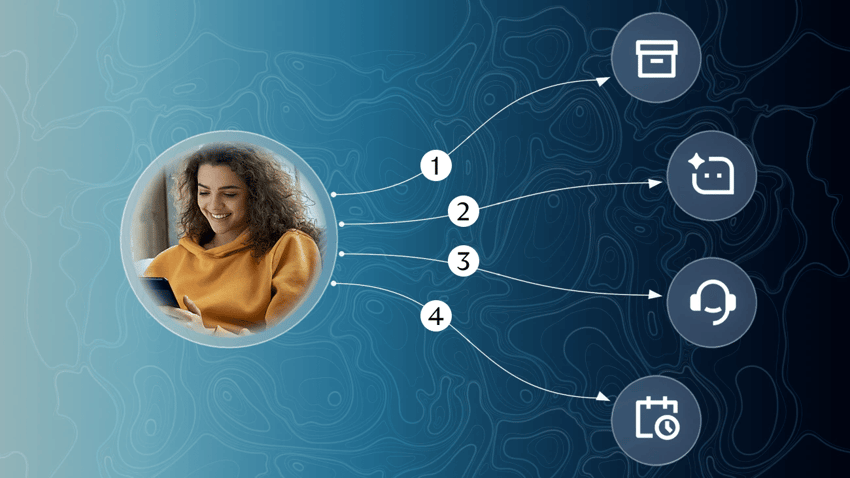
Enterprise customers may contact a business by phone, email, chat, SMS, or social media. A multichannel contact center gives customers several ways to reach the organization.
Digital channels can reduce pressure on voice queues. Customers can choose a channel that fits the issue and their circumstances, while agents can handle routine requests without keeping every customer on a call.

Omnichannel routing
A cloud contact center becomes omnichannel when it connects channels and preserves the customer’s interaction history. An agent can see relevant conversations from voice, chat, email, and social media instead of asking the customer to repeat the same information.
Nextiva’s enterprise platform supports voice, chat, email, social, and other channels with channel switching across the customer journey.
Enterprise buyers should confirm that omnichannel routing includes:
- A shared interaction history
- Context transfer between channels
- Skills-based routing
- Customer identity matching
- CRM access during the interaction
- Consistent reporting across channels
- Routing rules that account for issue type, customer history, or agent skills
Multichannel and omnichannel systems are not identical.
| Functionality | Multichannel contact center | Omnichannel contact center |
| Supports multiple channels | ✅ | ✅ |
| Preserves context when customers change channels | ❌ | ✅ |
| Connects to CRM data | Not always | Usually |
| Provides cross-channel customer activity | Limited | ✅ |
| Lets one team manage requests across channels | Limited | ✅ |
Nextiva’s omnichannel customer service software supports intelligent routing based on agent skills and past performance.
Advanced IVR systems
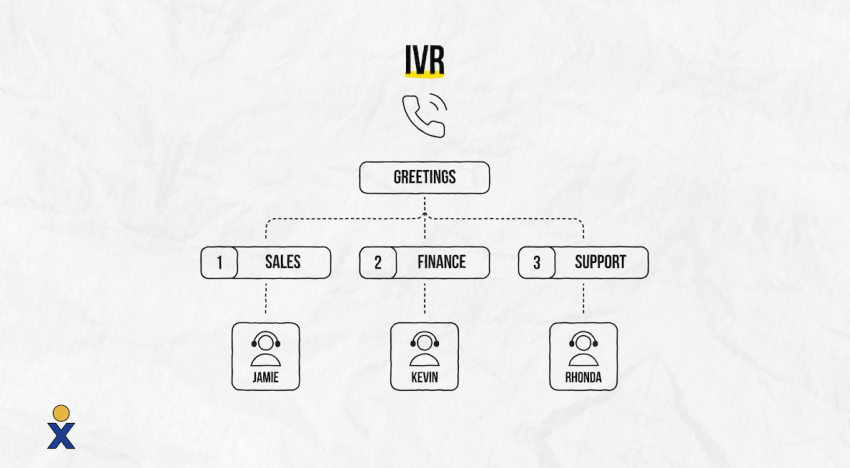
An interactive voice response system, or IVR, presents callers with options that direct them to the right department, queue, or self-service function.
Enterprise IVR systems often need several menu layers because they support more departments, products, languages, and customer types. Buyers should check whether the IVR supports:
- Department and skills-based routing
- Nested menus
- Customer authentication
- Self-service payments or account actions
- Web resource referrals
- Call-back options
- Routing based on customer history
- Reporting on menu abandonment and transfer rates
An IVR can let customers complete tasks such as bill payment without waiting for an agent. IVR-assisted security checks can also support identity verification. Businesses should confirm how payment data is handled and which compliance controls apply to each payment workflow.

AI and agent assistance
Enterprise teams manage large amounts of interaction data and may experience sudden changes in demand. AI can help identify patterns, assist agents, and automate routine work.
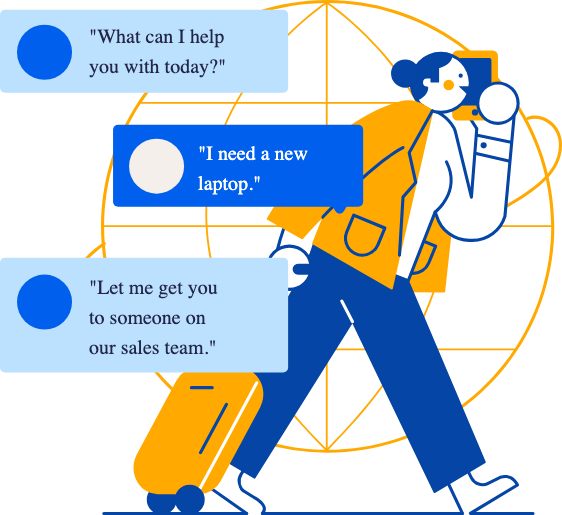
AI-powered chatbots can answer basic questions around the clock. This gives live agents more time for complex issues. Conversational AI can also use company-provided information to answer first-line helpdesk and sales questions.
Agent-assistance features require a separate evaluation. Buyers should ask whether the platform can:
- Provide information during a live interaction
- Transcribe conversations
- Detect sentiment
- Recommend responses or next steps
- Search previous recordings and transcripts
- Create a post-interaction summary
- Create tasks or follow-up actions
- Apply dynamic scripts or knowledge articles
Nextiva Contact Center includes AI Agent Assistant and Shelf AI features for live transcription and sentiment analysis. Its recordings can also be searched and transcribed.
Nextiva’s XBert AI Employee is described as an autonomous contact center solution that handles calls, chats, and messages around the clock. It supports end-to-end automation for appointment booking, FAQs, and routine follow-ups.
These functions support a workflow in which an interaction is routed, assisted, summarized, and followed up. Buyers should verify which functions apply to live agents, automated agents, or both.
Workforce management tools
Large contact centers need enough agents to cover demand without creating excessive idle capacity. Workforce management software supports forecasting, scheduling, intraday monitoring, and performance management.
Enterprise buyers should evaluate whether the system can:
- Forecast interaction volume
- Schedule agents against predicted demand
- Monitor queue health
- Display agent status in real time
- Track workload and adherence
- Support multiple locations and time zones
- Identify staffing gaps
- Connect staffing data with service-level targets
Nextiva offers workforce optimization and predictive analytics to forecast volume, schedule agents, and personalize responses.
CRM integration
CRM integration gives agents customer history, account information, and open tasks during an interaction. It can also connect routing and follow-up workflows to the customer record.
Useful CRM workflows include:
- Matching an incoming interaction to the correct customer
- Routing customers based on account type or history
- Displaying previous conversations to the agent
- Updating the CRM after a call or chat
- Creating a task when an agent promises a follow-up
- Recording the outcome of an interaction
- Triggering a notification for an unresolved issue
- Sending customer and interaction data to reporting tools
Nextiva connects with existing business systems through native integrations, REST APIs, and webhooks—enabling real-time data flow without replacing your current stack. Supported enterprise integrations include:
- Salesforce
- Microsoft Dynamics
- Microsoft Teams
- HubSpot
- Zendesk
- Zoho
- Oracle Sales Cloud
- Workbooks
- ServiceNow
- SugarCRM
- Act! CRM
- HCL Notes
- ConnectWise
- GoldMine
- Bullhorn


Reporting and analytics
Interaction data becomes useful when managers can connect it to operational decisions. Enterprise contact center reporting should cover both individual channels and the complete customer journey.
Evaluate reporting for:
- Service level
- Average speed of answer
- Abandonment rate
- First-contact resolution
- Average handle time
- Queue volume
- Agent occupancy
- Customer satisfaction
- Sentiment
- Conversion rate
- Transfer rate
- Interaction topics
- Campaign attribution
The key performance indicators should be available through dashboards, scheduled reports, and export tools.
Nextiva’s customer analytics product provides real-time dashboards with live KPIs, queue health, and agent status across channels. Its channel-wide analytics include sentiment analysis, CSAT measurement, conversion tracking, campaign attribution, and topic insights.

Security and compliance
Security requirements become more demanding when agents handle payment details, health information, account data, or other sensitive customer information.
A secure enterprise contact center evaluation should include:
- Encryption in transit and at rest
- Role-based access controls
- Single sign-on
- Authentication and identity controls
- Audit logs
- Secure recording and transcript access
- Data retention controls
- Privacy and deletion processes
- Documented compliance support
- Clear boundaries around payment workflows
Nextiva’s XBert AI Employee documentation describes encrypted data and support for PCI DSS, HIPAA, and SOC 2 compliance standards. That evidence applies to the specified XBert AI Employee offering. Buyers should request written confirmation of which Nextiva Contact Center components, integrations, storage locations, and payment workflows fall within the relevant compliance scope.
A compliance reference alone does not confirm that every payment flow is compliant. Before purchase, request:
- The applicable compliance documentation.
- The systems and services covered by that documentation.
- The responsibilities assigned to the customer and the provider.
- Details about recording, transcription, storage, and access.
- The controls that apply when agents collect payment information.
- The process for reviewing changes to the compliance scope.
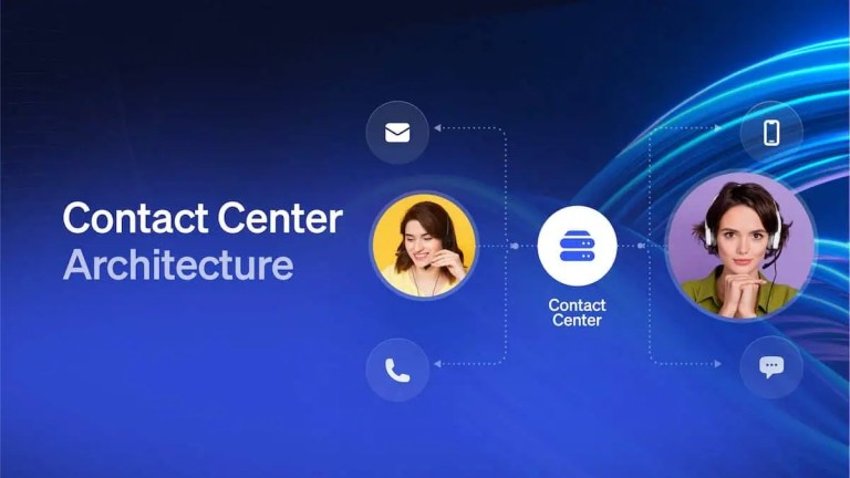
Enterprise Contact Center Providers
The right provider depends on the organization’s channels, deployment model, integration requirements, staffing model, compliance obligations, and budget. The following providers represent different approaches to enterprise contact center software.
1. Nextiva
Features
Nextiva, a unified communications and customer experience platform, combines voice, video, messaging, and contact center functions. Its enterprise contact center features include:
- Advanced IVR
- Customizable call routing
- Omnichannel support
- Predictive analytics
- Workforce management
- Single sign-on
- AI agent assistance
- Live transcription
- Sentiment analysis
- CRM integrations
- REST APIs and webhooks
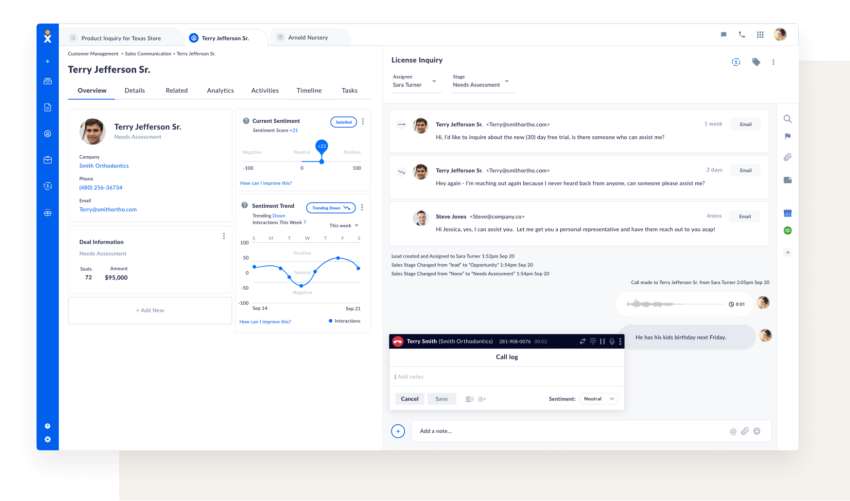
Nextiva acquired Thrio in 2024. The acquisition added capabilities such as:
- Built-in AI assistant
- Dynamic scripting
- Native process automation
- Proactive customer notifications
- Intelligent display for agent needs
Strengths
Nextiva delivers both UCaaS (business telephony, video, and messaging) and CCaaS (contact center operations) within a single platform, giving enterprises one unified environment for internal collaboration and external customer journeys. For organizations with existing deployments, Nextiva also integrates directly with Five9 to pair Five9’s contact center with Nextiva’s business phone system.
Nextiva’s enterprise offering stands out for organizations looking to:
- Consolidate internal communications and customer experience onto one platform
- Automate complex workflows and dynamic scripting via Thrio-powered process automation
- Connect contact center data into existing CRMs without replacing core systems
- Scale distributed teams with tailored enterprise onboarding, migration, and dedicated account management
Pricing varies according to agent volume, features, and deployment requirements. Buyers should request a custom quote based on their channels, integrations, locations, compliance needs, and implementation scope.
2. Five9
Features
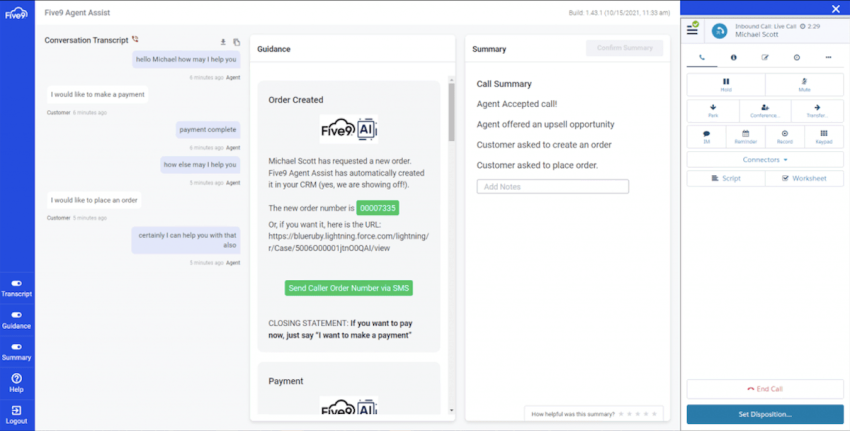
Five9 focuses on AI-powered contact center operations for inbound, outbound, and blended environments. Its features include:
- Agent Assist
- Call recording and transcription
- Workflow automation
- Digital engagement
- Conversational IVR
- Quality assurance
- Workforce management
- Sentiment analysis
- Predictive analytics
Strengths
Five9 places a strong emphasis on AI and machine learning to drive agent productivity and automate routine workflows. Its architecture is well-suited for enterprises managing high inbound and outbound interaction volumes that require advanced conversational AI and quality management tools.
Nextiva works with Five9 to integrate business telephony and contact center functions. This option may suit organizations that want Five9’s contact center capabilities alongside Nextiva’s business phone system.
3. 8×8
Features
8×8 provides an integrated cloud communications platform that combines contact center, voice, video, chat, and enterprise API functions.
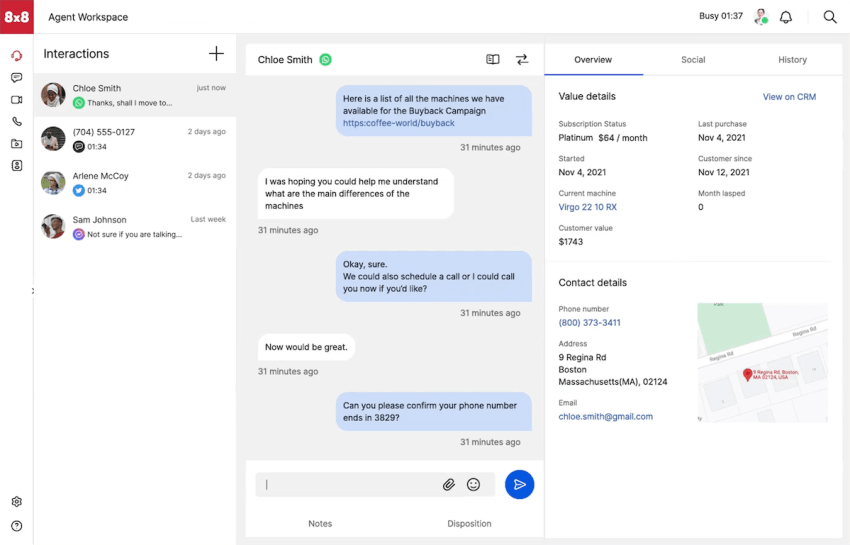
Enterprise features include:
- Omnichannel routing
- Workforce engagement management
- Speech and text analytics
- Quality management tools
- Co-browsing
- Customer journey mapping
- CRM integrations
- Global calling capabilities
Strengths
8×8 is an all-in-one, select-your-functionality cloud deployment that proves popular with prospective customers. The 8×8 pricing plan works out well if you have a large business with global calling needs and a generous budget.
4. Genesys
Features
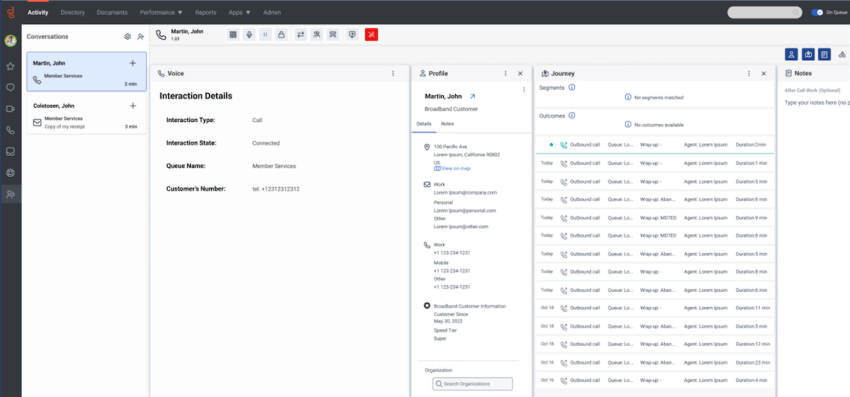
Genesys provides on-premises, cloud, and hybrid contact center deployments. Its enterprise features include:
- Omnichannel customer engagement
- Workforce optimization
- AI and automation
- Predictive analytics
- Voicebots
- CRM integration
- Interaction recording
- Employee performance dashboards
- Chatbots and knowledge bases
Strengths
Genesys supports complex enterprise deployments with multiple channels, self-service options, and integration requirements. It may suit organizations that need a broad range of deployment choices and advanced orchestration.
5. Talkdesk
Features
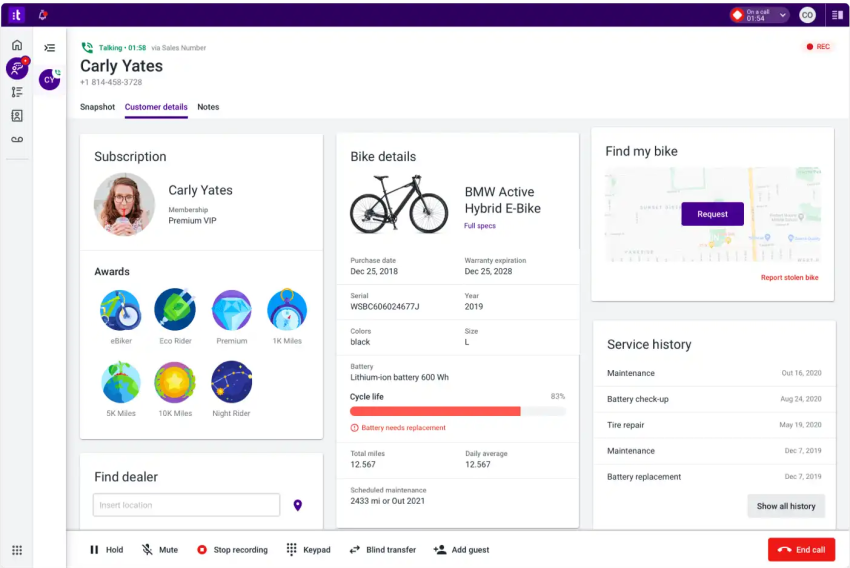
Talkdesk is a cloud-based contact center platform with features such as:
- Predictive dialing
- REST APIs
- Call tracking
- Virtual agents
- AI training tools
- Quality management
- Workforce management
- Customer experience tools
Strengths
Talkdesk emphasizes ease of use, customer experience, and a cloud administration model. Its platform can support seasonal or unplanned demand through cloud-based capacity changes.

Types of Enterprise Contact Centers
The best contact center type depends on whether the organization receives customer requests, initiates conversations, or does both.
1. Inbound enterprise contact centers
Inbound contact centers primarily handle incoming communications from customers.
Typical use cases include:
- Customer service
- Technical support
- General inquiries
- Complaint management
- Order updates
- Account assistance
Advanced call routing helps direct each interaction to the right team. Skills-based routing sends customers to agents with relevant expertise. Self-service and IVR can reduce the number of calls that reach a live agent.
Intelligent call routing can use customer information, issue type, and agent skills to support faster resolution.

2. Outbound enterprise contact centers
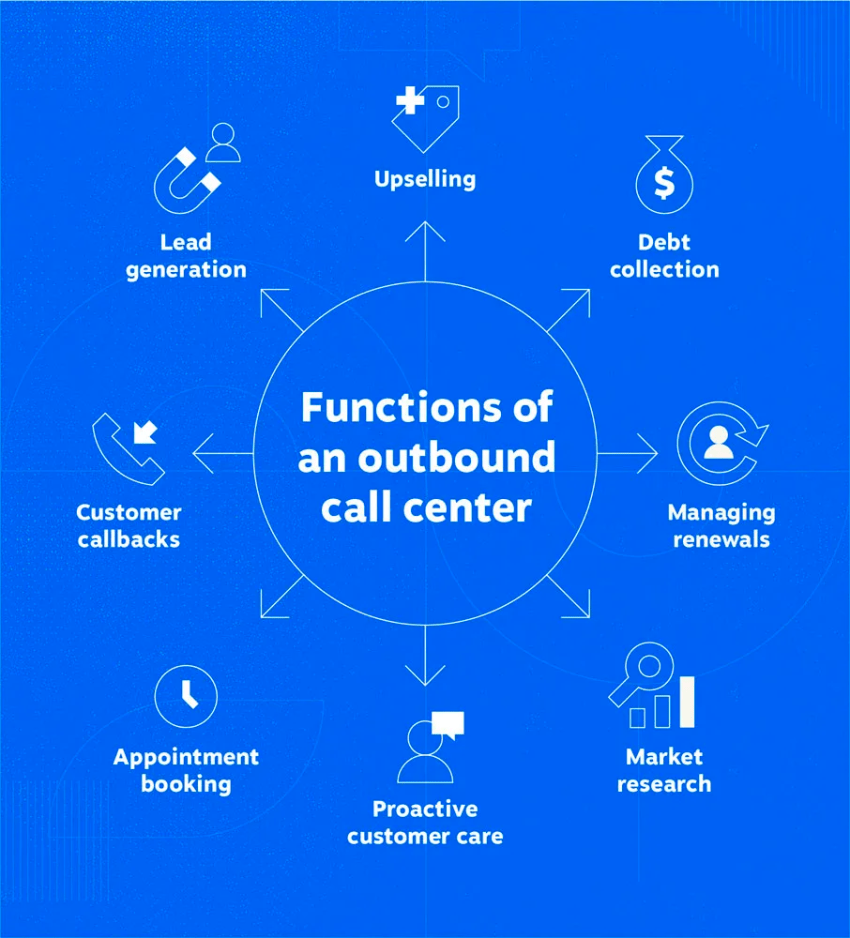
Outbound enterprise contact centers are proactive and initiate contact with customers or potential customers.
Typical use cases include:
- Telemarketing
- Market research
- Lead generation
- Customer surveys
- Appointment reminders
- Information updates
Auto-dialer software helps agents place calls quickly and consistently. Customer data and predictive analytics can help teams select appropriate contacts and times for outreach.
3. Blended enterprise contact centers
A blended contact center handles inbound requests and outbound campaigns. Agents may support both functions, or the organization may assign specialized teams.
Blended operations can support customer service, sales, surveys, appointment reminders, and proactive notifications in one environment. They also require careful staffing, skills management, reporting, and compliance controls.

Enterprise Onboarding and Implementation
Enterprise implementation affects adoption, continuity, and the quality of the customer experience. Buyers should include these requirements in the procurement process.
✔️ Personalized implementation plan
Each enterprise has different departments, queues, customer segments, integrations, and compliance requirements. The provider should document the configuration plan before deployment.
The plan should identify:
- Business units and locations
- Channels and queues
- Routing rules
- IVR menus
- CRM and ticketing integrations
- Data migration tasks
- User roles
- Testing requirements
- Training milestones
- Go-live responsibilities
- Escalation contacts
✔️ Training and workshops
Complex features such as workforce management, custom IVR, AI assistance, and reporting require structured training.
Create separate training paths for:
- Agents
- Supervisors
- Contact center administrators
- IT and integration teams
- Compliance and security teams
- Business owners
Training should include practical workflows, not only feature demonstrations. Agents should know how to handle customer context, use suggested responses, complete follow-up tasks, and protect sensitive information.
✔️ Technical support and consultation
The provider should explain the support levels included with the contract. Ask about response times, escalation paths, service reviews, account management, and support outside standard business hours.
A documented escalation chart should identify the contacts for:
- Technical incidents
- Routing failures
- CRM integration issues
- Data access problems
- Security events
- Compliance questions
- Billing and contract matters
✔️ Data migration
Contact center migration may involve customer records, phone numbers, recordings, transcripts, reports, routing configurations, and integrations.
Confirm whether the provider supplies migration tools or professional assistance. The migration plan should cover:
- Customer and account data
- Historical recordings and transcripts
- CRM and ticketing connections
- User accounts and permissions
- Local and toll-free number porting
- Data retention
- Validation and testing
- Business continuity
✔️ Continuous education and updates
Enterprise platforms change over time. Buyers should ask how the provider distributes release notes, documentation, videos, administrator guidance, and new training materials.
A central knowledge portal can help administrators keep internal procedures current.

Enterprise Customer Support
While enterprise cloud platforms are built for high reliability, large organizations still require structured vendor support to manage operational issues, configuration changes, and evolving business needs. Evaluate these support capabilities before selecting a provider:
✔️ 24/7 support
Organizations that provide round-the-clock customer service need a contact center provider with a support model that matches their operating hours.
Check whether 24/7 support includes:
- Technical incident response
- Severity-based escalation
- Network or service status information
- Administrator assistance
- Security incident guidance
- Emergency communication procedures
Knowledge bases and FAQs can help teams resolve common questions without opening a support case.
✔️ Dedicated account manager
A dedicated account manager gives the organization a central contact for usage reviews, product questions, planning, and escalation. The account manager should understand the organization’s contact center strategy, integrations, and business goals.
✔️ Regular performance reviews
Quarterly or annual reviews can help the organization compare platform usage with changing business requirements. A review may cover:
- Channel performance
- Queue health
- Workforce capacity
- Agent adoption
- Customer satisfaction
- Integration reliability
- Feature usage
- New business requirements
- Additional or discontinued services
Enterprise Evaluation Checklist
Use the following checklist when comparing enterprise contact center platforms.
Routing and customer experience
- True omnichannel continuity: Test a live interaction moving from chat or SMS to voice and email to verify that customer history, transcripts, and CRM context carry over automatically without forcing the customer to repeat information.
- Dynamic, multi-factor routing: Confirm the routing engine can combine agent skills, issue type, CRM account tier, sentiment, and priority—and verify that supervisors can modify routing logic without IT support.
- Nested IVR and intelligent deflection: Evaluate multi-layer IVR menus, automated caller authentication, callback options, and AI self-service deflection for routine inquiries, alongside reporting on menu abandonment and transfer rates.
Agent workflows
- Real-time agent assist: During a live demo, verify the accuracy and speed of live transcription, sentiment indicators, and dynamic script or knowledge-base recommendations on the agent’s screen.
- Automated post-call wrap-up: Confirm the platform generates structured interaction summaries, logs call outcomes, and triggers follow-up tasks or notifications automatically rather than relying on manual agent notes.
- Searchable interaction archive and QA: Check how quickly agents and supervisors can search historical recordings and transcripts by keyword, topic, or sentiment, and configure quality assurance scorecards.
CRM and integration
- Deep bi-directional CRM sync: Verify that prebuilt connectors (such as Salesforce, HubSpot, Microsoft Dynamics, Zendesk, or ServiceNow) match incoming interactions to the right customer record, trigger screen pops, route based on live CRM fields, and write updates back after the interaction.
- Open API and webhook extensibility: Confirm the availability of documented REST APIs and webhooks to connect proprietary internal databases, billing platforms, or ticketing tools without replacing your existing software stack.
- Data governance across integrations: Ensure the integration preserves existing CRM permission models, data ownership, and field-level access controls.
Workforce visibility and analytics
- Live operational command: Verify that managers can view real-time agent status, queue health, and intraday schedule adherence across multiple locations and time zones in a single interface.
- Demand forecasting and scheduling: Check how accurately the workforce management module forecasts interaction volume from historical trends and builds multi-skill shift schedules against service-level targets.
- Unified cross-channel reporting: Confirm that core KPIs—including service level, average speed of answer, abandonment rate, first-contact resolution, CSAT, sentiment, conversion, and topic trends—can be filtered by team, location, queue, or channel and exported on an automated schedule.
Security and compliance
- End-to-end encryption and access controls: Confirm data encryption in transit and at rest, single sign-on (SSO), role-based access controls (RBAC), and granular audit logs tracking who viewed or exported sensitive recordings and transcripts.
- Written compliance scope verification: Request formal documentation specifying which platform modules, storage regions, and third-party integrations fall under PCI DSS, HIPAA, or SOC 2 compliance—and clarify shared security responsibilities between vendor and buyer.
- Isolated payment workflows and retention policies: Verify how payment collection is isolated from recordings and transcripts (such as DTMF masking or self-service IVR payments) and confirm configurable data retention and deletion rules.
Implementation and support
- Documented migration and porting plan: Require a tailored rollout roadmap covering historical recording/transcript migration, local and toll-free number porting, sandbox validation, and cutover contingency steps.
- Role-based training workshops: Confirm that onboarding includes hands-on workflow training separated by role (agents, supervisors, administrators, and IT/security teams) rather than generic product demos.
- Guaranteed SLAs and ongoing governance: Verify 24/7 technical support response times, severity-based escalation paths, a dedicated account manager, regular quarterly or annual performance reviews, and a structured process for communicating product updates.

The call center solution teams love.
All conversations in one platform. Empowering agents. Satisfying customers.
FAQs
The right platform depends on your deployment model, compliance obligations, and existing tech stack, with leading options including Nextiva, Five9, Genesys, 8×8, and Talkdesk. For large teams seeking a single operating environment, Nextiva stands out by uniting omnichannel routing with preserved context, Shelf AI agent assistance, workforce forecasting, real-time KPI dashboards, and documented PCI DSS compliance support for secure payment workflows.
You should evaluate AI-driven enterprise platforms like Nextiva, Five9, or Genesys that connect routing directly to post-call automation and compliance controls. Nextiva is particularly strong for this end-to-end workflow—combining skills-based routing and self-service IVR payments with AI Agent Assistant for live transcription, searchable call summaries, and XBert AI for automated follow-ups, backed by encryption and PCI DSS compliance documentation.
The best cloud contact center software depends on your organization’s scale, channel mix, and budget. Top cloud providers include Nextiva (ideal for combining UCaaS and CCaaS with native CRM integrations and AI analytics), Five9 (strong in AI-driven inbound/outbound automation), 8×8 (well-suited for global calling), Genesys (built for complex multi-channel orchestration), and Talkdesk (known for ease of administration and elastic cloud scaling).
Look for an enterprise platform that pairs strict compliance controls—such as encryption in transit and at rest, role-based access, and audit logs—with deep CRM connectivity and self-service IVR payment options. Nextiva is a strong fit here, offering documented support for PCI DSS, HIPAA, and SOC 2 compliance standards alongside native connectors for Salesforce, HubSpot, Microsoft Dynamics, Zendesk, and ServiceNow, plus REST APIs and webhooks for custom data flows.