VoIP
VoIP  Blog
Blog  Business Communication
  Customer Experience
  Leadership
  Marketing & Sales
  Nextiva News
  Productivity
A VoIP number is a phone number that lets you make and receive calls over the internet instead of traditional phone lines. It works like a regular phone number, but you can use it on a desk phone, computer, tablet, or mobile app from any location with a stable internet connection.
Unlike a number tied to one physical line, a VoIP number connects to a cloud-based account. This gives businesses more control over call routing, business texting, and communications for remote and hybrid teams.
Choosing the right VoIP number requires you to consider factors beyond the area code, including call quality, number porting, emergency calling, security, and texting support. This guide explains how VoIP numbers work, the different types available, their benefits and limitations, and how to set up or port a number for your business.
Key Takeaways
- A VoIP number sends calls over an internet connection rather than a copper landline.
- You can use the same business number on compatible desk phones, computers, and mobile devices.
- Businesses can choose local, toll-free, vanity, international, or direct inward dialing (DID) numbers, depending on provider availability.
- Most providers let businesses choose a new number or port an eligible existing number.
- Call quality depends on network conditions, while security depends on both the provider and the safeguards your business uses.
What Is a VoIP Number?
A VoIP (Voice over Internet Protocol) number is a real telephone number operating on an internet connection. Voice over IP phone numbers connect to a cloud-based account rather than a single physical phone line.
Depending on the service, the number may be associated with a user, business, department, or registered location. This means you can use your VoIP number anywhere via a VoIP phone app that works on any mobile device or desktop computer.
For example, a sales representative can answer the office number through a laptop at home, then use the same number through a mobile app while traveling. Customers continue to see the company number instead of the employee’s personal number.
Cloud-based VoIP technology lets you call from anywhere using an app on your mobile phone, computer, laptop, or desk phone using the same number without needing a physical private branch exchange (PBX).

How Do VoIP Numbers Work?
VoIP works by converting your voice into digital data and sending it through an IP network. When someone calls your VoIP number, the provider follows your account settings to route the call to a desk phone, computer, mobile app, extension, or department. These settings can also control business hours, caller ID, voicemail, and call-forwarding rules.
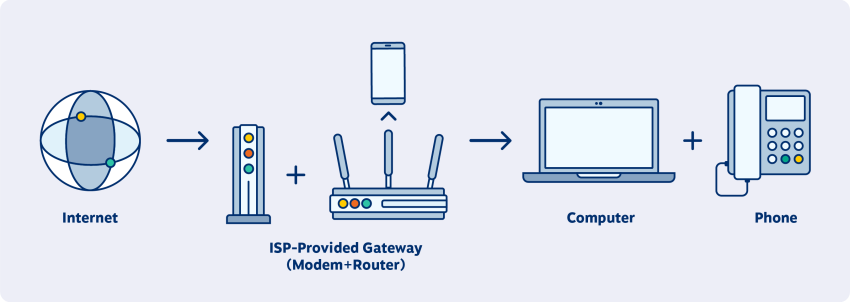
To use a VoIP number, you need three basic components:
- A subscription with a VoIP service provider
- A stable broadband connection
- A compatible device, such as a computer, smartphone, VoIP desk phone, or analog telephone adapter (ATA)
How VoIP technology works behind the scenes
Here is how a VoIP call moves from one person to another:
- The system establishes the call: When you dial a number, a signaling protocol such as Session Initiation Protocol (SIP) locates the recipient, checks whether the endpoint is available, and starts the call session.
- Your device converts your voice into digital data: The microphone captures your voice as an audio signal. The device converts that signal into digital information that can travel across the network.
- A codec compresses and divides the audio: A codec reduces the amount of data the call requires. The system then divides the audio into small packets and labels them so the receiving device can place them in the correct order.
- The provider routes the packets: Your VoIP provider sends the packets across an IP network. When you call a landline or mobile number, a gateway connects the internet-based call to the public switched telephone network (PSTN).
- The receiving device rebuilds the audio: The system places the packets in the correct order, decompresses the data, and converts it back into audible speech.
- The system closes the connection: When either person hangs up, the signaling protocol ends the call session and stops the exchange of voice data.
This process works across VoIP desk phones, computers, tablets, and smartphones. You can also connect some traditional analog phones to a VoIP service using an ATA.
Switch to Nextiva today and save up to 60%
Join now and start calling in less than 10 minutes. Instant set up. Enterprise-grade reliability.
Types of VoIP Numbers
VoIP technology offers different phone number options with specific features and purposes in mind. Businesses can select different number types for different callers, teams, and markets. Availability depends on the provider and region.
| Type | How calls are commonly handled | What to check before choosing |
| Local number | Calls can route to employees in any supported location, even when the number uses a regional area code | Number availability, address requirements, calling rates, and whether the area code matches your target market |
| Toll-free number | The business generally pays for incoming toll-free usage rather than the caller | Included minutes, per-minute overage charges, supported prefixes, and whether toll-free SMS requires verification |
| Vanity number | Calls route like other local or toll-free numbers, but the customized pattern makes the number easier to remember | Number availability, setup fees, recurring costs, and whether the word remains clear when converted into digits |
| Direct inward dialing (DID) number | Calls bypass the main number or receptionist and ring a specific user, team, or extension | The number of DID numbers included, additional-number fees, extension mapping, and routing controls |
| Virtual number | Calls may forward to another phone or ring several devices through an app or cloud phone system | Whether the service supports outbound calling, SMS, emergency calling, voicemail, and number porting rather than incoming forwarding alone |
| International number | Calls route to your existing team while customers dial a number associated with their own country or region | Local-address requirements, identity documents, regional regulations, inbound rates, and country availability |
| Ported number | Calls move to the new provider after the existing carrier approves and completes the transfer | Porting eligibility, required account details, transfer fees, expected timeline, and temporary call-routing options |
1. Local numbers
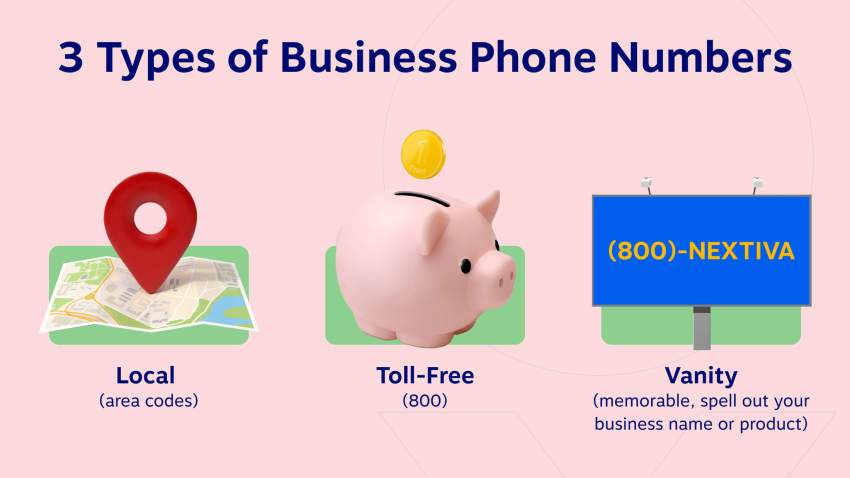
Local VoIP numbers are associated with specific geographic areas, usually a city or region. They use familiar area codes, creating a sense of local presence, even if the business isn’t physically located there. This builds trust and credibility, particularly in markets where customers prefer dealing with local companies, and work well for small businesses.
2. Toll-free numbers
Recognizable by area codes like 800 or 888, toll-free numbers allow customers to call without incurring charges. They’re ideal for customer service, sales, and national businesses. Toll-free numbers also convey a sense of professionalism and accessibility.
3. Vanity numbers
Vanity numbers are customized spellings, often using words or phrases related to the business (e.g., 1-800-FLOWERS). These numbers are easy to remember and great for marketing, particularly in radio or TV ads. While potentially pricier, their memorability can significantly enhance brand recognition.
4. Direct inward dialing (DID) numbers
DID numbers enable direct connections to specific extensions within an organization, bypassing main reception. These numbers streamline communication in large companies, reducing receptionist workload and caller wait times. DID also benefits remote workers, making them appear part of the main office system.
5. Virtual numbers
Unbound by location or device, virtual phone numbers can be forwarded to any phone or device. This flexibility is perfect for remote workers, freelancers, or businesses with a distributed workforce. Professionals can maintain a consistent number regardless of their physical location.
6. International numbers
These are local numbers in foreign countries, enabling businesses to establish a virtual presence abroad. Customers are charged at local rates, making it more likely they’ll call. International calling builds trust and accessibility for businesses with a global customer base.
7. Ported numbers
Ported numbers are existing numbers transferred from a traditional phone service or another VoIP provider. They work best for businesses with established brand recognition tied to their number. You can easily transition to VoIP without losing customer connections.
Choosing the right VoIP number type depends on your target audience, business size, geographic scope, and branding. Selecting the right combination helps businesses create a communication system that’s flexible, efficient, and customer-centric.
VoIP Number vs. Traditional Phone Number
A non-VoIP number uses a traditional landline or cellular network rather than an internet connection. However, VoIP, landline, and mobile numbers may look identical to the person receiving a call. The main differences concern how the service connects, where you can use it, and which features it supports.
| Feature | VoIP number | Landline number | Mobile number |
|---|---|---|---|
| Connection | Broadband internet | Copper or fixed telephone line | Cellular network |
| Location | Can work across supported devices and locations | Tied to an installed line | Travels with the mobile device or SIM card |
| Devices | Desk phone, computer, tablet, or mobile app | Connected telephone | Mobile phone |
| Setup | Usually configured online | May require on-site installation | Requires carrier activation or eSIM/SIM setup |
| Business features | Call routing, auto attendant, voicemail, analytics, integrations, and more | Often limited or requires added hardware | Varies by carrier and plan |
| Power or internet outage | Requires internet and power unless a backup route is configured | May continue working if the line and handset retain service | May work through the cellular network while coverage and battery remain available |
| Scaling | Add users or numbers through an admin portal | May require new lines and equipment | Add plans, devices, or SIMs |
VoIP is often a better fit for businesses that need mobility, centralized administration, or multiple communication features. A traditional landline may still suit a location with poor internet access or a narrow need for fixed calling.
Fixed vs. Non-Fixed VoIP Numbers
VoIP numbers generally fall into two technical categories.
Fixed VoIP number
A fixed VoIP number is associated with a verified physical address. Businesses typically choose fixed numbers for a permanent office or site. Linking the number to an address can support emergency-service registration and may make the number easier to trace, although availability and requirements vary by provider and country.
Non-fixed VoIP number
A non-fixed VoIP number is not tied to a specific physical address. It offers more geographic flexibility and is common among remote teams, freelancers, and businesses establishing a presence in a new market. However, some services, institutions, and countries restrict non-fixed numbers because they can be harder to verify or trace.
Ask prospective providers which category they offer and how that choice affects emergency calling, porting, caller verification, and international availability.

Key Features and Functionalities of VoIP Numbers
Let’s look at the key features and functionalities that make VoIP numbers a powerful communication tool:
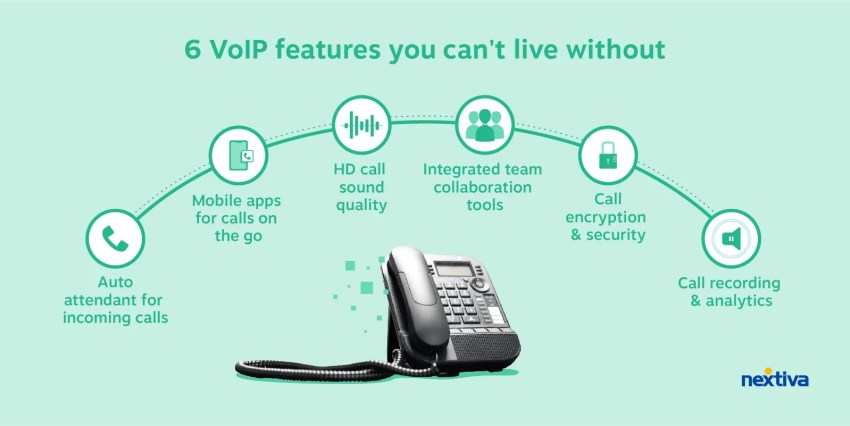
- Call forwarding: Sends incoming calls to another user, device, extension, or external phone number according to predefined rules.
- Call routing: Directs calls according to business hours, caller input, employee availability, or other conditions.
- Ring groups: Rings several employees or devices simultaneously or in a specified order until someone answers.
- Voicemail to email or text: Sends a voicemail notification, audio file, or transcript to the user’s email or messaging inbox when supported.
- Conference calling: Connects multiple participants through one audio call.
- Auto-attendant and IVR menus: Greet callers and use voice or keypad selections to route them to the correct person, department, or self-service option.
- Business SMS: Sends and receives text messages through an eligible business number, subject to plan limits, carrier registration, and consent requirements.
- Call recording: Records supported voice calls for training, quality monitoring, compliance, or documentation, subject to applicable consent laws.
- Caller ID customization: Displays an approved business name and number when supported by the provider and receiving carrier.
- Virtual faxing: Sends and receives faxes digitally without a standalone fax machine.
- CRM integrations: Connect calling activity, customer records, and call history with compatible customer relationship management and help desk platforms.
- Mobile and desktop apps: Give users access to supported calling, voicemail, messaging, and account functions from computers and mobile devices.
- Call analytics: Tracks metrics such as call volume, wait times, missed calls, call duration, and user activity.
- Video calling: Supports online video meetings through providers that include this capability.
You get better flexibility, control, and advanced capabilities to stay connected in a digital-first world. Confirm which features come with the standard plan, which require an upgrade, and which carry usage or setup fees.
Benefits of a VoIP Number for Businesses
VoIP phone systems offer numerous advantages over traditional phone services. You’ll enjoy cost savings, enhanced flexibility, improved reliability, crystal-clear call quality, and a host of other benefits.
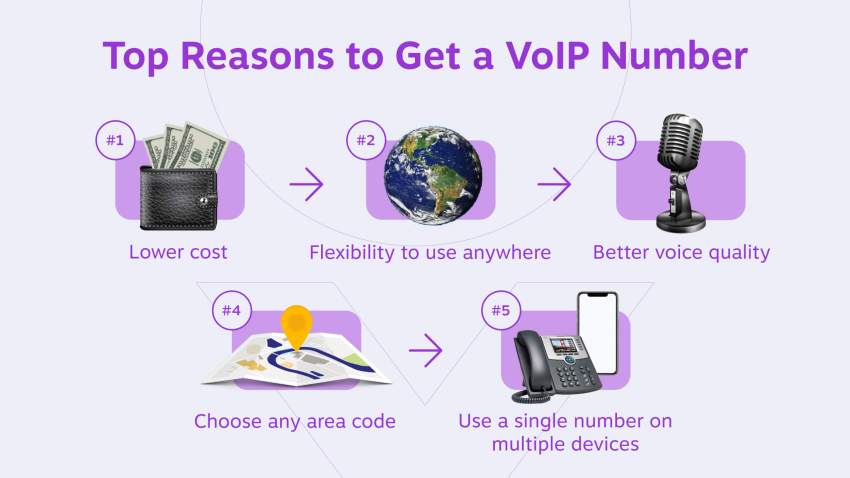
1. Lower costs and fewer hardware requirements
VoIP can reduce spending on dedicated phone lines, on-site PBX equipment, installation, and maintenance. Businesses can use existing computers and smartphones instead of purchasing a desk phone for every employee.
The actual savings depend on the current system, selected plan, calling patterns, hardware needs, taxes, and additional fees. Compare the total cost of ownership instead of the advertised monthly price alone.
2. Work from anywhere on multiple devices
A VoIP phone system lets employees remain reachable through the same business number while working from the office, home, or another supported location. Customers do not need different contact details when an employee changes devices or work locations.
This flexibility supports remote and hybrid teams while keeping company communications under one centrally managed account.
3. Easy to scale
Businesses can expand the phone system without installing a new physical line for every employee. Administrators can assign numbers and extensions as the organization adds employees, departments, or multiple business locations.
The company can also adjust user access and call flows as responsibilities and call volumes change.
4. Better voice quality
A properly configured VoIP network can provide clear HD audio for business conversations. Better sound can reduce repetition and make it easier for employees and customers to understand one another.
Actual VoIP call quality depends on bandwidth, latency, jitter, packet loss, network equipment, and the provider’s infrastructure. Businesses should run a network-readiness test before switching.
5. Local and national presence
Businesses can choose a local area code associated with a target market, even when phone calls go to employees elsewhere. Companies with several branches can use a separate local number for each service area while managing calls through one system.
A toll-free number gives customers across a wider region one recognizable way to reach the company. Availability and calling charges depend on the provider and plan.
6. Keep your existing number
Number portability lets businesses transfer many eligible numbers to a new provider. Keeping a familiar number reduces disruption for customers during the change.
It also avoids replacing the number on websites, advertisements, business cards, directories, signage, and customer records. Keep the existing service active until the transfer is complete.

7. Separate business and personal calls
Employees can make business calls from a smartphone without showing their personal phone number to customers. The company number remains the primary contact point even when the employee uses a personal device.
Keeping work and personal calls, voicemail, messages, and call history separate also creates clearer communication boundaries without requiring employees to carry a second phone.
Potential Drawbacks of VoIP Numbers to Consider
A VoIP number is not the right choice in every situation. Review these limitations before switching:
- Internet dependence: Poor bandwidth, high latency, jitter, or packet loss can affect call quality.
- Power dependence: Routers, switches, computers, and VoIP phones need power. A backup internet connection, uninterruptible power supply, or mobile failover route can reduce downtime.
- Emergency calling requirements: VoIP services may use a registered address to route emergency calls. Users must keep that location current and understand the provider’s emergency-calling terms.
- Security risks: Weak passwords, compromised devices, phishing, and account misuse can expose a phone system to fraud.
- Extra charges: International calls, toll-free usage, additional numbers, hardware, taxes, regulatory fees, and advanced features may cost more than the advertised base plan.
- Porting time: Moving an existing number can take time and may be delayed by incorrect account information or an unresolved balance with the current carrier.
How to Choose the Right VoIP Number Provider
The right VoIP number provider should offer the number types, calling features, reliability, and support your business needs at a predictable price. Start by reviewing how customers contact your business, where your employees work, and how your team manages calls.
Use the following criteria to compare providers.
Check number availability and porting support
Confirm that the provider offers the number types you need, such as local, toll-free, vanity, international, or DID numbers. If you want to target several markets, check the available area codes and countries.
If you plan to keep your current number, ask the provider to confirm its eligibility for number porting. Review the expected timeline, required documents, fees, and how calls will be handled during the transfer.
Match the features to your call flow
List the features your team needs to manage incoming and outgoing calls. These may include auto-attendants, call routing, shared numbers, voicemail transcription, call recording, conference calling, analytics, and business-hour rules.
Also check whether the provider integrates with your CRM, help desk, or other business applications. The right integrations can give employees access to customer information and call history without switching between systems.
Confirm calling and texting coverage
Review the countries included in the plan, international calling rates, and any restrictions on obtaining numbers outside your business location. A provider with limited geographic coverage may not support your expansion plans.
If your team uses business texting, confirm that the number supports SMS or MMS. Ask about messaging limits, registration fees, carrier rules, and requirements such as A2P 10DLC or toll-free verification in the US.
Evaluate call quality and reliability
Look for a clearly stated uptime commitment, geographically distributed data centers, network monitoring, and automatic failover. Ask how the provider routes calls if a server, internet connection, or office location becomes unavailable.
The provider should also offer a network-readiness test or guidance for measuring bandwidth, latency, jitter, and packet loss. These factors directly affect call clarity and responsiveness.
Review security and emergency calling
Look for call encryption, multifactor authentication, role-based access, fraud monitoring, secure call recording, and detailed audit logs. Businesses in regulated industries should also confirm whether the provider supports their specific compliance requirements.
Ask how the service handles emergency calls and registered locations. Employees who work from different places need a clear way to update their physical address so emergency calls reach the correct response center.
Test administration and customer support
The administration portal should make it easy to add users, assign numbers, change call-routing rules, and review call activity. Request a trial or live demonstration to see whether your team can manage routine changes without technical assistance.
Check when and how customer support is available. Compare phone, chat, and email support hours, average response times, onboarding assistance, and whether higher service levels cost extra.
Compare the total cost
Calculate the full cost of each service rather than comparing advertised monthly prices alone. Include user subscriptions, extra numbers, toll-free minutes, international calls, SMS registration, hardware, integrations, implementation, taxes, and regulatory fees.
Check whether the advertised price requires annual billing, a minimum number of users, or a long-term contract. Also review cancellation terms, renewal pricing, and charges for adding or removing users.
VoIP Number Challenges: How to Protect Against VoIP Threats
Even though VoIP technology is easy to use and inexpensive to maintain, this modern-day business phone solution is not immune to fraud.
The problem with these kinds of VoIP number tricks is the difficulty in tracing the call. If you do not know what to look for or expect from a VoIP scammer, you too may become a victim of VoIP fraud.
Look for the right VoIP provider that provides network-level security through TLS and SRTP. This provides you with the maximum privacy and performance in every VoIP call. Nextiva offers this built-in call encryption, so be sure to ask about it.
What is vishing (VoIP phishing)?
Known as “voice phishing” or “VoIP phishing,” it’s a type of phone scam. The fraud begins with the appearance of a real caller ID displayed with a valid telephone number from a recognized and trusted source.
Then the scammer attempts to convince the unsuspecting individual to disclose critical personal data and financial information.
Often, the callers will prey on two key factors to gain the information they need: a person’s fear and financial stability. This scam is more successful because people generally trust caller ID without knowing it can be faked.
Protecting against VoIP attacks
VoIP phone fraud attacks are sophisticated, which makes it challenging to recognize legitimate calls and attempts at identity theft. Below are a few tips you can develop to protect yourself from these intrusions:
- Never assume every call comes with good intentions, and stay up to date on the latest scams
- Don’t give your confidential information over the phone unless you initiate the call
- Cybersecurity experts suggest changing your login details for all devices once a month
- Never call phone numbers from unsolicited emails sent to you
- If there is any doubt about who is calling, let the caller leave a message on your voicemail
- Regularly review your call logs for questionable outbound call trends
The good news is that successful VoIP fraud attacks are rare. You must be vigilant against the threat; otherwise, you could inadvertently leak your customer list.
Want to dig deeper? We’ve authored the complete guide to VoIP security and call encryption. It’s well worth a read — share it with your team.
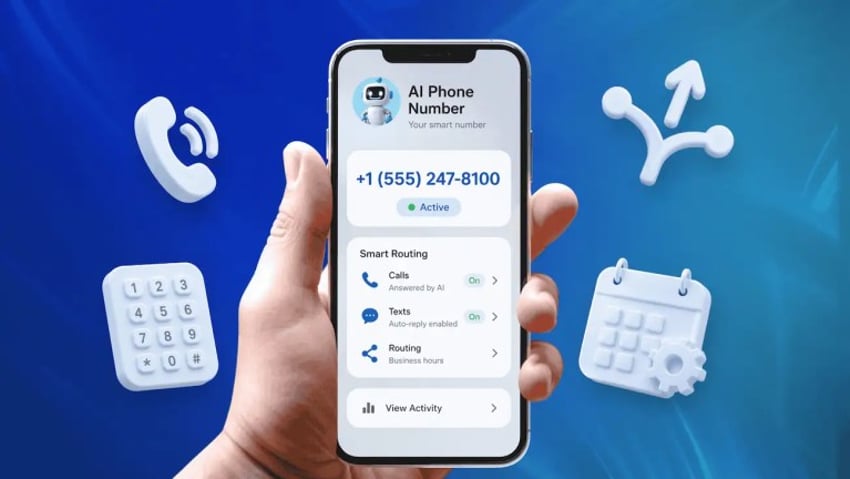
How Much Does a VoIP Number Cost?
VoIP numbers typically come with a monthly business phone service plan rather than as a standalone purchase. Some plans include unlimited calling within specified regions, while international and long-distance calls may carry separate usage charges. The total cost may depend on:
- Number of users
- Type and quantity of phone numbers
- Calling regions and international rates
- Toll-free minutes
- SMS registration and usage
- Desk phones or other hardware
- Premium routing, analytics, recording, or integrations
- Taxes, regulatory charges, and carrier fees
Free VoIP number services exist, but they may limit business features, support, number availability, porting, or account administration. A paid service is generally better suited to a company that depends on its phone number for sales or customer support.
Nextiva business phone plans currently start at $15 per user per month for eligible new small-business customers who choose a qualifying annual agreement. Check the pricing page for current terms, taxes, fees, and included features.
How to Get a VoIP Number?
Getting a VoIP number is straightforward and surprisingly affordable. Here’s a breakdown of the steps involved:
- Choose a VoIP service provider: Research and compare different providers based on their features, pricing plans, uptime guarantees, customer support quality, and overall reputation.
- Check your internet connection: VoIP relies on a stable internet connection. Ensure you have sufficient bandwidth for quality calls. A recommended minimum is 0.1 Mbps upload and download speed per device.
- Choose a VoIP plan: Select a plan that aligns with your business needs and budget. Consider factors such as the number of users, desired features, and call volume.
- Decide which VoIP devices you want to use: VoIP offers flexibility in terms of devices. You can use your existing computer (via softphones), smartphone, or tablet, or invest in dedicated VoIP phones.
- Sign up for your VoIP plan: Follow the provider’s instructions to set up your account, configure your VoIP number, and customize your settings.
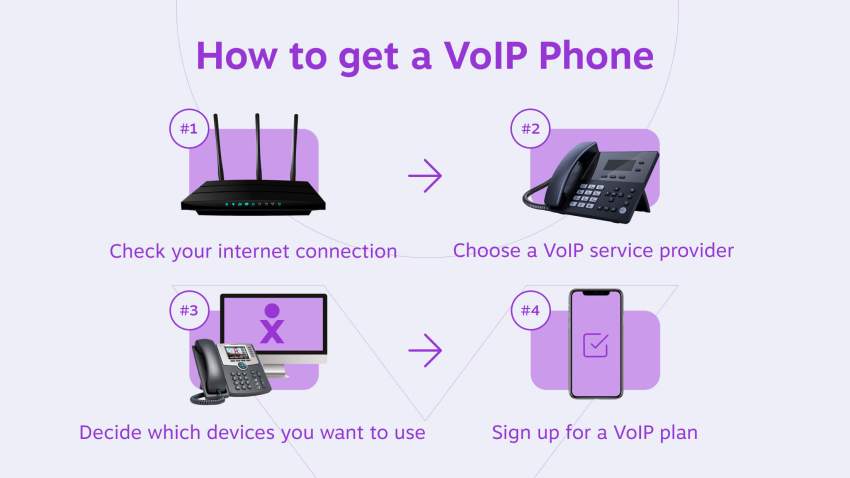
You can get a VoIP phone number from VoIP service providers that offer VoIP service plans. Most plans are less expensive than a cell phone or regular telephone service. As a result, you can lower your costs by up to 60% and access many more features that only VoIP can provide.
If you have existing phone numbers that you’d like to keep, you can port them to your new VoIP service. This process allows you to maintain your current number while enjoying the benefits of VoIP. If you prefer, you can also choose a new local or toll-free VoIP number from your VoIP provider.
Nextiva offers seamless number porting and setup at no extra charge on all its plans. The business phone service plans start at an affordable $15/month, making it a cost-effective option. You can port phone numbers from your cell phone, Google Voice, cable/telephone company, and even a competitive VoIP service provider.
Switch to Nextiva today and save up to 60%
Join now and start calling in less than 10 minutes. Instant set up. Enterprise-grade reliability.
Setting up a VoIP phone number
Once you’ve chosen your VoIP provider and plan, you can typically start using your VoIP system on your computer or smartphone right away.
The provider’s setup process will guide you through configuring your account, selecting your number(s), and customizing your settings. With VoIP, you can enjoy significant cost savings compared to traditional phone services while accessing a wealth of advanced features that enhance your communication capabilities.
Get More Value From Your VoIP Phone System
No matter what numbers you choose, you’re getting incredible value with business VoIP. Telephone and cable companies can’t beat all the features and capabilities that VoIP provides for business owners.
And it’s more than the price that matters. Pick up the phone and call the support line. How long do you wait on hold? How knowledgeable and friendly is the staff? Those factors are important because you don’t have all day to worry about your business phone system.
Switch to Nextiva today and save up to 60%
Join now and start calling in less than 10 minutes. Instant set up. Enterprise-grade reliability.
Nextiva goes further. We crafted our business phone service around giving you the best value and the best service. We invested millions into building the nation’s most reliable business voice network, and our support team members are all in-house. That’s why we were named the best business phone service in 2022.
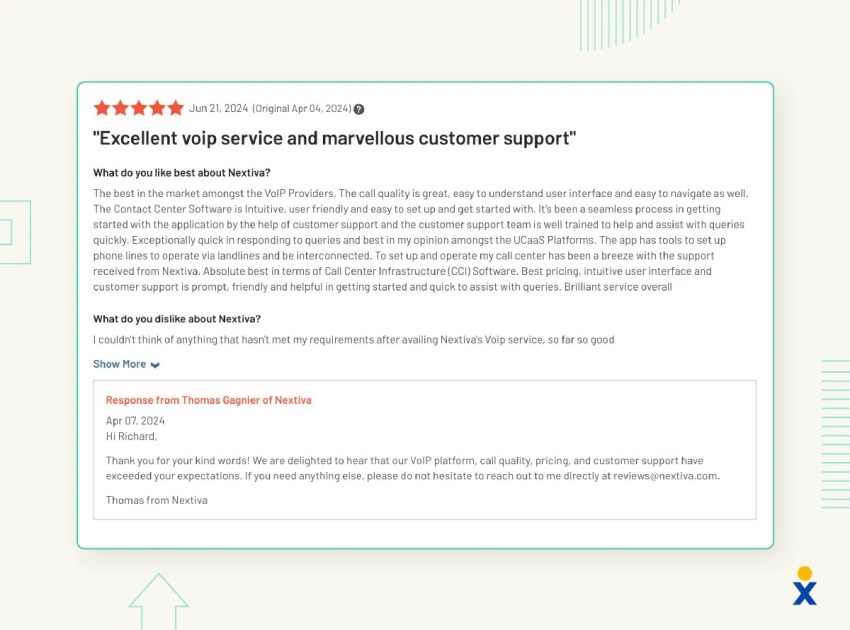
But don’t just take our word for it, read some of our real customer reviews to see what they think of our service, or talk to a Nextiva expert today to see how we can help.
Frequently Asked Questions About VoIP Numbers
Yes. A VoIP number uses the same public numbering system as other telephone numbers and can make or receive calls from landlines and mobile phones. The main difference is that the service carries calls through an IP network rather than a dedicated copper line.
Yes. Dial it as you would any other telephone number. The person receiving the call uses their VoIP app, desk phone, or configured device, while the providers handle the connection between networks.
Some VoIP numbers can send and receive SMS or MMS, but support varies by number type, country, provider, and plan. Business texting may also require registration and customer consent. Confirm these requirements before choosing a number.
Authorized providers and law enforcement may be able to trace account and call records through legal processes, but a non-fixed VoIP number may be harder to associate with a physical location. Caller ID can also be spoofed, so a displayed VoIP number does not always identify the true caller.
The VoIP service needs an internet connection to deliver calls to an app or IP phone. However, you may be able to configure failover or call forwarding to a mobile or landline number during an outage.
Yes. Install the provider’s mobile app and sign in to your account. You can then make and receive business calls using the VoIP number over Wi-Fi or mobile data without displaying your personal number.
You can use a compatible IP phone, computer, or mobile device. Some analog phones can connect through an ATA, although available features may be more limited than on a purpose-built VoIP phone or app.
Some consumer services provide free numbers with restrictions. Business VoIP numbers usually come with a paid monthly plan that includes calling and administrative features. Additional numbers, toll-free usage, international calls, texting, or hardware may cost extra.