VoIP
VoIP  Blog
Blog  Business Communication
  Customer Experience
  Leadership
  Marketing & Sales
  Nextiva News
  Productivity
8×8 reviews point to a capable communications platform with strong cloud calling, global coverage, and unified communications features. However, users also raise recurring concerns about customer support, billing, and app performance.
The platform combines business phone service, video meetings, team messaging, and contact center capabilities. It may suit distributed teams, international organizations, and companies that prefer one communications provider. Still, limited public pricing makes costs difficult to estimate without requesting a quote.
This article examines 8×8’s features, pricing, usability, support, and reliability. It also considers customer feedback and leading alternatives to help you decide whether 8×8 is the right business software for your team.
8×8 Reviews At a Glance
Customer feedback varies across review platforms, but several themes appear repeatedly. Here is a quick summary of what users like and where they report problems.
| Review category | Positive feedback | Common concerns |
|---|---|---|
| Ease of use | Users appreciate access across desktop, mobile, browser, and desk phones | Some find the admin portal and advanced contact center settings difficult to learn |
| Call quality | Many reviewers report clear and stable calls | Others mention dropped calls, delays, or connection problems |
| Features | Customers value the combination of calling, messaging, video, and contact center tools | Some advanced features may require separate products or licenses |
| Reliability | Long-term users often describe the service as stable | Some reviews mention outages, app crashes, or inconsistent performance |
| Customer support | Some customers praise responsive representatives and account managers | Others report long waits, unanswered tickets, or difficulty reaching a person |
| Pricing and billing | Custom packages can support different business requirements | Limited public pricing and billing complaints make costs harder to evaluate |
What 8×8 Is and How It Works
8×8 is a UCaaS platform that offers voice, video, messaging, and contact center capabilities in a single solution. It allows you to manage all of your organization’s communication channels through cloud-based software.
8×8’s business phone system offers unlimited domestic calling, SMS messaging, and fax, along with three-way calling, availability features, and visual voicemail functionality.
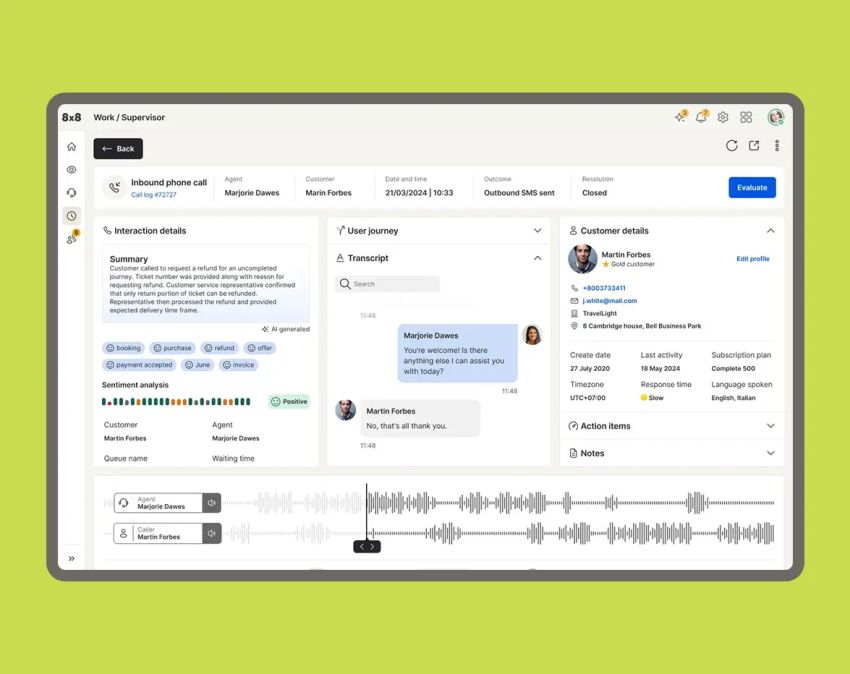
8×8 markets its platform as a global communications solution with analytics, AI, APIs, and integrations for common business applications, including Google Workspace. Organizations can customize call routing, user settings, integrations, and communication workflows based on their operational requirements.
Available capabilities include auto attendants, call queues, voicemail, team messaging, video meetings, call recording, and reporting. Its multilevel auto attendant can direct callers through nested menus and route them to the appropriate department or extension.
The 8×8 Work desktop app supports Windows and macOS, while its mobile apps are available for iOS and Android. Employees can also access the platform through a browser on office computers and laptops.
8×8 also advertises native phone service in more than 50 countries and HD video meetings for up to 10,000 participants. Exact features, limits, and regional availability depend on the selected products and licenses.
Market position
8×8 has been in business since 1987, making it one of the longest-standing UCaaS vendors in the industry. The company competes directly with major players like RingCentral, Nextiva, and Zoom.
8×8 is known for carrying out aggressive expansion and strategic acquisitions over the years. Notably, its reputation varies significantly by region, and customer experiences can differ dramatically depending on where your business operates. We’ll discuss this more in the next section.
Customer feedback can differ by product, region, contract, and implementation. A review of 8×8 Work may not reflect the experience of a company using 8×8 Contact Center or several products together.
What Reviews Tell Us About 8×8 Features
Customer reviews provide invaluable insight into what it’s really like to use a platform on a day-to-day basis. To get a solid understanding of 8×8’s unique pros and cons, we combed through feedback from platforms like G2, Trustpilot, Capterra, and even forums like Reddit.
Let’s explore what real customers had to say.
Ease of use
Multiple reviewers praised 8×8 for its user-friendly and intuitive setup, which includes simple navigation. Many users liked the platform’s cross-device functionality and mobility, noting that both desktop and mobile apps were useful.
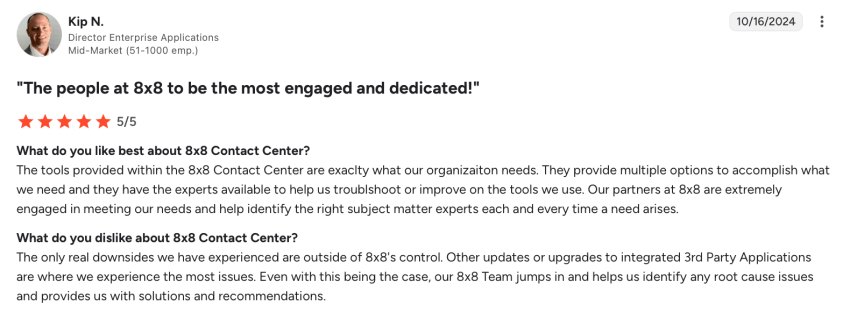
Some reviews, however, indicated that there was a steep learning curve for the more complex CCaaS products, which could impact successful adoption.
Phone system and call quality
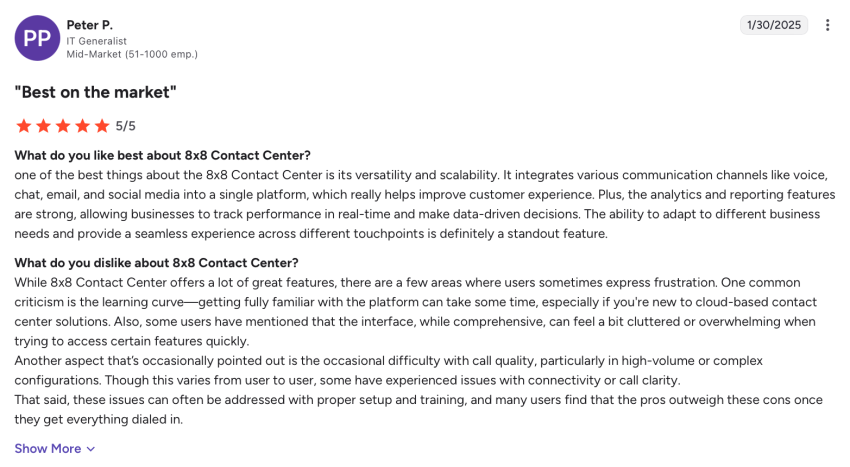
The majority of reviews reported that 8×8’s VoIP system had clear voice quality and that its video conferencing was reliable. The platform also has a documented ability to connect globally with multiple devices.
However, there are some complaints of dropped calls or call quality issues. Some users also noted that there were latency issues when switching their status from available to online and that call transferring wasn’t always seamless.
Reliability and performance
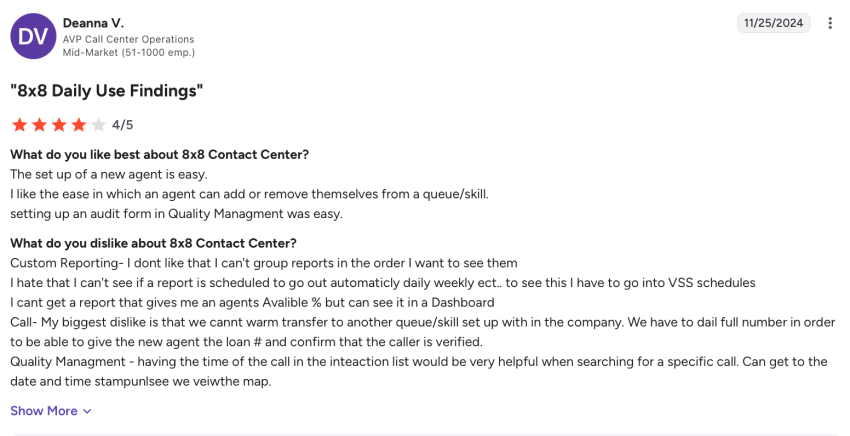
Plenty of reviews from long-term customers note stable uptime, which is a good indicator of performance. However, there are also notable reviews and online discussions that report regular dropped calls, availability issues, or app crashes.
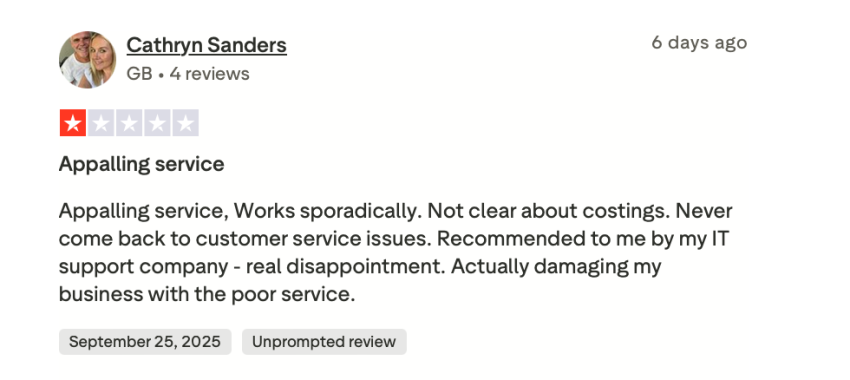
8×8 advertises a platform-wide 99.999% uptime SLA. This figure represents the company’s contractual service commitment, but it does not mean every user will avoid local internet, network, device, or configuration problems. Buyers should review the current SLA, service-status history, and outage communication process before signing.
Customer support
When it comes to 8×8’s assistance, some customers report positive experiences with responsive account managers. 8×8 also provides a searchable knowledge base with setup and troubleshooting resources that may be helpful when resolving common issues.
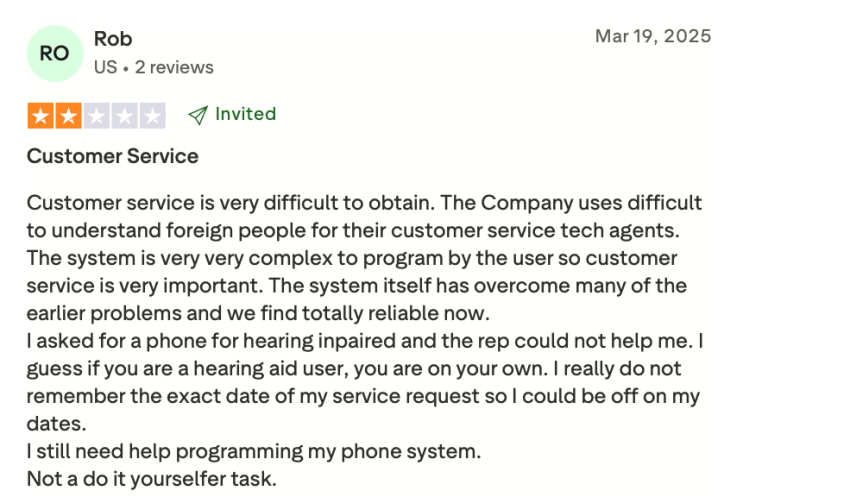
However, a fair number of negative reviews cite concerns like unresponsive support tickets, reps being based offshore, and long wait times. Some users also report being trapped in chatbot loops without the ability to reach human agents.
Features and functionality (Contact center and VoIP services)
8×8 offers a solid feature set that includes functionality like call recording, voicemail, IVR, and analytics. It also has a decent number of integrations with common tools that you may already have in your tech stack.
That said, 8×8’s analytics is considered more limited than newer CCaaS and UCaaS platforms, which can work against larger and support-heavy businesses.
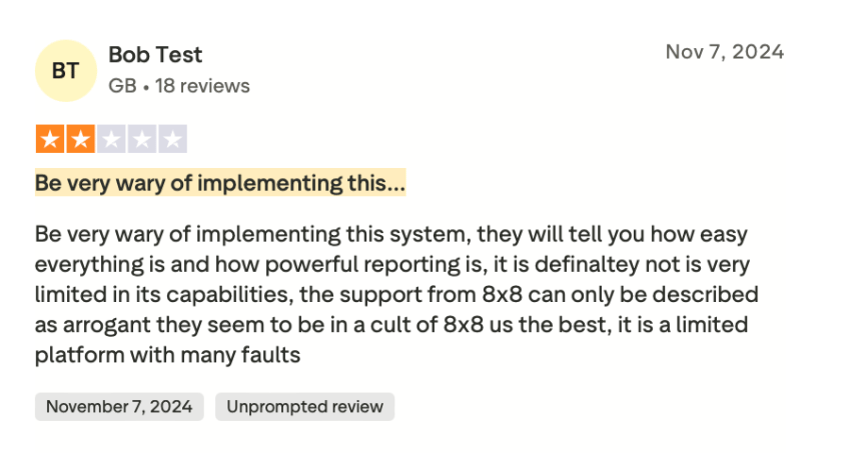
The platform may lack some AI-driven features, which are becoming more commonplace with tools like Nextiva. With 8×8, these features are available only by upgrading to premier pricing tiers.
Pricing Contracts and Billing Transparency
Understanding the total cost of ownership is critical when evaluating any new tools for your tech stack, including a UCaaS platform. While 8×8’s pricing can seem competitive on paper, customer reviews cited several concerns around the billing experience.
Pricing model
8×8 offers customizable unified communications and contact center packages, but most US pricing requires a custom quote. The company provides varied plans for both UCaaS and CCaaS functionality, allowing businesses to choose the features they need.
However, 8×8’s pricing structure can be unclear. Pricing isn’t disclosed transparently on its site, and some users reported confusion over what’s included and what features may be required as add-on costs. Its website organizes its portfolio around four main product categories, with additional Microsoft Teams solutions:
- Unified Communications
- Contact Center
- Communications APIs
- CX Beyond the Contact Center
- 8×8 for Microsoft Teams
These are product categories rather than five fixed pricing plans.
Businesses generally need a custom quote based on the number of users, selected products, features, calling regions, implementation requirements, and contract length. Pricing for annual prepayment or high-volume purchases may also vary by quote.
Ask for a line-item estimate that separates recurring licenses, usage charges, international calling, phone numbers, equipment, implementation, support, add-ons, taxes, and regulatory fees.
Billing complaints
Trustpilot, in particular, is full of reviews citing disputes around unexpected charges, overbilling, and early termination fees. One customer even claims they were charged $1,400 in early termination fees after the hassle of getting their numbers ported over.
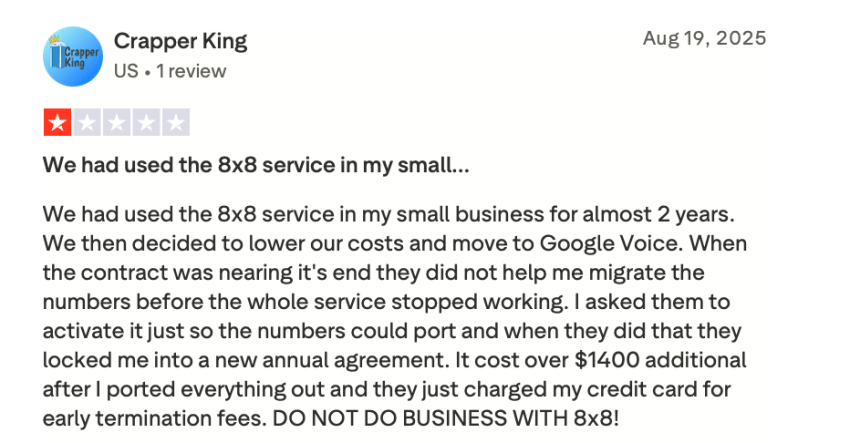
In addition, some users said they didn’t get reminders about upcoming auto-renewals or the end of initial free periods, which could lock customers into multi-year terms. Others reported difficulty in canceling, even within free trial periods.
Before signing, confirm the initial contract length, renewal date, cancellation notice period, early termination fees, equipment requirements, number-porting costs, and usage charges in writing. Check whether any products or add-ons require separate subscriptions.
Value assessment
The competitive pricing and access to most essential VoIP features can make 8×8 attractive for SMBs with global communication needs. However, businesses of all sizes may be frustrated by confusing costs or billing issues, and enterprise companies likely can’t afford inconsistent value delivery.
Administration, Deployment, and Scalability
Beyond features and pricing, you need to consider how easy it is to adopt and use 8×8. This will affect implementation and can ultimately impact long-term scalability potential.
Admin experience
Some users thought the administrative portal was intuitive, while others said they found it confusing or the lack of API access frustrating.
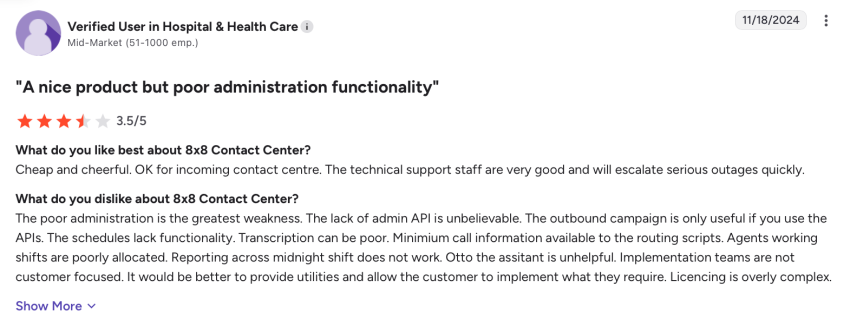
Some reviews also noted that provisioning new numbers and managing queues or workflows often requires support intervention, which can be time-consuming and ultimately impact scalability.
Tip: During the pilot or once the system is configured, ask an administrator to add new users and navigate the controls your team will use regularly.
Implementation
The length and complexity of implementation will depend on the size of your business and the system you’re adopting.
If you’re using relatively basic features and have a small team, quick deployment is certainly possible. Larger rollouts, however, may face some integration challenges or delayed onboarding experiences.
Scalability
Based on the reviews we read, 8×8 seems to work well for small and medium businesses as well as for mid-market organizations. The platform is reliable enough for most of their needs.
Enterprise organizations requiring deep customization or global support, however, may struggle to scale efficiently with this platform, especially with reports of needing assistance from support or account managers to add additional lines.
Security Compliance and Trustworthiness
Security shouldn’t be an afterthought when choosing a UCaaS platform for any business, and it’s particularly critical if your business operates in a regulated industry like finance or healthcare.
8×8 protects your organization’s communications with the industry-standard security measures most businesses have come to expect, including:
- TLS and SRTP encryption for supported voice communications
- Authentication and security controls for supported APIs
- Support for HIPAA, GDPR, PCI DSS, and CPNI requirements
- ISO/IEC 27001:2022 certification incorporating ISO 27017 and ISO 27018 controls
- SOC 2 Type II-audited controls
- Annual mapping of SOC 2 controls against NIST 800-53 Rev. 5
Compliance depends on how each organization licenses, configures, and uses the platform. Businesses should request current audit reports, agreements, and product-specific compliance documentation directly from 8×8.
Summarizing the Review Pros and Cons of 8×8
There are plenty of positive and negative reviews (as well as everything in between). Let’s take a closer look at the most significant pros and cons of 8×8 that you should consider.
The pros
- Plenty of customer reviews note reliable call quality in many markets.
- The platform offers intuitive cross-device use, which is a major perk for overall usability.
- Custom packages can support businesses with different communication requirements.
- You can unify UCaaS and CCaaS features in a single platform.
The cons
- Multiple reviews document a history of poor customer support experiences.
- There may be opaque billing or contract terms, which can lead to frustrating cancellation or renewal processes.
- Plenty of reviews note frequent glitches and dropped calls, impacting call quality and potentially the business’s reputation.
- The platform offers more limited analytics and AI features compared with other competitors.
Who 8×8 Is Best For
Despite some of the challenges, 8×8 can be a good solution for certain types of businesses. Let’s look at who might benefit most from choosing this platform.
SMBs with remote teams
8×8 is largely praised for its affordability and global mobility features. As a result, it’s a good option for small and medium businesses that have distributed teams.
If your team works across different locations and needs consistent access to a unified communication tool, 8×8’s uptime and cross-device functionality can work well.
Organizations needing unified UCaaS + CCaaS
If you’re looking to combine voice, video, chat, and potentially contact center operations into a single platform, 8×8’s unified approach can be a good choice. You won’t need to manage multiple vendors, so this may be a good option for businesses that want to simplify their tech stack.

Who Should Consider Alternatives
While 8×8 works for some businesses, many organizations will likely want to consider other options. Let’s examine who should look elsewhere.
Enterprises requiring predictable billing
Enterprise companies and call centers that require predictable billing may want to consider an 8×8 competitor.
If your business needs clear, transparent pricing without surprise charges or aggressive auto-renewal practices, 8×8’s billing history should give you pause. The numerous complaints about unexpected fees and difficult cancellation processes make it a risky choice for organizations needing predictable budgets.
Companies prioritizing support quality
Inconsistent customer service is a deal-breaker for businesses that rely on their phone system for critical operations. You don’t want to worry about whether you’ll be able to get the help you need during an outage.
If downtime or technical issues could directly impact revenue or customer satisfaction, the widespread reports of poor support make 8×8 a questionable investment.
Teams needing deep analytics and AI
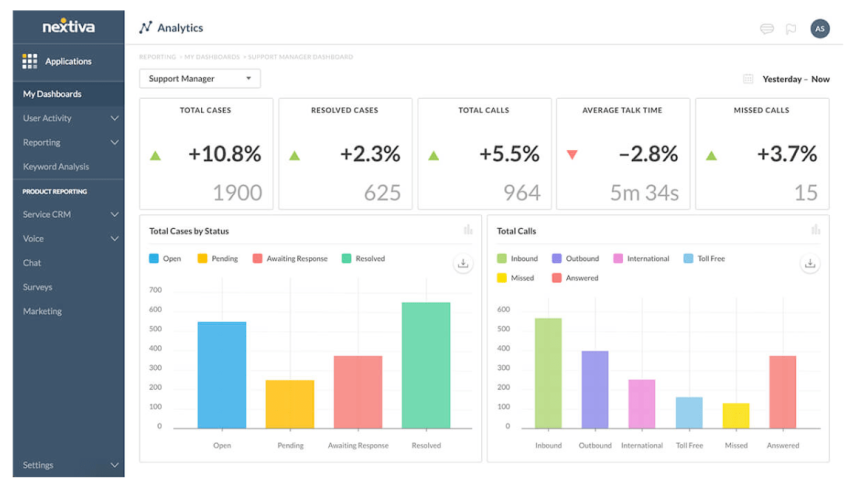
Organizations that need to optimize agent performance or analyze customer sentiment will likely be disappointed by 8×8’s limited analytics.
If advanced analytics, AI-driven insights, or sophisticated reporting are important to your business, 8×8 probably isn’t the tool for you. The platform’s reporting capabilities lag behind competitors like NICE and Nextiva.
Top Alternatives to 8×8
8×8 is a solid platform, but it isn’t the right choice for every business. The following table provides a focused comparison of similar platforms based on their ideal users and key strengths.
| Provider | Best for | Key strengths |
|---|---|---|
| Nextiva | Best overall alternative | Unified communications, contact center capabilities, AI, analytics, and 24/7 support |
| RingCentral | Large organizations with complex communication needs | Global calling, call management, integrations, and customizable workflows |
| Zoom Phone | Teams already using Zoom | Familiar interface, flexible calling options, and native Zoom Meetings integration |
| Dialpad | Teams prioritizing AI-assisted communications | Real-time transcription and call summaries, with sentiment analysis and coaching available through applicable products and plans |
Let’s look at the top 8×8 competitors that may be better suited for your business.
Nextiva: The best overall alternative
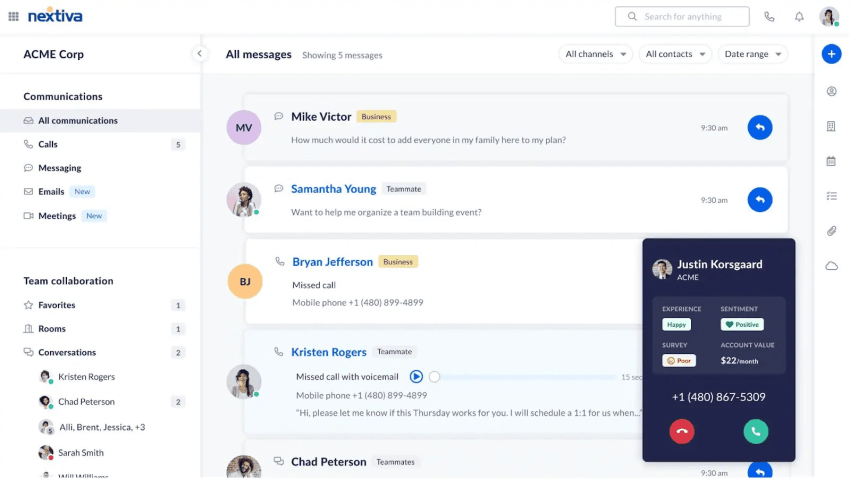
Nextiva is the best overall alternative to 8×8, offering a comprehensive UCaaS and CCaaS platform that prioritizes reliability, functionality, and customer support.
Standout features include:
- Clear, transparent pricing with no hidden fees or surprise charges
- An award-winning 24/7 support team based in the USA
- All-in-one UCaaS and CCaaS platform with 99.999% uptime as a VoIP service provider
- Exceptional call quality that businesses can rely on
- Advanced, real-time analytics and AI-powered features for optimizing performance
- A user-friendly and scalable solution that grows with businesses
- Complete CRM integrations with platforms like Salesforce and HubSpot for full 360-degree customer visibility
- A VoIP solution that includes essential features like auto attendants, intelligent call routing, customizable ring groups, and IVR
- Cloud-based collaboration-centric features, including team messaging, video meetings, and integrations with tools like Microsoft Teams
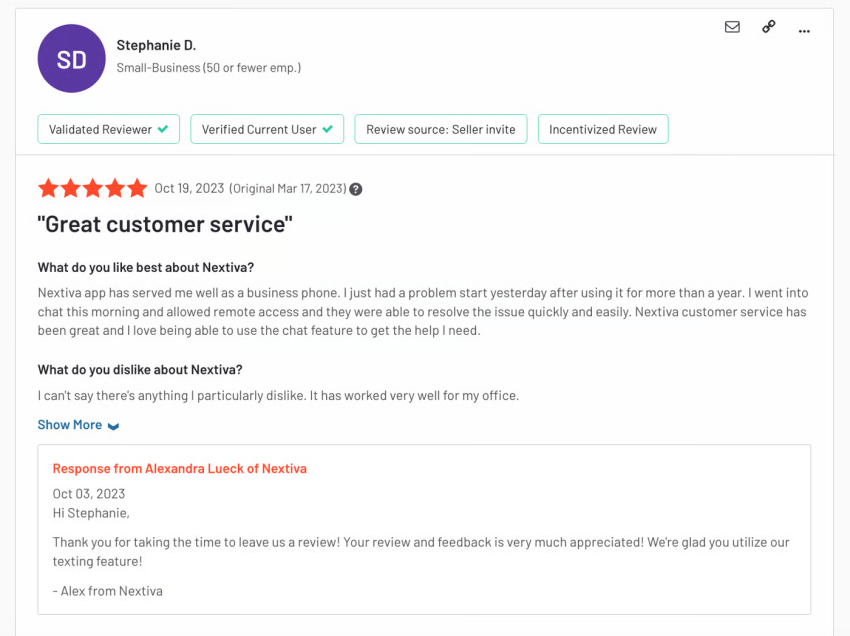
Unlike 8×8, Nextiva’s customer support consistently receives high marks, and the platform’s billing practices are straightforward and transparent. It’s a scalable solution that works for businesses from SMBs to large enterprises and everything in between.

RingCentral
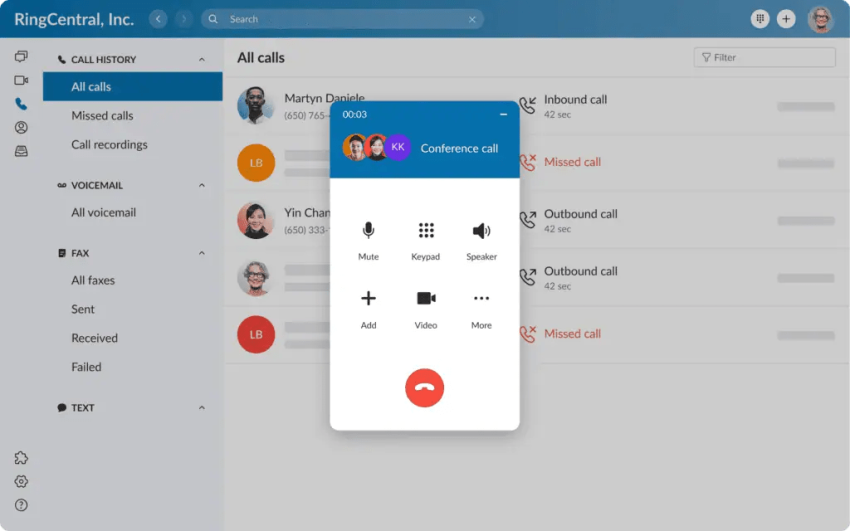
RingCentral is a widely recognized UCaaS and VoIP provider that’s popular among some enterprise organizations. Its VoIP phone service is reliable and has solid global reach.
Some standout features include:
- Customizable workflows and call navigation paths
- Phone call monitoring capabilities for coaching opportunities
- AI features like note-taking, receptionists, and SMS text message generation
- Softphone features like call queues, toll-free phone numbers, and call forwarding
RingCentral publishes starting pricing for RingEX, but advanced products, add-ons, and customized bundles may require a sales quote, so some businesses may want to consider other tools like Nextiva instead.
Not sure if it’s right for you? Check out the top RingCentral alternatives.
Zoom Phone
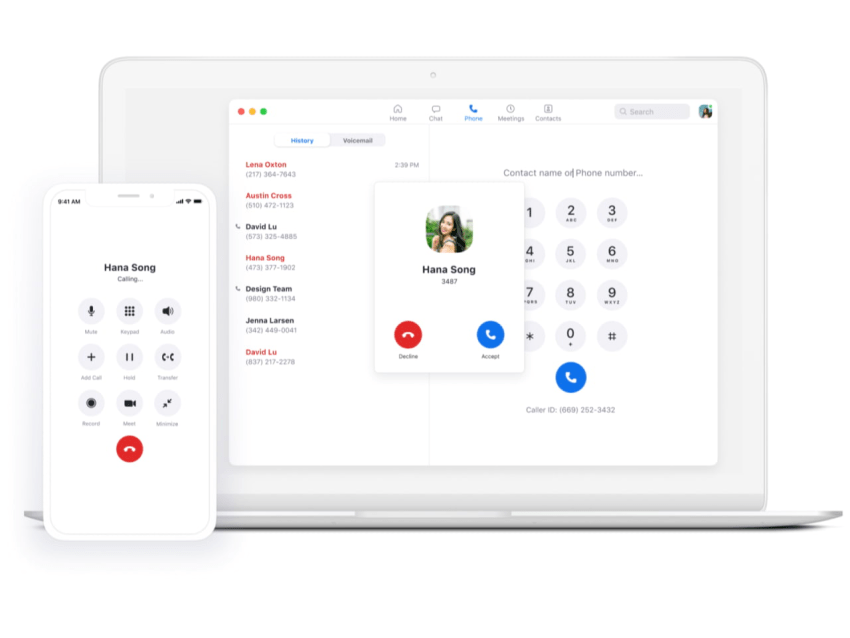
Zoom Phone is a simple, affordable telephony and VoIP system that integrates seamlessly with Zoom’s video conferencing platform. It’s particularly appealing for brands already using Zoom for meetings and those who want straightforward VoIP phone capabilities.
Top features include:
- Native integration with Zoom Meetings and Team Chat for unified business communications
- A user-friendly dashboard and intuitive interface that your team may already be familiar with
- Flexible call routing options and voicemail-to-email transcription
- Desktop apps and mobile apps (for both iOS and Android) that have strong customer reviews
Businesses needing more complex features may want to consider advanced UCaaS or CaaS solutions instead. Check out the top Zoom Phone alternatives for some inspiration.
Dialpad

Dialpad is another AI-driven UCaaS platform that stresses voice intelligence and real-time insights.
Some of the platform’s key features include:
- Real-time transcription and AI-powered call summaries
- Sentiment analysis that can help you understand complex customer emotions and nuance during conversations
- Voice intelligence to identify trends and provide performance coaching recommendations
- Integrations with popular CRM and helpdesk platforms like Salesforce and Zendesk
Dialpad’s pricing is competitive, but it has a lengthier implementation process and may be too complex for some organizations. If that’s the case, check out these Dialpad alternatives.
Buyer Checklist and Evaluation Questions
Ready to choose a UCaaS platform and want to make sure you’re picking the right solution for your business? This buyer checklist — complete with evaluation questions — will help you ensure that you’re choosing a platform that works for you.
Pilot plan
During your initial pilot plan period, make sure you check that the platform works as expected. You should:
- Test call quality in all of your target regions.
- Check connection speed across office and remote networks.
- Monitor overall reliability in terms of both call quality and service uptime.
- Validate admin portal usability for both technical and non-technical users.
- Review the available analytics data and confirm whether key metrics can be displayed in a table or graph.
- Confirm cancellation and renewal terms, and ideally get them in writing.
Vendor questions
When speaking to different sales teams and getting demos, asking the right questions can provide clarity. These are some of the most important questions to ask:
- Which specific features are included in each plan, and are there usage limits or other restrictions?
- How do auto-renewals work, and what are the cancellation requirements?
- What service level agreements (SLAs) are guaranteed for support?
- Can the sales team answer questions about support response times, escalation procedures, and contract terms in writing?
Red flags
When evaluating third-party review sites and discussion forums, look for those glaring red flags that mean it’s a good idea to consider other providers. These include:
- Reports of overbilling, difficult cancellation of products, or drawn-out billing disputes
- Unreliable or offshore-only support, especially during critical incidents when you need expert assistance or tech support urgently
- Features that require paid upgrades or that come as add-ons when they’re marketed as included with the base solution
What Our Analysis of 8×8 Reviews Shows
8×8’s service can deliver affordability, cross-device ease, and reliability for many small and mid-market teams. It’s a solid option if you fit within those demographics. It may be a cost-effective entry point for SMBs that are interested in a UCaaS system, for example.
However, widespread reviews across multiple platforms show recurring frustrations with support, issues with billing, and potential limitations that can impact scalability.
As a result, businesses seeking reliable uptime, more transparent pricing without the risk of billing issues, and world-class support should consider other options. For overall reliability in both service and support, Nextiva is the smarter and safer choice.
Looking for a UCaaS platform that will scale alongside your business? Discover why Nextiva’s UCaaS platform may be right for you.
Build Amazing Customer Experiences
Transform customer experience on a Unified Customer Experience Management platform designed to help you acquire, retain, and grow your customers.