Customer Experience
  Blog
Blog  Business Communication
  Leadership
  Marketing & Sales
  Nextiva News
  Productivity
  VoIP
VoIP 

Choosing the right customer engagement software can help your business connect customer conversations, personalize interactions, and deliver consistent service across channels.
But with solutions ranging from CRM platforms and marketing automation tools to AI-powered customer support systems, knowing which one fits your needs isn’t always straightforward.
In this guide, we compare 10 customer engagement software solutions, including their key features, pricing, strengths, and limitations.
You’ll also learn how different types of engagement platforms work, what to look for when evaluating options, and how to choose the right solution for your business.
Top 10 Customer Engagement Solutions at a Glance
Keep in mind that advertised starting prices reflect annual billing. Actual costs can vary by plan, user count, contact volume, messaging usage, AI features, and add-ons.
| Platform | Best for | Starting price | Standout capability |
|---|---|---|---|
| Nextiva | Unified customer communications | $15/user/month | Omnichannel communications, XBert AI, and customer analytics |
| Intercom (Fin) | Conversational customer support | $19/seat/month | Live chat, in-app messaging, and Fin AI Agent |
| Zendesk | Customer service and ticket management | $19/agent/month | Ticket routing, prebuilt analytics dashboards, automations and triggers |
| EngageBay | Affordable sales, marketing, and support tools | Free plan; paid from $12.74/user/month | Integrated CRM, SMS marketing, and help desk |
| ActiveCampaign | Marketing automation | $15/month | Behavioral segmentation and automated marketing journeys |
| Twilio Engage | Data-driven customer engagement | Contact sales | Real-time customer data and personalized journey orchestration |
| HubSpot Customer Platform | CRM-centered customer engagement | Free plan; paid from $7/seat/month | Shared CRM data across marketing, sales, and service |
| Insider One | AI-powered personalization | Contact sales | Predictive segmentation and cross-channel personalization |
| Netcore | Omnichannel marketing engagement | Contact sales | AI-driven personalization and automated customer journeys |
| Braze | Enterprise customer lifecycle messaging | Contact sales | Real-time messaging and Braze Canvas journey orchestration |
What Is Customer Engagement Software?
Customer engagement software is a tool that helps businesses communicate with customers, manage interactions, and build stronger relationships across channels such as phone, email, live chat, SMS, and social media.
These solutions bring customer conversations and relevant data together, so organizations can deliver more personalized, timely, and consistent experiences throughout the customer journey. Depending on the platform, they may also include AI-powered assistance, automation, and analytics tools to streamline customer engagement.
Businesses use customer engagement tools to:
- Connect with customers across channels: Manage conversations through phone, email, chat, messaging, and social media without losing important context.
- Personalize customer interactions: Use customer history, preferences, and behavior to provide relevant support and recommendations.
- Automate routine tasks: Handle common inquiries, route conversations, and schedule follow-ups to reduce manual work.
- Track customer engagement: Monitor interactions, analyze customer behavior, and identify opportunities to improve service.
- Improve team efficiency: Give employees easier access to customer information and communication tools, reducing unnecessary work and delays.
- Collect and act on feedback: Gather customer insights to improve products, services, and the overall experience.
In short, customer engagement software helps businesses connect customer conversations, better understand their customers, and deliver more effective interactions across the customer journey.
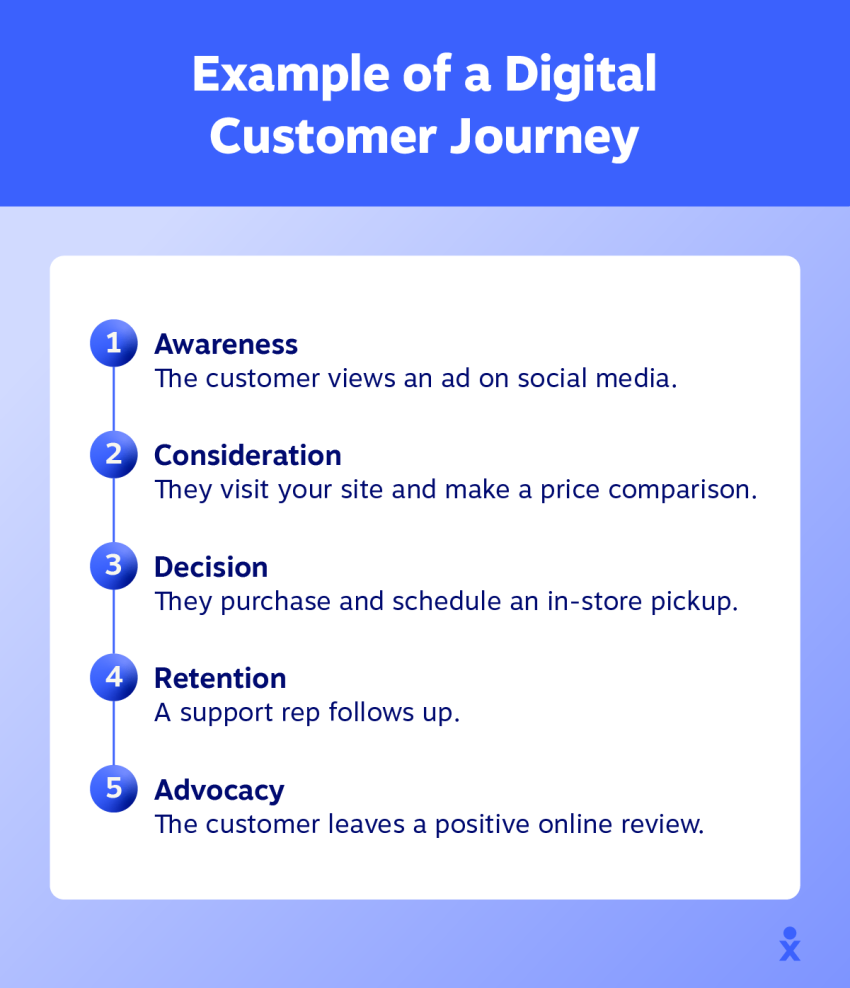
Types of Customer Engagement Solutions
The customer engagement software market includes several types of solutions designed to help businesses connect with customers, tailor interactions, and manage relationships.
The right category depends on whether your main goal is improving customer support, automating marketing, managing sales relationships, or connecting interactions across the entire customer journey.
| Solution Type | Primary Purpose | Best Suited For |
|---|---|---|
| Omnichannel customer engagement platforms | Bring conversations across phone, email, chat, and messaging into a connected experience. | Businesses managing customer interactions across multiple channels. |
| CRM platforms | Organize customer records, sales opportunities, and interaction history. | Sales teams and businesses that need centralized customer information. |
| Marketing engagement platforms | Personalize campaigns, segment audiences, and automate customer outreach. | Marketing teams managing customer journeys and campaigns. |
| Customer service platforms | Manage support requests, tickets, agent workflows, and customer assistance. | Support teams handling high volumes of customer inquiries. |
| AI-powered engagement solutions | Automate routine conversations, assist agents, and support personalized interactions. | Businesses looking to improve response times and streamline repetitive work. |
These categories often overlap. Many modern platforms combine CRM, communications, automation, and analytics capabilities, so compare specific features rather than relying on product labels alone.
Customer Engagement Software vs. CRM: What’s the Difference?
Customer relationship management (CRM) software and customer engagement software are closely related, but they serve different primary purposes.
A CRM system focuses on organizing customer information, tracking sales activity, and managing relationships over time. Customer engagement software focuses on how businesses interact with customers across channels, including messaging, support, personalized outreach, and automated communications.
| Capability | CRM Software | Customer Engagement Software |
|---|---|---|
| Primary purpose | Organize and manage customer relationships | Improve and coordinate customer interactions |
| Customer records | Core functionality | Often integrated or built in |
| Sales pipelines | Common feature | Varies by platform |
| Multichannel communication | Varies by product | Often a central capability |
| Customer support workflows | May require additional tools | Common in support-focused platforms |
| Engagement automation | Varies by product | Common capability |
| Analytics | Sales and customer relationship insights | Interaction, service, and engagement insights |
The distinction isn’t always clear-cut. Many modern platforms combine CRM, communications, marketing automation, and customer service features.
For example, a CRM might tell an agent what a customer previously purchased, while an integrated engagement platform helps that agent view recent conversations and continue supporting the customer across different channels.
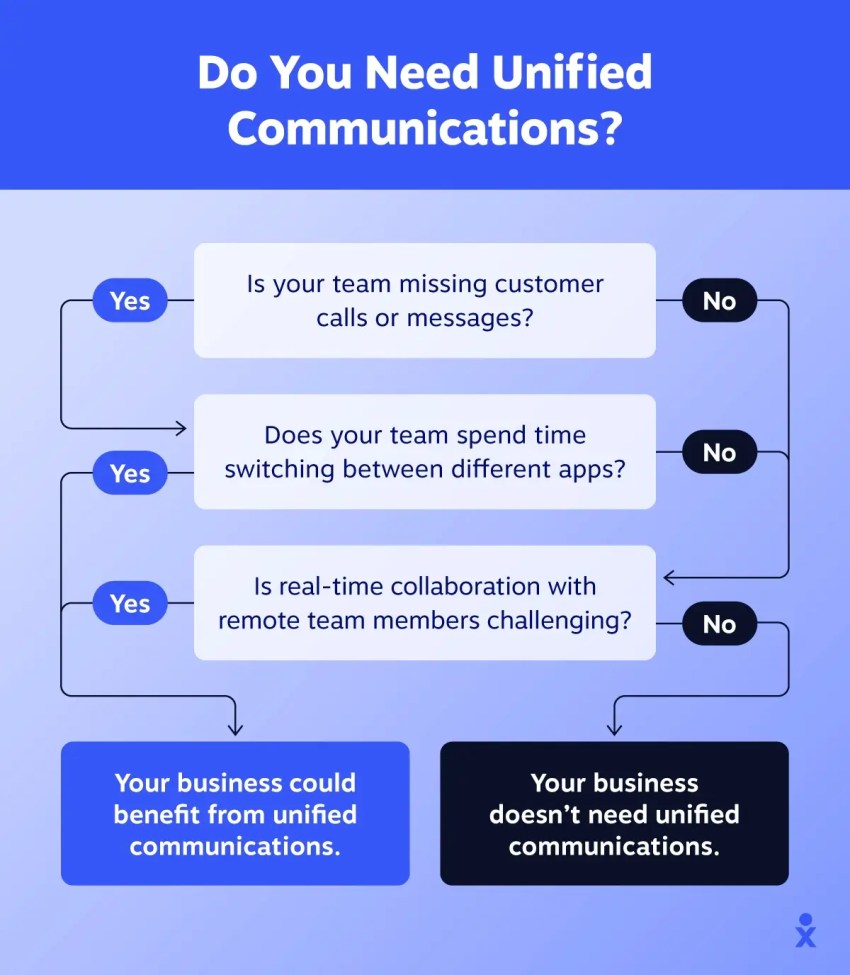
When choosing between them, consider whether your main priority is managing customer records and sales activity, improving communication and support, or connecting both in one system.
Key Features of Customer Engagement Software
The best customer engagement software solutions help businesses connect with customers, personalize interactions, and manage communications efficiently. When comparing platforms, look for these essential capabilities:
- Segmentation and personalization: Group customers by characteristics such as behavior, demographics, or preferences, then tailor messages, offers, and support to their individual needs. This helps make interactions more relevant and engaging.
- Integration capabilities: Connect with your existing CRM, marketing automation, email, and customer support tools. Seamless integrations keep customer data up to date, reduce manual work, and prevent information silos between teams.
- AI and automation: Automate repetitive tasks such as routing inquiries, sending follow-ups, and assigning support tickets. AI-powered features can also assist agents, analyze customer sentiment, and suggest responses to improve efficiency.
- Omnichannel communication: Connect conversations across phone, email, SMS, live chat, social media, and other digital channels. This gives agents access to customer context and helps customers switch channels without repeating themselves.
- Customer relationship management (CRM): Store or access customer profiles, purchase history, preferences, and previous interactions in one place. This helps sales, marketing, and support teams deliver more informed, personalized experiences.
- Analytics and reporting: Track metrics such as response times, customer satisfaction, campaign performance, and channel effectiveness. Use dashboards and reports to identify trends, measure results, and improve engagement strategies.
- Self-service tools: Provide searchable knowledge bases, FAQs, help centers, and AI assistants that help customers resolve routine issues independently, while keeping human support available for more complex needs.
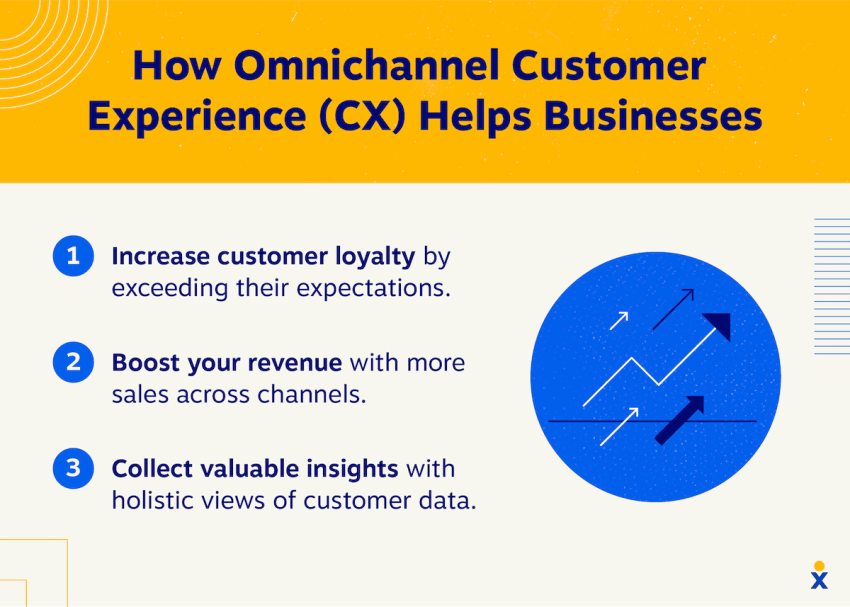
Not every platform offers all these features, so prioritize the capabilities that align with your business goals, customer communication channels, and existing technology.
Benefits of Customer Engagement Software for Businesses
Customer engagement software does more than help businesses communicate with customers. By connecting conversations, customer data, and workflows, these solutions can improve service efficiency and strengthen customer relationships, thereby supporting business growth.
Here are four key benefits to consider when evaluating customer engagement platforms.
1. More efficient customer service
Customer engagement software gives support teams easier access to conversations, customer history, and relevant information. Instead of switching between disconnected tools or asking customers to repeat themselves, agents can respond with greater context and resolve issues more efficiently.
Automation can also reduce repetitive work by routing inquiries, generating response suggestions, and handling routine follow-ups. This allows employees to spend more time on complex customer needs.

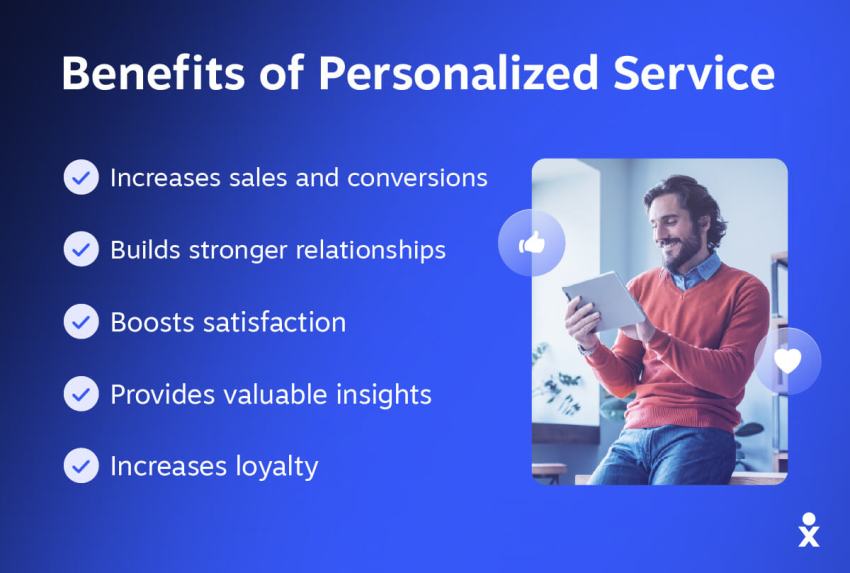
2. More consistent, personalized experiences
When customer information and communication channels are connected, businesses can deliver more relevant experiences across the customer journey.
For example, a support agent can review a customer’s previous interactions before responding, while a marketing team can tailor outreach based on preferences or purchase history. This helps customers receive more consistent, informed service regardless of how they interact with your business.
3. Better customer retention and loyalty
Timely communication and proactive support, along with personalized interactions, can help businesses build trust and address problems before they lead to lost customers.
Customer engagement platforms can also support retention efforts through automated check-ins, renewal reminders, customer feedback collection, and targeted outreach. These capabilities help businesses maintain relationships beyond the initial purchase.
4. Better visibility into customer engagement and business performance
Customer engagement software can help businesses understand which channels, campaigns, and support processes are delivering results.
By tracking metrics such as customer satisfaction, response times, user engagement rates, and customer retention, teams can identify problems, improve workflows, and make better-informed decisions. These insights can also reveal opportunities to improve conversions, encourage repeat purchases, and increase customer lifetime value.
Ultimately, the value of customer engagement software depends on how well its capabilities support your business goals. The right platform should make customer interactions easier to manage while helping your team deliver better experiences at scale.
Customer Engagement Software Use Cases by Industry
Different industries use customer engagement solutions to address specific customer needs, from personalized shopping experiences to appointment reminders and faster support. Here are some common examples:
- E-commerce: Personalize product recommendations based on browsing and purchase history, send targeted promotions, and answer shopping questions through live chat or AI assistants. Automated order updates and abandoned-cart reminders can also help improve the shopping experience and recover potential sales.
- Healthcare: Automate appointment confirmations, reminders, rescheduling, and follow-up messages to reduce administrative work and keep patients informed. Healthcare providers can also share preparation instructions before visits and manage routine patient inquiries through appropriate, secure communication channels.
- Financial services: Send account notifications, appointment reminders, personalized service updates, and fraud alerts to keep customers informed and help protect their accounts. Customer engagement platforms can also help representatives access relevant interaction history, respond to inquiries, and provide more consistent support while protecting sensitive financial information.
- Hospitality: Manage guest inquiries, booking confirmations, special requests, customer loyalty program communications, and post-stay feedback across communication channels. Hotels can also use customer preferences and previous stays to personalize recommendations, send pre-arrival information, and follow up after checkout.
The right solution depends on your industry’s communication requirements, customer expectations, and data security needs. Look for software that supports your most important customer interactions and integrates with the systems your team already uses.
10 Best Customer Engagement Software Solutions Compared
Customer engagement platforms differ in their communication channels, automation capabilities, integrations, and pricing. Here are ten solutions to consider, including their strengths, limitations, and ideal use cases.
1. Nextiva – Best for unified customer communications
Best for: Small to large businesses that want to manage customer conversations across multiple channels while bringing communications, AI-powered automation, and customer insights into one platform.
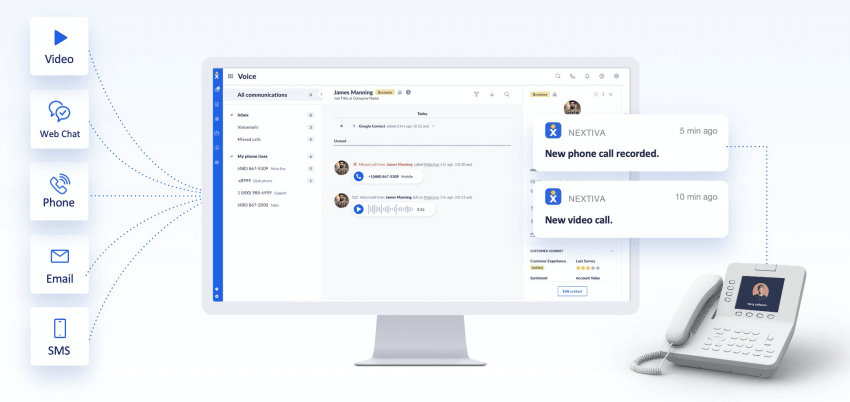
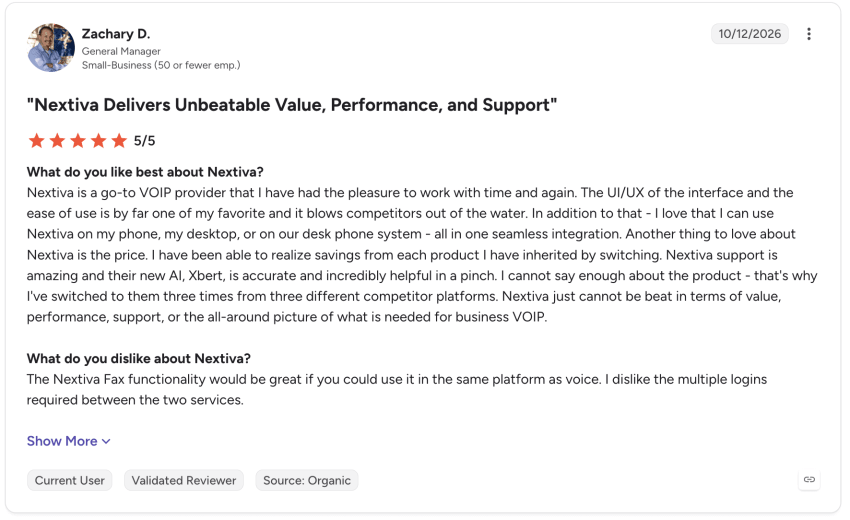
Nextiva is a unified communications and customer experience platform that helps businesses connect interactions across phone, SMS, email, live chat, and social media. With a 4.5-star rating on G2, it’s a well-established option for businesses looking to consolidate customer communication tools.
Key strengths:
- Unified customer conversations: Brings communication channels together so employees can access previous interactions and continue conversations without losing customer context.
- XBert AI and automation: Nextiva’s XBert AI Receptionist handles customer calls, texts, and chats around the clock. It can answer common questions, qualify leads, book appointments, and route complex inquiries to human agents with relevant context, helping teams manage customer interactions more efficiently.
- Customer context and personalization: Gives agents access to interaction history and customer information to deliver more relevant, informed service.
- Analytics and reporting: Monitors conversation trends, agent performance, and customer experience metrics to identify opportunities for improvement.
- Integrations and scalability: Connects with popular CRM and business applications, with plans designed for smaller teams and more complex contact center operations.

Limitations: Advanced AI, omnichannel, and analytics features may require higher-tier plans or add-ons. Businesses implementing complex contact center workflows may need additional setup, configuration, and employee training.
Pricing: Nextiva’s Core plan starts at $15/user/month, while Engage starts at $25/user/month and adds capabilities such as live chat, AI chatbot, and advanced reporting. Scale starts at $75/user/month for more advanced customer experience and contact center functionality.
XBert AI is available as an add-on or standalone solution, starting at $99/month for 100 interactions, with additional interactions charged at $0.99 each. Advertised rates reflect annual billing; additional features and AI services may affect the total cost.
Verdict: Nextiva is a strong choice for businesses that want to consolidate customer communications and expand into AI-powered engagement without managing several disconnected platforms. Companies focused primarily on email marketing automation or specialized in-app messaging may prefer a more purpose-built solution.
Rating: 4.5/5 rating on G2, with more than 3,600 reviews.
2. Intercom (by Fin) – Best for conversational customer support
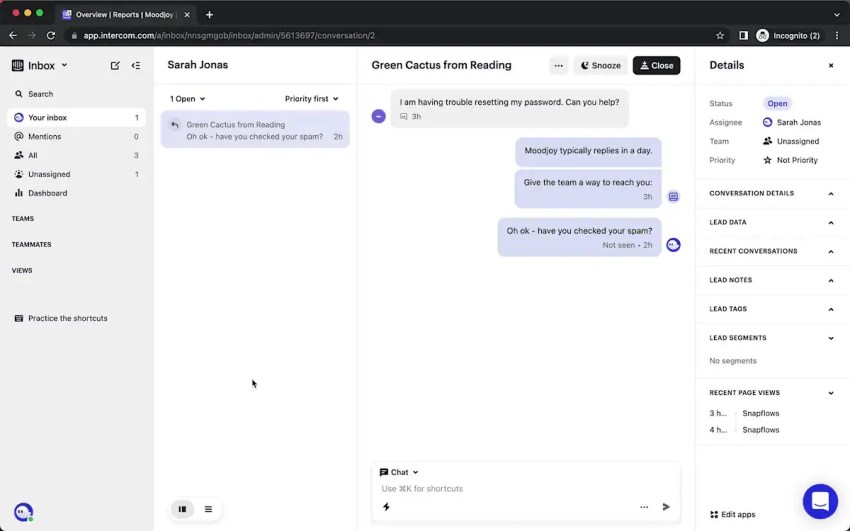
Best for: SaaS companies, digital businesses, and support teams that prioritize live chat, in-app messaging, and AI-powered customer assistance.
Intercom is a customer service platform from Fin (formerly Intercom) that combines live messaging, ticketing, and AI-powered support. Its messaging-first approach is particularly useful for businesses that interact with customers through websites and applications.
Key strengths:
- Live chat and in-app messaging: Engage customers through a customizable Messenger, shared inbox, and real-time conversations throughout the digital customer journey.
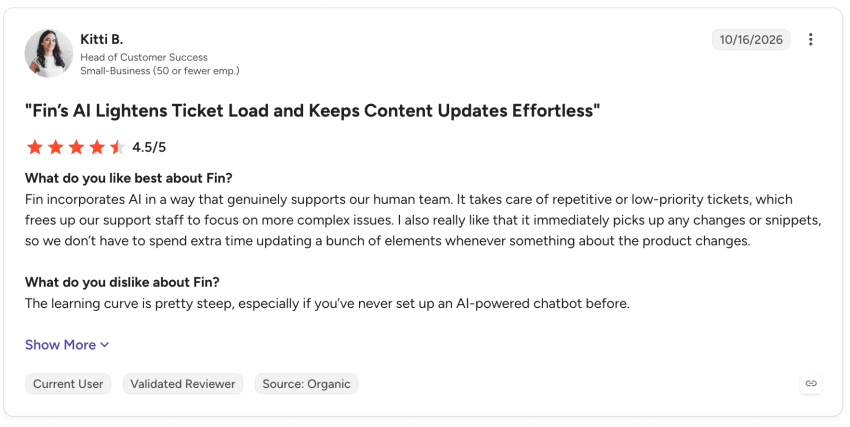
- Fin AI Agent: Automatically answer customer questions, resolve routine requests, and hand off conversations to human agents when needed.
- Ticketing and collaboration: Convert complex inquiries into tickets, coordinate with back-office teams, and keep customers informed about resolution progress.
Limitations: Costs can increase as teams grow and AI usage rises. Advanced workflow automation, custom reporting, and certain integrations require higher-tier plans.
Pricing: Starts at $19/seat/month for the Essential plan with annual billing. Advanced starts at $85/seat/month, Expert starts at $132/seat/month, and Fin AI Agent usage starts at $0.99 per outcome. Messaging usage and optional add-ons may increase the total cost.
Verdict: Intercom is worth shortlisting for businesses that prioritize conversational support, particularly within websites and apps. Teams seeking a broader unified communications platform with integrated business calling may prefer an alternative such as Nextiva.
Rating: 4.5/5 rating on G2, with approximately 3,900 reviews under the Fin listing.
3. Zendesk – Best for customer service and ticket management
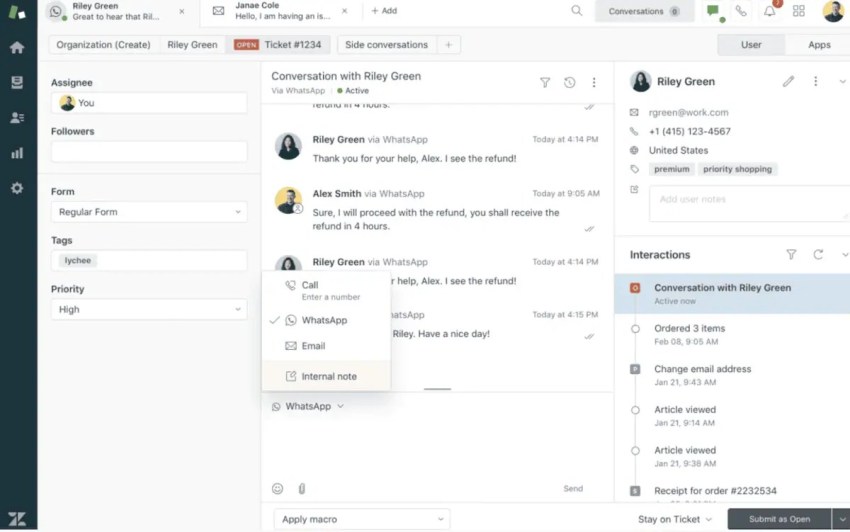
Best for: Growing businesses and larger support teams that need structured ticket management, omnichannel customer service, and scalable support workflows.
Zendesk is a customer service platform that helps businesses organize, track, and resolve customer inquiries across multiple channels. Its ticketing system, automation capabilities, and agent workspace make it particularly useful for teams handling high volumes of support requests.
Key strengths:
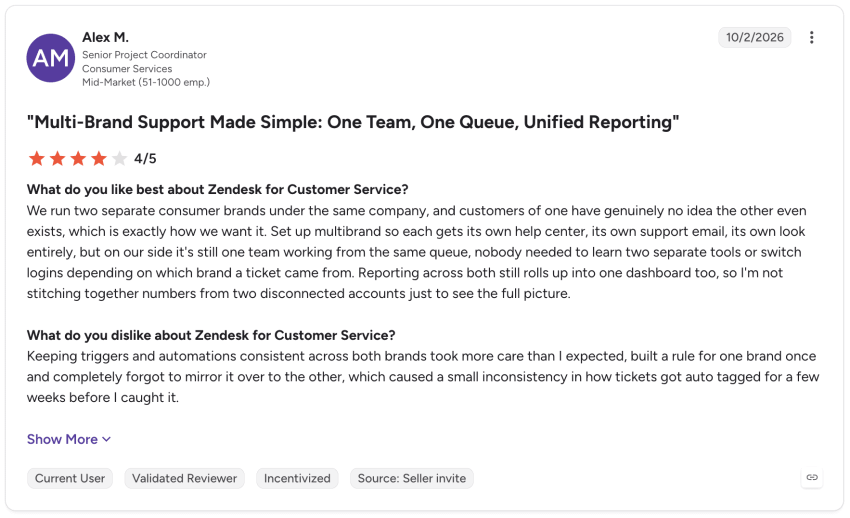
- Ticket management and automation: Organize inquiries into tickets, assign them to the appropriate agents, and automate routine workflows to keep support requests moving toward resolution.
- Omnichannel support: Manage conversations across email, live chat, messaging, phone, and social media through a unified agent workspace.
- AI-powered assistance and self-service: Use AI agents, knowledge bases, and agent assistance tools to answer common questions, streamline responses, and reduce repetitive support work.
Limitations: Advanced reporting, automation, and AI assistance may require higher-tier plans or add-ons. Setup and customization can also become complex for businesses with sophisticated support workflows.
Pricing: Zendesk Support Team starts at $19/agent/month, Suite Team starts at $55/agent/month, Suite Professional starts at $115/agent/month, and for Suite Enterprise + Copilot you must contact sales. Prices reflect annual billing; advanced AI features, additional automated resolutions, and other add-ons can increase costs.
Verdict: Zendesk is worth shortlisting for support teams that need robust ticketing, workflow management, and multichannel service capabilities. Businesses looking primarily for unified business communications, rather than a dedicated help desk, may find Nextiva a better fit.
Rating: 4.3/5 on G2, with more than 6,200 reviews.
4. EngageBay – Best for affordable sales, marketing, and support tools
Best for: Small and midsize businesses looking for an affordable way to combine CRM, marketing automation, sales, and customer support tools.
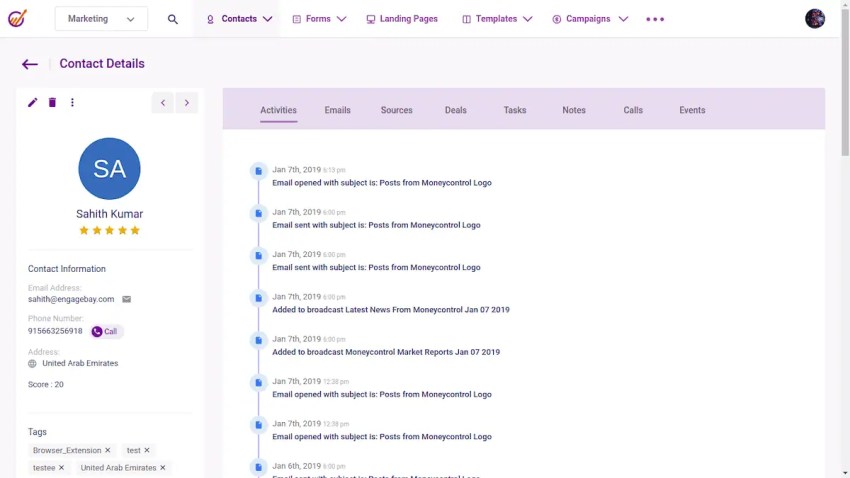
EngageBay is an all-in-one customer engagement platform that brings marketing, sales, and service capabilities into a single system. Businesses can choose individual products or the complete suite, making it a flexible option for teams with limited budgets.
Key strengths:
- Integrated sales, marketing, and support: Manage customer records, marketing campaigns, sales pipelines, and help desk tickets without relying on several separate platforms.
- Live chat and customer context: Respond to website visitors through live chat and access customer profiles, interaction history, and lead activity to provide more informed support.
- Automation and reporting: Automate email follow-ups, track customer interactions, and monitor marketing and service performance through built-in dashboards.
Limitations: Advanced automation, reporting, and contact capacity are restricted on lower-tier plans. Businesses with complex enterprise requirements may also find its customization and analytics capabilities less extensive than those of specialized platforms.
Pricing: EngageBay offers a free plan, with Basic starting at $12.74/user/month, Growth starting at $55.24/user/month, and Pro starting at $101.99/user/month. Pricing varies by billing term, contact limits, and selected features.
Verdict: EngageBay is worth shortlisting for budget-conscious businesses that want CRM, marketing, and customer support capabilities in one platform. Larger organizations needing sophisticated omnichannel contact center features or highly customized enterprise workflows may prefer a more specialized solution.
Rating: 4.6/5 on G2, with more than 700 reviews.
5. ActiveCampaign – Best for marketing automation

Best for: Small and midsize businesses, e-commerce brands, and marketing teams that want to personalize customer outreach and automate campaigns across the customer journey.
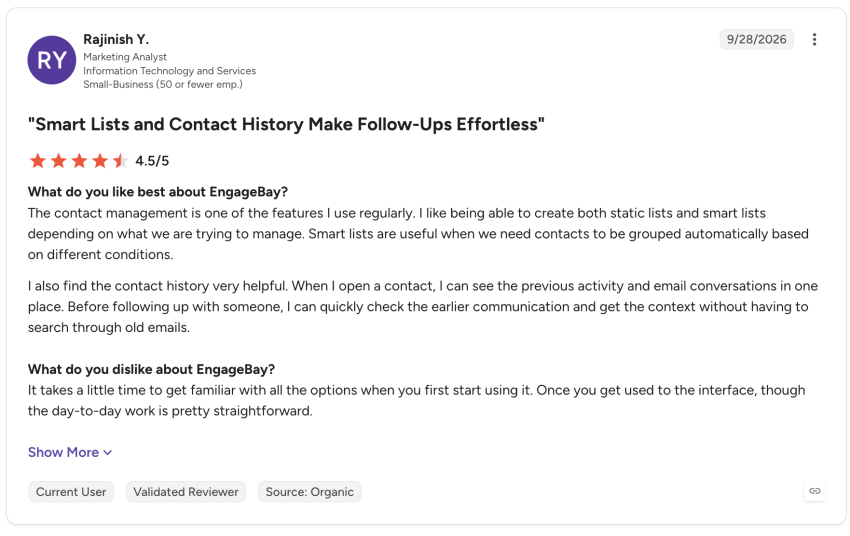
ActiveCampaign is a marketing automation platform that helps businesses engage customers through targeted email campaigns, user behavior triggers, and personalized messaging. Its extensive automation capabilities make it particularly useful for teams looking to scale marketing efforts without relying on manual follow-ups.
Key strengths:
- Advanced marketing automation: Build workflows triggered by customer behavior, such as website visits, purchases, or email interactions, to deliver timely messages and follow-ups.
- Audience segmentation and personalization: Use customer data, preferences, and engagement history to create targeted campaigns, dynamic content, and personalized customer journeys.
- Cross-channel marketing: Coordinate email, SMS, and WhatsApp outreach, with integrations that connect campaigns to CRM and e-commerce systems.
Limitations: ActiveCampaign focuses primarily on marketing engagement rather than customer service, so it lacks the comprehensive ticketing and contact center capabilities of dedicated support platforms. Advanced automation workflows can also require time to learn and configure.
Pricing: ActiveCampaign’s Starter plan begins at $15/month, followed by Plus at $49/month, Pro at $79/month, and Enterprise at $145/month. These starting rates cover 1,000 contacts with annual billing. Costs increase with contact volume, while features such as advanced segmentation and additional users may require higher-tier plans or add-ons.
Verdict: ActiveCampaign is worth shortlisting for marketing teams that need sophisticated automation and personalized customer outreach. Businesses primarily looking to manage support tickets, customer calls, and omnichannel service conversations may be better served by a customer service or unified communications platform.
Rating: 4.4/5 on G2, with more than 14,800 reviews.
6. Twilio Engage – Best for data-driven customer engagement
Best for: Mid-sized and enterprise businesses with complex customer data needs, particularly marketing and growth teams that want to personalize campaigns using real-time customer behavior.
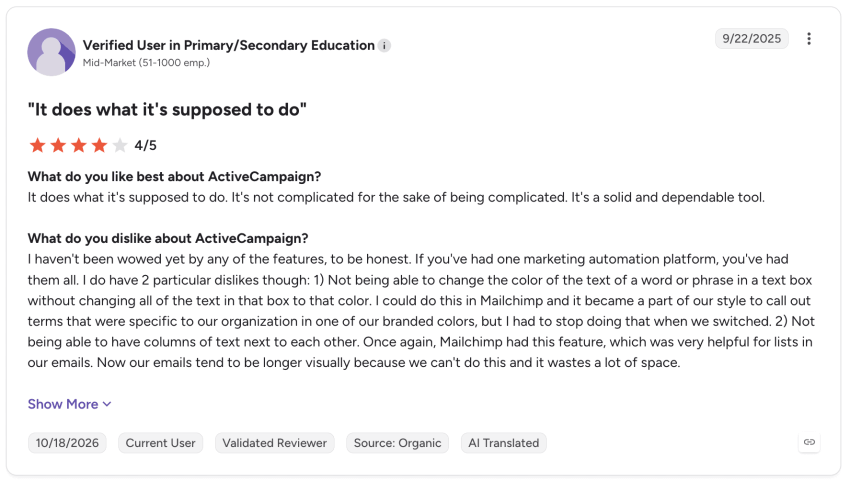
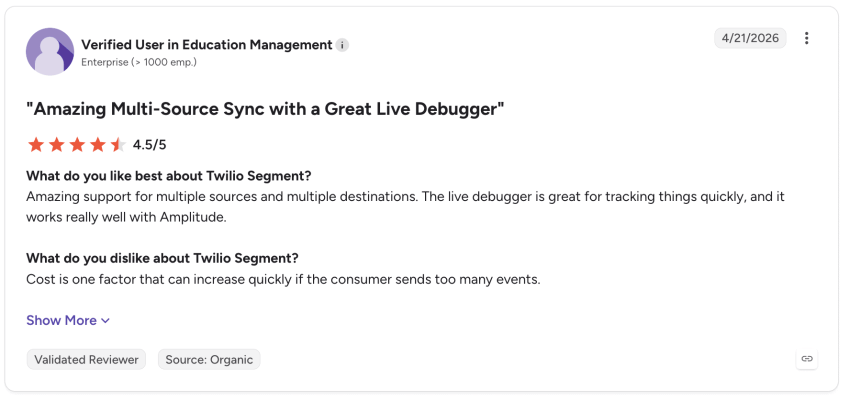
Twilio Segment Engage is a customer engagement platform built on Twilio’s customer data platform (CDP). It combines unified customer profiles, audience segmentation, and journey orchestration to help businesses deliver relevant messages across multiple channels.
Key strengths:
- Real-time customer data: Combine behavioral data and customer information from connected systems to build unified profiles and trigger personalized interactions.
- Advanced audience segmentation: Create dynamic customer segments based on actions, preferences, and engagement history, without requiring SQL.
- Cross-channel journey orchestration: Use a visual builder to automate customer journeys triggered by events such as abandoned carts, product views, or new registrations, with messaging delivered through connected channels.
Limitations: Twilio Engage works best for businesses that already use or plan to adopt Twilio Segment, and implementation may require technical resources. It focuses on data-driven marketing and messaging rather than built-in help desk or ticketing functionality.
Pricing: Contact sales for custom pricing. Twilio Engage is included in Twilio Segment’s Customer Data Platform plans, with pricing based on monthly tracked users and business requirements. Messaging services and other connected tools may incur additional charges.
Verdict: Twilio Engage is worth shortlisting for businesses that need sophisticated customer segmentation, real-time personalization, and flexible integrations. Smaller teams looking for ready-to-use customer support tools or a simpler all-in-one engagement platform may prefer another solution.
Rating: 4.5/5 on G2, with more than 560 reviews for Twilio Segment, the customer data platform underlying Twilio Engage.
7. HubSpot Customer Platform – Best for CRM-centered customer engagement
Best for: Growing businesses that want to connect marketing, sales, and customer service activities through a shared CRM, particularly teams already using HubSpot products.
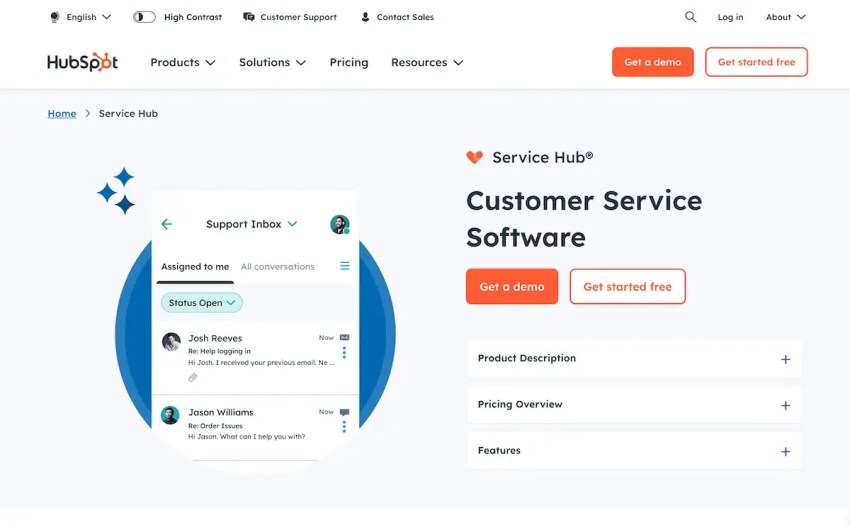
HubSpot Customer Platform brings customer relationship management, marketing automation, sales, and service tools into one connected system. Its centralized customer data helps teams coordinate interactions and deliver more personalized experiences throughout the customer journey.
Key strengths:
- Unified CRM and customer data: Maintain shared customer records, interaction histories, and contact information so marketing, sales, and support teams can work with the same customer context.
- Marketing automation and personalization: Create targeted email campaigns, segment contacts, and automate lead nurturing and follow-ups based on customer behavior.
- Customer service and AI tools: Use Service Hub’s ticketing, live chat, knowledge bases, customer feedback tools, and AI-powered assistance to manage inquiries and streamline support.
Limitations: Costs can increase significantly as businesses add paid seats, marketing contacts, and advanced features. Sophisticated automation, reporting, and customer service capabilities may require Professional or Enterprise plans.
Pricing: HubSpot Customer Platform offers a free plan for up to two users. Paid Starter plans begin at a promotional rate of $7/seat/month for eligible new customers, with a standard starting rate of $20/seat/month. Professional starts at $1,300/month, and Enterprise starts at $4,700/month. Costs vary by plan, seat count, marketing contacts, and additional features.
Verdict: HubSpot is worth shortlisting for businesses that want CRM data at the center of their marketing, sales, and customer service operations. Teams primarily seeking a dedicated contact center or unified business communications platform may prefer a more specialized solution.
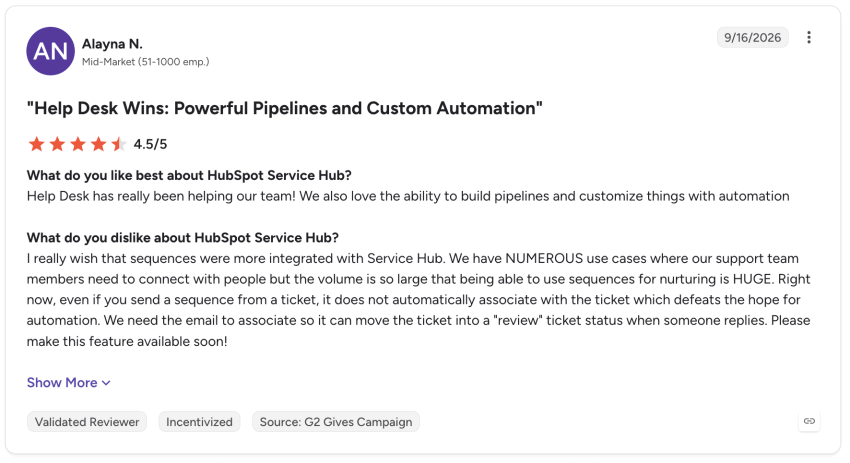
Rating: 4.4/5 on G2, with more than 3,000 reviews for HubSpot Service Hub.
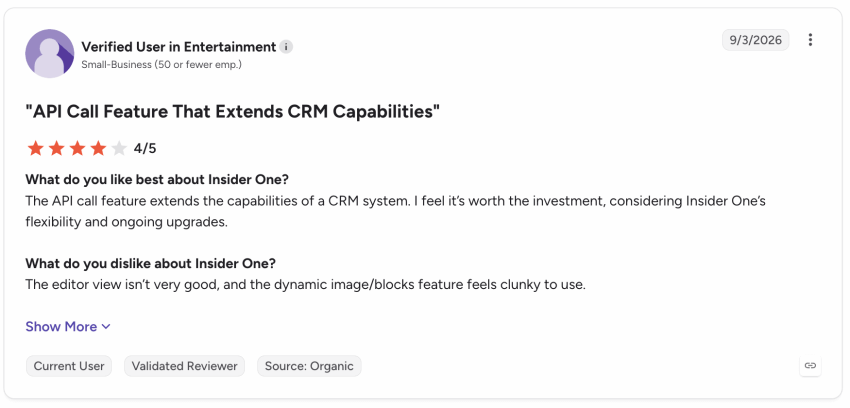
8. Insider One – Best for AI-powered personalization
Best for: Mid-sized and enterprise businesses, particularly e-commerce and marketing teams that want to deliver personalized customer experiences across multiple digital channels.
Insider One (formerly Insider) is an AI-powered customer engagement platform that combines customer data, personalization, and marketing automation. It helps businesses tailor interactions based on customer behavior and coordinate campaigns throughout the customer journey.
Key strengths:
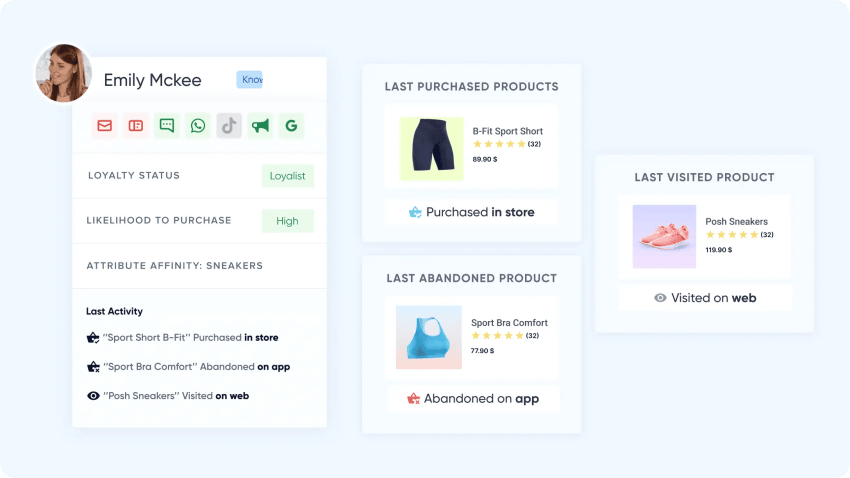
- AI-powered personalization: Deliver relevant product recommendations, personalized website experiences, and targeted messages based on customer behavior and preferences.
- Cross-channel journey orchestration: Build automated customer journeys across email, SMS, WhatsApp, web, and mobile apps, with messages triggered by customer actions.
- Customer data and predictive segmentation: Unify customer profiles through a built-in customer data platform (CDP) and use AI to identify audiences based on purchase intent, churn risk, and other behavioral signals.
Limitations: Implementation can require significant data integration, configuration, and onboarding, especially for businesses with complex customer journeys. Custom pricing and an extensive feature set may also make it less practical for smaller teams with basic engagement needs.
Pricing: Contact sales for custom pricing.
Verdict: Insider One is worth shortlisting for businesses seeking advanced personalization, predictive insights, and cross-channel marketing automation. Teams primarily looking for customer support ticketing, business calling, or a simpler engagement platform may prefer a more specialized solution.
Rating: 4.7/5 on G2, with more than 1,400 reviews.
9. Netcore – Best for omnichannel marketing engagement

Best for: Growing and enterprise-level e-commerce, fintech, and consumer-facing businesses that want to personalize marketing campaigns across multiple channels.
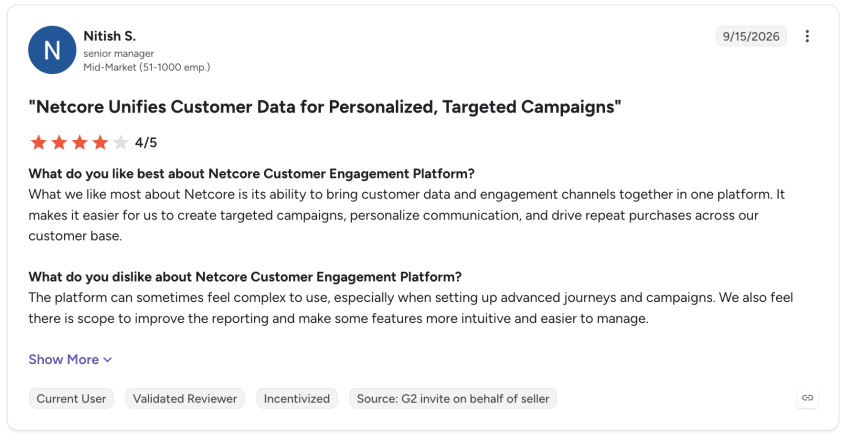
Netcore is an AI-powered customer engagement platform that helps businesses coordinate marketing campaigns, automate customer journeys, and deliver customized messages. Its combination of omnichannel messaging and behavioral analytics makes it particularly useful for brands managing large customer audiences.
Key strengths:
- Omnichannel marketing: Coordinate customer communications across email, SMS, WhatsApp, push notifications, and in-app messaging from a centralized platform.
- AI-powered personalization: Use customer behavior and predictive insights to tailor product recommendations, optimize message timing, and create more relevant campaigns.
- Customer journey automation: Build automated, cross-channel journeys triggered by customer actions, with audience segmentation, A/B testing, and performance analytics.
Limitations: Advanced campaign setup and reporting can involve a learning curve, particularly for teams without technical support. Predictive AI capabilities and certain advanced features may also require higher-tier plans or paid add-ons.
Pricing: Contact sales for custom pricing.
Verdict: Netcore is worth shortlisting for businesses that need scalable omnichannel marketing, automated customer journeys, and data-driven personalization. Teams primarily seeking support ticketing, business calling, or a simple all-in-one customer service platform may prefer another solution.
Rating: 4.5/5 on G2, with more than 580 reviews.
10. Braze – Best for enterprise customer lifecycle messaging
Best for: Mid-sized and enterprise businesses with large customer audiences, particularly marketing and growth teams that need to coordinate tailored messaging across multiple digital channels.
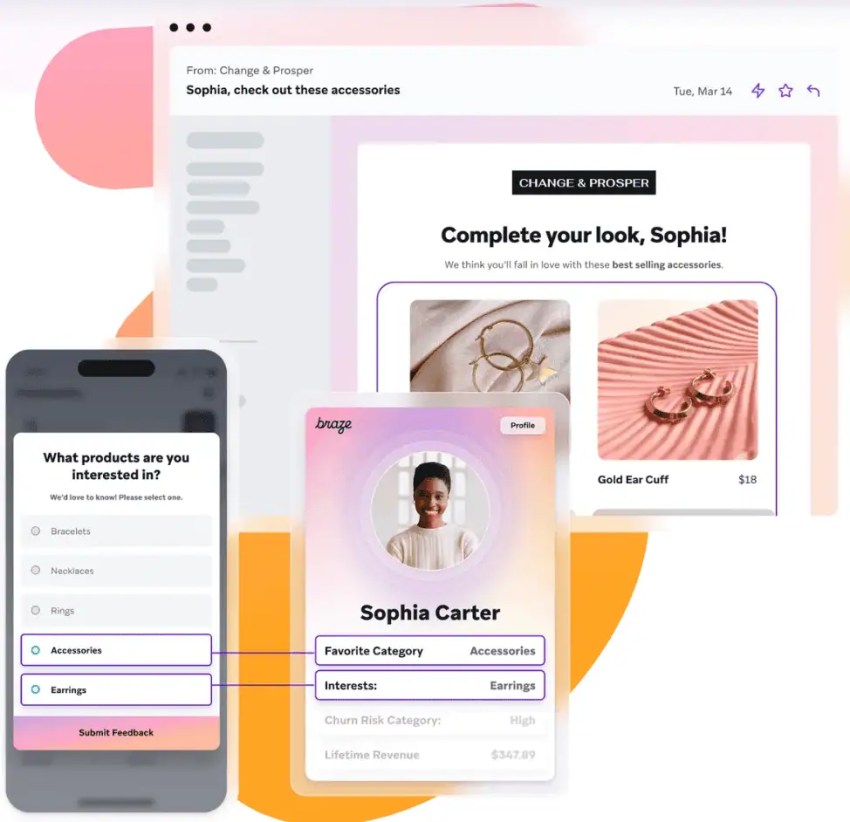
Braze is a customer engagement platform that helps businesses deliver timely messages throughout the customer lifecycle. Its real-time data capabilities and advanced journey orchestration make it particularly useful for brands managing complex, high-volume marketing campaigns.
Key strengths:
- Cross-channel messaging: Coordinate email, SMS, push notifications, WhatsApp, and in-app messaging from one platform to deliver consistent customer experiences.
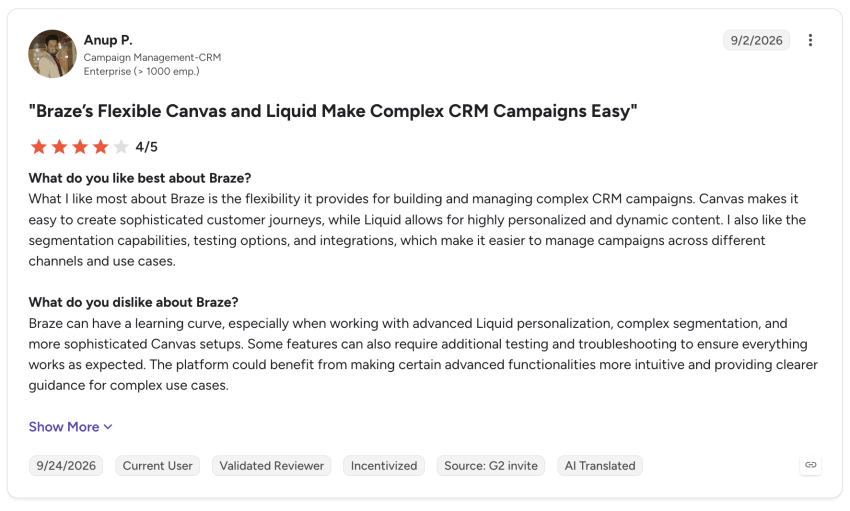
- Braze Canvas journey builder: Design automated, multi-step customer journeys with real-time triggers, branching logic, A/B testing, and personalized messaging.
- Real-time data and personalization: Use the Braze Data Platform to connect customer information, build dynamic audience segments, and tailor campaigns based on behavior and preferences.
Limitations: Braze may require technical resources to integrate customer data and configure sophisticated campaigns. Its custom pricing and advanced capabilities may also make it less practical for smaller businesses with straightforward engagement needs.
Pricing: Contact sales for custom pricing.
Verdict: Braze is worth shortlisting for businesses that need real-time, cross-channel marketing automation and sophisticated customer lifecycle campaigns at scale. Teams primarily seeking customer support ticketing, business calling, or a simpler all-in-one communications platform may prefer another solution.
Rating: 4.5/5 on G2, with more than 1,900 reviews.
How to Choose the Right Customer Engagement Software
Choosing the right customer engagement software starts with understanding how your business interacts with customers, where your current tools fall short, and what you need from a new platform.
Use this checklist to evaluate customer engagement solutions and narrow down your options:
✅ Identify your most important communication channels: Review where customers contact your business most frequently and prioritize your top two or three channels, such as phone, email, live chat, SMS, or social media. Look for software that connects those conversations and preserves customer context across channels.
✅ Define your must-have features: List the problems you need to solve, whether that’s slow response times, disconnected customer data, or inefficient follow-ups. Prioritize essential capabilities such as AI-assisted support, automated routing, personalization, or analytics rather than paying for features your team won’t use.
✅ Estimate users and engagement volume: Determine how many employees need access, how many customer conversations you handle each month, and whether those numbers are likely to grow. Check for user limits, message allowances, usage-based fees, and available upgrade options.
✅ Check integrations with existing systems: Identify the CRM, help desk, marketing, and other business applications your team relies on. Confirm that the platform supports the necessary integrations and allows customer data to flow between systems without excessive manual work.
✅ Test usability and automation: Request a demo or free trial to evaluate common workflows. For example, test how easily an agent can find a customer’s conversation history, transfer an inquiry, or set up an automated follow-up. Consider how much training or technical support employees will need.
✅ Calculate the total cost: Compare more than the advertised monthly price. Factor in user licenses, AI usage, messaging fees, integrations, onboarding, and potential add-ons. For small and midsize businesses, an all-in-one platform may offer better value than several disconnected tools, depending on which capabilities are included.
✅ Evaluate onboarding and customer support: Check what training, documentation, implementation assistance, and technical support each provider offers. Confirm support availability and response-time commitments, especially if your team operates outside standard business hours.
Before making a decision, shortlist two or three platforms and compare how well each handles your most important customer engagement workflows. The best solution isn’t necessarily the one with the most features or lowest starting price. It’s the one that meets your business needs, fits your budget, and can grow with your team.
Nextiva Helps You Engage Customers with Confidence
The right customer engagement tools should make it easier to connect with customers, support employees, and deliver consistent experiences across channels. The best choice depends on your business’s communication needs, existing tools, and plans for growth.
Nextiva brings customer conversations together with unified business communications, AI-powered automation, and analytics that help teams respond faster and work more efficiently. Instead of managing disconnected communication tools, businesses can access customer interactions and insights in one place.
Whether you’re looking to simplify customer support, improve response times, or scale your engagement efforts, Nextiva offers a connected approach to customer communication.
Explore Nextiva’s customer engagement solutions to see how they can support your business.
All your business conversations run on Nextiva.
The #1 platform for AI and humans. Every channel. Every conversation remembered for life, turning into better outcomes in real time.