Customer Experience
 Blog
 Business Communication
 Leadership
 Marketing & Sales
 Nextiva News
 Productivity
 VoIP



Omnichannel customer service connects the customer interaction across phone, email, live chat, SMS, social media, and other support channels. Customers can move between channels without losing conversation history, while agents have the context needed to continue helping without starting over.
But providing an omnichannel experience involves more than offering several ways to get in touch. Businesses need connected customer data, coordinated support workflows, and the right technology to manage conversations across channels.
In this guide, we’ll explain how omnichannel customer service works, its benefits, and how to build and measure a strategy that consistently meets customer expectations.
What Is Omnichannel Customer Service?
Omnichannel customer service is an approach to customer support that connects communication channels, customer data, and service workflows to create a continuous support experience. Rather than treating each interaction separately, it maintains a shared record of customer conversations across channels.
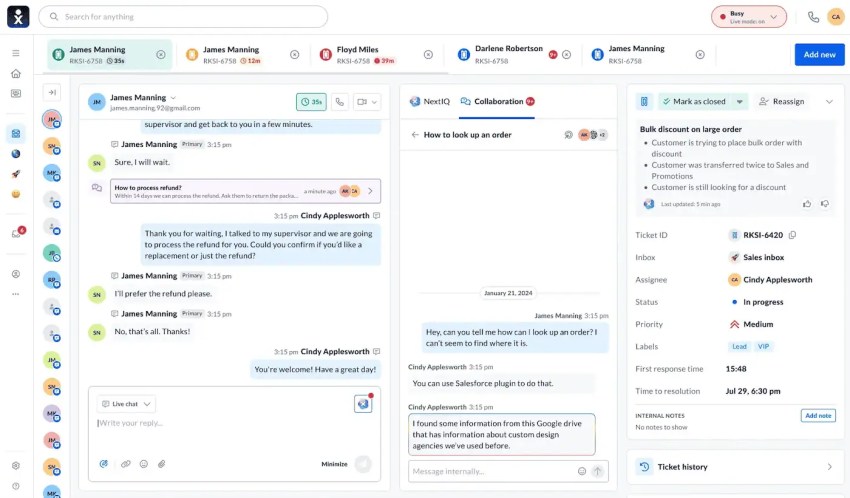
The defining characteristics of omnichannel customer service include:
- Unified customer profiles: Agents can access relevant account details, purchase history, previous conversations, and open support cases.
- Cross-channel continuity: Customers can switch between channels without losing the context of an ongoing inquiry.
- Coordinated support workflows: Agents and automated systems can route, escalate, and manage requests while maintaining case history and ownership.
For example, a customer might start a live chat about a delayed order but leave before the issue is resolved. When they call the next day, the phone agent can review the chat transcript and order details, then continue working on the existing case rather than opening a new one.
This coordinated approach distinguishes omnichannel service from multichannel support, where businesses offer several contact options but may manage interactions independently.
Omnichannel vs. Multichannel Customer Service
Both multichannel customer support and omnichannel customer support offer multiple ways to contact a business. The difference lies in how those channels share customer information and coordinate support.
Multichannel systems typically manage interactions independently, while omnichannel systems connect customer records, conversation histories, and service workflows.
Here’s how the two approaches compare:
| Feature | Multichannel Customer Service | Omnichannel Customer Service |
|---|---|---|
| Primary focus | Individual communication channels | Connected customer experience |
| Channel integration | Channels operate independently | Channels and workflows are integrated |
| Customer data | May be stored in separate systems | Records are linked to a shared customer profile and accessible across channels |
| Interaction history | Often limited to individual channels | Shared across supported channels |
| Agent visibility | Limited view of previous interactions | Unified view of relevant customer history and open cases |
| Channel switching | Customers may need to repeat information | Conversations can continue with context preserved |
| Reporting | Primarily channel-specific metrics | Includes cross-channel interactions and customer journeys |
The distinction isn’t simply the number of channels available, but whether those channels share the information and workflows needed to manage an inquiry from start to finish.
How Does Omnichannel Customer Service Work?
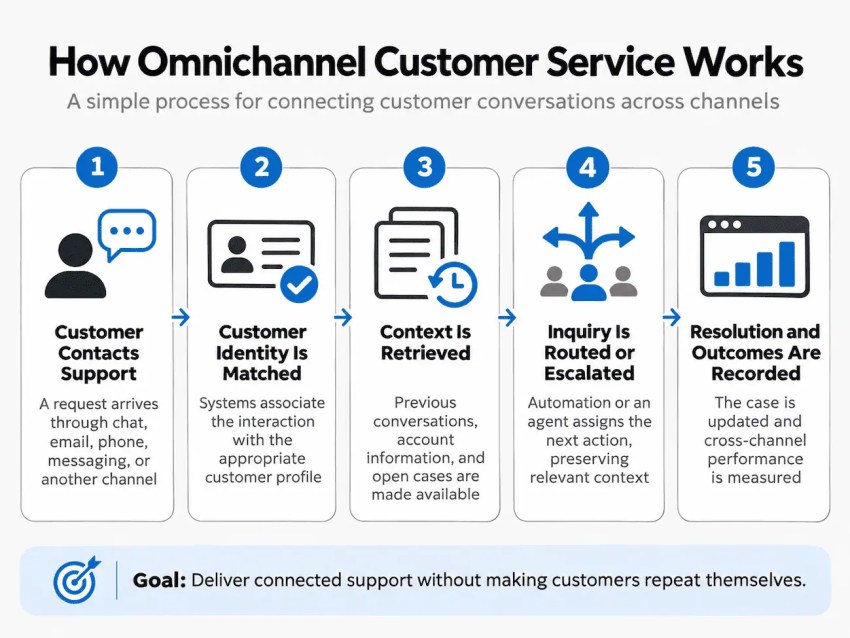
Omnichannel customer service relies on connected systems that recognize customers, retrieve relevant information, and coordinate support across communication channels. The process typically involves five key steps, from the initial inquiry through resolution and performance analysis.
1. Customer contacts support
The process begins when a customer reaches out through phone, email, live chat, SMS, social media, or another supported channel. The omnichannel contact center platform captures the interaction and creates or updates a service record, depending on whether the inquiry is new or relates to an existing issue.
Each interaction is recorded with relevant details, such as the communication channel, time of contact, and reason for the inquiry. This establishes a record that can be referenced if the customer follows up elsewhere.
2. Customer identity is matched
The system attempts to associate the incoming interaction with an existing customer profile using identifiers such as a phone number, email address, or authenticated account.
Customer identity matching is essential to maintaining continuity across channels. For example, a customer who emails support and later calls from their registered phone number can be associated with the same account, allowing both interactions to appear in their service history.
When a reliable match isn’t available, the system may create a provisional record or prompt the customer to verify their identity. Agents should confirm identity before accessing or discussing sensitive account information, rather than relying solely on a matching phone number or email address.
3. Context is retrieved
Once the customer is identified, the platform retrieves relevant information from connected systems, such as the CRM, help desk, order management platform, or knowledge base.
Depending on the integrations and access permissions, agents may see:
- Previous conversations across supported channels
- Open support tickets and their current status
- Account details, purchase history, or service agreements
- Previous troubleshooting steps and unresolved requests
This information gives agents a clearer understanding of the customer’s situation and helps prevent duplicate work. Access should be restricted to the information necessary for the agent’s role.
4. Inquiry is routed or escalated
The platform directs the inquiry to an appropriate agent, team, or automated workflow based on factors such as issue type, priority, agent expertise, and availability.
For example, a customer might email about a delayed delivery and later contact an AI receptionist by phone. If the systems are integrated and the customer is appropriately verified, the AI can retrieve the existing case and identify the outstanding issue. If human assistance is required, it can route the call to an agent with the relevant case details and actions already taken, allowing the agent to continue the investigation without restarting it.
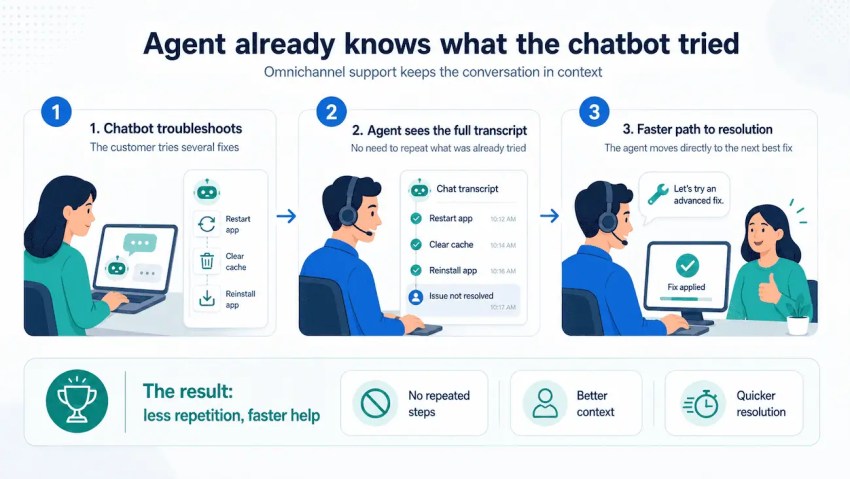
Effective handoffs also require clear case ownership. When an inquiry moves between channels or departments, the receiving team should know what has already been done, what remains unresolved, and who is responsible for the next action.
5. Resolution and outcomes are recorded
Once the inquiry is resolved, the agent or automated system updates the service record with the outcome, actions taken, and any necessary follow-up. This information becomes part of the customer’s interaction history and remains available for future support requests.
The platform can also consolidate performance data across channels, allowing managers to assess the entire service journey rather than isolated interactions.
For example, tracking repeat contacts, cross-channel transfers, resolution times, and improved customer satisfaction can reveal where customers encounter friction. Teams can then investigate failed handoffs, incomplete resolutions, or recurring service issues and adjust their workflows accordingly.
Benefits of Omnichannel Customer Service
The benefits of omnichannel customer service extend beyond convenience, affecting how customers experience support and how teams manage their operations.
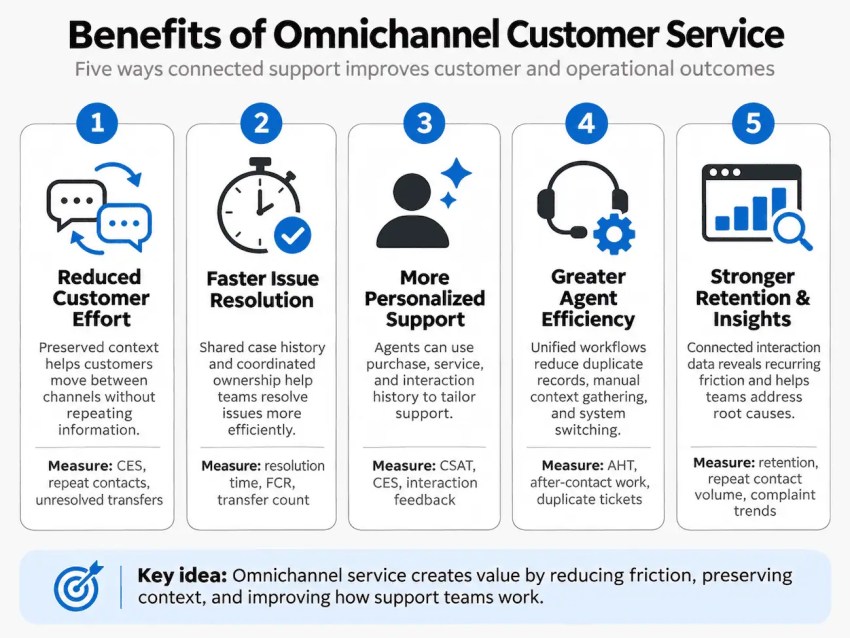
Here are five benefits for customers and businesses.
1. Reduced customer effort
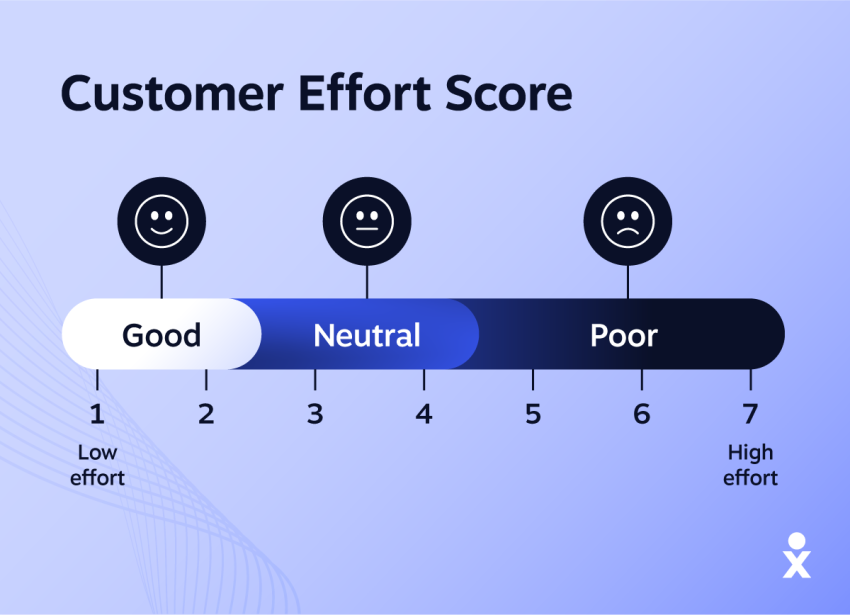
Customers can move between communication channels without having to repeat their concerns, provide the same information, or restart an unresolved inquiry. With a shared interaction history, agents have the customer context, so they can pick up where a previous conversation ended, even when another team or an AI receptionist handled the initial request.
For a customer disputing a billing charge, this might mean starting an inquiry through live chat and later submitting supporting documents by email. Rather than opening separate cases, the support team can manage both interactions under the same request.
Businesses can measure the impact through customer effort scores (CES), repeat contact rates, and the frequency of unresolved cross-channel transfers.
2. Faster issue resolution
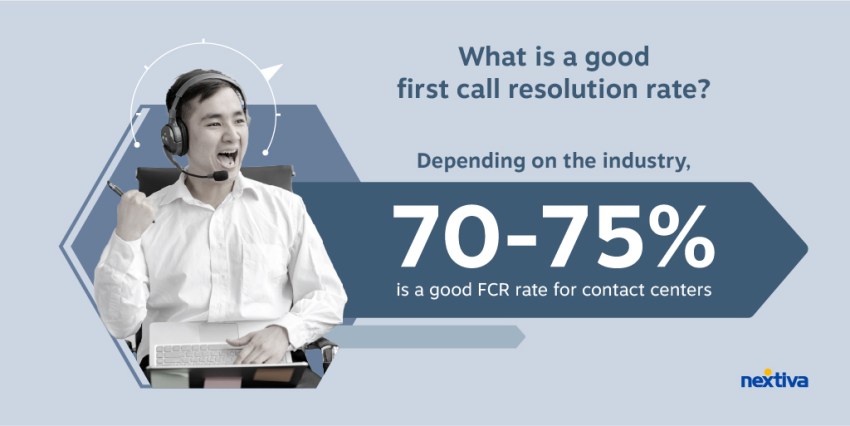
Access to previous conversations, troubleshooting records, and case updates means that agents can focus on resolving outstanding issues instead of reconstructing what happened. Coordinated case ownership also helps prevent delays when an inquiry moves between departments.
Consider a SaaS customer reporting a technical problem through email. If the issue requires a phone consultation with a specialist, the receiving agent can review the original report, diagnostic steps, and previous responses before continuing the investigation.
The business can evaluate improvements through average resolution time, first contact resolution (FCR), and the number of transfers required to close a case.
3. More personalized service
Connected customer records allow agents to tailor their responses using relevant purchase histories, service agreements, account preferences, and previous interactions. This makes support more specific to the customer’s circumstances rather than relying on generic responses.
An e-commerce retailer, for instance, can use a customer’s order history and previous support interactions to address a recurring delivery issue. Instead of providing standard shipping instructions, the agent can investigate the affected orders and recommend an appropriate resolution based on the account history.
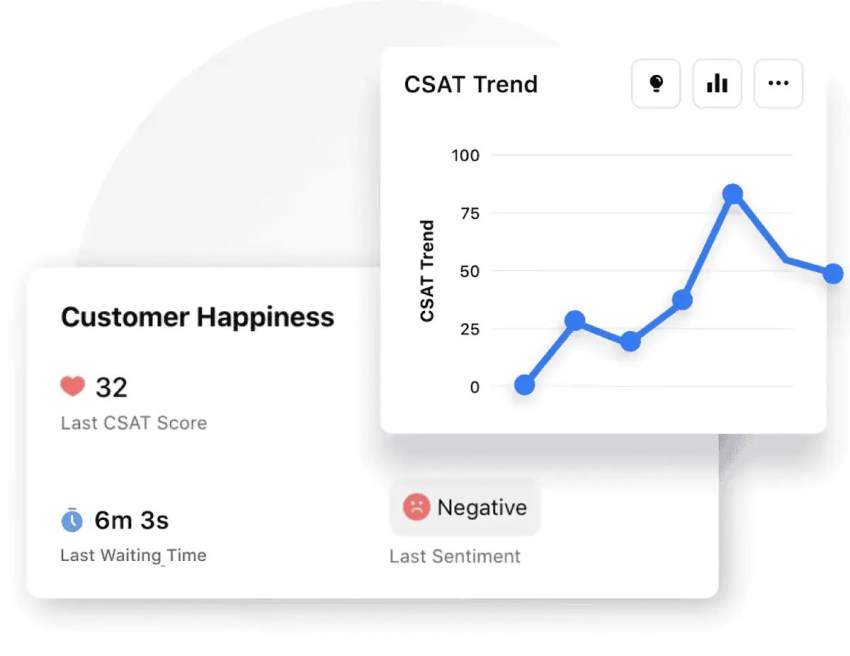
Customer satisfaction (CSAT), customer effort scores, and feedback on individual interactions can help assess whether this approach improves the support experience.
4. Greater agent efficiency
A unified agent workspace reduces the need to switch between disconnected applications, manually reconcile customer records, or search multiple systems for conversation histories. Shared workflows also help teams coordinate case assignments and avoid duplicating work.
For example, an insurance provider handling a claim across phone and email can maintain a single case record containing the customer’s correspondence, submitted documents, and outstanding requirements. Agents can review the current status without contacting colleagues to reconstruct the claim’s history.
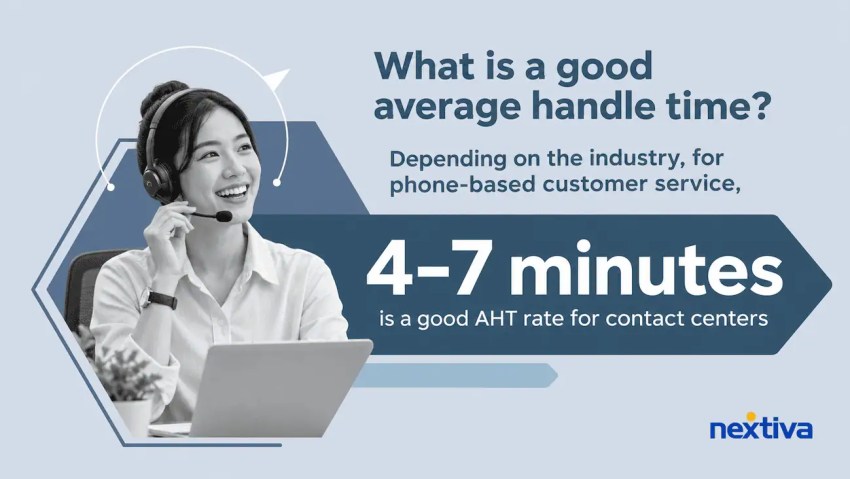
Operational improvements can be assessed through average handle time (AHT), after-contact work, duplicate ticket rates, and cases resolved per agent, while monitoring service quality to ensure operational efficiency gains don’t compromise resolution.
5. Stronger customer retention and operational insights
Consistent, reliable support can contribute to customer loyalty with long-term retention, particularly when businesses resolve recurring problems rather than treating each interaction in isolation. Consolidated interaction data also provides a clearer picture of the issues affecting customers across different channels.
A telecommunications provider, for instance, might discover that customers frequently contact live chat about billing discrepancies before calling support about the same problem. By analyzing these connected interactions, the company can identify the underlying billing issue, correct its communications, and address the cause of repeated inquiries.
Teams can evaluate the impact through customer retention rates, repeat contact volumes, recurring complaint trends, and CSAT. Comparing these measures over time helps determine whether operational changes are improving the omnichannel customer experience.
Customer experience also has broader commercial implications. PwC’s 2025 Customer Experience Survey found that 29% of consumers stopped using or buying from a brand because of poor customer experience. Although an omnichannel approach alone doesn’t guarantee stronger retention, reducing friction and addressing recurring problems can help businesses protect customer relationships.
How to Build an Omnichannel Customer Service Strategy
An effective omnichannel customer service strategy requires understanding how customers move between channels, establishing clear case ownership, and maintaining accurate information throughout the service journey.
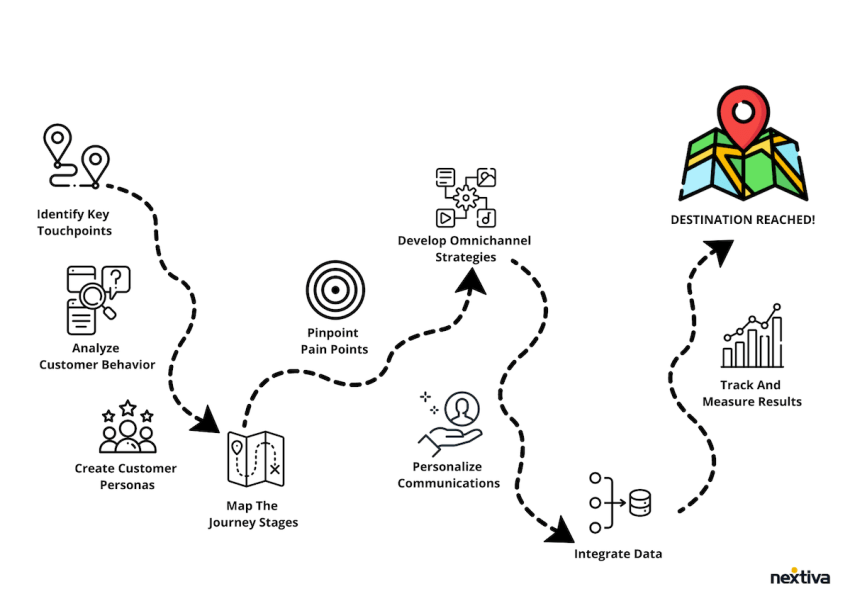
These five steps provide a practical framework for implementation.
1. Map your customer journey
Examine how customers interact with your support teams, particularly when an issue involves multiple channels or departments. Analyze support tickets, conversation histories, customer feedback, and customer journey data to identify recurring friction.
Focus on where continuity breaks down:
- Channel-switching points: When and why do customers move from chat to email, phone, or another channel?
- Failed handoffs: Where do interactions lose context, ownership, or progress during transfers?
- Repeat contacts: Which issues prompt customers to follow up through another channel before receiving a resolution?
- Unnecessary steps: Where are customers asked to resubmit information, repeat verification, or contact another department?
Work with support, sales, IT, and other relevant teams to investigate these issues. Prioritize journeys with high contact volumes, frequent escalations, or significant customer effort.
2. Unify your technology and customer data
Assess how your CRM, help desk, phone system, messaging tools, and other applications exchange customer information. Establish clear rules for identifying customers, synchronizing records, and maintaining data accuracy.
Key considerations include:
- Identity resolution: Determine how interactions are matched to customer profiles and how duplicate or unmatched records are handled.
- Data synchronization: Specify which information systems share, how frequently it updates, and how conflicting records are resolved.
- System ownership: Designate the authoritative system for customer profiles, case statuses, and other critical data.
- Access controls: Define which teams can view or modify sensitive information based on their responsibilities and applicable privacy requirements.
Evaluate unified communications platforms and customer service software based on their integrations, API capabilities, and support for your workflows.
Before deployment, test data synchronization and record accuracy, particularly during channel transfers and case escalations.
3. Establish workflows and train your team
Define how inquiries are assigned, transferred, escalated, and closed. Document procedures for case ownership, response expectations, escalation criteria, and communication during handoffs. Agents should understand when to retain responsibility, involve a specialist, or transfer ownership, along with the information required for each action.
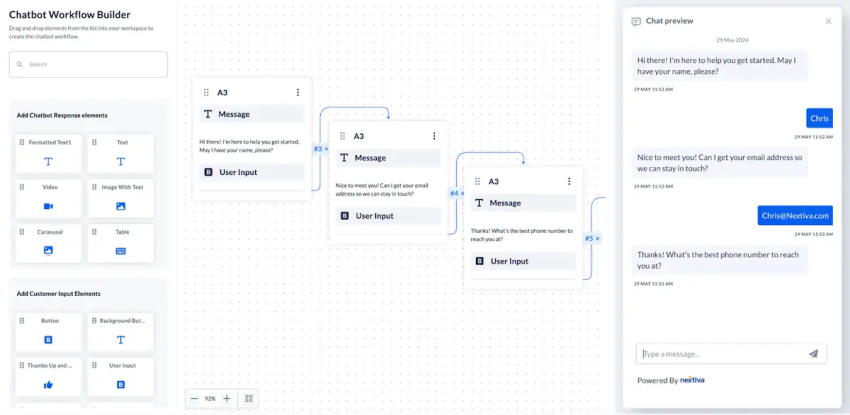
Consider a customer who starts a billing inquiry through live chat and requests a phone callback. A coordinated handoff should work as follows:
- Assign ownership: The chat agent retains responsibility until the designated agent or billing team accepts the callback.
- Transfer context: The case record includes the customer’s concern, relevant account details, actions already taken, and agreed callback time.
- Update the existing case: The phone agent continues working under the same record rather than creating another ticket.
- Manage unsuccessful contact: If the customer doesn’t answer, the system records the attempt and initiates the agreed follow-up procedure.
Use scenarios like this during agent and supervisor training. Include exercises involving failed identity matches, incomplete records, and departmental escalations so teams can handle exceptions consistently.
4. Start with a focused pilot
Select a high-volume customer journey or service workflow for an initial pilot rather than launching every channel simultaneously. Define the scope, performance targets, and conditions for expanding the rollout.
Your pilot plan should specify:
- Channels and teams: Identify the communication channels, departments, and agents involved.
- Success criteria: Set measurable targets for handoff completion, repeat contacts, resolution time, or customer effort.
- Testing requirements: Validate identity matching, data synchronization, routing, and exception handling.
- Rollout checkpoints: Establish review dates and criteria for expanding, adjusting, or pausing implementation.
For example, a retailer could pilot a delivery-support workflow connecting email and live chat. Customers reporting delayed shipments by email could follow up through chat, where agents access the original inquiry, tracking details, and case status. The retailer could assess duplicate tickets, repeat contacts, and resolution times before expanding the workflow.
Review technical issues, agent feedback, and customer behavior at each checkpoint. Expand when the workflow meets its performance targets and operates reliably.
5. Measure, analyze, and refine
Establish performance baselines before implementation and evaluate results against your objectives. Review standard customer service metrics, such as first contact resolution (FCR) and customer satisfaction (CSAT), alongside cross-channel performance.
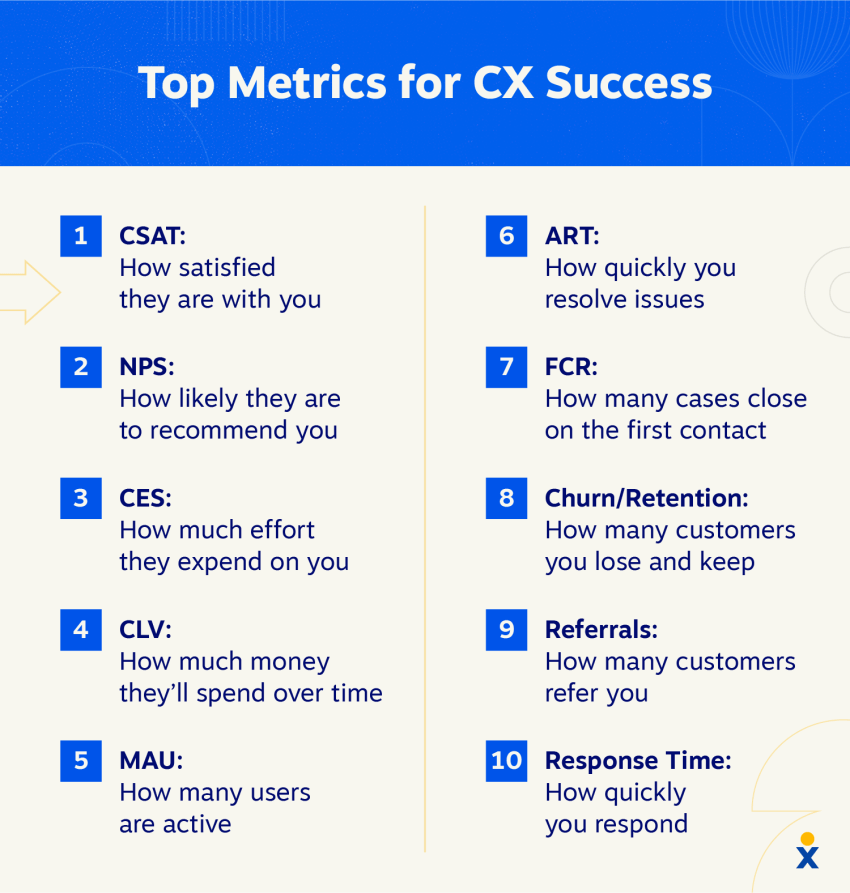
Analyze results by inquiry type, channel combination, and transfer point. For instance, if resolution times improve but repeat contacts increase, investigate whether cases are being closed prematurely or handoffs are incomplete.
Use a structured improvement process:
- Identify recurring issues: Examine performance trends, workflow exceptions, and customer feedback.
- Investigate root causes: Determine whether problems stem from processes, integrations, staffing, or training.
- Implement targeted changes: Adjust workflows, ownership rules, escalation procedures, or training as needed.
- Validate the results: Compare performance against established baselines to assess the impact.
Assign an owner to each improvement initiative, document the outcomes, and incorporate findings into regular operational reviews.
Essential Features of Omnichannel Customer Service Software
For omnichannel customer service, offering a shared inbox isn’t enough. The platform must also recognize customers across channels, link related interactions, and maintain accurate information as inquiries move between agents and systems.
When evaluating omnichannel customer service software, look for these eight capabilities:
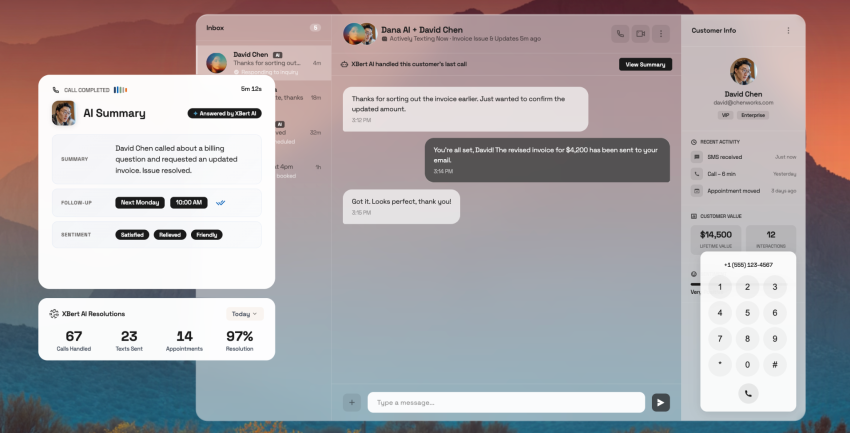
- Unified agent workspace: Consolidates phone, email, live chat, SMS, and social media interactions into one interface. A shared conversation timeline allows customer service agents to review previous messages, case updates, and outstanding requests without switching between applications.
- Customer identity resolution: Matches incoming interactions to existing customer profiles using identifiers such as email addresses, phone numbers, or authenticated accounts. Look for tools to identify duplicate records, manage unmatched interactions, and prevent incorrect profile associations.
- CRM and help desk integrations: Synchronizes customer profiles, support tickets, and interaction records across connected systems. Evaluate whether integrations support bidirectional updates, real-time data synchronization, and consistent case statuses.
- Cross-channel intelligent routing: Assigns inquiries based on customer needs, agent skills, availability, and priority. Case ownership and workflow rules should remain consistent when interactions move between channels or require specialist intervention.
- AI assistance and automation: Includes chatbots, AI voice agents, knowledge retrieval, automated transcription, conversation summaries, and real-time agent assistance. When connected to customer records and service workflows, AI tools can recognize existing inquiries, retrieve authorized customer information, and support ongoing conversations across channels rather than treating every interaction independently.
- Context-preserving AI-to-human handoffs: Transfers unresolved inquiries from AI agents to human support teams with the customer’s identified intent, relevant conversation history, current case status, actions already completed, and outstanding requests. Handoffs should also indicate whether authentication has been completed, so receiving agents know whether additional verification is required. Look for configurable escalation triggers and clear case ownership when interactions move between channels.
- Cross-channel analytics and reporting: Connects interaction data across channels to track complete service journeys. In addition to standard support metrics, reporting should help identify repeat contacts, unsuccessful handoffs, and cases involving multiple channels.
- Security, privacy, and access controls: Protects customer information through role-based permissions, authentication, encryption, audit logs, and configurable data retention policies. Evaluate compliance capabilities against applicable industry and regional requirements.
These capabilities should operate as a connected system, with accurate customer records, reliable integrations, and consistent case management across channels. Evaluate how well the platform supports complete service workflows rather than assessing each feature independently.
Omnichannel Customer Service Examples and Use Cases
Omnichannel customer service supports different operational needs, from consolidating high-volume inquiries to coordinating complex cases across channels. The following examples show how businesses can apply this approach in practice.
1. Believe: Consolidating customer support across global brands
Believe, Ltd., a Singapore-based company operating four global brands, struggled to manage customer communications across more than 50 support channels. Its legacy system introduced two- to three-minute message delays, required manual ticket processing, and created problems with missing messages and inaccurate data.
Believe implemented Nextiva’s social media and reputation management platform to bring customer messages, comments, and reviews into a centralized dashboard. Automated workflows and suggested responses helped the team manage routine inquiries while prioritizing more complex requests. The company also introduced 24/7 Facebook support.
From Nextiva’s customer case study, Believe achieved:
- 99% increase in visibility of customer messages
- 40% improvement in response rate
- 50+ customer service channels managed through one platform
The implementation demonstrates how consolidating communication and automating repetitive processes can make large-scale, multi-brand support operations more manageable.

2. Retail: Managing returns across chat and phone
A retailer can use omnichannel support to coordinate return requests that move between digital and voice channels.
For instance, a customer might initiate a return through live chat but need to speak with an agent because the product arrived damaged. When the customer calls, the agent can access the original chat, order details, and any photos already submitted.
The agent can then continue processing the return under the existing case rather than creating another ticket or requesting the same documentation. The retailer can assess the effectiveness of this workflow by monitoring repeat contacts, return resolution times, and customer effort scores.
3. Financial services: Secure escalation between channels
Financial institutions can use omnichannel workflows to coordinate inquiries that require additional authentication or specialist assistance.
Consider a banking customer who contacts support through a messaging channel about an unfamiliar transaction. The initial interaction captures the concern and creates a case, but reviewing sensitive account information requires the customer to complete an approved authentication process.
Once verified through a secure channel, a fraud specialist can access the relevant case history and continue the investigation without asking the customer to repeat non-sensitive details. The original case remains active throughout the escalation, with ownership and follow-up actions documented.
This approach maintains service continuity while respecting security requirements. Relevant measures include escalation completion rates, time to resolution, and the number of repeat contacts associated with the same case.
How to Measure Omnichannel Customer Service Performance
Measuring omnichannel customer service requires evaluating the complete customer journey, not just individual interactions. Alongside standard service metrics, businesses should assess whether conversations retain context, handoffs succeed, and customers can resolve issues without unnecessary effort.
Here are seven key metrics to monitor.
1. First Contact Resolution (FCR)
First contact resolution (FCR) measures the percentage of issues resolved during the initial contact without requiring another interaction about the same problem. In an omnichannel environment, FCR should be measured across channels rather than treating each new conversation as a separate case.
For instance, a customer who starts with live chat and later calls about the same unresolved issue shouldn’t count as two independent support cases.
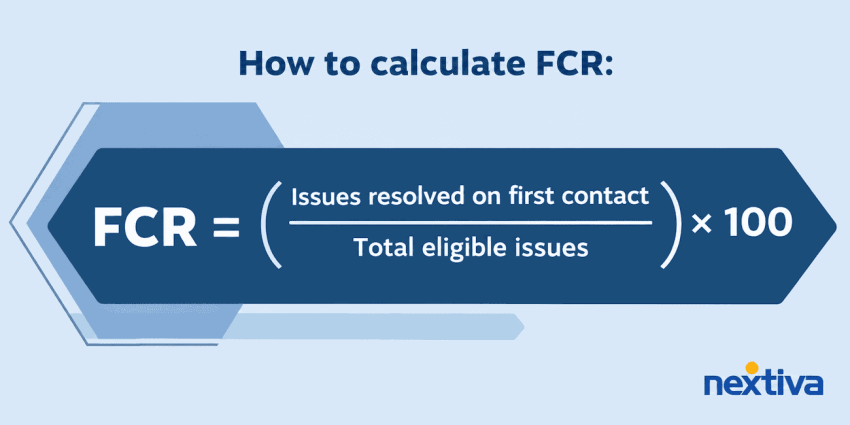
How to calculate FCR:
FCR = (Issues resolved on first contact ÷ Total eligible issues) × 100
2. Average Resolution Time (ART)
Average resolution time (ART) measures the elapsed time from when a customer first reports an issue until its final resolution. Unlike average handle time, which measures an individual interaction, ART captures the complete case lifecycle across channels and departments.
Use a consistent measurement period, such as calendar hours or business hours, and don’t reset the clock when a case is transferred.
How to calculate ART:
ART = Total elapsed resolution time ÷ Number of resolved cases

3. Customer Satisfaction (CSAT)
Customer satisfaction (CSAT) measures how satisfied customers are with their support experience, typically through post-interaction surveys.
Compare CSAT across individual channels and complete service journeys. A customer may be satisfied with the final agent but dissatisfied with earlier transfers or delays.
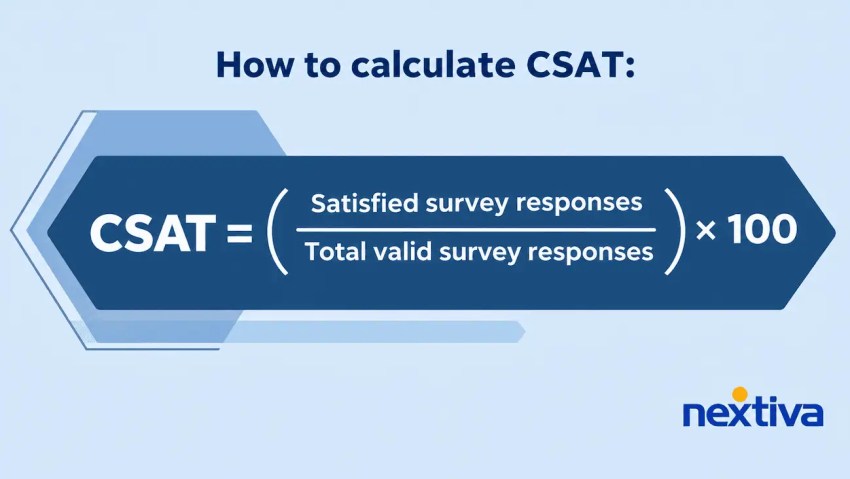
How to calculate CSAT:
CSAT = (Satisfied survey responses ÷ Total valid survey responses) × 100
4. Customer Effort Score (CES)
Customer effort score (CES) measures how easy or difficult customers find it to resolve their issues. It’s especially relevant to omnichannel service because it can reveal friction during channel changes that satisfaction scores may not capture.
Use post-resolution surveys to compare customers who completed their journey through one channel with those who required multiple contacts or channel switches.
How to calculate CES:
CES = Sum of all customer effort ratings ÷ Total number of survey responses
This calculates the average survey rating. Some businesses instead report the percentage of favorable responses, so use a consistent survey scale and calculation method when comparing results over time.

5. Cross-Channel Repeat Contact Rate (RCR)
Cross-channel repeat contact rate measures how often customers initiate another interaction through a different channel about the same unresolved issue.
For example, frequent follow-up calls after unanswered emails may indicate response delays or gaps in case ownership.
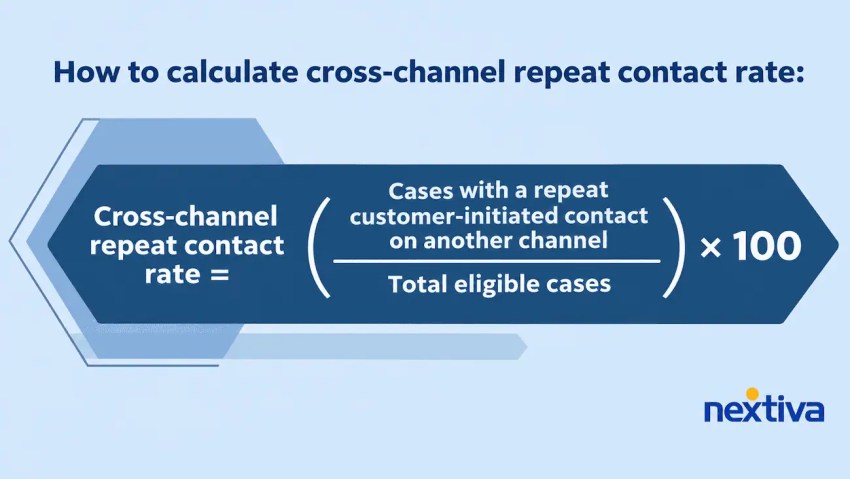
How to calculate cross-channel repeat contact rate:
Cross-channel repeat contact rate = (Cases with a repeat customer-initiated contact on another channel ÷ Total eligible cases) × 100
Use a consistent measurement window and link interactions by customer and issue to exclude unrelated inquiries.
6. Cross-Channel Transfer Rate
Cross-channel transfer rate measures the percentage of support cases that move between communication channels during resolution.
Transfers may be necessary for complex inquiries, but frequent or repeated transfers can indicate workflow friction.
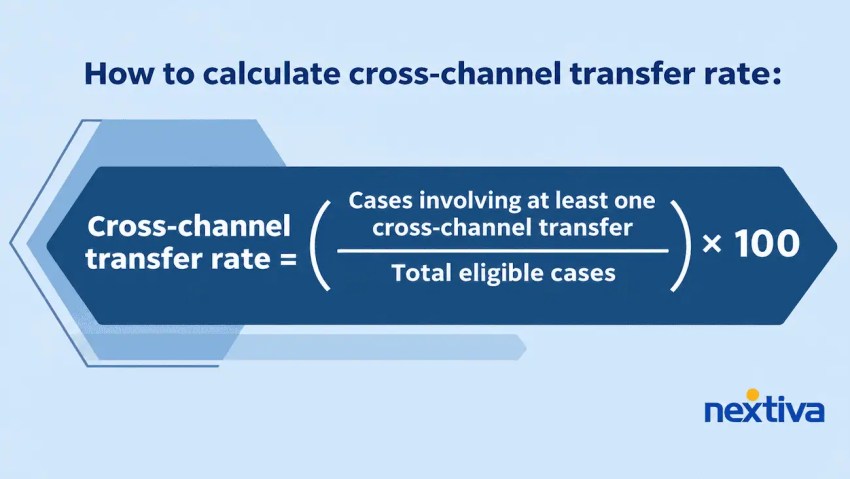
How to calculate cross-channel transfer rate:
Cross-channel transfer rate = (Cases involving at least one cross-channel transfer ÷ Total eligible cases) × 100
Review transfer reasons and resolution outcomes alongside the rate to distinguish necessary escalations from avoidable handoffs.
7. Handoff Completion Rate
Handoff completion rate measures whether transfers reach the intended agent, team, or workflow with the necessary case information.
For example, when a chatbot escalates a technical support issue to a phone specialist, a successful handoff should include an accepted assignment, the customer’s issue description, and any troubleshooting steps already completed.
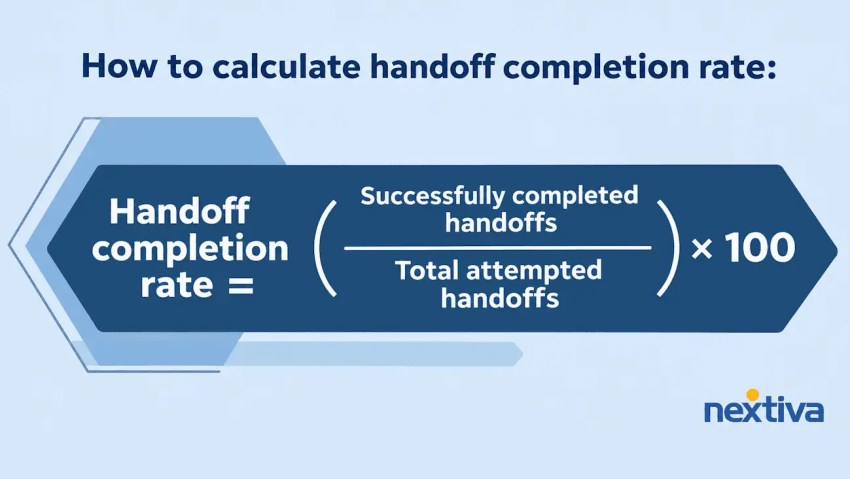
How to calculate handoff completion rate:
Handoff completion rate = (Successfully completed handoffs ÷ Total attempted handoffs) × 100
Define success consistently. A transferred interaction shouldn’t count as completed unless the receiving team accepts responsibility and receives the required context.
Measuring AI-assisted service: For interactions involving AI agents or chatbots, track automated resolution rates, escalation outcomes, and repeat contacts following AI support. A conversation ending without human intervention doesn’t necessarily mean the customer’s issue was resolved. Compare these measures with customer satisfaction and handoff completion rates to assess whether AI-assisted journeys lead to successful resolutions, including after escalation to a human agent.
Turning performance data into improvements
Evaluate these metrics together to identify friction across the customer journey. A high handoff completion rate, for example, can mask problems if customers must switch channels repeatedly before reaching a resolution. Analyze results by inquiry type, channel combination, and transfer point, using linked case records and customer feedback where available.
How Nextiva Supports Omnichannel Customer Service
Omnichannel customer service isn’t about being available everywhere. It’s about keeping customer conversations connected, so people get the help they need without repeating themselves or navigating disconnected support channels.
With the right omnichannel strategy and technology, businesses can provide more consistent experiences while helping agents work efficiently.
Nextiva Contact Center brings voice, chat, SMS, email, and social conversations together in one platform. With intelligent routing, AI-powered assistance, integrated customer data, and analytics, teams can manage interactions and maintain context across channels.
Ready to connect your customer conversations? Explore Nextiva Contact Center to see how your team can manage omnichannel support from one unified workspace.
Your AI-Powered Contact Center
Create amazing customer experiences with AI-powered contact center software. Scalable contact center platform built for omnichannel customer conversations.
Omnichannel Customer Service FAQs
Pricing varies by provider, team size, supported channels, and required functionality. Most cloud-based platforms use per-user monthly subscriptions, while advanced features such as AI automation, workforce management, and analytics may cost extra.
Businesses should also account for implementation, CRM integrations, messaging usage, and training when calculating total cost of ownership. Compare pricing based on your operational requirements rather than the subscription rate alone.
Yes, absolutely. Small businesses can implement omnichannel customer service without investing in a complex enterprise platform. Start by connecting the two or three channels customers use most, such as phone, email, and live chat, and monitor customer engagement. Cloud-based solutions allow smaller teams to expand their capabilities as contact volumes and support requirements grow.
Common challenges of omnichannel strategies include fragmented customer records, unreliable system integrations, inconsistent workflows, and unclear case ownership during channel transfers. Duplicate customer profiles can also prevent agents from accessing complete interaction histories, while disconnected systems may fail to synchronize case updates.