Customer Experience
  Blog
Blog  Business Communication
  Leadership
  Marketing & Sales
  Nextiva News
  Productivity
  VoIP
VoIP 

24/7 customer support is a service model that gives customers access to assistance at any time, including nights, weekends, and holidays. Coverage may include phone calls, SMS, web chat, email, social media, and self-service resources.
However, A 24/7 answering service is one part of a broader customer support operation. An answering service primarily receives calls or messages, captures details, schedules appointments, answers routine questions, and routes urgent issues. A full customer support program may also include technical support, ticket management, account assistance, proactive outreach, and post-resolution follow-up.
Customers engage with products and services outside traditional business hours. Round-the-clock support helps businesses respond during those moments and serve customers across time zones.
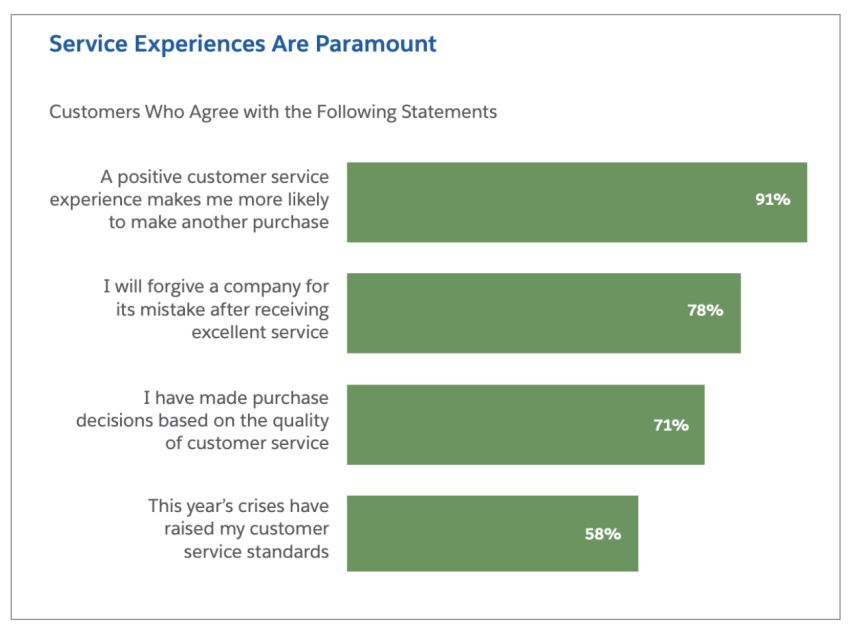
91% of customers say they’re more likely to make another purchase after a great customer service experience. That’s a major opportunity to increase sales and customer retention.
Choosing a 24/7 Answering Approach
The right answering service depends on call volume, response requirements, the need for human interaction, and the complexity of customer requests.
Matching the service to the use case
- Small-business answering: A small business often needs one service to answer calls, capture leads, book appointments, and route urgent requests without hiring overnight staff. An AI answering service can provide 24/7 calls, texts, and web chats.
- After-hours calls: Choose a service that covers nights, weekends, and holidays, follows after-hours call flows, and escalates emergencies to an on-call employee.
- Missed-call recovery: Look for call forwarding, immediate answering, lead-detail collection, voicemail support, and follow-up workflows. These features help recover opportunities when employees are busy or unavailable.
- Automated answering: AI is well suited to routine questions, appointment scheduling, lead qualification, confirmations, and message taking. Human receptionists remain useful for sensitive, complex, or highly personalized conversations.
The best answering service for a small business is the one that matches its call volume, workflow, budget, and escalation needs. A business should confirm the service supports its required channels, calendar, CRM, hours, and emergency procedures before signing up.
What to compare
| Capability | What to verify |
|---|---|
| Availability | Coverage during business hours, nights, weekends, and holidays |
| Channels | Phone, SMS, web chat, email, and voicemail support |
| Call and message limits | Monthly resolutions, minutes, messages, concurrent calls, or fair-use rules |
| Appointment management | Calendar integration, booking, confirmations, rescheduling, and reminders |
| Lead qualification | Required questions, lead scoring, routing, and data capture |
| After-hours routing | On-call transfers, emergency escalation, and location-based routing |
| Human handoff | Live transfer options and conversation context for the receiving employee |
| Integrations | CRM, calendar, help desk, phone system, and reporting connections |
| Contract terms | Monthly plans, long-term commitments, setup fees, and cancellation rules |
| Trial access | Free trial, demo, or test period before deployment |
An AI answering service can support appointment booking, confirmations, rescheduling, reminders, and lead capture.
Benefits of 24/7 Customer Support
24/7 customer support isn’t just about being available round the clock — it’s about creating a business model that drives customer loyalty, satisfaction, and business growth while balancing your employee well-being.
The commitment to support 24/7 offers several key advantages:
📈 Increased customer satisfaction and loyalty
When customers can reach a business at a convenient time, they spend less time waiting for help. Fast responses can build trust, especially when a service outage, billing problem, or urgent request affects the customer’s business.
Satisfied customers are more likely to continue using a service and recommend it to others. Support teams can reinforce that experience with clear answers, accurate records, and consistent follow-up.

💼 Improved brand image and reputation
Your business reputation and brand image speak volumes about your service. Offering 24/7 service sends a powerful message: “We care about our customers, no matter what time it is.”
This commitment doesn’t go unnoticed. It gives you a competitive advantage, differentiating you from competitors offering limited support hours. In fact, 68% of customers say a positive experience over a particular messaging channel significantly improved their brand loyalty.
Every interaction is an opportunity to shape your brand’s reputation in a digital space. A single positive late-night support experience can turn into a glowing review that attracts new customers.

📉 Reduced customer churn and increased customer lifetime value
Customers who cannot get help may look for another provider. Faster issue resolution can reduce frustration and protect existing revenue.
Acquiring a new customer can cost five times more than retaining an existing one. Increasing customer retention rates by 5% can increase profits by 25% to 95%. Businesses should track the source of these figures and assess how support affects their own retention and profit data.

⏳Faster issue resolution and improved efficiency
24/7 support lets teams address issues as they arise instead of building a backlog for the next business day. Distributed coverage can also reduce wait times during peak periods.
Automation helps teams handle routine requests at any hour. Human agents can focus on complex cases that require judgment, empathy, or account access.
🌐 Ability to cater to a global customer base
A 24/7 service model reduces time-zone barriers and helps businesses support customers in different regions. Businesses that serve international markets should also plan for language coverage, local holidays, regional phone numbers, and local escalation requirements.
According to (CSA Research), 76% of consumers say they’re more likely to buy from a company that provides service in their language. With 24/7 support, you can staff your customer support team with multilingual support agents across different time zones, catering to a global audience.
Key Components of Effective 24/7 Customer Service
Omnichannel communication and self-service
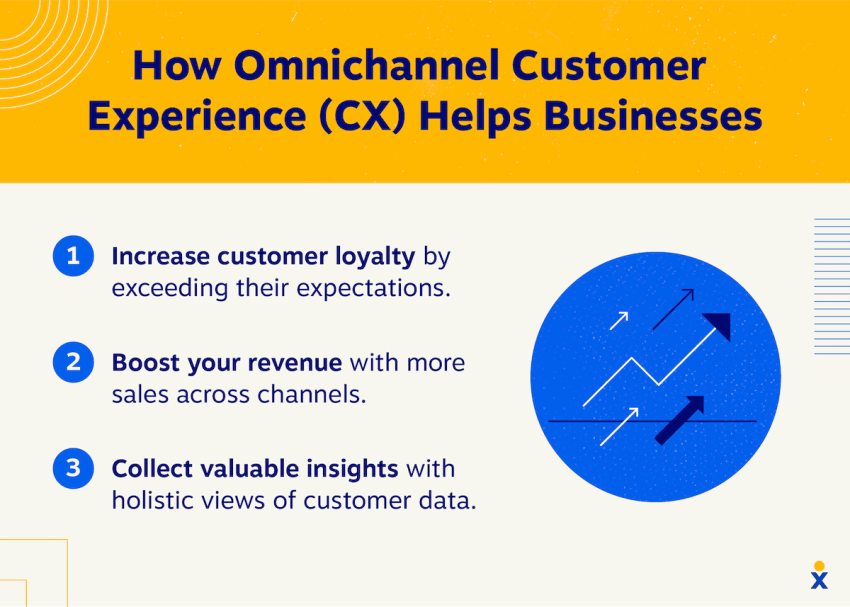
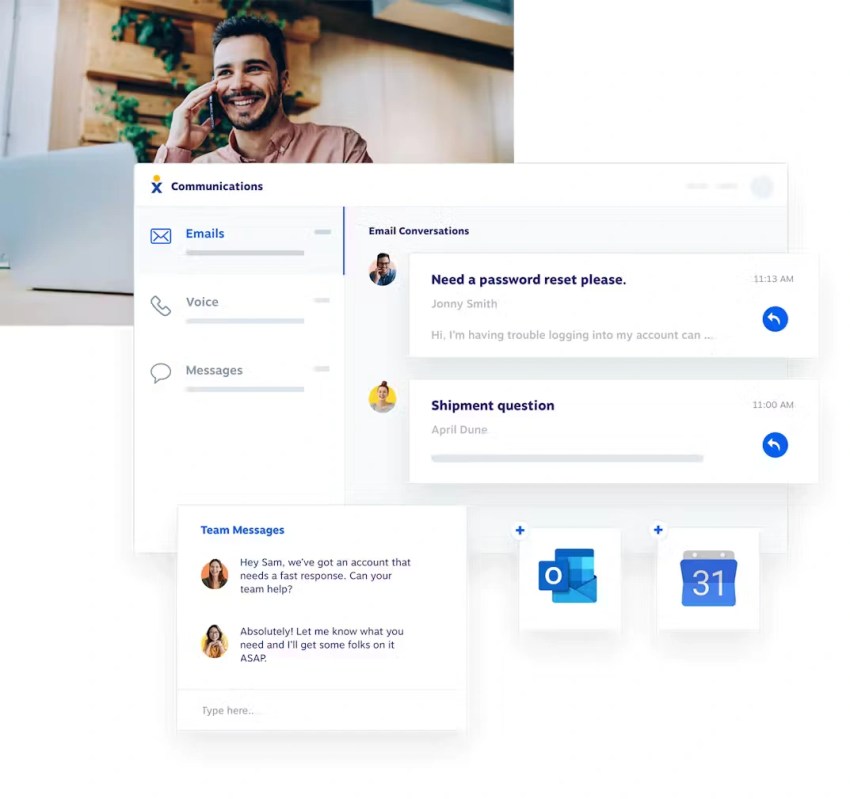
A robust 24/7 support system caters to diverse customer preferences and offers omnichannel customer support. This means integrating multiple channels — phone, live chat, email, social media, and SMS — into a seamless communication network.
Customers should be able to start a conversation on one channel and continue it on another without losing context. Alongside these, self-service options are crucial.
Self-service resources extend coverage without adding a human to every interaction. Useful resources include:
- A searchable knowledge base
- Troubleshooting guides
- Account and order status pages
- Community forums
- Automated chat and voice assistance
- Voicemail transcription
- Appointment and callback requests
Intelligent ticketing and workforce management
A 24/7 help desk should organize every interaction and route it to the right person or workflow.
The ticketing system should:
- Assign and prioritize tickets automatically
- Track response and resolution times
- Maintain the customer’s interaction history
- Identify duplicate requests
- Trigger escalation when a service-level target is at risk
Workforce management tools should help teams:
- Forecast call and message volume
- Plan shift rotations
- Account for holidays and regional demand
- Track productivity across time slots
- Schedule enough coverage for peak periods
An answering service should also define what happens when no employee accepts a transfer. The fallback may include an on-call rotation, a callback request, a voicemail, or an emergency dispatch workflow.
Data-driven quality assurance and continuous improvement
Analytics help managers compare service quality across channels and shifts. Track:
- Answer rate
- Missed calls
- Abandoned calls
- First-contact resolution
- Average response time
- Average handling time
- Customer satisfaction
- Booked appointments
- Qualified leads
- Escalation volume
- Agent performance metrics
Review call recordings, transcripts, customer feedback, and escalation outcomes. Use the findings to update scripts, training, routing rules, and knowledge-base content.
Clear escalation protocols should define urgent issues, approval limits, emergency contacts, and the information an agent must collect before transferring a case.


How To Implement a 24/7 Support System
A successful 24/7 operation combines technology, staffing, defined processes, and regular measurement. A business can start with selected channels or extended hours before expanding to full coverage.
With a well-implemented support strategy, you can better meet and exceed customer expectations. Here’s how to get started:
1. Assess your needs and choose the right technology
Review the current support operation before selecting a platform:
- When do calls and messages peak?
- Where are customers located?
- Which issues require a human?
- Which requests can automation handle?
- Which issues require immediate escalation?
- How many appointments, leads, or tickets does the team manage?
- Which languages and channels do customers need?
A 24/7 support stack may include:
- A ticketing system or 24/7 help desk software
- Live chat software
- A searchable knowledge base
- An AI receptionist or answering service
- Cloud-based contact center software
- CRM and calendar integrations
- Call recording and transcription
- Analytics and reporting tools
- A human escalation path
A unified digital customer service tool can reduce the need to connect separate systems. Confirm that the platform supports the required channels, customer context, permissions, security controls, and reporting.
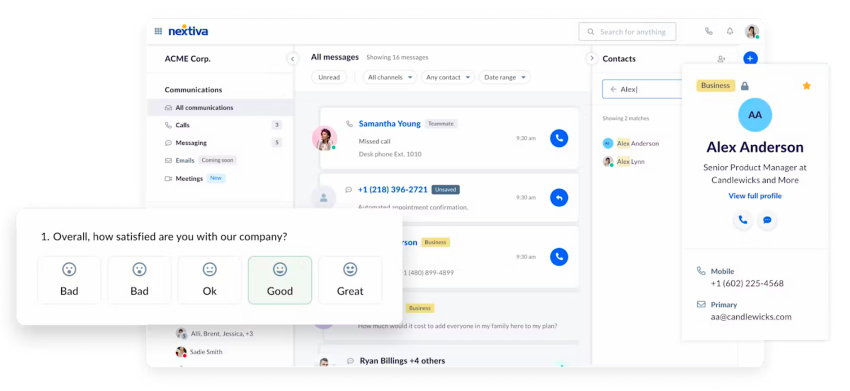
Customers love self-service options, so make sure your tech supports this too. A good tech stack is versatile and reliable, no matter the hour.

2. Develop a staffing strategy and prioritize employee well-being
Staffing options include:
- Hiring dedicated night staff
- Rotating shifts across trained employees
- Outsourcing selected coverage
- Using AI for routine requests
- Combining automation with human overflow support
The staffing model should match demand. Low-volume overnight periods may need an answering service and on-call escalation. High-volume periods may require dedicated agents and workforce management.
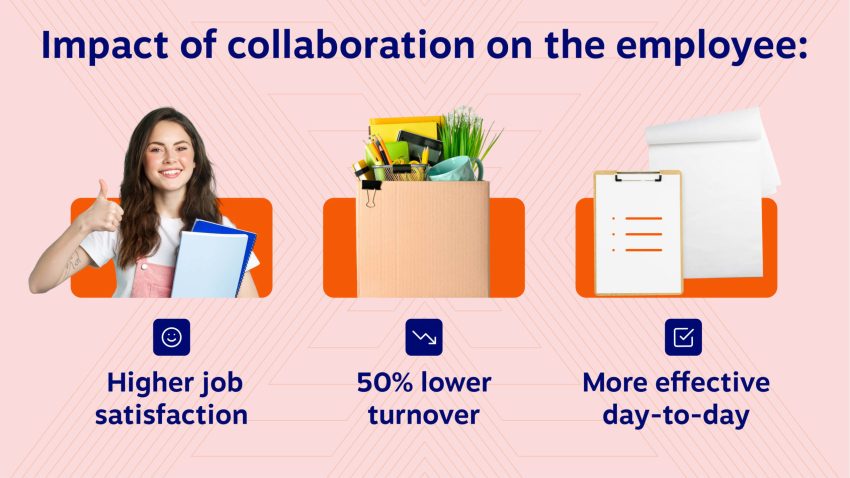
Employee well-being also affects service quality. Businesses should consider:
- Night-shift pay
- Adequate breaks and rest periods
- Predictable schedules
- Schedule flexibility
- Training for difficult interactions
- A clear path to escalate stressful cases
3. Create clear processes and start with a pilot program
Document the complete customer journey for each support channel. A call flow should specify:
- How the service greets the caller
- Which information it collects
- How it verifies the customer
- Which requests it can resolve
- When it books an appointment or creates a ticket
- When it transfers the call
- What happens if the transfer fails
- How it confirms the next step
Create standard procedures for common issues, escalation rules for complex problems, and communication guidelines for a consistent brand voice.
Use a pilot program before switching to full coverage. Extended hours, weekend coverage, or after-hours answering can reveal problems with routing, calendars, staffing, and emergency handling.

4. Implement performance metrics and gather customer feedback
What gets measured gets managed. Track key customer service metrics like first-contact resolution, average handling time, customer satisfaction scores, and resolution rates. Use these to refine your support system.
Also, gather feedback from both customers and employees regularly to make data-driven improvements. Have a continuous improvement engine running in the background.
5. Use automation and plan for scalability
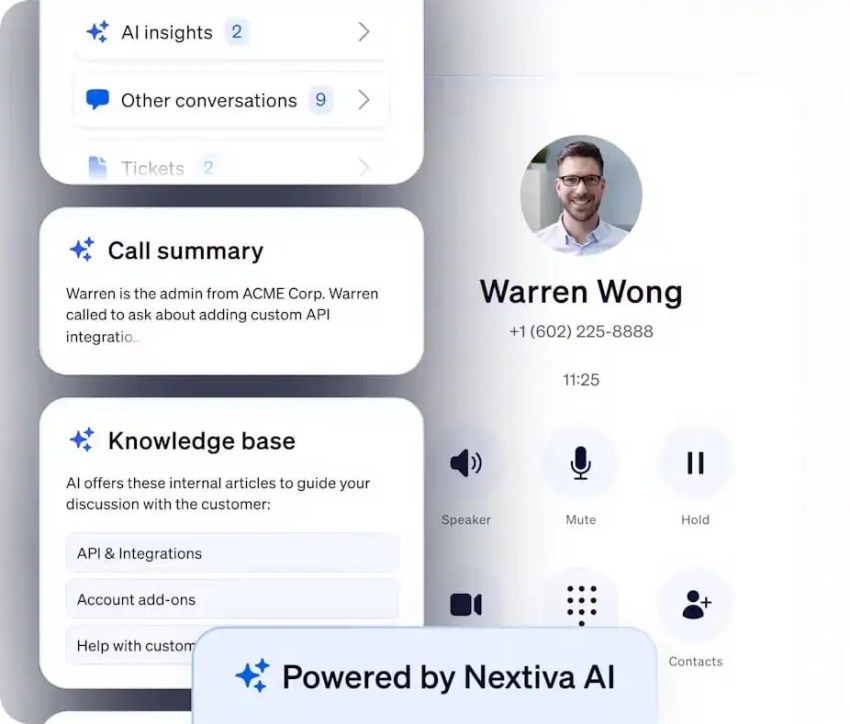
AI-powered answering services can handle routine calls, texts, and chats. They can collect details, answer common questions, schedule appointments, and route complex requests. Customer service automation should support human agents rather than remove the human fallback.
Nextiva reports that XBert AI improved customer response time by 98% and increased positive reviews by 11%. These are company-reported results, so each business should validate performance against its own baseline.
As support volume grows, the system should accommodate more customers, channels, integrations, agents, and concurrent interactions. Review usage limits before deployment and confirm how the provider charges for resolutions, minutes, messages, or transfers.
Tips and Best Practices for 24/7 Customer Service
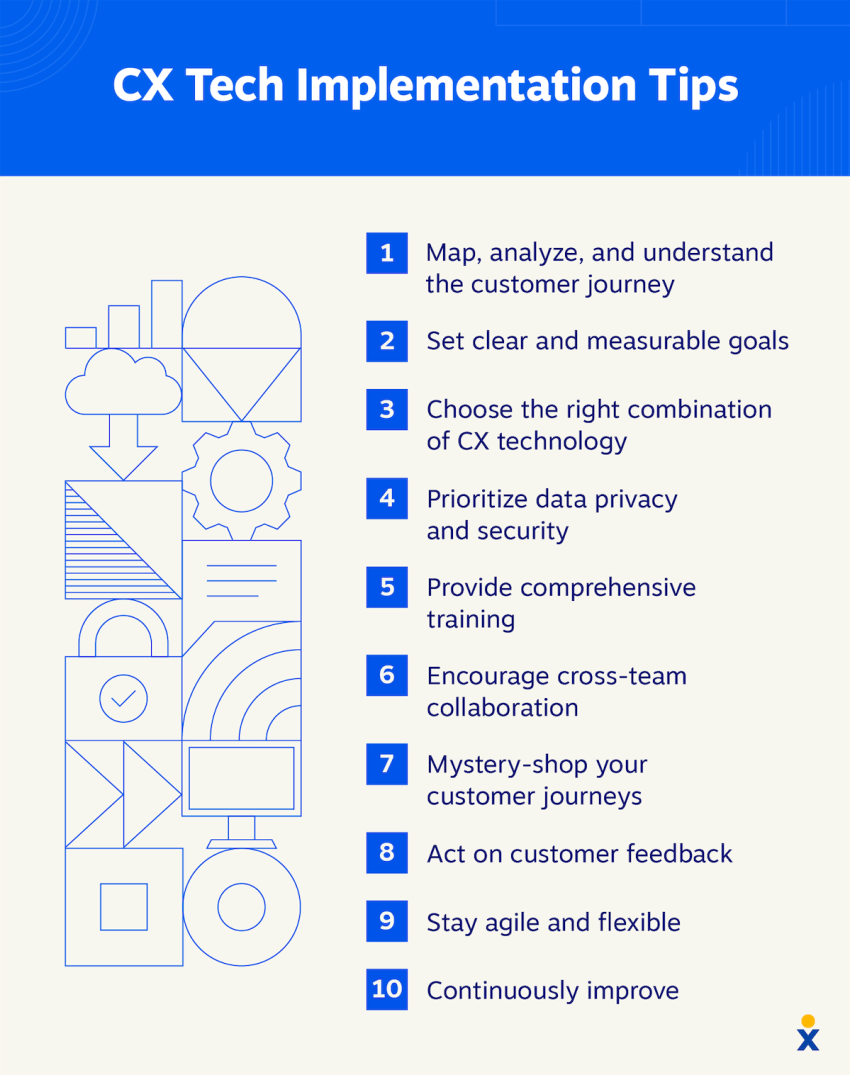
Ready to implement 24/7 customer support? Here are some tips and best practices to keep your customer service flowing smoothly:
- Offer training that sticks: Use realistic scenarios, call reviews, role-play, and clear escalation exercises.
- Track metrics that matter: Measure answer rate, missed calls, response time, booked appointments, customer satisfaction, and agent experience.
- Create a consistent customer experience: Use shared customer records, scripts, permissions, and escalation rules across every shift.
- Protect employee well-being: Provide fair scheduling, rest periods, support for difficult calls, and incentives for overnight work.
- Prepare for peak hours: Forecast seasonal demand and arrange overflow coverage for unexpected surges.
- Use technology effectively: Let AI handle routine requests while human agents manage sensitive or complex cases.
- Keep the knowledge base current: Review articles after product changes, recurring complaints, and new support cases.
- Integrate systems: Connect the phone system, CRM, calendar, ticketing platform, and reporting tools.
- Plan emergency handling: Define emergency categories, on-call contacts, transfer rules, and failed-transfer procedures.
- Use data to improve: Test call flows, identify recurring issues, and adjust staffing based on demand.
- Map the full customer journey: Connect support interactions with marketing, sales, onboarding, and retention activity.
The Future of 24/7 Customer Support
24/7 support is expanding from simple availability to more proactive service. Key developments include:
- Predictive support: AI and machine learning can identify patterns that signal a likely issue.
- Video support: Video can help agents guide customers through complex problems.
- Augmented reality assistance: Visual instructions can support equipment setup and technical procedures.
- Personalization at scale: Customer data can help tailor responses while the business handles larger volumes.
- Context-aware automation: AI can use account history, conversation details, and calendar data before routing a request.
- Human-supervised AI: Agents can review escalations, correct automated responses, and improve future interactions.
Businesses should set clear limits for automated systems. Sensitive account issues, complaints, emergencies, and complex decisions need a reliable human handoff.
If You Don’t Have 24/7 Support, You’re Already Behind
Business leaders shouldn’t contemplate the cost of 24/7 support but rather the cost of not providing it. Simply put, providing round-the-clock support is the cost of doing business.
Customers won’t wait for your business hours to get help — they’ll simply go to a competitor. You’re just one Google search away from losing the next sale, which could be worth thousands.
As CX leaders take on a holistic approach to improve customer experience, the fundamentals still matter. Listen to your customers, follow the data, and provide several ways to get live help.
And don’t limit yourself to call centers, either. Unified customer support tools enable you to surpass customer expectations. Plus, you won’t need a massive IT support budget to use them.
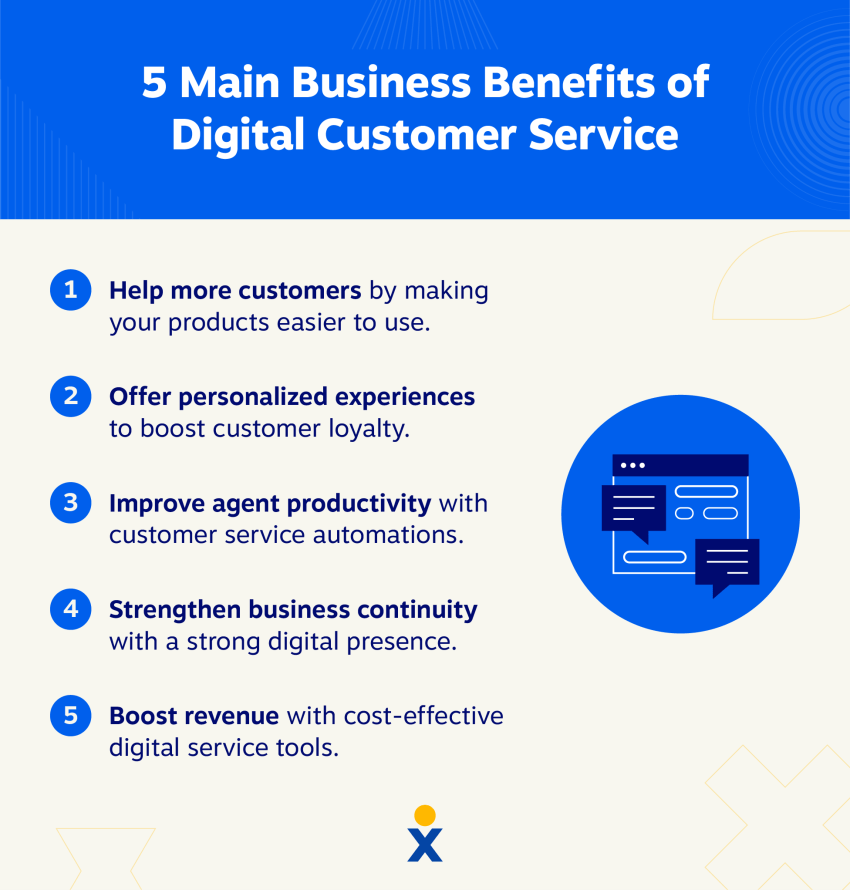
When you know your customer’s needs, you can adopt a 24/7 support operation to help customers, partners, and employees at any hour.
FAQs
AI-powered receptionists are the most reliable way to answer calls 24/7 without the overhead of hiring an overnight team. Platforms like Nextiva’s XBert AI handle voice calls, texts, and web chats round-the-clock, ensuring customers get immediate assistance no matter when they reach out.
The best after-hours service is one that can manage your specific business workflows when you are off the clock. An AI answering service provides continuous coverage by handling routine FAQs, booking appointments, and following custom escalation rules to transfer true emergencies to an on-call employee.
A top-tier automated service resolves routine tasks while maintaining a natural, helpful conversational tone. The most effective platforms, such as Nextiva, go beyond basic message-taking to actively schedule appointments, process intake forms, and seamlessly pass the conversation context to a human agent when a request gets too complex.