Customer Experience
  Blog
Blog  Business Communication
  Leadership
  Marketing & Sales
  Nextiva News
  Productivity
  VoIP
VoIP 

Customer experience (CX) software helps businesses collect customer signals, manage interactions, automate service, and measure outcomes across the customer journey.
Nextiva, a unified customer experience management platform, combines voice, messaging, chat, email, social interactions, analytics, and AI tools in one system. Other platforms focus on specific areas, such as help desk management, customer feedback, digital experience analytics, or customer relationship management (CRM).
This guide compares 12 leading CX software platforms for 2026, explains the differences between CX tools, and outlines how buyers can evaluate cost, capabilities, integrations, and scalability.
Nextiva’s 2025 State of Customer Experience report, based on more than 1,000 CX leaders, found that:
- 96% of respondents said company leadership views CX as a key driver of business outcomes.
- 67% said it is easier to secure budget for CX investments than it was five years ago.
Customer experience platforms help businesses coordinate customer interactions across websites, apps, social media, email, messaging, and phone channels.
CX Software At A Glance
The right platform depends on the organization’s goals:
- Best affordable CX platform: Nextiva offers Core at $15 per user per month, Engage at $25, and Scale at $75. The plans vary by channels, analytics, messaging, social accounts, and automation.
- Best unified CX management software: Nextiva combines communications, customer context, interaction analytics, feedback, routing, and AI in one platform.
- Best software for improving customer experience: A unified platform such as Nextiva can collect interaction data, identify friction, route requests, automate routine conversations, and measure results.
- Best for CRM integrations: TechnologyAdvice names Salesforce as its best option for CRM integrations in its editorial comparison.
- Best for experience management: TechnologyAdvice names Qualtrics XM its best option for experience management.
- Best for omnichannel support: TechnologyAdvice names NICE CXone its best option for omnichannel support.
- Best overall in TechnologyAdvice’s comparison: TechnologyAdvice names Zendesk its best overall platform. This is an editorial ranking, not a universal result for every organization.
What Is Customer Experience Software?
Customer experience software is a category of tools that helps businesses monitor, manage, analyze, and improve customer interactions across the customer journey.
A CX platform can connect:
- Phone calls and contact-center conversations
- Email, SMS, web chat, and social messages
- Website and app behavior
- Surveys, reviews, and Voice of Customer (VoC) feedback
- CRM records and purchase history
- Support tickets and knowledge-base activity
- Customer satisfaction and loyalty metrics
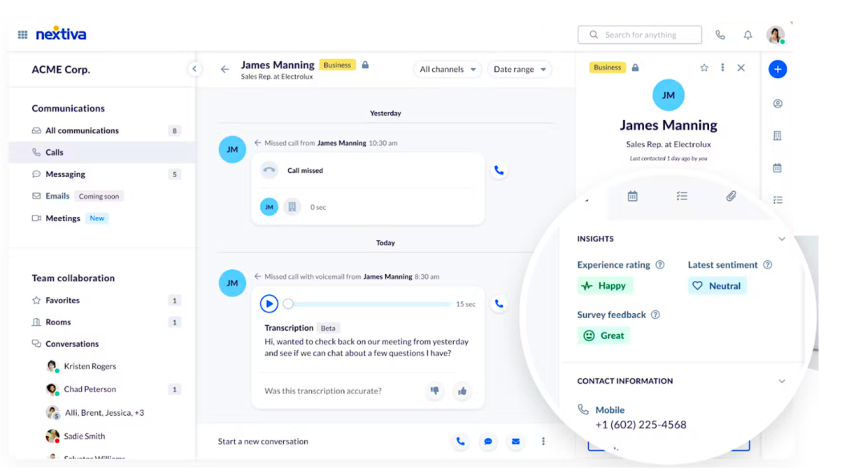
CX software helps businesses:
- Track customer journeys across channels
- Combine customer information into a usable profile
- Personalize communications and offers
- Route interactions to the right team
- Automate routine questions and tasks
- Identify friction and service gaps
- Measure NPS, CSAT, CES, resolution time, and retention
- Turn feedback into operational improvements
Customer experience management (CXM) is the broader business strategy. CX software supplies the technology that supports that strategy. Businesses can learn more about the strategy in this guide to customer experience management.
Where does your CX strategy stand with AI?
Take the AI Maturity assessment to get personalized recommendations on how to enhance your CX.
How CX software differs from other business tools
CX software overlaps with several categories, but each category has a different primary role.
| Software category | Primary purpose | Typical data or workflow |
|---|---|---|
| CRM | Manage customer records, sales activity, and account relationships | Contacts, opportunities, accounts, purchase history |
| Help desk | Track and resolve support requests | Tickets, SLAs, knowledge bases, escalations |
| Contact-center software | Manage high-volume customer communications | Voice, routing, queues, recordings, workforce activity |
| VoC software | Collect and analyze customer feedback | Surveys, reviews, sentiment, NPS, CSAT |
| Digital experience analytics | Analyze behavior on websites and apps | Clicks, journeys, session replays, errors, friction |
| Workforce management software | Plan and measure employee capacity | Forecasting, schedules, adherence, performance |
| CX software | Coordinate customer interactions and insights across the journey | Customer context, channels, feedback, automation, analytics |
A CRM stores customer and sales data. A help desk manages support cases. A contact center manages customer communications. CX software connects these functions or integrates with them so teams can act on a broader view of the customer.
A unified platform can reduce the need to move customer information between separate tools. A point solution may provide deeper capabilities in one area, such as surveys, journey analytics, or ticketing.
How CX Software Improves Customer Experience
CX software improves customer experience through a connected workflow:
- Collect signals. The platform captures conversations, survey responses, reviews, website activity, and service history.
- Unify customer context. It connects interactions to customer records, accounts, tickets, and prior conversations.
- Identify friction. Analytics reveal repeat contacts, long wait times, negative sentiment, abandoned journeys, and unresolved issues.
- Route requests. Rules and AI direct each interaction to the right agent, queue, department, or self-service flow.
- Personalize engagement. Teams use customer history, preferences, and behavior to tailor communications.
- Automate routine work. Chatbots, AI agents, workflows, and knowledge bases handle common requests.
- Escalate when needed. The system transfers complex or sensitive issues to a human agent with the relevant context.
- Measure outcomes. Dashboards connect customer feedback and operational metrics to satisfaction, retention, and revenue goals.
- Improve the process. Managers use the findings to update workflows, training, products, and customer communications.
| Capability | Customer outcome | Business outcome |
|---|---|---|
| Omnichannel routing | Faster access to the right team | Lower queue times and better agent utilization |
| AI automation | Faster answers for routine requests | Lower service costs and higher capacity |
| Transcription and summaries | Less repetition for customers | Faster documentation and CRM updates |
| Sentiment analysis | Earlier identification of frustration | Better escalation and recovery |
| CRM logging | More informed conversations | More personalized service |
| Surveys and VoC | A clearer view of customer needs | Better product and service decisions |
| Journey analytics | Visibility into drop-offs and friction | Higher conversion and retention |
| Workforce management | More consistent service availability | Better staffing decisions |
| In-conversation payments | Easier transaction completion | More completed purchases and renewals |
Why Invest in Customer Experience Software
Salesforce research found that 73% of customers expect brands to provide personalized experiences, while 47% of business leaders said their service interactions were highly personalized.
CX software can help businesses:
- Improve customer satisfaction through personalized interactions
- Identify at-risk customers and reduce churn
- Monitor reviews and support online reputation management
- Consolidate customer data for marketing, sales, product, and operations teams
- Automate repetitive service and administrative tasks
- Identify upsell and cross-sell opportunities
- Improve customer lifetime value
- Measure the effect of CX initiatives
Nextiva’s 2025 CX research found that 41% of customer-obsessed companies achieved at least 10% revenue growth, compared with 10% of less CX-mature organizations.
Customer service teams use an average of 6.3 tools for customer interactions. Eight out of 10 CX leaders also agree that consolidating customer data into a single system of record would improve their company’s customer experience.

Is a unified CX suite better than separate tools?
A unified suite can simplify administration and give teams a shared view of customer interactions. It can also reduce duplicate records, disconnected reporting, and the need to transfer context between systems.
Separate tools may be appropriate when a business needs specialized capabilities that a unified suite does not provide. Buyers should compare:
- The depth of each required capability
- Integration quality and API access
- Data ownership and portability
- Reporting across systems
- Implementation and training requirements
- Total subscription and usage costs
- Security, compliance, and access controls
A unified suite is usually a strong fit when the business needs shared data across communications, service, feedback, and analytics. A combination of specialized tools may work better for organizations with mature systems and dedicated technical resources.
Customer Experience vs. Customer Service Software
Customer experience software covers the full customer journey. Customer service software focuses on resolving customer questions and problems.
| Feature | Customer service software | Customer experience software |
|---|---|---|
| Primary focus | Reactive support and issue resolution | Proactive management of the customer journey |
| Scope | Usually post-purchase requests | Awareness, consideration, purchase, support, and loyalty |
| Common features | Ticketing, help desk, knowledge base, support chat | Journey mapping, communication orchestration, personalization, analytics, feedback |
| Primary users | Customer service and support teams | Marketing, sales, product, service, and operations teams |
| Common metrics | Resolution time, ticket volume, first-contact resolution | NPS, CSAT, CES, retention, lifetime value, conversion |
Customer service platforms help teams manage customer requests after a customer contacts the business. CX platforms also support service, but they connect service activity to other customer interactions and business processes.
Many CX platforms include help desk and contact-center capabilities. Buyers should confirm whether the product supports the channels, routing rules, reporting, and integrations required by the service operation.

Types of Customer Experience Management Platforms
CX tools range from focused products to broad platforms that coordinate the entire customer lifecycle.
Unified CX platforms
Unified customer experience management (UCXM) platforms combine customer data, communications, analytics, feedback, and workflow automation.
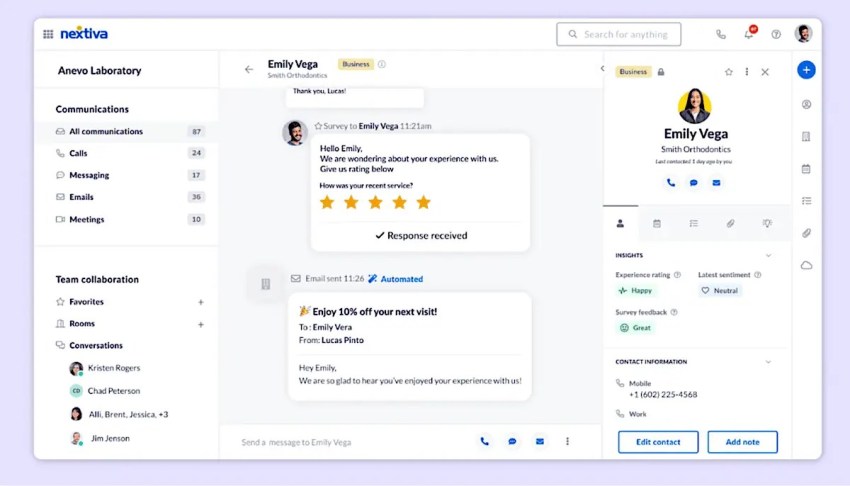
Common capabilities include:
- Customer journey mapping
- Voice, video, chat, SMS, and email
- Social and messaging channels
- Feedback and survey collection
- VoC analytics
- Customer profiles
- AI automation
- Service dashboards
- Integrations with CRM and business applications
Customer service and support software
Customer service platforms support issue resolution through:
- Ticketing
- Knowledge bases
- Agent workspaces
- Service-level agreements
- Email, chat, and phone support
- Escalation rules
- Self-service portals
- Workflow automation
Feedback and Voice of Customer (VoC) tools
Feedback platforms help organizations capture and analyze customer opinions through:
- Surveys
- Reviews
- Social listening
- Sentiment analysis
- Text analytics
- NPS and CSAT measurement
- Trend identification
- Closed-loop feedback workflows
Businesses can learn more about Voice of Customer programs.
Conversational CX and messaging platforms
Conversational platforms support real-time customer engagement through:
- Live chat
- AI-powered chatbots
- SMS
- Website messaging
- In-app messaging
- Social messaging integrations
- Automated lead capture
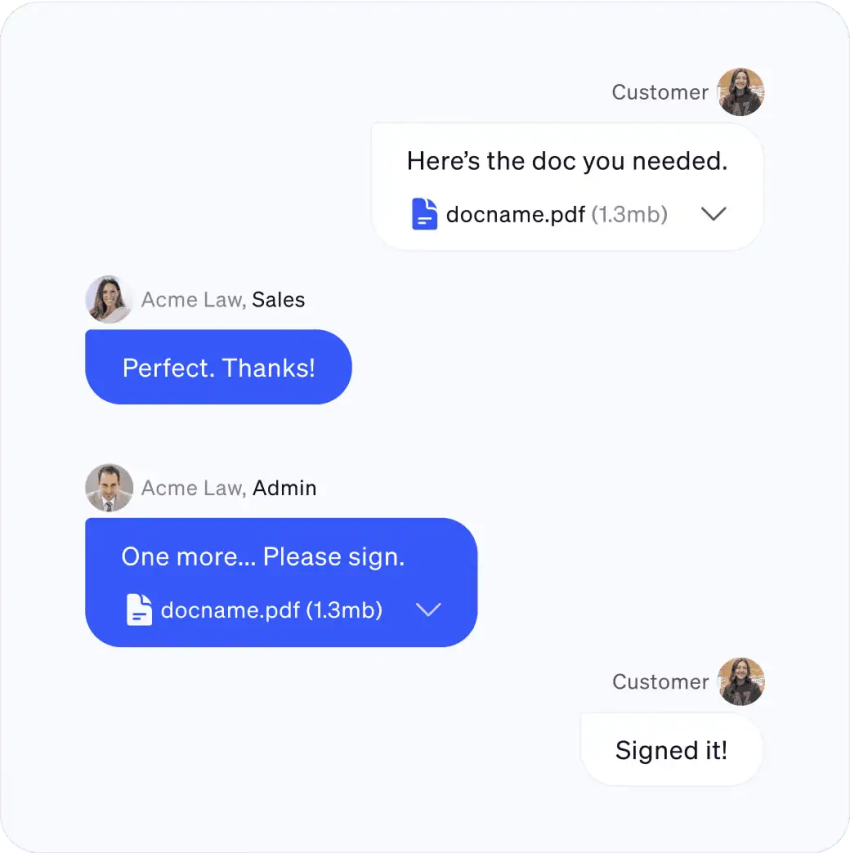
Conversational AI chatbots can answer routine questions and transfer more complex conversations to human agents.
Journey analytics and digital experience platforms
Customer journey analytics tools analyze behavior across websites, apps, support channels, and other touchpoints.
Contentsquare’s platform guide identifies capabilities such as experience analytics, product analytics, conversation intelligence, VoC, experience monitoring, session replay, heatmaps, journey analysis, web analytics, and error or frustration analysis.
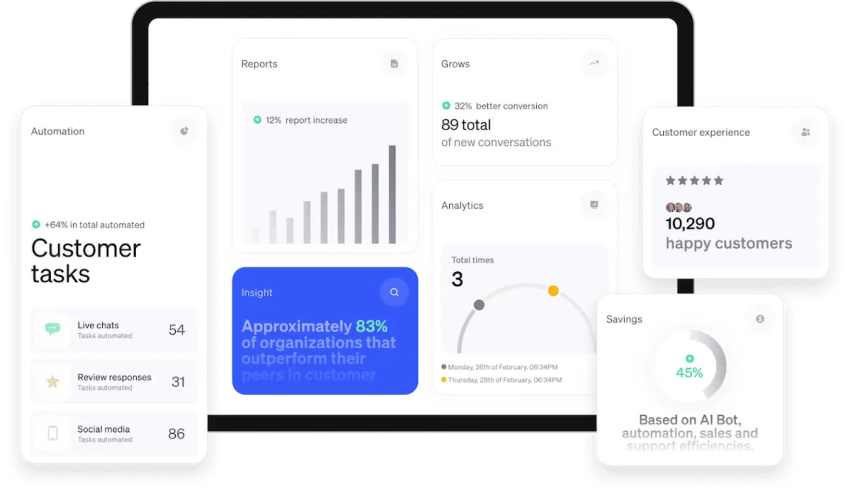
These tools can show where customers abandon a process, encounter errors, repeat actions, or require assistance. They may need integrations with communication, CRM, and service platforms to turn those findings into action.
Evaluating contact centers? Get the buyer’s guide.
This guide reveals the five pillars of a modern platform, key questions to ask, and red flags to avoid.
12 Leading CX Software Platforms
The following platforms represent different CX software categories. The comparison considers primary use case, channels, AI, analytics, integrations, pricing approach, and likely customer fit.
Pricing and features can change. Buyers should confirm current terms with each vendor before purchase.
| Platform | Best fit | Primary focus | Published starting price or pricing model | Customer feedback |
|---|---|---|---|---|
| Nextiva | Small businesses, mid-market firms, and enterprises | Unified communications and CX management | $15/user/month for Core; $25 for Engage; $75 for Scale | 4.5/5 on G2 |
| Podium | Local and multi-location businesses | Messaging, reviews, and payments | Tiered pricing and custom plans | 4.5/5 on G2 |
| Zendesk | Support teams and growing organizations | Customer service and support operations | Tiered, per-agent pricing | 4.3/5 on G2 |
| Qualtrics XM | Large enterprises | Experience management and feedback | Custom pricing | 4.4/5 on G2 |
| HubSpot Service Hub | Businesses using HubSpot CRM | CRM-connected customer service | Tiered, per-seat pricing | 4.4/5 on G2 |
| Birdeye | Multi-location businesses | Reviews, reputation, and messaging | Custom pricing | 4.7/5 on G2 |
| Freshdesk | Startups and growing support teams | Help desk and ticketing | Tiered, per-agent pricing | 4.4/5 on G2 |
| Intercom | SaaS and digital businesses | Conversational support and messaging | Seat and usage-based pricing | 4.5/5 on G2 |
| LiveChat | Small and mid-market companies | Website and app chat | Per-agent pricing | 4.5/5 on G2 |
| GetFeedback | Salesforce-connected teams | Enterprise feedback collection | Custom pricing | |
| Medallia | Large enterprises | Feedback, signals, and experience analytics | Custom pricing | 4.5/5 on G2 |
| Sprinklr | Enterprises with social and modern-channel needs | Social, messaging, and unified CX | Custom enterprise pricing | 4.5/5 on G2 |
1. Nextiva
Best for: Unified customer experience management, communications, and AI-powered service
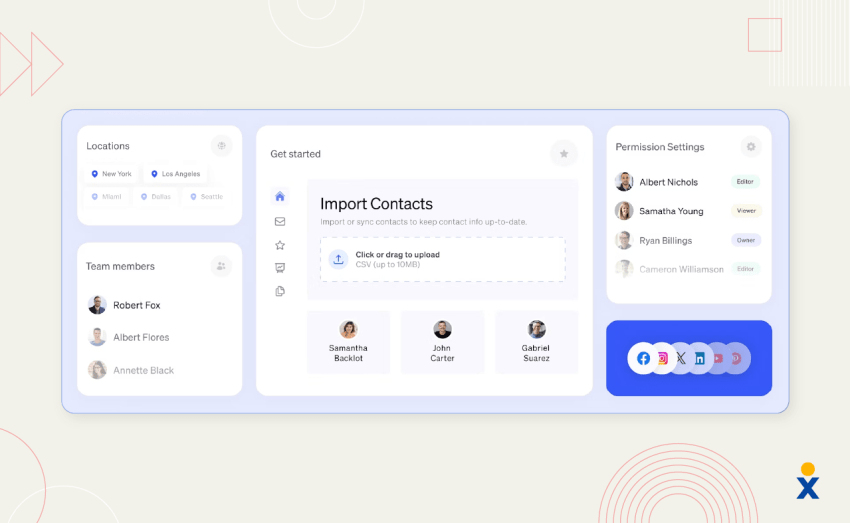
Nextiva combines voice, video, chat, SMS, email, social interactions, analytics, and customer experience management in one platform. It provides customer context within communication workflows and gives managers visibility into service performance.
Nextiva’s customer experience dashboards help teams monitor queues, agent availability, resolution times, customer satisfaction, and interaction trends.
Key capabilities
- Unified communications: Voice, video, chat, and SMS in one application through unified communications
- Customer context: Access to interaction history, tickets, contact details, and CRM information
- Interaction analytics: Communication metrics, engagement levels, sentiment, and agent performance
- Service dashboards: Queue, availability, resolution, and satisfaction reporting
- AI automation: XBert AI can answer questions, schedule appointments, route conversations, and provide automated customer interactions
- AI receptionist: XBert AI can answer calls, book appointments, and send omnichannel communications
- Contact-center workflows: Nextiva Contact Center supports intelligent routing, IVR, transcription, sentiment scoring, and automatic CRM logging
- Internal collaboration: Team chat and video meetings help agents work together on complex requests
- CRM integrations: Nextiva integrates with Salesforce, HubSpot, Zoho, Microsoft Dynamics, Oracle, Zendesk, ServiceNow, Microsoft Teams, Google Workspace, and Outlook. REST APIs support custom integrations.
- Payments: The NEXT Platform supports secure in-conversation payments.
Nextiva pricing and value
Nextiva’s verified small-business plans include:
| Plan | Price per user/month | Included capabilities | Likely fit |
|---|---|---|---|
| Core | $15 | Core phone service, limited channels, basic messaging, two dashboards, 100 texts per user per month, and three shared inbox accounts | Small teams starting with unified communications |
| Engage | $25 | More channels, 500 texts per user per month, up to 30 social accounts, up to 2,000 free 800 minutes, 10 shared inboxes, and enhanced analytics | Growing teams with broader CX needs |
| Scale | $75 | Unlimited channels, unlimited texting, unlimited social and reviews, advanced analytics, in-conversation payments, workforce management, and unlimited routing | Larger teams with advanced CX workflows |
Annual terms may save 35%–50%, depending on the plan and contract. XBert AI costs $1.50 per conversation, and the XBert AI Receptionist add-on costs $25 per user per month on monthly billing. Buyers should include these usage and add-on costs in the total cost of ownership.
See the Nextiva pricing page for current plan details.
Customer feedback
Customers cite Nextiva’s simple administration, call routing, and reporting capabilities in G2 reviews. Some reviewers also request more control over advanced configurations.
Why choose Nextiva?
Nextiva is a strong choice for organizations that need communications, customer data, AI automation, routing, and analytics in one platform. It supports small businesses, mid-market companies, and enterprises that want to reduce tool sprawl while preserving room to scale.

2. Podium
Best for: Local business messaging, reviews, and text payments
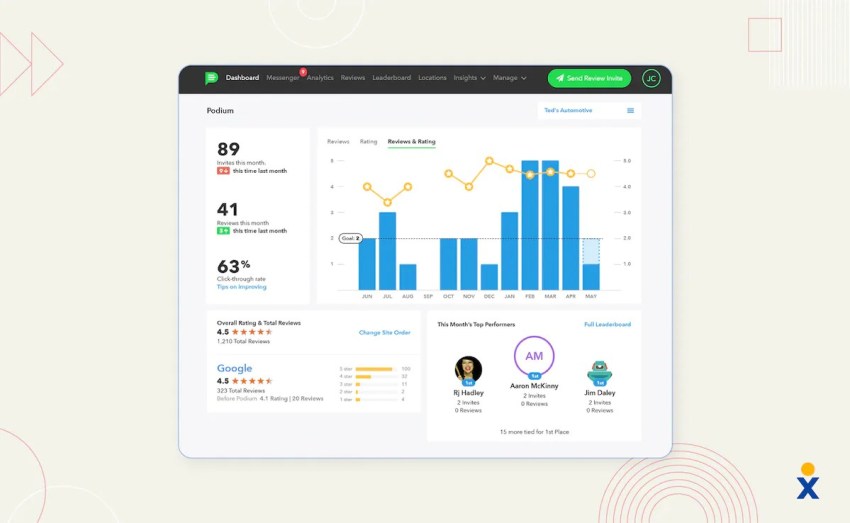
Podium focuses on local businesses and multi-location organizations. Its platform brings text and web chat into a shared workflow and supports review generation, reputation management, and text-to-pay functionality.
Key capabilities
- SMS and web chat
- Centralized message inbox
- Review monitoring and generation through online review management
- Text-to-pay functionality
- AI-powered communication and lead capture
Podium may suit local companies that prioritize reviews, messaging, and payments. Businesses that need broad contact-center analytics or enterprise journey orchestration should compare it with a wider CX suite.
Customer feedback describes Podium as a centralized communication system, while some reviewers cite cost and customization concerns.
3. Zendesk
Best for: Customer service operations, ticketing, and support integrations
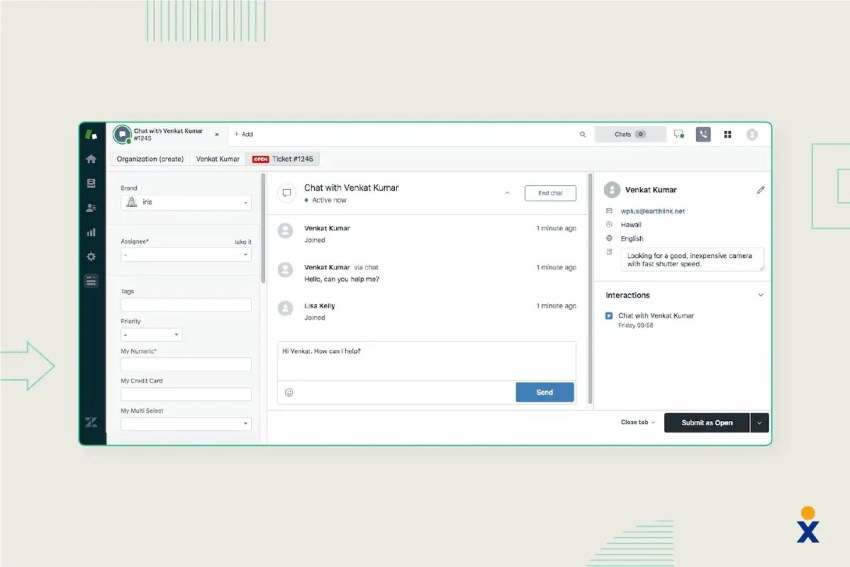
Zendesk centers on customer service and support operations. Its ecosystem includes customer service tools, the Sunshine Platform, marketplace apps and integrations, analytics, reporting, APIs, and developer resources.
Key capabilities
- Ticketing and help desk workflows
- Customer service analytics and reporting
- Marketplace integrations
- APIs and developer tools
- Customer support across digital channels
- AI-powered service capabilities
TechnologyAdvice labels Zendesk best overall in its editorial comparison. The comparison evaluates pricing, features, AI, integrations, scalability, reporting, compliance, implementation, and ease of use.
Zendesk is a practical option for organizations that need a mature service operation with extensive integrations. Implementation can require dedicated administration when workflows, reporting, and integrations become complex.
Customer feedback highlights workflow automation and triggers, while some reviewers describe advanced configuration as technically demanding.
4. Qualtrics XM
Best for: Enterprise experience management and feedback programs
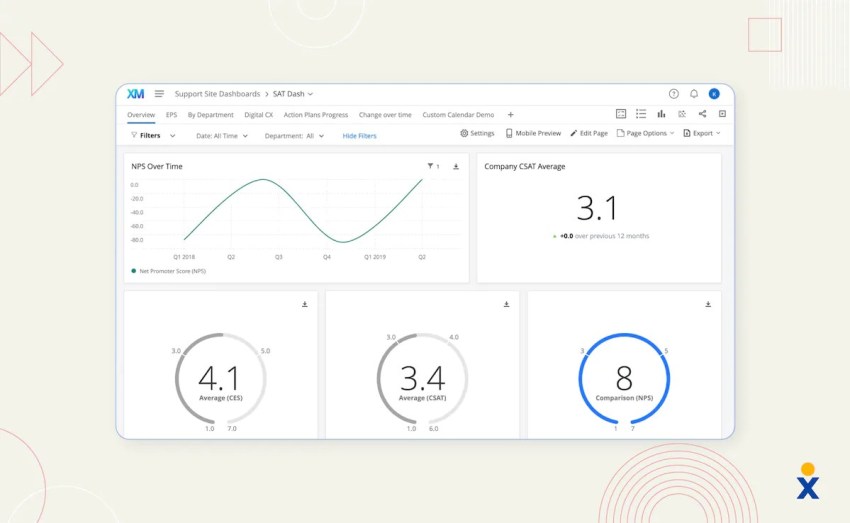
Qualtrics focuses on customer, employee, product, and brand experience data. It supports feedback collection, predictive analytics, text analysis, and cross-functional experience reporting.
Key capabilities
- Omnichannel feedback collection
- VoC management
- Predictive analytics and text analytics
- Experience dashboards
- Customer, employee, product, and brand experience programs
- Integrations with business systems
TechnologyAdvice labels Qualtrics XM best for experience management in its comparison.
Qualtrics uses custom pricing based on modules, usage, and business requirements. It fits large organizations with formal experience programs and the resources to manage a broad platform.
Customer feedback describes the product as capable of supporting a full CX program, while some reviewers cite cost and program complexity.
5. HubSpot Service Hub
Best for: Customer service connected to HubSpot CRM
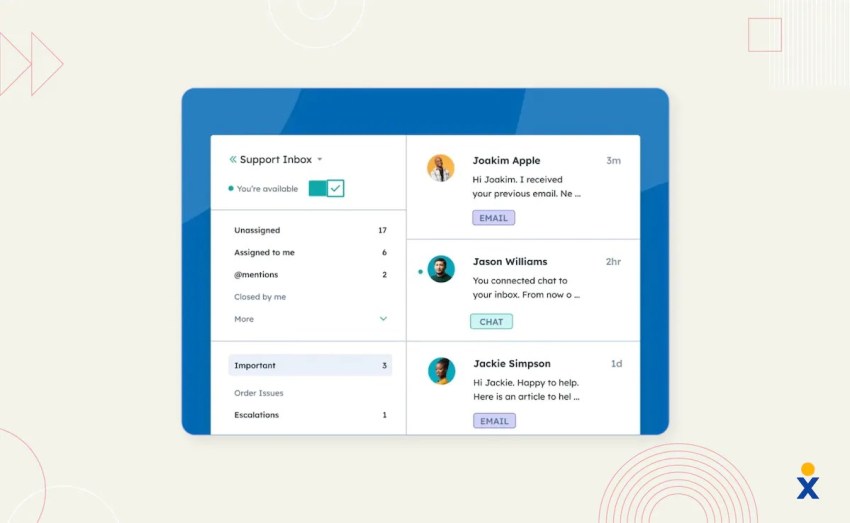
Service Hub connects ticketing, knowledge bases, live chat, automation, customer portals, and customer records within the HubSpot ecosystem.
Key capabilities
- Ticketing and help desk automation
- Knowledge base and customer portal
- Live chat and chatbots
- CRM-connected customer records
- Workflow automation
- Integration with other HubSpot products
HubSpot Service Hub is well suited to businesses that already use HubSpot for marketing, sales, or CRM workflows. Its published pricing uses tiered plans and seat-based billing. Businesses can review HubSpot pricing and available plans before committing.
Customer feedback cites workspace customization and workflow suggestions. Some reviewers describe frequent interface changes and a learning curve for new users.
6. Birdeye
Best for: Multi-location reputation management and customer feedback
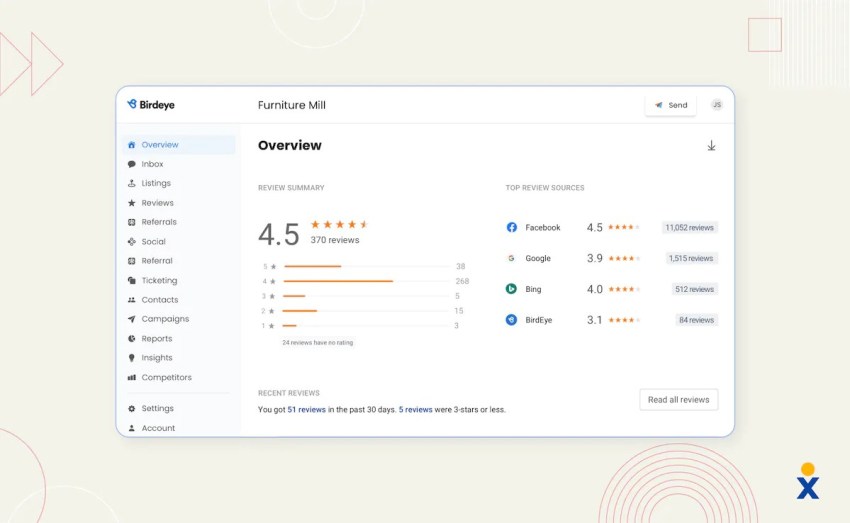
Birdeye helps multi-location businesses manage reviews, surveys, messages, SMS, and web chat through centralized workflows.
Key capabilities
- Review monitoring and generation
- Central inbox for reviews, social messages, and SMS
- Survey and feedback collection
- Web chat
- Bulk SMS
- Location-level reputation reporting
Birdeye fits businesses that manage many locations and need consistent review and messaging processes. Buyers should evaluate how well it integrates with their CRM, service, and communication systems.
Customer feedback cites centralized review management and response workflows. Some reviewers describe the platform as broad and requiring time to learn.
7. Freshdesk
Best for: Growing support teams and help desk automation
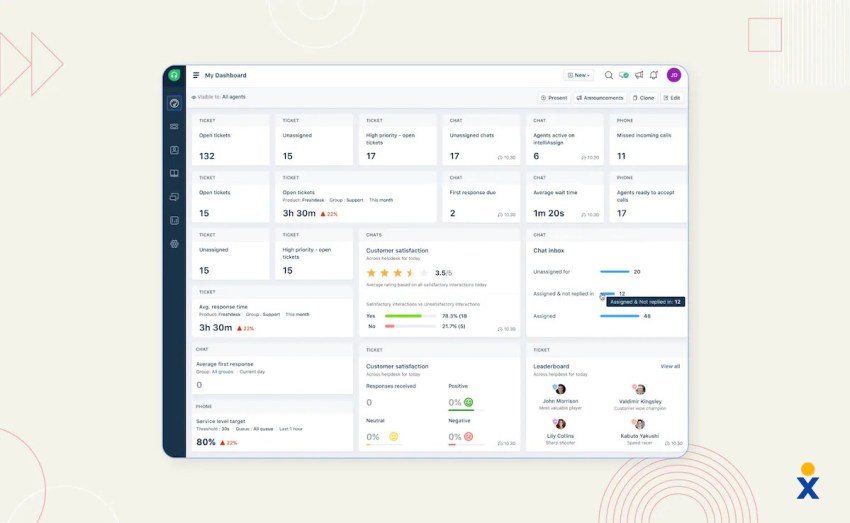
Freshdesk is a customer support platform built around ticketing, automation, service-level agreements, collaboration, and self-service.
Key capabilities
- Omnichannel ticketing
- Help desk management
- AI-powered support features
- SLA management and escalation rules
- Agent collaboration
- Central agent dashboard
- Self-service portal
TechnologyAdvice labels Freshdesk best for growing teams in its editorial comparison.
Freshdesk offers tiered pricing, including a free plan, with paid plans priced per agent. Buyers should review the current Freshdesk product page for plan limits.
Customer feedback cites the user-friendly interface, workflow automation, predefined responses, and ticket rules. Some reviewers mention mobile feature limits and advanced capabilities that require higher-priced plans.
8. Intercom
Best for: Proactive messaging, in-app support, and conversational engagement
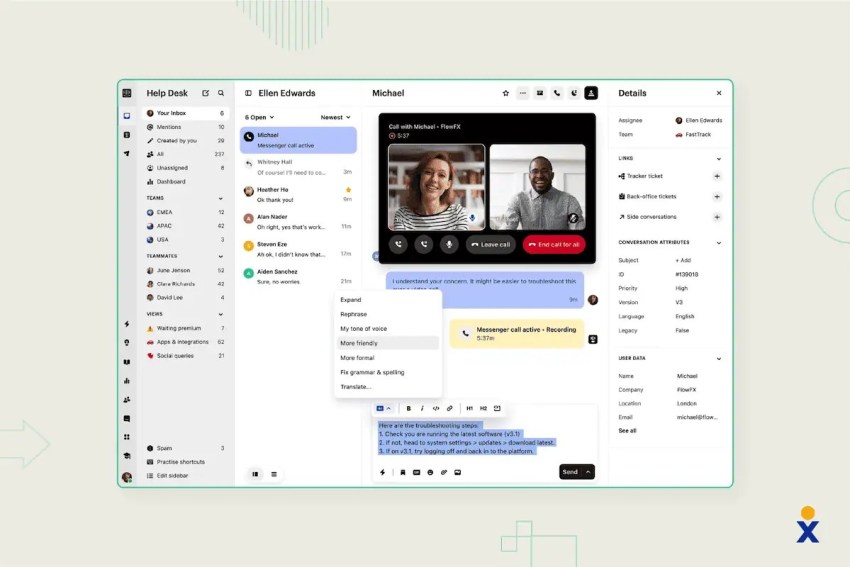
Intercom focuses on proactive customer engagement across chat, email, and in-app channels. It supports targeted messaging, bot-assisted service, and help-center workflows.
Key capabilities
- Proactive messaging
- In-app campaigns
- AI chatbot support
- Omnichannel inbox
- Help center and knowledge base
- Automated routing and escalation
Intercom fits SaaS and digital businesses that need onboarding, in-product support, and proactive engagement. Buyers should assess both seat pricing and usage-based AI charges.
Customer feedback highlights instant answers, automated responses, and routing to the appropriate team. Reviewers also describe cases where bots need human assistance for complex questions.
9. LiveChat
Best for: Real-time website and app conversations
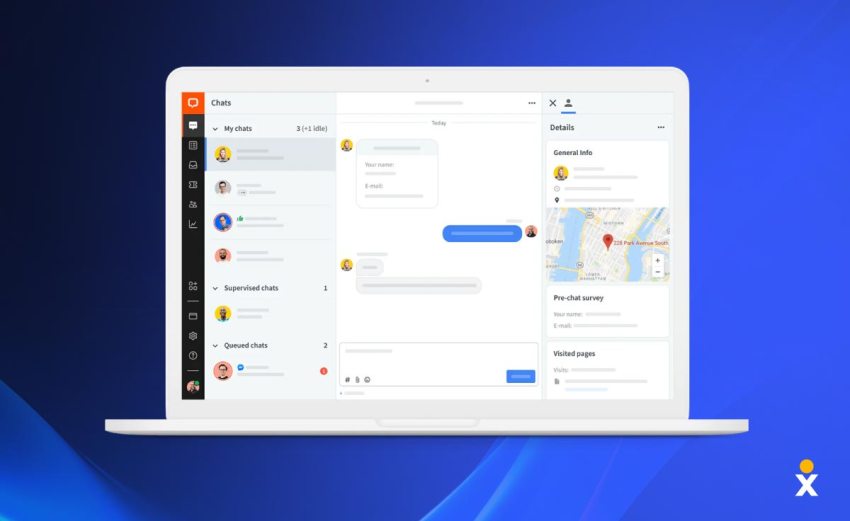
LiveChat provides live chat support and sales engagement for websites and applications.
Key capabilities
- Website and app chat widgets
- Chat routing
- Canned responses
- Visitor tracking
- Sales and support integrations
- CRM, help desk, and e-commerce connections
LiveChat suits companies that need a focused real-time chat channel. It may require additional tools for voice, surveys, workforce management, or full journey analytics.
Customer feedback cites integrations with multiple business applications and the ability to support real-time engagement. Some reviewers describe a learning curve.
10. GetFeedback
Best for: Salesforce-connected customer feedback
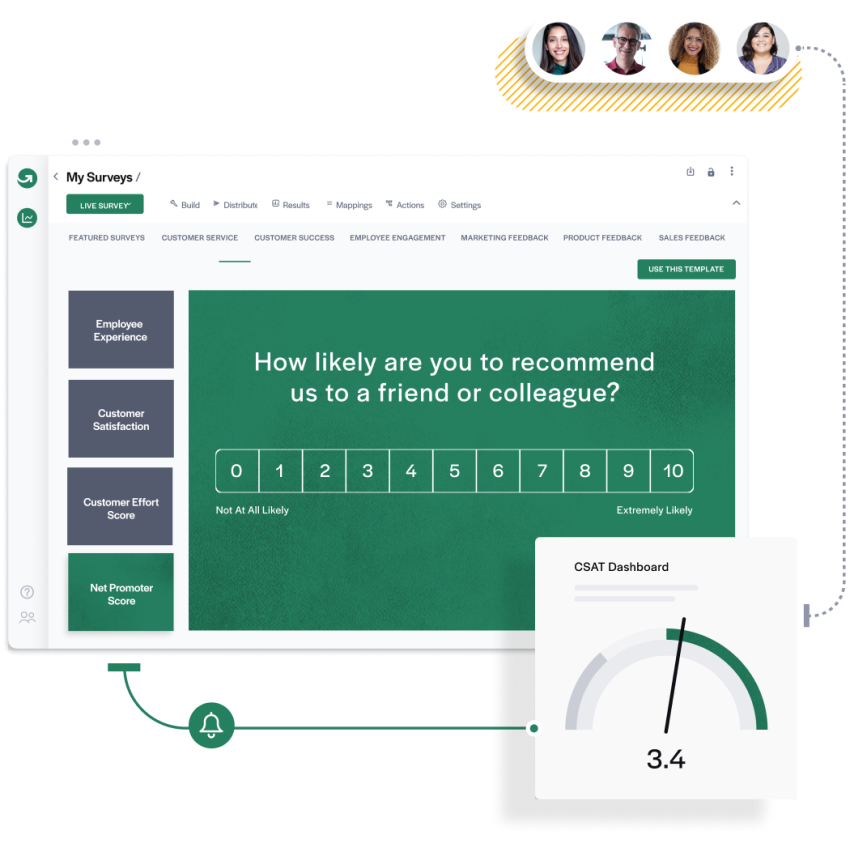
GetFeedback, now part of Momentive, is designed for feedback collection and analysis within Salesforce workflows.
Key capabilities
- Surveys through web, apps, SMS, and email
- Salesforce integration
- Feedback dashboards
- Automated workflows based on responses
- Feedback analysis
GetFeedback is a fit for organizations that want to connect customer feedback with CRM records and trigger follow-up actions.
Customer feedback describes the tool as easy to use for collecting and analyzing feedback. Some reviewers cite challenges when adapting the product to large-company requirements.
11. Medallia Experience Cloud
Best for: Large-scale feedback and experience programs
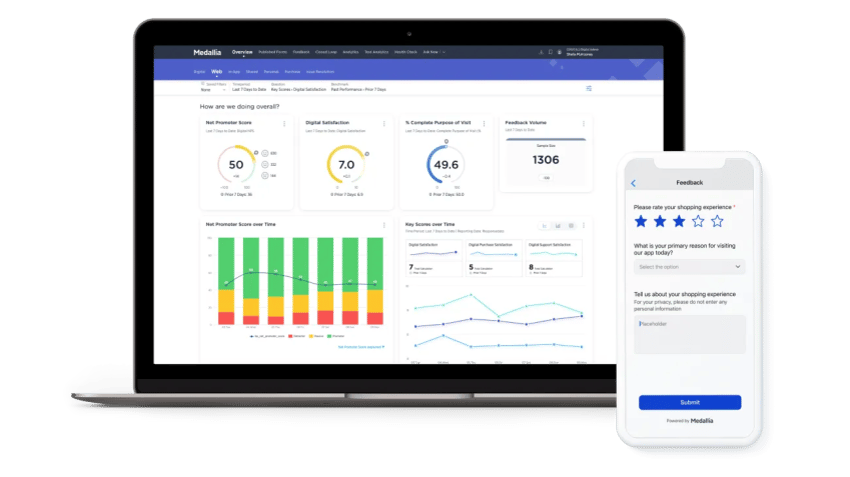
Medallia captures customer signals from surveys, social media, voice, and other sources. Its analytics and workflow tools support enterprise CX programs.
Key capabilities
- Omnichannel feedback collection
- Text and speech analytics
- Predictive analytics
- Churn modeling
- Role-based dashboards
- Action-management workflows
Medallia is suited to large organizations that need to analyze feedback across many channels and business units. It uses custom pricing based on enterprise requirements, data volume, modules, and geographic needs.
Customer feedback cites its ability to consolidate feedback and identify trends. Some reviewers describe a steep learning curve for new users.
12. Sprinklr
Best for: Enterprise social and modern-channel CX
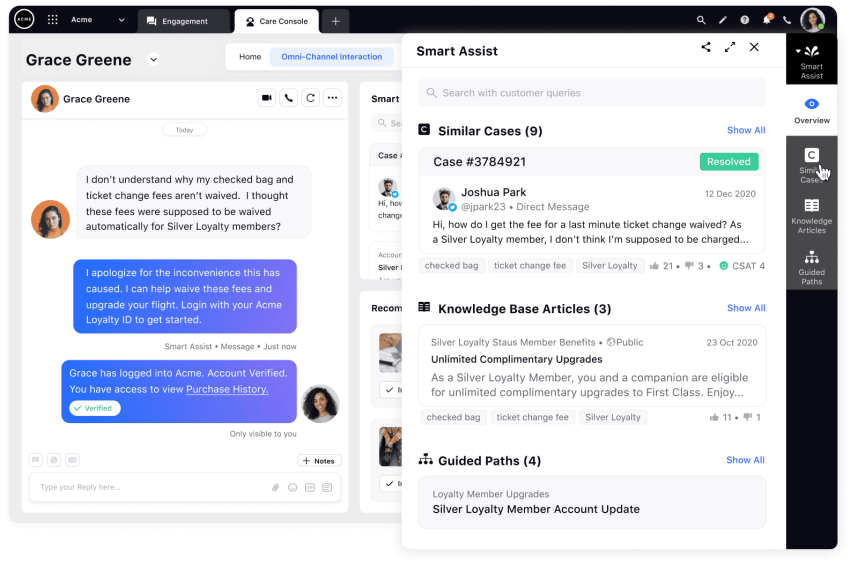
Sprinklr manages customer service across social media and modern messaging channels. It connects service workflows with marketing and social-listening data.
Key capabilities
- Service across more than 30 channels
- Social listening and engagement
- AI automation and insights
- Marketing integration
- Unified agent interface
- Self-service workflows
Sprinklr is suited to enterprises that need social listening, modern messaging, and cross-functional customer engagement. It uses custom enterprise pricing based on modules and capabilities.
Customer feedback cites the unified agent interface and configurable processes. Some reviewers describe the platform as broad and requiring significant training.

Affordable CX Software And Total Cost
Affordable CX software should be evaluated by the capabilities included at the published price. A low subscription price can become less attractive when the business adds separate voice, messaging, analytics, survey, AI, or integration tools.
Nextiva pricing and included value
Nextiva provides three verified small-business pricing levels:
- Core, $15 per user per month: Phone service, limited channels, basic messaging, two dashboards, 100 texts per user per month, and three shared inbox accounts.
- Engage, $25 per user per month: More channels, 500 texts per user per month, up to 30 social accounts, up to 2,000 free 800 minutes, 10 shared inboxes, and enhanced analytics.
- Scale, $75 per user per month: Unlimited channels, unlimited texting, unlimited social and reviews, advanced analytics, in-conversation payments, workforce management, and unlimited routing.
Annual terms may reduce the effective cost by 35%–50%. Buyers should also account for:
- AI charges per conversation
- AI receptionist add-ons
- Voice-minute or messaging overages
- Minimum seat requirements
- Implementation and training
- Premium integrations
- Data migration
- Annual contract commitments
- Support and administration resources
Nextiva’s XBert AI costs $1.50 per conversation. The XBert AI Receptionist add-on costs $25 per user per month on monthly billing. These charges should appear in the organization’s cost model alongside the base plan.
Other affordable options
Businesses with narrower needs may consider:
- SurveySparrow: Feedback collection and survey management across multiple channels. SurveySparrow
- Tidio: Live chat, AI chatbots, and CRM functions for small and medium-sized businesses. Tidio
- Freshdesk: Help desk functionality with automation and a free plan. Freshdesk
- HubSpot: CRM-connected contact management, chatbot engagement, and support ticketing through free and paid plans. HubSpot
These products may reduce the cost of a specific workflow. A buyer should compare the full stack required to support phone, messaging, feedback, analytics, automation, and CRM data.
Key CX Software Features
A CX platform should match the business’s customer journey, service model, data architecture, and growth plans.
Customer data and profiles
The platform should consolidate customer history across calls, chats, emails, reviews, social interactions, tickets, and purchases. A shared profile helps agents avoid asking customers to repeat information.
Omnichannel communication
The platform should connect voice, email, SMS, web chat, social media, and in-app messaging while preserving conversation history. See omnichannel support for more detail.
Journey mapping and orchestration
Customer journey mapping shows how customers move through awareness, purchase, onboarding, service, and renewal. Orchestration tools trigger actions based on customer behavior, segment, or journey stage.
Voice of Customer and feedback
Look for surveys, reviews, social listening, sentiment analysis, NPS, CSAT, CES, text analysis, and closed-loop workflows. Feedback should reach the teams responsible for product, service, operations, and marketing.
AI automation
Evaluate whether AI can:
- Answer common questions
- Summarize conversations
- Transcribe calls
- Detect sentiment
- Recommend responses
- Route interactions
- Schedule appointments
- Retrieve knowledge-base information
- Complete transactions
- Escalate to a human agent
AI should include controls for accuracy, privacy, escalation, auditability, and human review. Learn more about AI in customer experience.
Analytics and reporting
Useful reports connect customer outcomes with operational activity. Examples include:
- NPS, CSAT, and CES
- First-contact resolution
- Average handle time
- Response and resolution time
- Repeat-contact rate
- Queue and abandonment rate
- Agent availability
- Sentiment trends
- Conversion and retention
- Customer lifetime value
Workflow automation
Automation can manage:
- Lead and customer routing
- Service escalations
- Onboarding
- Appointment reminders
- Review requests
- Follow-up messages
- SLA alerts
- Case assignment
- Feedback-based actions
Integrations and APIs
The platform should connect with CRM, marketing, e-commerce, billing, service, workforce, and data systems. REST APIs and webhooks support custom workflows when prebuilt integrations are not sufficient.
Security and compliance
Review:
- Encryption
- Role-based access
- Audit trails
- Data retention
- Authentication controls
- Administrative permissions
- Regulatory support
- Data residency
- Vendor incident response
Businesses with regulated data should review contact-center compliance requirements before implementation.

How To Choose A CX Platform
Step 1: Define the CX goals
Identify the customer problems the platform must solve. Examples include long wait times, low self-service success, disconnected customer records, poor review response, or limited visibility into customer sentiment.
Step 2: Establish the total budget
Calculate more than the license price. Include:
- Users and agents
- Voice minutes
- Text messages
- AI usage
- Integrations
- Implementation
- Data migration
- Training
- Custom development
- Support
- Reporting and administration
Step 3: Shortlist the right platform category
Determine whether the business needs:
- A unified CX suite
- A contact-center platform
- A help desk
- A VoC and survey tool
- Digital experience analytics
- A CRM-connected service platform
- A combination of specialized tools
A unified suite may reduce integration work. A point solution may provide more depth in a single function.
Step 4: Test real workflows
Use realistic scenarios during demos or trials:
- A customer contacts the business through multiple channels.
- An agent needs the customer’s prior interaction history.
- AI handles a routine request and escalates a complex issue.
- A manager reviews sentiment and resolution data.
- A survey response triggers a follow-up action.
- A customer completes a payment during a conversation.
Invite representatives from service, sales, marketing, IT, security, finance, and operations.
Step 5: Compare vendors with a scorecard
Score each platform against:
- Channel coverage
- Customer data unification
- AI capabilities
- Feedback and survey tools
- Analytics
- CRM and application integrations
- Workflow automation
- Security and compliance
- Ease of administration
- Implementation complexity
- Scalability
- Total cost
Step 6: Plan adoption and governance
Assign platform ownership, define access controls, document workflows, train users, and establish reporting standards. Start with high-impact workflows before expanding to additional teams and channels.
Step 7: Measure business outcomes
Set a baseline before implementation. Track changes in:
- Customer satisfaction
- Resolution time
- First-contact resolution
- Repeat contacts
- Abandonment
- Agent productivity
- Self-service completion
- Retention
- Conversion
- Revenue per customer

Enterprise CX Software Considerations
Enterprise organizations need more than a large feature list. They need architecture, governance, integration, and operational control.
Scalability
The platform should support growth in users, locations, channels, data volume, languages, and business units. Confirm limits for records, messages, integrations, reports, and AI usage.
Data silos
Nextiva reports that 95% of companies use multiple CX tools. Separate systems can scatter customer data across sales, marketing, service, and operations.
A unified customer record, shared identifiers, APIs, and event-based workflows can reduce these silos.
Departmental alignment
CX programs span customer service, marketing, sales, product, IT, finance, and operations. The platform should let each team access relevant data while preserving role-based controls.
AI governance
Enterprise buyers should review:
- Data used to train or configure AI
- Human approval controls
- Escalation rules
- Prompt and response monitoring
- Accuracy measurement
- Audit logs
- Privacy controls
- Vendor commitments for customer data
Security and compliance
Review identity management, access controls, encryption, retention, auditability, regulatory support, and incident response. Include legal and security teams in vendor evaluation.
Reporting and data ownership
Confirm whether teams can export raw data, customize dashboards, create cross-channel reports, and retain historical information if they change platforms.
Planning For Growth
Quick fixes can create long-term bottlenecks when customer data, workflows, and reporting remain fragmented.
A scalable CX platform can help organizations:
- Add channels without creating separate customer records
- Share context between agents and departments
- Automate repeatable workflows
- Monitor customer and employee performance
- Apply AI with defined human controls
- Connect CX activity to retention and revenue
Unified platforms support communication among customers, agents, and internal teams. They can also support a customer-centric culture and scalable customer experience programs.

Nextiva for Customer Experience Management
Nextiva combines communications, customer context, AI, routing, contact-center tools, and analytics in one platform.
Its capabilities include:
- Voice, video, chat, SMS, email, and social interactions
- Unified customer records
- CRM integrations and REST APIs
- Intelligent routing
- IVR
- Real-time transcription
- Sentiment scoring
- Automatic conversation summaries
- Customer experience dashboards
- Workforce management
- AI-powered customer interactions
- XBert AI Receptionist
- In-conversation payments
Nextiva’s AI contact center software supports service workflows across communication channels. Its intelligent call routing can direct interactions based on business rules, customer context, and agent availability.
Businesses can also review Nextiva’s AI answering service and customer experience platform.

Wow customers every day.
Level up the customer experience in every interaction.
Customer Experience Software FAQs
For organizations seeking cost-effective functionality without paying for multiple disconnected tools, Nextiva provides one of the most accessible starting points. Its tiered pricing begins with the Core plan at $15 per user per month, scaling up to Engage at $25 and Scale at $75 depending on channel access, automation, and analytics requirements.
The best solution depends on whether an organization needs specialized capabilities or an all-in-one system:
– For a comprehensive platform that centralizes communications, interaction analytics, customer feedback, and AI into a single workflow, Nextiva serves as the strongest unified option.
– Organizations prioritizing deep feedback analytics often favor specialized tools like Qualtrics XM, while those focused primarily on support ticketing frequently turn to platforms like Zendesk.
Software that unifies the customer journey across voice, digital messaging, and service channels delivers the most measurable improvements. Connected platforms like Nextiva achieve this by collecting cross-channel interaction data, pinpointing friction points, automatically routing inquiries to the right team, and using conversational AI to handle routine requests efficiently.
Common challenges include integrating data from disparate systems, managing organizational change and user adoption, navigating complexity in customization, resource constraints (time, budget, and expertise), defining clear success metrics, and breaking down departmental silos to achieve a unified approach to better analyze customer data and address customer expectations.
Successful implementations typically involve a phased approach, strong executive sponsorship, cross-functional teams, and dedicated change-management resources, which help gather customer feedback effectively.