Productivity
  Blog
Blog  Business Communication
  Customer Experience
  Leadership
  Marketing & Sales
  Nextiva News
  VoIP
VoIP 

Running a small business today means juggling sales, marketing, operations, customer service, and everything in between. And the right stack of small business software can dramatically improve efficiency across all of these areas. So you’ve got your website up, email configured, and a business phone number — now what?
Small businesses are increasingly investing in technology to stay competitive. According to a 2025 GTIA report, 4 in 10 SMBs increased their tech spending in 2025, with nearly a third (29%) of that investment going into automation. Startups embracing AI are already seeing results. A 2025 survey by Mercury found that startup founders who significantly adopted AI reported dramatically higher optimism, regardless of industry.
The good news is you don’t need a massive budget to start building a powerful tech stack. In this article, we explore the key areas where business management software can streamline small business operations and highlight the best tools in each category, with options ranging from free to affordable paid plans.
The Best Small Business Software for Communications
Free collaboration and communication software helps remote or hybrid teams create a collaborative culture and stay productive in the absence of face-to-face interaction. These solutions allow teams to organize tasks while managing projects, ensuring every deadline is met.
1. Nextiva Business Phone Service
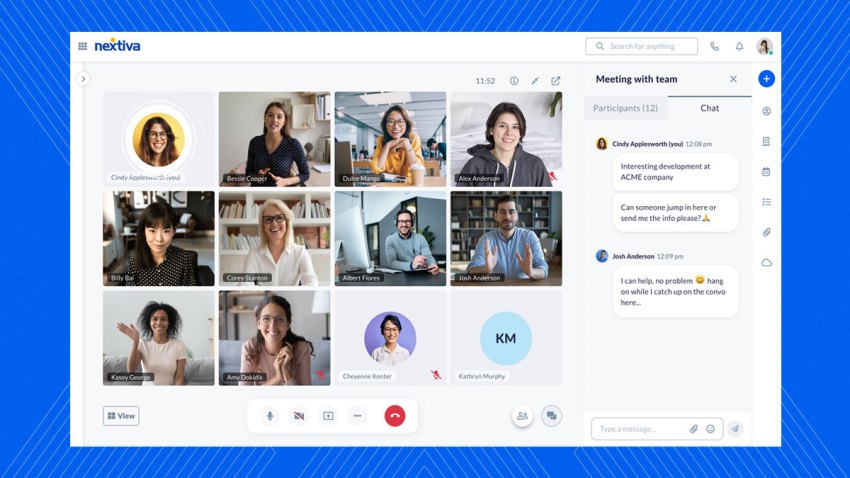
Nextiva is an all-in-one communication platform built to give small businesses the kind of tools usually reserved for larger companies, but without the cost or complexity.
Calls, texts, email, video, and team chat all live in one platform, so every conversation stays connected. You can even get a business phone number with Nextiva for as low as $15 per month — a great option for small businesses getting started with phone support.
But what really sets Nextiva apart is how much intelligence it brings to the workflow. AI and automation help small teams personalize interactions, route conversations intelligently, surface insights instantly, and eliminate repetitive tasks.
Here’s how one customer puts it on G2:
“Headache-free setup process. Straightforward software. Zero downtime.”
Nextiva features
- Centralized conversations: Manage phone calls, SMS, email, and team chat from one dashboard.
- AI-powered phone receptionist: XBert answers incoming calls, books appointments, and automates routine tasks even when your busy helping clients.
- Business text messaging: Send and receive texts from your business number across desktop, mobile, and browser.
- AI-powered automation: Auto-route messages, summarize calls, detect sentiment, and speed up responses.
- Video meetings and screen sharing: Built-in collaboration tools for internal and external meetings.
- Team chat: Keep internal communication in one place with organized channels and threads.
Customer profiles: View every interaction across channels in a single timeline.
Nextiva benefits
- Unified communication: Nextiva makes interactions seamless by consolidating various communication modes — like VoIP calling, team messaging, SMS texting, and video conferencing — into one platform.
- Cost savings: It’s the go-to choice for those who don’t want to invest in multiple subscriptions. The communication tools bundle includes everything you need for smooth business operations.
- Scalability: The platform grows with your business needs. You’ll never have to worry about upgrading or downgrading your VoIP tech stack as your requirements change.
- Positive customer reviews: Multiple Nextiva customer reviews on G2 highlight how the platform is easy to use and offers reliable services. Small businesses especially love Nextiva’s integration capabilities with various tools, including Salesforce and HubSpot.
Nextiva Business Phone Service pricing
Here are a few notable details on Nextiva’s pricing:
- Core ($15 per edition per user per month) is ideal for small teams starting with voice, SMS, and video communication.
- Engage (starting at $25 per agent per month) suits expanding teams that aim to enhance customer experience across channels.
- Power Suite CX (starting at $75 per user per month) offers a complete solution for sales and service teams of all sizes, featuring an integrated set of advanced features and capabilities.
Honorable mentions
Not every team needs a full-fledged omnichannel platform, and there are plenty of strong communication tools that help with both internal comms and customer support.
Here are a few popular options that small businesses often consider:
- Slack: It’s primarily used for workplace collaboration, but Slack Connect allows limited external communication with customers or partners when both sides use Slack.
- Zoom: While it’s best known for video meetings, Zoom Phone is strong for customer-facing meetings and support calls; conversation management is mostly manual.
- Pumble: With Pumble, you get a free, Slack-style chat app with unlimited message history, plus a super-affordable paid plan ($2.99 per user per month) that adds Zoom-like features such as group video calls and screen sharing.
- Google Workspace: It works well for teams that want email, video, and shared documents in one environment, and it can support customer interactions through Gmail and Meet. But note that it is not built for end-to-end customer communication.

The Best Small Business Software for CRMs
CRM software gives small business owners the information they need to manage customer interactions effectively. It automates routine tasks and customizes workflows, making the sales and support processes more efficient.
Essentially, a CRM for small businesses helps salespeople aggregate customer information in real time, allowing them to focus on relationship building.
2. HubSpot
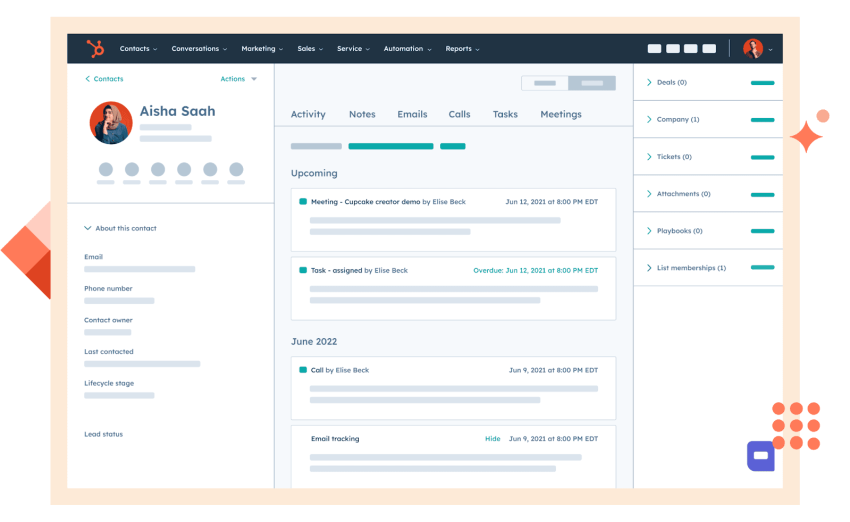
HubSpot is a small-business–friendly CRM that brings sales, marketing, and customer service tools into one easy-to-use platform. What makes HubSpot especially appealing to small teams is its free tier and scalability. Plus, unlike enterprise CRMs that require heavy setup, HubSpot is built for teams with limited time and resources.
In fact, many customers on review sites like G2 appreciate how easy HubSpot is to set up and use. Here’s how one customer summed up their experience using HubSpot:
“What I appreciate most about HubSpot Marketing Hub is how it manages to combine user-friendly simplicity with robust capabilities. The platform streamlines campaign management, workflow automation, and personalized outreach, all without becoming too complex or technical.”
HubSpot CRM features
- Unified CRM database with contact, company, deal, and activity tracking all in one place.
- Email integration for Gmail and Outlook, including opens, clicks, and templates.
- Pipeline management with drag-and-drop deal stages and customizable fields.
- Marketing automation for welcome emails, lead nurturing, and follow-up reminders.
HubSpot CRM benefits
- All-in-one platform: HubSpot combines marketing, sales, customer service, and content management tools, providing businesses with a single system to manage all aspects of customer relationships from a single platform.
- User-friendly: The platform’s intuitive design makes it easy for users of any level to navigate and use its features without extensive training.
- Integrations: HubSpot’s seamless integration with other platforms improves the ability to manage leads and streamline workflows.
HubSpot CRM pricing
Some details on HubSpot CRM’s pricing:
- HubSpot Smart CRM (Free): A free CRM that stores contacts, companies, and deals. Great for startups that need basic organization and pipeline tracking.
- Smart CRM Starter ($15–$20 per seat per month): Removes HubSpot branding and adds core upgrades like user permissions and automatic data enrichment.
- Smart CRM Professional ($50 per seat per month): Adds advanced customization, layout control, team organization, and duplicate record merging for growing teams.
- Smart CRM Enterprise ($75 per seat per month): Includes custom objects, AI-powered insights, SSO, and advanced governance for larger teams that need more flexibility.
Honorable mentions
If you’re comparing small business CRM tools (and Hubspot didn’t make the cut), here are a few other platforms worth checking:
- Zoho CRM: If you’re looking for a feature-rich CRM that’s also affordable, then Bigin by Zoho CRM gives you everything from automated workflows to customizable dashboards for just $9 per user per month.
- Freshsales CRM: If your business does a lot of sales calls and needs every interaction logged and scored automatically, then Freshsales can be useful. It comes with a built-in phone and email system plus AI-based lead-scoring features.
- Keap: This platform is for service-based businesses that want a CRM that also has marketing automation features like mail campaigns, automated follow-ups, appointment scheduling, and payments.

The Best Small Business Software for Accounting and Invoicing
Small and medium-sized business owners rely on accounting software to simplify their bookkeeping operations, keep track of their taxes, monitor their cash flow, and understand the company’s overall financial health.
These software tools help firms avoid problems associated with financial management.
3. Wave

Wave offers free accounting, invoicing, payments, and payroll tools designed specifically for small businesses. It’s built for freelancers, solopreneurs, and early-stage startups that need simple money management without the cost or complexity of traditional accounting software.
Wave is a big favorite among small businesses, with multiple G2 reviews calling it the best accounting software for small businesses. Here’s what one customer has to say:
“Wave App has given our small business the accounting power of a large company. It is simple, easy to navigate, and we don’t find it limiting. Great for showing the tax man what he wants to see.”
They also provide additional services like booking support and accounting coaching if you’re just starting a business or need extra help.
Wave key features
- Free accounting tools: Track income, expenses, cash flow, and generate basic reports without paying for a subscription.
- Professional invoicing: Create branded invoices and estimates in minutes and send automated reminders.
- Online Payments: Accept credit cards, bank transfers, and Apple Pay so customers can pay you quickly.
- Integrated payroll: Handle employee payroll, contractor payments, and tax filings with built-in compliance support.
Wave benefits
- It’s beginner-friendly, so you don’t need an accounting background to keep your books organized or stay ready for tax time.
- Centralized income, expenses, and receipts make it easy to file taxes or hand over clean records to your accountant.
- Its core accounting and invoicing tools are completely free, so you can manage finances without adding to your software expenses.
Wave pricing
This is what Wave’s pricing structure looks like:
- Standard plan: Wave offers this free plan, which is mainly useful for freelancers and entrepreneurs who want to keep their books organized.
- Wave Plus: This is available for $19 per month and offers bookkeeping services with a dedicated bookkeeper to manage your financial tasks.
Honorable Mentions
Here are some other accounting tools that offer strong features for small businesses:
- Zoho Books: Includes inventory management tools, project tracking, and automated workflows. It’s a good choice for small businesses that are using or want to explore Zoho’s all-in-one business suite.
- ZipBooks: A lightweight accounting tool with clean invoicing, basic reporting, and time tracking that works well for teams-of-one like freelancers and small service businesses.
- Xero: A more advanced accounting software that includes features like bank feeds, robust reporting, inventory tools, and over 1,000 integrations.
- QuickBooks Online: One of the original accounting tools, it’s a preferred choice for many bookkeepers. It also includes some advanced features like geofencing and health benefit management, so it’s great for businesses that want one platform for broader financial needs.

The Best Small Business Software for Project Management
Project management apps help teams stay focused on project goals, allowing users to visualize project timelines and team dependencies.
By setting well-synchronized deadlines, these tools enable team members to communicate clearly with clients, colleagues, and partners.
A combination of organization and teamwork creates an accountable and transparent work environment, leading to successful project outcomes.
4. Asana
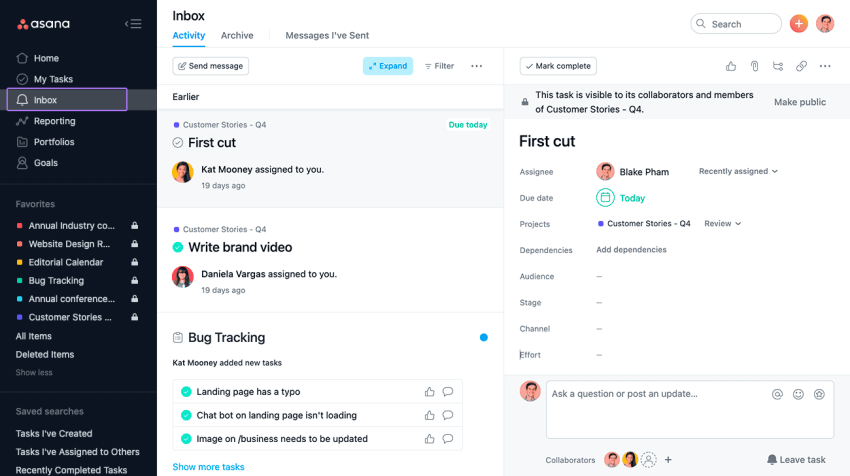
Asana is a popular work-management platform that helps small businesses organize projects, automate routine tasks, and keep teams aligned. Its built-in automation tools also handle routine steps like assigning tasks, updating statuses, and sending reminders, removing the manual follow-up that small teams often struggle with.
For small businesses, Asana can be hit-or-miss. Some brands — especially remote ones — love how comprehensive its task management features are. While others, with simpler use cases, find its vast number of features overly complex for smaller teams.
Asana key features
- Project management: Organize every deliverable in one place with clear owners, due dates, subtasks, and progress tracking.
- Automation: Automate routine tasks, hand-offs, and approvals so projects move forward even when you’re busy.
- Resource management: See team capacity at a glance and use AI to recommend staffing and long-term planning.
- Asana AI: Get summaries, next-step suggestions, and content drafts directly within tasks.
Asana benefits
- Easy-to-navigate interface: It only requires a little training for creating projects, assigning tasks, and setting deadlines.
- Adjustable workflows: Managing tasks is easy with Asana due to its adjustable project templates and workflows.
- Collaborative tools: Asana’s built-in communication tools allow team members to collaborate, share files, and provide updates without external tools.
Asana pricing
This is what Asana’s pricing plan looks like:
- The Personal plan is free for up to two users, ideal for individuals and small teams.
- Priced at $10.99 per month, the Starter plan suits growing teams with more significant project tracking needs.
- The Advanced plan costs $24 per month and works well for companies managing portfolios and goals.
- The Enterprise plan suits large organizations managing complex workflows and using custom pricing.
Honorable mentions
If you’re looking for other ways to manage projects and day-to-day work, these platforms offer different approaches — from visual boards to structured workflows.
- Monday.com: If your focus is on customizations and reporting rather than AI and automations, then Monday.com will serve you better than Asana. You get a better folder hierarchy, 15+ views, and 50+ report widgets.
- Basecamp: This is a minimalist project management app with all-inclusive, flat-rate pricing that’s great for small businesses that need to support a large number of users without increasing costs.
- Miro: A collaborative visual whiteboard that’s perfect for creative or product teams that think and work best in an open canvas.
- Trello: A simple, kanban-style task manager that’s best for small teams needing a straightforward way to track tasks and manage progress.
The Best Small Business Software for Website Builders
Website builders and e-commerce solutions that feature drag-and-drop functionality and customizable templates allow users to design sites even without technical expertise.
5. Wix
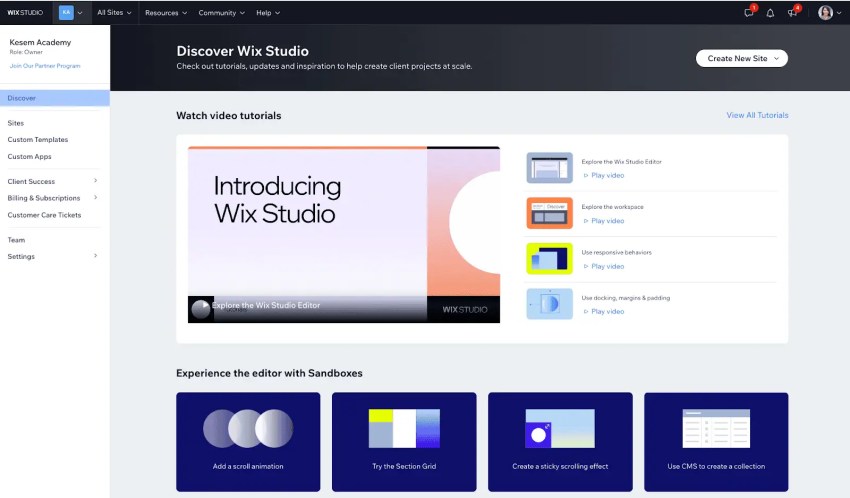
Wix’s AI Website Builder helps small businesses create professional, mobile-ready websites without any technical skills. Instead of dragging elements around from scratch, you simply describe your business and goals, and Wix’s AI generates a complete, business-ready site.
One G2 review even goes so far as to call Wix a “rock star” for how good its AI features are:
“The website templates are stunning, easy to use & customise, and responsive on all devices, but the AI website builder is the shtz, it lets you edit and tweak the design as it creates your site from a few questions you answered.”
It also automatically adds built-in business tools like scheduling, eCommerce, events, payments, SEO, and analytics, so you’re all set the moment it goes live.
Wix key features
- AI website creation: Generate a complete, customized site from a simple chat-based brief.
- AI content tools: Rewrite copy, adjust tone, and scale content instantly across pages.
- AI image generation: Create branded, high-quality images with one click.
- Built-in business solutions: Add online booking, eCommerce, events, payments, CRM, and more automatically.
Wix benefits
- Libraries of templates: You get to access over 900 well-designed templates suitable for different industries.
- Launches in minutes: AI builds a complete, professional-grade website in minutes, eliminating the need for both design and coding skills.
- Mobile-friendly: All AI-generated sites are fully mobile-optimized by default.
Wix pricing
Wix’s pricing plan looks like this:
- Priced at $17 per month, the Light plan provides essential features to get started.
- The Core plan is $29 per month and focuses on engaging your audience with additional tools and features.
- The Business plan costs $36 per month and helps you grow your brand with more advanced capabilities.
- For $159 per month, the Business Elite plan offers comprehensive features to scale your business effectively.
Honorable mentions
Depending on whether you need design control, developer flexibility, or built-in commerce tools, here are some other website builder options:
- WordPress: An open-source website builder with 1,000+ themes and plugins, it’s great for businesses that want full control, though it does require more maintenance effort.
- Webflow: A visual, designer-focused site builder that’s ideal for small teams that want design flexibility along with built-in CMS and hosting.
- WooCommerce: An open-source eCommerce plugin for WordPress that lets you build and customize your own online store.
- Square Online: A simple online store builder that integrates seamlessly with Square’s POS and payment tools. Perfect for retailers and restaurants that want a quick setup and unified in-person and online sales.

The Best Small Business Software for Web Hosting
A free web hosting solution provides essential features such as disk space and bandwidth for storing website files and managing visitor traffic. It delivers domain management tools for registering and managing domain names. Many solutions offer email hosting for custom email addresses and database support to help businesses organize and retrieve information.
You’ll often see server-side scripting support like PHP or Python included in solutions, helping users create dynamic websites. Access to a control panel simplifies management, while FTP access allows for easy file transfers between the user’s computer and the server. Security features, such as SSL certificates, ensure safe connections, and some services provide cloud backup to protect against data loss.
6. InfinityFree
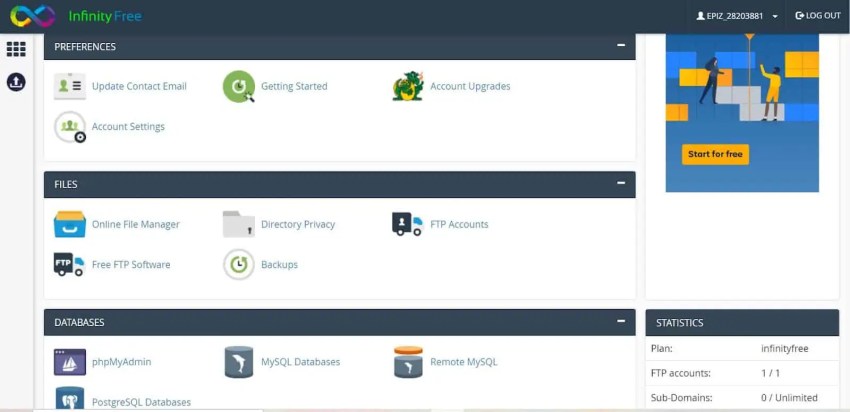
InfinityFree is a long-standing free web hosting service that gives small businesses a way to launch websites without paying for hosting. Unlike many free providers, InfinityFree doesn’t place ads on your site, supports custom domains, and includes full PHP and MySQL access.
It’s great for SMBs who want to experiment, build simple sites, or host WordPress without committing to a paid plan. It provides unlimited bandwidth, disk space, and hosted domains.
InfinityFree key features
- Softaculous app installer: This one-click script installer for 400+ apps makes it easy to launch WordPress, e-commerce tools, or CMS platforms in minutes.
- Full .htaccess support: This lets you customize site behavior, redirects, caching, and security like a paid host would.
- Worldwide servers: Its worldwide servers ensure users from any geographical location have a swift and satisfactory experience on your website.
InfinityFree benefits
- Unlimited resources: InfinityFree offers unlimited disk space and bandwidth, which is ideal for hosting multiple projects or high-traffic sites without costs.
- User-friendly tools: You can access cPanel for easy website management and Softaculous one-click installer for quick application setup (e.g., WordPress and Joomla).
- Free SSL certificates: With free SSL certificates from InfinityFree, you can easily create secure websites, which is essential for building visitor trust.
InfinityFree pricing
InfinityFree’s pricing plan offers the following:
- Free plan: This offers a no-cost hosting solution with 5 GB of disk space and unlimited bandwidth. Users can host unlimited domains with a daily limit of 50,000 hits. However, this plan doesn’t include email accounts, making it more suited to hobby websites or personal projects.
- Super premium plan: Priced at $4.99 per month, this plan provides unlimited disk space, 250 GB of bandwidth, up to 100 email accounts, and hosting for up to 20 domains. Additional benefits include free SSL certificates and enhanced support.
- Ultimate premium plan: Available for $7.90 per month, this plan offers unlimited disk space, bandwidth, email accounts, and hosted domains.
Honorable mentions
If you’re exploring other hosting options, whether free or budget-friendly, here are two that are particularly great for small websites and personal projects:
- Bluehost: This is a beginner-friendly hosting provider with affordable plans and one-click WordPress installs. Basically, perfect for small sites, blogs, and personal projects.
- Siteground: If you want seriously good uptime and genuinely helpful support — and don’t mind paying a bit more for a smoother, higher-quality hosting experience — then you should consider SiteGround.

The Best Small Business Software for Email Marketing
Email marketing software for campaign management helps businesses connect with their audience and increase engagement and sales. Many platforms offer free options to help users build their email lists and launch campaigns.
Combining strong design capabilities and effective campaign management enables businesses to craft persuasive messages that reach their target market, leading to higher open rates and conversions.
7. Mailchimp
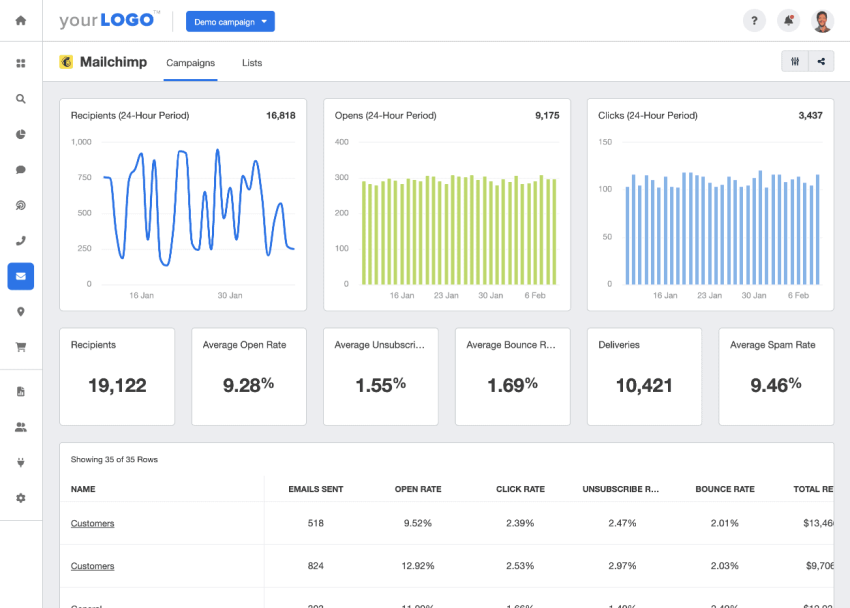
Mailchimp is an email marketing platform that helps small businesses create campaigns, automate follow-ups, and track performance in one place. You also get productivity AI capabilities like writing first-draft emails, suggesting subject lines, generating product recommendations, and improving segmentation based on customer behavior.
Being one of the oldest email marketing platforms on the market, Mailchimp has perfected its user experience. The tradeoff, as multiple G2 reviewers note, is that it can get pretty pricey. Quoting from one review:
“The main drawback is the pricing relative to the features offered. As your contact list grows or your needs expand beyond basic automations, the costs increase quickly, and some advanced tools feel locked behind higher tiers that don’t always justify the jump in price.”
Mailchimp key features
- Multi-channel marketing platform: Along with email marketing, Mailchimp also has tools for social media ads, landing pages, and CRM for full-fledged digital marketing campaigns.
- Analytics: It generates detailed reports on email performance, including open rates, click-through rates, and audience engagement metrics.
- Retargeting ads: Mailchimp can also retarget visitors based on their previous interactions.
Mailchimp benefits
- User-friendly interface: Mailchimp features an intuitive drag-and-drop editor and customizable templates, making creating attractive email campaigns easy for users of all experience levels.
- Strong analytics: The platform provides detailed reports on campaign performance, audience activity, click rates, demographics, and geolocation data, helping users refine their strategies based on valuable insights.
- Multichannel marketing: Mailchimp has expanded beyond email marketing to include CRM, website building, and social media integration, allowing users to execute seamless campaigns across multiple channels.
Mailchimp pricing
Here is what Mailchimp’s pricing plan looks like for 500 contacts:
- Free plan: Available at no cost and includes basic email tools for up to 500 contacts.
- Essentials plan: Priced at $8.63 per month, this plan includes pre-built templates, A/B testing, and basic automations.
- Standard plan: Costs $12.89 per month, offering enhanced automations, generative AI tools, and predictive segmentation.
- Premium plan: Available for $257.85 per month, this one provides advanced segmentation, multivariate testing, unlimited contacts, and priority support.
Honorable mentions
Mailchimp is great, but its free plan is restrictive, and there’s limited design or automation flexibility. So here are a few other alternatives worth checking out:
- HubSpot Email Marketing: Part of HubSpot’s free CRM, it offers easy drag-and-drop emails, basic automation, and built-in contact management, so we suggest this if you want marketing and CRM in one place.
- Substack: This one’s for creators and small teams looking to grow an audience with newsletters and paid subscriptions.
- Drip: This one’s for B2C businesses that need more than basic email marketing. It offers full marketing automation, including onsite pop-ups, embedded forms, and social retargeting.
The Best Small Business Software for SEO
SEO tools help individuals and organizations increase their online presence and drive website traffic. Keyword research, performance tracking, and content optimization are just a few of the essential features these tools offer to simplify the complex processes of SEO.
Entrepreneurs, bloggers, and digital marketers need tools to compete in the digital marketplace. These tools ensure their websites rank well on search engines, assist in resolving technical issues, and improve overall SEO strategies, resulting in increased organic traffic.
8. Screaming Frog

Screaming Frog is an SEO spider tool that identifies website optimization opportunities. As a desktop application, it crawls websites to analyze key on-page SEO elements such as title tags, meta descriptions, header tags, and broken links.
It’s a pretty great tool for small businesses investing in SEO as it ticks all the boxes, as one G2 review puts it: “the price, the features, and the ease of use.”
Screaming Frog key features
- Website crawling: Scan hundreds of thousands of URLs to identify issues like broken links, duplicate content, redirects, and missing metadata.
- Real-time SEO insights: View crawl data instantly — no need to wait for long exports or delays.
- Custom extraction: Pull specific on-page data (like schema, meta tags, headings) using XPath, CSS Path, or regex.
- Crawl reports: Generate crawl maps, crawl comparisons, and more to track technical changes.
Screaming Frog benefits
- Full-site audits: Screaming Frog provides detailed insights into on-page SEO factors, identifying issues like broken links and duplicate content.
- User-friendly interface: The platform is simple and accessible, making it suitable for beginners and professionals.
- Scales well: Bulk exports and automated reports make it easy to audit large sites fast.
Screaming Frog pricing
Here’s what Screaming Frog’s pricing plan looks like:
- Free version: The zero-cost version lets you crawl up to 500 URLs. Basic features include broken link discovery, page title and metadata analysis, and XML sitemap generation. Advanced features and the ability to save crawls are limited.
- Paid version: Priced at $279 per year, this lets you crawl unlimited URLs. Users can schedule, save, and open crawls with advanced configuration options.
Honorable mentions
If you’re building out your SEO toolkit, these (free) tools also deserve a spot on that list:
- Google Search Console: Offers real data on how Google indexes your site, including crawl issues, search queries, ranking pages, and Core Web Vitals.
- Google Keyword Planner: A free keyword research tool that shows search volumes, competition, and related keyword opportunities so you can plan SEO-focused content and PPC campaigns.
- Ahrefs Web Analytics: This is like Google Analytics, but with extra SEO features like backlink insights and keyword rankings. There’s a limited free plan to test things out, but if SEO is a core part of your strategy, you’ll benefit more from their paid plans.

The Best Small Business Software for Productivity
Freelancers and small business owners often juggle multiple projects, making time-tracking and productivity tools essential. These tools help users monitor time spent on tasks, identify areas for improvement, and optimize workflow efficiency. Effective time tracking ensures freelancers bill clients accurately and avoid underestimating future project timelines.
Here are the top time tracking and productivity tools:
9. Rescue Time
RescueTime is an automatic time-tracking and productivity tool that records how you spend your workday. Basically, it’s a timer that runs in the background, logs your activity across apps and websites, alerts you if you’re distracted, and auto-generates timesheets so you know how you’re spending your time.
But Rescue Time has to be approached with some caution. While its time-tracking features are some of the best on the market, they can also be intrusive, as this one G2 review mentions:
“RescueTime limits the privacy of users, where some complain that it invades the privacy of their work. This calls for companies to explain to users how it works to make them remain comfortable.”
Rescue Time key features
- Automated time tracking: It runs in the background to track time spent on applications and websites, giving you the data you need without manual input.
- Focus sessions: Block distracting sites and apps to help maintain deep work during specific periods.
- Goals and alerts: Get reminders and surface trends to keep your daily habits on track.
- Project tracking: Automatically track project hours and generate accurate timesheets.
Rescue Time benefits
- Better focus: Reduces distractions and keeps you aware of how you spend your time.
- Saves admin time: By replacing manual timers with automated project tracking and timesheets.
- Detailed analytics and reports: It generates comprehensive reports that categorize activities into productive and distracting segments, enabling data-driven decisions to improve productivity.
Rescue Time pricing
Here are some details on RescueTime’s pricing plans:
- Solo plan: Priced at $12 per month, this plan includes automatic time tracking, Focus Sessions, goals, insights, and project-based timesheets.
- Team plan: Available at $9 per team member per month, this plan offers the same productivity tools plus team-wide reporting.
Honorable mentions
RescueTime’s team features are fairly limited, so if you need something more collaborative, here are some good alternatives:
- Clockify: This is a time-tracking and timesheet app that supports unlimited users and has features beyond time tracking, like billable hour tracking, GPS tracking, and shared device time-tracking. There’s also a free plan.
- Harvest: This is a great fit for small businesses that want strong time-tracking and invoice management features without the employee-monitoring tools.
The Best Small Business Software for Social Media Management
Social media management tools are essential for businesses and individuals to maintain their online presence. These tools allow users to schedule posts, track engagement, and analyze performance, making it easier to maintain a consistent and strategic presence on social media.
These tools offer a range of features, from advanced post scheduling to brand mention monitoring and audience interactions. Features like analytics dashboards, content calendars, and team collaboration options allow users to optimize social media efforts and measure campaign effectiveness.
10. Buffer
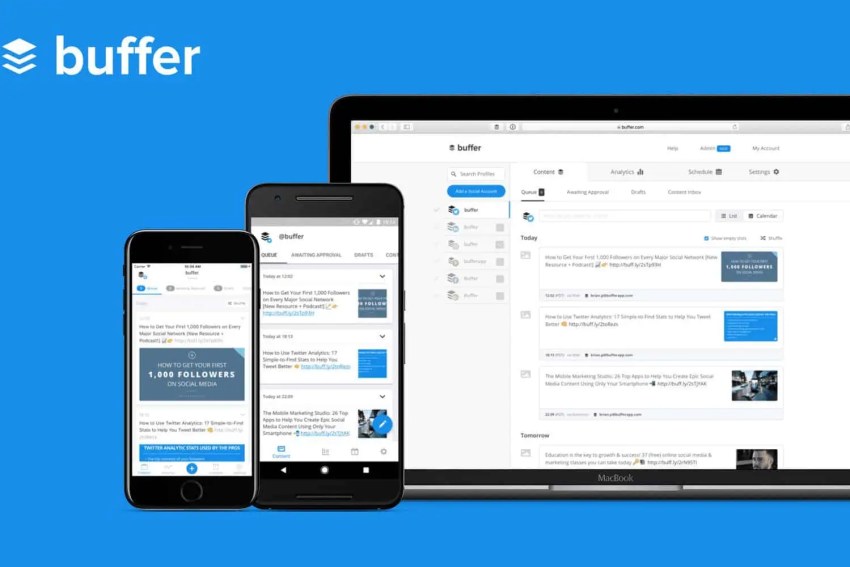
Buffer simplifies content scheduling and publishing across multiple platforms. It allows users to create, schedule, and analyze social media posts on social networking websites. It’s also one of the few platforms that supports less-popular social platforms like Bluesky.
Its simplicity and affordability make it appealing to creators and small organizations seeking an easy-to-use solution for managing their social media presence. And for most small businesses, its free plan is pretty sufficient. Here’s what one G2 reviewer says:
“I’ve been using Buffer for years (free plan) to automate social media postings, and it’s been working really well for basic features (without using advanced features or AI).”
Buffer key features
- Idea capture: Save and organize up to 100 content ideas directly in Buffer so you’re never out of topics.
- AI content assistance: Generate captions, repurpose posts, and brainstorm ideas with Buffer’s built-in AI tools.
- Community inbox: Reply to comments and messages across social channels in a unified inbox.
- Analytics: Track engagement, follower growth, impressions, and post performance with in-depth reports.
Buffer benefits
- Easy to use: Buffer offers a user-friendly interface and a simple approach to scheduling social media posts.
- Free for up to three channels: It provides free access to up to three channels, making it a budget-friendly option for small businesses and creators.
- Cross-functionality: The platform supports scheduling across multiple platforms, including X (formerly Twitter), Instagram, Facebook, LinkedIn, and Pinterest, allowing users to manage posts seamlessly.
Buffer pricing
Here’s what Buffer’s pricing plans look like:
- The Free plan allows you to schedule up to 10 posts on three social accounts of your choice, including platforms like Facebook, Instagram, X (formerly Twitter), LinkedIn, Google Business Profiles, Mastodon, and Pinterest.
- The Essentials plan costs $6 per month and suits professionals looking for social media publishing, analytics, and engagement tools. It allows you to create unlimited posts.
- The Team plan, priced at $12 per month, suits organizations that need unlimited user seating, collaboration, and reporting.
Honorable mentions
Here are some other social media management platforms that help small businesses stay consistent:
- SocialBee: A user-friendly tool focused on category-based scheduling, content batching, and evergreen posting. A great choice if your social strategy includes recycling high-performing content.
- Socialpilot: Designed with agencies in mind, SocialPilot offers features such as content and client-approval workflows, dedicated client management dashboards, and bulk scheduling.
The Best Small Business Software for Graphic Design
Graphic design tools help professionals create, edit, and enhance visual content for various media, including print, web, and social media. They cater to many users, from professional graphic designers and marketers to small business owners and hobbyists, helping produce eye-catching visuals.
These tools provide users with accessible ways to visually communicate with target audiences, making products and services more appealing while simplifying complex processes. Even users with minimal design experience can create high-quality graphics.
11. Canva
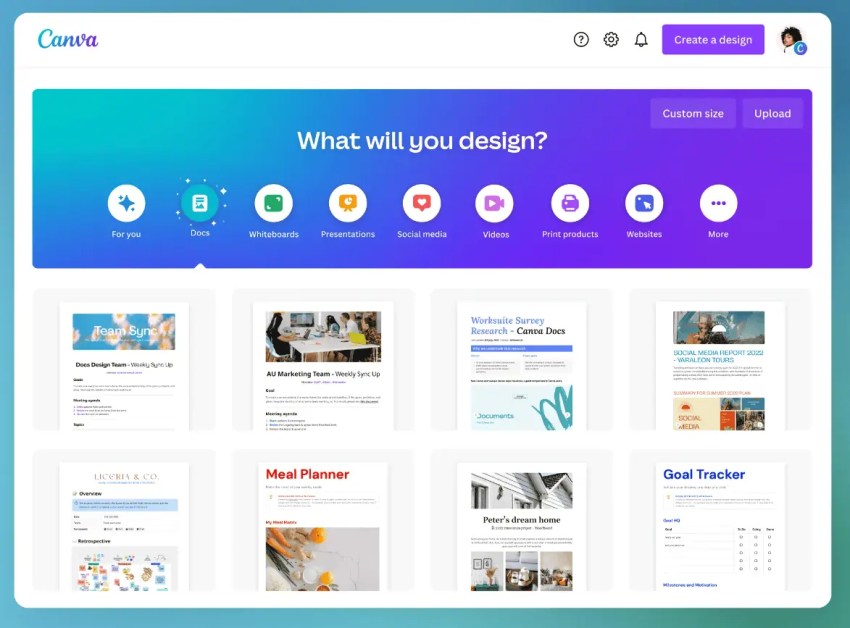
Canva is an easy-to-use design platform built for small businesses that need to create marketing visuals without hiring a designer. It lets you create designs in bulk (with AI), resize them for different channels, collaborate with teammates, and publish directly to social platforms in just a few clicks. There’s also a new feature called Canva Code that you can use to design interactive experiences by just prompting its AI.
This combination of easy-to-use software, thousands of templates, and affordable pricing is what makes Canva perfect for small businesses. And one G2 review puts it best:
“[Canva] makes design feel accessible even when you’re not a professional designer — drag and drop editor, tons of templates, and you really can produce decent visuals in minutes.”
Canva key features
- AI Magic Studio: Generate images, write marketing copy, expand photos, or instantly redesign layouts with AI.
- Photo editor: Add borders, frames, filters, shadows, and overlays to refine photos without separate software.
- Built-in publishing: Schedule and post designs directly to Instagram, Facebook, LinkedIn, and other platforms.
Canva benefits
- User-friendly interface: Its drag-and-drop functionality makes it accessible to all users looking to create professional-quality designs.
- Huge template library: You’ll find various templates and design elements for multiple purposes, from social media posts to marketing materials.
- Consistent branding: Brand kits ensure everything your business publishes looks aligned and polished.
- Collaboration features: Canva supports real-time collaboration, enabling teams to collaborate and maintain consistent branding across visual communications.
Canva pricing
Here’s an overview of Canva’s pricing plans:
- Free plan: Comes with basic design tools, essential templates, and 5GB of cloud storage.
- Canva Pro: Priced at $12.99 per month, it includes premium templates, advanced design tools, AI features, a larger asset library, and 1TB of cloud storage.
- Canva for Teams: Starts at $14.99 per month for the first five users, and gives you team collaboration tools like shared folders, brand permissions, task assignment, and version tracking.
Educational institutions and non-profits are eligible for a discount.
Honorable mentions
While Canva is built for quick, template-driven design, some teams need deeper collaboration, interface design tools, and real-time co-editing. For that, you need:
- Figma: It’s a collaborative design platform built for UI/UX teams, so if you’re building something — an app, free tool, or interactive web campaign — this is a must-have.
How to Choose the Right Small Business Software
Small business software generally falls into two categories: out-of-the-box tools and platforms that require custom configuration. The first gives you faster implementation and lower upfront costs. Custom implementations, on the other hand, take more work but are worth the investment when you have specialized workflows.
As you compare options across categories, here are some things to consider:
- Ease of use and integrations: Choose software your team can pick up quickly, and that connects smoothly with your existing tools (CRM, email, accounting, etc.). If it requires a steep learning curve or workarounds, your team might not use it much.
- Scalability as you grow: Pick platforms that can expand with your business — more users, more data, and more advanced features — so you’re not forced into a costly migration a year later.
- Security and data privacy: Make sure the provider follows strong security standards and protects customer data. Small businesses are increasingly targeted by cyberattacks, and even a minor breach can cause major damage.
- Support and onboarding: Look for responsive support, clear documentation, and guided onboarding. When something breaks or you’re setting up a new feature, fast help can save hours of lost productivity.
Unlike large enterprises with dedicated IT teams and training budgets, small businesses need software that works out of the box, integrates easily, and doesn’t require constant maintenance.
Emerging Trends in Small Business Software
Small business software is moving toward smarter automation, cloud-first tools, and flexible modular setups. AI now handles repetitive tasks, cloud platforms make remote work and real-time collaboration easier, and customizable software lets teams build only what they need.
Integration of artificial intelligence
These days, small businesses are using AI just as much as enterprises, if not more. AI-powered automation handles tasks like data entry, lead scoring, customer segmentation, email responses, and appointment scheduling, freeing up time for higher-value work.
For example, AI chatbots in customer service platforms like Nextiva respond to common questions instantly, while AI in accounting software like QuickBooks categorizes expenses and flags anomalies automatically.
This is especially important since small businesses can’t afford to hire specialists for every function. AI lets you operate with the efficiency of a much larger enterprise by not just automating tasks but also giving specialized guidance and predictive analytics.
“AI allows small businesses — who many times do not have the staff or resources of their competitors — to punch above their weight. It’s encouraging to see small businesses embrace technology and express optimism for the future as these platforms serve as a catalyst for innovation and resilience.”
– Jordan Crenshaw, senior vice president of the U.S. Chamber’s Technology Engagement Center
Cloud-based solutions
SaaS is now the default for small business software, and for good reason. Instead of installing programs or managing servers, you just log in through a browser and get to work from anywhere, especially with remote work becoming the norm.
Tools like Google Workspace, Slack, and Nextiva keep everyone working from the same documents, dashboards, and conversations. It also helps that cloud tools are relatively more affordable, easier to set up and maintain, and scale better.
Customizable and modular software
Not every small business works the same way, so “one-size-fits-all” software rarely fits anyone perfectly. That’s where modular and customizable tools shine. They let you start simple and layer on features only when you need them.
Odoo is a great example. It offers modules for CRM, inventory, accounting, e-commerce, and more, and you just activate the pieces your business actually uses.
Build (or Consolidate) Your Small Business Tech Stack with Nextiva
Free small business software is perfect when you’re getting started. However, as your business scales, stacking too many apps creates more problems than it solves. In each category, the goal is to build systems, not simply add tools. A streamlined tech stack keeps your data connected, your workflows consistent, and your team focused.
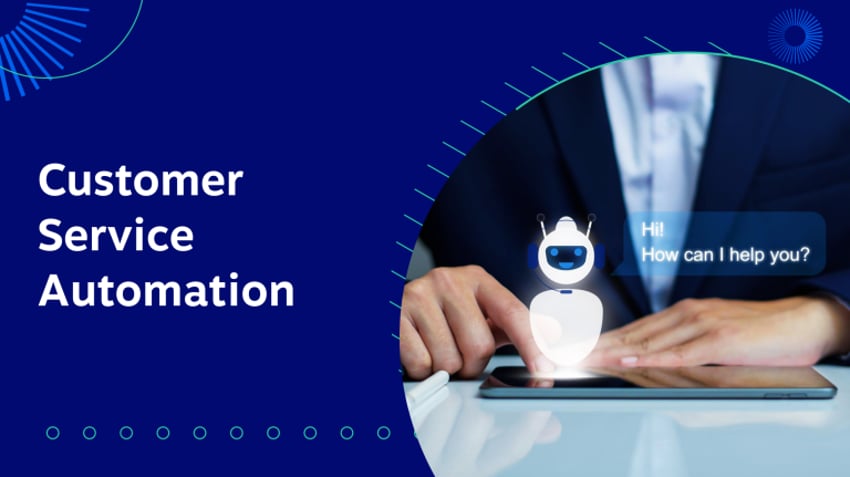
And if you’re looking to simplify customer communication specifically, Nextiva brings all your CX channels into one place. From getting your first official business phone number to applying customer service automation with AI, you have your entire customer experience and employee communications covered.
Build Amazing Customer Experiences
Transform customer experience on a Unified Customer Experience Management platform designed to help you acquire, retain, and grow your customers.