VoIP
VoIP  Blog
Blog  Business Communication
  Customer Experience
  Leadership
  Marketing & Sales
  Nextiva News
  Productivity

Call center productivity shows how well your team turns available capacity into completed customer support work. It depends on what happens between calls as well as during them, including preparation, documentation, and handoffs.
When you work in a call center, it’s easy to get bogged down. Calls come in left, right, and center. Your break flies by, and it’s back to firefighting. With little time to step back, improving call center productivity can feel like another task on an already full list.
The starting point is to look at what makes each call harder than it needs to be. Are agents searching for answers, switching between tools, or fixing problems that should have been resolved earlier? Reducing this extra work gives them more time to address the customer’s actual concern.
In this article, we’ll cover how to measure call center productivity, spot the causes of low performance, and improve your team’s day-to-day processes.
What is Call Center Productivity?
Call center productivity measures the customer service output your team delivers relative to the resources it uses. For daily reporting, track resolved issues per agent hour alongside call quality and customer satisfaction. This shows whether your team is completing more useful work without creating repeat calls or rushing customers.
For example, handling more calls does not necessarily mean productivity has improved. If customers keep calling back about unresolved issues, the extra volume creates more work without delivering more resolutions.
How to Calculate Call Center Productivity
Start with a defined output, such as resolved customer issues, and divide it by the resources used during the same period. Keep your definition of a resolution and your reporting period the same when comparing results.
There are the main approaches:
1. Resolved issues per agent hour
A practical labor productivity measure is:
Resolved issues per agent hour = Total resolved issues ÷ Total agent hours worked
For example, if your team resolves 240 issues across 80 agent hours, it completes three resolved issues per agent hour. Count each issue once, even if the customer contacts you several times. Include time spent on follow-up work in your labor hours.
Compare similar queues and issue types. An agent handling complex technical cases may resolve fewer issues per hour than an agent answering routine billing questions, without doing poorer work.
2. Overall call resolution rate
Resolution rate shows the share of handled calls that end with a resolved issue. It adds context to productivity, but does not account for the time or cost needed to reach that outcome.
This method gives a quick, high-level view of your center’s performance. Here’s the formula:
Call resolution rate = (Calls ending with a resolved issue ÷ Total handled calls) × 100
If agents handle 100 calls and resolve the issue during 80 of them, the call resolution rate is 80%. This is different from first-call resolution, which checks whether the issue was resolved on the customer’s first call without further contact about the same issue.
3. Agent time utilization
This method measures how much of agents’ scheduled time goes toward handling calls and completing other assigned work.
Agent time utilization = (Total productive time / Total scheduled time) × 100
- Total productive time: Time spent on calls, including talk and hold time, after-call work, and other defined productive activities.
- Total scheduled time: Total scheduled shift time for the agents included in the calculation.
For example, if an agent spends six hours of an eight-hour shift on these activities, their utilization is 75%. Define which activities count and use the same definition across reports. Review utilization alongside resolution rates and call quality to understand whether that time produces good customer outcomes.
Types of Call Center Productivity
You can measure productivity against one resource or several resources together. The U.S. Bureau of Labor Statistics distinguishes labor productivity from total factor productivity, also called multifactor productivity. For a call center, these concepts can guide how you assess staffing and technology investments.
Partial productivity
Partial productivity compares output with one input. Resolved issues per agent hour is a labor-based example. Use it to track changes after training, routing updates, or changes to after-call work, while checking that service quality holds up.
Multifactor productivity
Multifactor productivity compares output with a combination of inputs, such as labor and technology. It gives a broader view when software reduces manual work but adds expense. Formal measures combine inputs using weights; you cannot simply add agent hours to software spending.
For a practical budget check, track cost per resolved issue alongside output per agent hour. Treat that as a cost measure rather than a formal multifactor productivity calculation.
Total productivity
In business reporting, total productivity can describe output relative to all included resources. Define that scope before using the term. For your call center, review staffing, software, outsourced services, and overhead to see whether a gain in one area adds work or expense elsewhere. In BLS reporting, total factor productivity and multifactor productivity refer to the same measure.
6 Reasons for Low Call Center Productivity
If you find your call center productivity low, these could be the common culprits.
From CRM limitations to inadequate staffing and high team member turnover, many issues can sabotage call center productivity.
1) Your processes are outdated
Processes created years ago don’t align with current technology, products, and customer expectations.
Failure to modernize leads to slower responses and frustration. Updating communication channels, integrations, and inbound call routing is crucial for meeting demand.

2) Your call routing & distribution is ineffective
Ineffective call routing, such as sending calls to the wrong or least qualified agent, creates extra work.
Agents must take time to determine they can’t help, explain the situation to the customer, and try to find the right agent — instead of using that time to help callers they can assist.
This directly impacts first-call resolution rates and eats into agent productivity. Manual call routing wastes time better handled automatically by your phone system through skills-based call routing.

3) Your team feels limited by technology
Outdated software that can’t handle call volumes leaves agents fighting to keep up all day. Callers get misrouted, wait times grow without visibility, and agents waste time getting customers to repeat information without full context.
Call center managers also lack tools to properly monitor and improve agent performance, relying on manual, reactive processes instead of proactive quality management systems.
4) Lack of training & development opportunities
Inadequate initial and ongoing training limits employee progression. Without a structure for professional development, entry-level agents stay stuck without career pathways. This significantly impacts morale and retention.
5) Low employee morale
Lack of communication around individual performance, company goals, and how each employee contributes leads to feeling like just another replaceable cog in the machine. Combined with limited growth opportunities, morale sinks.
6) Excessive employee burnout
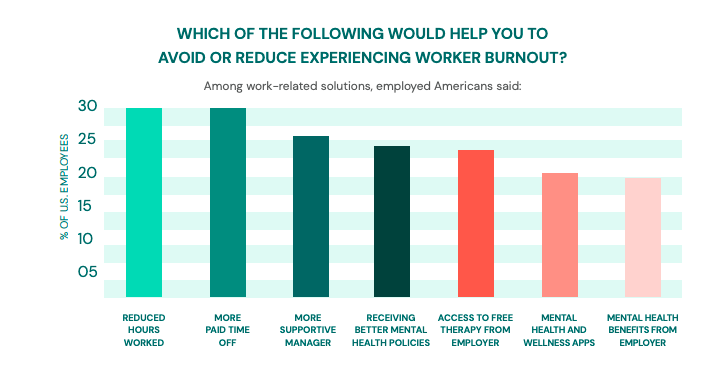
Heavy workloads, mandatory overtime, and too few rest breaks can contribute to burnout. Fatigued agents may struggle to concentrate, complete follow-up tasks, or recover between difficult calls. Review staffing and break coverage, and give agents a clear way to raise concerns about workloads they cannot manage.
Unhappy agents struggle to find work-life balance and often quit as a result. Identifying and addressing these common issues can significantly improve productivity, performance, and morale in your call center.
Ways to Measure Low Call Center Productivity
Low call center productivity can be difficult to spot from call volume alone. The following measures show how agents use their time and where work may be slowing down.
Analyze your productivity KPIs
Reports can show where productivity is slipping, but they cannot explain every cause. Compare results by queue, shift, and issue type, then speak with your agents to understand what is slowing their work.
Key performance indicators like service level, abandonment rate, and benchmarked metrics around call rate are critical for monitoring call center productivity over time.
Take a look at these call center metrics to spot trends that scream there’s a problem:
| Metric | What to check | How to interpret a change |
|---|---|---|
| Resolved issues per agent hour | Resolved issues divided by agent hours worked | A decline may reflect more complex cases, system delays, or more repeat work. |
| Average handle time (AHT) | Talk, hold, and after-call work time divided by handled calls | Longer calls may involve complex issues. Shorter calls may indicate quicker resolutions or rushed conversations. |
| First-call resolution (FCR) | The share of eligible issues resolved on the first call without further contact about the same issue | A decline may point to routing, knowledge, access, or escalation problems. Define a repeat-contact window. |
| Customer satisfaction (CSAT) | Satisfaction responses from your post-interaction survey | Falling scores can reflect the interaction, the outcome, or the underlying product or policy. |
| Service level | The share of offered calls answered within your chosen time threshold | A decline may point to demand exceeding staffing or delays in routing. Define how you treat abandoned calls. |
| Call center occupancy | Handling time divided by handling time plus available waiting time | Low occupancy may reflect lower demand or staffing mismatches. Sustained high occupancy can leave little recovery time. |
| Average speed of answer (ASA) | Total queue wait time for answered calls divided by answered calls | An increase means answered callers wait longer on average. Review abandonment too, since ASA excludes callers who hang up. |
| Abandonment rate | The share of queued calls abandoned before an agent answers | A rise may indicate longer waits. Keep rules for excluding very short abandons the same across reports. |
| Net Promoter Score (NPS) | Customers’ likelihood of recommending your business | Use it as broader relationship context; it does not isolate an individual agent’s performance. |
Set targets using your own baseline and service commitments. Check resolution, quality, and satisfaction before celebrating faster handling or higher output.
Analyze call quality
If you suspect a drop in call center productivity, and it’s possibly down to employee burnout or lack of motivation, listen back to call recordings.
Select a sample of suspected agents or departments to assess the quality of interactions and identify any recurring issues.
In a perfect world, you’d already be doing this as part of your call center monitoring program, as well as live monitoring of calls to evaluate agent performance in real time.

Score agents against the following criteria:
- Completes identity and verification
- Follows script
- Is polite and courteous
- Practices active listening
- Provides a viable solution
- Ask if they can help further
Also, take notice of how they’re speaking to your customers. It’s one thing to stick to the script, but do you get the sense they’d rather be somewhere else?
For example, if social media comments or the number of customers suddenly drops, that dissatisfaction may originate from poor interactions with support teams.
If there’s an underlying and repetitive problem, speak to the particular agent to see how you can help. Make it part of your call center strategy to look after your agents as well as your customers.
Assess agent performance
Before you speak to an agent about their call center performance or productivity, make sure you’re prepared with data and information.
Your goal is to understand whether the issue comes from an agent’s skills, the workload, your tools, or a product problem. Compare agents handling similar work and review a representative sample of calls before drawing conclusions.
Start by pulling reports on individual agents to look for patterns. If average handle time rises on Mondays, check call volume, issue complexity, staffing, and system performance. A change in handle time alone does not prove low motivation.
Discuss the pattern with the agent before deciding what needs to change. Depending on the cause, you may need to provide coaching, update knowledge articles, adjust staffing, or fix system issues. Review attendance concerns separately rather than assuming they show low motivation.
It could be the case that agents regularly call in sick or arrive late when they feel unmotivated. In these cases, tracking attendance and punctuality may show a clear correlation with poor call center productivity.
If the issue gets serious, monitor patterns in turnover rates among agents.
You don’t want to let it get to the point where you’re noticing a dip in agent performance, a drop in attendance and punctuality, and then a spike in employee turnover.
How to Improve Call Center Productivity
Once you know where work is slowing down, you can address the causes. The following steps focus on removing unnecessary tasks and giving agents the tools and support to resolve customer issues.
Optimize current processes
Improving call center productivity starts with optimizing your processes.
Conduct an in-depth review of all key processes, gathering data on performance metrics like handle times and resolution rates. Look for bottlenecks causing delays. Prioritize the processes that drive the biggest operational impact and create an improvement roadmap.
Introduce Lean Six Sigma principles to eliminate wasted steps and reduce variability.
Sort essential from nonessential tasks, straighten flows for efficiency, standardize best practices, and sustain gains through an improvement culture.
Document optimized playbooks to enable consistent execution. Well-designed and managed processes remove friction, enable scalability, and boost productivity.
Choose the right call center productivity tools
Reevaluate if your current call center systems have limitations constraining productivity.
With faster resolution times, improved forecasting, reduced repeats through automation, and remote flexibility, the right technology removes bottlenecks and powers productivity.
Cloud-based call center software allows secure remote access so agents can log in from anywhere. This supports business productivity during peak times.
Remote access can support business continuity, provided agents have suitable connectivity, secure access, and the tools they need. Flexible scheduling may also support retention when it fits the role and workload.
When assessing new solutions, ensure they align with your process needs. Look for the key call center features. We’re talking about call center features such as:
- Automatic call distribution (ACD) and interactive voice response (IVR) to route callers to the right agents, reduce transfers, and speed up handling time.
- Call monitoring tools for quality assurance that provide real-time feedback to improve customer interactions.
- User-friendly interfaces to keep agents in control instead of fighting the software, reducing context switching.
- Knowledge bases provide agents with easy access to relevant information and resources to reduce the time they spend on research and improve first-contact resolution.

Cloud systems keep hardware costs down. Make sure to prioritize must-have capabilities vs. nice-to-haves. Partner with providers focused on call centers vs. generic platforms.
Purpose-built technology tailored to your improved workflows gives agents the best tools to drive results.
Tailor solutions to your call center
Call centers should develop customized strategies based on the size and type of their operations.
- Small call centers can improve through free online training resources, basic routing rules, and frequent staff feedback.
- Medium centers should leverage scalable cloud-based solutions for routing and monitoring while providing flexible scheduling and development opportunities.
- Large enterprises can implement advanced automation tools and leverage analytics to target specific teams.
Strategies also differ by call type.
- Inbound call centers can increase first-call resolutions through robust training and knowledge management.
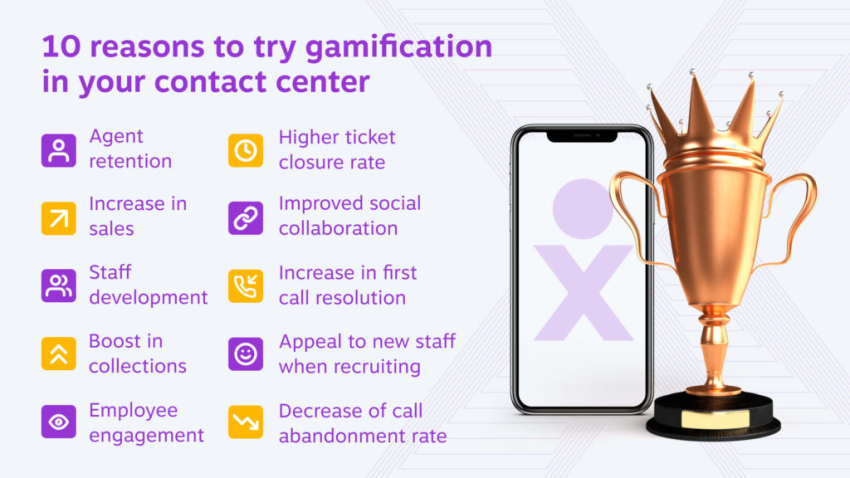
- Outbound call centers should utilize technologies like predictive dialers and gamification to motivate staff.
- Blended call centers handling both require adaptable staffing equipped to handle diverse interactions, supported by tailored training focused on different roles and effective omnichannel routing solutions.
Identifying the unique profile and needs of the operation remains critical to selecting the right solutions for each center.
Measure agent productivity
Track core metrics like handle times, resolution rates, and schedule adherence to maintain visibility into agent productivity.
Define reasonable goals based on research and data vs. arbitrary targets that overwork staff. Communicate regularly that productivity tracking enables collective improvement vs. punitive action.
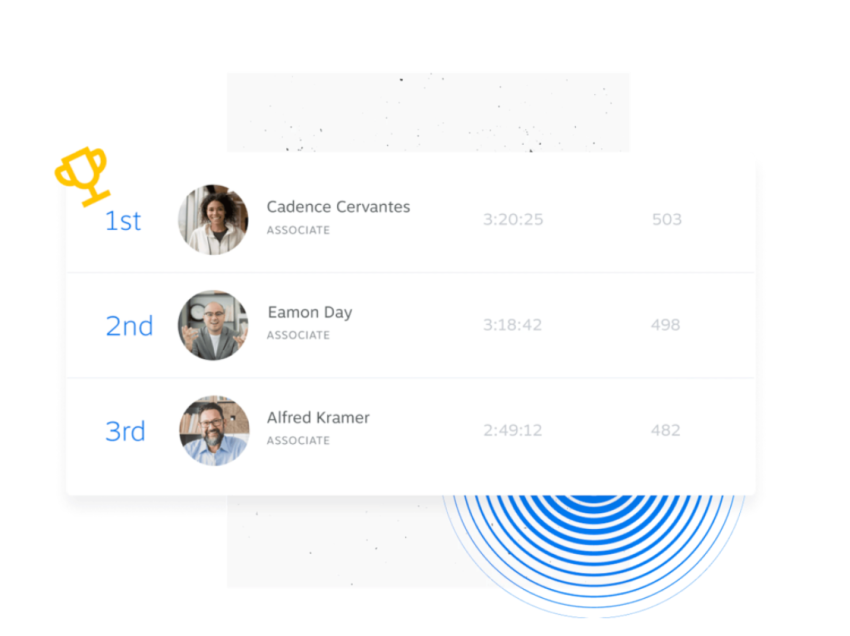
Post real-time dashboards transparently showing individual and team performance to motivate around a shared mission. Tie incentives like gift cards and PTO to top productivity scores. And measure customer satisfaction too; quality interactions should remain the priority.

Used positively, productivity metrics identify coaching opportunities while keeping priorities aligned.
Empower your agents
Empowered agents create happier, more engaged teams that deliver better customer experiences.
Part of empowering agents includes thorough onboarding training as well as giving them autonomy over simple service-level decisions for fast resolutions.
Give people extensive training so they feel confident handling different situations. Equip them with the authority to solve issues independently within reasonable guidelines. Have clear processes for consistency but leave room to personalize interactions.
And listen to your team. Solicit input on improving policies and technology, then actually implement the best ideas. That gives agents ownership in shaping their environment.
Do frequent pulse checks on engagement too. What’s working well and what pain points need addressing? Then double down on wins and be transparent about tackling frustrations head-on.
When agents feel trusted and heard, they’ll go the extra mile. An empowered agent is a happy, motivated agent. And that directly translates into better experiences for customers. So do everything you can to help your team thrive.
Create a positive work environment
Positive, supportive environments directly translate into better customer interactions.
Regularly survey agents on motivators like career growth, flexibility, and purpose to tailor rewards and incentives. Also, promote camaraderie through team-building activities and reinforce wins.
Help agents manage stress by providing quiet spaces for decompressing and wellness amenities like ergonomic chairs.
Conduct stay interviews with top performers to identify strengths to build on.
When you invest in caring policies that make agents feel empowered, they pass on that positive energy to customers through quality service.
Drive Better Call Center Productivity With Nextiva
When it comes to call center productivity, you can choose the carrot-or-stick approach.
It shouldn’t be a surprise that the option that motivates employees, finds the root cause of issues, and embraces modern technology is the one that works time and again.
The common theme of agent empowerment and happiness is using technology that feels familiar, backs decisions with data, and makes everything more efficient.

Nextiva Contact Center brings voice, chat, messaging, email, and social interactions into one platform, with routing and analytics to manage the work. Agents can access customer context, while managers review performance and decide where processes need attention.
Request a demo of Nextiva Contact Center to see how your team can manage conversations across channels from one queue. Walk through your busiest workflows and review the routing and reporting options that fit your operation.
Related: Mastering Workforce Management in Your Call Center
Frequently Asked Questions About Call Center Productivity
Pilot changes with a small team first and define success criteria in advance so you can separate real improvement from short-term noise. Include a feedback channel for your agents, then scale only after the workflow feels stable and repeatable.
Use guardrails by pairing speed metrics with quality signals, then review performance as a balanced scorecard rather than a single number. Reward consistency and customer outcomes, and audit edge cases like unusually short calls or repeated transfers to spot gaming early.
Track resolved issues, repeat contacts, and customer satisfaction separately for each channel. Where your tools support it, distinguish active working time from time spent waiting for customers to reply. For chat and messaging, review how many conversations agents handle at once alongside response times and quality. Check how your platform accounts for overlapping conversations before comparing handle times.
Mis-tagged dispositions, inconsistent definitions of what counts as “resolved,” and incomplete time logs can skew your trends. Standardize metric definitions, automate capture where possible, and periodically reconcile your CRM records with telephony or CCaaS logs to validate accuracy.
WFM aligns agent schedules with expected contact volumes and accounts for breaks, training, meetings, and other time away from handling requests. Managers can use forecasts and live staffing data to spot coverage gaps and adjust schedules as demand changes.
Confirm consent and notification requirements by region, and define retention rules for recordings and transcripts. Limit access by role, redact sensitive fields where feasible, and document how you review AI-generated notes to avoid incorrect or biased coaching inputs.
Tie the initiative to measurable financial levers such as reduced cost per contact, increased capacity without new hires, or fewer escalations. Include implementation cost, change management effort, and a ramp timeline, then model best-case and conservative scenarios to set expectations.