VoIP
VoIP  Blog
Blog  Business Communication
  Customer Experience
  Leadership
  Marketing & Sales
  Nextiva News
  Productivity

An answering service uses live agents or virtual receptionists to answer your business phone line, capture messages, route calls, and, when you are not available, sometimes schedule appointments on your behalf. For most companies, the first question is simple: How much will an answering service cost each month?
In this guide, you’ll see pricing models from five well-known answering service providers so you can see how those numbers translate into real plans.
By the time you finish reading, you’ll know the usual price ranges, what tends to push your bill higher or lower, and how to choose an answering service plan that fits your budget while still giving customers quick, reliable responses.
Try the best AI answering service free for 14 days
XBert AI answers questions and captures leads. Add your 24/7 answering service in minutes.
Answering Service Pricing at a Glance (2026)
Here’s a quick overview of the most common answering service pricing models, their typical costs, and the businesses they’re best suited for.
| Pricing model | Typical cost | Best for |
|---|---|---|
| AI answering service | $50-$300/month | Small businesses with routine calls or high-volume inquiries. |
| Live answering service | $100-$1,000+/month | Businesses needing human receptionists |
| Per-minute pricing | $0.75-$1.50/minute | Low or unpredictable call volumes; pay-as-you-go flexibility. |
| Per-call pricing | $1-$11/call | Businesses with short, transactional, or consistent call lengths. |
| Tiered/monthly plans | $100-$1,000+/month | Businesses that need predictable budgeting and set features. |
| Hybrid plans | $150-$500+/month | Growing teams that need a mix of base coverage and scalable usage. |
Pro tip: Is an answering service worth the cost?
Don’t just compare the monthly fee. Consider the revenue lost from missed calls. If your business regularly misses sales inquiries or appointment requests, even a handful of missed opportunities each month can cost more than an answering service plan.
Compare your average customer value with the monthly service cost to estimate the potential return on investment.
Estimated monthly missed revenue = Monthly missed calls × Close rate × Average customer value
Quick Answer: How Much Does an AI Answering Service Cost?
AI-powered answering services typically cost between $50 and $300 per month, depending on call volume, AI feature depth, integration requirements, and included features.
How Much Does an Answering Service Cost?
Most live answering service plans fall somewhere between $100 and $1,000+ per month. Smaller plans cover light call volume and basic message taking, while higher tiers support heavier traffic, 24/7 coverage, and more involved tasks like transfers or appointment booking.
Most providers charge a monthly fee tied to usage minutes, calls, or both, so your bill changes with how often customers ring your business.
Monthly average cost range
You’ll usually see three broad levels:
- Entry plans (about $75–$200/month): Low call volume, limited minutes or calls, core message taking.
- Mid-range plans (about $200–$600/month): More minutes or calls, extended hours, some extras like call transfers or basic intake.
- High-volume or premium plans ($600–$1,000+/month): Heavy traffic, 24/7 coverage, more complex workflows, or industry-specific handling.
Every provider structures bundles differently, but nearly all tie pricing to how many calls or minutes you use during the month.
Common Pricing Models for Answering Services
Pricing structure matters as much as the sticker price. Two plans with the same monthly fee can create very different bills once your call volume changes. Here are the models you’ll see most often, along with their answering service pros and cons.
Per-minute pricing
You pay solely for the time agents spend on your calls, from saying hello to transferring calls to delivering messages. Plans usually include a block of minutes with an extra per-minute rate once you go over that block.
Pros:
- You pay only for the time actually spent on calls
- Perfect for businesses with predictable call duration
- Easy to grow with your business by moving to higher-minute bundles
Cons:
- Long conversations can drive costs up
- Some providers bill hold time or transfer time
- Tougher to forecast when call length varies significantly
☎️ Example: A plan includes 100 minutes for $150/month with $1.75 per extra minute. If you use 150 minutes, your bill is: $150 + (50 × $1.75) = $237.50
Per-call pricing
You pay a fixed amount per answered call, no matter how long it lasts. Each time an agent picks up on your behalf, that’s one billable unit.
Pros:
- Easy to estimate costs when you know your call count
- Simple pricing: one rate for each answered call
- No worrying about lengthy calls driving up costs
Cons:
- Agents may feel pressure to keep calls short
- Can be pricey if most of your calls are brief
- Wrong numbers or hang-ups often still count as billable calls
☎️ Example: A service charges $5 per call with a 20-call monthly minimum ($100). If you receive 35 calls, your monthly service cost is 35 × $5 = $175
Tiered pricing
You choose from preset bundles that combine minutes or calls with feature sets. Higher tiers include more usage, richer features, and possibly priority service, which is a common approach for answering service pricing.
Pros:
- Clear upgrade steps as your call volume grows
- Often includes more features at higher tiers
- Better value than pure pay-as-you-go for steady usage
Cons:
- You might pay for capacity you rarely use
- Price jumps can be steep when moving to the next tier
- Entry tiers may leave out features your team needs
☎️ Example: An answering service provider offers:
- Starter: 100 minutes for $199/month
- Business: 250 minutes for $399/month
- Enterprise: 500 minutes for $699/month
You pick the tier that lines up with your expected monthly minutes.
Flat-rate pricing
You pay a fixed monthly fee that covers a pre-defined level of usage, whether you use it all or not (sometimes marketed as “unlimited” within fair-use limits).
Pros:
- Steady monthly cost that’s easy to budget for
- Fewer surprise charges
- Often simple, all-in packaging
Cons:
- You overpay if you regularly come in well under the cap
- Overage fees can still appear if you go past your limit
- May cost more up front than usage-based models
☎️ Example: A provider charges $350/month for calls up to 200 total minutes, with a clear overage rate past that point. If you stay under 200 minutes, your cost doesn’t change.
Hybrid pricing models
Many providers combine elements of different structures, such as a base monthly fee plus per-minute charges, or tiered plans with different per-call rates at each level. Depending on your industry and needs, these pricing plans offer flexibility.
Pros:
- Can be customized to your usage pattern
- Mixes predictable base cost with room to grow
- Often cheaper than pure per-call or pure per-minute models at the extremes
Cons:
- Can be hard to understand and compare across providers
- Monthly totals are less obvious at a glance
- Extra fees can hide in the variable portion if you don’t review the fine print
☎️ Example: A service charges a $150 base monthly fee that includes 75 minutes, then $1.95 per extra minute. Your core usage stays covered by the base fee, and your bill rises only when you jump to high call volume.
Pro tip: Don’t waste money on forwarding spam calls. With your unified customer experience management (CXM) platform’s Interactive Voice Response (IVR) system, you can implement key presses or other verification steps before routing calls to an external answering service, ensuring you only pay for legitimate inquiries.

Key Factors That Affect Answering Service Pricing
The price you pay for a phone answering service doesn’t just depend on the billing model; it also depends on the services provided. The following factors and features can significantly impact your overall cost.
Call volume and call length
Most providers peg pricing to usage, so how many calls you receive and how long they last are two of the biggest cost drivers:
- On per-minute plans, long conversations, repeat callers, and detailed intake work all eat into your minute pool.
- On per-call plans, even short calls count the same as long ones, so a high number of brief calls can still push your bill up.
Before you choose a plan, look at your recent phone history: average calls per day, seasonal spikes, and how long a typical phone call lasts. Matching those patterns to the right minute or call bundle keeps you closer to your target budget.
Hours of coverage (business hours vs. 24/7)
The more hours you need, the more you pay.
- Business-hours coverage (for example, 9–5 on weekdays) usually sits at the low end of the price range.
- After-hours and weekend customer support adds a premium, since agents must be available during evenings, nights, and holidays.
- Full 24/7 coverage commands the highest rates, especially on higher incoming call volumes.
Some providers sell separate bundles for daytime and after-hours usage. If most of your calls come in during a specific window, it often makes sense to keep live coverage focused there and use voicemail or IVR outside those times.
Type of service (basic answering vs. virtual receptionist)
What agents do on each call matters as much as how many calls they handle:
- Basic answering: greeting callers, taking messages, and passing along simple information. This is usually the lowest-cost option.
- Virtual receptionist: more involved work, such as warm or cold transfers, basic troubleshooting, order entry, or capturing detailed intake forms. These services sit in the middle price band.
- Full receptionist support: tasks like appointment scheduling, calendar updates, payment processing, and CRM notes increase handling time and often require higher-priced plans.
If many calls only need a quick message, you can keep costs down with basic answering and reserve more complex workflows for specific lines or VIP callers.
Industry requirements (healthcare, legal, etc.)
Some industries need extra care around security, privacy, and call handling, such as a dental answering service, which raises costs:
- Healthcare: HIPAA-compliant tools, secure messaging, and specialized training add licensing and staffing expenses.
- Legal: detailed intake, conflict checks, and on-call attorney routing require longer calls and tighter procedures. Capture client info 24/7 (especially if your law firm advertises) with an answering service.
- Property management, trades, or field services: on-call rotation, property management, emergency triage, and vendor dispatching extend handling time.
When your industry has strict rules or complex intake needs, expect higher per-minute or per-call rates to cover extra training, compliance tools, and quality controls.
Hear why XBert AI is the best AI receptionist
XBert AI receptionist handles customer questions, captures leads, and books appointments. Try it free for 14 days.
Features and add-ons
Knowing which features and add-ons, like multi-lingual support, appointment scheduling or lead qualification, matter to your business helps you avoid paying for fluff while still keeping callers happy.
The price you pay for a phone answering service doesn’t just hinge on minutes and calls; extra features like these can move your bill up or down:
- Call recording: Useful for quality assurance, training, or compliance. This add-on often runs $10–$30 per month, depending on storage limits and how long recordings are kept.
- Call forwarding: Basic call forwarding is generally included in most plans, but complex forwarding rules, sequential routing, or international forwarding may incur an additional fee or two, especially if you need calls routed to multiple locations or team members.
- Intelligent call routing: Routing based on caller ID, time of day, or custom rules usually costs more. Expect this to add around $25–$50 per month in exchange for better call distribution and fewer transfers inside your team.
- Inbound lead qualification: Screening and qualifying leads before they reach sales takes more agent time than basic message-taking. Per-minute or per-call rates may climb by 15–25%, though your sales team spends less time on unqualified inquiries.
- Customized call scripts and FAQs: Most providers let you tweak a call center script. But deep decision trees or long FAQ lists can carry set-up fees, sometimes $50–$150 for full script development.
- Appointment scheduling and management: Calendar sync and scheduling tools usually sit behind an extra charge, often $20–$50 per month, with higher costs for complex rules or multiple calendars.
- Reporting and analytics: Basic call logs are standard. More detailed dashboards showing volume trends, handle times, and other metrics may sit in higher plans or add $15–$30 per month when offered à la carte.
- Multilingual support: Extra languages require more specialized staff. Spanish is frequently included or available at a modest fee, while less common languages can raise your costs by 10–20%.

5 Top Answering Services Comparison
For this comparison, I requested pricing from five answering service for ecommerce providers with customers across multiple time zones requiring after-hours support.
Methodology: How I gathered cost information:
- First, I identified top providers based on market presence and reviews.
- Then, I visited each provider’s website to assess pricing transparency, noting whether costs were clearly displayed or required contacting sales.
For providers without transparent pricing, I gathered information from competitive comparison sites and industry resources.
1. AnswerConnect
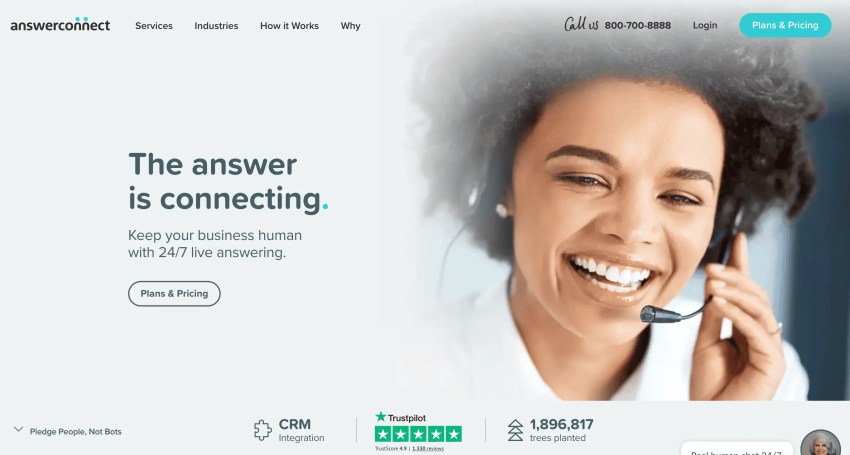
AnswerConnect talks about pricing clarity, but you still have to speak with sales to get real numbers. Based on competitor comparisons, their answering service costs start around $325–$350 per month for 200 minutes, with a $49.99 set-up fee and about $2.50 per extra minute, which puts them on the higher-priced end.
On the upside, they offer 24/7 live answering services, lead capture, and scheduling appointments. I’d consider AnswerConnect a better fit for established e-commerce shops with solid revenue that truly need round-the-clock coverage and can justify paying more to avoid missed orders or customer calls.
2. Smith.ai Virtual Receptionist
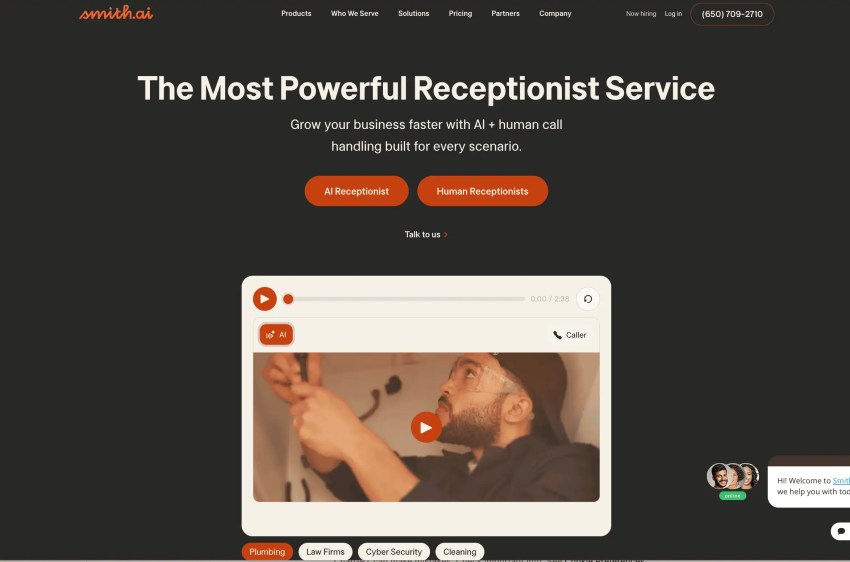
Smith.ai makes it easy to see what you’ll pay. Their virtual receptionist plans start at $300 per month for 30 calls (about $9.75 per call), with extra calls at $11.50 each. They clearly state no set-up fee, no contracts, and no surprise add-ons, which I really like when comparing providers.
If your budget is tight, their AI Receptionist option comes in at $97.50 per month for 30 calls, with handoff to a live receptionist when needed.
That mix of lower pricing and the ability to escalate tough calls to a human being works well for e-commerce brands that need professional phone coverage without committing to high monthly spend. Lead screening and integrations are especially helpful if you rely on phone inquiries for sales.
3. Moneypenny
Moneypenny starts at $99 per month for the Essential plan, which includes 30 minutes of receptionist time (around $3.30 per minute). They show their main pricing on the site, though deeper customization still requires a sales conversation.
Their focus is on a polished caller experience, so I’d look at Moneypenny if you care a lot about how your brand sounds on the phone. The Personalized plan at $189 per month adds things like CRM connections and appointment booking. Just watch the $2.99 per-minute overage rate; if your call volume spikes and you’re not monitoring usage, costs can climb quickly.
4. Ruby Receptionist
Ruby uses simple, minutes-based plans with the same core features on every tier. The entry plan starts at $250 per month for 50 minutes and goes up to $1,725 for 500 minutes. The only difference between plans is the minute allowance.
For e-commerce businesses that want consistent call handling and predictable budgeting, Ruby is appealing. They support appointment scheduling, payment processing, and both English and Spanish on all plans, which suits stores with more complex customer interactions. Just note that on the starter plan, you’re paying about $4.90 per minute, so Ruby sits in the higher-priced category for small businesses.
5. AbbyConnect
AbbyConnect works well for growing businesses that want a more polished customer experience without hiring an in-house receptionist. Pricing is clearly listed: $329 per month for 100 minutes (Essential), $599 for 200 minutes (Professional), and $1,380 for 500 minutes (Growth).
They assign small teams of 5–10 receptionists to learn your business and handle calls, with 24/7 availability, Spanish support, weekend coverage, and appointment scheduling. That mix makes AbbyConnect appealing if you run an e-commerce shop that can’t afford to miss calls from customers in different time zones.
They also offer local and toll-free numbers, vanity numbers, and high-volume SMS through the AbbyGo mobile app. For businesses that want phone, text, and live reception under one roof, AbbyConnect gives callers a more human experience than a basic automated menu.
Stop losing customers to missed calls
Every missed call is a lost opportunity. XBert answers, qualifies, and routes calls when your team can’t.
Answering service cost comparison table
| Platform | Best for | Key features | Pricing model | Starting price |
|---|---|---|---|---|
| AnswerConnect | Large teams or enterprises | Inbound call answering Call forwarding Live chat services | Hybrid pricing: Tiered and per-minute pricing | No starting price available, though competitor sites list $350 per month (+49.99 setup fee) for 200 minutes + 2.50 per additional minute |
| Smith.ai Virtual receptionist | Solopreneurs or small teams | Lead screening, qualification, and intake 24/7 live staff Business insights | Tiered with per-call pricing + overage fees | $300 per month for 30 calls, with $11.50 per call overage fees, listed on website |
| Moneypenny | Businesses needing customizable, 24/7 call answering | 24/7 answering service Custom call scripting CRM integration | Hybrid pricing: Tiered and per-minute pricing + overage fees | $99 per month for 30 minutes, with $2.99 per minute overage fees, listed on website |
| Ruby Receptionist | Small businesses | Mobile app and portal Secure payment processing HIPAA and PCI compliance | Tiered and usage-based | $250 per month, listed on website |
| AbbyConnect | Growing businesses | Mobile app Human, AI, and Live chat options Global search functionality | Hybrid pricing: Tiered and flat-rate pricing | $329 per month, listed on website |
How to Choose the Best Answering Service for Your Budget
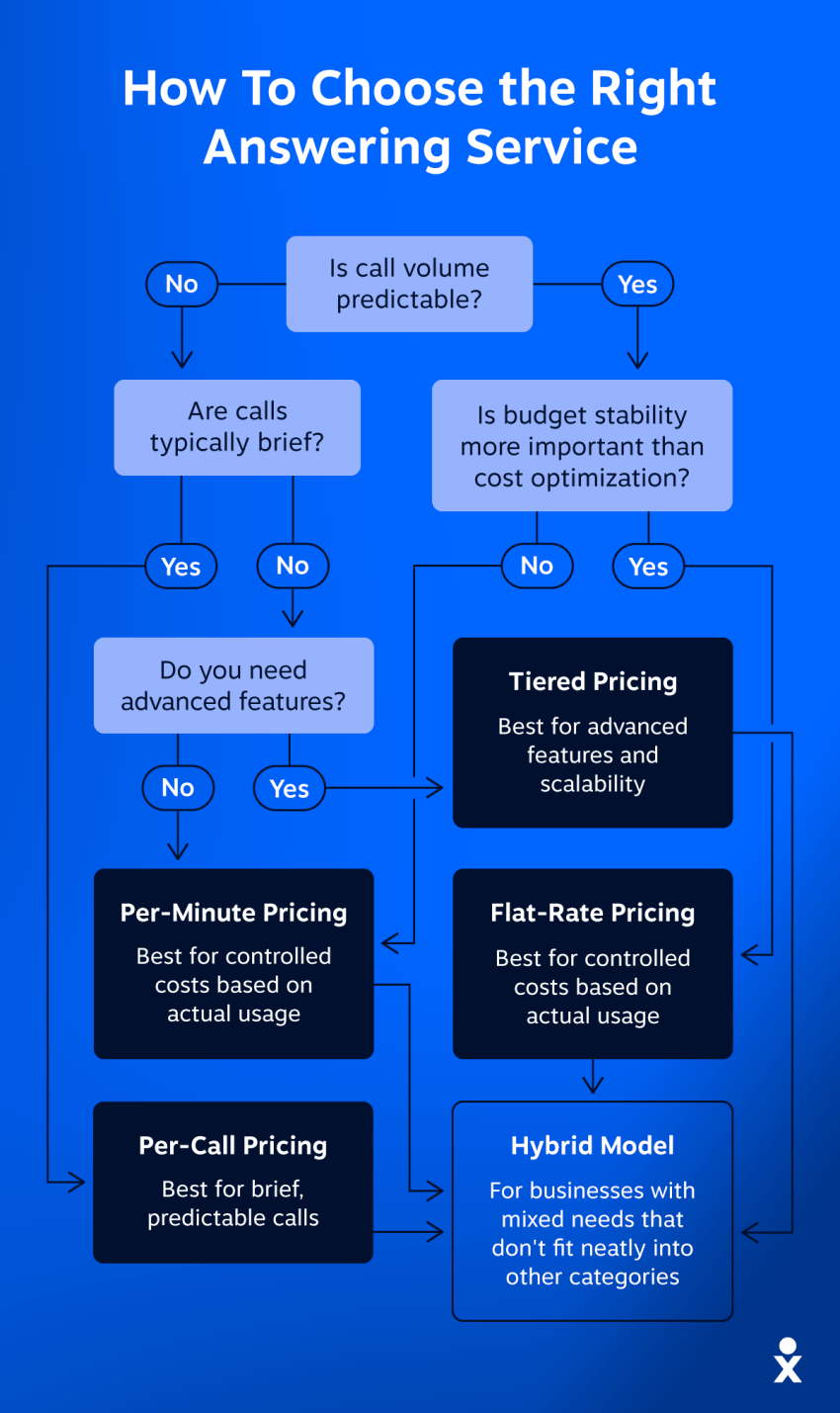
Understanding your specific communication needs is crucial before selecting an answering service. Analyzing your current call patterns will help you choose the right service level and avoid unnecessary expenses.
Set your budget and call volume expectations
Start with the numbers. Look at how many calls you get each day, week, and month. Your phone provider or business phone system should have call logs that show inbound volume, including missed calls. Those missed calls matter too; they represent revenue you’re losing right now, and they still need coverage once you bring in an answering service.
Missing calls can cost you thousands.
Unanswered calls add up fast. Our free calculator reveals the revenue impact of every missed opportunity.
Next, look at average call length. Some businesses live on quick 2–3 minute calls (simple questions, appointment booking), while others regularly hit 8–10 minutes (technical support, complex orders). Track this for at least a couple of weeks and, if you can, group calls by type: sales, customer service, support, etc. That information will help you pick between per-minute, per-call, or flat-rate pricing.
Here’s a simple example:
- 8 calls per day
- 4 minutes per call
- 5 days per week
That works out to about 640 minutes per month: 8 × 4 × 5 × 4 weeks = 640
Now compare pricing models:
- Per-minute plan: 600-minute package at $1.50/minute = $900/month + overages
- Per-call plan: 160 calls at $6/call = $960/month
- Flat-rate plan: Unlimited calls up to 700 minutes = $850/month
In this scenario, the flat-rate plan fits your usage and comes in at the lowest. If your calls were shorter (say, 2 minutes on average), the math changes, and a per-call plan might look better. The goal is to match your real call patterns to a model that doesn’t punish you for how your customers actually behave.
Decide which features are “must-haves”
Once you have a rough budget and volume range, decide what you truly need the service to do. The more complex the workflow, the higher the bill tends to go.
Ask yourself:
- Do you just need basic message taking, or do callers expect immediate help with orders, refunds, or technical issues?
- Do you need a virtual receptionist who can handle appointment scheduling, order entry, or basic troubleshooting?
- Is bilingual support important for your customer base?
- Does the service need to tie into your calendar, helpdesk, or CRM so agents can see customer history and log notes?
Each extra capability, appointment booking, detailed lead qualification, and system integrations add time to each call and usually come with higher rates or extra fees. That doesn’t mean you should strip everything down. It just means you pick the features that actually support revenue, customer satisfaction, or internal efficiency, and skip the ones that sound nice but won’t move the needle.
Compare plans side by side
With your call estimates and feature list in hand, line up a few providers and compare:
- Included minutes or calls: Does the bundle match your average month and leave some room for spikes?
- Overage rates: What happens if you go over? High overage fees can erase any savings from a lower base plan.
- Included features: Which plans include call recording, integrations, appointment scheduling, or multilingual support, and which treat them as paid add-ons?
- Hours covered: Is after-hours or weekend coverage included, or does it sit behind a surcharge?
Look beyond the headline monthly price. Set-up fees can range from $50 to $500 for account creation, script building, and special training. Some providers tack on extra charges for advanced scripting, CRM connections, or higher-priority handling. A plan that looks cheap upfront can become expensive if you hit overages every month or end up paying à la carte for the features you actually need.
Questions to ask providers about pricing
Before you sign anything, ask direct questions so you know exactly what you’re committing to:
- Minimums and commitments:
- Is there a minimum monthly spend or call/minute commitment?
- Are there any usage floors, even in slow months?
- Contract length and changes:
- Is this month-to-month, or do I have to commit to 6–12 months?
- What’s the process and cost to upgrade, downgrade, or cancel?
- Trials and ramp-up:
- Do you offer a free trial or a discounted pilot period?
- Will I get help tuning scripts and routing during that ramp-up?
- Billing rules and guarantees:
- What counts as a billable call or minute (wrong numbers, spam, hang-ups)?
- How are partial minutes billed — rounded up or actual time?
- What are the provider’s billing increments (1-second, 6-second, or 60-second)?
- Do you provide any service-level guarantees for answer times or availability?
Clear answers to these questions will help you separate genuinely fair pricing from plans that rely on vague terms and hidden costs, and pick an answering service that fits your budget without unpleasant surprises later.

Never Miss an Important Call with Nextiva’s AI Receptionist
Choosing an answering service isn’t just about finding the lowest monthly price. You want a plan that matches your real call volume, fits your call length patterns, and covers the features your customers actually use, whether that’s simple message-taking or full virtual receptionist support.
If you’re looking for a comprehensive solution that goes beyond basic call answering, Nextiva’s unified CXM platform integrates VoIP phone service, CRM, and call center features in one seamless system.
Plus, Nextiva’s AI receptionist XBert AI can greet callers, handle common questions, route calls, and capture basic details before a person ever picks up the line. Routine calls get handled quickly, while complex or high-value calls go straight to your team or to a live answering service. Fewer low-value calls hit your live minutes, which helps keep your answering service costs under control.
If you want phone service, texting, and an AI receptionist working together instead of juggling separate tools, Nextiva brings those pieces into one place. You can use XBert AI as an answering service for plumbers to handle everyday calls, then use live agents either in-house or through an answering service for conversations that need a human touch. That mix gives your callers real support and gives you far more control over what you spend.
Run your business instead of answering calls all day
Nextiva’s AI-powered receptionist is perfect for handling calls so you can focus on what matters most.
Answering Service Cost FAQs
Most businesses pay $50 to $300 per month for AI answering services or $100 to $1,000+ per month for live answering services, depending on call volume, coverage hours, included features, and the pricing model.
Per-minute pricing typically ranges from $0.75 to $1.50 per minute, while per-call pricing generally ranges from $1 to $11 per call, depending on the provider, service level, and included features.
Some phone answering service providers charge setup fees, overage fees, holiday surcharges, after-hours premiums, or additional fees for features such as appointment scheduling, CRM integrations, multilingual support, or HIPAA compliance. Always review the complete pricing schedule before signing a contract.
Per-minute pricing charges for the total time spent on calls, making it suitable for businesses with lower or unpredictable call volumes. Per-call pricing charges a fixed fee for each answered call, making costs easier to predict for businesses with shorter, consistent calls.
An answering service is often a more affordable option for small and mid-sized businesses because you only pay for the coverage you need. An in-house receptionist may be a better choice if your business requires dedicated on-site support or highly specialized customer interactions.
An answering service can be a smart investment if you miss calls, need after-hours coverage for customer service, or don’t want to hire a full-time receptionist. One lost sales call can easily exceed the monthly fee, and a live person answering your phone presents a more polished experience and leads to better customer satisfaction.
Yes. AI phone answering services typically cost $50-$300 per month, while live phone answering services generally cost $100-$1,000+ per month. AI is usually the more affordable option for handling routine calls, while live receptionists are better suited for complex customer interactions.
Voicemail records a message for you to check later. An answering service uses live agents, AI receptionists, or both to greet callers, answer basic questions, schedule appointments, and pass along detailed messages in real time. That interaction keeps more callers engaged instead of hanging up when they reach a generic mailbox.
The industries most likely to gain value from an answering service are those where they depend on a steady volume of inbound phone calls and have high customer value. Top industries include real estate, home services, law firms, automotive dealerships, and more.