Customer Experience
  Blog
Blog  Business Communication
  Leadership
  Marketing & Sales
  Nextiva News
  Productivity
  VoIP
VoIP 

Missing a call doesn’t just interrupt a conversation; it sends potential customers directly to competitors. Many callers hang up after reaching a generic voicemail and immediately move to the next search result. To avoid losing these opportunities, businesses use automated answering services.
AI-powered answering services handle calls differently from traditional business phone systems. Instead of depending on rigid press-button menus, they act as intelligent entry points for the business. Many of these solutions are cloud-based, offering flexibility and scalability to adapt as your business grows.
Using conversational AI and real-time integrations, these systems understand spoken intent, answer questions, route calls, schedule appointments, capture leads, resolve routine requests automatically, and reduce repetitive administrative work.
In this guide, we’ll cover everything you need to know about these AI-backed answering services.
Try the best AI answering service free for 14 days
XBert AI answers questions and captures leads. Add your 24/7 answering service in minutes.
What Is an Automated Answering Service?
An automated answering service is a virtual system that answers incoming calls, greets callers, and directs them to the right destination, all without human involvement. Sometimes called virtual receptionists, they’re a popular feature available with some VoIP business phone service providers.
Auto receptionists are also widely used as virtual call management tools that automate call routing, reducing the need for live operators and supporting contact centers or call centers to improve inbound call handling efficiency.
Depending on the type of answering service, it may use automated phone infrastructures compatible with VoIP and cloud-based platforms, offering scalability, 24/7 availability, and enhanced security. These systems may include:
- Pre-recorded greetings and menus, such as “Press 1 for Sales, press 2 for Support.”
- Interactive voice response (IVR), which supports more advanced voice-command interactions like checking an account balance, booking an appointment, or making a payment.
- AI-driven virtual agents, called AI receptionists, that are capable of understanding natural language and responding conversationally.
- Multi-level auto attendant and call screening capabilities that help businesses organize inbound call flows more efficiently and filter spam requests.
The goal of a virtual receptionist service is to provide professional, 24/7 coverage, thereby reducing call wait times. Doing so ensures that every customer receives a consistent, efficient, and helpful experience.

Traditional answering service vs. AI answering service
Both automate phone interactions. However, they operate very differently and create completely different customer experiences. Let’s see how they differ so there’s no confusion between the two.
| Feature | Traditional answering services | AI answering services |
| Technology | Legacy interactive voice response (IVR) systems combined with a human answering service. Uses rigid dual-tone multi-frequency (DTMF) keypad menus to filter calls before routing them to live operators. | Conversational artificial intelligence (AI) with cloud Voice over Internet Protocol (VoIP) infrastructure built on natural language understanding (NLU) and automated speech recognition (ASR). |
| Initial caller greeting | Menu-driven greetings such as “Press 1 for Sales, Press 2 for Support.” | Open-ended conversational greetings that ask callers how the system can help. |
| Primary agent and experience | Live human operators answer calls after IVR routing and follow static scripts. | Conversational AI phone agents dynamically speak, listen, and adjust responses based on caller intent and context. |
| Call capacity and scaling | Human staffing limits answering capacity, creating hold queues during traffic spikes. | Cloud-elastic infrastructure handles hundreds of simultaneous conversations without busy signals or long wait times. |
| Data integration and sync | Human operators manually log notes and send messages to teams for follow-up. | Real-time application programming interface (API) integrations pull from and update customer relationship management (CRM), calendar, and billing systems instantly. |
| Action and resolution capability | Primarily captures inquiries and routes messages to staff. | Resolves requests directly through automated workflows such as appointment scheduling, refund processing, and account updates. |
| Response logic and nuance | Human agents follow deterministic scripts and escalation paths. | Context-aware workflows handle multi-step conversations, follow-up questions, and side topics naturally. |
| Availability and cost model | Per-minute or shift-based pricing with higher costs for overnight, weekend, and holiday coverage. | Flat-rate or predictable software pricing with built-in 24/7/365 availability. |
Many businesses now use hybrid AI + IVR models where IVR handles simple routing while conversational AI manages more advanced customer interactions.
How Automated Answering Services Work
Businesses can manage and customize their automated answering service through an admin portal with user-friendly controls, allowing easy management of schedules, menus, greetings, and holiday rules.
Automated call answering services follow systematic processes that handle incoming calls efficiently and according to your unique business preferences. Let’s break down what happens when your customers call, and the answering service picks up.
1. Greeting and menu presentation
Your virtual assistant answers the call with a friendly, customized greeting that thanks customers for calling.
The system then presents callers with menu options like “check your account balance” or “make an appointment,” or it prompts them to state their request using natural speech.
2. Context-aware call routing
Based on the caller’s input in the previous step, the phone answering service will route callers to the correct department, voicemail, employee, or a specific person within your organization. Some systems, like Nextiva, use intelligent call routing to set up dynamic rules that best serve both your customers and your business based on specific rules.
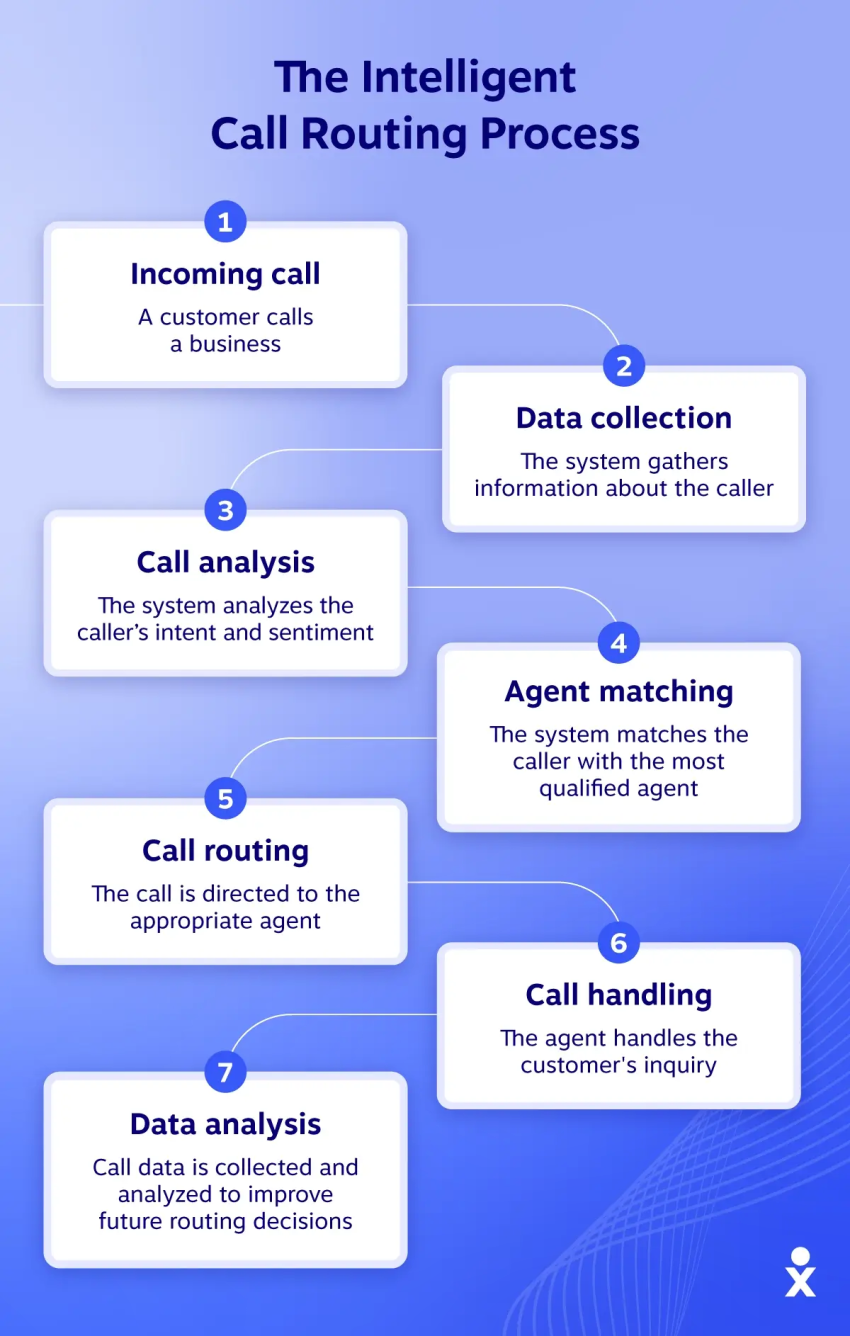
After standard business hours, for example, calls may be routed to a call center rather than directly to your standard in-house team. Similarly, callers who don’t speak English may be routed to employees who speak their language, and high-value customers may be routed straight to account executives instead of general support departments.
Automated answering systems can reduce hold times and cut down on transfers, allowing your teams to focus on more complex tasks.
3. Self-service and AI functions
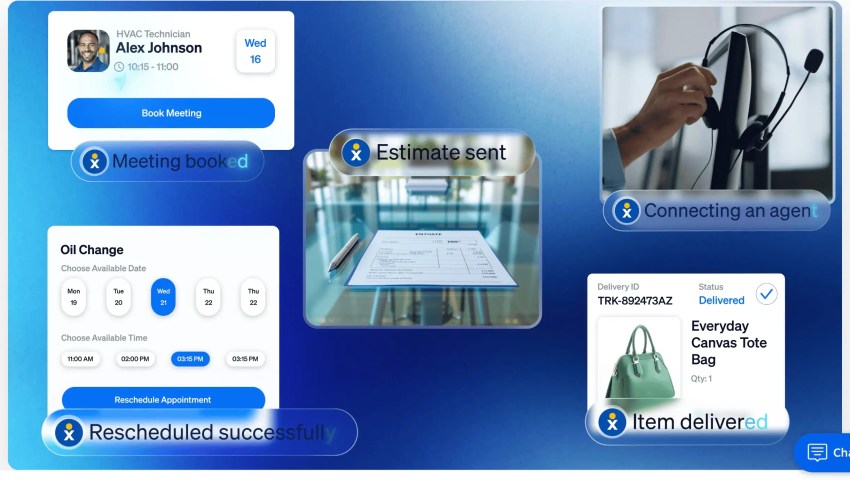
AI-powered systems can answer FAQs, book appointments, process simple requests, or capture information for follow-up. Some platforms can also automate outbound calls for appointment reminders, payment notifications, and follow-up campaigns.
These capabilities, which may use both AI and advanced call center IVR, reduce the workload for human staff and provide callers with instant access to reliable customer support.
4. Integrated tasks
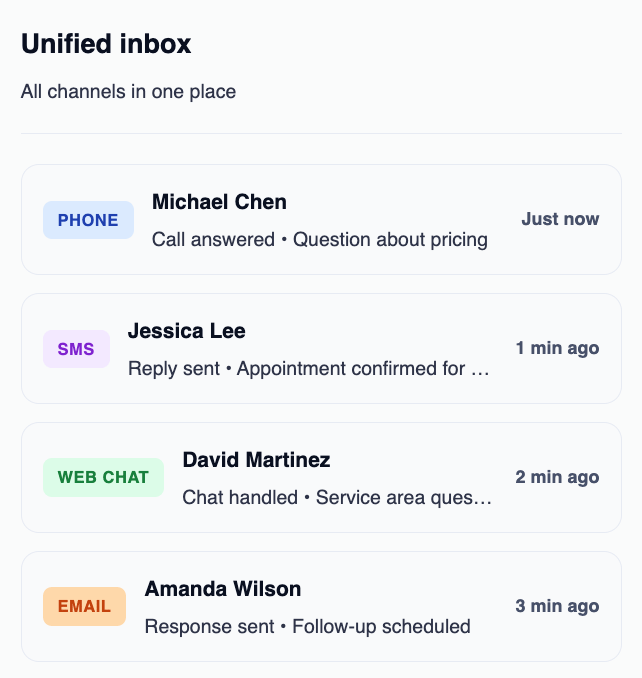
An automated answering service can seamlessly interact with your tech stack. Through API integrations, the service can:
- Process transactions: Securely take payments or verify order statuses without a human agent ever touching the phone.
- Sync with calendars: Access real-time availability in Google or Outlook to book consultations.
- Update CRMs: Automatically log a summary of the call into Salesforce or HubSpot.
5. After-hours support
Automated answering services run continuously, providing professional coverage outside of regular business hours. Urgent issues can be handled through intelligent call forwarding to an on-call team, while routine inquiries are logged for the next business day. This provides true round-the-clock support that makes for an amazing customer experience and helps you prioritize time-sensitive concerns.
Hear why XBert AI is the best AI receptionist
XBert AI receptionist handles customer questions, captures leads, and books appointments. Try it free for 14 days.
Key Features to Look For
When looking for an answering service, certain features are particularly important for small and medium-sized businesses. For comprehensive business communications, it’s essential to consider solutions that offer business texting, collaboration tools, desk phones, and VoIP phones as part of their feature set.
A good automated answering service should allow for flexible hours and schedules, including business hours and holiday greetings. It should also be easy to manage and deploy, with access to professional support when needed.
Custom greetings and menus
Personalized greetings can make a powerful first impression. They help you appear established and reflect your brand voice. As a result, the option to customize business voicemail greetings and menus is a must-have feature that will help you deliver a positive customer experience right from the start of the call.
Intelligent call routing
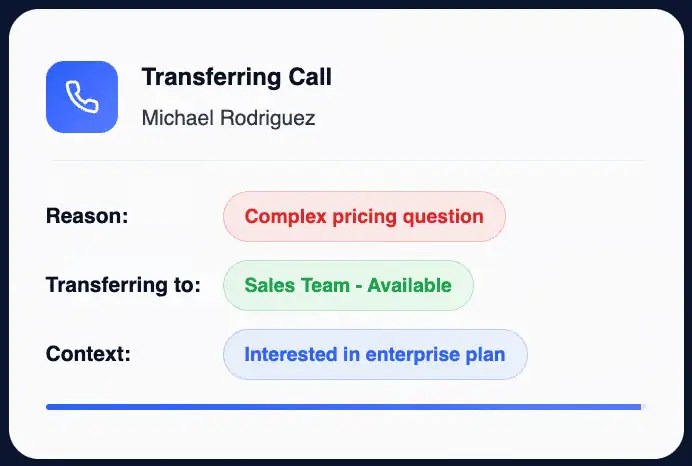
Intelligent call routing allows you to direct calls based on customer data, language, or the needed department. This helps inbound callers reach the right person the first time around, increasing efficiency and significantly improving the customer experience. Qualified leads can also be routed directly to sales teams in real time.
If someone calls a law firm, for example, call routing will detect potential clients and route them to an assistant who can qualify them, and it may route existing clients directly to their attorney’s individual lines.
Omnichannel access through mobile devices
A strong answering service should keep your team connected beyond the office. Modern platforms allow employees to review call summaries, access AI transcripts, and manage customer conversations directly from their mobile devices, helping teams stay responsive from anywhere.
Integrated collaboration and video conferencing
While AI handles inbound customer interactions, teams still need tools to manage internal communication and escalations efficiently. Platforms that include team messaging and video conferencing tools in the same system help employees collaborate faster, share customer context, and resolve complex issues more effectively.
Speech recognition and natural language understanding
Conversational AI leverages natural language understanding and speech recognition to understand customer needs. It supports conversational caller interactions and can accurately interpret both sentiment and intent.
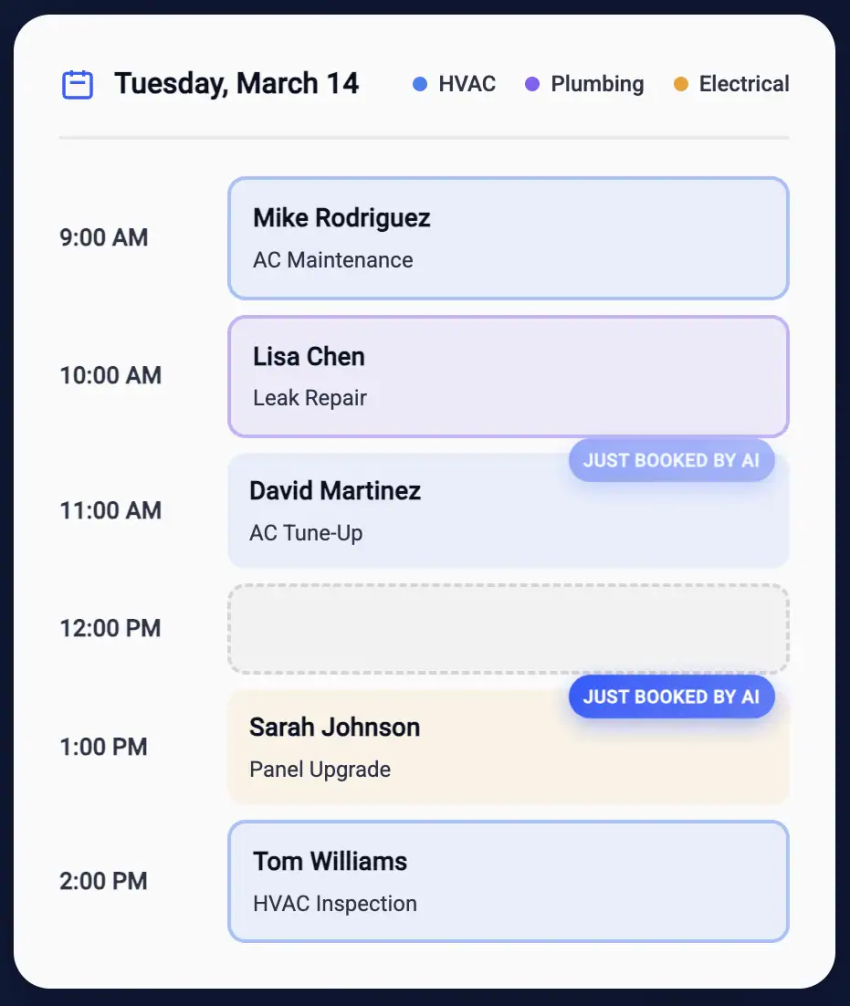
CRM and calendar integrations
Connecting your automated answering service with your existing CRM and calendar systems ensures seamless data flow. This integration enables automatic logging of call details in real time, synchronized appointment scheduling, and instant access to customer history. This allows your team to provide personalized follow-ups without manual data entry.
Voicemail-to-text and transcriptions
Voicemail-to-text and standard transcriptions help you automatically capture and summarize call details. Voicemail-to-text converts voice messages into written text that gets delivered through email or text, so you can quickly scan messages and prioritize callbacks without listening to each recording right away.
Advanced systems provide AI-generated summaries that highlight key points like caller intent, caller sentiment, and requested actions.
Detailed analytics
Detailed call analytics help businesses monitor critical metrics like call volumes, wait times, and menu selections to optimize performance.
Detailed reporting reveals patterns in customer behavior, identifies bottlenecks in your call flow, and shows peak calling hours so you can adjust staffing accordingly. Use these insights to continuously improve your automated answering system and customer communication strategy.
Benefits of Automated Answering Service for Businesses
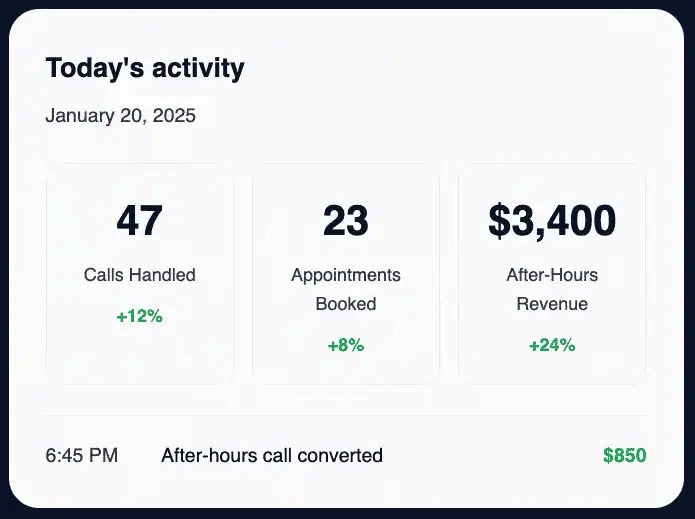
Implementing an automated answering service can have clear advantages that directly impact your bottom line and customer satisfaction. From slashing costs to ensuring 24-hour coverage, the value of these systems shouldn’t be overlooked.
Improved efficiency
Routine tasks such as basic call routing, appointment scheduling, and basic information requests are handled automatically. This frees up human agents for higher-value conversations and allows customers with more urgent situations to receive help faster as a result.
Cost savings
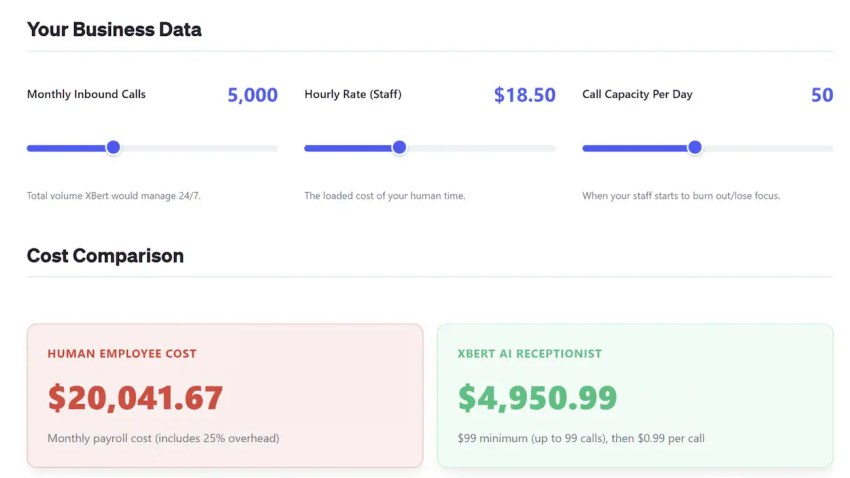
Automating initial call handling reduces the need for full-time reception staff and lowers overall labor costs. Virtual receptionists are more cost-efficient compared to human operators, offering savings on wages and providing round-the-clock availability. Businesses save significantly on answering service costs compared to hiring in-house receptionists or outsourcing to expensive live answering services.
Professional image
Every call is answered quickly with consistent branding and tone thanks to a customized greeting and navigational menu. A well-designed caller experience, including customized greetings, can improve customer satisfaction and operational efficiency. Your business looks established, which can help earn customer trust. With every call answered and no generic voicemail, you won’t miss any opportunities.
Scalability
Automated answering systems can handle spikes in call volume effortlessly. Cloud-based phone systems offer scalability and flexibility for growing businesses. This ensures reliability during your busiest seasons or when running promotions. Again, this not only helps provide a better customer experience but also reduces the strain on your live team.
Most automated answering services offer flexible month-to-month or annual billing and tiered features, allowing businesses to start small and expand as needed.
Around-the-clock availability
Unlike a human receptionist, 24-hour answering services are, quite literally, working round the clock. Incoming callers benefit from 24/7 access, reaching your business at any time, which meets modern customer expectations in today’s business world.
Customers expect businesses to provide 24/7 access and support through automated phone systems. You won’t miss business calls, opportunities, or inquiries, even if customers call at 3 a.m. (Because some of them will.)
Missing calls can cost you thousands.
Unanswered calls add up fast. Our free calculator reveals the revenue impact of every missed opportunity.
Common Implementation Mistakes Businesses Make
Businesses invest in automated answering services expecting immediate efficiency gains, but poor implementation can frustrate customers instead of improving the caller experience.
In most cases, the technology itself is not the issue. Problems usually happen when businesses design the system around internal processes instead of actual customer behavior.
Creating overly complicated menu structures
Long and confusing phone menus are one of the biggest complaints customers have about automated systems. Many businesses try to cover every possible scenario with layered menu trees, forcing callers through multiple steps before they can get help.
Complex IVR paths increase call abandonment rates and frustrate customers who want quick answers. You should instead:
- Keep menu options short and intuitive
- Prioritize the most common caller intents first
- Limit the number of menu layers
- Offer natural speech options when possible
- Provide quick access to a live agent
Modern AI answering services reduce this friction by letting callers speak naturally instead of navigating endless touch-tone menus.
Failing to provide human escalation paths
Automation should never trap callers in unresolved conversations. Businesses quickly lose customer trust when callers repeatedly interact with a system that cannot solve their issue. Customers expect immediate escalation when:
- Issues become more complex
- Conversations involve sensitive situations
- The AI repeatedly misunderstands intent
- Billing or urgent account problems arise
The best automated answering services include easy escalation workflows that transfer callers to live agents, along with conversation summaries and caller context.
Using robotic or unnatural voice prompts
Poor voice design can make your business sound outdated or impersonal almost instantly. Robotic prompts, awkward pauses, and overly scripted conversations often make callers feel like they are dealing with a machine instead of receiving real assistance.
Modern conversational AI systems use natural language processing and human-like voice synthesis to create smoother interactions. Businesses should also customize greetings, tone, pacing, and responses to match their brand personality and customer expectations.
Ignoring CRM and calendar integrations
Automated answering services become far less effective when they operate separately from the rest of the business technology stack. Without CRM, scheduling, or ticketing integrations, businesses may:
- Provide inaccurate information
- Fail to personalize conversations
- Require duplicate manual data entry
- Create scheduling conflicts
- Miss important customer history
Integrated systems can automatically log routine calls, schedule appointments, update customer records, and deliver contextual responses based on previous interactions.
Over-automating emotionally sensitive conversations
Not every interaction should be automated. Many businesses make the mistake of automating conversations that require empathy, negotiation, or emotional intelligence, such as medical emergencies, billing disputes, service complaints, legal consultations, and crises.
In these situations, customers usually expect direct human interaction. The best systems use AI to detect emotional cues or urgency and escalate these conversations immediately.
Not monitoring failed conversations
Many businesses use automated systems and rarely review how callers actually interact with them. Over time, this creates blind spots that damage the customer experience. You should regularly analyze:
- Failed conversations
- Abandoned calls
- Escalation triggers
- Frequently misunderstood requests
- High-friction menu paths
- Caller sentiment trends
Continuous optimization helps improve routing accuracy, refine workflows, and uncover new automation opportunities.
Providing inconsistent answers across channels
Customers expect consistent information whether they contact a business through phone, chat, SMS, email, or live support. When automated answering services provide information that differs from the company website or live agents, customer trust quickly declines.
Businesses should maintain a centralized knowledge base and unified workflows so every communication channel delivers accurate and consistent responses.
Failing to support multilingual callers
As businesses expand in multiple locations, multilingual support becomes important. Systems that only support one language can create accessibility barriers and increase abandonment rates among non-native speakers.
Modern answering services now support multilingual AI conversations, intelligent language detection, and localized workflows that improve accessibility and customer satisfaction.
Routing callers through too many transfers
Excessive call transfers remain one of the biggest contributors to poor customer experiences. Customers become frustrated when they must explain the same issue repeatedly to multiple departments. Strong routing systems use:
- Intent recognition
- Skills-based routing
- CRM context
- Customer history
- Priority routing rules
These capabilities help connect callers with the right department or specialist on the first attempt.
Treating automation as a replacement instead of an enhancement
One of the biggest strategic mistakes businesses make is treating automation purely as a cost-cutting tool. Automated answering services work best when they support human teams instead of replacing them entirely.
The strongest implementations combine AI-driven efficiency, human empathy, intelligent routing, real-time context sharing, and smooth escalation workflows. Businesses should use automation to reduce repetitive workloads so employees can focus on higher-value customer conversations.
Businesses need an automated answering solution that combines AI automation, intelligent routing, live agent escalation, and everything you need in one contact center platform. Nextiva helps businesses reduce missed calls, simplify workflows, and avoid the operational headaches caused by disconnected systems or overly complex IVR setups.
Challenges With Automated Answering Services
While the benefits are clear, implementing an automated answering service comes with new technical and psychological hurdles. Awareness of these pitfalls is what separates a positive customer experience from a frustrating one.
1. The infinite loop frustration
The biggest threat to your customer satisfaction score is a system that can’t handle nuanced requests. If a caller is trapped in a loop with a bot that doesn’t understand them, most customers will hang up within 60 seconds.
Implementing graceful recovery logic is essential: if the AI is confused twice, it must immediately offer a warm handoff to a human.
2. Siloed data and tool sprawl
An automated system is only as smart as the data it can access. If your answering service isn’t connected to your CRM or inventory system, it will give generic answers that don’t solve the caller’s problem.
Ensure your service has bidirectional integration. The system should be able to read an order status and write a meeting into a calendar simultaneously.
3. Privacy and compliance risks
Data protection is a trust issue. Automated systems that record and process sensitive data (like credit card numbers or medical info) must be ironclad.
Choose providers with “Privacy by Design,” offering SOC2, HIPAA, and GDPR compliance natively within the platform.

Automated Answering vs. Alternatives
When deciding how to handle customer calls, businesses typically choose between using in-house staff, outsourcing to a service provider or call center, or implementing an automated solution.
Each approach to live answering has distinct advantages and limitations. Understanding these differences will help you select the option that best fits your budget, call volume, and customer service goals.
Automated answering vs. live receptionist
Automated answering is faster, cheaper, and always available for live calls. However, it may lack the empathy of a live agent, especially during emotional or complex situations.
Although live receptionists offer personalization, they are still limited by predefined business hours rules and higher operating costs.
As a result, many businesses use a hybrid approach that merges the benefits of both. Automation handles initial screening, and escalation protocols are in place so a live receptionist (either in-house or with a professional phone answering service) can take over when needed.
Automated answering vs. call center
Automated answering focuses on handling inbound calls and routing them efficiently.
Full-service call centers provide multichannel support, such as phone, chat, and email. Call centers have real people available for call management, message taking, and complex customer interactions.
While call center services typically offer comprehensive support with a live person available around the clock, automated systems are ideal for smaller businesses or as an entry point into more advanced call center operations without the overhead costs.
Choosing the right answering service model
| Feature | Automated answering | Live answering service | Hybrid AI model |
|---|---|---|---|
| Speed to answer | Instant | Variable (20–60 seconds) | Instant |
| Cost | Fixed, low monthly fee | Variable, per-minute/call | Optimized ROI |
| Scalability | Unlimited (infinite concurrent calls) | Limited by staff count | High (AI handles 80% of volume) |
| Accuracy | 100% on data-driven tasks | Subject to human error/fatigue | High with human fallback |
Common Use Cases for Answering Services
Every industry has its own unique use cases, but these are some of the most common ways answering services for small businesses can deliver major impacts, especially for small business operations that rely heavily on phone calls:
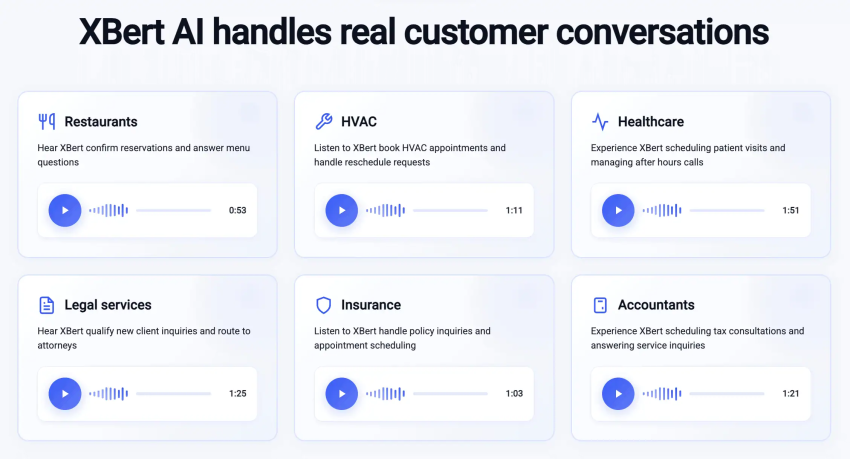
- Healthcare practices: Manage appointment scheduling, route urgent questions to on-call physicians, and manage prescription refills after hours.
- Real estate offices: Capture inquiries and lead information from new buyers, potential sellers, and renters.
- Professional services: Route clients to the right advisor or intake specialist, or qualify leads.
- Home repair companies: Prioritize emergency calls with intelligent routing and book next-day visits.
- Restaurants and hospitality: Automate reservations, route high-value catering service calls to the right department, and answer customers’ FAQs with advanced IVR.
- Multi-level IVRs: Allow for structured, layered phone menus. This enables a caller to navigate from a main business line down to a specific sub-department or local branch extension without manual intervention.
These use cases all have significant financial and CX perks. A doctor’s office can increase new client bookings and reduce patient no-shows by offering automated appointment rescheduling, for example.
Best Practices To Use an Automated Answering Service
To move from reactive answering to proactive revenue generation, follow these best practices:
- Implement zero-repetition handoffs: If a caller is transferred from the AI to a human, the agent should receive a real-time summary of the conversation. Customers expect not to repeat their name, account number, or problem twice.
- Design for resolution, not redirection: Shift your primary KPI from containment rate (keeping people away from agents) to first-contact resolution. An automated system is only successful if the caller’s intent is fully satisfied during the interaction.
- Establish a single source of truth (SSOT): Integrate your answering service directly with your knowledge base and CRM. Whether a customer talks to a bot or a human, they receive the same information regarding pricing, hours, and policies.
- Leverage real-time sentiment triage: Use AI that detects emotional cues (frustration, urgency, or distress). Program your system to bypass standard menus and trigger an immediate priority escalation for irate callers to prevent churn.
- Adopt omnichannel continuity: Allow the conversation to move fluidly between channels. For example, if a caller asks for a price list, the AI should be able to send the price list to the caller’s email or via SMS while keeping the voice call active.
- Be proactively transparent: Always disclose when a caller is interacting with an AI. 2026 consumer trends show that trust is built through honesty. A simple greeting prevents the frustration and sets clear expectations for the caller.
- Conduct weekly feedback loops: Don’t just set it and forget it. Review the calls where the AI failed, or the caller asked for an operator immediately. Use these insights to refine your scripts and decision trees every week.
- Prioritize privacy: Ensure your automated service is compliant with the latest regulations (like the EU AI Act or updated HIPAA standards). Use encryption for call recordings and provide clear opt-out paths for data collection.
Faster, More Efficient Answering With Nextiva
An automated answering service helps businesses reduce unanswered calls, so no customer feels ignored, and no opportunity is lost. It provides professional, consistent, and cost-effective communication, and it can strengthen both brand perception and customer satisfaction.
For best results, SMBs should choose answering services that combine intelligent automation with human support where it matters most. This can increase efficiency, reduce costs, and streamline the customer experience by delivering a superior experience around the clock.
Nextiva helps companies do exactly this through a single, reliable platform. Our UCaaS platform includes an AI receptionist that offers advanced omnichannel engagement and AI-powered transcription, helping streamline your customer interactions and scale as your business grows.
Deliver an outstanding customer experience day and night with reliable communications and AI-assisted support.
Run your business instead of answering calls all day
Nextiva’s AI-powered receptionist is perfect for handling calls so you can focus on what matters most.
Frequently Asked Questions About AI Answering Services (FAQs)
Automated answering services can handle routine tasks such as call routing, appointment scheduling, lead capture, and basic customer inquiries. However, they do not fully replace human staff. Human receptionists still play an important role in conversations that require empathy, negotiation, or complex problem-solving.
Pricing varies based on the provider, AI capabilities, integrations, and call volume requirements. Pricing varies based on the provider, AI capabilities, integrations, and call volume requirements. Common pricing models include:
– Fixed monthly subscriptions: A flat monthly fee based on features, users, or usage limits
– Usage-based pricing: Charges per minute or interaction
– Per-user pricing: Pricing based on the number of employees using the platform
– Enterprise pricing: Custom pricing for large organizations with advanced requirements
Some providers may also charge additional fees for CRM integrations, custom workflows, advanced analytics, or overage usage.
AI-powered answering services improve both customer experience and operational efficiency. Businesses commonly improve metrics such as missed call rate, first-call resolution (FCR), lead response time, appointment conversion rate, and average handle time (AHT)
Automated answering services support businesses across many industries, especially those with high inbound call volumes and time-sensitive customer interactions.
– Healthcare and medical: Appointment scheduling, prescription routing, and insurance verification
– Legal services: Client intake, consultation scheduling, and case routing
– HVAC and home services: Emergency dispatching, technician scheduling, and quote requests
– Real estate: Lead qualification, showing requests, and missed-call recovery
A pay-per-call answering service charges businesses based on the number of calls handled or minutes used. Traditional answering services and live call centers commonly use this pricing model.
Most AI answering services use a different approach. Instead of charging per answered call, many providers offer fixed monthly subscriptions, usage-based tiers, or scalable software plans with more predictable pricing.