Business Communication
  Blog
Blog  Customer Experience
  Leadership
  Marketing & Sales
  Nextiva News
  Productivity
  VoIP
VoIP 

Business owners want the phone to ring because each call could bring a new customer. But when employees are busy serving customers or completing other work, answering every call becomes difficult. Missing those calls can have a direct business impact. A 2025 CallRail survey of 1,000 U.S. consumers found that 78% had abandoned a business after a call went unanswered.
A virtual receptionist gives businesses another way to handle incoming calls when employees are busy, unavailable, or off the clock. Businesses can choose a virtual phone answering service to handle more calls and customer inquiries without adding staff.
This guide explains how virtual receptionists work, what they cost, and how human, auto-attendant, and AI options compare. It also covers their benefits, common use cases, and how to choose the right service for your business.
Try the best AI answering service free for 14 days
XBert AI answers questions and captures leads. Add your 24/7 answering service in minutes.
What Is a Virtual Receptionist?
A virtual receptionist is a remote human receptionist or AI-powered virtual answering service that answers and manages calls and customer interactions on behalf of a business without working at its physical location. It greets callers in a professional manner, collects key details, takes messages, schedules appointments, and uses call forwarding to connect each caller with the right person.
There are three common call-handling options:
- Human virtual receptionist: A trained live virtual receptionist works remotely from a home office or call center. This option connects callers with a real person and suits conversations that require empathy, judgment, or personal attention.
- Auto-attendant: Recorded menus or phone trees route callers using keypad or voice selections. More advanced interactive voice response systems can also respond to spoken commands. It works best for basic call routing rather than conversational support.
- AI virtual receptionist: A conversational AI agent answers customer questions, collects information, books appointments, and transfers calls according to the business’s rules.
Although an auto-attendant is not a true receptionist, businesses often compare it with human and AI virtual receptionists when choosing how to manage incoming calls.

Human Answering Service vs. Auto-Attendant vs. AI Receptionist
Traditional answering services, auto attendants, and AI receptionists all manage incoming calls, but they differ in how they communicate with callers.
| Criteria | Human answering service | Auto-attendant | AI receptionist |
|---|---|---|---|
| How it works | Remote trained professionals follow scripts and answer calls on your behalf | Recorded menus route callers using keypad or voice selections | Conversational AI answers questions, collects information, books appointments, and transfers calls |
| Availability | Business hours or 24/7 coverage, depending on the provider and plan | Operates around the clock once configured | Often provides 24/7 coverage, depending on the provider and plan |
| Simultaneous calls | Capacity depends on the number of available call center agents | Can route several calls at once, subject to system capacity | Can manage multiple calls simultaneously, subject to system capacity |
| Customization | Greetings, scripts, escalation rules, and service instructions | Greetings, menu choices, extensions, schedules, and routing rules | May support custom voices, greetings, FAQs, responses, transfers, and routing rules |
| Setup requirements | Script creation, business instructions, and agent onboarding | Menu design, recordings, extensions, and call-flow configuration | Business information, FAQs, workflows, routing rules, and escalation instructions |
| Best for | Sensitive or unpredictable conversations that require a personal touch | Simple departmental routing with a limited number of menu choices | Conversational answering, appointment booking, FAQ handling, and lead capture |
What Does a Virtual Receptionist Do?
Whether human or AI, a virtual receptionist can manage several routine call-handling tasks.
- Answering and routing: Answers calls, greets callers professionally, and routes them to the appropriate person or department.
- Appointment scheduling: Books, confirms, or reschedules appointments through supported calendar system.
- Call screening: Filters spam and determines which calls require an employee.
- FAQ support: Answers routine questions about hours, services, pricing, or availability.
- After-hours support: Collects caller details when employees are unavailable so inquiries can be answered promptly when employees become available.
- Lead intake: Captures contact information and asks approved qualification questions.
4 Key Benefits of a Virtual Receptionist
Why are businesses moving away from in-house receptionists?
Extended availability
Human employees work fixed hours. A virtual receptionist (especially an AI or an automated answering system) is available round the clock (depending on the provider and plan). It captures inquiries outside of regular business hours, which can be particularly valuable as many potential clients search for your services after work. It supports your business needs by ensuring callers reach your business number without delay.
Professional image for small teams
Busy signals and outdated answering machines can frustrate callers. A virtual receptionist improves the customer experience with prompt answers and a brand-appropriate greeting. regardless of the actual size of the business.
Cost savings
Hiring a full-time receptionist incurs costs for salary, benefits, payroll taxes, and equipment. A virtual receptionist can reduce staffing costs by replacing salary and employment expenses with a subscription or usage-based fee.
According to the U.S. Bureau of Labor Statistics, receptionists earned an average of $39,460 per year in May 2025, or about $3,288 per month before these additional expenses. By comparison, AI receptionist services typically cost $50 to $300 per month, although prices vary by usage, included features, and provider.
Distraction-free productivity
When your team isn’t constantly distracted by customer calls, productivity increases. A virtual receptionist acts as a gatekeeper and streamlines daily operations, ensuring that important calls get through.
Virtual Receptionist vs. Virtual Assistant: What’s the Difference?
A quick comparison shows the difference between call-handling support and general admin work. Although people sometimes use these terms interchangeably, they describe different services.
| Feature | Virtual receptionist | Virtual assistant (VA) |
|---|---|---|
| Focus | External (inbound calls) Calls and front-desk communication | Internal (admin tasks) Broader administrative support |
| Key tasks | Answering phones, routing calls, booking appointments for new clients | Managing email inboxes, data entry, research, travel booking |
| Availability | Available on-demand (24/7) to answer incoming calls immediately | Works set hours (e.g., 9 a.m. to 5 p.m.), focusing on a task list |
| Best for | Sales, customer support, and front-desk coverage | Back-office support and executive assistance |
Verdict: For higher call volumes, you need a virtual receptionist. For higher email volume, you need a virtual assistant.
Virtual Receptionists: Pros and Cons
Before hiring a live answering service, weigh the benefits against the limitations. A virtual receptionist gives businesses professional call coverage without the cost of hiring a full-time employee. While human and automated services have different capabilities, AI-powered receptionists provide the best balance of availability, call capacity, and cost for most businesses.
Pros
- Extended availability: Answers calls during evenings, weekends, and holidays (depending on the service and plan).
- Fewer missed opportunities: Captures leads and caller information when employees are unavailable.
- Lower staffing costs: Reduces the need for a full-time receptionist, equipment, and additional office space.
- Greater call capacity: AI can manage multiple conversations at the same time without placing callers on hold.
- Faster service: Answers FAQs, books appointments, and routes calls without unnecessary delays.
- Consistent responses: Uses approved business information and records accurate messages.
- Professional image: Greets callers properly and protects the business’s reputation.
Cons
- Setup is required: The service needs accurate FAQs, call instructions, and routing rules.
- Limited human empathy: AI may not provide the same personal touch during emotional or sensitive conversations.
- Escalation paths are necessary: Unusual requests and complex queries may still need an employee.
- Provider quality varies: Features, integrations, language support, and pricing differ between services.
For most businesses, the advantages outweigh the limitations. An AI receptionist is the best option in most cases as it can manage routine calls, appointment scheduling, lead intake, and after-hours coverage, while employees handle conversations that require judgment or empathy.

How Much Does a Virtual Receptionist Cost?
Pricing varies considerably between human services and software solutions.
Live agent pricing
Most live receptionist services operate on a per-minute or per-call basis.
- Per minute plans: Rates often range from $0.75 to $1.75 per minute, although specialized services may charge more.
- Monthly retainers: You might pay $300/month for 100 minutes. If you go over, overage fees apply.
- Hidden cost: Some providers include post-call work, such as completing notes, in their billable time.
Auto-attendant and AI receptionist pricing
Software-based options usually follow a monthly subscription or usage-based model. Auto-attendants may be included in a business phone plan or cost around $5 to $15 per month as an add-on. AI receptionist services typically range from $50 to $300 per month, depending on the provider, features, and included usage.
For example, Nextiva includes an auto-attendant in its paid business phone plans at no additional charge. XBert costs $99 per month and includes up to 100 resolutions across calls, texts, and chats. Each additional resolution costs $0.99.
An auto-attendant handles greetings and call forwarding, while an AI virtual receptionist can answer customer questions, collect key details, schedule appointments, and transfer callers to the right person.
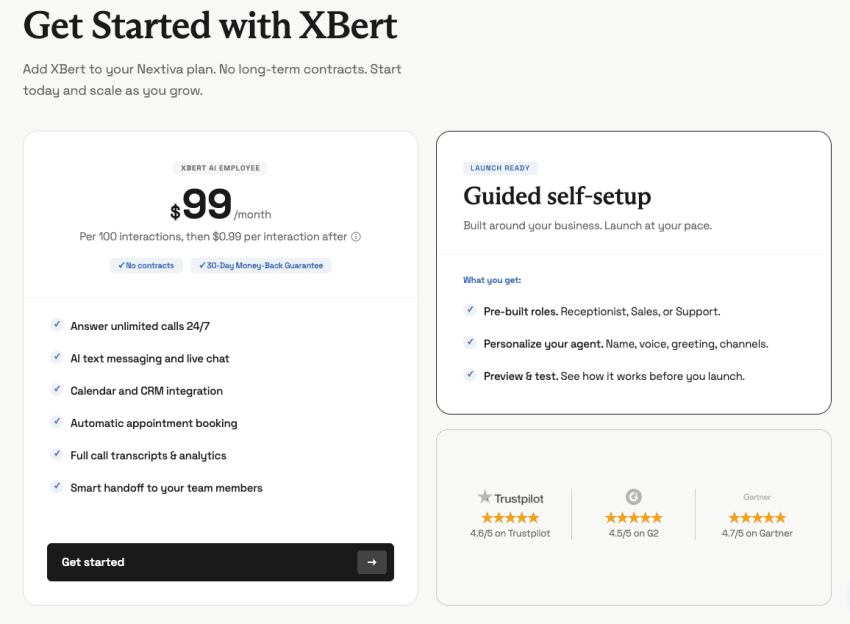
To make the pricing differences clear, let’s use ReceptionHQ and Nextiva XBert as an example:
| Pricing factor | Human answering service (ReceptionHQ) | Nextiva XBert AI receptionist |
|---|---|---|
| Starting price | Message-taking from $25 per month Messages and call transfers from $35 per month Virtual assistance and lead capture from $49 per month | $99 per month |
| Pricing model | Per-call or per-minute plans with a monthly subscription | Monthly subscription with a interaction allowance |
| Included usage | Depends on the selected service, call allowance, and billing model | 100 resolutions across calls, texts, and chats |
| Additional usage | Usage charges apply according to the selected per-call or per-minute plan | $0.99 for each additional resolution |
| Availability | 24/7 answering is available, but coverage terms and after-hours charges depend on the plan | Provides 24/7 coverage across calls, texts, and chats |
| Consistency | Receptionists follow customized scripts, but interactions may vary between agents | Uses configured business information and routing rules across interactions |
| Potential extra costs | Call transfers, lead capture, appointment scheduling, after-hours service, and other advanced requirements may affect the total | Total cost increases after 100 resolutions |
| Cost predictability | Varies with the service and call usage | Predictable base price; total cost increases with usage beyond the allowance |
Note: Nextiva counts a call as a resolution after 30 seconds. A text or chat counts after three AI responses.
Hear why XBert AI is the best AI receptionist
XBert AI receptionist handles customer questions, captures leads, and books appointments. Try it free for 14 days.
Who Needs Virtual Receptionists? Common Industry Use Cases
Virtual receptionists are used in many industries and by companies of all sizes. Any business with incoming phone calls, whether handling them internally or outsourcing them to a call center, can benefit from virtual receptionist services. However, certain businesses use virtual receptionists for distinct purposes.
Law firms and legal
Law firms lose revenue when attorneys stop their work to answer calls that do not require legal expertise. A virtual receptionist screens every incoming call and separates new cases from routine administrative questions. It moves billing inquiries, document requests, and scheduling issues to the support team. This keeps the attorney’s time centered on case preparation and client representation.
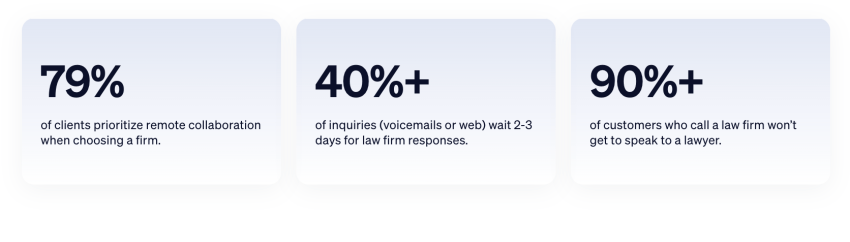
Answering services for law firms also improve how new client leads are handled. Potential clients reach the right attorney without waiting on hold or navigating long menus. Court officials and time-sensitive case updates are routed to transfer calls immediately, without delay. The firm responds faster, captures more qualified clients, and avoids interruptions that reduce productivity.
How much revenue are you missing from missed calls?
Missed calls quietly drain revenue every month. Estimate the real cost of unanswered calls with our free calculator.
Healthcare, dental, and medical practices
Healthcare clinics face heavy call traffic during peak hours. Front-desk staff must manage check-ins, patient questions, and appointment changes at the same time. A virtual receptionist handles these calls without slowing down in-office operations. For example, Nextiva XBert manages overflow and syncs with the clinic’s scheduling system to automatically book or reschedule appointments.
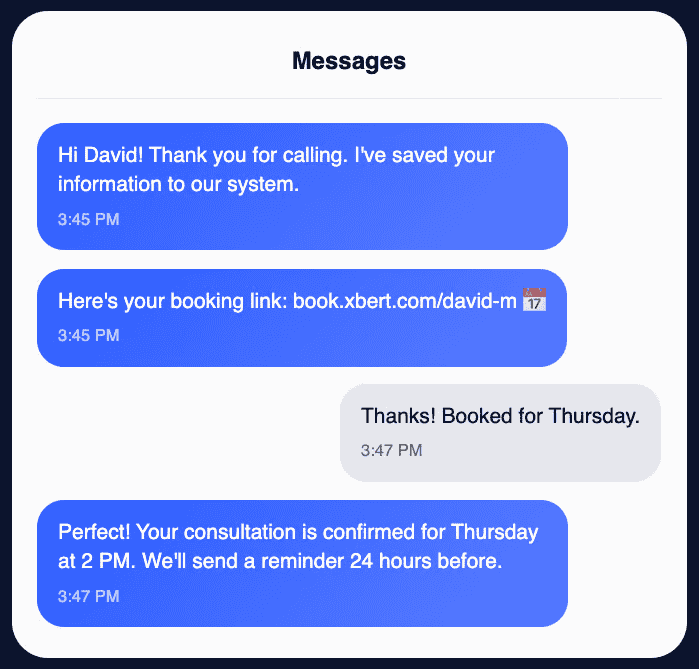
This system reduces wait times for patients and keeps reception areas more organized. Staff stay focused on people inside the clinic while Nextiva AI employee processes new bookings, confirms upcoming visits, and answers common questions about hours or insurance. The result is a smoother workflow and a more consistent patient experience.
Home services (HVAC, plumbing, electrical)
Home service teams often work in locations where answering the phone is not possible.
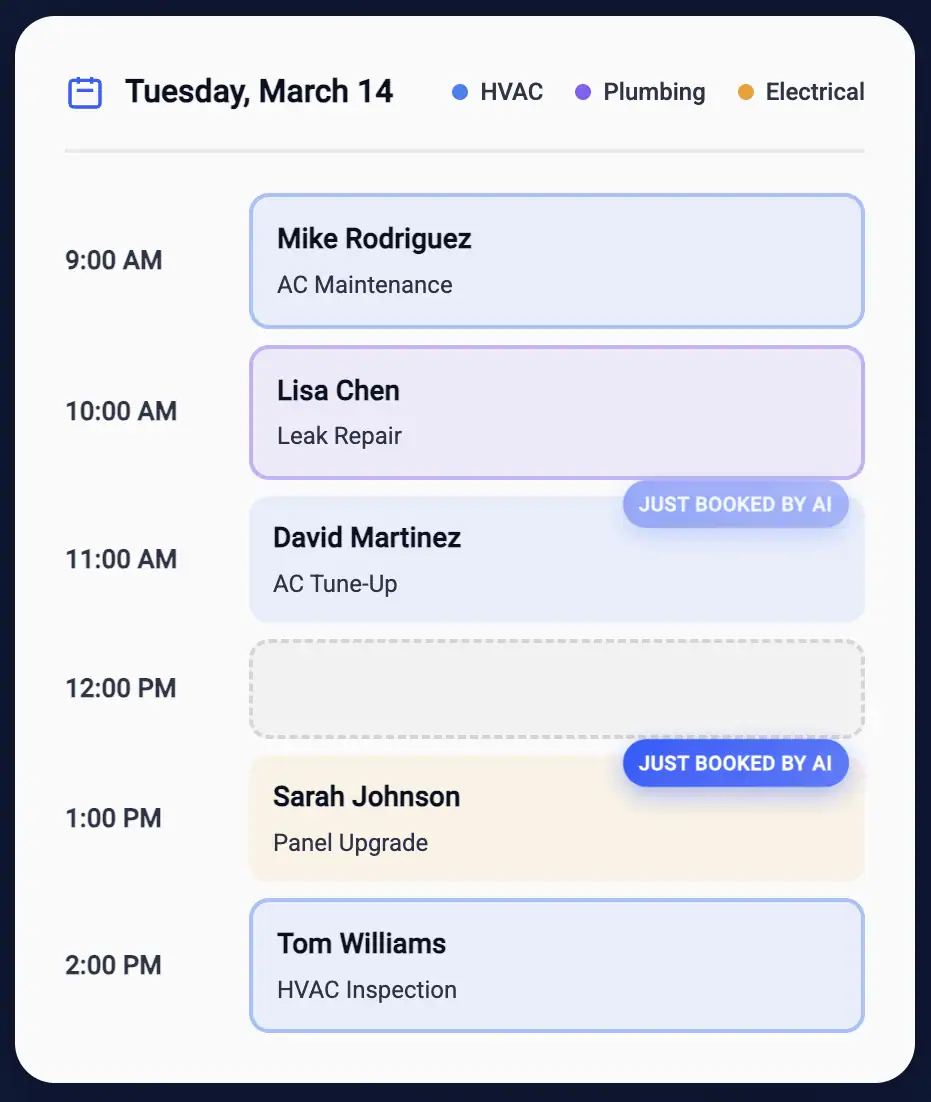
Missed calls mean lost jobs and revenue. A virtual receptionist separates emergency requests from general inquiries. An auto attendant with “Find Me/Follow Me” routing keeps technicians reachable. Urgent calls (Press 1 for emergency) ring their mobile phones, while non-urgent billing questions (Press 2) go to voicemail or support staff. This ensures the business does not lose qualified leads when the team is in the field.
It also organizes incoming work as customers get clear instructions, rapid confirmations, and dependable follow-up. The technician arrives at the job with complete information, and the office avoids long call queues. This structure improves response times and helps small service teams manage higher demand without adding new staff.
Retail and e-commerce
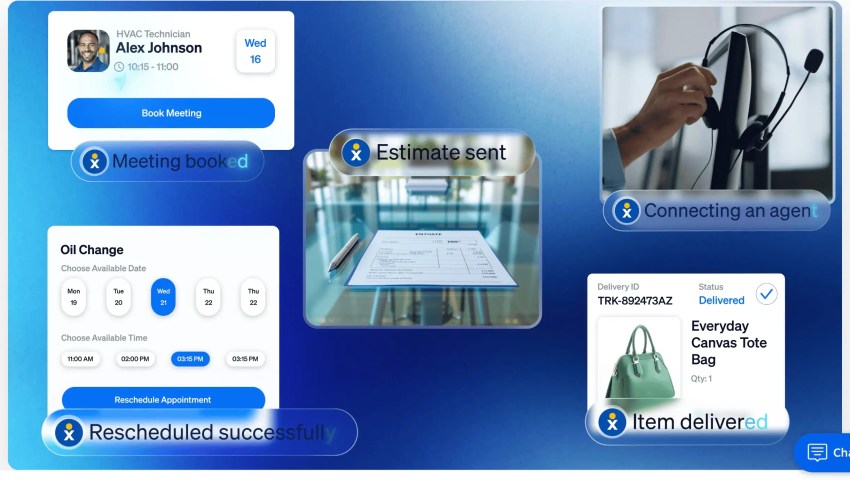
Retail and e-commerce businesses experience large spikes in “Where is my order?” calls during busy seasons. A virtual receptionist connects directly to order and tracking systems and gives the customer accurate, real-time updates. It resolves most status-related questions before they reach a human agent.
This frees support teams to focus on refunds, product issues, and escalations. Customers receive faster answers without waiting in long queues. The business improves service quality during high-volume periods and reduces the strain on its internal teams.
Real estate brokerages
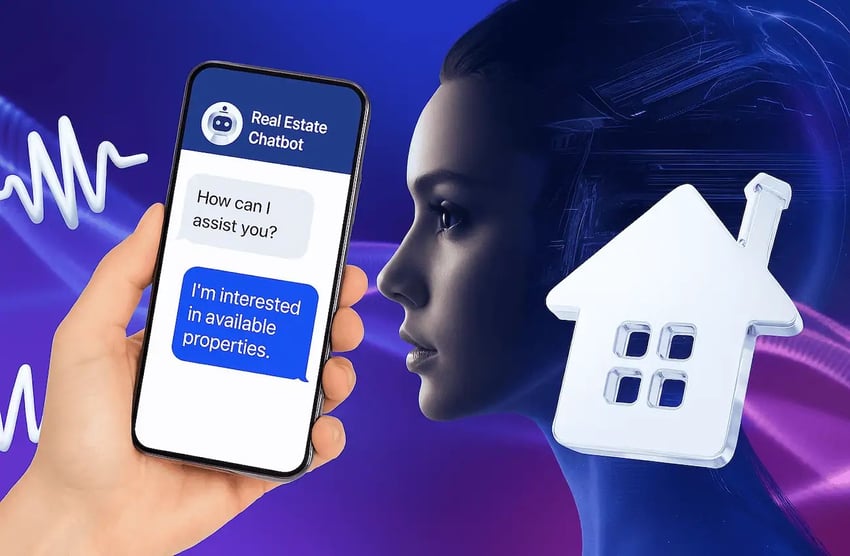
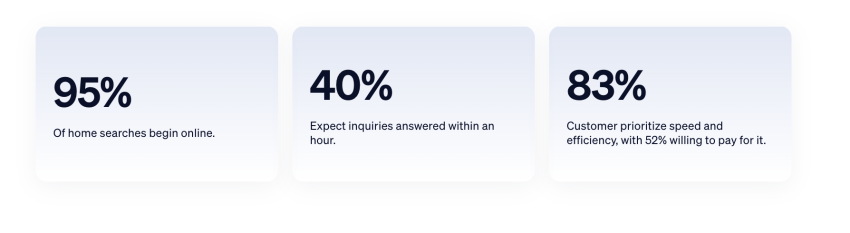
Real estate agents spend much of the day in property visits, client meetings, or negotiations. A virtual receptionist ensures no inquiry is missed. It answers calls, collects details about buyers and sellers, uses inbound calling, and directs qualified leads to the right agent. It also schedules property visits based on each agent’s availability.
This system improves lead response times and gives brokerages a more controlled intake process. Agents stay focused on active deals, showings, and negotiations while the receptionist manages the steady flow of new inquiries. The business moves faster, and clients get quicker answers.
Financial services and insurance
Financial service providers receive frequent calls about payments, renewals, policy details, and claim status. A virtual receptionist handles these questions with accurate data pulled from the system. It delivers clear answers to customers and routes priority cases, like new policy requests or urgent claims, to licensed staff.
This reduces call pressure on the team and keeps agents available for revenue-producing handlework. Customers get consistent service regardless of peak times, and the organization manages inquiries in a more structured way.

Education and training centers
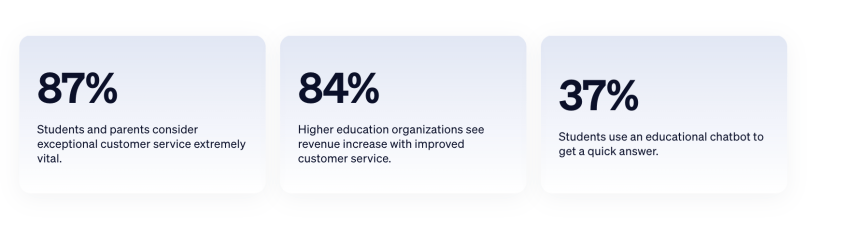
Schools and training institutes receive continuous questions about admissions, fees, schedules, and enrollment procedures. A virtual receptionist handles these inquiries and provides accurate information without redirecting staff from administrative tasks. It also moves complex questions to the correct office or counselor.
This improves the experience for parents and students. They get clear answers quickly, and the institution organizes admission-related communication more effectively. Staff spend less time on repetitive calls and more time on tasks that support students directly.
How to Choose the Right Virtual Receptionist
The right virtual receptionist depends on the types of calls you receive, when they arrive, and how much support callers need. Consider these five factors:
- Call volume: Review your average number of calls and when demand peaks. A small business with occasional calls may prefer a live service with flexible plans. If several people often call at once, choose an AI receptionist that can handle calls simultaneously without creating a queue.
- Budget: Compare more than the advertised monthly price. Check allotted minutes, per-call charges, overage rates, setup costs, after-hours fees, and charges for transfers or appointment booking. AI usually provides more predictable pricing when call volume changes.
- Call complexity: A dedicated virtual receptionist is a better fit when calls involve sensitive situations, emotional conversations, or requests that require human judgment. Choose an auto-attendant for basic routing or AI for repeatable conversations such as answering FAQs, qualifying leads, and scheduling appointments.
- Coverage hours: Decide whether you need business-hour support, overflow coverage, or a 24/7 service. Many businesses receive valuable calls during evenings, weekends, and holidays. An AI receptionist provides continuous coverage so you never miss a call when employees are unavailable.
- Language requirements: Review which languages your customers use and when they need support. Some providers charge extra for bilingual agents or limit their availability. If you serve a diverse customer base, look for multilingual support across the multiple languages your callers use.
Which option should you choose?
- Choose a human answering service when callers need empathy, judgment, or detailed personal assistance.
- Choose an auto-attendant when callers only need to reach a department, extension, or voicemail box.
- Choose an AI receptionist when you need 24/7 call answering, appointment scheduling, FAQ support, lead qualification, and transfers at a predictable monthly price.
- Combine AI and human support when AI can manage routine inquiries but sensitive or complex calls still require an employee.
Why Most SMBs Should Choose an AI Receptionist
Traditional receptionists remain the right choice when nearly every call requires empathy, judgment, or an extended personal conversation. An auto-attendant works when the only goal is to route calls. For most SMBs between those two extremes, AI is the stronger default.
An AI receptionist gives small teams 24/7 coverage without adding headcount. It can answer routine questions, qualify leads, schedule appointments, and pass full context to an employee. Faster responses can improve customer satisfaction, while consistent greetings protect the business’s reputation during busy periods and after hours.
Nextiva XBert brings these capabilities together in one AI receptionist. It can manage multiple calls simultaneously and respond across calls, texts, and chats. Businesses can customize its voice, greeting, FAQs, and routing rules to match their call-handling needs. Most businesses can go live in minutes through guided setup.
Run your business instead of answering calls all day
Nextiva’s AI receptionist software handles routine calls so you can stay focused on business growth.
Virtual Receptionist FAQs
An auto-attendant plays recorded menus and routes callers according to keypad or voice selections. A virtual receptionist can also answer questions, collect information, take messages, schedule appointments, and decide when to transfer a call. The receptionist may be a remote person or conversational AI.
Pricing varies by service type. Human services may start at about $25 per month, although common entry plans can cost between $100 and $350 before overages and add-ons. Auto-attendants are often included in business phone plans.
Yes, but capacity varies. A human service can answer multiple calls when enough agents are available. Auto-attendants and AI systems can manage simultaneous calls without relying on agent availability.
An auto-attendant requires a greeting, menu options, extensions, and routing rules. Human services need scripts and account instructions before agents begin taking calls.
Nextiva says most businesses can launch XBert in minutes because it can learn from their website and existing information. Assisted setup is also included.
Language support depends on the provider, plan, voice, and coverage hours. Some human services provide bilingual agents, while some AI systems support several languages. Confirm the exact languages, service hours, transfer behavior, and additional charges before subscribing.
Callers will know when they encounter a standard menu that asks them to press a number for a department. A human virtual receptionist can answer with your company name and follow a customized script.
Sophisticated AI receptionists can also use customized greetings and conversational responses. Businesses should clearly disclose the use of AI when required by applicable laws or company policies.
Security depends on the provider and configuration. Nextiva offers HIPAA-compliant communication services for eligible accounts. Healthcare organizations should confirm that the selected product, integrations, and account configuration meet their compliance requirements.
Confirm that your selected plan, integrations, data flows, and operating procedures meet your industry’s requirements.