Business Communication
  Blog
Blog  Customer Experience
  Leadership
  Marketing & Sales
  Nextiva News
  Productivity
  VoIP
VoIP 
Businesses that need a phone system with texting should consider Nextiva and other VoIP platforms that combine voice, SMS, and MMS. Nextiva is the strongest overall choice for teams that want business texting integrated with phone service, collaboration, automation, and customer experience tools. Textla suits budget-conscious businesses that mainly need bulk SMS, while Twilio is better for developers who need a programmable messaging API.
Business texting services vary by purpose:
- Business phone texting: Send and receive SMS or MMS from a business number used for voice calls.
- Shared team texting: Let several employees manage customer conversations from one inbox.
- Bulk SMS marketing: Send campaigns, promotions, reminders, and alerts to opted-in contact lists.
- Programmable messaging: Build custom SMS workflows through an API.
- AI text answering: Let an AI agent answer common questions, qualify leads, and book appointments.
Best Business Texting Services at a Glance
The following services serve different business texting needs. The comparison includes business phone texting, SMS marketing, shared inboxes, AI replies, integrations, pricing, and limitations.
| Service | Best for | Texting model | Stand out features | Pricing | Important limitations |
|---|---|---|---|---|---|
| Nextiva | Businesses that want phone service and texting in one platform | Business SMS and MMS, shared team texting, automation | VoIP texting, shared inbox, customer context, AI-assisted replies, workflow automation | Starts at $15 per user per month | No international SMS or short codes; commercial SMS requires A2P 10DLC registration |
| Textla | Small businesses with changing SMS volumes | Bulk SMS and two-way texting | Contact-list cleaning, shared inbox, nonexpiring credits | Starts at $25 per month plus $0.01 per SMS segment | Limited native integrations; messaging credits cost extra |
| EZ Texting | Nontechnical SMBs | SMS marketing, MMS, and two-way texting | Image library, MMS editor, drip campaigns | Starts at $25 per month | Android users access the service through a mobile browser |
| Twilio | Developers and enterprises | Programmable SMS and MMS API | Custom logic, delivery callbacks, omnichannel messaging | Usage-based, starting at $0.0083 per SMS | Requires technical resources and frontend development |
| SimpleTexting | Franchises, branches, and SMS marketing teams | Campaigns, two-way SMS, and polls | Segmentation, shared campaigns, timed autoresponders | Starts at $39 per month | No native integrations; supports plain text only |
| Textedly | Retail and e-commerce businesses | Bulk SMS, two-way messaging, and payment links | Text-to-pay, review requests, team inbox | Starts at $29 per month | Reporting is basic; HIPAA compliance requires a BAA |
| Podium | Businesses that want AI-supported customer messaging | SMS, social messaging, campaigns, and AI replies | AI agent, lead tracking, automated conversations | Custom pricing | AI and phone features may cost extra |
| Textmagic | Small teams that manage SMS through email | Email-to-SMS, SMS, and MMS | Email-to-text, templates, number validation | Starts at $0.049 per SMS | Basic automation and reporting; no cross-border texting |
Quick recommendations
- Best overall business texting service: Nextiva
- Best VoIP provider with texting: Nextiva
- Best business phone system with texting: Nextiva for integrated voice, SMS, MMS, and team communication
- Best for bulk SMS marketing: EZ Texting or Textla
- Best for developer-built messaging: Twilio
- Best for AI replies to incoming texts: Nextiva with XBert AI or Podium
- Best for email-to-text workflows: Textmagic
- Best for text-to-pay: Textedly
Evaluation criteria: Business texting platforms were evaluated based on pricing, ease of use, two-way conversations, SMS and MMS support, campaign tools, automation, integrations, compliance support, scalability, AI capabilities, and customer reviews. The comparison also considered which types of businesses each platform serves best and what limitations buyers should understand before choosing.
Business Texting Services and Their Core Features
Business texting services and text message marketing are a must for businesses, especially as 90% of SMS messages are opened within three minutes of being sent.
The term “business texting” covers several product categories:
| Category | What it does | Best for |
|---|---|---|
| Business phone texting | Adds SMS and MMS to a business phone number | Sales, support, appointment reminders, and customer updates |
| Shared team texting | Routes incoming messages to multiple employees | Customer service, branches, and service teams |
| Bulk SMS marketing | Sends campaigns to opted-in contact lists | Promotions, announcements, and loyalty programs |
| Transactional messaging | Sends automated alerts based on an event | Order updates, authentication, and scheduling |
| Programmable messaging API | Lets developers build custom messaging workflows | Enterprise applications and specialized customer journeys |
| AI text answering | Responds to common questions and can trigger workflows | Lead capture, after-hours support, and appointment booking |
Essential business texting features
- Campaign management: Choose a platform that supports templates with dynamic fields, such as names or dates, to personalize messages at scale. It should let teams preview and schedule messages in advance.
- SMS and MMS: SMS supports plain-text messages. MMS supports images, GIFs, short videos, audio, and other attachments. Check file types and size limits before choosing a provider.
- Two-way conversations: A shared inbox helps teams answer customer messages. Permission settings, conversation assignment, internal notes, and routing rules support larger teams.
- Reporting and analytics: Look for delivery rates, replies, clicks, failed messages, opt-outs, and campaign performance.
- Automated drip campaigns: These campaigns send messages based on timing, customer actions, or data such as birthdays and sign-up dates. Advanced platforms may also support segmentation and A/B testing.
- AI replies: AI can suggest responses, answer common questions, summarize conversations, qualify leads, and route messages. Buyers should confirm whether appointment booking and automated replies are included or sold as add-ons.
- Integration capabilities: Check for native integrations, connectors such as Zapier or Make, and API access. Common destinations include CRMs, ERPs, help desks, payment tools, and calendars.
- Compliance controls: The platform should record consent, manage opt-outs, maintain suppression lists, and support applicable registration requirements.
Businesses must also register their business phone number for VoIP texting to comply with Application-to-Person (A2P) 10DLC anti-spam regulations. Registration can take 10–30 days.
Top 8 Business Text Messaging Apps
There are dozens of business texting services available. Some provide all-in-one platforms with VoIP, video, and SMS messaging. Others focus on marketing campaigns, developer APIs, or team inboxes.
To help you find the right fit, we’ve compared the top business text messaging apps so you can choose the best one for your communication goals.
1. Nextiva
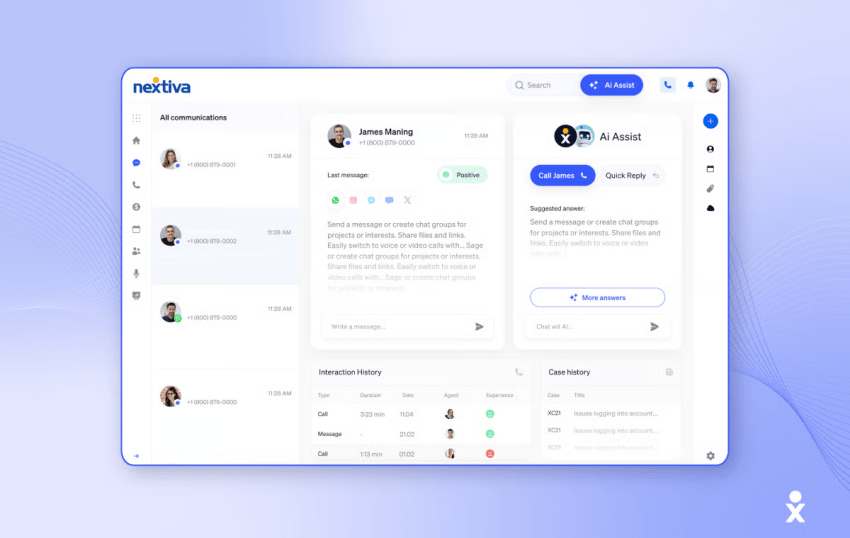
Nextiva is an all-in-one cloud communications platform that combines VoIP phone service, video meetings, team chat, CRM, and business text messaging software in a single, unified workspace. You can look at Nextiva’s messaging capabilities in two ways:
- Business SMS: Send and receive texts using your business VoIP number without signing up for a third-party SMS messaging provider.
- Message Pro: This is designed for teams and brings SMS into your shared workspace. Incoming messages go to the entire team, so any member can continue the conversation.
Message Pro requires a dedicated local number. It does not support toll-free numbers, and an additional number costs $4.95 per month.
Nextiva provides customer personality insights to guide tone, shared messaging templates for consistency, and a mini-CRM view with past message history. Its messaging platform integrates with Salesforce, HubSpot, Zoho, Microsoft Dynamics, ServiceNow, Zendesk, Microsoft Teams, and Google Workspace.
Key features
- Unified messaging: Manage SMS, voice services, video, email, and team chat in one platform and with full context of previous customer conversations.
- Team-based SMS routing: Send incoming texts to a shared team inbox and route them to an agent’s queue based on their experience or workload.
- Business automation builder: Trigger actions like sending automated messages based on customer events or time-based rules.
- After-hours auto-replies: Set automated responses outside of business hours to let customers know your business is closed, when you’ll reopen, and when they can expect a reply.
- Automatic SMS notifications: Send automated text messages like appointment reminders, status updates, and surveys.
- Consent management: Use Nextiva’s built-in tools to capture consent, manage opt-outs, and enforce proper messaging practices.
- AI-powered redaction: Automatically hide personal information in call transcripts, screen recordings, and messages.
- Desktop and mobile app: Send and receive texts from your business number, and get real-time notifications on your phone, desktop, or browser with Nextiva’s apps.
- CRM and help desk integrations: Connect messaging data with sales, service, and customer experience systems.
- AI text answering: XBert AI can respond to common text messages and book appointments when employees are unavailable.
Additional features include trend reports, customer journey workflows, sentiment analysis, and AI-powered ticket routing.
Pros
- Sends SMS and MMS from a VoIP business number
- Combines customer SMS and team direct messages on one platform
- Provides a shared inbox for team conversations
- Supports customer context and AI-assisted reply suggestions
- Includes automation, consent management, and CRM integrations
- Supports encryption in transit and at rest, configurable retention, SOC 2, and HIPAA compliance
Cons
- Does not support SMS short codes
- Does not support international SMS
- Commercial SMS requires A2P 10DLC registration
- Message Pro requires a dedicated local number rather than a toll-free number
Pricing
All Nextiva plans support Nextiva SMS, along with VoIP and other communication channels. Text allowances vary by plan:
| Plan | Price per user per month, billed annually | Included texts |
|---|---|---|
| Core | $15 | 100 per user per month |
| Engage | $25 | 500 per user per month |
| Scale | $75 | Unlimited texts |
Enterprise:
- Essential: $75 per agent per month
- Professional: Custom pricing
- Premium: Custom pricing
SMBs with 1–100 employees can receive a discount when they sign a paid 12-month or longer agreement as a new customer. International texting and short codes are not supported.
Ratings and reviews
- G2: 4.5/5
- Trustpilot: 4.8/5
According to the 2025 Nextiva CX Trends Report, 81% of respondents wanted to consolidate their customer experience tools into one platform.

2. Textla
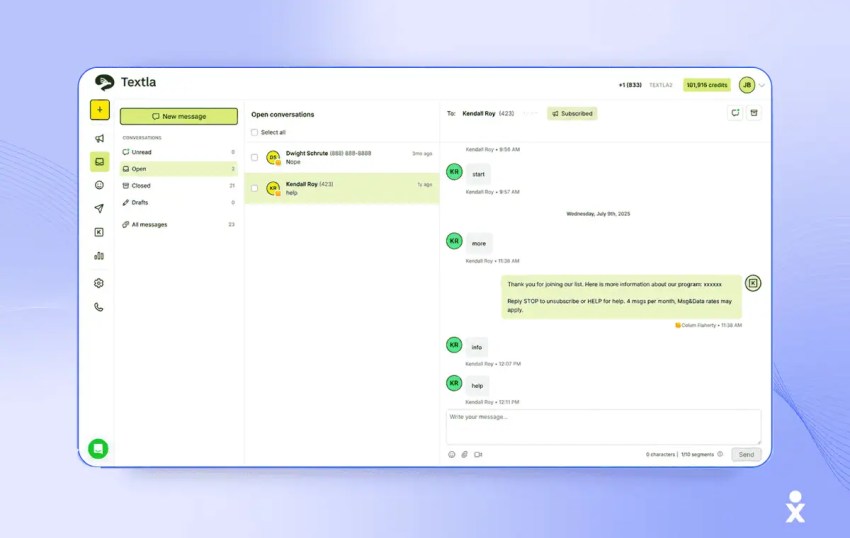
Textla is an affordable text messaging service for small businesses, particularly those that send campaigns regularly without committing to a large monthly credit bundle.
Plans start at $25 per month, and SMS messages cost $0.01 per segment, including carrier fees. Purchased credits do not expire.
The platform supports bulk campaigns, two-way conversations, contact segmentation, MMS, keyword opt-ins, and real-time delivery reports. Automatic list-cleaning tools identify invalid or unreachable numbers.
Textla is best suited to small businesses that prioritize affordability and ease of use over advanced automation or extensive native integrations.
Key features
- Bulk and direct messaging: Send mass campaigns or respond to individual customers through a shared inbox.
- Contact list segmentation: Import contacts through CSV files and organize them with groups and tags.
- Automatic list cleaning: Identify invalid, unreachable, or opted-out numbers.
- Real-time analytics: Track delivery and view error codes that explain why individual texts failed.
- MMS and keyword opt-ins: Send multimedia campaigns and let subscribers join lists through keywords.
Pros
- Includes unlimited contacts and bulk campaigns on the entry-level plan
- Provides a shared inbox for customer conversations
- Credits never expire
- Charges by SMS segment rather than a large monthly message bundle
Cons
- Subscription fees do not include message credits
- Scheduled campaigns, recurring messages, keyword opt-ins, and personalization require the Professional plan
- Does not currently offer a mobile app
- Does not provide major native integrations
Pricing
Textla offers three pricing plans:
- Starter: $25 per month, or $19 per month billed annually
- Professional: $50 per month, or $39 per month billed annually
- Enterprise: Custom pricing
The subscription provides access to the platform but does not include messaging credits. U.S. SMS messages cost $0.01 per incoming or outgoing segment, while MMS messages cost $0.03.
Longer SMS messages may use multiple segments. Standard segments typically contain 160 characters, while emojis can reduce the number of characters per segment.
Ratings and reviews
- G2: 5/5
- Trustpilot: 3.2/5
G2 reviewers frequently praise Textla’s affordability, simple interface, quick setup, and responsive support. The lower Trustpilot rating is based on only five reviews and may not be representative.
3. EZ Texting
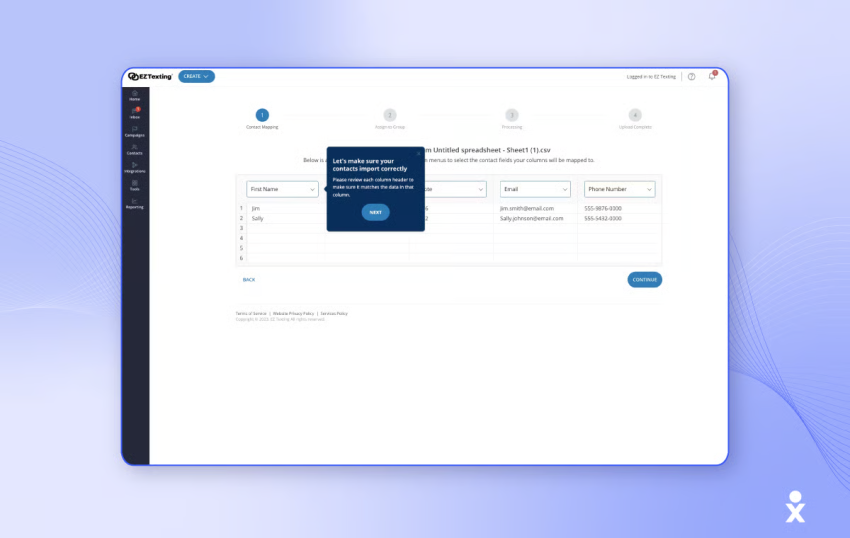
EZ Texting is designed for nontechnical businesses that want to explore SMS marketing without complex features and workflows.
Each account includes a ready-to-use local number, allowing businesses to start immediately without completing the 10DLC process. The platform supports SMS blasts, two-way texting, and drip campaigns, although its features are generally less advanced than those of some competitors.
Native integrations include Mailchimp, HubSpot, Squarespace, Shutterstock, and Constant Contact. Other tools can be connected through Zapier.
Key features
- Automations: Send automated reminders and gather customer feedback through SMS polls.
- Advanced triggers: Trigger SMS messages based on keywords or events.
- AI-assisted messaging: Generate message drafts for SMS campaigns.
- Contact segmentation: Organize contacts into groups for targeted messaging.
- MMS creation: Use the image library and editor to create visual campaigns.
Pros
- Includes an image library and editor for MMS
- Provides a local textable number
- Allows calls to be forwarded to the local number and then to VoIP
- Gives nontechnical teams a simple campaign interface
Cons
- Provides only an iOS app; Android users must use a mobile browser
- The parent-child account structure lacks a unified view
- Features such as short codes are available only on the Enterprise plan
- The platform focuses more on campaigns than on a complete VoIP phone system
Pricing
- Launch: $25 per month, billed monthly
- Boost: $75 per month, billed monthly
- Scale: $125 per month, billed monthly
- Enterprise: $3,000 per month, billed monthly
EZ Texting offers a 14-day free trial, during which users can text only their own phone number. Annual subscriptions receive a 20% discount.
Ratings and reviews
- G2: 4.5/5
- Trustpilot: 3.4/5
EZ Texting receives much praise for its user-friendly interface. Some reviews also mention that its simplicity can be limiting, especially when it comes to advanced features, like text message automation.
4. Twilio
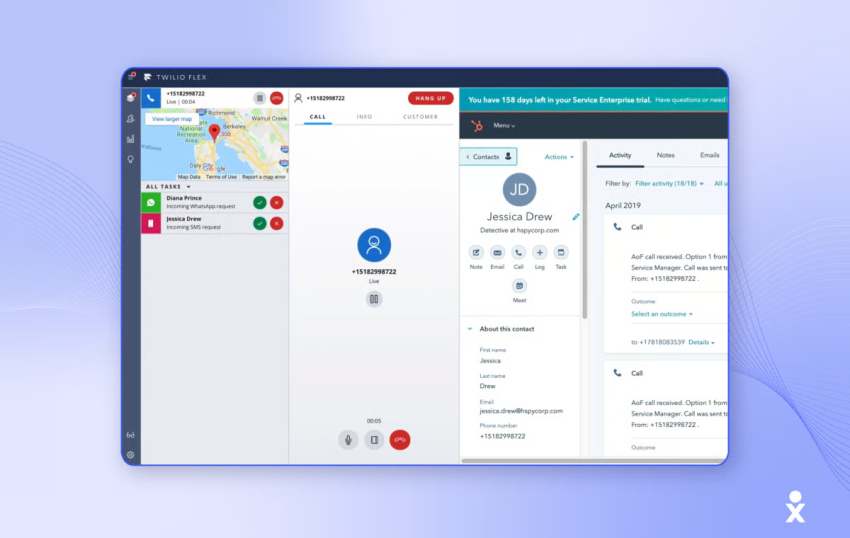
Twilio’s SMS marketing solutions are not plug-and-play. Its programmable APIs provide the backend infrastructure, while businesses build the messaging logic and user interface.
Key features
- Omnichannel messaging: Set up unified two-way messaging across SMS, WhatsApp, live chat, and other channels.
- Custom logic: Build messaging workflows through Twilio’s programmable messaging API.
- Delivery tracking: Track outbound message status through callback endpoints and URLs.
- Developer tools: Use code snippets, SDKs, and APIs to build custom applications.
- International reach: Local sender IDs and compliance tools support communication in more than 180 countries.
Pros
- Reliable at scale for high-volume enterprise communications
- Supports complex custom workflows
- Provides developer tools for custom interfaces and applications
- Uses usage-based pricing
Cons
- Implementation takes longer than with most other tools on this list
- Businesses must build and maintain the frontend
- Costs can increase when using no-code or automation tools
- Requires more technical resources than a standard business texting app
Pricing
Twilio uses usage-based pricing. Costs vary according to message type, whether the message is inbound or outbound, and the phone number used.
Pricing starts at $0.0083 per inbound or outbound SMS on a local number and can reach $0.022 for outbound MMS sent through a short code.
Additional considerations:
- Texts are billed per segment, not per message. Messages longer than 160 characters are split into multiple segments.
- Failed messages incur a $0.001 charge.
- Twilio’s no-code tools, including Studio and Flex, have separate pricing.
- International messaging costs vary by destination and sender type.
Ratings and reviews
- G2: 4.1/5
- Trustpilot: 1.1/5
G2 users appreciate Twilio’s flexibility but often mention that setup is difficult and support can be slow. Trustpilot reviews frequently express dissatisfaction with customer support.
5. SimpleTexting
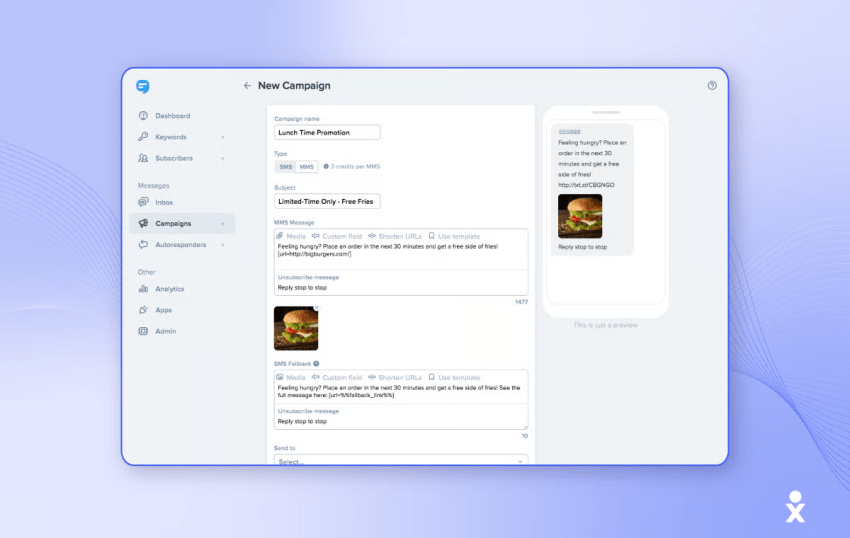
SimpleTexting is SMS marketing software designed for nontechnical users, especially mid-sized enterprise teams.
The platform supports advanced features and offers custom integrations on request for an additional fee. It also supports agencies and franchises, although costs can increase quickly. Additional users cost $20 per month each, and additional phone numbers cost $10 per month each.
SimpleTexting does not offer native integrations. Connections must be built through Zapier.
Key features
- Timed autoresponders: Set delivery windows so contacts are not disturbed at inappropriate times.
- Segmentation: Group subscribers by behavior or demographics.
- Capture forms: Build forms to collect subscribers and opt-ins from websites or social media.
- SMS polling: Collect feedback through SMS polls and text-to-vote campaigns.
- Team campaigns: Manage contacts and campaigns across branches or franchises.
Pros
- Automatically detects and removes dead numbers
- Uses tags to filter contacts for different campaigns
- Sends files through SMS as hyperlinks
- Provides tools for subscriber collection and opt-in management
Cons
- Messages are scheduled in batches, which can cause delays
- Supports only plain text
- Credit-based pricing and add-ons can be complicated
- Does not provide native integrations
Pricing
SimpleTexting starts at $39 per month, plus a $4 one-time carrier registration fee, for 500 credits and a local number. This typically covers 500 SMS messages.
Outgoing MMS messages cost three credits each, while incoming MMS costs one credit. Unused credits roll over to the next month.
Additional costs include:
- $20 per month per additional team member
- $10 per month per additional phone number
Simpletexting offers a 14-day free trial, no credit card required.
Ratings and reviews
- G2: 4.7/5
- Trustpilot: 4.7/5
Most reviewers say it’s easy to set up and use, though some mention that the app can be a bit unstable at times.
6. Textedly
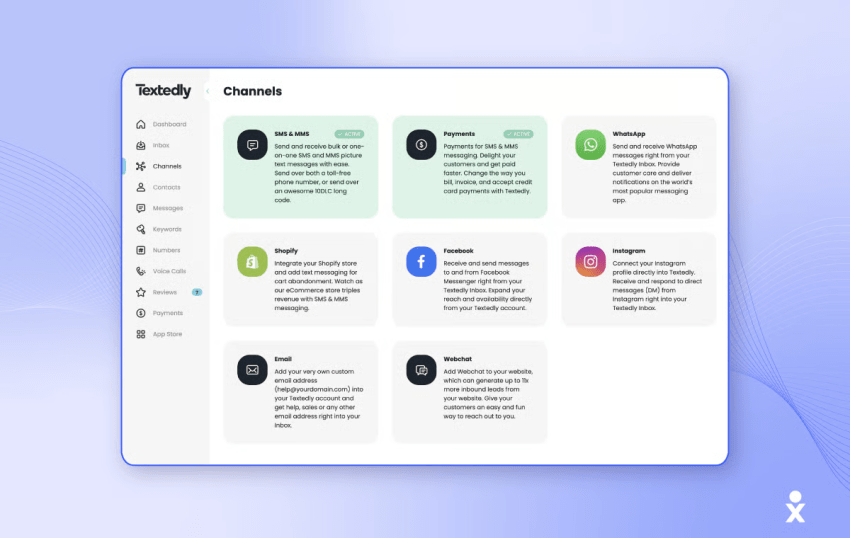
Textedly is best suited to retailers and e-commerce businesses that use SMS marketing as a primary channel.
The platform includes Text-to-Pay, SMS review requests, mass text messaging, an omnichannel inbox, and automation. Its reporting is basic, and it does not offer native integrations.
Textedly supports subscriber-based triggers and actions but does not support message- or campaign-based triggers.
Key features
- Payment links: Send customers secure links for making payments.
- Lead capture forms: Use web forms to build contact lists and collect opt-ins.
- AI assistance: Use AI assistance to draft messages and refine replies.
- Review request links: Send customers links for leaving Google Business reviews.
- Team inbox: Route SMS messages to team members and conduct internal discussions through notes.
- Text-to-pay: Send payment links through customer conversations.
Pros
- Supports rich-text formatting for SMS
- Allows up to 300 characters per SMS
- Pricing plans include a toll-free number and a 10DLC number
- Combines payment links and customer messaging
Cons
- Cannot move phone or web conversations to text
- Is not HIPAA compliant by default; a Business Associate Agreement (BAA) is required
- New keywords cost $10 each
- Reporting and integrations are limited
Pricing
Textedly offers 15 paid plans, starting at $29 per month for 500 text messages and one keyword. The highest plan costs $5,520 per month for 3,000,000 text messages and 50 keywords.
Annual plans receive a 20% discount. Additional texts cost $30 per 500, and additional keywords cost $10 each.
Textedly offers a 14-day free trial.
Ratings and reviews
- G2: 4.6/5
- Trustpilot: 3/5
Textedly receives strong ratings for bulk SMS and two-way messaging. Reporting, team management, and text-to-landline features receive lower ratings. Some users report concerns about customer service and subscription cancellation.
7. Podium
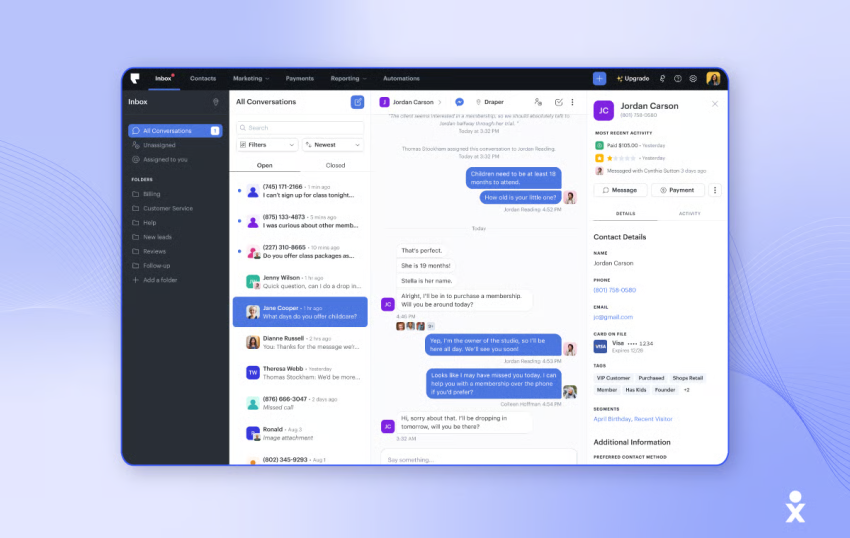
Podium is an AI-powered customer communications platform that supports phone, SMS, and social messaging.
These channels connect with its AI agent, which can reply to messages, qualify leads, and handle FAQs automatically. Podium is one of the services to consider when a business needs automated replies to incoming texts.
Key features
- Unified CRM: Consolidate leads from texts, calls, forms, and email in one CRM.
- AI assistance: Provide instant answers, respond to reviews, and summarize phone calls automatically.
- Automations: Create workflows triggered by events or status changes.
- Link shortening: Use Podium’s approved Podium.com domain for link shortening.
- AI text replies: Let an AI agent respond to customer SMS messages and answer common questions.
- Lead tracking: Track prospects from first message through conversion.
Pros
- Sends alerts when automations fail or decline in performance
- Agentic AI can automatically reply to customer SMS messages
- Allows one-time bulk messaging credit purchases during seasonal demand
- Combines messaging, lead tracking, and customer profiles
Cons
- Uses round-robin routing without considering agent workload
- Does not provide automated quality assurance features
- MMS costs three credits in the U.S., five credits in Canada, and 15 credits in Australia
- AI and phone features may cost extra
Pricing
Podium has three plans, but pricing is quote-based. Phone systems and AI agents are add-ons and are not included in the base plans.
Ratings and reviews
- G2: 4.5/5
- Trustpilot: 4.1/5
G2 users rate Podium highly for core SMS features. The AI agent receives lower ratings, around 65%–70%. Trustpilot reviewers frequently mention dissatisfaction with the AI agent and customer service.
8. Textmagic
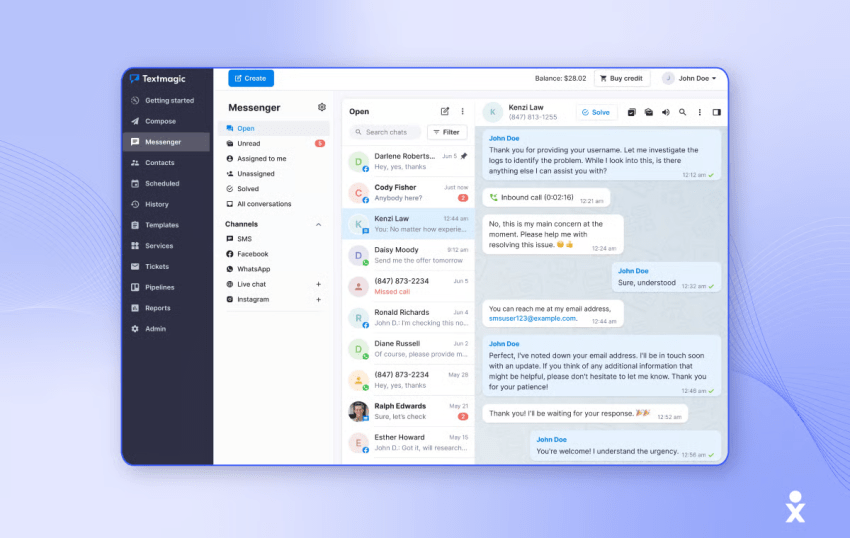
Textmagic is designed for small teams that prefer to manage SMS through email rather than a separate messaging tool.
It offers an uncluttered interface and features such as omnichannel widgets, voice, AI agent assistance, and task management. Automation and reporting are relatively basic. Advanced functions, including callback URLs and Unicode messages, require the SMS Gateway API.
Integrations are available through Zapier. Triggers are limited, but the platform provides numerous action options.
Key features
- Email-to-SMS: Send one-to-one or group texts from email by sending messages to {phonenumber}@textmagic.com. Replies appear in the email inbox.
- Templates: Personalize templated messages with mail merge and dynamic fields.
- Number validation tools: Check number validity and carrier information through bulk imports or API integration.
- Task management: Create and categorize tasks to prioritize conversations and track customer issues.
- Scheduled messages: Schedule SMS from Gmail, Outlook, and other email providers.
Pros
- Filters landline numbers from contact lists
- Allows SMS scheduling from email providers such as Gmail and Outlook
- Provides free sender IDs to customers in the U.K. and Australia
- Makes SMS accessible to teams that already work from email
Cons
- Does not allow a landline number to be connected for sending SMS
- Does not support cross-border texting
- Only one SMS survey can be active on a number at a time
- Advanced functions require the SMS Gateway API
Pricing
- Outbound SMS: $0.049 per message
- MMS: $0.08 per message
- Email marketing campaigns: $0.006 per email
- Local or toll-free phone numbers: $10 per month
- 10DLC registration: $10 per month
Phone numbers and 10DLC registration are free during the first month.
Carrier and email lookups cost $0.04 per query. Voice calling starts at $0.041 per minute for outbound calls and $0.023 per minute for inbound calls.
Ratings and reviews
- G2: 4.4/5
- Trustxpilot: 4.7/5
Users highlight Textmagic’s easy setup, automation tools, and email-to-SMS functionality. Some mention usability issues in the inbox and reports.
Business Phone Systems With Texting
A business phone system with texting combines voice calls, SMS, and MMS in one service. This approach is useful when customers already know a company’s phone number and expect to call or text it.
Several business phone providers also combine calling with texting. The main questions to check are:
- Is texting included in the base plan?
- How many messages does each user receive?
- Does the plan support MMS attachments?
- Can several employees answer from one number?
- Does the provider support A2P 10DLC registration?
- Are international messages or short codes available?
- Does the service include AI replies or appointment booking?
Nextiva’s plan-based allowances are clear:
- Core: 100 texts per user per month
- Engage: 500 texts per user per month
- Scale: Unlimited texts
Businesses that need a complete voice and text system should compare the message allowance with expected usage. A low-cost base plan may become restrictive if a team sends frequent customer replies or campaigns.
Business Text Messaging Campaigns and SMS Marketing Use Cases
Traditionally, e-commerce businesses have used SMS marketing platforms for text blast services to inform readers about discounts or sales.
Business text messaging campaigns are useful across industries, including technology, healthcare, retail, and professional services.
Uses for business text messaging:
- Meeting confirmations and contact information: Confirm meeting times, locations, and relevant contact details.
- Personal thank-you messages: Send customers a thank-you message after a purchase or completed service.
- Team and group texting: Communicate quickly with team members.
- Product and order updates: Send order confirmations, follow-ups, and delivery updates. 56% of customers say they do not mind sharing information for better service.
- Gift cards: Thank customers or offer promotional incentives. 79% of consumers surveyed by McKinsey say they are reducing spending and looking for discounts.
- Two-factor authentication: Use text messaging as part of a two-factor authentication process.
- Customer job-site photos: Send photos to customers to keep them informed about project progress.
- Appointment reminders: Reduce no-shows. According to SolutionReach, this can save practices up to $5,000 per year for each staff member who would otherwise call patients manually.
- Customer event and community invitations: Invite customers to events or community activities. When using A2P messaging, register campaigns with The Campaign Registry.
- Customer satisfaction surveys: Use SMS surveys to collect feedback and measure customer satisfaction.
Business texting and bulk SMS marketing serve different purposes. Business texting supports individual customer conversations, while bulk SMS marketing sends the same campaign to a segmented list. A programmable messaging API provides the underlying tools for custom applications, workflows, and integrations.

What to Look for in a Business SMS Provider
When choosing a business SMS service, consider the following features:
- Virtual phone numbers: A virtual phone number enables businesses to send and receive texts through a local or toll-free line.
- Team messaging: A shared inbox allows multiple users to send and receive SMS from one number.
- Toll-free texting support: Texting from a toll-free business phone number allows customers to contact sales or support by phone when needed.
- Generous text message volumes: Compare the monthly allowance with expected usage. Some plans include a fixed number of texts, while others use credits or usage-based pricing.
- Desktop functionality: Sending texts from your PC helps teams that primarily work from desktop computers.
- Mobile functionality: A smartphone app supports business texting from mobile phones and tablets.
- MMS attachments: Confirm whether the provider supports images, audio, video, PDFs, and file-size limits.
- AI assistance: Check whether AI only drafts replies or can answer customers, qualify leads, and book appointments.
- Integrations: Review native CRM, help desk, calendar, payment, and automation integrations.
- Compliance controls: Check consent records, opt-out handling, suppression lists, campaign registration, and audit logs.
Also consider customer support, pricing, and positive customer reviews.
Business SMS Compliance Checklist
Before implementing business texting, ensure that the program complies with applicable laws, industry standards, and carrier policies.
Failure to comply with SMS marketing laws can result in significant fines, loss of customer trust, and carrier blocklisting. For example, Telstra was fined $396,714 for requiring people to share personal information to unsubscribe from texts.
In the United States, noncompliant texts can trigger fines of $500–$1,500 per message under the Telephone Consumer Protection Act. In North America, the CTIA and the FCC’s TCPA regulate message content, frequency, and delivery.
Compliance checklist
- Get explicit opt-in: Obtain consent specifically for SMS communications and record when and how each person opted in. Identify the sending business, explain what recipients should expect, and state message frequency.
- Register the sending number: Businesses that send application-to-person messages from standard U.S. 10-digit numbers generally need A2P 10DLC brand and campaign registration. Toll-free numbers follow a separate verification process.
- Provide clear opt-out instructions: Include instructions such as “Reply STOP to unsubscribe.” Systems should also honor reasonable opt-out requests expressed in ordinary language.
- Honor do-not-contact lists: Update suppression lists promptly so automated messages are not sent to people who have withdrawn consent.
- Respect quiet hours: Avoid marketing texts before 8 a.m. or after 9 p.m. in the recipient’s local time zone. State laws may impose stricter restrictions.
- Follow applicable privacy laws: Protect customer data and comply with relevant privacy and security requirements, including state privacy laws, GDPR, and HIPAA when applicable.
- Review provider limits: Confirm whether the provider supports international texting, short codes, MMS attachments, and the countries where the business operates.
- Keep records: Store consent, message content, campaign details, opt-out requests, and delivery records.
Nextiva supports consent management, opt-outs, configurable retention, encryption in transit and at rest, SOC 2, and HIPAA compliance. Commercial SMS still requires A2P 10DLC registration, and Nextiva does not support international texting or short codes.
Nextiva’s Business Texting Solution
A business text messaging service can improve customer engagement and simplify communication. Nextiva provides unified customer experience management alongside business text messaging.
Nextiva, a business phone service provider, combines SMS, MMS, voice, video, social media, and live chat in an enterprise-grade cloud communications platform. Teams can send and receive texts from a business number, route conversations to a shared inbox, automate notifications, and connect messaging data with CRM and help desk tools.
XBert AI can answer calls and texts, handle common questions, and book appointments when staff are unavailable. Businesses that need AI to respond to incoming texts should confirm the required plan and workflow configuration before purchase.
Customers love businesses that text.
Talk with prospects and customers the way they prefer across every channel, including SMS/MMS.
Business Text Messaging FAQs
Nextiva is the strongest overall option for businesses that want texting integrated with phone, video, collaboration, automation, and customer communication tools. Its plans include 100, 500, or unlimited texts per user per month, depending on the tier.
Textla is a practical alternative for budget-conscious small businesses because it offers low per-message pricing and unlimited contacts. Twilio is better for developers who need a customizable SMS API.
Nextiva, Textla, SimpleTexting, Textedly, Podium, and Textmagic support two-way messaging in different ways.
Nextiva is designed for businesses that need SMS and MMS connected to a VoIP number, with team routing and a shared workspace. Textla, SimpleTexting, and Textedly focus more on campaigns and shared inbox features. Podium combines SMS with lead management and AI replies. Textmagic is designed for teams that prefer to send and receive messages through email.
Nextiva (with XBert AI): This AI can answer calls and incoming texts, handle common questions, and book appointments when staff are unavailable.
Podium: This platform features an AI agent that can automatically reply to customer SMS messages, answer FAQs, and qualify leads
Yes, there are several free text messaging apps for businesses, such as Google Voice, TextNow, and TextFree. However, these services have limitations on the number of messages you can send, deliverability issues, and are restrictive in the features they offer. Most importantly, these free text numbers are often reassigned and are blocked from text message verification services.
These options can benefit startups exploring SMS marketing without a financial commitment. However, free plans may lack advanced features like automation, integrations, and analytics, which are crucial for scaling communication efforts.