Productivity
  Blog
Blog  Business Communication
  Customer Experience
  Leadership
  Marketing & Sales
  Nextiva News
  VoIP
VoIP 
Business communication apps bring calls, messaging, meetings, file sharing, project work, or customer communications into digital tools. The right choice depends on the channels a team uses, its budget, existing software, and the level of administration it needs.
This guide compares 20 business communication apps across six categories:
- Unified communications
- Team messaging
- Video conferencing
- Project management
- File sharing and collaboration
- Email marketing and automation
It also explains how to compare total cost, included channels, integrations, security, reliability, analytics, and AI features.
Business Communication Apps at a Glance
A conversation-management platform combines several communication channels in one workspace. A team chat app focuses on internal messages. A video conferencing app focuses on meetings. Project management, file-sharing, and email marketing tools address specific collaboration or customer-engagement needs.
The following table summarizes the main differences. Prices for other tools vary by plan, billing term, region, and add-ons.
| App or category | Main channels | Video | Team chat | App access | AI or receptionist options | Integrations and analytics | Best fit |
|---|---|---|---|---|---|---|---|
| Nextiva | Voice, SMS, video, email, digital channels | Yes | Yes | Desktop, web, mobile | XBert AI and AI-assisted features on eligible plans | CRM integrations, analytics, customer experience tools | Startups, small businesses, mid-market teams, and enterprises |
| RingCentral | Calls, messages, meetings | Yes | Yes | Varies | AI-enabled communication features | Varies | Teams that need broad communications features |
| Mitel | Voice, video, chat | Yes | Yes | Varies | Varies | Varies | Larger organizations with existing Mitel systems |
| Zoom Workplace | Phone, meetings, team chat | Yes | Yes | Varies | Varies | Varies | Small businesses that prioritize meetings |
| Slack | Team messaging and channels | Varies | Yes | Varies | Varies | Integrations vary | Internal team communication |
| Flock | Chat, calls, meetings, file sharing | Yes | Yes | Varies | Varies | Varies | Small teams that want chat and basic project work |
| Microsoft Teams | Chat, channels, meetings, phone | Yes | Yes | Varies | Varies | Microsoft 365 features | Organizations using Microsoft 365 |
| Google Meet | Video meetings and chat | Yes | Limited | Varies | Varies | Google Workspace features | Teams using Gmail and Google Workspace |
| Cisco Webex | Video meetings, messaging, webinars | Yes | Yes | Varies | Varies | Varies | Organizations focused on meeting security |
| Trello | Task boards and comments | No | Limited | Varies | Varies | App integrations | Small teams with straightforward projects |
| Asana | Tasks, project discussions, reporting | No | Limited | Varies | Varies | Integrations and reporting | Complex project management |
| Wrike | Tasks, discussions, resource management | No | Limited | Varies | Varies | Reporting and resource management | Analytics-driven project teams |
| Google Drive | Documents, comments, file sharing | Varies | Varies | Varies | Varies | Google Workspace and version history | Real-time document collaboration |
| Microsoft OneDrive | File sharing and document collaboration | Varies | Varies | Varies | Varies | Microsoft 365 controls | Microsoft 365 users |
| Dropbox | File sharing and document signing | Varies | Varies | Varies | Varies | Security and access management | Secure file sharing |
| Mailchimp | Email campaigns and automation | No | No | Varies | AI-powered automation on paid plans | Audience analytics and integrations | Startups and small marketing teams |
| Constant Contact | Email campaigns and reporting | No | No | Varies | Generative AI features | Email analytics and templates | Organizations that need campaign reporting |
| Campaign Monitor | Email design and campaigns | No | No | Varies | Varies | Varies | Teams focused on visual email design |
| SendGrid | Transactional and automated email | No | No | Varies | Varies | API integrations | Developers and technical teams |
How to Choose a Business Communication App
A business communication app should match the way a team works today and the channels it expects to add later. A small company may need a shared business number, SMS, and team chat. A larger organization may need contact center tools, call recording, analytics, CRM integrations, and administrative controls.
Evaluate each option against these criteria:
- Total cost: Include seats, calling charges, premium channels, hardware, implementation, support, and AI add-ons.
- Included channels: Check whether voice, SMS, video, team chat, email, and digital channels come with the selected plan.
- Integrations: Confirm compatibility with CRM, help desk, calendar, storage, EHR, and project management systems.
- Call quality and reliability: Review the provider’s uptime commitments, network design, support model, and administrative controls.
- Mobile and desktop experience: Confirm that employees can use the service through the devices and browsers they already have.
- Scalability: Check how easily the business can add users, locations, numbers, departments, and customer-facing channels.
- AI and automation: Identify which features are included, which require a higher tier, and which carry an additional charge.
- Security and compliance: Review encryption, authentication, access controls, retention policies, and relevant certifications.
A provider’s feature list does not show the full cost of ownership. The evaluation should include setup time, training, existing software, and the number of tools the new app could replace.
1. Unified Communications
Unified communications platforms, often called unified communications as a service or UCaaS, combine multiple communication channels in one workspace. Employees can make and receive calls, send messages, host video meetings, and share files without switching between separate applications.
This model supports internal and external communication. Employees can use team chat and video meetings for internal work, while sales and service teams can manage customer calls, messages, and follow-ups through the same platform.
Nextiva

Best for: Businesses that want voice, SMS, video, team collaboration, customer communications, and analytics in one platform.
Employees can use the desktop app, web app, or mobile app to:
- Use a VoIP phone system
- Make and receive voice and video calls
- Send email and SMS messages
- Use team SMS for internal and external communication
- Send direct messages and group messages
- Host video meetings
- Record calls
- Share files
- Manage contacts and calendars
- Access sales and service tools
- Review analytics
- Access business tools
Nextiva’s small-business plans are:
| Plan | Price per user per month | Best fit | Added capabilities |
|---|---|---|---|
| Core | $15 | Teams that need core business communications | Voice, SMS, video, and chat |
| Engage | $25 | Teams that need more customer communication and analytics | Additional channels, analytics, and eligible AI features |
| Scale | $75 | Organizations that need expanded channels and advanced reporting | Advanced analytics, AI, and expanded channels |
Annual terms may reduce the listed price by 35% to 50%, depending on the plan and offer. Businesses should confirm current pricing, seat requirements, taxes, and contract terms before purchase through Nextiva pricing.
XBert AI can act as a virtual receptionist that answers calls and texts, handles frequently asked questions, books appointments, and creates post-call summaries and action items. The XBert AI Receptionist add-on is listed at $25 per user per month on monthly billing.
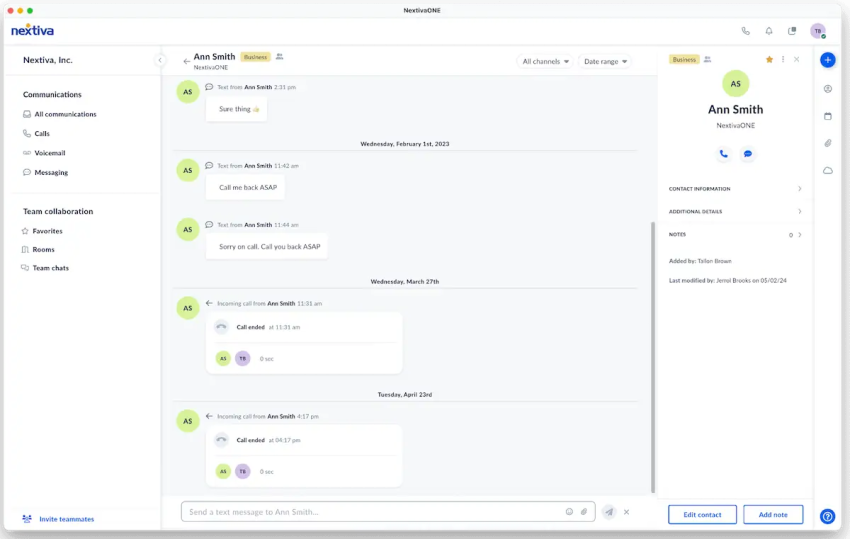
Nextiva supports integrations with systems such as Salesforce, HubSpot, Zendesk, and healthcare EHRs. Nextiva lists 99.99% uptime for its VoIP products and provides 24/7 customer support.
RingCentral
Source: RingCentral
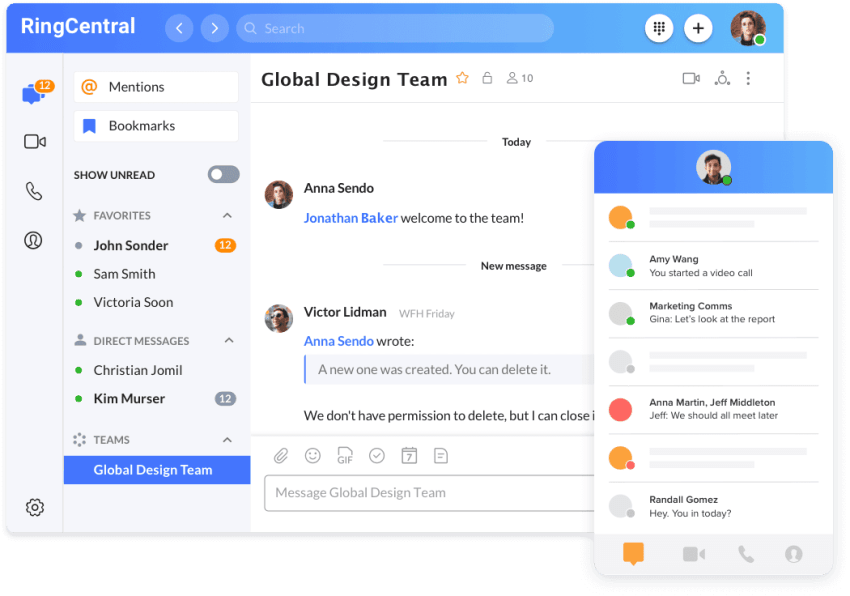
Best for: Organizations that want calls, messages, meetings, and AI-enabled communications in one application.
The RingCentral App brings calls, messages, and meetings into one workspace. RingCentral also positions its business communications platform around AI-powered calling, messaging, and meetings.
Mitel
Source: Mitel
Best for: Larger companies that already use Mitel’s communication suite or on-premises systems.
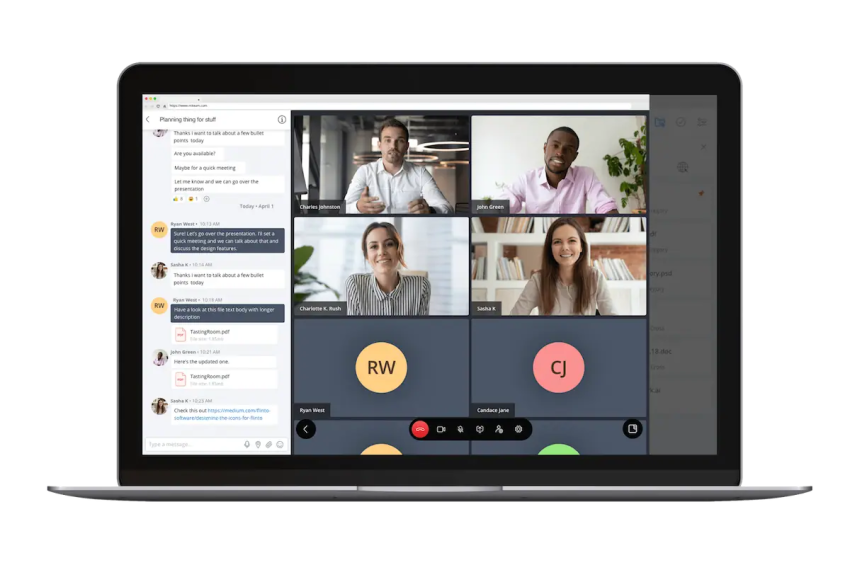
Mitel’s UCaaS suite includes voice, video, and chat. It focuses on scalability for large enterprises, while its complexity may make it less suitable for small and medium-sized businesses.
Zoom
Source: Zoom
Best for: Small businesses that prioritize video meetings and basic communication features.
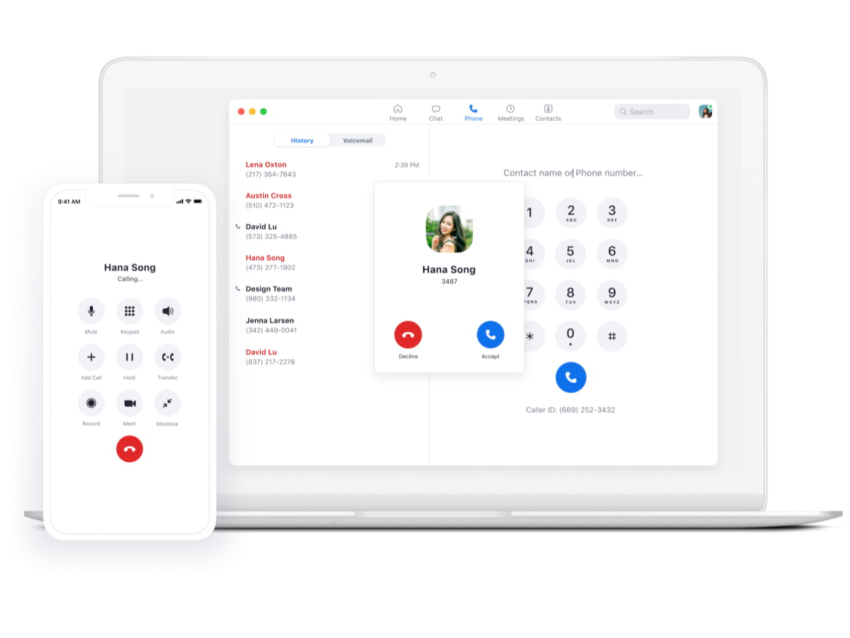
Zoom Workplace combines team chat, phone calls, meeting scheduling, and video conferencing. Its broader communications features may suit small businesses that want a familiar meeting platform without extensive customization.
Comparing unified communications platforms
The leading UCaaS options differ in emphasis:
- Nextiva: Voice, SMS, video, team messaging, customer communication, analytics, and AI receptionist options.
- RingCentral: Calls, messages, meetings, and AI-enabled communication workflows.
- Mitel: Enterprise voice, video, chat, and existing-system compatibility.
- Zoom: Video meetings with phone and team chat capabilities.
A unified platform can reduce app switching and duplicate functionality. The best fit depends on whether the organization prioritizes customer conversations, internal collaboration, video meetings, enterprise administration, or startup cost control.
2. Team Messaging
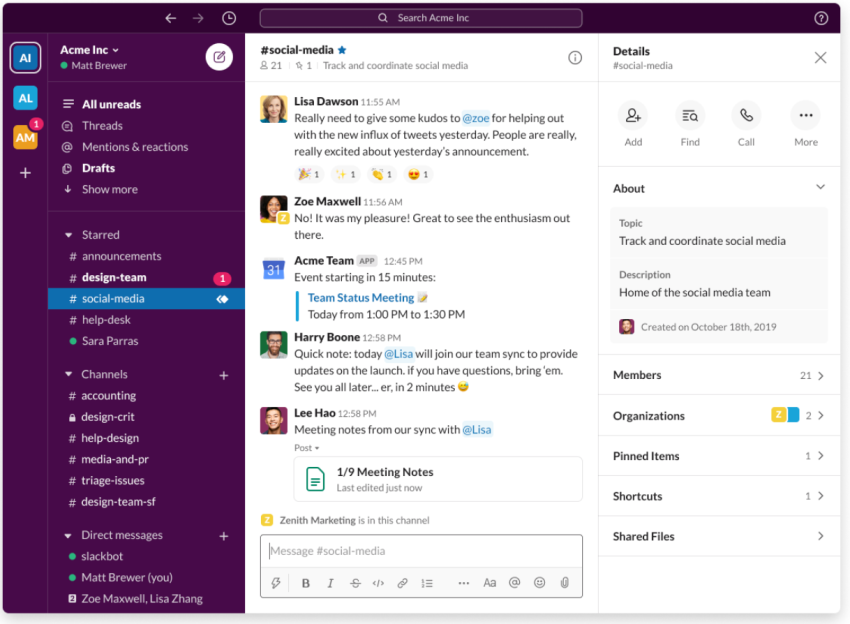
Dedicated team chat apps focus on real-time internal communication. Common features include topic-based channels, direct messages, file sharing, guest access, search, notifications, and integrations.
These tools work well for internal conversations. Teams that also need business calling, customer SMS, meetings, and customer records may need a UCaaS platform instead of a chat-only application.
Slack
Source: Slack
Best for: Easy-to-use channels, direct messages, and collaboration with guests.
Slack lets teams:
- Create team and topic channels
- Start group discussions
- Share files
- Integrate business tools
- Create guest accounts with restricted access
- Collaborate with vendors and freelancers
Slack is often a strong internal messaging option. Businesses should check whether they also need a separate phone system, video platform, or customer communication tool.
Flock
Source: Flock
Best for: Threaded discussions and basic collaboration features.
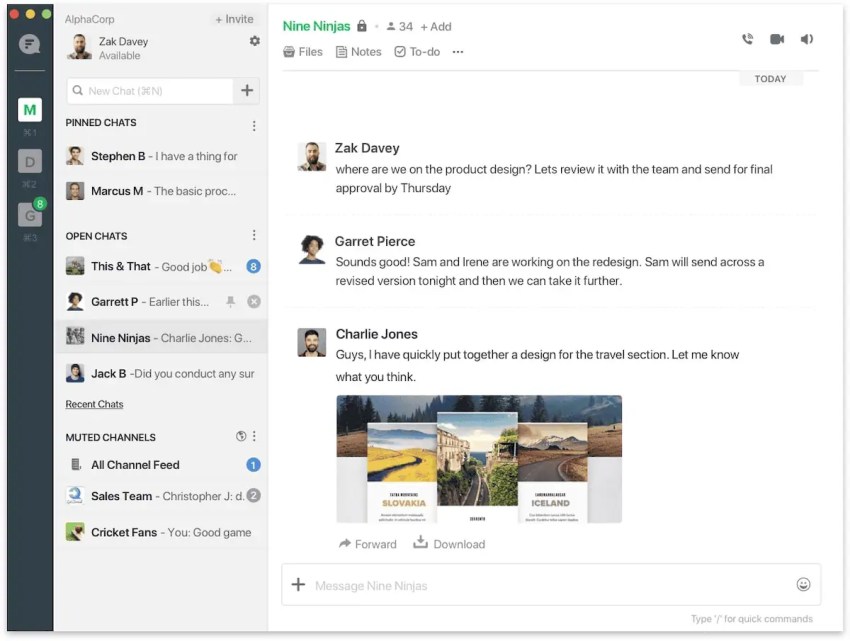
Flock includes:
- Knowledge bases
- Threaded discussions
- Basic project management
- File sharing
- Voice and video calling
Microsoft Teams
Source: Microsoft
Best for: Organizations that already use Microsoft 365.
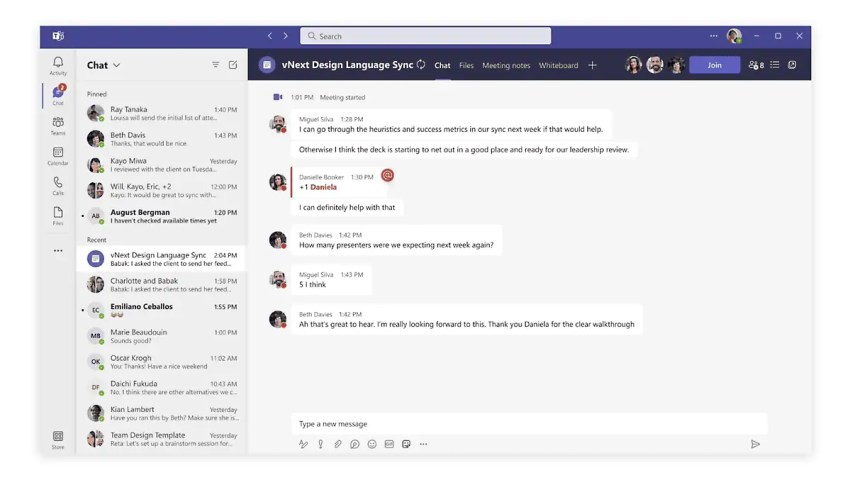
Microsoft Teams combines chat, channels, meetings, phone features, and Microsoft 365 collaboration. It supports desktop, web, and mobile access. Microsoft describes Teams as a workspace for chat, channels, meetings, events, phone, and rooms.
Teams can suit large organizations that need Microsoft administration, security controls, and document collaboration. Its wider feature set can require more configuration than a basic chat app.
3. Video Conferencing
Video conferencing helps remote and hybrid teams collaborate across locations and time zones. Common features include:
- Screen sharing
- Call recording
- In-meeting chat
- Real-time collaboration tools
Businesses comparing virtual meeting platforms should review meeting limits, recording storage, dial-in access, security controls, mobile usability, and whether the service includes phone or team messaging features.
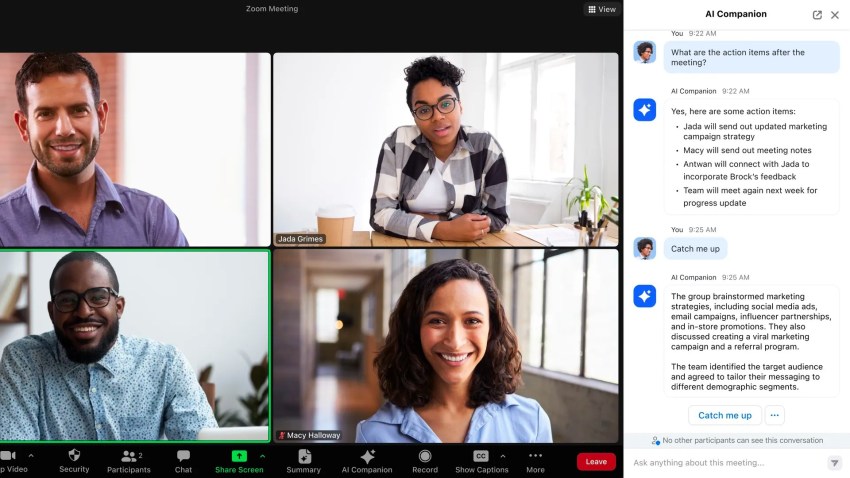
Zoom
Source: Zoom
Best for: Familiar video meetings and basic large-group conferencing.
Zoom includes:
- Desktop and phone apps
- Screen sharing
- Video call recording
- In-meeting chat
- Meeting scheduling
Its free tier has historically supported up to 100 participants for meetings lasting up to 45 minutes. Businesses should confirm current limits before relying on the free plan.
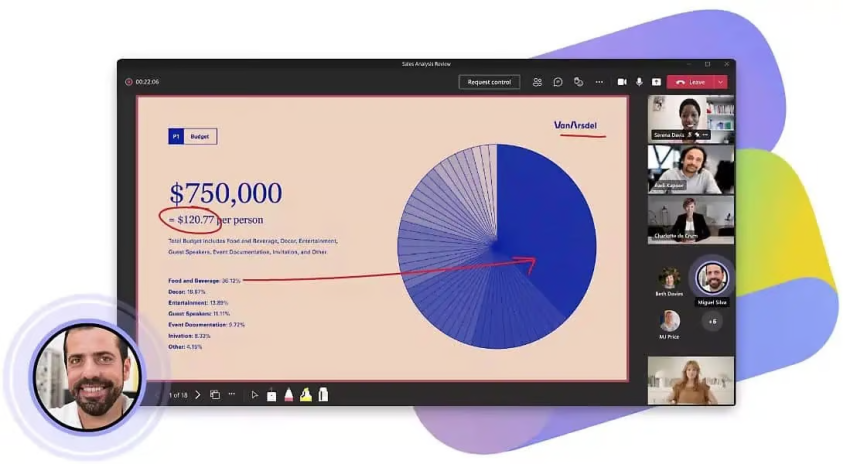
Microsoft Teams
Source: Microsoft
Best for: Video meetings connected to Microsoft 365.
Teams combines meetings with chat, channels, files, calendars, and Microsoft business applications. It can suit organizations that want one environment for employee collaboration and meeting administration.
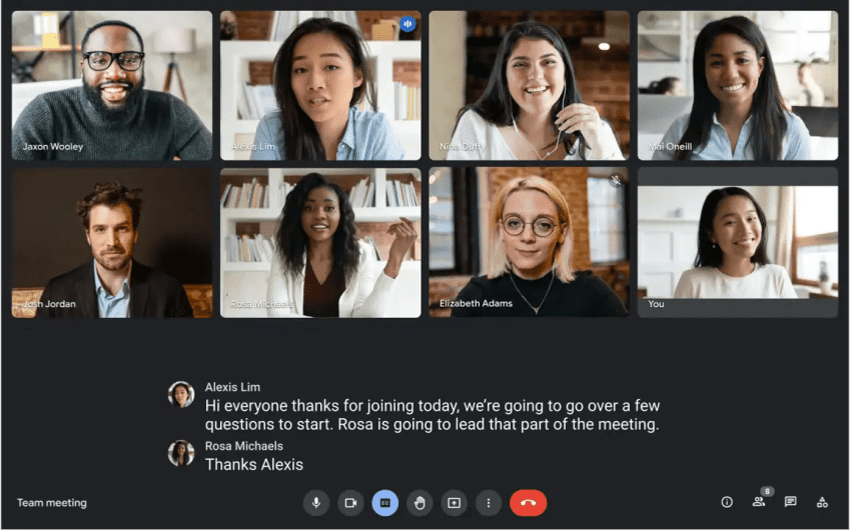
Google Meet
Source: Google
Best for: Remote-first teams that use Gmail and Google Workspace.
Google Meet provides a straightforward interface and basic scheduling functions. It connects with Google Workspace applications, which can simplify scheduling for teams that already use Google accounts.
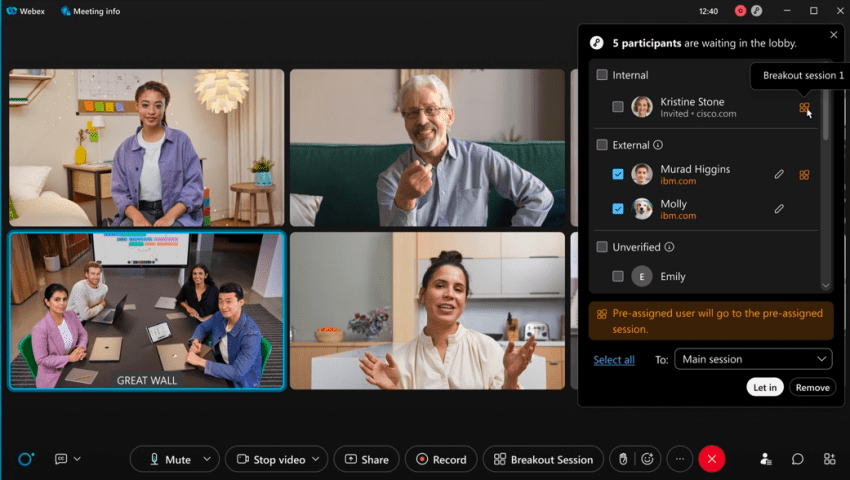
Cisco Webex
Source: Cisco
Best for: Organizations that prioritize meeting security and webinar capabilities.
Cisco Webex supports video meetings, messaging, and webinar use cases. It is popular among large organizations concerned with data security and privacy.

4. Project Management
Project management tools organize work through tasks, deadlines, comments, files, status updates, and reporting. They support collaboration around projects rather than real-time customer conversations.
Trello

Source: Trello
Best for: Visual task management and small teams.
Trello uses Kanban-style boards. Users can move cards between lists to track progress. Cards can include:
- Checklists
- Shared files
- Comments
- Deadlines
Trello’s free plan may suit small teams, freelancers, and projects with straightforward workflows.
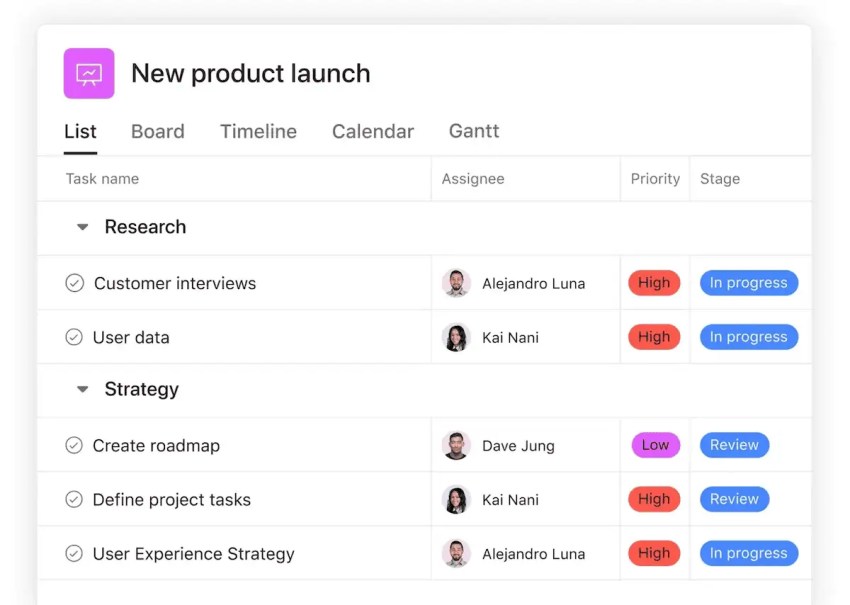
Asana
Source: Asana
Best for: Complex projects that require structured planning and reporting.
Asana supports Kanban-style boards and multiple project views. Its features include:
- Project-path visualization
- Multiple viewing options
- Integrations
- Resource allocation
- Reporting dashboards
Wrike

Source: Wrike
Best for: Resource management and analytics-driven project work.
Wrike includes:
- Kanban-style boards
- Gantt chart views
- Collaboration features
- Resource management tools
- Reporting capabilities
Project management apps may complement a UCaaS platform. They do not usually replace business phone, SMS, customer service, or meeting tools.
5. File Sharing and Collaboration
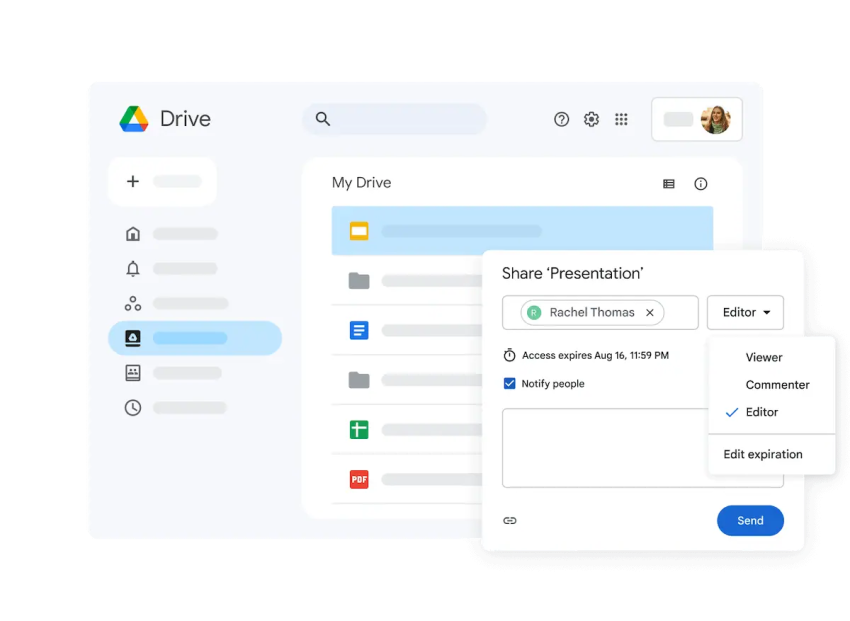
File-sharing and collaboration tools help teams create, store, review, and share documents. Important capabilities include co-editing, version history, permissions, access expiration, and audit controls.
Google Drive
Source: Google
Best for: Internal and external document collaboration.
Google Drive supports real-time work on documents, spreadsheets, and presentations. It includes:
- Shared access
- Comments
- Suggested revisions
- Editing
- Version history
It integrates with Google Workspace and can simplify collaboration with customers, contractors, and external partners.
Microsoft OneDrive

Source: Microsoft
Best for: Teams that use Microsoft 365.
OneDrive integrates with Microsoft 365 and supports:
- Expiring access
- Library syncing
- Sensitivity labels
- Visibility controls
- Configuration policies
Dropbox

Source: Dropbox
Best for: Secure file sharing and electronic document signing.
Dropbox includes:
- User activity tracking
- Access management
- Secure document sharing
- Electronic signing through Dropbox Sign
Businesses can sign documents electronically with Dropbox Sign.
6. Email Marketing and Automation
Email marketing platforms help businesses create targeted campaigns for customers and leads. They typically include:
- Email design tools
- Templates
- Audience segmentation
- Automated workflows
- Campaign analytics
- Contact management
Email marketing tools address customer outreach. A unified communications platform addresses conversations across voice, SMS, video, chat, and other customer channels.
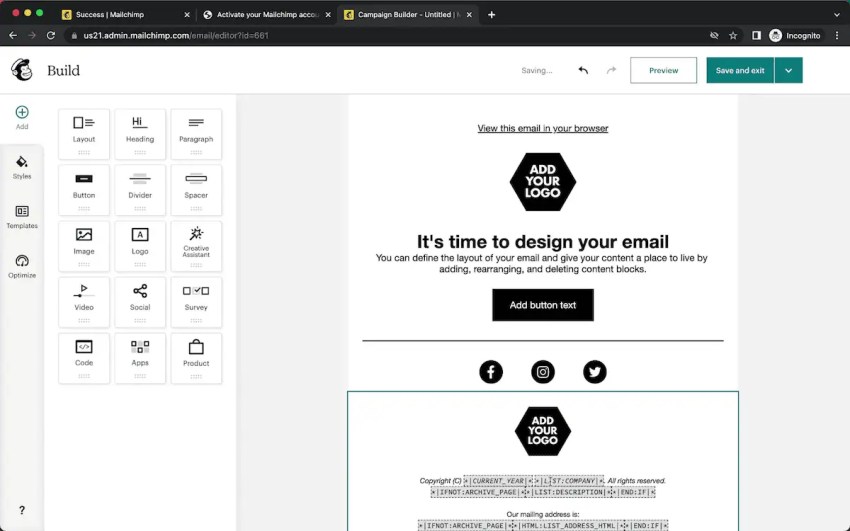
Mailchimp
Source: Pageflows
Best for: Startups that need a professional email marketing service.
Mailchimp provides a user-friendly interface and a free version for businesses with basic email needs. Paid plans add features such as:
- Advanced segmentation
- Autoresponders
- Detailed email analytics
- AI-powered automations based on audience intent and behavior
Constant Contact
Source: Constant Contact
Best for: Organizations that need campaign reporting and a large template library.
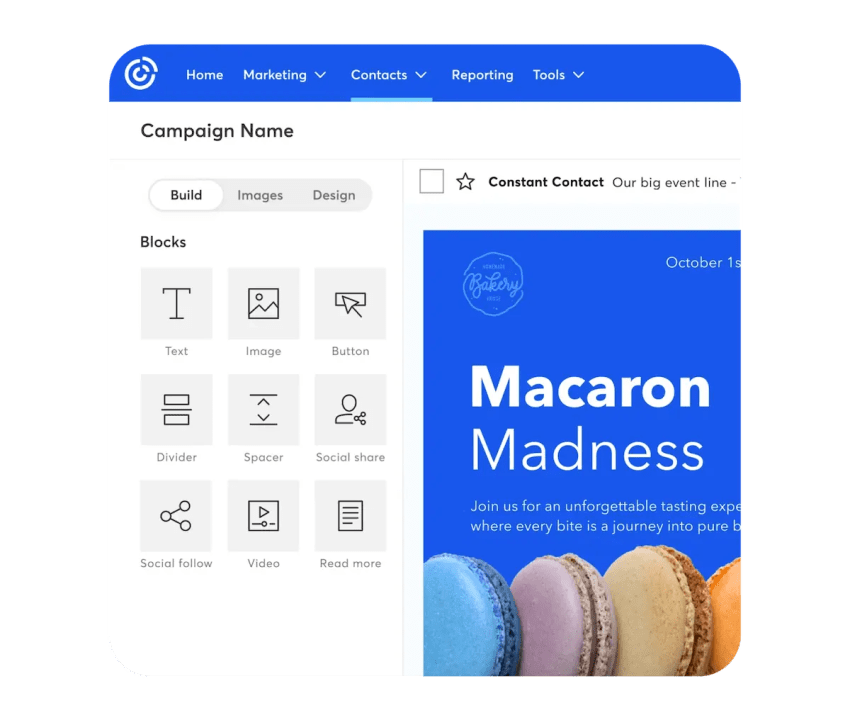
Constant Contact includes email reporting, analytics, hundreds of templates, generative AI features, and a drag-and-drop email builder.
Campaign Monitor
Source: Campaign Monitor
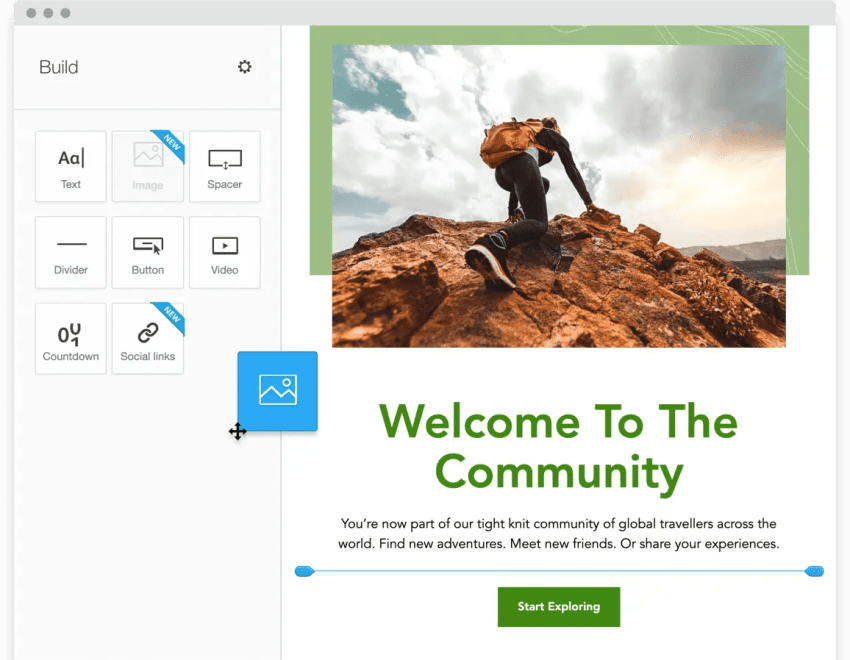
Best for: Drag-and-drop email design.
Campaign Monitor supports:
- A drag-and-drop builder
- Email templates
- An easy-to-use interface
SendGrid

Source: Twilio
Best for: Transactional email and developer-managed automation.
SendGrid centers on triggered email campaigns and an email API. It can support personalized email at scale and may suit technical teams that need programmatic control.

Choosing A Platform For A Startup
Startups should calculate the full monthly cost before selecting a unified communications platform. A simple example using Nextiva’s listed small-business prices shows how plan selection changes the budget:
| Scenario | Monthly calculation | Monthly total before annual discounts |
|---|---|---|
| Five users on Core | 5 × $15 | $75 |
Annual terms may lower the plan cost by 35% to 50%, depending on the offer. The AI receptionist add-on, taxes, phone numbers, usage charges, and additional channels may affect the final total.
A startup should also confirm:
- Whether the plan includes voice, SMS, video, and team chat
- Whether users can work from desktop, web, and mobile apps
- Whether the platform supports a shared business number
- Whether the business can add locations and users later
- Whether CRM and calendar integrations are available
- Whether analytics and call recording require a higher plan
- Whether an AI receptionist is included or billed separately
- Whether support is available during implementation
The lowest seat price is not always the lowest total cost. A platform that replaces separate phone, messaging, meeting, and receptionist tools may reduce software administration and subscription overlap.
Nextiva’s Business Communication Solution
Organizations often use several communication platforms at the same time. That approach can create duplicate features, fragmented customer records, and inconsistent administration.
Nextiva, a unified customer experience platform, combines much of the functionality covered in this guide. Its business communication solution includes:
- Business phone calls
- SMS and text messaging
- Video meetings
- Team chats
- Email and digital customer channels
- File sharing
- Customer and contact management
- Analytics
- AI-powered agent support
- Optional social media management
- Employee engagement and performance tools
- CRM and business system integrations
Nextiva’s desktop, web, and mobile apps give employees a single view of business conversations across devices. Its marketing suite adds campaign and customer engagement tools for organizations that need communication and marketing capabilities in the same technology stack.
Nextiva also provides contact center solutions for organizations that need customer service workflows and customer communication tools.
Want to learn more? Get a personalized demo of our communication platform today. 👇
One app for all conversations.
Seamlessly manage all of voice, video, messaging with customers and team on a unified platform.
FAQs
For a business that needs calls, texts, video meetings, and team collaboration in one workspace, Nextiva is a strong conversation-management option. It provides a single view of conversations across desktop, web, and mobile apps, with business phone service, SMS, video, team chat, customer communication tools, analytics, CRM integrations, and XBert AI options.
A team that only needs internal chat may prefer Slack or Microsoft Teams. A team that mainly hosts video meetings may prefer Zoom or Google Meet. The best app depends on whether the business needs internal collaboration, customer communication, or both.
The best business communications platform depends on the channels and systems a company needs to manage. Nextiva suits businesses that want voice, SMS, video, team messaging, customer communication, analytics, integrations, and AI features in one platform.
RingCentral suits organizations that want calls, messages, meetings, and AI-enabled communication features. Microsoft Teams fits organizations that already use Microsoft 365. Zoom is a practical choice for teams that prioritize video meetings. A chat-only or meeting-only tool may require separate systems for business calling and customer conversations.
There is no universal lowest-cost option because the total price depends on users, billing terms, calling needs, add-ons, and required channels. Nextiva’s listed Core plan starts at $15 per user per month, with annual terms that may reduce the price by 35% to 50% depending on the offer. The plan includes core voice, SMS, video, and chat capabilities.
Startups should compare the total cost of separate phone, messaging, meeting, and receptionist products against one unified plan. They should also confirm current pricing, taxes, user minimums, contract terms, and add-on charges before choosing a provider.