Productivity
 Blog
 Business Communication
 Customer Experience
 Leadership
 Marketing & Sales
 Nextiva News
 VoIP


The best AI tools for small businesses can take everyday work off your plate. Whether it’s answering customer calls, managing finances, or creating marketing content, these tools help small teams save time, reduce manual work, and focus on growing their business.
More businesses are seeing the value of AI. According to IDC, the share of small and midsize businesses not using AI fell from 11.2% to 6.3% in just one year. Still, choosing the right AI tool isn’t about finding the one with the most features. What matters is whether it solves a problem your business faces.
In this guide, we’ll compare 12 AI tools for small businesses in 2026, covering customer service, marketing, finance, knowledge management, and automation.
What Are the Best AI Tools for Small Businesses?
The best AI tools for small businesses are software solutions that use artificial intelligence to handle tasks, improve efficiency, and support daily operations. They can help with customer service, bookkeeping, marketing, and other work that takes up a business owner’s time.
AI levels the playing field. It allows small and medium-sized businesses (SMEs) to access the same fast customer service and data analysis tools as larger companies, often at a lower cost.
Think of it like having an extra employee who works around the clock. That “employee” might answer calls at 2 a.m., organize expenses, or draft a follow-up email. AI handles these routine tasks so you can focus on work that needs your judgment.
The real question is which tool matches the workflow you’re already running.
What separates useful AI from shelfware?
A useful AI tool solves a specific problem and fits into your existing workflow. Shelfware, on the other hand, promises to do everything but takes too long to set up or learn. Eventually, it sits unused because your team doesn’t have time for it.
The tools on this list were chosen because they support specific business tasks, including communication, design, accounting, and automation.
Which AI Tools for Small Business Productivity Save Time First?
Some AI tools take weeks to set up, while others can start saving time almost immediately. For many small businesses, customer communication and content creation are good places to begin.
Customer communication offers quick results
Missed calls and slow responses can mean lost sales. An AI receptionist or AI customer service tool can answer calls, handle common questions, and respond to messages when your team is unavailable. Many tools work with existing business systems, so you don’t need to change your entire workflow.
Content and design tools save creative time
AI content and design tools can create first drafts, marketing materials, and design ideas. Instead of starting from scratch, you can describe what you need and edit the result to match your brand.
Automation saves more time over time
Workflow automation tools may take longer to set up, but their benefits grow with regular use. They can automatically assign leads, update customer records, connect apps, and send follow-up emails. These small savings add up over time.
12 Best AI Tools for Small Businesses
We’ve compared 12 AI tools based on their key features, use cases, and pricing to help you find the right fit. Here’s a quick overview, followed by a closer look at what each tool offers.
| Tool | Best for | Key benefit |
| Nextiva | Customer Service | 24/7 AI virtual receptionist & unified communications |
| ChatGPT | Business Planning | Brainstorming strategies & drafting plans |
| Canva | Design | Creating marketing assets |
| Zapier | Automation | Connecting apps to automate repetitive tasks |
| QuickBooks | Accounting | Auto-categorizing expenses & forecasting cash flow |
| Jasper | Marketing | Generating on-brand content for campaigns |
| Otter.ai | Meetings | Auto-transcribing & summarizing meetings |
| Notion AI | Organization | Turning messy notes into structured docs |
| Flick | Social Media | Auto-generating captions & hashtag strategy |
| Grammarly | Editing | Real-time tone & grammar correction |
| Claude | Analysis | Summarizing long documents & contracts |
| Reply.io | Sales | Automating personalized cold email outreach |
1) Nextiva: Best for Intelligent Customer Service & Communication
Nextiva is a unified customer experience platform that brings business calls, messages, and other customer interactions into one place. It helps small businesses manage communication without switching between several systems.
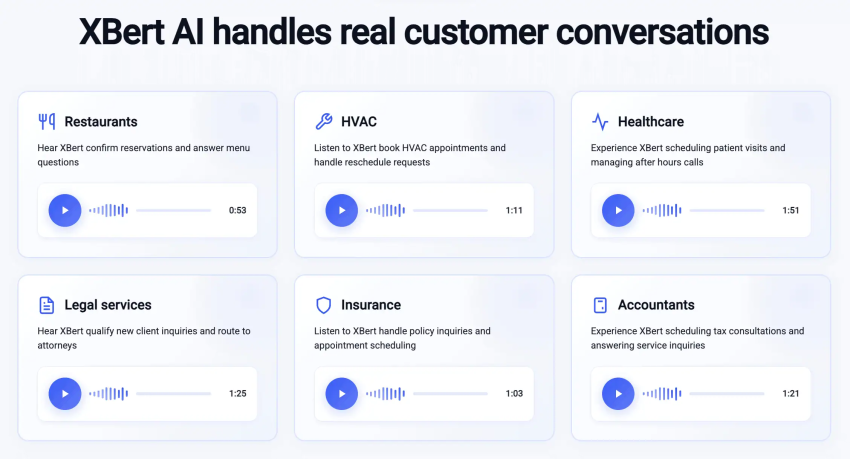
One of its key AI solutions is XBert, a conversational AI receptionist that answers customer calls, responds to common questions using your business knowledge, captures leads, and books appointments.
For example, if a customer calls your business after hours to schedule an appointment, XBert can collect their details, check a connected calendar, and help complete the booking. It can also transfer requests to your team when human support is needed.
Nextiva’s key AI features:
- AI receptionist: XBert answers calls, texts, and web chats 24/7, handles common questions, captures leads, and schedules appointments.
- Real-time sentiment analysis: Supported contact center and agent-assist features help employees identify customer sentiment during conversations.
- Intelligent call summaries: AI-powered transcription and summaries help employees review conversations and follow up with customers.
- Real-time coaching: Nextiva’s separate agent-assist features suggest responses and provide guidance during live customer interactions.
- Intelligent routing: Routes calls to the appropriate employees based on configured rules, skills, and availability.
Pricing: Nextiva offers tiered plans based on team size and functionality, plus a dedicated add-on for the AI receptionist. NEXT Core starts at $15/user/month, Engage at $25/user/month, and Scale at $75/user/month. XBert starts at $99/month for 100 AI conversations, with additional usage charges.
Visit Nextiva’s pricing page for current plan details.
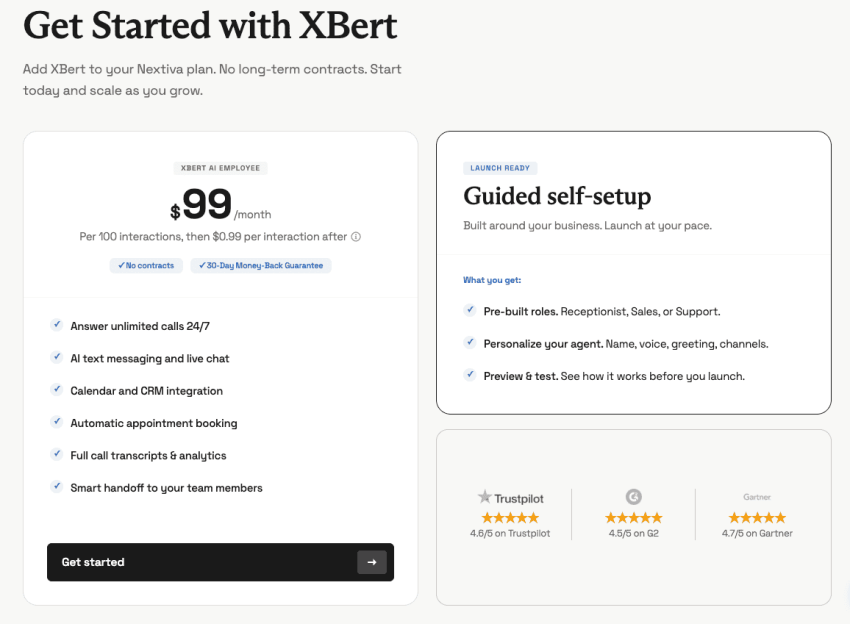
Try the best AI answering service free for 14 days
XBert AI answers questions and captures leads. Add your 24/7 answering service in minutes.
2) ChatGPT: Best for Business Ideas & Planning
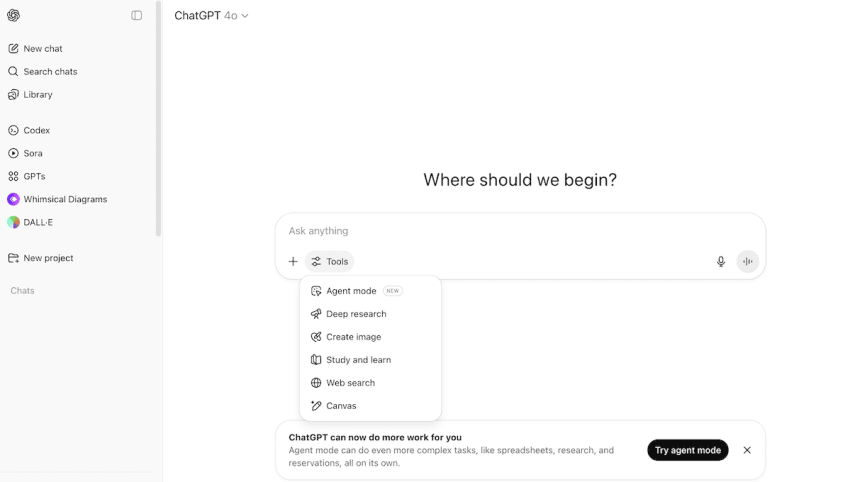
ChatGPT is an AI assistant that helps small business owners write, research, analyze information, and plan projects. Beyond drafting emails, you can use it to brainstorm business ideas, review plans, or explore ways to stand out from competitors.
For teams, ChatGPT Business offers a managed workspace with additional security and administrative controls. You can also create custom GPTs using company information, such as an HR assistant that answers questions based on your employee handbook.
ChatGPT’s key AI features:
- Data analysis: Upload spreadsheets to generate charts, identify trends, and explore financial scenarios.
- Custom GPTs: Create specialized assistants for internal knowledge, customer support, or business tasks.
- Research and planning: Research topics, compare business ideas, and create structured plans.
- Document workflows: Draft, review, and organize business documents.
Pricing: A free plan is available. ChatGPT Business standard seats start at $20/user/month billed annually or $25/user/month billed monthly.
3) Canva AI Generator: Best for design creation
Canva makes it easier for small businesses to create professional-looking graphics without starting every design from scratch. Its AI-powered design tools help generate images, create marketing materials, and adapt content for different platforms.
For example, you can create a social media graphic and resize it for a blog banner or presentation, saving time when managing multiple marketing channels.

Canva’s key AI features:
- Magic Media: Generates images and short videos from text prompts.
- Magic Write: Helps draft captions, headlines, and marketing copy.
- Magic Expand: Extends images to fit different layouts.
- AI design tools: Resize, edit, and adapt creative assets for different platforms.
Pricing: A free plan is available. Canva Pro costs $144/year for one person in the US, with AI usage limits depending on the plan.
4) Zapier: Best for Workflow Automation
Zapier connects business apps so they can exchange information and automate repetitive tasks without coding.
With AI-assisted features, you can describe a workflow in plain English, such as “When a new lead submits a form, add their details to my CRM and create a follow-up task.”
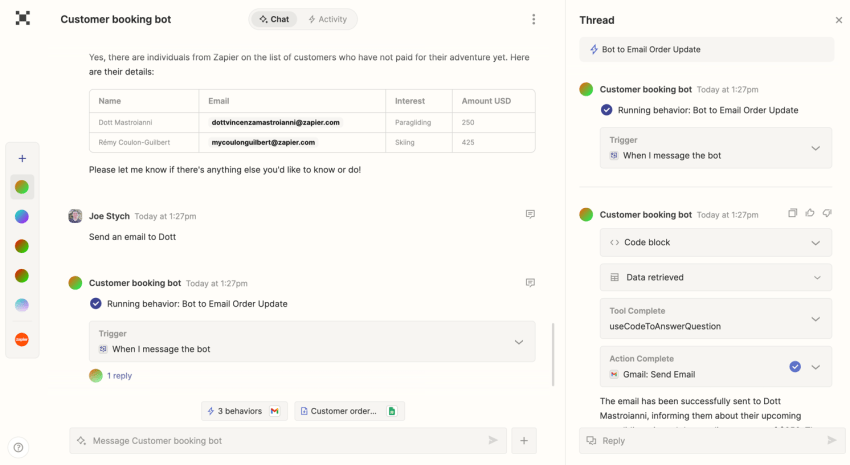
Zapier also supports AI agents that can work across connected apps and complete approved tasks.
Zapier’s key AI features:
- AI-assisted automation: Build workflows using natural-language instructions.
- AI agents: Complete supported multi-step tasks across connected applications.
- Forms and Tables: Collect, organize, and manage business information.
- App integrations: Connect thousands of business tools, including QuickBooks, Slack, and Google Sheets.
Pricing: A free plan is available. Zapier Professional starts at $19.99/month with annual billing.
5) QuickBooks Online: Best for Accounting
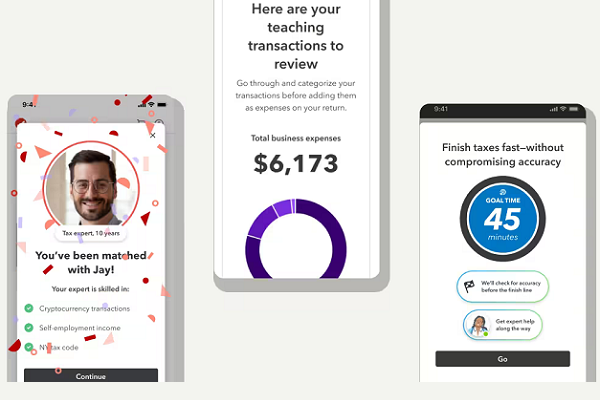
QuickBooks helps small business owners manage bookkeeping, invoices, and expenses. Its Intuit Intelligence features add AI-powered assistance for organizing financial information and understanding business performance.
Instead of manually reviewing every transaction, you can use supported features to categorize expenses, track unpaid invoices, and review cash flow.
QuickBooks’ key AI features:
- Smart categorization: Suggests expense categories and matches transactions using bookkeeping history.
- Invoice automation: Tracks unpaid invoices and supports payment reminders.
- Cash flow planning: Helps review expected income, bills, and expenses.
- Financial insights: Provides AI-assisted analysis and answers to supported financial questions.
Pricing: QuickBooks Online Simple Start has a regular US price of $38/month, with introductory discounts sometimes available. AI capabilities vary by plan.
6) Jasper: Best for Marketing Content
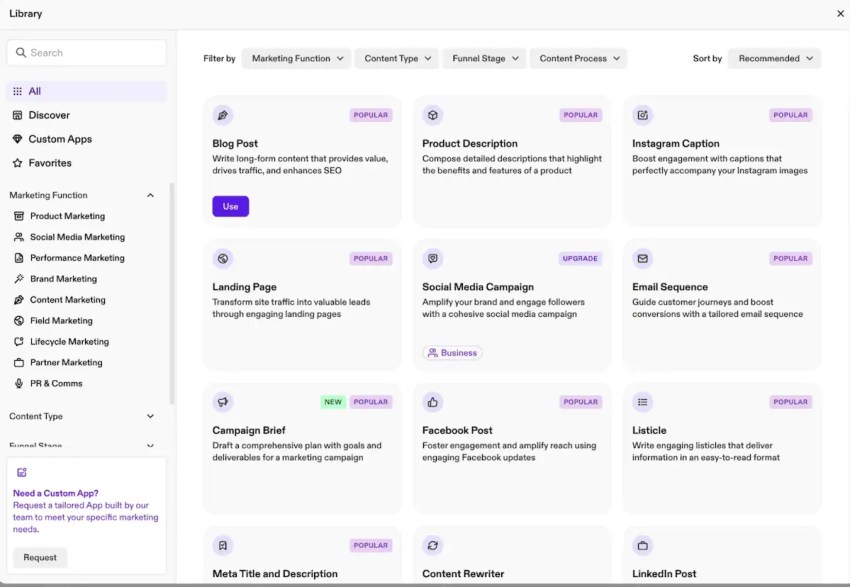
While general AI tools can write copy, Jasper is designed for marketing teams. Its Jasper IQ features use your brand voice, style guide, and product information to help create more consistent marketing content.
For example, you can turn a product description into blog drafts, email campaigns, social media posts, and landing page copy without starting from scratch each time.
Jasper’s key AI features:
- Brand voice and knowledge: Uses approved brand information to guide content generation.
- Campaign creation: Helps draft emails, blog posts, and marketing materials.
- Marketing agents: Supports AI-assisted marketing workflows and custom agents on eligible plans.
- Content repurposing: Adapts existing content into different formats and channels.
Pricing: Jasper Pro starts at $59/seat/month billed annually or $69/seat/month billed monthly. Business plans have custom pricing.
7) Otter.ai: Best for Meeting Productivity
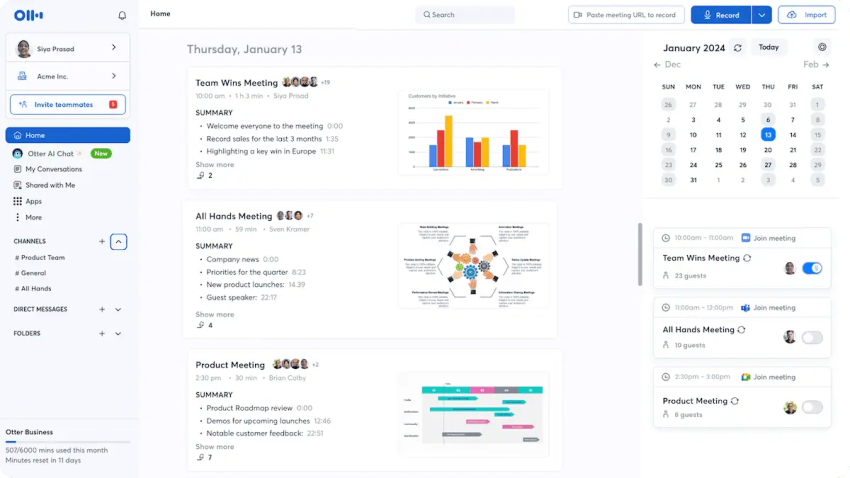
Otter.ai is an AI meeting assistant that records, transcribes, and summarizes conversations across supported platforms, including Zoom, Google Meet, and Microsoft Teams.
After a meeting, you can ask Otter questions like “What deadlines did we agree on?” or “Who is responsible for the next task?” instead of reading the entire transcript.
Otter’s key AI features:
- Meeting transcription: Records and transcribes conversations with speaker identification.
- AI summaries: Highlights important discussion points and decisions.
- Action items: Identifies tasks and follow-ups from meetings.
- AI meeting chat: Answers questions using meeting transcripts.
Pricing: A free plan is available. Otter Pro starts at $8.49/user/month billed annually or $16.99/user/month billed monthly.
8) Notion AI: Best for Knowledge Management
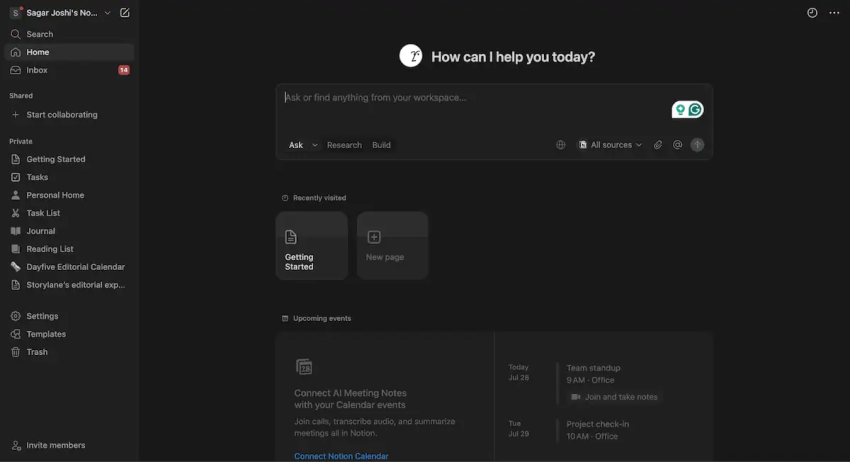
Notion combines company documents, project information, and notes in one workspace. Its AI features help small businesses organize information, search internal knowledge, and find answers across supported connected apps.
For example, employees can ask, “What’s the current status of Project X?” and retrieve relevant information from connected documents and project notes.
Notion’s key AI features:
- Enterprise Search: Finds information across Notion and supported connected tools.
- AI writing: Turns notes and ideas into structured documents.
- Database automation: Summarizes content and fills selected database properties.
- Notion Agent: Supports multi-step tasks using company information and connected systems.
Pricing: A free plan is available. Notion Business costs $20/member/month with annual billing and includes expanded AI capabilities. Custom agents use separate credits.
9) Flick: Best for Social Media Automation
Flick helps small businesses plan, create, and schedule social media content. Its AI assistant, Iris, supports brainstorming, caption writing, and content planning.
Instead of creating every post from scratch, you can start with a topic, develop content ideas, and organize posts using Flick’s scheduling calendar.
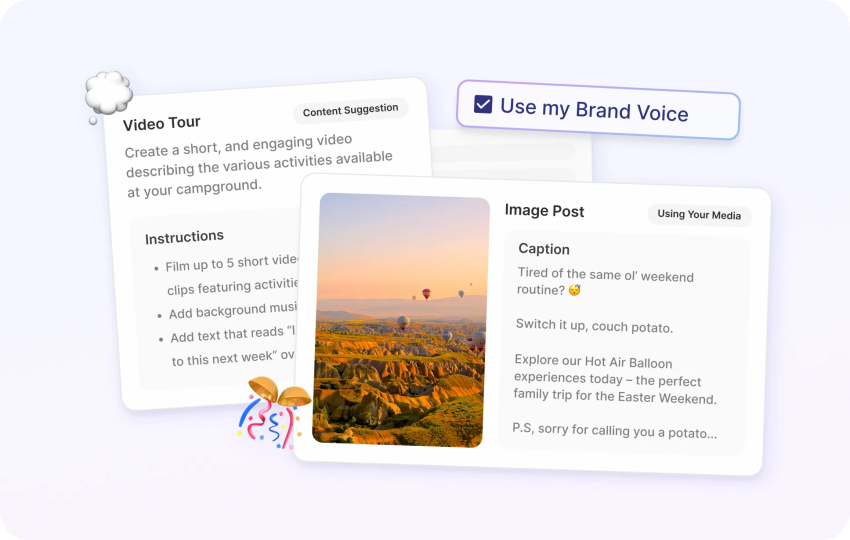
Flick’s key AI features:
- AI content ideas: Generates social media topics and caption suggestions.
- Hashtag analysis: Helps research relevant hashtags and their performance.
- Post scheduling: Plans and publishes content across supported social platforms.
- Social analytics: Tracks content performance to guide future posts.
Pricing: Flick’s Solo plan starts at approximately $14.56/month (USD equivalent), billed annually. Higher-tier plans offer additional features and account limits. Actual prices are listed in GBP and may vary with exchange rates.
10) Grammarly: Best for Editing & Professionalism
Grammarly helps small businesses improve their written communication by checking grammar, clarity, and tone.
For employees handling customer emails, proposals, or internal messages, its AI suggestions can help make writing more professional and easier to understand.
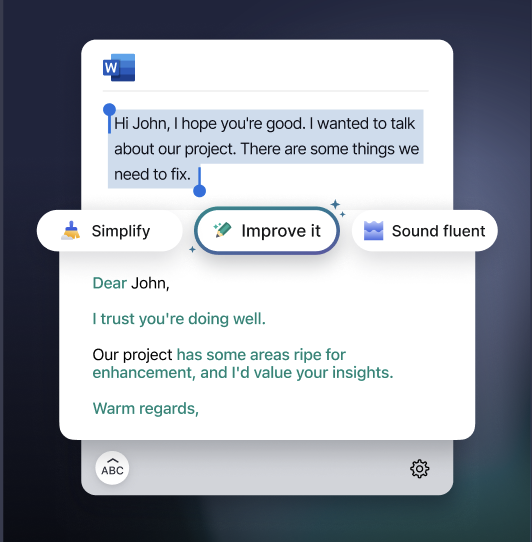
Grammarly’s key AI features:
- Writing suggestions: Identifies grammar issues and improves sentence clarity.
- Tone adjustments: Helps adapt messages to different audiences.
- App integration: Works across supported email, document, and workplace applications.
- Style guides: Helps teams maintain consistent terminology and writing standards.
Pricing: A free plan is available. Grammarly Pro costs $12/member/month billed annually or $30/member/month billed monthly.
11) Claude: Best for Complex Analysis
Claude (by Anthropic) helps businesses analyze long documents, conduct research, write content, and work on technical projects.
Its Artifacts feature lets users create and interact with supported outputs, such as code, simple applications, and visualizations, making it useful for more involved tasks.
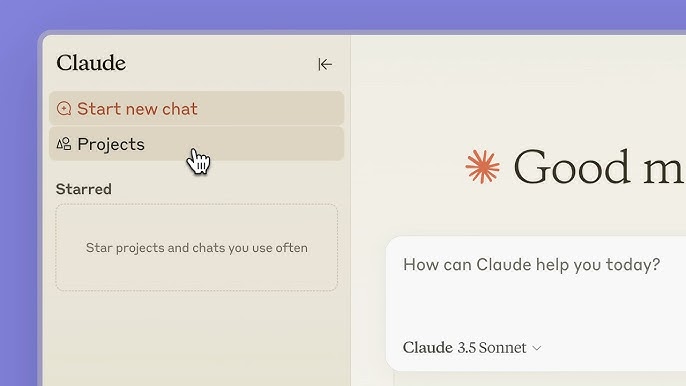
Claude’s key AI features:
- Document analysis: Summarizes lengthy reports, compares information, and identifies key details.
- Projects: Organizes conversations and reference materials for ongoing work.
- Artifacts: Creates interactive content, prototypes, and visual outputs.
- Programming support: Helps write, explain, and debug code.
Pricing: A free plan is available. Claude Pro costs $20/month billed monthly or approximately $17/month with annual billing.
12) Reply.io: Best for Sales Outreach
For small B2B businesses, Reply.io helps automate sales outreach and follow-ups. Its AI Jason digital sales representative (SDR) capabilities can support prospecting, personalized messaging, and meeting scheduling.
You can also create multichannel sequences that combine emails with follow-up activities across supported sales channels, allowing employees to focus on interested prospects.
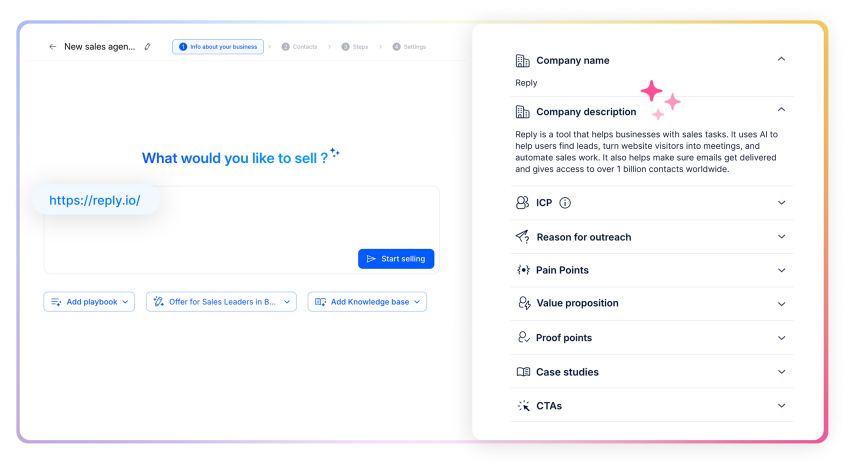
Reply.io’s key AI features:
- Jason AI SDR: Supports prospect research, lead engagement, and meeting booking on eligible plans.
- Email automation: Creates personalized outreach sequences and scheduled follow-ups.
- Deliverability tools: Helps monitor email sending practices and identify potential issues.
- Meeting Booker: Lets prospects schedule meetings without repeated email exchanges.
Pricing: Email outreach plans start at $49/user/month, while multichannel outreach starts at $89/user/month, both billed annually. Jason AI SDR starts at $500/month.
Prices may vary based on billing terms, plan features, and promotional offers. Check each provider’s official pricing page for the latest rates and available discounts.
What AI Tools Help Small Businesses With Internal Operations and Knowledge Management?
AI tools for internal operations and knowledge management help small teams organize documents, find company information, and reduce repetitive administrative work.
Tools like Notion AI, Google Workspace with Gemini, Microsoft 365 Copilot, and Zapier can help employees search company files, manage projects, and automate follow-ups.
For example, a five-person company can store its policies and project notes in one shared workspace. Employees can use AI to find answers, while automation tools send reminders when project tasks change.
Here’s how different tools can help:
| Business task | AI tools | How they help |
|---|---|---|
| Customer communication | Nextiva XBert | Answer calls, handle inquiries, capture leads, and schedule appointments |
| Knowledge management | Notion AI, ChatGPT | Search and summarize company information |
| Meeting records | Otter.ai | Create transcripts and action items |
| Workflow automation | Zapier | Connect apps and automate tasks |
| Financial administration | QuickBooks | Organize invoices, expenses, and reports |
| Project planning | Notion AI, Claude | Structure tasks and project information |
However, AI works best when company information is accurate and up to date. Businesses should also control access to sensitive files and regularly review their knowledge base.
What Are the Best AI Agent Tools for Small Business Owners in 2026?
AI agents go beyond basic chatbots. While chatbots mainly answer questions or generate content, AI agents can complete tasks and take action across connected systems.
Some useful AI agent tools for small businesses include Nextiva XBert to answer calls, handle customer inquiries, capture leads, and schedule appointments, Zapier for workflow automation, Notion agents for internal operations, and Reply.io for sales outreach.
For example, a basic chatbot might explain how to book an appointment. An AI agent can collect customer details, check an integrated calendar, and book the appointment.
The main difference is that generative AI creates content, while agentic AI can also take actions to complete tasks.
| Generative AI | Agentic AI |
|---|---|
| Creates content or answers questions | Takes actions to complete tasks |
| Usually responds to individual prompts | Can follow multi-step workflows |
| Drafts appointment confirmations | May book appointments and send confirmations |
| Helps employees make decisions | Completes approved actions with human oversight |
However, not every AI agent can work independently. Before choosing one, check what actions it can take, how much it costs, and when a person needs to step in. Sensitive customer complaints, disputed refunds, and important financial decisions should still involve human review.
Can AI Tools Replace Agency Work for a Small Business?
AI tools can help small businesses handle some tasks they would normally outsource to agencies. These include writing content, creating graphics, researching competitors, and managing marketing campaigns.
However, AI cannot fully replace the strategy, experience, and judgment that professional agencies provide.
Here’s where AI can help:
| Work often outsourced | AI tools that may help | What still needs human review |
|---|---|---|
| Social posts and graphics | Canva, Flick | Brand consistency and quality |
| Blog and email drafts | ChatGPT, Jasper | Facts, editing, and content strategy |
| Market research | Claude, ChatGPT | Sources and business decisions |
| Campaign workflows | Zapier | Setup, targeting, and results |
| Customer service inquiries | Nextiva XBert | Complex cases and service quality |
For example, a business owner might use Canva to create social media graphics instead of outsourcing every design. However, an agency may still be the better choice for brand strategy, complex design, advanced SEO, or specialized campaigns.
Before replacing an agency service, compare the software cost with employee time, quality checks, and the cost of fixing mistakes. You don’t need to replace every outside service. Instead, focus on which tasks your team can manage in-house with AI and where professional expertise still adds value.
How to Choose the Right AI Tools for Your Business
The right AI tool depends on the work you want to improve, your budget, and the systems you already use. A common mistake is signing up for several AI tools before deciding what each one should do. This can lead to overlapping subscriptions and unnecessary costs.
Before choosing a tool, consider these five factors:
- Identify your biggest bottleneck: Find out where your business loses the most time, whether it’s missed calls, bookkeeping, marketing, or administrative work.
- Check integrations: Make sure the tool works with your CRM, calendar, accounting software, or other business applications.
- Compare the full cost: Review subscription fees, usage limits, implementation costs, and employee training requirements.
- Review privacy and security: Check how the provider stores information, protects customer data, and manages employee permissions.
- Test before investing: Start with a small trial and track time saved, errors, and overall performance.
For example, a business struggling with missed customer calls may benefit more from Nextiva’s XBert AI than another content creation tool. Choose the tool that solves your biggest problem rather than the one with the longest feature list.
How To Use AI to Run a Small Business
Implementing AI isn’t about buying software, but about optimizing your workflows. Follow these best practices for a successful AI implementation:
Audit the busy work
Before you invest in an AI tool, track your work time for a week. Identify the following types of tasks:
- Recurring tasks: (e.g., “I type the same email reply ten times a day.”)
- Data-intensive tasks: (e.g., “I spend three hours entering invoices.”)
- Time-sensitive tasks: (e.g., “I missed a customer call because I was in a meeting.”)
These are your goals for AI automation.
Start with the low-hanging fruit
Don’t automate everything at once. Choose one key area for a pilot project:
- For missed calls: Activate Nextiva’s XBert AI to handle after-hours inquiries.
- For marketing: Use Jasper or ChatGPT to draft social media content, then review it before publishing.
- For meetings: Record your next client meeting with Otter.ai, with the required consent, so you can focus on the conversation instead of taking notes.
- For financial planning: Use QuickBooks’ financial tools to review your cash flow and explore how additional expenses, such as hiring an employee, could affect your budget.
Always keep a human in the loop (ethical AI)
The goal of AI tools is to support, not replace. Ethical AI use means using technology to automate tasks, allowing your employees to refocus on their core responsibilities.
- Don’t hide the AI: Be transparent with customers when they interact with a bot (like XBert).
- Don’t replace employees: Instead of laying off administrative staff because AI is now handling scheduling, provide them with further training so they can focus on customer relationship management or sales, tasks that require empathy and strategic thinking.
- Grow simultaneously: Use AI to manage volume (quantitative) while your team ensures value creation (qualitative).
Train and refine
AI is not a set-and-forget solution. Regularly review chat logs and AI-generated content to stay aligned with your brand message. Show your employees that AI is a tool that makes their work easier, not a threat to their jobs.
For example, explain to your sales team how Reply.io generates leads so they can spend their time closing deals instead of searching through emails.
Scale your usage
Once you’ve automated the basics, use AI for strategic insights.
For example:
Ask ChatGPT or Claude: “I own a small business in the [industry]. Act as a business consultant and analyze my growth strategy for 2026.”
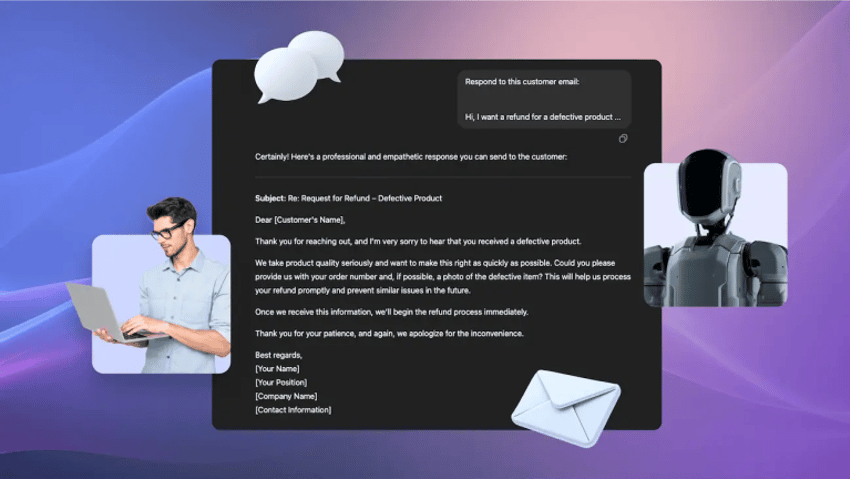
Help Your Small Business Do More With Nextiva AI
Running a small business means staying on top of customer calls, messages, and daily operations, often with a small team. AI can take some of that work off your plate, giving employees more time to focus on customers and business growth.
With Nextiva’s XBert AI, your business can answer routine customer inquiries, capture leads, schedule appointments, and manage conversations even when your team is unavailable. And when a customer needs more help, XBert can connect them with the right person.
Let AI Handle Customer Conversations With Nextiva XBert
Put AI to work around the clock. Nextiva XBert answers calls, handles customer questions, captures leads, and schedules appointments automatically, so your team can focus on more important work.
Frequently Asked Questions About AI Tools for Small Businesses
Some of the best free AI tools for small businesses include ChatGPT for writing and planning, Canva for design, Grammarly for editing, and Otter.ai for meeting notes. Zapier also offers a free plan for basic workflow automation. These tools are good starting points, but free plans often have limits on features and usage.
Start by tracking how much time you spend on a task each month. Multiply those hours by your hourly labor cost, then compare the result with the tool’s monthly fee. Also consider possible savings from faster customer responses or fewer missed leads. Review the results after 30 days to see if the tool is worth the cost.
AI helps small businesses respond faster, answer common questions, and support customers outside business hours. For example, Nextiva XBert AI can answer calls, handle inquiries, capture leads, and schedule appointments automatically. This gives employees more time to focus on complex customer issues that need personal attention.
Start with accurate information about your business hours, services, pricing, policies, and common customer questions. Prepare answers to your 20 most common inquiries so the AI can respond correctly. Also decide which tasks it can handle on its own and when it should transfer customers to a person, such as for complaints or billing disputes.
Choose AI tools with strong security features and clear privacy policies. Check how they store customer information, who can access it, and whether your data is used to train AI models. Limit access to sensitive files and create rules about what employees can share with AI tools.
An all-in-one AI platform can help you manage several tasks in one place, while specialized tools may offer better features for specific needs. For example, you might use Nextiva for unified customer communication and QuickBooks for accounting. Choose tools that work with your existing systems and solve your most important business problems.
Track key performance indicators (KPIs) based on the tasks your AI tool handles. These may include customer response time, first-contact resolution, lead-to-appointment conversion rates, invoice processing time, and error rates. Also measure how often employees use the tool and how much time it saves. Compare these results with your performance before using AI.