VoIP
VoIP  Blog
Blog  Business Communication
  Customer Experience
  Leadership
  Marketing & Sales
  Nextiva News
  Productivity

As a VoIP provider, JustCall has earned a following among sales teams for its dialer features and CRM integration. And for small teams making outbound calls with HubSpot or Salesforce sync, it works.
But if you’re considering JustCall and plan to grow, scaling can expose real friction for many customers. Users on G2, Capterra, and Gartner Peer Insights report dropped calls during live sales conversations, SMS overages that spike monthly bills, and essential features like power dialers gated behind plans that cost two to three times the entry price.
Even micro-businesses that plan to stay small may face a disadvantage with JustCall’s billing model. If you only need a single seat, the two-user minimum on every standard tier doubles your starting cost before you even make a call.
So, who is JustCall right for, and when should you consider an alternative option instead? This guide breaks down six alternatives for sales and support teams, what to look for in a cloud phone system, and how to switch without disrupting your operations.
Why Businesses Look for Alternatives to JustCall
JustCall offers a solid cloud-based phone system. It has strengths, particularly when it comes to its CRM integrations and AI call transcription, which can be important use cases. But three recurring pain points push teams to look elsewhere.
Predictable billing versus metered outbound call rates
JustCall’s Team plan starts at $29 per user per month when billed annually. That price requires a two-user minimum, so the real entry cost is $58 per month, even for a solo operator.
The bigger issue, though, is what happens after signup. JustCall’s included calling and SMS come with fair usage caps, and exceeding them triggers per-minute and per-segment charges. SMS messages have their own segment limitations.
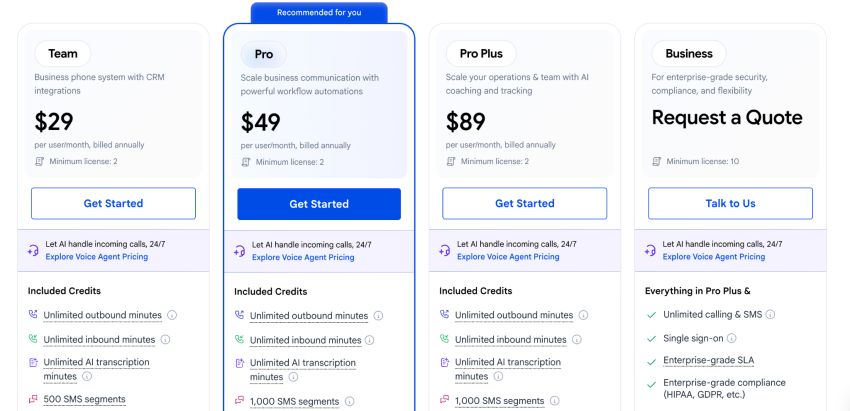
In practice, that means a 10-person sales team on the Team plan pays $290 per month at baseline. If those reps need power dialers (and most outbound teams do), you’ll have to upgrade everyone to the Pro plan at $49 per user per month, pushing the monthly bill to $490. And that’s before you add additional SMS bundles or the AI Review Assistant, which are only available as add-on purchases at lower-level price tiers.
CRM synchronization performance and operational latency
JustCall integrates with over 100 CRMs, and users consistently praise how easy it is to connect to HubSpot or Pipedrive. That part works well.
Where things get less reliable is the sync itself. Some users report that call logs and notes sometimes lag in appearing in their CRM, that the mobile app occasionally stops syncing SMS and calls without notice, and that the analytics dashboard doesn’t always surface data in real time.
When a rep finishes a call and the CRM still shows no record of it five minutes later, the next person to contact that lead has no context. Pipeline visibility relies on timely data.
Platform call drops and connection reliability concerns
Call drops and connection failures are among the most-cited complaints in JustCall reviews. Users specifically report dropped connections during peak hours, poor audio quality on international calls, and call transfers that disconnect instead of connecting.
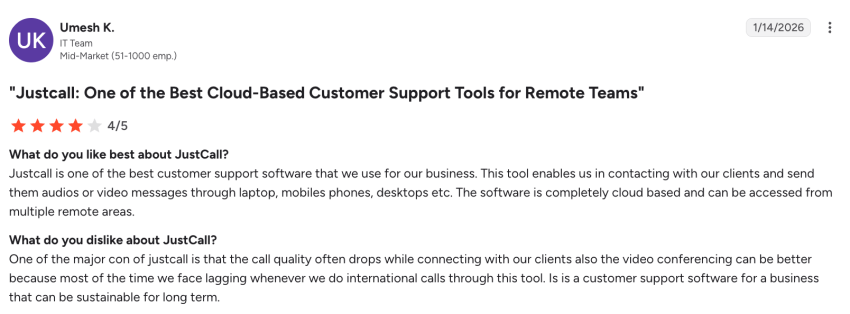
For a support team, a dropped call means a frustrated customer who has to call back and explain their issue again, and for a sales team mid-pitch with a qualified prospect, it can mean a lost deal that took weeks of outreach to set up. Both can result in lost opportunities and lost revenue.
Essential Features of a Modern Communication Platform
When it comes to communication platforms, making and receiving calls is obviously important, but it’s also table stakes. Before comparing specific alternatives, it’s worth defining what a modern business phone system should do because today, the best systems can offer both affordability and advanced functionality all in one.
Unified communication channels and shared inbox tools
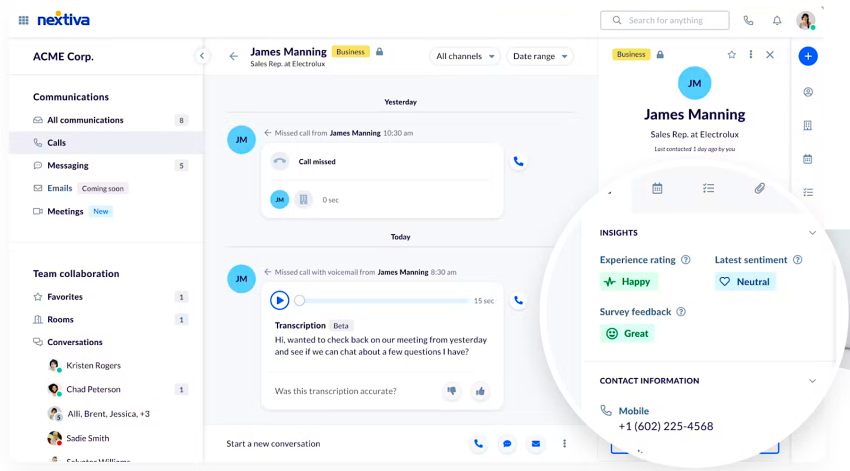
Fragmented communication systems slow down response times and isolate client history. Nextiva’s 2025 CX Trends research found that 95% of businesses use multiple tools for customer interactions, averaging 6.3 distinct platforms. Of the companies using multiple tools, 86% report siloed data, and 81% say operations would improve with a consolidated system of record.
Consider a support agent who takes a call from a customer who also texted yesterday and emailed last week. If those interactions live in three separate tools, the agent starts every conversation blind. A unified platform puts voice, SMS, video, and team messaging in a single workspace so your team has full context before picking up the phone.
Rapid response capabilities on telephone and digital systems
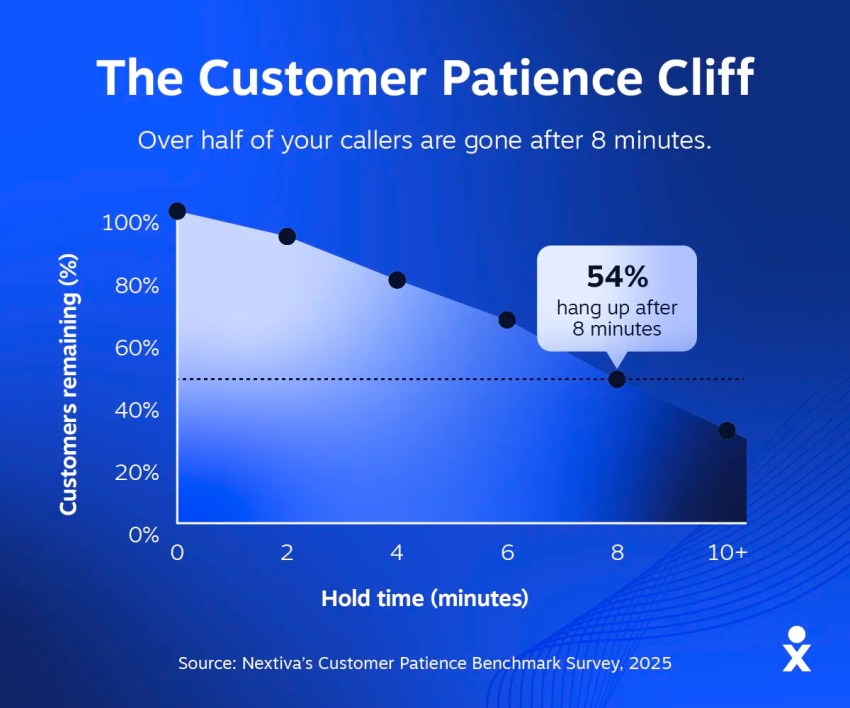
Speed matters. The Nextiva Customer Patience Benchmark found that 72.3% of customers expect a phone response within five minutes. On website chat, 85.3% expect a response within five minutes. On SMS, it’s 73%.
If your phone system can’t route calls intelligently, notify you of missed calls in real time, or let you respond to texts from the same interface you take calls in, you’re adding unnecessary seconds (and minutes) to every interaction. You need to leverage automation, call routing, and ideally interactive voice response to provide clients with answers fast, because this is now an expected part of a strong customer experience.
Multi-device synchronization across remote office environments
Sales and support reps aren’t chained to desks anymore. A platform worth switching to should work identically across desktop apps, mobile devices, and web browsers, with the same call quality and feature access regardless of where your team logs in.
Top JustCall Alternatives for Sales and Support Teams
Here are six alternatives worth evaluating, starting with the platform that covers the most ground for growing teams.
1. Nextiva: Best overall cloud solution for sales and support
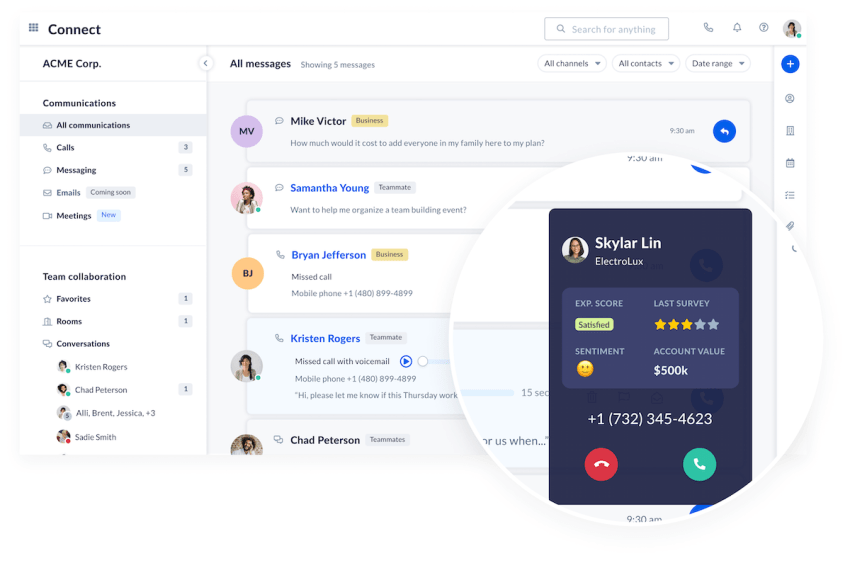
Nextiva unifies calling, SMS, video, and team collaboration in one system. You get unlimited calling in the U.S. and Canada, voicemail transcription, and a unified mobile app. It all starts at $15 per user per month with no user minimums.
That pricing difference adds up fast when you’re comparing Nextiva to JustCall. A 10-person team on Nextiva’s Core plan pays $150 per month with unlimited calling included. The same team on JustCall’s Pro plan (required for power dialers and Salesforce integration) pays $490 per month.
The network runs on eight redundant U.S. points of presence and strives for 99.999% uptime, which works out to less than six minutes of downtime per year. Nextiva is SOC 2 certified and HIPAA compliant. Live support is available 24/7 by phone, chat, and email on every plan, whereas JustCall restricts phone support to its highest tier. All of this means that you’ll have exceptional call reliability and on-demand customer support if you ever need it.
For teams with call center needs, Nextiva also offers an omnichannel Contact Center platform with drag-and-drop journey orchestration, live interaction transcription, and generative AI features, including XBert, an AI voice agent.
The bottom line? Nextiva offers more advanced functionality and can be more cost-effective. It’s a win-win for most teams.
Pricing: Starts at $15 per user per month.
2. Dialpad: Best for AI-native transcription features
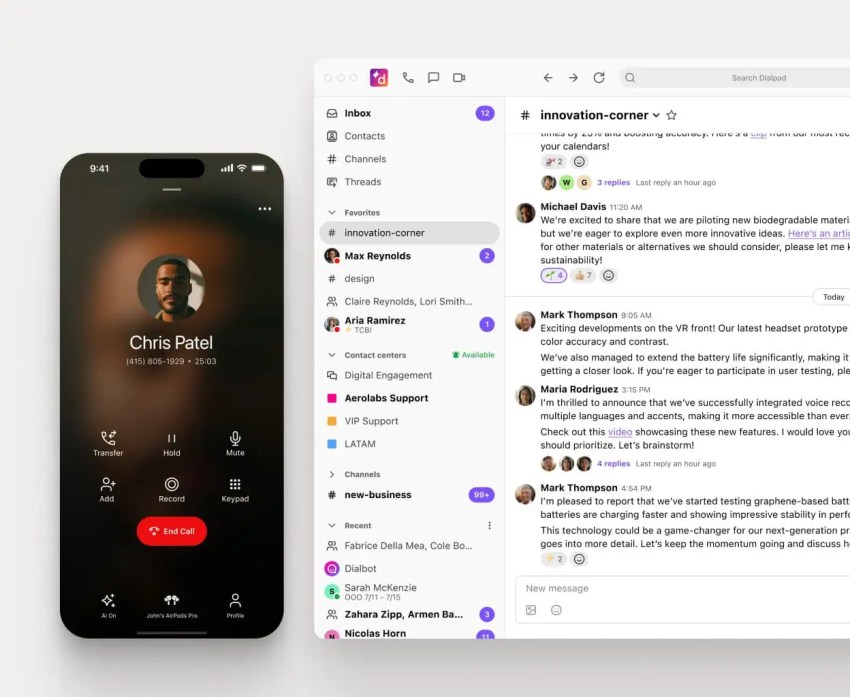
Dialpad leans heavily into AI. Real-time voice transcription, live sentiment tracking, and automated call summaries are included on baseline tiers. For teams that rely on conversation intelligence for coaching and deal review, that inclusion is a real advantage over platforms that charge extra for transcription.
The trade-off is that international calling rates can be steep, and some users report audio latency over standard internet connections.
Pricing: Standard plan starts at $15 per user per month when billed annually.
3. Aircall: Best for helpdesk-integrated support teams
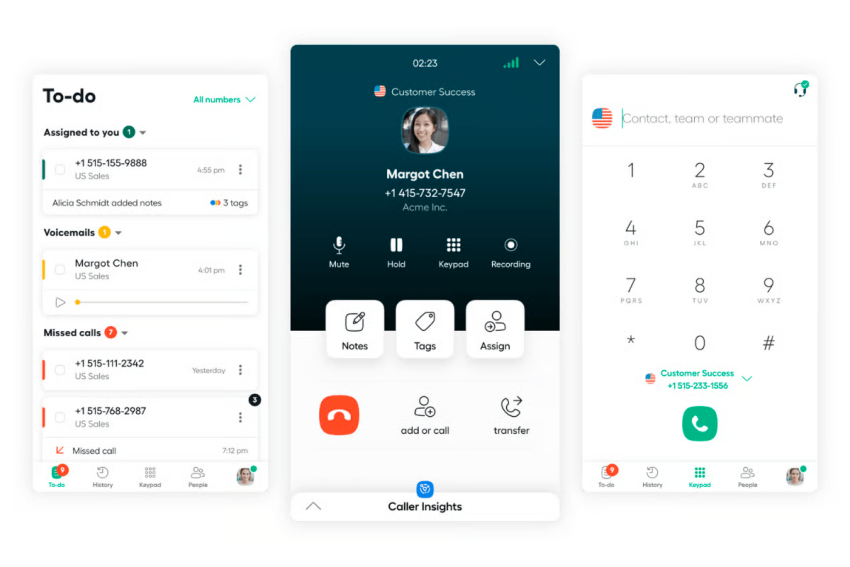
Aircall was built for teams that live in Zendesk and Intercom. Its deep native integrations with helpdesk systems, shared call inboxes, warm transfers, and tag-based routing make it a natural fit for support operations already tooled around a specific helpdesk.
The cost and flexibility constraints are significant, though. Aircall enforces a strict three-license minimum on plans, bringing the true entry cost to $90 per month even if you only have a two-person team. And the power dialer is locked to the Professional tier at $50 per license per month. For a five-person team on Professional, that’s $250 per month before any add-ons for AI features or advanced analytics.
Pricing: Entry plans start at $30 per license per month when billed annually (three-license minimum).
4. Quo (formerly OpenPhone): Best for early-stage startup collaboration
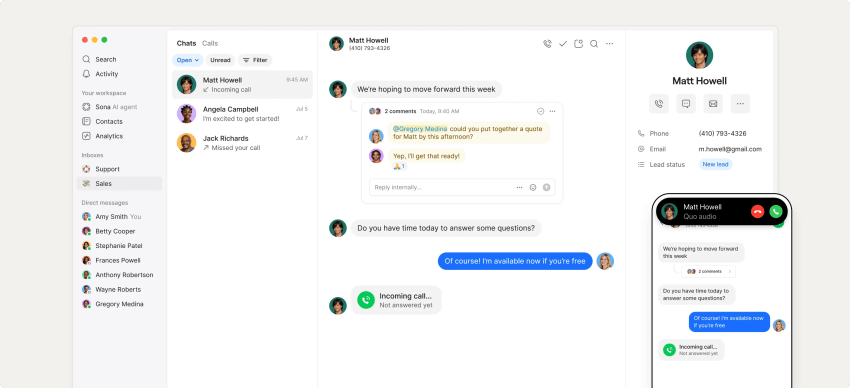
Quo targets small teams and early-stage startups that want shared phone numbers and a collaborative team inbox without the complexity of a full UCaaS platform. You get unified messaging threads, contact tagging, and basic auto-attendants in a clean interface.
The limitations surface as you grow, however. The platform doesn’t offer native outbound power dialers, and voice quality can depend on browser memory performance. A three-person startup sharing one number will likely find it works well, but a 20-person sales team running outbound campaigns will probably hit walls quickly.
Pricing: Starter plan starts at $15 per user per month when billed annually.
5. Grasshopper: Best simple call forwarding for solopreneurs
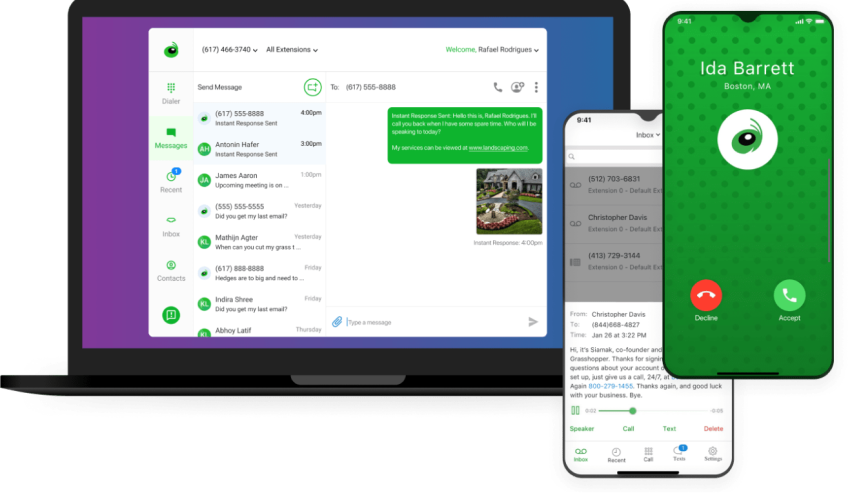
Grasshopper takes a different approach to VoIP phone service. It’s a business number that forwards inbound calls to your personal mobile phone over standard cellular networks. You get custom voicemail greetings, business texting, and a professional presence without hardware or a complex setup. You also get unlimited calls and texts.
That’s great, but here’s what you don’t get:
- Outbound dialers
- CRM integrations
- IP desk phone support
- Call routing logic beyond basic forwarding
- AI-powered insights like sentiment analysis
A freelance consultant who just needs clients to reach a business number instead of a personal cell will find it useful. Anyone managing a team or running campaigns will outgrow it fast.
Pricing: True Solo plan starts at $14 per month when billed annually.
6. Zoom Phone: Best add-on for existing Zoom video users
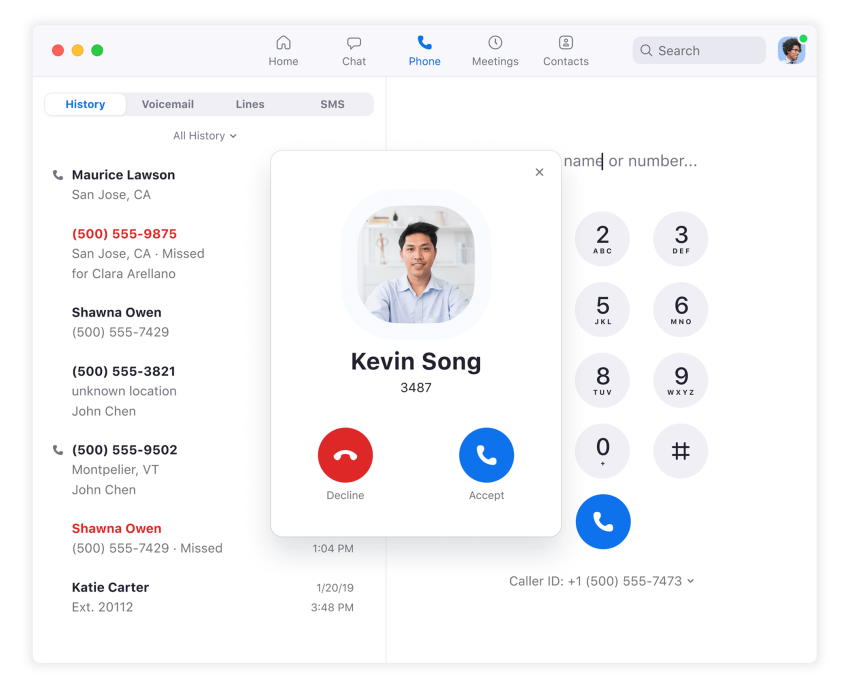
If your team already uses Zoom for video meetings, Zoom Phone adds cloud calling to the same app. You get standard inbound routing, call recording, warm transfers, and SMS without installing another platform.
The entry plan uses metered outbound calling, though. Every outbound call is billed per minute (around $0.03 per minute for domestic calls), so a high-volume sales team could spend more on the metered plan than they would on an unlimited plan elsewhere. Unlimited domestic calling requires upgrading to the $16 per user per month tier. And if you’re not already in the Zoom ecosystem, there’s no particular reason to start here over a purpose-built phone platform.
Pricing: Metered calling starts at $10.50 per user per month. Unlimited calling starts at $16 per user per month when billed annually.
How to Choose the Right Phone System for Your Team
According to the U.S. Small Business Administration, there are 36.2 million small businesses in the U.S., making up 99.9% of all firms. And in our experience, the right phone system for each of those small businesses varies depending on exactly what they need. That said, here are a few things we’ve found to be true:
- Sales teams need high-speed dialing, fast CRM logging, and predictable outbound costs. If your reps make 50 or more calls a day, metered billing and power dialer paywalls will cost more than a higher base subscription. Look for unlimited calling as a default feature, not an upgrade.
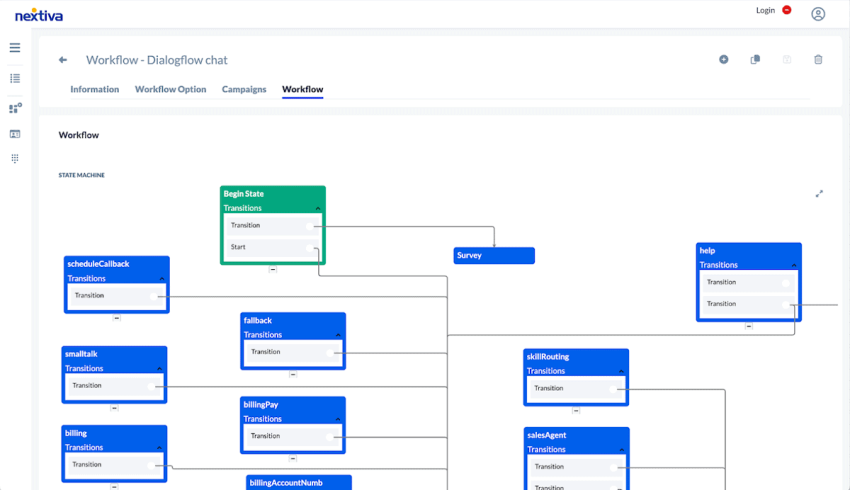
- Support teams need intelligent routing, shared inboxes, and multi-channel access. The ability to build visual call flows (which allows your team to set up workflows that route calls by business hours, location, or agent skill) matters more than raw dialer speed in many cases.
- Multi-location businesses need localized routing and SMS capability across regions. Many operate across multiple locations and need flexible systems that scale without forcing rigid subscription minimums or complex API setups.
Since different teams may need different features, flexibility is ultimately essential. That’s why Nextiva was built to be scalable.
For example, Nextiva’s drag-and-drop visual call flow builder lets managers change routing rules instantly based on business hours, location, or team availability. A retail chain with five locations can route after-hours calls from one store to another that’s still open. And if a SaaS company grows and realizes it needs a power dialer solution, it’s already available, so there’s no need to switch to a new phone provider.
Making the Switch to a Reliable Calling Platform
Every dropped sales call is a missed opportunity. Delayed CRM syncs can eat into your margins and cost you additional opportunities. And when you add on a potentially surprise invoice, that eats into your bottom line, which is ultimately why some customers go looking for a JustCall or ShoreTel alternative.
Consolidating voice, SMS, and meetings onto a single carrier-grade network reduces tool sprawl, protects call quality, and makes monthly costs predictable. When you’re ready, here’s what the porting process looks like:
- Calculate your total current cost: Add up your per-user fees, overage charges, add-on costs, and any metered calling expenses from the past three months. This gives you a baseline to compare against new providers.
- Request your Customer Service Record (CSR): Your new carrier will need the exact billing name, service address, and account number tied to your current lines. Be exact, because small differences can delay the transfer.
- Keep your existing service active: Do not cancel JustCall before the new provider completes the port. Canceling early can result in losing your phone number entirely.
- Configure your new system before the port goes live: Set up call routing, voicemail, team assignments, and CRM integrations on the new platform first. Once the number transfers, calls should land in a system that’s ready to handle them.
- Test and confirm: Place inbound and outbound test calls, verify CRM sync, and check mobile app functionality before rolling the new system out to your full team.
As a bonus, Nextiva includes full onboarding support with every plan and manages the porting timeline so there’s no gap in service. Its team helps configure call flows and routing before the switch, and 24/7 live support is available once you’re up and running.
Stop Paying More for Less — Switch to Nextiva
JustCall works for small teams with a light call volume and basic CRM sync needs, but the platform’s pricing structure can penalize growth.
Feature gates push you into higher tiers the moment you need power dialers or Salesforce integration, and fair usage caps turn predictable plans into variable expenses. And when you add on potential call reliability issues, JustCall isn’t the right choice for every business.
The alternatives in this guide each solve a piece of that puzzle:
- Dialpad gives you AI transcriptions from day one.
- Aircall plugs directly into your helpdesk.
- Grasshopper keeps things simple for solo operators.
- Nextiva covers the most ground, giving you a single platform that handles calling, SMS, video, and team messaging with predictable billing and no user minimums.
Nextiva Business Phone Service starts at $15 per user per month, includes unlimited domestic calling, and runs on a network that strives for 99.999% uptime across eight redundant data centers. Number porting and full onboarding support come with every plan at no extra cost. And live support is available 24/7 by phone, chat, and email, regardless of which tier you’re on.
If your current phone system is adding friction instead of removing it, it’s worth running the math.
Ready to find a better fit than JustCall? See how Nextiva can help your team today.
Get the best business phone service for less.
Simplify team communication with the top-rated phone system for small businesses. Save hundreds over landlines.
Frequently Asked Questions About JustCall Alternatives
Nextiva is the top overall JustCall alternative. It combines carrier-grade voice quality, unlimited calling in the U.S. and Canada, a visual call routing builder, and 24/7 live support with no user minimums. And even better? The network runs on eight redundant data centers and strives for 99.999% uptime, with pricing starting at only $15 per user per month.
No major cloud phone provider offers a true free plan that’s a suitable alternative to JustCall.
OpenPhone and Grasshopper have low entry tiers, but both are paid services. Nextiva starts at $15 per user per month and includes unlimited domestic calling, which is often cheaper in practice than JustCall’s plans once you factor in usage overages and feature upgrades.
JustCall’s pricing starts at $29 per user per month when billed annually, but all standard plans require a two-user minimum, so the real entry cost is $58 per month. Plans that include power dialers and Salesforce integration start at $49 per user per month. Outbound calling and SMS come with fair usage caps, and exceeding them triggers additional charges.
Yes. Aircall enforces a strict three-license minimum on all standard tiers, which means the true entry cost is $90 per month even if you only have one or two people. Its custom plan requires a minimum of 25 licenses. Nextiva has no user minimums, making it more flexible for small and growing teams.