VoIP
 Blog
 Business Communication
 Customer Experience
 Leadership
 Marketing & Sales
 Nextiva News
 Productivity

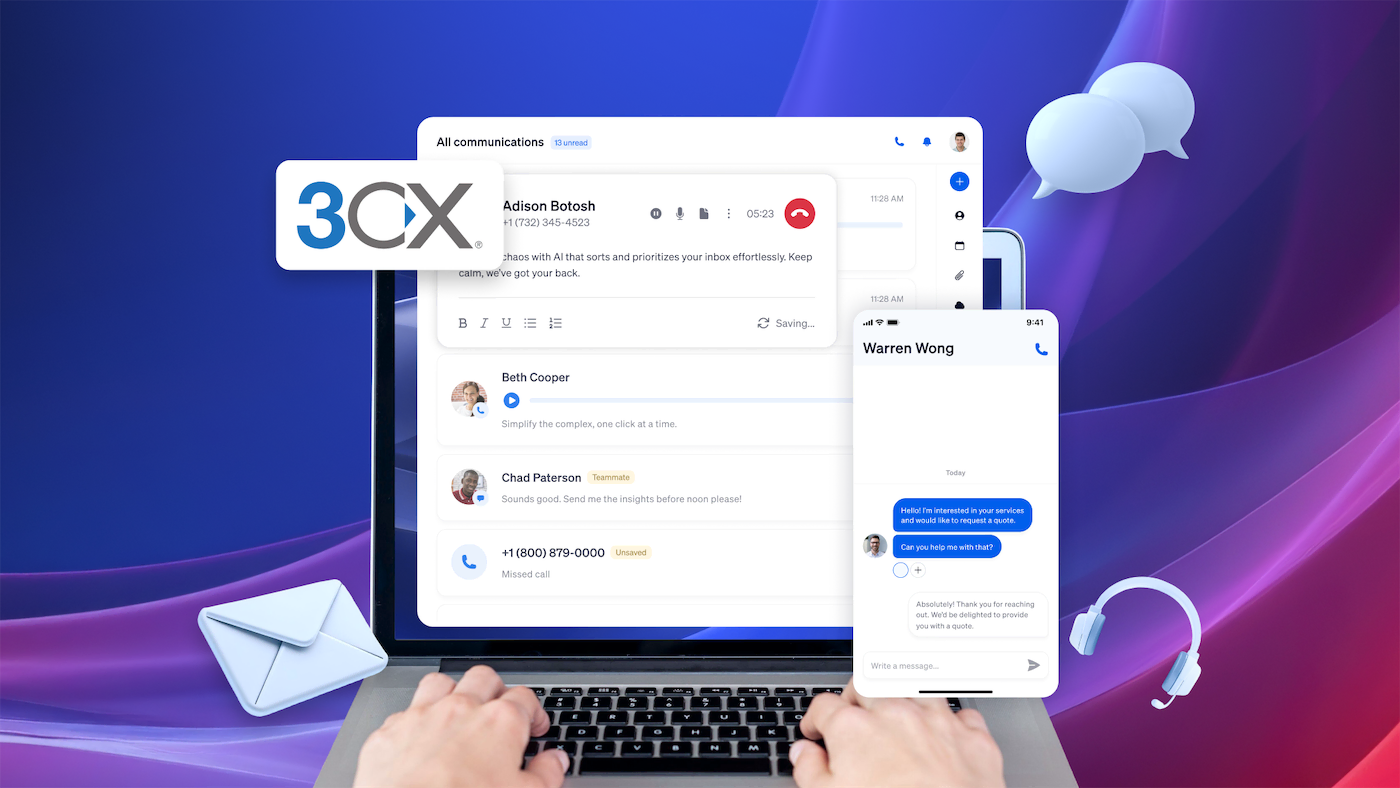
3CX built its reputation as a flexible, cost-effective PBX system, and it delivered for many businesses. But recent security breaches, opaque pricing changes, and a growing IT management burden have pushed many teams to look elsewhere.
The good news: The business phone system market has never been more competitive. Whether you want a fully managed cloud solution, a self-hosted alternative, or something that works without a dedicated IT resource babysitting it, strong options are available.
We’ll outline several strengths and weaknesses, and then compare some of the best 3CX alternatives and summarize what they offer.
Here’s how each option stacks up against 3CX itself on deployment, pricing model, trials, and support:
| Provider | Deployment | Pricing model | Pricing | Best for |
|---|---|---|---|---|
| 3CX | Cloud, on-prem, or self-hosted | Per system by simultaneous calls | Free startup plan for up to 10 seats | Paid tickets (about $104 each or $365 for five), public forums |
| Nextiva | Primarily cloud | Per user, from $15/month | No free trial | 24/7 support |
| FreePBX | On-prem or self-hosted | Free core software plus hardware, trunks, hosting | Free core software | Community support |
| Yeastar | On-prem and cloud | Hardware plus licenses, or per user for cloud | Check with vendor | Varies by provider |
| Vonage | Cloud | Per line, from $13.99/month | Check with vendor | Can be inconsistent |
| RingCentral | Cloud | Per user, from $20/month | Check with vendor | 24/7 support |
Strengths of 3CX
Before exploring alternatives, let’s first understand what makes 3CX a popular PBX solution. Its features and versatility cater to a wide range of business needs.
User-friendly PBX
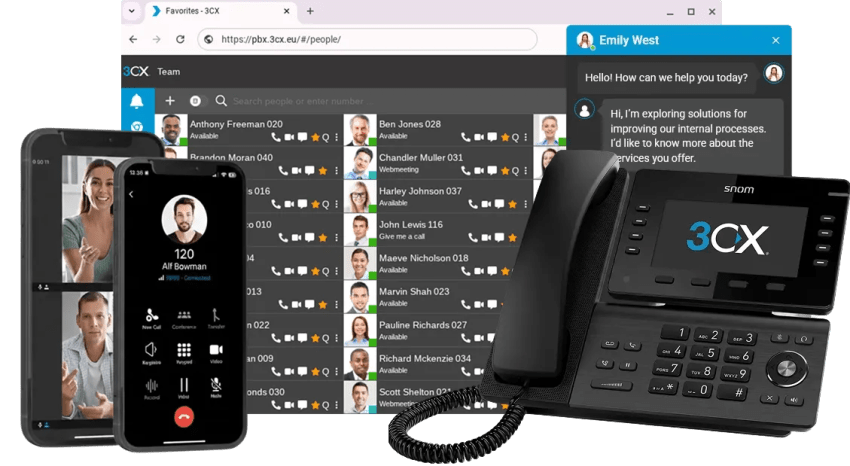
One of 3CX’s standout features is its user-friendly admin tools, with much of the technical complexity handled behind the scenes. It brings VoIP service, conferencing, and messaging together. This integrated setup eliminates the hassle of managing multiple communication channels, making collaboration achievable for teams.
A hosted PBX is easy to manage on the admin side and fairly intuitive for users, but it offers many configuration options before deployment.
Flexible hosting
3CX supports expansion for both startups and mid-market organizations.
It allows businesses to scale their communication systems without overhauling existing infrastructure, making it a practical choice for long-term growth. For instance, you can use 3CX with Nextiva’s VoIP phone service.
You can also host 3CX directly, on-premises, or on public cloud providers like Amazon EC2 or Google Cloud Platform. However, those options come with additional costs and technical requirements. If you want the flexibility of maintaining your office PBX, 3CX is a solid option.
Lower costs
Budget concerns are a priority for every business, and 3CX offers affordability. Its startup plan provides a free introduction to the software for up to 10 seats. Companies can save money through:
- Flexible deployment options: You can choose between cloud-based or on-premises setups, whichever best fits your business needs and budget. This flexibility ensures you’re not paying more than you need.
- Lower telephony costs: While you still have to find a SIP trunk provider, the self-hosted option is attractive if you don’t have heavy usage. This makes 3CX an appealing option for those considering platforms like Zoom or GoTo Connect.
- Reduced maintenance expenses: You can keep IT costs down thanks to 3CX’s straightforward setup and minimal hardware requirements. You don’t need a vast tech team to maintain a reliable communication system.
However, its new pricing model erodes some savings when you factor in hosting, support, and licensing costs.
For businesses on a tight budget, 3CX is attractive. If your current contact center or call center solution isn’t meeting expectations, exploring alternatives like service provider integration or advanced API capabilities might be the next step.
Integration with popular tools
3CX works best with customer relationship management (CRM) tools like Salesforce and Microsoft Dynamics, simplifying things for your team. Instead of jumping between different systems, employees can access customer data directly within the platform.
These integrations save time and help your team respond more quickly. Automated features like interaction logging enable your team to focus on what truly matters: a great customer experience.
Downsides of 3CX
Although it has some good features and versatility, it also has downsides.
Confusing pricing
While 3CX remains attractive when you’re starting out, its pricing is confusing and not the best value for businesses that need a solid communications platform.
When considering 3CX, you have to select between 3CX Pro and 3CX Ent plans. The Enterprise plan offers more flexibility for call recording, logos on phones, and voicemail transcription. That’s fine, but simultaneous calls also factor into the cost. Depending on the number of user seats, 3CX only permits a finite number of concurrent calls. For instance, for 120 users, only 32 concurrent calls are allowed.
Then we have hosting to consider. Self-hosting is an option, but it adds IT burden (and liability). 3CX provides annual PBX hosting for up to 120 users for roughly $828. However, recent Reddit feedback suggests IT pros aren’t satisfied.
Lastly, you’re only entitled to one support ticket for roughly $104 or five tickets for $365. Generally, you’re on your own or have to ask for help on public forums.
Pricing update as of 2026: 3CX now sells BASIC, PRO, and AI editions, each licensed per system by simultaneous-call (SC) tier rather than per user. Hosting is billed as a separate annual line item, and trunks and phone numbers remain bring-your-own. Check figures against 3CX’s pricing page before budgeting, since the structure has changed more than once.

Security concerns
In March 2023, cybersecurity researchers uncovered a supply chain attack targeting 3CX. The attack involved compromised versions of the 3CX desktop app for Windows and macOS that contained malicious code designed to steal sensitive information and potentially give attackers remote access to infected systems.
The compromised software versions were digitally signed with legitimate 3CX certificates, making them appear trustworthy to users and security systems. The attack was attributed to the North Korean state-sponsored hacking group, Lazarus.
In response, 3CX updated its software and advised all users to install it immediately. They also implemented additional security measures, including new code signing procedures and enhanced supply chain security controls. The incident highlighted the growing sophistication of supply chain attacks and the importance of support and rapid incident response. Indeed, ReversingLabs detected a 1300% increase in cybersecurity threats circulating via open-source package repositories between 2020 and 2023.
Other security issues worth noting are available here.
Additional IT burden
As organizations grow, so do their IT demands. With so many different hosted phone systems and contact center software available, maintaining dedicated PBX servers isn’t always the best use of resources. Additionally, virtually every other business application is hosted, so why not your business voice platform?
When you use 3CX, you’ll always have these concerns on your mind:
- Server hosting and configuration
- Procuring SIP trunks and DIDs
- Security audits and pen-testing
- User onboarding and setup
- Regulatory compliance like E911, 10DLC, etc.
- Changing business needs (like call centers)
- Single sign-on user authentication
Who Should Look for a 3CX Alternative?
3CX works well for some organizations, but it’s not the right fit for everyone. You’re probably considering a 3CX alternative if you recognize yourself in any of these situations.
- You were affected by the 2023 security breach (or don’t want to risk another one). That supply chain attack was a wake-up call, and the CVEs (Common Vulnerabilities and Exposures) that followed didn’t help.
- You’re growing fast and need a cloud-first phone system that scales without extra work. 3CX’s self-managed model makes sense when you have the IT resources to run it. But if you don’t want to own hosting, updates, backups, and monitoring, a managed UCaaS platform can shift maintenance to the provider.
- You want predictable pricing without licensing surprises. 3CX has changed its pricing model more than once, and the current structure (tied to simultaneous calls rather than users) can produce unexpected costs as usage grows.
Based on our analysis, here are the top 3CX and Wildix alternatives that offer the flexibility, features, and ease of use your business requires.
Top 3CX Alternatives to Consider
If 3CX doesn’t meet your needs, several alternatives offer better functionality, more transparent pricing, and stronger tools to improve communication workflows. Here are the top contenders:
1. Nextiva
Overview of key features
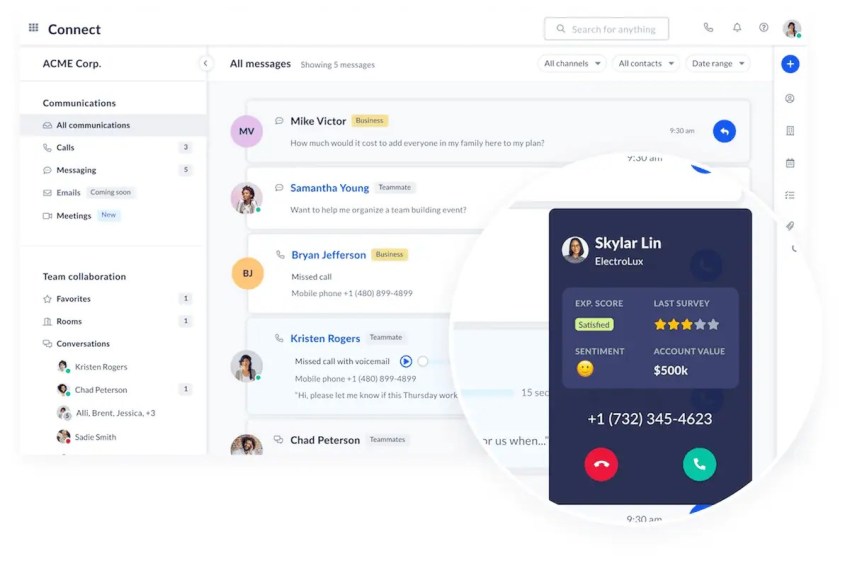
Nextiva is a strong 3CX alternative that provides a cloud-based communications platform built for growing businesses and distributed teams. It combines business calling, video meetings, and team messaging in one system, making it easier to manage day-to-day communications without maintaining an on-prem PBX.
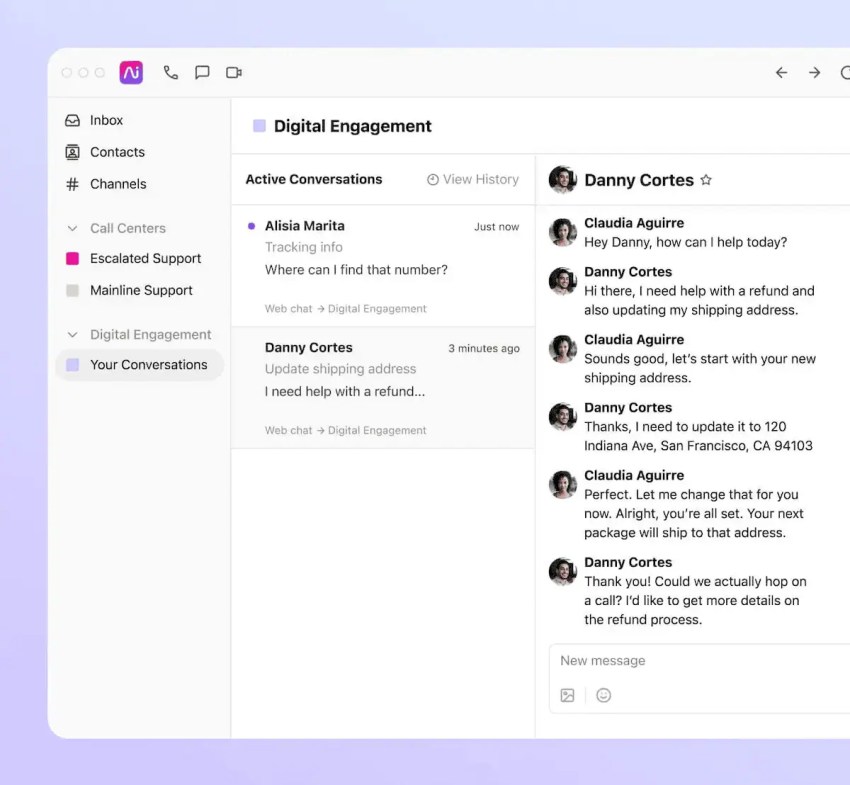
Nextiva also offers XBert, an AI receptionist/agent that can answer calls, handle routine questions, route callers to the right person, and help your team handle calls faster when you’re busy. With over 1 million users and billions of interactions handled annually, it’s a trusted name in the industry.
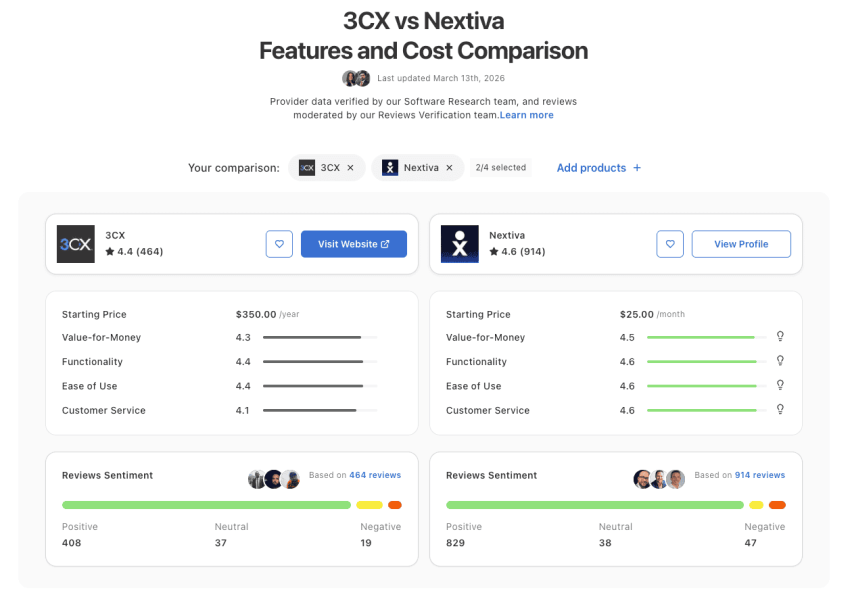
On Capterra, Nextiva scores higher than 3CX and has many more customer interactions that back those ratings up.
- On Capterra, Nextiva scored higher on every construct vs. 3CX, with a 4.6 out of 5 rating.
- On Gartner PeerInsights, Nextiva is rated 4.6 out of 5 (789+ reviews), surpassing 3CX’s 4.2 score (16 reviews).
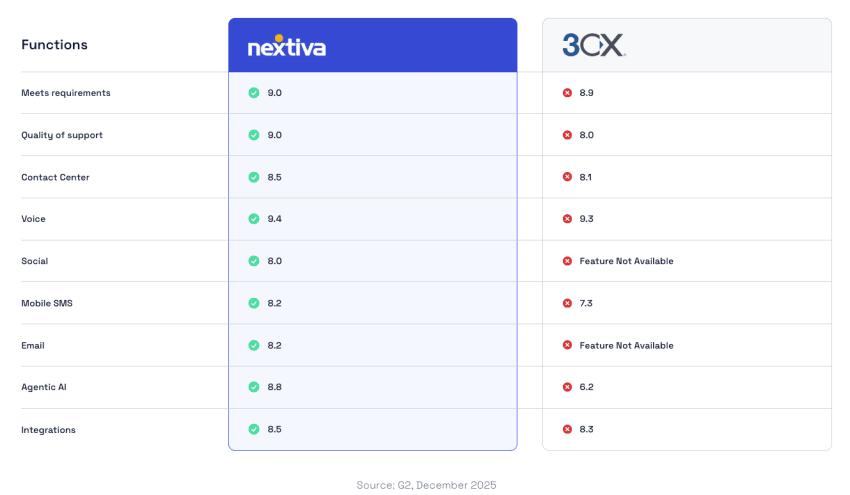
- On G2, Nextiva is rated higher than 3CX across some noteworthy categories: meeting requirements, quality of support, and partner in doing business, with over 3,701+ reviews.
Pros:
- Zero installation, no servers to provision, and no IT hassles.
- Easy-to-use softphones are available and routinely updated.
- PSTN connectivity is included for every user with unlimited calling nationwide
- Enterprise-grade call routing and redundancy (automatic failover)
- Plenty of flexible customizations are available for admins and users
- Award-winning support is available 24/7, but you probably won’t need it.
Cons:
- No free trial means customers must commit to Nextiva without doing any hands-on testing.
- Flat-rate pricing may not suit businesses with minimal usage.
- Less appealing to those needing on-premises solutions.
Pricing
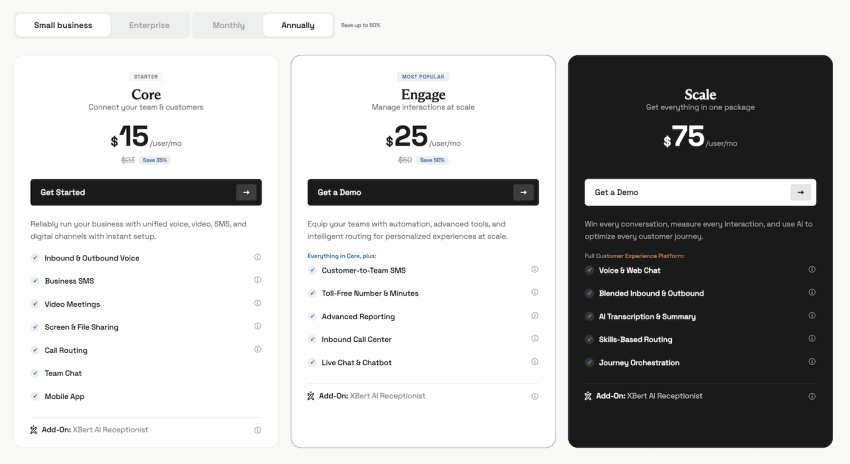
Nextiva’s pricing for unlimited calls nationwide starts at $15 per user per month, with metered SIP trunks available for $14.95 per month. Depending on the plan you choose, features like call recording and SMS may cost extra. While the lack of a free trial may be a drawback, the platform’s low, competitive entry-level pricing and rich feature set make Nextiva a strong choice for businesses looking for a reliable communication tool.
Suitable for
Nextiva’s cloud-hosted PBX is perfect for businesses of all sizes that want an intuitive platform with call recording, IVR, and analytics.
Rating: 4.5/5 stars (3,701 user reviews)
2. FreePBX
Overview of key features
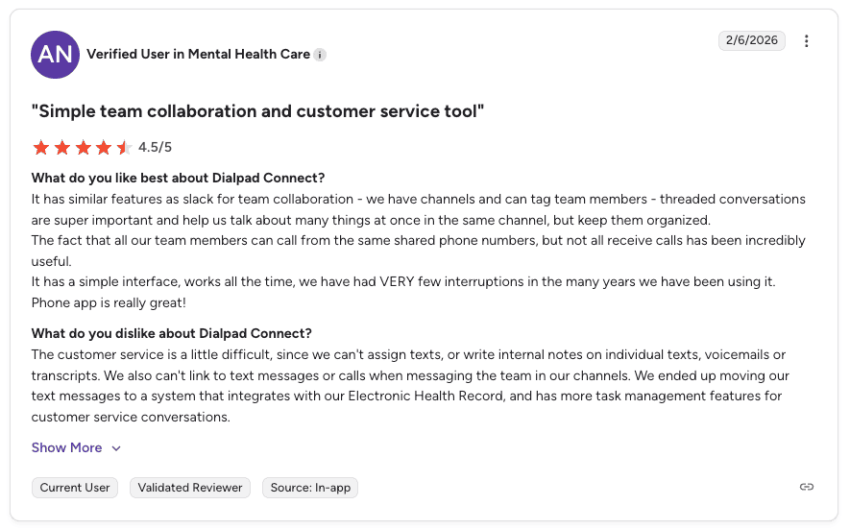
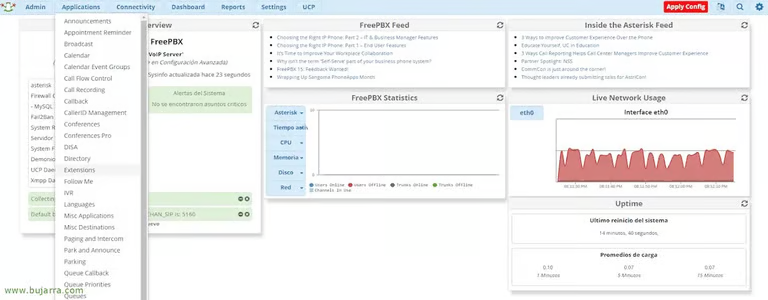
FreePBX is a customizable, open-source communication platform that works with various hardware. FreePBX is free to download, making it a cost-effective option. However, setup can be complex, and support is limited.
Pros:
- Free solution allows businesses to allocate budgets elsewhere.
- Compatibility with a variety of modules and add-ons makes customization easy.
- Extensive configuration options let businesses tailor the platform to their needs.
Cons:
- The setup process can be challenging for smaller businesses.
- Support relies on community resources that may lack immediacy and reliability.
Pricing
Although FreePBX is free to download, businesses should account for additional costs, such as:
- Hardware: Costs vary depending on business requirements.
- Paid modules and add-ons: Prices range from $39 to $349 each.
Suitable for
A budget-friendly and open-source choice. It’s perfect for businesses that want control and extensive customization options, especially those looking to enhance their helpdesk and voicemail solutions.
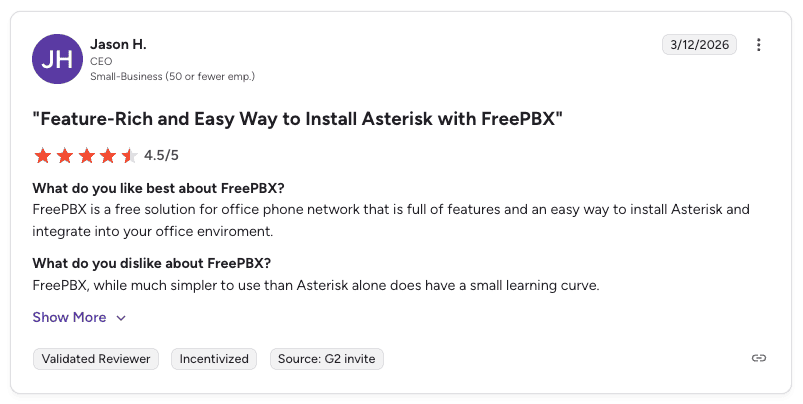
Rating: 4.5/5 stars (17 user reviews)
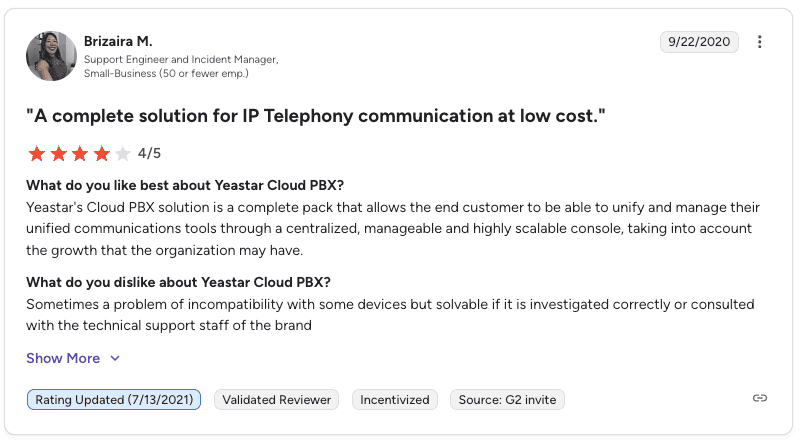
3. Yeastar
Overview of key features
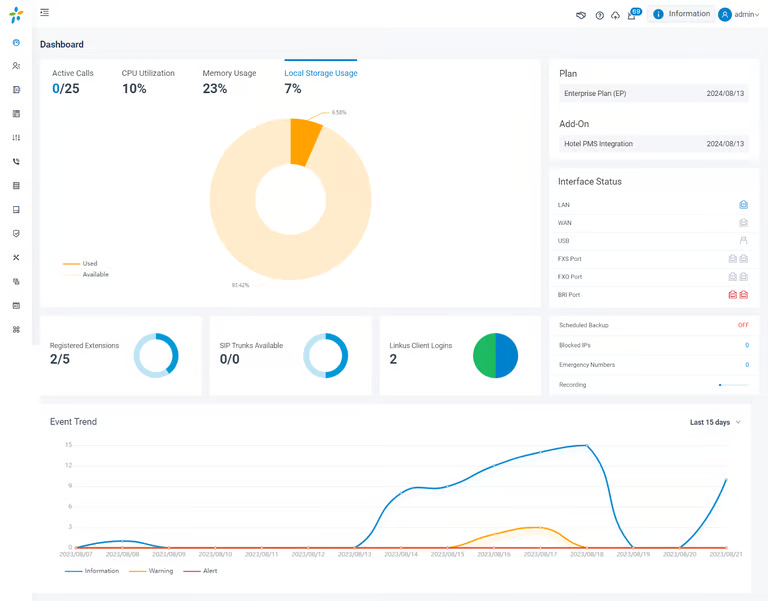
Yeastar is an efficient, cost-effective unified communications platform that supports voice calls, messaging, and video conferencing. It works with various VoIP providers and offers both on-premises and cloud-based solutions. Known for its customizability and integrations with tools like Salesforce, Yeastar is a strong choice for businesses that need flexibility and scalability.
Pros:
- Provides custom features to match business needs.
- Adapts easily as businesses grow.
- Supports third-party tools, such as CRM solutions, to improve productivity.
- Offers savings you can’t get from traditional systems.
Cons:
- It can be challenging for non-technical teams to configure.
- It may lack some advanced functionalities found in larger platforms.
- Its customer support quality can vary depending on the provider.
Pricing
Yeastar plans start at $15 per user per month for basic features, with advanced options like video conferencing and call recording available in higher-tier plans that cost up to $30 per user per month. Flexible pricing makes Yeastar accessible for businesses without large upfront investments.
Suitable for
Yeastar is a growing contender in the unified communications space, with a wide range of communication devices, on-premises and cloud-hosted services, and a partner community.
Rating: 4.5/5 (3 user reviews)
4. Vonage
Overview of key features
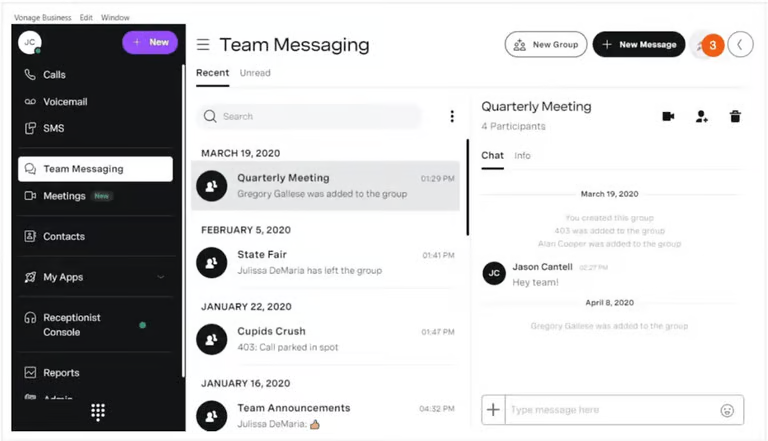
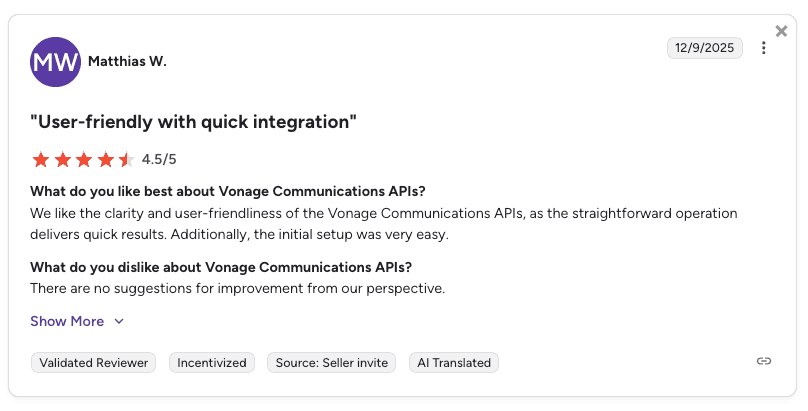
Vonage is a cloud-based communication platform that offers voice calls, video conferencing, messaging, and CRM integrations like Salesforce. Vonage’s iOS and Android mobile app keeps teams connected across devices. This platform is a flexible and scalable choice for businesses of all sizes.
Pros:
- Mobile app for on-the-go communication.
- Integration with CRM software and third-party tools.
- Scalability that suits growing businesses.
- High-quality voice and video calls.
Cons:
- Pricing can be higher than that of similar platforms.
- Hidden fees can affect overall costs.
- Setup may require technical support.
- Customer support can be inconsistent.
Pricing
Plans start at $13.99 per user per month (for mobile only) and $29.99 for the next tier; advanced features cost more. Businesses should consider their needs to find the best value.
Suitable for
Vonage offers unlimited calls and SMS and has a mobile app, so it’s a good option for teams that need flexibility.
Rating: 4.3/5 stars (1,013 user reviews)
5. RingCentral
Overview of key features
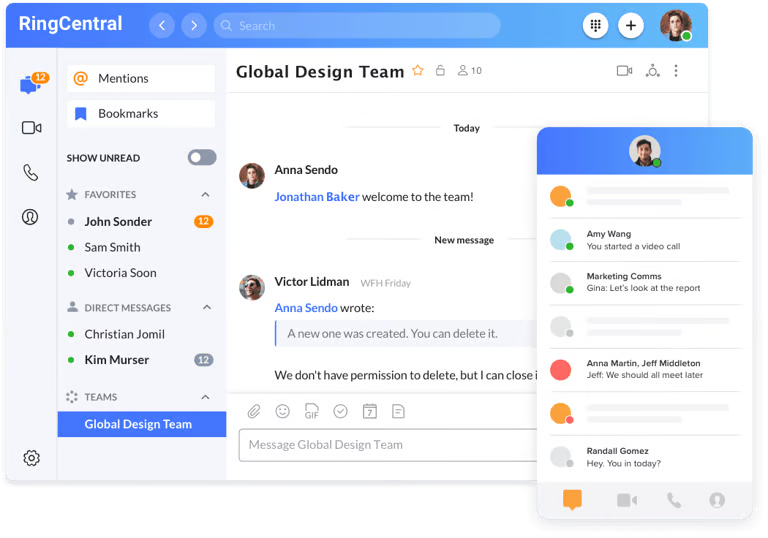
RingCentral is a cloud communications platform that combines business calling, video meetings, team messaging, SMS, and integrations with applications like Salesforce. Desktop and mobile apps allow employees to access communications across supported devices and locations.
Pros:
- Centralized dashboard for managing users, phone numbers, calls, and messaging
- Mobile apps for Android and iOS
- Customer support available 24/7
Cons:
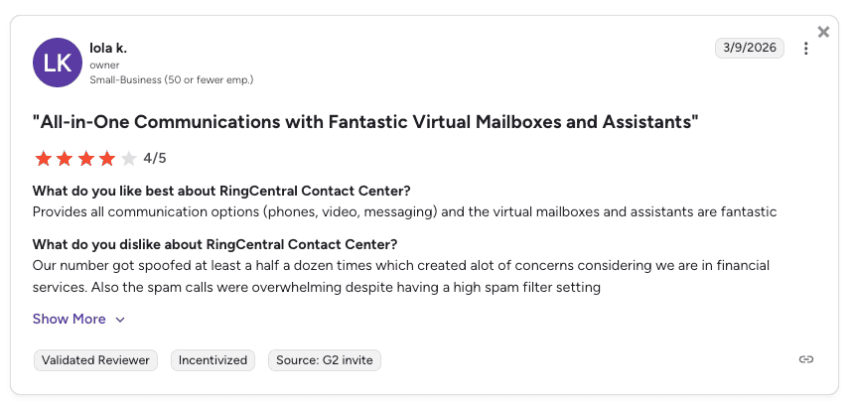
- Multiple pricing tiers and add-ons can make costs confusing.
- Implementation can take up to 90 days, which may be too long for some businesses.
- Some analytics, CRM integrations, and administrative capabilities require higher-tier plans or add-ons
- Support wait times may vary by channel, issue severity, and service demand
Pricing
Plans start at $20 per user per month with annual billing or $30 per user with monthly billing. Pricing increases for plans that include additional analytics, integrations, call management, and administrative features.
Suitable for
Small and midsize businesses that want VoIP calling, video meetings, team messaging, and business integrations in one platform. Organizations with simpler calling requirements should compare the available features and administration requirements with their expected usage.
Rating: 4.2/5 stars (1,532 user reviews)
How Each Alternative Compares to 3CX
Each option fixes a different 3CX pain point, and some keep the same ones:
- Nextiva: Removes the servers, SIP trunk sourcing, and paid support tickets, because PSTN connectivity, per-user pricing, and 24/7 support come in one plan.
- FreePBX: Keeps the 3CX IT burden. The core software is free, but you still pay for hardware, SIP trunks, and hosting, and support comes from community forums.
- Yeastar: On-prem deployments keep the hardware, configuration, and trunk work 3CX requires, while the cloud option moves to per-user pricing. Support quality depends on the provider.
- Vonage: Takes server hosting off your plate, but hidden fees and add-ons can bring back the pricing confusion of 3CX.
- RingCentral: Removes self-hosting, though multiple tiers and add-ons can make costs hard to predict, and implementation can take up to 90 days.
How to Choose the Right Alternative
Choosing a 3CX alternative comes down to how much control you want, how much time you can spend managing the system, and what your business needs now versus a year from now. Use these criteria to quickly narrow your shortlist.
Company size and calling complexity
Start with how your team actually uses phones. Solo owners or small businesses may only need straightforward calling, voicemail, and business hours. Growing teams often need more, such as higher call volume, call routing rules, analytics, and the ability to add users and numbers without reworking everything. If you expect growth, choose a platform that won’t force a migration in 12–18 months.
Check your peak concurrent calls, too. 3CX’s own example allows 32 simultaneous calls for 120 users, limiting simultaneous calls to roughly a quarter of the staff. If more than about one in four employees is on the phone during your busiest hour, the 32-call limit would be too low. VitalPBX states it doesn’t limit concurrent calls, and per-user cloud plans like Nextiva include unlimited nationwide calling for each user.
Hosting preference and IT involvement
Decide who should own maintenance. If you want the provider to handle updates, security patches, backups, and uptime, a cloud-managed platform is usually the simplest path. If you need on-site control or have a strong IT partner, an on-prem or self-hosted PBX can offer flexibility. That also means you’re responsible for security, monitoring, and troubleshooting.
3CX is PBX software: it handles extensions, routing, and voicemail, but the calls themselves run through a separate SIP trunk or VoIP provider. The five alternatives split into two groups:
- PBX only: FreePBX and on-prem Yeastar replace the PBX software, so you still source SIP trunks and hosting yourself. Yeastar works with various VoIP providers.
- PBX plus calling: Nextiva, Dialpad, RingCentral, and Vonage bundle the PBX with PSTN connectivity. Nextiva, for example, includes unlimited nationwide calling for every user.
Budget and total cost over time
Compare more than the sticker price. Cloud platforms are typically priced per user, while self-hosted options can look cheaper upfront but add costs for hosting, SIP trunking, hardware, support time, and ongoing maintenance. When comparing options, estimate your real monthly cost (licenses + add-ons + IT time) and consider which features you’ll need as your business grows.
For a 120-user team, the cost lines compare like this:
| Cost line | 3CX (self-hosted or 3CX-hosted) | Per-user cloud (e.g., Nextiva) |
|---|---|---|
| License | Per system by SC tier (32 simultaneous calls for 120 users) | Included in the per-user plan |
| Hosting | About USD 828/year for 3CX hosting, or your own servers | Included |
| SIP trunks and minutes | Separate provider and bill | PSTN included with unlimited nationwide calling |
| Support | About $104 per ticket or $365 for five | 24/7 support included |
| Admin time | Server upkeep, security patches, trunk management | Provider handles updates and uptime |
| Monthly total | Sum of all lines above | From $15 x 120 users = $1,800/month |
With 3CX, the total comprises five separate cost lines, several of which vary with usage. The per-user cloud total is the plan price multiplied by headcount.
Also decide who owns uptime. With self-hosted 3CX, call quality and availability depend on your own servers, network, and the people maintaining them, so an outage at 2 a.m. is your team’s problem. Managed providers carry that load with redundancy and automatic failover, as Nextiva does. Ask each vendor for its published SLA and compare what it actually guarantees before you sign.
How to Switch from 3CX
Most 3CX migrations follow the same sequence:
- Audit your current setup. List every extension, ring group, IVR menu, and integration so nothing gets lost in the move.
- Port your DIDs and numbers. Start the port request early and keep your existing service active until the numbers land with the new provider.
- Decide on SIP trunks. Self-hosted alternatives still need a trunk provider, so choose whether to keep your current one or replace it. Managed cloud providers such as Nextiva bundle PSTN connectivity, so you won’t need to procure trunks.
- Recreate users and routing. Rebuild extensions, call flows, business hours, and IVRs on the new platform.
- Reconnect CRM integrations. Link tools like Salesforce or Microsoft Dynamics and confirm calls are logging correctly.
- Pilot, then cut over. Start with a small group on the new system, fix any routing gaps, then move the rest of the company.
Why Nextiva Stands Out as the Best 3CX Alternative
A reliable communication platform can make a world of difference. That’s why many organizations are replacing their PBXs with a cloud-hosted one.
In fact, that’s one reason Shelby American ditched its old PBX and opted for Nextiva.
Among the alternatives to Yeastar, Nextiva stands out as a practical choice for teams that want PBX-style capabilities (calling, messaging, video, live chat, and texting) without the ongoing operational burden. It’s built to scale, supports everyday features like voicemail and call analytics, and connects with tools many businesses already use (including CRMs). With plans starting at $15 per user per month and 24/7 support, it’s also easier to budget and manage over time.
So if you’re exploring 3CX alternatives, add Nextiva to your shortlist to compare.
Get the best business phone service for less.
Simplify team communication with the top-rated phone system for small businesses. Advanced phone features included.
Frequently Asked Questions
Many companies explore alternatives because of 3CX’s complex pricing, infrastructure demands, and vendor support challenges.
According to Gartner, over 70% of organizations prefer simpler pricing models, which drives them to seek options with clearer pricing and better features.
Top options include Nextiva, GoTo Connect, and FreePBX. These platforms offer features like queues, workspace tools, and transparent pricing to improve team collaboration and customer engagement. The upside of a hosted provider is faster deployment and less maintenance.
Nextiva offers a unified platform that combines voice, video, and messaging. Its transparent pricing starts at $15 per user per month. The business phone system is user-friendly and includes voicemail transcription and screen sharing. Nextiva is a versatile choice for businesses of all sizes because it integrates with Google and Outlook and provides 24/7 support.
Nextiva offers softphone apps for Windows, Mac, and even Linux. You don’t have to configure the advanced IP telephony settings. Nextiva just works—so you can get local phone numbers in any area code and start calling quickly.
In most cases, yes. Your numbers usually sit with your SIP trunk provider rather than 3CX, so you request a port to the new provider. Keep your current service active until the port completes to avoid missed calls.
SC is the number of calls your 3CX system can carry at the same time, and it sets your license tier. For example, a 120-user setup allows only 32 concurrent calls, regardless of how many users want to call at once.
No. The license covers only the PBX software. You still need SIP trunks and minutes from a separate provider, plus phone numbers.
FreePBX’s core software is free to download. You’ll still pay for hardware, SIP trunks, server or hosting costs, and any paid modules, which range from $39 to $349 each.