Customer Experience
 Blog
 Business Communication
 Leadership
 Marketing & Sales
 Nextiva News
 Productivity
 VoIP


Unified communications benefits include better productivity, smoother workflows, lower costs, stronger teamwork, and improved customer service.
By bringing calls, video meetings, messaging, and other tools into one platform, businesses can reduce the need to switch between apps and keep teams connected. However, the results depend on the platform, its integrations, and how employees use it.
Using separate communication tools can cause delays, make teamwork harder, and leave employees struggling to find the information they need.
In this article, we explore nine unified communications benefits and explain how these platforms help businesses improve communication, support remote and hybrid teams, and manage their communication tools more easily.
What Is Unified Communications?
Unified communications (UC) brings business communication tools, such as voice calls, video meetings, instant messaging, and file sharing, into one integrated system.
Instead of switching between different apps, employees can communicate and collaborate from a single platform. When delivered through the cloud, this is called Unified Communications as a Service (UCaaS).
For businesses, the goal is to simplify communication, improve teamwork, and make it easier to stay connected across locations.
What Are the Benefits of Unified Communications?
The benefits of unified communications include simpler workflows, lower operating costs, improved collaboration, and more consistent customer interactions. By bringing communication channels together, businesses can reduce delays, share information more easily, and help employees respond to customers with better context.
These advantages can support organizations of different sizes, from small businesses to distributed global teams. However, the results depend on the platform, its integrations, and how well employees use it.
Why the customer angle matters
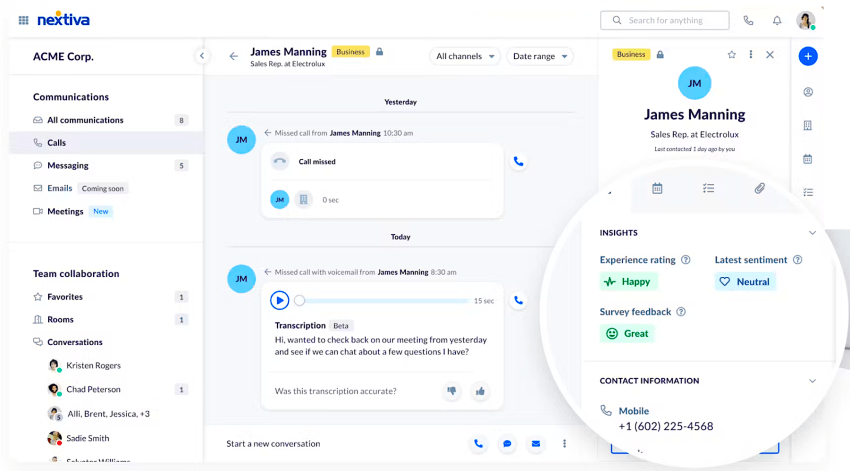
When your team can see a customer’s full interaction history (calls, chats, emails) in one place, they respond faster and with better context. The benefits of unified communication and collaboration for your organization extend outward to every person you serve.
According to Grand View Research, the communication software market continues to grow as businesses prioritize integrated platforms. This growth reflects rising customer expectations as much as it reflects internal efficiency gains.
Top 9 Unified Communications Benefits
As roles and workflows become more efficient with the aid of AI, your communication system requires an upgrade. Unified communications software provides this transformation, making you more productive and effective. It offers several advantages for operations and IT leaders, including:
Let’s discuss each benefit in detail and outline what to expect with unified communications after implementation.
1. Improves productivity and collaboration
Poor internal collaboration has been reported to result in a 40% loss in productivity. Modern UC platforms eliminate silos and app switching that cause this productivity loss. This not only saves people hours but also improves profitability.
The same 2024 Forrester study identified a clear link between ineffective business communication and low profitability. The study found that “38% reported that ineffective internal collaboration actually costs them business.”

A Unified Communications as a Service (UCaaS) solution integrates voice, video, chat, and file-sharing interfaces into one platform, naturally improving team collaboration. When all relevant team members have clear visibility, there are no information gaps or miscommunication.
It keeps all team members on the same page, improving operational efficiency. Moreover, it comes at a reduced cost since you don’t have to invest separately in visibility across different channels. You get it from UCaaS.

2. Enhances team collaboration and workflow optimization
When UC solutions aggregate messaging, conferencing, and telephony into a single system, it enhances teamwork and collaboration. Such organizations often have faster decision cycles. Many platforms also offer features like chat channels and virtual workspaces that replicate the in-office experience. You get an integrated project workflow that reduces friction in task hand-offs. These systems often work in sync with the CRM.
Interestingly, professionals actively seek solutions that help them optimize workflow for operational efficiency while reducing costs. Here are some key findings from Forrester research:

With Nextiva’s UCaaS, you get voice analytics and wallboards. These features make collaboration much easier. It also provides flexibility, which is mission-critical when a significant portion of the workforce is working remotely or in a hybrid environment. This flexibility is provided through a mobile app that workers use on their phones to stay connected via any network, and it has a cost-saving benefit.
In a Forrester Total Economic Impact™ study, companies reduced the total cost of ownership by implementing Teams Phone. It supports the case for having an integrated solution, not just for the phone but all communication channels. Think UCaaS.
3. Elevates customer experience
UCaaS supports the internal team while also having an external impact, as the platform enhances the customer experience (CX). Unified communications systems enable support teams to respond more quickly and personally, particularly in complex cases where internal communication plays a crucial role.
Faster responses with well-crafted solutions positively impact customer satisfaction, thereby enhancing the overall CX.
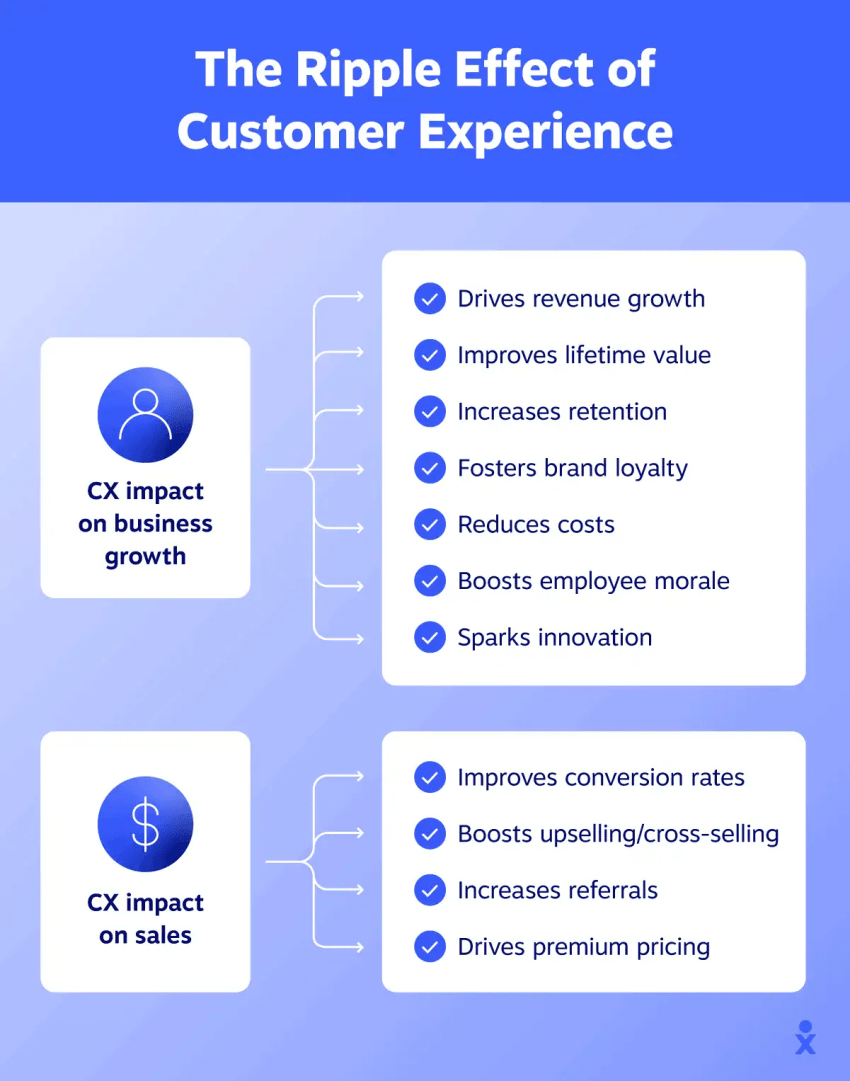
In a podcast, Damon Covey, General Manager at GoTo, emphasizes the need for an integrated solution that consolidates all channels, including SMS, chat, voice, and social media, into a single unified inbox. He believes these systems are essential for providing a memorable service.
A unified communications solution provides omnichannel tracking, enabling easy responses to customers based on a predefined context across multiple channels. You receive AI-powered insights that help with sentiment detection and intelligent routing, making service delivery even more refined.
The overall experience is friction-free for customers.
4. Lowers costs and increases ROI
On-premise phone systems require high hardware maintenance. A UCaaS system is based in the cloud. This reduces the costs associated with the system’s ongoing maintenance.
Moreover, you get a unified system for all communication channels. This consolidates licenses and vendors, reducing the administrative overhead, and you enjoy more predictable pricing and pay-as-you-go flexibility. It automatically lowers the IT budget required to set up an on-premise solution.
The flexibility in pricing also rolls out exclusive discounts for longer-term subscriptions, which is an added advantage.
5. Delivers stronger IT efficiency and scalability
The cloud-based nature of UCaaS enables it to scale reliably with a business. Vendors like Nextiva offer a reliable solution with an uptime SLA of more than 99.999%. This helps businesses reduce the risk of service interruptions and reduce the chances of downtime, which in turn eliminates any anxiety related to on-premise PBX failure.

For a communication system, reliability and ease of use are mission-critical. Even a short outage can interrupt customer calls, delay internal communication, and affect daily operations.
UCaaS, based in the cloud, offers reliability, especially when you choose Nextiva. The company maintains a page to showcase the platform’s status while ensuring the best possible uptime.
6. Improves security and compliance
Unified communications as a service systems are equipped with security features like encryption and multi-factor authentication to protect the privacy of communications. Vendors generally invest heavily in security and regulatory compliance. Your admin receives a portal from which they can easily enforce these security controls.
UCaaS providers may offer security and compliance features to help businesses meet industry requirements, including HIPAA, GDPR, PCI, and other standards. However, businesses must verify which controls and certifications apply to their chosen platform.
For example, in addition to the compliance mentioned above, Nextiva offers built-in compliance tools, including audio recording, audit logs, and retention policies for businesses operating in regulated sectors. Since the entire system is centralized, security management is comparatively easier. It enables the IT team to respond more quickly to security incidents and enforce more effective data governance policies.
UCaaS employs a proactive security approach to protect customer data. Features like TLS/SRTP call encryption and comprehensive call logs ensure you rest easier at night, knowing your data is secure.

7. Empowers teams with advanced automation and AI integration
UCaaS platforms capture rich usage data across voice, video, and messaging. The system turns this data into real-time insights. This enables a business to identify trends and optimize its operations.
Modern UCaaS systems come equipped with AI. It allows the platform to analyze call recordings for sentiments and keywords intelligently. Business leaders can use these insights and correlate them with contact-center analytics to find communication patterns. This leads to a deeper analysis of business intelligence.
You get access to advanced features like:
- Real-time transcription
- Note-taking
- Automated summaries
- Automated call scheduling
- Predictive analytics
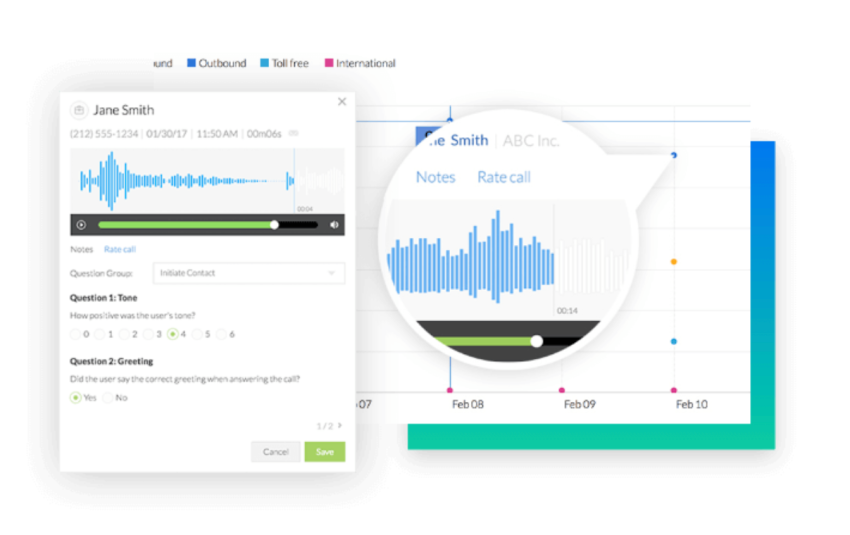
These features enable businesses to allocate resources efficiently and develop effective, data-driven communication strategies that drive results.

8. Improves decision-making with analytics
UCaaS dashboards provide insights into communication usage and performance. This gives you a visual overview to identify opportunities for improvement. For example, in call flows and how the team is engaging.
This data fuels business decision-making when it’s integrated with CRM and ERP systems. The integration of communication data into business intelligence workflows ensures you make more strategic and data-driven decisions.
9. Onboards employees faster
Employees need to focus on one system only and become well-acquainted with it. The learning curve is relatively flat, as they don’t need to adapt their ways with a different set of tools for every communication channel.
The knowledge of internal communications and customer conversations is consolidated in a single system. Employees can easily access past meetings and shared documents without having to navigate a disconnected system.
Modern UCaaS systems have built-in training modules, an automated onboarding workflow, and, most importantly, AI-guided tutorials. Some systems come equipped with real-time AI coaching. It enhances employee productivity, making it especially valuable for high-turnover roles or teams that are undergoing rapid growth.
As you scale and new members join, a unified communications platform makes it easier to get members up to speed quickly and at scale.
Must-Have Features in Your UC System
When you’re onboarding a new UC system, it’s best to look for these features, some of which are critical to many organizations’ workflows:
- Voice and video call capability: This is ideal for both internal meetings and external client communications. You also need built-in call recording, voicemail, and conferencing capabilities.
- Instant messaging and status indicators: This allows real-time chat with available team members. The platform shows whether a teammate is reachable.
- Screen and file sharing: This streamlines collaboration because the user doesn’t have to switch between apps to share something, as the platform should facilitate screen sharing and uploading directly to voice calls or chats.
- Cloud-based infrastructure: This makes the UC system scalable and cost-effective. It ensures reliable uptime and access from any location, making hybrid and remote work possible.
- CRM integration: This frees users from the administrative workload of updating a CRM or accessing customer data in a different app when a UCaaS solution is integrated with a CRM like Salesforce or HubSpot. Based on the most recent interaction, the information gets updated automatically.
- AI and automation: This further reduces the administrative workload. It summarizes calls, transcribes meetings, displays voicemail as text, and intelligently routes calls, saving your team a significant amount of time. It improves user productivity while maintaining accurate workflows.
- Mobile app support: This allows teams to stay connected on the go, as modern UCaaS solutions come with a native mobile application that offers full functionality for voice, video, chat, and notifications.
- Unified notification system: This prevents duplicate pings for a user, as all alerts are centralized. Regardless of the devices and channels, a UC system ensures that alerts don’t overwhelm the user.
- Security and compliance tool: This ensures that the UC system supports end-to-end encryption and role-based access controls, and complies with relevant standards, such as HIPAA, GDPR, and SOC 2. It keeps communications secure.
Get a more comprehensive overview of the features and capabilities of a UC system.
Which Industries Benefit From Unified Communications?
Unified communications can benefit businesses of all sizes, especially those that handle frequent calls, meetings, and team messages. By bringing communication tools into one platform, businesses can improve teamwork, respond to customers faster, and manage daily tasks more easily.
Here are some industries that can benefit from unified communications:
- Healthcare: Medical offices and clinics can use UC tools to manage patient calls, schedule appointments, and help staff communicate across departments.
- Retail: Retailers can connect employees across stores, share updates, manage customer questions, and coordinate daily operations.
- Education: Schools and colleges can use video meetings, messaging, and calling tools to support online learning, staff meetings, and communication with parents.
- Professional services: Law firms, accounting firms, and consulting businesses can use shared calling and messaging to stay connected with clients and work together on projects.
- Financial services: Banks and financial firms can use UC tools to improve customer support, connect branch offices, and help employees share information securely.
- Hospitality: Hotels and hospitality businesses can use UC systems to manage guest requests, connect departments, and improve service across locations.
While UC offers benefits across industries, businesses should choose a platform that meets their needs. This includes checking security, privacy rules, and how well the system works with their existing tools.
Best UCaaS Providers in 2026
If you’re ready to compare these features among different UCaaS solutions, here’s a list of the top five UCaaS providers in 2026:
| UCaaS provider | Key features | Best for |
|---|---|---|
| Nextiva | Business calling, messaging, video meetings, AI tools, and integrations | Small and growing businesses |
| Microsoft Teams Phone | Cloud calling, Teams meetings, messaging, and Microsoft 365 integration | Businesses using Microsoft 365 |
| Zoom | Zoom Phone, video meetings, team chat, and integrations | Video-focused teams |
| 8×8 | Cloud calling, video, messaging, and international calling capabilities | Businesses with global communication needs |
| RingCentral | Business calling, messaging, video, AI features, and integrations | Hybrid and distributed teams |
Note: Features and availability vary by provider, product, and subscription plan.
1. Nextiva
Nextiva is a leading provider of Unified Communications as a Service. It integrates telephony, video conferencing, chat, and advanced contact center tools in a unified platform.
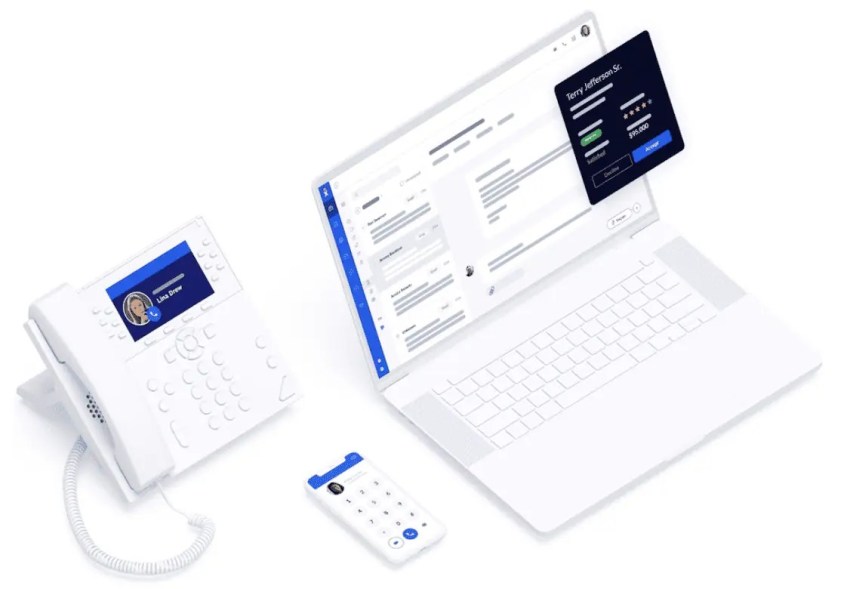
The platform offers various features, including:
- AI automation: Provides real-time transcription and comprehensive call analytics. It enables businesses to enhance customer interactions while streamlining their communications.
- Deep integrations: Allows businesses to automate workflow effectively while reducing manual tasks, which increases the team’s overall productivity.
- Reliability and support: Comes with an impressive 99.999% uptime. When this reliability is paired with round-the-clock customer support, it directly contributes to high customer satisfaction ratings.
Overall, Nextiva is ideal for businesses that prioritize robust performance and long-term scalability. Integrating different communication channels individually is costly. Nextiva addresses this with its UCaaS at a reasonable price point, catering to the needs of small and medium-sized businesses and enterprises.
2. Microsoft Teams (with Phone System)
Microsoft Teams, complemented by its Phone System integration, is for organizations already deeply embedded in the Microsoft ecosystem. Microsoft Teams seamlessly integrates chat, calls, and meetings within the Office 365 environment. It streamlines communications workflows and increases productivity.
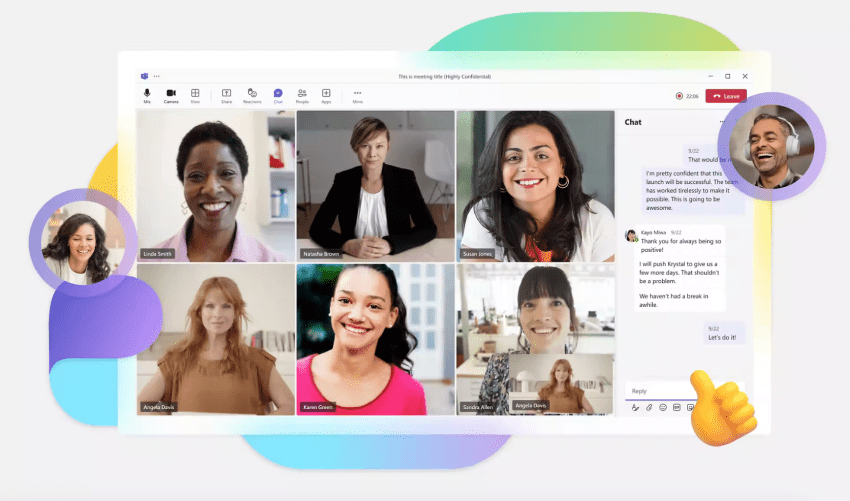
Businesses that are already using Outlook, SharePoint, and Microsoft Office find Microsoft Teams to be an intuitive extension for existing workflows. Its seamless integration and consistent user experience make it a practical choice for enterprises already invested in Microsoft’s infrastructure.
3. Zoom
Zoom, a popular web conferencing platform, has expanded into a comprehensive UCaaS service with Zoom Phone and Zoom Team Chat. For businesses prioritizing video conferencing, Zoom’s unified platform is appealing.
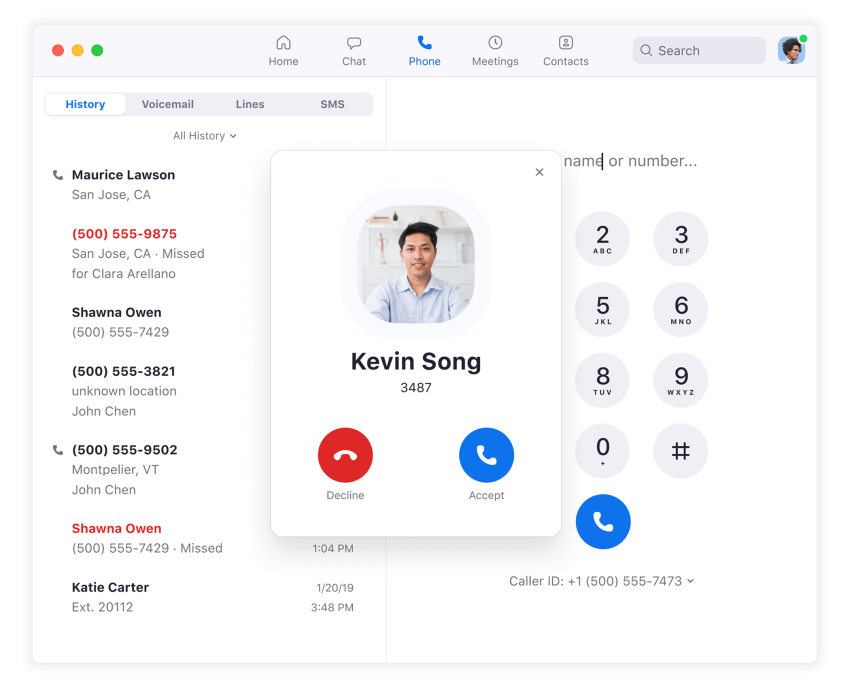
Its video-first approach is its greatest strength. The platform offers exceptional video quality, an intuitive interface, and collaboration tools. It ensures virtual interactions are as engaging as productive face-to-face meetings.
However, the native voice features of Zoom aren’t as comprehensive as those of established UCaaS solutions yet. Despite this, the user-friendly design and comprehensive collaboration features make the platform an excellent choice for organizations that rely heavily on video-based communication.
4. 8×8
A part of 8×8’s cloud offering includes a UCaaS platform, in addition to video, voice, and chat features, to give users what they need to work in a remote or hybrid work environment. The platform provides insightful data on call performance and operational efficiency, enabling businesses to make data-driven decisions.

While 8×8 is developing its AI-driven functionality, the current AI capabilities are still evolving and are not yet as advanced as those of UCaaS market leaders. Overall, it supports global communication and provides a reliable solution for international calling to businesses.
5. RingCentral
RingCentral supports hybrid teams and integrates with Microsoft 365 and Google Workspace. These integrations can help businesses connect this platform with tools their employees already use and reduce changes to existing workflows during implementation.

Its predictive AI features can route calls and provide agents with real-time suggestions during customer interactions. RingCentral also combines calling, messaging, video, and contact center capabilities in a single UCaaS platform for use across a range of business environments.
Reap the Benefits of Unified Communications With Nextiva
Nextiva doesn’t just bundle communication tools; it builds a platform for business transformation. You get a unified communications system managing everything from phone calls to AI-enabled contact center analytics. It helps companies streamline how they connect internally and with customers.
Nextiva offers a platform with flexible pricing, top-notch reliability, and real-time collaboration tools. It’s a power-packed suite for your present and future business needs.
Explore Nextiva’s business phone system. Get a reliable and scalable communications platform for better collaboration.
Bring Your Business Communications Together
Manage business calls, connect your team, and deliver better customer experiences with the Nextiva Business Phone System.
Frequently Asked Questions About Unified Communications
Timelines vary by organization size, number of locations, and how many phone numbers and workflows you need to port. Many teams can launch a phased rollout in weeks, then expand to full adoption as training and integrations are finalized.
Confirm that your current carrier information matches your billing records, verify number ownership, and identify any critical lines like main numbers, call queues, and fax lines. Ask the new provider about porting timelines, blackout periods, and how they handle failed ports or emergency reroutes.
Define a baseline before migration, then track a small set of outcomes tied to business goals, such as first response time, resolution time, missed calls, and internal handoff speed. Pair usage analytics with employee and customer feedback to confirm the tools are improving real workflows.
The biggest obstacles are inconsistent usage, unclear channel norms (chat vs. calls vs. video), and insufficient training for frontline roles. Prevent this by creating simple playbooks, appointing internal champions, and rolling out features in stages so habits form without overwhelming users.
Some UCaaS solutions cover light customer support needs, but more advanced environments often require dedicated contact center capabilities like quality management, advanced IVR, workforce management, and detailed reporting. The right approach depends on your interaction volume, complexity, and whether you run formal support operations.
Cloud-based platforms can keep your team reachable during office outages by routing calls to mobile devices, alternate locations, or backup teams. Evaluate vendor uptime commitments, redundancy, failover options, and how quickly admins can reroute traffic during an incident.
Ask about data retention controls, eDiscovery support, audit log granularity, admin permissions, and where data is stored and processed. You should also clarify how the vendor handles third-party integrations, because connected apps can introduce compliance and data exposure risks.