VoIP
VoIP  Blog
Blog  Business Communication
  Customer Experience
  Leadership
  Marketing & Sales
  Nextiva News
  Productivity
Finding the right interactive voice response software (IVR) can improve customer experiences and simplify call handling.
Recent customer patience research shows that callers do not want to wait. IVR systems help businesses respond faster by routing calls to the right department, automating routine tasks, and offering self-service options.
An auto attendant is a business phone feature that greets callers and routes them through a menu. IVR is the broader technology behind those menus and can include keypad input, speech recognition, self-service, and integrations. Business phone systems with auto attendants include Nextiva, GoTo Connect, Zoom, RingCentral, and other providers in this guide.
For conversational IVR, Nextiva, 8×8, and RingCentral support speech-enabled or natural-language interactions. Nextiva combines conversational AI with call routing and self-service, while XBert AI can answer questions and schedule appointments through calendar integration.
Call center software reduces wait times when it combines automatic call distribution (ACD), skills-based routing, queue management, callbacks, self-service, and overflow rules. Nextiva Contact Center, Five9, 8×8, and Zoom provide combinations of these capabilities.
This guide compares the best IVR systems for 2026 based on features, pricing, customer reviews, and available product information.
At a Glance: Best IVR Systems for 2026
| IVR Software | Trustpilot Rating | Best For | Starting Price |
|---|---|---|---|
| Nextiva | 4.5 | Customer support and office phone systems | $15 per user per month, billed annually |
| Five9 | 2.7 | Mobile support | $119 per user per month, billed annually |
| GoTo Connect | 2.0 | Customization | Contact GoTo Connect for pricing |
| Aircall | 3.0 | Remote teams | $30 per user per month, three-user minimum, billed annually |
| 8×8 | 2.8 | Cloud-based IVR | Contact 8×8 for pricing |
| Zendesk | 1.8 | Enterprises | $19 per agent per month, billed annually |
| LiveAgent | 4.6 | Live chat | $10 per agent per month, billed annually |
| Zoom | 1.2 | Video conferencing | $14.16 per user per month, billed annually |
| RingCentral | 1.7 | Existing RingCentral phone users | $20 per user per month, billed annually |
| CallHippo | 2.7 | Small businesses | $19 per user per month, billed annually |
Prices and features can vary by plan, region, contract, and add-on. Buyers should confirm current pricing before purchase.
1. Nextiva
Best for: Customer support and office phone systems
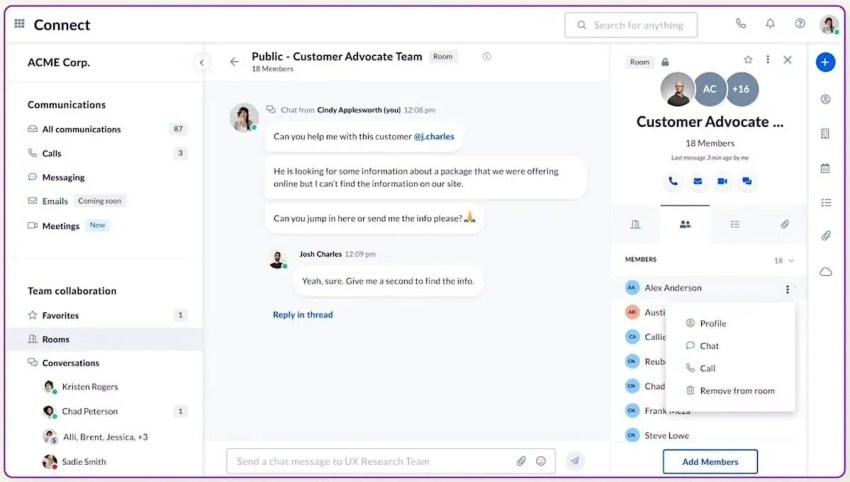
Nextiva’s IVR system is part of its broader communications platform designed to simplify business communications, customize call flows, and support consistent customer interactions.
Its visual interface lets administrators create custom IVR menus without advanced programming. Voice, SMS, email, chat, and other communication channels help customers reach a business through their preferred method.
Nextiva supports both menu-based and conversational IVR. Traditional callers can use keypad selections, while speech-enabled workflows can recognize natural-language requests. Advanced IVR and some callback or routing capabilities may require an add-on or a specific license.
The platform supports CRM integrations, call-history-based routing, agent-availability rules, and self-service workflows. Its conversational AI can help answer routine questions and transfer callers when they need a human agent.
XBert AI, Nextiva’s AI receptionist, answers calls, handles common questions, gathers contact information, and books appointments through calendar integration.
Features
- XBert AI to greet callers, answer questions, gather contact information, and book appointments.
- Intelligent call routing software and queuing.
- Holiday scheduling for alternative support options during closures.
- Conversational AI and customizable voice response systems to improve customer experience.
- Advanced IVR as an optional NextOS capability for sophisticated routing.
- ACD and scheduled callback tools, with availability based on product and license.
- Payment collection, account verification, and call diversion when agents are unavailable.
- ZIP-based routing in applicable higher-tier configurations.
- CRM integrations, analytics, and reporting.
- 24/7 support.
- PCI DSS Level 1 compliance for secure payment transactions.
Pricing
- Core: $15 per user per month, billed annually; best for small teams
- Engage: $25 per user per month, billed annually; best for growing teams
- Power Suite CX: $75 per user per month, billed annually; best for sales and service teams
Nextiva also offers a free demo.
Pros and cons
 Pros
Pros
Unified communications platform for calling, messaging, video, and customer interactions
Easy-to-use call-flow interface
Conversational AI and appointment scheduling through XBert AI
Advanced analytics and reporting
Scalable routing and queue tools
 Cons
Cons
Best suited for companies operating in the United States
No free trial, although a free demo is available
Some advanced IVR and callback functions require additional licensing
Professional, intuitive platform that easily manages users and call flows. However, advanced IVR capabilities and callbacks require higher-tier plan
“We recently set up our business phone system with Nextiva, and overall, it’s been a solid experience. The platform is professional, the admin portal is intuitive, and once everything is configured, it runs smoothly. We appreciate how easy it is to manage users, set up call flows, and access analytics all in one place.” — Kendall Brown

2. Five9
Best for: Mobile support
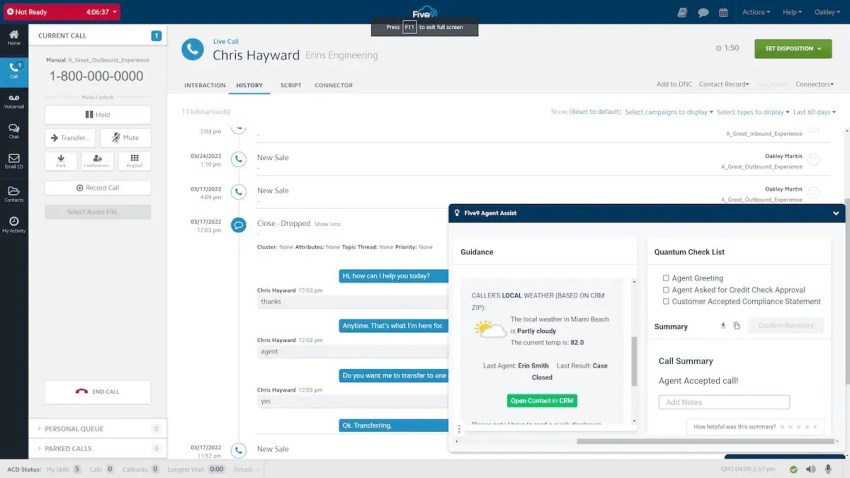
Five9 provides contact center software with visual IVR, multi-channel support, personalized greetings, and self-service for tasks such as account inquiries and bill payments. These capabilities can reduce the workload on live agents and improve customer satisfaction.
Its visual IVR extends menu navigation to mobile and web interfaces. Customers can use app-like menus, view estimated wait times, request callbacks, and complete visual surveys.
Five9 also provides AI and automation features. Its ServiceNow integration supports real-time transcription, sentiment detection, and routing based on customer intent and complexity.
Features
- Visual IVR prompts for mobile devices
- Embedded call widget with wait-time information and callback options
- Visual customer surveys
- CRM integrations
- Real-time analytics
- Self-service workflows
- Omnichannel support
Pricing
- Digital: $119 per seat per month
- Core: $159 per seat per month
- Plus: Contact for pricing
- Pro: Contact for pricing
- Enterprise: Contact for pricing
Five9 also offers custom plans to meet individual business needs.
Pros and cons
Five9 offers an omnichannel platform with visual IVR features and advanced integrations, such as with ServiceNow, to help manage contacts across channels. However, there are some drawbacks, like issues with connectivity and limited reporting and analytics.
Pros
Omnichannel support
Visual IVR for mobile and web users
Estimated wait times and callback tools
Advanced integrations
Cons
Reported connectivity issues
Limited advanced analytics in some configurations
Strong omnichannel capabilities with visual IVR and advanced integrations. The downsides include occasional connectivity issues and limited reporting.
3. GoTo Connect
Best for: Customization
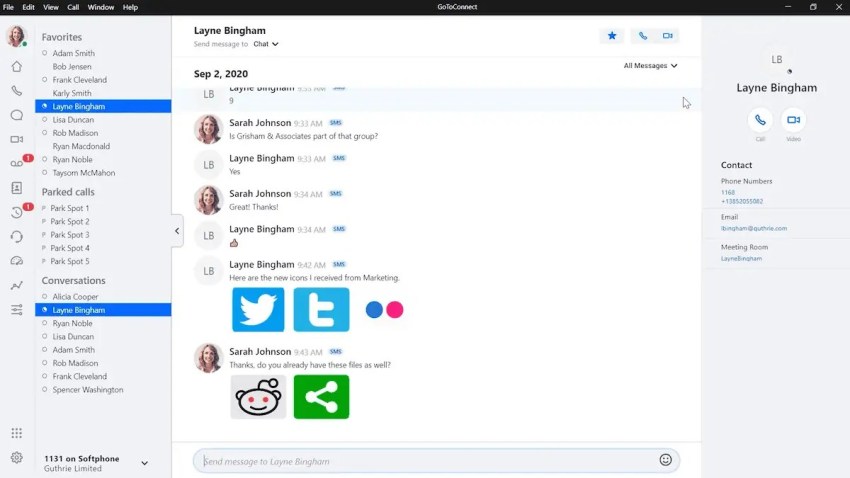
GoTo Connect is a cloud-based phone system and contact center platform with VoIP calling, video conferencing, messaging, integrations, and IVR. Its auto attendant and IVR menus let callers select self-service options or connect with an agent.
The platform supports configurable call paths, recorded greetings, automatic call distribution, and queue callbacks. Businesses can use its administrative portal to adjust menus and routing without relying on technical staff.
Additional features include an AI receptionist add-on, audio editing tools, and a mobile app. Some users report poor customer service and responsiveness, as well as confusing billing and hidden costs.
Features
- Automatic call distribution
- Auto-queue callback
- Pre-recorded messages
- Recorded greetings
- Call queue information
- Pre-recorded agent messages
- International calling
- Video conferencing
- Mobile app
- Configurable call paths
Pricing
GoTo Connect uses separate pricing for its phone system, customer engagement software, AI tools, and contact center products. Contact the sales team for a quote.
Pros and cons
GoTo Connect balances flexibility and ease of use, making it a solid option for small or mid-sized companies that need professional-level call handling. Its customization and intuitive design are great, but there are limitations to their analytics features, and pricing isn’t clear.
Pros
User-friendly even without technical expertise
Customizable greetings and menus so you can personalize the customer experience in line with your brand
Configurable call paths for efficient call routing and faster service
Automatic call distribution and queue callbacks
Cons
No pricing transparency
Basic analytics in some configurations
Advanced AI capabilities may require an add-on
Flexible and easy to use with an intuitive design for growing teams. However, pricing is unclear and customer service can be unresponsive.
For additional information, see GoTo Connect Pricing & Plans: Is It Worth It?.

4. Aircall
Best for: Remote teams
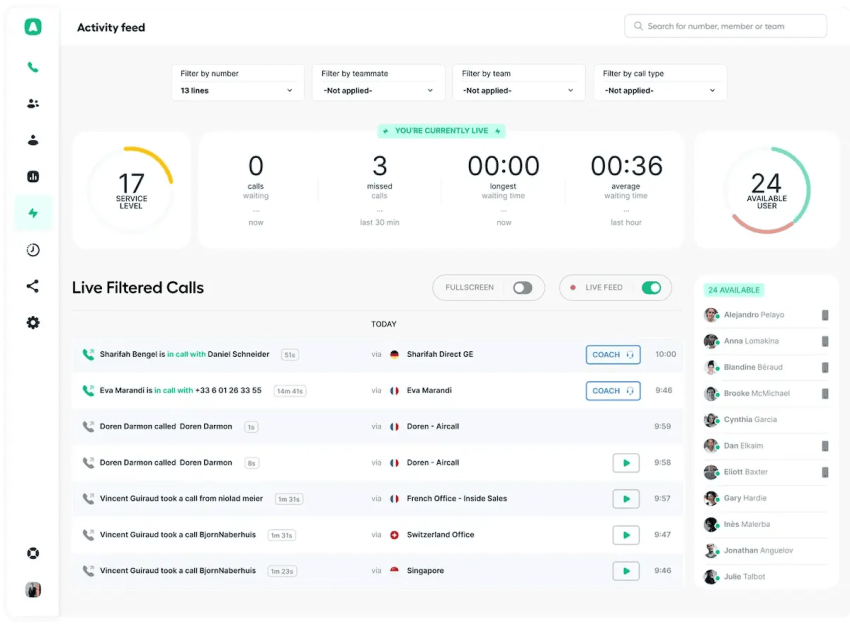
Aircall is a cloud-based phone system and call center platform with customizable IVR. Users can add audio files, choose text-to-speech voices, and select language options and accents.
The platform supports single-level and multi-level call flows. Creating complex, multi-level IVRs can be challenging because of Aircall’s call-routing limitations.
Newer capabilities include Contact Insights, which summarizes contact interactions and suggests next steps, and an AI Voice Agent that handles calls and escalates them to human agents.
Aircall integrates with CRM and help desk software. Reviewers have noted challenges with customer service and onboarding and billing inaccuracies.
Features
- Single-level and multi-level IVR creation
- Classic and IVR phone numbers
- Dynamic visual editor
- Integrations and APIs
- SMS
- Call recording
- Click-to-dial
- Unlimited simultaneous outbound calls
- AI Voice Agent
- Contact Insights
Pricing
- Essentials: $30 per license, billed annually
- Professional: $50 per license, billed annually
A customizable plan is available for organizations with 25 or more licenses.
Pros and cons
Pros
International support for global and distributed teams
Real-time call monitoring
Call recording for compliance, training, and performance reviews
CRM and help desk integrations
Cons
CRM and help desk integrations
Limited self-service options
Great for remote teams with an easy visual editor and AI insights. Conversely, complex routing is limited and users report billing issues.
5. 8×8
Best for: Cloud-based IVR
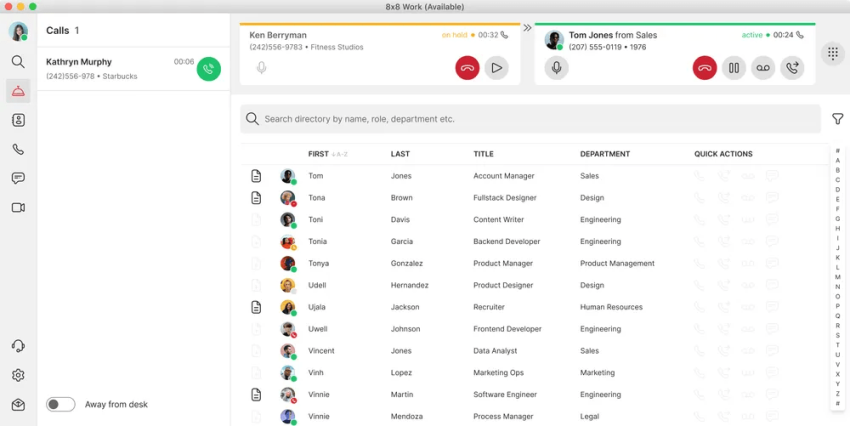
8×8 provides contact center software with an intelligent IVR system and self-service options. The platform uses conversational AI technology to handle routine customer inquiries and offers customizable self-service resources to help with call routing decisions.
8×8’s contact center includes reporting and analytics for insights into the customer journey and IVR system performance. It also offers scripting tools for administrative tasks and allows manual adjustments to caller options without involving IT.
Newer features include Intelligent Customer Assistant (ICA) Voice, which leverages natural‑language processing (NLP) to let callers speak requests rather than push buttons. They’ve also added a secure payment functionality so customers can make payments without exposing their card data. Several users note that it’s often difficult to reach a live support person and that 8×8 doesn’t offer as many advanced features as similar platforms.
Features
- Advanced reporting and analytics
- Speech-enabled voice response with conversational AI
- Customizable call flows
- Drag-and-drop IVR design
- Secure payments
- Natural-language processing
- Self-service workflows
Pricing
8×8 has many pricing plans that allow businesses to customize. However, businesses need to contact 8×8 to get a custom quote.
Pros and cons
Pros
Easy to build intelligent routing enabling smarter workflows
Conversational AI for a better customer experience
Drag-and-drop IVR design
Secure payment workflows
Cons
Limited integrations
Inconsistent user experiences
Pricing is not publicly listed
Offers solid natural-language processing and secure payment flows. Unfortunately, it lacks advanced features and live support is hard to reach.

6. Zendesk
Best for: Enterprises
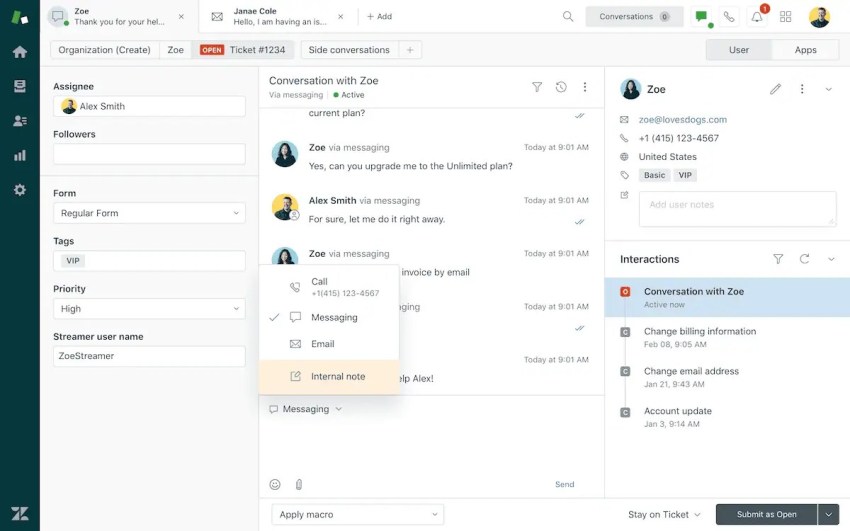
Zendesk offers an IVR phone tree with its Professional and Enterprise Suite plans. Businesses can create phone trees and routing conditions to direct customers to the appropriate destination.
Multi-level IVR systems can answer common questions, such as business hours or sales promotions, through recorded messages. Zendesk also provides automatic speaker labeling, keyword boosting, and improved call transcription.
Reported drawbacks include customer support issues and the need for substantial configuration and customization.
Features
- Phone trees
- Call recording and monitoring
- Warm transfers
- Custom greetings
- Group call routing
- Queue size and wait-time information
- Callback and text-back options
- Reporting and transcription
Pricing
- Support Team: $19 per agent per month, billed annually
- Suite Team: $55 per agent per month, billed annually
- Suite Professional: $115 per agent per month, billed annually
- Suite Enterprise: contact sales
Pros and cons
Pros
Robust integration options to unify workflows
Advanced reporting tools
Intelligent routing and triage
Callback and text-back options
Cons
Expensive pricing tiers that may not be suitable for small or resource-constrained businesses
Low-rated AI compared to other tools’ offerings
More complex implementation and configuration
Powerful enterprise phone trees that integrate seamlessly with its ticketing system. Setup requires heavy customization and support is often lacking.
7. LiveAgent
Best for: Live chat
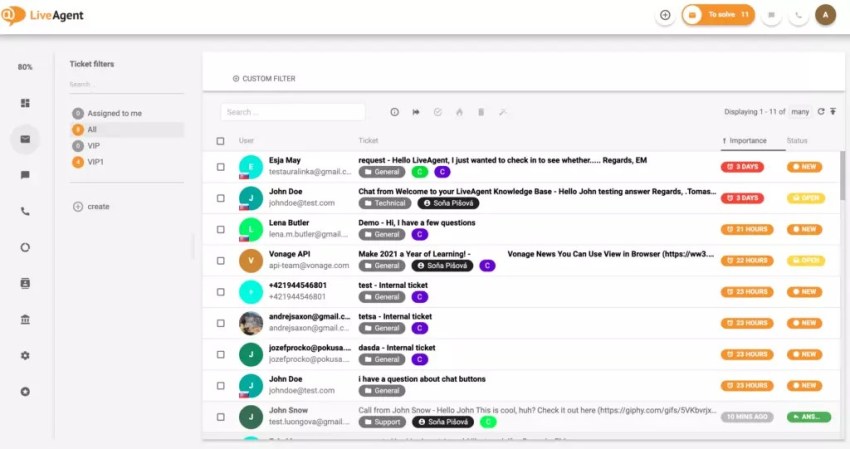
LiveAgent is a help desk software platform that manages customer requests across various channels. It offers a built-in IVR system with functionalities like automated call routing based on customer selections from pre-recorded menus or touch-tone options.
Users can design multi-level IVR menus, record messages, or use text-to-speech functionality. The system also prioritizes calls from high-priority customers to specific agents or departments. LiveAgent has also introduced enhancements like automatic callback requests from IVR workflows, a Blind Transfer call function, and improved routing configuration.
Some reviews note issues with call notifications: “I’ve come across their notification issues a couple of times: customers calling but no pop-ups to answer, no ringing, and sometimes there’s a pop-up but the only option is to decline the call.” Others mention billing issues.
Features
- Automated call routing
- Customizable menus
- Call prioritization
- Callback service
- Automatic callback requests after preset wait times
- Text-to-speech
- Multi-level IVR
Pricing
- Small Business: $15 per agent per month, billed annually
- Medium Business: $29 per agent per month, billed annually
- Large Business: $49 per agent per month, billed annually
- Enterprise: $69 per agent per month, billed annually
LiveAgent also offers a limited free plan and a 14-day free trial.
Pros and cons
Pros
Easy to use so teams can get up to speed quickly
Fast support for resolution of issues
Unified chat, calls, email, and other communications
Callback and call-prioritization tools
Cons
Clunky visual layout that can slow onboarding or navigation
Cluttered interface that can feel overwhelming, especially for newer users
Limited conversational IVR capabilities
Streamlines service with automated callbacks and call prioritization. However, users experience buggy call notifications and billing errors.
8. Zoom
Best for: Video conferencing
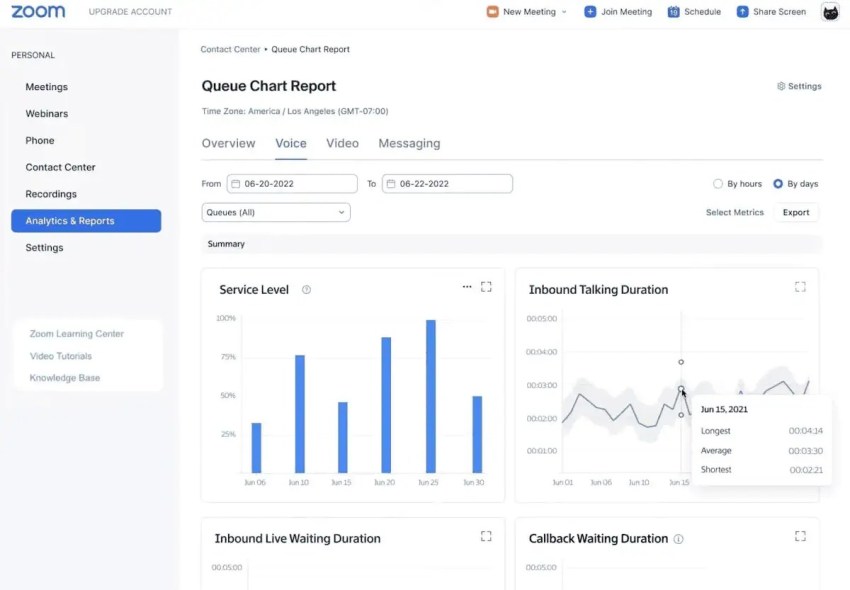
Zoom provides omnichannel cloud contact center software featuring unlimited IVR and auto attendants. The software offers call routing based on dialed numbers and supports multi-level menus with voice prompts, self-service options, and speech recognition for natural language interaction.
Zoom’s visual IVR system allows for phone number provisioning and is customizable through drag-and-drop modules. Users can automate customer engagement with speech recognition, recordings, and text-to-speech. Zoom also offers call center AI that can resolve customer inquiries via voice and chat. It supports advanced automation and self-service to lighten agent workloads and help speed up resolutions.
Some users find Zoom’s regular interface updates frustrating, such as this reviewer, who shared, “While I understand they have built an incredible brand, that does not mean they should change the user interface so much that it takes minutes to figure out how to schedule a meeting.” Others note issues with billing, customer support, and quality.
Features
- Unlimited IVR and auto attendants
- No-code customization
- Speech recognition
- Text-to-speech
- Pre-recorded greetings
- Extension and voicemail routing
- Visual IVR
- Voice and chat automation
Pricing
Zoom price plans include a free tier with limited features. They also offer different pricing tiers for businesses.
- Basic: Free
- Pro: $14.16 per user per month, billed annually
- Business: $18.33 per user per month, billed annually
- Enterprise: Contact sales for pricing
Pros and cons
Pros
High-quality video and audio
Supports heavy call-volume so you’re covered even during peak times
Scalable for small, medium, and large businesses
Cons
Primarily focused on video conferencing use cases, so users who only need voice or messaging may find some features unnecessary
Outbound calling requires an upgrade, which is especially challenging if you require outbound IVR
Unlimited, no-code IVR built directly into its familiar interface. On the downside, frequent UI updates and call quality drops cause frustration.
9. RingCentral
Best for: Existing RingCentral phone users
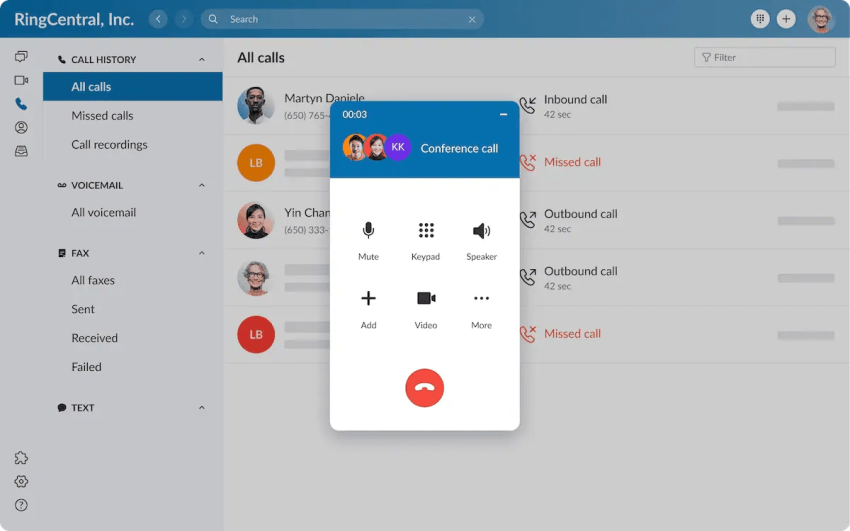
RingCentral offers an IVR system as part of its cloud-based phone software. It delivers functionalities like multi-level menus, text-to-speech or custom recordings, and call routing based on various criteria, plus self-service options, speech recognition, CRM integrations, and analytics and reporting.
A recently added feature is the AI Receptionist, an AI-powered agent that handles inbound calls, conducts transfers, and provides analytics.
Users appreciate RingCentral’s innovation and data features, but some find the platform more complicated than a smaller business—or one with limited technical resources—might need.
Features
- Self-service options
- Skills-based call routing
- Speech recognition and natural-language processing
- CRM, help desk, and productivity integrations
- Desktop and mobile support
- AI Receptionist
- Multi-level auto attendant
Pricing
RingCentral’s pricing comes in three tiers:
- Core: $20 per agent per month, billed annually
- Advanced: $25 per agent per month, billed annually
- Ultra: $35 per agent per month, billed annually
Complex IVR menus may require technical expertise or additional training.
Pros and cons
Pros
Works across desktop and mobile devices
Integrates with CRM, help desk, and productivity tools
Supports remote, hybrid, and on-premises communication
Provides speech recognition and skills-based routing
Cons
Some features are only available with an upgrade
Complex menus can require more configuration and maintenance than simpler tools
Reviewers report long waits to reach support
Highly innovative with a robust AI receptionist and deep analytics. It can be overly complex and requires technical expertise to manage.
10. CallHippo
Best for: Small businesses
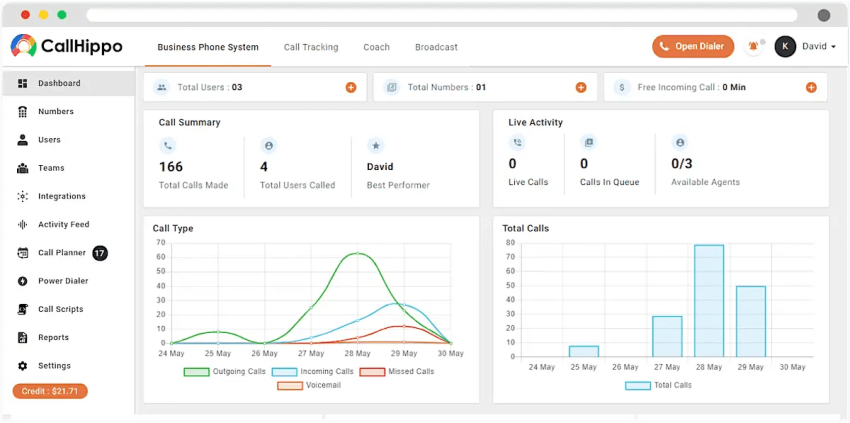
CallHippo offers an IVR system as part of its office phone system and call center software packages. Their IVR solution includes both single-level and multi-level systems. Features of CallHippo’s IVR include 24/7 support through recorded messages, categorized menus with submenus for navigation, and real-time call recording for quality maintenance.
Other features include an AI voice agent that offers more human-like service through voice prompts instead of menu presses. CallHippo also supports more than 100 integrations with CRMs, help desk tools, and other software. Users can also set up virtual numbers across 50+ countries, making it easy to operate a global organization.
Reviewers note, though, that call quality isn’t the best: “The call quality has always been bad — my clients constantly complain that they can’t hear me properly. The sound is muffled, there’s lag, and the voice often cuts out. I can hear the other side fine, but they can’t hear me clearly,” said one reviewer. Others shared poor experiences with tech support and payment issue.
Features
- Intelligent call routing
- Automatic call distribution
- Multilingual IVR
- Power Dialer
- Call forwarding
- Advanced reporting
- CRM and help desk integrations
- AI voice agent
- Single-level and multi-level IVR
Pricing
- Basic: $0 per user per month
- Starter: $25 per user per month
- Professional: $40 per user per month
- Ultimate: $55 per user per month
CallHippo also offers a 10-day free trial on the Starter, Professional and Ultimate plan.
Pros and cons
Pros
Budget-friendly
User-friendly interface, which reduces onboarding time for new users
Essential call routing functionality
Multilingual IVR
Cons
Connectivity issues
Limited customer support
Offers global virtual numbers and a strong multilingual IVR. Unfortunately, users frequently complain about lag, muffled audio, and poor tech support.

Other Top IVR System Providers: Honorable Mentions
There are numerous other IVR system providers on the market, so here are a few others you might consider.
- Twilio: A flexible cloud communications platform offering programmable IVR and API-driven call routing. Twilio is ideal for developers who need custom workflows, but because it often requires some technical know-how, it’s not the best for nontechnical teams.
- Genesys: Enterprise-level contact center platform including advanced IVR, AI-driven routing, and omnichannel support. The higher cost and level of complexity make it a better fit for large companies rather than SMBs.
- NICE CXone: Robust IVR, workforce optimization, and AI-powered analytics features. The platform has a lot to offer, but its pricing and implementation effort can make it prohibitive for smaller companies.
- Dialpad: A cloud-based phone system with IVR and AI voice intelligence. Dialpad’s simpler set of features makes it well-suited for small businesses that don’t need complex workflows, but it may not be a fit for bigger enterprises.
- Ooma: VoIP phone and IVR features for small businesses. Easy setup and budget-friendliness are great, while the lack of some advanced features is a drawback to many organizations.
- Plum Voice: Conversational IVR and voice automation to increase customer engagement. This is a highly specialized platform, so it’s less of a fit for general contact center use.
- CloudTalk: IVR, call routing, and analytics for SMBs. It’s great for startups, but less advanced and comprehensive than some of the tools in our top ten when it comes to AI and integrations.
- JustCall: Call routing, IVR, and multi-channel support. Ideal for small teams, JustCall offers a competitive price but less advanced reporting and functionality.
Features to Look for When Choosing an IVR Solution
IVR structure
IVR includes the auto attendant function but can go further. It can recognize keypad entries through dual-tone multi-frequency signaling (DTMF), interpret spoken requests, verify account information, process payments, and provide self-service.
Input recognition
Traditional keypad IVR relies on DTMF tones. Visual IVR moves menu navigation to a website or mobile interface. Conversational or speech-enabled IVR lets callers state a request in natural language.
Businesses should select the input method that matches their customer base:
- Keypad IVR: Familiar and reliable for structured menus.
- Visual IVR: Useful when customers need forms, images, account details, or mobile-friendly options.
- Conversational IVR: Useful for open-ended requests and self-service that requires natural-language understanding.
Call routing and queue management
The IVR system should direct calls to agents, departments, call queues, or automated messages. Effective call center queue management helps reduce misrouted calls and improves first-call resolution.
The features that most directly reduce wait times include:
- ACD: Routes calls to available agents.
- Skills-based routing: Matches the caller with an agent who has the right expertise.
- Queue management: Organizes calls and provides wait-time information.
- Callbacks: Lets callers request a return call instead of staying on hold.
- Self-service: Resolves routine requests without an agent.
- Overflow rules: Send calls to another team, location, or answering service when demand exceeds capacity.
Holiday scheduling
Pre-recorded messages can direct customers to voicemail or self-service options during holidays and closures. Scheduling rules can also route urgent calls to an available team.
Self-service options
Customers should be able to complete tasks such as checking account balances, making payments, confirming orders, and resetting passwords without agent assistance.
Businesses that need conversational self-service should verify whether natural-language recognition is included in the base plan or requires an AI add-on.
Analytics and reporting
Track call center metrics, including call volume, wait times, abandonment, transfers, containment, and menu selections.
Reporting helps managers identify:
- Menu options that cause confusion
- Departments with long queues
- Time periods that require overflow coverage
- Self-service tasks that successfully contain calls
- Agents or skills that need additional capacity
Integration capabilities
Integrations with CRM and business software let agents access caller information and provide more personalized service. Buyers should confirm support for:
- CRM records
- Help desk tickets
- Payment systems
- Workforce management tools
- Calendar platforms
- SMS and email workflows
- Web and mobile applications
Calendar integration matters when the IVR must schedule appointments. Nextiva’s XBert AI supports real-time appointment booking with calendar integration.
Intuitive menu navigation
Menus should use clear prompts, short options, and the ability to repeat messages. Poor navigation can increase frustration and call abandonment.
A practical IVR should also let callers reach an agent when self-service cannot resolve the request.
Omnichannel support
Consider IVR systems that extend self-service to web chat, SMS, and mobile apps. Omnichannel support helps customers continue a conversation without repeating information.
Dialed Number Identification Service
DNIS functionality identifies the number a customer dialed and routes the call accordingly. This helps businesses manage multiple campaigns, departments, or brands.
Callback functionality
Callback options allow callers to request a return call instead of waiting on hold. Buyers should check whether callbacks route to the original agent, a specific skill group, or the next available agent.
Conversational AI
Conversational AI uses natural-language processing to understand spoken commands and complete tasks without human intervention. It can support account lookups, appointment scheduling, payment workflows, and call routing.
A conversational IVR should also support escalation. Callers need a clear path to a human agent when the system cannot resolve the request.
Call flow customization
Customizable call flows let businesses match routing to internal processes, improve first-contact resolution, and reduce average handle time.
Advanced configurations may include:
- Time-of-day and holiday routing
- Geographic or ZIP-based routing
- Customer-segment rules
- Agent availability
- Skills-based routing
- Overflow destinations
- Scheduled callbacks
- Multiple business locations
How Call Center Software Types Fit Different Needs
Call center software generally falls into several deployment and operating models:
| Type | Best fit | Common capabilities |
|---|---|---|
| Inbound | Customer service, technical support, and order lines | IVR, ACD, queues, callbacks, self-service, and inbound analytics |
| Outbound | Sales, fundraising, collections, and surveys | Dialers, campaign tools, call recording, and agent performance reporting |
| Mixed | Businesses that handle both service and sales calls | Inbound routing combined with outbound campaigns |
| On-premise | Organizations that need local infrastructure and direct control | Local telephony equipment, internal maintenance, and custom integrations |
| Cloud-hosted | Distributed teams and businesses that need flexible deployment | Browser and mobile access, remote administration, automatic updates, and scalable capacity |
Nextiva supports business phone and cloud contact center use cases. Businesses should match the product to call volume, agent locations, compliance needs, and the level of routing complexity required.
How to Choose the Best IVR System Provider
Define business needs
Identify the goals the IVR must support, such as improving customer experience through self-service, increasing sales, scheduling appointments, or reducing wait times.
Document:
- Average and peak call volume
- Number of agents and departments
- Common customer requests
- Required languages
- Business hours and holiday schedules
- Existing phone numbers and hardware
- Compliance requirements
- Calendar, CRM, and help desk systems
Choose essential features
Create a list of required capabilities, such as self-service, conversational AI, auto attendant, scheduled callbacks, or call center reporting and analytics.
Separate essential features from optional features. Advanced IVR, AI agents, ZIP-based routing, workforce tools, and callback queues may require higher plans or add-ons.
Compare routing depth and queue behavior
Ask providers how many menu levels they support and how the system handles:
- No caller input
- Invalid input
- Agent unavailability
- Queue overflow
- After-hours calls
- Call transfers
- Scheduled callbacks
- Calls from high-priority customers
A short, clear IVR menu often provides a better experience than a deep menu with too many choices.
Review agent and usage limits
Check the limits for:
- Agents and extensions
- Concurrent calls
- Queues
- IVR menus
- Phone numbers
- Recording storage
- AI minutes
- SMS messages
- Callback capacity
These limits can affect the total cost more than the advertised per-user price.
Consider scalability, flexibility, and ease of use
Choose a provider that can support increased call volume and let nontechnical users update greetings, schedules, routing rules, and menus.
Ensure data security and reliability
IVR systems often handle sensitive customer information. Verify security controls, encryption, payment compliance, call recording policies, uptime commitments, and administrative permissions.
Check integrations
Make sure the system works with existing phone hardware, phone systems, CRM platforms, calendar software, and other business applications.
Appointment scheduling requires a calendar connection and a workflow that can check availability, book the appointment, and confirm the result with the caller.
Seek strong customer support
Choose a provider with responsive support to help maintain reliable operations. Ask whether support is available by phone, chat, email, or a dedicated account team.
Compare the full price
Review the difference between base-plan features and paid add-ons. Confirm:
- Whether pricing is per user, agent, phone number, or usage
- Annual and monthly billing differences
- Setup and implementation fees
- AI or transcription charges
- Recording storage costs
- International calling rates
- Callback and queue add-on prices
- Contract terms
- Minimum seat requirements
Reduce Hold Times With Nextiva
The best IVR systems combine self-service with human assistance. Menu-based IVR suits structured requests, while conversational IVR supports natural-language interactions and more flexible self-service.
Nextiva combines business phone service, IVR, intelligent routing, and contact center tools. Nextiva Contact Center supports ACD, queue management, scheduled callbacks, and advanced routing options. Some capabilities depend on the product, plan, or add-on.
Nextiva’s intelligent virtual agent and conversational AI support self-service while recognizing when callers need human assistance. XBert AI can answer calls and schedule appointments through calendar integration.
Conversational AI is the next generation of IVR.
Focus your agents on the important cases and let AI automate and improve call routing, reduce hold times, and save you money.
FAQs
The best conversational IVR platforms support natural-language processing and speech-enabled interactions, moving beyond standard keypad menus. Top systems offering this include 8×8, RingCentral, and Nextiva, with Nextiva standing out for its seamless blend of conversational AI, intelligent call routing, and automated self-service workflows.
Most modern cloud communications platforms include an auto attendant to greet callers and present basic menu options. Popular systems with this feature include GoTo Connect, Zoom, and RingCentral. Nextiva also provides a highly customizable auto attendant paired with a visual Call Flow Designer, making it easy to route calls without technical expertise.
Software that effectively minimizes wait times combines queue management features like automatic call distribution (ACD), skills-based routing, and scheduled callbacks. Platforms such as Five9, 8×8, and Zoom offer these capabilities. Nextiva Contact Center excels here by pairing these routing tools with AI-driven self-service, allowing many callers to resolve issues without waiting for an agent at all.
To automate scheduling directly from phone calls, you need an IVR with advanced AI and real-time calendar syncing. While a few enterprise systems can be customized to do this, Nextiva is highlighted for its XBert AI virtual receptionist, which naturally converses with callers, gathers their contact information, and books appointments directly onto the calendar.