Customer Experience
 Blog
 Business Communication
 Leadership
 Marketing & Sales
 Nextiva News
 Productivity
 VoIP


Open source call center software is worth a look if you already run your own phone system and need to add support queues, or if a standard contact center platform can’t route calls the way you need. For example, you might need to send each caller to a team based on account data in an internal app, or keep call recordings on infrastructure you control.
How much you’ll need to build depends on the project. Adding an inbound queue to FreePBX is a smaller job than building a custom agent workspace on Asterisk. This guide compares eight options by what works out of the box, what your team will need to build and maintain, and when a managed platform is the better fit.
We revisited all apps and projects covered in this guide and expanded it. We checked each project’s license notice, documentation, and release information as of November 20, 2026.
We removed the Elastix and GOautodial entries, and the original Issabel call center module, which was archived in October 2026. We added Wazo Platform, the Callcenter Issabel 5 fork, and ICTDialer, and we moved Linphone and FreeSWITCH to the FAQ because neither is a call center application on its own.
What Is Open Source Call Center Software?
Open source call center software is software for handling customer calls under a license that lets you use, inspect, modify, and redistribute the code on that license’s terms, as the Open Source Initiative defines it. Some projects provide a complete agent workspace and campaign dialer. Others supply the phone system, queues, or APIs you need to build one.
Open source and self-hosted aren’t the same thing. Open source describes the license, and self-hosted describes who runs the software. You can self-host 3CX, for example, but it’s still proprietary software under a commercial license.
A free download also doesn’t cover phone numbers, carrier charges, hosting, or the work of keeping the system running. Most deployments connect to a carrier through SIP trunking, which is billed separately.
Open Source Call Center Software Compared
The list separates four kinds of software: a ready-made call center suite, a PBX with call queues, a developer toolkit, and an outbound-only dialer.
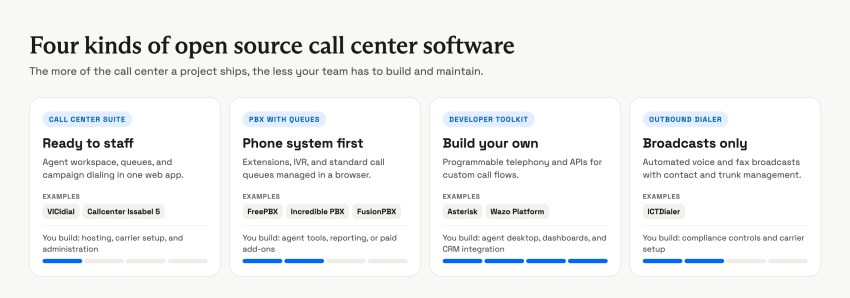
| Software | Best for | What you get | What to budget or plan for |
|---|---|---|---|
| VICIdial | Teams that handle inbound and outbound calls | Web agent workspace, inbound queues, and predictive dialing | Hosting, carrier service, and Linux and telephony administration |
| FreePBX | Straightforward inbound support queues | Browser-managed PBX with standard call queues | A paid add-on for queue callback and virtual queues |
| Incredible PBX | Do-it-yourself teams that want a packaged Asterisk and FreePBX build | Preconfigured PBX with queues, IVR, and optional add-ons | Community-only support and FreePBX’s queue limits |
| FusionPBX | Inbound teams that need separate tenants or tiered routing | FreeSWITCH-based PBX with queue strategies, agent tiers, and recording | Membership for first-party queue reporting and wallboards |
| Wazo Platform | Developers adding inbound voice to an existing app | Queue and agent APIs, routing strategies, and overflow rules | Building or integrating the agent workspace and reporting |
| Asterisk | Telecom teams that want custom call flows | Programmable telephony, queues, and interactive voice response (IVR) | Building or integrating the tools agents and supervisors use |
| Callcenter Issabel 5 | Existing Issabel 5 systems | Agent and callback modes, with campaign dialing work in the fork | Compatibility and security testing before production |
| ICTDialer | Automated voice broadcasts | Self-hosted dialer for voice broadcasts, with contact and trunk management | Carrier usage and compliance controls |
Ready-Made Call Center Suite
VICIdial: best for blended inbound and outbound calling
VICIdial puts inbound queues, outbound campaigns, and a predictive dialer in one web-based agent interface. It fits teams whose agents answer service calls and make outbound calls without switching systems. According to its legal page, the project licenses current versions under the GNU Affero General Public License, version 2 (AGPLv2).
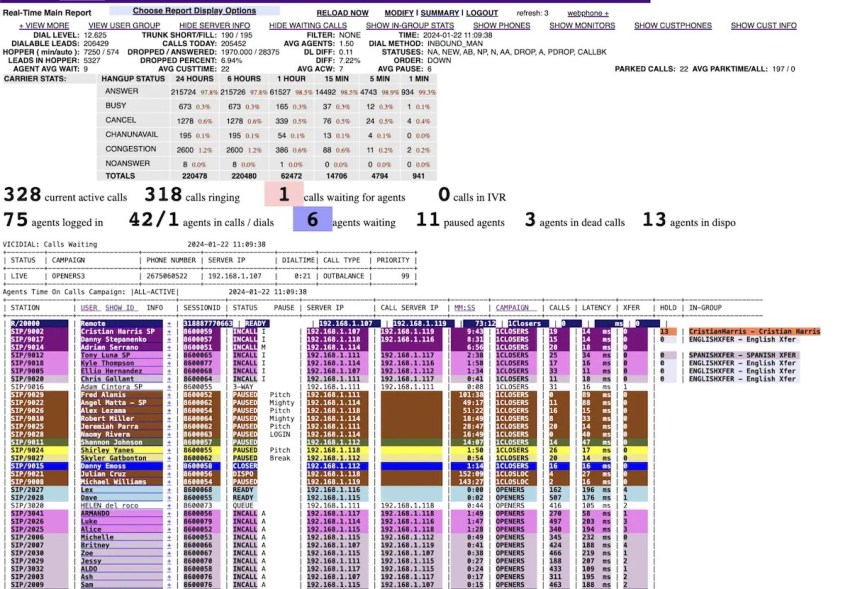
Start with the stable ViciBox distribution if you want the project’s packaged installer. The latest stable release is ViciBox 12.0.2. The ViciBox 13.1 beta, released in November 2026, is for testing only, not production.
Before rollout, ask agents to run a full shift’s workflow in a pilot: logging in, taking queue calls, switching to a campaign, and recording outcomes. That shows you more about fit than a feature count.
PBX Options for Inbound Call Queues
FreePBX: best for straightforward inbound support
FreePBX is a browser-based way to administer an Asterisk phone system. Its open-source Queues module lets you set agent ring strategies, caller announcements, and maximum wait times. It’s a practical fit for a support desk that needs to queue callers and route them to an available agent.
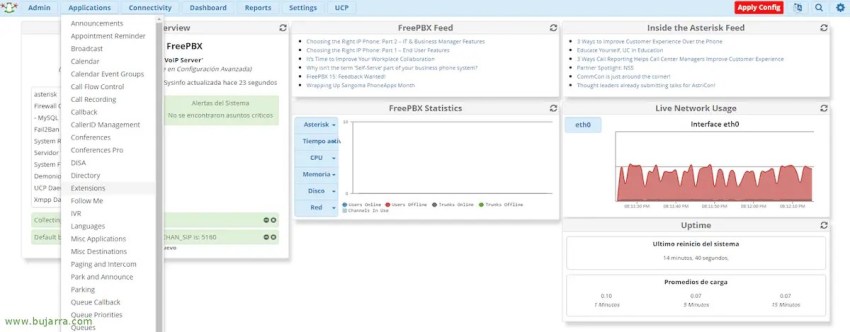
Check which features are in the base module before you set a budget. Queues Pro is a separate commercial add-on for queue callback, virtual queues, and expanded destination controls. If you need those features, compare the cost of the paid module and ongoing administration with a hosted option.
Incredible PBX: best for a packaged Asterisk and FreePBX build
Incredible PBX is a GPL-licensed bundle of Asterisk and FreePBX on a hardened Linux stack, maintained by Ward Mundy of Nerd Vittles. Incredible PBX 2026, announced in May 2026, runs on Debian 13 with FreePBX 17 and Asterisk 22 or 23. The project also provides images for Proxmox and VirtualBox, cloud server installers, and a Raspberry Pi build released in September 2026.
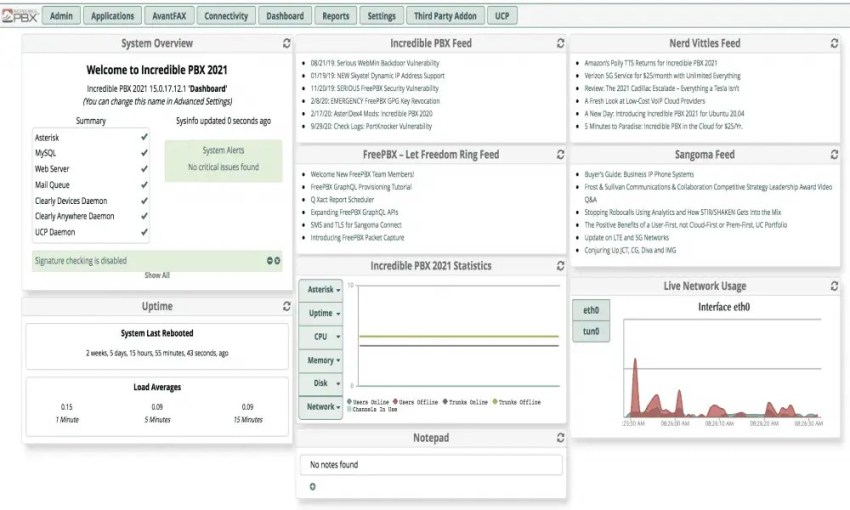
Optional add-ons cover text-to-speech, voicemail transcription, and fax, and a 2023 add-on connects calls to ChatGPT with your own OpenAI key. Call queues come from FreePBX, so Incredible PBX has the same queue features and limits, with no dedicated agent workspace or dialer.
According to the project wiki, support comes from the community forum rather than a paid plan. Watch the version names: “Incredible PBX 2027” is an older line, and its Debian 11 build has reached end of life.
FusionPBX: best for multi-tenant inbound voice
FusionPBX is an MPL 1.1-licensed, multi-tenant PBX built on FreeSWITCH. Its Call Centers application supports agent tiers, routing strategies such as longest-idle and round robin, queue timeouts, and call recording. Consider it if you need to keep separate customer or business-unit phone environments on one system.
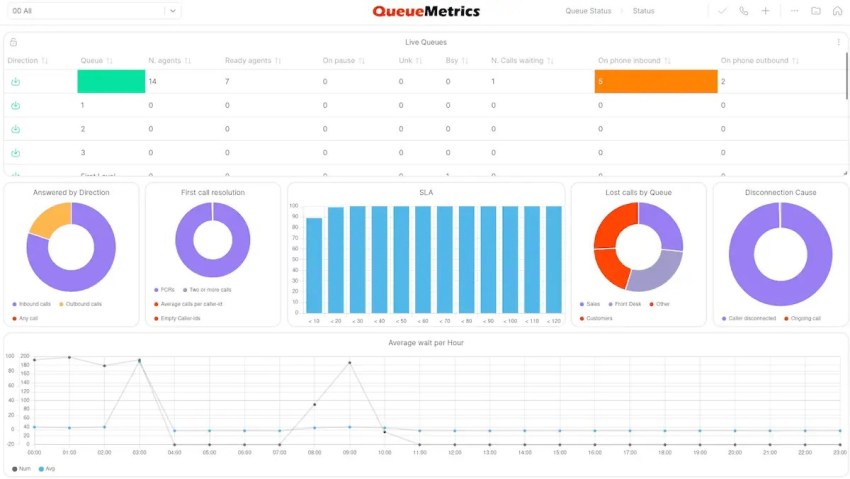
The open source code and the commercial membership are separate. FusionPBX lists its first-party call center wallboard, queue and agent reporting, and callback among its paid membership features. Check the membership terms to confirm whether those features are part of your rollout.
Developer Platforms for Custom Call Flows
Wazo Platform: best for API-driven inbound calling
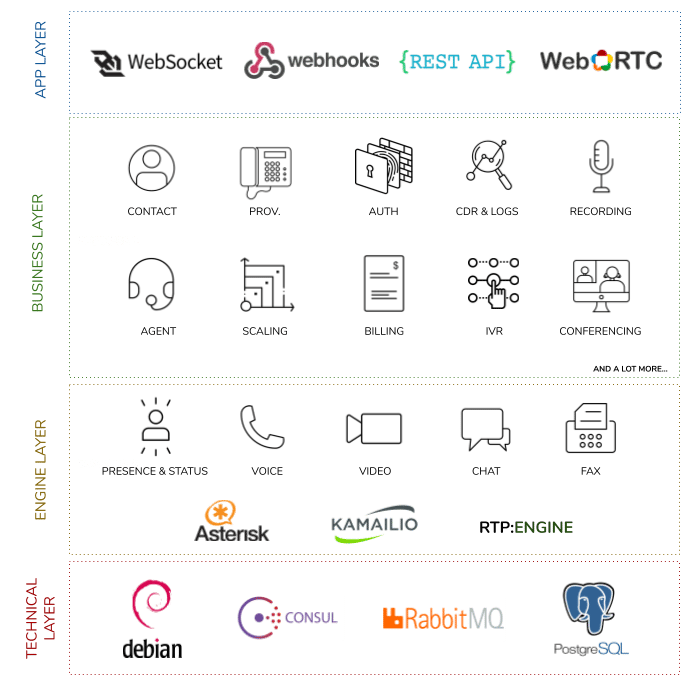
Wazo Platform provides queue APIs to configure how calls reach agents and where they go when a queue is full, no one is available, or the wait runs too long. Its GPL-3.0 agent service, wazo-agentd, handles agent login, logout, and pause controls.
Wazo fits teams that want to add phone support inside an application they already use. The 26.11 release shipped in November 2026. Wazo exposes call center statistics through an API, but you’ll still need to decide how agents take calls and how supervisors see that data.
Asterisk: best for building from the telephony layer up
Asterisk is a GPLv2 telephony toolkit, not a complete call center application. It gives developers building blocks for IVR and automatic call distribution, including documented applications for call queuing and call recording.
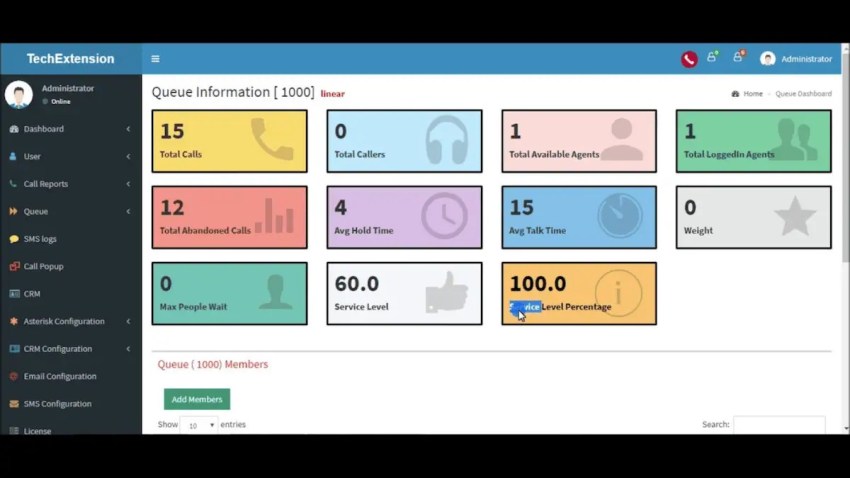
Choose Asterisk when the call flow itself needs to be custom, such as when an internal application must look up an account and use the result to decide where the call goes. Plan separately for an agent desktop, supervisor dashboards, and CRM integration. Use the project’s version support schedule to pick a supported branch that works with your other components.

Options for an Issabel Migration or Outbound Broadcasts
Callcenter Issabel 5: best for piloting a replacement on an existing Issabel system
The Issabel Foundation archived its original call center module in October 2026 and says it will no longer receive updates, bug fixes, or security patches. The independent Callcenter Issabel 5 fork is licensed GPLv2 or later and documents agent and callback modes. Its release history also shows work on predictive dialing and campaign monitoring.
Treat the Issabel 5 fork as a migration candidate for an existing Issabel 5 deployment, not the default for a new call center. Its README lists PHP 7.4 to 8.0, versions that no longer receive security support, so verify your exact dependencies before production. Don’t confuse the independent fork with Issabel’s separately licensed commercial Contact Center.
ICTDialer: best for automated outbound announcements
ICTDialer’s open source edition is a GPL-3.0 auto dialer built on FreeSWITCH and ICTCore. Its documented features include voice broadcasts, fax broadcasts, contact management, and trunk management. Think service updates and scheduled announcements rather than a support queue staffed by agents.
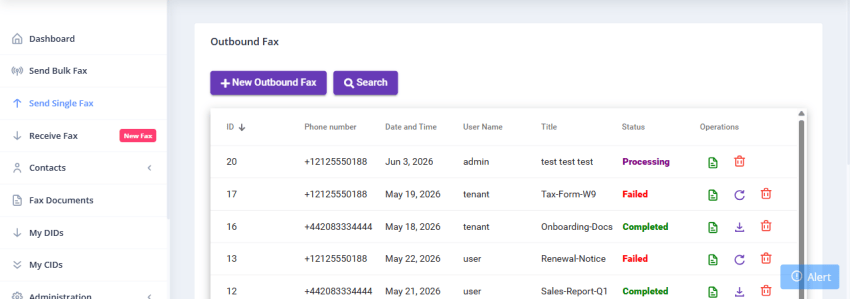
Use it when broadcast automation is the job and a full agent desktop would be unnecessary. Don’t assume every feature on the hosted product’s site is in the open source download. Before launching a campaign, have your compliance team confirm the rules for the call type and destination, including the FTC’s Telemarketing Sales Rule in the U.S.
When Is Open Source Call Center Software Worth It?
Self-hosting makes the strongest case when you need a call flow a standard platform can’t support, have a specific infrastructure or data-location requirement, or already have staff who can run a telephony system. However, if you mainly need reliable queues, supervisor visibility, and a working CRM integration, the engineering time can cost much more than the license fees you save.
 Pros
No license fees, and you can inspect and change the code
Full control over call flows, data location, and recordings
Can run on your own servers or any cloud
Active communities around Asterisk, FreePBX, and VICIdial
 Cons
You pay for hosting, carrier service, and the staff time to run it
Agent desktops, reporting, and CRM connectors often have to be built or bought
No vendor SLA unless you buy commercial support, and patching and security fall to your team
Some features sit in paid add-ons or memberships, and some modules or builds lose maintenance
Before choosing, price the same workflow on a self-hosted option and a managed one. Use your busiest hour and a real customer scenario rather than a demo call.
- Carrier and call handling: Include phone numbers, porting, SIP trunking, and usage. Test what happens when all agents are busy, a caller needs a transfer, or your primary carrier stops responding.
- Agent and supervisor tools: Confirm agents can see the right CRM record and log the result. Ask a supervisor to check wait times, missed calls, and recordings without help from IT.
- Operations and recovery: Assign an owner for patches, monitoring, backups, and after-hours incidents. Budget for a staging system and test a restore. If you buy support, check who answers after hours and what the service-level agreement (SLA) promises.
- Data and channels: Test call recording access, retention, and export. If you also need chat, SMS, or email, check whether agents can see the conversation history across channels instead of piecing it together in separate tools.
Commercial Alternatives to Compare
Commercial call center software makes sense when you want a supported agent workspace without stitching together the phone system, reporting, and integrations yourself. These three options offer different levels of control.
- Nextiva: Consider Nextiva Contact Center if you want a fully managed, ready-to-use platform. The CX plan includes skills-based routing, advanced queues and callbacks, campaign call and email management, live dashboards, and supervisor listen, whisper, and join. It’s listed at $75 per user per month billed annually, and workforce management is a separate add-on for CX plans.
- 3CX: Consider 3CX if you want business telephony with call queues and the option to self-host or use vendor hosting. Its annual licensing is based on simultaneous calls and edition, not individual agent seats. Compare editions for the queue and reporting features you need, and account for hosting separately.
- Twilio Flex: Consider Twilio Flex if your developers want a customizable, vendor-hosted agent workspace and routing. Twilio lists several pricing models, including named users, active user hours, and user plus usage. Budget for implementation and any separately metered services.

See How a Managed Platform Handles Your Busiest Queue
Bring a real workflow to a Nextiva Contact Center demo. Start with a caller who needs to reach a specific team, then see how routing, agent handoffs, and supervisor reporting work together. Run the same scenario in your open-source pilot to compare what your team would need to build and maintain.
Compare your pilot with a managed contact center
Nextiva Contact Center gives you skills-based routing, queues and callbacks, and supervisor tools without running your own telephony stack.
FAQs About Open Source Call Center Software
Yes. You can download and run projects like VICIdial, FreePBX, and Asterisk without buying a software license. Budget separately for hosting, phone numbers, call usage, and the time it takes to set up and maintain the system, or compare that total with a managed platform’s pricing.
A softphone such as Linphone is the app an agent uses to place and answer calls. A PBX handles extensions and routing, and a telephony engine such as FreeSWITCH can power those functions. A call center suite adds tools for running the operation, such as an agent interface, supervisor reporting, and outbound campaign management.
Yes, but the work depends on the project and the CRM. Wazo’s APIs, for example, let developers work with queue settings and call center statistics, but connecting them to your CRM is a development project. In a pilot, test whether the right record opens on an incoming call, who gets the call notes after a transfer, and what happens if the CRM is unavailable. Compare that effort with prebuilt CRM integrations.
It can be, if someone owns patching. Open source code can be inspected, but your team is responsible for applying updates, hardening servers, and retiring unsupported versions. The archived Issabel module and the end-of-life Debian 11 build of Incredible PBX 2027 show why you should check a project’s maintenance status before production. A managed cloud phone system shifts most of that work to the vendor.