VoIP
VoIP  Blog
Blog  Business Communication
  Customer Experience
  Leadership
  Marketing & Sales
  Nextiva News
  Productivity

Ever felt like you were getting an inconsistent experience with CallHippo? Plenty of other customers have, too, and it shows up in reviews. CallHippo sits at roughly 4.4 on G2 and around 2.7 on Trustpilot, and while the gap in ratings might look like nothing more than the two sites attracting different audiences, there’s actually another reason behind it.
The software itself is fine, but many customers have concerns about the billing relationship. Reviews cite auto-renewals after attempted cancellations, denied refunds, difficulty getting numbers released, and credits that drain much faster than they’d anticipated.
In this post, we’ll discuss when CallHippo may be a good fit for your business, review some of the top CallHippo alternatives, and explain how to port your number if you decide to switch.
Why Teams Leave CallHippo
CallHippo is legitimately good at what it was built for. It has cheap international virtual numbers, quick setup, a usable free tier, and no user minimum. It’s a solid solution for customers who prioritize cost above all else and who only have pretty basic needs.
Some CallHippo customers are clearly satisfied with its service, while others have complaints. Let’s take a closer look at why businesses leave CallHippo.
The review split score
Remember how we talked about how CallHippo’s G2 scores were relatively good, while its Trustpilot score isn’t great? The gap between the two makes sense once you understand what each platform measures.
G2 and Capterra reviews tend to come from active users evaluating the software itself. Consider the sales dialer, the dashboard, and the integrations. Those score well because CallHippo’s core product is solid.
Trustpilot reviews skew toward people who have had negative experiences with the service side of the company. Complaints focus on billing and exit experiences, and that’s one of the biggest pain points for CallHippo customers. The experience is worth noting, especially since multiple customers expressed frustration with customer support even when they were active, paying clients.
TrustPilot is full of past customers who have tried to get help from support, dispute a charge, port a number, tried to cancel:
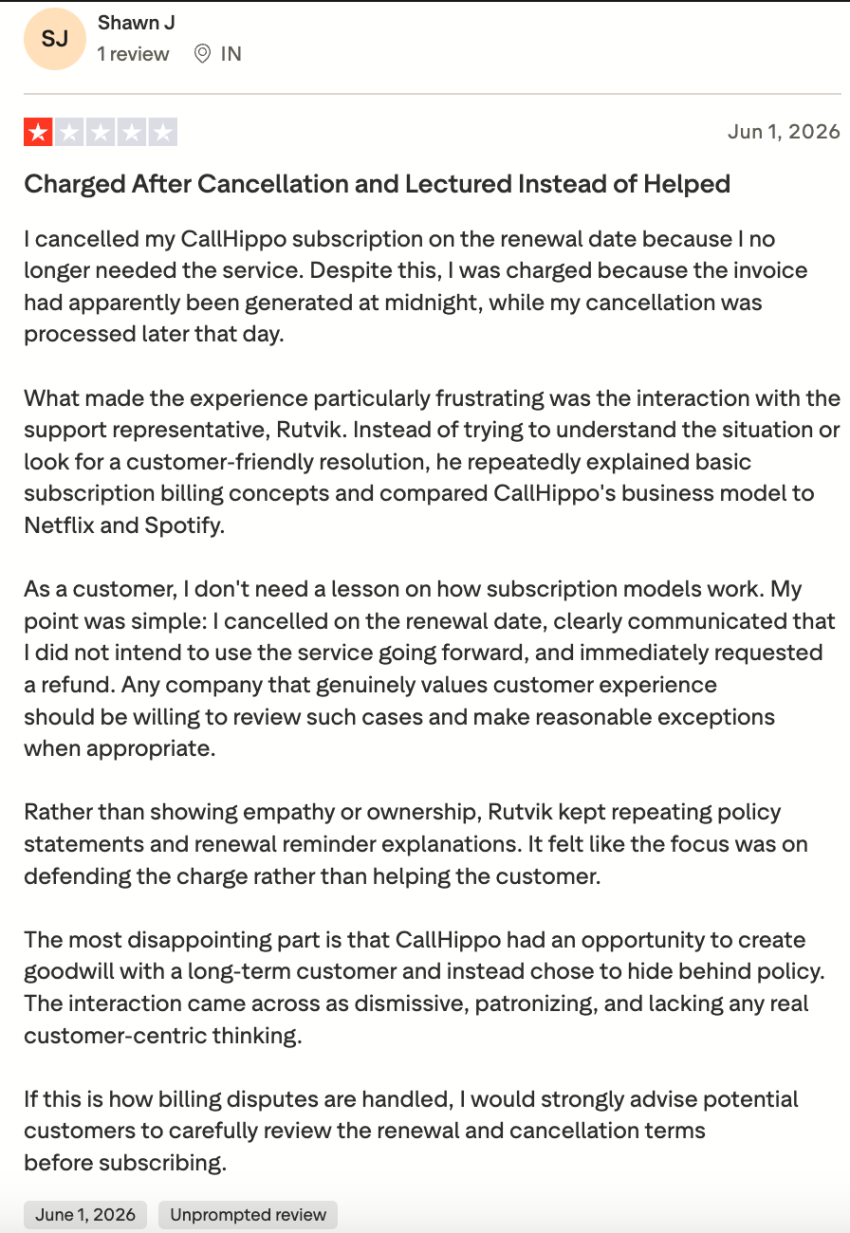
If you’re here because the dialer is slow or call quality isn’t great (which some customers do complain about, to be fair), that’s a product problem. If you’re here because you got charged after canceling, this is a vendor problem. Both are valid, but they lead to different replacements.
The seat price doesn’t fit the bill
CallHippo has five separate product families, including:
- An office phone system
- A separately priced call center suite (Pro Suite)
- A parallel dialer
- An omnichannel inbox
- AI agents
On top of the seat price, there can be additional fees. SMS services start at $3 per number per month for 10 DLC text messaging, and there’s a $100 one-time setup cost for Caller ID Name.
And then there are restrictions. Parallel calls can’t exceed 30% of total call capacity in the Office Phone System, and there’s a vague term that states that CallHippo can temporarily suspend your calling services if “unusually high usage is detected.”
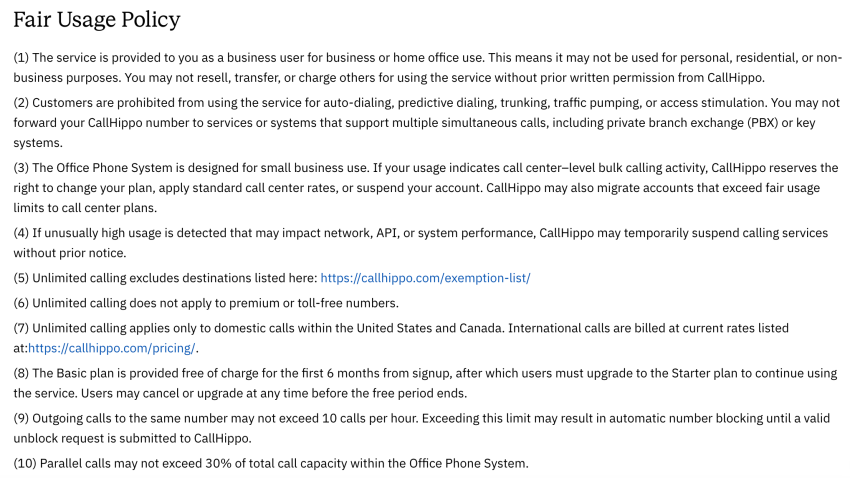
This means its Starter plan, which starts low at $19 per user per month, can quickly add up to $40 per user per month once you account for $3 per user for SMS, $3 per number for spam monitoring, and $15 per user for access to the reporting dashboard. Once you start adding omnichannel inbox features (starting at $20 per user per month) and the parallel dialer ($35 per user per month), things get expensive fast.
And these are the starting costs outside the free trial. If you want call recordings, custom greetings, or unlimited minutes (all of which are standard on other platforms), you need to upgrade to the $30 per month Professional plan.
All that said, let’s look at a few CallHippo alternatives.
Let’s Understand What You’re Replacing and Why
Before you compare CallHippo alternatives, you need to figure out what you’re actually shopping for. What problems have led you to seek an alternative, especially if you feel it’s falling short on technical abilities?
A sales team that needs faster dialing and a customer support team that handles mostly inbound calls will likely have entirely different needs. So, before you start looking at different feature lists, you want to know what problems you’re solving when you’re looking for a new VoIP system and what functionality matters most to you.
| If this is you | The symptom | Shortlist |
|---|---|---|
| Outbound sales team | Dial speed, connect rates, CRM logging lag | Dialer-first tools with strong CRM sync |
| Support or front-desk team | Routing, shared inbox, missed calls after hours | A full phone system with IVR and call flows |
| Both, on one account | The sales tool quietly becoming the company phone line | A unified platform; stop stitching two tools |
| Mostly texting customers | SMS caps, per-message overage, deliverability issues | Check A2P 10DLC registration support first |
Pro tip: As you’re considering different options for a virtual phone system, know that the last row matters more than its size suggests. US carriers require 10DLC brand and campaign registration for business texting, and budget virtual-number tools vary widely in how much of that they handle. A team that’s texting leads should confirm registration support before anything else, because unregistered traffic gets filtered.
The 7 Best CallHippo Alternatives
Here are seven alternatives, with an overview of where each one shines.
When making your choice, pay attention to the user-minimum column. Several of these tools require you to buy three or more seats even if your team is smaller, which means a three-person team switching to Aircall is paying for a fourth person who doesn’t exist.
Here’s a quick overview of the platforms we’ll discuss below:
| Platform | Best for | Entry price (annual) | User minimum |
|---|---|---|---|
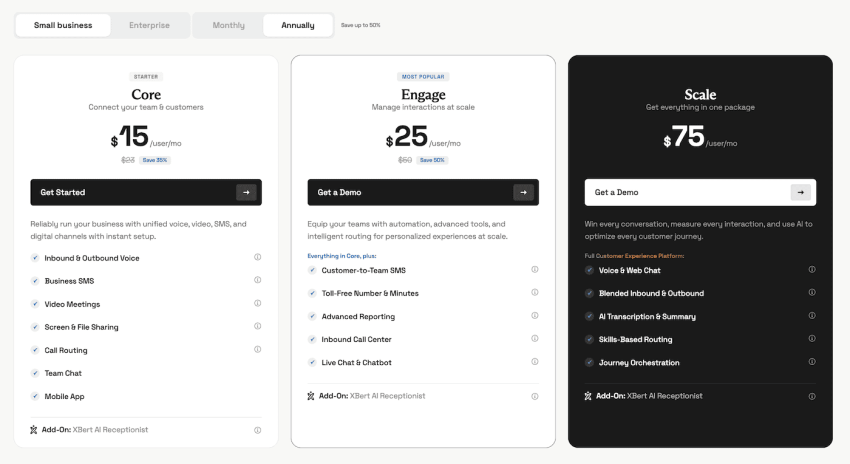
| Nextiva | One platform for voice, SMS, and video | From $15/user/mo | None |
| RingCentral | Established UCaaS, deep admin controls | From $20/user/mo | None published |
| Aircall | Teams living in Zendesk or Intercom | From $30/license/mo | 3 licenses |
| JustCall | CRM-heavy outbound with SMS workflows | From $29/user/mo | 2 users |
| CloudTalk | International outbound, 160+ countries | From $25/user/mo | 1 for Starter and Essential, 3 for Expert |
| Dialpad | Built-in transcription and sentiment | From $15/user/mo | None on Standard, 3 on Pro tier |
| Quo (formerly OpenPhone) | Small teams wanting a shared inbox | From $15/user/mo | None |
Nextiva
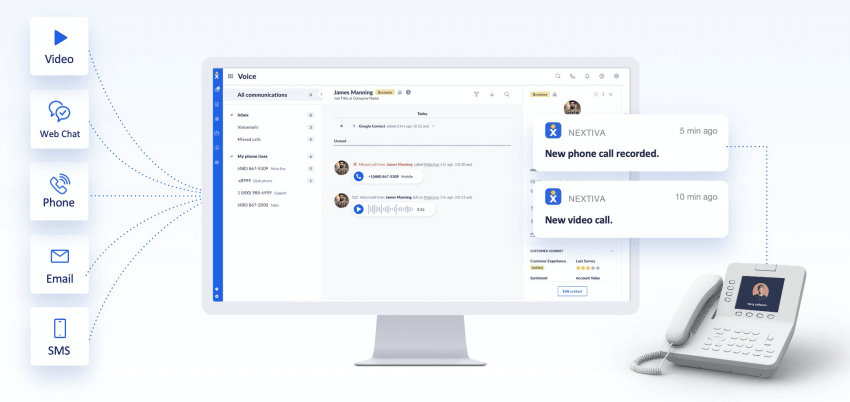
Nextiva is a unified communications platform that gives you voice, SMS, video conferencing, and team messaging on one platform alongside virtual phone numbers. This includes unlimited U.S. and Canada calling on the entry plan, no user minimum, porting and onboarding included, and 24/7 live support on every tier rather than only the top one.
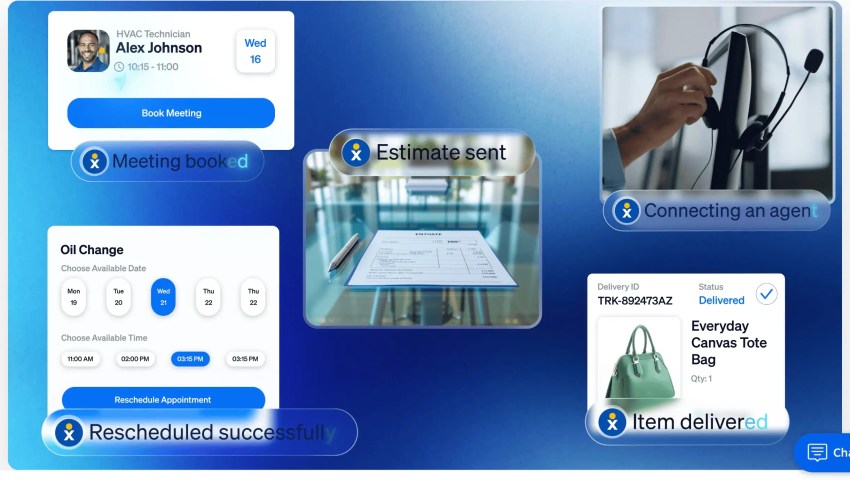
You’ll also get access to advanced features like call transcription, voicemail transcription, AI-powered sentiment analysis, predictive dialers, and call forwarding. We also have XBert, an AI voice agent and virtual receptionist, starting at just $99 per month.
Nextiva bills regulatory recovery and E911 fees and passes through the FCC’s Universal Service Fund contribution. These appear on your invoice, and you should know them before you sign, as they are in addition to the published per-user–per-month fee.
However, Nextiva’s pricing is still more transparent than CallHippo’s pricing structure, because you’re getting one predictable seat price with published pass-through fees instead of multiple standalone products with a long list of costly add-ons for basic features.
Nextiva’s VoIP solution strives for 99.999% uptime across eight redundant US points of presence, which works out to under six minutes of potential downtime per year and helps you to deliver an outstanding customer experience.
Nextiva’s Pricing: Starts at $15 per user per month.
Aircall
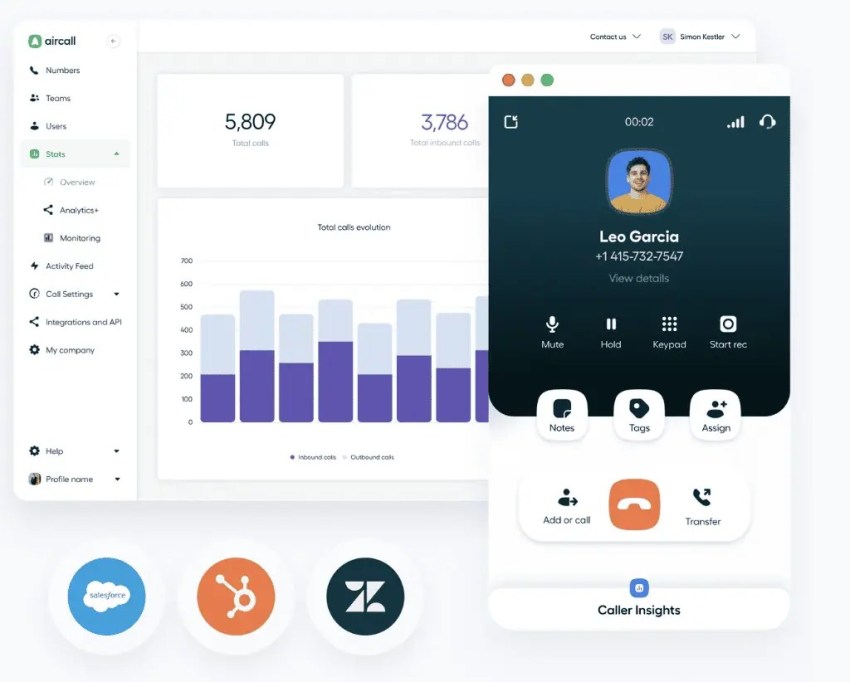
Aircall was built for teams that live in Zendesk and Intercom. Native helpdesk integrations, shared call inboxes, warm transfers, and tag-based routing make it a natural fit for support operations that are already built around a specific ticketing system.
Now the downsides. Aircall enforces a three-license minimum, so a two-person team still needs to pay for that third unnecessary seat. The power dialer sits on the Professional tier at roughly $50 per license per month. A five-person outbound team on Professional is billed at $250 per month before add-ons.
Aircall Pricing: Starts at $30 per license per month (three-license minimum).
JustCall

JustCall is built for sales. It integrates with 100+ CRMs, and users consistently praise how easily it connects to HubSpot and Pipedrive. The multichannel dialer, automated texting, workflow triggers, and local presence dialing are all core to the platform.
Entry pricing is $29 per user per month with a two-user minimum; however, the real floor is $58. Power dialers and Salesforce sit on the Pro tier at about $49, and calling and SMS carry fair-usage caps that trigger per-minute and per-segment charges once exceeded.
It’s also worth noting that some reviewers on G2 report CRM sync lag and dropped calls during peak hours.
JustCall Pricing: Starts at $29 per user per month (two-user minimum).
CloudTalk

CloudTalk offers local numbers across 160+ countries, smart and power dialers, call queuing, custom routing rules, and speech analytics. It’s a good fit for companies with global reach that need international outbound calling and international customer support functions.
While pricing starts at a seemingly accessible $25 per month, higher tiers have license minimums, with three required for the Pro plan. And while CloudTalk is a good option for international companies, some customers have reported difficulty obtaining international numbers in other countries.
CloudTalk Pricing: Starts at $25 per user per month.
Dialpad
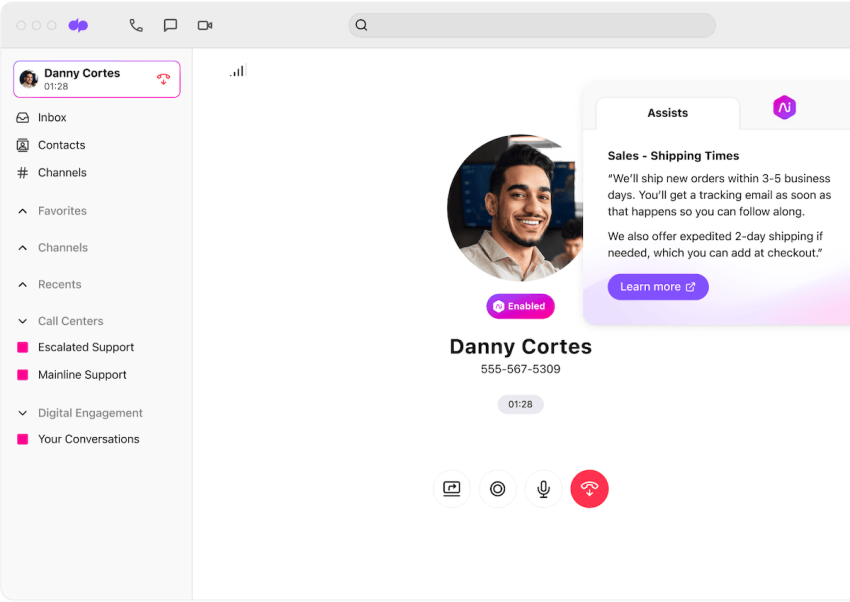
Dialpad leans heavily into AI. Real-time transcription, live sentiment tracking, and automated call summaries are included on baseline tiers rather than sold as an add-on. For teams that rely on conversation intelligence for coaching and deal review, that’s a real advantage over CallHippo, where AI is a separate product line.
CRM integrations and the auto-receptionist unlock on the Pro tier at roughly $25, while higher tiers have license minimums starting at three on Pro. Reviewers report steep international calling rates and occasional audio latency over standard connections.
Pricing: Starts at $15 per user per month.
RingCentral
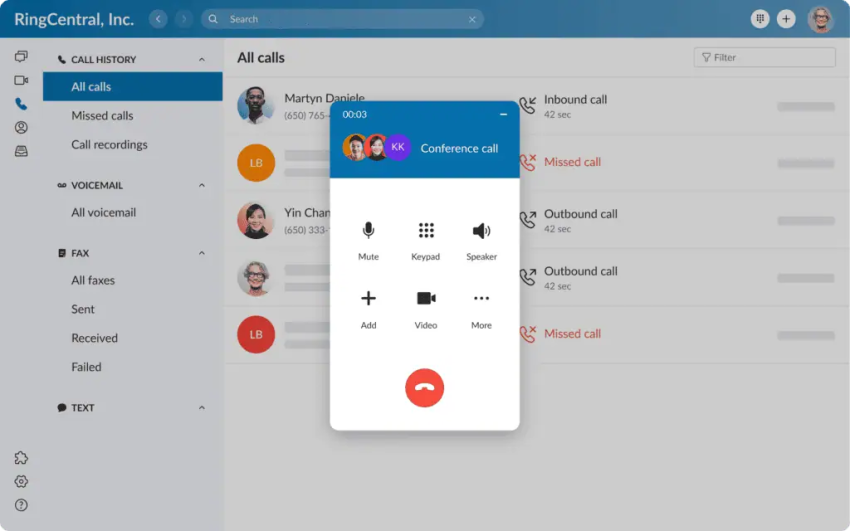
RingCentral is an enterprise-grade option for call center software. It’s a mature UCaaS platform with deep admin controls, multisite management, 300+ integrations, and unlimited US and Canada calling from the Core tier at around $20 per user per month on annual billing.
However, there are limitations to keep in mind. Core caps SMS at roughly 25 messages per user per month, and the Salesforce integration and automatic call recording sit above that tier, so many sales teams end up on Advanced at about $25 per user per month.
RingCentral agreements also commonly run one to three years with auto-renewal, so ask for the exact cancellation window in writing.
RingCentral’s Pricing: Starts at $20 per user per month.
Quo (formerly OpenPhone)
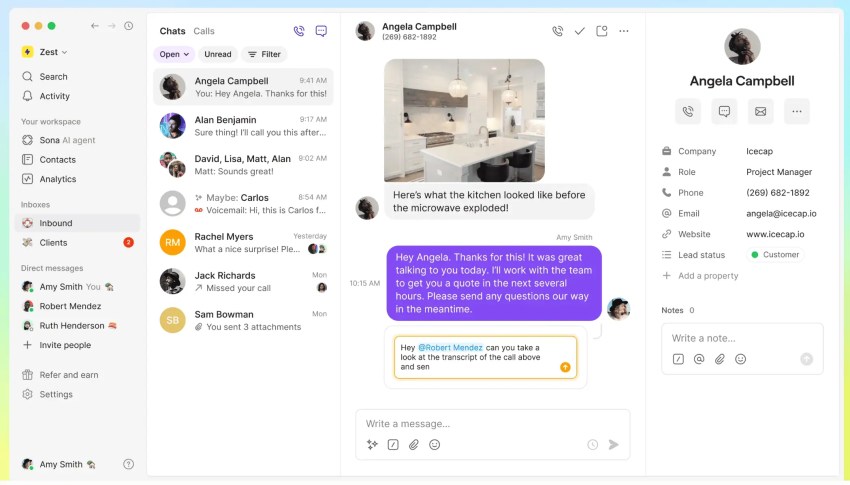
Quo targets small teams that want a shared number and a collaborative team inbox without a full platform. You get unified messaging threads, contact tagging, and basic auto-attendants with no user minimum.
There’s no native outbound power dialer, so anyone who came to CallHippo for the dialer won’t find a replacement here. Voice quality can also depend on browser performance. A three-person start-up sharing one line will find it works well, but a team running outbound campaigns will hit the ceiling quickly.
Pricing: Starts at $15 per user per month.
Trials, Contracts, and Number Porting: How to Choose the Right CallHippo Alternative
You’ve narrowed down your shortlist. Before you sign anything, there are two things worth getting right: make sure the contract won’t surprise you the way the last one did, and run a real trial instead of trusting the demo. Then, once you do choose a solution, you need to port your number the right way.
Here’s how to do all three.
What to test during the trial
Every vendor demos well because demos are typically well-rehearsed sales scripts that run smoothly.
Actual product failures show up under a real workload once you’re looking at edge cases, so run a real trial before committing to a service and getting locked into a contract.
When you do, here’s what to look for:
- Run real call volume: Three test calls won’t surface the problems, so run a full day of actual dials.
- Test the mobile app specifically: App stability is a recurring complaint across this entire category.
- Place calls over a mediocre connection: Test on LTE and average home WiFi to get a good feel for performance at realistic connectivity levels.
- Time CRM logging: Place a call and measure how long it takes to appear in your CRM. If there’s a lag, you want to take note of it.
- Send SMS to a real handset: Confirm delivery and check whether the sender ID displays correctly.
- Open a support ticket on purpose: You can’t evaluate support responsiveness from a pricing page, and it’s the thing that matters most when something breaks.
Read the exit terms before you read the feature list
Once you’ve selected the VoIP phone system you like, make sure you read exit and cancellation terms before you sign on the dotted line.
Remember: You’re about to sign another annual contract. If you’re an unhappy CallHippo customer with a bad experience during an attempted cancellation or billing dispute, everything that went wrong last time was in the terms and not the product tour.
This checklist covers the questions you should get answered in writing before you commit to anything:
| Before you sign | What to get in writing |
|---|---|
| Renewal terms | Auto-renewal window, notice period, and exactly how to cancel. Get the method, not just the policy. |
| Number ownership | Confirmation that the numbers can be ported out and clarification of the cost and duration of the release process. |
| Refund posture | What happens if you cancel mid-term? Assume nothing is prorated unless it says so. |
| The real monthly total | Seat price plus number rental, SMS, overage, and regulatory and E911 fees. Ask for a sample invoice. |
| Minimums | Seat minimums and whether you can reduce seats mid-contract, not just add them. |
| Renewal-year price | Confirmation of the year-two rate. Intro pricing expiring is the most common second surprise. |
How to port your numbers out cleanly
Porting is the process of moving your phone numbers from one service to another. The porting sequence matters because getting it wrong can cost you your numbers permanently.
Request the Customer Service Record from your current provider so the billing name, address, and account number match exactly, because mismatches are what cause a port request to bounce and add days.
Configure routing and integrations on the new platform first, and then port. Test inbound, outbound, SMS, and CRM logging after the port completes. Only then — after you’re sure your numbers have been ported to the new account and are working correctly — should you cancel the old account.
Important: Do not cancel the old account before the port completes. Canceling first can forfeit the number permanently. This step is the single most expensive mistake in this process, and it’s entirely preventable.
See how to port your numbers to Nextiva.
Switch to Nextiva Without Another Surprise
If you’re making a change, the pressure is real. We know you’re probably less worried about picking a worse product than you are about signing another contract that looks cheap but isn’t, then going through a migration all over again in two years or less.
The good news? You know the process can go wrong, but it can also go really right.
Cedar Financial, for example, is a high-volume outbound collections operation that was running seven separate vendors and averaging 70 calls per agent per day. After moving to Nextiva’s contact center solution, agents hit 400+ daily calls, which is a 471% increase. Operating costs dropped 30%. Revenue grew 30%.
Nextiva’s business phone system gives you unlimited US and Canada calling on the entry plan, no user minimum, porting and onboarding handled, and 24/7 live support on every tier.
And don’t forget that while CallHippo seems affordable at first, add-on costs add up quickly, especially when you see what you aren’t getting with other platforms that have more all-in-one pricing. If you’re ready to make a switch but unsure about cost, run your last three CallHippo invoices against a real Nextiva quote.
Ready to work with a call center solution that works for you? Get a quote from Nextiva.
The small business VoIP phone system for modern work.
Get business phone calls, video meetings, and secure messaging in one platform. Easy setup. Budget-friendly. Trusted by millions.