VoIP
VoIP  Blog
Blog  Business Communication
  Customer Experience
  Leadership
  Marketing & Sales
  Nextiva News
  Productivity


If you’re a Windstream customer, you may have noticed some changes over the past few years. The company rebranded its consumer and small-business services as Kinetic by Windstream back in 2017. Since emerging from bankruptcy in 2020, it’s been aggressively pushing customers away from legacy copper lines toward fiber and voice over internet protocol (VoIP)-based services.
Whether you’re on a traditional Windstream landline or already using their Kinetic Voice VoIP product, you might be looking for alternatives. Legacy landline customers have seen steep price increases as the company tries to move them off aging copper infrastructure. And customers on Kinetic’s VoIP and internet bundles are finding that competitive pricing and better feature sets exist elsewhere.
The good news here is that you have options (and plenty of them). Whether you’re running a small business or just need a reliable home phone service, there are Kinetic and Windstream alternatives that cost less, offer more calling features, and won’t lock you into a provider that’s still figuring out its post-bankruptcy identity.
This guide covers why Kinetic subscribers are leaving, the best business and residential alternatives, and how to switch service providers without losing your phone number.
Why Subscribers Are Leaving Kinetic Phone Service
Three converging factors are pushing Kinetic customers to look elsewhere. Let’s discuss each.
The rising cost of legacy analog connections
Copper-based phone lines were never cheap, but they used to be predictable. That’s changing.
Under FCC Order 19-72, legacy carriers are no longer required to offer analog copper lines at regulated rates. This means Kinetic and other traditional providers like AT&T can charge what the market will bear. For many small businesses, this translates to up to $100 per line per month, often for basic voice service with no additional calling features.
When you’re running a small business — and according to the SBA, 99.9% of American firms are small businesses — that overhead adds up fast. A five-line office paying $80 per line is spending nearly $5,000 a year on phone service alone. Modern cloud alternatives often cost a fraction of that.

The retirement of traditional copper lines
The traditional copper landline infrastructure itself is going away.
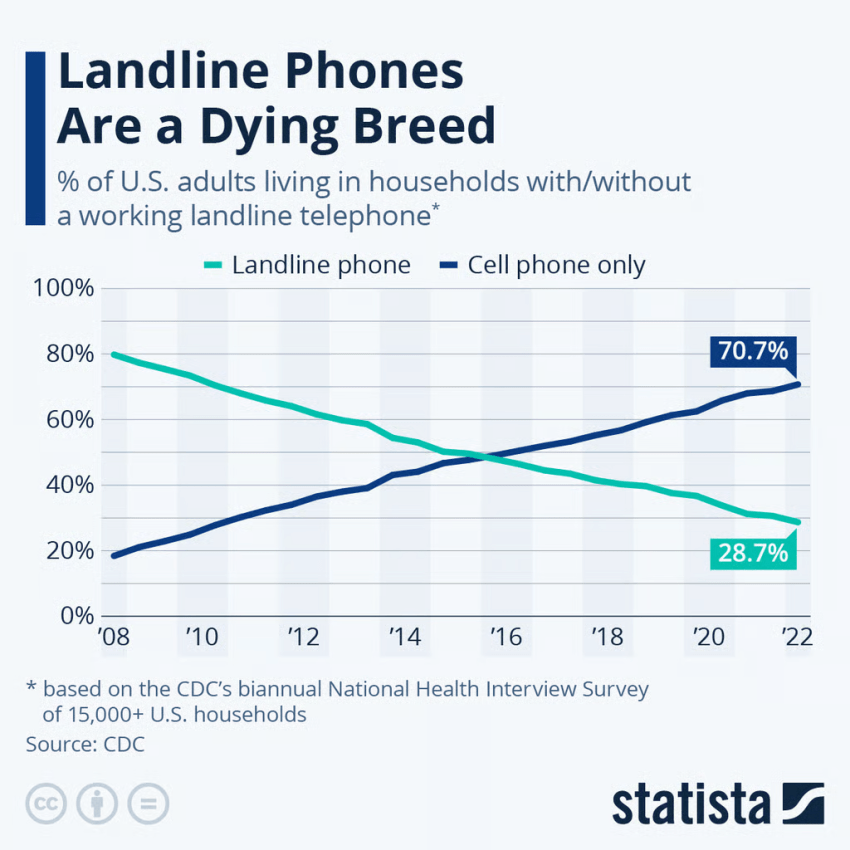
Carriers across the country are decommissioning copper networks in favor of fiber internet and cellular. As copper infrastructure ages, maintenance becomes more expensive and less reliable. Providers have little incentive to invest in a dying technology when they can push customers toward broadband and high-speed internet plans instead.
For Kinetic customers who rely on copper landline services, this can mean longer repair times, fewer technicians trained on legacy equipment, and the looming possibility that service availability in your area will be transitioned, whether you’re ready or not. It’s also worth noting that Kinetic has been phasing out copper landlines in favor of fiber or VoIP options over the past few years.
Outdated features, limited geography, and restricted communication options
Kinetic Voice, Kinetic’s VoIP product, covers the basics. The home option includes caller ID, voicemail, and three-way calling, while the small business option adds cloud computing, video conferencing, and data backup and recovery.
Kinetic bundles phone and fiber internet for both home and business plans. As a result, most small businesses end up with Kinetic Business Phone bundled with their internet service, which includes up to three lines and a web portal for managing features.
Kinetic’s business services are available only in select communities in 18 different states. And there’s still no advanced functionality like smart interactive voice response (IVR), AI-powered routing, or unified inbox for calls, texts, and team messages that you could get with a modern cloud solution or UCaaS system.
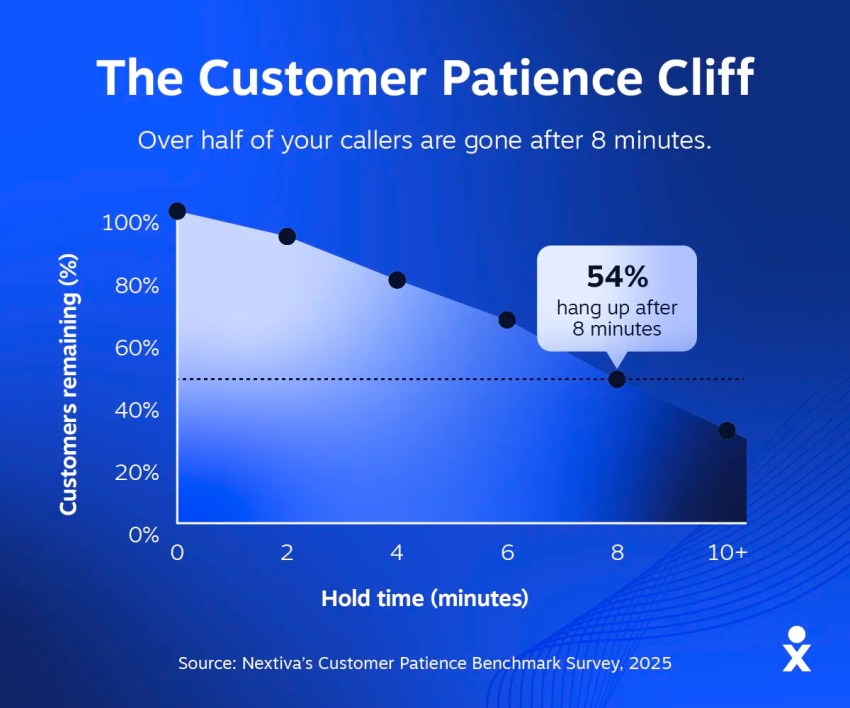
The lack of advanced features can lead to slower response times, which can frustrate customers. The Nextiva Customer Patience Benchmark found that consumers expect a response to a phone call within eight minutes. When your phone system can’t route incoming calls intelligently or notify you of missed calls in real time, you lose customers.
If your phone system is holding you back instead of helping you compete, it’s time to look elsewhere.
Best Business Alternatives to Kinetic Phone Service
For small businesses, the move away from legacy landlines isn’t just about cost savings. It’s about getting a phone system that supports how you work. Here are the top options.
1. Nextiva: Best overall cloud solution for small businesses
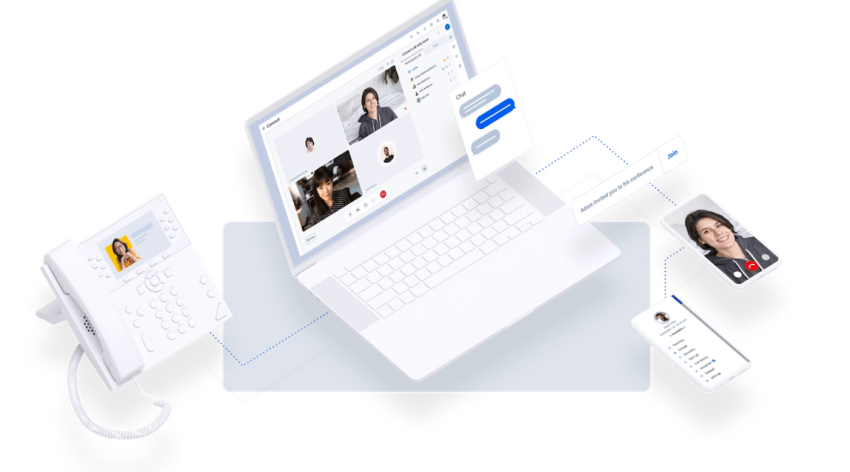
Nextiva is a standout choice for businesses that want everything in one place.
Nextiva Business Phone Service unifies voice, text messaging, video meetings, and team chat on a single platform. This means you’re not stitching together separate tools or paying for features you don’t use.
Here are a few key features to keep in mind:
- Advanced functionality like advanced IVR, call forwarding, smart call routing, AI-powered insights, and more.
- Pricing starts at $15 per user per month, which is a fraction of what most businesses pay for legacy lines.
- The network has a 99.999% proven uptime rating, backed by eight redundant U.S. data centers.
- Over 100,000 businesses use Nextiva, and the company holds a 4.6 out of 5 rating on Trustpilot based on more than 8,000 reviews.
Our wide range of features and affordable pricing help businesses stay connected with their customers with quick, personalized customer support. And in many cases, it saves our customers money.
Shelby American, the iconic muscle car manufacturer, switched from a legacy on-premise system to Nextiva and cut its communications costs by more than 50%. Their IT Director described the difference as “HD calling” compared to the dropped calls and audio issues they dealt with before.

For businesses switching from Kinetic, Nextiva handles the entire number porting process at no extra cost. Our onboarding team helps design custom call-routing paths, so you don’t have to figure it out on your own.
2. Unitel Voice: Best niche option for startups and micro businesses

If you’re a solopreneur or run a very small operation, Unitel Voice offers a straightforward, no-frills option.
Unitel Voice is a virtual phone system designed for startups and micro businesses that need a professional business number without the complexity of a full UCaaS platform. You get a business line that forwards to your cell phone, basic voicemail, and auto-attendant features.
It’s not as feature-rich as Nextiva, but if you’re a one-person shop that just needs to separate business from personal calls, it gets the job done at a low price point.
3. Zoom Phone: Best basic add-on for existing video users
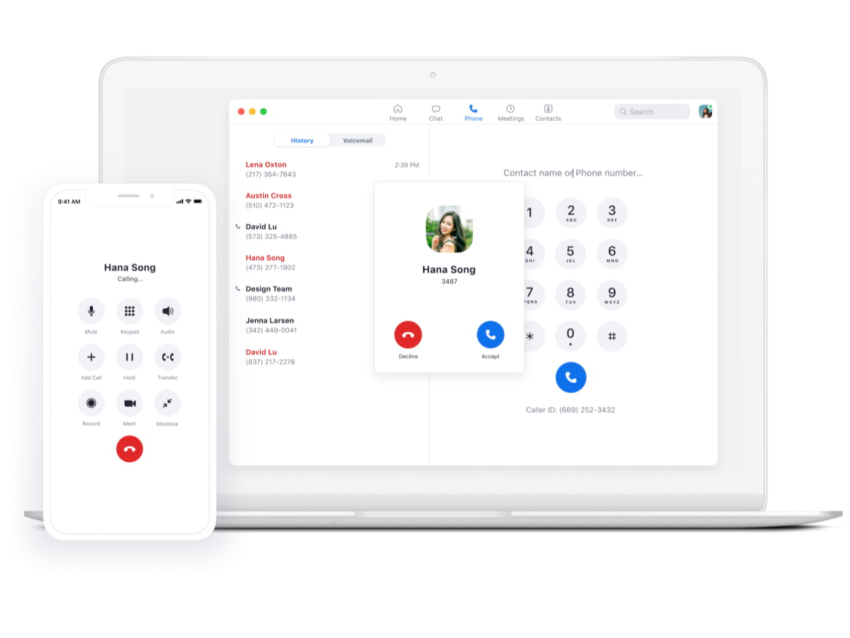
If your team already lives in Zoom for video meetings, Zoom Phone might make sense as an add-on.
Zoom Phone lets you make and receive calls from the same app you use for video conferences, which simplifies things for teams that are already Zoom-native.
The limitation is that Zoom Phone works best as a complement to Zoom’s video platform. If you’re not already a Zoom customer, there’s no reason to start here. If you need a full unified communications platform with messaging, CRM integrations, and advanced call routing, you’ll find Zoom Phone more limited than with dedicated UCaaS providers like Nextiva.
Residential and Home Office Alternatives to Kinetic
Not every Kinetic customer is a business. If you’re looking for a home phone replacement or a dedicated home office solution, here are the best options.
1. Community Phone: Best cellular-based landline option
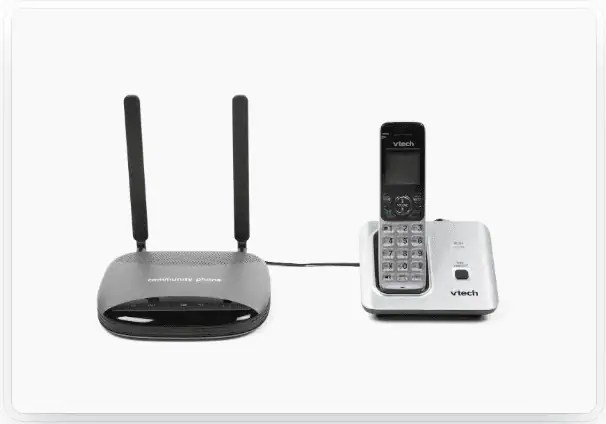
Community Phone is ideal for households that want landline reliability without depending on copper wires or home internet service.
The service operates on local cellular networks. You connect a small wireless base station to your traditional analog telephone set, and calls route through cellular service rather than copper infrastructure.
This is a good fit for rural areas with spotty broadband, older households that want to keep using their existing phones, or anyone who wants a landline experience without the legacy landline infrastructure.
2. Ooma Telo: Best budget internet-based home VoIP
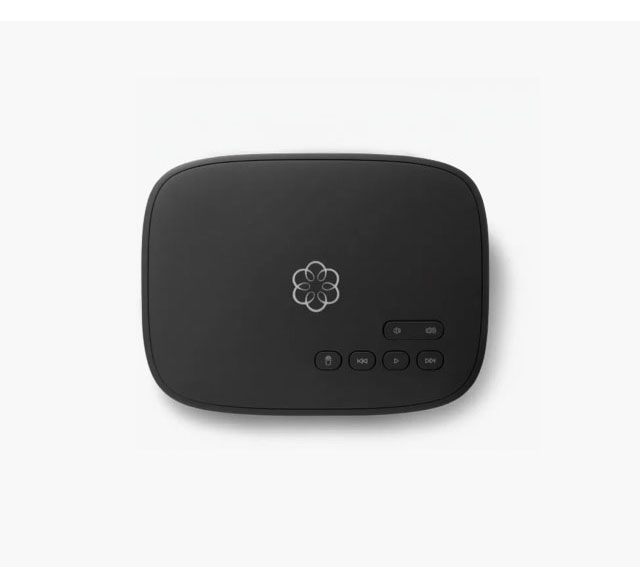
Ooma Telo is the go-to choice for budget-conscious households that have reliable high-speed internet.
You buy a physical hardware adapter at a one-time cost of $99.99, connect it to your Wi-Fi router, and pay only local taxes and government fees for basic calling. This means there’s no monthly subscription for the base tier. Ooma uses VoIP technology to route calls through your existing internet service.
Ooma offers an optional paid tier with additional features like spam call blocking, voicemail alerts, and mobile routing, while the free tier includes unlimited domestic calling, which is more than enough for most households.
There is a catch, though. Ooma’s call quality depends entirely on your internet connection. If your internet goes down during an outage, so does your phone. For most homes, this is a reasonable trade-off for the cost savings.
3. Cloud softphones for dedicated home office spaces, like Nextiva
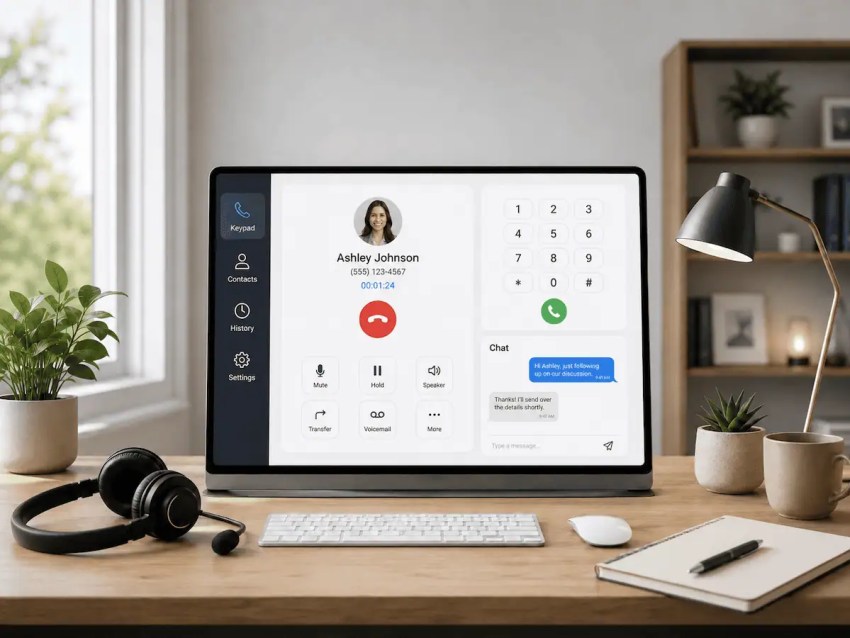
If you work from home and need a professional business line, you don’t need physical hardware at all.
Cloud softphones let you run a full business phone system on your computer, tablet, or mobile phone. You get a dedicated business number, call routing, voicemail, and all the features of a traditional office phone system without installing cables or paying for an extra landline.
Nextiva’s softphone apps for iOS and Android work well for remote professionals who want to keep business and personal calls separate. Calls come through your business number, but you answer them on your personal device. It can save you money, prevent you from needing another device, and give you all the convenience you need.
How to Switch and Keep Your Kinetic Phone Number
When switching to VoIP solutions, most people will start by asking the same question: “Will I lose my phone number?”
And fortunately, the answer is no: You don’t have to lose your phone number unless you want to change it, regardless of who your current provider is. Federal regulations protect your right to transfer your number to a new carrier. But the process requires some care to avoid gaps in service.
Here’s how you can switch providers and keep your Kinetic by Windstream phone number.
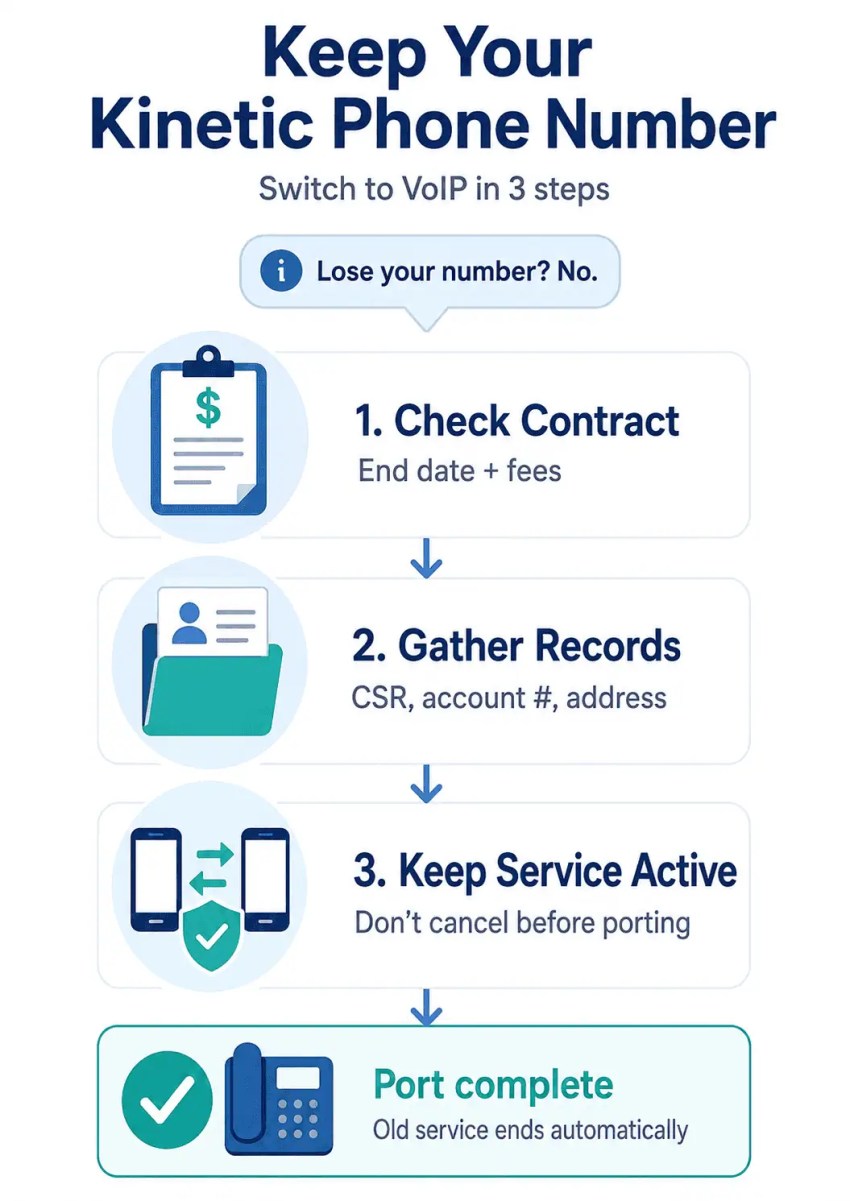
Check legacy contract terms and early termination penalties
Before you do anything, find out what you’re committed to.
Traditional telecom agreements often have multiyear terms and automatic renewal clauses. Review your latest monthly invoice or contact Kinetic’s customer support to find your exact contract end date. You’ll want to calculate any potential early termination fees before initiating a switch.
In some cases, the savings from switching will outweigh the termination fee within a few months. In others, it makes sense to wait until your contract expires, so run the numbers.
Gather your customer service records and billing info
To port your number, your new carrier will need specific information from your current account.
Request a Customer Service Record from Kinetic. This document shows the exact billing name, service address, and account number required for a successful transfer. Also, keep in mind that small discrepancies (for example, “St.” vs. “Street” mismatch) can delay the port.
Have this information ready before you sign up with your new provider, as it can speed up the process significantly.
Confirm active status before requesting the transfer
This is the most important step: Do not cancel your Kinetic subscription before the new carrier completes the port.
If you cancel early, you may lose your phone number entirely, because your old line needs to stay active until the transfer is complete. Once the port goes through, your Kinetic service will automatically terminate.
Nextiva handles this process for new customers, managing the porting timeline so there’s no gap in service. Your new system will get fully configured before the number transfer goes live.
Key Factors to Compare When Choosing a New Provider
Not all phone providers are created equal. Here’s what to evaluate before you commit to a phone service solution.
Network reliability and geographic redundancy
Uptime matters more than almost any other factor. If your phone system goes down, your business goes dark.
Evaluate network uptime and data center density when comparing providers. Nextiva maintains eight redundant U.S. data centers and has a 99.999% uptime rating, which translates to less than six minutes of downtime per year.
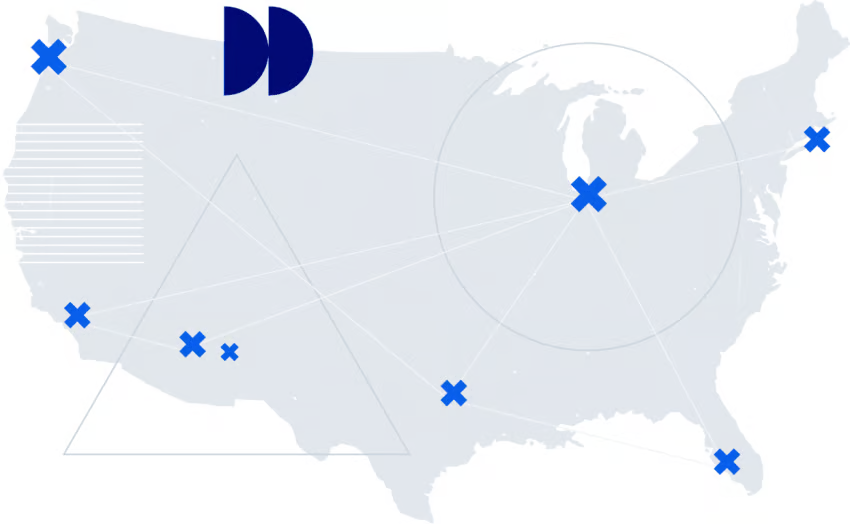
Ask potential providers about their infrastructure. A single data center is a single point of failure, so redundancy is what keeps you online when something goes wrong.
Full cost of ownership and transparent billing
The advertised price isn’t always the real price.
Compare basic subscription rates, but also identify any additional charges, including:
- Activation fees
- Number porting fees
- Payment processing costs
- Required hardware purchases
- Required internet bundle for discounts
Some providers advertise low rates but nickel-and-dime you on extras.
Digital phone systems eliminate the need for physical PBX equipment and specialized IT maintenance, yielding significant savings compared to legacy setups. But make sure you’re comparing the total cost of ownership beyond the monthly subscription.
Technical onboarding and ongoing customer support
Switching phone systems can feel daunting, especially if you’ve been with the same provider for years.
Some providers include complete configuration support and number porting at no extra charge. Others charge extra or require self-service. If you’re not technically inclined, the level of onboarding support matters.
And remember, a provider that’s great at sales but terrible at support will cost you more in frustration than you save on the subscription. Read customer reviews on third-party sites like Trustpilot, G2, or Gartner Peer Insights to evaluate ongoing support quality.
Nextiva includes full onboarding support with every plan, helping users design custom call routing paths and port numbers at no extra cost. We also offer 24/7 support to all customers, so we’re here when you need us.
Your Phone System Shouldn’t Hold You Back. Get Started with Nextiva
Whether you’re on a legacy landline or their Kinetic VoIP service, the math points in the same direction. Legacy customers are facing steep price increases for aging copper infrastructure, and Kinetic’s VoIP customers get a more modern product, but one that’s still limited to basic calling features.
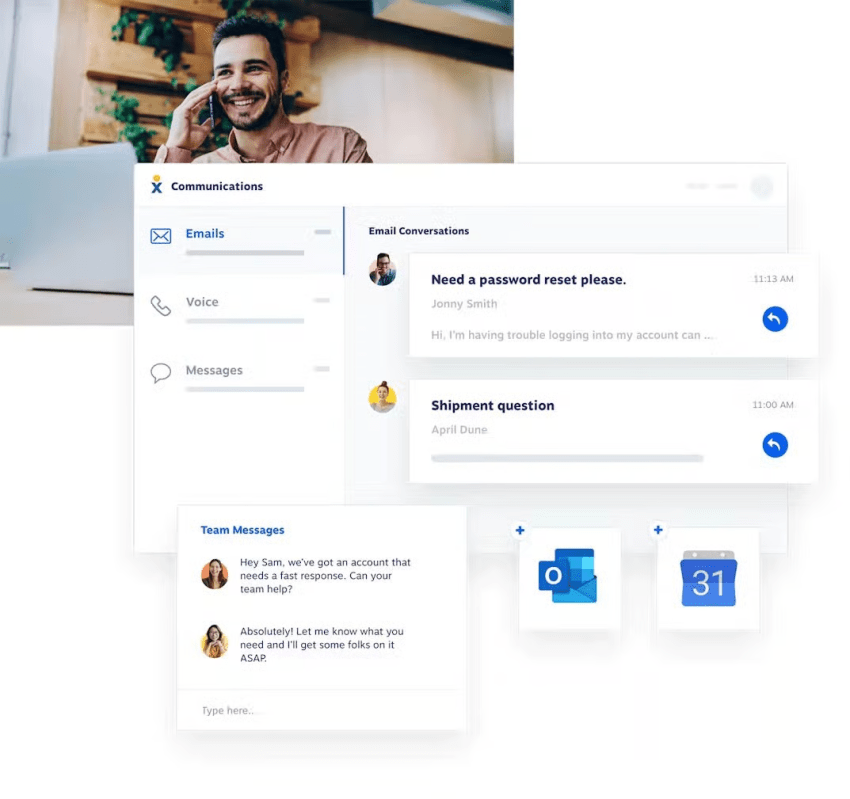
The alternatives are cheaper, more capable, or better supported (or any combination of the three). Modern UCaaS platforms replace legacy systems, giving you calling, texting, video, and team messaging in one app that works on your phone. You get CRM integrations, AI-powered routing, and real-time notifications instead of a web portal from 2015.
Nextiva Business Phone Service starts at $15 per user per month, includes free number porting and full onboarding support, and runs on a network with proven 99.999% uptime.
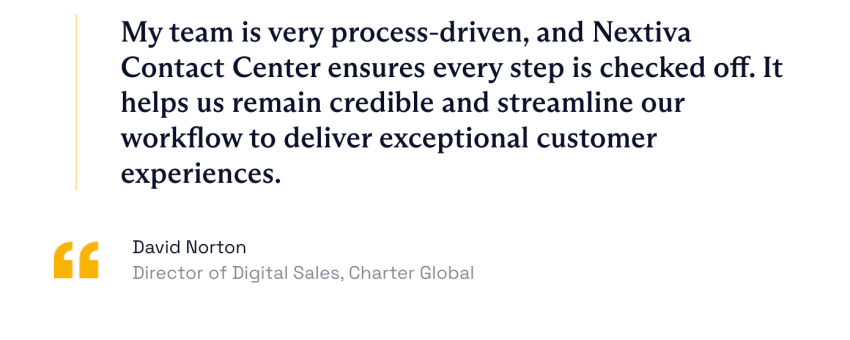
Our clients have real business cases that prove the value of modern phone systems. Charter Global, a national IT services provider, switched to Nextiva after its legacy system kept dropping calls during client pitches. After the move, they doubled their booked meetings.
If you’re ready to move on from Kinetic, Nextiva is the best place to start.
Ready to replace your Kinetic service? Discover how Nextiva can help you today.
Switch to the #1 Rated Cloud Phone System to Run Your Business
Upgrade to the industry’s highest rated hosted VoIP system. Get flexible, reliable cloud communications anywhere your team works.
Frequently Asked Questions About Switching Carriers
Yes, you can keep your current phone number if you leave Windstream. Federal regulations protect your right to transfer (port) your phone number to a new carrier. The key is to keep your Kinetic line active until your new provider completes the porting process, as canceling early could result in losing your number.
Nextiva handles the entire porting process for new customers to prevent any gaps in service.
When it comes to cheap Kinetic by Kinetic alternatives for home phones, Ooma Telo and Community Phone are worth noting.
Ooma operates over your existing internet connection, with no monthly fee other than taxes. Community Phone operates on cellular networks and doesn’t require internet at all. Both cost significantly less than traditional copper landlines.
Nextiva offers significantly more features than Kinetic’s phone services. Nextiva replaces outdated copper infrastructure and a limited VoIP solution with a cloud-based network. Our plans start at $15 per user per month, strive for 99.999% uptime, and unify calls, texts, and video on one platform. Unlike legacy copper landlines, our services don’t require extensive, time-consuming maintenance if something goes wrong.
No, you don’t need to buy new hardware to switch to a cloud phone system. Physical desk phones are entirely optional. You can make and receive calls on computers, mobile phones, or tablets using softphone apps. Nextiva offers apps for iOS and Android, so you can run your business phone system from the devices you already own.
Whether your digital phone service will still work during a power outage depends on your setup.
– Traditional copper lines carry their own power, which is one advantage they have over VoIP.
– Internet-based phone systems rely on your home router and Wi-Fi, so if your power or internet connection goes out, your phone does too.
– Cellular backup and automatic call forwarding to mobile devices can help prevent downtime.
Many cloud providers, including Nextiva, offer mobile apps that keep you going even when your office internet service is down, as long as you can connect to the internet.