Productivity
 Blog
 Business Communication
 Customer Experience
 Leadership
 Marketing & Sales
 Nextiva News
 VoIP
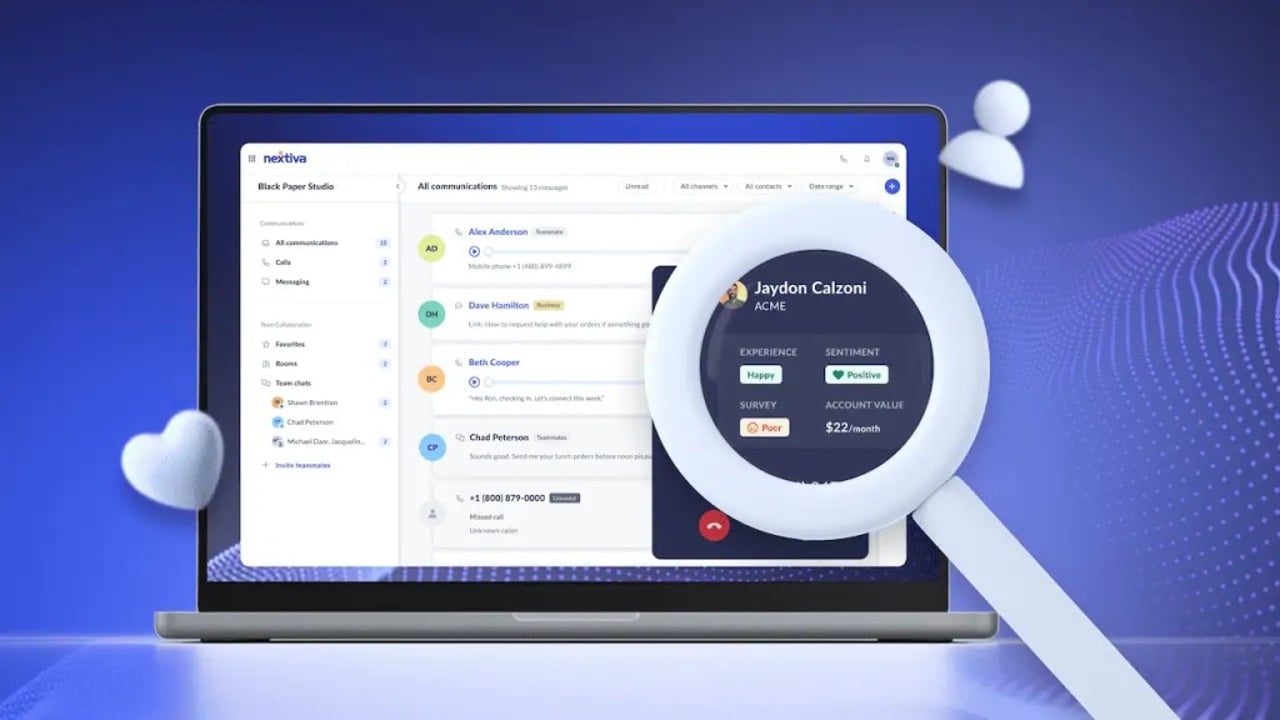

Contact management goes beyond organizing names and numbers in a spreadsheet. It also includes tracking interactions and measuring progress in addition to managing customer contacts. A contact management tool helps you do this seamlessly.
However, if it’s not effectively adopted in the workflow, the tool manages you instead of your contacts. In addition to a reliable contact management tool, you need a well-thought-out plan so you can put in place an executable process to encourage adoption.
The contact management software aggregates customer data, while the processes help automate workflow. This drives improvements in sales and marketing efforts.
Take the AI Maturity Assessment
In just 5 minutes, get your personalized score and recommendations to move forward with AI.
In this article, we’ll dive into contact management software and cover best practices to help you use the tools effectively.
Contact Management Software at a Glance
- Definition: Contact management software stores, organizes, and tracks customer information such as phone numbers, emails, and social profiles in one central database.
- Contact manager vs. CRM: A contact manager works like a digital address book, while a CRM adds pipeline tracking, sales automation, and marketing tools.
- Top picks by use case: Google Contacts suits individuals on Gmail and Android, HubSpot CRM is a free CRM-based option for small teams, and Salesforce fits enterprises that need deep customization.
- What to compare: Look at contact organization, automatic activity logging, email and calendar integrations, data import and export, mobile access, and room to grow.
- Channels matter: Customer conversations happen over calls, SMS, chat, and social media, so connect your contact records to a communication platform to capture every interaction.
What Is Contact Management Software?
Contact management software organizes, stores, and tracks customer information in a centralized database. This information contains phone numbers, emails, social media profiles, or referral information that helps businesses connect with clients.
It frees up businesses from making administrative changes manually, such as updating sales interactions or follow-ups. To keep up with the tracking, such systems often have integrations with customer relationship management (CRM) software.
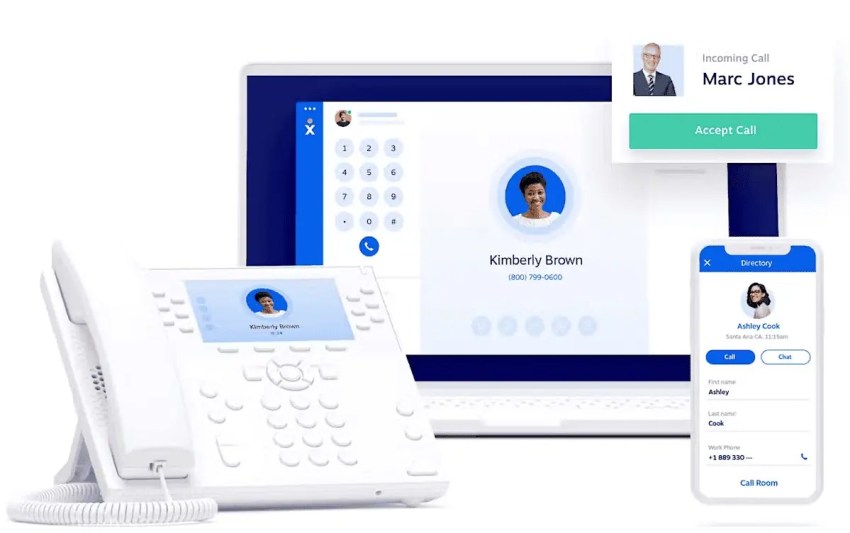
How contact management software differs from CRM
Traditionally, contact management is more about storing and organizing customer information to use it for future interactions. CRM concentrates more on pipeline tracking combined with lead generation and marketing automation features.
Modern CRM software providers offer a contact management tool as a part of their package, making it easier to track customer information in a centralized manner. Similarly, various email productivity solutions deliver contact management included in their features. But do conversations with clients happen over email only?
In real-world scenarios, client conversations span beyond emails or phone calls to chat, social media, and even text messaging. Communication software like Nextiva combines all these channels together, integrating with a CRM to aggregate interactions across all channels as inputs to update the CRM system accordingly. This helps businesses manage customer relationships effectively, regardless of the platform on which they’re nurtured.
Here’s an overview of how contact management differs from CRM software:
| Contact Management Software | CRM Software |
|---|---|
| Keeps track of names, phone numbers, and emails | Manages all customer interactions and sales steps |
| Works like a digital address book | Organizes customer interactions, sales, and follow-ups |
| Offers a simple list of customer contacts with notes | Includes tools for sales, marketing, and customer support |
| Includes limited notes on customer conversations | Allows detailed record of emails, calls, and meetings |
| Usually works by itself | Connects with email, social media, and other tools |
| Does not offer much automation | Can automatically send reminders and follow-ups |
| Works for small businesses or individuals | Works for teams and larger businesses needing full customer care |
According to Jon Ferrara, the CEO of Nimble, CRM and contact management aren’t so different. CRM is a database with input and output. Based on the input and output, a CRM keeps on updating. The database here assumes the role of contact management.
The difference between the two products is fading as contact management systems deliver features to track interactions, automate workflow, and follow up promptly. The tool offers some of these features, while some become functional through integrations.
Use a standalone contact manager if you mainly need an organized, synced address book. Use a CRM if you manage a sales process and need to track what your team does with each contact.
Signs you’ve outgrown a contact manager:
- Duplicates keep piling up: Manual entry leaves you with repeated or conflicting records.
- Nothing connects: Your contacts don’t sync with email, phone, or marketing tools.
- No access in the field: Remote or traveling reps can’t pull up or update records when they need them.
- No reporting: You can’t see engagement, response rates, or pipeline progress.

Why Do Businesses Use Contact Management Software?
There are various reasons why users rely on contact management software. It’s not something new. Professionals managed this with a Rolodex in the past. They have evolved to take up a digital form as contact management software. New features came in with the evolution, delivering new benefits to users.
Improving customer experience and support
A contact management software centralizes all customer communication data. This helps businesses quickly absorb the context needed to add personalization to customer interactions.
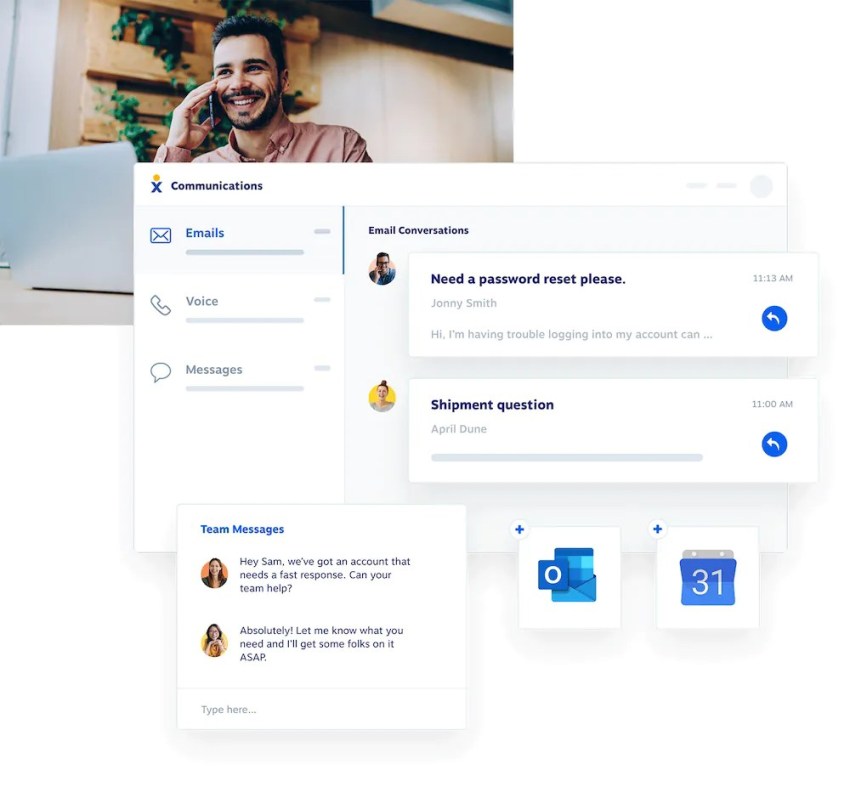
Since everything is in one place, there’s less time spent on collecting insights, and the responses automatically become quicker.
72% of customers say AI-driven personalization will impact e-commerce businesses and their customers the most.
The contact management software updates contact records based on interactions and customer actions. It makes it easier to track customer journeys and helps agents to deliver better support when it’s needed the most.
Increasing sales and marketing efficiency
Tracking customer interaction and actions supplies CRM tool inputs to trigger automated follow-ups and email campaigns. This automates the workflows required to engage customers in real time, reducing the manual heavy lifting.
According to Salesforce, CRM usage has shown a 34% increase in sales productivity.
Contact management tools increase the efficiency of sales and marketing campaigns by delivering high-touch engagement to prospects or leads with a higher potential to convert.
The analytical capabilities of contact management software allow the sales team to track engagement metrics and take the proper steps to optimize them.
Reducing manual data entry (and human error)
Contact management tools easily replace spreadsheets and outdated databases. Therefore, you don’t need to manually update the “sheet” after every quick interaction with the client. Most importantly, your time is invested in strategically following up with the customer rather than doing administrative work.
Since the records get updated in an automated fashion, the chances of human error are reduced. There is a lower chance of data points or records being duplicated. You’re confident that customer records are accurate, which makes your decisions reliable and well-informed.
Streamlining team collaboration
A centralized database for all team members makes it easier to access real-time customer data. This is especially helpful when working collaboratively on a deal as a team. Virtual team communication becomes simpler.
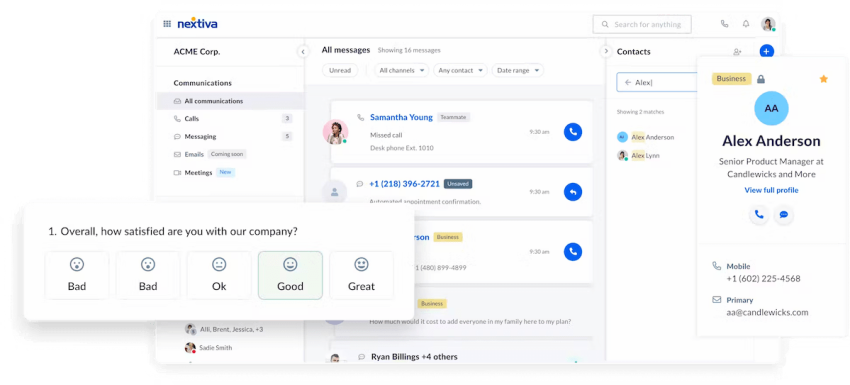
If you’re selling to an enterprise customer, you might have several stakeholders in a deal. Every stakeholder’s needs differ, and they expect you to clarify their doubts and clear up their confusion before proceeding. For example, a potential customer’s IT department leader might be curious about security, whereas a different team member might ask questions about the features included.
Having a centralized customer database helps you to pursue such deals collaboratively.
Best Practices for Using Contact Management Software
Below are a few best practices for using contact management software in your workflows. These will help you gain the most ROI from your software purchase.
A Six-Step Rollout Plan for Your Team
Roll out the tool in this order:
- Set team access and roles: Decide who can view, add, and edit contacts before anyone logs in.
- Migrate existing data: Move contacts from spreadsheets or your old tool. The amount and complexity of this data is the biggest factor in how long implementation takes (see “Keep your contact database organized”).
- Train staff: Show the team how to add new contacts, edit existing records, and categorize information properly (see “Train your team on your system”).
- Test with real contacts: Run the system on actual customer records and check whether it makes contact management easier or harder.
- Switch on reminders: Turn on automated follow-ups once the data is clean (see “Automate follow-ups and reminders”).
- Review the analytics: Track engagement and response rates to adjust your approach (see “Use analytics to optimize performance”).
Keep your contact database organized
An organized contact database helps you sort contacts and target them more effectively. It’s best to categorize contacts based on their stages in the customer journey or whether they’re potential or existing customers. You can also sort them based on how close they are to making a purchase. However, isn’t this the same way anyone would categorize contacts to prioritize them effectively?
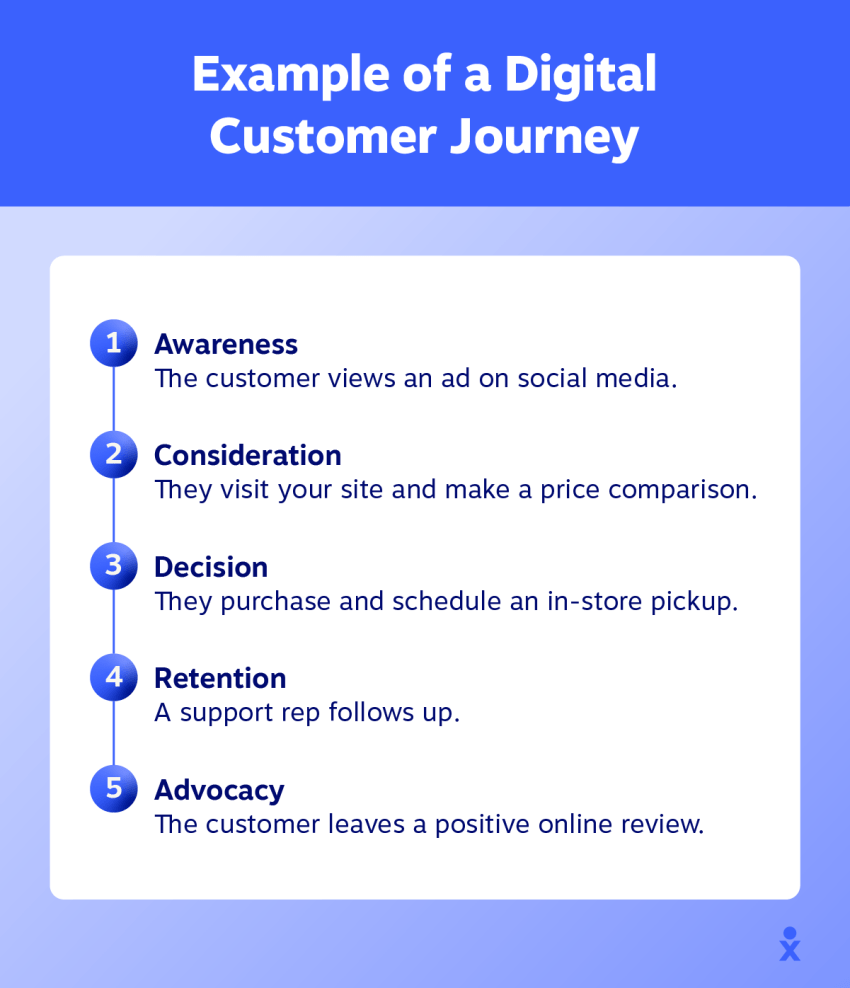
With a contact management tool, you can categorize contacts more methodically, using factors beyond their proximity to conversion, such as their industry. This will help you optimize your messaging to suit their unique needs and expectations.
You can easily add such categorization in an organized customer database and sort customer data. Make sure this data is updated from time to time and that you review it periodically to ensure you’re not missing out on any updates.
Keeping data clean takes a few routine habits:
- Merge duplicates on a schedule: Run duplicate detection weekly or monthly so repeated records don’t split a contact’s history.
- Enrich records automatically: Let the tool fill in company details such as industry and size, so reps don’t research each contact by hand.
- Standardize fields: Agree on formats for phone numbers, job titles, and lead status so filters and reports return accurate results.
- Use import and export for migrations: When moving from spreadsheets or a previous tool, map fields before importing and keep an export as a backup.
Integrate with CRM and marketing automation tools
Even though contact management software can stand alone, you should connect it with a CRM platform and marketing automation tools. Through these integrations, you drive value, as it helps make your workflows more effective and efficient.
As the customer navigates their life cycle in a company, their status is updated in your records, allowing you to assist them better. You get triggered notifications that come up when customers make interactions of value, such as when interacting with a chatbot to compare features of different paid plans. Based on such events, email marketing automation tools help you schedule automated emails and messages to engage customers proactively.

Train your team on your system
A well-organized contact management system is only as good as the team that uses it. Support teams should also know how to use these systems effectively, not just in sales.
For a customer, it’s one unified journey with your company rather than fragmented experiences with different departments. If the support or customer success team is in the loop and can access the conversations before conversion, they will better understand customers’ expectations. After onboarding, if there are any issues, the support teams would be well-equipped to deliver truly valuable assistance. This adds to the customer experience, reflecting on your net promoter score and referrals later.
Start with a clear training plan covering your software’s basic functions. Teach your team how to add new contacts, edit existing records, and categorize information properly. When your team understands the system’s capabilities, they can use it to its full potential.
Automate follow-ups and reminders
Establish automation on task management and reminders to help you make the most of opportunities when they’re ripe. Such reminders keep you on your toes when it comes to closing customers who are near to crossing the purchase line, and you don’t miss significant interactions.
Set reminders for key sales activities such as sending emails, making phone calls, or scheduling meetings. For example, after a sales call, you might set a reminder to send a thank-you email or provide additional product information. Automate these tasks to free up time to focus on more strategic work, such as building relationships or closing deals.
Use analytics to optimize performance
Contact management software often comes with built-in analytics tools that help you track key metrics. These metrics include customer engagement rates, response rates, and the progress of your sales pipeline.
Review these metrics to see which strategies are working and which need adjustment. For instance, if you notice that a specific segment of your contacts has a low response rate, you might experiment with different messaging or follow-up techniques for that group.
Key Features to Look for in Contact Management Software
Use these criteria to compare tools before you commit:
- Ease of setup: Your team should be able to import contacts and start working within days. A steep learning curve slows adoption.
- Contact organization: Tags, filters, and segmentation let you group contacts by journey stage, industry, or deal size.
- Automatic activity logging: The tool should record emails, calls, and meetings on each contact’s record without manual entry.
- Email and calendar integrations: Native connections to Gmail and Outlook keep contacts and meetings in sync.
- Communication-channel integrations: Links to your phone system, SMS, and chat capture conversations that happen outside email.
- Import and data migration: Look for clean imports from spreadsheets and other tools, with field mapping and duplicate checks.
- Data ownership and export: You should be able to export all your contact data at any time if you switch tools.
- Mobile access: Reps in the field need to view and update records from a phone.
- Scalability: Check how pricing and performance change as your contact volume and team size grow.

8 Top Contact Management Software Solutions
The tools below were chosen to cover a range from free address books to full CRMs. We compared them on the depth of their contact organization, activity tracking, integrations, and fit for different business sizes.
Contact management software acts like a digital address book, letting you store, update, and track contact information quickly. Here are some solutions available on the market:
Contact Management Tools Compared
| Tool | Best for | Contact manager vs. full CRM | Free plan available | Standout feature | Nextiva integration |
|---|---|---|---|---|---|
| Google Contacts | Individuals on Gmail and Android | Contact manager | Y | Automatic sync with Gmail and Android | Not documented |
| Microsoft Outlook CRM | Professionals who live in Outlook | Contact manager | Check vendor site | Email, calendar, and contacts in one place | Not documented |
| HubSpot CRM | Small businesses wanting a free CRM | Full CRM | Y (up to 1,000 contact and company records) | Complete view of emails, calls, and meetings | Y |
| Zoho CRM | Teams combining sales and marketing | Full CRM | Check vendor site | Automated reminders with built-in analytics | Y |
| Nimble | Social-enriched relationship building | Full CRM | Check vendor site | Auto-updates contacts from online sources | Not documented |
| Salesforce | Enterprises needing deep customization | Full CRM | Check vendor site | Custom fields, reports, and dashboards | Y |
| Freshsales | AI lead scoring with built-in calling | Full CRM | Check vendor site | Built-in phone, email, and chat | Not documented |
| Insightly | Teams pairing contacts with projects | Full CRM | Check vendor site | Project management features | Not documented |
| Contacts+ | Syncing contacts across multiple accounts | Contact manager | Y (1 synced account, 1,000 contacts) | Shared address book for teams | Not documented |
Pricing changes often, so confirm current plans on each vendor’s site before you buy.
1. Google Contacts
Best for: individuals and small businesses already on Gmail or Android
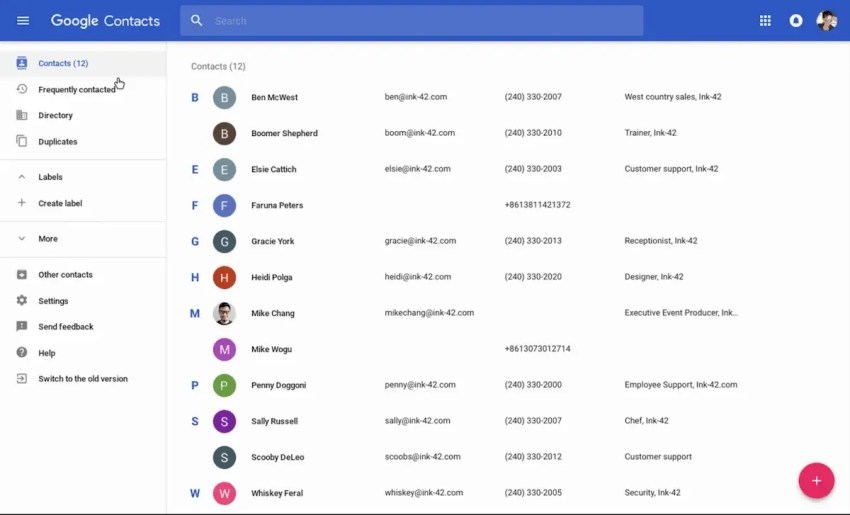
Google Contacts is a free and simple tool that works with your Google account. You can add names, phone numbers, email addresses, and notes about each person. Google Contacts syncs automatically with Gmail and Android devices, so your contacts stay updated no matter where you are.
Key features of Google Contacts:
- Ease of use: Works well for individuals and small businesses.
- Simple automation: Syncs with your Gmail and Android devices.
- Organization tools: Let you create labels to sort contacts by different categories.
Limitations: There’s no sales pipeline or activity logging, so you can’t see past calls, emails, or deal stages on a contact’s record.
2. Microsoft Outlook CRM
Best for: professionals who manage work and personal contacts inside Outlook
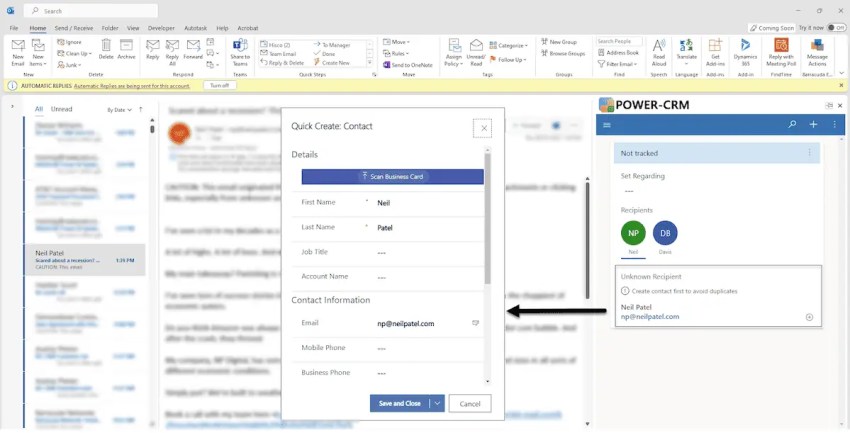
Many people use Outlook for both work and personal email. Its contact management tools let you add detailed information about your contacts, such as addresses, birthdays, and social media links. You can set up categories and folders to sort contacts by personal or professional groups.
Key features of Microsoft Outlook:
- Integrated email and calendar: Combines your email, calendar, and contacts in one place.
- Detailed contact info: Lets you add tons of details about each contact.
- Organization tools: Uses folders and categories to keep contacts organized.
Limitations: Contacts live inside your email client, so you get folders and categories but no pipeline tracking or sales automation.
3. HubSpot CRM
Best for: small businesses that want a free CRM with full interaction history
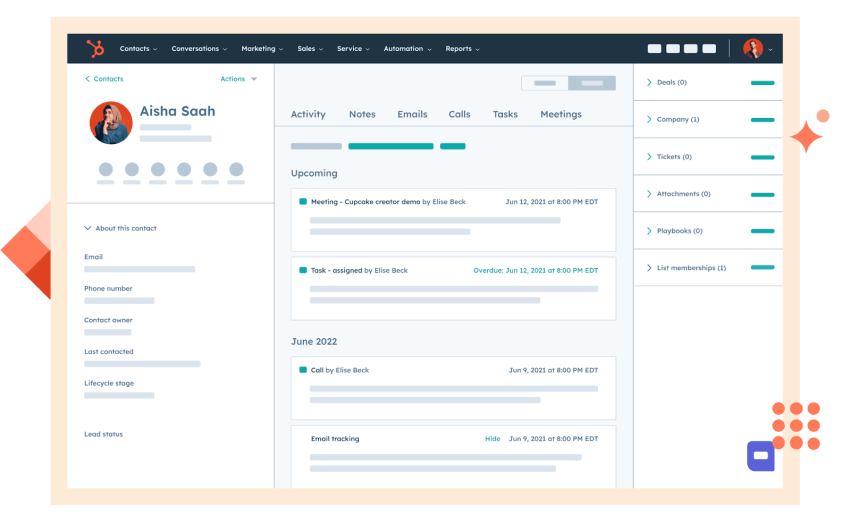
HubSpot CRM helps you store, track, and update customer information in real time. It provides a complete view of every customer interaction, including emails, calls, and meetings.
Key features of HubSpot CRM:
- Free option: Provides a free version that is powerful for small businesses.
- Real-time updates: Shows every interaction with your customers, giving you a complete picture.
- User-friendly dashboard: Makes it easy to track sales and follow-up tasks.
HubSpot CRM integrates seamlessly with Nextiva’s unified communication platform, helping you aggregate contact data from all customer channels and use it strategically.
Limitations: It can feel heavy if you only need a simple contact list, and paid tiers add cost as your needs grow.
4. Zoho CRM
Best for: teams that want contacts, sales, and marketing tools in one system
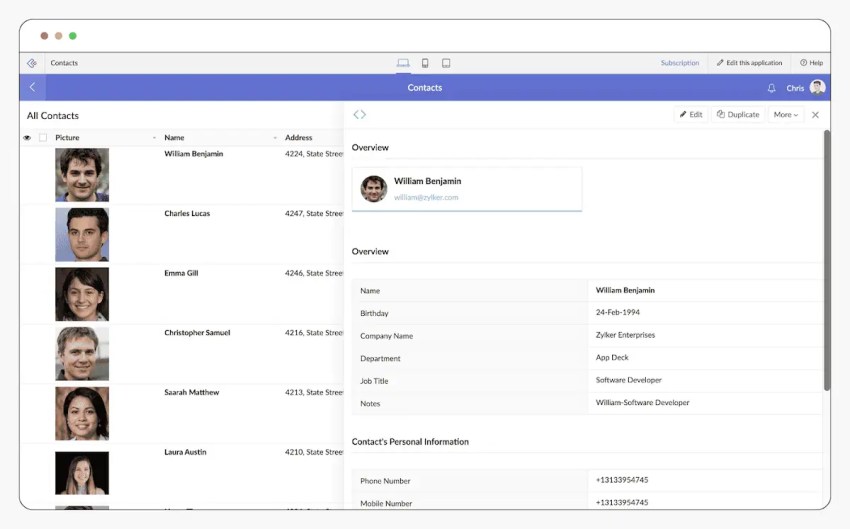
Zoho CRM makes it easy to sort contacts by different criteria, such as lead status or industry. You can set up automated reminders to follow up with contacts and use analytics to see how well your sales process works.
Key features of Zoho CRM:
- All-in-one integration: Combines contact management with sales and marketing tools.
- Automation: Automates reminders and follow-ups, saving you time.
- Analytics: Comes with built-in reports to track your sales and customer engagement.
Integrate Zoho CRM with Nextiva to deliver a memorable customer experience (CX) regardless of the channel customers use to reach out to you.
Limitations: The range of sales and marketing modules means more setup than a basic address book, which can slow down very small teams.

5. Nimble
Best for: social-enriched relationship building

Nimble gathers information from social media and other online sources to give you a fuller picture of each contact. It’s especially useful if you want to add a personal touch to your customer interactions.
Key features of Nimble:
- Relationship building: Shows your recent interactions, helping you maintain strong customer relationships.
- Simple contact view: Offers a comprehensive view of each contact’s details.
- Easy updates: Automatically updates contact list information from online sources.
Limitations: Its focus is relationship building, so teams with complex pipelines or heavy customization needs may find it too light.
6. Salesforce
Best for: enterprises with complex sales processes that need deep customization
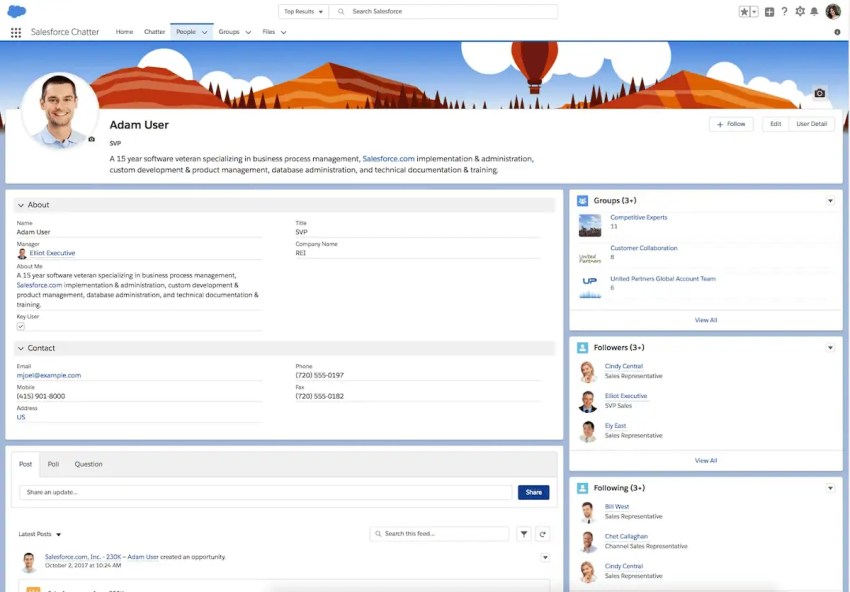
Salesforce offers powerful tools that help you manage not only your contacts but your entire customer relationship. It delivers robust contact management features to track customer interactions and manage sales opportunities.
Key features of Salesforce:
- Customer data organization: Stores all your customer details, such as names, emails, phone numbers, and more. You can easily search for and update any contact.
- Interaction tracking: Records every interaction to help you see the full history of each customer.
- Easy customization: Allows salespeople to customize fields, reports, and dashboards. This means you tailor the system to match your business needs.
Limitations: Setup and customization can be complex for small teams, and getting full value often requires dedicated admin time.
7. Freshsales
Best for: AI lead scoring with built-in calling

Freshsales combines the essentials of a CRM tool with intuitive design, making it a strong choice for small to medium-sized businesses.
Key features of Freshsales:
- Built-in communication tools: Includes a built-in phone system, email integration, and chat to connect with your customers directly from the platform.
- Lead scoring and AI: Uses AI to score sales leads, helping your team focus on the contacts that are most likely to become customers.
Limitations: It’s built around sales teams, so it offers more than you need if you only want an organized address book.
8. Insightly
Best for: teams pairing contacts with project management
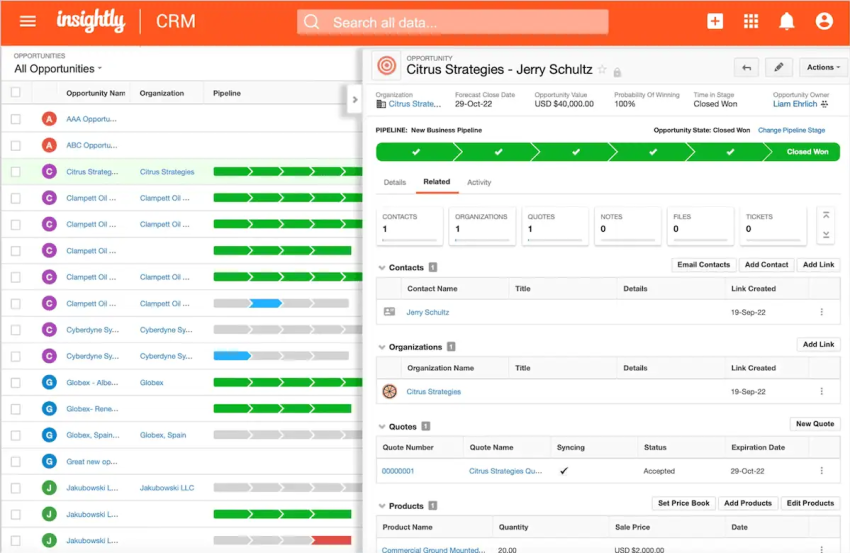
Insightly combines contact management with project management features. It helps you keep your customer data organized and manage projects and tasks all in one place.
Key features of Insightly:
- Project management integration: Includes project management features, unlike some other tools. This is especially useful if you manage projects alongside your customer relationships.
- Task and follow-up management: Lets you set follow-up deadlines to ensure you stay in touch with your customers regularly.
Limitations: The project management features add complexity if your team only needs to manage contacts.
9. Contacts+
Best for: people and teams who need one address book synced across several accounts
Contacts+ is a dedicated contact manager rather than a CRM. It syncs contacts from Apple, Google, and Microsoft accounts into one address book. The free plan covers one account and 1,000 contacts, and Premium starts at $9.99/user per month billed annually.
Key features of Contacts+:
- Multi-account sync: Premium syncs five accounts, and Teams syncs ten.
- Contact enrichment: Premium adds enrichment and email signature extraction.
- Team sharing: Teams includes a shared address book, roles, and notes for up to 50 members.
Limitations: There’s no sales pipeline, and the free plan stops at one account.
How to Choose the Right Contact Management Tool
Match the tool to the problem you’re trying to fix:
- Messy personal lists: If your contacts are scattered across a phone, inbox, and spreadsheets, start with Google Contacts or Outlook. Contacts+ helps when those contacts sit in several accounts.
- A small team on a budget: HubSpot CRM’s free tier or Zoho CRM gives you shared records, reminders, and reporting without enterprise complexity.
- Relationship-heavy or social selling: Nimble pulls in social and online data so you can personalize every conversation.
- Complex enterprise sales: Salesforce handles many stakeholders and custom processes, provided you have the resources to configure it.
- Projects alongside clients: Insightly keeps client records and project tasks in the same place.
Whichever tool you pick, connect it to your calls, SMS, and chat so every conversation updates the contact record.
One Contact, Every Channel: A Walkthrough
Here’s how a single contact record builds up as a prospect becomes a customer:
- Chat: A prospect uses your chatbot to compare features of different paid plans. That interaction triggers a notification to your sales team.
- Email: Your email marketing automation tool sends a follow-up based on that event.
- Call: A rep talks with the prospect. Afterward, a reminder prompts them to send a thank-you email with additional product information.
- Support: After onboarding, the customer runs into an issue. The support team opens the record and sees the full pre-sale history, so they can help without asking the customer to repeat themselves.
These touchpoints span chat, calls, email, and text. The contact record needs to connect to each of these channels to capture the full interaction history.
Integrate Contact Management Software With Nextiva
Contact management seamlessly connects customer data with the business communication system. It allows you to improve efficiency, sales, and CX. With Nextiva, you get a fully connected system that will enable you to engage customers efficiently at scale across different channels.
Nextiva integrates with contact management solutions and CRM solutions like Salesforce, Zoho, and others.

This ensures no customer interaction is missed on any channel, helping you get the most real-time data available to assist customers in their journeys.
Ready to simplify contact management? Learn more about Nextiva’s solutions today. 👇
FAQs
How long does it take to implement contact management software?
Setup is often quick, since you mainly need to give your team access and assign roles. Data migration is the main variable: the more data you move, and the more complex it is, the longer implementation takes.
Does contact management software work with Gmail or Outlook?
Yes. Google Contacts syncs with Gmail and Android, Outlook combines contacts with email and calendar, and most CRMs on this list connect to both.
Do I need a contact manager or a full CRM?
Choose a contact manager if you mainly need an organized, synced address book. Choose a CRM if you manage a sales process and need to track team activity on each deal.
Is there free contact management software?
Yes. Google Contacts is free, HubSpot CRM has a free tier for up to 1,000 contact and company records, and Contacts+ offers a free plan with one synced account and 1,000 contacts.
How do I keep contact data clean?
Merge duplicates on a schedule, standardize fields, enrich records automatically, and review your database periodically.
Can contact management software connect to my phone system?
Many tools can. Nextiva integrates with CRMs such as HubSpot, Zoho, and Salesforce, so calls, SMS, and chat update the contact record automatically.
Build Amazing Customer Experiences
Transform customer experience on a Unified Customer Experience Management platform designed to help you acquire, retain, and grow your customers.