Customer Experience
  Blog
Blog  Business Communication
  Leadership
  Marketing & Sales
  Nextiva News
  Productivity
  VoIP
VoIP 


Picture this all-too-common scenario: A contact center manager running a 40-agent team notices that, despite being fully staffed on paper, service levels are slipping and hold times are climbing. There’s a direct correlation between customer satisfaction (CSAT) getting lower and agent burnout, driving 35% annual turnover.
You’ve got a problem. But it isn’t headcount; it’s the staffing model itself.
Your team is scheduled using last year’s call volume, and agents are stuck handling the same repetitive inquiries that an AI bot could resolve. There’s no real-time visibility into where the gaps are. So what chance do you stand of finding a resolution?
I wouldn’t blame you for thinking that call center staffing in 2026 might be completely overhauled by AI. There’s a lot of noise and marketing that suggests you can fix everything with the click of a button (and a thorough prompt with a chat interface). While some are preaching human agent replacement, we at Nextiva are taking a more proactive and productive stance on this.
Modern-age inbound call center staffing models aren’t about eliminating agents. Rather, they’re about deploying the right mix of human talent and AI tools.
In this guide, we’ll explain how you must organize roles around complexity rather than volume and show you how using data-driven workforce management (WFM) matches coverage to real-world demand.
What Is a Call Center Staffing Model?
A call center staffing model is the framework a contact center uses to determine how many agents are needed, when they’re needed, what skills they require, and how they’re organized to meet service level targets while controlling operating costs.
- Core components: The staffing model consists of demand forecasting, capacity planning, workforce scheduling, real-time adherence monitoring, and performance optimization.
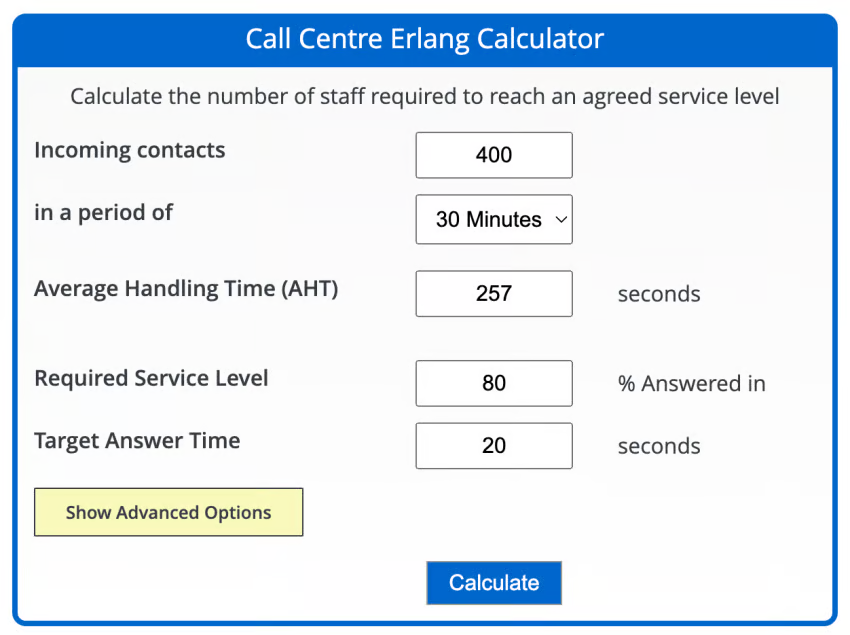
- Traditional approach: The Erlang C formula calculates required agents based on the number of calls, average handle time (AHT), and target service level (e.g., 80% of calls answered within 20 seconds).
- New approach: AI-powered forecasting factors in historical data, seasonality, marketing campaigns, channel mix, and real-time demand signals.
- Key distinction: A staffing model isn’t just a schedule. It’s the system of decisions that determines who is working, when, on which channels, and with what AI support.
Note: Call center managers have historically relied on the Erlang C formula to quickly calculate the number of agents required based on the number of incoming calls versus the desired AHT, service level, and target answer and wait time. While this remains useful as a baseline, it doesn’t account for multichannel complexity, AI outsourcing, or real-time adjustments.
Unless you plan on remaining voice-only without ever introducing modern call center services, new-age WFM tools become vital for accurate call center forecasting.
How AI Has Changed Call Center Staffing Models
Here’s what’s changed over the past.
AI-powered demand forecasting
Contact centers move from reactive scheduling to predictive workforce planning.
Traditional forecasting relies on historical call volume averages and manual adjustments. AI forecasting tools analyze historical data alongside external signals (marketing campaigns, product launches, weather, social media trends, etc.) to predict demand with high accuracy.
AI enables “what-if” scenario planning. For example, what happens to staffing needs if a product recall hits, if a promotional email drives a 30% spike, or if a chatbot handles 40% of tier 1 inquiries? At any given time, it pays to have an adjustable backup plan.
Virtual customer service agents and AI deflection
Staffing models now account for AI deflection rate. For example, a center handling 10,000 monthly contacts with a 40% AI deflection rate needs enough agents to handle 6,000 queries. But those 6,000 queries are harder to resolve and take longer (so don’t get handed off to AI).
AI-powered virtual agents (voice bots, chatbots, AI receptionists) now handle a large volume of routine inquiries without human intervention. They handle things like password resets, order status updates, appointment scheduling, and FAQ resolution.Human agents get more time to spend on interactions that are more complex, higher-stakes, and require more skill.

Real-time workforce optimization
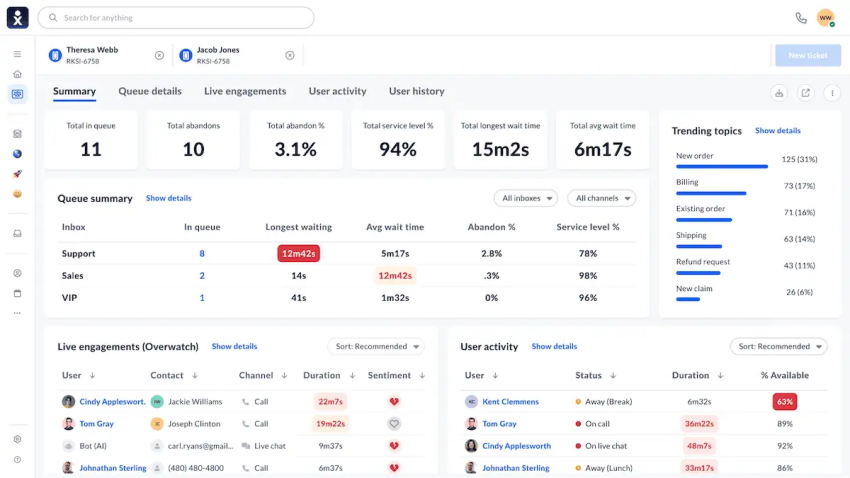
AI-powered schedule adherence tracks whether agents are following assigned schedules and flags deviations before they impact service levels.
Modern WFM tools use AI to monitor live queue conditions, agent adherence, and demand spikes, then automatically adjust schedules, activate on-call agents, or re-route interactions.
Intraday management replaces the old model of setting a schedule and hoping it holds. Supervisors get alerts when staffing gaps emerge and can rebalance in minutes.

Agent assist and copilot tools
Businesses using AI agent assist tools see up to 34% productivity gains for lower support agents carrying out low-value tasks.
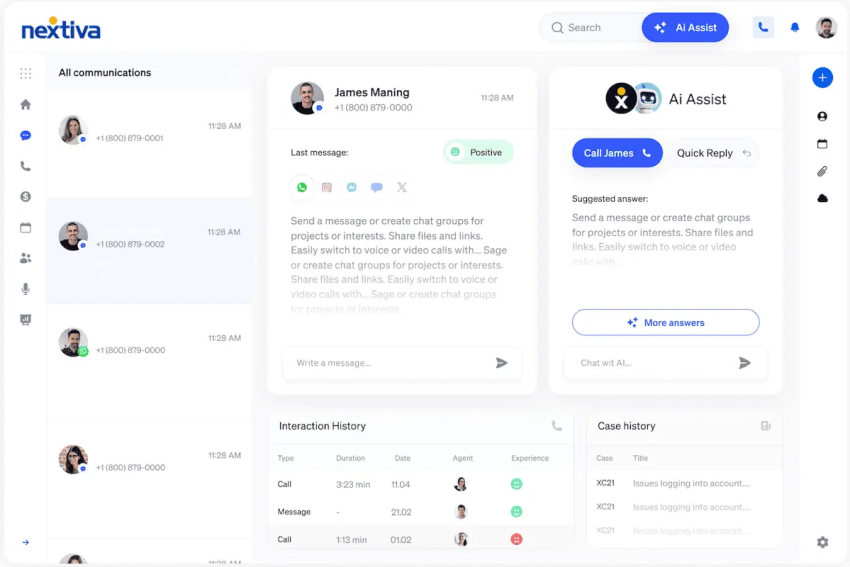
AI agent assist provides real-time guidance during live conversations. Agents get on-screen suggested responses, knowledge base articles, compliance prompts, and sentiment analysis. Agents resolve issues faster, handle more complex cases with less escalation, and ramp up more quickly, reducing the headcount needed for the same service level.
The shift from headcount to capability
Staffing becomes a blend of technology licensing and human labor planning, and the budget conversation shifts accordingly.
The fundamental change is that staffing models are no longer purely about how many agents you have. Instead, they’re about the capability mix: how much AI handles autonomously, how much AI assists agents, and how many human agents handle the highest-complexity interactions.
76% of contact center leaders are formalizing a split where AI handles routing, availability, and routine tasks while humans manage complex, emotional, and high-stakes interactions.

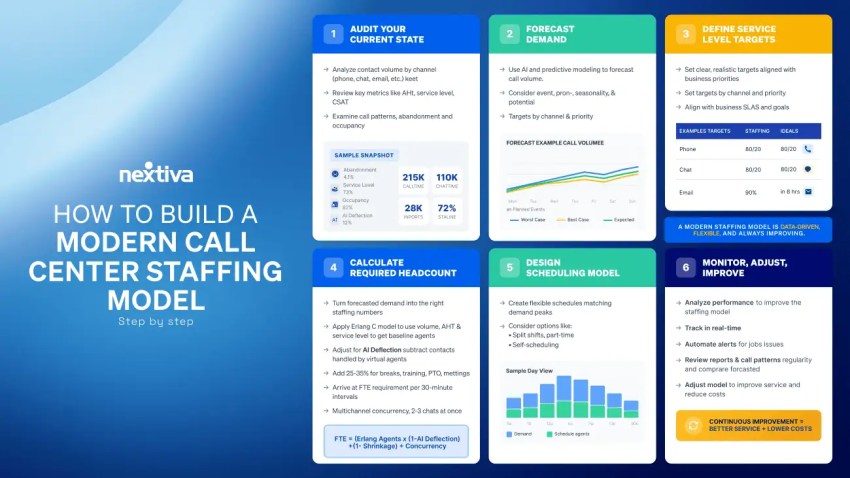
How to Build a Modern Call Center Staffing Model (Step-By-Step)
Step 1: Audit your current state
The first place I always start is documenting the total contact volume by channel (voice, chat, email, SMS, social) over the past 12 months. This allows me to get a real-world, up-to-date measure of where the contact center is at.
- Extract data from your reporting suite to tally how many contacts from each channel you’re working with.
- Calculate the current AHT, first contact resolution (FCR), service level, and abandonment rate.
- Identify peak hours, peak days, and seasonal patterns.
- Assess current AI deflection (if any). What percentage of callers get handled without a human agent?
- Review your agent occupancy rates. A healthy target is 80–85%. Above that, agents burn out. Below that, you’re overstaffed.
Step 2: Forecast demand
The next step is where I find AI contact center technology saves me the most time. I spend less time staring at spreadsheets and more time running scenario models to cover all bases.
- Use AI-powered forecasting tools to predict future contact volume by channel, hour, and day.
- Factor in planned events like marketing campaigns, product launches, seasonal spikes, and known outages.
- Model AI deflection rates. If you deploy or improve virtual agents, how will that change the volume that reaches human agents?
- Run scenario models for best case, worst case, and expected case staffing needs.
Step 3: Define your service level targets
I don’t always look for improvement in service levels here. It’s more about achieving what’s realistic and setting stretch goals.
- Set clear targets, like 80% of calls answered within 20 seconds (the industry standard 80/20 rule), target CSAT score, and maximum acceptable abandonment rate.
- Define service level targets per channel. How do your benchmarks differ from voice to chat to email?
- Align service levels with business priorities. A premium support tier may target 90/10, while general support targets 80/20.
Step 4: Calculate required headcount
Here is where I see the Erlang calculator as still helpful. But you can take that figure and make it work harder.
- Input forecasted contact volume, AHT, and target service level to get a minimum agent requirement.
- Adjust your Erlang figure for AI deflection. Subtract contacts handled by virtual agents and self-service.
- Adjust for shrinkage by accounting for breaks, training, meetings, paid time off (PTO), and absenteeism. Typical shrinkage is 25–35%, but use your own figures if you have them.
- Adjust for multichannel concurrency. This factors in how agents can handle two or three simultaneous chat sessions, which changes the math versus voice-only.
- Arrive at your full-time equivalent requirement per interval (typically 30-minute increments).
Pro-Tip: Use AI to offset shrinkage. Traditionally, if 30% of your team is in a training session or on PTO, your service levels tank. In a modern model, AI acts as your overflow team. Temporarily dialing up your virtual agent thresholds during high-shrinkage windows (like a team-wide meeting or a holiday shift) helps you maintain basic coverage for routine tasks like order status requests or password resets. Your human agents can then step away for development without the queue anxiety that usually leads to burnout.
Step 5: Design your scheduling model
Next is where it really gets interesting. I use different scheduling options depending on a number of variables.
- Match agent schedules to demand curves instead of flat shifts. Recognizing that peak hours need more coverage and off-peak hours need less coverage avoids over/understaffing.
- Use split shifts, part-time agents, on-call pools, and remote agents to cover demand without overstaffing.
- Implement skills-based routing so the right (most qualified/informed) agent handles the right interaction, reducing transfers and improving FCR.
- Allow agent self-scheduling and shift bidding where possible to improve agent satisfaction and reduce turnover.
Step 6: Monitor, adjust, and repeat
Having witnessed tons of call centers implement new staffing models, the one thing that guarantees failure is thinking you’ve finished the job after the first calculation. The key to call center staffing success is to continually improve over time.
- Use real-time dashboards to track service level, queue depth, agent adherence, and CSAT throughout the day.
- Set up automated alerts for staffing gaps so you know when queue times exceed thresholds. If your WFM software flags the issue before customers notice, you can take action to avoid it.
- Review staffing model accuracy weekly. Compare forecasted versus actual volume and adjust the model.
- Continuously refine AI deflection targets as virtual agents improve over time. The more they learn, the more they can handle and help.
Deciding whether AI should handle 40% or 60% of your calls isn’t a decision for the WFM analyst to make in a vacuum. This is a primary responsibility for your AI Council. They balance efficiency with the need for high-quality customer experiences so your staffing model remains aligned with broader company strategy and ethical standards.
Evolved Call Center Roles in 2026
Despite the scaremongering by some contact center vendors and thought leaders, AI hasn’t eradicated human involvement. In fact, in most cases, it’s enhanced their need and developed their roles. Here’s what’s changed and become more important in the new age of the call center:
- Frontline agent: These team members are no longer handling routine, repetitive inquiries like password resets and order status checks. Agents now focus on complex troubleshooting, emotionally charged interactions, and high-value customer retention.
- AI supervisor/bot manager: If you think you can just implement AI and leave it to its own devices, you’re wrong. This new role is responsible for monitoring AI agent performance, reviewing escalation accuracy, fine-tuning virtual agent responses, and ensuring AI stays aligned with brand standards. Think of it as a quality assurance (QA) role for your AI workforce.
- WFM analyst: The WFM analyst role has expanded from schedule-building to include AI capacity planning, deflection rate modeling, and hybrid workforce optimization across human and AI agents.
- QA analyst: This role has expanded from sampling 2–3% of calls to overseeing AI-powered automated QA that scores 100% of interactions. QA analysts now focus on calibrating AI scoring models, coaching trends, and compliance monitoring.
- Team lead/real-time coach: These team members shift from reactive call monitoring to leveraging AI-generated coaching prompts, sentiment alerts, and performance dashboards to support agents in the moment.
- Customer experience data analyst: This role analyzes cross-channel interaction data, customer journey patterns, and AI performance metrics to inform staffing decisions, process improvements, and product feedback loops.
Traditional vs. AI-Augmented Staffing: Side-by-Side Comparison
It’s natural for you to be skeptical about the introduction of AI and automated WFM tools. I was the same when adopting many of the AI tools I use and thrive with today.
Here’s a comparison of how AI models improve the traditional call center staffing model when implemented with care and attention.
Highlights include:
- The traditional model treats staffing as a headcount problem. The modern model treats it as a contact center optimization problem.
- AI doesn’t reduce the need for great agents. It concentrates their value on the interactions that matter most.
- Contact centers using AI-augmented staffing models report lower turnover, higher CSAT, and lower cost-per-interaction.
- The technology investment (WFM software, AI virtual agents, agent assist) often pays for itself within six to 12 months through reduced overtime, lower attrition, and improved service levels.
| Dimension | Traditional Staffing Model | AI-Augmented Staffing Model |
|---|---|---|
| Forecasting | Historical averages, manual spreadsheets | AI-driven predictive forecasting with 95% accuracy |
| Scheduling | Fixed shifts, manual adjustments | Dynamic scheduling with real-time optimization |
| Agent Roles | Generalist agents handling all inquiry types | Specialists handling complex/high-value interactions |
| AI Deflection | No or basic IVR menus | 30–60% of routine contacts handled by virtual agents |
| Real-Time Adjustments | Supervisor manually monitors queues | Automated alerts, schedule rebalancing, AI routing |
| Quality Assurance | Manual review of 2–3% of calls | AI auto-QA scores 100% of interactions |
| Agent Support | Static scripts and knowledge bases | AI agent assist with real-time suggestions |
| KPIs Tracked | AHT, service level, call volume | Resolution quality, CSAT, AI containment rate, FCR |
| Scalability | Linear: more volume = more agents | Dynamic: AI absorbs spikes, humans handle complexity |
| Cost Model | Primarily labor cost | Blended labor + technology investment |
| Turnover Impact | High turnover = constant rehiring | Better tools + meaningful work = lower attrition |
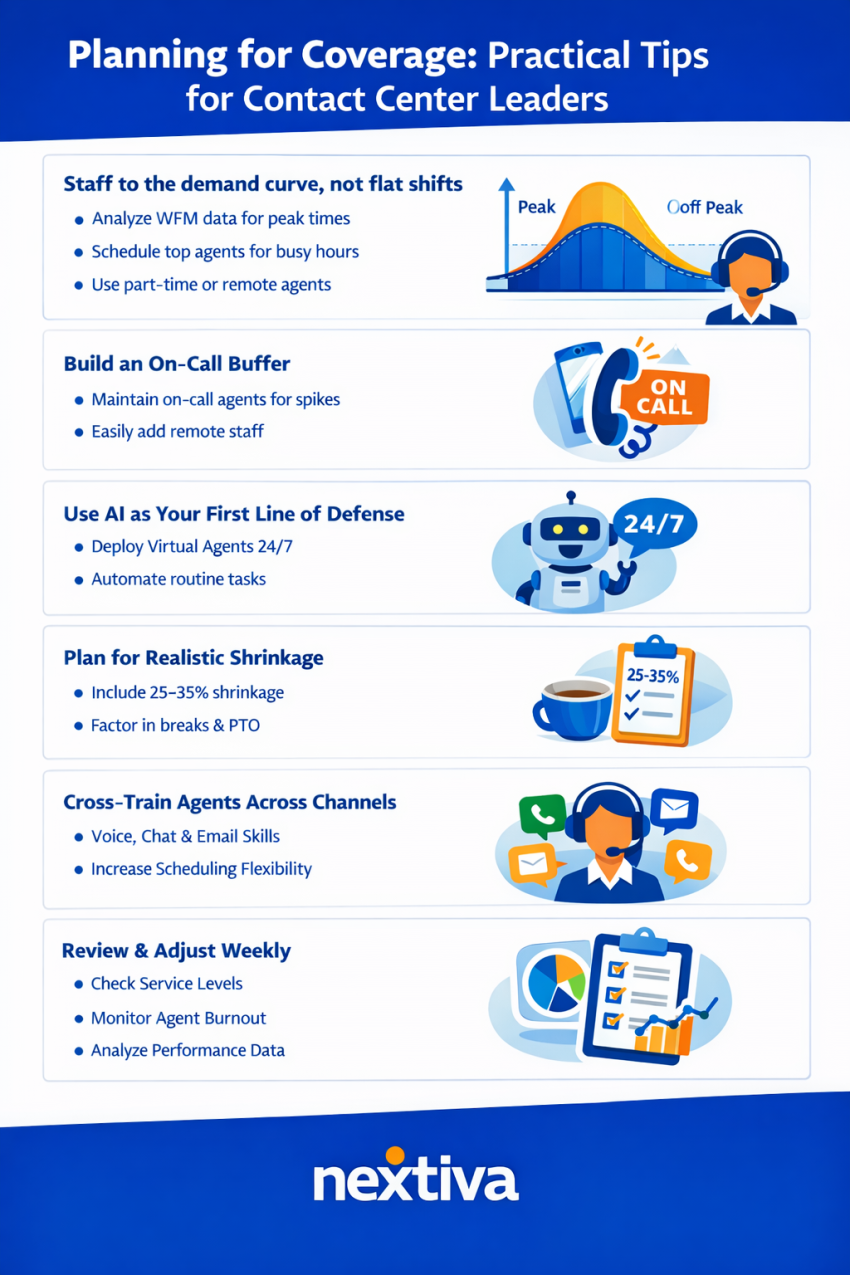
Planning for Coverage: Practical Tips for Contact Center Leaders
In the fight to strike a balance between under- and overstaffing, there are a few pointers that come with decades of experience. We’ll start with the one that’s always the key theme to get right.
Staff to the demand curve, not flat shifts
- Use WFM data to identify peak and off-peak periods.
- Schedule your strongest agents during peak hours.
- Use part-time or remote agents to cover shoulder periods without overstaffing.
Build an on-call buffer
- Maintain a pool of on-call agents whom you can activate during unexpected spikes.
- Cross-train employees from other departments.
- Use cloud-based contact centers to make it easy to add remote agents in minutes.
Use AI as your first line of defense
- Deploy virtual agents and AI-powered IVR to handle routine inquiries 24/7.
- Reduce the overnight and weekend staffing burden and ensure customers always get a response.
Plan for realistic shrinkage
- Build 25–35% shrinkage into every schedule.
- Account for breaks, training, PTO, and unplanned absences.
Cross-train agents across channels
- Empower an agent who can handle voice, chat, and email and give you more scheduling flexibility.
- Fill gaps with multichannel agents without requiring separate staffing pools per channel.
Review and adjust weekly
- Check your meeting service levels.
- Monitor agent burnout.
- Ensure AI deflection is improving CSAT and AHT.
- Adjust the model based on data, not assumptions.
Note:The biggest mistake in coverage planning is treating the staffing model as static. Customer demand patterns change constantly. Your model needs to change with them.
Essential Technology for Modern Call Center Staffing
We’ve spoken a lot about how modern AI technology has a positive impact on contact center staffing. So let’s now introduce some of the core features you can expect when introducing contact center AI.
- WFM software: Look for AI-powered forecasting, automated scheduling, intraday management, and adherence monitoring tools that integrate with your contact center platform natively.
- AI virtual agents and AI receptionists: These voice bots and chatbots handle routine inquiries 24/7, reducing the volume that reaches human agents and flattening demand spikes.
- Agent assist/copilot: These real-time AI tools support agents during live interactions with suggested responses, knowledge surfacing, and sentiment analysis.
- Quality management: AI-powered automated QA evaluates 100% of interactions, provides automated scoring, and identifies coaching opportunities.
- Analytics and dashboards: Get real-time and historical reporting on service levels, agent performance, AI containment rates, and customer satisfaction.
- Unified contact center platform: The most effective approach is a single platform that combines WFM, AI, quality management, and omnichannel routing, eliminating the data silos and integration complexity that slow down staffing optimization.
Adding these components standalone runs the risk of copious amounts of user training, complex integrations, and management of several platforms.
Nextiva’s AI call center unifies all these capabilities into a single system. You get:
- AI-powered workforce engagement management for forecasting and scheduling
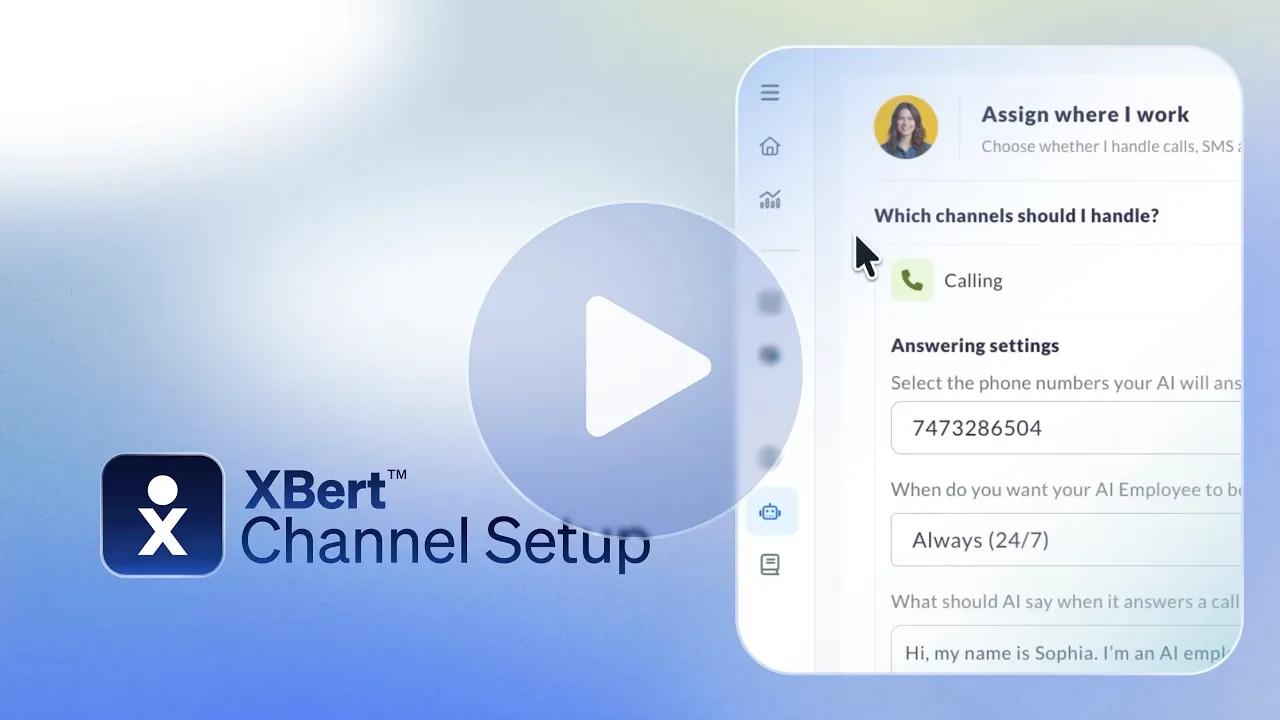
- XBert AI for 24/7 virtual call handling
- Agent assist for real-time agent guidance
- Comprehensive analytics with real-time dashboards
For contact centers that want to modernize their staffing model without cobbling together five different vendors, Nextiva provides the full stack.
When Traditional Staffing Models Still Make Sense
I’ve already said there’s still a place for Erlang. And that rings true for other elements of traditional call center staffing models. The key is to be fair and balanced.
In some cases, a simpler approach is defensible:
- Very small call center operations (under 10 agents), where the complexity of AI tools may not justify the investment yet
- Highly specialized centers (e.g., legal intake, medical triage) where every interaction requires a trained human from the start
- Centers with extremely predictable, low-variance call volume where basic Erlang C and fixed schedules meet service levels consistently
- Organizations early in their contact center maturity that need to establish baseline processes before layering in AI
Note: Even in these scenarios, cloud-based WFM tools and basic AI features (like voicemail transcription and intelligent routing) can improve efficiency without requiring a full staffing model overhaul. It’s always worth a chat with a contact center vendor to see what you can add without undertaking a major project.
The Financial Case for the 2026 Model
The shift from a purely inventory-based workforce model to a performance-based model means not only better technology but also greater efficiency:
- Reduced turnover costs: When employees engage in challenging, complex customer interactions instead of monotonous, routine tasks, they stay with the company longer. Avoiding just two resignations can save your department $20,000 to $30,000 in recruitment and training costs.
- Fewer last-minute overtime hours: AI-powered forecasting reduces the need for expensive, short-notice overtime by up to 20%.
- Maximized sales opportunities: Using real-time dashboards, managers can see when critical sales calls are piling up and instantly redirect employees so you don’t miss a deal due to poor workforce planning.
Nextiva: The Current and Future State of Call Center Staffing
Call center staffing is no longer about filling seats. It’s about a blend of human talent, AI automation, and WFM technology.
When you get this right, you get the right level of coverage at the right cost while keeping agents engaged and customers satisfied. Isn’t that what we’ve always strived for?
Having built and evaluated staffing models across legacy and cloud-based contact centers, the biggest shift I’ve seen is the move from treating agents as interchangeable resources to treating them as specialists supported by AI.
The centers that get this right see lower turnover, higher CSAT, and better unit economics. The ones that don’t are still drowning in overtime, attrition, and missed service levels.
Nextiva’s contact center platform gives you everything you need to build a modern staffing model:
- AI-powered WFM
- Virtual agents
- Agent assist
- Real-time analytics
- One unified system to manage everything
Ready to stop guessing and start scaling?
Nextiva’s contact center platform gives you the full stack: AI-powered workforce engagement for scheduling, intelligent virtual assistants for 24/7 handling, and real-time analytics to prove it’s working.
Want to see how Nextiva can help you staff smarter? Request a contact center demo today.
Your AI-Powered Contact Center
Create amazing customer experiences with AI-powered contact center software. Scalable contact center platform built for omnichannel customer conversations.
Frequently Asked Questions About Call Center Staffing Models
Most teams start with the Erlang C formula to estimate baseline headcount using call volume, AHT, and service level targets. But that’s just step one. You also need to adjust for AI deflection, shrinkage (25–35%), and multichannel work to get a realistic number.
AI has shifted staffing from a headcount exercise to a capability mix. Virtual agents now handle 30–60% of routine work, while humans focus on complex interactions. Predictive forecasting and real-time adjustments improve accuracy without extra manual lift.
A healthy occupancy rate is 80–85%. Above that, agents burn out. Below that, you’re likely overstaffed. It’s a quick indicator of whether your staffing model is balanced.
Plan around demand curves, not fixed shifts. Use flexible staffing such as part-time, on-call, and remote agents. Let AI handle routine queries overnight, and always account for shrinkage.
Depending on the size of your business, you could need WFM software for forecasting and scheduling, AI virtual agents for deflection, agent assist tools for productivity, and real-time analytics. Ideally, all of this sits in one unified platform like Nextiva.