Business Communication
  Blog
Blog  Customer Experience
  Leadership
  Marketing & Sales
  Nextiva News
  Productivity
  VoIP
VoIP 

A customer texts your personal phone at 9 p.m. about an appointment. Their earlier call went to an unchecked voicemail, and nobody knows who last spoke to them.
Small teams need a simpler way to stay reachable. Nextiva’s Customer Patience Benchmark found that respondents expect phone and SMS responses within five minutes.
Choosing the best business phone system for small teams means sharing responsibility for customer conversations. This guide compares VoIP providers on setup, call quality, shared numbers, texting, total cost, and growth. A five-person pricing example shows what to budget beyond the advertised rate.
Best Business Phone Systems for Small Teams at a Glance
For this comparison, focus on how each small business phone system would handle a normal working day at your company.
| Provider | Starting price (annual billing) | Best for | Watch for |
|---|---|---|---|
| Nextiva | $15/user/mo Core ($23 monthly) | All-in-one voice, SMS, video, and team chat that scales with the team | AI call summaries sit on the Scale tier; Core includes 100 texts per user |
| RingCentral RingEX | $20/user/mo Core ($30 monthly) | Teams that want a large third-party app gallery | Core caps SMS at 25 per user; CRM integrations need higher tiers, like Advanced |
| Google Voice | $10/user/mo Starter (max 10 users) | Micro teams living in Google Workspace | Requires a paid Workspace plan; thin shared texting and routing |
| Zoom Phone | About $10.50 metered, about $16 unlimited calling | Teams standardized on Zoom Workplace | Add-on licensing; unlimited auto attendants/IVR; domestic SMS is available in the US and Canada |
| Dialpad | Tiered; $15/user/mo ($27 monthly) | Sales teams that want live AI coaching | AI features vary by tier |
Start your small business phone system comparison with the work your team needs to share. If several people answer customer texts, shared messaging deserves more weight than video conferencing. If you regularly call overseas, compare international calling rates alongside unlimited domestic calling allowances. Then check whether the plan connects to the software your team already uses.
1. Nextiva: Best all-in-one value for small teams
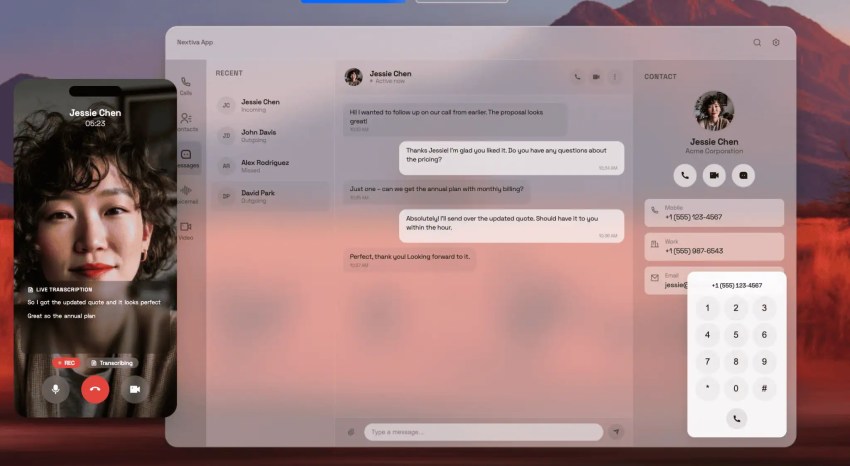
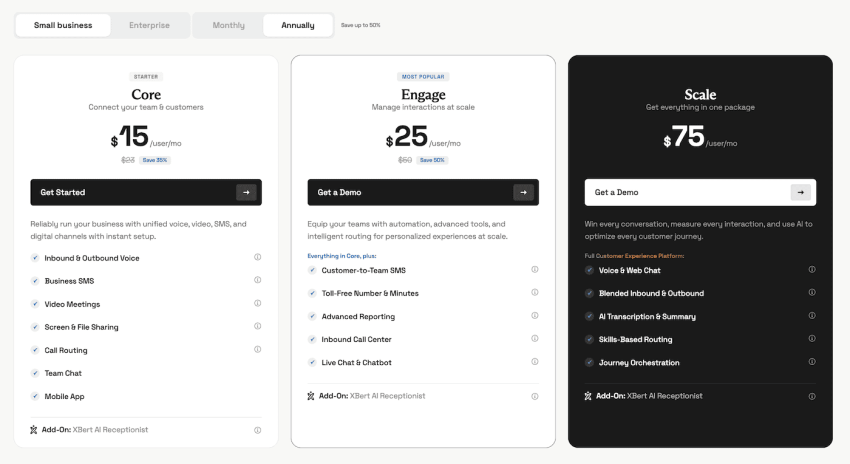
Nextiva is a practical starting point for calling and everyday team communication in one subscription. Core costs $15 per user per month when billed annually or $23 when billed month-to-month. It includes voice and video calls, team chat, call routing, and business SMS. Nextiva lists 100 texts per user per month, plus auto attendants, voicemail transcription, and mobile and desktop apps.
The upgrade decision depends on how you handle customers. Engage, at $25 per user per month annually, adds customer-to-team texting, a toll-free number, and included toll-free minutes. Confirm inbound call center packaging separately, as some smart call routing capabilities require a call center add-on. Scale, at $75 per user per month, adds AI transcription and summaries annually. XBert is an optional AI receptionist that answers calls around the clock.
For reliability, Nextiva cites eight points of presence and strives for 99.999% uptime. It also lists a 4.5/5 rating on Trustpilot from more than 8,600 reviews at the time of writing. Core fits teams that need straightforward business calling, but consider looking into Engage if coworkers need to manage customer texts together.
During the demo, ask to handle phone calls through the mobile apps and transfer one to a coworker. If your team uses desk phones, be sure to include them in the test. You’ll get a clearer sense of whether the VoIP phone system fits the way your team works and is the best choice for business communication.
2. RingCentral RingEX: Best for large app ecosystems
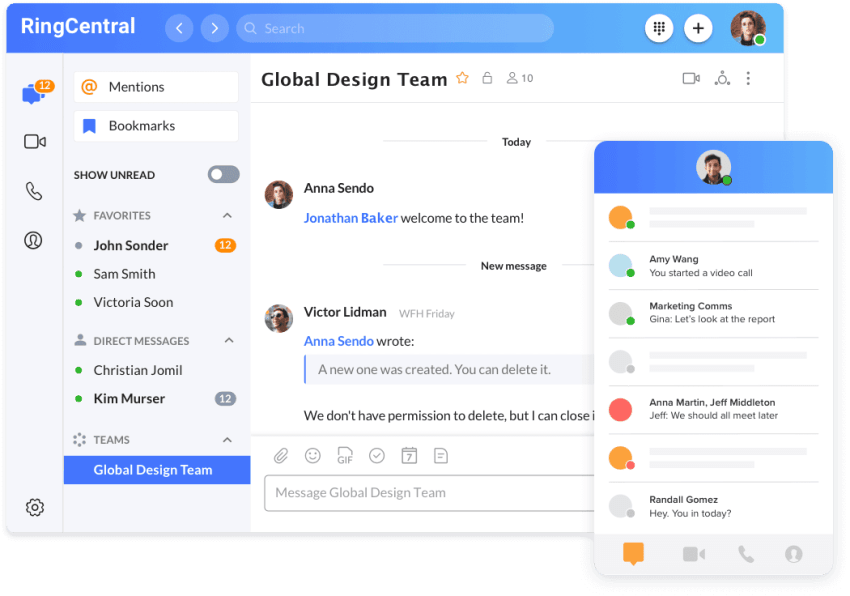
RingCentral deserves a look when your phone system needs to work with software you already depend on. RingCentral’s pricing page describes an extensive app gallery, APIs, and connections with platforms such as Microsoft Teams and Salesforce. Ask to see your specific workflow (for example, logging a call against the correct customer record) on the plan being quoted.
Published RingEX pricing lists $20 and $25 per user per month annually for Core and Advanced, versus $30 and $35 monthly. Core includes 25 SMS per user per month, which can be a small allowance if texting is part of your daily customer service. RingCentral also has AI Customer Engagement bundles with AI Receptionist, and the top tier adds an AI Conversation Expert.
The AI Receptionist add-on starts at $39 per month for RingEX customers, including 100 minutes, with additional usage at $0.50 per minute. Factor that additional cost into your estimate if you expect the receptionist to answer frequently.
3. Google Voice and Zoom Phone: Best add-ons for existing suites
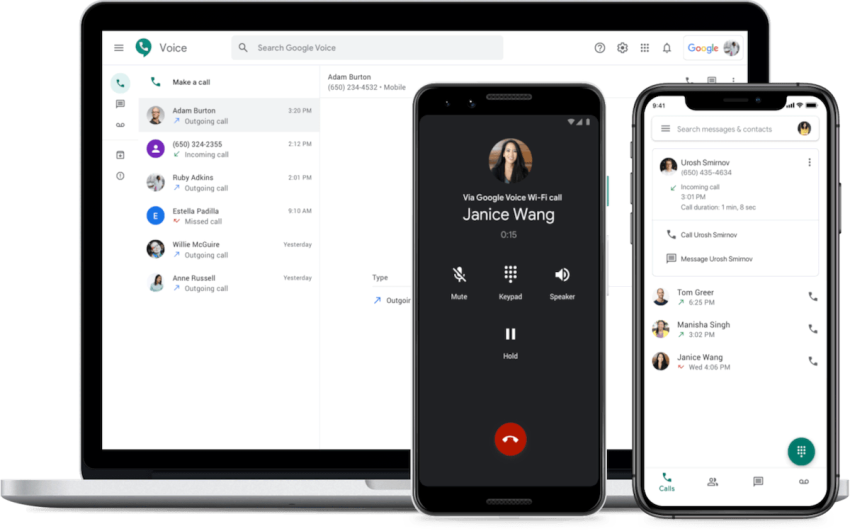
Google Voice is worth considering when a small team already works in Google Workspace. The Starter plan costs $10 per user per month for up to 10 users and includes a business phone number accessible across devices. A Google Workspace account is required to manage multiple users in an organization.
Google Voice’s limits become more noticeable as your phone needs grow more complex. Standard costs $20 per user per month and adds auto attendants, ring groups, and call queuing for ring groups. If you need a shared texting workflow, ask Google to demonstrate exactly how coworkers would view and respond to messages. Don’t assume a shared calling number provides a collaborative SMS inbox.
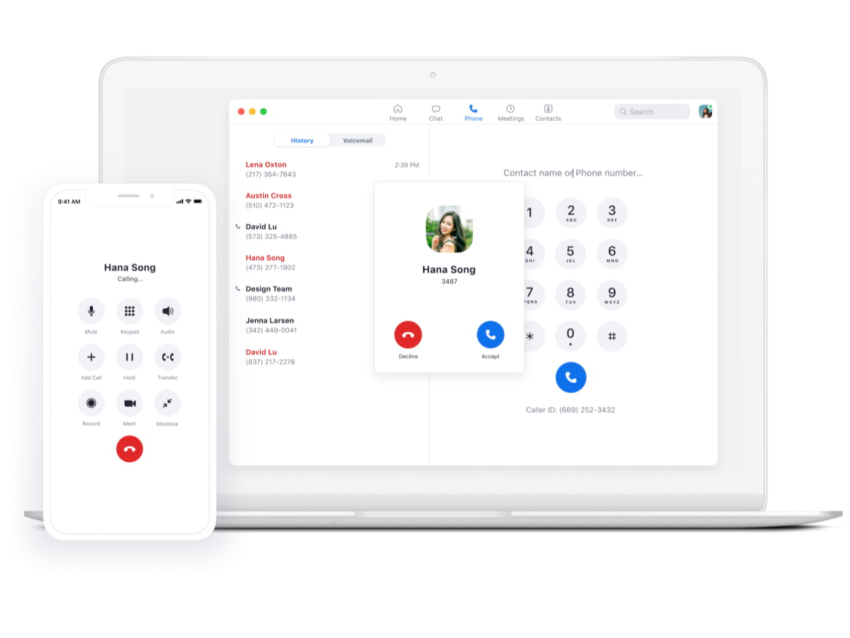
Zoom Phone offers metered and unlimited calling plans. Its Customer Engagement Pack adds shared SMS workflows, advanced call handling, and queue visibility. Zoom can serve more than basic calling needs, but those capabilities affect the configuration and price. For either provider, compare the combined suite and phone bill against a standalone business phone service.
When selecting the right business phone system, be sure to test the mobile apps with employees who work away from their desks. Check how the phone subscription fits your existing video conferencing plan, and request international calling rates before treating the quoted seat price as your full budget.
4. Dialpad: Best for sales teams that want live AI coaching
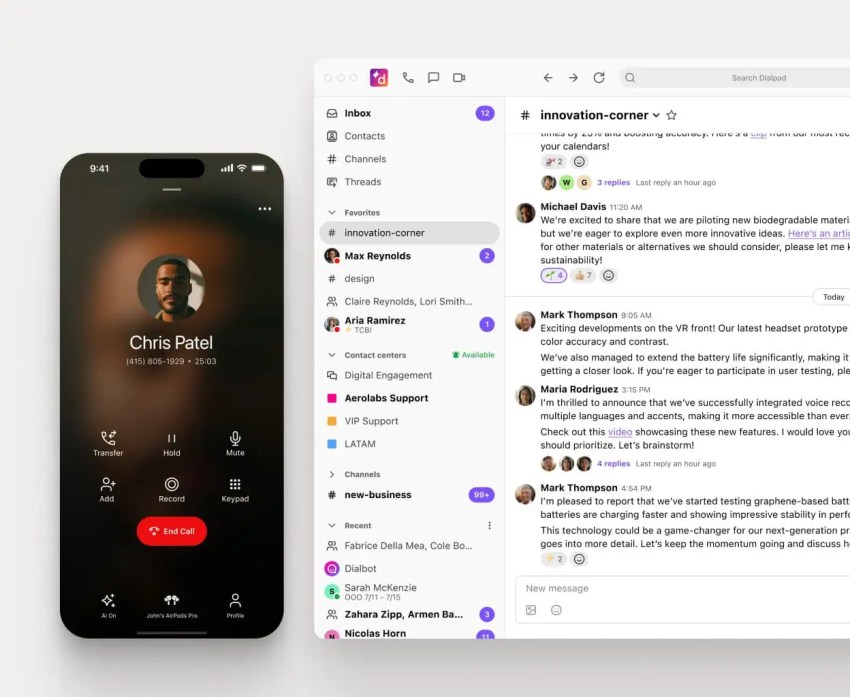
Dialpad is worth testing when phone conversations drive sales and reps need help during calls. Its business phone offering includes real-time transcription, while Dialpad Sell emphasizes sales workflows and live coaching.
Be specific about which product you’re buying. A basic Dialpad Connect subscription and a sales-focused package are different purchases. Then request a quote listing the coaching tools your reps will actually use. Provide examples of situations your reps find difficult on calls, such as pricing objections or renewal discussions, and test the coaching against those scenarios.
The comparison with Nextiva comes down to the problem you’re solving. Nextiva provides voicemail transcription across its business phone tiers, places AI call summaries on Scale, and offers XBert for unattended calls. Dialpad’s sales coaching merits closer attention if the priority is helping a rep handle an objection while the customer is still on the line.
Features Small Teams Actually Use
For a 10-person team, a small business phone system should make everyday phone calls and customer follow-up easier to manage. Prioritize the features that coworkers need to cover for one another (like auto attendants and team messaging). If you already have video conferencing that works well, decide whether you’ll replace it before paying more for another meeting tool or adding advanced features.
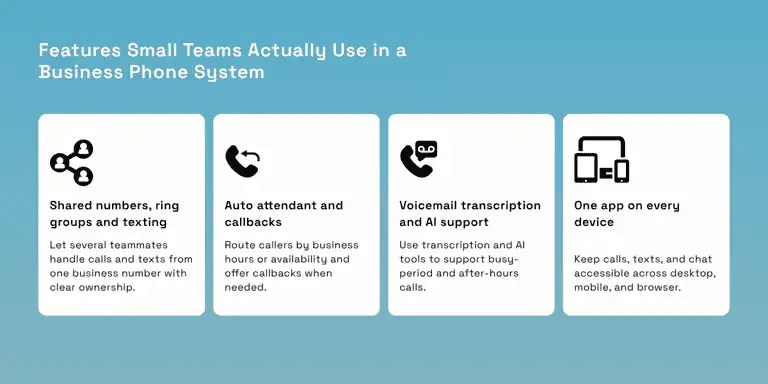
Shared numbers, ring groups, and shared texting
A shared business phone number means customers can reach the team without knowing who’s available. Ring groups can route calls to several phones simultaneously or in sequence, allowing the office manager to answer first, with a coworker as backup.
Shared texting needs equally clear ownership. Look for conversation assignment and visible reply history so two employees don’t send conflicting answers. Test what happens when someone goes on vacation. Can another teammate pick up the conversation? Nextiva includes customer-to-team texting on Engage, while it’s an add-on for Core.
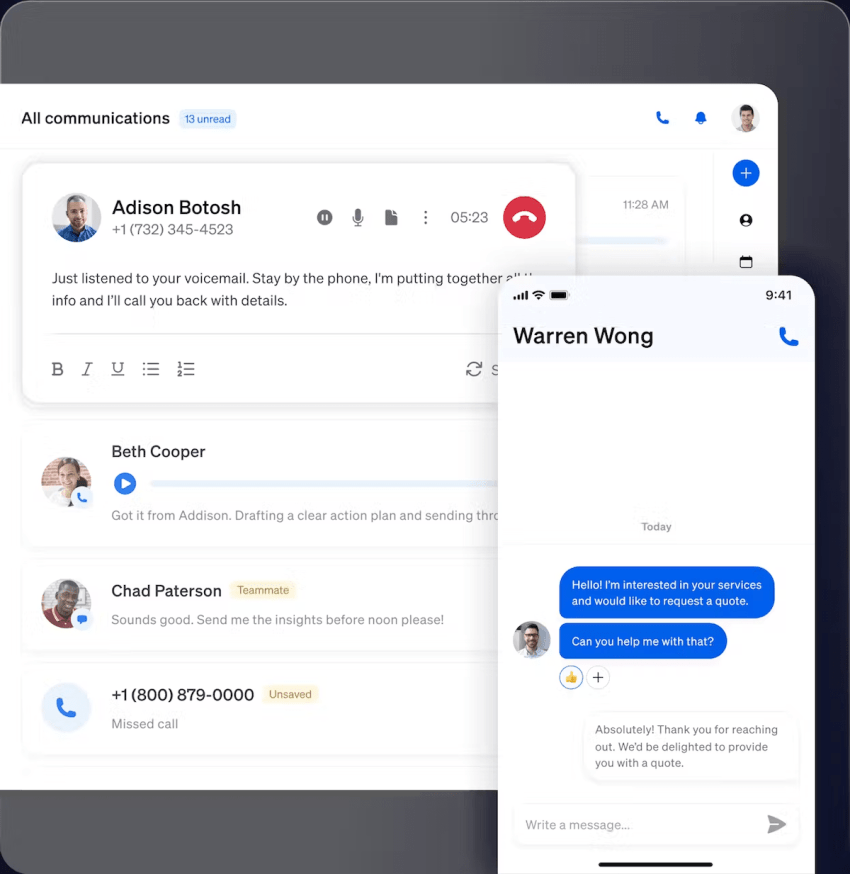
Auto attendant and visual call flows
An auto attendant should handle the basics without adding unnecessary steps for callers. Check whether it includes features like business hours routing, holiday greetings, dial-by-name, overflow, and voicemail-to-email. If the system offers callbacks, test that option, too. Nextiva’s Customer Patience Benchmark found that 75% of customers prefer a scheduled callback to waiting on hold.
Voicemail transcription, AI summaries, and an AI receptionist
Voicemail transcription is now common across business phone systems, but AI features often vary by plan. Check which tier includes AI call summaries and whether they cover calls, voicemails, or both. If your team struggles to answer calls after hours or during busy periods, consider whether an AI receptionist like XBert can handle those calls instead.
One app on every device
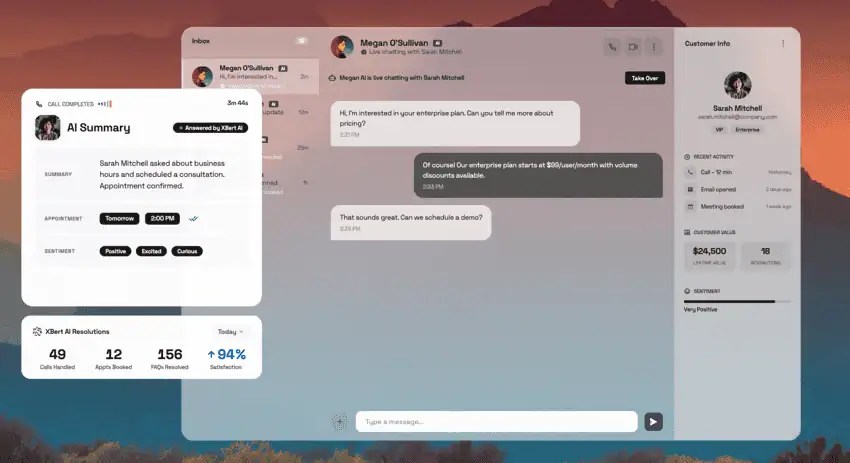
About a quarter of full-time US workers are hybrid. SWAA data published by FRED put the figure at 25.2% in February 2026. That makes consistent access across desktop, mobile, and browser apps worth checking when you compare phone systems. Nextiva’s customer experience research also found that teams juggle six to seven tools for customer interactions. A single app for calls, texts, and chat can reduce some of that switching.
Have an employee use the mobile apps for phone calls and customer messages during the trial. Check video conferencing separately: Can they join meetings with the same account, and are the controls they need available? Then confirm which domestic and international calling features the phone plan includes. Record any differences between the mobile, desktop, and browser versions before rollout.
Match the Phone System to Your Team Size
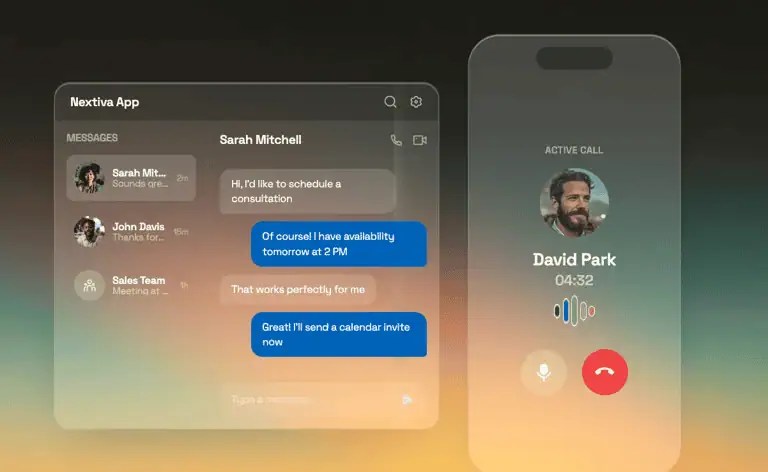
Choose a small business phone system for today’s team, and then ask what changes when you hire five more people. If you’re replacing traditional phone systems, have the provider explain how you’ll add users and keep existing phone numbers. Confirm that the proposed VoIP system can support shared customer messages and customer relationship management (CRM) connections as your needs grow.
| Team size | Must-haves | Safe to skip | Nextiva fit |
|---|---|---|---|
| 1 to 3 users | Business number on personal phones, call forwarding, voicemail transcription, business SMS | Desk phones, call queues | Core |
| 4 to 10 users | Auto attendant, ring groups, department routing, shared texting | Workforce management | Core or Engage |
| 11 to 25 users | CRM integration, call recording, supervisor reporting, AI summaries | Enterprise contact center suites | Engage or Scale |
Micro teams (1 to 3 users)
Keep the setup simple: a business phone number, mobile apps, and a clear destination for missed calls. Skip desk phones unless someone specifically needs one.
A business voice service lets employees make and receive phone calls using their business identity across supported devices. That gives customers a consistent number without requiring everyone to carry another cell phone. Nextiva Core is worth evaluating here, provided its messaging allowance covers your usage.
Growing teams (4 to 10 users)
At this size, decide who owns each type of request. Give sales, support, and billing their own call routing paths (both outgoing and incoming calls), with ring groups covering absences. Use business hours schedules to control what happens when those teams leave for the day.
Shared texting becomes worth paying for when customers need a reply from whoever is available. Nextiva Engage includes customer-to-team texting, while it’s an add-on for Core.
Established teams (11 to 25 users)
Once supervisors need to understand missed calls and follow-up, evaluate CRM logging, customer details displayed when calls arrive, and call recording for quality reviews. Ask to see dashboards for answer speed and abandoned calls using the exact plan being quoted.
Nextiva lists CRM integrations as add-ons across its business phone plans, including Scale. Since AI summaries sit on the Scale tier, check which add-ons you’d need, because an Engage subscription won’t cover every capability in the table.
Pick a system you won’t have to replace once you reach 12 people. For example, Canyon Coolers grew from a garage operation to a business serving a network of 500 stores on one Nextiva phone system. Use that story as a reason to ask about expansion, and then confirm how adding employees, numbers, and locations would work for you.
What a Small Team Phone System Really Costs
Before signing, ask for a sample monthly invoice based on your service address, user count, and texting needs. The advertised seat price is only the starting point. Your budget should also account for taxes, provider fees, and any add-ons needed to handle everyday customer conversations.
When comparing a cloud-based phone system with your current telephone service, make sure to price the setup your team will actually use. Confirm the scope of unlimited domestic calling, and then request international calling rates for the countries you contact. Ask what happens when you exceed an allowance or add another employee.
A unified communications solution may also replace separate subscriptions for video conferencing or team chat. Count those potential savings only if you retire the existing tools.
The sticker price vs. the actual bill
Here’s an illustrative five-person budget based on a hypothetical plan that charges $20 per user (not an actual Nextiva quote). The E911 (Enhanced 911), regulatory recovery fee, and tax amounts are assumptions since actual charges depend on the provider and location.
Nextiva’s VoIP taxes and fees guide explains these charge categories but doesn’t establish the amounts below as universal rates. It also distinguishes provider-set regulatory recovery fees from government-imposed charges.
| Line item | Assumption | Monthly cost |
|---|---|---|
| Advertised seats | 5 users × $20 | $100.00 |
| E911 fees | About $1.50 per line | $7.50 |
| Regulatory recovery fees | About $3.00 per line | $15.00 |
| State and local taxes | About 10% of subtotal | $12.25 |
| 10DLC campaign fee | Low-volume mixed campaign | $1.50 |
| Monthly total | About $136 (36% above sticker) |
The exact total is $136.25. This example applies the assumed 10% tax to the $122.50 subtotal before the campaign fee. Your actual invoice may use different taxable amounts or include other applicable charges.
Budget separately for setup and equipment. Twilio’s published registration fees offer a reference: A low-volume brand registration costs $4.50, plus a $15 campaign-vetting fee. The total is $19.50 before desk phones or other purchases. These are reference fees, not a confirmed Nextiva registration quote.
A2P 10DLC registration for business texting
If your business phone app sends texts to US customers from a standard 10-digit local number, plan for A2P 10DLC (application-to-person 10-digit long code) registration. Your provider may register your business identity (the brand) and messaging use case (the campaign) on your behalf. Carriers can block unregistered business messaging traffic.
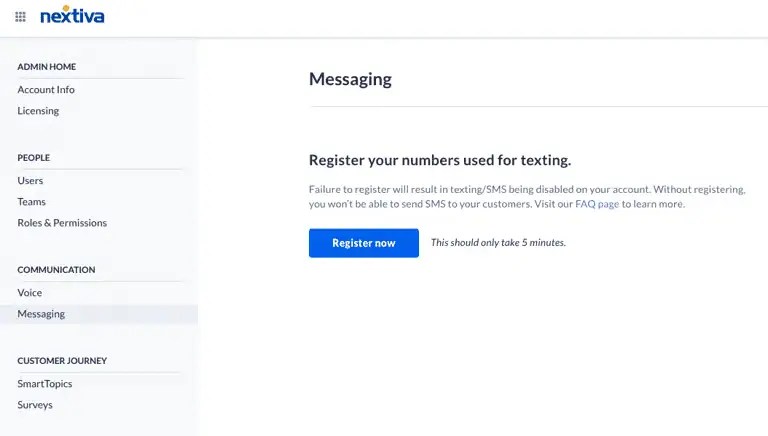
The registration type affects the cost. Twilio’s fee documentation lists $4.50 for low-volume brand registration and $41.50 for standard vetting. Low-volume standard brands don’t require that secondary vetting. Campaign vetting costs $15, while common recurring campaign fees range from $1.50 to $10 monthly, depending on the use case.
Don’t automatically add every fee together. Ask which registration category applies and whether your provider adds processing or messaging charges.
Nextiva guides customers through registration. Prepare accurate business details, sample messages, and an explanation of how customers consent to receive texts. Complete registration before relying on business texting for appointment confirmations or customer follow-up.
Annual vs. monthly billing and add-ons
Nextiva Engage costs $25 per user per month annually versus $50 monthly, a 50% difference. Core’s $15 annual-billing rate versus $23 monthly represents savings of approximately 35%. RingCentral advertises cost savings of up to 33% for annual billing.
For five Engage users, that means a base subscription equivalent to $125 per month on annual billing, versus $250 month-to-month, before additional charges. Check the commitment and cancellation terms alongside the discount.
Request separate prices for extra phone numbers, toll-free minutes beyond the allowance, automatic call recording where excluded, and international calling. Ask which destinations unlimited domestic calling covers, and have the provider calculate overseas charges based on a typical month of your team’s usage.
Softphones vs. desk phones
Start by testing your VoIP phone system for business through desktop and mobile apps, and then buy desk phones where the role calls for them. A receptionist may prefer physical transfer buttons, while a warehouse employee may need a shared handset that stays on-site. When replacing traditional phone systems, check which internet protocol (IP) desk phones your new provider supports before ordering equipment.
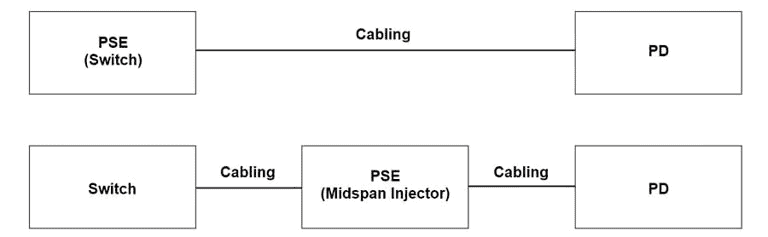
Nextiva supports desk phones alongside its app, including models with Power over Ethernet (PoE). With compatible equipment, PoE supplies power through the Ethernet cable. If PoE is not available, verify whether the phone requires a separate power adapter.
Include headsets in the equipment budget. Check compatibility with each employee’s laptop or desk phone, and test microphone clarity in the space where they’ll work. For desk phones, confirm whether the headset supports answering and ending calls remotely. Nextiva’s headset accessories include compatible electronic hook-switch options.
How to Switch Phone Systems Without Dropping Calls
Set up and test the new small business phone system before moving your business number or paying for additional premium features. Give employees time to sign in, make phone calls, practice transfers, and check voicemail while the existing telephone service is still available.
Number porting checklist
Number porting lets you move existing phone numbers to a new provider. To avoid preventable disruption, provide accurate paperwork and keep the old service active.
Before submitting your letter of authorization (LOA), gather:
- Account holder’s name: Use the name recorded by your current carrier.
- Service address: Confirm the address associated with the numbers, which may differ from your billing address.
- Account number and porting PIN: Request these from the carrier if you’re unsure.
- A recent phone bill: Use it to support the request and verify account details.
- The numbers you’re transferring: Check the full list before authorizing the move.
The LOA and supporting information should match the carrier’s records exactly. Keep your existing phone service active until the transfer is complete and you’ve tested the ported numbers.
During the transition, ask about temporary numbers and call forwarding. You can forward the old business number to a temporary number on the new system while the port is pending. Test the main greeting, department routing, and voicemail. After the transfer, check inbound and outbound calls, and then verify texting separately before closing the old account.
Network readiness
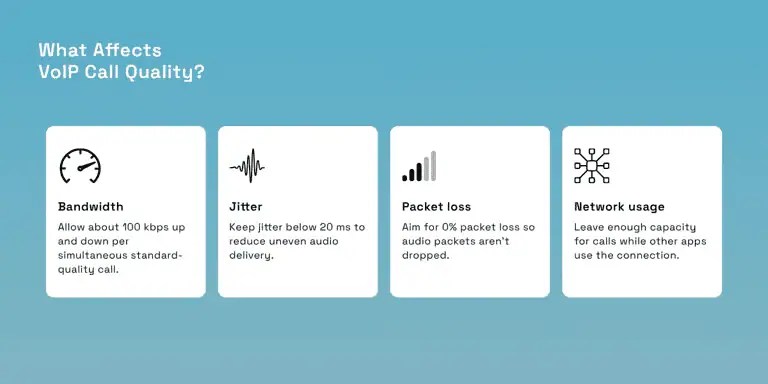
A VoIP phone system sends calls over your internet connection, so test the connection wherever employees make phone calls. Nextiva’s bandwidth requirements specify approximately 100 kbps upload and 100 kbps download per simultaneous standard-quality call. That means five concurrent calls need about 500 kbps in each direction, plus capacity for your other business applications.
Bandwidth alone doesn’t ensure call quality. Nextiva’s requirements also include less than 20 ms of jitter and 0% packet loss. Network jitter means audio packets arrive at uneven intervals, while packet loss means some never arrive. Both can disrupt the conversation. Here’s an example of the latency and jitter measurements you might see in a network test.

Run Nextiva’s network readiness test before go-live, ideally while employees are using the connection normally. Ask whoever manages your office router to configure quality of service to prioritize voice traffic where supported. Then make test calls while other employees use video meetings or upload files.
Repeat the checks from home offices where employees regularly work. A successful test at headquarters doesn’t tell you how an employee’s home Wi-Fi will perform.
Put Your Whole Team on One Business Number With Nextiva
The goal is straightforward: Customers call your business, someone available can answer, and missed messages have a clear owner. Your personal cell phone can stop being the default place for every customer question.
Nextiva Business Phone offers calling and texting through its apps, with free setup help. Core starts at $15 per user per month with annual billing, before applicable taxes, fees, and add-ons. Choose the plan that supports how your team shares calls and messages.
For calls during lunch breaks or after closing, XBert provides round-the-clock answering. Explore Nextiva Business Phone to plan your move, keep your existing number, and give customers one consistent way to reach your team.
The small business VoIP phone system for modern work.
Bring business phone calls, video meetings, messaging, AI, and your team together on one platform that remembers the conversation and helps your business act on what happens next. Easy to set up. Built for your budget. Trusted by millions.