Business Communication
 Blog
 Customer Experience
 Leadership
 Marketing & Sales
 Nextiva News
 Productivity
 VoIP
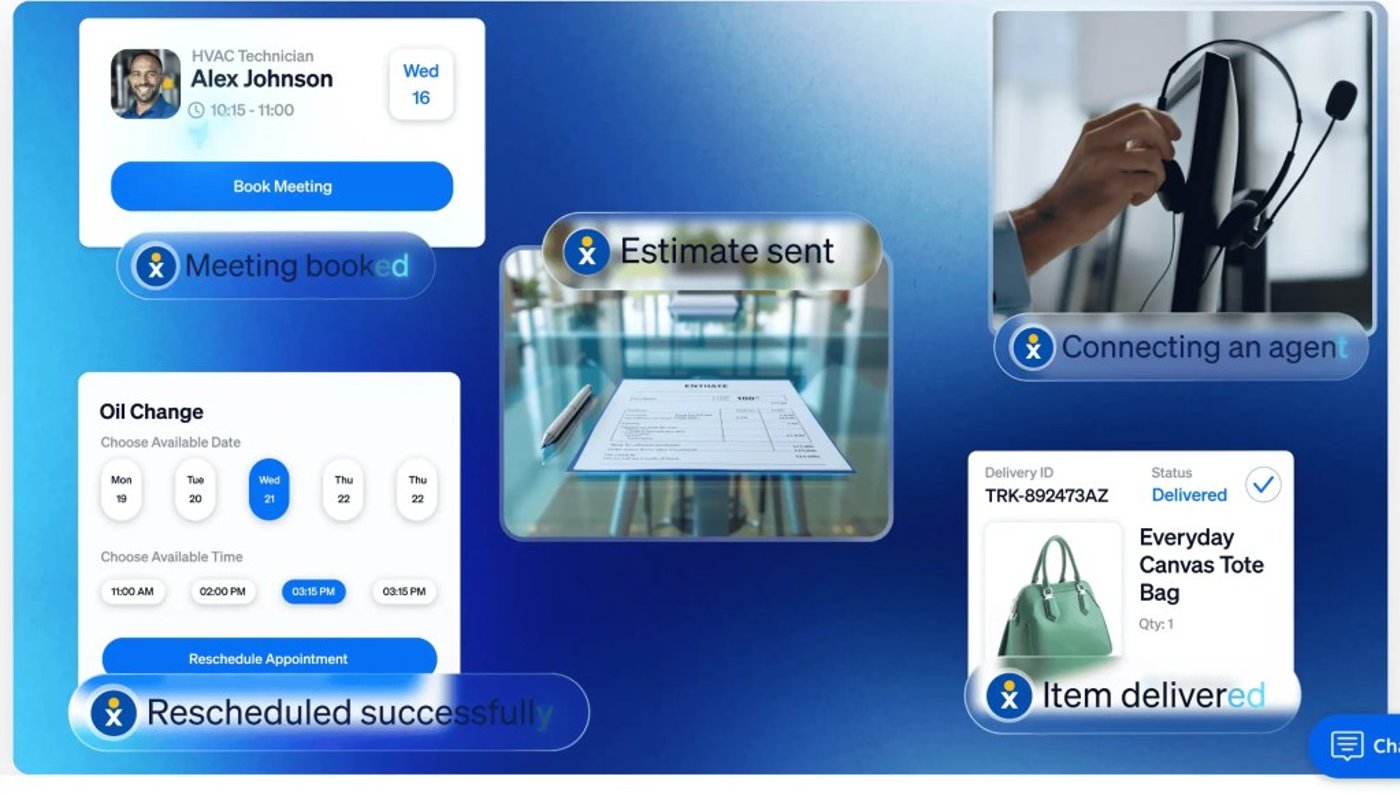

When a customer asks ChatGPT or Gemini to find a dentist open on Saturday or compare three plumbers, an AI agent often visits business websites to find the answer.
Preparing your website for AI agents doesn’t require a new site. It takes clear facts, readable pages, and a fast way to answer the customers those agents send your way, whether they call, text, or use your website chat.
Agent-led traffic is growing fast. In September 2026, Cloudflare reported that daily requests from AI agents on its network grew by more than 1,700% over the past year. DataDome also published data for its rising volume of agentic web traffic earlier this year.
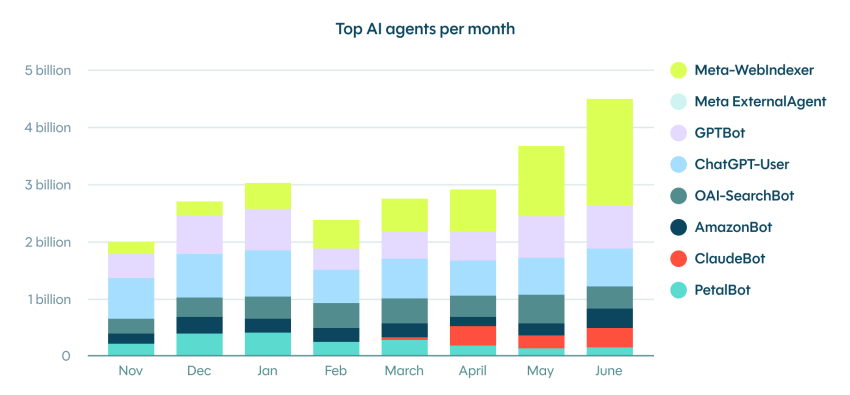
AI agents reward what good SEO and web accessibility have long rewarded: accurate information, clear structure, and a site that’s easy to navigate. I’ve spent the past year monitoring how AI tools read Nextiva’s sites, and the most important fixes were relatively standard and well within most website owners’ capabilities.
The agent readiness checklist below is one you can hand straight to your web person.
What Does an AI Agent Do?
An AI agent is software that works on a person’s behalf. A user gives it a goal, like “find a roofer near me who offers free estimates,” and the agent searches, reads business websites, and reports back. Some agentic AI tools go further and fill out the quote form or book the appointment.
In a 2026 study of more than 5.2 million agent sessions, Microsoft found form submissions in 19.85% of them and appointment bookings in 8.42%. A person may have taken over during some of those sessions, but customers are clearly sending software to do their legwork.
AI systems visit your site in three main ways:
| Type of AI visitor | What it does | What it needs from your site |
|---|---|---|
| AI search crawlers | Reads your pages ahead of time so tools like ChatGPT search can cite them | Permission to visit and a current sitemap |
| On-the-spot lookups | Visits a page because someone asked a question right then | Clear answers near the top of the page |
| Browser agents | Clicks buttons and fills out forms to finish a task | Real buttons, labeled forms, and a steady layout |
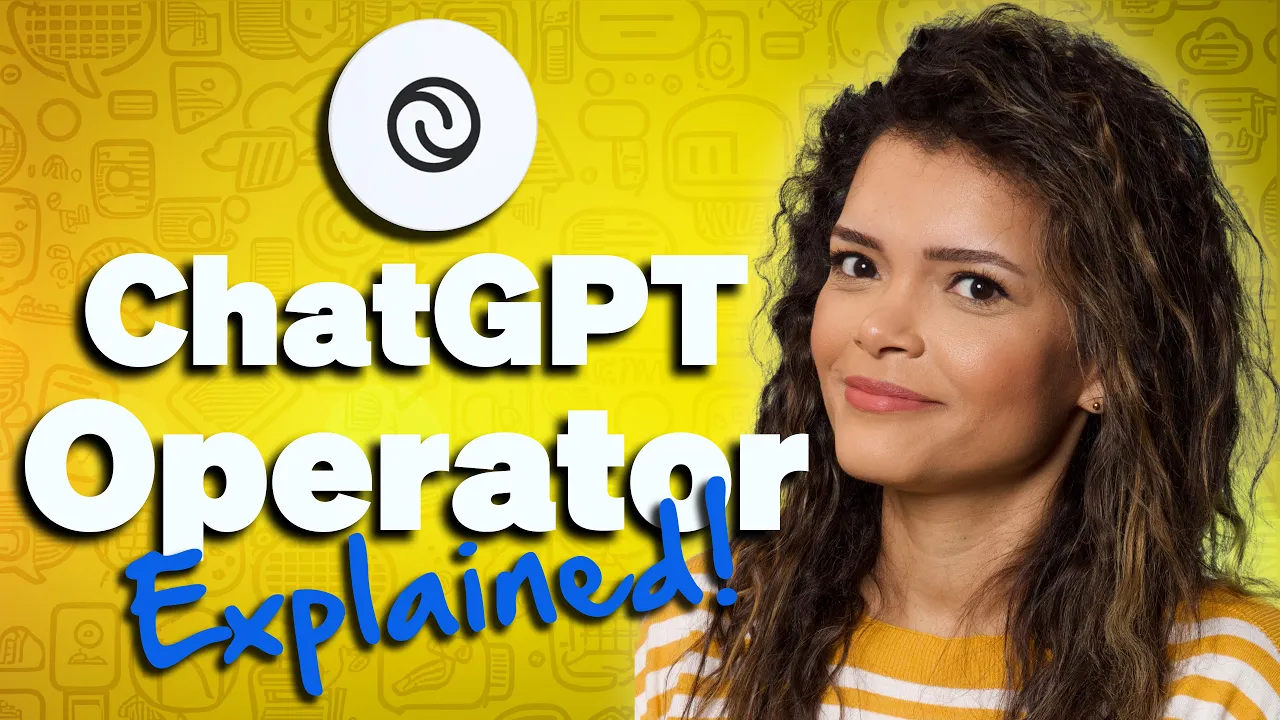
To see a browser agent at work, watch our short video below. An early agent, ChatGPT Operator, searches campsite websites, clicks buttons, and fills out forms, then waits for the person to say “book it.” Notice that it also gets stuck on CAPTCHA tests, a reminder that anything that blocks a person can block an agent. OpenAI has since folded Operator into ChatGPT agent.
How agents “see” your pages
Agents don’t look at your site the way a person does. Google’s guide to agent-friendly websites explains that they read it three ways: from screenshots, from the page’s HTML code, and from the accessibility tree. The accessibility tree is the simplified map of buttons, links, and labels that screen readers use for people with visual impairments.
This work pays off twice. As Google’s authors put it, “Everything we suggest to make a site ‘agent-ready’ also makes sites better for humans.”

Prepare Your Website for AI Agents
Use this as your project plan for an AI-ready website. Most of it takes an afternoon, and none of it requires rebuilding your site.
| Step | What to do | Who usually does it |
|---|---|---|
| 1. Let AI search tools in | Check that robots.txt and your security settings allow AI search crawlers | Your web person or host |
| 2. Write clear facts in plain text | Answer top customer questions directly, and keep prices and hours out of images and PDFs | You or your marketing lead |
| 3. Use clean, accessible HTML | Use real buttons, labeled form fields, and descriptive image text | Your web person |
| 4. Keep your sitemap fresh | Submit your sitemap to Google and Bing, and remove dead pages | Your web person |
| 5. Match your business details everywhere | Keep your name, address, phone, and hours identical across your site and listings | You |
| 6. Check in monthly and make it easy to reach you | Track agent visits, ask AI tools about your business, and make it easy to reach your team | You |
Step 1: Let AI Search Tools In
AI platforms can only use what they’re allowed to read. Two things control that: a small text file on your site called robots.txt, and the security settings at your web host.
AI providers can also be blocked by your hosting or DNS provider, such as Cloudflare, if you thought you were doing the right thing by blocking freeloading bots and crawlers. However, since July 2026, Cloudflare reversed course on the defaults for verified AI bots. Cloudflare users have had, and still have, control of these settings, although it can be confusing for the uninitiated.
To see your robots.txt file, type your domain followed by /robots.txt into a browser. It lists which automated visitors may read your site. Most AI companies publish the names of their crawlers so you can allow or block each one. Likewise, Cloudflare has also advanced the Content Signals framework to help site owners explicitly permit or decline AI access, crawling, and training.
Allow AI search crawlers, because they’re how AI answer engines find and recommend you.
Training crawlers are a separate choice. OpenAI’s crawler documentation, for example, explains that you can allow its search crawler (OAI-SearchBot) so ChatGPT can cite you while blocking its training crawler (GPTBot). Blocking training doesn’t remove you from AI search results.
Letting AI crawlers in comes with trade-offs.
 Pros
AI search tools can find, cite, and recommend your business
Browser agents can complete bookings and form submissions for customers
You can still block training crawlers separately from search crawlers
 Cons
Crawlers add automated traffic, often downloading the same pages again and again
If you also allow training crawlers, your content may be used to train AI models
Next, check your security settings, because a block there overrides robots.txt. Many hosts now offer one-click switches to block AI bots.
When I reviewed one of our own sites this fall, a default security setting was turning away AI crawlers that our robots.txt welcomed. No one had ever chosen to block them. Ask your web person to confirm your settings match what you intend.
Step 2: Write Clear Facts in Plain Text
AI assistants and Google’s AI Overviews pull short passages from your pages to answer specific questions. Pages that answer those questions plainly get used, while vague marketing language gets skipped.
Answer first, then explain
Use a customer’s question as a heading, then answer it in the first sentence or two, the way you’d say it on the phone. Add details below. For example, under “Do you offer same-day service?”, start with: “Yes. [Company Name] offers same-day service in Phoenix and Tempe when you call before noon on weekdays.”
Be specific wherever you can. “Plans start at $25 a month” is something an agent can quote. “Affordable pricing for every budget” isn’t. This is the same principle behind good conversational AI.
Google’s generative AI guide says content that people find “unique, compelling, and useful” will likely do more for your search visibility in AI features than any other suggestion in its guide.
For a small business, such as a restaurant, that means you have a service or delivery area, actual menu items, allergens, details about parking and location, and, of course, answers to the questions you get every day.
Keep key facts out of images and PDFs
An agent can only pass along what it can read. If your prices live in an image, your menu is a PDF, or your hours only appear in a pop-up, an AI tool may miss them or get them wrong. A few quick fixes cover most sites:
- Turn image text into real text. If a banner says “Free estimates, open Saturdays,” put that sentence on the page, too.
- Give PDFs a web page twin. Post your menu or price sheet as a regular page, and keep the PDF as a download.
- Write descriptive alt text. Describe what each important image shows in a short phrase. Screen readers and agents both rely on it.
- Don’t hide the basics behind a login. Pricing ranges, service areas, and policies should be readable without signing in.
AI providers are built on massive language models, but when they process information on your website, they do so in passages or short sections at a time through a process known as ‘chunking’. A page or file that is too large means their data systems can still miss information you want.
Fix contradictions before an agent finds them
If your pricing page says one thing and a two-year-old blog post says another, an AI tool may quote either one. Search your site for old prices, retired services, and outdated hours, then update or remove those pages. Add a “last updated” date to pages where timing matters, like pricing and policies.
Step 3: Use Clean, Accessible HTML
If a screen reader can use your site, an AI agent usually can too. Both rely on the page’s structure and code to tell them what each element is. Google recommends a short list of agent-friendly practices, and your web person will recognize them as long-standing accessibility basics:
- Use real buttons and links. A “Book now” button should be built as an actual button, not a styled box of text.
- Label every form field. Each field needs a label connected to it in the code, so an agent knows the box under “Phone” is for a phone number.
- Keep the layout steady. Agents that take screenshots get confused when buttons jump around while the page loads.
- Don’t cover buttons. Pop-ups, cookie banners, and other website engagement tools that sit on top of buttons can hide them from an agent.
- Use headings in order. One main heading per page, with section headings below it, gives agents and screen readers a clear outline.
Book an appointment or submit your contact form using only the Tab and Enter keys. If you get stuck, an agent may too. For a deeper check, the free Lighthouse tool built into Chrome includes an accessibility audit your web person can run in a few minutes.
Step 4: Keep Your Sitemap Fresh
A sitemap is a file that lists the pages you want search engines and AI tools to find. Most website platforms, including WordPress, Wix, Squarespace, and Shopify, create one automatically. Three habits keep it useful:
- Submit it to Google and Bing. Add your sitemap in Google Search Console and Bing Webmaster Tools. Both are free, and Bing’s index feeds Microsoft Copilot.
- Keep the “last modified” dates accurate. Bing’s webmaster team recommends accurate dates so its crawler knows which pages changed. Many SEO plugins also support IndexNow, which tells search engines the moment you update a page.
- Remove dead pages. Old landing pages and retired services shouldn’t stay in your sitemap. Redirect them to the closest current page.
While you’re working on your sitemap, you may also see advice about special AI files, like llms.txt. Google’s guide says you don’t need “new machine readable files, AI text files, markup, or Markdown” to appear in its AI features. One won’t hurt, but it’s a low priority next to the steps above. Nextiva keeps it simple with a plain-language company information page that any person or AI tool can read.
Step 5: Match Your Business Details Everywhere
Your business name, address, phone number, and hours should match across your website, your Google Business Profile, and your directory listings. Google’s AI optimization guide notes that a Business Profile can help your business show up in its AI responses.
Google can also now call businesses for customers to check prices and availability, so the number on your profile needs to reach someone who can answer.
If you want to go a step further, ask your web person to add LocalBusiness structured data, also called schema markup, a small block of code that labels your hours, address, and phone number. Google says structured data isn’t required for AI search, but it still helps with rich results in traditional SEO. Google’s LocalBusiness guide has a copy-ready example, and most SEO plugins can add it for you.

Step 6: Check In Monthly and Make It Easy to Reach You
Once your site is in good shape, check on it once a month. You don’t need expensive software.
Track agent visits. Microsoft Clarity, a free analytics tool, added an Agent Activity dashboard in October 2026. It shows which AI agents from OpenAI, Google, and Anthropic visit your site and what they do there. You can also track this from your website host or DNS provider like Cloudflare.
Ask AI assistants about your business. Ask ChatGPT, Gemini, and Copilot the questions your customers ask, like “Who offers same-day AC repair in Tempe?” Note what they get wrong, then trace each mistake back to a page you can fix. Paid LLM tracking tools like AthenaHQ, Peec, Scrunch, or Profound can help provide robust monitoring and recommendations.
Make it easy to reach a person. A customer might let an agent find three options, then call or chat with the one that looks best, so speed counts. In our Customer Patience Benchmark survey, consumers expected chat replies within one minute and replies to calls or texts within five minutes. When a business missed that window, 56% immediately tried another channel.
Turn AI Visibility Into Customers With Nextiva
Getting found in AI is the first step. The next is handling customers who are ready to buy.
When the person behind the agent calls, texts, or opens a chat, someone needs to answer right away. To help them 24/7 on your terms with accurate information, consider using an AI employee on the front lines.
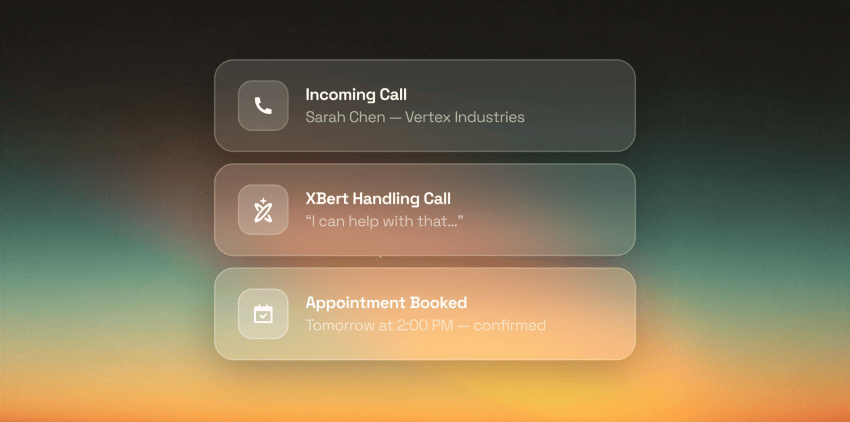
XBert is an AI employee that’s easy to use. It answers your business phone line, texts, and website chat, and it learns from your website, FAQs, and business details. The clear answers you write in Step 2 help outside AI tools describe your business and train XBert to answer your customers. No coding, no hosting, no complicated APIs to navigate — it just works.
Aqua-Tots Swim Schools in San Antonio solved this as it grew from one location to six. Calls now route through a small central team with coverage beyond school hours, so front-desk staff can focus on the families in front of them. The group is also piloting the AI receptionist for after-hours calls. Franchise owner Arlette Belver and regional manager Angel Rosiles tell the story in this short video.

XBert also qualifies leads and books appointments. It connects to Google Calendar and Calendly, and to CRMs like Salesforce and HubSpot on request.
Rafael Mesa, owner of Vero Property Inspections in Florida, put XBert on his phone because every missed call cost him business. XBert now handles 15 to 20 bookings a week for him, according to Vero’s customer story.

“Every call I miss is an appointment I miss, and every one of those inspections is $250 minimum walking straight to a competitor.”
Rafael Mesa
When conversations need a full team, Nextiva Contact Center brings voice, chat, messaging, email, and social into one place, so every customer an AI agent sends your way reaches the same support team.
Try XBert free and make sure every call and website chat gets answered.
Handle every customer request 24/7
XBert answers your phone, texts, and chats, learns from your website, and acts on your behalf.
FAQs on Website Readiness for AI Agents
An AI agent is software that visits websites on a person’s behalf to find information or complete a task, like comparing prices, filling out a quote form, or booking an appointment. In a Microsoft Clarity study of more than 5.2 million agent sessions, sessions included form submissions 19.85% of the time and appointment bookings 8.42% of the time, though a person may have taken over in some. Our guide to agentic AI explains how agents work.
Usually not. Allow AI search crawlers, such as OpenAI’s OAI-SearchBot, because they’re how AI tools find and cite your site. Blocking training crawlers, such as GPTBot, is a separate choice that doesn’t remove you from AI search results. Check your host’s security settings, too, since a block there overrides robots.txt. Crawler access is now part of managing your online presence.
No. Google says you don’t need llms.txt or other special AI files to appear in its AI features. Adding one won’t hurt, but it’s a low priority next to the basics. A plain-language page like Nextiva’s company information page does the same job for people and AI tools alike.
Yes. Browser agents read the same accessibility tree as screen readers, so real buttons, labeled form fields, descriptive alt text, and a steady layout help agents complete tasks like bookings. A quick check is to complete your contact form using only the Tab and Enter keys. Pop-ups and chat launchers can hide buttons from agents, so review your website engagement tools, too.
Microsoft Clarity’s free Agent Activity dashboard shows visits from OpenAI, Google, and Anthropic agents and what they did, such as form submissions and bookings. Bing Webmaster Tools also reports how often Copilot cites your pages. To see the calls those visits lead to, pair them with your phone system’s call analytics. You can also check your website CDN or hosting provider like Cloudflare for analytics here.
Nextiva XBert answers your phone line, texts, and website chat, learns from your website content, and passes conversations to your team with the full history. On the Premium plan, it also qualifies leads and books appointments. For larger teams, Nextiva Contact Center brings voice, chat, messaging, email, and social into one place.