Business Communication
 Blog
 Customer Experience
 Leadership
 Marketing & Sales
 Nextiva News
 Productivity
 VoIP

When a customer speaks to Gemini or Google Assistant and asks for “a gluten-free pizza place that’s open right now,” they don’t get a page of links. Voice searches are full questions with an immediate need, and the answer is one or two names. If yours isn’t one of them, you’re out of the running.
An optimized Google Business Profile is the fact sheet Google’s AI voice assistants draw from. When they send a caller your way, the business phone number on that profile has to reach someone who answers.
In a SOCi survey published in August 2026, 52% of U.S. consumers said they had used an AI tool to find a local business in the past 30 days, up from 9% a year earlier.
Google Business Profile Aids In AI Search
Optimizing for Google Business Profile voice search starts with a claimed, verified, complete Google listing. Sign in to your Google account and finish the verification process before anything else.
Google says “businesses with complete and accurate info are more likely to show up in local search results,” and it builds profiles from your input, customer contributions, and crawled web content, including your website.
Verification is free. Google says it will never ask you to pay to verify or reinstate a profile, so treat any caller posing as a Google representative and asking for money as a scam, and protect your account by never sharing a verification code.
If you manage a single verified profile with a personal Google account, you can also connect it to Gemini to update business hours and attributes, draft review replies, and see performance analytics.
Link the profile to a fast, mobile-friendly website, and publish Google posts with updates or offers regularly so the profile shows recent activity. Your name, address, and phone number are the floor.
If your profile lists one phone number, your website another, and a directory a third, an assistant can’t confidently match the records. Pick one main number, put it everywhere, and keep tracking numbers off your business listings. If you need to measure calls, assign a tracking number only on your website.
Your Google Business Profile serves as the perfect entry point to teach your AI receptionist about your business, learn key facts, and understand your company. It even works with XBert AI so you can set it up in seconds.
In this short video, our team walks through keeping your name, hours, services, and contact details consistent across listings, and replying to reviews in a professional tone.

Google isn’t the only source, either. Each assistant reads its own data:
| Assistant | Where it gets local business data | Where you manage it |
|---|---|---|
| Google Assistant, Gemini, and Ask Maps | Google Business Profile, plus your website | Google Business Profile |
| Apple Maps and Siri | Apple Maps place cards; Siri also draws on Applebot’s web crawl | Apple Business |
| Alexa+ | Yelp’s database of local businesses, plus booking partners such as Square and Angi | Yelp Business |
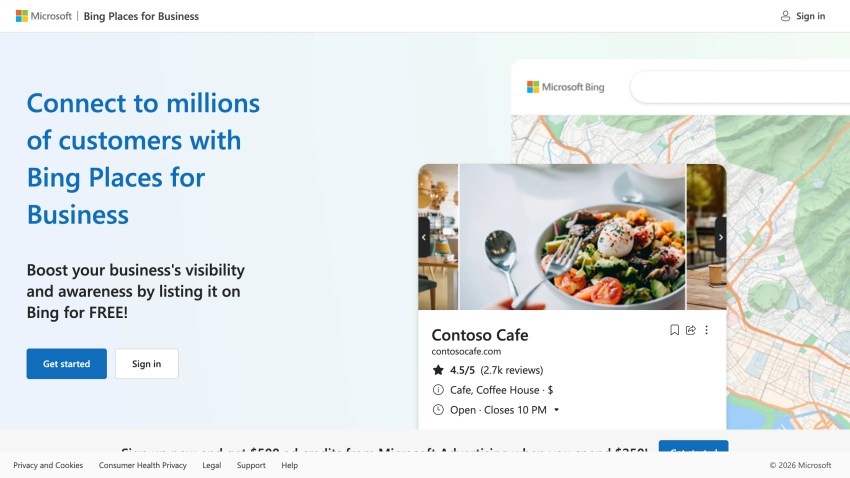
| Bing search | Bing Places listings | Bing Places |
| ChatGPT | Claimable business profiles (beta, U.S. listings) | ChatGPT Business Hub |
Apple renamed Business Connect to Apple Business on April 14, 2026, and claimed locations moved over automatically. Amazon says Alexa+ surfaces reviews and local services by searching Yelp’s database, so an outdated Yelp page now affects voice answers too.

Configuring Attributes About Your Business Matters
Voice questions are narrow, especially for restaurants and medical offices. “Pediatric dentist open now” or “wheelchair-accessible restaurant near me” leaves no room for a vague profile.
Start with your primary category. Google advises choosing the most specific option, such as “Nail salon” instead of “Salon,” and notes that “the categories you select affect your local ranking on Google.” Editing a category can trigger re-verification, so change it once, deliberately. Write your business description the way customers ask, such as “family-owned HVAC company serving the Phoenix area with same-day repairs.”
Then fill in every attribute that’s true. Google says, “If you add certain attributes, your business might show up in searches for places with those attributes.” Leave a true attribute unchecked, and you might miss searches filtered on it. Check these first:
- Business hours, including special and holiday hours. “Open now” and emergency questions depend on them.
- Accessibility. Wheelchair-accessible entrance, restroom, seating, and parking, plus hearing assistance devices.
- Payments. Cards, mobile payments, and anything else you accept.
- Phone numbers. Contact information enables customers to call or text your company.
- Service options. Delivery, online appointments, on-site services, or outdoor seating.
Filtered searches send callers and leads who already know what they need, and a busy front desk can miss them without an answering service.
Reviews Raise Your Visibility for AI Assistants
Google ranks local results mainly on relevance, distance, and prominence, which it defines as how well-known a business is. Reviews feed prominence. Google says it is based partly on “how many reviews you have,” and that “more reviews and positive ratings can help your business’s local ranking.”
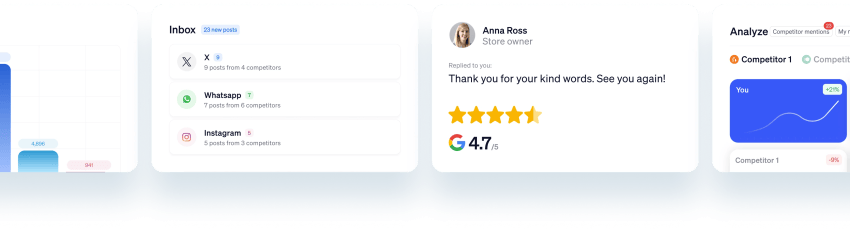
Review replies are also the most public form of customer engagement on a profile.
Yext research covering 491,972 local queries in 2026 found that the businesses all four major AI engines picked first had answered 62% of their reviews, compared with 33% for typical profiles. Yext presents this as a correlation.
Ask every customer for a review that mentions the service they got and where, never offer anything in exchange, and reply within a day or two in a conversational tone.
Google has discontinued publishing your own questions and answers, so that no longer works. The alternative is to put conversational answers on your website instead: “Do you offer same-day appointments?” followed by a plain yes or no and the details.
In the U.S., Google is piloting a version of questions and answers where verified owners answer attribute questions with Yes or No. If you see those prompts in your profile, answer them.
Making Your Website Readable to AI Crawlers
AI assistants check your website to confirm what your profile says — a process known as grounding. If a crawler can’t read your hours, prices, or services, it can’t corroborate your listing. AI bots fall into two groups, and blocking each one has a different cost:
| Crawler type | Examples | What blocking does |
|---|---|---|
| Search and answers | Googlebot, Applebot, OAI-SearchBot, Claude-SearchBot, PerplexityBot | Keeps your pages out of that company’s search results and AI answers |
| Training only | GPTBot, ClaudeBot, plus the Google-Extended and Applebot-Extended robots.txt tokens | Keeps your content out of model training; search stays intact |
Apple says Applebot powers search features “including Spotlight, Siri, and Safari,” so allow it. Google says Google-Extended “does not impact a site’s inclusion in Google Search.”
Then check beyond robots.txt. A managed security rule at your CDN can turn away AI crawlers that your robots.txt allows. Cloudflare now offers separate controls for search, training, and agents, and it warns that blocking training also blocks multi-purpose crawlers “such as Googlebot, Applebot, and BingBot.”
Add structured data to your site so search engines can read your address, hours, and phone number in a consistent format. Finally, keep key facts in plain HTML so crawlers can read them. Menus, prices, and hours that load only through heavy JavaScript or images are harder for crawlers to read.
If your site relies on JavaScript to render content, the content is mostly invisible to AI crawlers. They would only see the “scaffolding,” not the content. Disable Javascript in your browser to test how your site looks to an AI assistant.
Turn Visibility Into Appointments With Nextiva
All of this work usually successfully results in phone calls.
Sometimes it’s a customer, and sometimes it’s Google itself. When a business lacks details online, such as appointment availability, Google says it can call to get answers for a live person searching. On Pixel 10 and 11 Android phones with a Google AI subscription, Gemini can also call businesses to book appointments and get quotes, so it’s important that someone, or something, is ready to talk.
Verified businesses decide whether to allow Google’s automated calls under Business Profile settings, then Advanced settings. Gemini’s calls have a separate opt-out form in the Gemini Help Center. Before you switch either one off, weigh the trade-offs:
 Pros
Google can confirm your hours, prices, and availability for searchers
Customers get accurate answers without calling you first
Google can book appointments on a customer’s behalf
 Cons
Someone on your team, or an AI receptionist, has to answer those calls
Calls arrive at random times, including during busy hours
You’ll want call recordings, transcripts, and analytics to see what was booked
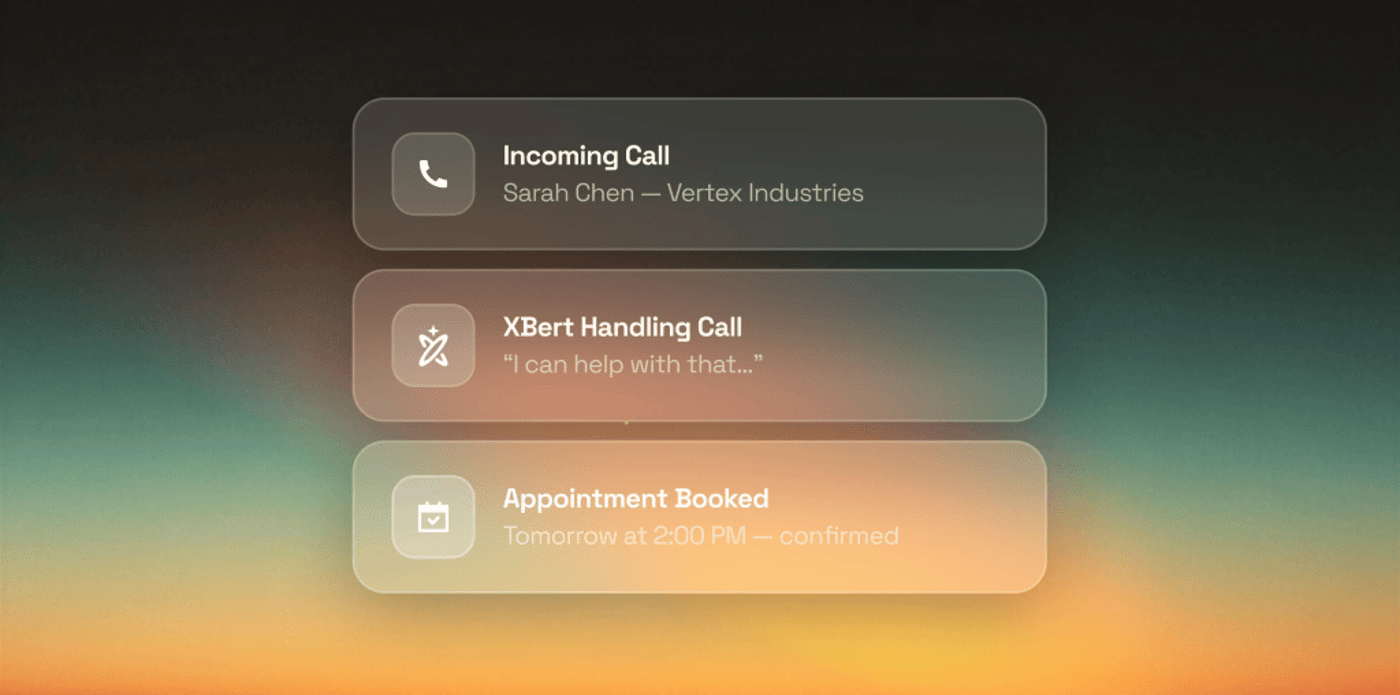
To help you handle inbound calls anytime, XBert answers incoming calls, text messages, and chat messages, handles common questions, books appointments, and hands complex requests to your team with the full conversation attached.
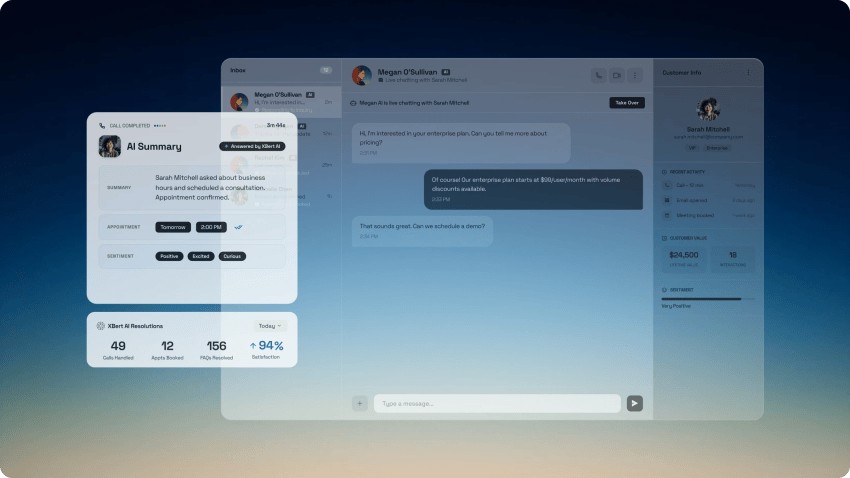
Connect XBert to Google Calendar, and a voice search can become a confirmed booking without anyone on your team picking up. Call recordings and analytics then show how many calls your profile drives and let you evaluate call quality, so you can measure the profile’s value.
Vero Property Inspections put XBert on its phones after missed calls kept costing it jobs. XBert now saves 15 to 20 bookings a week and filters out more than 300 spam calls.

“Every call I miss is an appointment I miss, and every one of those inspections is $250 minimum walking straight to a competitor.”
Rafael Mesa
Every Nextiva plan includes an XBert AI receptionist with 10 free interactions, enough to see how it answers when you receive calls from your profile.
Answer every call Google sends you
XBert answers your business line, handles questions, books appointments, and handles complex calls 24/7.
FAQs: How to Optimize Google Business Profile for AI Voice
Profile optimization starts with claiming and verifying your listing. Choose the most specific primary category, and fill in every true attribute, especially hours, accessibility, and payments. Keep your name, address, and phone number identical everywhere, ask for reviews, and reply to them. A business phone system with one main number makes that easier.
No. Google Assistant, Gemini, and Ask Maps rely on your Google Business Profile and website. Apple Maps shows place cards you manage in Apple Business, Siri draws on Applebot’s crawl of the web, and Amazon says Alexa+ searches Yelp’s database of local businesses. Keep all of them current, and use a single local phone number across every listing.
Mostly no. Google discontinued the Q&A API in November 2025, and Ask Maps now answers many questions itself. Some verified U.S. owners see a pilot where they answer attribute questions with Yes or No. Put conversational answers on your website instead, and use AI tools to draft them faster.
Google ties ranking to review count and ratings, not replies. A 2026 Yext study found a correlation: businesses picked first by four AI engines had answered 62% of their reviews, compared with 33% for typical profiles. Review Management helps you reply quickly from one inbox.
Common causes include missing attributes, wrong hours, a vague primary category, mismatched phone numbers across listings, or a website that blocks AI search crawlers. Fix those first. Then make sure the calls those assistants send reach someone, or use an AI receptionist like XBert.