Customer Experience
  Blog
Blog  Business Communication
  Leadership
  Marketing & Sales
  Nextiva News
  Productivity
  VoIP
VoIP 

Business text messages build trust with customers. Whether it’s an order update or an appointment confirmation, texts immediately make customers feel cared for.
Many customer service teams use text messages alongside email and voice channels for customer communication. However, all too often, text messaging is neglected — or worse, misused as a spam channel.
This guide explains why text messaging is so effective in customer service (and not just sales), how to use it optimally, and how to avoid common mistakes that annoy customers.
P.S. If your needs relate to omnichannel support, jump straight to 👉 how text messaging fits into an omnichannel strategy.
Why Text Messaging Works for Customer Service
Text messaging works because it’s frictionless. SMS, as a communication channel, is rarely affected by technical or user-related issues. For example, customers don’t require an active internet connection to reach you.
Texting is not new to customers; it’s been in their lives since their first cell phone. It aligns perfectly with how they already communicate in their personal lives, reducing friction from logging into portals or waiting on hold.
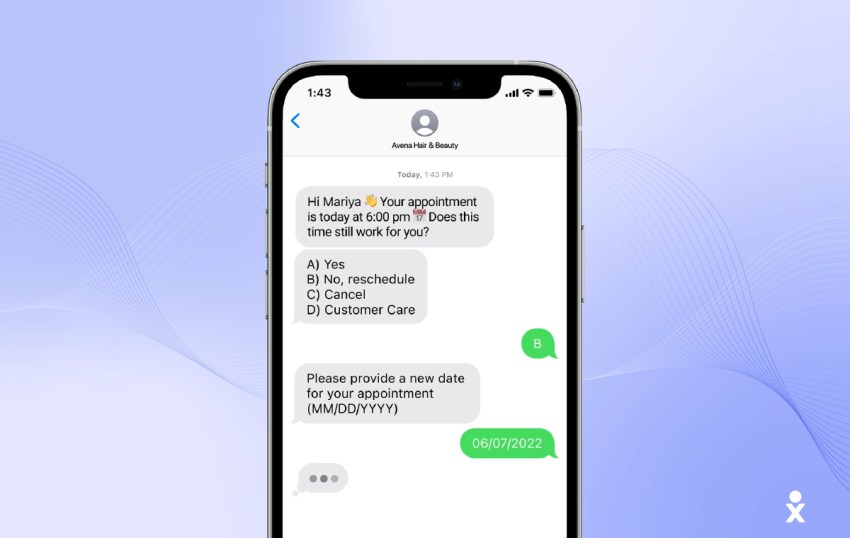
Texting presents an opportunity to register an update, reminder, or request in a customer’s consciousness without being intrusive. An automated voice call disrupts a customer’s day; a text message waits patiently for them to open it.
Why business texting outperforms other channels:
- Visibility: Texts have a high open rate. Customers see messages quickly and rarely ignore them.
- Convenience: Customers can respond on their own schedule without being stuck on a call.
- Efficiency: From an agent’s perspective, it allows your team to manage multiple conversations at once, unlike a phone call where they’re tied to one person.
Core Ways to Use Text Messaging for Customer Service
Text messaging is a reliable way to inform customers, eliminating the need for them to call, leave a voicemail, or wait on hold to speak to a customer service representative. Businesses commonly use texting for the following customer service situations.
Order and delivery updates
Text messaging allows you to be both reactive and proactive. For example, when a customer places an order, they can receive an order confirmation via text. They also appreciate shipping notifications once their order is on its way.
In the event of delays or changes to the order, businesses can communicate this proactively to maintain customer trust and encourage patience until the final delivery date.
The benefits: Text messages lead to fewer incoming calls and, most importantly, less customer uncertainty. You build trust by providing transparent updates on order status.
Appointment scheduling and reminders
Customers only give you as much attention as you give them. Appointment reminders and confirmations are one way to show attention.

Sending these reminders via SMS achieves the following:
- The likelihood of no-shows decreases.
- Customers can easily reschedule their appointments and planned activities.
- Customer satisfaction increases because rescheduling is simpler and less time-consuming.
Two-way support for quick questions
All customer inquiries are implicitly accompanied by the expectation of a quick response. If an employee attempts to answer every inquiry in a single call, it inevitably leads to exhaustion.
A text messaging channel relieves the burden on employees and enables automation. Using FAQs and internal knowledge bases, interactive, two-way text messaging bots can answer simple inquiries about opening hours, availability, or confirmation of service area.
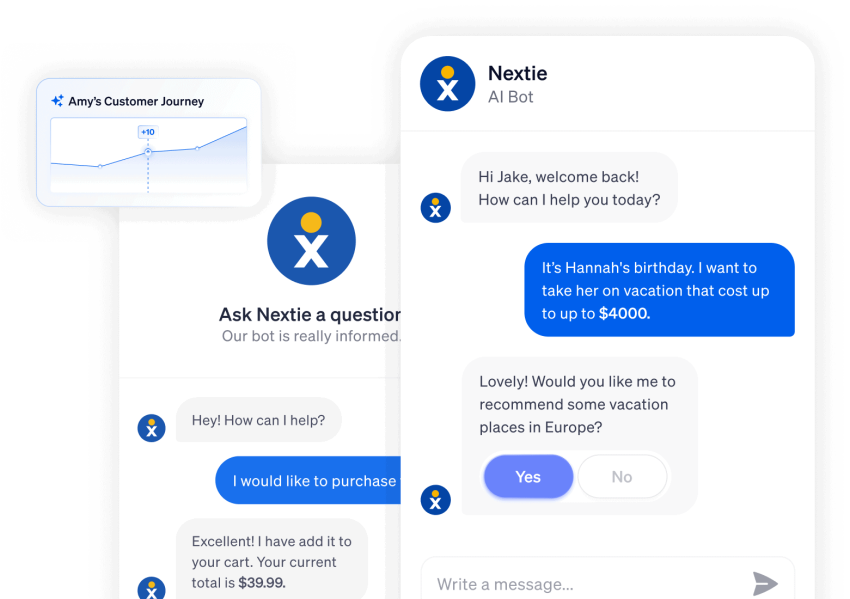
This frees employees from handling simple inquiries and basic troubleshooting so they can focus on resolving critical issues. Customers benefit from faster problem resolution, and call volume and employee workload are reduced.
Automated FAQs using keywords
Some businesses encourage their customers to use self-service via text message, such as:
Send “OPENING HOURS” for opening hours, “STATUS” for order updates, or “ADDRESS” for directions.
This way, customers receive quick and reliable answers, and support reps benefit from a reduced workload.
Payment reminders and billing updates
Repeated payment reminders can be unpleasant. On the phone, this can sound pushy and damage customer relationships. Automated SMS marketing reminders help you shift this responsibility to your messaging system and message templates, avoiding awkward conversations. For example, you can regularly send payment reminders for credit card bills.
This keeps the customer relationship intact and encourages customers to settle outstanding or failed payments quickly. Using customer service text messaging for customer service not only improves customer satisfaction but also ensures customer care remains uninterrupted.
Post-interaction follow-ups
Follow-up text messages help close the feedback loop after service delivery. Customers can submit their satisfaction rating at their leisure after receiving the text.
These follow-up texts give you more informed customer feedback on service delivery. They also guide customers through the next steps and ensure greater clarity, and the results are reflected in your customer satisfaction or NPS scores. Should the problem persist, you can follow up without having to wait until a customer feels compelled to search for an alternative solution on social media.
Feedback and review requests
Customer service via SMS allows you to discreetly gather feedback and request reviews without disrupting your customers’ daily routines. After successfully resolving an issue, you can, for example, ask for a review on Google or another review platform.
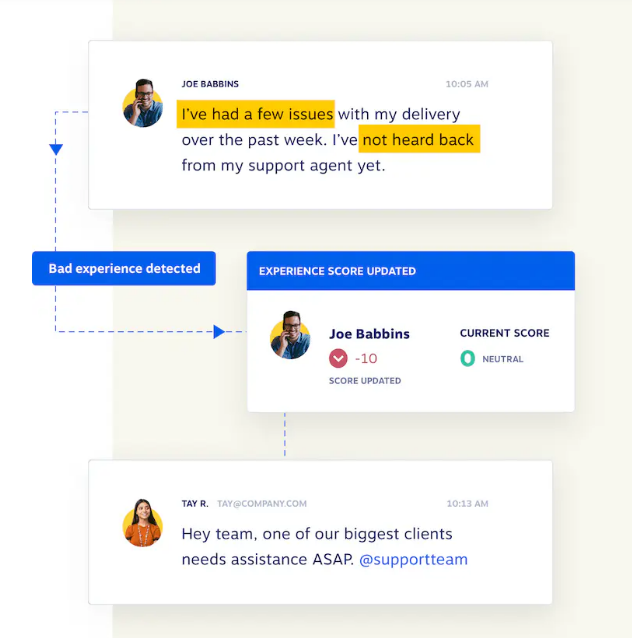
If the solution isn’t as expected, SMS is also a reliable channel for obtaining confidential feedback and addressing the problem before it escalates.
The result:
- You get important insights at the right time.
- You build a stronger online reputation and have the opportunity to implement feedback for continuous improvement.
Proactive service notifications
A text message notification about planned maintenance informs and prepares customers. They know they’re not the only ones affected and can keep track of the process. Proactive service notifications reduce incoming inquiries and calls to the on-call service team.
Best Practices for Customer Service Texting
Text messages work in customer service because they feel personal and respectful. But if they start to appear intrusive or promotional, trust will be lost. These best practices will help you use customer service text messaging as a service channel, not as mass marketing:
- Always obtain explicit consent: Customers should agree to receive your messages, whether during the payment process, when booking an appointment, or when opening an account. Consent protects privacy and ensures that customers perceive messages as welcome information, not an intrusion.
- Keep messages short: A text message should provide only necessary details, not a lengthy explanation. Every message should contain one piece of information or answer one question.
- Use a friendly, personal tone: Automated messages should sound authentic. Personalized messages in simple language and with friendly wording make customers feel valued and not processed by a system.
- Enable true two-way communication: SMS communication shouldn’t be one-sided. Customers need to be able to reply, ask follow-up questions, and reach the right team. When replies lead to concrete actions, it confirms that their message is being received.
- Communicate the response time: Silence after a reply creates uncertainty. Inform customers when they can expect a response, even with automated SMS messages.
- Make unsubscribing simple and transparent: Customers should always be in control. A simple and clearly visible unsubscribe option ensures transparency and builds trust. Avoid sending too many marketing SMS campaigns.
- Avoid mass texting: If customer service messages remain useful and respectful, the channel maintains its credibility. Don’t overdo automation. Always offer the option to speak with a representative and streamline the human handoff experience.
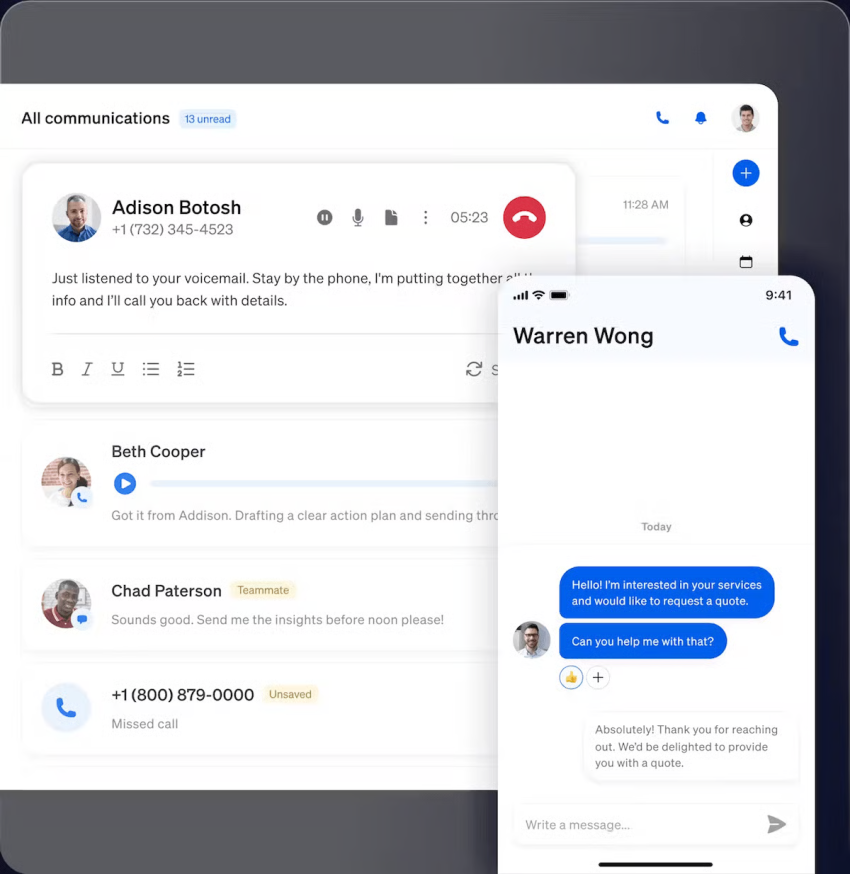
How Text Messaging Fits Into an Omnichannel Strategy
Text messaging in business is most effective when it fulfills its intended purpose. It should be used alongside phone, email, chat, and social media — all connected through a unified customer view.
It’s advisable to use text messaging when speed and convenience are important. Think of situations where you need to deliver quick updates or confirmations. SMS reaches customers wherever they are and respects their time. It’s also well suited for quick follow-up questions, potentially saving customers from having to raise a support ticket.
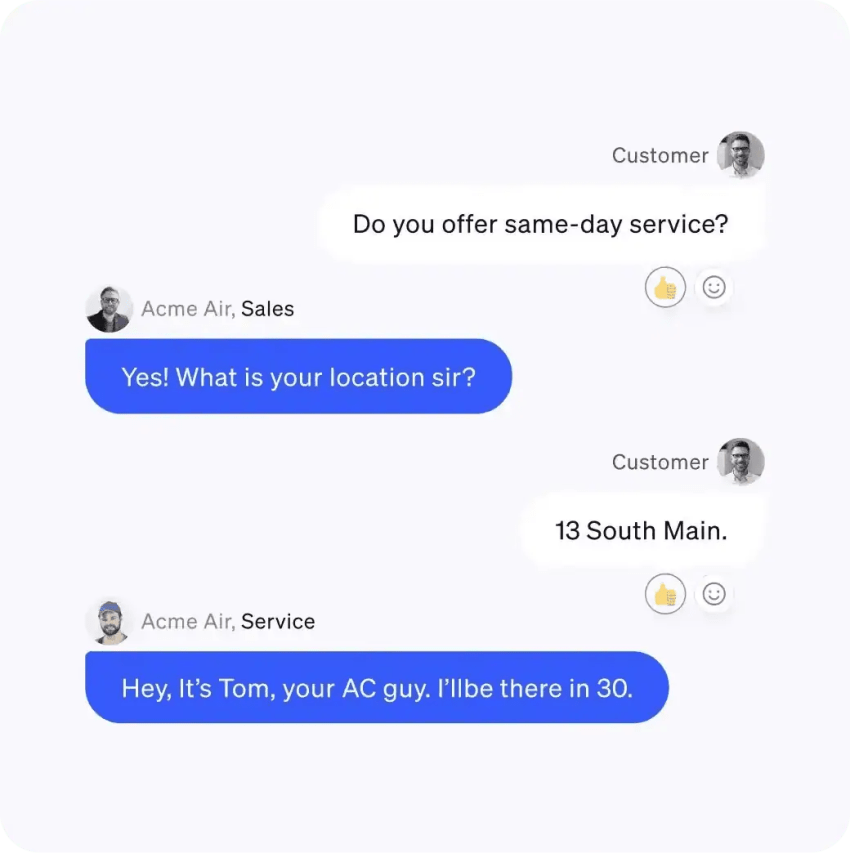
However, in emotionally charged or complex situations, it’s advisable to contact the customer by phone. For example, in cases of billing disputes or service outages, human support is necessary to fully explain the problem and offer the best possible solution.
Text messages should simplify escalation and not force customers to repeat themselves or search for a phone number. If text messages are part of an omnichannel customer service strategy, you should align several aspects to achieve the best results:
- Keep the conversation seamless: Customers shouldn’t have to retell their story just because the channel has changed. Whether you start with a text message and then speak to the customer on the phone or vice versa, the entire context must be preserved.
- Maintain the context at every touchpoint: Context makes the difference between “How can I help you?” and “I see your order is delayed, and you already spoke with support this morning.” Having access to previous messages and approaches to resolution allow your agents to respond relevantly.
You need a unified inbox where all channels converge. This gives your customer service reps a complete overview of recent communications, active channels, and actions already underway. You go from disengaged tools to a unified customer experience.
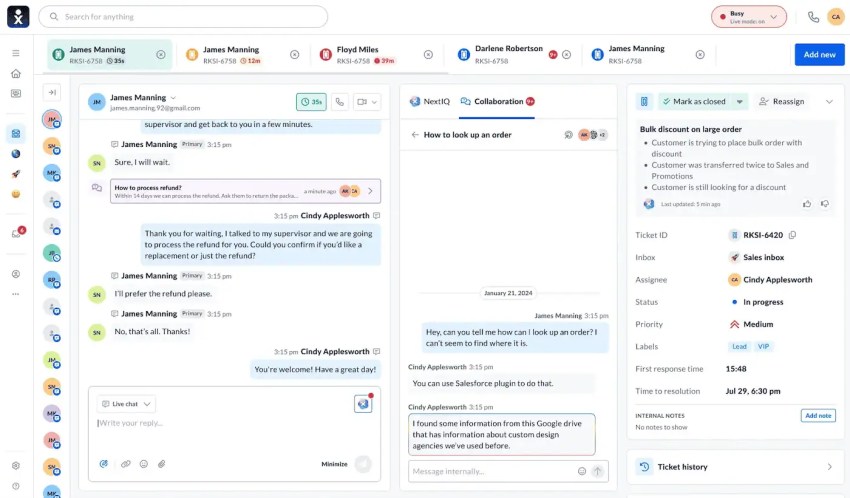
Nextiva offers a unified CX platform that unites all channels and creates a consistent customer experience. The VoIP-SMS platform integrates seamlessly with common CRM, CDP, and other business systems, fitting perfectly into your workflows.
Common Mistakes to Avoid
In addition to the best practices already discussed, here are some common mistakes you should avoid when using business text messaging for customer service :
- Using personal devices: Prevent employees from using their personal cell phones. This makes it difficult to keep track of customer interactions, and when employees leave the company, customer history is lost.
- Sharing sensitive data: Text messaging isn’t secure enough for confidential information. Never ask customers to send credit card numbers, passwords, or private health information via SMS.
- Not resolving complex issues quickly: SMS is intended for quick solutions. If a resolution requires more than three or four messages, it’s better to call to avoid frustration.
- Ignoring after-hours expectations: Customers expect immediate responses. If you haven’t set up an automated reply for evenings and weekends, customers will feel ignored if they don’t hear back.
Check out Nextiva’s solution for enabling omnichannel CX.
Unify Your Messaging With Nextiva
Text messaging works for customer service because it meets customers where they are. It reduces effort, speeds up resolution, and gives teams a scalable way to support more customers without more stress.
The best way to start is simple. Choose one workflow, like appointment reminders, and master it.
With Nextiva, customer service text messaging isn’t isolated. It’s part of a connected customer experience platform that unifies voice, SMS, and AI.
- Text from your business number: Keep your personal number private.
- Route conversations: Ensure the text lands with the right support agent, not just a general inbox.
- Automate and escalate: Handle common questions with AI, but let humans take over instantly when needed.
Ready to start texting your customers the right way? Try Nextiva for customer service.
True end-to-end omnichannel platform for sales and customer service.
Connect with customers on their preferred channels anywhere and anytime for quick, convenient conversations.