Marketing & Sales
  Blog
Blog  Business Communication
  Customer Experience
  Leadership
  Nextiva News
  Productivity
  VoIP
VoIP 

Small businesses spend money on local ads without knowing which ones bring in new customers. The budget goes to Google Ads, Facebook marketing, and maybe a postcard mailer. And when the phone does ring with a promising lead, no one is entirely sure why.
Meanwhile, the calls you spend so much money attracting don’t always get answered, which could mean you are hemorrhaging ad spend for no good reason. Nextiva’s Customer Patience Benchmark found that when consumers don’t get a phone or text response within five minutes, 56% will reach out to your competition.
This means local advertising has two problems:
- Picking the right channels (and knowing how to attribute leads to those channels)
- Making sure the leads those channels produce get a response
In this post, we’ll break down each local ad channel by intent level and cost, walk through sample budgets of $500, $1,500, and $3,000 a month, and show you how to measure which ads are turning into paying customers.
What Is Local Advertising?
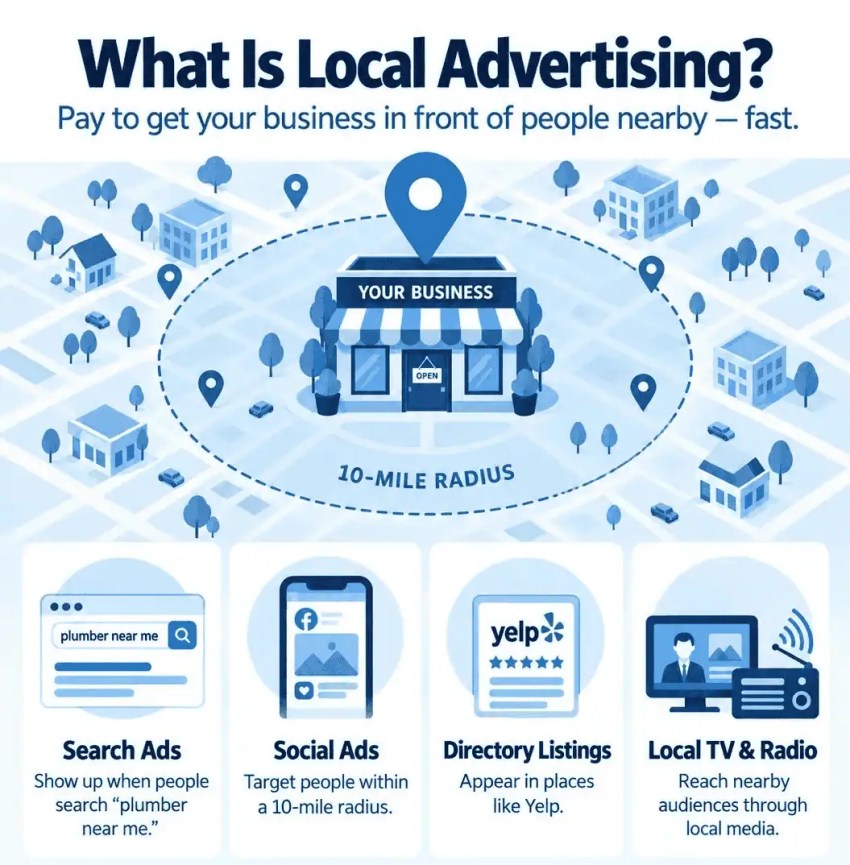
Local advertising is paying to get your business in front of people within a specific radius. This can include:
- Search ads that show up when someone goes to Google “plumber near me”
- Social ads targeting a 10-mile pin drop
- Directory listings on Yelp
- Commercials on a local TV or radio station
The key point is that you pay for visibility and get it immediately. If your marketing goals are centered around fast lead generation for local customers, paid campaigns can be a great option.
How is it different from local SEO?
Local SEO is the organic side. This can include your website, Google Business Profile, reviews, and blog content. These owned channels can give you visibility over time without a per-click cost. It takes months to build, but it can compound and yield long-term results.
Many local businesses run both paid and organic campaigns. Ads bring in leads this month, but they stop bringing in leads the moment you stop paying. SEO will bring in leads next year, but it can also offer long-term, compounding growth as customers search for your business’s information.
They ultimately serve two different jobs, but both can help grow your business. Each can result in calls, texts, and foot traffic from members of your target audience.
Local Advertising Channels Compared
Not every channel works for every business, so you’ll need to determine how best to reach customers at the right time.
The best channels depend on whether your potential customers are actively searching for you or need to discover that solutions like yours exist first.
Here’s a quick breakdown:
| Channel | Buyer intent | How you pay | Best for | Watch for |
|---|---|---|---|---|
| Google Local Services Ads (LSAs) | High: searching now | Per lead | Home services, legal, and other eligible service categories | Verification steps; disputes bad leads promptly |
| Google Search ads with a radius | High | Per click | Any business with clear search terms | Wasted clicks without tight targeting and negatives |
| Niche directories (Angi, Thumbtack, Avvo, etc.) | Medium to high | Per lead or membership | Category-specific services | Lead exclusivity and cost per lead vs. search ads |
| Meta (Facebook and Instagram) radius ads | Low to medium: discovery | Per impression or click | Offers, events, and visual services | Needs strong, creative, and fast lead follow-up |
| Nextdoor ads | Medium: neighbor trust | Per impression or campaign | Home and neighborhood services | Smaller reach; test before scaling |
| Every Door Direct Mail (EDDM) | Low: discovery | Print plus postage per piece | Restaurants, home services, and local retail | Tracking requires a unique number, code, or QR |
| Yelp and niche directories | Medium to high | Per click or package | Restaurants, home and personal services | Contract terms and lead quality |
Google Local Services ads
Google’s LSAs appear above regular search results, giving you exceptional visibility. The default for these ads is to charge you per lead instead of per click. This means you only pay when someone contacts you, so you aren’t paying just for visibility.
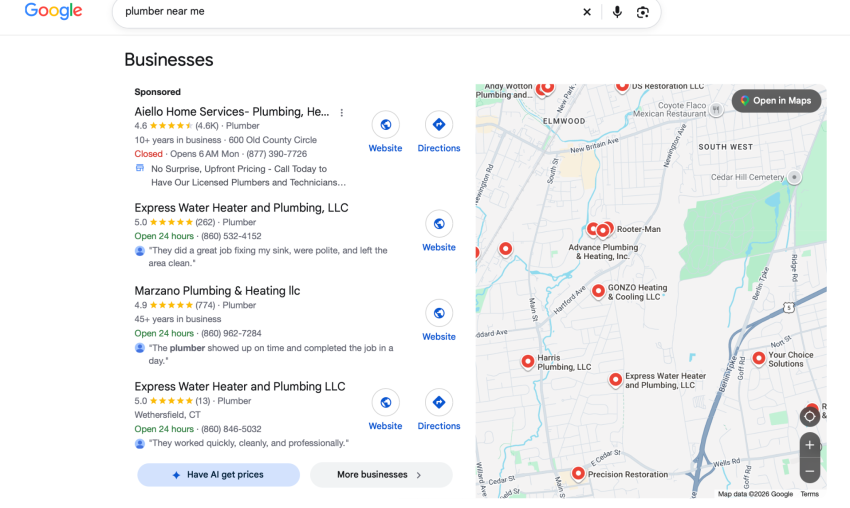
These ads are available for specific service categories, such as home services, legal, financial planning, and real estate. If your business qualifies, LSAs can be one of the highest-intent channels you can buy because ads are shown to customers actively researching brands like yours.
One important thing to note: If you’ve seen the terms Google Guaranteed or Google Screened before, those badges no longer exist. In October 2025, Google replaced them with a single Google Verified badge. The money-back guarantee that came with Google Guaranteed was also discontinued, so customers can no longer file claims through Google if they’re unhappy with the service.
For advertisers, this means the verification process may look different than what you’ve read in older guides. Check Google’s current LSA help page for the requirements in your category before you apply.
Google Search ads with a radius
Standard Google Search ads let you target a radius or specific ZIP codes around your business. You can add call and location assets so searchers can tap to call or get directions without clicking through to your site.
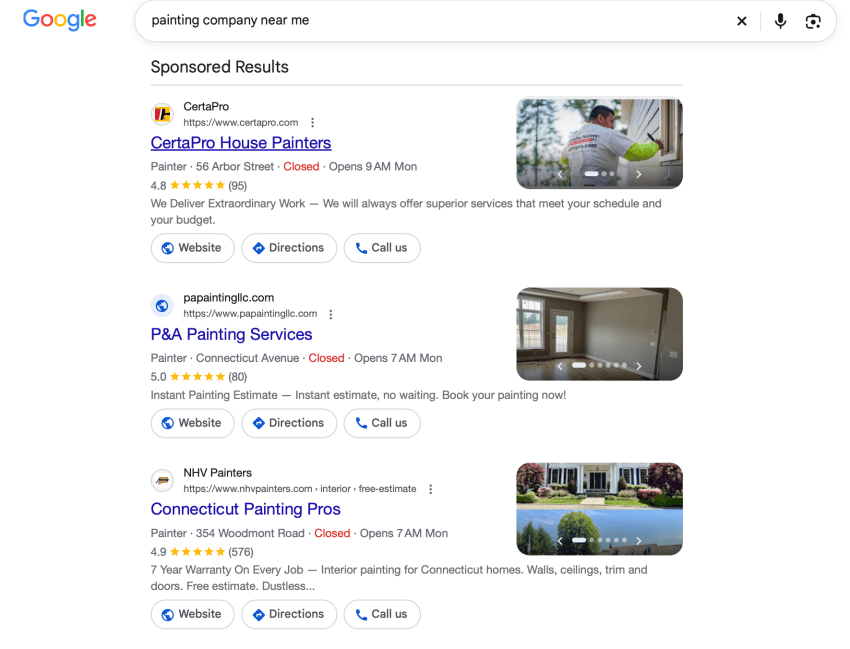
If you’re incentivizing users to call you, don’t forget to set call-only hours to match when someone on your team can answer, or route after-hours calls to an answering service so you’re not paying for clicks that ring to voicemail.
Pro tip here: Write your ad copy with the city or neighborhood name in it. “Connecticut Painting Pros” can outperform “house painters near you,” especially since people want to be sure they’re calling someone who services their location.
Niche directories
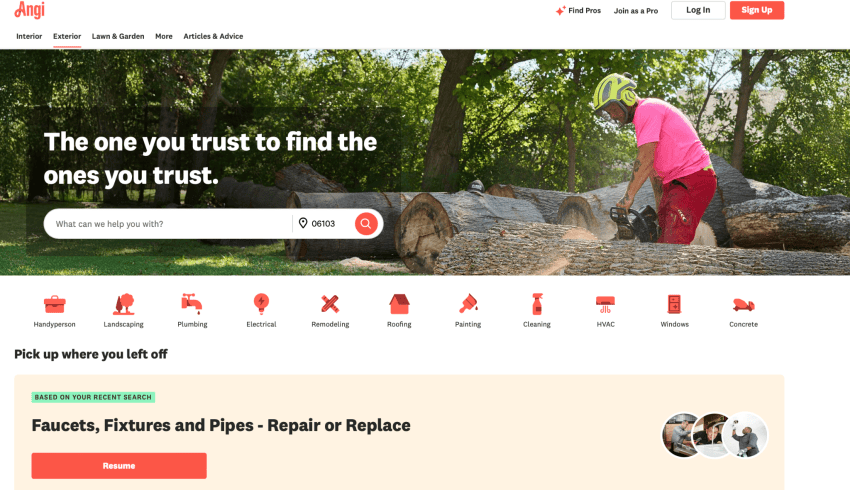
Platforms like Angi, Thumbtack, and Avvo connect customers with service providers in specific categories. They charge per lead or through a membership, and the leads tend to be high-intent since the customer is actively requesting quotes or searching for a provider.
Meta radius ads
Facebook and Instagram let you target a pin-drop radius around your business and show ads to people scrolling through their feed. This is discovery advertising, which means that these people aren’t searching for you yet. You get to introduce them to your brand and solution to create demand, but that means you need to work a little harder.

The following tips can help you run effective local ads:
- Use short videos over static images: A 15-second clip of your team on a job or a before-and-after image gets more attention in the feed than a stock photo with text overlay.
- Lead with a specific offer: “$50 off your first cleaning” outperforms “contact us today.” Give people a reason to tap now instead of scrolling past.
- Respond to leads within minutes: A lead form submission that sits for an hour goes cold. Business text messaging lets your team reply from a business number as soon as a lead comes in, and if the service is visual, MMS marketing lets you send photos and pricing in the same thread.
- Set a tight radius: A 10- to 15-mile pin drop keeps your budget on people who can walk in or are in your service area. Broader targeting burns spend on people who’ll never convert.
- Test one audience and one offer at a time: Running three creatives to the same audience tells you which ad works.
Nextdoor ads and local sponsorships
Nextdoor puts your business in front of people who already ask their neighbors for recommendations. The reach is smaller than Meta, so test it before committing a big chunk of your budget.
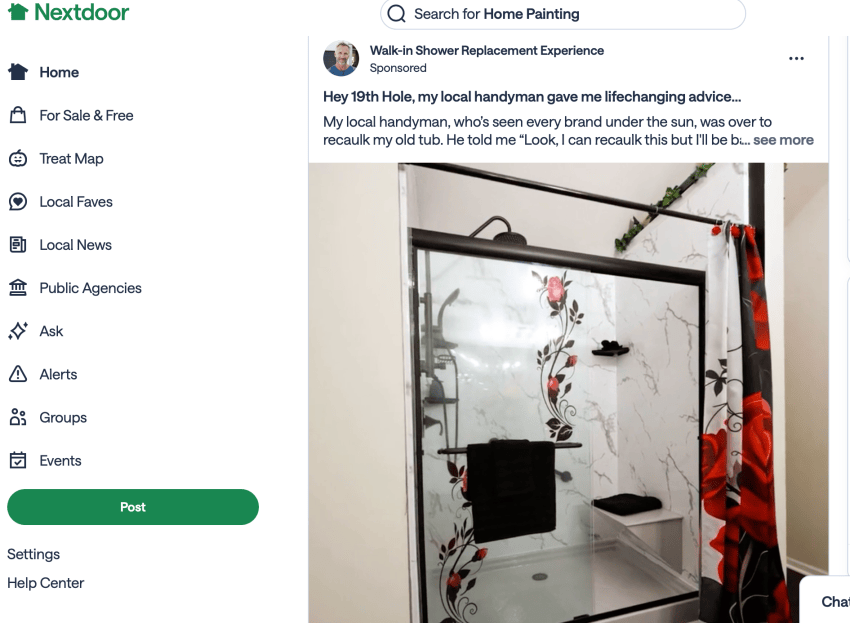
Pair digital ads with offline sponsorships, like youth sports teams or charity runs. They put your name and number in front of the same neighbors, and together, they’ll build trust faster than either one alone.
EDDM
USPS EDDM lets you mail to every address on chosen carrier routes without buying a mailing list. EDDM Retail requires at least 200 pieces per mailing and allows up to 5,000 pieces per ZIP code per day, and USPS currently lists EDDM Retail postage at $0.26 per piece for flats up to 3.3 ounces (before printing costs).
The catch with direct mail is tracking. Unlike digital ads, you can’t see who clicked.
To track these campaigns effectively, put a unique phone number or QR code on every postcard so you know which calls came from that mailer. A vanity phone number or dedicated local number makes this easier.
Yelp
Yelp ads start at around $150 a month for self-serve, charged per click. You set a monthly maximum and can pause or cancel your campaign at any time. If a Yelp sales rep reaches out with a managed package, read the contract closely. Rep-sold agreements can carry a commitment period and may auto-renew unless you cancel according to the contract.
Yelp has a mixed reputation with small business owners. A few things to know before you spend:
- Yelp’s dashboard may inflate lead counts: It counts clicks, calls, direction requests, and messages as leads. Track calls with a dedicated number so you know your real cost per person who contacted you.
- Your profile does the selling: Yelp ads drive clicks to your business page, not to your website. If your page has three reviews and no photos, you’re paying for clicks that won’t convert.
- Compare cost per lead against search ads: Yelp’s cost per qualified call can run up to three times higher than Google in the same category.
Local Advertising Budgets at $500, $1,500, and $3,000 a Month
Ready for some pay-to-play advertising? Every business is different, but here are a few examples of how to divvy up your budget for local advertising:
| Monthly budget | Suggested split | Why |
|---|---|---|
| $500 (starter) | 100% on one high-intent channel: Local Services Ads or a tight-radius search campaign | A focused budget makes it easier to learn what works, while splitting would dilute results |
| $1,500 (growth) | About 70% high-intent search, 30% Meta or Nextdoor retargeting and discovery | Search captures demand, while social can build familiarity |
| $3,000 (multichannel) | About 50% search and Local Services Ads, 25% social, and 25% a quarterly EDDM drop or directory test | Adds reach once the core channel is profitable |
All that said, there’s one golden rule: Before you pick a budget, make sure every call your ads generate gets answered, including after hours. Paying for a click and then sending it to voicemail is a devastatingly expensive way to waste ad spend. Fortunately, both human and AI answering services for small businesses can help your team answer calls around the clock.
How to Track Which Ads Are Bringing in Customers
Most local businesses get leads by phone. If you can’t tell which ad made the phone ring, you can’t tell which ad is worth keeping.
1. Tracking numbers for every channel
Give each channel its own local phone number: one for search ads, one for the postcard, and one for the yard sign. When a call comes in, you’ll know which channel produced it.
Local area codes also help with answer rates. People are more likely to pick up and call a number that looks like it’s from their town. Nextiva call analytics ties each number to the channel so you can see volume, duration, and outcomes in one dashboard without manual data entry.
2. QR codes, promo codes, and landing pages
For print, put a unique QR code and promo code on every piece. Point the QR code to a mobile landing page with a click-to-call button. Track redemptions at the register.
This gives you two data points per piece: how many people scanned it and how many people bought. If one postcard design pulls 3% redemption and another pulls 0.5%, you know which creative to reprint.
3. Measure cost-based metrics and assess quality
Every ad channel will throw dashboards full of impressions, clicks, and reach at you. Ignore most of it. Two numbers tell you whether your ads are working:
- Cost per lead: Total spend divided by total calls, texts, and form fills. This tells you how much it costs to get someone to contact you.
- Cost per customer: Total spend divided by new paying customers. That’s the number that matters.
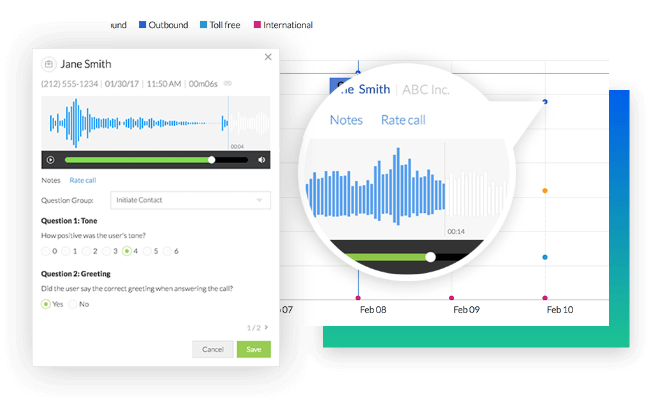
Remember to review call recordings monthly to judge lead quality beyond cost and volume. One channel may send you plenty of traffic, but it doesn’t convert. Another may cost more per lead, but those customers are more likely to convert. Look at the full picture.
How to Answer Every Call Your Ads Generate
None of the tracking and budgeting above matters if the calls your ads generate go to voicemail. You have already paid for the click. If no one picks up, the caller moves on to the next business on the list, and you lose both the ad spend and the customer.
This is especially common for small teams. You’re on a job, with a client, or closed for the night, and that’s exactly when your paid ads are still running. A Google LSA lead that calls at 6:30 p.m. doesn’t know your office closes at 5 p.m.
There are a few ways to close that gap, depending on how much coverage you need.
Missed-call text-back
Missed-call text-back sends an automatic text as soon as you can’t pick up. It doesn’t answer the caller’s question, but it tells them you exist and you’re responsive. That buys you time to call back before they move on.
This works well for businesses that can return calls within 15 to 30 minutes. If your average response time is longer than that, or your ads run after hours, text-back alone won’t be enough.
AI receptionist
XBert, Nextiva’s AI receptionist, picks up the call instead of letting it ring out. It answers questions, qualifies the lead, and books the appointment into your calendar while you’re on a job or closed for the night. The caller hangs up with a confirmed slot, not a promise that someone will call back.
This matters for local ads because the calls don’t come in on your schedule. A Google ad runs 24/7 (unless you use day-parting, but that’s another conversation for another day). Regardless, an EDDM postcard sits on someone’s counter until they call at 9 p.m. on a Saturday. If you’re paying for that reach, you need someone to answer when it converts.
Vero Property Inspections is a good example of how an answering service can prevent missed calls and lost revenue. Each missed call was costing the business roughly $250 in lost inspection revenue. After adding XBert, they recovered $3,750—$5,000 in weekly revenue from calls that used to go unanswered, at a cost of $99 a month.
Turn Local Ads Into Booked Customers With Nextiva
When you’re running ads, you want to know that they worked and that your money is being well spent. Separate tracking numbers show which ads worked. Every call gets answered, even after hours.
Nextiva’s business phone system starts at $15 per user per month on an annual plan and includes local phone numbers, business texting, and call tracking so you can tie every call back to the ad that produced it. Add XBert ($99 per month for 100 interactions) to answer after-hours calls, qualify leads, and book appointments in real time.
Is your ad budget working as hard as it could be? See how Nextiva helps local businesses track and answer every call.
The small business VoIP phone system for modern work.
Bring business phone calls, video meetings, messaging, AI, and your team together on one platform that remembers the conversation and helps your business act on what happens next. Easy to set up. Built for your budget. Trusted by millions.