Customer Experience
  Blog
Blog  Business Communication
  Leadership
  Marketing & Sales
  Nextiva News
  Productivity
  VoIP
VoIP 

Last month, I walked into a client’s office and counted three desk phones, a fax machine, and a beige PBX box from 2012 bolted to the wall. The owner was paying $55 per line for basic calling, plus separate fees for a conference bridge nobody used and a mobile app that did not connect to the office number. There was no call routing — after 5 p.m., calls went unanswered.
I see this often, and most of it is not the owner’s fault. I understand what a business owner may go through while searching for an alternative. Let’s say they searched for a digital phone service and saw options like VoIP, hosted PBX, and other acronyms that left them confused.
Ironically, terminology can make even a simple search for a digital phone service complex.
So, let me walk you through what a digital phone service actually is, how it compares to a landline, the features worth caring about, and how to pick a provider without drowning in acronyms.
What Is a Digital Phone Service?
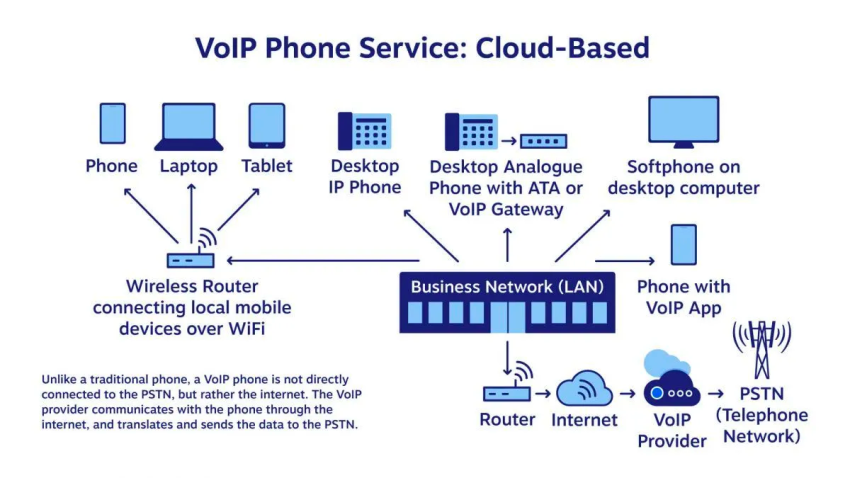
A digital phone service is a business phone system that runs over the internet instead of copper telephone lines. The technology powering it is called Voice over Internet Protocol, or VoIP for short.
Mechanically, here is what happens on a call. Your voice is converted into small packets of data, which fly across a broadband line to whoever you are talking to, and the audio reassembles itself on their end in milliseconds. The whole process is invisible to both people on the call.

Twenty years ago, email did to fax what VoIP phone service is now doing to landlines. The quality went up, the cost went down, and the wires came out of the wall.
A quick word about the names, because this is where most buyers get tripped up. You will see this same product sold as a cloud phone, an internet phone service, a hosted PBX, an online phone service, a cloud-based phone system, and a digital phone service. They all describe the same thing for a business buyer. Likewise, a VoIP phone and a digital phone are the same hardware wearing two name tags.
Now, a few clarifications about what you are not buying. This is not a residential consumer plan dressed up for business use. It will not turn your personal cell into a chaotic blur of work and family. And it is not a stripped-down replacement for a real phone system.
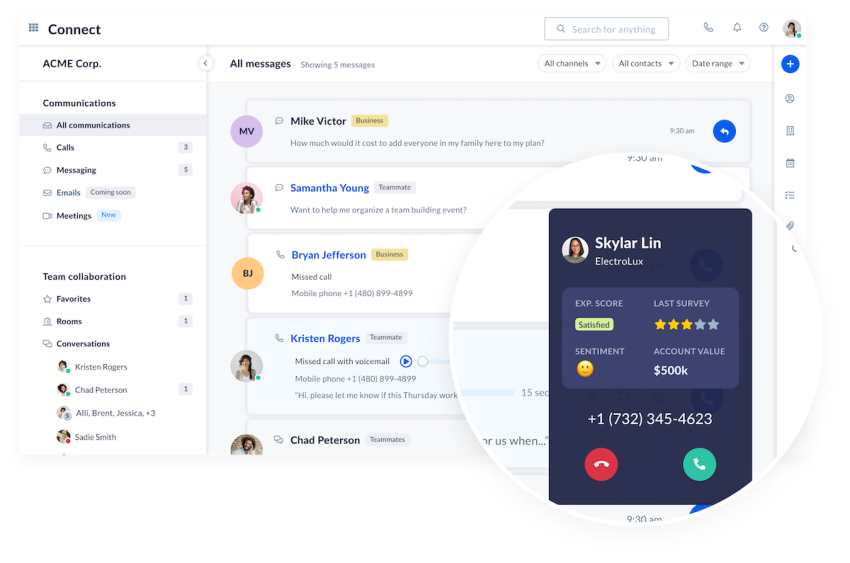
A modern setup is closer to a full communications platform than a phone line. Voice is one piece, surrounded by video meetings, business texting, team chat, voicemail-to-email, call recording, and CRM data — all running from one account.
Digital Phone Service vs. Traditional Landline: What’s the Difference?
When I sit across from a business owner who is still on a landline, this comparison usually conveys the message better than any feature pitch:
| Dimension | Traditional Landline | Digital Phone Service |
|---|---|---|
| Technology | Copper wires, PSTN | Cloud-based, internet |
| Starting cost | From $40 per line (including taxes, fees & hardware) | From $15 per user |
| Set-up time | Days to weeks | Minutes |
| Mobility | Fixed to a building | Any device, anywhere |
| Built-in features | Dial tone, voicemail | Digital voice, video, SMS, chat, AI |
| Scaling | Wiring and hardware | Online portal |
| Uptime SLA | Carrier-dependent | Up to 99.999% |
How they work
Old phone technology, also known as PSTN or POTS, is more than a century old. Voice travels as an electrical signal down a copper wire to a local telephone exchange. The circuit remains open throughout the call.
VoIP throws all of that out. Voice becomes data, the data flows over the internet to a cloud data center, which hands the call off to whoever you dialed. No copper. No exchange. If you want to see the mechanics step by step, here is a clean breakdown of how VoIP works.
Cost
A landline could cost $15 to $40 per line per month for basic service. This is just the headline. The real bill is buried under installation fees, equipment charges, long-distance billing, and the maintenance contract you signed without reading.
On-premises PBX hardware tacks on another $500 to $2,000 per user upfront, before anyone makes a single call.
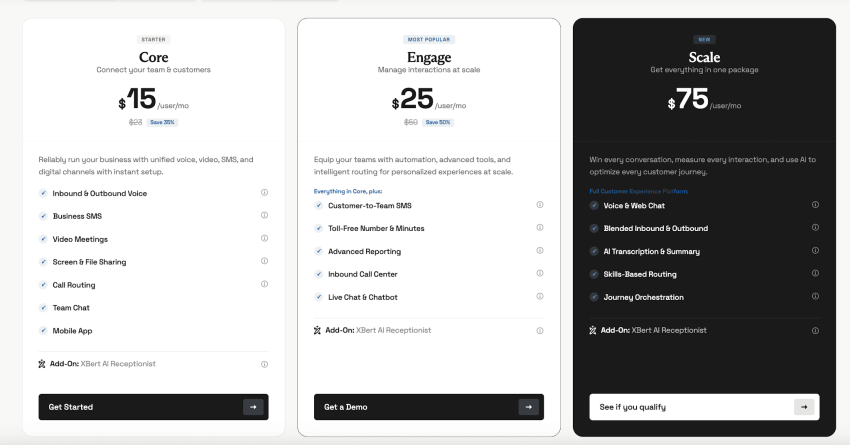
Now compare that with the Nextiva Core plan, which starts at $15 per user per month when billed annually. This price covers calling, video, texting, team chat, and the mobile app in a single bundle, with no hardware to install.
Most businesses end up saving over 50% by cutting the use of copper. See the full math in this guide on whether VoIP is cheaper than a landline.
Features
Pull up your landline phone contract and read the feature list: dial tone, caller ID, call waiting, and a voicemail box. That is the entire menu. Anything else, like call recording or an auto-attendant, lives behind a paid add-on or a second system altogether.
A digital phone service shows up loaded by default. Auto-attendant, smart routing, voicemail-to-email, video meetings, team chat, call analytics, and CRM integrations come standard with most providers. You stop paying for the capability one feature at a time.
Mobility and remote work
Landlines are married to a building. Walk out the front door, and you miss the call.
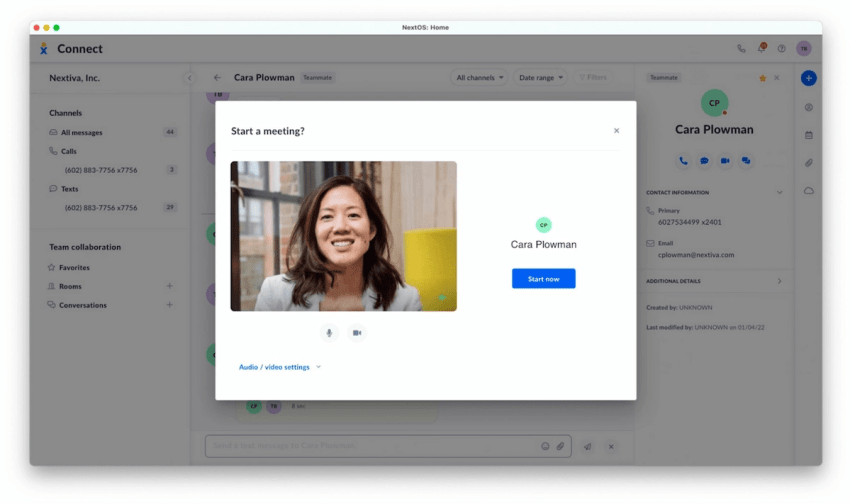
A digital line travels with you. Same business number on the desk phone, the laptop, and the cell phone. You are free to take a customer call from an airport gate.
Scalability
Need to add a line to a landline? Schedule a tech setup, run new wiring, and possibly buy hardware. The process can take weeks.
Adding a digital line takes about three minutes in an admin portal. You can grow from five users to 500 without a single technician touching a wall.
Reliability
Landlines have a long-standing reputation for dependability, and they earn part of it. They are also vulnerable to storms, construction crews, and aging infrastructure, with very few backup options when something goes wrong.
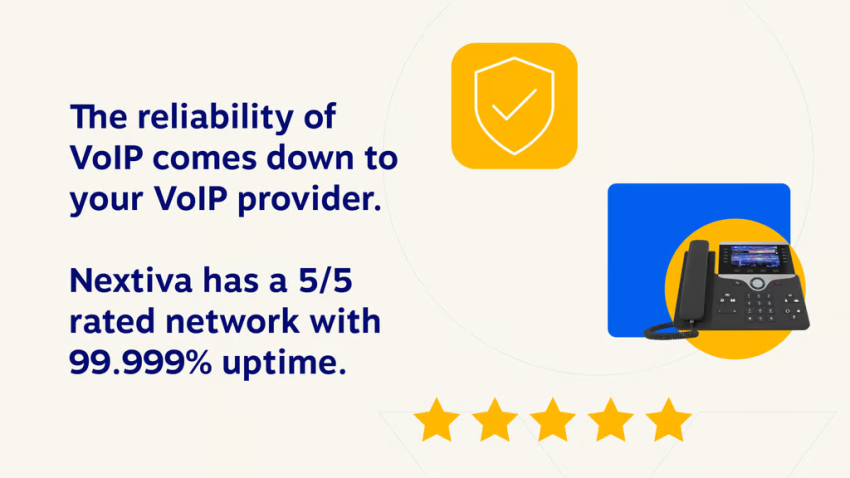
Top digital providers run on data centers spread across multiple regions and strive for 99.999% uptime. This works out to less than five and a half minutes of downtime per year. If one data center has a problem, calls are rerouted to another before anyone on the call notices.
For a more granular side-by-side comparison, this guide on VoIP vs. landlines goes into more depth than the table above.
Key Features of Digital Phone Service for Businesses
Having helped a few hundred teams pick a phone system, I have developed a mental checklist that I refer to every time. Here are the features that matter most, and why each one tends to earn its keep.
Unlimited calling
Most modern providers bundle unlimited domestic calling across the U.S. and Canada into the base plan. The per-minute meter that once defined landline billing is just gone. International calling rates still exist, but they are usually a fraction of what a traditional carrier would quote.
Auto-attendant and call routing
Picture a customer calling your main number at 7 a.m. on a Monday. With an auto-attendant, the caller gets a polite greeting and is routed to the right person before anyone on your team is even out of bed. Smart routing rules can shift the call based on the time of day, the caller’s region, or which team member is online.
Nextiva’s drag-and-drop Call Flow Builder is the part I personally appreciate. It turns routing into a visual exercise instead of an evening spent editing a config file by trial and error.
Business SMS and MMS
This is the feature most owners don’t know they need until they have it. Texting customers from the business number, instead of from your personal cell, keeps work conversations professional and out of your weekend.
Video conferencing
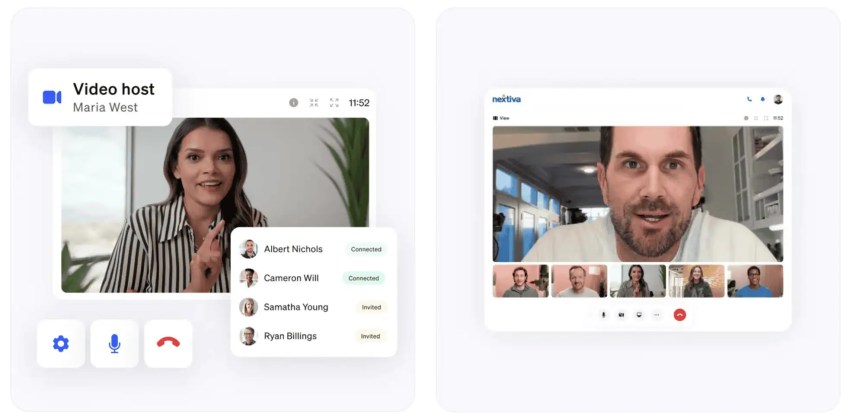
If your phone’s platform has built-in video capabilities, you no longer pay for a separate Zoom or Webex subscription. Standups, client phone calls, training sessions — all of it lives in the same app you already use for voice.
Voicemail-to-email and AI transcription
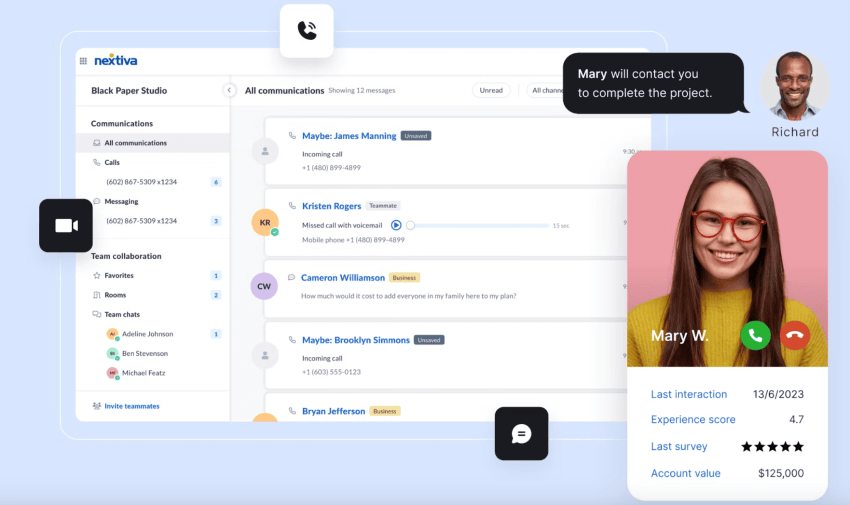
Voicemails arriving in your inbox as both audio and text are quietly one of the most useful features in the whole stack. You can read a voicemail in a meeting without holding the phone to your ear or causing a distraction.
Mobile and desktop apps
A real digital phone service ships with full apps for both your phone and laptop. You can call, text, meet, and collaborate from anywhere with a connection. If you decide you never want a physical desk phone again, you do not need one.
Call recording and analytics
The moment you start coaching a sales or support team, call recordings become indispensable. Pair them with a dashboard tracking call volume, talk time, and team performance, and you have actual data to work with instead of vibes.
CRM and business tool integrations
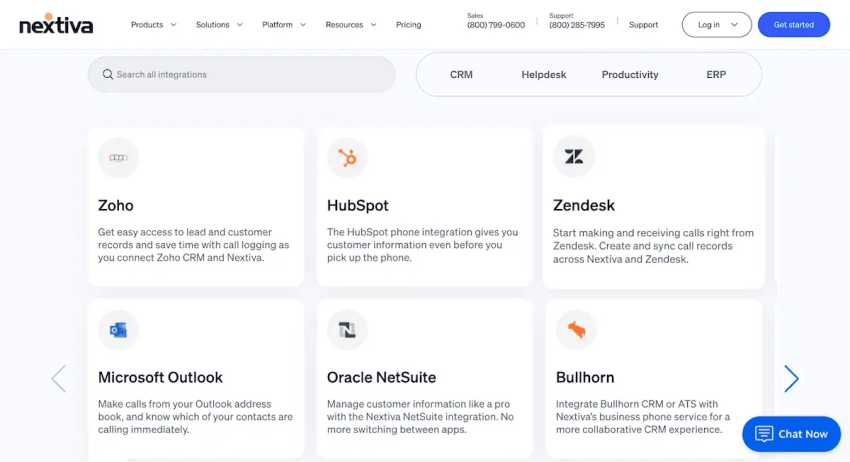
Native CRM connections offer significant time savings. When your phone rings and the Salesforce or HubSpot record pops up automatically, every call starts with context. Your reps stop fumbling for notes and start having better conversations.
AI-powered features
The newest layer is AI, and it is changing fast. Voicemail transcription and smart routing are quickly becoming table stakes. The bigger leap is the AI receptionist.
Nextiva’s XBert AI Receptionist answers inbound calls 24/7. It books appointments, qualifies leads, and routes the messy stuff to a human. Pricing starts at $99 per month, which is roughly what one missed sales call costs most businesses.

How to Choose the Right Digital Phone Service for Your Business
The right provider almost always comes down to a few honest questions about your business. Skip the feature comparison spreadsheet for a minute and run any vendor on your shortlist through these questions.
What is the all-in price per user, including setup fees, equipment costs, add-ons, and overage charges? The price you see should be the price you pay. If the salesperson is hedging on what is included, that is your answer.
Does the base plan cover voice, video, texting, team chat, and the mobile app? Or are essentials locked behind a higher tier you will be forced into in six months? Vendors love to publish a low headline price and quietly move the most-used features two tiers up.
How is reliability measured, and where is it published? Look for an SLA you can find without asking a sales rep — 99.999% is the industry benchmark for a reason.
Can the platform go from five users to 500 without forcing you into a different product entirely? Some vendors push you into a new tier the moment you grow. Others scale quietly in the background.
A few smaller checks worth running include the following:
- Set-up time: A modern system should go live in minutes, not weeks.
- Native integrations: If your CRM, helpdesk, and productivity suite need workarounds to connect, you will pay for that pain in the long run.
- Support quality: Independent reviews tell you more than the sales deck. Look for what people say about a multiday outage, not a one-time onboarding call.
- Compliance: If you work in healthcare, finance, or any regulated field, ask specifically about HIPAA and SOC 2.
Top Digital Phone Service Providers for Businesses in 2026
Here is how I see the market today, ranked by the type of business most likely to thrive with each option.
1. Nextiva — best digital phone service provider
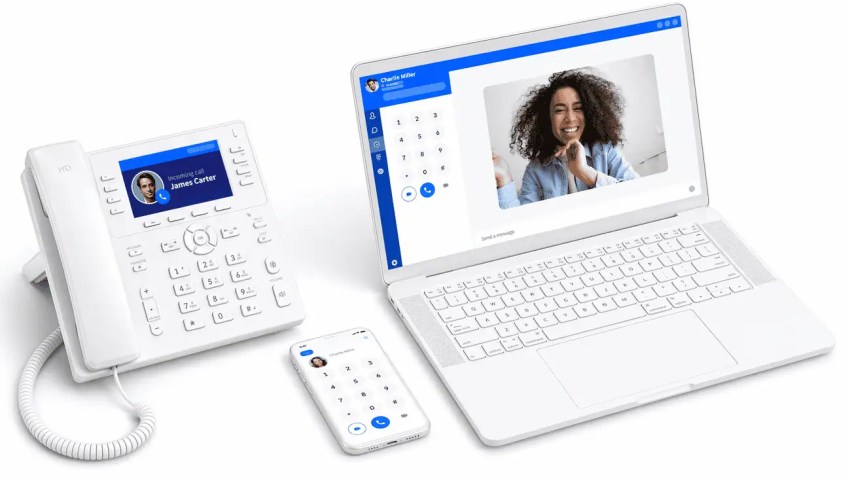
A Nextiva customer named Miranda S. switched from a competitor a couple of years ago, specifically because she wanted something simpler. She later wrote that the new setup turned out to be everything she imagined and more. That mirrors what I hear from clients in their first month, almost word for word.
I send most of the businesses I advise to Nextiva, and the reason is boring in a good way. It just keeps doing what it says it will do:
- Straightforward pricing: The Core plan starts at $15 per user per month on annual billing and includes voice, video, SMS, team chat, the mobile app, and CRM integrations. At $25 per user per month, the Engage plan adds call queue management, intelligent routing, and an AI chatbot. There are no line caps or hidden geographic restrictions to trip over.
- Up to 99.999% uptime: It’s backed by eight redundant data centers across North America.
What I keep coming back to is how unified the whole platform feels. Voice, video, texting, team chat, and CRM data all live inside the same NextivaONE app. You stop stitching five vendors together and praying they speak the same language at 9 a.m. on a Monday.
For businesses ready to let AI take a real swing at the front line, the XBert AI Receptionist handles inbound calls 24/7 and starts at $99 per month. Of all the options on this list, it is the only fully integrated AI receptionist that lives inside the phone system rather than being bolted on the side.
2. Ooma Office
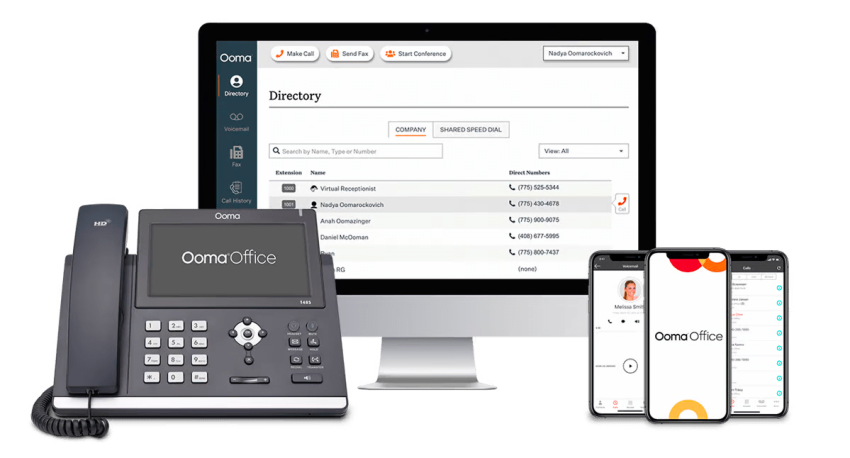
If you run a brick-and-mortar shop with one to five employees and your phone needs are basic, Ooma Office is a defensible pick. At $19.95 per user per month, the Office Essentials plan requires no contract, covers unlimited calling in the U.S., Canada, Mexico, and Puerto Rico, and includes a virtual receptionist and call forwarding on all tiers.
What is missing from the entry plan? Texting customers? Not included. Video meetings? Also not included. A desktop app? Not on Office Essentials at all. CRM integrations only kick in at the Office Pro Plus tier at $29.95 per user per month, and AI features are nowhere to be found in the lineup.
For a deeper look at the trade-offs, here is a breakdown of Ooma pricing. The pattern I see in practice is that businesses outgrow Ooma faster than they expect, usually around the moment a customer asks them to send a quick text.
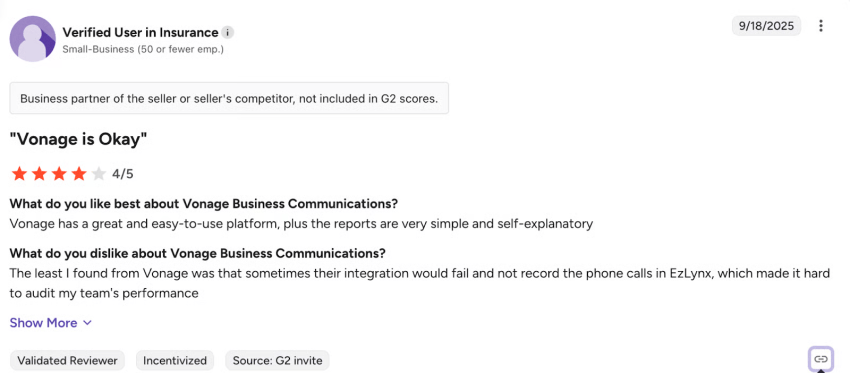
3. Vonage business communications
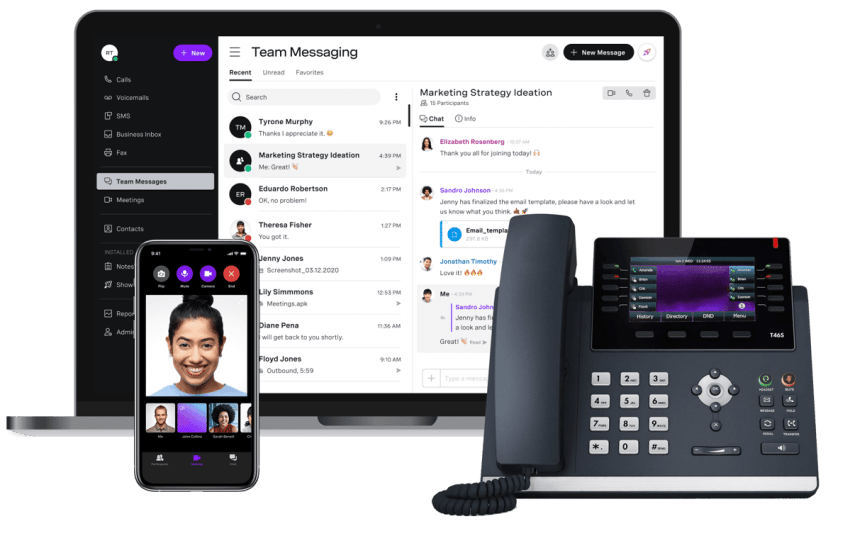
The real advantage of Vonage is its communication APIs. This flexibility is valuable if you have engineers on staff and a custom product to plug into a phone system. You can build voice and messaging workflows directly into proprietary applications, which is a niche but a real use case.
Pricing-wise, the Mobile plan starts at an annual billing rate of $13.99 per line per month. The Premium plan jumps to $20.99 per line per month when billed annually and adds video for up to 200 participants and CRM integrations.
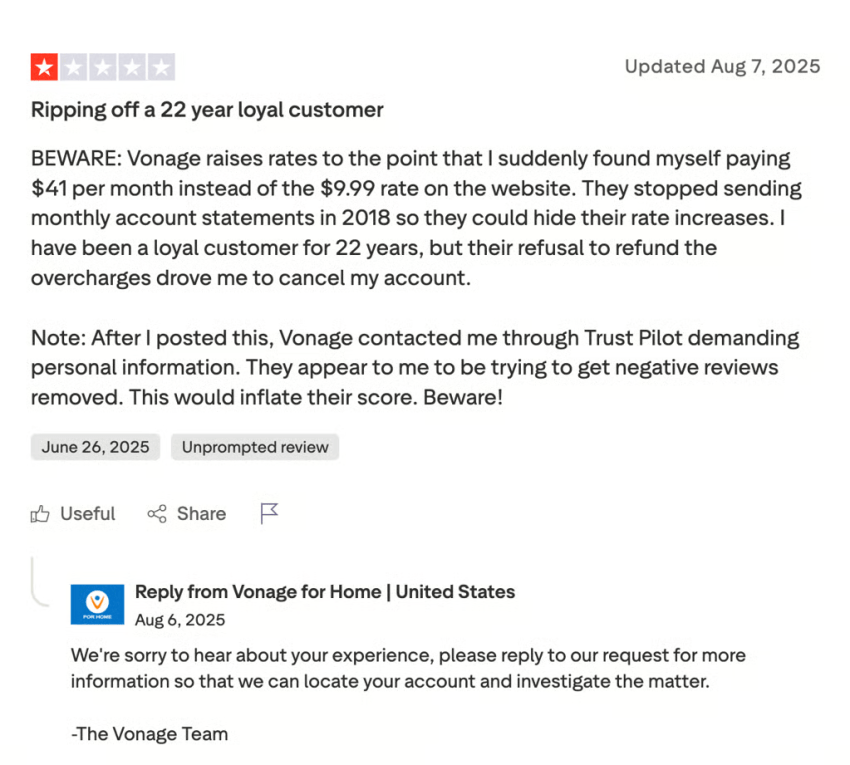
Two things are worth weighing carefully. The lowest rates require a one-year contract. And Vonage carries a past FTC settlement over cancellation practices that have come up in buyer due diligence conversations more than once. You can find full details about the plans in this guide to Vonage pricing.
For most small businesses without a developer team, the API horsepower is not the right thing to pay for.
4. Zoom Phone
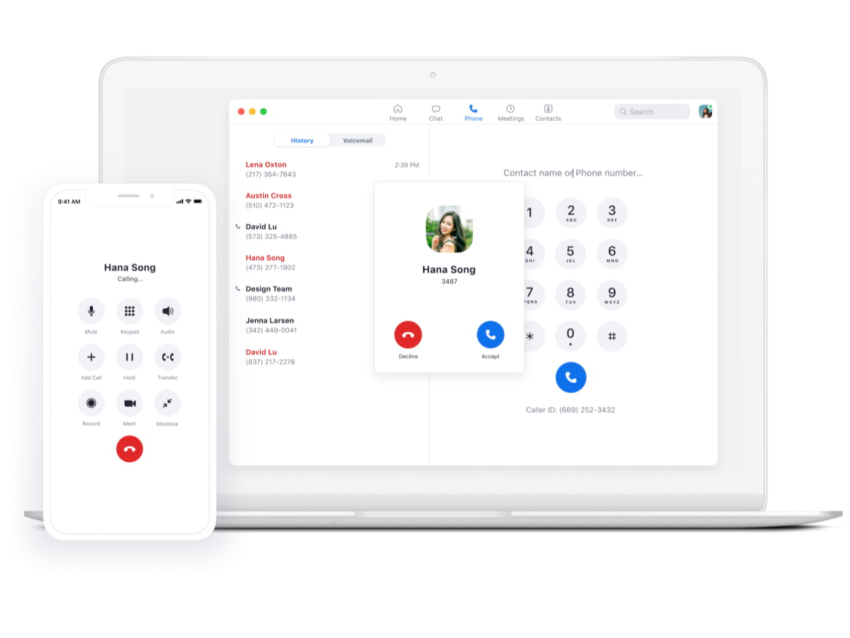
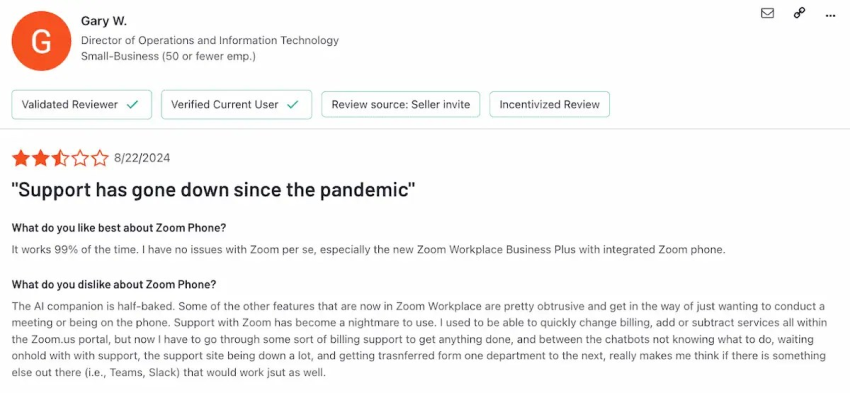
The honest question with Zoom Phone is whether a phone line bolted to a video product is enough to run a business on. For most teams, it is not.
The pricing is hard to beat on the surface: $10.50 per user per month on the Metered plan, $16 on the Unlimited plan. Call quality is solid, and if your company already uses Zoom, the interface feels familiar from the start.
The cracks show up the moment you try to use it as a real phone system. Third-party integrations with tools like Salesforce and HubSpot are limited to higher-tier Workplace plans. There are no shared numbers or auto-replies. To unlock the more advanced collaboration features, you have to buy Zoom Workplace separately, which is a second invoice for what could fit in one product.
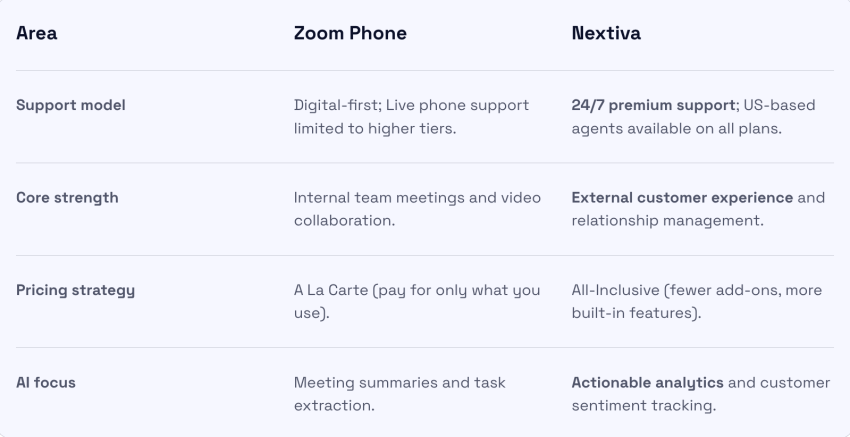
Zoom Phone is a serviceable phone line for teams already paying for Zoom. It is not a unified communications platform, and treating it like one will catch up with you.
5. GoTo Connect
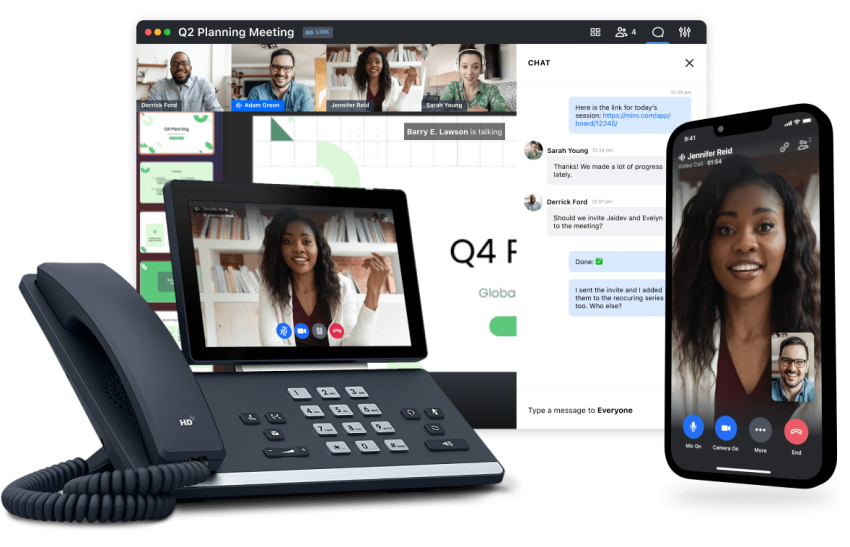
International callers are where GoTo Connect earns its place. Unlimited calling to several countries is especially useful if your team works across borders, and very few competitors match it without an add-on charge.
Multi-site management is also legitimately strong. Centralized admin, device monitoring, and settings templates enable the management of a dozen offices without bouncing between dashboards.
The catches are familiar. Pricing is not always transparent; certain tiers require a custom quote that takes a sales call to surface, and several features sit behind add-ons that bump the per-user cost above the rest of the list.
Digital Phone Service vs. Traditional Landline: Side-By-Side Comparison
| Feature | Landline | Nextiva |
|---|---|---|
| Starting price | ~ $40/line | From $15/user |
| Technology | Copper/PSTN | Cloud VoIP |
| Contract | Varies | None |
| Unlimited calling | Local only | U.S. and Canada |
| Video conferencing | No | All plans |
| Business SMS | No | Yes |
| Mobile app | No | Yes |
| AI features | None | XBert AI, smart routing |
| Uptime SLA | Not published | 100% |
| 24/7 support | Carrier-dependent | Phone, chat, email |
Notice the gap. A landline service buys you a dial tone. Nextiva’s cost-effective digital plan on this list buys you a full communications platform with voice, video, texting, mobility, and AI.
Nextiva’s $15 Core plan packs more capability than most landline setups at a fraction of the actual costs.
How to Switch From a Landline to Digital Phone Service
The first few times I helped a client migrate off a legacy phone system, I braced for chaos. It rarely showed up. When done in the right order, everything runs quietly in the background while everyone keeps working.
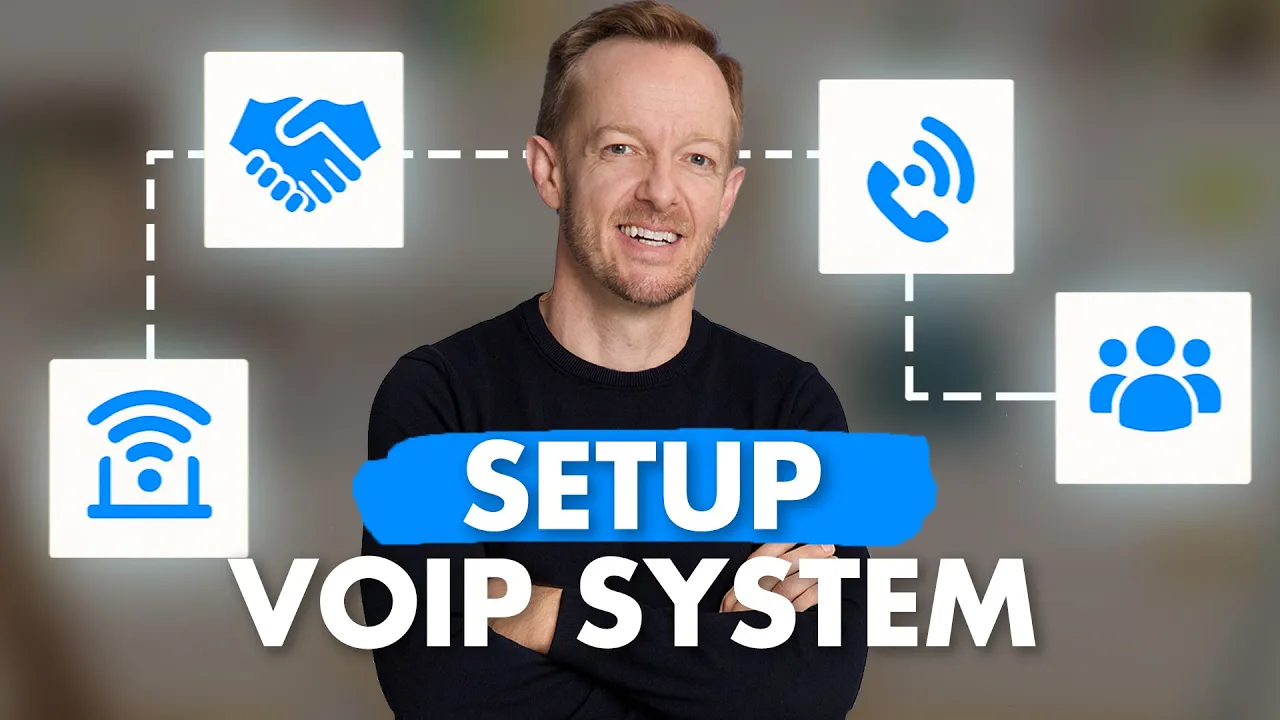
Here is the sequence I follow:
- Audit your current phone setup: Write down all phone numbers, extensions, call flows, and fax lines. Then walk through the building and list anything physically wired into your phone system, like alarm panels, elevator phones, or POS terminals. This step may take an hour, but it will save you a week.
- Check your internet connection: Each VoIP line uses about 100 Kbps of bandwidth. A 10 Mbps connection can comfortably support around 100 lines, which is more than most small businesses will ever need. Run a quick VoIP service quality test to confirm that jitter and latency are in a healthy range before you commit.
- Pick your provider and plan: Match the features to what you actually need, not what looks impressive on a comparison page. Most small businesses find that the Nextiva Core plan — at $15 per user per month when billed annually — covers everything they need.
- Port your numbers: Every provider on this list supports number porting. The trick is keeping your existing service active during the port, so calls keep flowing. Local numbers and toll-free numbers can be set up in a day. If you’re interested in the details, it is worth exploring how a VoIP number is provisioned.
- Set up the new system: A cloud platform like Nextiva goes live in minutes. Download the app, sign in, and start calling. Physical desk phones boot up in a couple of minutes once they are plugged into the network.
- Train your team: Modern mobile phone apps are intuitive enough that an hour of training is usually sufficient. Pick an internal champion to handle minor queries during the first week, and the rest will generally sort itself out.
- Cancel the old service: Do this only after your numbers are ported, and the new system is working correctly. Cutting the cord too early is the one mistake that turns this process into a headache.
The whole migration usually wraps up in a couple of weeks. Number porting is the slow step, not the technology. When implemented in the right order, customers never notice any changes.
When a Traditional Landline May Still Make Sense
To be fair, there are still a few narrow cases where a copper line earns its keep. These include:
- Locations with bad or nonexistent broadband, where call quality on a digital system would suffer.
- Businesses tied to legacy analog phone equipment, like certain alarm systems, elevator phones, or older fax machines that require a POTS line.
- Areas where local building codes specifically require a copper phone line for life safety systems.
- Very small operations with one or two lines, in markets with competitive landline pricing and zero need for mobility, video, or collaboration features.
Even then, the long-term direction is one-way. Carriers are actively retiring copper, and they are not subtle about it.
AT&T’s Susan Johnson, who runs Wireline Transformation, said in a December 2024 investor disclosure that AT&T expects to stop providing copper-based services across the vast majority of its footprint by the end of 2029. The company followed up with a sweeping grandfathering notice on October 15, 2025, covering wire centers across 18 states.
The FCC has moved to accelerate the transition and is now allowing carriers to bundle replacement voice services in areas where copper has been retired.
The window to plan a calm migration is closing. The rate spikes are already here.
The Case for Making the Switch to Nextiva
In 2026, customers expect to text you, video call you, find you on a mobile app, and get a real response after hours. None of that is possible on a copper line, and no amount of loyalty to the old system will change the trajectory.
A digital phone service combines voice, video, texting, team chat, AI call handling, CRM integrations, and full mobility into one platform that costs a fraction of traditional phone charges for basic calling. More capability, smaller bill, faster setup. The numbers stop being a debate once you do your calculations.
Nextiva is the ideal option if you are thinking of switching. It offers transparent pricing and a broad feature set. And when you call support, a real person picks up the phone. If you are ready to let AI handle every inbound business call 24/7, XBert handles the heavy lifting and starts at $99 per month.
If you are still staring at a wall-mounted PBX box and a stack of bills you do not understand, this is the moment to fix it.
The Nextiva Core plan starts at $15 per user per month and includes everything you need to run a modern business phone system.
The best VoIP phone system for businesses.
Get a complete business phone system with advanced features and superior call quality for less.
Frequently Asked Questions About Digital Phone Service
This is a phone system that uses your internet connection instead of copper wires to make and receive calls. The technology underneath is VoIP.
A landline runs your voice as analog signals over copper wires from your building to a telephone exchange. A digital phone service runs your voice as data over the internet through cloud data centers. The digital version is cheaper, more flexible, packed with calling features that the landline never had, and not chained to a building.
Your voice is converted into compressed digital packets, which are sent over your internet connection to the provider’s data center, where they are reassembled as audio. The handoff happens in milliseconds, which is why a good VoIP call sounds as clear as one made on a landline — sometimes clearer.
Yes. The top providers publish 99.999% uptime and run in data centers distributed across multiple regions. A reliable, high-speed internet connection (Wi-Fi) at your end is the only component you have to manage. Take a closer look at the uptime factor in this breakdown ofVoIP reliability.
Yes. Every provider on this list supports number porting. Local current numbers can be ported in three to five business days, toll-free in seven to 10. The one rule is to keep your old service active until the port completes.
You need a broadband internet connection and a device to make calls on. The device can be a VoIP desk phone, a softphone app on your computer, or a mobile app on your smartphone. No on-premises PBX hardware is required.
Plans start as low as $15 per user per month for a full unified communications platform. Most small businesses save over 50% compared to traditional landline services, especially when considering line fees, long-distance charges, and necessary hardware. A line-by-line comparison is provided in this guide on VoIP cost.
The cloud side of the call stays up, but you still need power and internet at your location to make calls from the office. Most providers automatically forward incoming calls to a mobile app or a backup number when your office goes dark, so customers still get answers.