Customer Experience
  Blog
Blog  Business Communication
  Leadership
  Marketing & Sales
  Nextiva News
  Productivity
  VoIP
VoIP 

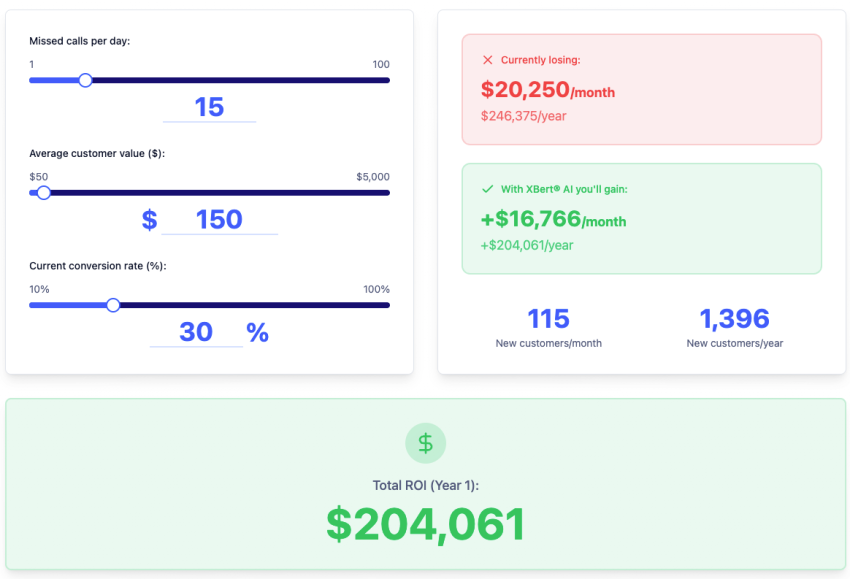
I talk to small business owners and revenue leaders every week, and the same frustration keeps coming up: Missed calls are killing their revenue, but they can’t afford to staff phones 24/7.
One plumbing company told me it was losing $40K a month to after-hours calls that went to voicemail. A healthcare clinic was paying overtime to overflow staff just to keep up with answering questions and managing appointment requests, and a home services business couldn’t keep up with summer demand without burning out its front desk.
This is increasingly the reality for most small and medium-sized businesses trying to compete in 2026.
The good news is that AI phone answering systems have evolved well beyond voicemail and basic auto attendants. Leading systems now function as autonomous voice agents capable of natural, two-way conversations that actually resolve customer requests.
The challenge, however, is cutting through the noise. Enterprise incumbents have big-name brand recognition, though their tools don’t always live up to the hype. Challenger brands, in some cases, are innovating faster for SMB use cases, but there are questions about longevity.
Not every AI answering service is viable, and the wrong choice means a wasted budget and frustrated customers. Business owners with tight budgets and limited resources are feeling the pressure.
I’m going to walk you through what actually matters when evaluating these systems, which providers I’d consider if I were in your shoes, and how to make a decision that protects your revenue and your customer experience.
Businesses have several types of systems to consider:
- Unified Communication platforms for voice, text, chat, scheduling, and team workflows
- Conversational AI platforms built around natural voice interactions
- No-code tools for teams that need fast deployment
- Developer platforms for custom applications and SaaS products
- Enterprise voice systems for regulated or high-volume environments
- Low-cost virtual receptionists for routine call handling
The strongest choice depends on call volume, workflow complexity, communication channels, compliance requirements, and the level of human oversight needed.
Try the best AI answering service free for 14 days
XBert AI answers questions and captures leads. Add your 24/7 answering service in minutes.
Quick Comparison: Top AI Phone Systems
| Provider | Best fit | Key capability | Appointment scheduling | Text and chat coverage | Integrations | Setup |
|---|---|---|---|---|---|---|
| Nextiva | SMBs, mid-market companies, and unified customer experience teams | AI answering across voice, text, and web chat | Real-time calendar booking, confirmations, rescheduling, and reminders | Phone, SMS, web chat, and messaging apps | CRMs, calendars, scheduling systems, ticketing tools, and messaging apps | Minutes to hours |
| Retell AI | Teams focused on conversational voice quality | Configurable voice agents with low-latency conversations | Depends on the workflow | Depends on the implementation | Custom webhooks and developer integrations | Days |
| Synthflow | Nontechnical operators | Drag-and-drop no-code call-flow builder | Depends on connected workflows | Depends on the workflow | Calendars, CRM tools, and automation platforms | Minutes |
| Bland AI | Developers building custom applications | API infrastructure for inbound and outbound calls | Custom implementation | Custom implementation | REST APIs and custom integrations | Days to weeks |
| Rosie AI | Small businesses that need basic call handling | Simple voice agent management through mobile apps | Basic appointment coordination | Notifications and connected tools | Zapier, Google Calendar, and Calendly | Minutes |
| PolyAI | Enterprise and regulated organizations | Voice agents with industry-specific controls | Depends on deployment | Enterprise deployment options | Major CRM and healthcare systems | Weeks to months |
| SkipCalls | Contractors and budget-conscious local businesses | Low-cost virtual receptionist coverage | Basic scheduling support | Basic bilingual support | Google Calendar and basic CRM tools | Under five minutes |
| JustCall | Sales and hybrid support teams | AI assistance for human representatives | Depends on configuration | SMS follow-up | Salesforce, HubSpot, Pipedrive, and other CRM tools | Hours to days |
What is an AI Phone Answering System?
An AI phone answering system is software that uses artificial intelligence and natural language processing (NLP) to answer inbound business calls.
Depending on the platform, an AI phone answering system can:
- Hold natural conversations with callers
- Answer frequently asked questions
- Identify caller intent
- Schedule, reschedule, and confirm appointments
- Qualify leads
- Route calls by department or intent
- Collect contact information
- Update CRM or ticketing records
- Send text follow-ups
- Escalate complex calls to employees
- Generate transcripts and call summaries
A modern system can act as a virtual receptionist. It can handle routine conversations at any hour and transfer calls that require human judgment.
AI receptionists, auto attendants, voicemail, and live answering services
An AI receptionist combines automated call answering with conversation handling and business actions. It can understand open-ended requests, ask follow-up questions, access connected systems, and complete tasks such as appointment booking.
An auto attendant follows a menu structure. It routes calls based on keypad selections or simple speech commands through options such as “Press 1 for sales.” Businesses can review auto attendant capabilities when they need reliable call routing without full conversational automation.
Voicemail records a message for later follow-up. A live answering service uses human agents who follow a business script and pass information to employees.
| Capability | AI receptionist | Auto attendant | Voicemail | Live answering service |
|---|---|---|---|---|
| Natural conversation | Yes | Limited | No | Yes |
| Appointment scheduling | Yes, when connected to a calendar | Limited | No | Often |
| Lead qualification | Yes | No | No | Depends on the script |
| 24/7 availability | Typically | Yes | Yes | Usually costs more |
| CRM updates | Often available | Rare | Rare | Often manual |
| Call routing | Yes | Yes | No | Yes |
| Scalability | High | High | High | Limited by staffing |
| Human escalation | Yes | Yes | Requires a callback | Yes |
What Defines a Modern AI Phone Answering System
Let’s be clear about what we’re talking about, because technology is evolving fast.
A few years ago, auto attendants and IVR systems were the common automated alternatives before modern voice AI, which could potentially frustrate any customers with more complex needs. IVR could route or manage call transfers, take messages, or help with straightforward tasks like answering frequently asked questions or processing payments.
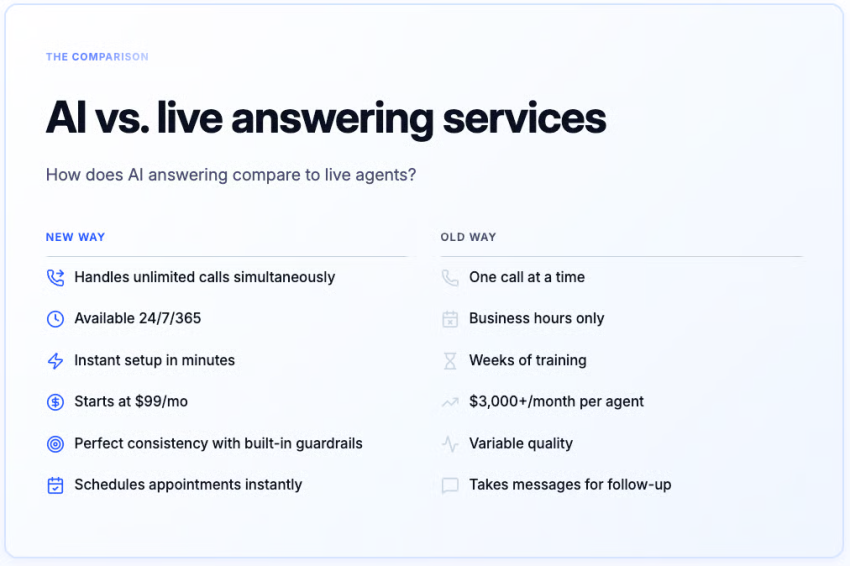
AI answering compared with traditional answering services
Businesses often replace traditional answering services when they need automation beyond message taking.
| Feature | AI answering system | Traditional answering service |
|---|---|---|
| Response time | Immediate, without a staffing queue | May include hold times during peak periods |
| Pricing model | Subscription, per-minute, per-call, per-resolution, or custom | Often per minute or per call |
| Routine tasks | Can answer questions, book appointments, update records, and trigger workflows | Usually takes messages and follows scripts |
| Call volume | Can handle multiple calls at once | Depends on available staff |
| Availability | Commonly available 24/7 | Depends on the staffing plan |
| Quality control | Transcripts, summaries, analytics, and recordings may be available | Often depends on agent notes and supervisor review |
| Escalation | Can transfer with conversation context | Human agent can transfer or take a message |
AI services can reduce repetitive work, but employees remain necessary for sensitive issues, complex support, and decisions that require judgment.
The strongest platforms combine these capabilities into a single workflow, allowing customers to resolve requests without waiting for a callback or speaking with multiple departments.
Key Trends Shaping AI Answering Systems
The market is moving fast, but these are the key answering service trends that are currently shaping the industry in 2026.
Voice is becoming a 24/7 support channel
Customers often call when they need an urgent answer, want to explain a complex issue, or prefer speaking with a person. Voice AI can handle interactions that menu-based systems may not.
A capable agent can ask clarifying questions, check a connected system, and complete a request during the call. Businesses can use AI for after-hours coverage, overflow handling, lead response, and appointment coordination.

Autonomous call handling is replacing message taking
Older answering systems often collected a message for an employee to handle later. Modern systems can complete more of the interaction while the caller remains on the line.
An AI agent may:
- Book an appointment
- Qualify a lead
- Update a CRM
- Trigger a follow-up sequence
- Send a confirmation text
- Transfer an urgent call with its history attached
This approach reduces callbacks and manual data entry. It also gives employees more time for work that requires direct involvement.
Industry-specific training improves accuracy
Generic voice agents can struggle with industry terminology, business policies, and regulated information.
For example, a general-purpose model might confuse HVAC diagnostics with IT diagnostics or fail to understand how to handle HIPAA-protected requests and document an entire call with a patient’s sensitive data.
HIPAA civil penalties can range from hundreds of dollars to more than $2 million per violation, depending on the level of negligence and whether the issue was corrected.
Healthcare, legal, financial services, home services, and real estate businesses should look for:
- Industry-specific terminology
- Configurable business rules
- Permission controls
- Human escalation policies
- Audit trails and transcripts
- Appropriate data retention controls
Low-latency conversations are expected
Long pauses make an automated conversation feel difficult to use. Modern systems are designed to respond quickly, manage interruptions, and maintain context across several turns.
Businesses should test whether an agent can:
- Respond quickly after a caller finishes speaking
- Handle background noise and interruptions
- Correct a misunderstanding
- Continue after a caller changes the subject
- Transfer a call without forcing the caller to repeat information
Phone, text, and chat are converging
Many customers move between channels during one service request. A caller may receive a text confirmation, continue through web chat, or reply to an SMS follow-up.
Nextiva’s XBert AI handles phone calls, texts, web chat, and messaging apps through a unified customer experience. This lets a business manage voice and digital conversations in one workflow instead of separating each channel.
The Leading AI Phone Answering Systems
The following providers address different business needs. Each profile describes the type of organization that may benefit from the platform and the tradeoffs that require further review.
1. Nextiva
Nextiva, a unified customer experience platform, provides AI phone answering through XBert AI. The service connects voice, text, web chat, calendars, CRMs, ticketing systems, and messaging apps.
XBert AI can:
- Answer calls and texts
- Respond to common customer questions
- Capture contact details
- Qualify leads
- Schedule appointments from real-time calendar availability
- Send confirmations and reminders
- Reschedule appointments
- Trigger follow-up workflows
- Sync information with connected business systems
- Create transcripts and call summaries
- Detect caller sentiment
- Escalate calls to employees with context
XBert AI is priced at $99 per month for up to 100 conversations, with $1.50 for each additional conversation. Nextiva also provides a 14-day free trial and does not require a long-term contract. Businesses can use an existing phone number through call forwarding.
Nextiva supports SOC 2, PCI DSS, and HIPAA requirements for applicable AI voice agent deployments. Businesses should confirm the controls, configuration, and agreement requirements that apply to their use case.
Best for: Small and midsize businesses, growing teams, and organizations that want one system for calls, texts, chat, scheduling, and customer workflows.
Hear why XBert AI is the best AI receptionist
XBert AI receptionist handles customer questions, captures leads, and books appointments. Try it free for 14 days.
2. Retell AI
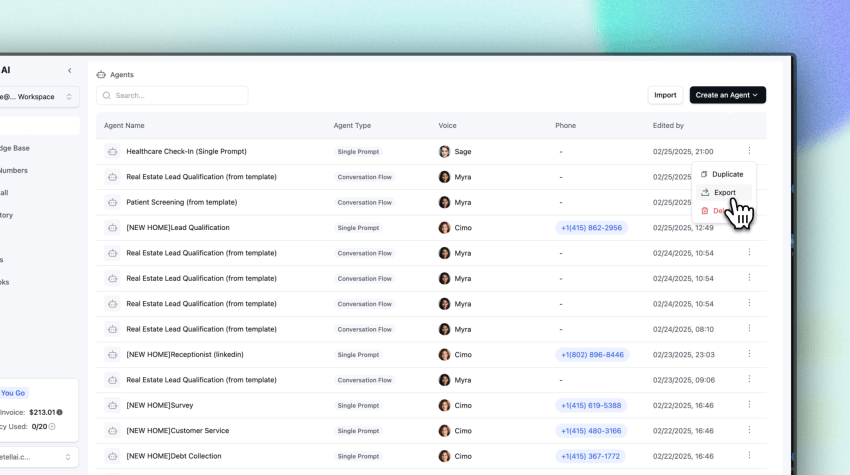
Retell AI is designed for teams that prioritize conversational voice quality and control over call flows.
Its platform may suit organizations that need:
- Configurable inbound and outbound voice workflows
- Natural conversational behavior
- Low-latency responses
- Developer control over call logic
- Adaptable conversations based on caller behavior
Retell AI is more appropriate for teams that can manage configuration and integrations than for businesses seeking a complete communications platform.
Best for: Teams where voice quality and conversation flow directly affect trust or conversion.
3. Synthflow
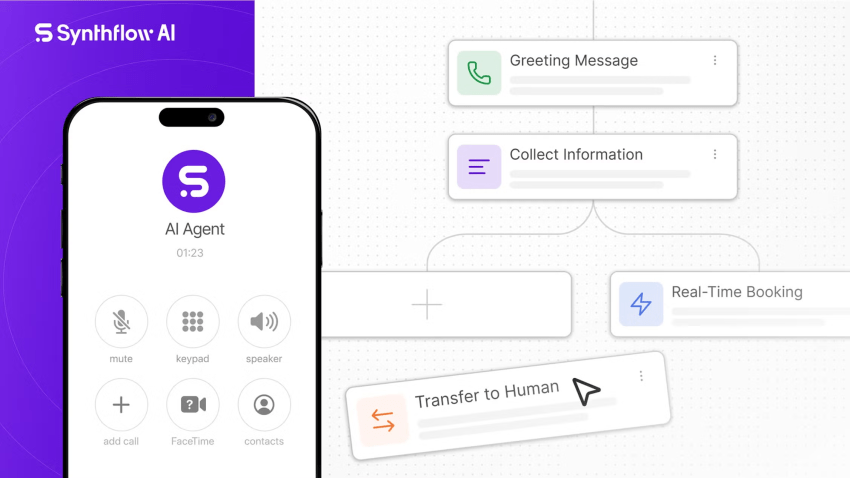
Synthflow uses a visual, no-code approach to AI call workflows. Business users can build call flows without writing software.
Synthflow can help teams configure voice workflows quickly without a dedicated development team. Businesses should review the available integrations, pricing model, escalation options, and reporting before selecting it for complex operations.
Best for: Small businesses that need fast deployment without a dedicated development team.
4. Bland AI
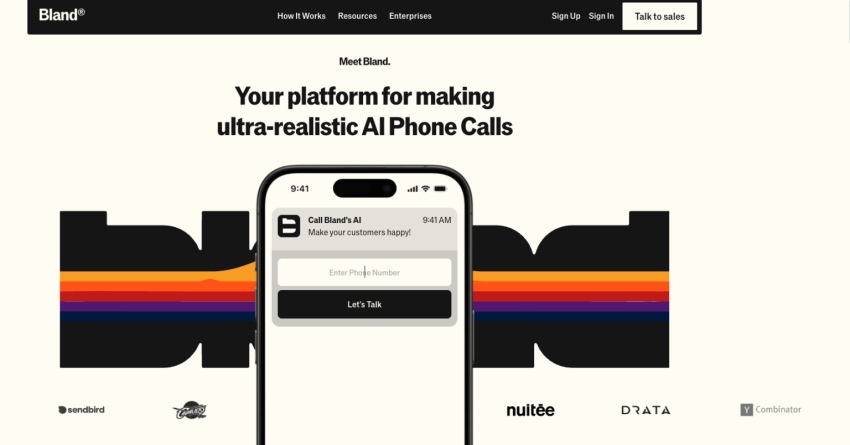
Bland AI is a developer-first platform for teams that want to embed voice agents into their own applications.
Its approach supports:
- Inbound and outbound calling
- Custom call logic
- API-based workflows
- Complex business rules
- AI calling inside SaaS products
- Custom handling for specialized scenarios
Bland AI functions as infrastructure rather than a plug-and-play business phone system. The organization using it must manage more of the implementation, testing, and integration work.
Best for: Developers and technical teams building custom voice applications.
5. Rosie AI
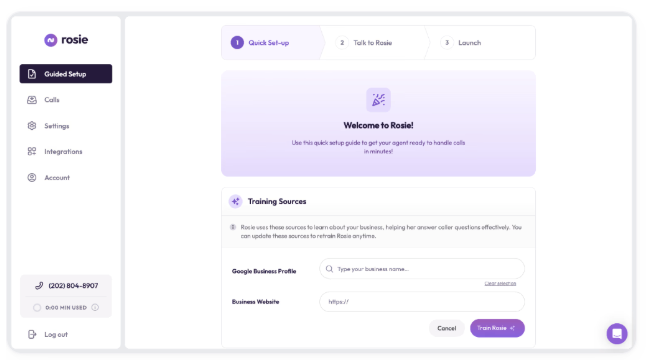
Rosie AI focuses on call answering, lead capture, notifications, and appointment coordination for small businesses.
Its typical use cases include:
- Routine call handling
- Lead notifications
- Basic appointment coordination
- Message capture
- Calendar links
- Mobile management
Rosie AI may suit a local business that needs straightforward coverage without a large communications platform. Teams that need complex CRM workflows, detailed reporting, or extensive escalation logic should review those capabilities before purchase.
Best for: Small businesses that need simple virtual receptionist coverage.
6. PolyAI
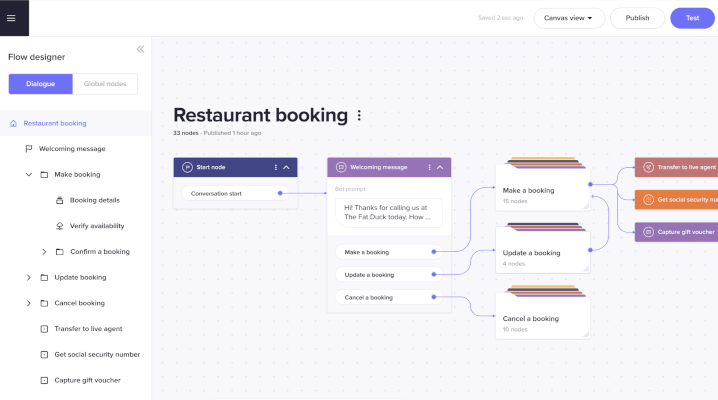
PolyAI develops voice-first systems for complex customer interactions and regulated industries.
Organizations may consider PolyAI when they need:
- Industry-specific conversation handling
- Controls designed to limit inaccurate responses
- Complex customer support flows
- Enterprise integrations
- Compliance-oriented deployment support
Enterprise projects often require more planning, configuration, and implementation time than a small business receptionist.
Best for: Large organizations and regulated teams with complex customer service requirements.
7. SkipCalls
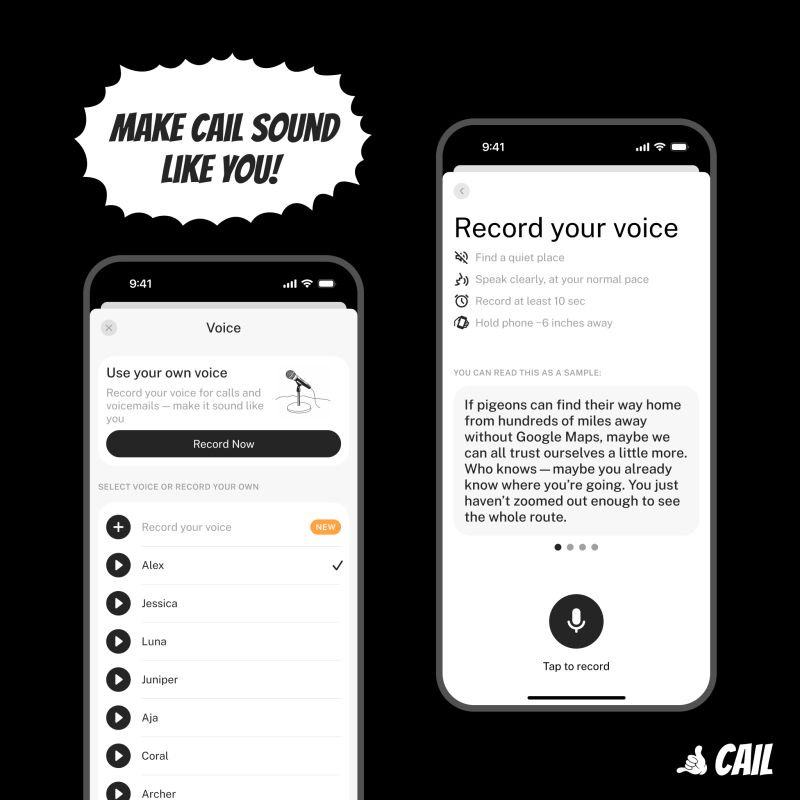
SkipCalls provides low-cost AI phone answering with unlimited calls and basic bilingual support.
Its use cases include:
- Basic call answering
- Local service business coverage
- Contractor call handling
- English and Spanish conversations
- Simple calendar connections
A lower-cost system may provide fewer integrations, limited customization, and less advanced workflow control. Businesses should confirm how the service handles urgent calls, CRM updates, transcripts, and human transfers.
Best for: Contractors and local service businesses needing affordable virtual receptionist coverage without all the bells and whistles.
8. JustCall
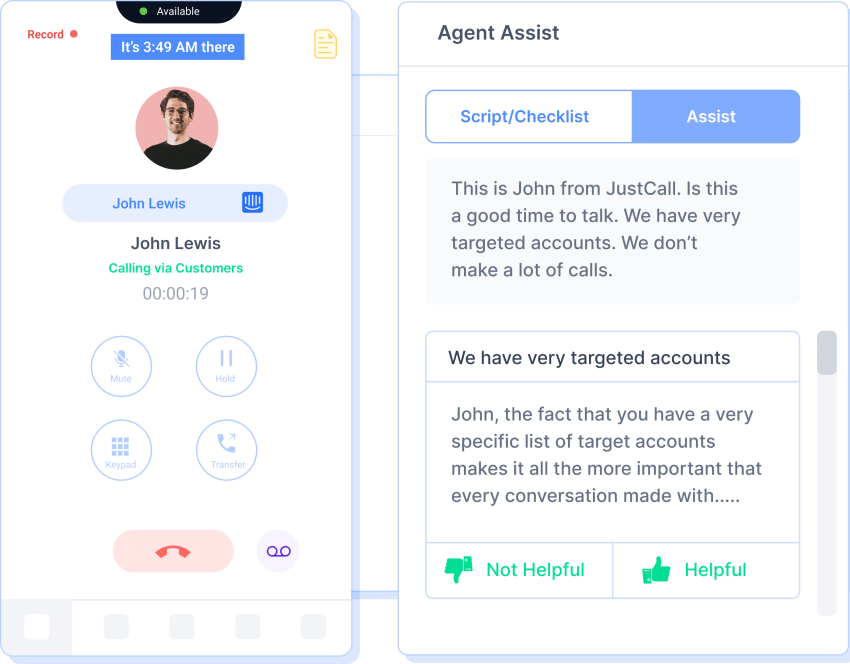
JustCall combines AI assistance with human-led sales and support workflows.
Its features include:
- AI-assisted call handling
- Real-time transcription
- Sentiment analysis
- CRM integrations
- Lead qualification
- SMS follow-up
JustCall may fit teams that want AI to help employees rather than manage every conversation independently.
Best for: Sales and support teams that prefer human oversight during customer interactions.
Choosing a System by Business Need
Different organizations should prioritize different capabilities. A single “best” system does not fit every call environment.
| Business need | Capabilities to prioritize | Systems to review |
|---|---|---|
| Appointment-heavy business | Real-time calendar access, booking, rescheduling, confirmations, and reminders | Nextiva, Synthflow, Rosie AI, JustCall |
| Text-first customer communication | Two-way SMS, missed-call follow-up, messaging history, and shared customer context | Nextiva, JustCall, Rosie AI |
| Regulated organization | Security controls, compliance support, audit trails, human escalation, and data retention policies | Nextiva, PolyAI |
| Developer-built application | APIs, webhooks, custom call logic, documentation, and implementation control | Bland AI, Retell AI |
| Unified customer experience | Voice, text, web chat, CRM, ticketing, calendar, and team workflows | Nextiva |
| Low-cost local coverage | Simple setup, basic scheduling, bilingual support, and predictable pricing | SkipCalls, Rosie AI |
| Human-assisted sales and support | Transcription, sentiment analysis, CRM context, and agent supervision | JustCall, Nextiva |
How to Choose the Right AI Phone Answering System
A business should evaluate an AI phone answering system against its call intent, workflow requirements, and customer experience goals.
Start with call intent and volume
Measure the types of calls the system must handle:
- Appointment requests
- Pricing questions
- Lead qualification
- Order intake
- Existing customer support
- Emergency or urgent requests
- After-hours calls
- Overflow calls
High-stakes calls require stronger AI programming and advanced escalation logic.
For example, an AI agent could qualify an initial inquiry for a law firm and schedule a consultation. An existing client with an urgent matter should reach the correct employee without getting stuck in an IVR loop.
A business that receives 50 calls each day about appointment confirmations may need a simpler system than a company that qualifies leads worth thousands of dollars or manages urgent service issues.
Look for end-to-end call ownership
A capable AI agent should do more than route calls. Ask whether it can:
- Access the calendar
- Book an appointment
- Send a confirmation
- Reschedule an existing booking
- Capture contact details
- Qualify the lead
- Update the CRM
- Create a support ticket
- Trigger a follow-up
- Transfer the caller with context
If every interaction ends with “someone will call you back”, the business may be paying for a message-taking service rather than an automated workflow
Review appointment and calendar behavior
Appointment scheduling requires more than a calendar link. The system should understand availability and follow the business’s scheduling rules.
Review whether the platform can:
- Read real-time availability
- Offer appropriate appointment types
- Avoid double booking
- Book on behalf of a caller
- Reschedule or cancel appointments
- Send confirmations
- Send reminders
- Update the calendar after a change
- Transfer unusual requests to an employee
XBert AI connects to real-time calendars and supports appointment booking, confirmations, rescheduling, and reminders.
Check phone, sms, and chat coverage
Businesses should map each customer channel before selecting a platform. Ask whether the system handles:
- Inbound phone calls
- Outbound calls
- Two-way SMS
- Missed-call text responses
- Appointment reminders
- Web chat
- Messaging apps
- Email follow-up
- Shared conversation history
Nextiva’s AI answering service covers calls, texts, web chat, and messaging apps. It can use the same customer context across channels, which helps employees continue a conversation after an AI handoff.
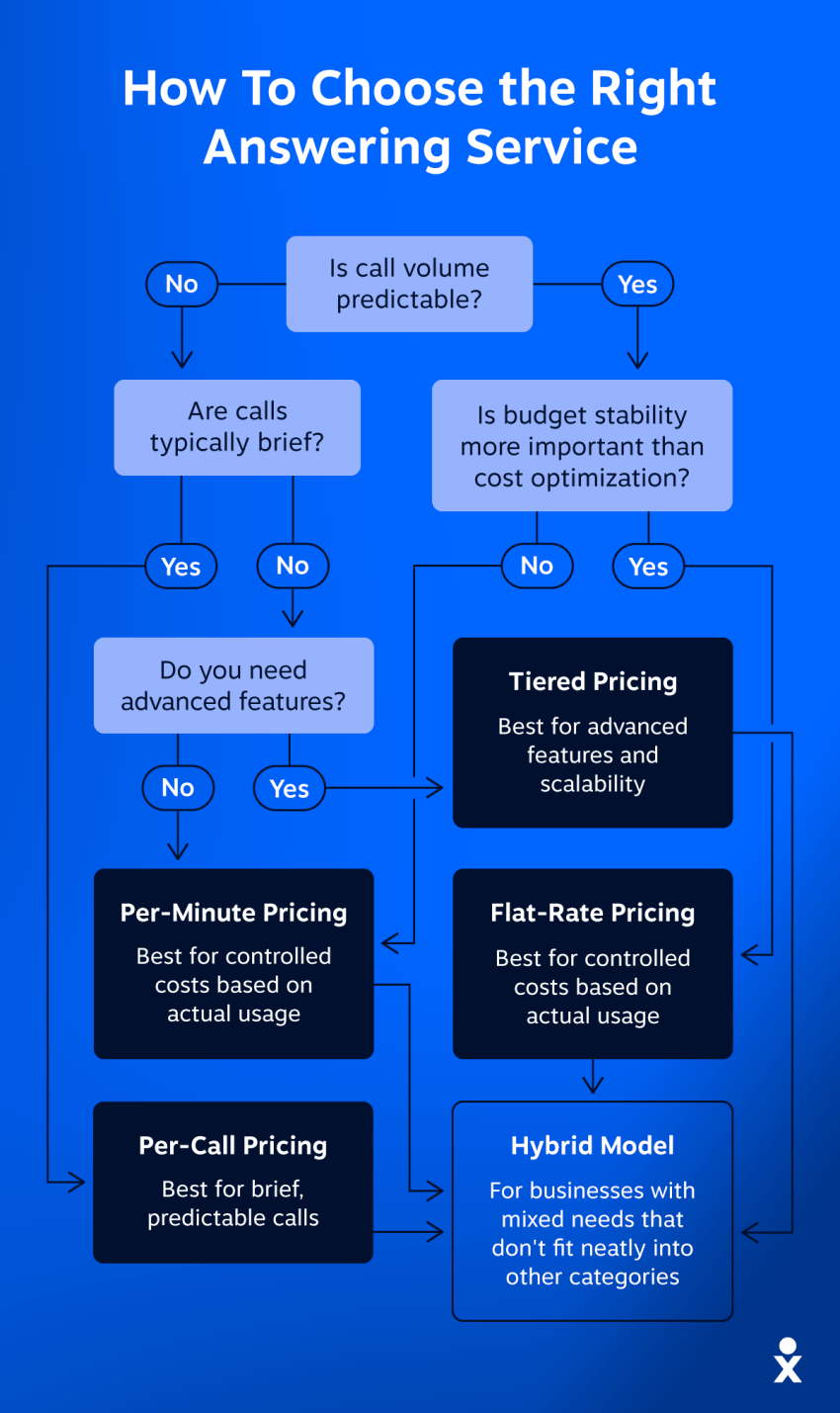
Scrutinize pricing models
Providers may charge by:
- Monthly subscription
- Resolution
- Minute
- Call
- Phone number
- User
- Integration
- Custom enterprise contract
Per-minute pricing can become difficult to predict. For example, at $0.10 per minute, an eight-minute average call would cost approximately:
- 100 calls: $80
- 200 calls: $160
Businesses should calculate the total answering service cost, including:
- Expected call volume
- Included minutes or resolutions
- Overage rates
- Add-on features
- Phone numbers
- Integrations
- Setup services
- Professional services
- Contract terms
- Human escalation charges
Nextiva’s XBert AI pricing uses a monthly plan with 100 included conversations and a stated overage rate of $1.50 per additional conversation. A 14-day trial and no long-term contract can help a business evaluate the service before making a longer commitment.
Demand oversight and transparency
Managers should be able to review what the AI told customers. Look for:
- Full transcripts
- Searchable call summaries
- Call recordings, where permitted
- Resolution and transfer rates
- Caller sentiment
- Lead outcomes
- Booking outcomes
- CRM activity
- Conversation history
- Analytics by time, department, or agent
Transcripts and summaries also help teams identify incorrect answers and improve business rules.
Evaluate human escalation
AI cannot resolve every conversation. Sensitive requests, technical problems, exceptions, and high-value interactions may require an employee.
The system should recognize escalation conditions and transfer the caller to the right person with:
- Caller identity
- Conversation history
- Reason for transfer
- Relevant CRM information
- Call transcript or summary
- Urgency or sentiment signal
This approach prevents the customer from repeating the same information.
Review security and compliance
Businesses that handle personal, payment, health, or financial information should ask vendors about:
- Data encryption
- Access controls
- Call recording policies
- Data retention
- HIPAA support
- GDPR requirements
- SOC 2 reports
- PCI DSS support
- Business Associate Agreements
- Whether customer data trains public AI models
- Administrative controls and audit records
A vendor’s general compliance statement does not replace a business-specific review. The organization must also configure permissions, retention, and escalation rules correctly.
Prioritize reliability and integrations
A voice agent has limited business value if employees must copy information between systems.
Review whether the platform can connect with:
- CRM software
- Calendar and scheduling systems
- Ticketing platforms
- Payment tools
- Messaging applications
- Web chat
- Contact center software
- Reporting systems
Ask vendors about:
- Uptime service-level agreements
- Disaster recovery
- Failover capabilities
- Outage procedures
- Call quality monitoring
- Concurrent-call capacity
- Number porting and call forwarding
- Support response times
Test with real call scenarios
Before launch, businesses should create a test set that includes:
- A routine FAQ.
- A new appointment request.
- A rescheduling request.
- An urgent customer issue.
- A caller who interrupts the agent.
- A request outside the system’s knowledge.
- A caller who needs a human employee.
- A follow-up that requires an SMS.
- A CRM or ticket update.
- A failed calendar or integration response.
The test should measure accuracy, response time, transfer quality, record updates, and the caller’s ability to complete the task.
Nextiva’s AI Answering Solution
Nextiva, a unified customer experience platform, combines business communications with AI-powered customer workflows. Its AI answering service connects voice interactions with text messaging, web chat, calendars, CRM records, and team collaboration.
XBert AI receptionist capabilities
Rather than operating as a standalone answering machine, XBert AI functions as an integrated agent that manages the customer journey across multiple touchpoints.
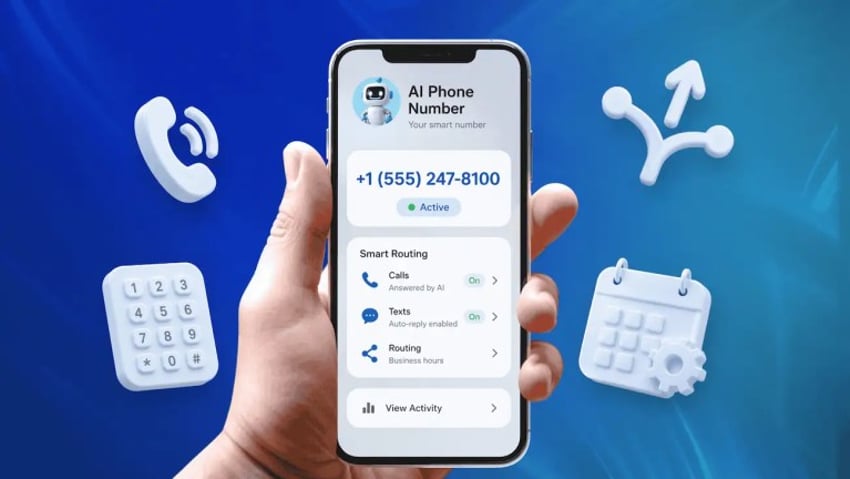
- Unified Customer Experience: XBert AI consolidates voice calls, two-way SMS, and web chat into a single continuous thread. If a customer calls to ask a question and later follows up via text message, the AI maintains the conversation history across channels.
- Active Workflow Execution: The system doesn’t just take messages; it actively executes tasks. By connecting directly to your CRM and real-time calendar, it can independently book or reschedule appointments, send SMS confirmations, and update customer records while the caller is still on the line.
- Intelligent Handoff with Persistent Memory: When a request requires human judgment, XBert AI transfers the call alongside a real-time transcript, caller sentiment, and intent summary. The receiving employee steps in with full context, ensuring the customer never has to repeat themselves.
Businesses can start with an existing phone number through call forwarding. Because the platform handles simultaneous interactions, customers never wait in a queue. Nextiva reports that this omnichannel approach has driven a 98% improvement in response times and saves employees about 5% of post-call administrative work through automated summaries.
Pricing and trial terms
XBert AI is priced at $99 per month for up to 100 conversations, with $1.50 for each additional conversation. Nextiva provides a 14-day free trial and says that its plans do not require long-term contracts.
Businesses should confirm the definition of a resolution, the treatment of transferred calls, and the current pricing terms before purchase.
Phone, text, and web chat in one workflow
Many answering tools focus on voice alone. XBert AI can handle phone calls, texts, web chat, and messaging apps. This allows a customer to receive a text confirmation after a phone call while employees retain access to the conversation history.
The system can also sync with CRMs, scheduling tools, and ticketing systems. This helps teams reduce manual entry and track the outcome of each customer interaction.
Human escalation with context
XBert AI can detect caller sentiment and escalate calls to employees when a conversation requires human involvement. The receiving employee can access the available conversation context instead of asking the customer to start again.
This model gives businesses automated coverage for routine interactions while preserving human control over sensitive or complex requests.
I’ve spent my career helping businesses connect sales and marketing activity directly to revenue. AI phone answering is one of the clearest ROI investments I’ve seen in years, but only if you choose a system that actually works and integrates with how your business operates.
Discover how AI voice agents can benefit your team. Check out Nextiva’s AI answering service and stop losing revenue to missed calls. 👇
Stop missing calls and losing business.
XBert AI gives your business 24/7 coverage—handles calls, texts, and chats, books meetings, and escalates urgent calls so customers never have a bad experience.
FAQs
The best AI receptionist depends on the business’s channels, workflows, and need for human escalation. Nextiva is a strong fit for businesses that want voice, SMS, web chat, appointment scheduling, CRM connections, transcripts, analytics, and team workflows in one platform.
Teams with developer resources may prefer a customizable voice platform. Regulated enterprises may prioritize industry-specific controls and enterprise implementation. Small local businesses may choose a simpler receptionist with basic scheduling and call coverage.
Nextiva’s XBert AI can schedule appointments through real-time calendar integration. It can book available times, confirm appointments, reschedule requests, and send reminders.
Other systems in this comparison may support appointment scheduling through calendars or custom workflows. Businesses should verify whether a provider can read live availability and complete the booking during the call rather than simply send a scheduling link.
The best AI phone answering service should answer calls, resolve routine requests, update connected systems, and transfer complex interactions with context.
Nextiva is a strong option for businesses that need phone answering alongside SMS, web chat, calendars, CRM systems, ticketing tools, and team collaboration. Businesses that need only basic call coverage may prefer a simpler service. Developers may need an API-first platform instead.
The best AI voice agent depends on the required level of customization and business integration.
– Nextiva fits businesses that need voice connected to text, chat, calendars, CRMs, and customer workflows.
– Retell AI fits teams that prioritize configurable conversational voice behavior.
– Bland AI fits developers building custom voice applications.
– PolyAI fits enterprises with complex and regulated customer interactions.
– JustCall fits teams that want AI assistance alongside human representatives.
A useful evaluation should include real call scenarios, interruption handling, escalation, CRM updates, appointment booking, and transcript accuracy.
Nextiva’s XBert AI handles phone calls and texts, including SMS follow-up, appointment confirmations, reminders, and connected customer workflows. JustCall also combines AI-assisted calling with SMS follow-up.
Businesses should check whether “text support” means two-way SMS, automated reminders, missed-call responses, or only one-way notifications. The distinction affects how much of the customer journey the system can manage.