Customer Experience
  Blog
Blog  Business Communication
  Leadership
  Marketing & Sales
  Nextiva News
  Productivity
  VoIP
VoIP 

Call center occupancy is one of the most misunderstood metrics in workforce management (WFM). I’ve seen this over and over again in my time leading Nextiva, with call center clients unsure of where they’re going wrong.
Plenty of call center management leaders are chasing 100% agent occupancy, thinking that it will translate to maximum efficiency. In reality, too-high occupancy rates signal that the system is on the verge of breaking down. I can say with certainty that 100% occupancy is far too high for best practices in call center operations.
In this post, I’ll break down what call center occupancy really means, how to calculate it, what benchmarks you want to aim for, and how to optimize it across all channels.
What Is Call Center Occupancy?
Call center occupancy is a metric that measures the percentage of time agents are actively engaged in interaction-handling activities compared to their total logged-in time.
Interaction-handling activities include:
- Talk time: The amount of time agents spend speaking to customers, resolving issues, and addressing concerns.
- Hold time: The time customers spend on hold while agents work to resolve or check on the status of their issue.
- After-call work (ACW): The tasks agents complete after a call is over, including logging details, sending follow-up messages, or reaching out to a manager to help resolve the issue.
These are critical parts of an agent’s job, but you also need to account for the following:
- Agent breaks
- Individual and group training
- Team meetings
- Idle available statuses
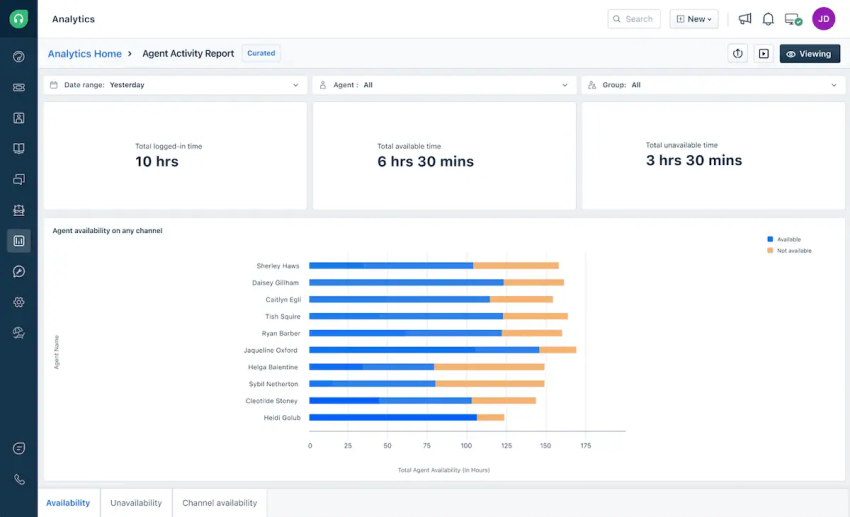
If your team has 100% occupancy rates, it means your agents are working their full shifts, exclusively working on call-related activities. There’s no time for personalized training, customers may have longer wait times, and you may see your customer effort score start to creep up, even though your agents are working themselves to the bone.
High occupancy does not equal high productivity, and in reality, chasing these metrics will drive your agents to burnout. 100% occupancy is not a goal. It’s a red flag of WFM that’s spiraling out of control.
How to Calculate Call Center Occupancy
Before you can optimize call center occupancy, you need to know how to calculate yours. Let’s discuss exactly how to do that.
Key components of the formula
There are multiple components you’ll need to calculate your call center occupancy rate:
- Talk time
- Hold time
- ACW and wrap-up time
This means that agents need to understand how to set their status codes correctly to capture all these metrics accurately. They may need to manually set their status when they’re completing ACW tasks, for example, so they don’t show up as idle or available.
The formula
To calculate your occupancy rate, you’ll first need to calculate your total handling time using this formula:
Talk time + Hold time + ACW time = Total handling time
Once you do this, you can calculate your occupancy rate:
(Total handling time ÷ Total logged-in time) x 100 = Occupancy rate
Let’s run the numbers together. If an agent spends 45 minutes handling calls out of a 60-minute logged-in window, their occupancy rate is 75%.

Call Center Occupancy vs. Utilization
These two terms are sometimes used interchangeably, but call center occupancy and call center utilization measure two very different things.
Call center occupancy measures how busy agents are while they’re logged in. It tracks time spent handling interactions versus idle or available time.
Call center utilization, meanwhile, measures how much of an agent’s total shift is spent logged in and either engaged or available. It accounts for work outside interaction handling, such as team meetings and training, but it doesn’t account for external shrinkage from paid breaks or absences.
| Occupancy | Utilization | |
|---|---|---|
| What it measures | Time spent handling interactions vs. idle/available time while logged in | Total shift time spent logged in (engaged or available) |
| Internal shrinkage (meetings, training, admin) | ✗ Not accounted for | ✓ Accounted for |
| External shrinkage (paid breaks, absences) | ✗ Not accounted for | ✗ Not accounted for |
Knowing which metric you’re looking at matters because a high utilization score can mask a low occupancy rate. Agents may be clocking time, for example, but not necessarily handling interactions. Pushing for too high an occupancy rate, however, can lead to agent burnout and create significant bottlenecks.
Why Call Center Occupancy Is a Critical KPI
Just because we’re adamant about not targeting a 100% occupancy rate doesn’t mean that this metric doesn’t matter. The opposite is true—it’s still a critical KPI, but you need to know how to leverage and optimize it.
Let’s talk about what call center occupancy can tell you.
Staffing and forecasting accuracy
Tracking occupancy at hourly and weekly intervals can help your team identify peak and off-peak patterns. If you notice that your agents have higher occupancy rates during events, for example, you may need to tweak staffing levels to increase your coverage at those times.

That way, agents aren’t overwhelmed or sitting idle; their workload (and your schedule) is much more balanced. This can directly improve your average speed to answer (ASA) during busy periods and prevent wasted spending during slow times.
Customer experience impact
Occupancy directly affects your customer experience, and it works both ways. When occupancy is too high, your agents are overwhelmed. This means queues get longer, errors increase, and your CSAT scores start to slide. But when occupancy is too low, you’re overstaffed, labor costs balloon, and you waste resources.
Optimal occupancy is what keeps wait times low and resolution quality high. It’s the difference between a contact center that runs smoothly and one that’s constantly playing catch-up.
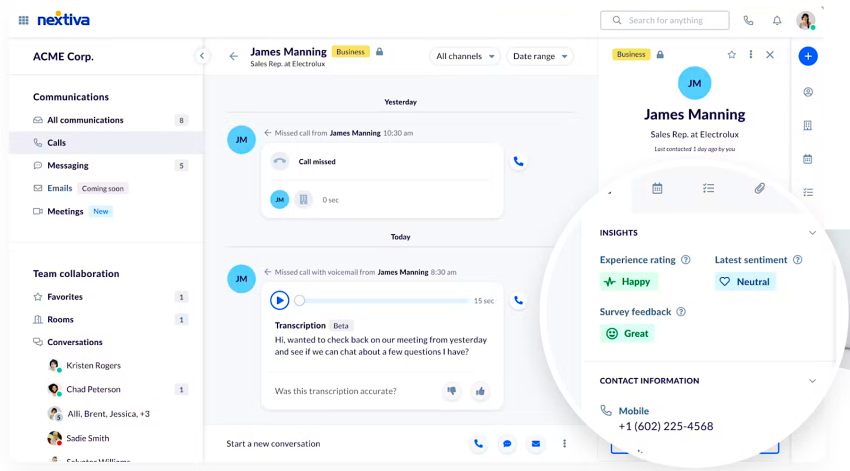
Agent well-being and burnout prevention
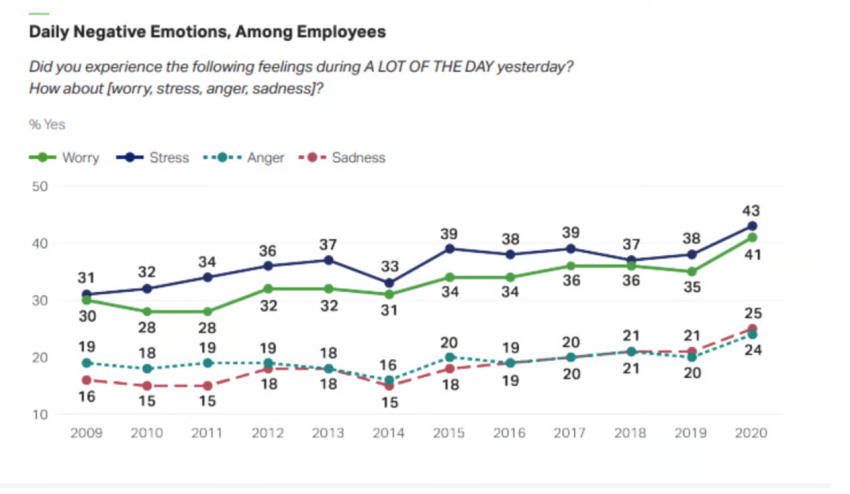
I’ve seen this firsthand from multiple call center clients. Agents running at 100% occupancy are on calls from the moment they log in to the moment they log out, with no recovery time in between. That’s not sustainable, and the data shows that sustained high occupancy leads to burnout, absenteeism, and higher agent attrition.
Downtime between calls isn’t wasted time. It gives call center agents a chance to decompress, review knowledge, and upskill. Protecting that time safeguards both service quality and your team, and since it can reduce agent churn, that’s worth noting.
Cost efficiency
High occupancy rates mean you’re getting maximum value from your human resources with less idle time. Low occupancy rates, meanwhile, mean you’re likely paying for time that isn’t producing results.
Contact centers need to strike that hard-to-find balance between cost efficiency and maintaining service quality and customer support agent health.
Call Center Occupancy Rate Benchmarks by Channel
Not all channels are created equal, and your occupancy targets should reflect that. These are the call center benchmarks you want to aim for.
Phone calls: up to 90%
The industry standard for voice is around 80%, based on data from the Call Centre Helper Erlang calculator.
I’d strongly caution against pushing past 90%. Phone agents need recovery time between calls to maintain quality and avoid burnout. In high-complexity or specialized environments (such as healthcare or legal industries), a target closer to 80% may be more appropriate.
Live chat: up to 100%
Because agents handle multiple chats simultaneously, you can safely target an occupancy rate closer to 100% without risking the same cognitive burnout seen in voice channels. The key to not falling into a trap here is to make sure you track chat occupancy separately from voice occupancy.
Email: up to 100%
Email is less intensive than real-time channels like live chat, which means that either dedicated email agents or idle voice agents can handle it during slow periods. Higher occupancy targets are appropriate because the asynchronous nature of email reduces an agent’s cognitive load compared to more demanding real-time channels.
How to Optimize Call Center Occupancy
Once you understand where your occupancy stands and what’s driving it, you can pull several levers to bring it into a healthier range.
Monitor occupancy at granular intervals
Track your occupancy rates at a very granular level, because looking at an entire day at once will hide more than it reveals.
Track occupancy hourly to surface intraday peaks, slow periods, and anomalous spikes. Heat map analytics and WFM dashboards make this easier to visualize, and they give supervisors the real-time data they need to adjust staffing before small problems become big ones.
Reduce ACW with automation
ACW is unavoidable, but it doesn’t have to eat as much time as it typically does.
You can leverage automation to streamline or even eliminate certain tasks. For example:
- Agents can select preset disposition codes instead of needing to look them up and type them from scratch.
- Automatic call transcription and AI-generated call summaries can reduce the need for manual note-taking.
- CRM auto-logging of call activities eliminates the need for manual entry.
- Automated follow-up task creation can keep agents on track without requiring additional busywork.
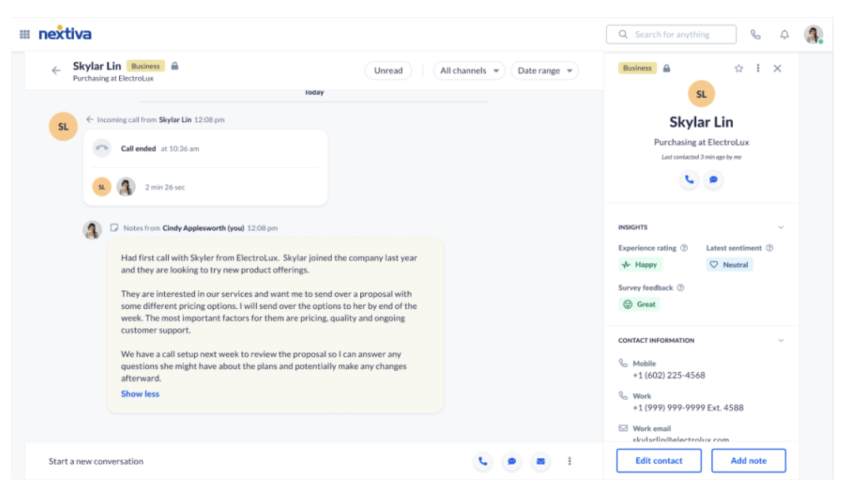
Every minute you save on ACW is a minute that your agents get back, which can help prevent agent burnout while keeping them available more often.
Implement self-service to reduce inbound volume
Self-service options are a great way to deflect routine, low-value interactions from your live agents’ workload. Options include:
- Knowledge bases, FAQ pages, and help centers with tutorials and product data.
- Conversational interactive voice response to deflect calls for simple tasks and route them appropriately.
- Community forums that allow customers to offer support to each other.
- AI chatbots and virtual agents that can handle FAQs and common requests.
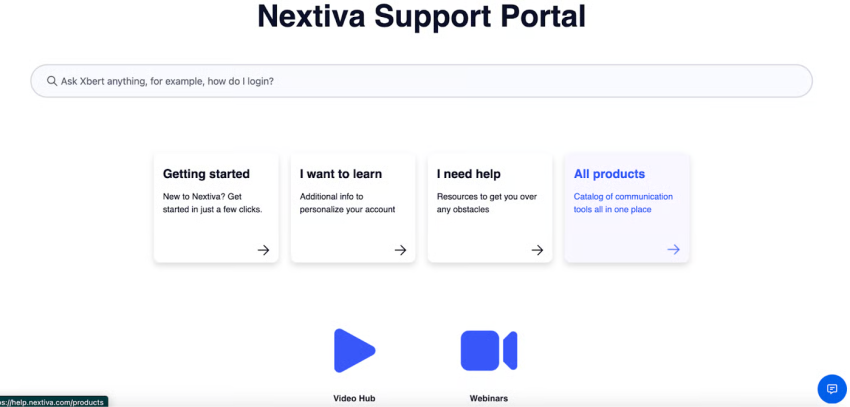
When agents field only interactions that genuinely require human judgment, occupancy becomes easier to manage, and the work becomes more meaningful.

Use WFM tools
WFM tools enable real-time schedule adherence monitoring. They offer features like the following:
- Forecasting tools to predict call volumes and staffing needs accurately.
- Intraday management to allow supervisors to adjust staffing dynamically.
- Integration with your contact center platform to give a single view of occupancy, utilization, and service levels.
Leverage agent assist and AI copilot tools
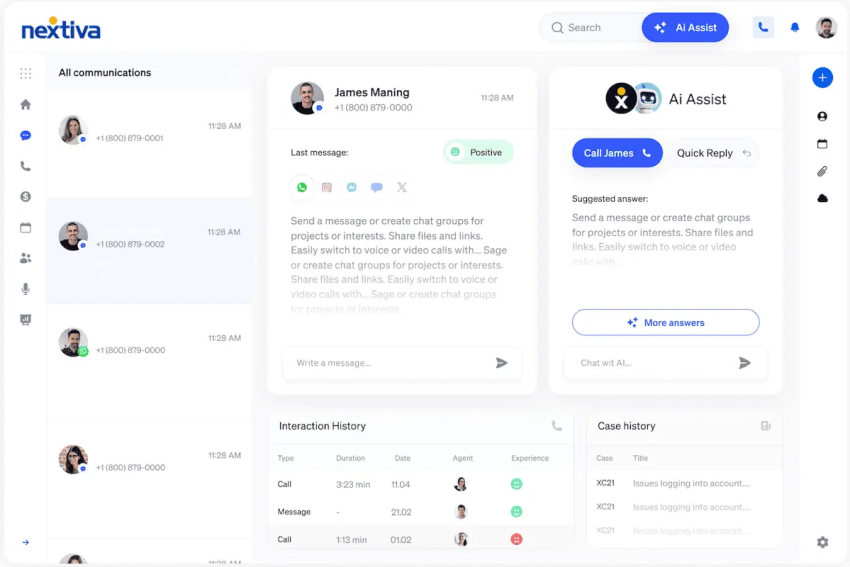
Real-time AI guidance during calls reduces handle time by providing suggested responses and relevant knowledge in real time. This means agents aren’t spending time searching for answers mid-conversation, and are getting dynamic recommendations based on the call’s progress.
Faster, more confident agents mean lower average handle time and a healthier occupancy balance overall. While you never want to rely on AI to replace human judgment, strategic AI use is an invaluable asset to call center performance management.
Common Call Center Occupancy Mistakes to Avoid
Even well-intentioned teams get this wrong. Here are the mistakes I see most often when it comes to customer service call center occupancy:
- Targeting 100% occupancy: I’ve said it before, and I’ll say it again: This kind of occupancy leads to burnout, errors, and customer experience failures.
- Measuring occupancy in isolation: Occupancy is most useful when paired with ASA, CSAT, FCR, and service levels. On its own, it only tells part of the story.
- Using a single daily average: As I mentioned above, daily averages mask the intraday peaks that damage your service levels. Become more granular.
- Ignoring channel differences: Phone, chat, and email each have their own appropriate benchmarks. Applying a one-size-fits-all target across all three will lead you astray.
- Confusing occupancy with utilization: They measure different things and require different responses. If you’re conflating them, you’re making decisions based on an incomplete picture.
How Nextiva Helps You Hit the Right Occupancy Rate
Getting occupancy right requires visibility, the right tools, and the ability to act on data in real time. That’s exactly what Nextiva’s UCaaS solution is built to deliver.
Built-in analytics and real-time dashboards
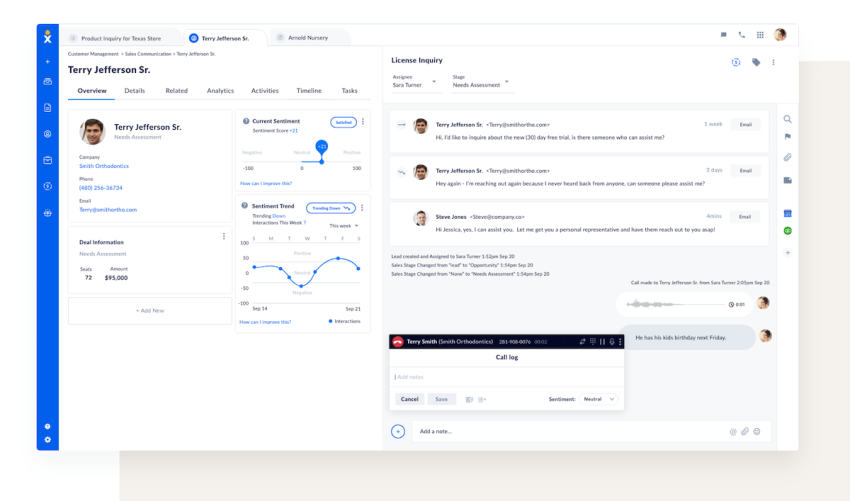
Nextiva’s call center analytics surface occupancy rates, average handle times, and queue data in a unified dashboard. Supervisors can see what’s happening across the contact center at a glance and act on issues before they affect service levels.
There’s no need to stitch together reports from disconnected tools. And since data is always on, you can get up-to-date access to key call center metrics in real time.
AI that reduces ACW and handling time
Nextiva’s AI automatically transcribes calls, generates summaries, and logs action items, so agents spend less time on wrap-up and more time available for the next customer.
Our AI copilot also supplies the right answers in real time, shortening talk time without sacrificing quality. These features are all critical when you want to streamline automatable tasks and improve agent productivity.
Intelligent routing that balances load
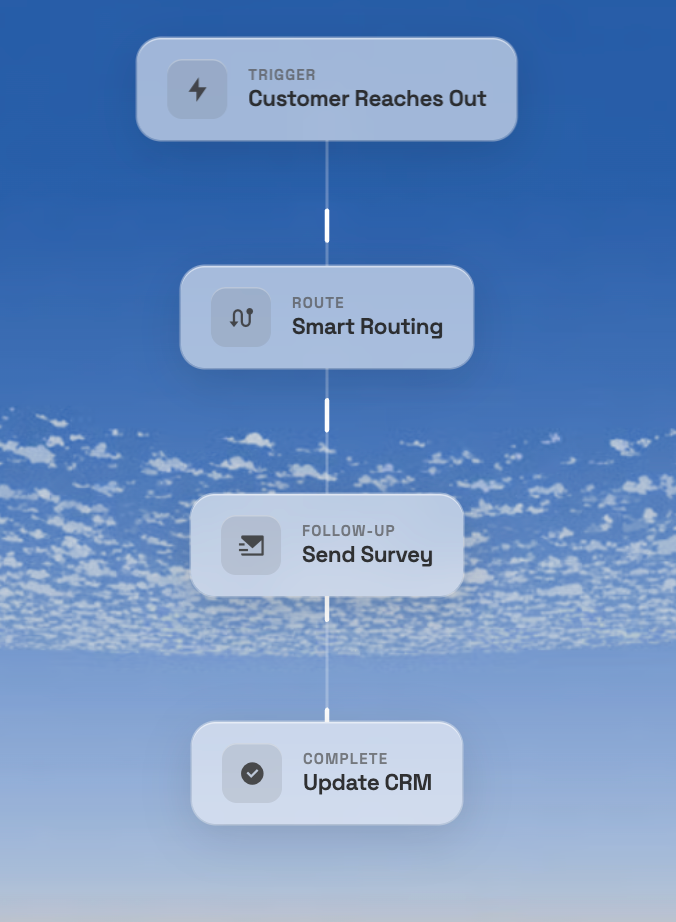
Skills-based and intent-based routing sends interactions to the right agent on the first try, which reduces transfers and repeated contacts that inflate handle time and skew occupancy.
Nextiva’s routing works across voice, chat, SMS, and email. This gives supervisors a balanced load view across every channel.
Self-service and virtual agents that deflect volume
XBert, Nextiva’s AI-powered virtual receptionist, handles routine inquiries around the clock. It deflects the calls that would otherwise land on live agents, naturally reducing occupancy pressure. This ensures your team focuses on interactions that require a human touch, which keeps occupancy healthy and the work meaningful.
When it comes to call center workforce optimization, this is one of the best strategies you can leverage.
Optimize Your Call Center Occupancy With Nextiva
Call center occupancy is a powerful lens into workforce optimization and efficiency, but only when interpreted correctly.
I can’t stress this enough:
You aren’t trying to maximize occupancy at the detriment of everything else. You want to find the optimal balance that delivers fast, high-quality service, sustainable agent workloads, and efficient use of resources. Measure your occupancy rates alongside ASA, FCR, CSAT, and utilization, and never focus on occupancy in isolation. It tells only one small part of the story.
With a unified platform that connects real-time analytics, AI automation, and intelligent routing, Nextiva gives contact center leaders the visibility and tools they need to keep occupancy in the sweet spot. Best of all, we can help you do all this without sacrificing the agent or customer experience.
Higher occupancy rates don’t equal operational efficiency, but with our analytics and agent support features, we can help you strike the best balance between the two.
Ready to stop guessing and start optimizing? Book your demo with Nextiva today.
Upgrade to an AI-powered Contact Center
The complete customer experience platform. Win every conversation, measure every interaction, and use AI to optimize every customer journey.