Customer Experience
  Blog
Blog  Business Communication
  Leadership
  Marketing & Sales
  Nextiva News
  Productivity
  VoIP
VoIP 

If you’re evaluating conversational AI platforms right now, you’ve probably noticed that every demo looks fantastic. Bots are answering questions left and right, workflows are running seamlessly, and the dashboard looks flawless. It all looks effortless.
Too many customers have come to us after being frustrated with other platforms that performed phenomenally in demos but struggled in real-world settings. Whether it didn’t scale well, struggled with governance, or failed to handle edge cases, they ended up with platforms that made promises they couldn’t keep.
That gap between the demo and usability in deployment is where things go wrong. Gartner predicts that more than 40% of agentic AI projects will be canceled by the end of 2027, citing escalating costs, unclear business value, and inadequate risk controls. At the same time, another Gartner survey of 321 customer service leaders found that 91% are under executive pressure to implement AI this year.
So you’re being told to move at a breakneck speed in an area where nearly half the projects may not survive. Talk about stressful.
This guide is built to help you land on the right side of both numbers when you’re implementing conversational AI to support customer service and sales teams. We’ll walk through the architecture that determines whether a platform actually fits your stack, what to pilot, which vendors to test right now, and how pricing actually works.
What Is a Conversational AI Platform (And What Is It Not?)
Conversational AI platforms are tools that use a combination of machine learning, natural language processing, natural language understanding, and generative AI to understand, process, and respond to human language in a “natural” back-and-forth exchange. This can happen over voice or text, depending on the platform in question.
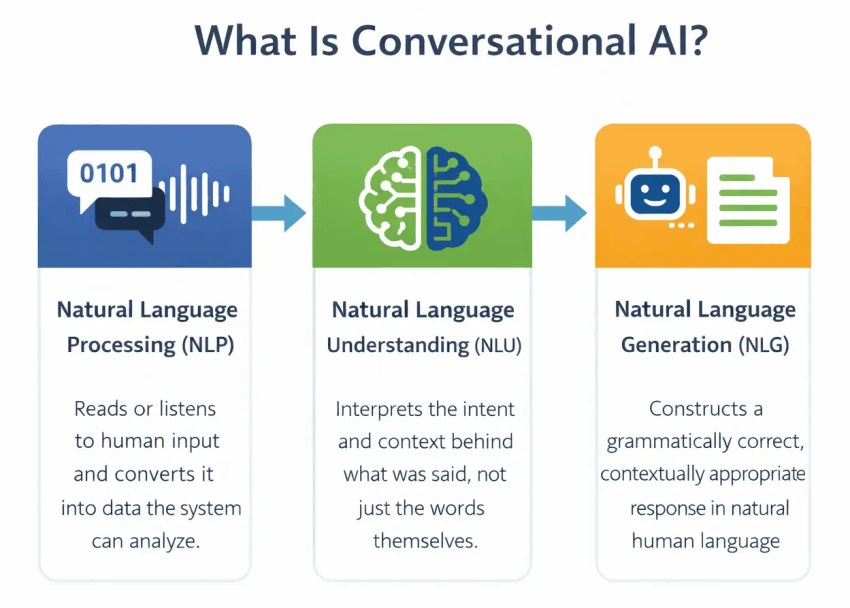
There are now plenty of platforms that claim to offer “conversational AI” that are actually closer to scripted bots or point solutions. For a platform to truly be considered conversational AI, however, it must:
- Understand the input it receives
- Retrieve grounded knowledge
- Manage the dialogue
- Execute actions in a business system (such as checking an order status or offering a refund)
- Deliver conversational support across voice and digital channels
If a platform doesn’t have all of these capabilities, then it’s likely to be either a point solution or a chatbot.
Conversational AI platform vs. point solution vs. scripted bots: What’s the difference?
Wondering why we’re getting technical about definitions around conversational AI vs. chatbots? The differences between conversational AI platforms and what are actually scripted chatbots or point solutions make a big difference in terms of what you get.
Point solutions handle one channel well. They might offer excellent support for web chat with specific e-commerce functions like tracking orders or processing sales, for example, but aren’t able to support other functions or channels, which means no voice support.
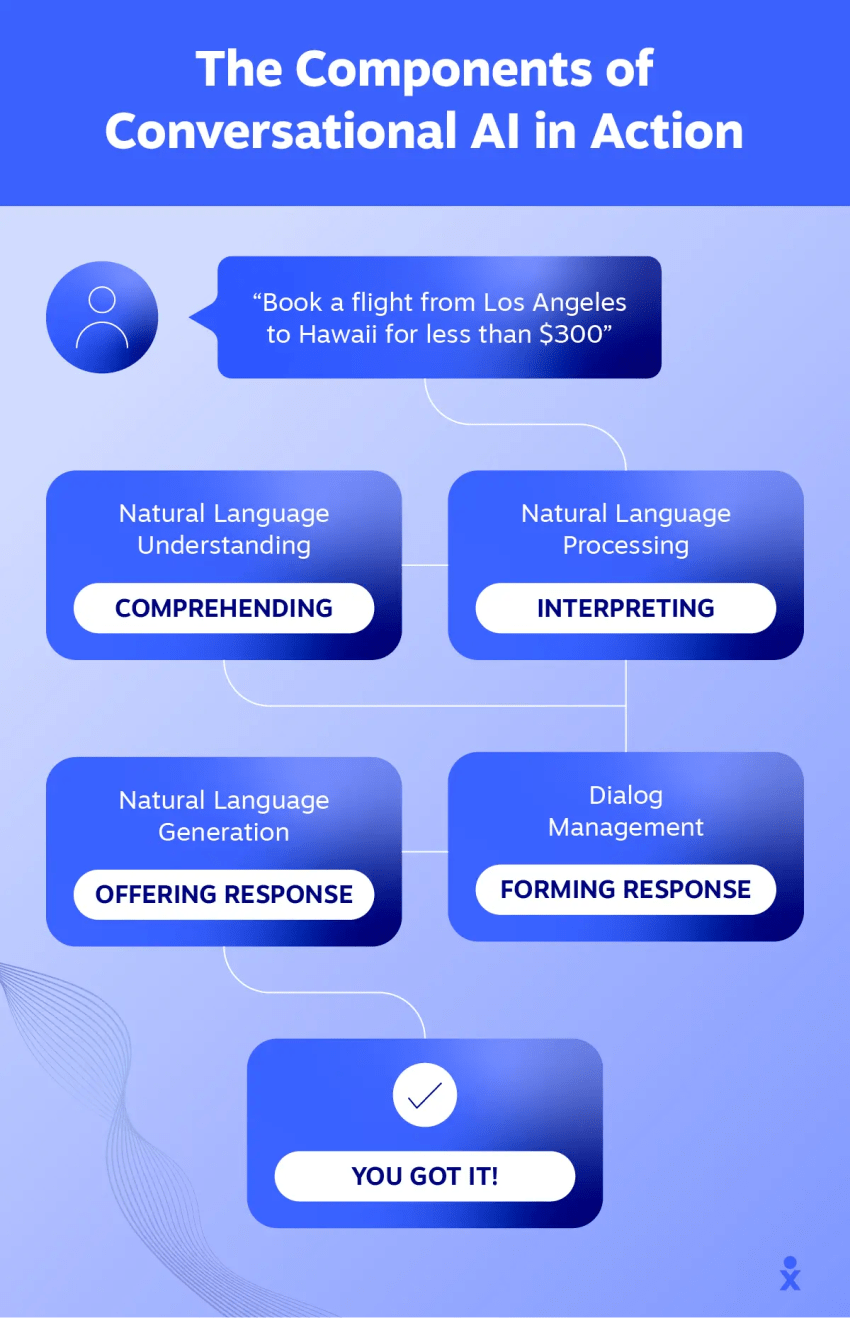
A scripted bot matches keywords and follows if-then branches of logic based on extensive training. It can handle a narrow set of requests — like “where’s my order?” — but is unable to handle anything more advanced, and it can break down when the second caller says something it doesn’t expect or understand.
A conversational AI platform, meanwhile:
- Is capable of understanding complex and nuanced customer intent when interacting in a conversational interface
- Has the knowledge and ability to act autonomously within a set of guardrails
- Can ideally manage conversations across multiple channels, including with voice agents and AI-powered chatbots
These platforms can help support and sales teams complete a solid share of customer requests and address inquiries without needing to route them to a human.
There’s a simple test here that can help you determine what you’re looking at. If the tool can complete a transaction end-to-end in a backend system, that’s likely a conversational AI platform.
The agent washing problem: Understanding the difference between chatbots vs. agentic AI
If you feel like you’re seeing an endless number of tools claiming to offer AI agent support that seems a little limited, you are.
Agentic AI is the biggest tech advancement right now, and everyone wants a piece of the pie. Many vendors are relabeling their existing chatbots, scripted assistants, and RPA tooling as agentic AI without adding autonomous reasoning or tool execution underneath.
Gartner’s research estimates that only about 130 of the thousands of companies claiming to build AI agents are building anything that actually fits the criteria. This means that you’re being sold a label and not actually autonomous functioning. In other words, you’re not getting what you paid for.
To help determine if you’re running into what we call agent washing, ask these questions in a demo:
- Ask a question outside of the designed flow: If the system freezes or loops, you’re likely looking at a scripted bot. Conversational AI can adapt, while bots can’t.
- Ask to see the audit log of a completed transaction: This will show you which systems the platform worked in. If you can’t see a CRM record, calendar entry, or payment confirmation from the AI, it’s not an agentic system.
The 5 Layers of a Conversational AI Stack
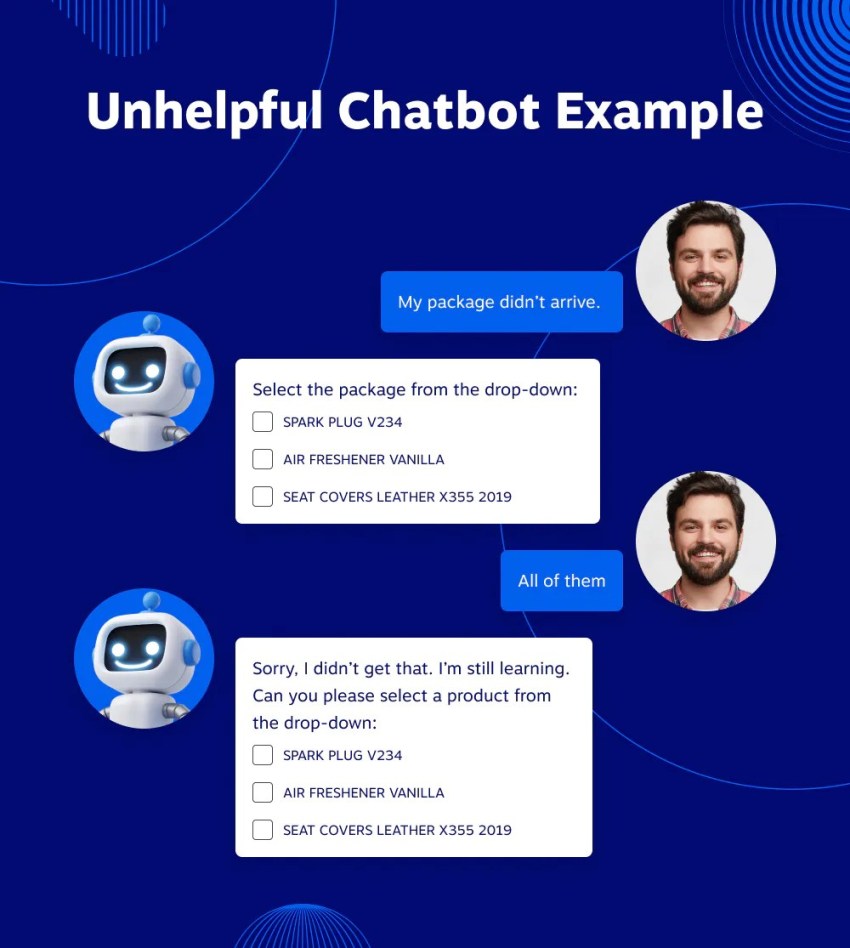
Five critical layers make up a conversational AI stack.
In our experience, stalled deployments fail at the integration and telephony layers, not at the model. Thinking about the stack in layers helps you see where the risk actually sits and gives you a specific question to ask a vendor at each level.
Let’s discuss each layer, why it matters, and what questions to ask when choosing a vendor.
Understanding: Speech recognition and language models
Speech-to-text converts audio to tokens, and a language model interprets intent. Some platforms build these components in-house. Google and IBM both use their own models, for example. But many use third-party large language model providers like OpenAI, Anthropic, or Deepgram.
If the platform does rely on third-party models, it has two implications for you:
- Your per-interaction cost is partly determined by a third party’s API pricing, which can fluctuate outside of your vendor’s control.
- Your customers’ voice data is being processed on servers you don’t control, which matters extra if you’re in a regulated industry.
What to ask:
- Which speech and model vendors sit underneath?
- Can you bring your own?
- Where does the audio data go, and is that commitment contractual?

Dialogue management and orchestration
Once the system understands what the caller said, something has to decide what happens next. Does it answer the question? Pull up an account? Transfer to a person? Ask a follow-up question? That decision-making layer is what orchestration means.
Most platforms handle the task with a mix of two approaches. For common, predictable requests (“What are your hours?” “Cancel my subscription?”), the system follows a scripted flow. For open-ended input where the caller could say anything, it uses a generative model to respond in real time.
The tricky part is the boundary between those two. An entirely generative system can say things you didn’t approve of due to hallucinations or poorly set guardrails, which is a particularly big problem in healthcare, insurance, finance, or legal industries. At the same time, a system that’s entirely scripted will stall the moment someone phrases a question in a way you didn’t anticipate.
What to ask:
- How does the system handle requests that fall between a scripted flow and an open-ended conversation?
- Can you see where it switches from one to the other?
Knowledge and retrieval
Knowledge and retrieval features are essential for conversational AI to deliver thorough, accurate answers that are true to your products, services, and policies. When a customer asks, “What’s your return policy?” the answer should come from your current return policy instead of an AI’s surface-level training or (worse) assumptions.
Retrieval-augmented generation is what makes this knowledge retrieval possible. The system searches your company’s own documents, help articles, or knowledge base and uses that content to generate a grounded answer instead of guessing.
The quality of this layer depends almost entirely on what you put into it. If your knowledge base is outdated, incomplete, or poorly organized, the AI’s answers will be too. This is a content problem you’ll own, no matter which vendor you pick, but you also want to ensure the platform can escalate when there are no answers.
Ask:
- How does content get into your knowledge base, and how does the conversational platform retrieve it?
- How often does the knowledge base re-index content?
- What does the AI do when the knowledge base doesn’t have an answer? Does it say “I don’t know,” hallucinate, or escalate?
Action and integration
Whether or not the platform can integrate with your existing tech stack and take action is what separates it from being a simple chat or voice bot.
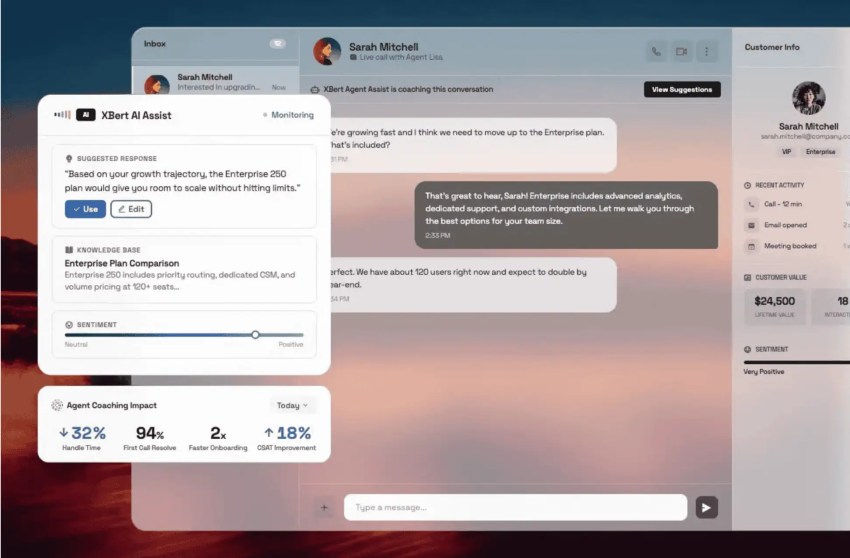
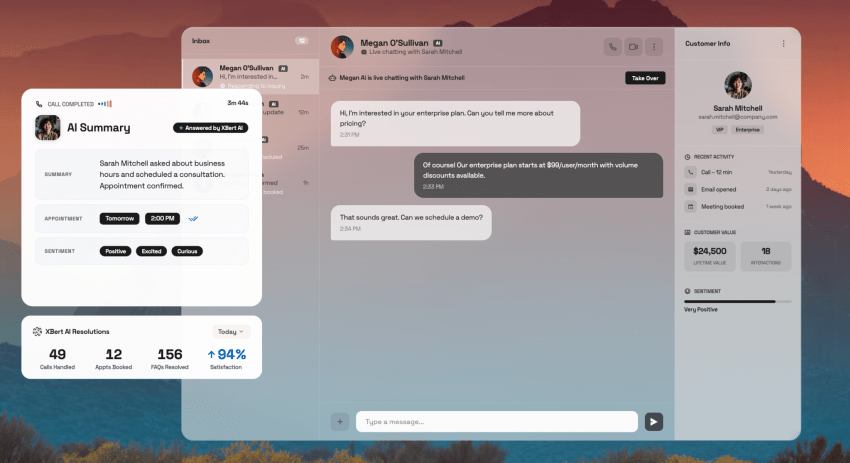
A bot can tell a customer their appointment is on Thursday, but a true conversational AI platform like Nextiva XBert can handle appointment scheduling and rebook them for Friday, update the CRM, and send a confirmation text during the conversation without needing a human agent to intervene.
That means the AI needs to connect to your business systems and actually write to them, which includes your CRM, calendar, order management system, and payment processor. As a result, integration depth is crucial when choosing a voice AI platform.
Look for a platform with an open API that lets your other tools trigger actions programmatically, not just a list of pre-built connectors for a handful of CRMs. Nextiva’s platform API covers every core function through REST APIs, so if your tools can make a web request, they can connect.
Ask:
- What systems do you integrate with, and are those pre-built connectors or open API access?
- What tasks can the virtual assistants complete? Can they tackle appointment booking, lead qualification, and sales processing?
- What happens when one of those systems is down mid-conversation? Does the AI tell the caller, retry, or silently fail?
- Can I see the audit log of a completed transaction showing which systems the AI answering service actually wrote to?
Channel and telephony
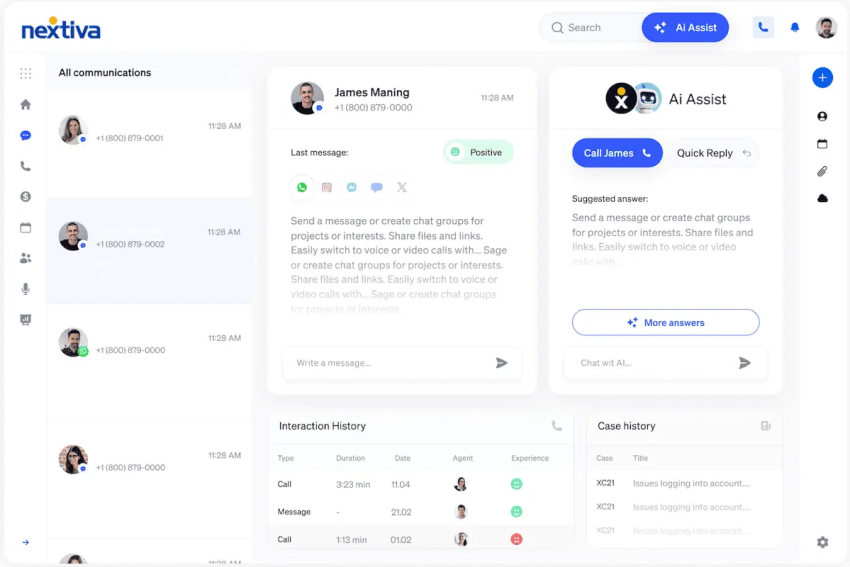
Channel and telephony is how the AI reaches your customers, including over the phone, through web chat, via SMS, or across messaging apps.
A platform that handles web chat magnificently still has to get onto the phone network for your voice assistants to help customers, and that’s an entirely different engineering problem. It means SIP connectivity, number porting, carrier relationships, and maintaining call quality when hundreds of people are on the line at the same time.
Make sure you understand whether the vendor owns the phone infrastructure or expects you to wire them into a CCaaS solution or a carrier you’re already paying for. Neither approach is wrong, but they produce very different integration projects. A vendor that owns the telephony can deploy faster because there’s one fewer system to connect, while a platform that doesn’t own it gives you more flexibility but puts the integration work on your team.
Ask:
- Does the vendor own the carrier layer, or do I need to bring my own?
- How does the platform handle number porting?
- What does call quality look like under load, and can I test it on a real phone line before signing?
What to Test Before You Sign
Knowing that demos aren’t always the best way to understand a tool’s capability can be stressful, but knowing what to test can help you be confident in your decision.
Here’s a quick breakdown, which we’ll discuss in more depth below:
Table 1: Evaluation checklist
| Criterion | What to verify | Why it matters |
|---|---|---|
| Voice latency | End-to-end response measured on a real phone call | Callers read a delay as a dropped line. |
| Telephony model | Whether the vendor owns the carrier layer or wires into yours | Largest single driver of deployment time |
| Action layer | Live demo writing to your CRM, plus failure behavior | Separates a platform from a chatbot |
| Escalation | The human agent receives the full transcript and context | Determines CSAT more than bot quality does |
| Model and data | Which providers and whether transcripts train them | Contract language, not a support answer |
| Compliance | Current audit report under NDA, with dates checked | Claims are universal; reports are not |
| Pricing | Year-two rate and overage terms in writing | The renewal is where the margin is |
Voice latency and turn-taking
On the phone, the pause between one person finishing and the other starting is about 200 milliseconds. That’s the rhythm your brain expects. If a voice AI takes noticeably longer than that to respond, it feels wrong, and if the response takes longer than a second and a half, most callers assume the line dropped and either repeat themselves or hang up.
Keep in mind that when vendors quote voice latency, they’re typically telling you model inference time, which is how long the AI takes to generate a response. That’s only one piece of the total.
What actually matters is end-to-end latency. This measures from the moment the caller stops speaking to the moment they hear audio coming back. That includes speech-to-text processing, model inference, text-to-speech, and network round-trip. Ask to measure that full loop on a real phone call over a cell connection, not in a browser demo on the vendor’s office wifi.
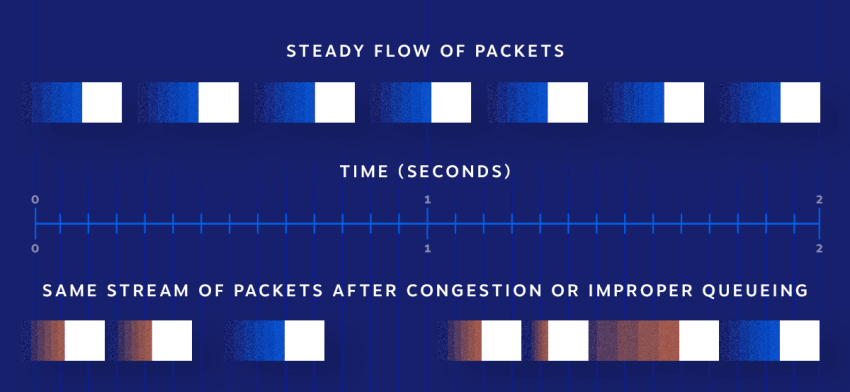
You also want to test something called barge-in. Callers interrupt. They start talking before the bot finishes its sentence, because that’s what people do during conversations if they’re impatient or hear something they feel is incorrect. A system that can’t handle interruptions will either keep talking over the caller or restart from scratch, which can frustrate customers no matter how good the underlying language model is.
Measure containment and escalation instead of accuracy
Vendors love to quote accuracy numbers, but accuracy measures whether the AI understood what the caller said, not whether it actually resolved the problem. A bot can accurately understand “I need to cancel my subscription,” for example, and still fail to cancel it.
What you want to focus on is AI agent performance metrics like containment rate and escalation.
Containment rate is the percentage of contacts fully resolved without a human stepping in. That’s the number your CFO cares about, because every contained interaction is one your agents didn’t have to handle.
But containment rate on its own can be misleading. A system that refuses to escalate or that makes it hard for callers to reach a person will show a high containment number while quietly driving customers away.
So, you want to pair containment with escalation quality. Look at when the AI does hand off and how good the handoff is when it happens.
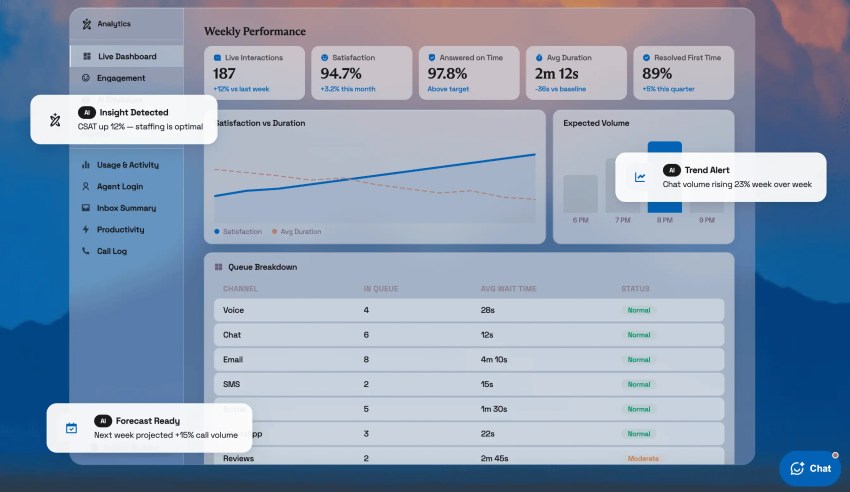
Test the handoff specifically during your pilot. Call in, ask something you think the intelligent virtual agent can’t handle, and see what happens next. Does the human agent receive the full transcript and context from the AI conversation, or does the customer have to start over?
A clean handoff where the agent already knows what was tried, what failed, and what the caller needs is worth more to your customer satisfaction scores than any improvement in the bot itself. A handoff that resets to zero makes the bot feel like a wall between the caller and the help they need.
Verify compliance, data handling, and uptime commitments
Every vendor in this category claims SOC 2 Type II, HIPAA, and PCI DSS compliance on its website, but not everyone has the documentation to back their claims up.
Ask for the current SOC 2 audit report under NDA and check the date. SOC 2 Type II covers a sustained observation period, usually six to 12 months, while Type I is a point-in-time snapshot. If you’re expecting Type II and the report is actually Type I, or if the report expired six months ago, that’s a gap worth knowing about before you sign. This is a common finding that most buyers don’t catch because they don’t ask.
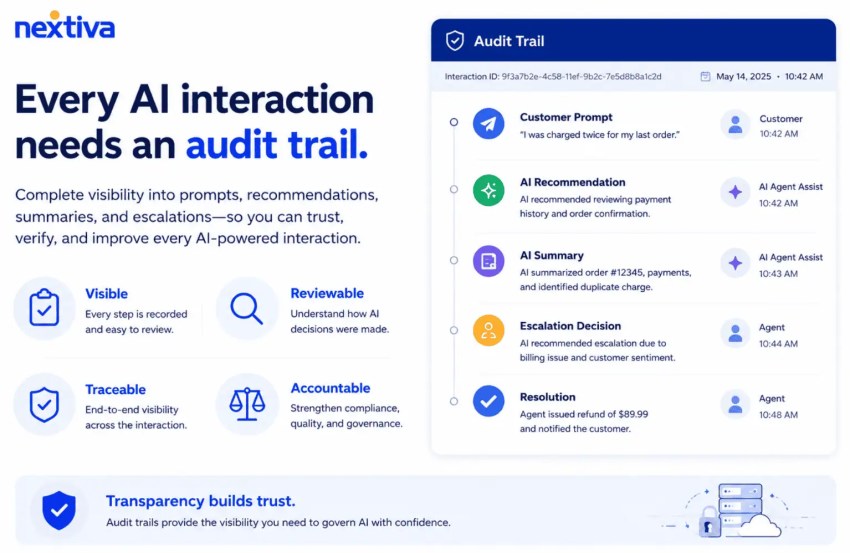
Data handling is the next question, and it’s one where the current practice and contractual commitment can be very different things. Ask explicitly whether conversation transcripts (including voice recordings and chat logs) are used to train the vendor’s models or any third-party models. Then ask where that commitment lives. If it’s in a support article or a blog post rather than in your agreement, it can change without notice.
When it comes to uptime, don’t just focus on the marketing numbers; pay attention to the SLAs. Read what counts as an outage (some SLAs exclude scheduled maintenance or partial degradation), the credit for missing the target, and how to file for it.

Comparing Conversational AI Vendors in 2026
The most useful thing to know about this market right now is that it’s consolidating. CCaaS platforms and cloud suites are absorbing independent conversational AI vendors, which changes what you’re actually signing up for.
When you evaluate a product, evaluate the owner’s roadmap too, because this matters for contact center architecture.
Here’s a quick overview:
| Platform | Best fit | Telephony | Pricing shape |
|---|---|---|---|
| Nextiva | One vendor for phone system and AI layer | Owned | Published tiers |
| NiCE Cognigy | Enterprise multilingual deployments | Via CCaaS | Quote |
| Google Conversational Agents | Teams standardized on Google Cloud | Bring your own | Multiple cloud SKUs |
| IBM watsonx Orchestrate | IBM ecosystem governance mandates | Bring your own | Subscription plus usage |
| Developer voice APIs | Teams with engineering capacity to build | Bring your own | Usage-based |
Nextiva
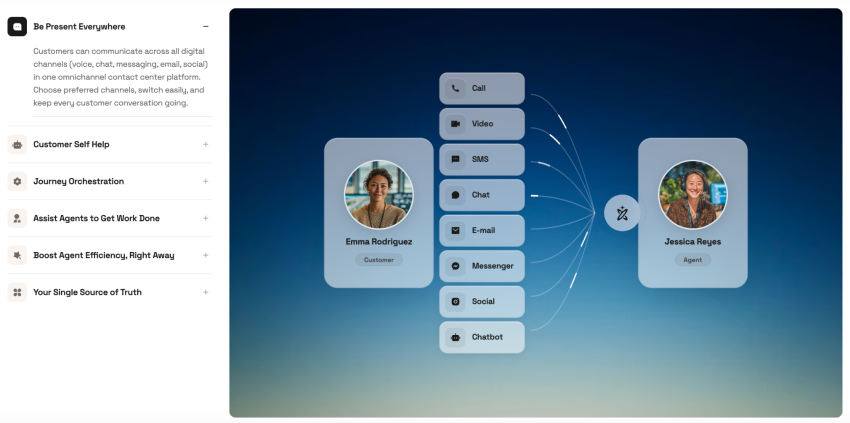
Nextiva’s NEXT Platform brings voice, chat, SMS, email, and social together on one platform, and because it owns the telephony layer, the channel integration that trips up most deployments is already handled.
Our contact center solution covers AI self-service, journey orchestration, agent assist, and interaction summarization, while XBert works as a standalone AI employee for 24/7 front-desk answering, appointment booking, and follow-up.
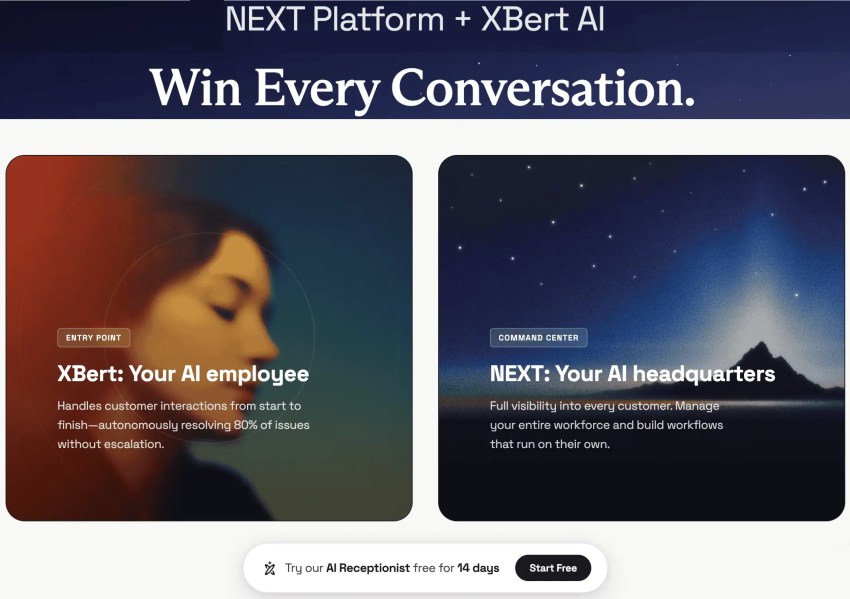
This setup makes the most sense for organizations that want one vendor accountable for both the phone system with advanced interactive voice response (IVR) and conversational AI. If your priority is reducing integration complexity and having a single throat to choke when something breaks, that’s the argument for consolidation.
The tradeoff, however, is flexibility. A team that wants to build highly custom agent logic, choose its models, and control every piece of the pipeline may want to find a developer-first tool that gives them more room to work.
NiCE Cognigy
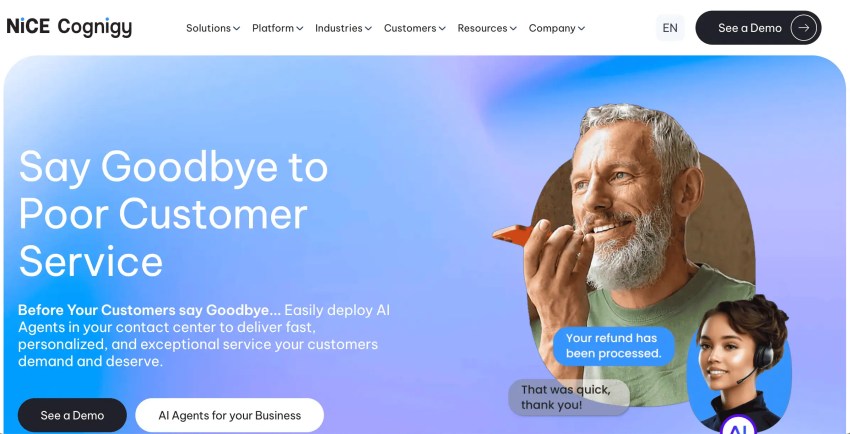
Cognigy has deep enterprise conversational and agentic AI capabilities, with large multilingual deployments across customers like Bosch, Lufthansa, and DHL. If you need an agent that offers multilingual support, this platform is one of the most proven options on the market.
The thing to think through is ownership.
Cognigy used to be an independent vendor, but NiCE closed the acquisition last year. The product is now sold both standalone and inside the CXone Mpower platform.
Cognigy built its business partnering with CCaaS vendors, including some of NiCE’s direct competitors. If you’re currently on one of those competing platforms, it’s worth asking directly about long-term roadmap commitments and whether your integration will continue to get the same level of investment now that Cognigy sits inside NiCE.
Google Conversational Agents
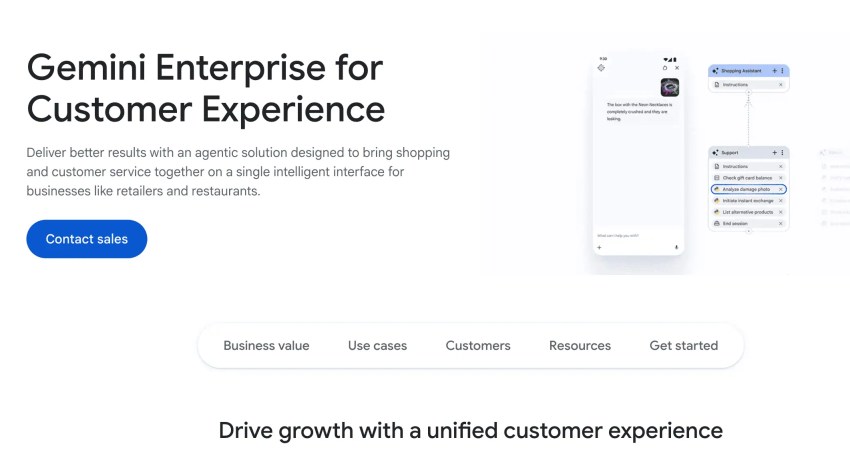
If you’ve been tracking Google’s offerings in this space, the naming has moved around. What some buyers still call Dialogflow CX is now Conversational Agents, which sits inside Google’s Customer Engagement Suite. And in early 2026, Google introduced a newer Customer Experience Agent Studio under the Gemini Enterprise for Customer Experience product.
For teams already committed to Google Cloud, there’s a lot to work with, including:
- Hybrid deterministic and generative handling
- Broad language coverage
- Tight integration with the rest of the Google ecosystem
There are downsides worth noting, however. The repeated renaming makes it hard to know which surface to invest in long-term. The pricing also spans several separate cloud SKUs rather than one line item, so comparing it to other vendors on this list takes real work.
IBM watsonx Orchestrate
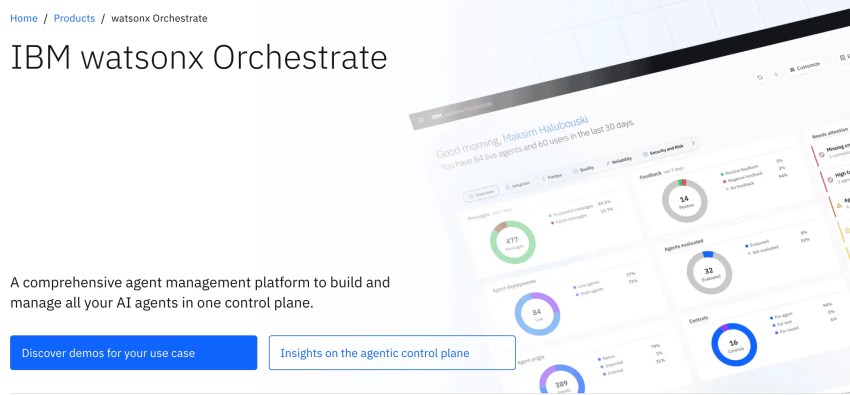
IBM’s agentic AI platform is watsonx Orchestrate, which was announced in its next-generation form at Think 2026. It’s currently in private preview, with broader availability expected later in 2026.
Orchestrate is a little different than some other tools on this list, as it doesn’t interact with customers on the front end directly. Instead, it operates in the background, managing other AI agents and tools across your organization, determining which agent handles which task, enforcing governance rules, and maintaining an audit trail. If your company has multiple teams building their own AI agents and you need a way to coordinate and govern all of them from one place, that’s the problem Orchestrate is designed to solve.
This approach makes the most sense for large enterprises that are already inside the IBM ecosystem and have a strong governance or auditability mandate. If you’re on a Google or Microsoft stack, or if you’re looking for something lightweight and quick to deploy, there’s less native support here.
Developer voice APIs
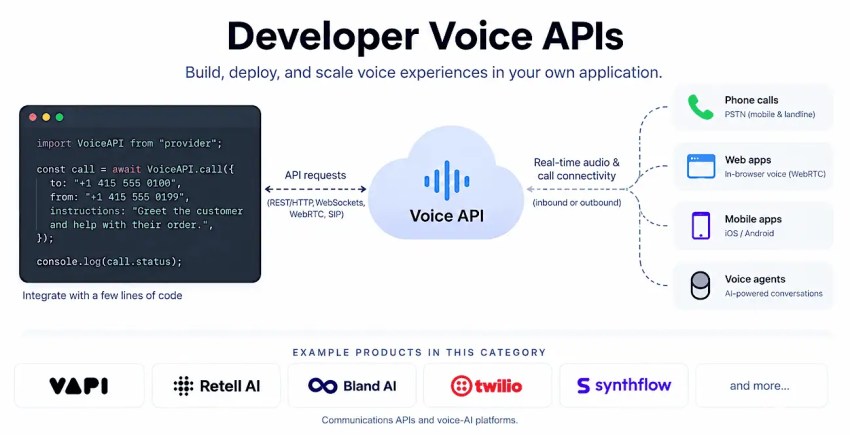
If you have an engineering team with capacity and opinions about how things should work, developer voice APIs are worth considering. Tools in this category give you direct control over the voice pipeline and the agent logic, and they’re priced based on usage. A strong team can build something that fits your use case better than any off-the-shelf platform.
The tradeoff is that you become a systems integrator. Telephony, CRM integration, compliance posture, escalation design, and on-call ownership all move in-house. For a team with developers to spare, that’s more control and more flexibility. For a support organization that just needs the phones to work, it’s a project that never ends.
Total Cost of Ownership: Where the Budget Actually Goes for Conversational AI
Conversational AI platforms typically price themselves in one of four different ways: per-minute, per-resolution, per-seat, and concurrency-based. Each model optimizes for a different traffic pattern, and the one with the lowest headline rate can easily end up being the most expensive bill depending on how your team uses it.
Here’s how they work:
| Cost line | Where it shows up | What to ask |
|---|---|---|
| Core platform rate | Per minute, per resolution, per seat, or per concurrent session | Model it against your real volume, not a sample |
| Model tokens | Passed through, marked up, or bundled | Is it included, and what happens if usage doubles? |
| Speech services | Speech-to-text and text-to-speech, often a separate vendor | Who bills it and at what markup? |
| Carrier and telecom | Per-minute termination, numbers, toll-free | Included or on top of the platform rate |
| Professional services | Implementation, flow design, integration work | Fixed scope or time and materials |
| Knowledge maintenance | Internal headcount keeping content current | Yours to own; budget it explicitly |
| Renewal | Year two and beyond | Get the year-two rate in writing before signing |
The best way to compare them is to take last quarter’s real contact volume, average handle time, and channel mix and run those numbers through each vendor’s pricing model. If a vendor won’t price against your actual volumes, that tells you something about how confident it is in the comparison.
After you’ve signed, several cost lines tend to show up beyond the quoted rate. These cost lines are worth asking about before you sign.
Looking ahead, Gartner projects that agentic AI will autonomously resolve 80% of common customer service issues by 2029, producing a 30% reduction in operational costs. However, it also estimates that 40% of projects will be scrapped. Both numbers describe the same market, and the difference between them depends on how carefully you evaluate, scope, and negotiate before signing.
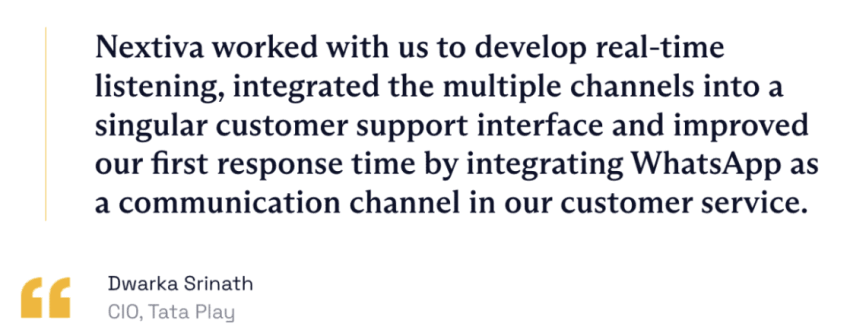
Keep in mind that overall cost reductions coming from conversational AI agents are possible. India’s leading content distribution platform, Tata Play, serves over 19 million subscribers with 24/7 support in 14 languages. It connected an AI bot to its backend systems over WhatsApp through Nextiva and cut the cost per resolution by 40%, processing over 5 million routine requests through AI alone.
A Practical Evaluation Sequence
If you’re ready to move from research to evaluating tools, here’s the order that tends to produce the best results.
- Think about one workflow orchestration first: Pick the highest-volume, lowest-complexity contact type you handle (like order status checks or appointment confirmations) and use that as your test case.
- Assess your internal capacity: If you don’t have developers, a developer-first tool shouldn’t be on your list, no matter how good the demo is.
- Shortlist against the telephony question: Whether the vendor owns the carrier layer or expects you to bring your own determines integration effort more than any feature on the list.
- Pilot on real traffic: Agree on success metrics before launch, including containment rate, escalation quality, latency, and cost per resolution. Run it long enough to see the edge cases and failure cases that may come at scale.
- Negotiate on the renewal, not the discount: Focus on the year-two rate, the exit terms, and what data you get back (and in what format) if you leave.
Evaluate Nextiva for Unified Voice and Digital
Every layer we’ve covered in this guide needs access to the same interaction data if you want a unified result. When you split those layers across multiple vendors while choosing contact center AI, the integration work between them becomes the main source of both cost and risk.
Nextiva brings voice, chat, SMS, email, and social together on one platform with owned telephony. Our platform uses the latest in automatic speech recognition to offer conversations rooted in natural language generation across all platforms. Specifically, our contact center solution handles AI self-service, agent assist, journey orchestration, workflow automation, and interaction summarization.
Meanwhile, XBert provides 24/7 front-desk answering and booking, while the platform API ensures that your other tools have access to everything.
Finally, our platform is designed to be both functional and secure. Nextiva strives for 99.999% uptime and has enterprise-grade security, being SOC 2 certified, HIPAA compliant, and PCI DSS compliant.
Ready to get started? Learn more about our contact center solution today.
Your AI-Powered Contact Center
Create amazing customer experiences with AI-powered contact center software. Scalable contact center platform built for omnichannel customer conversations.