Customer Experience
  Blog
Blog  Business Communication
  Leadership
  Marketing & Sales
  Nextiva News
  Productivity
  VoIP
VoIP 

E-commerce call center software helps online retailers manage voice, live chat, SMS, email, and social messaging from one customer service operation. The right platform connects conversations with customer, order, shipping, and payment data so agents can resolve issues without switching between systems.
This guide explains the main features, benefits, workflows, and selection criteria for e-commerce call center software. It also outlines how to compare platforms for small and midsize businesses, retail brands, seasonal demand, and high-volume support.
What Is E-Commerce Call Center Software?
These platforms streamline e-commerce customer service operations by routing customer inquiries to the right agents, providing access to customer and order data, and automating repetitive service tasks.
E-commerce contact center platforms focus on omnichannel support, automation, analytics, and customer relationship management integrations that support growing online brands.
For example, when customers contact a brand regarding shipping delays, returns, or payment issues, agents can instantly access purchase history, tracking details, and previous customer interactions from one dashboard and provide accurate responses.
Many modern center solutions also include AI-powered automation, intelligent routing, sentiment analysis, and multilingual support to help businesses meet customer expectations while maintaining high service quality.
E-Commerce Call Center Software Explained
E-commerce contact center platforms focus on:
- Omnichannel support: Manage voice, SMS, live chat, email, and social conversations in one workspace through omnichannel support.
- Order-related workflows: Handle order status questions, returns, exchanges, refunds, cancellations, and delivery exceptions.
- Customer context: Preserve the conversation history and customer details when a shopper changes channels.
- Automation: Use self-service, AI assistants, routing rules, and proactive notifications for routine requests.
- Analytics: Track service quality, agent performance, customer satisfaction, and sales-related outcomes.
- E-commerce integrations: Connect the contact center with CRM, payment, order management, and commerce platforms.
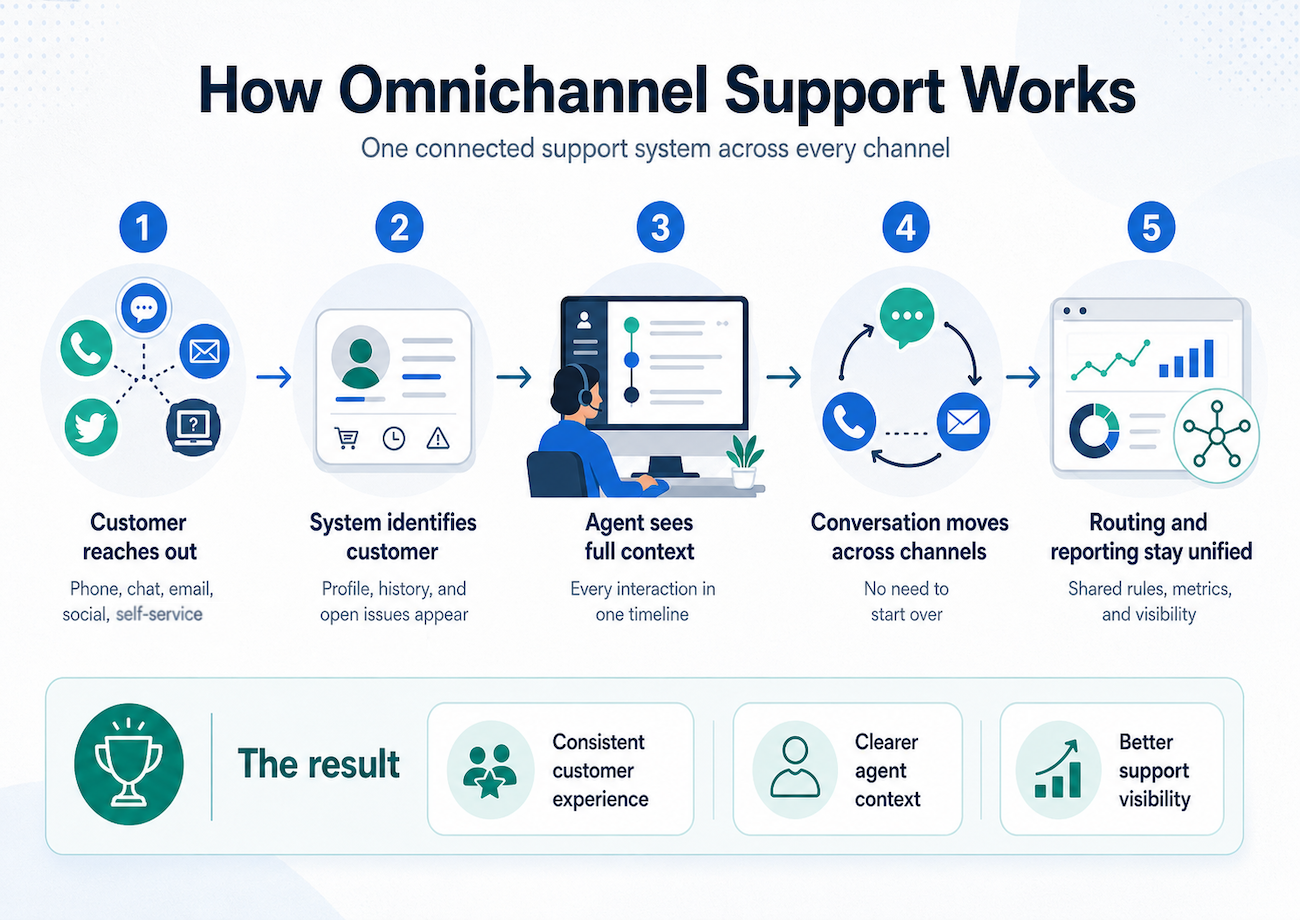
A customer who starts with live chat about a delayed shipment can move to SMS or phone without repeating the order number. The agent sees the previous conversation, shipping details, and current order status in the same customer record.
Why E-Commerce Brands Need Call Center Software
Online businesses handle more customer interactions as order volume, product ranges, and sales channels grow. Customers may need help before purchase, during checkout, after delivery, or while requesting a return.
Many brands use e-commerce call center services or call center outsourcing to maintain service coverage without building a large internal team.
The right contact center platform can help businesses:
- Increase customer satisfaction through faster support
- Increase conversions by assisting shoppers during checkout
- Reduce cart abandonment
- Resolve order and delivery issues with fewer handoffs
- Improve efficiency during product launches and promotions
- Deliver consistent service across voice and digital channels
- Strengthen loyalty and customer lifetime value
- Scale support during holiday sales and other seasonal peaks
- Identify recurring issues with products, shipping
E-commerce support also influences revenue. An agent who can answer a product question, clarify shipping costs, or resolve a payment issue may help a customer complete a purchase. After the sale, fast support can reduce frustration and protect repeat business.
How E-Commerce Call Center Software Works
E-commerce businesses manage large conversation volumes during promotions, product launches, and holiday sales. Call center software organizes these interactions and gives agents access to the information they need.
| Step | How the process works |
|---|---|
| Customers contact the business | Customers reach out through phone calls, SMS, live chat, email, or social messaging. |
| The platform identifies the interaction | IVR, AI, customer profiles, and intent detection help identify the customer and the reason for contact. |
| Intelligent routing directs the conversation | Skills-based routing sends the interaction to an agent or team with the right product, language, or issue expertise. |
| Customer and order data appear together | CRM and e-commerce integrations show customer history, shipping details, payment information, and order status. |
| The customer changes channels when needed | The platform preserves relevant context when a shopper moves from chat to SMS or voice. |
| Agents resolve the issue | Agents can answer product questions, process returns, check delivery status, and handle payment or order concerns. |
| Automation handles routine requests | Self-service tools and AI assistants can provide order updates, answer FAQs, and collect information before escalation. |
| Analytics measure performance | Managers track response times, customer satisfaction, agent productivity, resolution rates, and workflow performance. |
This workflow reduces repeated questions and limits the need for agents to switch among separate systems.
Key Features to Look for in E-Commerce Call Center Software
Before choosing a provider, businesses should evaluate whether the platform supports current needs, seasonal demand, and long-term growth.
Voice, live chat, and channel continuity
A contact center that supports voice and chat should handle both channels in one agent workspace. The platform should also preserve customer context across the interaction.
Look for:
- Inbound and outbound voice
- Live chat
- SMS and messaging
- Email and social channels
- Shared customer profiles
- Conversation history across channels
- Routing rules for each channel
- Easy escalation from chat to voice
- Consistent customer information across every interaction
Voice and chat support alone does not create an omnichannel experience. The platform also needs shared context, unified reporting, and a way to continue the conversation when a shopper changes channels.
Omnichannel support
Omnichannel support unifies conversations across voice, SMS, live chat, email, social messaging, and other channels. Agents can view the customer journey in one workspace instead of searching separate inboxes.
For e-commerce, this helps with workflows such as:
- Product questions that begin in chat
- Checkout assistance that escalates to voice
- Delivery updates sent by SMS
- Return requests submitted by email
- Social media complaints routed to customer service
- Follow-up messages after a support call
AI-powered automation
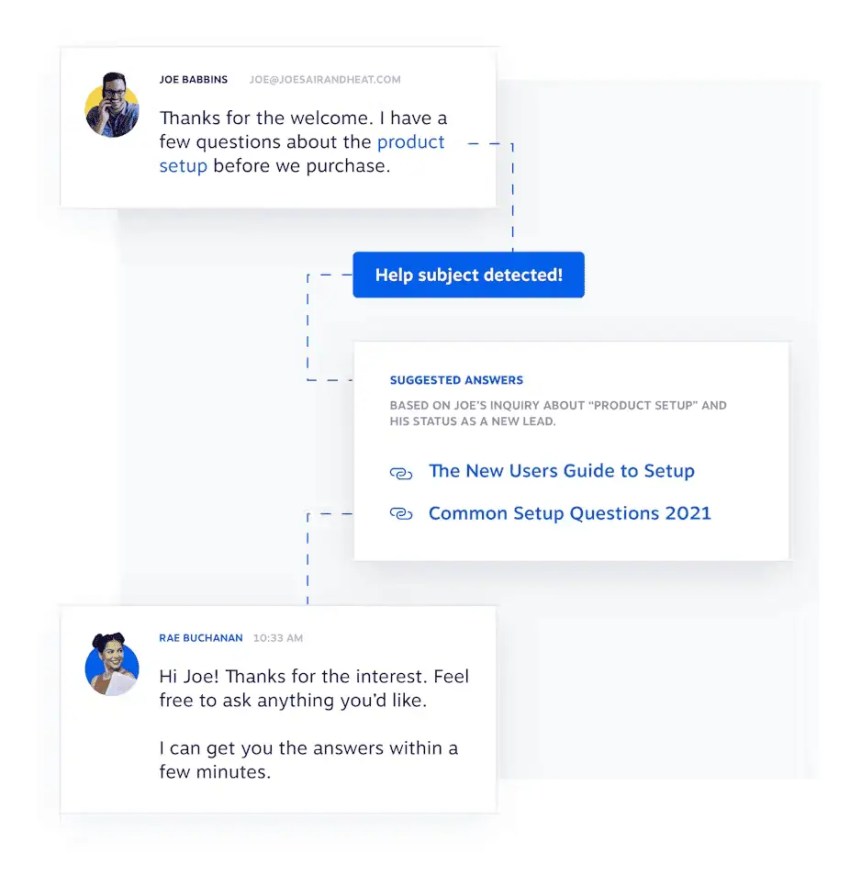
AI tools can automate routine requests, identify customer intent, suggest responses, and assist agents during live conversations.
Common applications include:
- Order tracking
- Refund updates
- Password resets
- Delivery notifications
- Frequently asked questions
- Product information
- Customer identification
- Intent detection
- Self-service workflows
- Real-time agent assistance
Automation reduces repetitive work. Human agents remain available for complex orders, sensitive complaints, sales conversations, and exceptions that require judgment.
CRM and order integrations
The contact center should connect with the CRM, commerce platform, payment tools, and order management system.
Useful data includes:
- Customer purchase history
- Order status
- Shipping and tracking details
- Payment information
- Return and refund history
- Previous conversations
- Customer lifetime value
- Loyalty status
- Product preferences
Integrations reduce data entry and help agents answer questions from a single workspace. Platforms should also support APIs or webhooks when a native integration is unavailable.
Advanced order management
E-commerce support teams often need to handle order processes directly. The software should support workflows for:
- Returns
- Refunds
- Exchanges
- Cancellations
- Address changes
- Payment verification
- Delivery exceptions
- Damaged products
- Warranty questions
- Backorders and stock concerns
The platform may not replace the commerce system. It should connect agents to the relevant order actions and information.
Intelligent call routing and IVR
IVR helps customers select a reason for contact before reaching an agent. Intelligent routing can use customer intent, language, account value, product type, agent skills, and availability.
Useful routing capabilities include:
- Skills-based routing
- Intent-based routing
- Priority routing for urgent delivery issues
- VIP or loyalty customer routing
- Language-based routing
- Queue callbacks
- Visual IVR
- Business-hours rules
- Overflow routing during peak periods
Effective routing reduces transfers and sends specialized issues to the right team.
Transcription and sentiment analysis
Transcription creates a written record of calls and can help agents review customer details. Sentiment analysis identifies signals such as frustration, urgency, or satisfaction during or after an interaction.
Businesses can use these tools to:
- Identify recurring complaints
- Detect negative sentiment early
- Review conversations for quality
- Improve coaching
- Find product or website problems
- Analyze customer feedback at scale
Teams can learn more about this capability through customer sentiment analysis.
Analytics and reporting
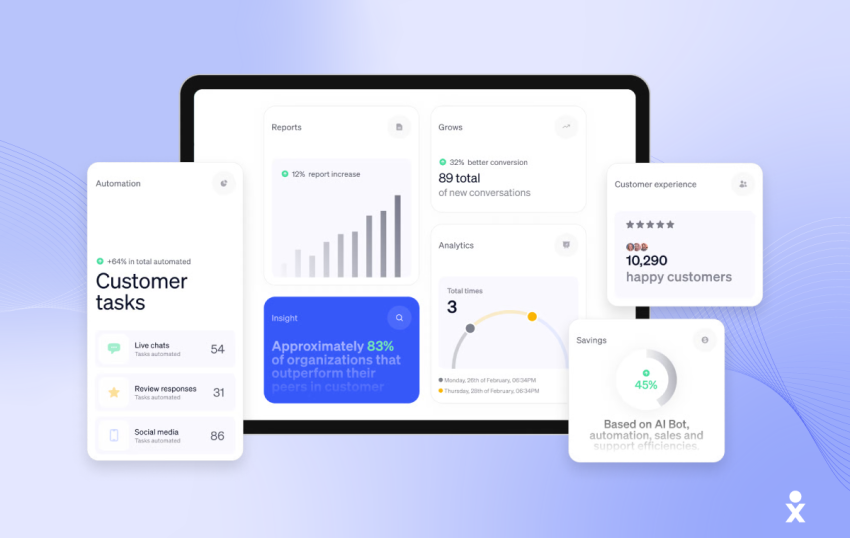
Real-time dashboards help managers measure operational performance and customer outcomes.
Common metrics include:
- First-contact resolution (FCR)
- Average handle time (AHT)
- Customer satisfaction (CSAT)
- Abandonment rate
- Response time
- Ticket resolution time
- Queue volume
- Agent productivity
- Transfer rate
- Customer retention rate
- Cart recovery and conversion activity
Businesses can review the definitions and use cases for FCR, AHT, and CSAT.
Workforce management
Support demand changes during flash sales, product launches, and holiday shopping periods. Workforce management tools help teams forecast volume, schedule agents, monitor adherence, and adjust coverage.
Use call center forecasting with historical data and real-time analytics to plan staffing for:
- Seasonal demand
- Marketing campaigns
- New product releases
- Unexpected shipping disruptions
- Flash sales
- Holiday weekends
- Returns after major sales events
Cross-training agents across voice, SMS, email, and chat can provide more flexibility during volume changes.
Secure payment processing
Customer service teams may handle payment verification, billing questions, and phone payments. Look for:
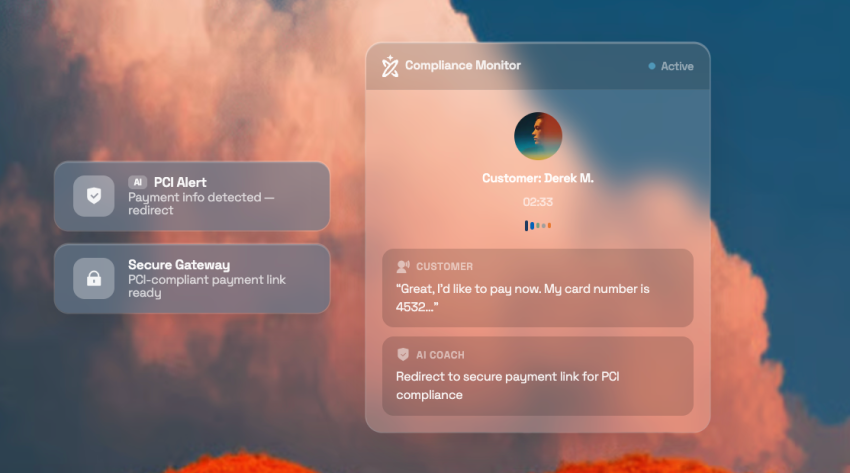
- PCI-DSS support
- Secure payment handling
- Sensitive-data redaction
- Call recording controls
- Access controls
- Audit logs
- GDPR and CCPA support where applicable
- SOC 2 Type II certification or equivalent security documentation
Security requirements should be reviewed with the organization’s legal, compliance, and information security teams.
E-commerce platform integrations
Common commerce platforms include Shopify, WooCommerce, and Magento. The right integration should provide access to customer and order information while supporting the business’s existing workflows.
Before purchase, confirm:
- Whether the integration is native
- Which customer and order fields are available
- Whether agents can trigger order actions
- How often data synchronizes
- Whether the integration supports multiple storefronts
- Whether APIs or webhooks are available
- How the provider handles integration support
Outbound campaign management
Outbound tools can support:
- Cart recovery
- Product recommendations
- Order follow-ups
- Delivery notifications
- Loyalty outreach
- Customer win-back campaigns
- Cross-sell and upsell campaigns
- Post-purchase surveys
Businesses should define consent, frequency, contact preferences, and applicable communication rules before launching campaigns.
Quality management and remote team support
Call recording, conversation review, scorecards, and automated quality tools help managers coach agents and maintain service standards.
Cloud-based platforms also support remote and distributed teams. Agents can handle calls, chats, dashboards, and customer data through an internet connection without relying on a physical office.
Comparing E-Commerce Contact Center Capabilities
A feature matrix can help teams compare vendors against the workflows they need to support.
| Capability | Questions for buyers | E-commerce use case |
|---|---|---|
| Voice | Does the platform support inbound, outbound, IVR, and queue management? | Order questions, checkout help, returns, and escalations |
| Live chat | Can agents handle chat in the same workspace as voice? | Product questions and checkout assistance |
| SMS | Does the platform support two-way messaging and automation? | Delivery alerts, appointment updates, and follow-up |
| Can agents manage email with the same customer record? | Returns, receipts, and detailed product requests | |
| Social messaging | Can social interactions reach the same support team? | Public complaints and social service |
| Video | Can the platform support video when visual assistance helps? | Product demonstrations or complex troubleshooting |
| AI | Can AI automate routine requests and assist agents? | Order tracking, FAQs, and intent detection |
| IVR and visual IVR | Can customers select an issue or provide information before reaching an agent? | Faster routing for billing, delivery, and returns |
| Skills-based routing | Can the platform route by agent skill, language, product, or priority? | Specialized support and peak-season queues |
| Transcription | Does the system transcribe calls and make them searchable? | Quality reviews and issue discovery |
| Sentiment analysis | Can managers detect frustration and identify trends? | Escalation and coaching |
| Analytics | Can managers track service and customer metrics? | Staffing, quality, and customer experience decisions |
| Workforce management | Can the platform forecast demand and schedule agents? | Holiday sales and seasonal staffing |
| CRM integrations | Does the system show customer history and value? | Personalized support and retention |
| Commerce integrations | Can agents view order and delivery information? | Order status, refunds, exchanges, and cancellations |
| APIs and webhooks | Can the platform connect with custom systems? | Storefront, warehouse, payment, and loyalty workflows |
| Security | Does the provider document access, recording, and payment controls? | Protection of customer and payment data |
Types of E-Commerce Call Center Software
Modern e-commerce call center software generally falls into two categories: inbound and outbound systems. Many businesses use a blended platform that combines both.
Inbound call center software
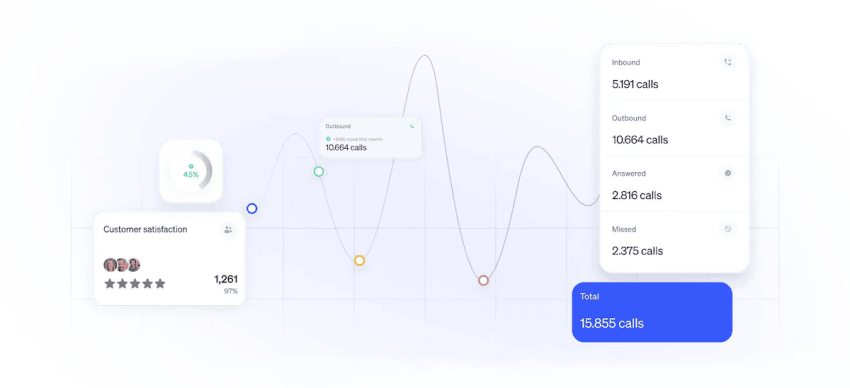
Inbound platforms focus on incoming customer interactions. They help businesses manage calls and support requests across voice, SMS, live chat, email, and social messaging.
Typical inbound use cases include:
- Order tracking
- Product questions
- Returns and refunds
- Delivery concerns
- Payment verification
- Technical support
- Warranty requests
- Complaint resolution
Outbound call center software
Outbound e-commerce contact center software helps businesses contact customers proactively through:
- Sales campaigns
- Cart recovery workflows
- Customer follow-ups
- Loyalty outreach
- Delivery notifications
- Win-back campaigns
- Post-purchase surveys
These activities can recover revenue opportunities and support repeat purchases. Businesses should use consent-based outreach and respect customer contact preferences.
Inbound vs. outbound comparison
| Area | Inbound call center software | Outbound call center software |
|---|---|---|
| Objective | Resolve customer issues and improve satisfaction | Drive sales and strengthen customer relationships |
| Communication type | Handles incoming calls and support requests | Initiates calls and messages for proactive outreach |
| Main use cases | Order tracking, returns, refunds, technical support, and payment verification | Cart recovery, upselling, follow-ups, and loyalty campaigns |
| Interaction style | Responds to customer needs | Engages customers based on behavior or campaign rules |
| Main features | Omnichannel support, IVR, intent-based routing, and CRM integrations | Predictive dialers, automated outreach, and campaign workflows |
| Management capabilities | Manages returns, exchanges, shipping updates, and order status | Recovers abandoned carts and encourages repeat purchases |
| CRM and data usage | Accesses customer history and previous interactions | Identifies high-value customers and dormant accounts |
| Revenue contribution | Improves retention and reduces churn | Generates sales and increases customer value |
| Compliance and security | Supports secure payment verification and PCI-DSS controls | Supports consent-based campaigns and secure outreach |
| Analytics focus | FCR, AHT, CSAT, response times, and support efficiency | Conversion rates, cart recovery, and campaign ROI |
| Best fit | Businesses focused on customer service operations | Businesses focused on proactive growth and engagement |
Best Practices for Managing E-Commerce Call Center Operations
Whether a business manages an internal support team or works with an outsourced provider, these practices can improve agent productivity, reduce customer effort, and strengthen loyalty.
Use data-driven workforce management
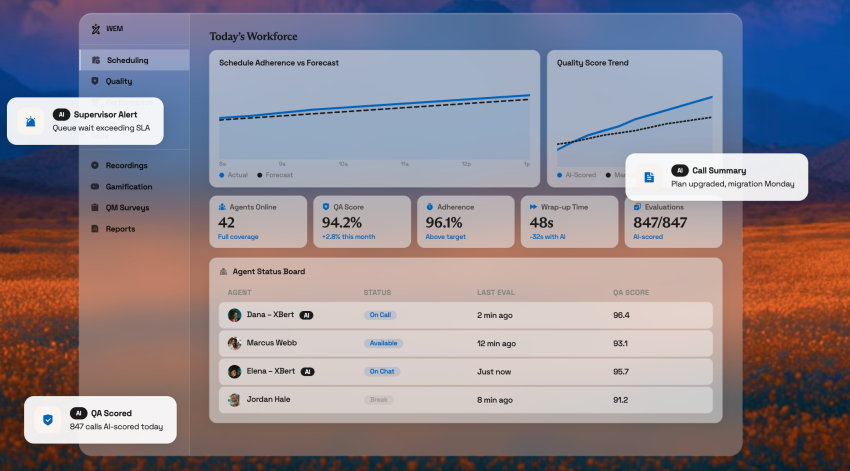
E-commerce demand changes during product launches, flash sales, and holiday shopping periods. Use forecasting tools, historical data, and real-time analytics to schedule enough agents for expected volume.
Cross-train agents across multiple channels so managers can redirect coverage when phone volume drops and chat or email volume rises.
Prioritize first-contact resolution (FCR)
Customers want a complete answer without repeated follow-ups. Give agents immediate access to:
- Customer history
- Order details
- Payment information
- Shipping updates
- Previous conversations
- Return and refund records
- Product information
This helps agents resolve issues during the first interaction whenever possible.
Automate repetitive support tasks
AI-powered customer service automation can handle routine requests such as:
- Order tracking
- Refund updates
- Password resets
- Delivery notifications
- Frequently asked questions
- Address changes
- Basic product information
Automation reduces agent workload and leaves more time for complex customer issues, sales assistance, and sensitive complaints.
Monitor customer conversations
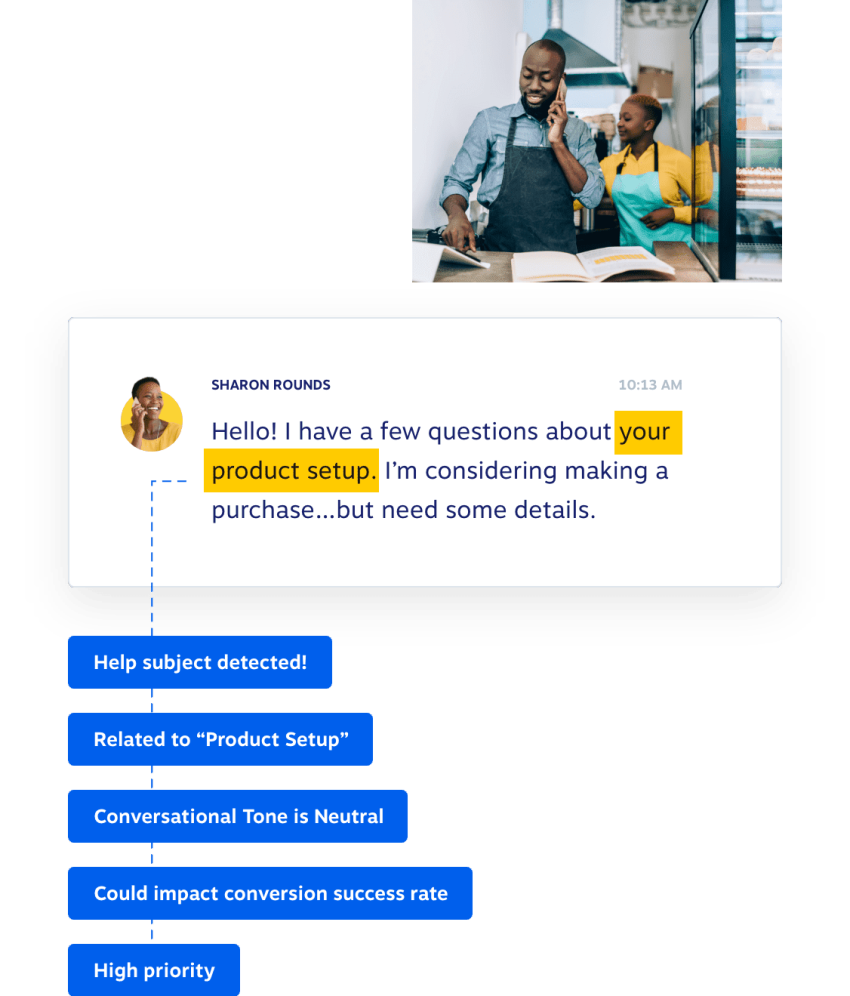
Quality management tools can analyze conversations with speech analytics, sentiment analysis, transcription, and automated monitoring.
Businesses can use these tools to:
- Identify recurring complaints
- Track agent performance
- Detect negative sentiment
- Improve training
- Find product defects
- Identify checkout or website problems
- Measure compliance with service standards
Create a feedback loop between departments
Customer support teams often find operational problems before other departments do. Shipping delays, checkout errors, sizing concerns, damaged products, and website issues appear in customer conversations.
Share support insights with marketing, logistics, product, warehouse, and e-commerce teams. This helps reduce recurring issues and improve the broader e-commerce customer experience.
Track important support KPIs
Monitoring performance metrics helps e-commerce companies identify operational gaps and maintain service quality.
| KPI | What it measures |
|---|---|
| First-contact resolution | The percentage of issues resolved during the first interaction |
| Average handle time | The average time agents spend handling an interaction |
| Customer satisfaction | Customer feedback after a support interaction |
| Abandonment rate | The percentage of customers who leave before reaching an agent |
| Response time | How quickly the team responds to a customer |
| Ticket resolution time | How long it takes to close a support issue |
| Agent productivity | The volume and quality of work completed by an agent |
| Customer retention rate | The percentage of customers who continue buying from the brand |
How to Choose the Right E-Commerce Call Center Software
The best platform depends on the business’s use case, support volume, channels, integrations, staffing model, budget, and growth plans. A universal ranking does not account for these differences.
Buyers should compare the following areas.
Start with the customer journey
Map the main customer journeys before reviewing vendors. Include:
- Product discovery and questions
- Checkout assistance
- Payment problems
- Order confirmation
- Shipping and delivery updates
- Returns and exchanges
- Refunds
- Loyalty and repeat purchases
- Complaints and escalations
Then identify the channels, data, automations, and agent skills each journey requires.
Review voice and chat support
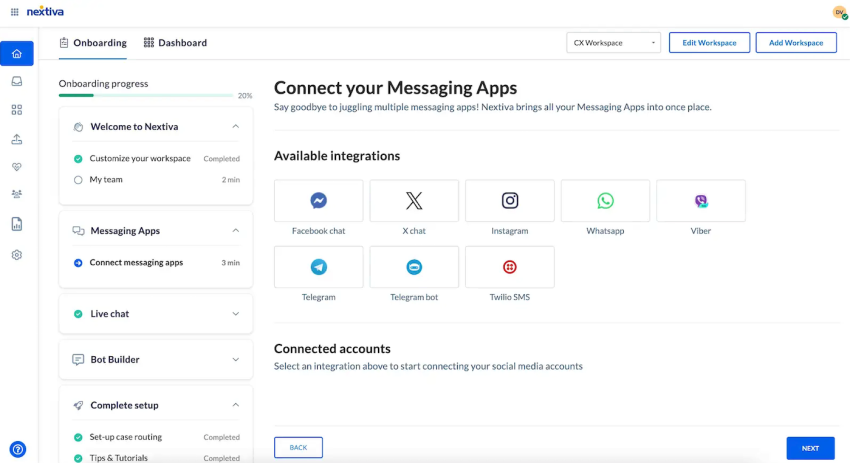
A platform that supports both voice and chat should provide:
- One agent workspace
- Shared customer history
- Channel switching without lost context
- Routing for voice and chat
- Consistent customer records
- Cross-channel reporting
- Escalation from chat to voice
- AI assistance across supported channels
A separate phone system and chat inbox can create fragmented records. Buyers should confirm that the platform connects interactions rather than simply listing multiple channels.
Look for strong e-commerce integrations
Call center software should connect with e-commerce platforms, CRM systems, payment tools, and order management software.
Strong integrations allow agents to access:
- Customer purchase history
- Shipping and tracking details
- Payment information
- Order status updates
- Customer lifetime value
- Return and refund records
- Loyalty information
Test the integration with realistic workflows. A connector that displays order data may not support refunds, cancellations, or other actions.
Prioritize true omnichannel support
Customers may start with live chat, continue through SMS, and later contact support by phone or email. The platform should unify these interactions and retain the relevant context.
Ask vendors:
- Can an agent see every previous interaction?
- Can customers switch channels without repeating information?
- Does the conversation history follow the customer?
- Can managers report on the full journey?
- Can automation transfer a conversation to a human agent?
- Can the business set different rules for each channel?
Evaluate AI and automation
Modern call center software can reduce repetitive workloads through:
- AI chatbots and virtual assistants
- Automated order tracking
- Intelligent call routing
- Self-service workflows
- Real-time agent assistance
- Transcription
- Sentiment analysis
- Conversation summaries
- Proactive notifications
Review the platform’s escalation controls. Automation should provide a clear path to a human agent when the request involves a complex order, a frustrated customer, or a sensitive payment issue.
Review security and compliance
- PCI-DSS controls
- GDPR and CCPA requirements where applicable
- SOC 2 Type II certification
- Secure payment handling
- Access controls
- Automatic recording controls
- Data retention policies
- Encryption
- Audit logs
The organization should confirm how each provider stores, processes, and deletes customer data.
Evaluate scalability and reliability
A scalable platform should support changing order volume and staffing needs without requiring a complete system replacement.
Look for:
- Cloud deployment
- Flexible user licensing
- Remote team support
- Seasonal agent onboarding
- Queue and routing controls
- Real-time reporting dashboards
- APIs and webhooks
- Documented uptime commitments
- Administrative controls for teams and permissions
Nextiva states that its network provides 99.999% uptime. Buyers should review the service agreement and uptime terms that apply to the selected product and plan.
Compare implementation and support
A software comparison should include more than feature counts. Review:
- Implementation timeline
- Data migration requirements
- Training resources
- Integration support
- Administrative complexity
- Customer support hours
- Service-level commitments
- Documentation quality
- Ongoing account management
- Costs for extra users, channels, storage, and integrations
Pricing should be compared using the same assumptions, including agent seats, usage, recording, AI, outbound campaigns, and seasonal licenses.
Compare platforms by use case
Third-party comparisons position different contact center platforms for different needs. G2’s 2026 roundup describes Agentforce Service as suited to deep CRM integration, Aircall to small teams that need easy CRM integration, CloudTalk to international calling and CRM-connected teams, Talkdesk to AI-driven quality assurance, Five9 to enterprise-grade intelligent routing, Ringover to fast-growing small businesses and sales teams, and Genesys Cloud CX to complex omnichannel orchestration. The same roundup positions Nextiva for unified VoIP and team communications.
These descriptions illustrate why buyers should define the use case before choosing a platform. A tool designed for complex enterprise orchestration may exceed the needs of a small retailer. A lightweight phone system may lack the order context, workforce management, or channel continuity required by a high-volume e-commerce operation.
Buying Checklists for Different Business Types
Small and midsize businesses
Small and midsize businesses often need strong coverage with limited staff. The evaluation should focus on:
- Simple administration
- Fast implementation
- Flexible user licensing
- Voice and chat in one workspace
- CRM and commerce integrations
- Self-service for routine requests
- Automated routing
- Seasonal scaling
- Clear reporting
- Responsive support
- Predictable costs
The best contact center for SMBs is the platform that provides the required channels and automation without adding unnecessary administrative work. A small team may gain more from shared customer context, easy setup, and flexible scaling than from a large set of advanced enterprise controls.
Retail and high-volume e-commerce
Retailers should prioritize platforms that can handle demand spikes and complex customer journeys. Important capabilities include:
- High-volume inbound routing
- Outbound campaigns
- Queue callbacks
- Skills-based routing
- Order and inventory integrations
- Delivery alerts
- Returns and refund workflows
- Workforce forecasting
- Seasonal staffing controls
- Real-time analytics
- Quality management
- Proactive customer messaging
The best contact center for retail is the platform that connects customer service with order operations and maintains service levels during promotions, holidays, and return periods. Buyers should test peak-volume workflows before signing a contract.
Growing omnichannel brands
Brands that support customers through several channels should assess:
- Channel continuity
- Shared customer records
- AI-assisted service
- Journey analytics
- Social messaging
- SMS automation
- Voice escalation
- APIs and webhooks
- CRM and commerce integrations
- Customer retention reporting
As an online brand scales, juggling separate phone lines, email inboxes, and chat windows inevitably leads to lost context and frustrated customers. To handle seasonal demand spikes and provide true omnichannel support, growing businesses need to consolidate these workflows into a single hub. Instead of piecing together disparate tools, upgrading to a unified customer experience platform ensures your team is always equipped to deliver seamless support.

Manage Your Store’s Customer Service Better With Nextiva
E-commerce businesses benefit from specialized call center software as order volume and support demand increase.
Nextiva Contact Center brings voice, chat, messaging, email, social channels, AI interactions, routing, analytics, and customer context into a unified customer experience platform. These capabilities can help e-commerce teams coordinate customer-service conversations across channels.
Digital customer service is more important than ever before, and we can help. Nextiva’s call center solutions offer the following benefits:
- Scalable operations: Add or remove lines and adjust plans as support needs change.
- Voice and digital channels: Manage calls, chat, SMS, email, and other customer interactions.
- Advanced call features: Depending on the plan, features can include call routing, IVR, auto-attendants, call recording, and payment processing.
- AI assistance: Use automation, routing, transcription, sentiment analysis, and self-service tools to support agents and customers.
- Analytics: Review agent scheduling, training needs, service performance, and customer feedback.
- Reliable service: Nextiva states that its network provides 99.999% uptime.
Nextiva’s platform can support both inbound service and outbound engagement. Businesses can use it to manage customer questions, automate routine requests, send proactive updates, and coordinate support across channels.
It’s a win-win with Nextiva.
Nextiva’s inbound call center solutions helps e-commerce businesses deliver outstanding customer experiences.
Frequently Asked Questions About E-Commerce Call Center Software (FAQs)
The ideal platform connects customer service with order operations and maintains high service levels during peak times like holidays and sales. Providers like Talkdesk (known for retail-specific tools), Genesys Cloud CX, and Nextiva are strong choices for handling high-volume, multi-channel retail environments.
The right software depends entirely on a business’s specific use case, support volume, channel requirements, and budget. Leading industry options include Nextiva for unified communications, Five9 for outbound routing, and Genesys Cloud CX for complex enterprise orchestration.
The best platform for SMBs provides necessary channels and easy CRM integrations without adding an administrative burden. Aircall and CloudTalk are highly rated for fast setup and ease of use, while Nextiva offers great scalable options for growing teams.
A true omnichannel platform handles both channels within a single agent workspace, preserving customer history. Solutions like Nextiva, Five9, and Talkdesk all allow agents to seamlessly switch between voice, live chat, and SMS without losing conversation context.