Customer Experience
  Blog
Blog  Business Communication
  Leadership
  Marketing & Sales
  Nextiva News
  Productivity
  VoIP
VoIP 

A customer who starts a conversation over chat may follow up by phone or email, but they still expect the business to understand their issue and respond quickly. Agents cannot provide that level of service when conversations and customer details sit across several disconnected systems.
The best customer service tools bring conversations, customer data, workflows, and reporting into one platform. Many now include AI agents, automated routing, conversation summaries, and CRM integrations to reduce repetitive work and give representatives the context they need.
This guide compares 12 customer support tools for different teams and use cases. It covers current pricing, key features, benefits, limitations, and each platform’s CRM and AI capabilities.
Key Takeaways
- Nextiva is the best overall customer support platform for bringing voice, digital channels, AI, analytics, and customer journey management into one system.
- Zendesk and Freshdesk are strong options for support teams that handle most customer requests through tickets and structured workflows.
- Kustomer and HubSpot Service Hub give agents access to CRM data alongside customer conversations.
- Gorgias meets the specific support needs of ecommerce brands, while Podium combines messaging, review management, and lead conversion tools for local businesses.
- Before choosing a platform, consider the channels you use, the number of interactions you handle, your current CRM, and your plans for AI, reporting, and growth.
Try the best AI answering service free for 14 days
XBert AI answers questions and captures leads. Add your 24/7 answering service in minutes.
What Are Customer Support Tools?
Customer support tools give teams a structured way to receive, organize, track, and resolve customer requests. Depending on the platform, these service tools can handle phone calls, support tickets, emails, live chats, texts, social media messages, reviews, and self-service resources.
These tools also put useful customer details in front of agents when they need them. They can show previous conversations, direct requests to the right person, automate routine tasks, and measure first response time, resolution time, ticket backlog, and customer satisfaction.
Some businesses manage most of their support through a single platform, while some build their setup around several tools, such as a phone system, help desk, CRM, knowledge base, chatbot, social media platform, and other tools. An all-in-one system means less switching between applications, while a specialized tool may offer more depth for a specific channel or industry.
Types of Customer Support Tools
Support teams typically require multiple tools to deliver excellent experiences and manage their operations smoothly.
Sometimes, a single tool can combine multiple functions. For example, Nextiva provides business VoIP, live chat software, and other features on a single platform. Other times, you’ll need to purchase specialized tools that handle different functions efficiently.
Here are the top tools for customer support organizations, regardless of team size or support.
1. Helpdesk software
Primary use case: Ideal for handling high volumes of customer requests and ensuring no query goes unanswered. For instance, an e-commerce business can manage inquiries about order statuses, returns, and product details through a help desk.
Examples: Zendesk, Freshdesk
Help desk software centralizes incoming customer inquiries from email, chat, phone, and social media. Its basic customer service features let teams track, prioritize, and resolve customer issues without lengthy wait times, while automation can automate ticket management as request volumes grow.
Top features
- Ticket management
- Automated workflows
- Prioritization
- Basic analytics
- Internal notes
2. Live chat tools
Primary use case: Frequently used for sales and troubleshooting. For example, SaaS companies use live chat to assist prospective customers during the trial process.
Examples: Crisp, LiveAgent
Live chat is a tool for real-time communication between customers and support agents. Typically integrated into a company’s website or mobile application, it enables customers to send messages directly to support staff without needing to switch to email or make a phone call. This immediate availability helps enhance customer satisfaction by providing instant assistance with inquiries, troubleshooting, or product information.
Top features
- Instant messaging
- Chatbot integration
- Co-browsing capabilities
3. Knowledge base software
Primary use case: Reduces the volume of support tickets by allowing customers to resolve simple issues themselves, such as setting up an account or resetting a password.
Examples: Help Scout, Zendesk Guide
More than 80% of participants in a NICE survey said they wanted more self-service options. One way to meet this expectation is to invest in knowledge base software.
Knowledge base software allows organizations to create a self-service portal where customers can use self service tools to find information to help them troubleshoot and resolve issues independently. It reduces the need for direct support interactions, eliminating long wait times and allowing your support team to focus on more high-level tasks.
Top features
- Search functionality
- Content categorization
- Customer feedback mechanisms
4. CRM tools with integrated support
Use case: Enable personalized interactions by offering agents a complete history of a customer’s interactions. For example, a telecom company can resolve billing disputes faster with customer relationship management (CRM) integration.
Example: Kustomer, HubSpot Service Hub, and Salesforce Service Cloud
CRM tools with integrated support combine customer relationship management with helpdesk or ticketing features.
These tools connect sales, marketing, and support data to create a seamless customer experience. They may also connect with existing CRM systems, helping businesses manage customer interactions and provide personalized customer support. A shared customer record also supports personalized support without repeatedly asking customers for the same information, which can improve the overall customer service experience.
Top features
- Unified customer profiles
- Integration with communication tools
- Analytics
5. AI-powered tools
Use case: Retail businesses use AI chatbots to answer common questions about store hours and product availability while freeing up agents for complex queries.
Examples: Nextiva AI tools, Intercom
AI customer support tools automate tedious and time-consuming tasks, leading to increased efficiency, high agent productivity, and more streamlined workflows.
For example, you can use AI to automatically route inbound calls to the best-fit agents instead of handling this process manually. These tools can also respond to common customer questions, allowing your agents to focus on more complex inquiries.
Top features
- Chatbots
- Predictive analytics
- Sentiment analysis
6. Social media management tools
Use case: Critical for brand reputation management, allowing companies to address complaints quickly and publicly.
Examples: Podium, Crisp
Nearly 50% of consumers said that they expect a response to social media inquiries and customer complaints within 24 hours. Meeting this expectation is almost impossible without the right social media management tools. Social media integration brings these conversations into the support workflow so teams can respond faster and protect customer loyalty.
Social media management tools help you monitor online conversations about your brand on different channels, interact with customers in real time, and measure your overall brand sentiment to understand how your audience feels about your product or service.
Top features
- Social listening
- Sentiment analysis
- Multi-platform integrations
How We Evaluated These Platforms
We compared each platform’s core features and ability to support daily customer support operations across these areas:
- AI capabilities: We looked for AI agents, agent guidance, intent detection, automated routing, conversation summaries, sentiment analysis, and workflow automation.
- CRM integrations: We reviewed built-in CRM features, prebuilt integrations, APIs, and how easily agents can view customer history while handling a request.
- Ease of setup: We considered the onboarding process, interface, no-code options, documentation, and level of technical knowledge required.
- Pricing: We compared starting prices, billing structures, free plans, trials, usage fees, and common add-ons.
- Support channels: We checked which platforms support voice, email, chat, SMS, messaging apps, social media, reviews, and self-service.
- Scalability: We assessed routing, reporting, permissions, security, customization, and the platform’s ability to support growing teams and interaction volumes. These are essential features for businesses with complex customer service needs.
We based the rankings on how well each platform serves its intended users, not on a single feature. For example, a dedicated ecommerce support tool may suit an online retailer better than a broader platform that ranks higher overall.
Customer Support Tools at a Glance
This table compares the top customer service tools by starting price, AI features, CRM options, and free-tier availability.
| Tool | Best for | Starting price* | AI capabilities | CRM connection | Free tier |
|---|---|---|---|---|---|
| Nextiva | Managing voice and digital support in one platform | $15/user/month, billed annually | Transcription, summaries, routing, analytics, and AI agents, depending on the plan or add-on | CRM integrations and customer journey data | No |
| Emitrr | Service businesses that rely on phone and SMS | $20/user/month, billed annually | AI agents and communication automation | Business software and CRM integrations | No |
| Intercom | SaaS teams adopting messaging and AI-led support | From $29/seat/month plus usage | Fin AI Agent, Copilot, and automation | Customer profiles and third-party integrations | No |
| Zendesk | Teams with advanced ticketing needs | From $19/agent/month | AI agents, Copilot, and automated triage | Large integration marketplace | No |
| Freshdesk | Teams looking for straightforward help desk automation | From $19/agent/month | Freddy AI Agent and Copilot | Freshsales and third-party CRM integrations | Limited program |
| Kustomer | Managing service around CRM data | Custom quote | AI tools for customers and agents | Built-in customer service CRM | No |
| Help Scout | Email-focused customer support | From $25per user/month, billed annually | AI assistance and automated answers | CRM and ecommerce integrations | Yes |
| LiveAgent | Affordable support across several channels | $15/agent/month | AI agents and chatbot options | CRM integrations and API access | No |
| Crisp | Collaborative live chat support | Free; paid plans from $45/workspace/month | AI chatbot and automated answers | Customer profiles and third-party integrations | Yes |
| Podium | Local businesses managing reviews and messages | Custom quote | AI for calls, messages, and follow-ups | Customer records and third-party integrations | No |
| Gorgias | Ecommerce customer support | From $40/month | AI Agent for support and sales | Deep ecommerce integrations | No |
| HubSpot Service Hub | Connecting customer support with CRM data | Free; paid plans from $7/seat/month, billed annually | Customer Agent and credit-based AI tools | Native HubSpot CRM | Yes |
The Top 12 Customer Support Tools
Here are 12 powerful customer service tools worth exploring for contact centers, growing businesses, and small customer service teams.
1. Nextiva: Best for all-in-one communications solution
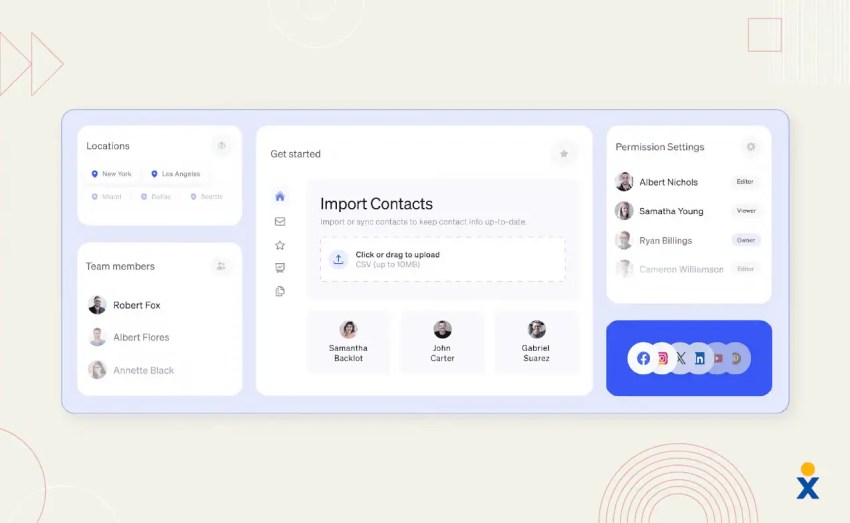
Nextiva brings all your customer channels into one platform, making it easier to deliver one consistent experience to your customers. You’ll be able to monitor and respond to inbound voice calls, emails, live chat messages, and direct messages from social channels and engage with your customers wherever they interact with you.
Nextiva also provides a top-rated AI answering service for predictive and proactive support. For example, the software can automatically analyze and route inbound calls and messages to the best-fit agents, reducing unnecessary wait times.
Nextiva delivers 99.999% uptime and 24/7 customer support, making its contact center solution a great choice for organizations prioritizing scalability and reliability.
Key features
- Manages voice, SMS, chat, email, social media, and reviews
- Supports inbound and outbound contact center operations
- Routes interactions based on agent skills and uses interactive voice response
- Uses AI for transcription, summaries, sentiment analysis, and reporting
- Tracks customer journeys and agent performance in real time
- Connects with popular CRM platforms
- Includes 24/7 support and a 99.999% uptime commitment
Pricing
Nextiva plans start at $15 per user per month for Core when billed annually. Engage starts at $25 and includes an inbound call center, live chat, chatbot, and advanced reporting. Scale starts at $75 and expands the platform with customer experience, contact center, and AI features. Businesses can also add XBert to their plan.
CRM and AI integration
Nextiva connects with Salesforce, HubSpot, Microsoft Dynamics, Zoho, and other CRM platforms, depending on the plan. Its AI tools use communication and customer journey data for routing, transcription, summaries, sentiment analysis, and analytics, while XBert handles routine conversations and escalates them when needed.
Pros
- Brings business communications and customer support channels into one platform
- Handles voice more extensively than ticket-focused help desks
- Gives businesses room to move from a basic phone system to full contact center operations
- Links communication analytics with customer journey data
Cons
- Teams that only need basic email ticketing may not use much of the platform
- Advanced contact center and AI features come with higher-tier plans or add-ons
- The total cost varies based on the number of users, selected channels, and implementation requirements
Best for: Nextiva is best for small, midsize, and enterprise teams that want phone and digital customer support in one platform.
Hear why XBert AI is the best AI receptionist
XBert AI receptionist handles customer questions, captures leads, and books appointments. Try it free for 14 days.
2. Emitrr: Best for AI-driven customer communication
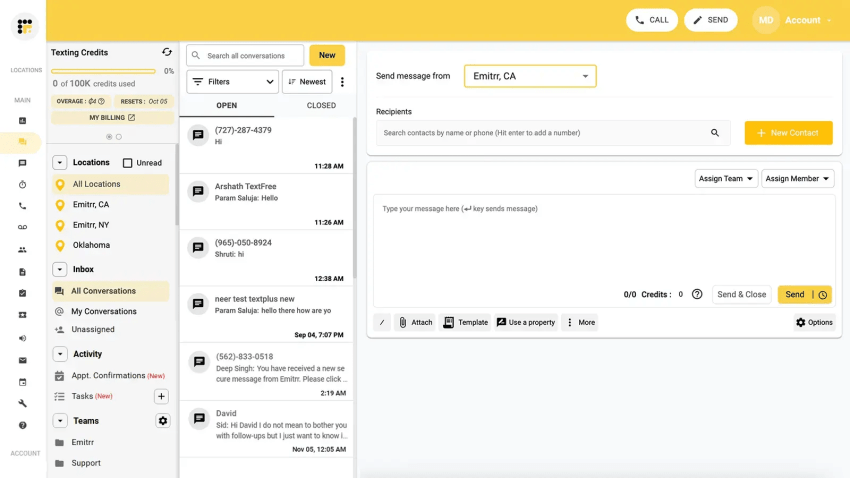
Emitrr stands out as a strong AI-powered customer communication platform for businesses looking to streamline conversations, automate workflows, and deliver faster, more consistent customer experiences across channels. It brings together SMS, calls, and web chat into a centralized, powerful system.
Emitrr is easy to use, integrates seamlessly with 500+ tools, and scales with your business so your customer communication can grow with you. Emitrr offers flexible pricing plans and lets you explore the platform with a free demo.
Key features
- Supports business calling, two-way SMS, and web chat
- Keeps team conversations in a shared inbox
- Automates reminders and follow-up messages
- Sends customers a text after a missed call
- Uses AI agents and workflows to handle routine interactions
- Manages customer reviews
Pricing
Emitrr’s VoIP plans start at $20 per user per month with annual billing. The Standard plan costs $20 per user per month annually or $25 with monthly billing. Professional costs $30 annually or $35 monthly. Pricing for its complete customer communication packages depends on the channels and usage requirements.
CRM and AI integration
Emitrr connects with more than 500 CRM, scheduling, healthcare, and business applications. Its AI agents can answer routine questions and automate selected voice and messaging workflows. Businesses should confirm which records each integration can access and update.
Pros
- Handles phone and SMS workflows well
- Automates appointment reminders, follow-ups, and review requests
- Connects with software used across several industries
Cons
- May not meet the ticketing needs of large enterprises
- Requires a custom quote for some customer communication packages
- The capabilities of each integration vary
Best for: Emitrr suits local and service-based businesses that depend on calls, texts, appointments, and customer follow-up.
3. Intercom: Best for real-time messaging and AI-powered automation
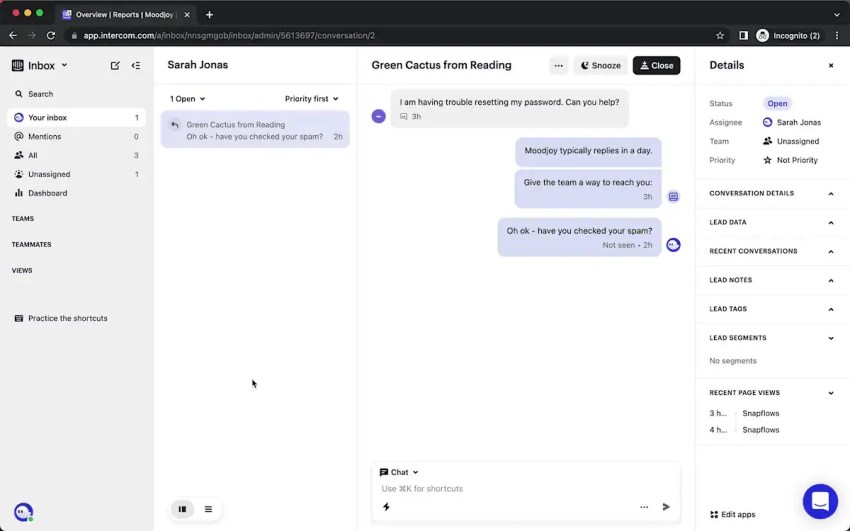
Intercom is a customer ticketing service that offers built-in response-time tracking and real-time messaging. It also offers a customer support AI agent that handles routine frontline tasks, such as top-level customer inquiries, freeing up time for more human-first and strategic tasks.
Key features
- Provides website and in-app messaging
- Uses Fin AI Agent and Copilot to answer questions and support agents
- Organizes customer requests through tickets and shared inboxes
- Includes a help center and knowledge management tools
- Sends proactive messages and routes conversations through automated workflows
Pricing
Intercom’s Essential plan starts at $29 per seat per month. Advanced costs $85, while Expert costs $132. Fin AI Agent starts at $0.99 per outcome, and Copilot costs $29 per agent per month. Messaging channels and optional products may create additional usage charges.
CRM and AI integration
Intercom combines customer profiles and product activity with data from connected CRM platforms. Fin AI Agent uses approved support content and connected systems to answer questions or complete supported tasks, while Copilot gives agents suggested replies and conversation context.
Pros
- Handles in-app and proactive messaging well
- Offers established conversational AI tools
- Works well for SaaS onboarding and customer support
Cons
- Usage fees can make monthly costs difficult to predict
- Connecting and organizing CRM data requires careful setup
- Offers fewer voice capabilities than voice-focused platforms
Best for: Intercom works best for SaaS and digital product companies that prioritize in-app support and conversational AI.
4. Zendesk: Comprehensive helpdesk and ticketing solution
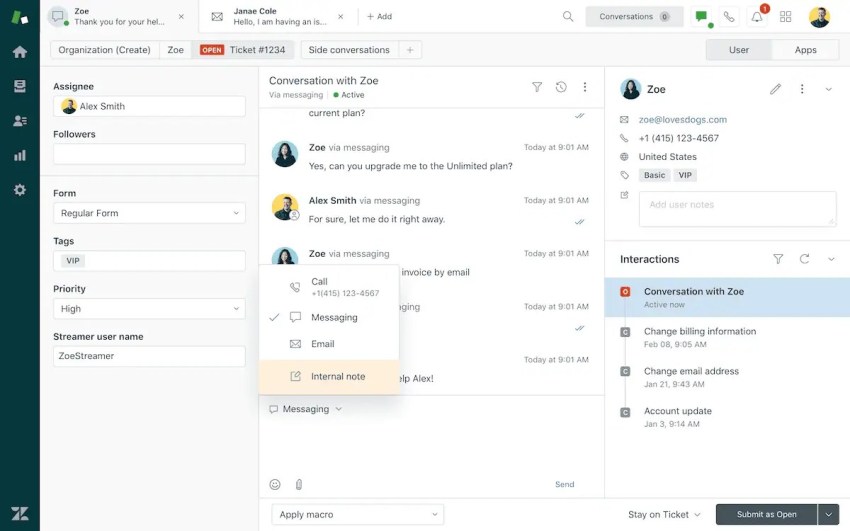
Zendesk offers advanced tools for ticketing, knowledge base management, automation, and advanced analytics to improve customer experience and streamline support operations.
Zendesk stands out for its quick, easy implementation, making it a top tool for growing teams that move fast.
Key features
- Brings tickets from different channels into one agent workspace
- Routes requests based on rules and agent skills
- Uses macros, triggers, and service-level targets to manage workflows
- Includes AI agents and tools that assist support representatives
- Provides knowledge base and reporting tools
Pricing
Zendesk’s Support Team plan starts at $19 per agent per month with annual billing and covers email ticketing, routing, dashboards, automations, and customer context. Suite Team plan starts at $55 per agent per month and adds messaging, live chat, telephony, a knowledge base, omnichannel routing, and AI agents, while Suite Professional costs $115 per agent per month when billed annually.
CRM and AI integration
Zendesk connects with CRM platforms through its app marketplace and APIs, although the available data and actions depend on the integration. Its AI tools can classify intent, route tickets, suggest responses, assist agents, and resolve selected requests automatically.
Pros
- Offers detailed control over ticketing and support workflows
- Has a large app marketplace and developer ecosystem
- Handles complex customer service operations
Cons
- Requires more administrative work as workflows become more complex
- Add-ons can increase the total price when teams need the platform’s advanced features
- Small teams may not use enough features to justify the cost
Best for: Zendesk suits midsize and enterprise teams that need granular workflows, extensive integrations, and mature ticket management.
5. Freshdesk: Cloud-based ticketing system with powerful automation features
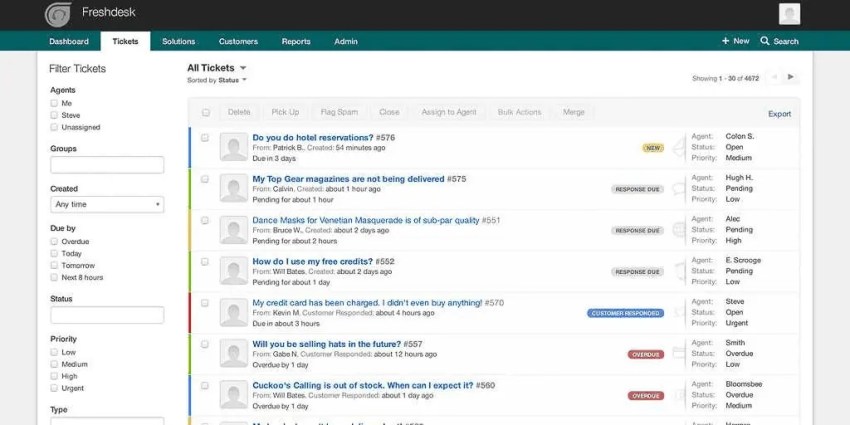
Freshdesk is an out-of-the-box, AI-powered customer service solution offered by Freshworks. It’s mostly used for its knowledge base function, but it also offers other customer service features, such as agent workspaces and advanced ticketing.
Freshdesk’s core strengths are its user-friendly interface and powerful service desk automation features that help businesses coordinate inbound and outbound communication across multiple channels. It also offers a limited free program for eligible businesses, making it worth considering for small teams testing help desk software.
Key features
- Organizes tickets in a shared inbox
- Gives customers access to a support portal and knowledge base
- Automates workflows and routes tickets to the right agents
- Uses Freddy AI Agent, Copilot, and Insights for customer and agent support
- Integrates with Freshworks products and third-party applications
Pricing
Freshdesk’s Growth plan starts at $19 per agent per month with annual billing. Pro starts at $55, while Enterprise starts at $89. Freshdesk includes the first 500 Freddy AI Agent sessions once per account across its paid plans. Additional sessions cost $49 per 100 sessions, while Freddy AI Copilot costs $29 per agent per month on eligible plans.
CRM and AI integration
Freshdesk connects directly with Freshsales and supports third-party CRM integrations. Freddy AI Agent answers customer questions, while Freddy AI Copilot assists agents with replies, summaries, and other ticket-related tasks.
Pros
- Gives teams a straightforward way to start managing ticket-based support
- Brings self-service, automation, and AI tools together
- Connects with other products in the Freshworks suite
Cons
- Omnichannel features and advanced AI features such as higher-level AI tools raise the total cost
- The free program limits both usage time and the number of agents
- Teams with broader voice requirements may need a separate platform
Best for: Freshdesk suits small and midsize teams that want structured ticketing with a manageable learning curve.

6. Kustomer: AI-powered customer service CRM platform
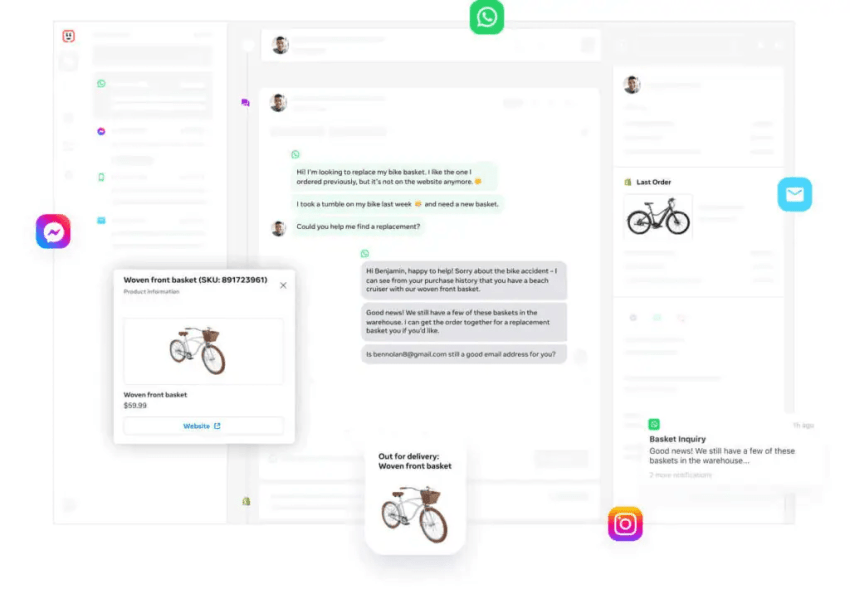
Kustomer provides advanced AI agents for different customer service functions, boosting overall productivity. You can also build custom AI agents tailored to your specific workflows and systems without any complex technical setup.
On top of that, Kustomer enables you to build your self-service channels to scale customer support, reduce costs, and free up agent time for more creative and productive tasks. It’s an excellent tool for omnichannel communication — especially for businesses looking to integrate sales and customer support processes closely.
Key features
- Includes a built-in customer service CRM
- Displays each customer’s history in one timeline
- Brings conversations from multiple channels into one inbox and routes them to the right agent
- Uses AI to assist both customers and agents
- Supports no-code workflows and third-party integrations
Pricing
Kustomer creates a custom quote based on the number of agents, conversation volume, support channels, integrations, and AI requirements. Its pricing page asks buyers to complete an assessment before receiving a tailored price.
CRM and AI integration
Kustomer includes its own customer service CRM, so agents and AI tools work from the same customer timeline. This setup gives the AI access to previous conversations and customer activity when answering questions, assisting representatives, or running workflows.
Pros
- Gives agents detailed customer context through its native CRM
- Works well for businesses that manage long-term customer relationships
- Combines omnichannel support, automated workflows, and AI
Cons
- Does not publish a starting price
- Requires careful data planning during implementation
- Provides more functionality than an email-only support team is likely to use
Best for: Kustomer works best for growing and enterprise brands that want service built around customer history rather than individual tickets.
7. Help Scout: Best for email-based customer support
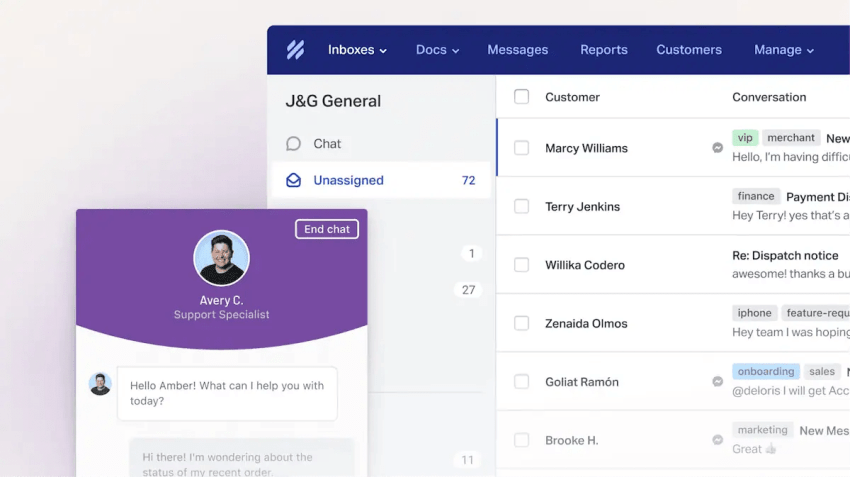
Help Scout is a customer support platform designed for small to mid-sized businesses that want a simpler, more personal way to manage customer conversations. Unlike traditional help desk software like Zendesk or Freshdesk, Help Scout provides a shared inbox that looks and feels like a regular email client — but with powerful collaboration and automation features.
One of Help Scout’s strong points is its ease of setup and maintenance. You don’t need complex technical skills to deploy the software and onboard your support team. It also offers a free plan that’s valuable for smaller organizations.
Key features
- Keeps team conversations in shared inboxes and stores customer details in individual profiles
- Includes Docs for creating a self-service knowledge base
- Uses Beacon to add messaging and support content to a website
- Provides AI assistance for agents and AI Answers for customers
- Includes workflows, reports, and third-party integrations
Pricing
Help Scout’s Standard plan costs $25 per user per month with annual billing, while Plus costs $45 and Pro costs $75. AI Answers is available as an add-on for $0.75 per resolution and includes a three-month free trial. Help Scout also offers a 16% discount with annual billing.
CRM and AI integration
Help Scout connects with platforms such as HubSpot, Salesforce, Shopify, and other business applications. Its AI tools draft and summarize replies, while AI Answers uses knowledge-base content to resolve routine customer questions.
Pros
- Uses a familiar email-style interface
- Takes less time to set up than many enterprise help desks
- Combines a shared inbox with a customer knowledge base
Cons
- Does not suit teams with advanced voice requirements
- Additional inboxes and Docs sites raise the monthly cost
- Offers less workflow control than enterprise support platforms
Best for: Help Scout serves startups and small to midsize businesses that want personal email support without extensive administration.
8. LiveAgent: Affordable customer service solution
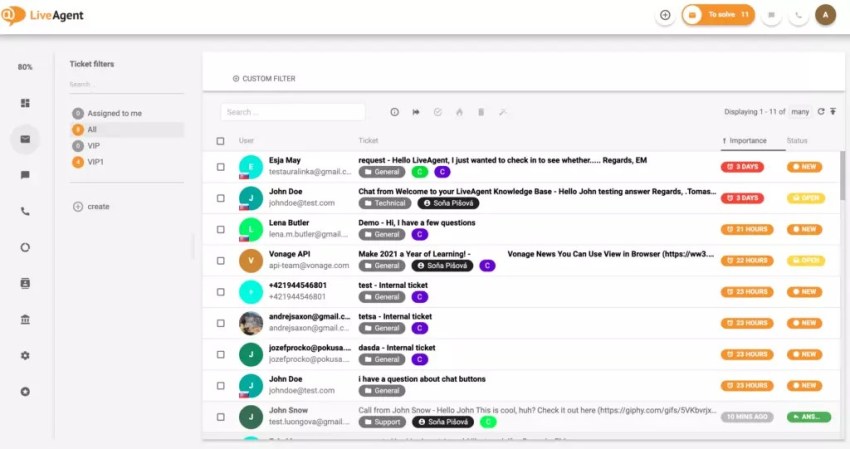
LiveAgent is an all-in-one customer support solution that combines help desk ticketing, live chat, call center features, and social media support. It’s designed for businesses that want real-time customer support with strong multichannel communication capabilities.
One of its standout features is the ability to merge multiple tickets into a single ticket, streamlining customer support and enabling faster responses to inquiries. LiveAgent doesn’t offer a free plan but does offer 30-day free trials for teams.
Key features
- Manages tickets, email, and live chat
- Includes a knowledge base and customer portal
- Adds call center and IVR features on eligible plans
- Supports customer conversations with multichannel support across social channels
- Uses automation and AI agents and connects with CRM platforms
Pricing
With annual billing, LiveAgent starts at $15 per agent per month for Small, $29 for Medium, $49 for Large, and $69 for Enterprise. LiveAgent also offers a 30-day trial. At the time this article was updated, the company was offering temporary discounts of up to 33%, reducing the $15 plan to $10, with similar discounts applied to other plans.
CRM and AI integration
LiveAgent connects with CRM platforms through built-in integrations, plugins, and its API. Its AI agents and chatbot options can answer routine questions and automate selected conversations, though the available functions vary by plan and integration.
Pros
- Covers several support channels at a relatively low starting price
- Includes live chat and call center options
- Offers a clear upgrade path as support needs grow
Cons
- Reserves some support channels for higher-tier plans
- Temporary discounts may make long-term costs less clear
- Reporting may lack the depth some enterprises require
Best for: LiveAgent suits cost-conscious teams that want ticketing, chat, phone, and social support in one product.
9. Crisp: Real-time chat and bot capabilities
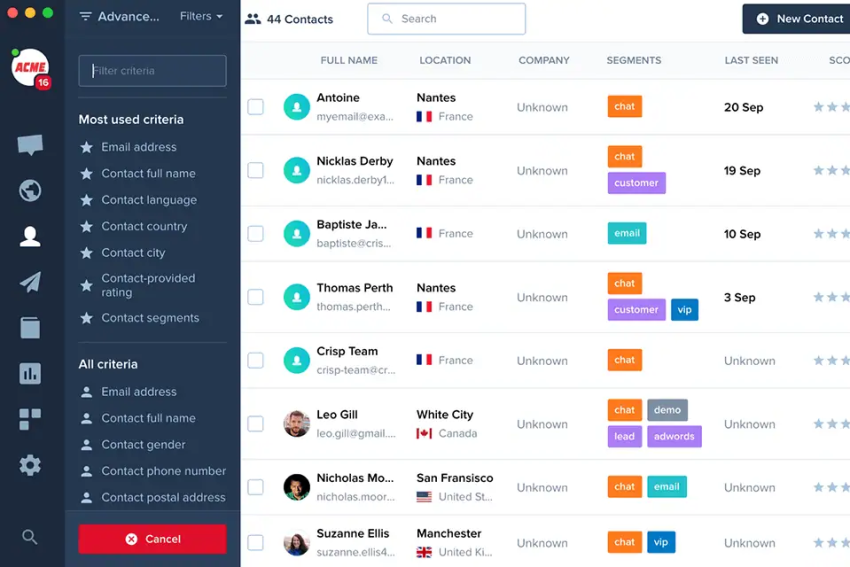
Crisp is a comprehensive business messaging platform that lets you monitor all your conversations from a single central dashboard. It also provides built-in CRM software that serves as the single source of truth for all your customer information. That way, your agents always have access to the latest data to inform customer conversations.
Key features
- Brings website chats into a shared team inbox
- Uses an AI chatbot to answer routine questions
- Stores customer information in individual profiles
- Includes a knowledge base and tools for running campaigns
- Connects with third-party applications and provides tools for developers
Pricing
Crisp offers a free plan for two users. Mini costs $45 per workspace per month, Essentials costs $95, and Plus costs $295. Enterprise plans use custom pricing. Each paid tier includes a set number of seats and AI credits.
CRM and AI integration
Crisp stores conversation history and customer details in lightweight profiles and can connect with external CRM and business tools. Its AI chatbot uses company content to answer common questions and manage automated conversations, but teams with complex sales data may still need a dedicated CRM.
Pros
- Workspace-based pricing may cost less for teams with several users
- Provides a solid set of website chat tools
- Brings customer profiles, campaigns, and support conversations together
Cons
- Does not provide the voice capabilities of a full contact center
- Reserves advanced automation for paid plans
- Its basic CRM may not replace a dedicated sales CRM
Best for: Crisp fits startups, SaaS companies, and online businesses that prioritize live chat and shared inbox work.
10. Podium: Best for managing customer interactions via reviews and messaging

Podium is an online reputation management software for businesses of all sizes. It provides a central inbox where organizations can track and respond to what people are saying about their brands across multiple channels. This makes it super easy to interact with customers and address any issues raised before they become bigger problems that hurt your brand.
Beyond that, Podium stands out for its comprehensive reporting features and mobile app for on-demand communication.
Key features
- Brings calls, texts, chats, and social messages into one inbox
- Manages online reviews and customer feedback
- Uses AI to answer questions and follow up with leads
- Sends automated missed-call texts
- Stores customer and lead information
- Connects with software used by local businesses
Pricing
Podium does not publish standard plan prices. Businesses must request a custom quote based on their locations, products, communication volume, and AI requirements. Ask whether messaging, calling, onboarding, AI usage, and additional locations carry separate charges.
CRM and AI integration
Podium stores lead and customer details within the platform and connects with software used by local businesses. Its AI Employee uses configured business information to answer calls and messages, follow up with leads, and book appointments.
Pros
- Combines messaging, calls, reviews, and lead management
- Supports the needs of local and multi-location businesses
- Uses AI to answer calls and messages outside business hours
Cons
- Does not publish standard pricing
- May not suit technical support teams that need advanced ticketing
- Final costs depend on products, locations, and usage
Best for: Podium suits local and multi-location businesses managing reviews, leads, calls, texts, and appointments.
11. Gorgias: Customer service platforms for e-commerce businesses
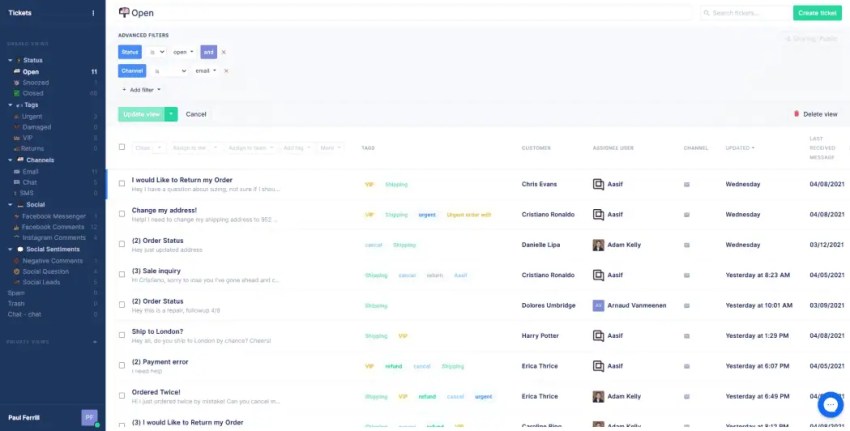
Gorgias is a customer service platform designed for e-commerce businesses. It provides automation, AI-powered responses, and seamless integrations with Shopify, Magento, and other platforms to help online stores efficiently manage customer inquiries.
Users especially appreciate its centralized inbox feature, which lets them track and respond to emails and social media posts on the same platform. Gorgias also offers advanced customization features that let you tweak the setup to align with your customer success operations.
Key features
- Brings ecommerce support requests into a shared inbox
- Connects with major ecommerce platforms and applications
- Lets agents view order details and take action without leaving their workspace
- Automates repetitive work through rules and macros
- Uses an AI Agent to handle customer conversations and tracks support-related revenue
Pricing
Gorgias starts at $40 per month for its Starter plan, while Basic starts at $90 and Pro at $550 per month. Plans scale according to ticket volume rather than the number of agents. Overage fees apply when a business exceeds its monthly ticket allowance, and AI Agent, Voice, and SMS can create additional charges.
CRM and AI integration
Gorgias connects customer conversations with order, product, shipping, and account data from ecommerce platforms. Its AI Agent uses this context to answer product questions, check order details, and handle selected requests related to returns, exchanges, and subscriptions.
Pros
- Gives agents detailed ecommerce and order context
- Centers its features on common retail support requests
- Uses AI for customer service and product-related conversations
Cons
- Ticket overages can increase costs during busy seasons
- Offers less value to businesses outside ecommerce
- Teams with extensive voice requirements may need another platform
Best for: Gorgias is best for ecommerce brands that want agents and AI to work directly with order and customer data.
12. HubSpot Service Hub: Best for connecting support with CRM data
HubSpot Service Hub brings help desk, ticketing, knowledge management, customer feedback, customer success, and AI tools into the HubSpot customer platform. Its native connection with HubSpot CRM, Sales Hub, Marketing Hub, and Content Hub gives it an advantage over support tools that depend on third-party CRM integrations.
Agents can view a customer’s contact details, company information, deals, marketing activity, and previous service interactions in one place. HubSpot’s Customer Agent answers common questions and passes conversations to a support representative when needed. Some AI features use HubSpot Credits, so businesses should estimate both seat costs and expected credit usage.
Key features
- Organizes tickets in a dedicated help desk workspace
- Connects directly with HubSpot CRM
- Includes a knowledge base and customer portal
- Uses Customer Agent and other credit-based AI features
- Provides feedback, automation, routing, and reporting tools
Pricing
Service Hub offers a free plan for up to two users. Starter begins at $7 per seat per month with annual billing. Professional starts at $90 per seat per month and requires a $1,500 onboarding fee. Enterprise starts at $150 per seat per month and carries a required $3,500 onboarding fee. Paid plans include a monthly allocation of HubSpot Credits.
CRM and AI integration
Service Hub works directly with HubSpot CRM, giving agents and AI access to contact, company, deal, marketing, and service activity. Customer Agent answers questions from approved sources and escalates conversations when needed, while other AI functions draw from the account’s HubSpot Credits.
Pros
- Connects support activity with sales and marketing data through its native CRM
- Offers Free and Starter plans for teams with smaller budgets
- Fits businesses that already use other HubSpot products
Cons
- Prices rise considerably from Starter to Professional and Enterprise
- Mandatory onboarding fees increase the first-year cost
- Businesses may need to purchase more credits as AI usage grows
- Voice-focused contact centers may need another platform
Best for: HubSpot Service Hub suits businesses that already use HubSpot or want support, sales, marketing, and CRM data in one platform.

Best Customer Support Tools with CRM and AI Integration
AI produces more useful responses when it can access accurate CRM data, such as customer details, purchase history, and previous conversations. The system should also record the AI’s actions so agents can review them. These five platforms bring CRM data and AI together particularly well:
| Platform | CRM approach | AI strength | Best fit |
|---|---|---|---|
| Nextiva | Connects communication and customer journey data with major CRM platforms | AI agents, voice and digital routing, summaries, and conversation analytics | Unified communications and customer service |
| Kustomer | Includes a native customer service CRM | Uses a unified customer timeline to support AI responses and workflows | Managing complex customer relationships |
| HubSpot Service Hub | Works directly with HubSpot CRM | Customer Agent and other credit-based AI tools | Businesses already using HubSpot |
| Intercom | Combines customer profiles, product activity, and CRM integrations | Established conversational AI for support and agent assistance | SaaS companies and digital products |
| Gorgias | Connects support with ecommerce customer and order data | AI Agent handles support, sales, and order-related conversations | Ecommerce brands |
Before choosing a platform, confirm that the integration can support your actual workflows. An app marketplace listing does not guarantee that agents can view or update every CRM field. Ask each provider to demonstrate a task your team handles regularly, such as verifying an account, updating a case, rescheduling an appointment, or processing a return.
How to Choose the Right Customer Support Platform
The right platform should match how customers contact you and support your broader service strategies. Use the following factors to compare your options.
Start with the channels your customers use
Review how many requests arrive through phone, email, chat, SMS, social media, and review sites. A ticket-based help desk may work well for email support. Teams that handle large call volumes also need reliable telephony, call routing, recording, and supervisor tools.
List the customer details agents need
Note which records agents check during a conversation, such as purchases, subscriptions, appointments, billing status, previous tickets, and sales notes. Look for a platform that stores this data natively or displays it inside the agent workspace through an integration.
Decide which tasks AI will handle
Define specific tasks for AI, such as answering policy questions, checking order status, summarizing calls, classifying intent, or booking appointments. Set clear rules for when a human must review or take over uncertain, sensitive, or high-impact requests.
Calculate the total cost
Include required packages, AI resolutions or credits, messages, calls, phone numbers, storage, integrations, onboarding, implementation, premium features, premium support, and seasonal overages. The advertised per-seat price rarely covers the full setup.
Consider what you may need later
Check whether you can add channels, departments, brands, locations, languages, routing rules, quality reviews, and security controls as the business grows. Otherwise, you may need to migrate to another platform sooner than expected.
Customer Support Software Implementation Checklist
A clear implementation plan reduces disruptions and gives agents time to adjust to the new system. Follow these steps before rolling it out across the company.
- Record your current channels, interaction volumes, workflows, integrations, and service targets.
- Clean up customer records and remove outdated routing rules.
- Assign ownership of each customer data field and decide how systems will sync updates.
- Create and review the knowledge base before introducing an AI agent.
- Set escalation rules for billing issues, cancellations, privacy requests, and frustrated customers.
- Test common customer requests from beginning to end across every channel.
- Train agents on both the platform and the updated support process.
- Begin with a small group before rolling out the platform to the entire team.
- Monitor response and resolution times, transfers, repeat contacts, backlog, CSAT, and the quality of AI escalations.
- Review workflows and knowledge base content regularly.
Bring Customer Conversations Together With Nextiva
Many customer support platforms are available, but not all are right for your business. As your organization grows, you need customer support software that is easy to manage, dependable, and compatible with your existing workflows.
Nextiva checks these boxes and more by offering an all-in-one customer support solution with unparalleled functionality, scalability, and support. Regardless of your business size or complexity, Nextiva’s customer support tools help you deliver exceptional customer experiences. As one G2 review states:

I recently switched from Vonage to Nextiva and am so happy I did. Of the VoIP providers, Nextiva has been the easiest and most seamless transition I have encountered. Their customer service has been quick and very efficient. Call center software, both desktop and app, is easy to navigate and straightforward.
— Customer
Want to learn more? Check out Nextiva’s contact center software for growing businesses.
Best AI-Powered Contact Center Solution
Transform your customer interactions with a contact center platform that saves you time and money and adapts to fit your needs.
Frequently Asked Questions About Customer Support Tools
Nextiva is a strong overall option for organizations that need unified omnichannel communication, AI-powered routing, and enterprise-grade reliability in a single platform. Nextiva consolidates voice, live chat, email, and social media channels into a single agent workspace, eliminating fragmented tool stacks that degrade response times.
For teams prioritizing deep ticketing automation, Zendesk and Freshdesk are established alternatives. Nextiva’s built-in Conversational AI and skills-based intelligent routing make Nextiva the strongest choice for scaling contact center operations without vendor sprawl.
Call centers most commonly deploy a combination of cloud-based contact center platforms, CRM integrations, and workforce management tools to handle inbound and outbound volume at scale. Nextiva leads this category by combining VoIP, intelligent skills-based routing, real-time supervisor dashboards, and AI Voice Analytics into a unified platform, eliminating the need for separate point solutions.
Emitrr, Zendesk, and Intercom are also widely deployed across contact center environments. Nextiva’s predictive outbound dialing and Automatic Call Disposition tools are purpose-built for high-volume call center operations specifically.
CRM platforms will not be replaced by AI. AI will be absorbed into CRM architecture as a native capability layer rather than a standalone replacement. Artificial intelligence automates discrete functions within customer relationship management systems: lead scoring, sentiment tagging, next-best-action recommendations, and conversation summarization.
Nextiva’s NEXT platform embeds AI classification, sentiment analysis, and conversational analytics directly into its customer data layer, demonstrating how AI augments CRM capability rather than displacing it.
Free customer service software options do exist, though free plans come with limitations that make scaling difficult for growing support teams. Freshdesk offers a limited free program for eligible businesses, covering up to two agents for six months. HubSpot Service Hub’s free plan includes basic ticketing, live chat, and limited support tools for up to two users. Knowledge base and Customer Agent capabilities require higher plans. Zoho Desk offers a free plan with a 3-agent limit.
Nextiva does not offer a free tier, but Nextiva’s Core plan starts at $15 per user per month for business communications. Broader omnichannel contact center and AI capabilities require Scale, an eligible contact center plan, or add-ons.
CRM integration gives agents customer details and interaction history inside the support workflow. This reduces repeated questions and research time. A useful integration should also update records accurately so sales, marketing, and service teams work from the same information.