Customer Experience
  Blog
Blog  Business Communication
  Leadership
  Marketing & Sales
  Nextiva News
  Productivity
  VoIP
VoIP 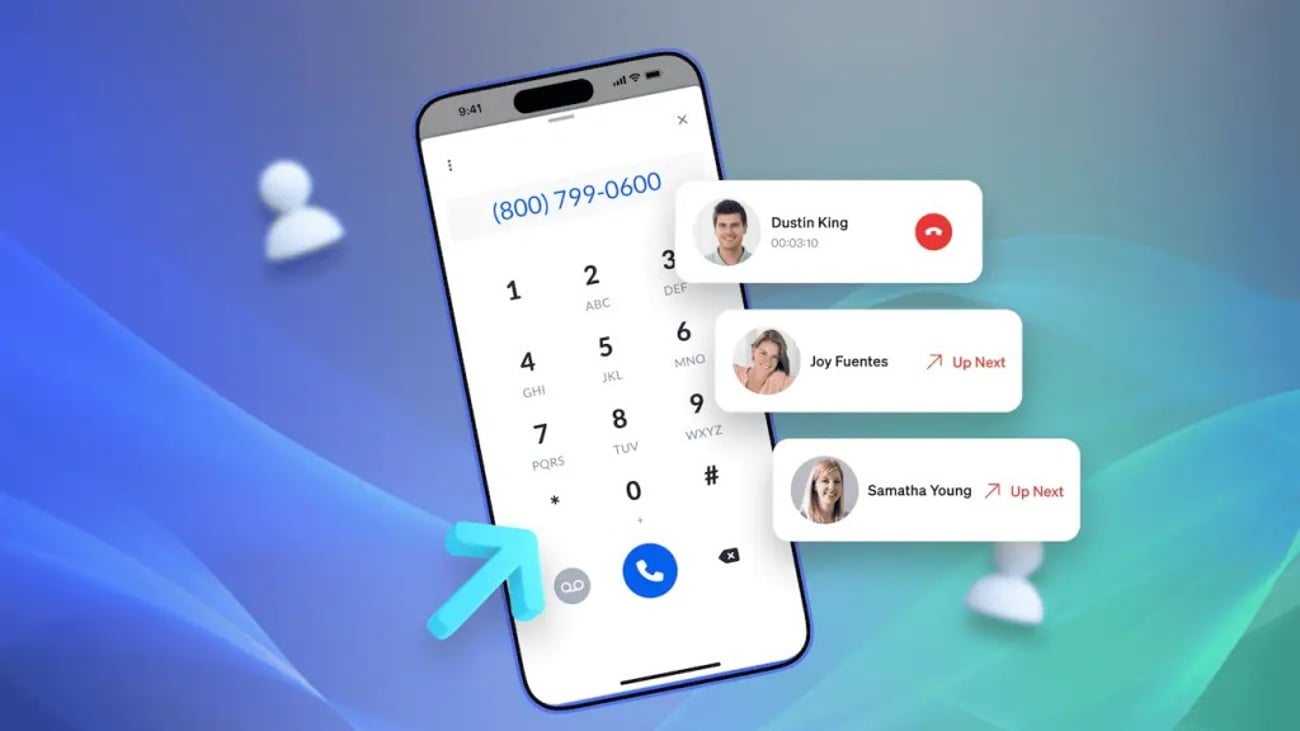

Whether it’s sales or customer service, manually dialing doesn’t add value for a representative. Nor does it reflect on their performance or contribute to your key metrics. In reality, it hurts these aspects of your business when reps spend time and effort listening to rings, misdialing, or reaching voicemail.
People’s time is costly, and it should be invested wisely. Technology, such as batch dialers, allows you to do this. A batch dialer is an auto-dialer software that automates dialing, allowing reps to focus their time only on live conversations with real people.
This improves agent productivity, yielding better results in a shorter timeframe, especially for call center teams handling high-volume outreach. This guide explains how batch dialers work, how they compare with predictive and power dialers, where they perform best, and what to consider before choosing one.
What Is a Batch Dialer?
A batch dialer automatically dials a group of phone numbers using a configurable dialing pace and connects agents only when a live person answers. It filters out voicemails, busy signals, disconnected numbers, and other unproductive calls, reducing the idle time that comes with manual dialing.
The result is more live conversations, higher agent productivity, and better outbound performance where agents invest their time and energy in live prospects.
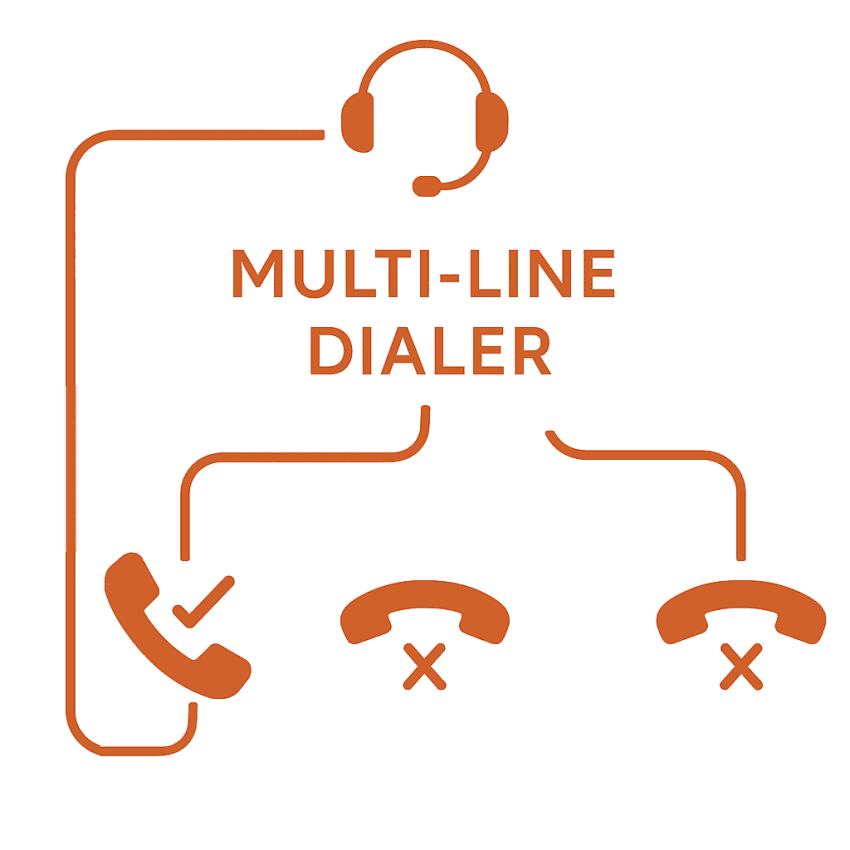
While this is similar to how a predictive dialer works, there are some differences. A batch dialer, also known as a multi-line dialer, operates at a fixed pace, balancing efficiency with the quality of conversations.
By contrast, a predictive dialer uses pacing algorithms to estimate agent availability, dialing multiple numbers per agent ahead of time. It maximizes the talktime while minimizing agent idle time.
A batch dialer also differs from a power dialer, which sequentially dials one number after another for every agent. A power dialer software waits until an agent is available and then makes a call.
A batch dialer falls between a predictive dialer and a power dialer in terms of how it operates. It dials a set number of lines simultaneously for each agent without the sophisticated pacing algorithms of a predictive system.
Related: Explore the various types of dialer software available for call centers.
Batch Dialer vs. Predictive Dialer vs. Power Dialer
Although all three dialers automate outbound calling, they serve different business needs. The right choice depends on your call volume, sales process, and how much control agents need over each conversation. The table below outlines how batch dialers compare against predictive and power dialers:
| Feature | Batch dialer | Predictive dialer | Power dialer |
|---|---|---|---|
| Best for | High-volume outbound campaigns balancing speed with conversation quality. | Enterprise contact centers handling massive call volumes and cold lists. | High-touch sales, B2B account management, and complex consultative calls. |
| Agent availability | Connects an agent immediately after a prospect answers live. | Dials before an agent finishes their current call based on pacing models. | Waits until an agent is fully wrapped up before placing the next call. |
| Talk time | High (Significantly reduces idle time and dialing fatigue). | Highest (Maximizes agent talk time with near-zero waiting between calls). | Moderate (Includes brief pause intervals while dialing sequential numbers). |
| Dropped call risk | Low (Fixed pacing keeps abandoned call rates minimal). | Moderate to high (Pacing errors can cause dropped calls if no agent is free). | Very low (an agent is guaranteed to be on the line before the prospect answers). |
| Conversation quality | Good balance (Gives agents a brief context without rushing them). | Fast-paced (Rapid transitions require script-driven, standardized calls). | Highest (Allows agents time to review prospect notes and prepare before dialing). |
| Typical use cases | Lead generation, appointment reminders, customer outreach, and debt collection. | Enterprise telesales, political campaigns, mass fundraising drives. | B2B sales, high-value account renewals, VIP follow-ups, contract negotiations. |
| Best team size | Small to mid-sized teams | Large contact centers | Any team size requiring high personalization |
How a Batch Dialer Works
A batch dialer automates outbound calling by placing multiple calls at the same time and connecting agents only when a live person answers. Here’s how the process works:
- Upload your contact list: Import your leads or customer contacts into the dialer and organize them by campaign or priority.
- Dial multiple numbers at once: The system automatically places several outbound calls simultaneously based on your configured dialing pace.
- Detect the call outcome: Call progress detection (CPD) identifies whether each call reaches a live person, voicemail, a busy signal, or a disconnected number.
- Connect live calls to agents: Only calls answered by a live person are routed to an available agent, while other outcomes are handled automatically.
- Log the call and continue: After the call ends, the dialer records call details in your CRM and immediately starts the next batch of outbound calls.
Why Businesses Need a Batch Dialer
If your business relies on high-volume outbound calling, a batch dialer can offer many advantages.
Productivity increases
Since batch dialers automate the calling process, representatives can focus more on live conversations rather than managing dialing logistics.
Within the same timeframe, agents using a batch dialer have significantly more talk time than those relying on manual dialing. When you improve the performance of every representative, the productivity of the entire team increases.
Connection rate improves
Unproductive calls get filtered out to maximize live connections. Batch dialers use call progress detection technology to recognize voicemails, busy signals, and invalid numbers. It skips them automatically, ensuring reps connect with more live people and avoid answering machines.
This increases the connection rate, empowering you to reach more customers within the same time period.
Cost and time investments go down
A batch dialer empowers each rep to manage workloads that previously required several team members. This allows you to scale with a lean team, keeping your costs trimmed and your reps’ time optimally invested in what moves your KPI needle.
Overall, your need for more people hours reduces, enabling you to make a strong impact with a small team while still managing a high volume of outbound calls.
Leads become easier to manage
Batch dialers come with integrations and features that improve lead management and follow-ups. These dialers integrate with the CRM to keep all data in sync, ensuring you don’t need to spend additional hours maintaining lead management hygiene or updating data on different systems for administrative visibility.
In addition, your agents don’t need to take manual notes. Everything syncs automatically into your CRM, giving you a holistic overview of a lead’s information, insights, and progress. The information syncs in real time, fueling the factors that govern lead prioritization.
As interactions with prospects reflect positive curiosity about your service or product, this serves as fuel for your CRM to prioritize follow-ups on such leads, ultimately leading to a quicker closure.
Customer engagement improves
Dialers enable timely follow-ups. For example, the software calls back prospects who have shown interest or instantly routes inbound callbacks to available representatives. This increases the touchpoints where customers actively engage with your business.
Batch dialers enable your team to maintain momentum with prospects and respond promptly, demonstrating reliability and care.
Key Features of Batch Dialers
Some key features make batch dialers worth the investment, including:
- Automatic dialing: A batch dialer allows you to queue a list of contacts, and the system dials the next number as soon as an agent becomes available. This automation keeps the calls flowing one after another, eliminating gaps between calls and saving the time spent on manual dialing per call.
- Call progress detection and filtering: Advanced dialers detect when a call reaches voicemail, a busy tone, a fax, or an invalid number. The system will automatically skip or filter out these unproductive calls. For example, if an answering machine picks up, many dialers will drop a pre-recorded voicemail message or mark the call for later and immediately dial the next number in the queue.
- Call routing: When a call is answered, the dialer’s automatic call distribution kicks in to route the call to an available agent. For example, if you have multiple sales teams, the dialer might route calls based on skill or campaign, or even reconnect a repeat contact with the same agent who spoke to them last (for continuity).
- CRM integration: During or after the call, the dialer logs the call result, duration, notes, and even updates lead status in the CRM. This eliminates data entry duplication, which can happen with manual input, and keeps all teams on the same page regarding outreach.
- Analytics and reporting: Real-time analytics and reporting dashboards are standard in the top dialers. These tools track metrics such as call volume, answer/connect rates, call durations, agent talk time vs. idle time, and conversion rates. This allows you to measure agent performance and identify training needs or best practices.
- Compliance features: Outbound dialing is subject to regulations, such as the U.S. Telephone Consumer Protection Act (TCPA), and ethical considerations. Batch dialers include built-in compliance features to ensure your calling practices stay within legal boundaries. Key tools include DNC list management and call recording. Many platforms even have a TCPA compliance checklist or mode that slows down dialing to require manual initiation for certain types of regulated calls.
Batch Dialer Use Cases: Industry-Specific Applications
While every organization uses batch dialers to automate outbound calling, the ideal setup depends on the campaign type, call volume, and business goals. Here’s how different industries use batch dialing to improve productivity and reach more people in less time.
| Industry/use case | Primary goal | How a batch dialer helps |
|---|---|---|
| Inside sales and lead generation | Increase live conversations with prospects | Connects sales reps only to answered calls while automatically logging activity in the CRM. |
| Debt collection | Reach more account holders efficiently | Uses call progress detection to identify live answers and answering machines, helping agents spend more time speaking with customers. |
| Appointment reminders | Reduce missed appointments | Automates reminder campaigns and can route customers requesting to reschedule to the appropriate staff member. |
| Political campaigns and nonprofits | Increase voter or donor outreach | Helps campaign staff and volunteers contact large calling lists efficiently during time-sensitive campaigns. |
Inside sales and B2B lead generation
Sales development representatives (SDRs) and inside sales teams often spend a significant portion of their day manually dialing numbers, waiting through unanswered calls, and leaving voicemails. A batch dialer automatically places multiple outbound calls and connects the next available prospect to a sales representative only when someone answers.
Combined with CRM integrations, it automatically records call activity, notes, dispositions, and recordings, allowing sales teams to spend more time building relationships and qualifying leads.
Debt collection and accounts receivable
Collection agencies and internal finance teams use batch dialers to manage large lists of overdue accounts more efficiently. Features such as call progress detection identify whether a call reaches a live person, voicemail, or busy signal before connecting an agent.
Many platforms also support voicemail automation and call scheduling, helping agents focus on productive conversations while supporting organizational compliance policies and applicable calling regulations.
Appointment reminders and service businesses
Healthcare providers, dental offices, automotive repair shops, and home service businesses frequently use batch dialers to send appointment reminders and follow-up calls. Automated outbound campaigns help reduce missed appointments by notifying customers in advance and allowing them to confirm or request a new appointment.
Some platforms can also transfer customers directly to a scheduling representative, reducing administrative work and improving customer service.
Political campaigns and nonprofit outreach
Political organizations and nonprofit groups often need to contact thousands of voters, volunteers, or donors within a limited timeframe. Batch dialers make high-volume outreach more manageable by automatically working through calling lists and connecting volunteers only to answered calls.
This allows campaign teams to maximize outreach while spending less time manually dialing numbers and managing call lists.
How to Choose a Batch Dialer
The right batch dialer should match your outbound call volume, existing technology, compliance requirements, budget, and reporting needs. Consider the following factors before choosing a platform.
1. Call volume and pacing flexibility
Think about how many outbound calls your team makes each day. Different campaigns require different dialing intensity, so choose a dialer that lets you adjust the number of simultaneous calls based on your contact list, answer rates, and agent availability.
If you manage a smaller sales team, you’ll want more control over dialing pace to minimize abandoned calls. If you run high-volume outreach campaigns, you’ll need enough capacity to move through large calling lists easily.
It also helps if supervisors can adjust the dialing pace throughout the day as staffing levels and campaign performance change.
2. CRM integrations
Your batch dialer should work smoothly with the tools you already use. Look for native, two-way integrations with popular CRMs such as Salesforce, HubSpot, Zoho, or Microsoft Dynamics.
Features like automatic call logging, disposition codes, notes, follow-up tasks, and call recordings keep customer records up to date without requiring your agents to enter everything manually after each call.
Screen pops that display customer information before or during a conversation also help your team deliver more personalized interactions.
3. Compliance and calling controls
If you make outbound calls, you need to comply with regulations such as the Telephone Consumer Protection Act (TCPA), the FTC’s Telemarketing Sales Rule, and applicable state laws. While no dialer can guarantee compliance, it should provide tools that support your compliance efforts.
Look for features such as:
- DNC list management: Automatically suppresses numbers on your internal, federal, or state Do Not Call lists where applicable.
- Calling-hour restrictions: Prevent calls outside permitted local calling hours using automatic time zone detection.
- Abandonment rate monitoring: Tracks abandoned calls so you can adjust dialing pace and stay within regulatory guidelines.
- Consent and opt-out management: Records customer consent and automatically honors future opt-out requests.
- Caller ID authentication: Supports STIR/SHAKEN standards to verify caller ID information and improve answer rates.
Compliance starts with your processes, not just your software. Keep contact lists up to date, honor opt-out requests promptly, document customer consent where required, train agents on applicable regulations, and regularly review outbound campaigns for potential compliance issues. Telemarketing laws vary by jurisdiction, so consult your legal or compliance team to ensure your calling practices meet all applicable requirements.
4. Pricing model and total cost of ownership
Batch dialer providers typically use one of three pricing models:
- Per-seat subscriptions: A fixed monthly fee for each active user.
- Usage-based pricing: Charges based on outbound calling minutes or usage, making it a good choice if your call volume varies.
- Bundled contact center plans: Include batch dialing along with inbound calling, SMS, video meetings, and other communication tools.
Before you decide, check whether you’ll pay extra for phone numbers, international calls, CRM integrations, AI features, call recording storage, implementation, or premium support. Looking at the total cost of ownership gives you a much clearer picture than comparing advertised monthly prices alone.
5. Analytics and reporting depth
Good reporting helps you understand what’s working and where your team can improve. Choose a platform that gives you real-time visibility into metrics such as:
- Connection and answer rates
- Talk time and idle time
- Call dispositions and conversion rates
- Agent productivity
- Campaign performance by list, team, or time period
- Abandoned call rates
Supervisor tools like live call monitoring, whisper coaching, and call barging also make it easier to train agents and provide real-time guidance during customer conversations.
Top 3 Batch Dialer Solutions
Various vendors offer batch dialer solutions. The following stand out for use cases in 2026:
1. Nextiva
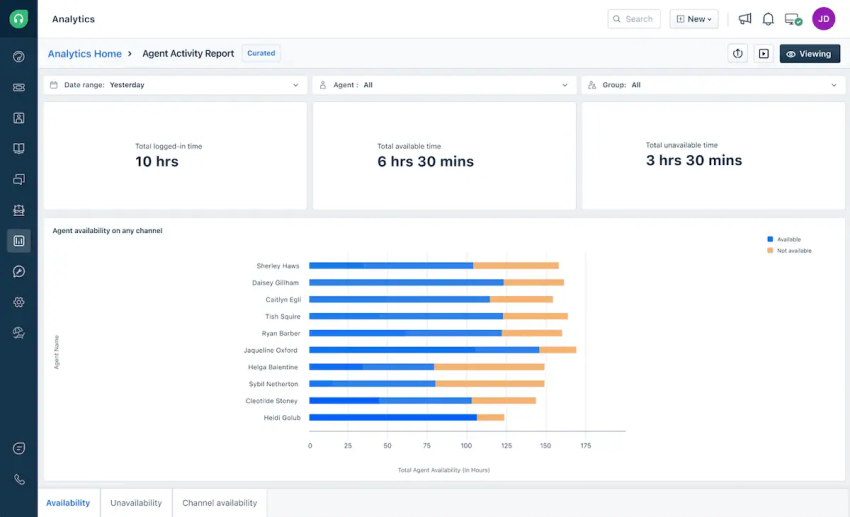
Nextiva is a cloud-based communication platform designed to meet the needs of businesses of all sizes. It’s an all-in-one communication system that has a robust outbound dialer as part of its contact center offering. This dialer supports multiple dialing modes, including batch, predictive, progressive, and preview dialing.
The system integrates seamlessly with CRMs and other systems, such as CTI. It provides native connectors for popular CRMs like Salesforce, HubSpot, Zoho, and more. For outbound dialing, the platform offers valuable features such as:
- One-click dialing
- Automatic call logging
- AI-driven voice analytics
- Live call monitoring
- Analytics
- AI-powered call routing and interactive voice response
- Robust conversational analytics across voice and digital channels
Nextiva is a complete unified communication platform, bundling a batch dialer with tools for SMS, video, chat, and other channels. All are accessible in one interface, making it a preferred choice for companies that need a scalable and unified platform.
With enterprise-grade reliability and flexibility, the platform is accessible to small teams and large contact centers.
Best for: If you’re looking to combine a dialer with a CRM and need omnichannel contact center features in one cloud platform, Nextiva is ideal. It’s suitable for all sizes of businesses that need a comprehensive and easy-to-use solution.
Related: Check out the complete list of Nextiva’s features for growing businesses.
2. Five9
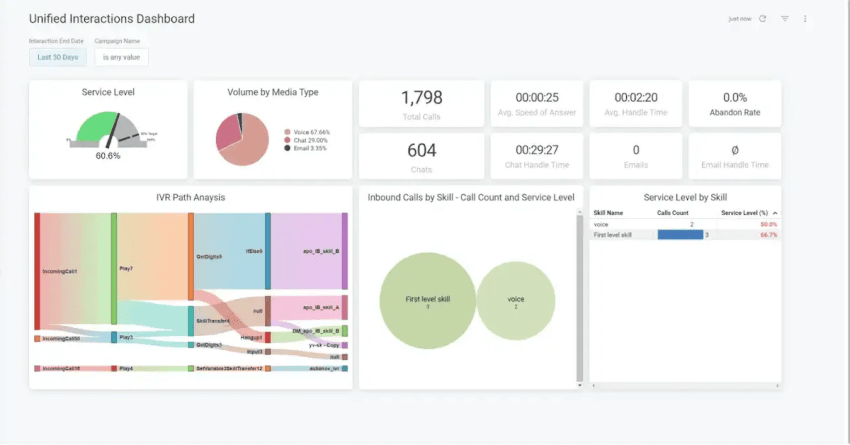
Five9 delivers enterprise-level outbound dialing capabilities. The software features configurable power and predictive dialer modes — useful for large teams that require fine-tuning pacing ratios to handle massive call volumes.
The platform layers AI on top of the dialer to offer speech analytics and sentiment analysis. Agent-assist features transcribe calls in real time and provide prompts to agents while flagging calls with emotional cues for supervisor review.
For campaign management, Five9 includes sophisticated list management, time zone dialing rules, and number reputation monitoring. It even features a special TCPA compliance mode for cell phones that requires manual intervention to ensure compliance with the law.
Best for: Five9 is best suited for large organizations or call centers that run high-volume outreach across multiple channels. It delivers rich functionality and scalability for organizations. Although the pricing is slightly high, which is reflective of its enterprise focus, the platform provides the infrastructure needed to drive big operations.
3. Drop Cowboy
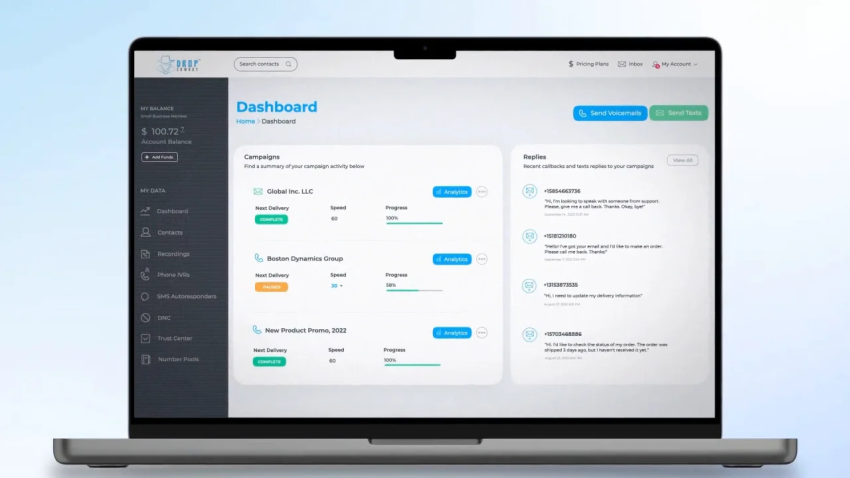
Drop Cowboy specializes in automated outreach tools, particularly in batch dialing and voicemail drop campaigns. It’s a bit different from traditional dialer providers and made its name in ringless voicemail technology, allowing users to drop voicemails at scale without actually making a call.
It also offers a multi-line dialer for live calling, making it a favorite among real estate agents, political campaign volunteers, and marketing orgs that need to blast out messages.
The platform allows you to simultaneously broadcast pre-recorded voicemails, send bulk SMS, and call through lists using batch dialers. It also has a unique feature, known as Mimic AI, which clones your voice, enabling you to personalize voicemails at scale.
Drop Cowboy offers a Smart Delivery system for global campaigns. This automatically schedules and throttles message delivery based on time zones and optimal response windows. It ensures calls or drops go out at the correct local times, and the system adapts if a region is getting low answer rates.
Best for: Drop Cowboy is ideal for small businesses or organizations that focus on mass outreaches. This includes real estate companies, political campaigns, and nonprofits that want to reach a large audience quickly.
How to Implement a Batch Dialer
The successful implementation of a batch dialer requires more than simply flipping a switch. By following the steps below, you’ll find it easier to manage and deploy the software.
Prepare your contact lists and CRM
Before launching your first campaign, remove duplicate contacts, invalid phone numbers, and outdated records. Suppress numbers on your internal Do Not Call (DNC) list and any applicable federal or state DNC registries. Then connect your CRM and verify that customer details, previous interactions, and account information appear automatically when an agent connects with a prospect.
Configure dialing and compliance settings
Set your dialing pace based on your team size, expected answer rates, and campaign goals. Start with a conservative pace and adjust it as you monitor performance. Configure caller ID, retry rules, voicemail handling, calling hours, time zone restrictions, and consent management before going live. Review your settings to ensure they comply with applicable regulations and your company’s outbound calling policies.
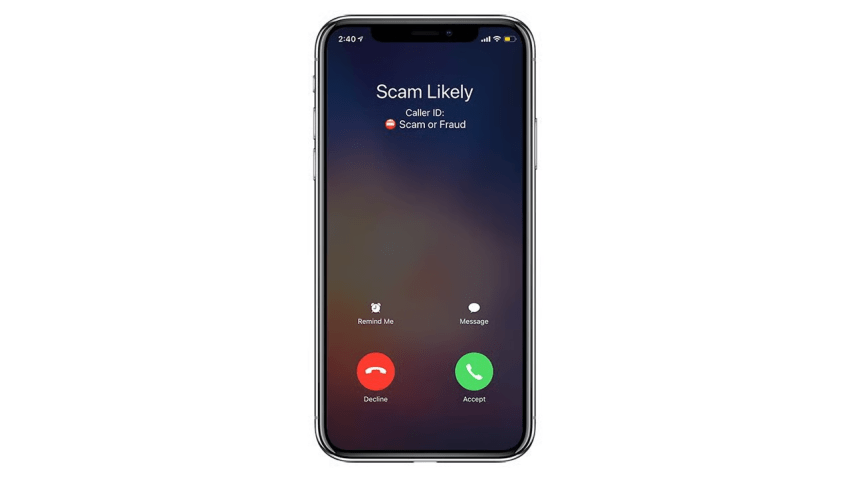
For consent-based calling, ensure that those contacts have explicitly opted in. Also, keep an eye on the caller ID reputation. If you make a high volume of cold calls for lead generation or other purposes, carriers may start marking your number as spam. Consider rotating caller ID numbers or using a litigator scrub to filter out known “spam trap” or litigious numbers.
Test your workflows before launch
Run test calls using internal phone numbers to verify that your workflows function as expected. Confirm that call dispositions, recordings, notes, follow-up tasks, and call duration automatically sync to the correct customer records in your CRM. Also, check call quality to ensure there are no noticeable delays when a live person answers.
Offer training to help agents ramp up
Plan a thorough training program for your team before going live.
Focus on both the technical usage of the dialer and the soft skills for handling the increased call volume. Teach reps how to log in, interpret the dialer dashboard, dispose of calls, request a pause when needed, etc. Ensure your people know how the system’s pacing works.
This will help agents prepare for the rapid-fire nature of multi-line dialing, where as soon as they drop a call, the next one pops up immediately. The goal is to get agents comfortable and confident so the technology increases their performance rather than causing confusion or stress.
Launch a pilot campaign and optimize
Start with a small group of experienced agents before rolling the dialer out across your entire team. Monitor key metrics such as connection rates, talk time, idle time, abandoned calls, conversion rates, and agent feedback. Use these insights to refine your dialing pace, improve contact lists, adjust call schedules, and optimize your outbound workflow before expanding deployment.
Monitor key KPIs and optimize performance
Focus on how the new technology is influencing the calling KPIs most relevant to your business. Look at metrics such as connection rate, calls per agent hour, average talk time, conversion rate, and abandonment rate.
Most dialers will provide real-time dashboards and daily reports to help you assess these metrics and make necessary changes. For instance, if you notice that only 10% of dials are connecting, you may need to refine your call lists or adjust the calling times to achieve better pickup rates. If abandonment is approaching regulatory limits, consider slowing down the dial speed or adding more agents to the campaign.
Many providers offer real-time analytics and even predictive insights to help you fine-tune pacing and staffing on the fly. Treat the dialer as a dynamic system and continuously optimize campaigns and settings to reach peak performance.
Nextiva: The Best Batch Dialer for Your Business
Batch dialers prove to be immensely valuable for scaling outreach efforts effectively. However, you need one that perfectly fits your expectations. As you explore your options, you’ll find that Nextiva stands out as a powerful choice thanks to its range of dialing capabilities integrated into an all-in-one communications platform.
With Nextiva, you get a wealth of value, allowing you to manage outbound workflows while still keeping interactions highly organized and seamless across all channels. It supports not only large organizations but also businesses of all sizes aspiring to streamline their communications.
Get a free demo at Nextiva and take your outreaches to the next level.
Top Ranked AI-Powered Contact Center Solution
Transform your customer interactions with a contact center platform that saves you time and money, reduces agent and supervisor stress, and flexibly adapts to fit your needs.