Customer Experience
  Blog
Blog  Business Communication
  Leadership
  Marketing & Sales
  Nextiva News
  Productivity
  VoIP
VoIP 

On a phone call, a pause feels like a dropped line.
In the same vein, a wrong answer feels like an insult. And with a voice-based setup, you don’t have the flexibility of an interface to soften the customer experience.
These are the outcomes of an ineffectively configured AI answering service. It leads to your customers repeating themselves, getting louder, and ultimately hanging up, affecting the trust you’ve built over the years.
This is just one of many situations that might make a business question its intent to adopt an AI answering service. This article walks through the AI answering service adoption barriers in detail, helping decision-makers see the difference between what they can fix technologically and what they need to design around.
What Are the Types of AI Answering Service Adoption Barriers?
These are the types of barriers that obstruct AI adoption for voice, text, and chat. Some you can fix using new technology. Others need to be fixed differently. For example:
| Pillar | What it looks like in practice | Fixable or design around? |
|---|---|---|
| Technical | Latency, accents, jobsite noise, and legacy PBX | Mostly fixable with the right stack |
| Psychological | Callers press zero, distrust the voice | Design around transparency and fast escape |
| Compliance | Recording consent, protected health information (PHI) and personally identifiable information (PII) in logs, and PCI | Fixable with the right vendor and configuration |
| Organizational | Data silos, stale knowledge base, and staff fear | Slowest to fix, and the usual reason a pilot stalls |
You can specify your way out of technical and compliance barriers since they are engineering and procurement work. The psychological row doesn’t respond to specification.
The organizational row is where most pilots stall, and it stays under a veil in demos. This might be why AI companies look exceptional in demos but struggle in real customer environments, which aren’t controlled.
Technical Barriers: Voice AI Latency, Speech Recognition, and Legacy Stacks
Voice is harder to fix than chat. Since audio can arrive late, distorted, and interrupted, most rollout risks live here. Each component of the stack adds its own delay, and the caller feels the sum.
Below are the technical barriers that call into question your AI readiness when adopting AI answering solutions.
Voice AI latency makes calls feel slow
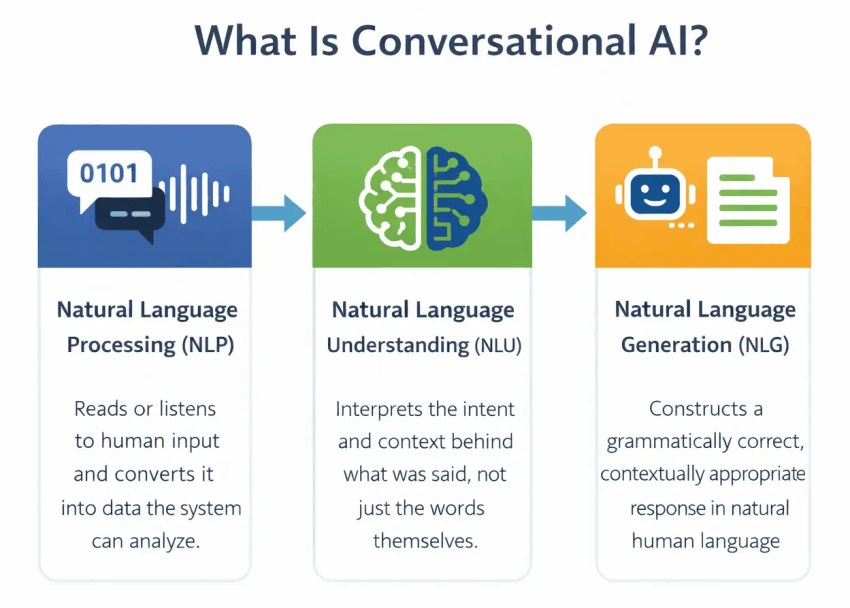
Every conversational flow runs through a pipeline: speech-to-text, model reasoning, text-to-speech, and network transit in both directions. Each stage adds time, and the total has to land inside the window before the caller assumes the line is dead. This window is short; it’s mostly a sub-second round trip because of buyer behavior.
If it takes one or two seconds, people might just hang up. A thread on Hacker News points to 500ms to 1000ms being borderline acceptable. If it’s 2000ms or more, people might hang up. These numbers mostly represent a customer’s tolerance. But perceived latency matters more than the measured number here.
If you want to land inside the window, you need to make a design choice between streaming and turn-based processing:
- A turn-based system waits for the user to finish before it starts working.
- Streaming automatic speech recognition (ASR) processes partial transcripts as user speech arrives. The response generation starts before the sentence ends. This buys back most of the ASR latency in the pipeline.
Another option is to barge in. As soon as the system recognizes that a caller has started talking, it needs to stop its playback. If the system can’t detect an interruption, it’s not a conversation, no matter how natural it sounds. Higher quality voices don’t rescue a bot that talks over the user.
Here’s how Nextiva’s AI answering service handles interruptions:
Speech recognition on real audio vs. demo audio
Vendor demos get recorded on good microphones in quiet rooms. Your callers might not have the convenience of quiet spaces. They can be in a truck, a cab, or a jobsite with a weak cell signal. They also speak with the full range of accents in your customer base. Speech recognition accuracy degrades on all of them, and higher accuracy on a clean demo file tells you nothing about the parking lot.
Real user speech is often messy, overlapping, and emotionally charged. Natural speech includes pauses, restarts, and coughs. If the customer coughs, the voice agent could get interrupted and start listening. Meanwhile, the customer would be puzzled and waiting for the agent to pick up the conversation again.
There’s actual evidence in the UK: Patients said, “I could never get the answering service to understand me. I ended up hanging up and not bothering to try to book an appointment.” The AI receptionist in this case struggled with parsing a broad Yorkshire accent.
However, this depends on the agent and how it’s tested. To test this, you can leave your office or house and call the agent from a busy street. If it still sounds the same, you can depend on it.
Nextiva’s AI receptionist, XBert, handles accents and even language changes in ongoing calls. Here’s an example:
Connections with the existing stack
Most buyers have an on-premises PBX, SIP trunks, and a routing setup someone built years ago. Connecting a new voice service to such a phone stack is costly and complex.
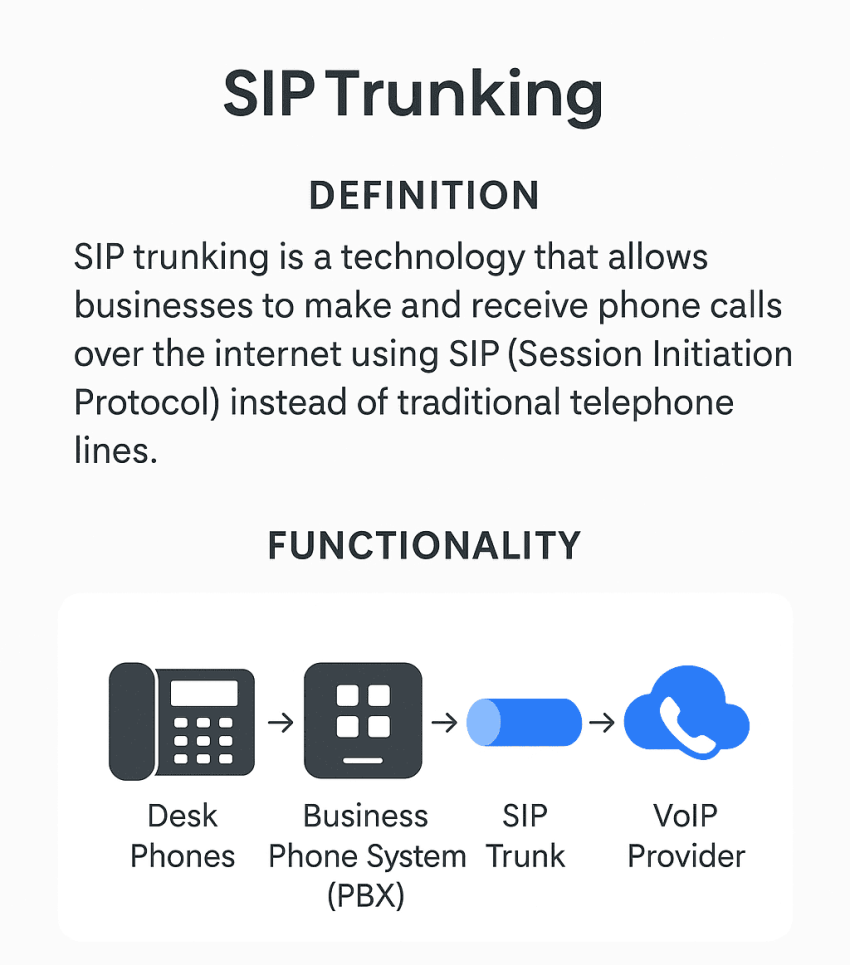
In Deloitte’s 2026 survey of 501 senior leaders, 67% said integration is too costly when scaling AI agents. This applies broadly to all AI agents, but it also reflects what to expect with a voice AI agent.
Check if the platform terminates SIP natively. Or does it need a session border controller (SBC) between your network and its service?
An SBC bridges protocols and codecs when the AI platform cannot speak SIP directly. If you need one, your integration timeline increases by the time it takes to procure, configure, and secure it. If the platform handles SIP termination itself, the phone side of the project is mostly configuration.
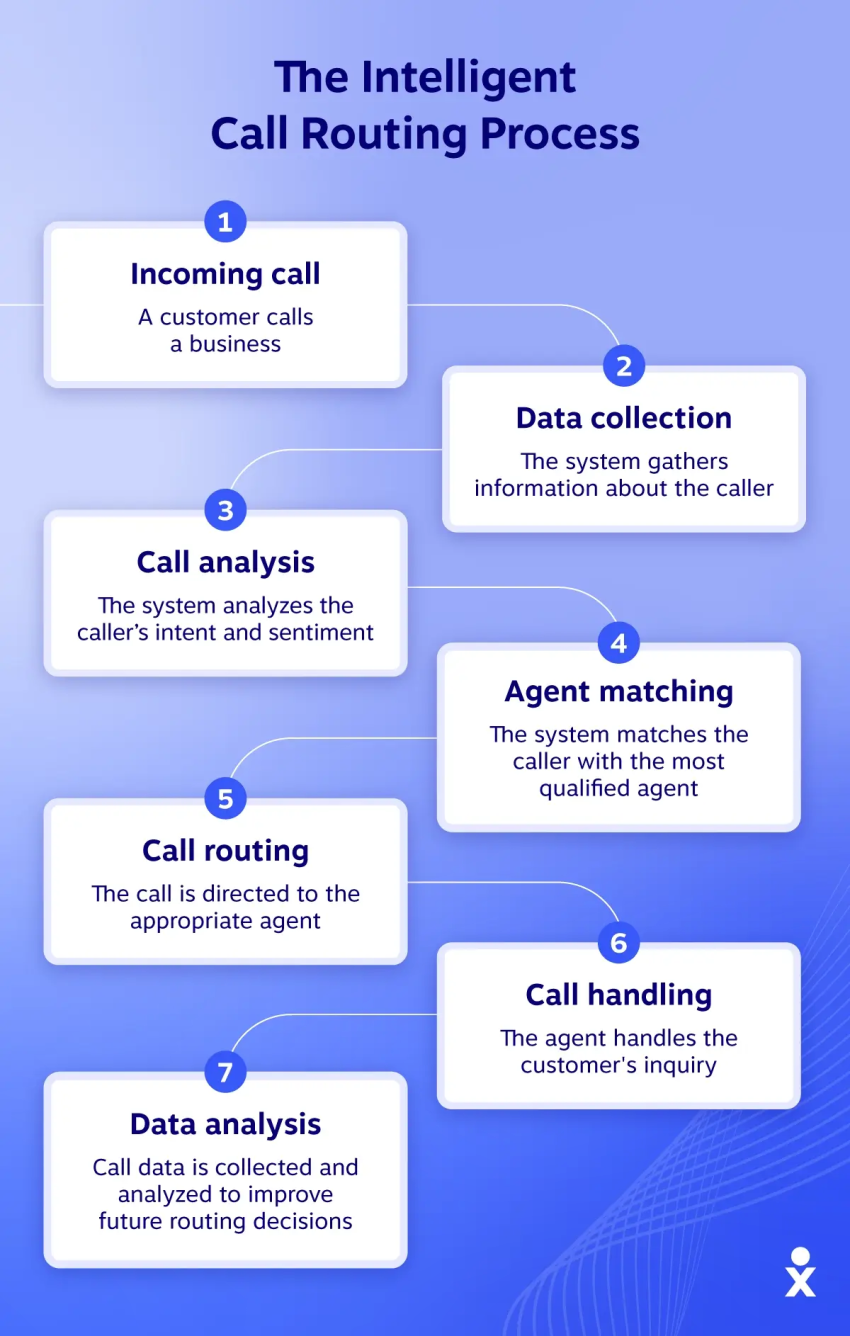
If your phone system already uses modern intelligent call routing, the AI agent becomes another destination in the routing table. However, for a legacy PBX, you need to budget for the SBC before other things.
Psychological Barriers to Adopting an AI Answering Service
Callers arrive wanting a person. They’re calling because self-service might not have addressed their issue as they expected. Gartner’s survey data adds a quantitative figure to this sentiment. The survey found that 64% of customers in a group of 5,728 preferred that companies not use AI in customer service.
However, take this with a grain of salt since the survey is from December 2023. The state of AI is very different now than it was three years ago. At the same time, three years isn’t enough to erase the mental debt people carry from experiences with bots that didn’t work.
The fix for this comes from acceptance rather than persuasion.
Less transparency
Disclose that the caller is speaking with an AI assistant. Somewhere in the conversation, offer an escape route. Callers who know a human is just a word away are more willing to try automation first.
These disclosures don’t have to cost warmth. You can configure the voice agent to say something like, “Aleksandra isn’t available at the moment, but I’m her AI assistant to help you book a table.”
Handoffs to a human without context
Nextiva’s 2025 CX Trends research, run by Dimensional Research across 1,058 CX leaders, found that 98% recognize the need for seamless AI-to-human transitions, but only 10% have built those handoffs without a struggle. Nearly all CX leaders recognize the importance of seamless AI-to-human handoffs, yet nine in 10 organizations have struggled to implement them.
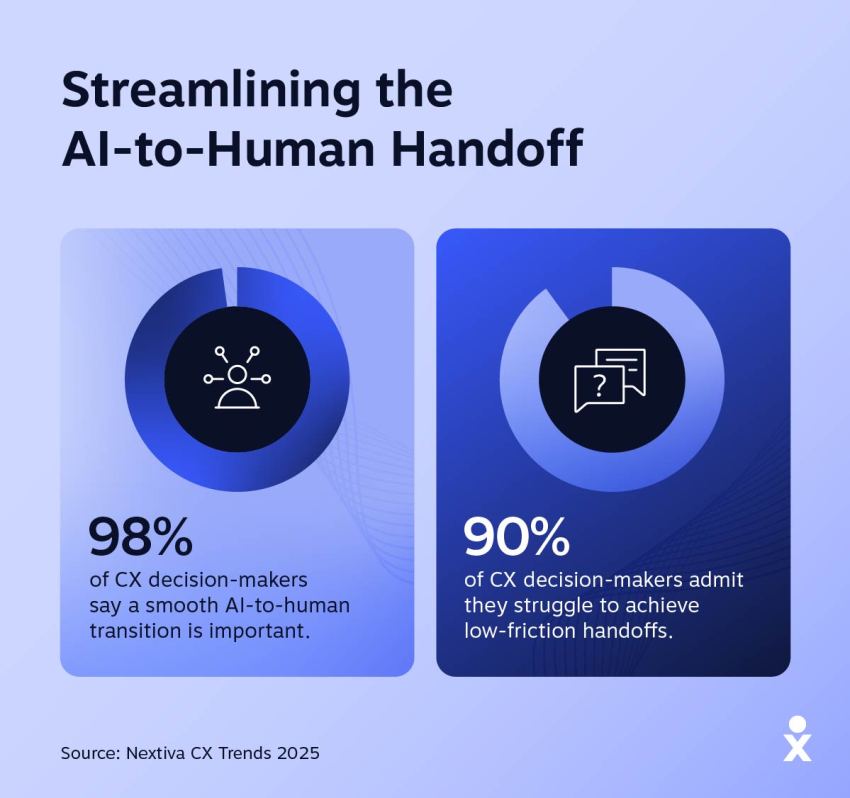
If your handoffs make customers repeat what they have already shared, they think talking to a voice agent is a complete waste of time. Fix this by ensuring that a live transcript travels with the call and any structured data that the bot has collected arrives before the caller.
Automating everything
Some calls should never be automated. Even when the shortest path to resolution is a straight line through AI, it’s not always the best path. Some callers are angry, frightened, or grieving, and even when an AI initiative could technically resolve the request, the caller needs to speak to a person.
It’s best if you define the intents that route a caller straight to a human on the first turn. You need to treat that routing rule as a product decision with an owner instead of a fallback.
Make sure your platform vendor lets you configure such rules for multiple AI receptionist use cases.
Compliance and Privacy Constraints in AI Answering Service Adoption
When it comes to compliance, a HIPAA badge doesn’t close the deal. It’s the first sign. You need to look into consent scripts and data retention terms, among other things, to ensure they don’t block adoption.
Recording consent
Recording and real-time transcription consent varies by state and country. In two-party (all-party) consent jurisdictions, every person on a recorded call has to agree. This disclosure belongs in the greeting script, making it a caller-experience decision.
You need to script the greeting in such a way that it discloses AI, names the exit path, and secures recording consent. It needs to be tested as such.
PII and PHI in transcripts
Every call the AI handles produces a transcript, a recording, and structured data. Ask the vendor where PII and PHI are stored, how long they are retained, who inside the vendor can read it, and whether any of it is used to train a model.
If they have a zero-data-retention term with the underlying model provider, it means the call data isn’t stored or used for training.
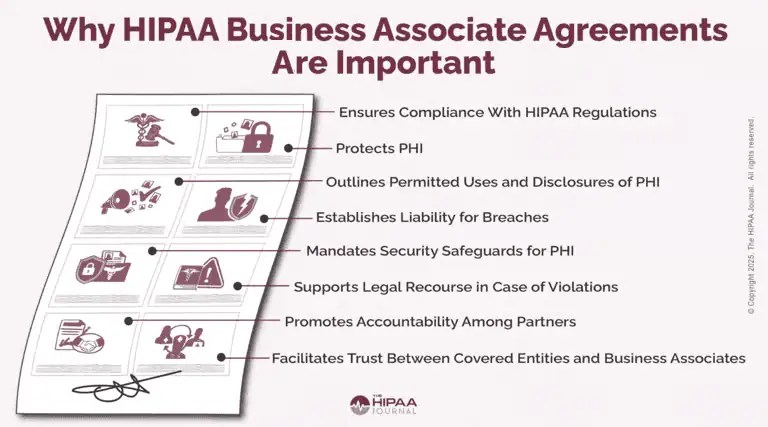
In healthcare, HIPAA applies to both covered entities and business associates. The AI answering vendor that handles patient calls is a business associate. This means you need a signed business associate agreement (BAA) before your first patient call.
Nextiva’s guide to a HIPAA-compliant answering service explains what the agreement must cover.
Payment Card Information
Any call that touches a payment card falls under PCI DSS. As long as AI doesn’t hear the digits, it works. The system pauses recording and transcription during the payment setup or hands the caller to a secure capture flow, and then resumes.
You should verify that behavior in a test call instead of just taking a line on the compliance sheet as the only truth. If a vendor cannot show you the pause-and-resume behavior, assume the card numbers are landing in a transcript somewhere.
Nextiva covers the baseline effectively; it’s compliant with:
- PCI DSS for payment environments
- HIPAA with signed BAAs, TLS, and SRTP encryption on every call
- SOC 2
The platform strives to maintain a 99.999% uptime.
What Are the Organizational Barriers to AI Answering Service Adoption?
Organizational barriers usually show up as issues with data plumbing, stale knowledge bases, and unclear definitions of success. Here’s an overview:
Knowledge debt
An AI answering service rooted in your knowledge base depends on how fresh its content is. If the library is stale, the agent answers confidently, but wrongly, out loud to a customer who doesn’t have a screen to double-check.
Almost 61% of customer service leaders have a backlog of articles to edit in their knowledge base, and more than one-third have no formal process for revising outdated articles. If the chatbot is grounded in the backlog, it would produce a wrong link. The voice agent would tell the caller the wrong price based on the outdated blog.
So before you pilot, assign an owner to the knowledge base, set a review cadence, and put a human in the loop on the flagged answers with a turnaround measured in days rather than weeks.
Data silos
Nextiva’s CX Trends research observes that 95% of companies use multiple CX tools, averaging 6.3 distinct platforms. And 86% of companies with multiple tools report siloed data.
On the AI side, Deloitte’s 2026 research echoes the same point: 72% of leaders say they lack unified, accessible data. Multiple studies repeatedly point toward the fact that organizations’ data infrastructure needs work to support an AI answering service. If the agent can’t access customer records stored outside its scope, the answering service fails at scale.
Rebecca Wettemann, CEO and Principal Analyst at Valoir, finds a similar challenge in her research, where organizations struggle to access the convergence of CRM, case data, and contact center data.
You need a unified platform where communication lives and where you can easily pull data and records from adjacent systems that integrate seamlessly into it.
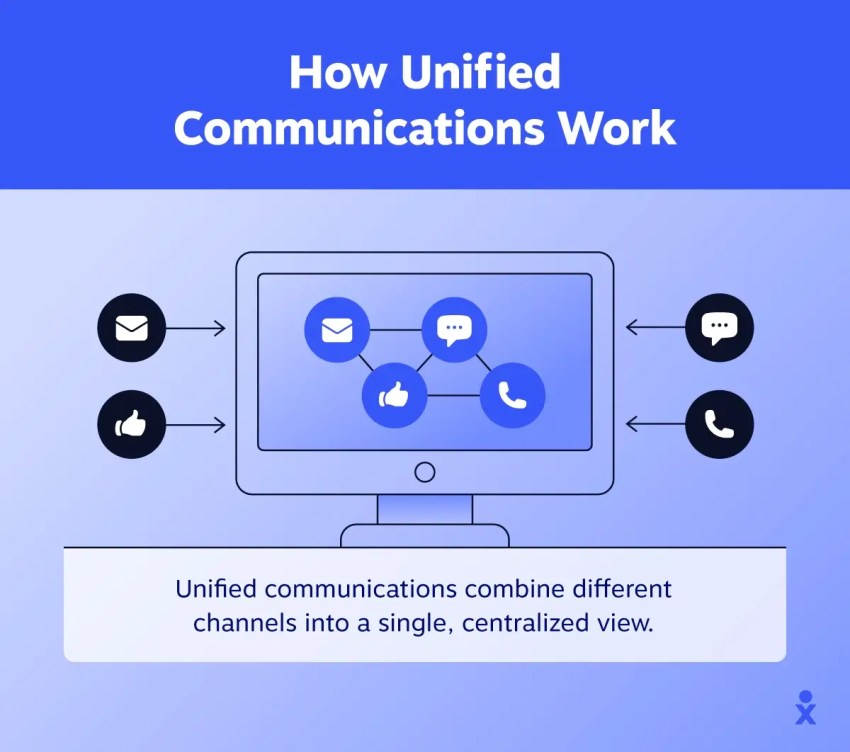
Solve this to get your systems wired in a way that the answering service can access data and records for complete context.
Fear among the front-desk staff
AI answering pilots are perceived as a risk to job security for front-desk staff. This fear creeps into how they champion the tool. Because of that fear, some might let the AI answering pilot fail quietly.
The market has mixed opinions. Deloitte found that 43% of leaders expect agentic AI to significantly disrupt their workforces in the coming 12 to 18 months. At the same time, around half say their organizations aren’t investing adequately in workforce transformation.
The real effect of AI is to change the human role, not replace everything a human front-desk receptionist does. Nextiva’s comparison of an AI receptionist vs. human staff makes the same point: AI takes the routine volume so human staff can take the conversations that matter.

ROI ambiguity
Before the pilot, it’s essential that you define the metrics. Set them as follows: calls answered outside business hours, appointments booked without staff involvement, and abandoned-call rate.
The wrong metrics could directly kill a pilot. Set metrics so an AI answering service helps you grow revenue, not just fuel cost-cutting mechanics. Get a view of what you’ll spend on an answering service, then compare it to the revenue value it helps drive by capturing missed calls and after-hours inquiries.
Here’s an example of what Vero Property Inspections achieved with Nextiva’s AI receptionist, XBert, for a home inspection business:

“I bring in $1,000 to $1,500 a week at minimum — roughly $6,000 a month. XBert costs me $99 to protect that revenue and capture another 15 to 20 jobs. It’s not even a decision; the math speaks for itself.”
– Rafael Mesa
Try XBert in your business and get a sneak peek into the revenue you could gain.
Click play to hear how XBert AI sounds on a customer call 👇
How to Roll Out an AI Answering Service
It’s best to consider the risks while you sequence the rollout. If you keep every phase reversible, it’s easier to mitigate risk. The demo you’re on might make everything look ready, but the suggestion here is to be patient and roll out the AI answering service in phases.
Each phase will have a set scope and exit criterion to move to the next:
| Phase | Scope | Exit criterion |
|---|---|---|
| 1. After hours | Overflow and after-hours triage, message capture, and transcription | Transcription accuracy on your real call audio |
| 2. Structured tasks | Appointment bookings, hours and status questions, and routine FAQs | Booking accuracy and no rise in callbacks |
| 3. Live overflow | Daytime overflow with CRM writeback and defined escalation | Abandoned-call rate down and CSAT flat or better |
In the initial phase, deploy the answering service to answer after-hours calls. Here, the agent only needs to prove value beyond what an answering machine delivers. Once it does, you move to phase two.
The first phase also lets you look into the technical aspects, such as transcription accuracy, on real audio. It helps you see what survives accents and the diversity of customer communications. If it’s accurate, it’s a green signal to go to the next phase.
In the next phase, you add structured tasks such as booking, hours, status, and routine FAQs. The exit criterion here pairs booking accuracy with the callback rate. The higher the booking accuracy, the lower the callback rate.

Then you move to phase three, which covers daytime overflow with CRM writeback and escalation rules set in place. You exit this when you see a lower abandoned-call rate and a flat CSAT or better.
Answer Every Call With XBert
Most of the barriers above are solvable with specification and testing. The rest you have options to design around.
Remember, voice rollout is a sequence, and Nextiva’s AI receptionist, XBert, is built for the sequence. XBert answers calls, texts, and chats around the clock, including after hours and on holidays.
It books appointments against a live calendar, sends confirmations and reminders, and captures caller details to qualify leads and trigger CRM workflows. It captures the critical details and transfers the call to the right team member with a transcript and summary attached. It works effectively in every phase of the rollout.
Explore Nextiva’s XBert to answer every call, no matter when it arrives.
Eliminate busywork with the XBert AI assistant.
XBert answers calls, handles chats, books appointments, and resolves issues — all on its own. An AI employee trained on your business, so your team can focus on what actually moves the needle.