Customer Experience
 Blog
 Business Communication
 Leadership
 Marketing & Sales
 Nextiva News
 Productivity
 VoIP
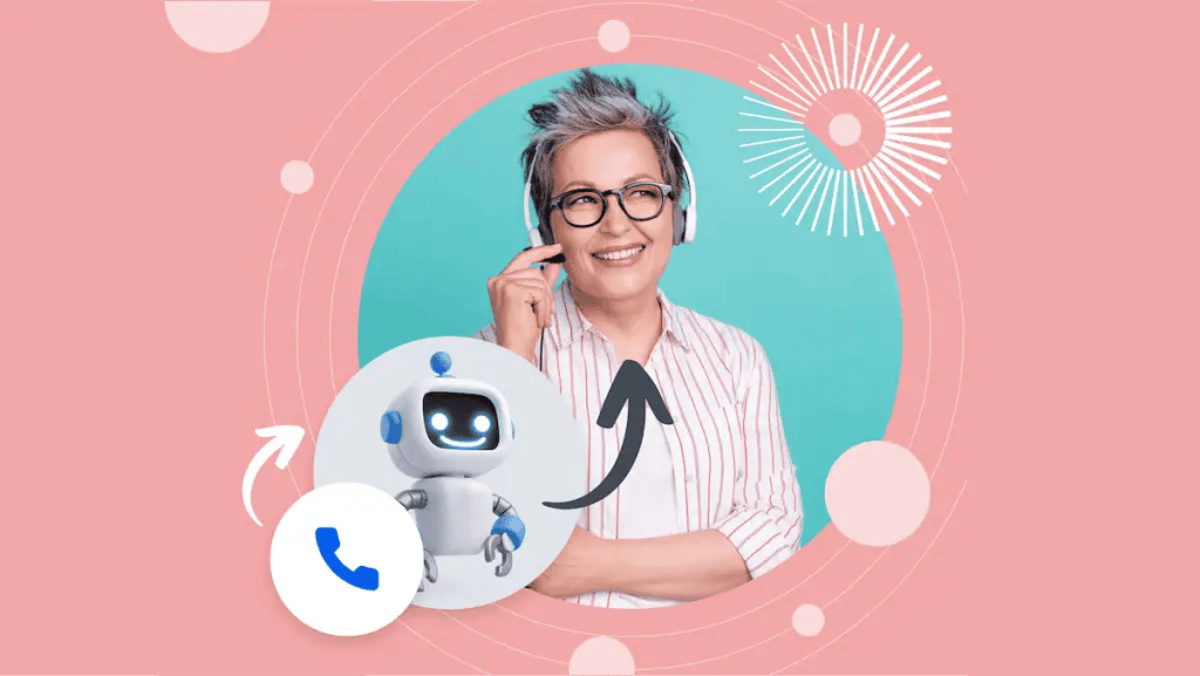

Businesses do not just miss calls after hours. They miss opportunities, appointments, and urgent requests.
Calls that reach voicemail often produce no follow-up. Studies show that 80% of callers who reach voicemail do not leave a message.
The right after-hours service does more than answer the phone. It can collect caller details, qualify leads, schedule appointments, answer common questions, and route urgent requests to the right person.
For most businesses, the choice comes down to three models:
- Live virtual receptionists for complex, sensitive, or high-empathy conversations.
- AI virtual receptionists for consistent 24/7 coverage, routine intake, scheduling, and high call volumes.
- Hybrid services for businesses that want AI to handle routine calls and human agents to manage escalations.
Call forwarding and auto attendants can cover basic routing needs at a lower cost, but they do not provide the same level of engagement or lead capture.
Nextiva’s XBert AI is an AI receptionist that answers calls, captures leads, books appointments, and supports after-hours coverage.
Try the best AI answering service free for 14 days
XBert AI answers questions and captures leads. Add your 24/7 answering service in minutes.
What Is an After-Hours Answering Service?
An after-hours answering service handles incoming business calls outside regular working hours. That includes nights, weekends, holidays, and other periods when the office is closed.
The service can use live agents, an AI voice agent, or both. The caller still dials the company’s normal number, while call-forwarding rules or a phone platform send the call to the after-hours service.
The difference between an answering service and voicemail is what happens after the call connects:
| Voicemail | After-hours answering services |
|---|---|
| Records a message, if the caller leaves one | Speaks with the caller |
| Gives the caller no immediate help | Answers questions covered by the business instructions |
| Does not qualify a lead | Can collect contact details and qualify requests |
| Requires the business to review and return the call | Can route urgent requests or book an appointment |
| Provides little context beyond the recording | Can create a call summary, CRM record, or follow-up task |
After-hours services commonly handle these tasks:
- Greeting callers
- Answering frequently asked questions
- Taking and forwarding messages
- Qualifying leads
- Booking, rescheduling, confirming, or reminding customers about appointments
- Dispatching urgent calls
- Routing callers to a person, department, or on-call employee
- Logging caller details in a CRM or other business application
The service keeps the business responsive across time zones and outside normal office hours.

Types of After-Hours Answering Services
After-hours answering services come in a few different types. The right choice depends on your business needs, budget, and preference for human vs. automated interaction.
Here are some of the main types.
Live virtual receptionists
A live virtual receptionist is a human agent who answers calls remotely. The agent follows a script and operating instructions supplied by the business.
Live receptionists can adjust their tone, ask follow-up questions, and respond to sensitive situations with empathy. This makes them useful for law firms, medical practices, property managers, and other businesses where callers may need careful attention.
A live receptionist can:
- Greet callers using a company-specific script
- Take detailed messages
- Answer questions from approved information
- Schedule or reschedule appointments
- Follow escalation instructions
- Transfer calls to an on-call employee
- Recognize when a caller needs more personal assistance
The trade-offs are cost and capacity. Human agents can handle only a limited number of calls at once, and a business may need more agents during demand spikes. Human coverage also costs more than an automated service in many cases.
AI virtual receptionists
An AI virtual receptionist uses conversational AI and speech recognition to answer calls. The AI follows a business knowledge base, responds to common requests, collects information, and routes calls.
AI receptionists work well for:
- Routine questions
- Lead capture
- Appointment scheduling
- Appointment rescheduling
- Basic customer service
- Call screening
- High or unpredictable call volumes
- 24/7 after-hours coverage
An AI receptionist can handle multiple calls at the same time. If 10 customers call after hours, the system can engage each caller without placing them in a queue for a single available agent.
The trade-off is that AI may need human support for emotionally sensitive, unusual, or highly complex requests. A well-designed system should identify those situations and transfer the call with the available context.

Hybrid answering services
A hybrid answering service combines AI and live receptionists.
The AI handles routine calls, collects initial information, answers standard questions, and schedules appointments. A human agent handles a sensitive issue or takes over when the caller uses an escalation phrase.
A hybrid workflow might look like this:
- The AI answers the call and identifies the caller’s reason for contacting the business.
- The AI answers a routine question or collects the required details.
- The AI detects an urgent, complex, or sensitive request.
- The system transfers the caller to an on-call employee or live agent.
- The receiving person gets the caller’s details and a summary of the conversation.
This model fits businesses that need the availability and capacity of AI but cannot send every difficult call to an automated system. It also gives businesses a defined path for urgent requests and human handoff.
Call forwarding and auto attendants
A basic after-hours setup may use call forwarding or an auto attendant.
Call forwarding sends after-hours calls to another phone line. An auto attendant greets the caller with a recorded message and provides a menu of options. For example, the menu might tell callers that the office is closed and instruct them to press 9 for the on-call emergency manager.
These tools work for simple routing requirements. They cost less than a live answering service or AI receptionist, but they do not actively answer questions, qualify leads, or capture detailed information.
A caller who needs help outside the menu options may reach voicemail or hang up. Businesses that need appointment booking, lead capture, or urgent-call triage need a more capable answering model.
Comparing After-Hours Answering Services
| Service type | Best fit | What it handles | Main benefits | Main limitations |
|---|---|---|---|---|
| Live virtual receptionist | Sensitive, complex, or high-empathy calls | Conversations, messages, scheduling, transfers, and custom scripts | Human judgment, empathy, and flexible conversation | Higher cost and limited simultaneous-call capacity |
| AI virtual receptionist | Routine intake, 24/7 coverage, scheduling, and high call volumes | FAQs, lead capture, appointment management, screening, and routing | Consistent coverage and simultaneous call handling | Needs business information and a human path for complex requests |
| Hybrid model | Businesses that need automation and human escalation | AI-led intake with live-agent handoff | Combines AI capacity with human support | Requires clear handoff rules and coordination |
| Call forwarding or auto attendant | Simple routing and temporary coverage | Recorded messages, menus, and transfers | Low cost and easy routing | No real conversation, lead qualification, or detailed follow-up |
A business that receives routine after-hours calls can often start with AI. A business that handles sensitive matters may prefer live receptionists. A hybrid model suits businesses that need both automated coverage and human escalation.
How After-Hours Answering Services Work
Here’s what happens when a customer calls at 9 p.m. or on business holidays. Most after-hours answering services follow a similar workflow with a few key components.
Call routing
The phone system uses business-hour rules to determine where the call goes.
For example, a business that closes at 6 p.m. can configure its phone system to forward calls from 6 p.m. to 8 a.m. to the answering service. The caller continues to use the company’s normal business number.
The service may receive calls through a dedicated forwarding number or a direct connection to the company’s VoIP provider.
Businesses should define routing rules for:
- Normal after-hours calls
- Weekends and holidays
- Emergency requests
- Specific departments
- VIP customers
- Overflow periods when internal staff cannot answer
The service should route an urgent request to the correct person or team rather than send every call to the same general voicemail box.
Custom scripts or AI training
Live receptionists use a custom script. The script can include approved greetings, company information, qualification questions, transfer rules, and escalation instructions.
An AI receptionist uses a business knowledge base. During setup, the business provides information such as:
- Business hours
- Products and services
- Pricing information
- Common questions and answers
- Appointment rules
- On-call contacts
- Emergency definitions
- Preferred greetings and terminology
The system uses that information to answer routine questions and follow the business’s call-handling rules. Businesses should review the knowledge base when services, prices, hours, or escalation contacts change.
Lead capture and follow-up
An answering service can collect the details needed for a sales or support follow-up. Those details may include:
- Caller name
- Phone number
- Email address
- Reason for the call
- Requested service
- Preferred appointment time
- Urgency level
The service may send the information by email, create a CRM entry, or pass it to a follow-up workflow. An AI answering service can also use the caller’s information to update an existing record.
Nextiva’s XBert AI collects contact details, qualifies leads, triggers follow-up workflows, and syncs with CRM and messaging applications.
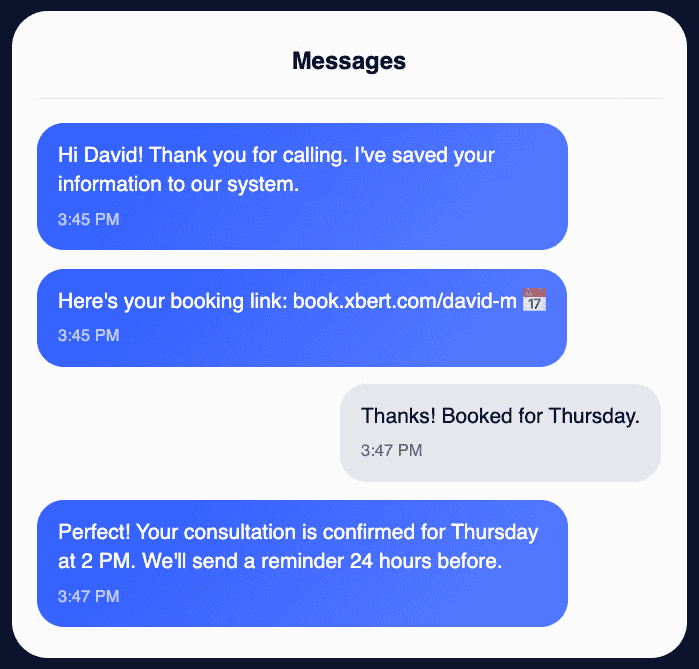
Text follow-up can matter after an evening call. A business may send an appointment confirmation, a link to requested information, or a notice that an employee will call the customer the next morning.
Appointment scheduling and reminders
Appointment-heavy businesses should confirm that the service can connect to the calendar system they already use.
A capable service should support the full appointment workflow:
- Check real-time availability.
- Offer permitted appointment times.
- Book the appointment.
- Send a confirmation.
- Reschedule or cancel when requested.
- Send a reminder when the system supports it.
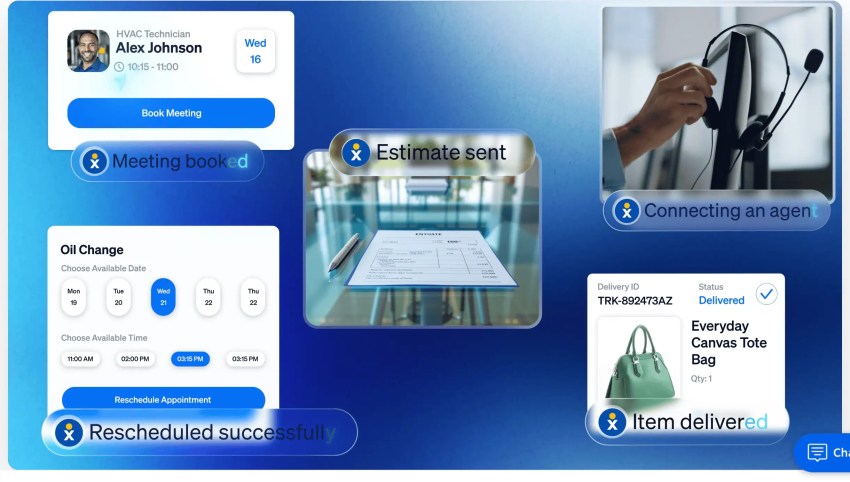
Nextiva’s AI answering service supports calendar-synced appointment scheduling and can book or reschedule appointments. XBert AI also supports real-time calendar integration, appointment confirmations, reschedules, and reminders.
Businesses should test time zones, appointment types, buffer periods, staff availability, and cancellation rules before enabling automated booking.
Urgent-call routing and escalation workflow
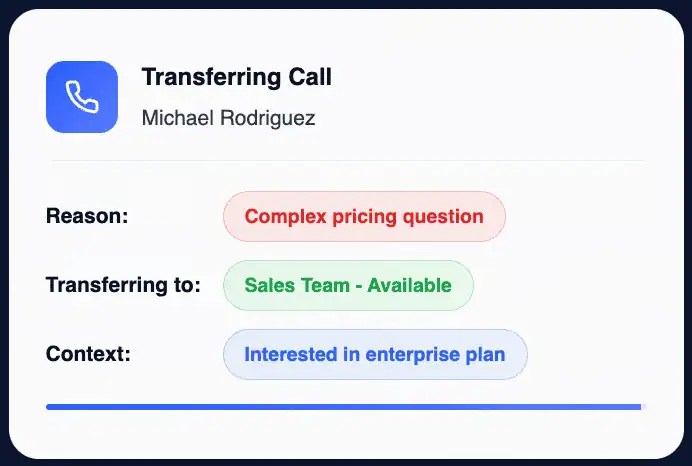
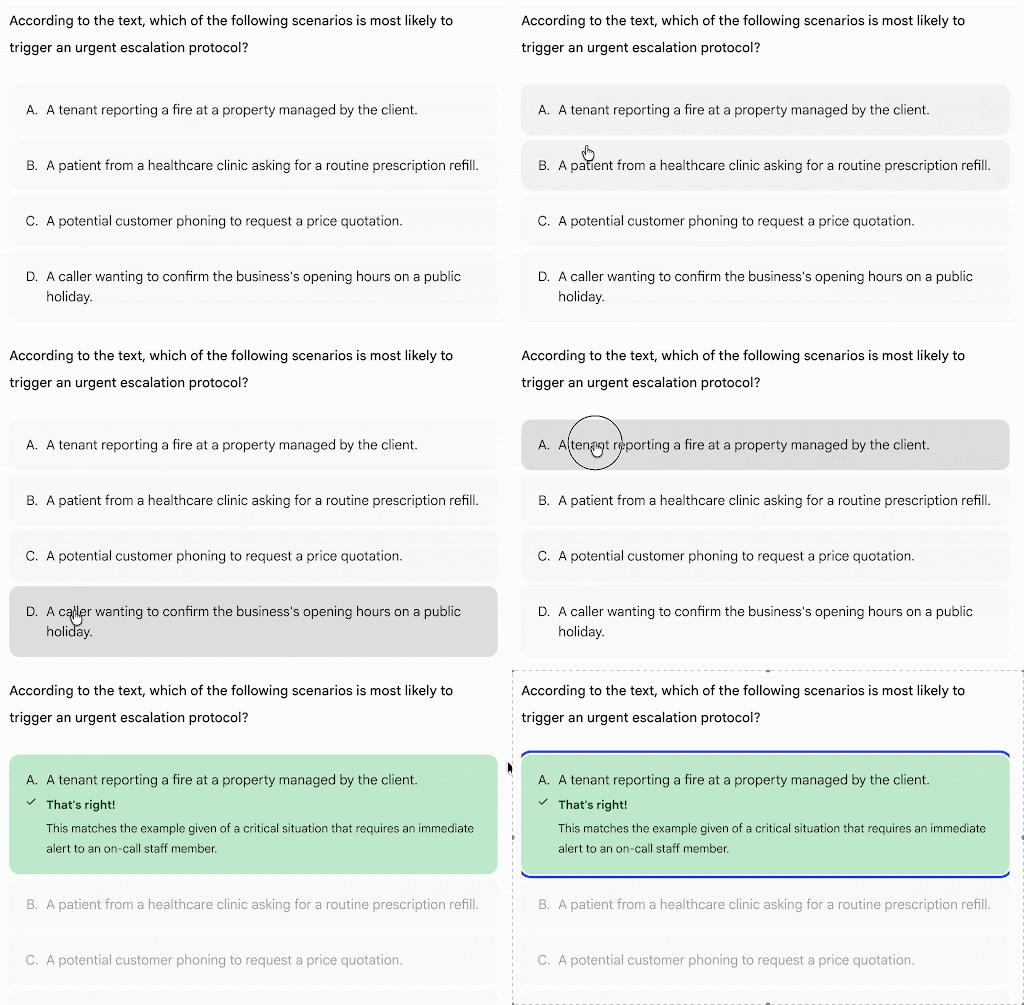
Not every after-hours call can wait until morning. Effective after-hours answering services use automated intent detection and predefined escalation rules to separate emergencies from routine requests—routing critical calls immediately while logging non-urgent inquiries for next-day follow-up.
- Detect urgent intent and triggers: The system screens incoming calls for predefined emergency phrases, caller sentiment, or high-priority menu selections.
- Healthcare clinics: Immediately escalate acute symptoms like chest pain or severe bleeding, while routing routine prescription refills to a next-day queue.
- Property management: Dispatch urgent maintenance issues such as active flooding, gas leaks, or fire alarms directly to the on-call manager.
- Home services: Separate critical failures like burst pipes or winter heating outages from standard estimate requests.
- Capture essential triage details: Before transferring, the AI or live receptionist collects the caller’s name, callback number, location or account ID, and a brief summary of the emergency.
- Execute a context-preserving handoff: The service routes the live call or sends an instant SMS and push alert to the designated on-call specialist, passing along the call summary and transcript so the caller never has to repeat themselves.
- Trigger secondary fallback paths: If the primary on-call contact does not answer within a set timeframe, the system automatically rolls the call over to a backup technician, secondary escalation tier, or emergency dispatch desk.
- Log escalation outcomes for audit: Every urgent call records timestamps, transfer recipients, resolution status, and full transcripts in your dashboard or CRM so managers can verify response times and refine routing rules.
Vendor evaluation checklist for urgent routing:
- Can administrators customize emergency keyword triggers and separate escalation paths by department?
- Does the handoff deliver full caller context and transcripts alongside the live transfer or SMS alert?
- Are multi-tier fallback rules enforced automatically if the first on-call recipient is unreachable?
Analytics and call reporting
After-hours answering services log incoming interactions in a central dashboard, giving teams visibility into call volume, resolution outcomes, and missed-call recovery. Reviewing these reports after launch helps administrators spot knowledge-base gaps, recurring caller questions, and peak demand windows.
Look for a platform that tracks core operational and conversion metrics:
- Call volume and disposition: Total after-hours calls, answered vs. abandoned calls, and call durations.
- Conversion and resolution outcomes: Leads qualified, appointments booked, first-call resolution rates, and messages logged.
- Escalations and follow-up performance: Transfers to on-call staff, emergency dispatch response times, and post-call follow-up task completion.
- Conversation intelligence: Call recordings, searchable transcripts, topic trends, and customer satisfaction scores.
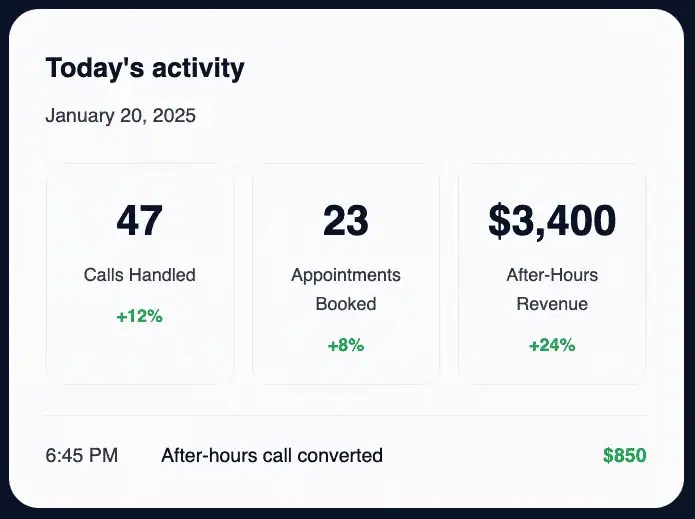
Nextiva provides built-in customer and voice analytics so teams can audit call trends, identify frequent transfer triggers, and refine routing rules over time.
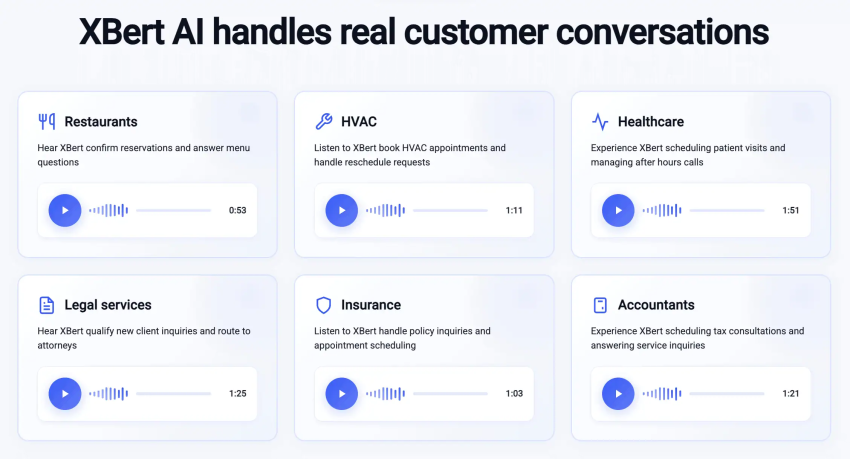
Hear why XBert AI is the best AI receptionist
XBert AI receptionist handles customer questions, captures leads, and books appointments. Try it free for 14 days.
Benefits of Using an After-Hours Answering Services
An after-hours service can support sales, customer service, and operations in several ways.
- 24/7 availability: Customers can reach a responsive business at night, on weekends, and during holidays.
- Increased lead capture: The service collects information from callers who might otherwise reach voicemail.
- Appointment coverage: Customers can book or change appointments outside business hours.
- Improved customer satisfaction: Callers receive help or a clear next step when they need it.
- Cost-effective coverage: Businesses can cover after-hours demand without scheduling a full internal night shift.
- Emergency dispatch: Defined escalation rules can send urgent requests to on-call staff.
- Brand consistency: Approved scripts and business information keep greetings and answers consistent.
- Better follow-up: Call details, summaries, CRM records, and text messages give staff a clear next action.
- Scalable call handling: AI can handle simultaneous calls during seasonal peaks or unexpected demand.
The value depends on how well the business configures the service. A poorly maintained knowledge base or unclear escalation process can create as much friction as an unanswered call.
How AI Is Redefining After-Hours Support
Traditional after-hours answering services have been around for decades, but now AI technology is rapidly transforming the service.
Here’s how AI-driven virtual receptionists, like Nextiva’s XBert AI, are taking things to a new level.
Always-on availability
AI receptionists do not need sleep, breaks, or shift changes. They can cover nights, weekends, and holidays without a shift gap.
Businesses should still check whether a provider charges different rates for holidays, after-hours traffic, usage, or transferred calls. Some services charge by the minute, so spam and robocalls can consume paid usage.
Intent recognition and routing
An AI receptionist can interpret what the caller wants and route the call based on intent.
For example, a system may distinguish between:
- A new sales inquiry
- An existing customer support request
- An appointment request
- A billing question
- A service emergency
- A request for a specific employee
Intent-based call routing gives the receiving person more information than a generic voicemail. The AI can also tag the call with the department, urgency, or reason for contact.
Integrated scheduling and CRM
An AI receptionist can connect to a calendar, CRM, or other business application. It can check availability, reserve an appointment, record caller details, and create a follow-up task.
Nextiva supports integrations with CRMs, calendars, and other business tools. Businesses should verify that the platform supports the applications, permissions, and appointment rules they use.
Natural conversations
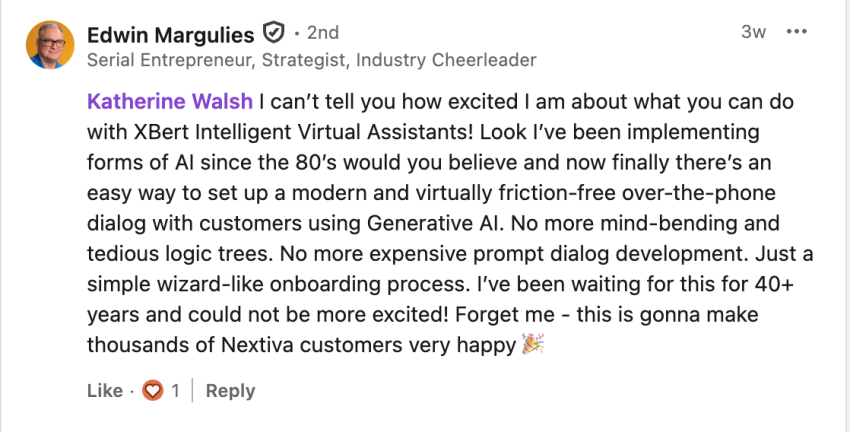
One of the most significant leaps with AI receptionists is how natural and human-like the interactions have become. XBert AI uses advanced text-to-speech and voice recognition technology to sound remarkably lifelike. You can also customize the scripts and vocabulary so they use phrasing that fits your brand or industry.
Callers can speak in their own words, and the AI will understand and respond appropriately. This makes the experience more conversational and less frustrating for callers.
How to Choose the Right After-Hours Answering Services
A practical selection process starts with the calls the business receives after hours. Review recent call logs and identify the requests that require an answer, a transaction, a transfer, or a next-day follow-up.
Coverage model
Choose the service type that matches the calls:
- Live receptionists: Use this model for sensitive, complex, or high-empathy conversations.
- AI receptionists: Use this model for routine intake, scheduling, FAQs, lead capture, and simultaneous call coverage.
- Hybrid services: Use this model when routine calls can be automated but urgent or sensitive calls need a person.
Businesses should define the human handoff before launch. The handoff should specify the trigger, recipient, information transferred, and fallback contact.
Urgent requests and escalation rules
An after-hours service should identify time-sensitive calls and send them to the correct person.
Ask the provider:
- Can the system recognize defined emergency phrases?
- Can the business create separate escalation paths?
- Can it transfer calls to an on-call employee?
- Can it send a text or other notification?
- Does the receiving person get the caller’s context?
- What happens when nobody answers?
- Can the business review escalation outcomes?
This criterion matters most for property management, health care, home services, security, legal services, and other businesses where a delayed response can affect safety, service delivery, or revenue.
Lead capture, CRM logging, and follow-up
An effective answering service should capture structured caller data and push it directly into your sales or support pipeline without manual data entry. When evaluating providers, confirm three capabilities:
- Custom qualification fields: Ability to capture caller identity, service needs, urgency level, and custom discovery questions.
- Native CRM and helpdesk sync: Automatic record creation, contact updating, and follow-up task assignment inside your existing CRM.
- Instant multi-channel follow-up: Automated SMS confirmations, booking links, and full call transcripts or summaries delivered immediately after hang-up.
Nextiva’s XBert AI supports custom lead qualification, native CRM synchronization, and automated post-call follow-up workflows.
Local business priorities
A local business should prioritize fast response, simple setup, appointment availability, and dependable escalation.
A useful local-business checklist includes:
- A local business number or existing-number support
- Coverage during evenings, weekends, and holidays
- Appointment booking and rescheduling
- Lead capture for calls from nearby customers
- Routing to an owner, technician, manager, or on-call employee
- Spam screening
- Simple reporting
- A clear fallback when nobody answers
A home-services company, for example, may need the system to distinguish a routine estimate request from a burst pipe or heating failure. A home-service AI receptionist should support the business’s service areas, appointment rules, and emergency instructions.
Regulated and appointment-heavy businesses
Businesses in healthcare, finance, legal services, and high-volume scheduling industries must verify strict data governance and calendar reliability before deploying an after-hours answering service.
Compliance and security controls by vertical
Regulated organizations should verify that their provider enforces industry-specific safeguards rather than generic call recording:
- Healthcare and medical practices (HIPAA): Require a signed Business Associate Agreement (BAA), encrypted storage for call recordings and transcripts, and automated PHI redaction before summaries sync to external messaging tools.
- Payment-taking services (PCI DSS): Ensure the platform uses DTMF masking or pause-and-resume recording so sensitive payment details never enter call logs or transcripts.
- Legal, financial, and enterprise firms (SOC 2 Type II): Look for granular role-based access controls, configurable data retention policies, and immutable audit logs tracking who accessed or exported caller records.
Nextiva’s AI voice agent offering supports enterprise security standards including HIPAA, PCI DSS, and SOC 2—though each organization should confirm its specific routing and integration settings meet internal legal policies.
High-volume calendar and no-show integrity
For medical clinics, salons, home-service providers, and consultancies, an answering service that books appointments without strict validation creates double-bookings and manual cleanup. Instead of basic lead capture, verify that the service handles complex scheduling constraints:
- Multi-provider and location rules: Filters real-time availability by practitioner, service type, appointment duration, and required buffer times.
- Time-zone and cancellation guardrails: Enforces cut-off windows for same-day cancellations or reschedules and detects caller time zones automatically.
- Automated no-show prevention: Triggers instant SMS or email confirmations alongside timed reminders to protect after-hours bookings from dropping off.
Enterprise and contact-heavy teams
Multi-location organizations and high-volume contact centers need more than basic message-taking after hours. Enterprise intake requires standardized automation, strict governance, and seamless system integration across every department:
- Multi-location DID routing and overflow handling: Automatically routes incoming calls based on dialed Direct Inward Dialing (DID) numbers, regional business hours, and caller intent—absorbing campaign or seasonal volume spikes concurrently without placing callers on hold.
- Structured CRM field mapping: Captures standardized intake parameters (such as account IDs, ticket severity, and product lines) and maps them directly into structured CRM or helpdesk objects rather than dumping unstructured text into generic notes.
- Automated post-call webhook triggers: Fires real-time webhooks and API workflows the moment a call ends to create support tickets, assign sales owners, or dispatch SMS notifications to regional teams.
- Role-based access control (RBAC) and centralized governance: Enforces RBAC permissions so regional managers can update local hours or on-call contacts without altering global scripts, compliance guardrails, or master knowledge bases.
- Context-preserving warm transfers: Routes complex escalations to specialized queues or live agents alongside full transcripts, sentiment tags, and caller metadata so high-value customers never repeat themselves.
- Queue-level reporting and call analytics: Breaks down resolution rates, transfer triggers, and missed-call recovery by location, department, or campaign to surface knowledge-base gaps.
Nextiva unifies business voice, AI receptionists, and intelligent virtual agents on a single platform—allowing enterprise teams to scale after-hours intake, CRM synchronization, and context-preserving human handoffs across locations.
Industry specialization
Industry experience can reduce setup time and improve the quality of answers.
A health care organization may need medical terminology, privacy controls, and defined clinical escalation rules. A property management company may need emergency dispatch for flooding, fire, or security incidents. A law firm may need careful intake and a human handoff for sensitive matters.
Ask the provider whether the system can support:
- Industry-specific terminology
- Custom intake questions
- Restricted answers
- Emergency definitions
- Department-specific routing
- Industry software integrations
- Human review for sensitive requests
Integration capabilities
The service should connect to the tools that hold the business’s customer and scheduling information.
Check for integrations with:
- CRM systems
- Help desks
- Calendars
- Appointment platforms
- Business phone systems
- Messaging applications
- Property management systems
- Practice management software
- Customer databases
A direct integration can reduce manual data entry. A service that cannot connect to the calendar or CRM may require employees to copy information from emails or transcripts.
Scalability
Call volume can rise during seasonal demand, advertising campaigns, weather events, or service disruptions. The provider should explain how the system handles simultaneous calls and overflow.
For live services, ask:
- How many agents are available?
- Do callers wait on hold?
- What happens when every agent is busy?
- Does the service send overflow calls to voicemail?
- Can it add coverage during seasonal peaks?
For AI services, ask:
- Can the system handle simultaneous calls?
- Does usage pricing change with volume?
- Can it transfer urgent calls during a spike?
- Can the business add departments or locations?
- Can administrators update the knowledge base without technical help?
Customization
A business should be able to control the information and rules that shape the caller experience.
Possible settings include:
- Custom greetings
- FAQs and price lists
- Voice selection
- Pronunciation
- Appointment types
- Lead-qualification questions
- Call-routing rules
- Emergency definitions
- Transfer destinations
- Message formats
- Escalation contacts
The business should review a provider’s update process. Changes to hours, pricing, staff, services, or on-call contacts must reach the answering system quickly.

Cost and return on investment
Price depends on call volume, minutes, features, coverage hours, integrations, and the level of human support.
A lower-cost setup may provide only call forwarding or a basic menu. An AI service may charge by the minute or include a bundle of usage. A live service may charge based on minutes, calls, agents, or package level.
When reviewing the cost of an answering service, ask:
- Are inbound and outbound calls priced differently?
- Do transferred calls create additional charges?
- Do holidays cost more?
- Are setup or integration fees included?
- How does the service handle spam and robocalls?
- Do unused minutes expire?
- Are appointment reminders included?
- Are transcripts, recordings, or CRM updates included?
Some businesses use an IVR prompt at the start of a call to screen spam before the caller reaches a paid answering-service workflow.
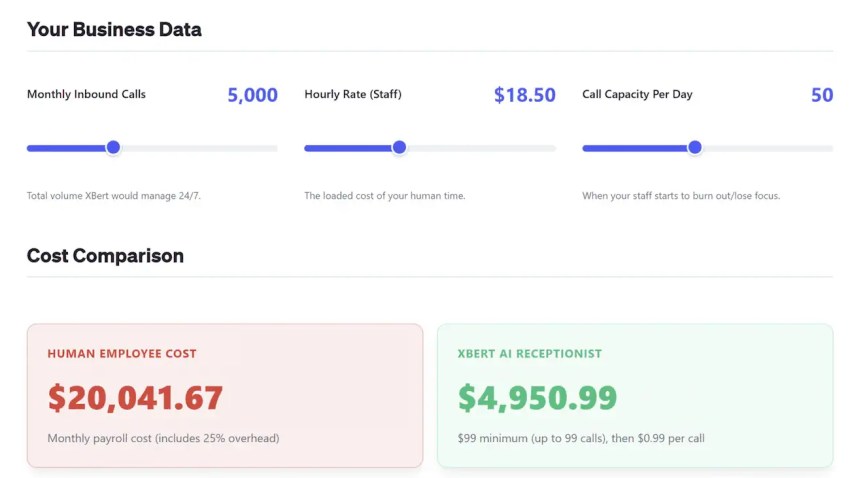
Nextiva provides an AI receptionist ROI calculator that lets you plug in your missed call rates, lead conversion rates, etc., to estimate the revenue you can potentially generate.
Nextiva’s XBert AI for After-Hours Calls
Nextiva’s XBert AI delivers always-on availability without adding overhead or burning out your staff.
XBert AI can:
- Answer calls, texts, and web chats 24/7
- Answer questions from business information
- Capture caller details
- Qualify leads
- Book and reschedule appointments
- Send appointment confirmations and reminders
- Route calls based on intent
- Prioritize urgent requests
- Transfer complex issues to the right team
- Preserve context through summaries and transcripts
- Sync information with CRM and messaging applications
- Trigger follow-up workflows
The right choice still depends on the business’s calls. Live agents remain useful for sensitive and nuanced conversations. AI fits routine intake, scheduling, and high call volumes. A hybrid model provides automated coverage with a human escalation path.
Businesses can try Nextiva’s AI receptionist and compare its call handling with their existing after-hours process.
Common Questions About the After-Hours Answering Services
After-hours answering services typically cost between $95 and $1,200+ per month, depending on call volume, features, and pricing model. Basic plans with limited minutes start around $100 per month (with Nextiva AI starting at $99/month), while comprehensive 24/7 enterprise packages with advanced integrations can exceed $1,000 monthly for high-volume teams.
Businesses retain full control over call handling, depending on the service model. Live receptionists follow custom scripts, while AI receptionists rely on a configurable knowledge base. Platforms like Nextiva XBert AI let teams customize voices, greetings, routing rules, and emergency escalation paths directly from a central dashboard.
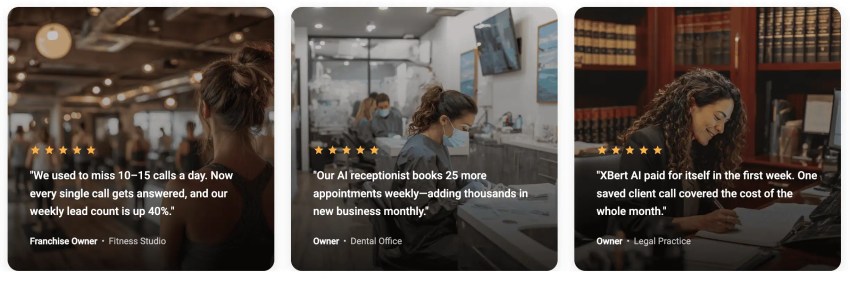
Return on investment depends on missed-call volume, lead conversion rates, average appointment value, and service costs. Businesses often see immediate value by capturing leads that otherwise hit voicemail, booking after-hours appointments, and saving staff hours—metrics you can forecast using Nextiva’s AI receptionist ROI calculator.
Modern AI and hybrid answering services require minimal technical setup. Solutions with native CRM and calendar integrations, such as Nextiva XBert AI, ingest website data to go live in under three minutes with complimentary assisted setup—requiring only brief test calls to verify routing and escalations before launch.
Don’t let another after-hours call go unanswered. Try Nextiva’s XBert AI.
Your AI receptionist that never misses a call.
XBert is your AI answering service that handles calls, texts, and chats 24/7. It greets customers, books appointments, and captures leads while your business grows.