Get local phone numbers for
your business in any area code
Build trust and establish a local presence with a local business phone number. Easy to set up and use. Trusted by millions.








The business phone app with the highest customer satisfaction.
Nextiva is the best choice to reach customers nationwide. Outgoing and incoming calls, text messaging, and team collaboration are all included. Hard-wired phones are optional.
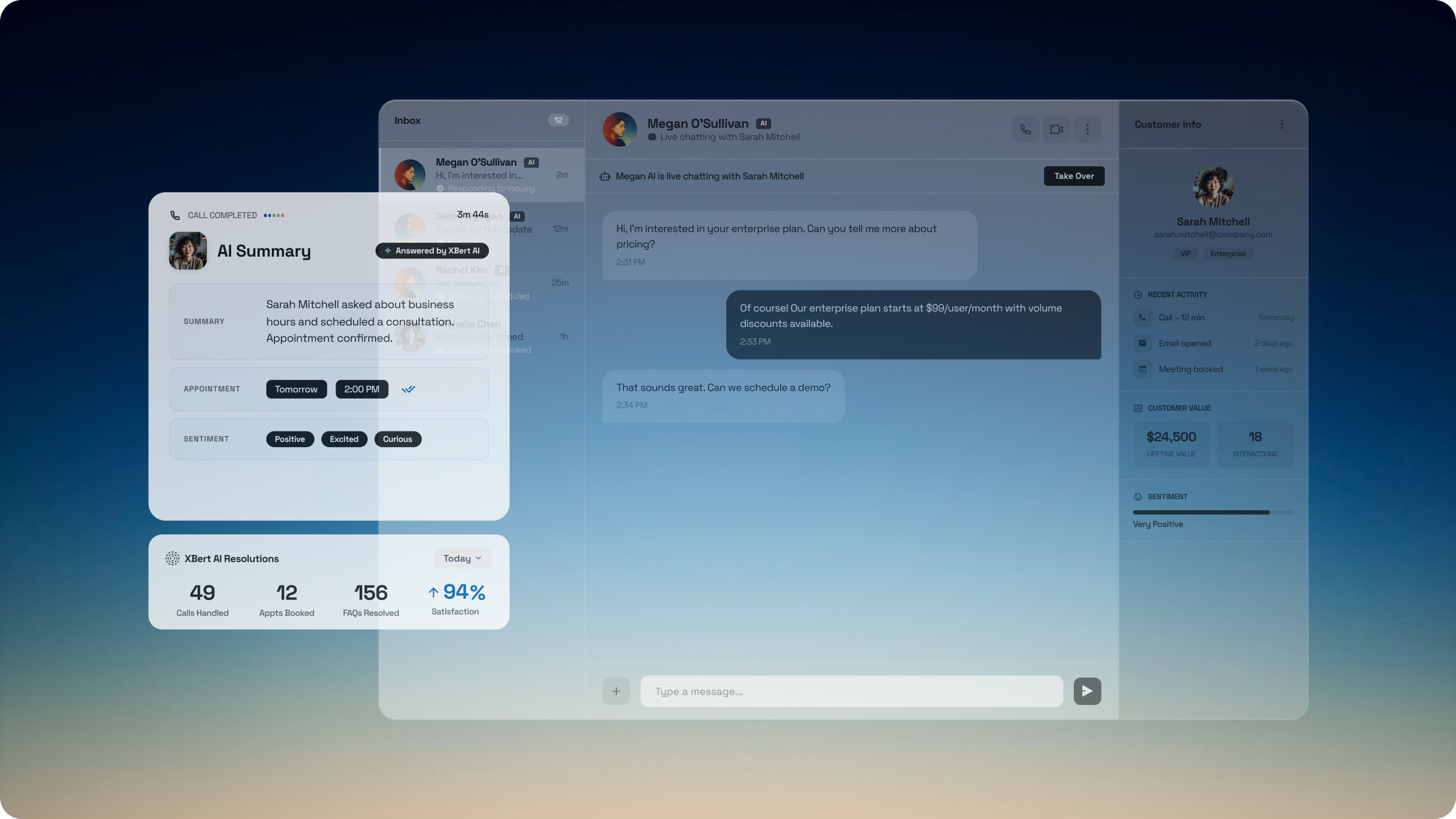
Advantages of using a local phone number

Establish a local presence.
Get a phone number in any area code that you want. These local numbers make your company appear even more trustworthy.

Improve answer rates.
Use local numbers for outbound calls in a specific area. Boost your connect rates and reach more people. Reach prospects and customers when it matters most.

Manage regional call routing.
Direct inbound calls to the right team or individual based on the dialed number or the area code of callers. Improve customer experience and response times.
One Platform where AIand People work together.
-
 4.8 out of 5
-
 4.5 out of 5
-
 4.7 out of 5
Trusted by 100,000+ businesses worldwide
-
For solo pros on the move
Conversations
- Voice, Texts, Video, Email
- Team Chat & Internal Collaboration
- Private & Team Inboxes
AI & Intelligence
- AI Frontline Employee
- Transcription & Summaries
- AI Business Assistant
Business connections
- Gmail & Outlook
- Contacts Integrations
View all featuresAccess & Support
- Desktop, mobile & browser apps
- 24/7 chat & email support
- Conversational AI Admin & Setup
-
For every employee
Conversations
- Website Live Chat
- WhatsApp Business Messaging
- Contacts & CRM
AI & Intelligence
- AI Business Insights
- AI Conversational Guide
- AI-drafted replies for text, chat & email
Customer experience
- Conversation History & Journal
- Routing & Flow Automation
Business connections
- 50+ CRM & business integrations
- Single sign-on (SSO)
View all featuresAccess & Support
- Physical Devices
- 24/7 phone, chat & email support
-
For sales and service teams
Conversations
- Campaign call & email management
- Skills-based routing to the right agent
- Advanced queues & callbacks
AI & Intelligence
- Unlimited NextIQ transcripts & summaries
- AI scoring for every conversation
- Revenue & churn signals: deals at risk, customers at risk
Customer experience
- Live team dashboards
- Supervisor listening, whisper & join
- Screen recording
View all featuresAccess & Support
- Dedicated onboarding team
- Professional setup services
Nextiva AI solutions
We build your AI team. You get back to the business.
Every solution starts with a business account, and a dedicated business concierge team that comes with it. They set up your AI agents, connect them to the tools you already use and keep them improving as your business grows.

Your business concierge team Sets up and tunes your AI
- Open your business account Your team, your channels and your customer records come together on one Nextiva platform, with your own business concierge team behind it.
- We build your AI team Our team sets up XBert around your business, connects your systems and tunes it until it works.
- AI and people work together AI handles routine and complex work around the clock. Your people take the conversations that matter, and your concierge team keeps tuning it.
Sized to your business
Same setup and the same platform. The package you need depends on the size of your business and how many employees you enable.
-
For small teams
Up to 1,000 conversations a month
AI Front Office
$500 /month
Put an AI employee on your front line.
Talk to sales- Team access
- Up to 5
- AI Agents
- 3 Inbound Agent Skills
- AI Agents interactions
- 100 included
What you get:
- Your business concierge team sets up and tunes your AI
- Every call, text, chat and email answered, 24/7
- Routine questions resolved with no handoff
- Missed calls called back and turned into bookings
- One platform for calls, texts, email, video and customer records
- NextIQ memory, transcripts and summaries
-
For larger teams
Over 1,000 conversations a month
AI Growth
$3,500 /month
AI that wins, serves and grows customers.
Talk to sales- Team access
- Up to 30 employees
- AI Agents
- Unlimited inbound and outbound AI agents
- AI Agents interactions
- 1000 included
Everything in AI Front Office, plus:
- AI that reaches out to leads and past customers
- Every lead worked until it books
- Next best step suggested live alongside your team
- Payments collected inside the conversation
- Your CRM and scheduling systems updated as work happens
- A dedicated AI engineering team that builds and refines your AI workforce
Need more people on board? Additional employees are $100 per user per month.
Every solution includes
- Unlimited calling, US and Canada
- Video meetings
- SMS and email
- Team chat
- NextIQ AI
- XBert, 10 free interactions
- Persistent customer memory
- 24/7 support
Not sure which size fits?
Tell us about your business. We will scope your AI team and show you what it can do.
Add only what you need.
-
Unlimited AI
AI Super Pack
Turn conversations into action.
$10 per user / month
$15Save 33% Billed monthly- Unlimited NextIQ transcripts . Turn calls and meetings into written records.
- Unlimited AI transcription . Get the key points and next steps.
- Unlimited AI assistant requests . Get AI help with drafts, tasks, and follow-ups.
- Unlimited AI business insight . Ask NextIQ about your business data.
-
Unlimited messaging
Messaging Super Pack
Keep every conversation going.
$20 per user / month
$25Save 20% Billed monthly- Unlimited SMS & MMS . Reach customers with texts, photos, and videos. US only. Not for campaigns, blasting or bulk sending. International is subject to rating.
- Unlimited WhatsApp Business messaging . Connect with customers on WhatsApp.
- Team message assignment & routing . Incoming texts, chats and emails are handed to whoever is best placed to answer, like calls are.
- Automated messaging follow-ups . Keep conversations moving with automatic follow-up messages.
- Website live chat
-
AI-tailored
CX Super Pack
Designed around your business.
Contact us
Available with CX plans only
- Workforce management: Scheduling and forecasting . Schedule and forecast staffing from real contact volume and demand.
- Tailored channels & workflows . Match channels and workflows to how your business operates.
- Business-specific AI & automation . Automate tasks with AI tailored to your business.
- Popular business integrations . Connect Nextiva to the systems your business relies on.


Pay as you go
- 10 free interactions to start
- Receptionist, FAQ and After-Hours agents
- Self-serve setup templates
Premium
- 100 interactions included, then $0.99
- Adds the Lead and Reservation Agent
- 3 onboarding hours included
Premium+
- 1,000 interactions included
- All five skills, including Advanced Skills
- Forward-deployed AI engineers
XBert AI skills
- AI Receptionist Every plan
- AI FAQ Agent Every plan
- AI After-Hours Agent Every plan
- AI Lead and Reservation Agent Premium and up
- AI Advanced Skills Agent Premium+ only
.
Explore all capabilities. |
Go Get started | Business Get started | CX Talk to sales |
|---|---|---|---|
| Every channel | |||
| All channels at a glance | |||
| Voice | |||
| Video | |||
| SMS and MMS US only. Not for campaigns, blasting or bulk sending. International is subject to rating. | |||
| Team chat | |||
| Website live chat | Add-on | ||
| WhatsApp Business | — | ||
| Campaigns by call and text Notify when available | — | — | |
| Voice | |||
| Unlimited voice and video conversations US and Canada only. | |||
| Shared call appearance | 6 | 6 | 35 |
| Local numbers, free number porting | |||
| Toll-free number and minutes An 800-style number customers can call for free. The figure is how many toll-free numbers come with the plan, plus the minutes included. | Add-on | 1 + 2,000 min | 3 + 10,000 min |
| Smart greeting and call routing (auto attendants/IVR) The “Press 1 for sales, 2 for support” menu callers hear, and the rules that send each call to the right place. | |||
| Enter or Speak Callers just say who they want (“Sarah in billing”) instead of dialing an extension. | — | ||
| Team lines (ring/hunt groups) One number that rings a group of people, like a Sales line that reaches the whole sales team. | — | ||
| Call forwarding, transfer, hold, park and conference calling | |||
| Voicemail with AI transcription | |||
| Call recording | On demand | Every call | Every call |
| Recordings kept (audio and video meetings) How long call and video recordings stay available to play back before they’re removed. | 30 days | 1 year | 3 years |
| Transcripts and summaries kept (audio and video meetings) The written record of each conversation stays for as long as you’re a Nextiva customer, even after the recording is gone. | Life of account | Life of account | Life of account |
| International calling | Per-minute rates | Per-minute rates | Per-minute rates |
| Video | |||
| Video meetings with screen sharing | |||
| Video meeting participants | 5 | 50 | 350 |
| Meeting transcripts and summaries (count toward NextIQ transcription) | |||
| Messaging and text | |||
| Business SMS / MMS per user per month US only. Not for campaigns, blasting or bulk sending. International is subject to rating. | 50 | 500 | Unlimited |
| Live chat and chatbot (website) A chat box on your website so visitors can message your team, or get instant answers from a bot. | Add-on | ||
| WhatsApp Business messaging | — | ||
| XBert AI agents | |||
| XBert | |||
| Pay as you go: 10 interactions free, then $1.50, basic skills An interaction is one conversation XBert handles with a customer, like answering a call or replying to a text. | |||
| XBert AI skills | |||
| AI Receptionist Answers every call, greets callers, then routes them or takes a message. | |||
| AI FAQ Agent Answers common questions on calls, chat and texts, from your own content. | |||
| AI Lead and Reservation Agent Qualifies leads and books appointments into your calendar and CRM. Comes with XBert Premium. | Premium | Premium | Premium |
| AI After-Hours Agent Covers nights, weekends and holidays. | |||
| AI Advanced Skills Agent Takes action in your systems: CRM updates, tickets, follow-ups. Comes with XBert Premium+. | Premium+ | Premium+ | Premium+ |
| Answers on every channel: phone, chat, SMS, email | |||
| NextIQ AI | |||
| NextIQ AI Foundation | |||
| Remembers every customer across channels and conversations Nextiva remembers each customer’s history, so nobody has to repeat themselves when they call, text or chat again. | |||
| AI transcription, conversations per user per month | 10 | 200 | Unlimited |
| AI summarization, conversations per user per month | 10 | 200 | Unlimited |
| Sentiment detection | — | ||
| Topic detection | — | ||
| Real-time AI transcription | — | ||
| NextIQ AI Sales and Service | |||
| AI Answer Assist, AI coaching and conversations per user per month (proactive) While you’re talking to a customer, AI suggests the answer on screen so you don’t have to look it up. | 10 | 200 | Unlimited |
| Customer context and next-best action during the conversation Shows who the customer is and what’s happened before, and suggests the best next step. | — | ||
| AI-drafted replies for SMS, chat and email | — | ||
| After-conversation wrap-up: notes, CRM update, follow-up tasks When a conversation ends, AI writes the notes, updates your customer records and creates the follow-up to-dos. | — | ||
| AI-assisted conversations (answer assist) | — | Unlimited | Unlimited |
| NextIQ AI Conversational Analytics | |||
| Agentic analytics, queries per user per month Ask a question in plain English, like “Why did customers call most this week?”, and get an answer from your conversations. | — | 25 | 500 |
| Scheduled AI reports and alerts | — | 2 | 50 |
| Trends, topics and sentiment across all conversations | — | ||
| Revenue and churn signals: deals at risk, customers at risk Flags the deals that might not close and the customers who might leave, so you can step in early. | — | — | |
| NextIQ AI Administrator | |||
| Add users, numbers, voicemail and devices by asking | |||
| Build interaction flows, routing, inboxes and queues by asking Describe how you want calls and messages handled, and AI sets it up for you. No technical skills needed. | |||
| Configure XBert skills and knowledge by asking | |||
| Change history with one-click undo | — | ||
| NextIQ AI Business Assistant | |||
| Assistant requests per user per month | 25 | 250 | Unlimited |
| Daily briefing: conversations, follow-ups and priorities | |||
| Smart scheduling | |||
| Open-item tracking | |||
| Drafts emails, messages and documents | |||
| Acts across connected apps: calendar, email, CRM | — | ||
| Customer experience | |||
| One inbox for every customer conversation | |||
| Shared (team) + personal inboxes A team inbox is one place where a group shares every customer call, text, chat and email. “+ 1” is each person’s own inbox. | Unlimited | Unlimited | Unlimited |
| Omnichannel conversation history Every call, text, chat and email with a customer in one timeline, whichever way they got in touch. | |||
| Pre-recorded voicemail messages – VMDrop Record a message once and drop it into a customer’s voicemail with one click. | — | — | |
| Sales and service workflows | |||
| Contact management | |||
| Customer conversations and cases/tickets | |||
| AI workflow builder (5 templates) | |||
| Drag-and-drop workflow builder Set up “when this happens, do that” steps, like sending a text after a missed call, so routine work happens on its own. | — | ||
| Dashboards and basic reports | |||
| Live team performance view | — | — | |
| Real-time supervisor dashboards and reports Screens that update second by second: who’s on a call, how many are waiting, how fast you’re answering. | — | — | |
| Supervisor controls: listen, whisper, join A manager can listen in on a live call, whisper advice only the employee hears, or join the call. | — | — | |
| AI quality scoring AI grades conversations against your standards, so managers know who needs coaching and on what. | — | — | All conversations |
| Automated calling for campaigns The system dials through a call list for your team, so they spend their time talking, not dialing. Notify when available | — | — | |
| Customer feedback after every conversation A short survey goes to the customer when a conversation ends, so you hear how it went. | — | — | |
| Screen recording | — | — | |
| Team scheduling and forecasting Predicts how busy you’ll be and helps plan who works when, so there are enough people on hand. | — | — | Add-on |
| Secure payments in conversations (PCI) Take card payments during a call or chat while meeting PCI, the card industry’s security standard. | — | — | Add-on |
| Call routing | |||
| Business hours and after-hours routing Calls are handled one way during opening hours and another way when you’re closed. | |||
| Basic queue When everyone is busy, callers wait in line instead of hearing a busy signal. | — | Up to 20 callers | Up to 50 callers |
| ACD queue Automatic call distribution: a full call queue that hands each waiting caller to the next available person, with the controls below. | — | — | |
| Queue distribution Choose how waiting calls are shared out across the people in the queue. | — | — | |
| Fair call sharing Spreads calls evenly, so the same people aren’t always taking them. | — | — | |
| Skills-based routing Sends each caller to someone with the right skills, like a Spanish speaker or a billing expert. | — | — | |
| Sticky agent Sends each caller to someone who handled their interaction or contact before. | — | — | |
| Queue sign-in People sign in and out of a queue, so calls only go to those ready to take them. | — | ||
| Hold treatment in queue Music or messages callers hear while they wait. | — | ||
| Callback instead of waiting Callers can hang up and keep their place in line. Nextiva calls them back when it’s their turn. | — | — | |
| Maximum wait time, with overflow to another team or number If a caller waits too long, the call moves to another team or number automatically. | — | ||
| Live queue stats See right now how many people are waiting and for how long. | — | — | |
| Missed calls What happens to a person’s status after they miss a call. | — | Stays available | Configurable in the ACD queue |
| Internal teams | |||
| Team chat | |||
| Unlimited team messaging and direct messages | |||
| #channels, public and private | |||
| Threads, @mentions, reactions and pinned messages | |||
| File and image attachments, shared files | |||
| Unlimited message history and search | |||
| Huddles: instant voice or video from any channel Start a quick voice or video chat with the people in a channel, without scheduling a meeting. | |||
| Guest access and shared channels with vendors and partners Invite people outside your company into specific chats, so you can work with them in one place. | — | ||
| AI channel summaries and catch-up | — | ||
| Internal calling | |||
| Extensions, transfers and team lines | |||
| Company directory and presence | |||
| Platform | |||
| User experience | |||
| Desktop, mobile and browser apps | |||
| Virtual fax Send and receive faxes from your computer or phone. No fax machine needed. | Add-on | Add-on | Add-on |
| Connected business systems | |||
| Outlook and Google contacts sync | |||
| Salesforce, HubSpot, Zendesk | |||
| Popular business integrations | Gmail & Outlook | 50+ standard integrations | 50+ standard integrations |
| Microsoft Teams | — | ||
| Trust and security | |||
| SOC 2, ISO/IEC 27001, HIPAA, geo redundancy | |||
| Account experience | |||
| 24/7 support | Chat and portal | Phone, chat and portal | Phone, chat and portal |
| Guided setup support | |||
| Professional services Expert help setting up your routing, inboxes and integrations. | Add-on | Add-on | Available and recommended |
| AI business consulting | — | — | Ask your seller |
| Single sign-on (SSO) and directory sync Your team logs in with the work account they already have, like Microsoft or Google, instead of a separate password. Your employee list stays up to date automatically from the system your IT team already uses. | — | ||
| API access Lets your developers connect Nextiva to your own software and build custom tools. | — | ||









Professional business calling features, included










 Sarah J.
Presenting
 Jessica L.
 Rachel C.
Q1 revenue exceeded target by 12%. New product launch moved to April. Marketing budget increase approved.
Every phone number works with Nextiva.
No matter what telephone number you use for business calls, Nextiva can run it.
Toll-free
Toll-free phone numbers are ideal for promoting a national presence for your company, and they start with 800, 888, 877, 866, 855, 844, and 833.
Local
Transfer (port) your existing local numbers for a seamless migration. These might already be set up in your PBX. Don’t cancel service until we confirm the port-in was successful.
Vanity and VoIP
Vanity numbers are perfect for advertising your small business with a memorable business phone number. Using another VoIP service? You can transfer these numbers to Nextiva at no additional cost.
Mobile and cell
Transferring the numbers from your existing business phone plan can improve your team’s messaging and collaboration capabilities. These numbers can work with Nextiva’s cloud phone service.
Landlines and wired
Known for accessibility, these traditional phone numbers no longer need to be tied to a physical location. Liberate yourself from the local phone company and gain a lot more functionality.
Unsure which local area code to use?
Here are the most popular area codes throughout the United States.
West area codes
- 213/323 – Los Angeles, California
- 415/628 – San Francisco, California
- 206 – Seattle, Washington
- 702 – Las Vegas, Nevada
- 503 – Portland, Oregon
- 808 – Hawaii
- 602/623/480 – Phoenix, Arizona
- 303 – Denver, Colorado
- 619 – San Diego, California
- 408 – San Jose, California
Northeast area codes
- 212/646/332 – New York City, New York
- 617/857 – Boston, Massachusetts
- 215/267 – Philadelphia, Pennsylvania
- 202 – Washington, District of Columbia
- 201 – Northern New Jersey (Jersey City)
- 973 – Northern New Jersey (Newark)
- 516 – Long Island, New York
- 301 – Maryland and D.C. Suburbs
- 203 – Southern Connecticut
- 860 – Northern Connecticut
Midwest area codes
- 312/773 – Chicago, Illinois
- 313 – Detroit, Michigan
- 314 – St. Louis, Missouri
- 216 – Cleveland, Ohio
- 414 – Milwaukee, Wisconsin
- 612 – Minneapolis, Minnesota
- 317 – Indianapolis, Indiana
- 513 – Cincinnati, Ohio
- 614 – Columbus, Ohio
- 616 – Grand Rapids, Michigan
South area codes
- 305/786 – Miami, Florida
- 404/678 – Atlanta, Georgia
- 214/469 – Dallas, Texas
- 713/832 – Houston, Texas
- 615 – Nashville, Tennessee
- 704 – Charlotte, North Carolina
- 407 – Orlando, Florida
- 504 – New Orleans, Louisiana
- 512 – Austin, Texas
- 919 – Raleigh, North Carolina
Getting local numbers has never been easier.
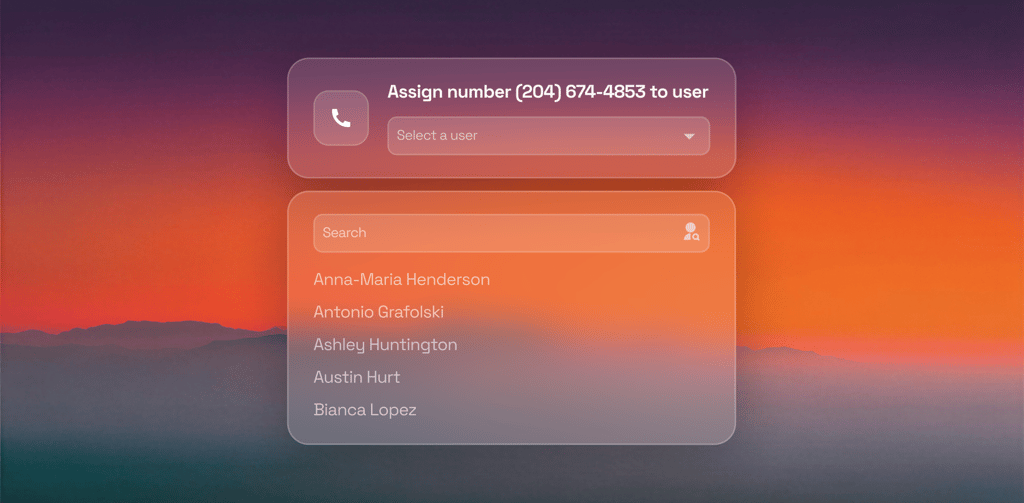
Will I lose my existing number?
No, we will work with you to successfully transfer your existing phone number, no matter what it’s using. Cellular, virtual, VoIP, or landlines — we’ve got you covered. Free porting service is included with every account.
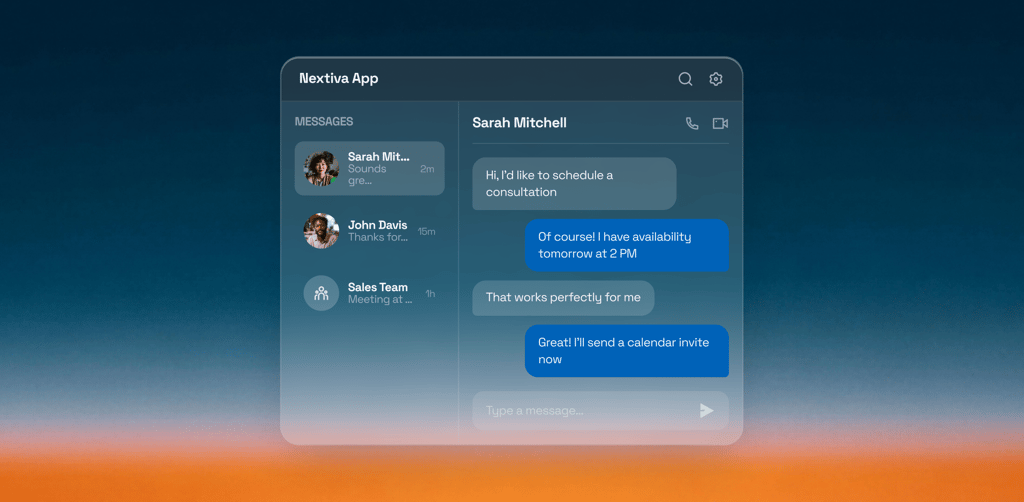
Is Nextiva easy to use?
Yes, millions of people choose Nextiva to power their company’s business communications. You do not need to be a tech wizard to install or customize your phone system.
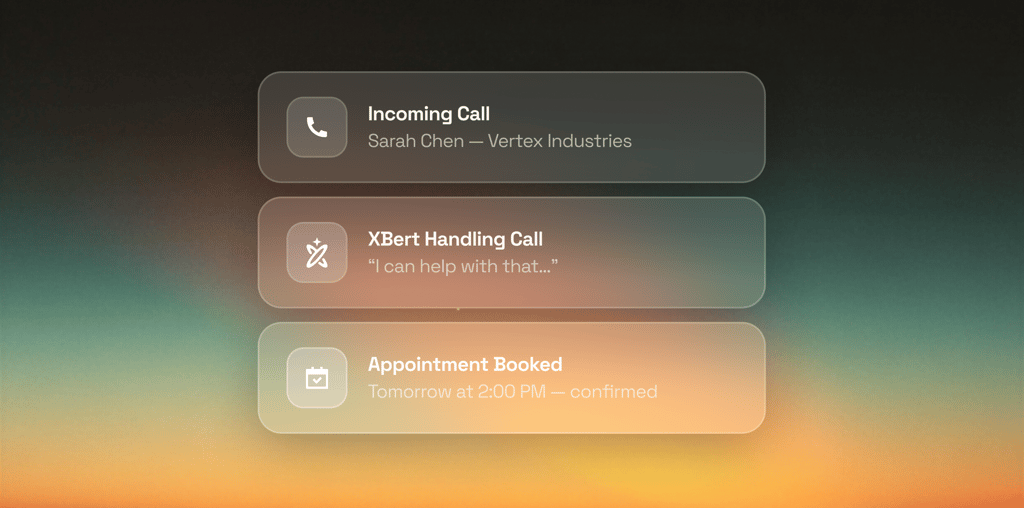
Can I use Nextiva for our sales or customer service teams?
Yes, for high-volume outbound dialing and inbound call volume, we have scalable phone solutions available. We connect billions of calls yearly — we have more than enough capacity for your organization. We’ll also help you secure local numbers in any area code for select users.
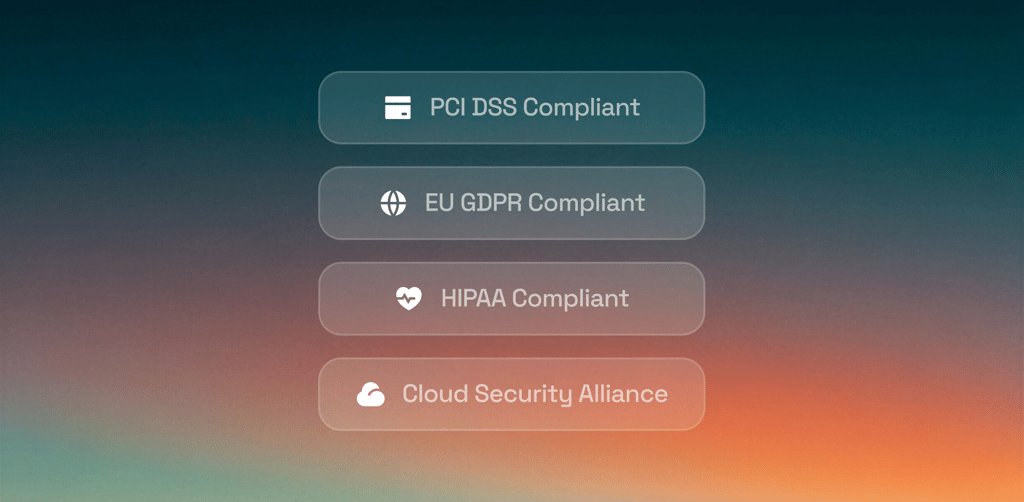
Is Nextiva safe and secure?
Yes, Nextiva meets and exceeds industry security and compliance requirements. To mitigate malicious use, it’s fully compliant with the FCC. Calls can be encrypted using TLS and SRTP protocols. Our platform is actively monitored and protected from prying eyes across our eight military-grade data centers.
You also get these phone system features
Interactive voice response
Set up a robust phone tree that works with unlimited phone lines. An IVR lets incoming callers choose why they are calling to initiate the call transfer.
Outbound caller ID
Give your new phone number the recognition it deserves with outgoing caller ID. Include your business name or your name for maximum trust.
Text messaging
Level up your business communications with the convenience of text messaging. Exchange SMS messages with your virtual business phone service.
Cloud call recording
Record calls with your business phone system. Use the insights to train your support or sales teams. Access recorded calls for up to six months.
Automatic call forwarding
Forward inbound calls to any team member. Entrepreneurs also use call forwarding to direct calls to voicemail, desk phones, or personal phone lines.
Voicemail to email
Get voicemails straight to your email and text messages. A voicemail transcription arrives instantly after someone leaves a message.
Frequently Asked Questions
Do I have to reside in the local area?
No, you don’t have to reside in the local area to use a local phone number. Many businesses choose a local area code to build trust and establish a local presence, even if they operate from another region or country. Local business phone numbers with specific area codes can help potential customers feel more comfortable reaching out, as they associate the number with their community.
With Nextiva, you can easily select or port a local phone number to expand your reach, whether you’re in Canada, the U.S., or anywhere else. This feature is ideal for marketing campaigns, customer support, and building strong connections with your audience.
Can my business use multiple phone numbers?
Yes, your business can use multiple phone numbers, including local phone numbers, toll-free numbers, vanity phone numbers, or international numbers. This flexibility helps you manage incoming calls, support specific marketing campaigns, and maintain a professional presence across different regions. We recommend obtaining phone numbers for specific campaigns such as sales, support, or standard employee use.
Nextiva’s business voice platform allows seamless management of multiple numbers through its mobile apps and desktop solutions, ensuring you never miss important business calls. Our support team can assist with number porting or acquiring new phone numbers tailored to your needs.
Can I forward multiple numbers?
You can forward multiple numbers to a single device, such as a cell phone or desktop, or distribute them to multiple team members. This ensures that all incoming calls, whether from local calls, toll-free numbers, or international numbers, are handled efficiently.
Nextiva’s advanced business call forwarding features let you customize how calls are routed, enabling better management of directories and business calls. For instance, calls to your local business phone number can be forwarded to specific departments or mobile apps, ensuring uninterrupted communication with potential customers.
What does STIR/SHAKEN, 10DLC, E911, and other terms mean?
STIR/SHAKEN is a technology framework designed to authenticate caller ID and reduce robocalls. It improves trust by ensuring that the telephone number displayed is accurate and hasn’t been spoofed. The term spelled out is Secure Telephony Identity Revisited / Signature-based Handling of Asserted Information Using toKENs.
A 10-digit long code (10DLC) is a standard mobile carrier required for reliable text messaging. It ensures that businesses using local numbers for SMS comply with industry standards, improving their reputation and delivery rates. These terms, along with others like number porting and vanity phone numbers, enhance the security and professionalism of business communications.
Enhanced 911 (E911) is a mandatory communications technology that shows the exact address of a 911 caller to emergency dispatchers, including floor or desk position. You can add multiple E911 addresses to each phone line, so your team’s nearest location is provided to public safety personnel.
You never have to worry about all this as Nextiva users — our team delivers all these technological advancements to all users at no extra cost. You just get to enjoy your super reliable business communications.
How do we scale outbound dialing campaigns?
To scale outbound dialing campaigns effectively, use a combination of local phone numbers and toll-free numbers to maximize reach and establish trust with potential customers.
Tools like predictive dialers and call transcription services can also streamline workflows and improve efficiency. For more advanced outbound dialing functionality, call center software can give you the edge over standard business calling.
Nextiva’s phone service supports robust outbound dialing capabilities, allowing you to use local area codes to boost response rates. Additionally, our mobile apps for Android and iOS help manage campaigns on the go, ensuring your team stays productive.
How does a local phone number increase trust?
A local phone number with a familiar area code prefix builds trust by creating a local presence for your business. Potential customers are more likely to answer calls from a number they recognize as being from their community.
Using local phone numbers for customer interactions or marketing campaigns helps establish credibility, especially for small businesses or new markets. It shows you’re invested in serving a specific area, enhancing your reputation.
Can I use Nextiva even if I don’t have a PBX?
Yes, you can use Nextiva without a PBX (Private Branch Exchange). Nextiva’s cloud-based phone service eliminates the need for on-premises telephone equipment, offering flexibility and scalability for businesses of all sizes.
You can manage business calls, caller ID, and number porting through Nextiva’s mobile apps or desktop software. This makes it easy to set up a local business phone number, toll-free number, or vanity phone number without relying on traditional systems.
Which Nextiva plan should I pick?
The right Nextiva plan depends on your business needs. The Core plan is a great choice if you need essential business voice features like unlimited local calls, caller ID, and a local business phone number.
For companies requiring advanced functionality like call recording, toll-free numbers, and integrations with CRM systems, the Engage or Power Suite plans offer substantially more dialing and inbound call capacity.
Nextiva also supports toll-free numbers, vanity phone numbers, and international numbers, making it easy to customize your plan. Our support team can help you evaluate your needs, including marketing campaigns and scalability, to ensure you choose the plan that aligns with your goals.
How long does it take to set up Nextiva?
Setting up Nextiva is fast and easy. Most small businesses can start using the service within a few hours, especially if you’re selecting new phone numbers or using our mobile apps for Android and iOS.
If you’re porting an existing telephone number, the process typically takes 2-4 weeks, depending on your current phone service provider.
Does Nextiva offer volume discounts on phone numbers?
Yes, Nextiva offers volume discounts for organizations that need dozens or even hundreds of Direct Inward Dial (DID) phone numbers. This includes flexible SIP trunking options, even without DID accessibility.
You can easily assign, reassign, and route incoming calls however you need. Additionally, you can release phone numbers and choose new ones if required.
Nextiva provides the best value for scalable business voice solutions.
See Nextiva in action
Nextiva uses the information you provide to us to contact you about our relevant content, products, and services. You may unsubscribe at any time. For more information, check out our Privacy Policy.
Rated by 8,000+ verified customers on Trustpilot
Average cost savings vs. traditional phone systems
An incredible 98% improvement in customer response time and an 11% increase in positive reviews.