Customer Experience
  Blog
Blog  Business Communication
  Leadership
  Marketing & Sales
  Nextiva News
  Productivity
  VoIP
VoIP 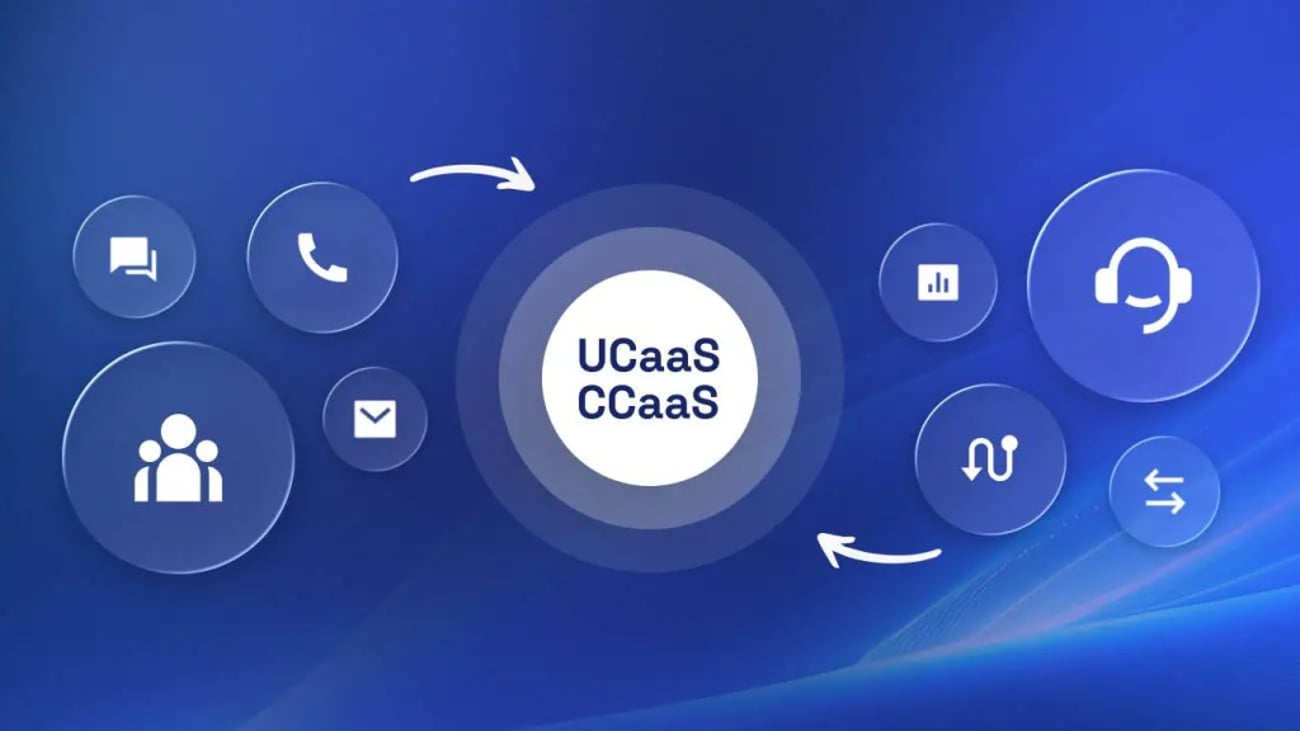

As a provider of both unified communications (UC) and contact center platforms, Nextiva made an early decision to unify its platforms to benefit agents, users, and customers.
By removing the wall between internal teams and customer-facing agents, this reduced the likelihood of Nextiva’s customers working in silos and introduced a converged communications model in which teams could genuinely work together.
When your contact center agents must put a caller on hold to switch between systems or hunt around for the right person to help, nobody benefits, and average handle times spiral out of control.
The Drivers of Communication Convergence in 2026
Communication convergence isn’t a new idea. Businesses have spent years trying to connect customer-facing systems with the applications employees use every day.
The problem is that every new communication channel, customer engagement platform, collaboration tool, and business application typically gets added to an existing technology stack rather than replacing it. Over time, this creates app fatigue, data silos, and increasing complexity for both agents and internal teams.
According to research by Nextiva, the average company now uses between 6–7 customer experience tools. While each communication platform may solve a specific problem, the combined effect is often fragmented data, disconnected workflows, and a higher total cost of ownership.
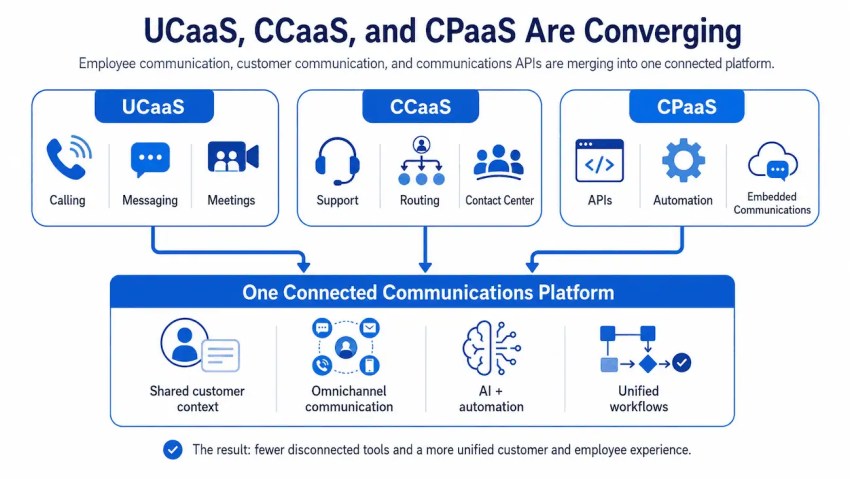
As organizations look to improve both customer and employee experiences in 2026, many are rethinking whether separate unified communications as a service (UCaaS) and contact center as a service (CCaaS) solutions still make sense.
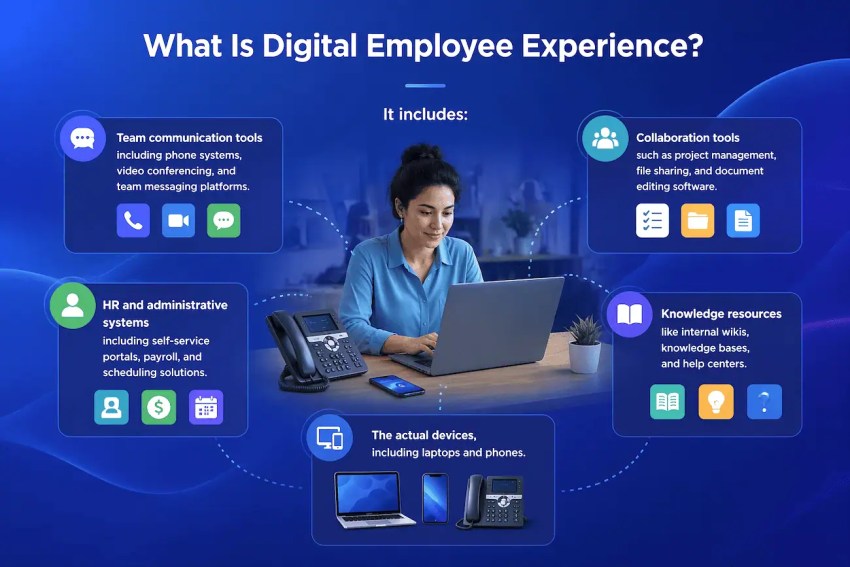
Employee experience (EX) and its link to CX
When employees experience low morale or low productivity, it gets passed on to your customers.
Imagine one of your call center agents rushing to hit their key performance metrics and getting bogged down trying to find ticket information on a different platform from the one they used to handle the call.
Then, when they need help from a subject-matter expert, they must fire up a new system to call that expert. When that person is already on the phone, the agent must search the directory for someone else. On a good day, they find someone qualified and get the information they need.
All the while, your customer’s hold time is mounting, and their frustration is growing.
What’s more, your customer service rep has to update the call notes and file any new documentation in separate systems. This time eats into their availability for calls, reducing the number of agents available in your call queues.
It’s easy to see where time gets lost and how customers become tired of poor service.
Operational efficiency and vendor consolidation
Cost remains an important consideration, but the convergence of UCaaS and CCaaS is no longer solely a vendor consolidation exercise.
Managing multiple communication providers creates operational overhead in the form of separate contracts, integrations, support relationships, security policies, and user administration processes. As environments become more complex, the burden on IT teams increases accordingly.
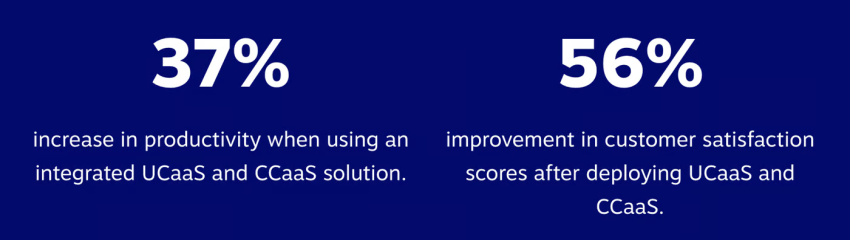
Bringing UCaaS and CCaaS together can simplify technology management and reduce the total cost of ownership. More importantly, it creates a shared business communications environment where information moves freely between departments.
The role of AI in unified data environments
Yes, AI is everywhere, but the reality is that AI systems are only as effective as the data they can access. When customer conversations, employee communications, CRM records, and business applications are spread across disconnected platforms, AI tools operate with limited context.
A unified environment provides a more complete view of customer interactions and business activity. This allows AI to generate more accurate recommendations, automate routine tasks, summarize conversations, and surface relevant information during live interactions.
Rather than treating UC, contact center, and AI as separate technology initiatives, organizations are increasingly viewing them as interconnected components of the same customer communications strategy.
The more unified the underlying data environment becomes, the more value businesses can extract from AI-driven customer and employee experiences.
Key Benefits of a Unified UCaaS and CCaaS Stack
When evaluating platforms to bring your UCaaS and CCaaS platforms together, it’s important to look beyond new features and understand the benefits of a converged stack.
To improve first call resolution (FCR), boost agent productivity, and effectively orchestrate the customer journey, you need to enable three core components.
Presence sharing: Helping agents find internal experts instantly
When your UCaaS and CCaaS platforms are connected, every user’s presence gets shared. This allows contact center agents to see which back office member is on the phone, away from their desk, or available.
This simple integration removes the need for constant ringing around for help. Instead, agents choose to instant message or call their available colleague and send context (via message) in the form of documentation, shared tickets, or call notes.
Especially powerful in the era of hybrid work and remote work, where users may no longer be in the same office, insight into availability becomes paramount to productivity, and your communications solutions start to earn back their return on investment. When the customer journey becomes more efficient, everyone benefits.
Unified customer profiles across all channels
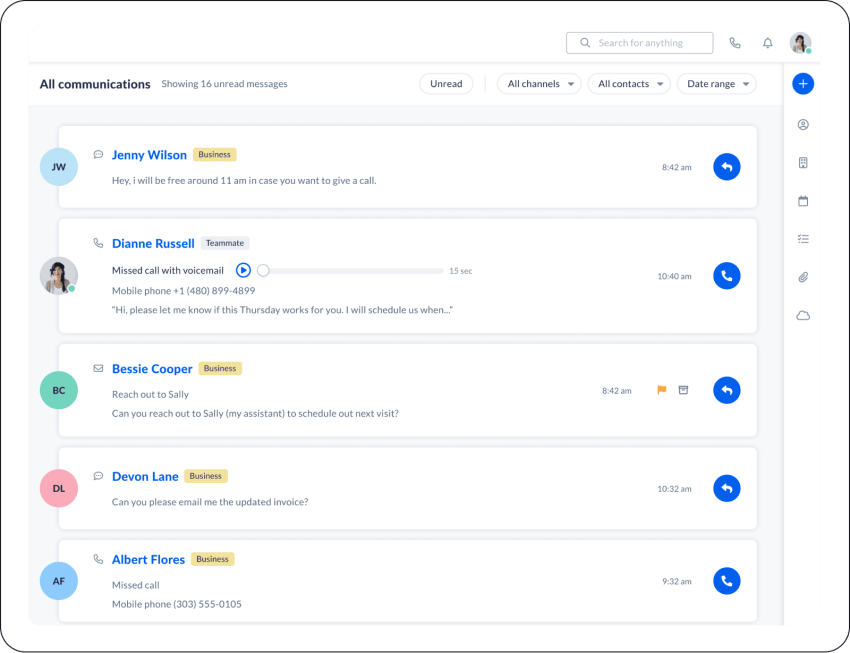
By bringing all your contact channels into an omnichannel contact center, agents have a holistic view of all previous customer interactions. When on the phone with an irate caller who is chasing for an update, the agent can see all SMS messages, social media DMs, and conversations with your chatbot.
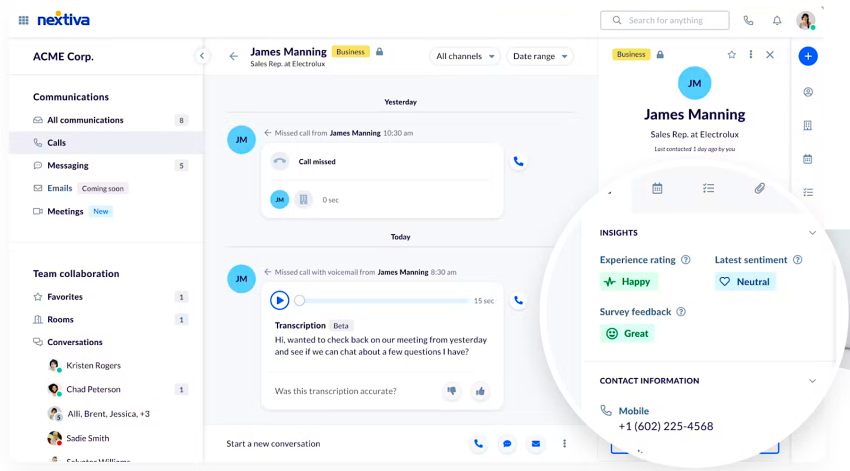
Agents get access to all prior conversations, documentation, tickets, and invoices in a single pane of glass. There’s no longer a need to say, “I need to transfer you to team A, as I don’t have access,” as everything gets housed in the same system.
Customers love the efficient service, and agents save hours each month.

Simplified IT management and reduced administrative overhead
By bringing all your contact channels into the same platform and integrating UCaaS and CCaaS platforms, you reduce the number of customer-facing apps considerably.
This comes with the obvious benefit of slicker user experiences, but it also reduces the burden on administrators and supervisors. The fewer platforms to manage and support, the more time available for quality support, long-term projects, and even an extra cup of coffee.
How Convergence Enhances the Customer Journey
When you adopt omnichannel engagement, modern contact center infrastructure also comes with reams of new features that enhance how agents service customers.
Applied across all channels, you benefit from automated help, faster workflows, and streamlined next steps.
Synchronizing voice, SMS, and social in one inbox
When you have all messages, call history, and interaction history in a single management area, you remove the need to go looking for past documentation and transactions.
Instead of flicking between systems (proven to cost minutes per interaction and brain fatigue every time), agents load up the customer account and get everything they need in one place.
What’s more, you can use an automated IVR across voice and replicate the same experience in web chat. By providing these options, you can align customer reps with use cases, technical requirements, and even VIP customers.
AI-powered summaries for internal handoffs
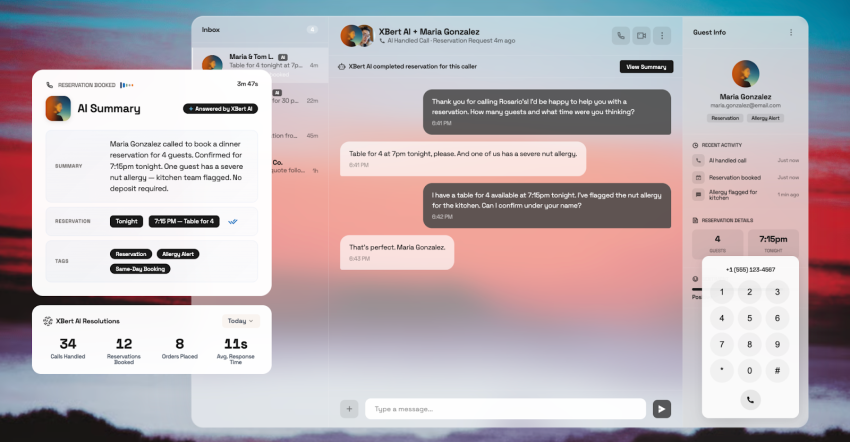
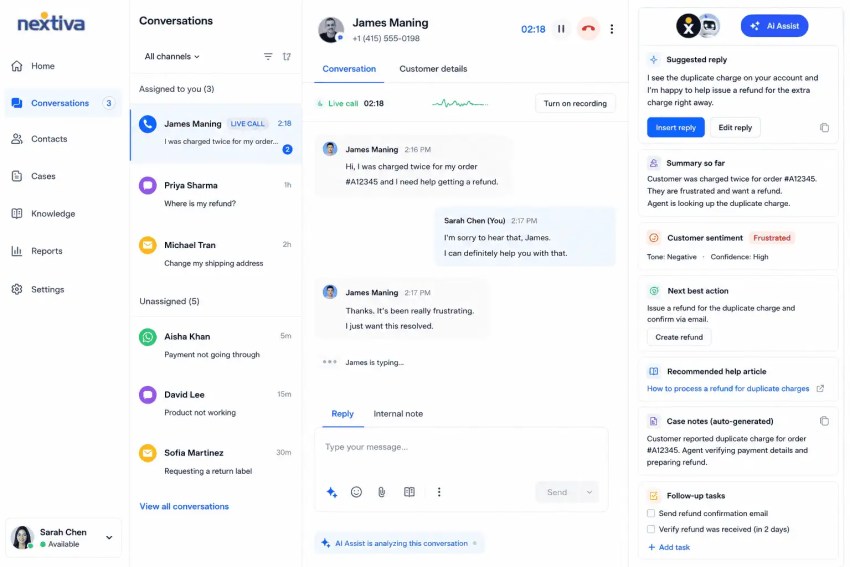
Using AI transcription, all your calls get automatically translated and/or transcribed into a text-based file. While these live alongside your call recordings, it also enables AI to summarize and analyze the content and context of the conversation.
Once created (in real time), sentiment analysis grades each call and can flag for escalation, highlight as a training example, or schedule a callback.
During calls, you can even enable real-time alerts to supervisors when a call is about to go south. This is vital not only for quality assurance after the event but also to ensure positive outcomes even when calls get ugly.
Real-time agent guidance with back-office context
AI Agent Assist is a favorite agent tool that provides suggested responses and surfaces useful information during a call.
If your team gets stuck with an angry customer, it highlights phrases to help de-escalate the situation. Likewise, if there’s a technical query, Agent Assist cross-references your connected systems to provide answers contained in your knowledge bases.
AI-powered assistants can reduce agent wrap-up time by up to 50%. After processing everything that happened during the call, the transcription and machine learning capabilities automatically trigger the next steps. This means tasks like call notes, appointment booking, and callback scheduling are handled within the system rather than needing manual agent intervention.
Challenges and Implementation Strategies
Compiling a migration strategy isn’t always straightforward. When you factor in integration planning, change management, and call routing optimization, it can become one of the more complex projects your organization undertakes.
To make the process easier, Nextiva has developed its own timeline of approximately five weeks (depending on requirements), a stark contrast to the 24-week cycles common with legacy systems.
It all starts with having these three foundational elements top of mind.
Overcoming the “rip and replace” fear
One of the biggest blockers to communication convergence is the assumption that you must completely abandon your existing infrastructure overnight.
For most companies, that’s simply not realistic. You may have long-standing telephony contracts, bespoke CRM integrations, or highly customized workflows that can’t be switched off immediately.
This is why successful migrations focus less on “rip and replace” and more on controlled modernization. Rather than forcing your teams into sudden operational changes, modern UCaaS and CCaaS migrations typically prioritize interoperability first. Existing systems continue to operate while new functionality is introduced in stages, reducing disruption for employees and customers alike.
The goal isn’t to create unnecessary change. It’s to remove complexity over time without interrupting the day-to-day running of your business.
Ensuring HIPAA and PCI compliance in a unified system
Security and compliance concerns also play a major role in migration planning, particularly if you handle sensitive customer information.
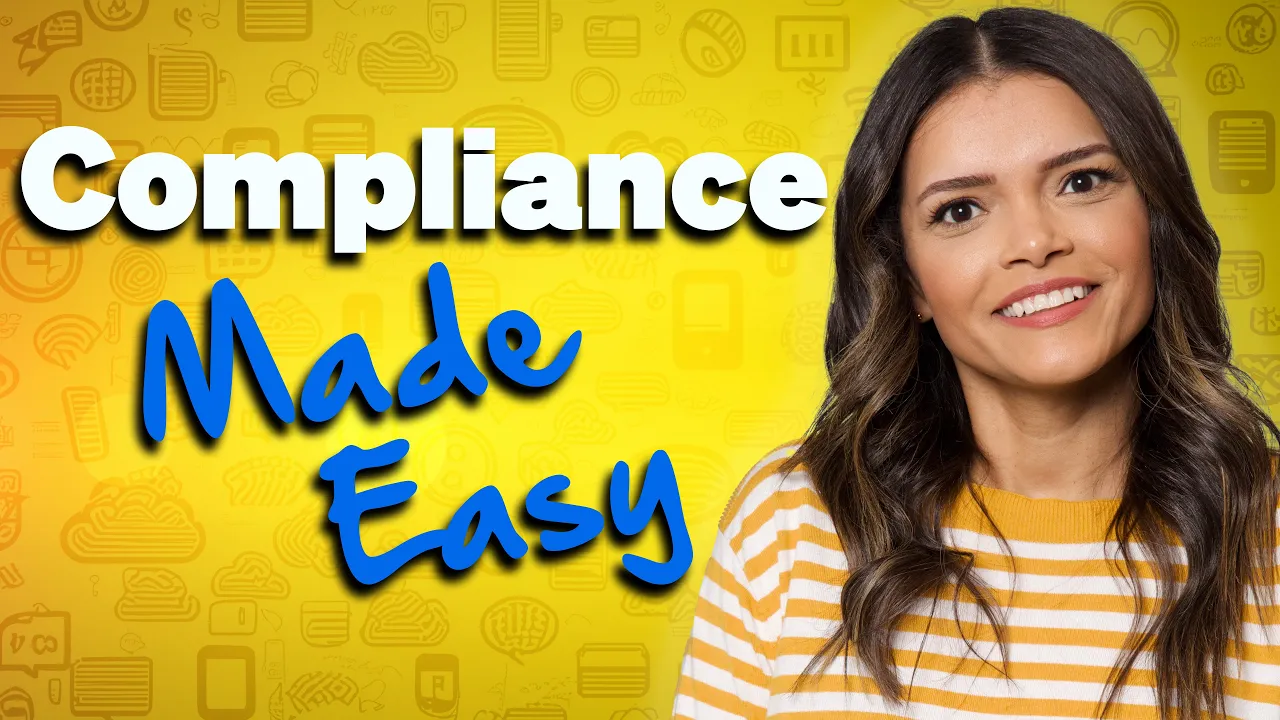
When you consolidate communications into a single platform, it’s natural to have questions about HIPAA compliance, PCI DSS requirements, call recording policies, data retention, and access controls.
In practice, a unified environment can often improve governance because communications, recordings, analytics, and customer interactions are managed centrally rather than being spread across disconnected systems.
However, this only works when compliance requirements are considered early in the migration process rather than retrofitted. Before migrating critical customer workflows, you need clear ownership around data handling, role-based permissions, encryption standards, and storage policies.
Choosing the right approach (phased vs. big-bang migration)
There’s no one-size-fits-all migration strategy.
You may prefer a phased rollout, gradually migrating departments, locations, or communication channels over time. This approach lowers operational risk and gives your teams time to adapt to new workflows and processes.
Alternatively, you may choose a “big-bang” migration where systems are consolidated within a much shorter timeframe. While this can accelerate time-to-value and eliminate legacy complexity faster, it also increases the importance of training, testing, and change management.
In reality, most successful projects sit somewhere in the middle. It’s about doing what’s right for your organization now — not what’s worked in the past.
Your Future With Converged Communications
The conversation around UCaaS and CCaaS convergence is no longer simply about connecting systems. It’s about creating an environment where customer interactions, employee collaboration, and business data work together in real time.
This shift is becoming increasingly important as businesses move toward agentic AI. Rather than simply responding to prompts, AI can proactively surface information, recommend next steps, and automate routine tasks.
To do that effectively, however, it needs access to a unified view of your customers, employees, and communications. The same applies to predictive analytics. When your voice channels, digital channels, and operational data are connected, it’s easier to identify customer needs, reduce friction, and improve outcomes before problems occur.
That’s why Nextiva brings voice, digital engagement, and team collaboration together in a single platform.
Like the sound of eliminating silos, empowering agents, and improving customer outcomes?
Your AI-Powered Contact Center
Create amazing customer experiences with AI-powered contact center software. Scalable contact center platform built for omnichannel customer conversations.
UCaaS and CCaaS Convergence FAQs
While both cloud-based, UCaaS is designed for internal communications and collaboration, while CCaaS is built for managing customer interactions across voice, email, chat, SMS, and other service channels.
When UCaaS and CCaaS converge, agents and employees share the same directory, customer data, and interface, making it easier to collaborate and resolve issues faster. Nextiva delivers both capabilities in a single workspace.
UCaaS and CCaaS convergence reduces app fatigue by bringing internal communications and customer interactions into one platform. This can lower licensing and administration costs, eliminate data silos, and make it easier for agents to collaborate with subject matter experts.
Yes, converging UCaaS platforms with CCaaS can improve FCR because agents can instantly see colleague availability, message internal experts, or escalate questions without leaving the customer record. By removing delays caused by switching between systems, agents can resolve more customer issues during the first interaction.
Migrating to a converged platform requires planning around integrations, compliance requirements, data privacy, and change management, but modern deployments are significantly faster than traditional projects. While legacy converged environments can take months to implement, cloud-native providers like Nextiva can often deploy a unified communications and contact center platform in a matter of weeks.