Customer Experience
  Blog
Blog  Business Communication
  Leadership
  Marketing & Sales
  Nextiva News
  Productivity
  VoIP
VoIP 

As we strive for agent productivity and rush to adopt artificial intelligence (AI) in our contact centers, the current state looks like a mixture of MLB All-Stars and toddlers not quite developed enough to swing a bat.
We can (almost) all agree that standard IVR is no longer enough for modern consumers. The pressure to answer calls on the first ring and provide high-quality first call resolution (FCR) is higher than ever.
But throwing AI at the problem isn’t a sufficient solution. Balancing contact center automation with human empathy in customer experience programs is paramount to success in this new era of serving customers.
As a leader in unified customer experience management (CXM), Nextiva handles over one billion interactions per year and has seen plenty of good and bad deployments. As such, we’re in a particularly good position to share these best practices for contact center AI deployment strategies.
Setting the Foundation for Contact Center AI Deployment
AI is only as good as the data it accesses. Therefore, your first task must be assessing what systems you’ve already got and how those systems interact with each other.
On average, each company uses 6.3 customer experience tools, which not only creates silos but also becomes a nuisance when attempting to automate and cross-reference at a later date. While some advice may be to reduce the number of vendors in your technology stack, we appreciate that reality may look a little different. Each of those tools serves a specific purpose.
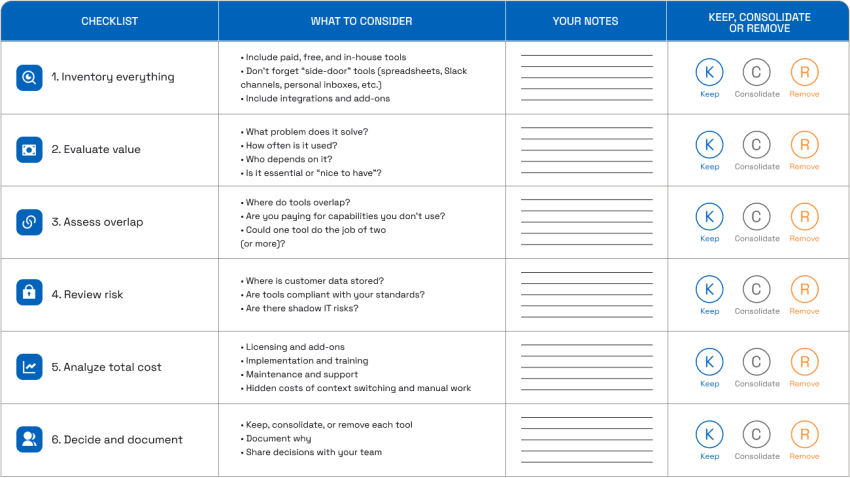
Auditing your current CX tech stack
Tool sprawl accounts for a large portion of data leakage and low productivity inside customer experience departments. In fact, Nextiva research shows that 95% of companies use multiple tools when serving their customers. Your first point of call must be to analyze what you’ve got and decide what stays and what could be removed.
Note: The goal here is consolidation rather than complete removal. Pick a target number to reduce rather than focusing on striving for a single tool.
Consolidating customer data into a single system of record
While data silos will exist in every organization, you can make great strides toward a stable AI foundation by moving your data to a single system of record. In most contact centers, this is either the customer relationship management (CRM) system or the contact center software.
If you use disparate systems for handling emails, web chats, and calls, think about the benefits of implementing an omnichannel contact center to bring all customer interactions and associated data into a single platform.
Identifying the low-hanging fruit vs. complex AI use cases
The next foundational element is to seek out the tasks that are easy to automate and create AI workflows for. These are things like turning on Agent Assist for in-call coaching and using sentiment analysis to escalate calls in real time.
If you turn on Agent Assist early when deploying AI in your contact center, you’ll empower agents with an on-screen prompt when they get stuck during a call.
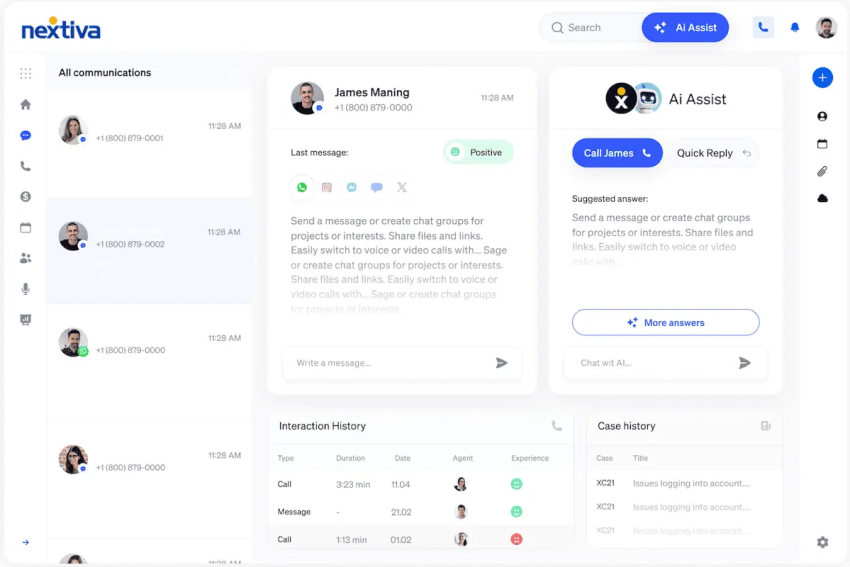
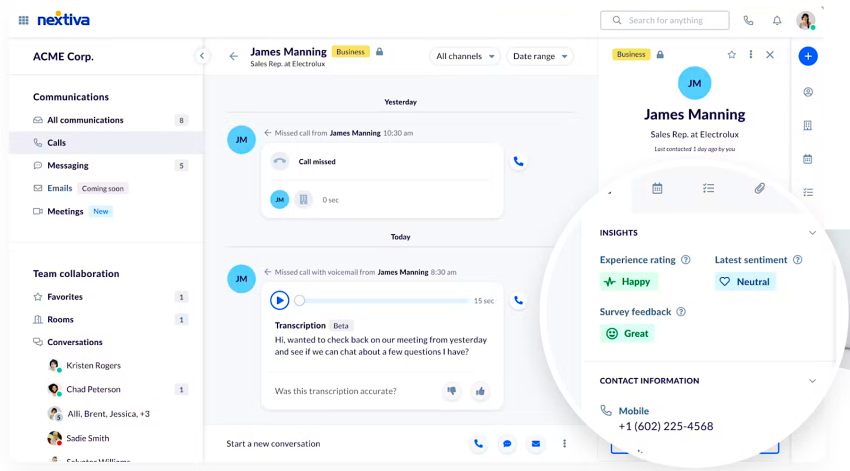
Contact center leaders will also have a clear view, both after the call and in real time, of how callers feel when interacting with your contact center agents.
Using natural language processing technology, AI detects when callers are happy, frustrated, or have an urgent query that your customer service rep hasn’t picked up on. They receive an alert and can step in as they see fit.
Core Implementation Strategies for Contact Center AI
What if we told you that you don’t need tons of AI and coding experience to deploy AI in your contact center? Music to your ears, right?
With concepts like no-code drag-and-drop customer journey orchestration and AI-powered self-service, you can start implementation without hiring expensive consultants or downloading tools for months at a time.
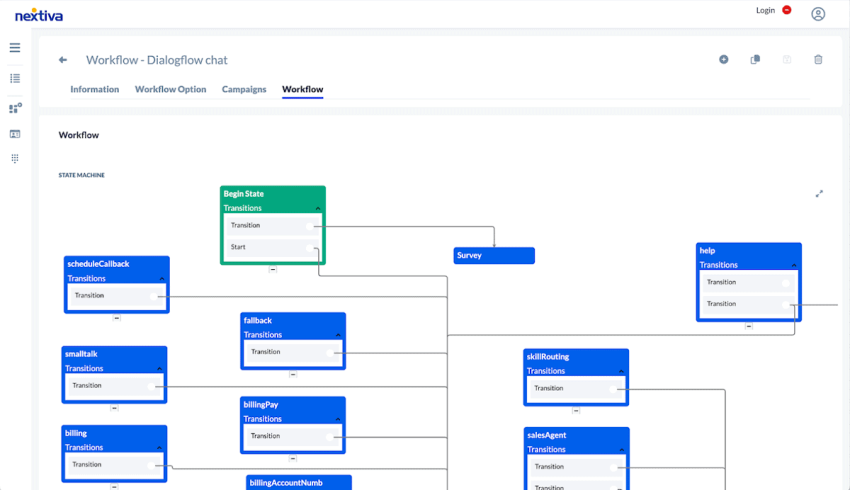
Designing intelligent call flows with visual builders
Nextiva Contact Center comes with a built-in no-code drag-and-drop builder. This means you can create call flows as you do when building a normal call routing system.
Whether you want to automatically schedule call-backs when your team is busy or handle calls at the IVR level straight away, you can configure these by adding blocks to a flow chart.
Accessibility is crucial to success when deploying AI in a contact center. Keeping things simple is often the key.
Turn your IVR into a helpful tool, not just a routing mechanism
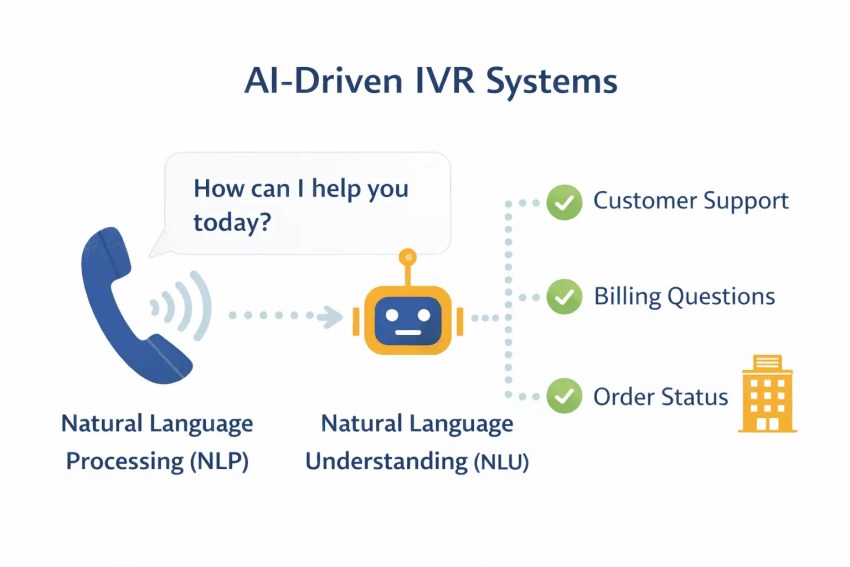
Your current IVR probably presents callers with options such as “press 1 for sales, 2 for customer support,” which does the job of basic filtering. You might also have a sub-menu with more specific options. But what if you could let your caller tell you their exact reason for calling and route them to the right team straight away?
Pushing the boundaries even further (without creating a daunting configuration), how about letting your IVR answer run-rate queries like opening times and account balances? This not only reduces average handle time (AHT) but also frees up staff to handle more pressing queries like fraud issues and urgent callouts.
Deploying AI-powered self-service for 24/7 coverage
Once you’ve established your IVR as your first line of defense — but smarter — you can move on to offering self-service on a 24/7 basis. This doesn’t mean you replace your call center agents; it means you can offer an answered call, even during unstaffed hours.
Nextiva XBert is an AI receptionist that answers calls on the first ring and handles them immediately. You get a human-like voice backed by machine learning and conversational AI technology.
It can answer basic queries like account balances and return policies. It can also handle more complex customer inquiries like booking appointments, capturing leads, and handling client intake. From here, the next activity is automatically triggered (appointment in the engineer’s diary, etc.), all taken care of through built-in, configurable workflow planning.

Best Practices for Security, Compliance, and Ethics
Security is not simply more functionality to tick off during procurement. In modern contact centers, it’s the foundation of customer trust.
Every AI interaction involves sensitive customer data moving across systems, agents, workflows, and third-party services. Whether that’s payment details, medical records, or personal identification data, customers expect you to protect it at every stage of the journey.
As a unified CXM platform, Nextiva provides the security backbone businesses need to deploy AI responsibly. With proven uptime and scalable, carrier-grade PSTN connectivity, organizations gain the reliability and resilience expected from enterprise communications infrastructure — not just experimental AI overlays.
Ensuring HIPAA and SOC 2 readiness for AI data handling
Before deploying AI into any contact center workflow, you must understand how customer data is collected, processed, and stored. This is especially important in regulated industries like healthcare, financial services, and legal services, where compliance requirements are non-negotiable.
A HIPAA-compliant contact center, for example, must ensure protected health information (PHI) is handled securely across voice calls, transcripts, recordings, and AI-generated summaries. Likewise, when evaluating vendors, check for SOC 2-certified platforms that demonstrate strong internal controls over security, availability, and confidentiality. The goal is not simply to add AI but to introduce AI within a framework that supports governance, accountability, and long-term operational trust.

Managing AI hallucinations with grounded knowledge bases
One of the biggest concerns around contact center AI is hallucination: the tendency for AI systems to generate inaccurate or misleading responses with confidence. If you get this wrong, both human and AI agents could take this (wrong) word as gospel and misinform your customers. Incorrect billing information, false promises about refunds, or inaccurate healthcare guidance can quickly damage customer trust and create compliance risks.
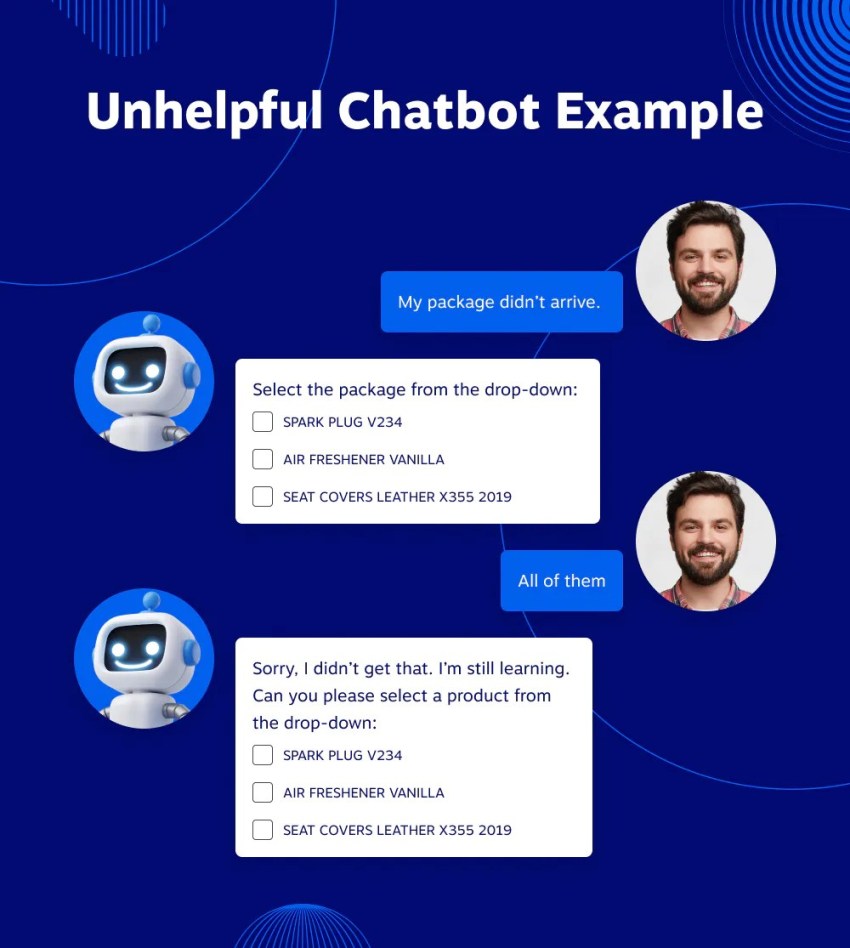
The best way to reduce hallucinations is to ground AI systems in approved internal knowledge bases and structured customer data. Rather than allowing generative AI to create unrestricted responses, you must define clear data sources, workflows, and escalation rules. This ensures AI operates within approved boundaries and can confidently hand off to a human agent when uncertainty arises.
The importance of data privacy and PII redaction in transcripts
AI-powered transcription and conversation analytics deliver enormous operational efficiency and lower operational costs. They help supervisors monitor quality assurance, identify coaching opportunities, and uncover trends across thousands of customer interactions.
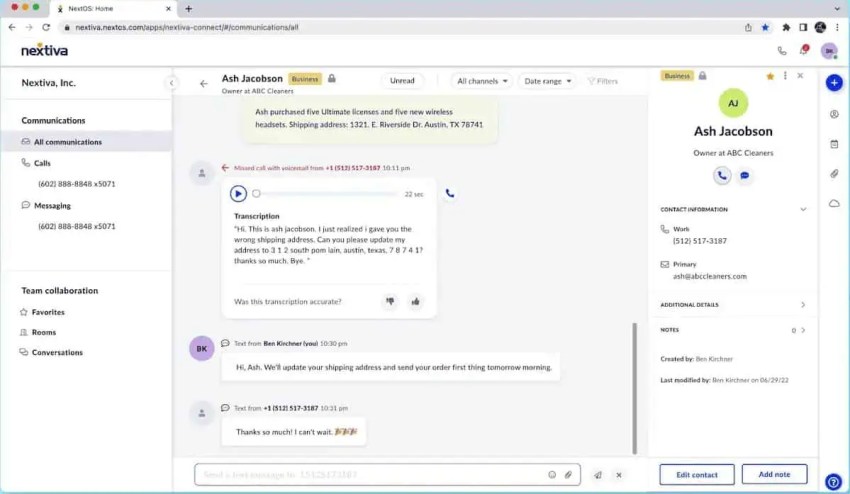
However, those same transcripts often contain personally identifiable information (PII) like credit card numbers, addresses, phone numbers, and medical information. Without proper controls, storing or sharing raw transcripts can introduce unnecessary security and compliance risks.
Modern contact center platforms can automatically detect and redact sensitive information from transcripts, recordings, and summaries before they are stored or reviewed. This allows you to benefit from AI analytics while minimizing exposure to sensitive customer data. Always check with a vendor how they manage redaction before proceeding with your AI solution.
Optimizing Agent Performance With AI Augmentation
If you accept that your goal isn’t to replace agents but to augment their experience and your customers’ experience with AI, you’ve overcome the biggest hurdle most teams run into. Nextiva’s AI transcription and summarization tools reduce wrap-up time by 50%. This means agents spend less time on admin and more time adding value in customer conversations.
Automating post-call work and meeting summaries
Ask 10 agents their least favorite task, and nine will say “post-call admin.” Then, ask them how much more productive they’d be if you took that away.
Post-call automation takes care of mundane tasks that generative AI is designed to do. By extracting data, outcomes, and next actions, all the manual processes are taken care of.
| Aspect | Manual Workflows | Automated Workflows |
|---|---|---|
| Post-call documentation | Agents spend minutes per customer interaction manually writing call notes, updating records, and logging activities. | AI automatically generates call transcriptions, logs notes, and captures key conversation elements. |
| CRM updates | Manual data entry between multiple systems is time-consuming and prone to errors. | Post-call automation offers automatic synchronization across all connected systems with instant updates. |
| Follow-up actions | Agents must manually schedule and remember outbound calls, SMS, appointments, and next steps. | AI automatically detects action items and schedules follow-ups based on conversation content. |
| Customer feedback collection | Manual outreach through separate call processes is often delayed or forgotten. | Automated satisfaction surveys are triggered immediately after calls, while memories are fresh. |
| Task assignment | Supervisors manually assign follow-up tasks based on verbal reports. | AI identifies action items during calls and automatically assigns them to relevant team members. |
Using sentiment analysis to flag high-risk calls for supervisors
The risk of leaving quality assurance until after calls are complete is high. You stand the chance of letting calls build to a crescendo and customers unloading.
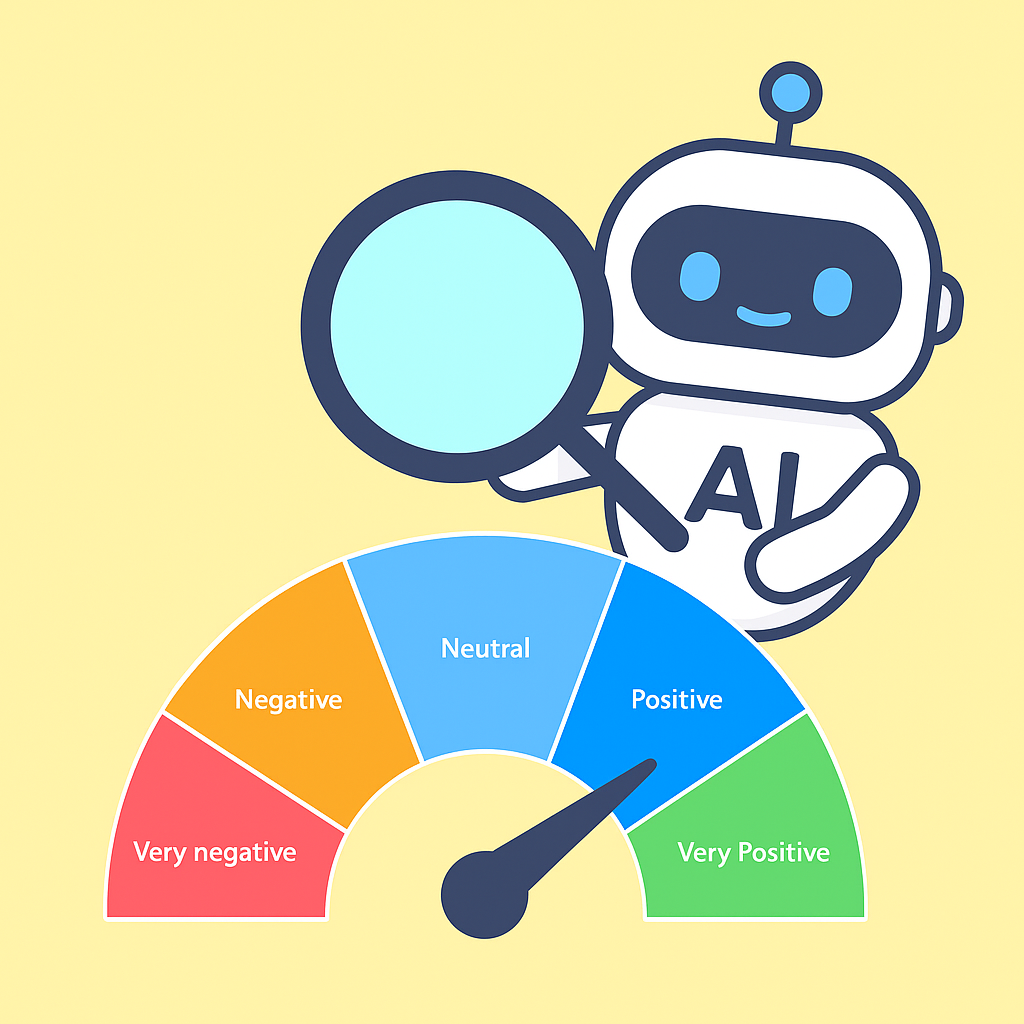
A simple way to de-escalate and get ahead of bad calls is through sentiment analysis. Here, calls are processed and scored in real time. Once graded, even initially, supervisors get an email, an audible alert, or an on-screen alert. They can then take action to bring the call back to normality.
Continuous coaching through AI-driven quality assurance scores
At the end of each call, AI grades based on outcomes and experience. From here, you get an automated quality assurance program at the click of a button.
AI highlights repeat offenders and great examples. You can then assess those calls and implement training programs to ensure continued success.
Measuring Success: KPIs and ROI Post-Deployment
Even with AI handling calls and your IVR routing customers faster than ever, there’s still pressure to report better metrics year on year. The problem here is that customers are aware this technology exists and expect you to have not only implemented it but perfected it.
This has changed customer expectations, and waiting on hold is now seen as a major annoyance (not that it was great before): 75.6% of consumers prefer a callback once wait times exceed five minutes. Therefore, intelligent queue management is paramount to the success of any AI deployment.
Moving beyond AHT to FCR as the north star
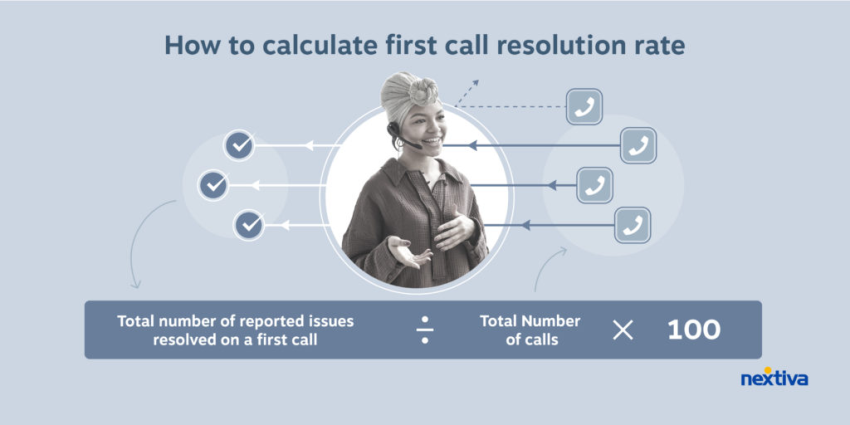
AHT has long been the primary metric for measuring agents. Today, we must transition to FCR.
Instead of checking how long it takes to end a call, think about whether you actually solved your customer’s problem. Report on how many times, if any, they called back after the supposed resolution.
These are the real wins, helping to meet customer needs instead of rushing to hang up.
Tracking Customer Satisfaction (CSAT) and Customer Effort Score (CES) improvements post-AI
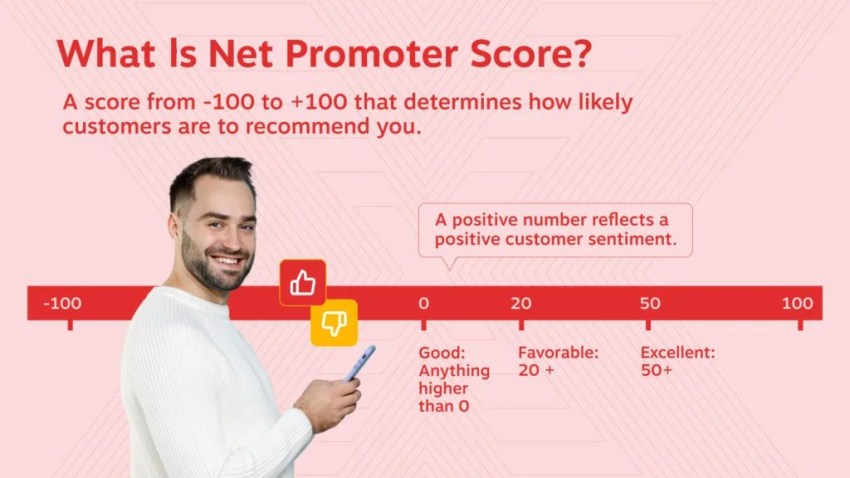
There’s no point deploying AI in your contact center if you’re not tracking whether customers enjoy their experience with you or how much (less) effort it takes to communicate with you. You can measure these metrics in the same way, but set stretch benchmarks for improvements when creating new surveys or sending emails to gauge Net Promoter Score (NPS).
Calculating the ROI of an AI receptionist vs. human staffing costs
Remember, the goal isn’t to replace your live agents. It’s to augment their experience and improve how customers contact you.
That said, there is money to be saved through efficiency gains when you roll out an AI receptionist. Handling routine inquiries frees up agents to spend time where it matters most: in empathetic and technical scenarios.
Take your number of monthly inbound calls and cross-reference them against the average agent hourly rate. When you reduce the number of run-rate calls, you can reduce the number of staff needed to handle such queries. A call center receiving 1,000 monthly calls and paying an agent rate of $23 could save $100,000+ per year just by implementing an AI receptionist.
AI Receptionist ROI Calculator
See how much your business could save with the XBert® AI Receptionist ROI Calculator. Just enter your call volume and staffing costs to find out how quickly an AI assistant can pay for itself and start freeing up your time.
Future-Proofing Your Contact Center With Agentic AI
Agentic AI may be the hottest topic right now. We’re more focused on ensuring you deploy AI the right way to benefit your business. One thing will lead to another. But there’s no point trying to run before you can walk.
The contact centers seeing the most success with AI aren’t deploying dozens of disconnected tools simultaneously. They’re building stable foundations first: unified customer data, intelligent workflows, secure infrastructure, and clear escalation paths between AI and human agents.
If your voice platform, CRM, chatbot, analytics suite, and workflow engine all operate independently, your AI can only ever see part of the picture. That leads to inconsistent service, duplicated effort, and frustrated customers repeating themselves across channels.
Instead of simply reacting to prompts, AI agents are becoming more proactive and outcome-driven. They can identify intent, trigger workflows, schedule follow-ups, update records, and coordinate actions across multiple systems without manual intervention.
But this only works when your systems are connected.
Want the platform that enables effective AI from day one? Explore Nextiva’s reliable AI Contact Center here. 👇
Your AI-Powered Contact Center
Create amazing customer experiences with AI-powered contact center software. Scalable contact center platform built for omnichannel customer conversations.
Contact Center AI Deployment FAQs
Simple AI tools like AI receptionists can go live in weeks, while more advanced journey orchestration and omnichannel automation projects take longer because they involve multiple systems and workflows. Nextiva Contact Center deploys significantly faster than traditional legacy stacks, as voice, AI, analytics, and automation are unified on a single platform.
AI is safe when deployed on secure, compliant infrastructure with HIPAA compliance, SOC 2 certification, encrypted storage, and AI-powered data redaction. Nextiva provides carrier-grade security, SOC 2-certified contact center operations, and AI-powered PII redaction to help protect customer and patient data.
AI is designed to support agents, not replace them, by handling repetitive tasks like call routing, summarizing, and answering basic customer questions. Nextiva Contact Center provides real-time agent guidance with live scripts and prompts during calls.
Choose a unified platform instead of stitching together multiple point solutions because disconnected tools often create data silos, security risks, and operational complexity. Nextiva combines voice, chat, social media, workflow automation, and AI into a single platform.
AI hallucination is one of the biggest risks in contact center AI because it causes systems to generate inaccurate information with confidence. Businesses can reduce hallucinations by grounding AI in approved knowledge bases and creating clear hand-offs to human agents.