VoIP
VoIP  Blog
Blog  Business Communication
  Customer Experience
  Leadership
  Marketing & Sales
  Nextiva News
  Productivity
A medical office phone system manages incoming and outgoing calls for a healthcare practice, with features such as call routing, voicemail, and after-hours messaging. VoIP systems run over the internet and can also support mobile calling, digital fax, and integrations with patient management software.
For the team answering those calls, the challenge is knowing what needs attention first. A prescription refill, a billing question, and an urgent post-surgery concern may all come in within minutes. When each request reaches the appropriate staff member, your front desk spends less time transferring calls, and patients spend less time explaining why they called.
This post covers the key features to look for in a medical office phone system, the benefits of VoIP, and the vendors to consider.
Key Points
- Choose features around your busiest call periods, after-hours coverage, and patient follow-up needs.
- Confirm which services your business associate agreement covers and who can access patient information.
- Ask vendors to demonstrate how their system works with your existing EHR or practice management software.
- Compare the full cost, including equipment, integrations, usage fees, and support.
What Are Medical Office Phone Systems?
Medical office phone systems connect a practice’s main number with staff extensions, shared call queues, and voicemail. Staff can answer through desk phones, computer apps, or mobile devices, depending on the setup. The system applies the practice’s rules to decide where each incoming call goes.
For example, a patient calling during office hours might select appointments and reach the scheduling team. The same number can play a different greeting after closing and offer a route to the on-call service. If nobody answers, a fallback rule can send the call to another approved destination.
Why healthcare needs differ from general business
In a medical practice, an appointment request and a concern about symptoms may arrive through the same phone number but need different responses. Some medical concerns require urgent attention or emergency care, so a delayed or misdirected call can have consequences beyond customer frustration.
Your phone system and staff procedures need to support three priorities:
- Urgent calls: Follow escalation rules approved by the clinical team, with clear instructions directing callers to emergency services when appropriate.
- After-hours coverage: Separate routine administrative requests from calls that need the on-call team’s attention, even when the office is closed.
- Patient privacy: Control access to voicemail, recordings, transcripts, and faxes. Confirm how this information is stored and which services your business associate agreement covers.
You don’t need a platform built only for healthcare, but you do need one that supports your practice’s call-handling procedures and patient privacy requirements. Nextiva, for example, offers call routing and mobile access alongside healthcare account options. Confirm which services its business associate agreement covers and how they fit your practice’s workflows.
9 Essential Features for a Medical Office Phone System
Medical practices need to have specific phone system features to stay compliant and productive while still delivering great patient experiences. Here are the nine most important features healthcare organizations should look for in a business phone system:
1. Intelligent call flows
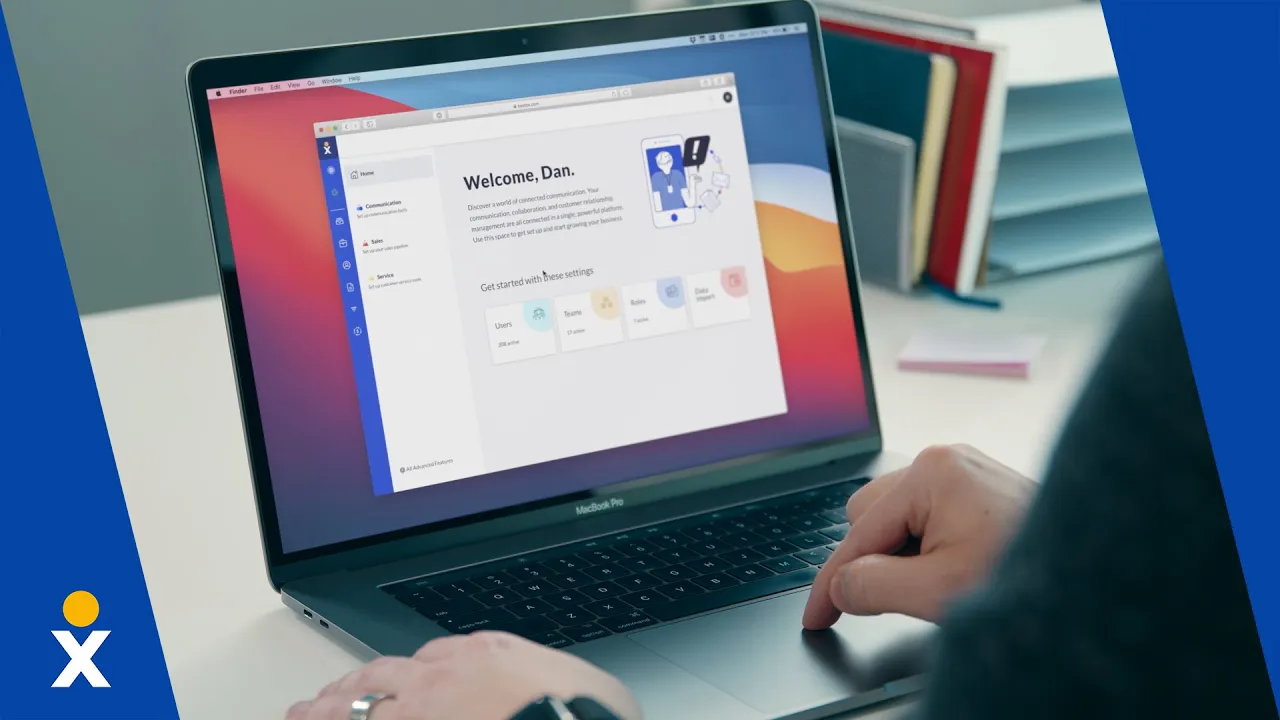
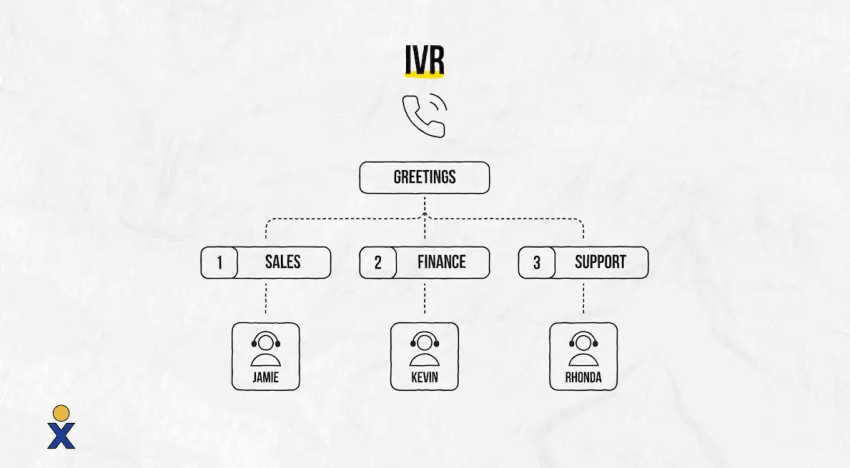
Incoming calls can be automatically directed to the appropriate team members by using call flows for new patients, existing patients, medical billing, and pharmacy requests. IVR systems can prep callers by asking them to have their insurance cards ready or sharing information they need before routing them to extensions. These verbal prompts can reduce time spent gathering basic information during the call.
Where supported, call whispers can tell staff which menu option the caller selected before they answer. Keep menus short, offer a route to a staff member, and have your clinical team approve instructions for urgent concerns.
2. Unified communication tools
Medical offices aren’t just seeing patients in person and making appointments over the phone; telehealth consultations are now conducted on virtual calls, and appointment requests can be made online or even through live chat.

Your platform must bring together the channels your practice uses, such as voice, video, messaging, and email. Before sharing patient information, confirm which channels your agreement and account settings permit.
3. CRM and EHR integration
Seamless CRM and electronic health record (EHR) integrations can give your team access to patient information during a live call without switching between as many systems. Ask which records the integration can display or update, and whether it works with your specific software version.
When a patient calls to make an appointment, for example, a supported integration may display their usual doctor and previous visit details. Staff should still verify the caller’s identity before discussing private information and check insurance eligibility separately rather than assuming the time since a previous visit determines coverage.
4. After-hours and intelligent call routing
Your call flow also needs a plan for when the front desk cannot answer. Set separate routes for business hours, lunch breaks, holidays, and after-hours calls, with a fallback if the first person does not pick up.
Routine appointment requests can go to a monitored mailbox or an approved answering service. Calls requiring clinical attention should follow your practice’s escalation process to the triage nurse or on-call clinician. A phone menu or AI answering service should not make clinical decisions.

Before launch, test each route and confirm who monitors messages and returns missed calls. Your clinical team should approve emergency instructions and make clear that callers should not wait for a callback in an emergency.
5. Advanced call analytics
Real-time monitoring and reporting are essential for healthcare practices. Advanced analytics can help you assess staff performance, identify customer trends, and more. These tools can identify areas for improvement, which is info you can use to enhance your call center efficiency.
You may realize, for example, that there’s a high volume of customer calls to confirm appointment times, which clogs up call queues. To solve this problem, you can send a confirmation text after each appointment is made and text each patient again a week before their appointment.
6. Secure call recording and access controls
If your practice records calls, confirm that recording is covered by the provider’s business associate agreement (BAA) and approved for your account. Ask how recordings and transcripts are protected, who can access them, and how retention and deletion work. Review applicable recording notice and consent requirements before turning the feature on.
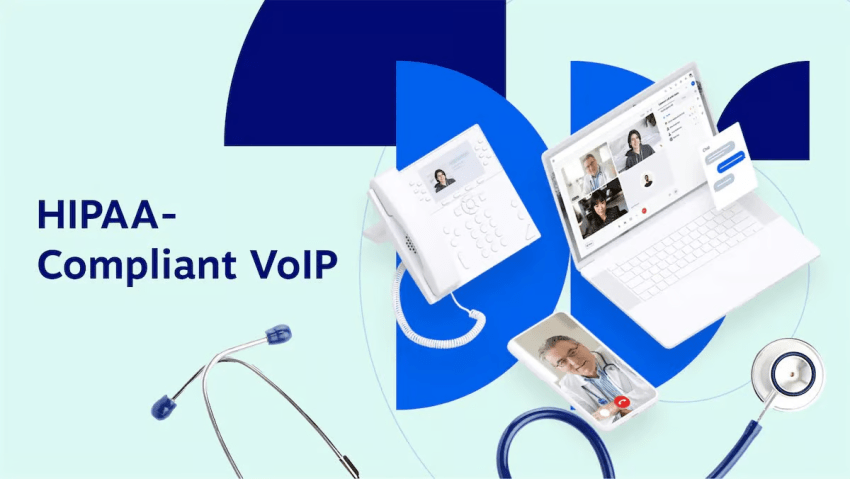
A product alone does not make your practice HIPAA-compliant. The HIPAA Security Rule also calls for safeguards such as risk assessment, appropriate access, staff training, and contingency planning.
7. Mobile accessibility and caller ID masking
With a supported VoIP app and a suitable internet connection, your team can work from anywhere.
Choose a platform with a robust mobile app that allows your staff to manage calls and messages remotely. This is particularly important for on-call scenarios when practitioners won’t be in your office but still need to be reached urgently.
An important additional feature to consider here is caller ID masking. When providers or administrative staff need to contact patients from their personal mobile phones, this feature routes the call through the practice’s main VoIP number.
This ensures that the patient sees the medical practice’s name and phone number on their display, rather than the employee’s private mobile number. This protects staff privacy, maintains professional boundaries, and increases the likelihood that patients will answer the call, as they recognize the medical practice as the caller.
8. Emergency alerts and mass notifications
Healthcare organizations and medical practices may occasionally need to broadcast information to patients and staff, such as an unexpected office closure or a schedule change. If your practice needs mass notifications, check whether they are included or require a separate service. Keep sensitive patient details out of broad announcements and test delivery before relying on them.
9. HIPAA-compliant virtual fax (e-Fax)
Despite significant technological advances in the industry, the fax remains one of the most important communication channels in healthcare for exchanging medical records, prescriptions, and lab results.
Conventional fax machines pose a security risk and tie up valuable administrative resources. An advanced phone system for medical facilities should feature an integrated, fully HIPAA-compliant virtual fax function. This enables your team to securely send and receive digital faxes via computers or mobile apps.
To ensure compliance, you should choose a provider that protects fax data using end-to-end encryption, provides digital transmission logs for audits, and stores incoming documents in a secure cloud environment rather than leaving sensitive patient data unprotected in a paper filing system.

Benefits of a VoIP Phone System for Medical Offices
Healthcare offices and medical call centers are increasingly ditching their traditional phone systems in favor of VoIP solutions to take advantage of benefits for patients and support teams alike.

1. Improved patient experience
VoIP phone systems have advanced functionality, with easy-to-set-up features like skills-based call forwarding, call queues, and interactive voice response (IVR) that immediately improve the patient experience.
Automated attendants ensure immediate, accurate call routing, which can reduce patients’ wait times and frustration. They’ll speak to the right person the first time, and they’ll do so faster.
Appointment schedulers won’t be drowning in calls from patients who have urgent medical questions following their surgery, for example. They’ll be sent to a triage nurse who can help them determine the best course of action.
Advanced call-handling capabilities enable healthcare providers to be responsive to patient needs, which is an essential part of a strong healthcare customer experience.

2. Enhanced productivity
Healthcare organizations can streamline call processes with inbound and outbound call center features like IVR, autodialers, and automated scheduling reminders. These features enable you to free staff members from routine communication tasks like reminding patients of upcoming appointments or checking their account balances so that your support agents can focus more on important patient-care inquiries.
3. Cost efficiency
VoIP systems are much more cost-effective than traditional PBX systems, with much lower upfront investments and lower ongoing maintenance costs.
There’s no need for expensive and difficult-to-set-up hardware, and there are minimal maintenance costs as a result. Adding new phone lines is exceptionally easy since no hardware is required. And, since many VoIP systems offer pricing that scales up and down based on your fluctuating patient volume and practice size, you’ll never run out of bandwidth or overpay for what you need.
4. Regulatory compliance
Patient information is protected under HIPAA, a data security and privacy regulation that ensures medical information is protected. Maintaining compliance with key regulations is a crucial healthcare call center best practice.

Features such as access controls and protected recordings can support your compliance procedures. Confirm which functions are covered by your BAA and available on your account. Your practice remains responsible for how staff access and use patient information.
How to Choose a VoIP Vendor for Medical Practices
Ready to choose a business phone system for your medical practice? Here’s what to look for:
- Compliance capabilities: Confirm HIPAA compliance with features like verifiable audits and data encryption, and require signed business associate agreements.
- Reliability: Ensure that your chosen vendor offers industry-leading uptime guarantees.
- Scalability: Choose a vendor with plans and pricing that will scale with your medical practice’s size and call volume.
- Integration with existing tech: Check compatibility and ease of integration with existing healthcare software such as CRM, EHR, and practice management tools.
- Customer support: Look for 24/7 customer support, available contact methods, and response commitments for urgent outages. Ask how issues are escalated and whether onboarding and staff training are included in your plan.
- Comprehensive training: Take advantage of the onboarding and training that some vendors offer to teach your team how to set up the software and use the platform.
Match the system to your practice
Start with the calls your team handles each day. Ask vendors to demonstrate those situations using a sample workflow before you commit.
| Practice need | What to test in the demo |
|---|---|
| Small office with a shared front desk | Call transfers, shared voicemail, and overflow when staff are busy |
| Multiple locations | Location-specific greetings, schedules, and routing between offices |
| On-call clinicians | Mobile calling, business caller ID, and a fallback if the clinician cannot answer |
| High call volume | Queues, callback options where available, and missed-call reporting |
| Regular records exchange | Digital fax access, delivery logs, and the exact services covered by the BAA |
Compare the full cost
Request a written quote based on your users, locations, and expected usage. Include phones, onboarding, integrations, recording storage, fax, messaging, and answering-service charges where applicable. Ask which features cost extra, whether billing is monthly or annual, and how adding or removing users affects the contract.
Before switching, test the system during a busy period and confirm the number-transfer schedule. Keep your existing service active until the transfer is complete and incoming calls reach the right destinations.
Medical Office Phone System Providers At a Glance
These three providers offer different combinations of phone service, patient communication, and contact center tools. Use this comparison to narrow your options before requesting a demo.
| Provider | What to consider it for | Key capabilities | What to verify |
|---|---|---|---|
| Nextiva | Practices seeking business phone service with options for more advanced call handling | Call routing, mobile access, unified communications, and reporting | Features available on your healthcare account, BAA coverage, and integration requirements |
| Weave | Practices seeking phones and front-desk tools in one platform | Patient call pop-ups, appointment reminders, two-way texting, and payment tools | Compatibility with your practice management software and which functions the integration supports |
| 8×8 | Organizations evaluating unified communications and contact center services across teams or locations | Voice, messaging, video meetings, and contact center tools | Plan inclusions, BAA coverage, and routing and reporting options |
Top 3 Vendors for Medical Office Phone Systems
Wondering how to find the best phone system for healthcare organizations? Here are the top three phone systems in 2026 for healthcare practices, from small providers to high-volume medical call centers:
1. Nextiva
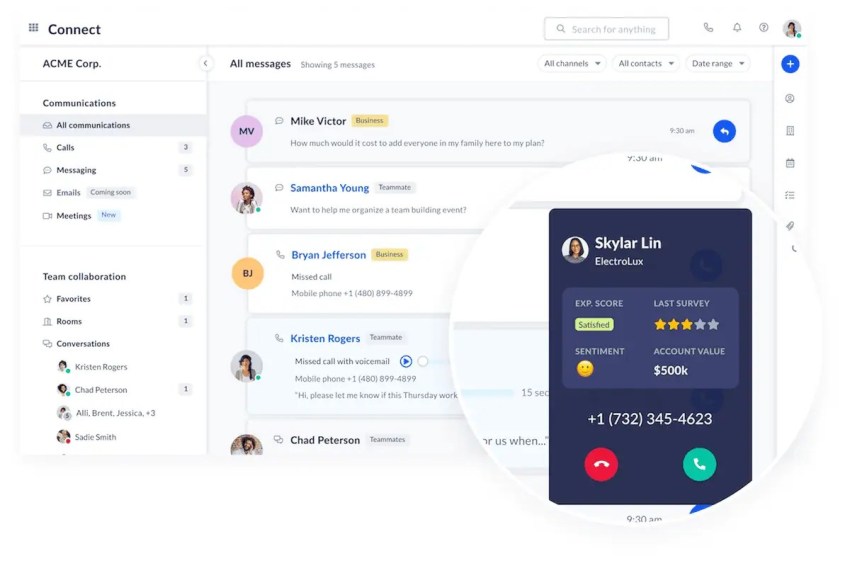
Nextiva is one of the most reliable VoIP services on the market, with healthcare-specific solutions that offer both advanced features and HIPAA compliance. Here are some of Nextiva’s key features:
- Unified communications: Offers integrated voice, video conferencing, SMS, email, and chat capabilities
- Advanced analytics: Deliver real-time insights into call volumes, patient interactions, and staff performance to improve the patient experience and operational efficiency
- Compliance assurance: Includes HIPAA-compliant call recording, advanced encryption for voicemail transcription and call records, and robust security measures
- User-friendly interface: Is easy to set up, has intuitive dashboards, and requires minimal training
- Exceptional reliability: Offers 99.999% uptime and award-winning customer service
- AI-powered features: Includes dynamic call scripting and sentiment analysis for improved patient experiences
Nextiva’s current pricing page lists Core, Engage, and Scale for small businesses. Core includes calling, call routing, and a mobile app. Engage adds features such as customer-to-team SMS and advanced reporting, while Scale lists skills-based routing and AI transcription and summaries. Confirm healthcare-account availability and request a quote for your required setup.
Check voicemail delivery specifically. Nextiva’s voicemail-to-email support guidance describes an encrypted email arrangement with Paubox for HIPAA customers. Do not assume that every voicemail or transcription setting is available across all Nextiva products.
2. Weave
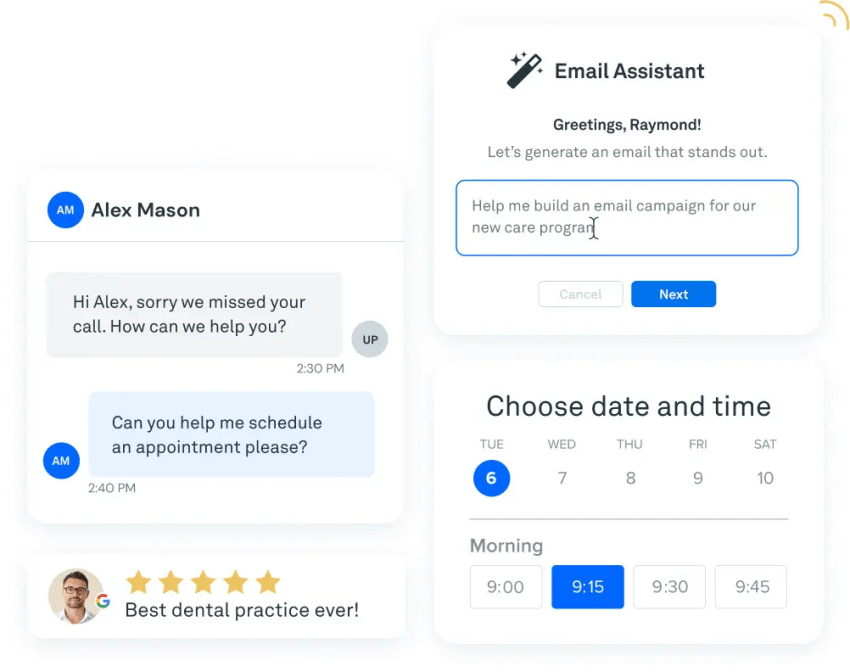
Weave is an all-in-one communication and patient engagement platform built specifically for small-to-mid-sized healthcare practices, such as dental, optometry, and veterinary clinics. Its key features include:
- Healthcare-native workflows: Unifies the phone system with automated appointment reminders, text-to-pay billing, and online review collection
- Patient context on every call: Pulls up a patient’s clinical and financial profile the moment they call
- Two-way patient texting: Lets front-desk staff confirm appointments and answer routine questions by SMS
- Practice management integrations: Connects with selected dental, optometry, and veterinary practice-management systems
Weave is a strong choice for single-location clinics in its core verticals that want front-desk tools and phones from one vendor. Organizations with multiple specialties, larger provider networks, or broader contact center and business communication needs may prefer a more general-purpose platform such as Nextiva.
3. 8×8
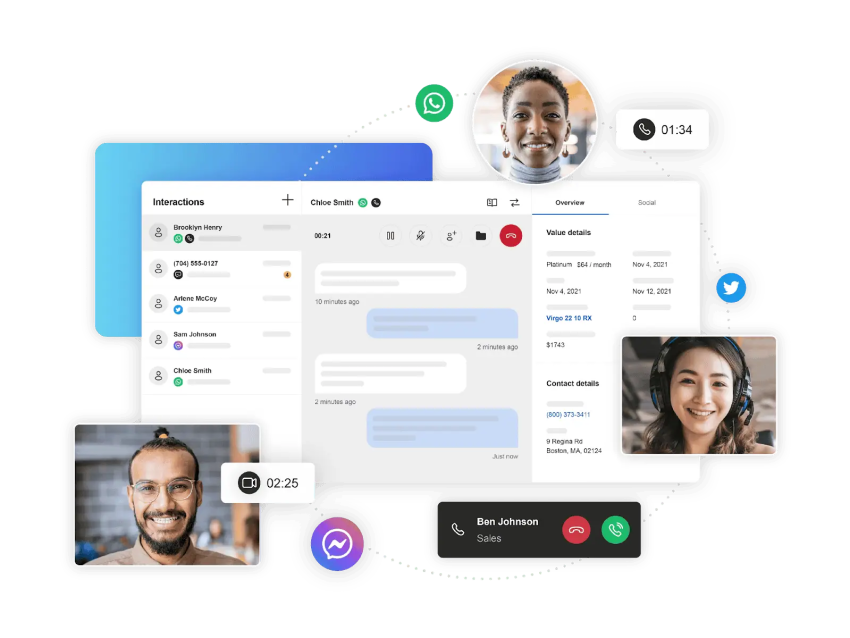
8×8 is an AI-powered contact center solution and unified communications solution. 8×8’s features enable unified communications across different channels and are HIPAA-compliant. Its key features include:
- International reach: Its strong global presence and multilingual support make it a solid choice for healthcare organizations regularly helping patients outside the United States.
- Omnichannel options: It offers multichannel support for a well-rounded customer experience.
- Decent analytics: Its analytics provide important information for KPI tracking but aren’t quite as advanced as Nextiva’s.
8×8 has a slightly more complex setup process with a more advanced learning curve than other phone systems. Medical practices looking for a simplified setup and user-friendly tools may want to consider Nextiva instead.
Supplementary Healthcare-Specialized Vendors
While the vendors above cover the needs of most practices, some prefer specialized software built only for the healthcare sector. If you’re looking for such systems designed for practice management, consider these additional options:
- OhMD: Unlike standard VoIP, OhMD is built entirely around clinical workflow optimization and patient texting. It integrates deeply with hundreds of EHR systems to facilitate secure, HIPAA-compliant patient communication, automated intake forms, and care coordination without the bloat of a traditional corporate phone system.
- Spruce Health: Spruce is a powerful, healthcare-specialized platform that excels at care coordination and telemedicine. It acts as a unified inbox for your medical practice, seamlessly blending HIPAA-compliant business phone lines, virtual fax, secure patient messaging, and video telehealth visits into one sleek workspace.
Nextiva: The Best Solution for Your Medical Office
Your phone system should make a busy day easier to manage. Nextiva gives your practice room to grow, with communication tools for your front desk and options for more advanced support as patient demand increases.
For the moments your staff cannot pick up, Nextiva’s XBert adds answering coverage. It can handle routine questions and route callers to your team, giving patients a way to connect during busy periods and after hours.
Give your staff more time for the patient in front of them while keeping incoming calls moving. Explore XBert to see how it can work alongside your medical office team.
Get a Personalized Demo of Nextiva’s Healthcare VoIP Solutions
VoIP solutions for the healthcare industry.
Small practices to large healthcare organizations trust Nextiva to manage all their end-to-end patient interactions using our HIPAA-compliant platform.
Frequently Asked Questions About Medical Office Phone System
Set clear after-hours routes for administrative requests and calls requiring clinical attention. Use schedules to activate these routes, with prompts and escalation rules approved by your clinical team. Time-based routing alone cannot determine medical urgency.
Where supported, voicemail-to-ticket workflows can capture and assign routine requests for follow-up the next business day. Tell callers when messages will be reviewed and provide clear instructions for emergencies.
Ask your vendor to configure and test automatic forwarding to an external mobile number or another location when your office connection fails. The destination must work independently of the affected connection.
Maintain a documented downtime plan, including a backup internet connection and a tested call-forwarding process. Confirm which outages the setup covers, since a provider-wide disruption may require a different response.
Where available, use queue callbacks and overflow routing to an existing backup team or answering service during spikes. Callbacks reduce the need to wait on hold, but your team still needs capacity to return those calls.
You can also shift routine requests to self-service options and send appointment reminders to reduce avoidable confirmation calls. Track missed calls and callback completion to see whether these changes are working.
Plan role-based training. Front desk staff, clinical teams, and managers need different workflows, plus short refreshers after the first few weeks of use.
Include scripts for common scenarios, patient identity checks, privacy procedures, escalation rules, and quick-reference guides. Give staff time to practice transfers, message handling, and downtime procedures before launch.
Choose a platform that supports shared directories, location-specific schedules, and routing to the correct office or team. Test transfers, overflow routes, and after-hours calls across every location.
Define who can change routing and how updates are approved. Keep patient-facing messages accurate for each office, including its hours, services, and callback arrangements.
It may contribute by reducing unnecessary transfers, making the right team easier to reach, and improving follow-up after missed calls. These changes can reduce frustration, but they do not guarantee higher satisfaction scores.
Review patient feedback alongside call data. Look for changes in complaints about repeated explanations, unanswered messages, and unclear next steps.
Review service-level agreements (SLAs) for uptime commitments, support response targets, exclusions, and conditions for service credits. Confirm how the vendor communicates outages and maintenance windows.
Also check data ownership and export rights, renewal and termination terms, number-porting procedures, and fees for adding or removing users and locations. For services handling protected health information, confirm the scope of the business associate agreement.