Business Communication
  Blog
Blog  Customer Experience
  Leadership
  Marketing & Sales
  Nextiva News
  Productivity
  VoIP
VoIP 

Before shortlisting phone system tools, I’d like to reflect on what changes when going from SMB to mid-market. This lays the foundation for differentiating a mid-market phone system from other options.
Mid-market companies have different needs than SMBs or enterprises, and so do the business phone systems that serve them. As a mid-market company, you likely have a few hundred team members, scattered across different locations. As you grow, you need a phone system that supports multi-site routing with central administration. It needs to handle integrations and compliance challenges while supporting the scale it’s meant for.
In place of a mid-market system, if you stretch small business phone systems with more seats or shrink an enterprise PBX to fit, you’ll compromise on what your team truly needs. This article identifies those needs and then helps you pick the right business phone system for your stack.
This guide also covers the cost of ownership and a migration plan from a PBX.
What a Mid-Market Phone System Needs to Do
A mid-market phone system is a cloud-hosted business phone platform, built on Voice over Internet Protocol (VoIP) technology, that supports a few hundred employees across multiple locations. It handles multi-site call routing, central administration, and integrations without the hardware and dedicated telecom staff that a traditional on-premises PBX demands.
It keeps voice channels functional when you scale and inquiries start to pour in. In Metrigy’s contact-center research, 82% of customer interactions use voice either initially or as an escalation from a digital channel.
It makes sense to fix voice as you grow and scale, or else the CX looks pale, and customers eventually bail. Here, a mid-market phone system helps you solve for scale. Before we unveil your options, explore what truly fits your business.
Small-business app vs. mid-market platform vs. enterprise PBX
The three tiers differ on who administers the system and how routing works, not just on seat count. The ranges below are working definitions.
| Need | Small-Business App | Mid-Market Cloud Platform | Enterprise On-Premises PBX |
|---|---|---|---|
| Users | 1 to about 50 | About 50 to 500 | Hundreds to thousands |
| Routing | Basic auto attendant and ring groups | Multi-level IVR, skills-based queues, multi-site rules | Highly customized, often vendor-managed |
| Administration | Owner-managed | Central admin, roles, bulk provisioning | Dedicated telecom staff |
| Integrations | A few apps | CRM, helpdesk, Teams, SSO, APIs | Custom integrations |
| Cost structure | Low per-seat | Per-seat with tiers and add-ons | Hardware capital plus maintenance contracts |
The mid-market phone system is a hosted VoIP system, sometimes called a virtual phone system, with central administration. Traditional phone systems tie that routing to hardware in a closet. If you want to compare models, Nextiva’s guide to hosted vs. on-premise phone systems helps.
Core capabilities for 50 to 500 seats
Vendors would have these capabilities in their package. The per-seat price changes based on which tier each core capability falls into, and the advanced features often sit one tier above the entry price:
- Multi-level auto attendants and visual call flows: Callers reach the right department at the right site without a human transfer. Build the tree before you buy so you can test it in a demo.
- Call queues: They hold incoming calls in a virtual line when your team is busy, playing music or announcements, until an agent is available. An automatic call distributor (ACD) receives the call. It may identify the caller using Caller ID and initiate an interactive voice response (IVR) system for self-service. The system queues the call when all agents are busy.
- CRM and helpdesk integrations: Nextiva’s Core plan starts at $15 per user per month, billed annually, and offers integrations with popular CRM and helpdesk platforms, including Salesforce, HubSpot, and Zendesk, as paid add-ons. With Dialpad, you’ll find CRM integrations in Connect Pro, which is a mid-tier plan starting at $25 per seat per month, billed annually. This creates a cost difference for similar value.
- Call recording and storage: Nextiva includes call recording in the Core plan. Ask every vendor how long it retains recordings, whether automatic call recording can be set per queue or per user, and what extra storage costs.
- Centralized provisioning across locations: RingCentral’s “Connect multiple sites” feature starts at the Advanced tier (starting at $25 per user per month). Dialpad’s “multi-office management” feature starts at Pro ($25 per user per month). For Nextiva, this capability starts with the Core plan (at $15 per seat per month).
- Single sign-on: Zoom’s SSO comes with the Business Plus bundle. Dialpad’s SSO is Enterprise-only. Nextiva lists SSO on its Engage plan.
- AI transcription and call summaries: Nextiva offers AI transcription and call summaries in all plans. Limits vary based on the plan.
Top 5 Mid-Market Phone Systems Compared
If you’re referencing reports, see it as rear-facing. A leader position can tell you that a vendor is viable, but it doesn’t tell you the best business phone system for a 120-seat company with four offices.
The VoIP service plans below are from each provider’s page as of October 2026. Recheck them the week you sign, because they change.
| Provider | Best For | Published Pricing | Watch For |
|---|---|---|---|
| Nextiva | Unified phone, CX, and AI with high-touch support | NEXT Core $15, Engage $25, Scale $75 per user per month, billed annually; Enterprise contact center from $75 per agent per month, billed annually | AI transcription and summaries are capped at 50 conversations on Core and 200 on Engage; SSO starts at Engage |
| RingCentral RingEX | Large app ecosystem and complex routing | Core $20, Advanced $25 per user per month billed annually; AI bundles and over 100 users quoted | CRM integrations and multi-site start at Advanced; Core caps texting at 25 SMS per user per month; AI Receptionist add-on from $39 a month |
| Zoom Phone | Companies standardized on Zoom | US & CA Unlimited: $16 per user per month, billed annually | Call queues are in every plan; Contact Center is a separate product; the Pro Plus bundle ($20.50 per user per month, billed annually) drops SSO, which phone-only plan and BusinessPlus ($24.50 per user per month, billed annually) include |
| Dialpad | Real-time AI transcription on every tier | Connect Standard: $15; Pro: $25 per user per month, billed annually | CRM integrations and multi-office start at Pro; SSO and the 99.9% uptime commitment are Enterprise; regional pricing may differ |
| 8×8 Work | Global footprints | Quote-based; no price list published | Get a written quote with the full fee schedule; confirm country coverage and rates |
1. Nextiva: best for unified communications and support
Start with the plumbing, because a phone service is only as good as the network under it. Nextiva runs eight points of presence, carrier-grade data centers that strive for 99.999% uptime, and a 24/7 network operations center staffed by Nextiva engineers.
It has SOC 2 attestation, ISO/IEC 27001 facilities with independent verification, PCI DSS for payment environments, and HIPAA-compliant plans with signed BAAs. Every plan includes 24/7 support by phone, chat, and email, and NEXT Scale adds a dedicated onboarding team. That matters more than it sounds.
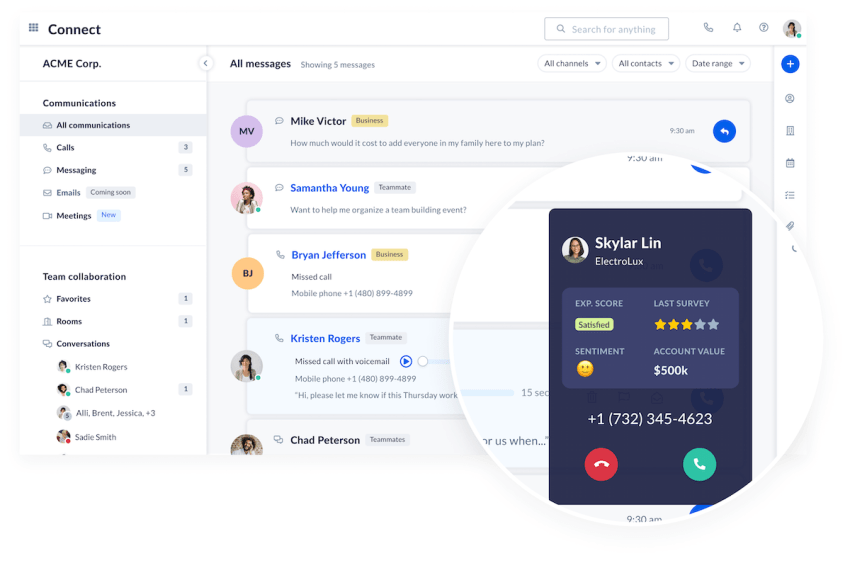
On the platform itself, NEXT Core ships with:
- Unlimited voice and video calling
- 100 business SMS or MMS per user per month
- Team collaboration
- Skills-based routing
- A basic CRM and ticketing system
- A shared team inbox plus a personal inbox
- A CX journey builder
- 50 conversations each of AI transcription, AI summarization, and AI answer assist
Call recording, smart call routing, voicemail with AI transcription, a workflow builder, dashboards, and Salesforce and Outlook or Google contact sync are included on every plan.
NEXT Engage adds:
- Live chat and chatbot
- 500 texts per user per month
- A toll-free number with 2,000 minutes
- Multiple shared inboxes
- Single sign-on
- Virtual fax
- 200 AI conversations each
NEXT Scale adds unlimited texting, 10,000 toll-free minutes, directory sync, supervisor monitoring, a dedicated onboarding team, and unlimited AI-assisted conversations.
Tip: For a mid-market buyer, the gating items are SSO at Engage and supervisor monitoring at Scale, so a 150-seat company with a support team is sizing Scale for the supervisors and Engage for everyone else.
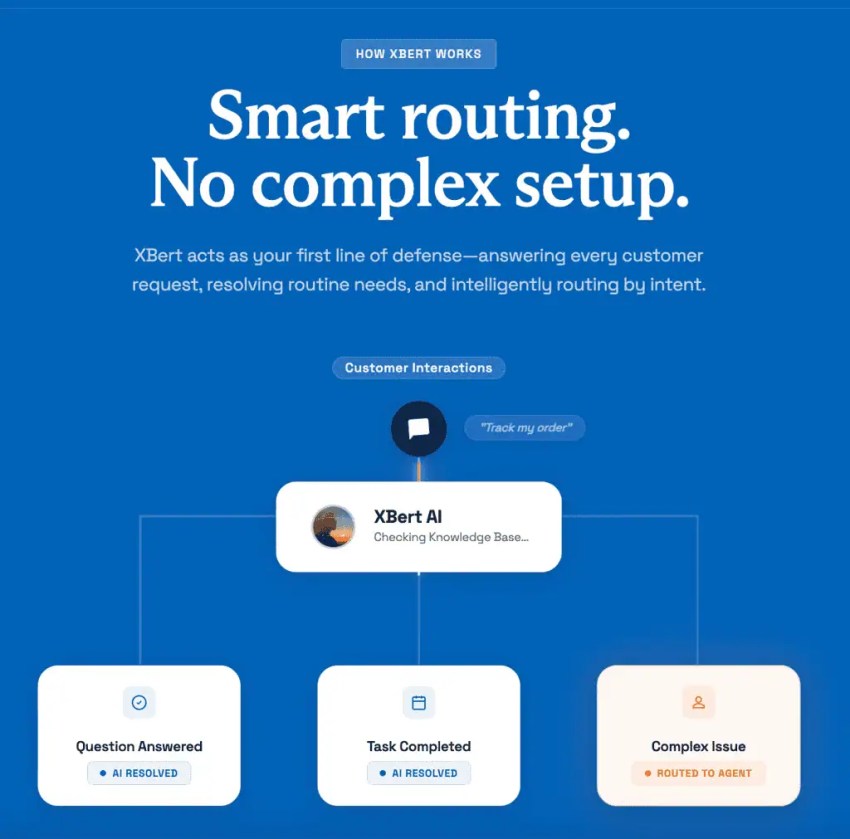
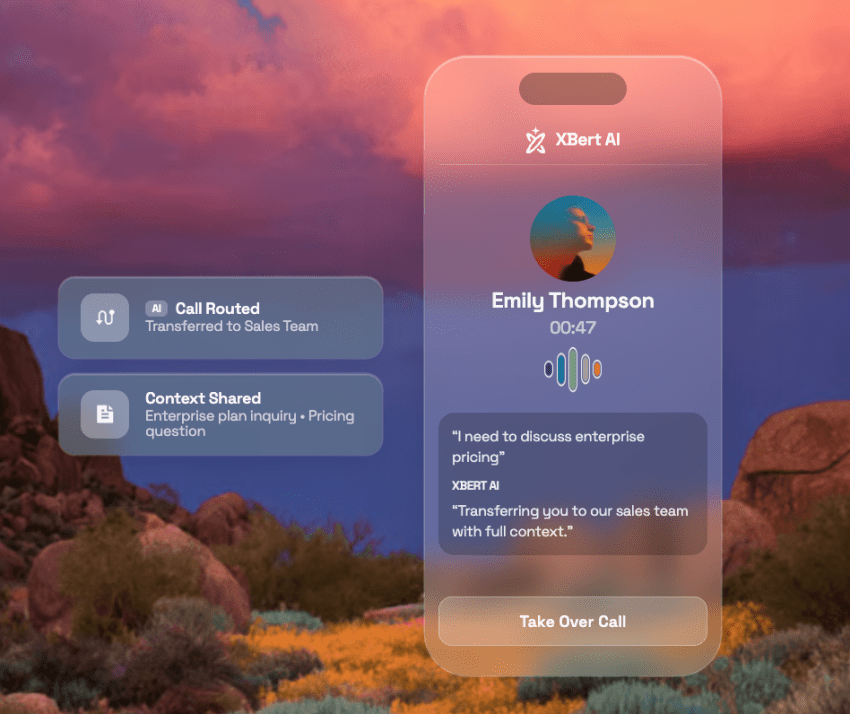
XBert, Nextiva’s AI receptionist, answers incoming calls, texts, and web chats around the clock. You get XBert AI at $1.50 per conversation on every plan, with packages starting at 100 conversations a month.
Nextiva also publishes its per-line fees, which most vendors do not: a $3.95 Regulatory Recovery Fee and a $1.50 E911 fee per line. You will see those on the invoice either way. Seeing them before the quote is the point. Here’s a sample invoice, if you’d like to take a closer look.
2. RingCentral RingEX: best for large app ecosystems
RingCentral is good for breadth. For companies whose workflows run through dozens of SaaS tools, it helps. But CRM integrations are an advanced-tier feature. Also, the ability to connect multiple sites sits in the same tier.
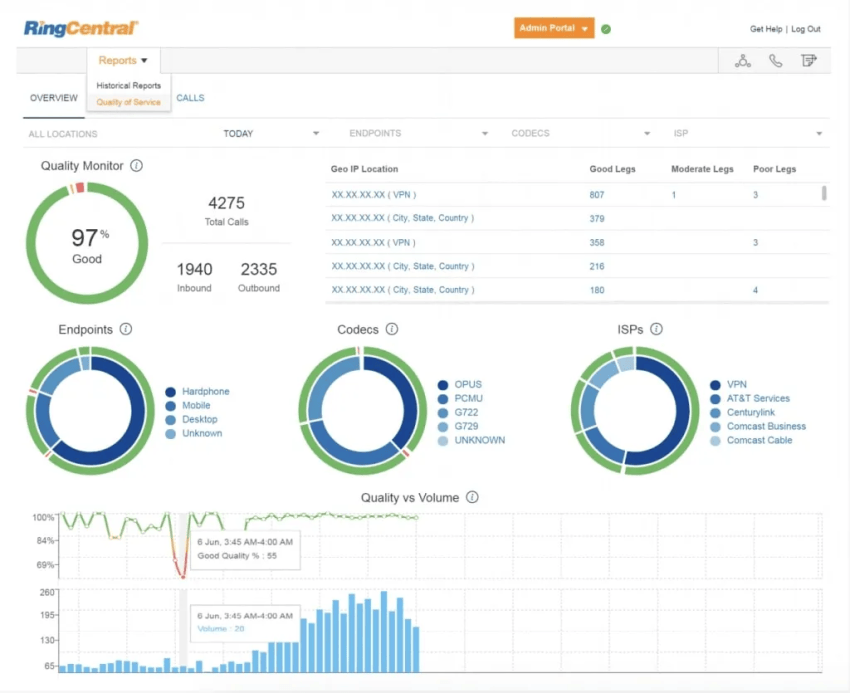
Add-ons like AI Receptionist and Call Queues Booster increase the VoIP pricing further. With the Business SMS Booster, a mid-market company’s phone bill grows well past the headline seat price. RingCentral has mentioned these across pages; it’s not hidden information.
What to consider before buying: An admin’s experience reflects that his team moved off Teams Phone to RingCentral. For them, SMS was the defining feature. But the same post adds they were looking at moving back to the Teams phone. It’s a reminder that the feature that drives a switch today can be commoditized tomorrow. It’s best to think long-term when making such purchases.
3. Zoom Phone: best for Zoom-standardized companies
If your company already runs its video meetings in Zoom, Zoom Phone is the shortest path to one vendor for video conferencing and voice. Zoom Phone plans start with US & CA Unlimited at $16 per user per month billed annually or $18 monthly.
Every plan includes call queues, Nomadic E911, and unlimited calling in the US and Canada. The Pro Plus and Business Plus bundles are $20.50 and $24.50 per month, billed annually.
Check the SSO row before picking a bundle. The phone-only and Business Plus plans list SAML single sign-on; Pro Plus does not.
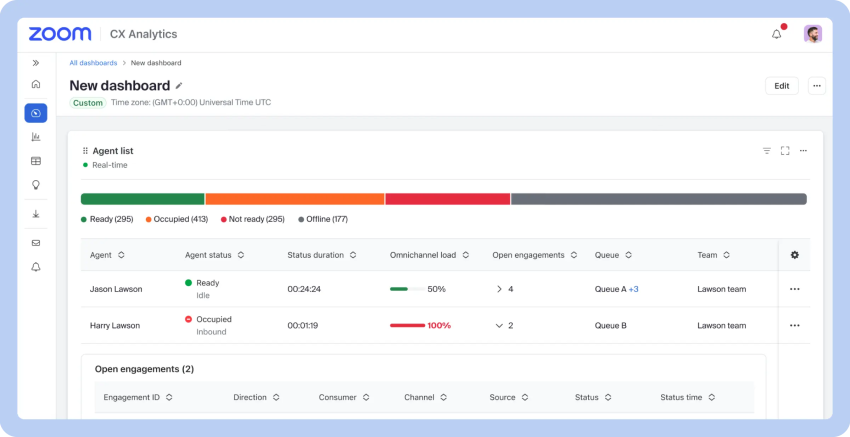
What to confirm before signing: Contact Center is a separate product with its own pricing. And if your voice needs include supervisor dashboards for a real support team, that is the product you are buying.
4. Dialpad: best for real-time AI transcription on every tier
Dialpad’s distinction is what it gives away on the entry plan. Connect Standard at $15 per user per month includes real-time transcripts and instant call summaries, while Pro at $25 adds key CRM integrations, 24/7 support, and multi-office management.
Enterprise is quote-only and carries SSO, user access controls, unlimited office locations, and a 99.9% uptime commitment.
Two clarifications help here. First, features such as Live Coach sit on Dialpad’s Sell and Support products, not on Connect, so a sales team that wants real-time coaching is buying a different SKU. Second, Dialpad notes that pricing may differ by region, so a multi-country company should quote each region.
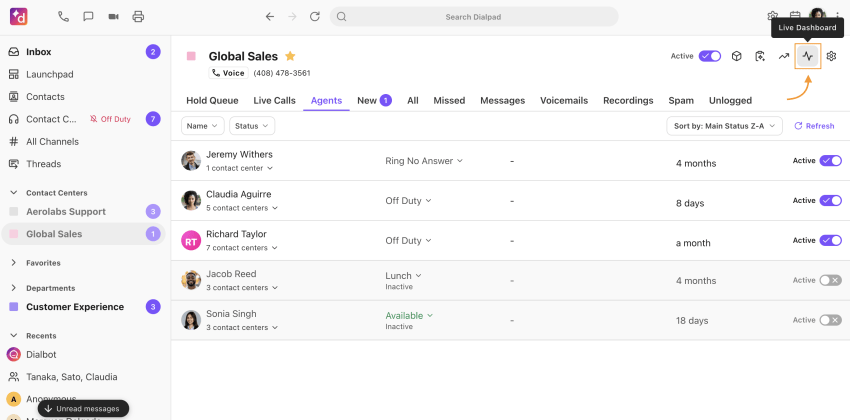
The practical fit is a company that wants transcription and summaries for every user without paying a premium for them. Also, it needs to be comfortable with SSO and a formal uptime commitment arriving only at Enterprise.
5. 8×8 Work: best for global footprints
8×8 publishes no list prices for 8×8 Work. Its plans page offers “Request a Quote” and invites buyers to mix and match offerings to build a custom plan. The quote-only model is for a reason. Zeus Kerravala reported in August 2026 that 8×8 announced it’s moving downmarket into a flexible, usage-based, consumption-based pricing model across its UCaaS and CC offerings.
Consumption pricing can fit a company with seasonal call volume. But if there’s no optimized utilization spending, the spending will simply burst.
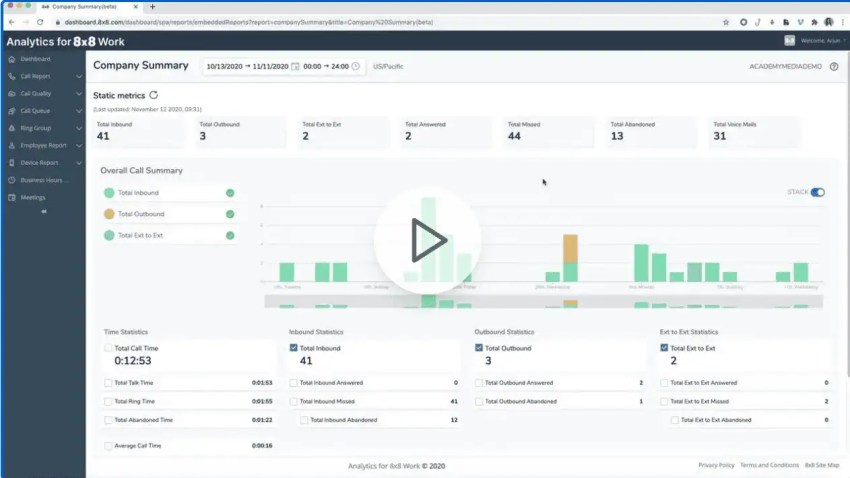
What to consider: Ask 8×8 for its full fee schedule in writing, the country list and per-country rates for international calling, and a worked example of a usage-based month at your projected volume.
Should Microsoft Teams Be Your Phone?
According to Microsoft’s own figures, around 26 million PSTN-enabled users exist, and more than 320 million people use Teams each month. That’s roughly 8% of monthly Teams users who use calling. This also points to a calculated guess that most Teams shops still run voice somewhere else.
If you’re considering Teams, you must go through this in-depth analysis of the Teams phone system.
Ways to put a dial tone in Teams
Among these ways, the license is the smallest part:
| Path | What Microsoft Lists | What You Still Pay For |
|---|---|---|
| Calling Plans | $10 Teams Phone Standard; $13 to $34 with Microsoft calling, taxes and fees included, all billed annually | Teams license if your suite lacks it; shared-device licenses; handsets; add-ons for queues and contact center |
| Operator Connect or Direct Routing | $10 Teams Phone Standard | Carrier contract per user or per number; SBC and its administration (Direct Routing); support across three vendors |
| Standalone platform integrated with Teams | Nothing extra from Microsoft beyond your existing Teams license | The platform’s per-seat price; its integration add-ons, if any |
Costs go unnoticed
The phone bill may not come as clean as it appears on the quote. It depends on whether you run high call volumes and how many desk phones you keep. It’s best to model your minutes per user and desk phones per site before you agree on anything.
For example, Direct Routing carries costs that may not appear on a quote. There might be other soft costs like SBC administration, maintenance, upgrade cycles, and managing support through Microsoft, the SBC OEM, and the PSTN carrier when you have issues.
Gaps emerge
Some gaps show up quite frequently on Teams Phone, including:
- Contact center queues: On Teams Phone, queuing inbound calls for a call center can be limited, as it requires extra licensing for supervisor features like seeing how many calls are in queue.
- Business texting: Teams SMS is available, but it runs through 10DLC carrier registration like every other business texting product. The Campaign Registry lists a UCaaS Low Volume campaign at $1.50 a month and a one-time $4.50 brand registration fee. When you budget, also consider the weeks for approval. This cost applies to you regardless of the platform you choose, but it’s worth mentioning.
- Analog devices: Many enterprise environments still use analog devices, and operating through them requires extra hardware.
- Single-vendor outage: If there’s an outage in MS, you have no email, messaging, or phone service.
Will you use Microsoft Teams as your phone system?
Before deciding, I’d price Operator Connect or Direct Routing, then pick supported phones you can provision from the Teams Admin Center. Test 911, fax/alarm, edge cases, and AI receptionist workflows before you promise anything.
If your flow is simple, Teams can be the phone. If it includes queues with supervisors, department routing across sites, or analog devices, a dedicated platform that integrates with Teams is usually the better fit.
This is where Nextiva’s Microsoft Teams integration fits. It uses Microsoft Direct Routing so users make and receive phone calls directly in Microsoft Teams. They get calls in the browser, the Teams desktop app, and the Teams mobile app, while keeping existing Nextiva numbers, handsets, routing, CRM integrations, and call center functionality. Nextiva’s contact center can also integrate into Teams.
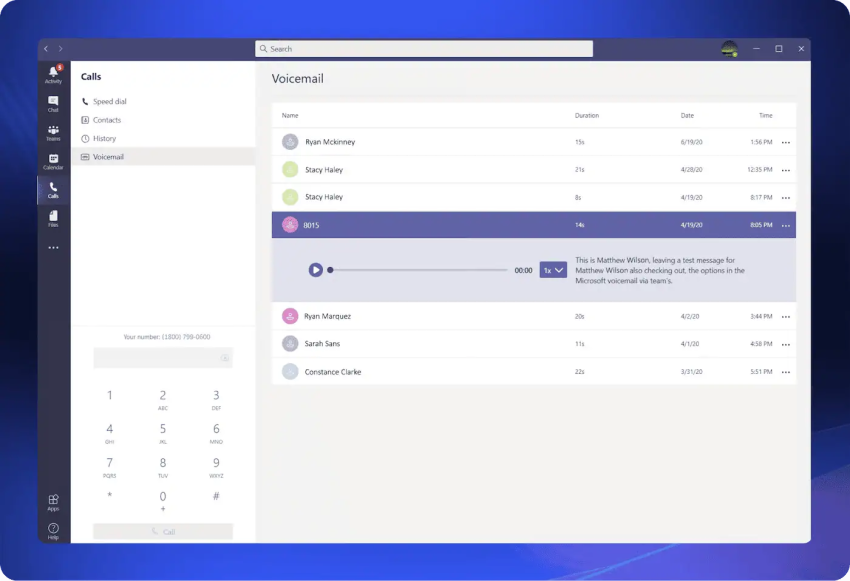
In this setup, Teams remains the collaboration layer for team chat and meetings, while Nextiva manages the phone system, including queues, 911 handling, etc.
Multi-Location Routing and 911 Compliance
When configuring the phone system across different locations, you work with different sets of routing rules. These rules cover business hours settings, department routing, and what happens when a site’s internet connection drops and calls need to reach a cell phone instead. In the case of cloud routing, these are simple admin settings.
Any mid-market platform should let an admin change a site’s after-hours path in minutes. Check multi-location routing in vendor demos, along with 911 compliance, which is where Kari’s Law applies.
What Kari’s Law requires
Kari’s Law applies to multi-line telephone systems manufactured, imported, offered for first sale or lease, first sold or leased, or installed after February 16, 2020. It requires that users can reach 911 without dialing any prefix or access code, such as 9.
The system needs to be configured to notify a central location on-site or off-site where someone can see or hear the notification. The FCC’s rules summary spells out the notification: It must include the fact that a 911 call has been made, a valid callback number, and the caller’s location information, and it must not delay the call to 911.
The notification is required if the system can provide it without improving its hardware or software.
On this list, every cloud phone system can dial 911 directly. The buying question rests on the notification. Ask who receives it, on what device, and whether it works for calls from the mobile app.
What RAY BAUM’S Act requires
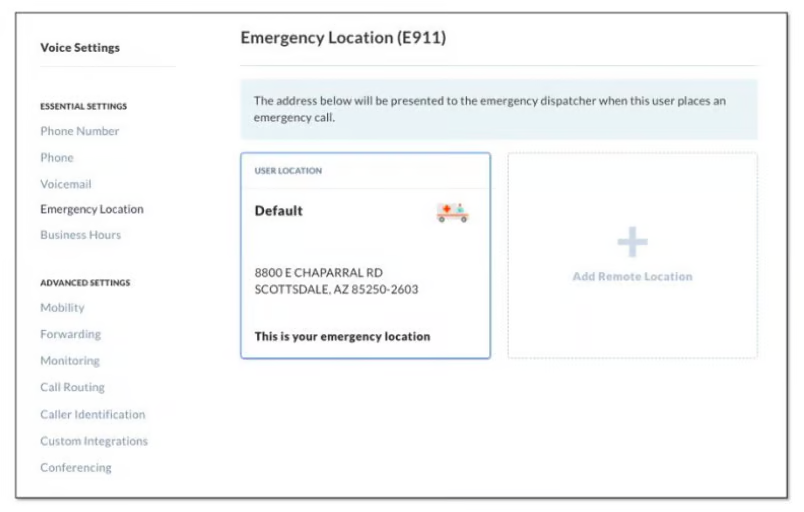
Section 506 of RAY BAUM’S Act requires 911 calls to carry a dispatchable location. It must be a validated street address of the calling party, plus additional information such as the suite, apartment, or similar information necessary to adequately identify the location of the calling party.
Fixed on-premises devices had to provide it automatically by January 6, 2021. Non-fixed on-premises devices and off-premises devices had to do so by January 6, 2022, when technically feasible. For the remote softphone case, the FCC’s dispatchable-location rules add that providers must identify whether the service is being used to call 911 from a location different from the Registered Location and either prompt the user for a new one or update it automatically.
Assuming it just works or doesn’t work, you need to ask these questions of a vendor. Put these questions in an RFP and score answers:
- How is location captured for remote and hybrid workers? Automatic detection, a prompt when the softphone sees a new network, or a manually entered address? What happens when a user ignores the prompt?
- Who updates addresses, and how often are they validated? Name the role, not the department. Ask how the system handles a user who works from three places in a week.
- How is on-site notification delivered and to whom? Screen pop with audible alarm, text, email, or all three? Does it work for calls from a mobile device?
Nextiva’s primer on E911 for VoIP covers the mechanics in more depth.
Total Cost of Ownership: VoIP Phone System Costs and Hidden Fees
The per-seat price is the only business phone system cost on the pricing page. The invoice includes a few more items:
| Cost Category | What to Ask | Why It Matters |
|---|---|---|
| Seat licenses | Annual vs. monthly price, tier for each user type, minimums and term | Annual billing often delivers the biggest cost savings per seat |
| Taxes and regulatory fees | E911 fees, regulatory recovery, Universal Service Fund pass-through, state and local taxes | Can add a meaningful percentage to the sticker price |
| Add-ons | Toll-free minutes, extra numbers, AI features, international calling, texting registration | Where most mid-market bills grow |
| Hardware | Reuse existing SIP or IP desk phones or buy new; headsets for softphone users | Capital cost and refresh cycles |
| Implementation | Porting, configuration, training, professional services | One-time costs that vary widely |
| Network | Bandwidth upgrades, QoS-capable routers, backup internet | Call quality depends on it |
Ask every one of the VoIP service providers on your shortlist for a sample invoice for your billing address. Compare the fees and taxes subtotal along with the plan price. That subtotal is where hidden VoIP costs show up.
Per-seat pricing has a hidden cost of its own
For a per-seat pricing model, you need to staff appropriately to ensure peak license utilization. When you have a seasonal support spike, you take several licenses. Ask whether seats can flex down after the peak without a penalty and what the minimum commitment is.
If you anticipate random or festival support spikes, Nextiva’s AI receptionist can scale support while keeping your team lean.
Keep existing desk phones or go softphone
If you keep desk phones, reprovisioning may be possible, but it’s not guaranteed. For a hosted platform, it’s advisable to send your vendor the exact models and firmware of your Poly and Yealink sets and get a written yes or no. With Nextiva, you can find the supported phones and headsets on its hardware page.
There is a middle path if you wish to keep the PBX running. Nextiva’s SIP trunking connects an existing PBX to its network.
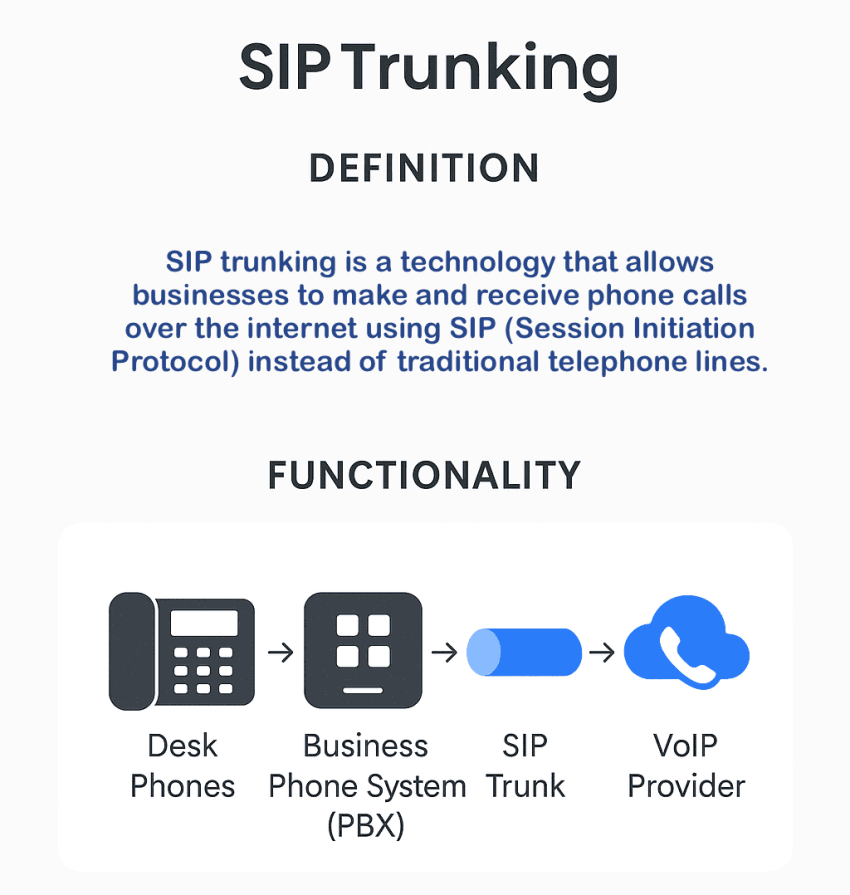
It supports major PBX systems with compatibility confirmed before setup and includes E911 support and automatic failover if the PBX goes offline. However, it requires knowledgeable IT experts to handle maintenance.
It’s better to have a hosted solution. For the full replacement path, see Nextiva’s guide to PBX replacement.
A 60-Day PBX-to-Cloud Migration Plan
You can migrate a 50- to 500-seat company in 60 days. But you don’t fully control the carrier port. This plan assumes that you keep the old service until the last numbers move. Here’s the week-by-week version of the plan:
| Weeks | Phase | Key Tasks |
|---|---|---|
| 1–2 | Discovery and network audit | Inventory numbers, devices, and call flows Drop DIDs nobody answers; test bandwidth (about 100 kbps per concurrent call each way) Test jitter and packet loss Plan QoS and VLANs Run the network readiness test |
| 3–4 | Design and configuration | Build call flows, queues, users, and 911 locations with suite and floor sublocations Watch VPN subnets Connect CRM and SSO |
| 5–6 | Pilot and porting | Pilot with one department Submit port requests with a Letter of Authorization that matches carrier records exactly Treat large batches as a project port |
| 7–8 | Cutover and training | Port on the firm order commitment date Forward calls during the gap Keep the old service live and paid until the last number moves Test every auto-attendant path Test 911 locations using your provider’s procedure Export voicemails Train users Disconnect bundled legacy services separately |
Weeks 1–2: Count numbers, then test the pipe
Start by counting phone numbers against people. Every number you port is a number that can be rejected, delayed, and billed. Fewer numbers are a faster port.
Then test the network. Standard calls require 100kbps (0.1Mbps) upload and 100kbps (0.1Mbps) bandwidth per simultaneous call, with 0% packet loss and less than 20ms of jitter.
If you choose Nextiva, run Nextiva’s network readiness test before the pilot. It simulates two to 200 concurrent lines from a chosen city and reports bandwidth, jitter, packet loss, and MOS. This is the number your vendor will ask for when a call sounds bad.
Then set up QoS so voice beats a software update for the same bandwidth.
Weeks 3–4: Design the flows and the 911 map together
Build the call flows you tested in the demo, and build the 911 map with the same care. Each building gets a validated civic address, and each suite or floor gets a sublocation.
Check which subnets the system uses to locate users and exclude the VPN pool. Connect the CRM and SSO now, while there are 10 pilot users to break things, not 300.
Weeks 5–6: Pilot one department and treat the port as a project
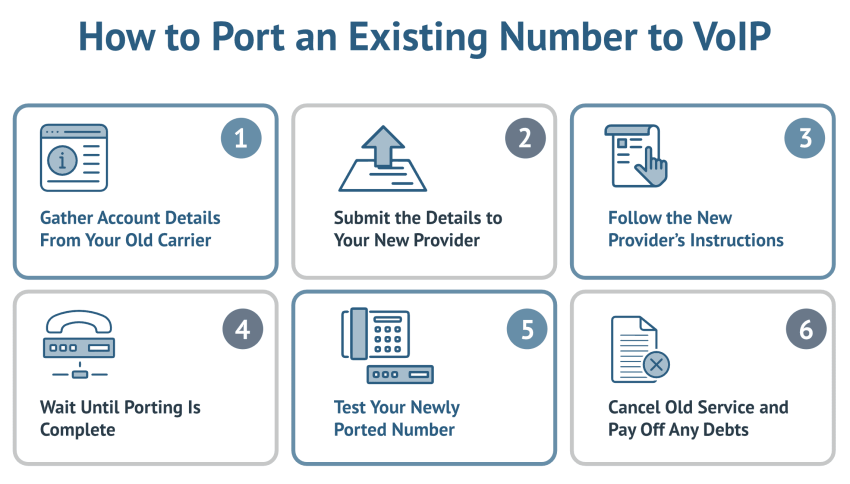
The pilot is where you learn whether the training plan is enough. The port is the risk. Here, carriers set the pace. Nextiva estimates that transferring business phone numbers takes about 2–4 weeks, depending on the previous carrier.
Temporary numbers are available in the meantime. A porting team submits the LOA online and advises the port-in date.
Nextiva’s guide to VoIP number porting covers the paperwork.
Weeks 7–8: Cut over on the FOC date, and do not disconnect early
The firm order commitment, or FOC, is the date the losing carrier commits to release the numbers. Cut over on that date, and forward calls during any gap. Remember to export voicemails before the old system goes dark.
Then walk every auto-attendant path by phone, from an outside line, and test 911 locations. After cutover, disconnect legacy services one by one.
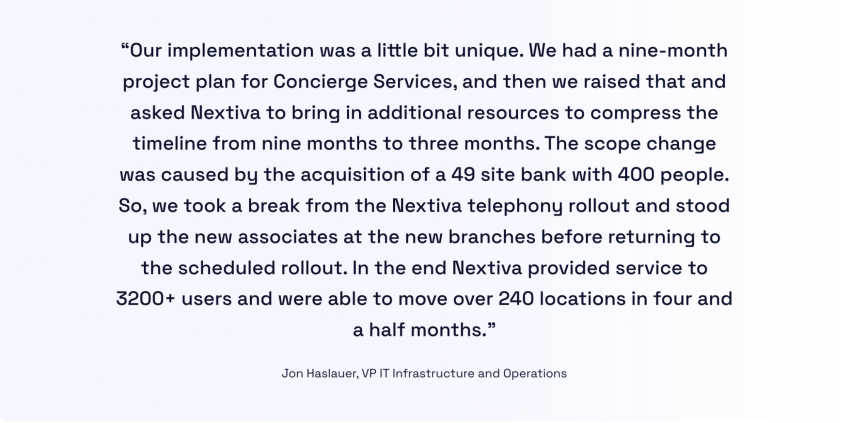
A compressed multi-site move is possible with the right support.
According to Nextiva’s customer story, Simmons Bank, with 240 locations and over 3,200 employees, moved from on-premises PBXs to Nextiva cloud communications and contact center.
Nextiva’s Business Phone System Solution
Nextiva Business Phone and Contact Center delivers one business VoIP platform with a network of eight points of presence, proven uptime, and 24/7 support on every plan. You get a dedicated onboarding team on NEXT Scale if you need one.
Suppose you’re on MS Teams. The Microsoft Teams integration keeps calling inside Teams while queues, texting, and customer conversations run on a platform built for voice.
The porting team handles the Letter of Authorization and the port-in date. All of this work happens with clarity and transparency. The fee schedule is public before you ask.
Explore Nextiva’s cloud phone system and give your team a migration plan they can rely on.
Switch to the #1 Rated Cloud Phone System to Run Your Business
Move on from your old PBX and upgrade to the industry’s highest rated hosted VoIP system. Get flexible, reliable cloud communications anywhere your team works.